
10 Home Office Ideas for Coders and Developers
By Maya Bennett, Founder & Editor. A coder home office is a workbench, not a showpiece: the code on the screen, the keyboard under the hands, and the reference material within reach matter more than the decor. Each idea below is one complete desk setup a reader can copy whole, with the desk, the seat, the screen, the light, the storage, and the power described together as one scene, and every screen in every setup shows real coding work. Start with the way you code, then pick the setup that matches it. For more ideas in this series, browse the Home Office Ideas category.
As an Amazon Associate I earn from qualifying purchases. Please see our affiliate disclosure for details. This article prints no prices, because prices change. Check the listing before you buy, and confirm you have the exact variant named.
In this article
- 1. The Dual Monitor Code Wall
- 2. The Standing Desk Sprint Station
- 3. The Mechanical Keyboard Corner
- 4. The Laptop Docking Station
- 5. The Ultrawide Command Desk
- 6. The Corner L-Shaped Build
- 7. The Budget First Setup
- 8. The Long Hours Ergonomic Rig
- 9. The Reference Wall Setup
- 10. The Late Night Dark Mode Desk
- Frequently asked questions
- Conclusion
At a glance
| Setup | Key product | Best for |
|---|---|---|
| 1. The Dual Monitor Code Wall | HUANUO NITROGLIDE Dual Monitor Stand HNDS7 | Code on one screen, docs on the other |
| 2. The Standing Desk Sprint Station | SHW 48-Inch Electric Height Adjustable Standing Desk with Drawer, White | Switching between sitting and standing |
| 3. The Mechanical Keyboard Corner | RK ROYAL KLUDGE S108 Typewriter Keyboard, Retro Mechanical Gaming Keyboard Wired 108 Keys with RGB Backlit Sidelight, Detachable Wrist Rest, Round Keycaps Blue Switches – Black | A keyboard that feels like the main tool |
| 4. The Laptop Docking Station | Plugable USB-C Docking Station, Dual 4K 60Hz HDMI, 65W Charging | One cable between laptop and desk |
| 5. The Ultrawide Command Desk | AOC CU34G4V 34 Inch Frameless Curved Ultrawide Gaming Monitor, UWQHD 3440 x 1440 1500R, 21:9 Aspect Ratio, 180Hz 0.5ms MPRT, Display Port x 1, HDMI x 1, AMD FreeSync Premium, Height Adjustable, Black | Three panes of code on one wide screen |
| 6. The Corner L-Shaped Build | RedLemon 60 Inch L Shaped Electric Standing Desk, Dark Walnut | Two work zones in one corner |
| 7. The Budget First Setup | Yaheetech Home Office Wood Computer Desk with Keyboard Tray and Drawers, Hutch, White | A first coding desk on a tight budget |
| 8. The Long Hours Ergonomic Rig | COLAMY Ergonomic Mesh Office Chair with Footrest, Black | Long sessions with adjustable everything |
| 9. The Reference Wall Setup | U Brands Contempo Magnetic Small Whiteboard, 11 inch x 14 inch, White Modern Frame, Includes Marker and Magnet | Notes and diagrams on the wall |
| 10. The Late Night Dark Mode Desk | Quntis Monitor Light Bar with Remote, White | Coding after dark in a dim room |
1. The Dual Monitor Code Wall

AI-generated image
Two screens change how a coding day feels, because the code stays on one monitor and the docs, the terminal, or the browser stay on the other. Both monitors hang from one dual arm, so the desk surface stays clear for the keyboard, a notebook, and a mug. The left screen holds the editor with the current file open, and the right screen holds the reference material, which means less switching and fewer lost places. A slim wireless keyboard sits in front, a small desk lamp warms the right side for evening sessions, and a bookshelf behind the desk holds the coding books within reach. Power runs from a strip behind the desk leg, and the arm clamps to the back edge, so no cable crosses the work surface. This is the setup to copy when the work is always two windows at once.
KEY PIECE
HUANUO NITROGLIDE Dual Monitor Stand HNDS7
Why this one: One gas spring arm holds both screens at the same height, and the arms swing and tilt so each monitor can sit exactly where the eyes expect it.
Worth knowing: A dual arm needs a desk edge thick enough for the clamp, so check the desk edge before ordering.
COMPLETES THE SETUP
Dell 24 Monitor SE2425HM, Black
Why this one: A 24 inch screen is a good size for a side by side pair, and the slim bezels keep the gap between the two screens narrow.
Worth knowing: One screen alone is small for a full IDE layout, so this monitor works best as part of the pair, not on its own.
COMPLETES THE SETUP
Logitech K585 Multi-Device Slim Wireless Keyboard, Graphite
Why this one: The slim layout leaves room for the mouse beside it, and it can switch between devices, which suits a desk shared by a work laptop and a personal machine.
Worth knowing: It runs on batteries, so keep a spare set in the desk drawer rather than hunting for one mid session.
2. The Standing Desk Sprint Station

AI-generated image
Some coding sessions go better standing, and this setup makes the switch take seconds. The electric desk rises to standing height with a memory preset, so the monitor and the keyboard move together and nothing needs rearranging. The monitor shows the code with a light bar across the top, which keeps the screen readable when the room light drops in the evening. A mesh chair waits pushed to one side for the sit down stretches, and the standing mat marks the spot to stand on. Three things keep this setup tidy in practice:
- Set one memory preset for sitting and one for standing, so the desk stops at the same heights every time.
- Keep the keyboard and the mouse on the desk when it moves, and let the cables hang from the tray underneath.
- Stand for the first stretch of a task, then sit when the code gets long.
A strip under the desk feeds the monitor and the charger, and the drawer holds the notebook and the spare cables.
KEY PIECE
SHW 48-Inch Electric Height Adjustable Standing Desk with Drawer, White
Why this one: The 48 inch top fits a monitor and a keyboard with room to spare, and the memory presets return the desk to the same sitting and standing heights.
Worth knowing: The motor adds weight, so assemble the desk in its final spot rather than moving it after it is built.
COMPLETES THE SETUP
Amazon Basics 24-inch Full HD IPS Monitor, 75 Hz, 1080P, HDMI, Display Port and VGA Input, Adjustable Stand, VESA Compatible, Built-in Speakers for Office and Home, Black
Why this one: The IPS panel keeps the code readable from a standing angle as well as a sitting one, and the adjustable stand helps set the screen at eye level.
Worth knowing: Built in speakers are handy for calls but thin for music, so headphones cover the rest.
COMPLETES THE SETUP
Quntis Monitor Light Bar PRO+, 20 Inch, Black
Why this one: The bar lights the desk and the keyboard without glare on the screen, which matters when the room light is low and the code is small.
Worth knowing: It sits on top of the monitor, so it suits a flat top bezel better than a curved or very thin screen.
3. The Mechanical Keyboard Corner

AI-generated image
The keyboard leads this setup, and everything else is arranged around it. A retro mechanical keyboard with round keycaps and a detachable wrist rest sits front and center, and the click of the blue switches is part of the rhythm of typing. Behind it, a laptop raised on an aluminum stand shows the code, and a second monitor on a gas spring arm holds the terminal beside it. A small shelf above the desk keeps the programming books in view, and a desk lamp at the back edge lights the keys in the evening. The chair is a simple swivel seat, the power strip runs along the baseboard, and the laptop charger plugs in under the desk. This setup suits a coder who types all day and wants the keyboard to feel like the main tool, not an afterthought.
KEY PIECE
RK ROYAL KLUDGE S108 Typewriter Keyboard, Retro Mechanical Gaming Keyboard Wired 108 Keys with RGB Backlit Sidelight, Detachable Wrist Rest, Round Keycaps Blue Switches – Black
Why this one: The full 108 key layout keeps the number pad, the round keycaps give the board its typewriter look, and the RGB backlight keeps the keys visible in a dim room.
Worth knowing: It is a wired keyboard with clicky blue switches, so it is loud in a shared room and the cable needs a tidy route to the laptop.
COMPLETES THE SETUP
SOUNDANCE Adjustable Laptop Stand, Aluminum, Silver
Why this one: The aluminum stand lifts the laptop screen to eye level and leaves air underneath, and it folds flat when the desk needs to clear.
Worth knowing: The stand holds the laptop at a fixed tilt once set, so adjust it before a long session rather than mid task.
COMPLETES THE SETUP
Amazon Basics Gas Spring Single Computer Monitor Arm, Black
Why this one: The gas spring arm lifts the second screen off the desk and lets it tilt and swivel, which frees the space under it for the notebook.
Worth knowing: It holds one screen only, so a second arm is needed if a third monitor joins later.
4. The Laptop Docking Station

AI-generated image
One cable is the whole idea here. The laptop sits on a ventilated stand, plugs into a docking station, and the external monitor, the keyboard, and the charger all connect through that one hub. The monitor beside the laptop shows the code, the laptop screen holds the chat or the docs, and the slim Bluetooth keyboard keeps the desk clear. A small lamp lights the corner, a notebook waits for sketches, and the mug has its own spot away from the electronics. When the day ends, the laptop lifts off the stand and the desk becomes a plain table again. Storage is a single drawer and a small shelf, and the power strip hides behind the desk leg. This is the setup to copy when the laptop is the main machine and the desk is small.
KEY PIECE
Plugable USB-C Docking Station, Dual 4K 60Hz HDMI, 65W Charging
Why this one: One USB-C cable carries two monitors and charges the laptop at the same time, so the desk connects and disconnects in one move.
Worth knowing: It needs a laptop with a USB-C port that carries video, so check the laptop port before ordering.
COMPLETES THE SETUP
Nulaxy Fully Aluminum Detachable Laptop Stand, Ergonomic Ventilated Cooling Laptop Holder Computer Riser for Desk, Anti-Slip Design Notebook Stand Compatible with All 10-16 inch Laptops
Why this one: The aluminum frame lifts the laptop to eye level with air flowing underneath, and it comes apart for travel.
Worth knowing: The open frame suits a laptop with bottom vents best, and a very heavy laptop can feel less planted than on a solid riser.
COMPLETES THE SETUP
iClever BK10 Bluetooth Keyboard, Slim, USB-C Rechargeable
Why this one: The slim keyboard recharges over USB-C and pairs over Bluetooth, so it adds no cable to the one cable setup.
Worth knowing: Bluetooth pairing can lag on first connect, so pair it once and leave it paired.
5. The Ultrawide Command Desk

AI-generated image
One wide screen can do the job of two, and this setup is built around that trade. The 34 inch curved ultrawide monitor holds the editor, the terminal, and the browser side by side in split panes, so the whole task is visible without turning the head between screens. It hangs on a single monitor arm, which leaves the desk free for a full size keyboard on a large mat, a mouse, and a notebook. What makes the wide screen work, in order:
- Split the screen into zones and keep the editor in the widest one, so the code never feels squeezed.
- Put the terminal in a narrow pane on one edge, where a glance is enough.
- Keep the desk deep, because a curved screen this wide sits closer than a flat one.
A power strip under the desk feeds the monitor and the laptop charger, a bookshelf holds the reference books, and the chair is a plain mesh seat that rolls clear when the day ends.
KEY PIECE
AOC CU34G4V 34 Inch Frameless Curved Ultrawide Gaming Monitor, UWQHD 3440 x 1440 1500R, 21:9 Aspect Ratio, 180Hz 0.5ms MPRT, Display Port x 1, HDMI x 1, AMD FreeSync Premium, Height Adjustable, Black
Why this one: The 3440 by 1440 panel fits three panes of code at once, and the curve keeps the edges at a similar distance from the eyes.
Worth knowing: A 34 inch curved screen needs a deep desk, so measure the desk depth before it arrives.
COMPLETES THE SETUP
BONTEC Monitor Arm for 15 to 34 in Screens, Gas Spring, Black
Why this one: The gas spring arm holds a screen up to 34 inches and lets it tilt and turn, which helps set the curve at the right angle.
Worth knowing: A heavy ultrawide is near the top of what one arm carries, so tighten the gas spring to the screen weight during setup.
COMPLETES THE SETUP
TOPREK Surge Protector Power Strip, 10 FT Flat Extension Cord
Why this one: The flat cord runs along the baseboard to the nearest outlet, and the strip sits under the desk where the monitor and charger can reach it.
Worth knowing: A ten foot cord needs a planned route or it will drape, so run it along the baseboard first.
6. The Corner L-Shaped Build
AI-generated image
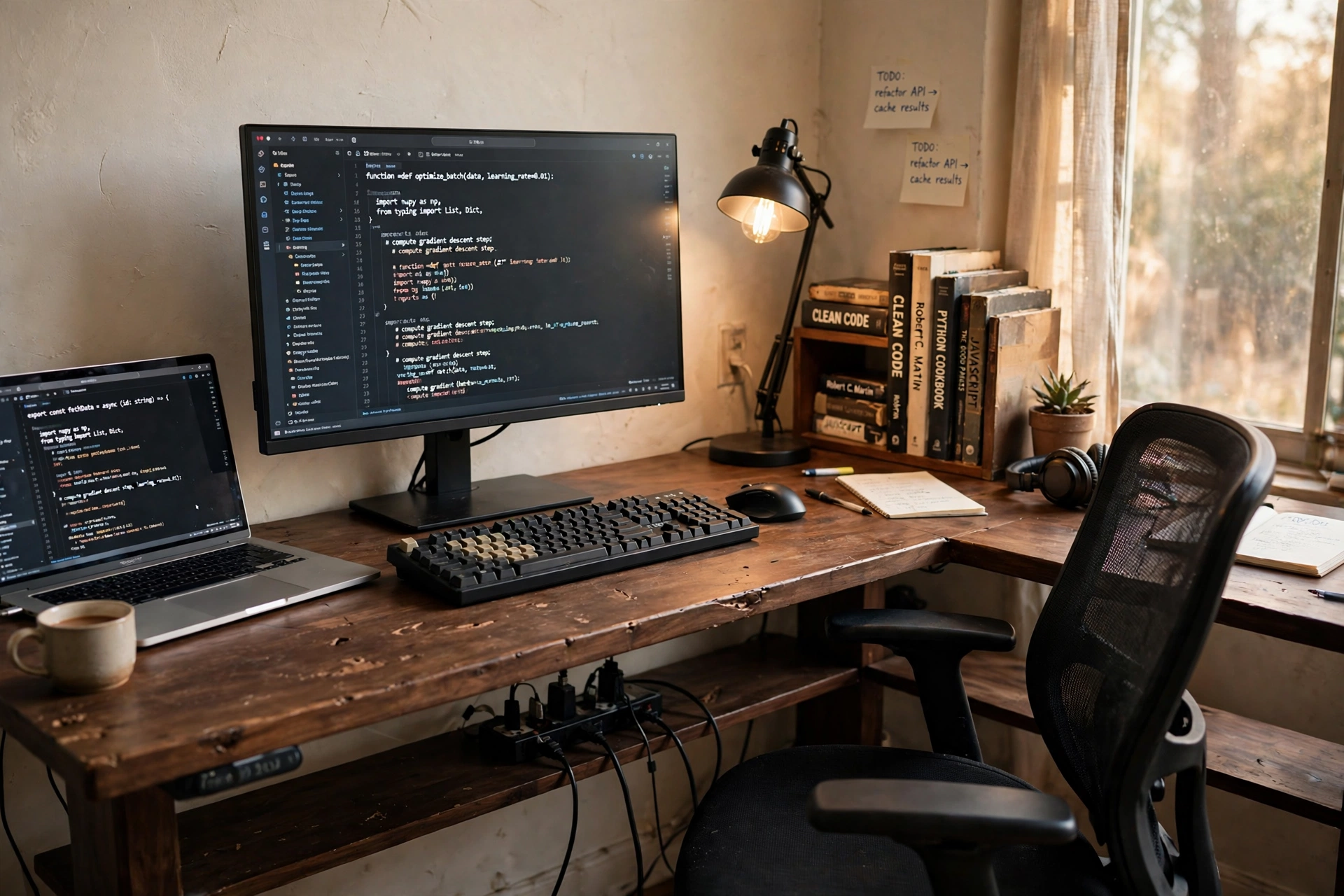
A corner is wasted space until a desk fills it, and the L shape turns it into two work zones. The long side holds the monitor with the code and the keyboard, and the short side holds the laptop with the docs and the chat, so the two machines never fight for the same spot. The desk is electric, so the whole corner can rise for a standing stretch and return to sitting height after. A lamp on the long side lights the keyboard, a bookshelf beside the desk holds the reference books, and the chair swivels between the two sides without moving. Power comes from a strip with USB ports mounted under the desk, and the cables drop straight down behind the corner where they stay out of sight. This is the setup to copy when the room has a free corner and the work needs two screens that stay put.
KEY PIECE
RedLemon 60 Inch L Shaped Electric Standing Desk, Dark Walnut
Why this one: The 60 inch L shape fills a corner with two usable sides, and the electric frame moves the whole corner between sitting and standing.
Worth knowing: An L-shaped desk needs a real corner with clear wall on both sides, so measure both walls before ordering.
COMPLETES THE SETUP
Acer SB273 G0bi 27 Inch IPS Monitor
Why this one: A 27 inch IPS screen gives the code room to breathe on the long side, and the wide viewing angle stays true when the chair turns toward the laptop.
Worth knowing: The stand offers basic tilt only, so a riser or an arm helps if the screen needs to sit higher.
COMPLETES THE SETUP
AUOPLUS Power Strip 6 Outlet + 4 USB, 10 Ft
Why this one: Six outlets plus four USB ports cover the monitor, the laptop, the lamp, and phone charging from one strip under the desk.
Worth knowing: The strip is long, so mount it flat under the desk where the chair will not catch it.
7. The Budget First Setup

AI-generated image
A first coding setup does not need the most expensive parts, it needs the right ones. A white wood desk with a keyboard tray and drawers holds the laptop and a small monitor side by side, both showing code, and the tray keeps the keyboard at a comfortable height while the top stays clear for notes. A monitor light bar across the top of the screen lights the keys without a separate lamp taking up desk space. The chair is a black ergonomic mesh seat that rolls and swivels, the drawers hold the notebook and the cables, and a shelf above the desk keeps the reference books in view. Power is one strip behind the desk leg, and the laptop charger lives in the drawer when it is not in use. This is the setup to copy when the budget is tight and the code still needs a proper home.
KEY PIECE
Yaheetech Home Office Wood Computer Desk with Keyboard Tray and Drawers, Hutch, White
Why this one: The keyboard tray frees the desktop for the screens, the drawers swallow the small things, and the hutch above adds a shelf without a separate bookcase.
Worth knowing: The hutch adds height, so the desk suits a wall with clear space above it better than a low window wall.
COMPLETES THE SETUP
GABRYLLY Ergonomic Office Chair, Black
Why this one: The high back and headrest suit long sessions at the desk, and the flip up arms let the chair tuck under the desk when the day ends.
Worth knowing: The seat is wide, so check the space between the desk legs before ordering.
COMPLETES THE SETUP
CATPOWER Monitor Light Bar, 15.7 Inch, Black
Why this one: The compact bar clips to the monitor and lights the keyboard without glare, which keeps the small desk free of a separate lamp.
Worth knowing: At 15.7 inches it suits a small monitor best, and it can look short across a wide screen.
8. The Long Hours Ergonomic Rig
AI-generated image
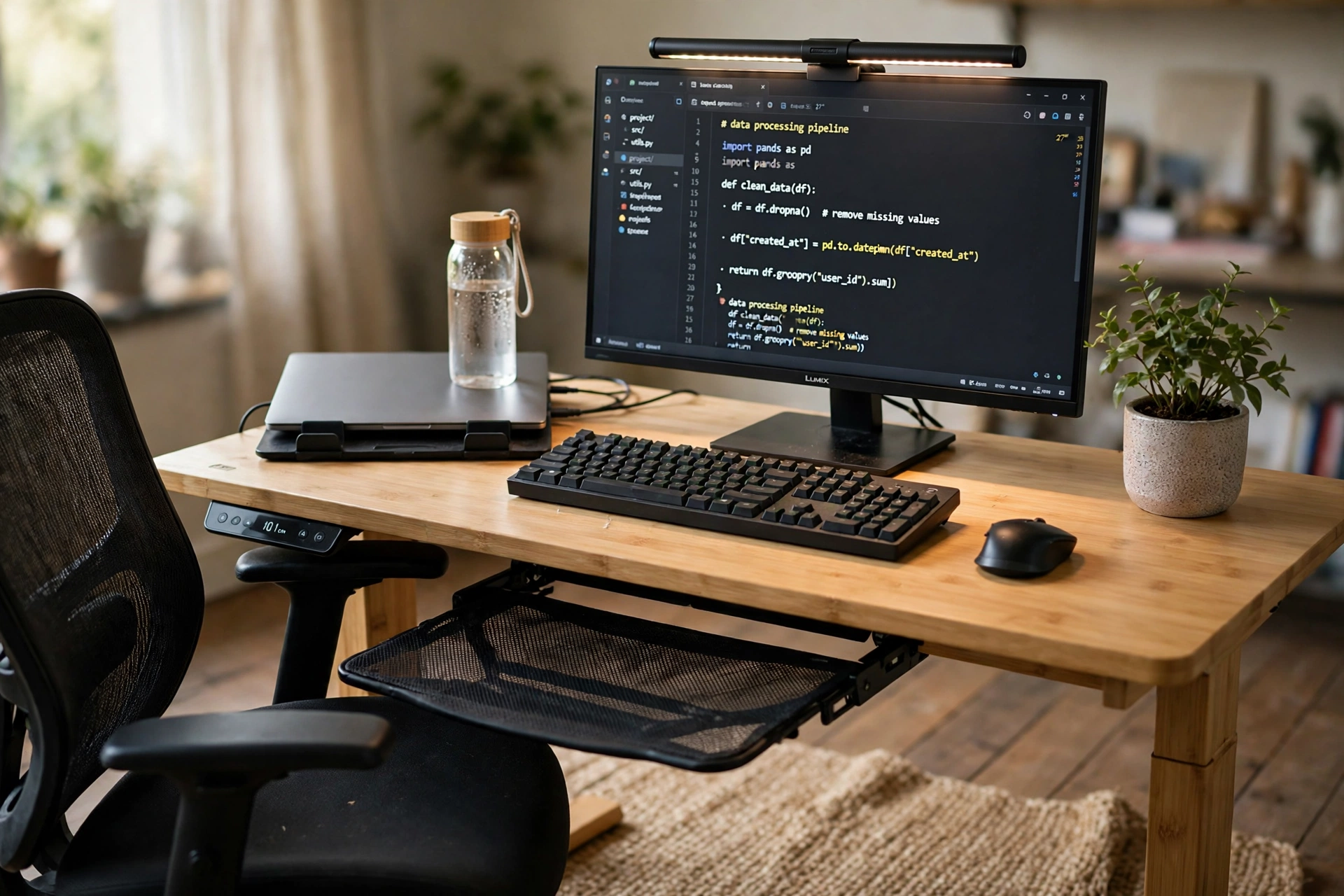
Long coding days are easier when the chair and the desk adjust to the person, not the other way round. A mesh ergonomic chair with a footrest sits at a bamboo electric standing desk, so the seat, the desk height, and the screen can each move until they feel right. The monitor shows the code with a slim light bar across the top, the keyboard sits on the bamboo top with room for the mouse beside it, and a laptop on a stand waits as the second screen. A rug under the desk marks the work zone, a plant softens the corner, and a water bottle has its own spot away from the keyboard. The chair rolls back for a stretch, the desk rises for a standing spell, and the power strip under the desk keeps the cables off the floor. Nothing here is decorative for its own sake, every piece earns its place by being used.
KEY PIECE
COLAMY Ergonomic Mesh Office Chair with Footrest, Black
Why this one: The mesh back, headrest, and pull out footrest give the chair several resting positions, and the flip up arms let it slide under the desk.
Worth knowing: The footrest suits a pause better than a work position, so pull it out for a break rather than while typing.
COMPLETES THE SETUP
FlexiSpot E6 Bamboo 3-Stage Dual Motor Electric Standing Desk 55 x 28, Solid Bamboo Desktop and White Frame
Why this one: The solid bamboo top is wide enough for the monitor, the keyboard, and the laptop stand together, and the dual motor frame moves smoothly between heights.
Worth knowing: The white frame shows dust and scuffs, so it wants a wipe down now and then.
COMPLETES THE SETUP
BenQ ScreenBar LED Monitor Light Bar
Why this one: The bar lights the desk evenly without shining on the screen, and the auto dimming adjusts when the room light changes.
Worth knowing: It clips to the top of the monitor, so it fits a flat screen bezel better than a curved one.
9. The Reference Wall Setup
AI-generated image
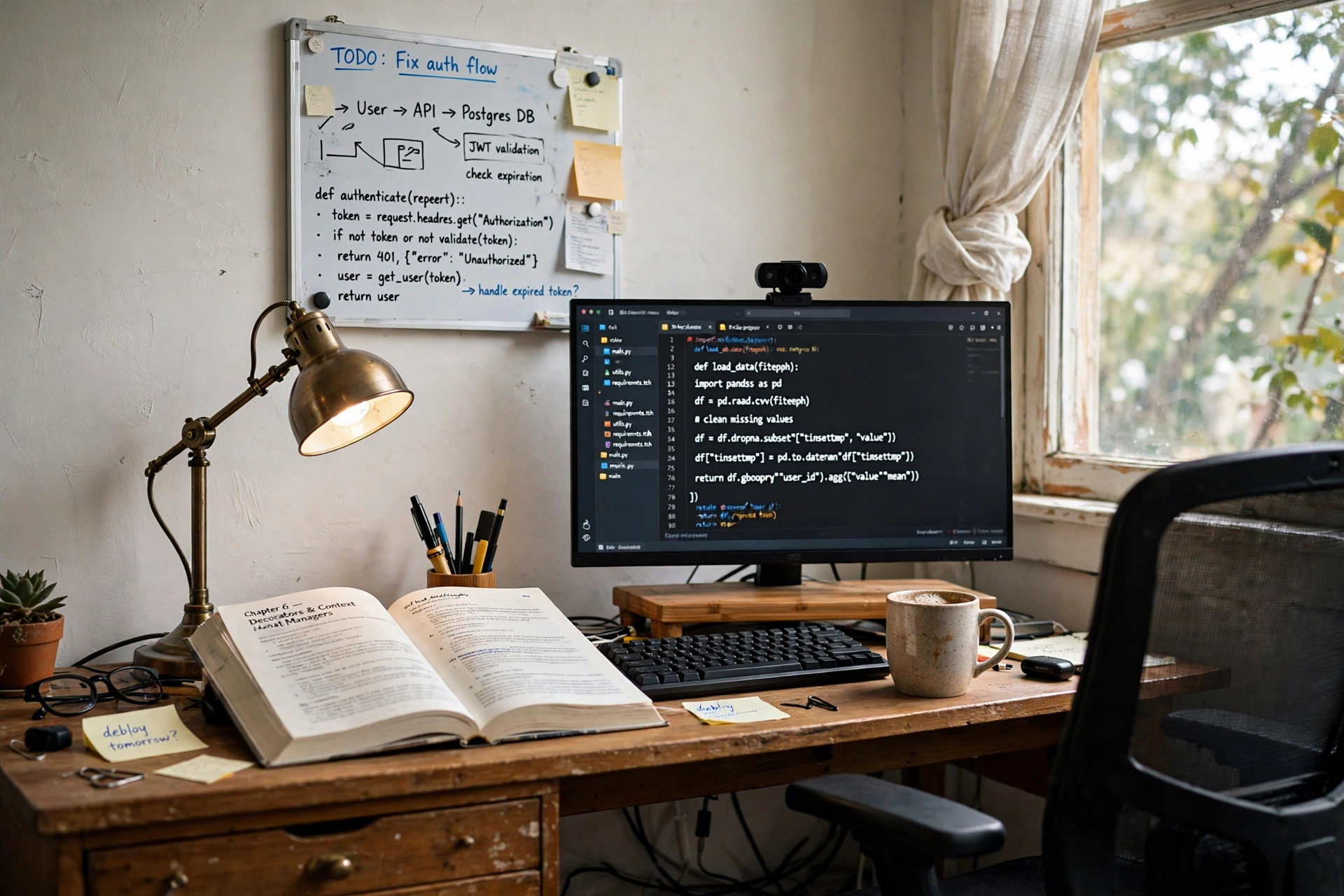
Some code lives on the wall before it lives on the screen. A small magnetic whiteboard above the desk holds the notes, the diagrams, and the snippet that the current task keeps coming back to, all written by hand where a glance is enough. Below it, a monitor on a bamboo riser shows the code, a webcam sits on top for calls, and an open reference book lies beside the keyboard for the details that are easier on paper. A desk lamp at the back edge lights the board and the book together, drawers hold the markers and the spare cables, and a power strip behind the desk leg feeds the monitor and the charger. Try this:
TRY THIS
Wipe the board at the end of each task and write the next one fresh. A board that keeps old notes turns into wallpaper, and a fresh board stays useful.
The chair is a plain swivel seat, the riser drawer holds the notebook, and the whole setup fits on one wall without taking over the room.
KEY PIECE
U Brands Contempo Magnetic Small Whiteboard, 11 inch x 14 inch, White Modern Frame, Includes Marker and Magnet
Why this one: The small board fits above a desk without crowding the wall, and the marker and magnet are included, so it works straight out of the box.
Worth knowing: At 11 by 14 inches it holds one task at a time, so it suits a single current task better than a whole project plan.
COMPLETES THE SETUP
Homerays Bamboo Monitor Stand Riser with Drawer
Why this one: The bamboo riser lifts the monitor to eye level and the drawer underneath holds the notebook and the pens.
Worth knowing: The riser is sized for one monitor, so a second screen needs its own stand or arm.
COMPLETES THE SETUP
Logitech C920x HD Pro Webcam, Black
Why this one: The webcam clips to the top of the monitor and gives clear video for calls and pair programming sessions.
Worth knowing: It has no privacy shutter, so unplug it or cover the lens when it is not in use.
10. The Late Night Dark Mode Desk

AI-generated image
Late night code looks best in a dark room with one pool of light. The monitor glows with a dark editor, a white monitor light bar with a remote casts soft light over the keyboard, and the rest of the room stays dim so the screen is the brightest thing in view. The wireless keyboard and mouse keep the desk free of cables, the laptop sits closed on a stand as a spare screen, and a small lamp waits at the side for the moments when the room needs more light. The desk is a plain dark top with a comfortable chair, a bookshelf stands in shadow behind it, and a mug sits well clear of the keyboard. Power runs from a strip under the desk, and the light bar remote sits beside the mouse, so the light changes without reaching across the desk. This is the setup to copy when the best coding hours start after dark.
KEY PIECE
Quntis Monitor Light Bar with Remote, White
Why this one: The remote changes brightness and color temperature without reaching for the bar, and the white finish suits a dark desk without adding another black block.
Worth knowing: The remote is small, so keep it in the same spot beside the mouse or it will wander.
COMPLETES THE SETUP
LG 24″ FHD (1920 x 1080) IPS Monitor, 100Hz Refresh Rate, 99% sRGB, AMD FreeSync, 3-Side Borderless, Anti Glare, Tilt Adjustable, HDMI, VESA Mountable, for Gaming and Office
Why this one: The IPS panel keeps the dark editor readable at an angle, and the 100Hz refresh keeps scrolling smooth.
Worth knowing: The stand tilts but does not rise far, so a riser helps if the screen needs to sit higher.
COMPLETES THE SETUP
Hamile Wireless Keyboard and Mouse Combo, Black
Why this one: One receiver connects the keyboard and the mouse together, so the desk stays free of cables and both pieces match.
Worth knowing: A combo shares one receiver, so a lost receiver means replacing the pair rather than one piece.
Frequently asked questions
What does a coder home office need that a normal home office does not?
A coder setup is built around the screen and the keyboard first. Two screens or one ultrawide, a keyboard that suits long typing sessions, and a second screen or a laptop for docs and the terminal are the core pieces. The desk, the chair, the light, and the power all serve those two things, and the reference material, whether books, a whiteboard, or a second monitor, sits within a glance.
Is one ultrawide monitor better than two monitors for coding?
Both work, and the choice is about habit. An ultrawide keeps the editor, the terminal, and the browser in one view with no gap between screens, while two monitors let each screen hold a separate full window and one can turn vertical for long files. Try split panes on one screen for a week, then try two screens, and keep the one that matches how you read code.
Do I need a standing desk to code all day?
No. A standing desk is useful when you want to change position during the day, and the setups here show it as one option among several. A fixed desk with a good chair and a monitor at eye level works just as well for long sessions. The standing desk in setup 2 and the corner desk in setup 6 move, but the other eight setups stay fixed.
What is the best keyboard for a home coding setup?
The best keyboard is the one your hands like after hours of typing. A mechanical keyboard with a clear key feel, like the retro board in setup 3, suits typists who want feedback, while a slim wireless keyboard, like the ones in setups 1 and 4, suits a clean desk and a shared machine. Keep the number pad if you type numbers often, and try the key feel before committing when you can.
How do I keep cables tidy on a coding desk?
Run one power strip under the desk or along the baseboard, plug the monitors, the laptop charger, and the lamp into it, and route the cables through the desk tray or a cable channel. A docking station, like the one in setup 4, cuts the laptop connection to a single cable, and a monitor arm, like the ones in setups 1 and 5, lifts the screens off the desk so cables drop straight down behind it.
Can a small desk work for coding?
Yes, if the screen and the keyboard have clear zones. A laptop on a stand plus one external monitor, like setup 4, fits a compact desk, and a keyboard tray, like the one in setup 7, frees the desktop for the screens. Keep the desk surface to the screen, the keyboard, and one notebook, and move the books and the spare cables to a shelf or a drawer.
Conclusion
Every setup in this article starts from the same place: code on the screen, a keyboard that fits the hands, and a desk where both can stay put for hours. Start with the dual monitor wall if the work is always two windows, the ultrawide desk if one wide view suits you better, or the budget setup if this is a first coding desk. Add the chair, the light, the storage, and the power around the screen and the keyboard, and keep the reference material within a glance. For more setups in this series, browse the Home Office Ideas category.
