As an Amazon Associate I earn from qualifying purchases. Read our full affiliate disclosure for more detail.
Teen gaming rooms have a job no other setup has: they need to work for homework, gaming, hanging out with friends, and actually sleeping, all in one bedroom. The best ones do not cost a fortune either. A few smart picks, a strip of LED light, and a desk that fits the room can turn a plain bedroom into a space a teen actually wants to spend time in.
In this guide you will find 12 complete teen gaming room setups you can copy whole, from a rainbow LED bedroom and a pink dream setup to a study plus gaming combo, a loft bed den, and a budget starter build. Each one covers the desk, seat, screen, light, storage, and power, so nothing important is left out. If money is tight, the ideas in 15 Budget Gaming Setup Ideas That Look Expensive show how to make a simple room look polished without spending much.
In this article
At a glance
1. Rainbow LED Bedroom
2. Study Plus Gaming Combo
3. Pink Dream Setup
4. Dual Monitor Homework and Play
5. Console TV Corner
6. Budget Starter Build
7. Neon Triangle Wall
8. Loft Bed Gaming Den
9. Cozy Corner Lamp Nook
10. Ultrawide Immersion
11. Streamer Starter Corner
12. Tiny Bedroom Compact
FAQ
Conclusion
At a Glance: Pick Your Teen Gaming Room
| Setup | Best for | Hero product |
|---|---|---|
| Rainbow LED Bedroom | A bold first impression | Govee 65.6ft RGBIC LED Strip Lights |
| Study Plus Gaming Combo | Homework and play in one desk | Sweetcrispy Small Computer Desk |
| Pink Dream Setup | A cute pink bedroom | Pixio PX279 Wave Pink Gaming Monitor |
| Dual Monitor Homework and Play | Two screens, zero tab switching | HUANUO Dual Monitor Arm |
| Console TV Corner | Console players and friends | Govee Glide Wall Lights, 2 Panels Set |
| Budget Starter Build | A first setup on a tight budget | DUMOS 45 Inch Gaming Desk |
| Neon Triangle Wall | A feature wall that glows | Nanoleaf Shapes Triangles Smarter Kit |
| Loft Bed Gaming Den | Small rooms with a bed and desk | Bekeknlny Wood Gaming Bed with Built-in Desk |
| Cozy Corner Lamp Nook | Late night relaxed sessions | Govee RGBIC Floor Lamp |
| Ultrawide Immersion | Big open world games | LG 34 Inch Curved UltraWide Monitor |
| Streamer Starter Corner | Streaming and content creation | Miroddi RGB Headset Stand |
| Tiny Bedroom Compact | The smallest bedrooms | KKL 40 Inch Small Computer Desk |
1. Rainbow LED Bedroom
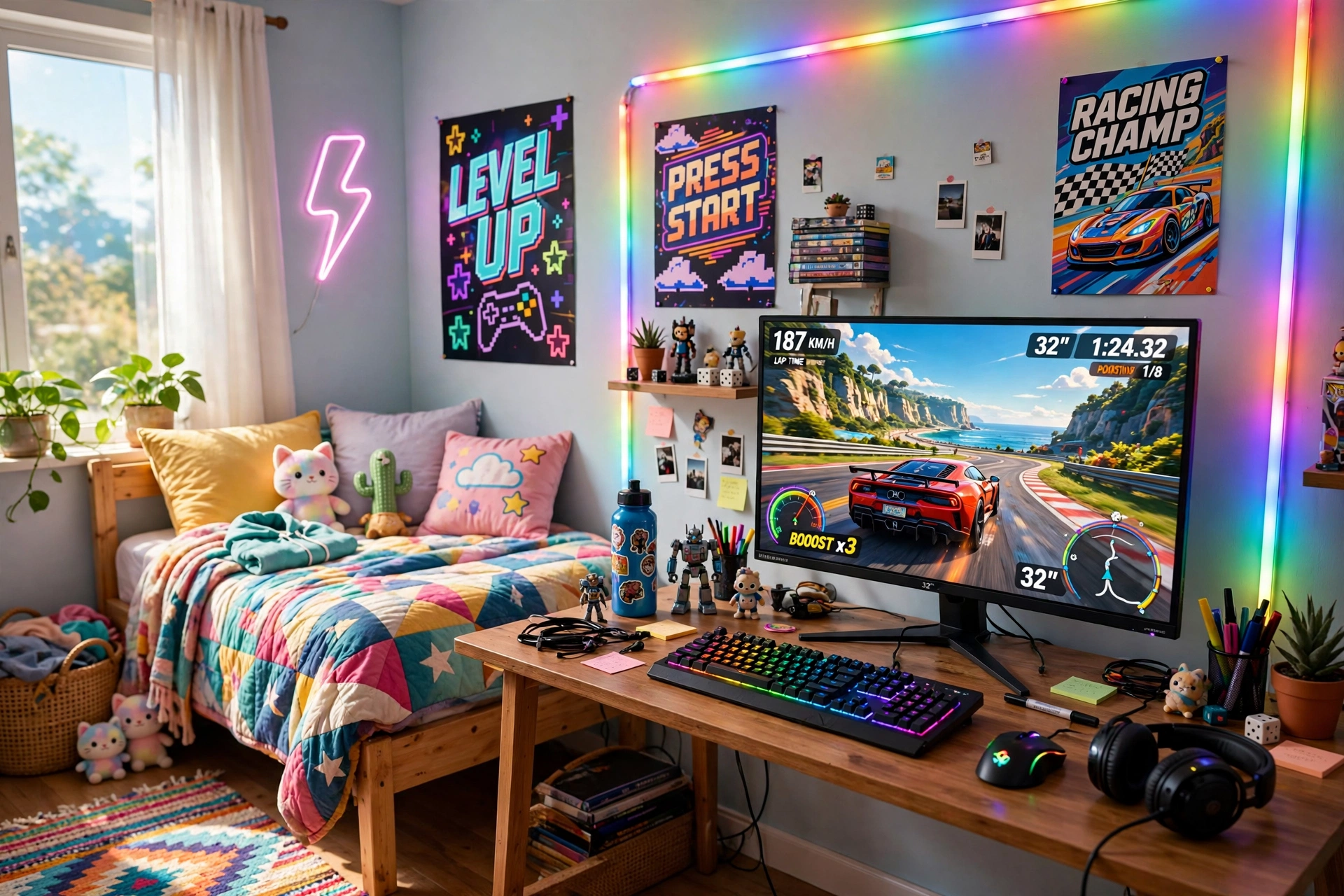
This is the classic teen gaming bedroom, and it works because the light does most of the decorating. One long strip behind the desk turns a plain wall into a rainbow, and the monitor stays the clear star of the room. Posters, colorful bedding, and a tidy desk finish a space that feels fun in the day and electric at night.
- Desk: a straight desk pushed against the wall, with the strip hidden along its back edge.
- Seat: a comfy chair centered on the monitor, so the glow frames you evenly.
- Screen: one sharp main monitor, with the game front and center.
- Light: a long RGBIC strip set to a slow rainbow, plus a small lamp for reading.
- Storage: a shelf above the desk for games and a headset hook on the side.
- Power: one strip behind the desk, with the strip controller in easy reach.
Govee 65.6ft RGBIC LED Strip Lights
Why this one: the long length covers a desk, a wall, and a shelf in one run, and the RGBIC segments let different parts of the strip show different colors at once.
Worth knowing: measure your wall and desk first, because a strip that is too long will leave a loose tail that is hard to hide neatly.
ASUS TUF Gaming VG27AQ 27 Inch QHD Monitor, 165Hz
Why this one: a sharp QHD screen with fast refresh keeps the game crisp against the colorful wall, and the size suits most teen desks.
Worth knowing: the stand is fairly wide, so check your desk depth if you also want a large mousepad in front of it.
2. Study Plus Gaming Combo
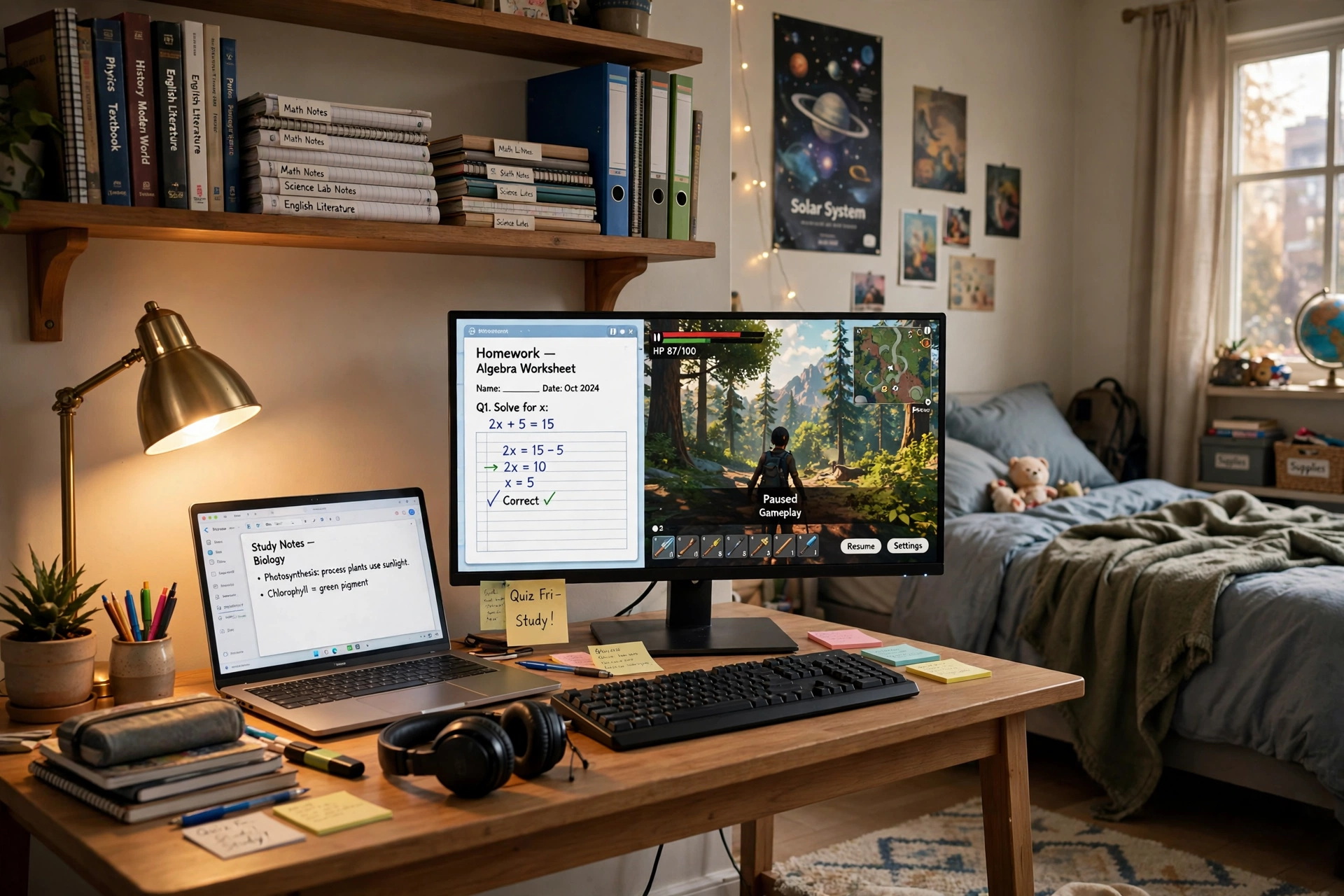
Parents love this one, and teens do too once they try it. The trick is a desk that splits cleanly into two zones: homework on one side, gaming on the other. When the books are open, the room feels like a study corner. When the books close, the same desk turns into a gaming station in seconds, and nothing needs to move.
How to split the desk:
- Put the monitor in the middle, with books and a lamp on the left and the controller and headset on the right.
- Keep a small shelf above the desk for school books, so they never pile up on the keyboard.
- Use a laptop beside the monitor for research while the main screen runs the game.
- Set the light to warm white for homework, then switch to color for gaming.
- End the day by clearing the desk in one minute, so tomorrow starts tidy.
Teen tip: pick one color for homework mode and a different one for game mode. The color change becomes a little ritual that tells your brain the school day is over, and it makes the switch feel like a reward instead of a chore.
Sweetcrispy Small Computer Desk, 40X24 Inch Office Writing Work Study Gaming PC Table
Why this one: the compact size fits a teen bedroom without crowding the bed, and the plain top works just as well for homework as it does for gaming gear.
Worth knowing: a 40 inch desk is snug for a monitor plus a laptop side by side, so measure both screens before you buy.
KTC 27 Inch Gaming Monitor, 180Hz, 1080p
Why this one: a fast 27 inch screen at a friendly tier for a first setup, big enough for split screen study notes and a game side by side.
Worth knowing: 1080p on a 27 inch screen looks softer up close than QHD, so sit a little farther back if text looks fuzzy to you.
3. Pink Dream Setup
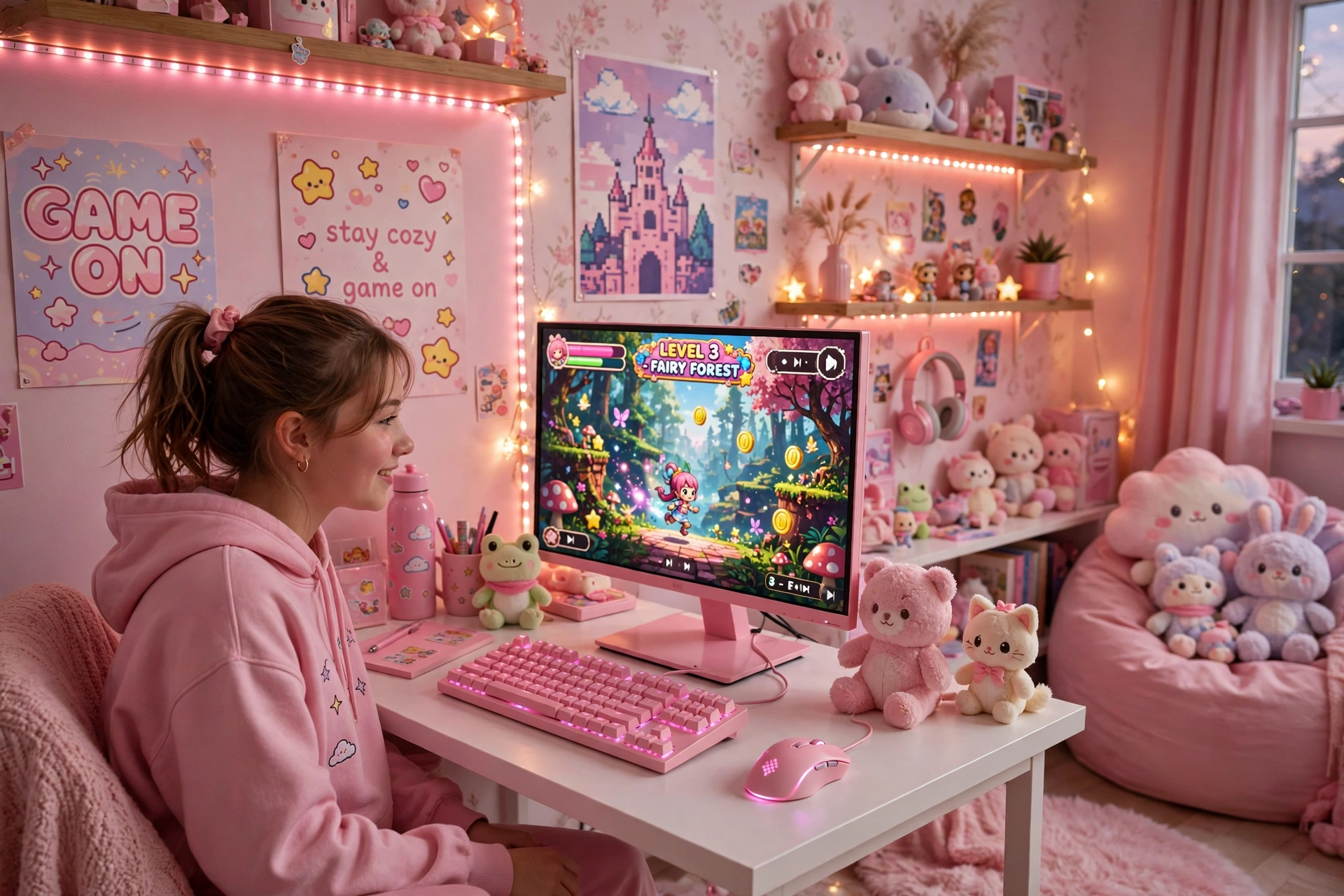
Pink and purple is a soft, cozy palette that still feels like a real gaming room. A pink monitor and keyboard do the heavy lifting here, with pink strips along the wall and the desk edge tying the whole look together. Keep the desk white and tidy, add plush toys and posters, and the room feels gentle in the day and glows like a dream at night.
Keep it soft: use pink as the main color and purple as the accent, not both at full brightness. Two strong colors at once can look busy, while one soft lead color with a quieter second color looks calm and planned. Dim both to about half brightness for evening play.
One shelf and a small drawer are all the storage this setup needs, since the strips do most of the decorating. Run the strip power from the same outlet as the monitor, so one switch turns the whole glow off at bedtime. For more cute ideas in this style, the looks in 15 Cute Gaming Room Ideas for Girls pair perfectly with a pink desk.
Pixio PX279 Wave Pink 27 Inch Gaming Monitor, 240Hz
Why this one: the pink finish matches the strip glow perfectly, and the very fast refresh rate makes it a serious gaming screen, not just a pretty one.
Worth knowing: a pink monitor is a bold style choice, so be sure the color suits the rest of your room before you commit.
Razer BlackWidow V3 Mechanical Gaming Keyboard, Quartz Pink
Why this one: the quartz pink finish matches the monitor, and the clicky mechanical keys feel great for both gaming and typing up schoolwork.
Worth knowing: mechanical keyboards are louder than membrane ones, so they may not suit a shared bedroom late at night.
4. Dual Monitor Homework and Play
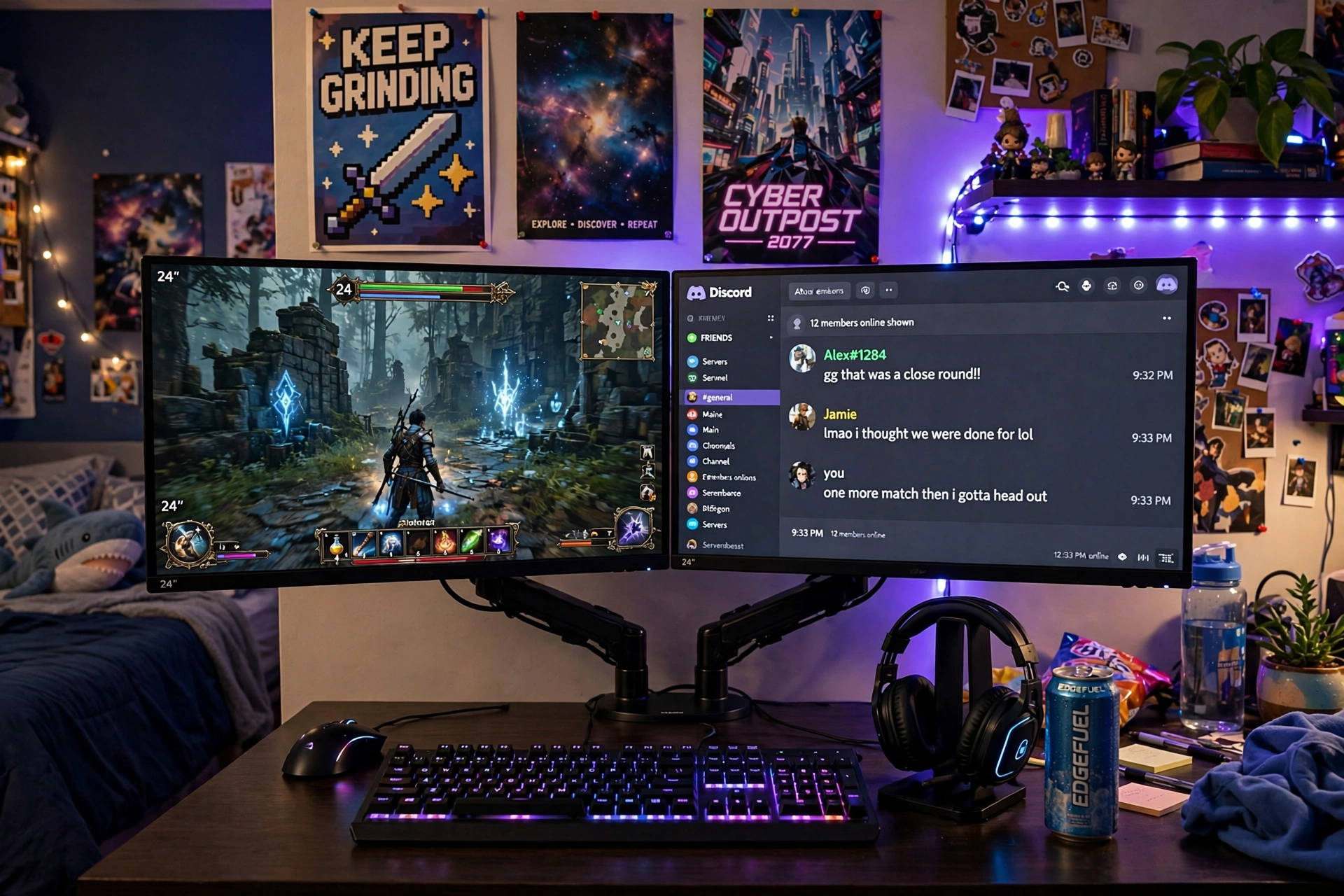
Two screens change everything for a teen. One screen runs the game, the other holds chat, music, or a homework tab, and you never have to alt tab in the middle of a match again. A dual monitor arm holds both screens off the desk, which leaves room underneath for books, a notebook, and a snack plate, and it makes the whole setup look far more grown up than two screens on their own stands ever would.
What works here:
- Main screen: the game or the homework, front and center, at eye level.
- Second screen: chat, music, or a guide, angled slightly toward you.
- Desk: a straight desk with space underneath the raised screens for books.
- Light: a strip along the back edge of the desk, set to one calm color.
- Power: one strip behind the desk for both monitors, the lights, and the laptop charger.
HUANUO Dual Monitor Arm, Gas Spring
Why this one: the gas spring arms let you move each screen up, down, or sideways in seconds, and lifting both screens off the desk frees up a surprising amount of space.
Worth knowing: check your desk thickness and your monitors’ mounting holes before you buy, since not every desk and screen fits every arm.
Acer Nitro KG271U 27 Inch QHD Gaming Monitor, 180Hz
Why this one: QHD detail and a very fast refresh rate suit competitive games, and the screen stays bright enough to hold its own against the LED glow.
Worth knowing: the stand takes up a fair amount of desk depth, so the monitor arm in this setup is a real help if your desk is shallow.
5. Console TV Corner
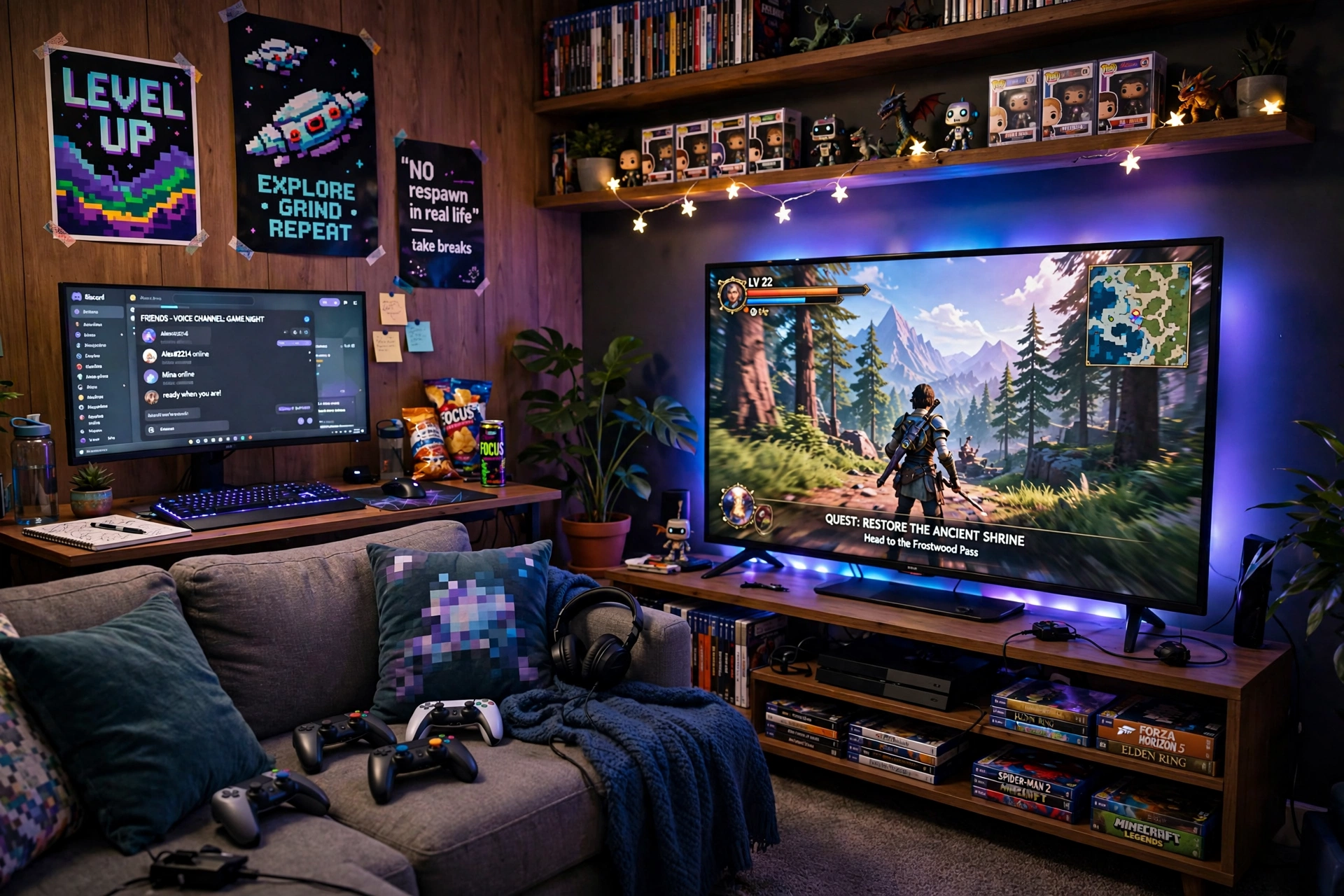
Console players do not need a desk at all. A TV, a comfy sofa, and a strip of light behind the screen give the room the same glow as a gaming desk, and it is the best setup in this guide for playing with friends in the same room. A small side desk with a curved monitor gives a second player a proper screen, or a place for PC games when you want them.
| Part of the room | What to do |
|---|---|
| Behind the TV | One strip around the back edge, set to match the game |
| Media console | A short strip under the console for a soft floor glow |
| Side desk | A curved monitor for a second player or PC play |
| Seating | A sofa with a small table for controllers and snacks |
Keep the console in a ventilated spot on the media unit, and run the strip power from the same outlet as the TV so one switch controls the glow. A basket beside the sofa holds controllers and headsets, and the room stays tidy even when friends are over. For more console focused ideas, the builds in 15 PS5 Gaming Setup Ideas for Console Players show how to make a TV setup feel like a real gaming room.
Govee Glide Wall Lights, 2 Panels Set
Why this one: the slim bars sit neatly beside a TV or under a media console, and the two panel set is enough to frame one side of the room without taking over the wall.
Worth knowing: two panels cover a small area only, so a large living room wall may need a second set to look balanced.
Dell S2721HGF 27 Inch Curved Gaming Monitor, 144Hz
Why this one: the curved screen is a natural second display for a console room, giving a friend or a PC player a proper screen instead of a shared TV.
Worth knowing: 144Hz is plenty for console play, but a PC player chasing the fastest refresh rates may want a faster panel.
6. Budget Starter Build
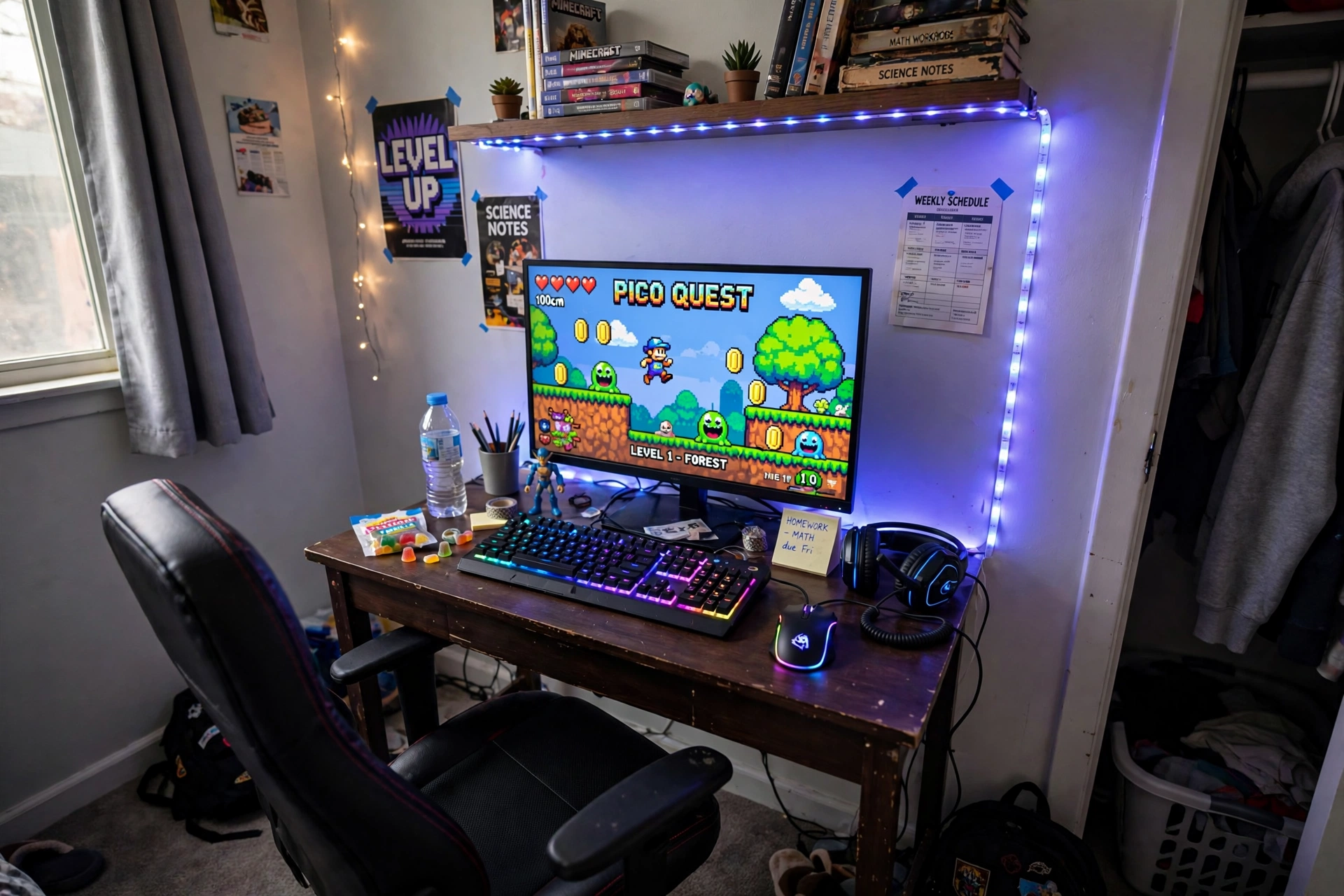
Every teen gamer starts somewhere, and this is the setup to start with. A compact desk with built in LED lights and power outlets does the work of three separate purchases, and one good mouse with a sharp sensor makes even a basic PC feel quick. Spend on the desk and the screen first, then add lights and extras later, one birthday at a time.
Budget starter checklist:
✓ Desk with built in power outlets, so no extension leads
✓ One monitor, bought for the games you actually play
✓ A mouse that feels right in your hand
✓ One LED strip, not five, to start
✓ A chair you can sit in for two hours without aching
Keep cables tidy from day one with one strip behind the desk leg, and the setup will look far more expensive than it was. A small drawer or tray keeps spare cables and controllers out of sight, and the desk stays clear for homework when the game is off.
DUMOS 45 Inch Gaming Desk with LED Lights and Power Outlets
Why this one: built in power outlets cut down on extension leads, and the LED edge gives the desk a gaming feel before you add any extra strips.
Worth knowing: a 45 inch desk is snug for a monitor plus a second screen, so measure your screens before adding a second display.
Logitech G502 HERO Wired Gaming Mouse
Why this one: a sharp sensor and adjustable weights make it feel precise in fast games, and it has been a favorite first gaming mouse for years for good reason.
Worth knowing: it is a wired mouse, so route the cable with a small clip or bungee if a dangling cable bothers you.
7. Neon Triangle Wall
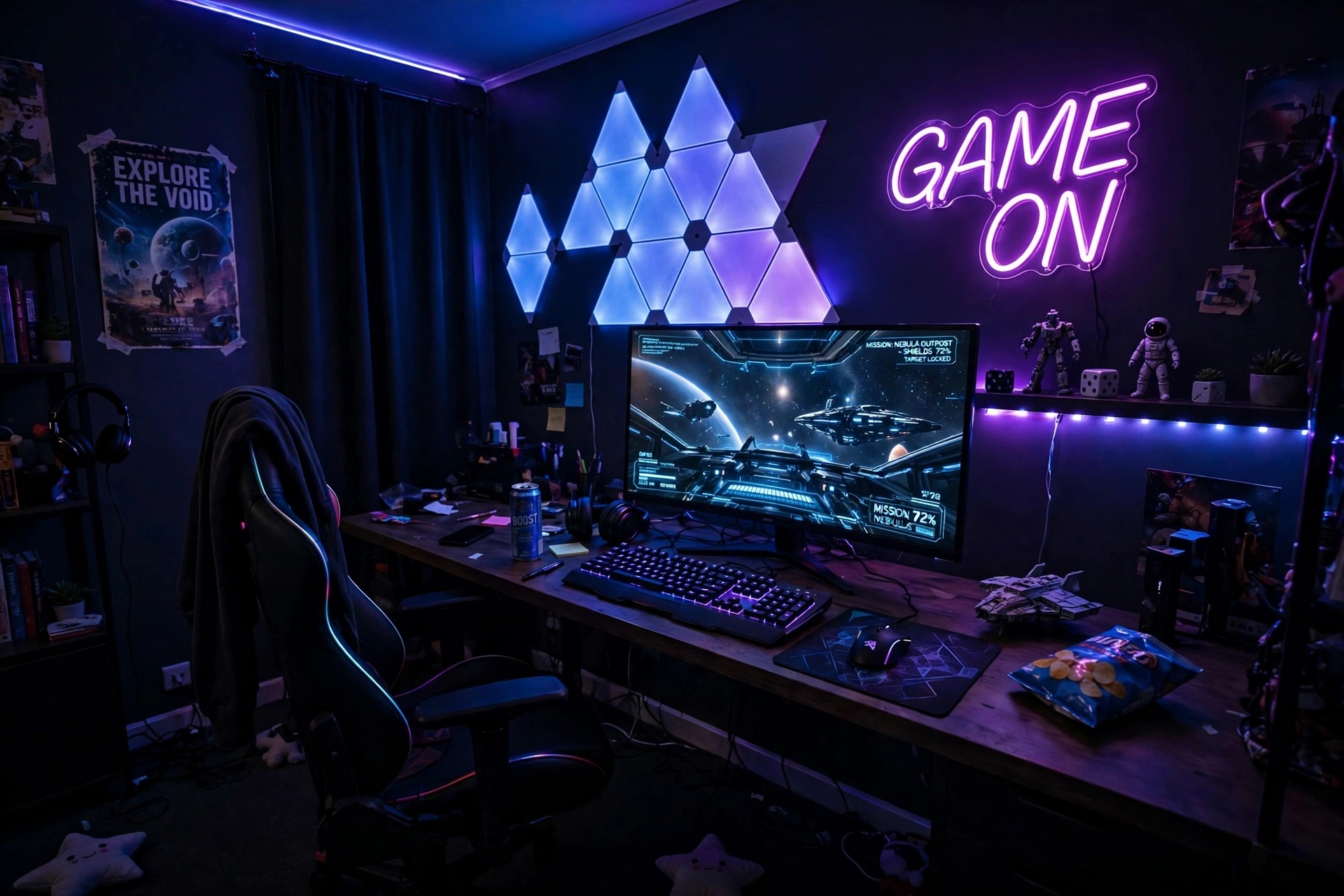
Some walls need more than a strip. Triangle light panels turn a blank wall into art that also lights the room, and they pair beautifully with a strip along the desk edge. The panels give you shapes and scenes, the strip gives you a soft base glow, and together they make the wall behind your monitor the best part of the room.
How to plan the wall:
- Sketch the panel shape on paper first, or lay the panels on the floor to test it.
- Place the biggest shape above the monitor, so it reads as one feature wall.
- Run a strip along the back edge of the desk to tie the wall and the desk together.
- Set the panels to a slow color flow, and keep the strip on one matching color.
- Leave a little blank wall around the panels, so the shapes have room to breathe.
Layout tip: start with fewer panels than you think you need. A small, neat shape looks intentional, while a wall covered edge to edge can look crowded. You can always add more panels later, and they join onto the same setup.
Nanoleaf Shapes Triangles Smarter Kit
Why this one: the triangle panels snap into any shape you design, and they respond to touch and music, which makes the wall feel alive during a game.
Worth knowing: the panels need a flat, clean wall to stick well, so textured walls may need extra mounting care.
Samsung 27 Inch Odyssey G5 QHD Gaming Monitor
Why this one: the QHD curved panel gives a wide, wrapped view that suits immersive games in a dark room, while staying a sensible size for a desk.
Worth knowing: curved screens can distort straight lines slightly, so they are less ideal if you do precise photo or design work on the same desk.
8. Loft Bed Gaming Den
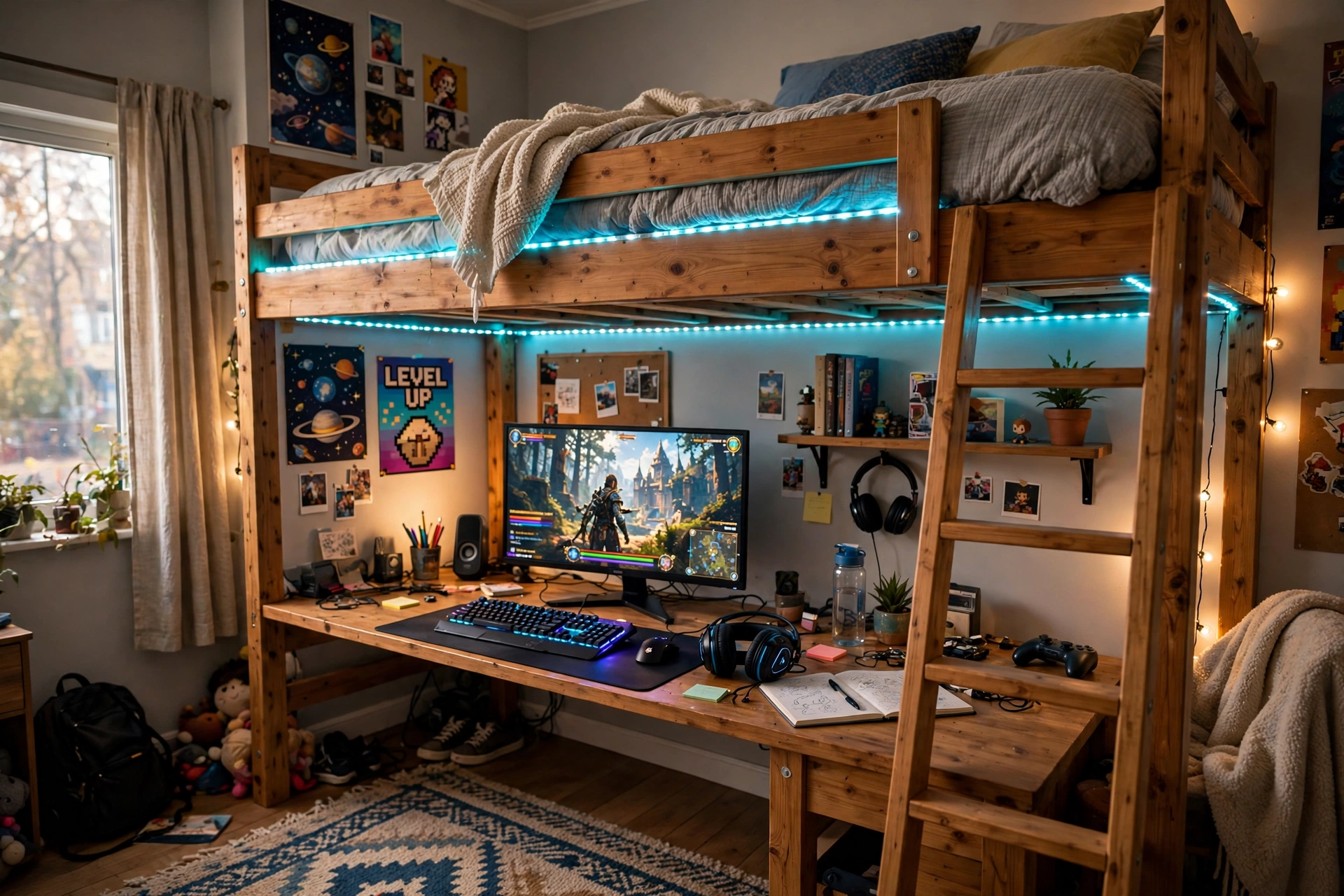
When the bedroom is small, go up. A loft bed with a built in desk underneath fits a bed, a gaming station, a wardrobe, and storage into the floor space of one bed, and the desk area under the bed feels like a private den. LED lights along the bed frame make the whole thing glow at night, and climbing up to sleep feels like part of the fun.
- Bed: a loft bed with a sturdy ladder, a wardrobe, and a drawer for clothes and games.
- Desk: the built in desk under the bed, with the monitor centered and the keyboard in easy reach.
- Seat: a chair that slides fully under the desk when you climb up to bed.
- Light: LED strips along the bed frame, plus a small desk lamp for homework.
- Storage: the wardrobe and drawer hold clothes and games, so the desk stays clear.
- Power: one strip behind the desk for the monitor, lights, and phone charger.
Bekeknlny Wood Gaming Bed with Built-in Desk, Wardrobe, LED and a Drawer
Why this one: the bed, desk, wardrobe, and drawer come as one piece, which saves more floor space than buying each part separately, and the built in LED lights give the den its glow.
Worth knowing: a loft bed needs a room with enough ceiling height to sit up in bed, so measure from the mattress to the ceiling before you order.
Corsair K70 CORE RGB Mechanical Gaming Keyboard
Why this one: the per key RGB lighting matches the bed frame glow, and the solid build feels steady during fast games in a small den.
Worth knowing: mechanical keyboards are louder than membrane ones, so keep the volume in mind if the den shares a wall with a sibling’s room.
9. Cozy Corner Lamp Nook
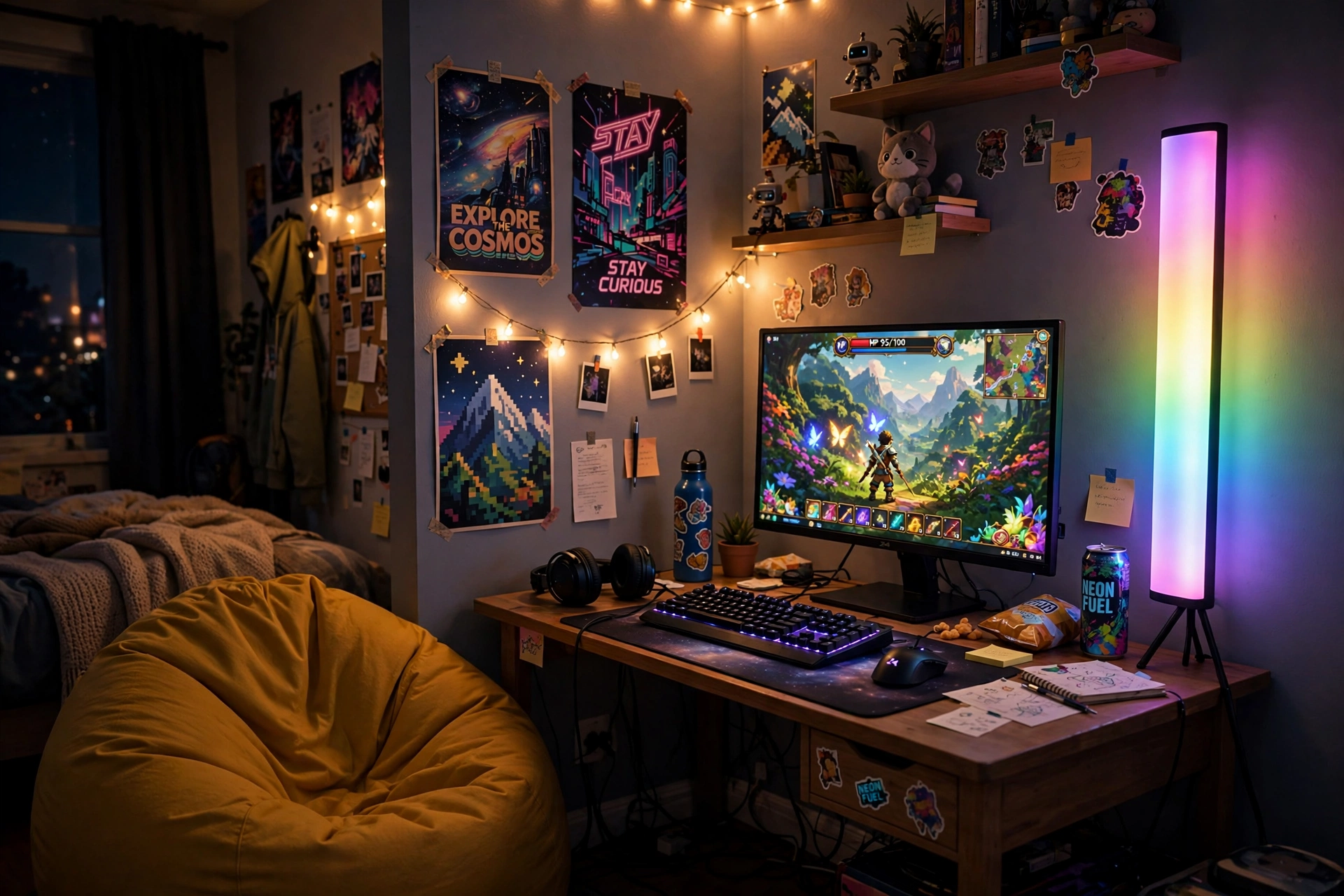
Corners are the most wasted space in a teen bedroom, and a tall corner lamp fixes that in one move. It stands in the corner, throws color up both walls, and needs no drilling, no adhesive, and no shelf. Add a bean bag for friends, a strip along the ceiling corner above it, and the two lights blend into one tall column of glow that makes the whole room feel bigger.
What works here:
- Desk: a desk placed at a right angle to the corner, so the lamp glow falls across the wall behind it.
- Seat: a chair with a high back, plus a bean bag on the floor for a friend.
- Screen: one bright monitor, with the game as the focus and the lamp as the frame.
- Light: a tall RGB floor lamp in the corner, plus a short strip along the ceiling edge.
- Storage: a small shelf on the side wall for games, kept clear of the lamp base.
- Power: the lamp plugs into the same strip as the desk, so one switch controls both.
Govee RGBIC Floor Lamp, LED Corner Lamp
Why this one: the slim tower fits into a corner that a normal lamp cannot use, and the RGBIC segments show more than one color at once for a richer glow.
Worth knowing: the lamp is tall and light, so keep it out of the path where someone might knock it over in the dark.
LG UltraGear 27GP850-B 27 Inch QHD Gaming Monitor
Why this one: QHD sharpness and a fast refresh rate make it a strong main screen, and the slim back leaves room for a strip to sit neatly behind it.
Worth knowing: a bright halo can show dust and marks on the wall, so give the wall behind the monitor a quick wipe before you stick the strip on.
10. Ultrawide Immersion
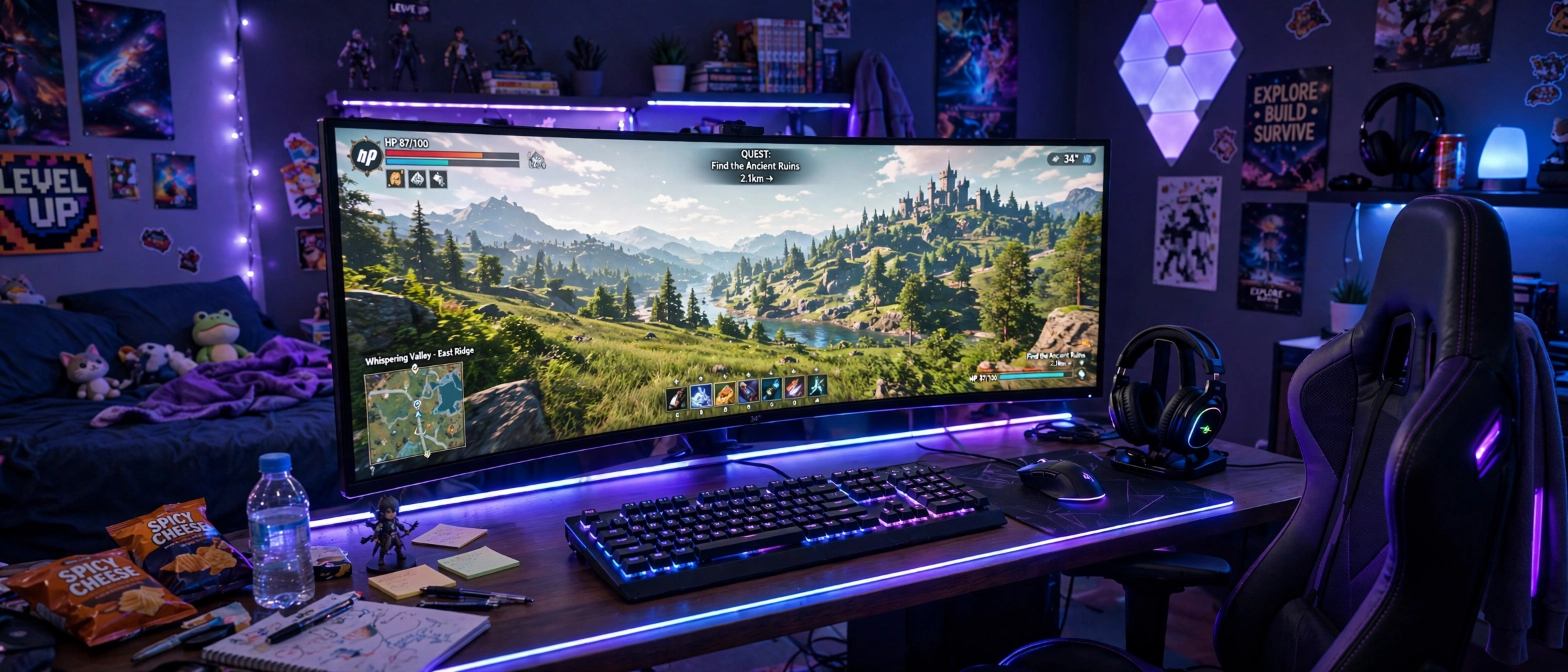
For open world games, nothing beats an ultrawide screen. One wide curved panel holds the game plus chat side by side, so you get the feel of two monitors without the gap in the middle. Pair it with a strip along the desk edge, and the whole desk glows while the walls stay calm, which keeps the focus on the world on screen.
Ultrawide or dual monitors, which is better for a teen? An ultrawide gives you one smooth screen with no bezel in the middle, which suits open world and racing games best. Dual monitors win when you want to run a game on one screen and homework or a stream on the other at the same time. If you mostly play big story games, go ultrawide. If you multitask a lot, go dual.
Keep the monitor on a slim stand so the desk has room for a keyboard and a headset hook, and add a small drawer for cables. One power strip behind the desk runs the monitor, the strip, and the charger, so you can shut the whole glow down with one switch.
LG 34 Inch Curved UltraWide QHD Monitor, 160Hz
Why this one: the ultrawide curved screen fills the desk under a feature wall, and the extra width holds a game plus chat side by side.
Worth knowing: an ultrawide screen needs a deep desk and a strong arm or stand, so check your desk size before you buy.
Govee RGBIC LED Strip Lights, 16.4ft
Why this one: the shorter length is just right for one desk edge, and the app control makes it easy to dim the glow for late night sessions.
Worth knowing: the strip cannot be cut to any length you like without care, so check the cut marks before trimming it to fit your desk.
11. Streamer Starter Corner
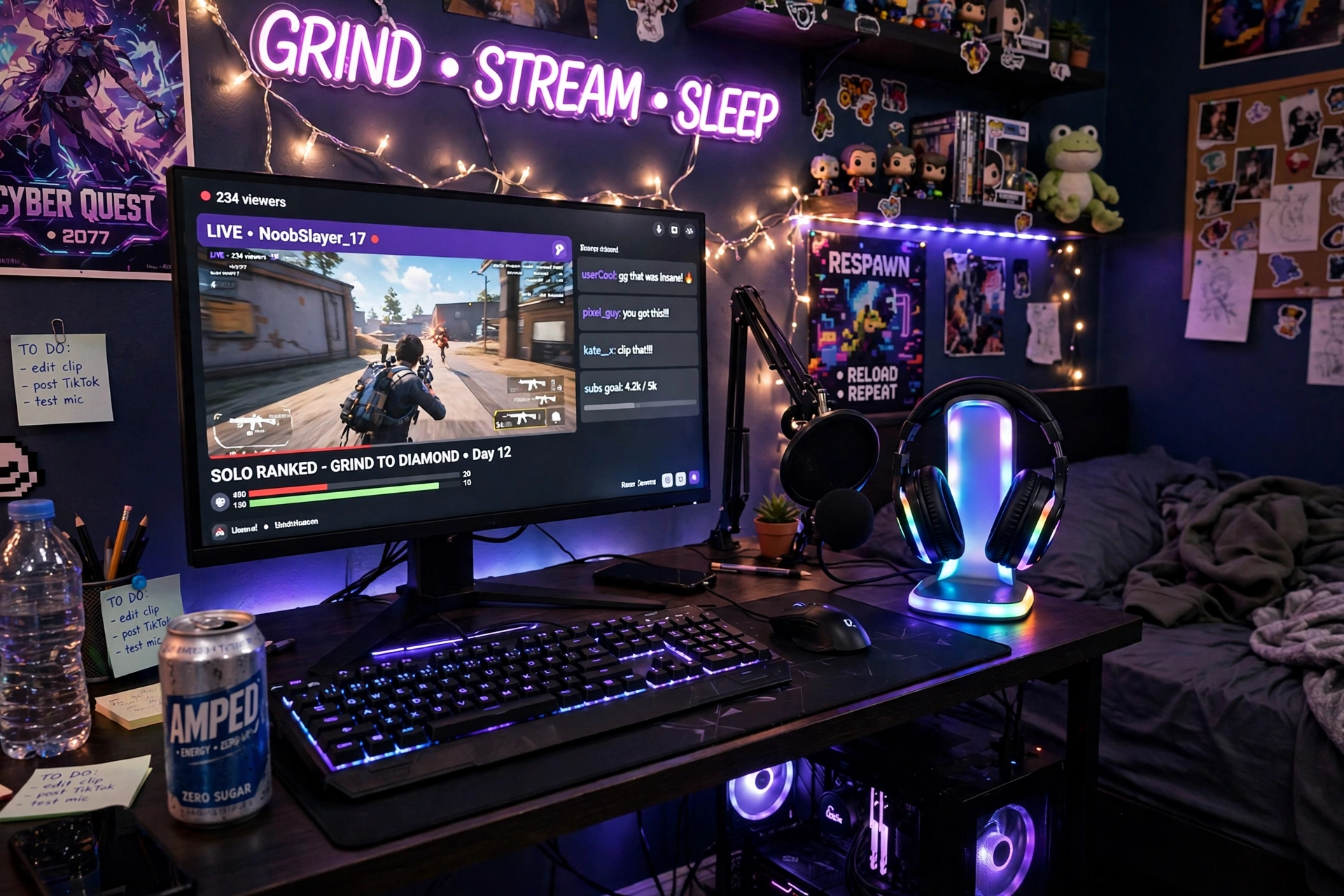
Lots of teens want to try streaming, and the setup does not need to be fancy to start. A headset stand with a glowing base keeps the headset safe and looks great on camera, a microphone on an arm keeps the desk clear, and one good monitor holds the game and the stream chat at once. The secret is lighting: a strip behind the monitor and a soft lamp make you look good on camera without any extra gear.
How to start streaming:
- Set the monitor so your face is lit by the screen glow, not hidden in shadow.
- Put the headset on its stand when you are done, so it never ends up on the floor.
- Keep the mic close to your mouth and away from the keyboard, so viewers hear you, not the keys.
- Test the stream with a friend before going live, and check the sound first.
- Keep the desk tidy, because the camera sees more of the room than you think.
Miroddi RGB Headset Stand with Wireless Charger, 8 in 1 Charging Station
Why this one: the stand holds the headset, charges a phone, and glows in RGB, so one small piece does the work of three on a crowded desk.
Worth knowing: check the charging pad fits your phone case, since thick cases can stop wireless charging from working.
Acer Nitro VG272U V3 27 Inch QHD Gaming Monitor, 180Hz
Why this one: QHD detail and a very fast refresh rate keep the game sharp on stream, and the size suits a desk that also holds a mic arm and a headset stand.
Worth knowing: the included stand is basic, so a monitor arm is worth adding later if you want more desk space.
12. Tiny Bedroom Compact
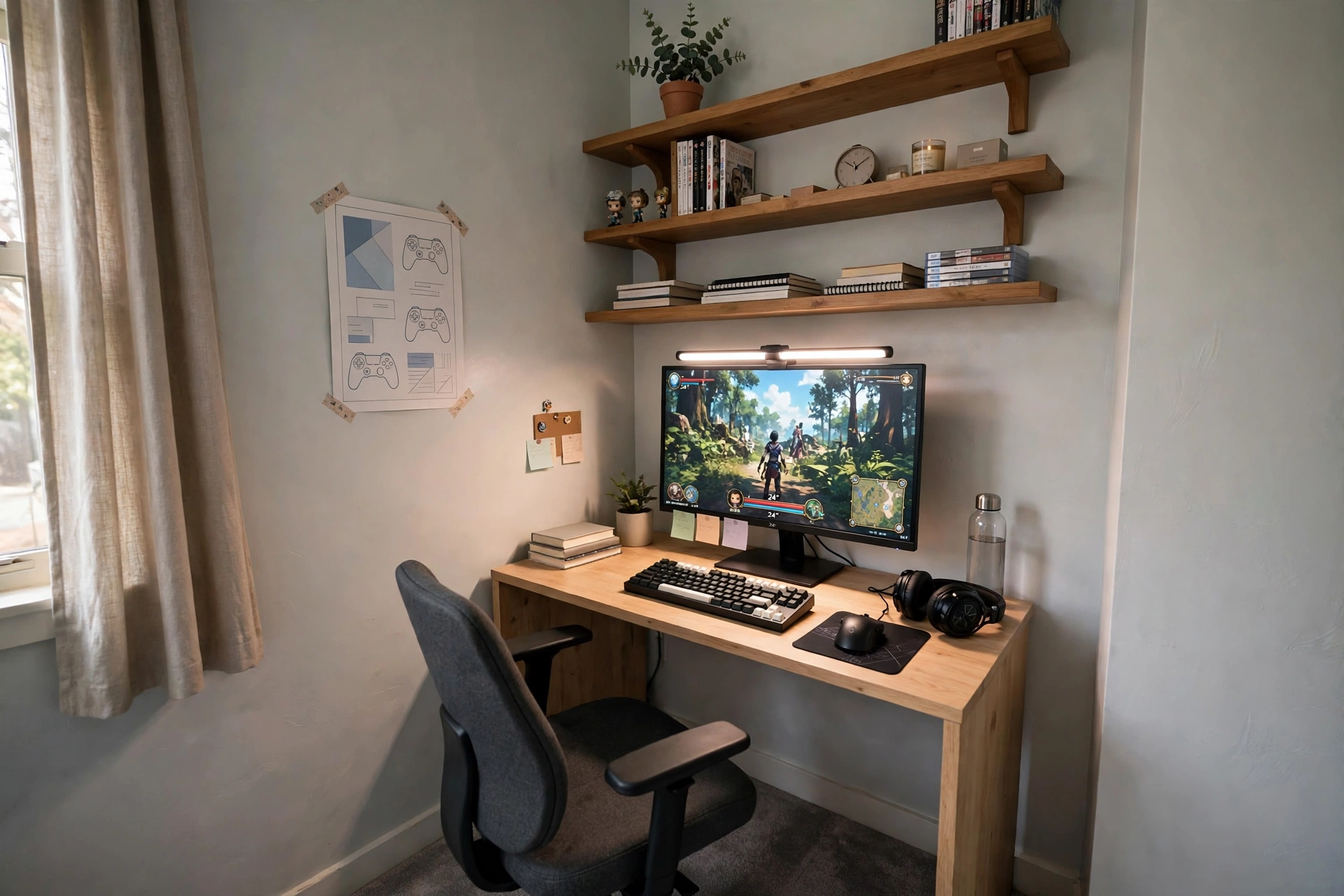
Some teen bedrooms barely fit a bed, let alone a gaming desk, and this setup is for those rooms. A 40 inch desk tucks into a corner, a monitor light bar lights the desk without taking up any space, and shelves above the desk hold games and books that would otherwise eat the whole room. It is proof that a gaming room is about smart choices, not square footage.
Tiny bedroom checklist:
✓ Desk fits the corner with room to pull the chair out
✓ Monitor light bar instead of a desk lamp
✓ Shelves above the desk for games and books
✓ One small drawer for controllers and cables
✓ Chair tucks fully under the desk when you are done
Keep one color of light for the whole corner, so the small space feels calm instead of busy. A chair that tucks away matters more here than a fancy one, because floor space is the real luxury in a tiny room. For more small room ideas, the layouts in 15 Gaming Desk Setup Ideas for Small Rooms show how to fit a full setup into a tight corner.
KKL 40 Inch Small Computer Desk with Adjustable Monitor Stand
Why this one: the adjustable monitor stand lifts the screen to eye level on a small desk, and the compact footprint fits corners that a full size desk cannot.
Worth knowing: a 40 inch desk leaves little room for a second screen, so this setup works best with one monitor only.
Quntis Monitor Light Bar RGB PRO
Why this one: the light bar sits on top of the monitor and lights the desk without taking up any desk space, which is exactly what a tiny corner needs.
Worth knowing: the bar needs a monitor with a flat top edge to sit securely, so check your screen shape before you buy.
Frequently Asked Questions
How much does a teen gaming room cost? A good first setup can start with just a desk, a monitor, and one LED strip, and you can add lights and extras over time. Start with the pieces you will use every day, then add one upgrade at a time instead of buying everything at once.
Can a gaming setup and a study desk share one desk? Yes, and it works well when you split the desk into two zones. Keep books and a lamp on one side and gaming gear on the other, and clear the desk at the end of the day so both modes start tidy.
What is the best monitor size for a teen bedroom? A 27 inch screen suits most teen desks, since it is big enough for games and homework without crowding the room. Smaller rooms work well with a 24 inch screen, while an ultrawide suits teens who mostly play big open world games.
Are LED lights safe in a teen bedroom? LED strips run cool and use little power, which makes them one of the safest ways to light a room. Stick them on smooth walls, keep the power adapter ventilated, and switch them off at bedtime.
How do I fit a gaming setup in a tiny bedroom? Use a small corner desk, shelves above the desk, and a monitor light bar instead of a desk lamp. A chair that tucks fully under the desk frees up floor space, and one color of light keeps the small room feeling calm.
What do teens need to start streaming? A monitor, a headset, and a microphone are enough to start. A headset stand keeps gear tidy, and good lighting behind the monitor makes you look better on camera than any expensive camera would on its own.
Conclusion
A teen gaming room does not need to be big or expensive to be great. It needs a desk that fits the room, a screen that shows the game clearly, light that makes the space feel fun, and storage that keeps the mess under control. Pick the setup from this list that matches the room and the way you play, start with the pieces that matter most, and add the rest over time. The best teen gaming room is the one that works for homework, gaming, and friends, all in the same bedroom.
Related reading:
If you liked these teen setups, try 15 Cute Gaming Room Ideas for Girls for more colorful bedroom looks, and 15 Gaming Desk Setup Ideas for Small Rooms for more ways to fit a full setup into a tight space.
