12 Hybrid Work and Gaming Office Ideas
By Maya Bennett, Founder & Editor. A hybrid desk earns its place twice a day. In the morning it holds your work calls, your documents, and your to-do list. In the evening the same desk holds your game, your controller, and your headset. The trick is not two desks, and it is not a work desk with a controller tossed on top as decoration. Each idea below is one complete desk setup a reader can copy whole, with the desk, the seat, the screen, the light, the storage, and the power described together as one scene, and in every setup the work side is real and the gaming side is real, sharing the same desk with a visible switch between them. For more ideas in this series, browse the Home Office Ideas category.
As an Amazon Associate I earn from qualifying purchases. Please see our affiliate disclosure for details. This article prints no prices, because prices change. Check the listing before you buy, and confirm you have the exact variant named.
In this article
- 1. The Two Screen Split
- 2. The Ultrawide Switch
- 3. The L-Shaped Two Zone Desk
- 4. The Standing Desk Switch
- 5. The Compact Corner Hybrid
- 6. The Laptop and Console Dock
- 7. The Evening Light Switch
- 8. The One Button KVM Switch
- 9. The Long Session Chair
- 10. The Streamer Work Call Desk
- 11. The Budget Starter Hybrid
- 12. The Storage Corner Hybrid
- Frequently asked questions
- Conclusion
At a glance
| Setup | Key product | Best for |
|---|---|---|
| 1. The Two Screen Split | Samsung 27 Inch Odyssey G5 G50F QHD Resolution Gaming Monitor, 180Hz Refresh Rate, Fast IPS Panel, HDR10, NVIDIA G-Sync Compatible, 1ms Response Time (GtG), AMD FreeSync, Adjustable Stand, LS27FG502ENXZA | Work on one screen, game on the other |
| 2. The Ultrawide Switch | LG UltraGear QHD 34-Inch Curved Gaming Monitor 34GP63A-B, VA with HDR 10 Compatibility and AMD FreeSync Premium, 160Hz, Black | One wide screen that splits in two |
| 3. The L-Shaped Two Zone Desk | ivinta L Shaped Gaming Desk, White and Gold | A work side and a game side in one corner |
| 4. The Standing Desk Switch | FlexiSpot E6 Bamboo 3-Stage Dual Motor Electric Standing Desk 55 x 28, Solid Bamboo Desktop and White Frame | Standing for work, sitting for games |
| 5. The Compact Corner Hybrid | SHW Mission 55-Inch Home Office Computer Desk, Black | A full hybrid desk in a small bedroom |
| 6. The Laptop and Console Dock | Anker USB C Hub, 7-in-1 Multi-Port USB Adapter for Laptop/Mac, 4K at 60Hz USB C to HDMI Splitter, 85W Max Power Delivery, 3xUSBA and C 3.0 Data Ports, SD/TF Card, for Type C Devices (Charger Not Included) | A work laptop and a console on one desk |
| 7. The Evening Light Switch | BenQ ScreenBar Plus e-Reading LED Computer Monitor Light Bar with Desktop Dial, Auto-Dimming and Hue Adjustment, No Screen Glare, Space Saving, USB Powered, Matte Silver | Light that changes with the hour |
| 8. The One Button KVM Switch | TESmart USB 3.0 HDMI KVM Switch 1 Monitor 2 Computers 4K at 60Hz, L/R Audio and Microphone, 2 Port EDID Emulators, Hotkey Switching, Button Switching with Remote Switch and All Input Cables | One keyboard and mouse for two machines |
| 9. The Long Session Chair | GTRACING Gaming Chair Racing Office Computer Ergonomic Video Game Chair Backrest and Seat Height Adjustable Swivel Recliner with Headrest and Lumbar Pillow Esports Chair (Dark Black) | All day work and all evening play in one seat |
| 10. The Streamer Work Call Desk | Logitech C920x HD Pro PC Webcam, Full HD 1080p/30fps Video, Clear Audio, HD Light Correction, Works with Microsoft Teams, Google Meet, Zoom, Nintendo Switch 2’s new GameChat Mode, Mac/Tablet – Black | Work calls by day, streaming by night |
| 11. The Budget Starter Hybrid | BestOffice 47 Inch Gaming Desk, Carbon Fiber Textured Computer Desk, Sturdy Steel Frame, Cup Holder, Headphone Hook, Cable Management Holes, Adjustable Leg Pads, for Gamers, Home, Office | The cheapest honest way to start |
| 12. The Storage Corner Hybrid | YOMILUVE 63 Inch Farmhouse L Shaped Executive Desk with Drawers and Storage Shelf, Corner Rattan Computer Desk with Power Outlets, L Shaped Office Desk with Monitor Stand, Printer Shelf | Work files and game cases, both stored |
1. The Two Screen Split
AI-generated image
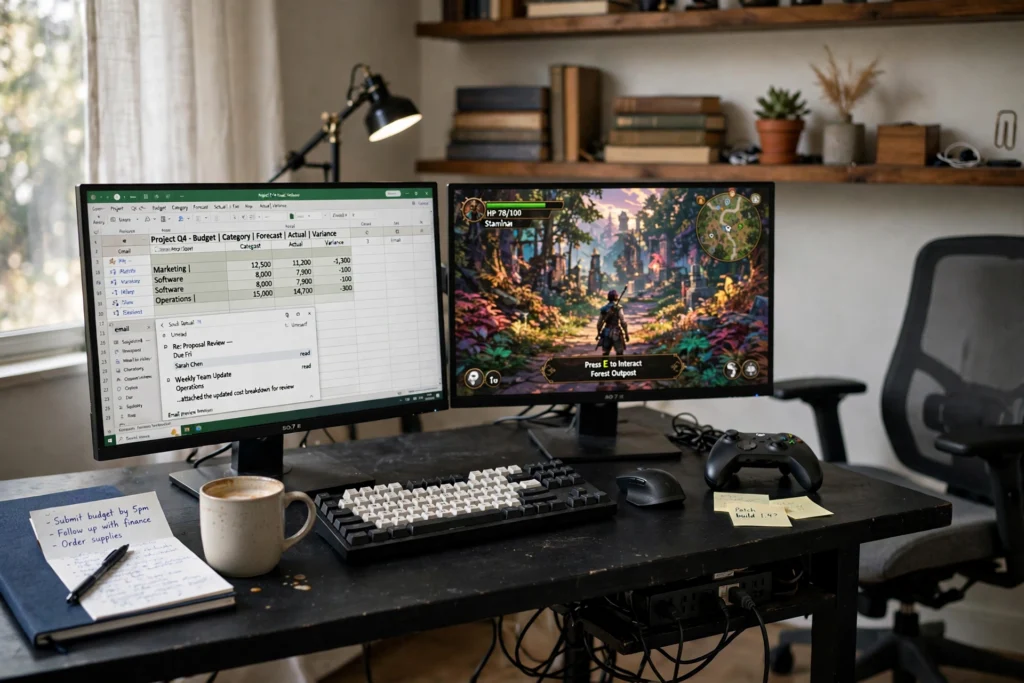
This is the simplest honest hybrid setup, and it works because the split is physical. The left screen belongs to work: email, a spreadsheet, and the day plan. The right screen belongs to the game. At five in the evening you do not rebuild the desk, you just turn your head. A gaming monitor leads on the right with a fast refresh rate, while a plain work monitor holds the left, and a dual arm lifts both off the desk so the keyboard, the notebook, and the controller all have room. A desk lamp warms the left side for morning calls, a shelf behind holds books and a plant, and a strip under the desk feeds both screens and the laptop charger from one outlet. Keep the work screen on the side your notebook sits, and the game screen where your controller hand rests, and the desk will feel like two rooms that happen to share a chair.
KEY PIECE
Samsung 27 Inch Odyssey G5 G50F QHD Resolution Gaming Monitor, 180Hz Refresh Rate, Fast IPS Panel, HDR10, NVIDIA G-Sync Compatible, 1ms Response Time (GtG), AMD FreeSync, Adjustable Stand, LS27FG502ENXZA
Why this one: A 27 inch QHD panel at 180Hz is fast enough for evening games and sharp enough for daytime documents, so one screen covers both halves of the day.
Worth knowing: At 27 inches it pairs best with a second screen of similar size, or the split will look lopsided.
COMPLETES THE SETUP
Amazon Basics 24-inch Full HD IPS Monitor
Why this one: A plain 24 inch IPS screen is the work half of the split, bright and steady for email and documents without gaming extras you would not use at nine in the morning.
Worth knowing: The included stand is fixed height, so the dual arm in this setup does the leveling work.
COMPLETES THE SETUP
HUANUO Dual Monitor Mount Stand – Aluminum Gas Spring Arm Height Adjustable Monitor Desk Mount VESA Bracket for Two 17 to 32 Inch Flat / Curved LCD Computer Screens with C Clamp, Grommet Base, Black
Why this one: Two gas spring arms hold both screens at the same eye level and free the desk surface for the keyboard, the notebook, and the controller.
Worth knowing: The clamp needs a desk edge with a few inches of clear space underneath, so check the desk lip before ordering.
2. The Ultrawide Switch
AI-generated image
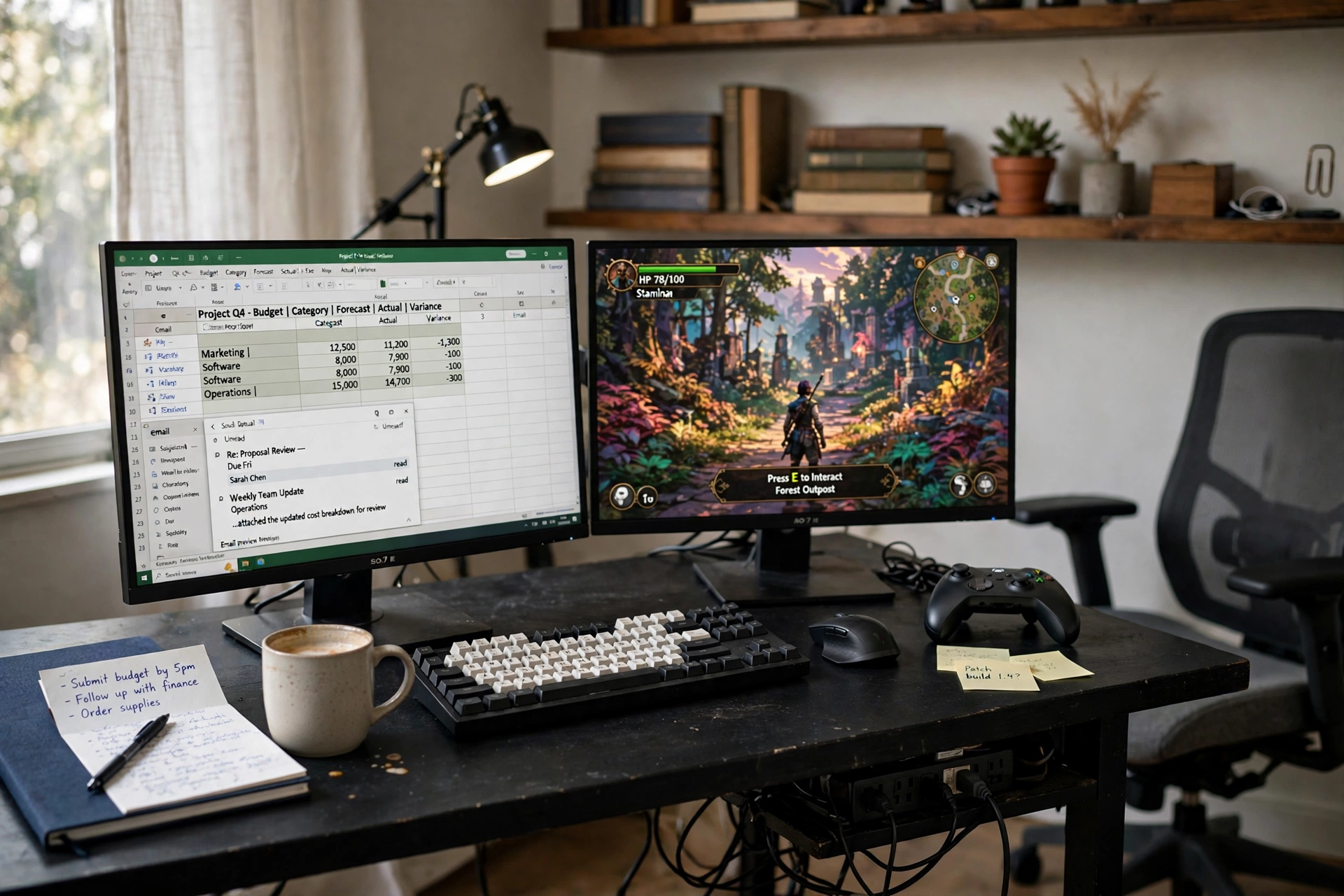
When two screens feel like too much desk, one wide screen does the same job with a software split. The ultrawide curve fills your view, and the left half holds the video call and the document while the right half holds the game. Three things make this setup work in practice:
- Keep a quiet work keyboard and a precise work mouse on the desk, so morning typing never sounds like a game session.
- Park the laptop on a stand to the side as the second machine, so the ultrawide never has to carry three jobs at once.
- Set the split before the workday starts, so the switch at five is one click, not a ten minute rearrange.
A desk lamp lights the notebook, a plant and a small shelf keep the background calm for calls, and cables run under the desk to a strip at the baseboard. This is the setup to copy when the room is small but the screen can be big.
KEY PIECE
LG UltraGear QHD 34-Inch Curved Gaming Monitor 34GP63A-B, VA with HDR 10 Compatibility and AMD FreeSync Premium, 160Hz, Black
Why this one: The 34 inch curved ultrawide is wide enough to hold a call and a document side by side, and the 160Hz panel keeps games smooth after work ends.
Worth knowing: A 34 inch screen needs a deep desk, so measure the desk depth before it arrives.
COMPLETES THE SETUP
Logitech MX Keys S Wireless Keyboard, Low Profile, Fluid Precise Quiet Typing, Programmable Keys, Backlighting, Bluetooth, USB C Rechargeable, for Windows PC, Linux, Chrome, Mac – Graphite
Why this one: Low profile keys with quiet typing suit a full workday, and the backlight keeps evening sessions readable when the room light drops.
Worth knowing: It pairs with up to three devices, so set the work machine as device one and the game machine as device two.
COMPLETES THE SETUP
Logitech MX Master 3S Wireless Mouse Standard Edition with Logi Bolt USB Receiver, Ultra-Fast Scrolling, Ergo, 8K DPI, Track on Glass, Quiet Clicks, USB-C, Bluetooth, Windows, Linux, Chrome – Graphite
Why this one: The shaped body and quiet clicks are made for long document days, and it tracks on glass, so a bare desk top is no problem.
Worth knowing: It is a work mouse first, so keep a gaming mouse beside it if fast competitive games are part of the evening.
3. The L-Shaped Two Zone Desk
AI-generated image
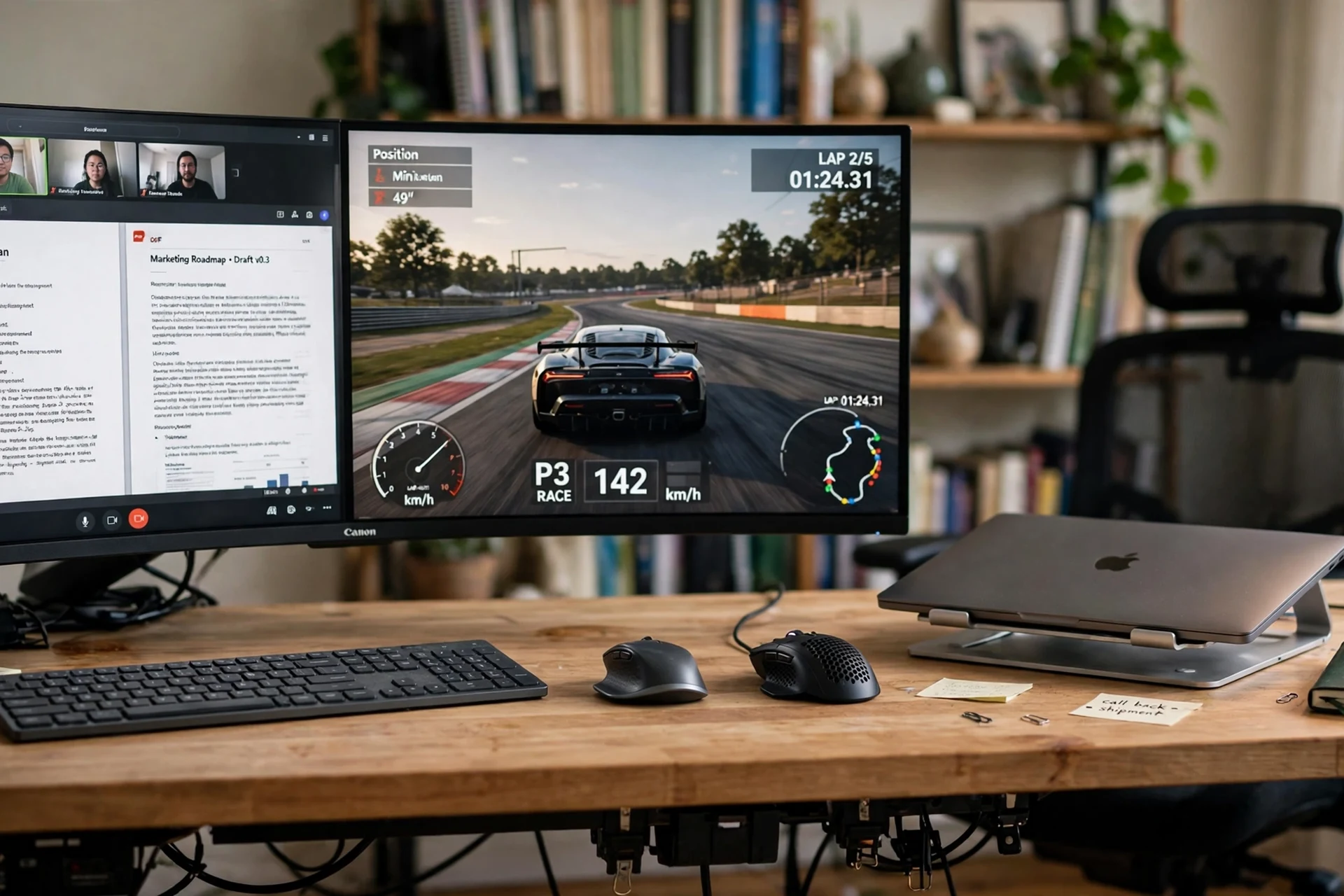
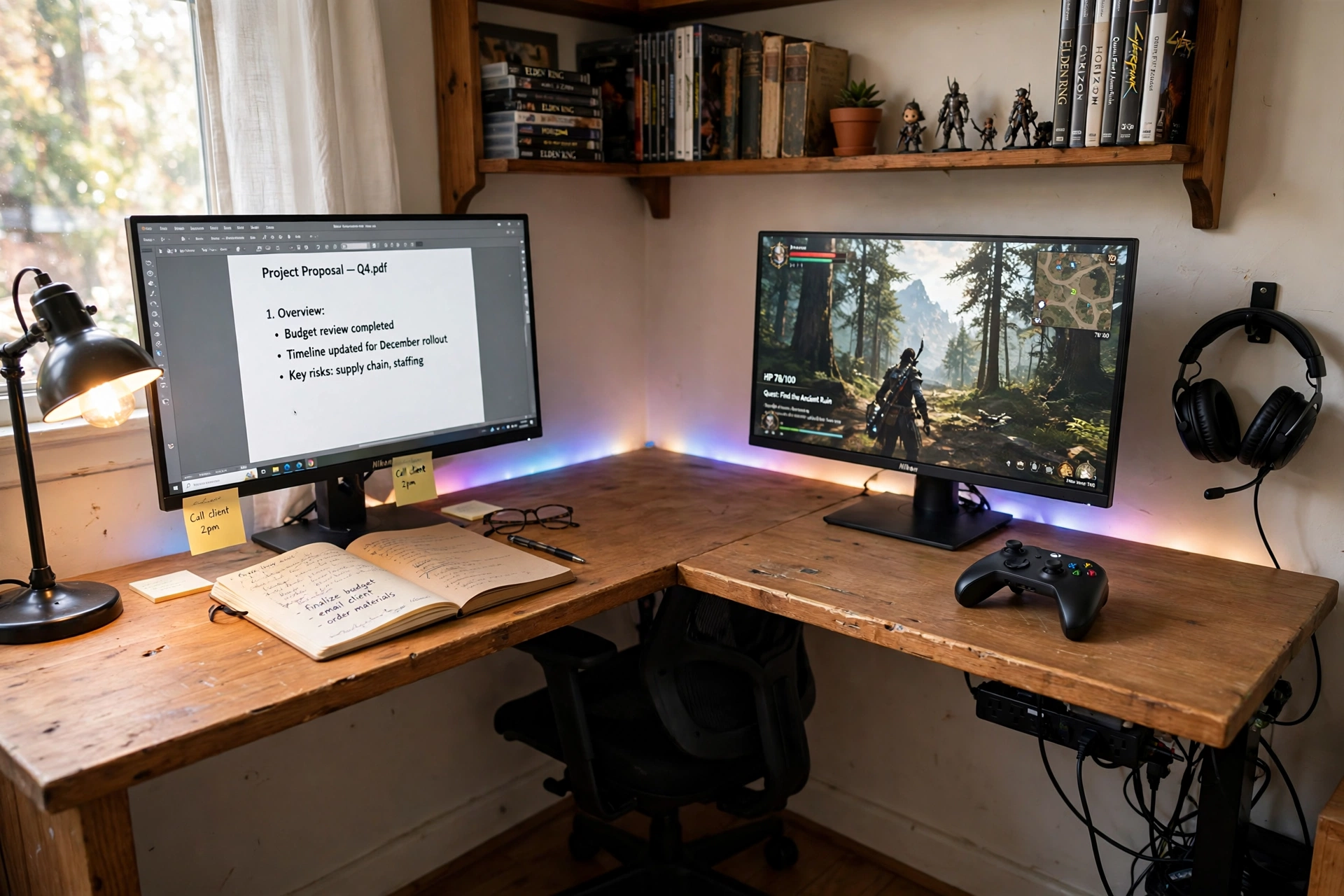
A corner desk is the most natural hybrid shape, because the corner itself draws the line between work and play. The short side of the L is the office: a monitor with documents, a notebook, and a desk lamp. The long side is the game room: a second monitor, a controller, and a headset on a hook. You swivel the chair between them, and the switch is a turn, not a teardown. An LED strip along the back edge glows softly behind the gaming side and stays off on the work side during calls, so the room reads calm by day and playful by night. Storage lives on shelves above the work side, holding books and files, while the gaming side keeps its surface clear for the controller and the headset. Power runs from a strip under the desk corner, where both sides can reach it without cables crossing the floor.
KEY PIECE
ivinta L Shaped Gaming Desk, White and Gold
Why this one: The L shape gives each use its own arm of desk, and the white and gold finish keeps the gaming side from looking like a dark cave during work hours.
Worth knowing: An L-shaped desk needs a real corner with clear wall on both sides, so check both wall lengths first.
COMPLETES THE SETUP
Microsoft Xbox Wireless Controller Carbon Black – Wireless and Bluetooth Connectivity – New Hybrid D-pad – New Share Button – Featuring Textured Grip – Easily Pair and Switch Between Devices
Why this one: One controller pairs with the PC, the console, and a phone, so the gaming side of the desk needs no extra hardware to switch machines.
Worth knowing: It runs on AA batteries unless a rechargeable pack is added, so keep spares in the desk drawer.
COMPLETES THE SETUP
Govee 16.4ft RGBIC LED Strip Lights, Work with Alexa and Google Assistant
Why this one: The strip runs along the back edge of the gaming side and marks the switch from work to play with light, not with moving furniture.
Worth knowing: The adhesive holds best on a clean, dry edge, so wipe the desk edge before sticking it down.
4. The Standing Desk Switch
AI-generated image
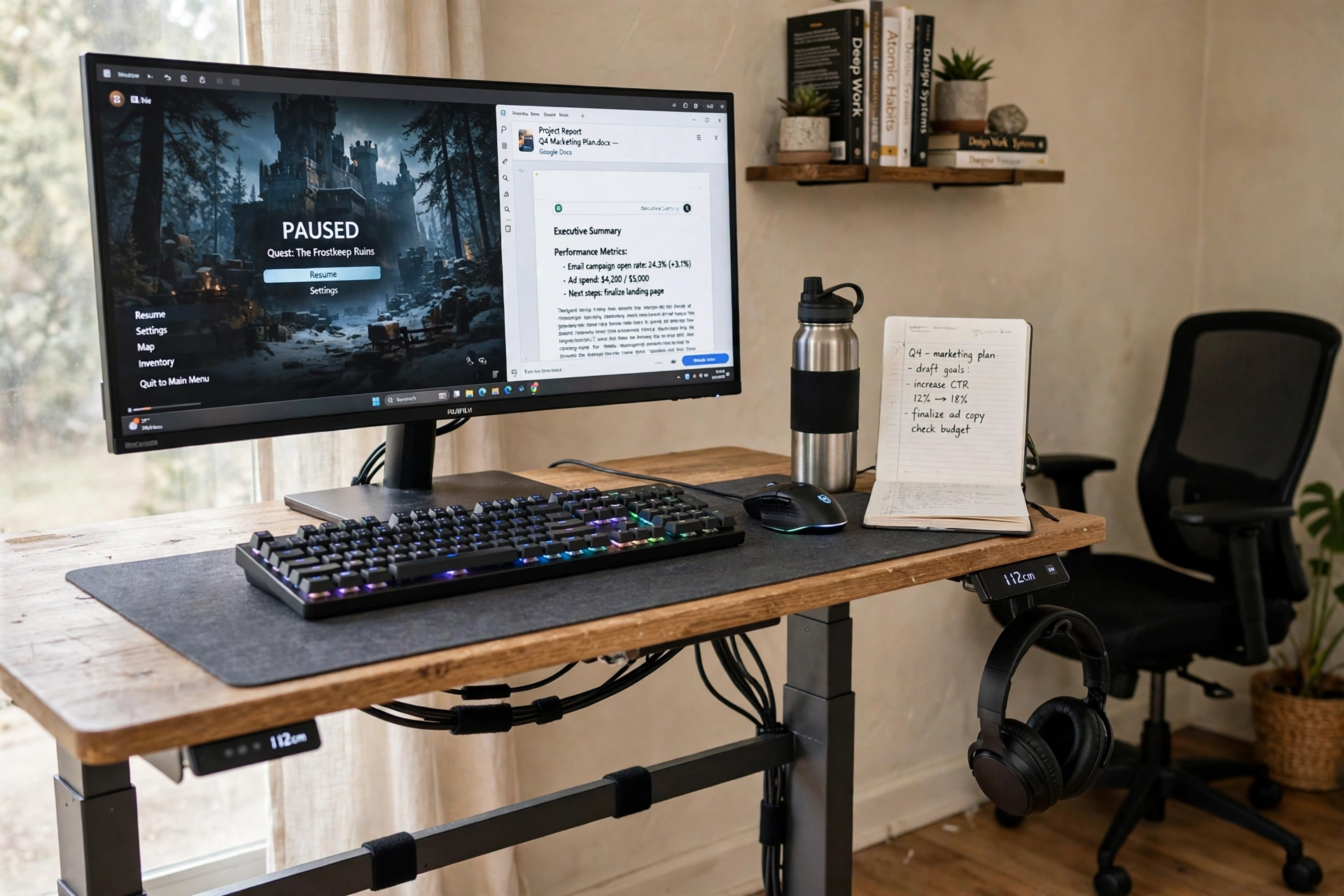
Here the switch is height. Stand for the workday, sit for the game, and let the desk move between the two with one button. The bamboo top stays calm and warm, which matters when the desk is also the room’s main piece of furniture, and the frame hides the cables so the move from standing to sitting never snags a wire. A mechanical keyboard and a gaming mouse sit on a large desk mat, a headset hangs on the desk edge, and a notebook and water bottle hold the work side of the scene. The monitor shows a game paused beside a work document window, which is exactly how a hybrid evening starts: the last work tab still open, the game already waiting. A strip at the back feeds the monitor and the chargers, and a small shelf with books and a plant holds the storage.
SWITCH IT
Save two heights on the desk keypad: one for standing work, one for sitting games. The switch then takes seconds, and you will actually use it every day.
KEY PIECE
FlexiSpot E6 Bamboo 3-Stage Dual Motor Electric Standing Desk 55 x 28, Solid Bamboo Desktop and White Frame
Why this one: The solid bamboo top is wide enough for a monitor, a keyboard, and a notebook, and the dual motor frame moves smoothly between sitting and standing heights.
Worth knowing: The white frame shows dust and scuffs, so it wants a wipe down now and then.
COMPLETES THE SETUP
Redragon K552P Mechanical Gaming Keyboard TKL with 18 Backlight Modes, Hot-Swappable Red Switches, 87-Key Compact Ergonomic Design, N-Key Rollover and Software Programmable Macro – RGB, Black
Why this one: The compact tenkeyless layout leaves room on the mat for the mouse, and the backlight modes let the keyboard look quiet by day and bright by night.
Worth knowing: Mechanical keys are louder than a laptop keyboard, so it is not the best pick for shared rooms during early calls.
COMPLETES THE SETUP
Logitech G502 HERO High Performance Wired Gaming Mouse, HERO 25K Sensor, 25,600 DPI, RGB, Adjustable Weights, 11 Programmable Buttons, On-Board Memory, PC/Mac – Black
Why this one: Adjustable weights and eleven programmable buttons make it a serious game mouse that still feels steady for spreadsheet work.
Worth knowing: It is wired, so route the cable through the desk frame or it will drag when the desk moves.
5. The Compact Corner Hybrid
AI-generated image
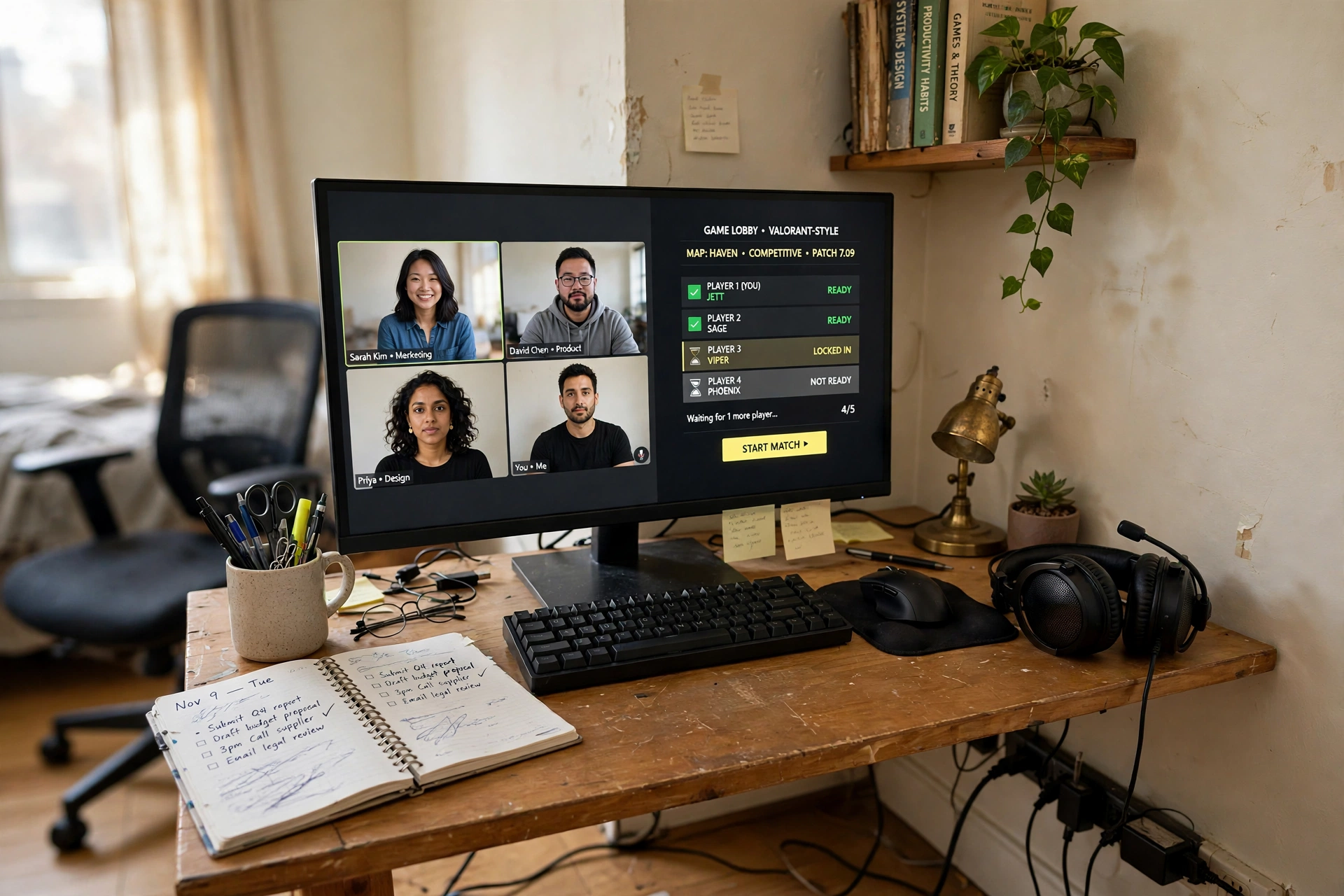
Small rooms do not need small ambitions, just a tight plan. One monitor does both jobs here, with a work video call on one side of the screen and a game lobby waiting on the other, and a compact keyboard and mouse leave space for a planner and a pen cup. The headset rests on the desk between sessions, ready for a call or a game with no drawer digging. A small desk lamp lights the work hours, a wall shelf above holds a few books and a plant so the floor stays clear, and a rolling chair tucks fully under the desk when the day ends. Power is a short strip along the baseboard, feeding the monitor, the lamp, and the laptop charger from one outlet. The rule for a compact hybrid is one in, one out: every gaming item earns its place by also serving work, and the headset is the best example, since it is the same tool for both.
KEY PIECE
SHW Mission 55-Inch Home Office Computer Desk, Black
Why this one: At 55 inches it holds a monitor, a keyboard, and a notebook in a small bedroom without eating the whole wall, and the black frame keeps the gaming side looking intentional.
Worth knowing: There is no built in storage, so the wall shelf above does the real organizing work.
COMPLETES THE SETUP
Amazon Basics 24 Inch Monitor, FHD 1080P, Max 100Hz
Why this one: A 24 inch screen at 100Hz is smooth enough for casual evening games and sharp enough for documents, at a size a small desk can hold.
Worth knowing: The stand offers limited height adjustment, so a small riser may be needed to bring the screen to eye level.
COMPLETES THE SETUP
HyperX Cloud II – Gaming Headset, 7.1 Surround Sound, Memory Foam Ear Pads, Durable Aluminum Frame, Detachable Microphone, Works with PC, PS5, PS4, Xbox Series X|S, Xbox One, Gun Metal
Why this one: The detachable microphone turns it from a work call headset into a game headset in seconds, and the memory foam pads suit long sessions either way.
Worth knowing: Our last check showed no featured offers on the listing, so confirm stock on the listing before ordering.
6. The Laptop and Console Dock
AI-generated image
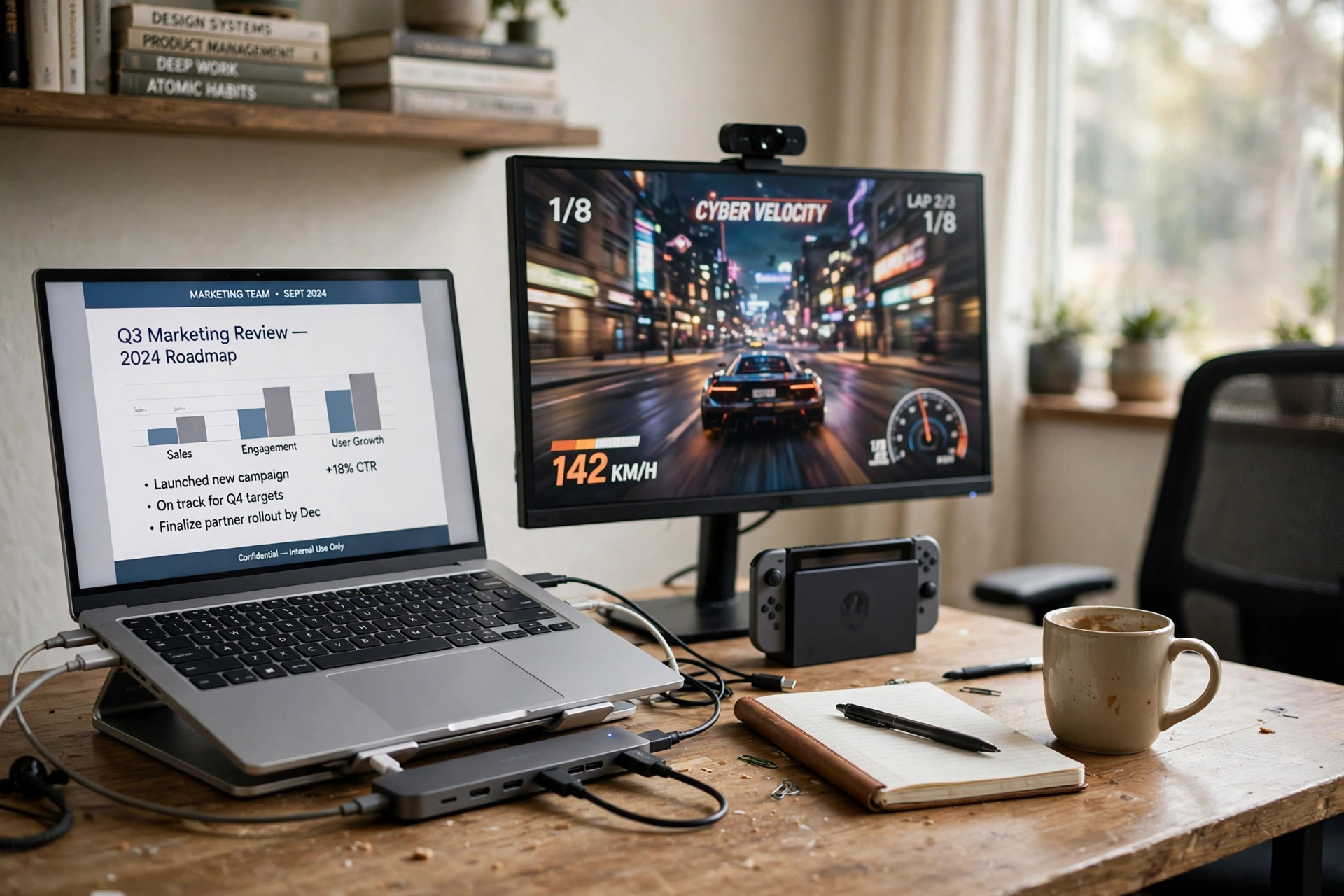
This setup is for the worker whose laptop is the office and whose console is the evening. The laptop sits open showing the work presentation, and the monitor beside it shows the console game, so the switch is just a change of screen. A small hub is the hero of the desk: one cable from the laptop carries the monitor, the keyboard, the mouse, and the charging, so undocking at the end of the day takes one pull. The webcam on top of the monitor handles work calls in the morning and stays put for evening play. A notebook and a coffee mug mark the work side, a controller waits on the console side, and a shelf with books keeps the background tidy for calls. The desk itself is a plain white computer desk, because the tech does the switching here, not the furniture. Power runs from a strip behind the desk leg, and the console sits under the monitor where its vents stay clear.
KEY PIECE
Anker USB C Hub, 7-in-1 Multi-Port USB Adapter for Laptop/Mac, 4K at 60Hz USB C to HDMI Splitter, 85W Max Power Delivery, 3xUSBA and C 3.0 Data Ports, SD/TF Card, for Type C Devices (Charger Not Included)
Why this one: Seven ports in one small hub carry the monitor, the keyboard, the mouse, and laptop charging through a single laptop cable, which is the whole docking idea.
Worth knowing: The charger is not included, so the laptop charger plugs into the hub for pass through power.
COMPLETES THE SETUP
CubiCubi Computer Desk, 47 Inch, Modern White
Why this one: A clean 47 inch white top holds the laptop, the monitor, and the console without crowding, and the pale surface keeps the dark console from dominating the room.
Worth knowing: A white top shows marks, so keep the coffee mug on a coaster.
COMPLETES THE SETUP
Logitech HD Pro Webcam C920, Widescreen Video Calling and Recording, 1080p Camera, Desktop or Laptop Webcam
Why this one: A proven 1080p webcam that clips on the monitor for work calls and stays ready for evening streams without any setup change.
Worth knowing: It records at 30 frames per second, which suits calls and casual streaming rather than high frame rate capture.
7. The Evening Light Switch
AI-generated image
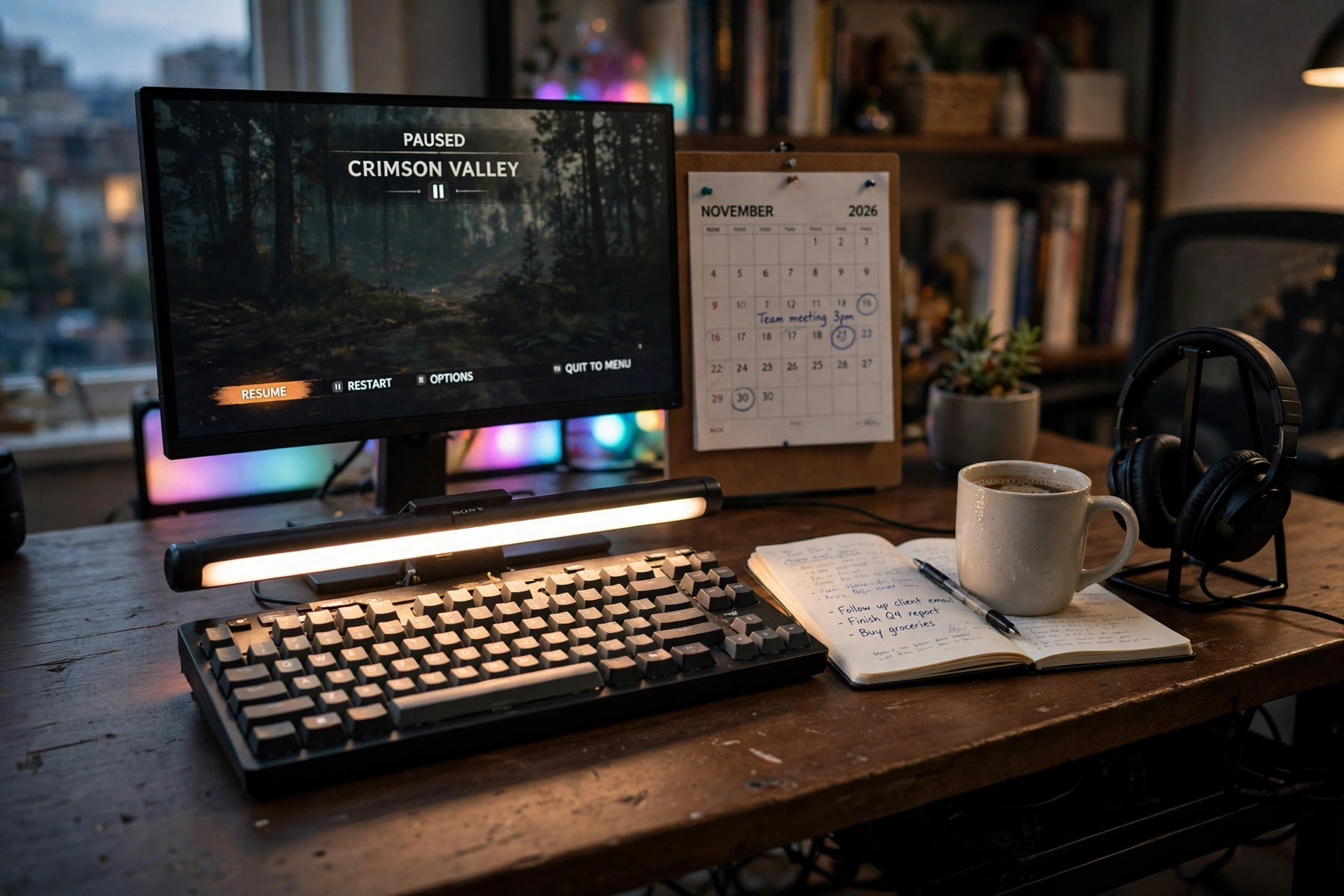
Light is the cheapest switch a hybrid desk can have. By day, a monitor light bar throws warm white light down onto the keyboard and the notebook, with no glare on the screen, so the desk reads as a serious office. At five, the bar dims and the light bars behind the monitor wake up in color, and the same desk reads as a game room. The monitor shows a game paused next to a work calendar, which is the honest picture of a hybrid evening, and the headset waits on a stand for whichever session comes next. A notebook and a mug sit on the work side, a small plant softens the corner, and the bookshelf behind stays dim so the light stays on the desk where it belongs. Cables hide under the desk, and the standing desk frame lets the whole scene rise or fall with the light.
KEY PIECE
BenQ ScreenBar Plus e-Reading LED Computer Monitor Light Bar with Desktop Dial, Auto-Dimming and Hue Adjustment, No Screen Glare, Space Saving, USB Powered, Matte Silver
Why this one: The bar sits on top of the monitor and lights the desk without glare, and the desktop dial changes brightness and warmth with a twist, which is the day to night switch in this setup.
Worth knowing: Our last check showed no featured offers on the listing, so confirm stock on the listing before ordering.
COMPLETES THE SETUP
Govee RGBIC Gaming Light Bars H6047 with Smart Controller, Wi-Fi Smart LED Gaming Lights with Music Modes and 60+ Scene Modes Built, Works with Alexa and Google Assistant, Game Room Lights Decor
Why this one: Two light bars behind the monitor bring the evening color without touching the work lighting, and the smart dial switches scenes without opening an app.
Worth knowing: The bars need a Wi-Fi connection for app control, though the dial works on its own.
COMPLETES THE SETUP
SHW 48-Inch Electric Height Adjustable Standing Desk with Drawer, White
Why this one: A 48 inch electric desk with a drawer fits the light bars and the monitor in a small footprint, and the drawer holds the notebook and the controller out of sight.
Worth knowing: At 48 inches it fits one monitor and a laptop, not a wide dual screen spread.
8. The One Button KVM Switch
AI-generated image
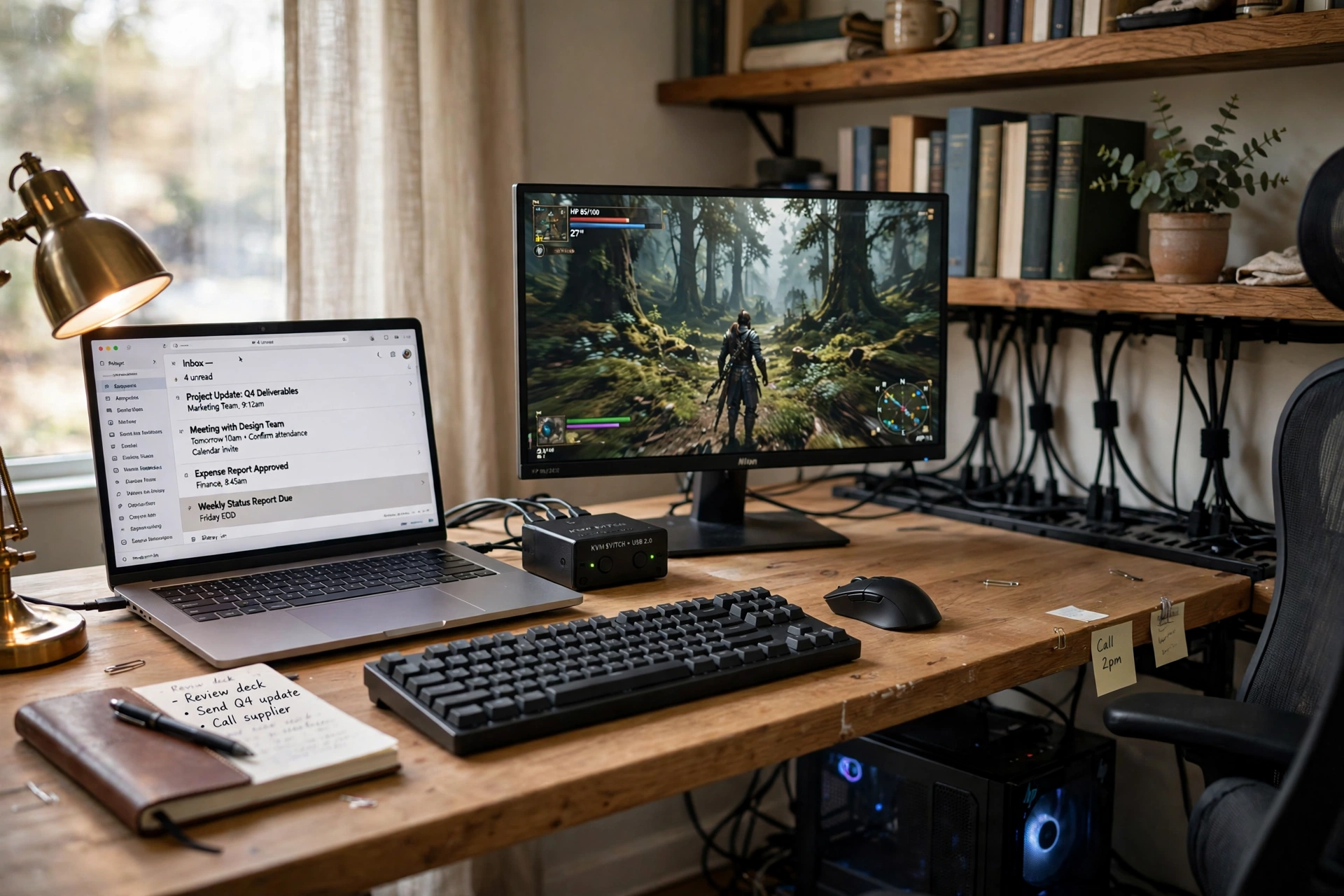
Two computers, one keyboard, one mouse, one button. That is the whole idea here, and it is the cleanest hybrid desk in this article. The work laptop shows the email inbox, the monitor shows the game, and a small switch box between them moves the keyboard and mouse from one machine to the other with a press. The desk stays tidy because there is only one set of peripherals to cable, and the laptop closes at the end of the workday while the game machine takes over the same screen. An ergonomic mesh chair suits both halves of the day, a desk lamp lights the notebook, and shelves with books and a plant keep the background calm for calls. The switch box sits where your hand naturally rests, so the change from work to play is a tap, not a task. A strip under the desk feeds the monitor, the laptop charger, and the lamp.
SWITCH IT
Put the switch box on the desk, not behind the monitor. If you have to reach for it, you will stop switching, and the hybrid desk becomes a single use desk again.
KEY PIECE
TESmart USB 3.0 HDMI KVM Switch 1 Monitor 2 Computers 4K at 60Hz, L/R Audio and Microphone, 2 Port EDID Emulators, Hotkey Switching, Button Switching with Remote Switch and All Input Cables
Why this one: One switch shares a monitor, a keyboard, a mouse, and audio between two computers, and it ships with the input cables, so the setup works out of the box.
Worth knowing: Both machines need an HDMI output, so check the laptop ports before ordering.
COMPLETES THE SETUP
Logitech MX Keys Illuminated Wireless Keyboard with Bluetooth, USB-C – for Apple macOS, Microsoft Windows, Linux, iOS, Android – Graphite
Why this one: A full size illuminated keyboard with quiet keys that suits a workday and still reads well in a dim evening room.
Worth knowing: The backlight turns off to save battery, so tap a key to wake it when the room is dark.
COMPLETES THE SETUP
DUMOS Mid Back Mesh Office Chair, Black
Why this one: A breathable mesh back keeps long work calls and long game sessions comfortable, and the mid back size suits a desk that switches uses often.
Worth knowing: The mid back gives less shoulder support than a high back chair, so it suits shorter sessions best.
9. The Long Session Chair
AI-generated image
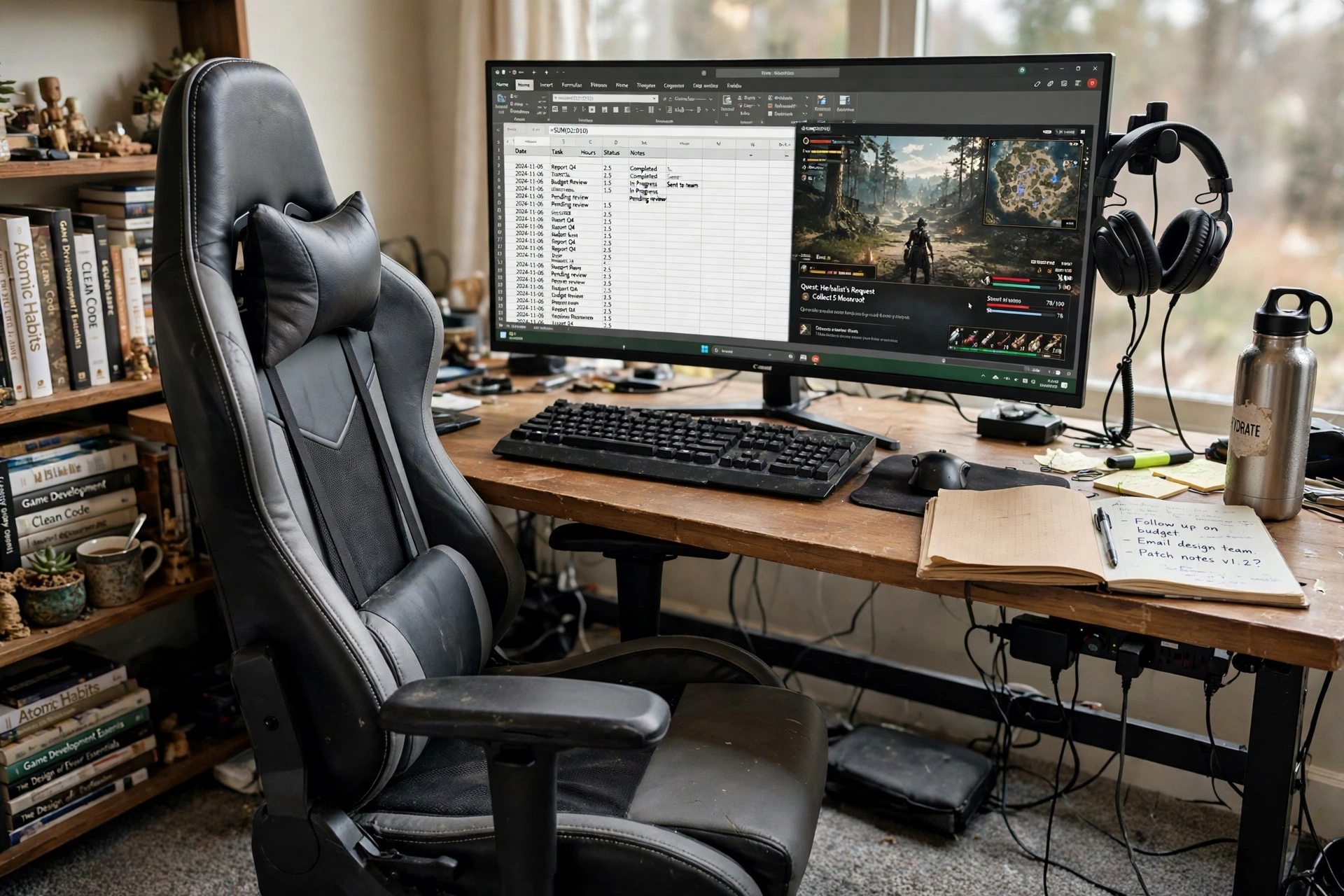
Some hybrid days are long on both ends: eight hours of work, then three hours of games, all in the same seat. This setup starts with the chair and builds the desk around it. A high back racing style chair with a headrest and lumbar pillow holds the long hours, and the footrest pulls out for the break between work and play. The wide gaming desk holds a monitor with a spreadsheet beside a game window, a keyboard and mouse, a headset on the desk, a water bottle, and a notebook, so nothing needs to move when the day changes use. LED lights along the desk edge glow softly in the evening, a shelf with books sits behind, and a power strip under the desk feeds the monitor and the chargers. The lesson here is simple: if the chair is wrong, no monitor or keyboard will save the day, so buy the seat first and the screen second.
KEY PIECE
GTRACING Gaming Chair Racing Office Computer Ergonomic Video Game Chair Backrest and Seat Height Adjustable Swivel Recliner with Headrest and Lumbar Pillow Esports Chair (Dark Black)
Why this one: A high back with headrest and lumbar pillow supports long workdays and long game nights alike, and the recline gives the evening break a real rest position.
Worth knowing: Racing style chairs are wide, so check the desk gap and the room width before ordering.
COMPLETES THE SETUP
Dowinx Gaming Desk with LED Lights, RGB Gaming Computer Table with Carbon Fibre Surface, LED Home Office Desk with Remote Control, Pc Workstation with Cup Holder and Headphone Hook, 55 Inch, Black
Why this one: A 55 inch carbon fibre top with built in LED lights, a cup holder, and a headphone hook keeps the long session desk tidy and the evening lighting built in.
Worth knowing: Our last check showed no featured offers on the listing, so confirm stock on the listing before ordering.
COMPLETES THE SETUP
TOPREK Surge Protector Power Strip, 10 FT Flat Extension Cord
Why this one: The flat cord runs neatly along the baseboard to a distant outlet, and the strip mounts where the monitor and chargers can reach it.
Worth knowing: A ten foot cord needs a tidy route or it will drape, so plan the run along the baseboard before you plug in.
10. The Streamer Work Call Desk
AI-generated image
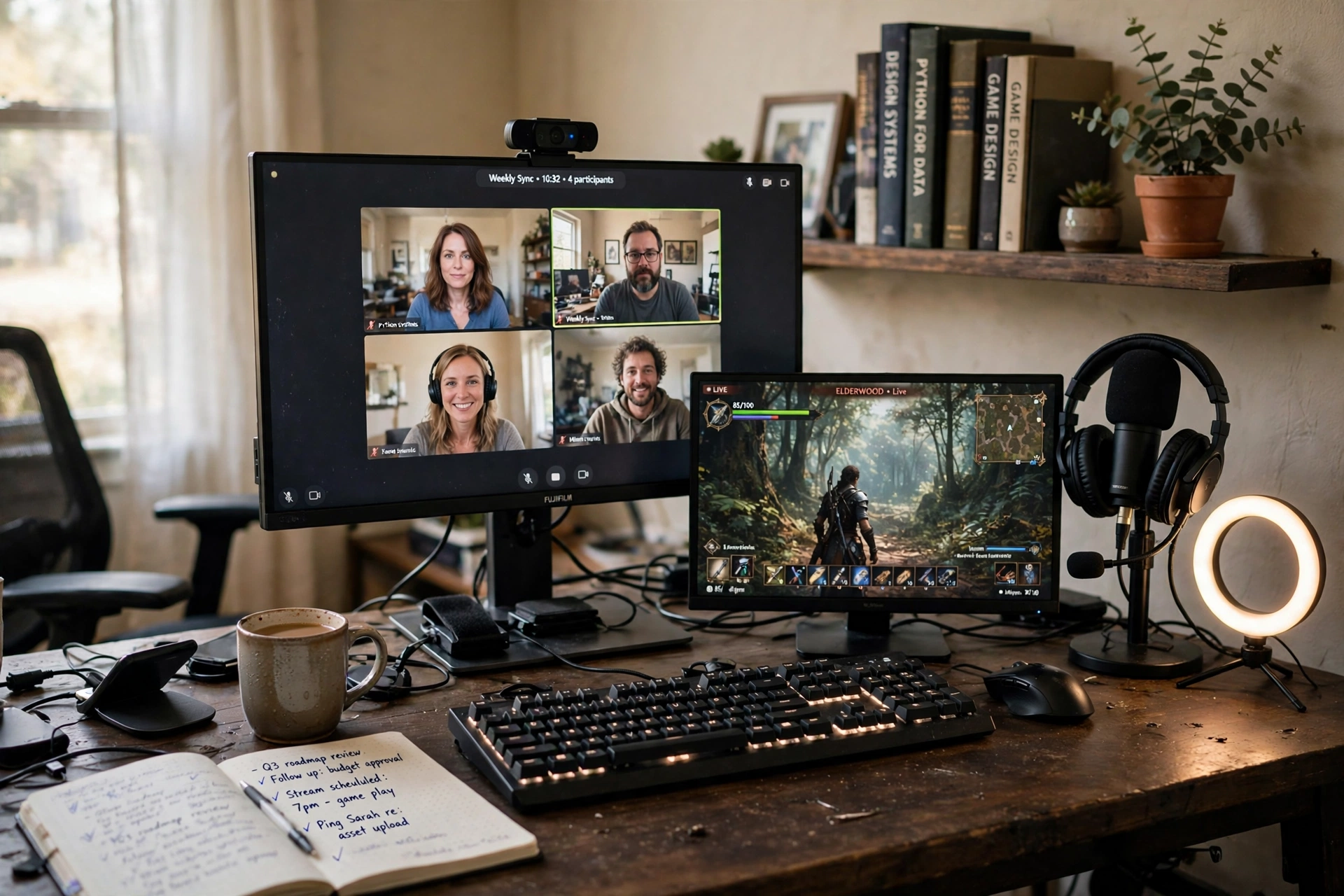
Work calls and game streams ask for the same things: a clear camera, a good microphone, and a tidy background. This desk gives both. The webcam on top of the monitor shows a video call grid by day, and the same camera frames the evening stream, while a headset with a microphone handles the call audio and the game chat with no change of gear. A second smaller screen shows the game, so the call screen never has to share space with the stream, and a notebook with call notes sits beside the keyboard. What works here, in order:
- Put the camera at eye level on the main monitor, so calls and streams both look natural.
- Keep the background shelf tidy with books and a plant, because it is on camera all day.
- Hang the headset on a stand when the session ends, so the desk resets itself for the morning.
Power runs from outlets built into the desk edge, feeding the monitor, the lamp, and the chargers, and the chair is a plain black office chair that looks right on camera in both roles.
KEY PIECE
Logitech C920x HD Pro PC Webcam, Full HD 1080p/30fps Video, Clear Audio, HD Light Correction, Works with Microsoft Teams, Google Meet, Zoom, Nintendo Switch 2’s new GameChat Mode, Mac/Tablet – Black
Why this one: Full HD video with light correction keeps work calls clear in a dim room, and the same camera is ready for evening streaming without a second purchase.
Worth knowing: It clips to a monitor top, so a monitor with a thin top bezel holds it best.
COMPLETES THE SETUP
Hbada Office Chair, Black, J1
Why this one: A compact rolling chair that tucks under the desk top and looks plain and professional on camera for both work and streaming.
Worth knowing: The seat is on the firm side, so it suits shorter work blocks better than a full eight hour day.
COMPLETES THE SETUP
GreenForest 47 Inch Computer Desk with Power Outlets, Oak
Why this one: Built in power outlets mean the monitor, the lamp, and the chargers plug in at the desk edge, and the oak top keeps the camera background warm.
Worth knowing: At 47 inches it fits one main monitor comfortably, not a wide dual screen spread.
11. The Budget Starter Hybrid
AI-generated image
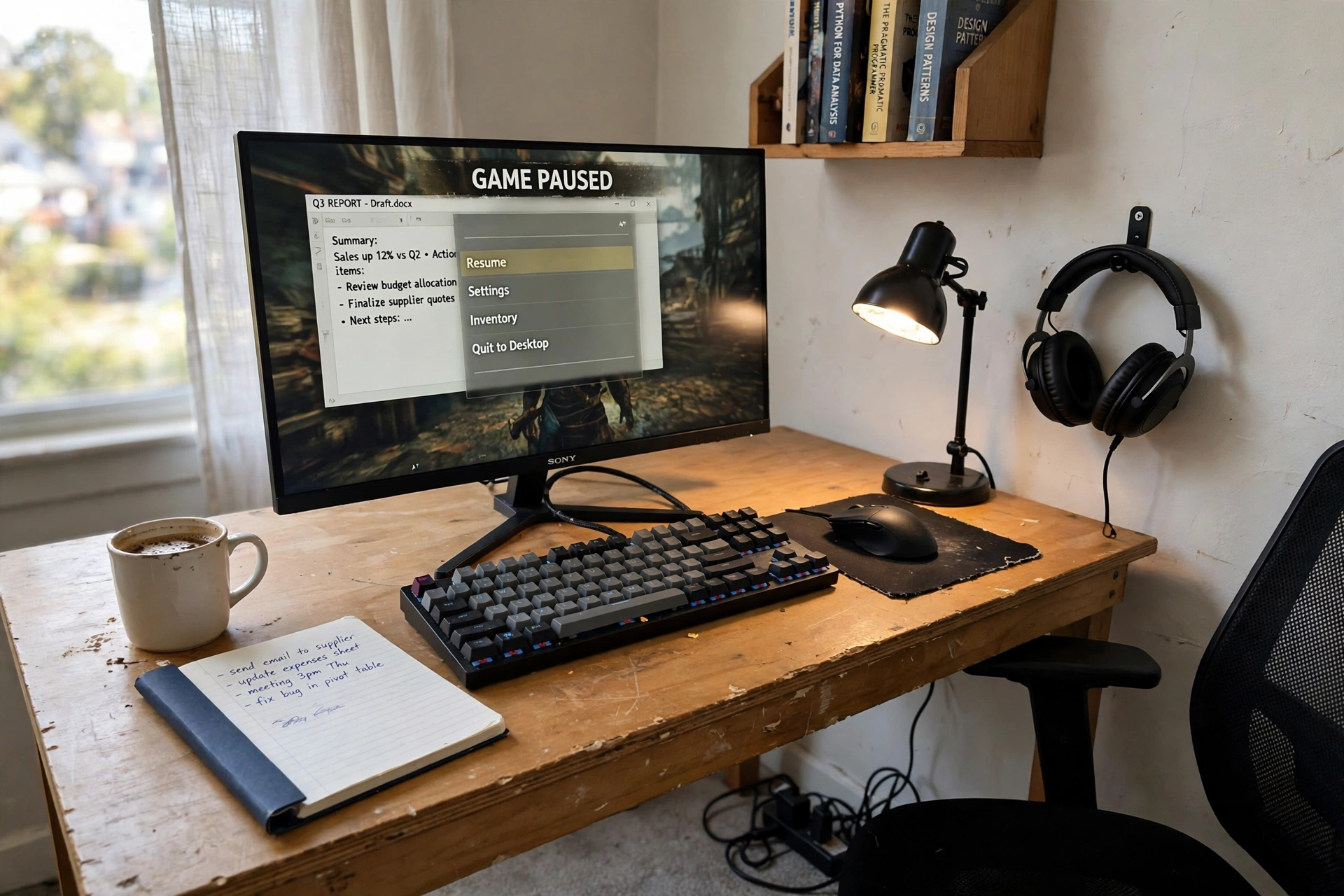
Start small, start honest. One monitor, one keyboard, one mouse, one headset, and a desk that costs less than the monitor. The monitor shows a game paused over a work document, which is the whole hybrid idea in a single frame: the work is done, the game is waiting, and nothing on the desk needs to change between them. The keyboard is a compact mechanical board that types well enough for a workday and plays well enough for the evening, the mouse is a wireless gaming mouse that also handles documents, and the headset hangs on the desk hook between sessions. A notebook, a mug, and a small lamp fill the work side, a shelf with a few books keeps the background calm, and a power strip on the floor feeds the monitor and the chargers. Upgrade one piece at a time from here: the monitor first, then the chair, then a second screen.
KEY PIECE
BestOffice 47 Inch Gaming Desk, Carbon Fiber Textured Computer Desk, Sturdy Steel Frame, Cup Holder, Headphone Hook, Cable Management Holes, Adjustable Leg Pads, for Gamers, Home, Office
Why this one: A 47 inch carbon fiber top with a cup holder, a headphone hook, and cable holes gives a starter hybrid the gaming desk features without the gaming desk size or spend.
Worth knowing: The carbon fiber top is a textured laminate, not real carbon fiber, so treat it like a desk surface, not a showpiece.
COMPLETES THE SETUP
Logitech G502 Lightspeed Wireless Gaming Mouse with Hero 25K Sensor, PowerPlay Compatible, Tunable Weights and Lightsync RGB – Black
Why this one: A wireless gaming mouse with a top sensor and tunable weights that works just as well for daytime documents as for evening games.
Worth knowing: It charges by USB, so keep the cable in the desk drawer for top ups.
COMPLETES THE SETUP
AUOPLUS Power Strip, 6 Outlet and 4 USB, 10 Ft
Why this one: Six outlets plus four USB ports cover the monitor, the lamp, and phone charging from one strip, and the ten foot cord reaches the nearest outlet.
Worth knowing: The strip itself is fairly long, so tuck it flat against the baseboard where the chair will not catch it.
12. The Storage Corner Hybrid
AI-generated image
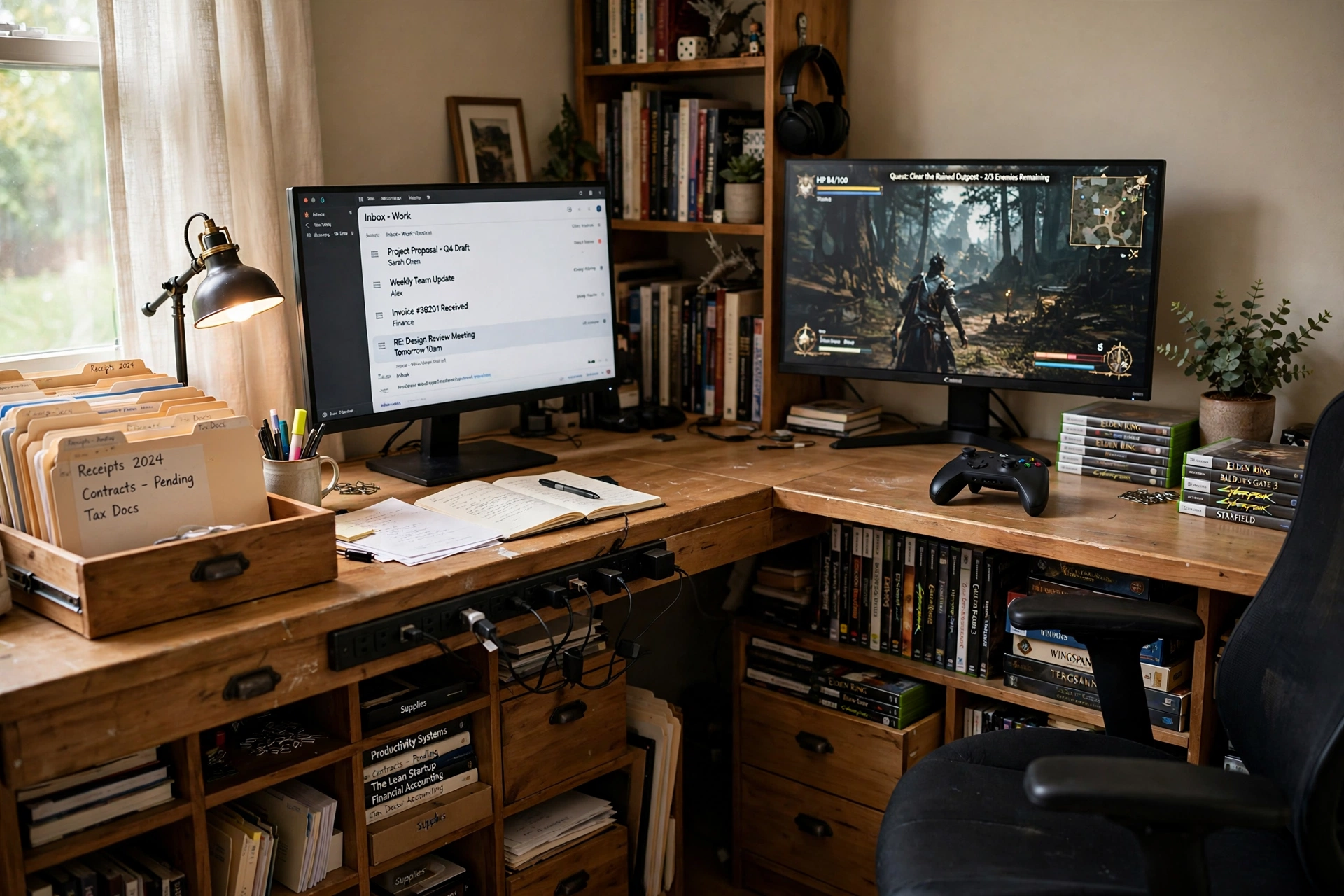
End with the setup that holds everything. A large L-shaped desk fills the corner, and its drawers and shelves do the work that a bare desk cannot: work files live in the drawers on one side, game cases live on the shelves on the other, and the desk surface stays clear for the two monitors. One side shows email and the day plan, the other shows the game with the controller resting beside it, and the chair swivels between them. A desk lamp lights the work side, a plant softens the corner, and power outlets built into the desk edge feed both monitors and the chargers without a strip on the floor. This is the setup to copy when the hybrid desk is also the room’s main storage, because the drawers keep the work papers and the game gear from ever sharing the same pile.
KEY PIECE
YOMILUVE 63 Inch Farmhouse L Shaped Executive Desk with Drawers and Storage Shelf, Corner Rattan Computer Desk with Power Outlets, L Shaped Office Desk with Monitor Stand, Printer Shelf
Why this one: The 63 inch L shape fills the corner under both monitors, and built in power outlets plus a monitor stand and printer shelf mean storage and power live at the desk.
Worth knowing: An L-shaped desk needs a real corner, so check the wall lengths on both sides before ordering.
COMPLETES THE SETUP
Serta Ashland Home Office Desk Chair, Light Gray
Why this one: A button tufted mid back chair in light gray that looks like an office chair by day and sits comfortably through an evening game session.
Worth knowing: Light gray fabric shows marks, so keep food and ink away from the chair.
COMPLETES THE SETUP
Addtam Power Strip Surge Protector, 10 Ft
Why this one: A surge protected strip with a ten foot cord covers the second monitor and the console charger that the desk outlets cannot reach.
Worth knowing: Keep the strip off the floor and behind the desk leg, so the chair wheels never roll over the cord.
Frequently asked questions
What makes a desk setup hybrid instead of just a gaming desk?
A hybrid desk gives real space to both uses. Work tools like a notebook, a work keyboard, documents, and a webcam share the desk with gaming gear like a controller, a headset, and a game on screen, and the switch between them is visible in the scene. A gaming desk with a controller added as decoration is not a hybrid, and neither is a work desk that happens to run a game.
Do I need two monitors for a hybrid work and gaming office?
No. Two monitors are the simplest split, one for work and one for the game, but a single ultrawide monitor split in software does the same job, and a single 24 inch monitor works if the work and the game take turns. Pick the screen plan that fits the desk size first, then build around it.
How do I switch between work and gaming without rebuilding the desk?
Use one clear switch: a second screen, a KVM switch box, a standing desk height preset, or a change of lighting. Keep both sets of tools on the desk at once, so the switch is a button press or a turn of the chair, not a rearrange.
Can one keyboard and mouse serve both work and gaming?
Yes, if you pick them for both jobs. A quiet low profile keyboard with backlighting types well by day and reads well at night, and a gaming mouse with programmable buttons handles documents and games alike. A KVM switch lets one set serve two computers, so nothing needs to be unplugged.
How do I keep a hybrid desk tidy with so much gear?
Give every item a home: a hook for the headset, a drawer for the controller, a shelf for game cases, and a strip or built in outlets for power. Run cables under the desk or along the baseboard, and keep the desk surface to the tools in use right now.
What is the best first upgrade for a budget hybrid desk?
Start with the monitor, because it is the screen you look at for both work and games. Then upgrade the chair, because it holds every hour of both uses. A second screen comes third, once the desk has room for it.
Conclusion
A hybrid desk works when both halves of the day are real. Start with the two screen split if you have the space, the ultrawide switch if the room is small, or the budget starter if you are building from scratch. Add the chair that holds the long hours, one clear switch between work and play, and one strip or set of built in outlets for power, and the desk is complete. Keep the work tools and the gaming gear on the same desk, let the switch be a button or a turn of the chair, and the office will serve the morning and the evening without ever needing to be rebuilt. For more setups in this series, browse the Home Office Ideas category.
