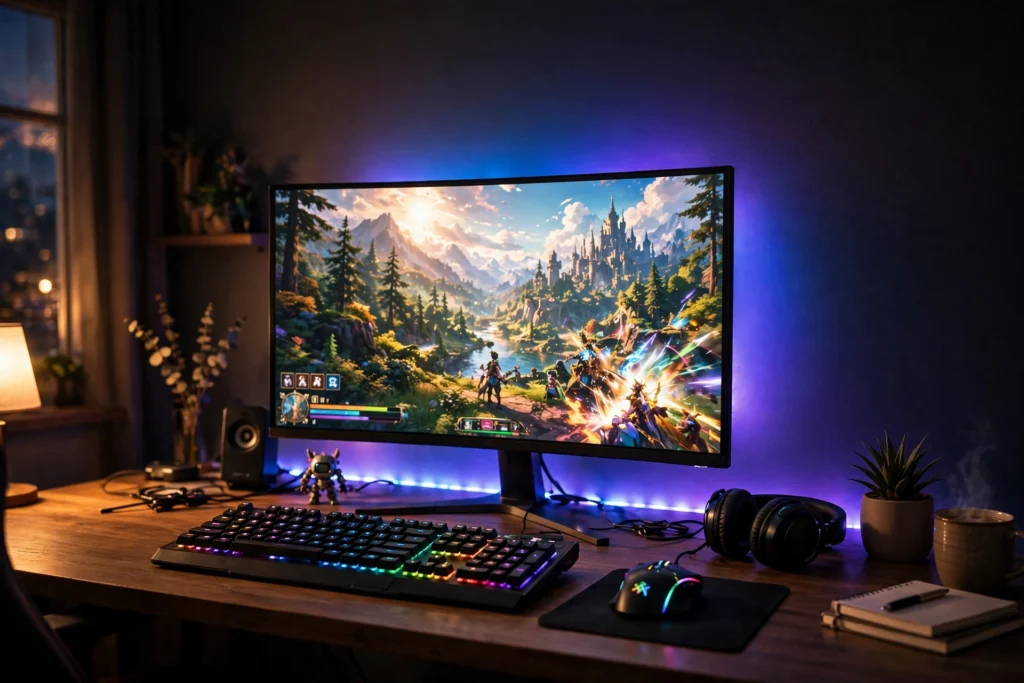
RGB lighting is the fastest way to change how a gaming room feels. You do not need a new desk or a bigger monitor to get that glow. A strip behind the desk, a lamp in the corner, or a few wall panels can turn a plain room into a setup that looks straight out of a stream. The trick is layering light instead of blasting one bright color from a single spot, and that is exactly what these 12 ideas do.
Each idea below is a complete setup you can copy, with the desk, screen, seat, and light working together. If you are starting from zero, read our 15 LED gaming room ideas that set the perfect mood first for the basics, then come back here for the color and glow. Every product is linked to Amazon with a price check button, and every setup keeps the screen as the star.
In this guide: 12 RGB lighting ideas
1. Behind the Desk Halo
2. Triangle Wall Panel Art
3. Corner Lamp Color Wash
4. Gradient Glow for Console Nights
5. RGB Fans in a Glass Case
6. LED Desk Edge Glow
7. Pretty in Pink RGB
8. Light Bar Plus Strip Layers
9. XXL Mousepad Glow Zone
10. Headset Stand Glow
11. L Shaped Corner Command Center
12. Ultrawide Cinematic RGB
At a Glance
FAQ
At a Glance: 12 RGB Lighting Ideas
| Idea | Best for | Hero product |
|---|---|---|
| Behind the Desk Halo | First RGB upgrade | Govee RGBIC LED strip |
| Triangle Wall Panel Art | A feature wall | Nanoleaf Shapes Triangles |
| Corner Lamp Color Wash | Small or dark rooms | Govee RGBIC floor lamp |
| Gradient Glow for Console Nights | TV and console players | Philips Hue gradient strip |
| RGB Fans in a Glass Case | PC builders | AsiaHorse RGB fans |
| LED Desk Edge Glow | A ready made glow desk | DUMOS LED gaming desk |
| Pretty in Pink RGB | Soft, cute setups | Pixio pink gaming monitor |
| Light Bar Plus Strip Layers | Late night eye comfort | Hive Vibes monitor light bar |
| XXL Mousepad Glow Zone | Big desk surfaces | XXL RGB gaming mouse pad |
| Headset Stand Glow | Small desk accents | Miroddi RGB headset stand |
| L Shaped Corner Command Center | Two screen corners | PRAISUN L shaped LED desk |
| Ultrawide Cinematic RGB | Immersive movie nights | LG ultrawide curved monitor |
1. Behind the Desk Halo
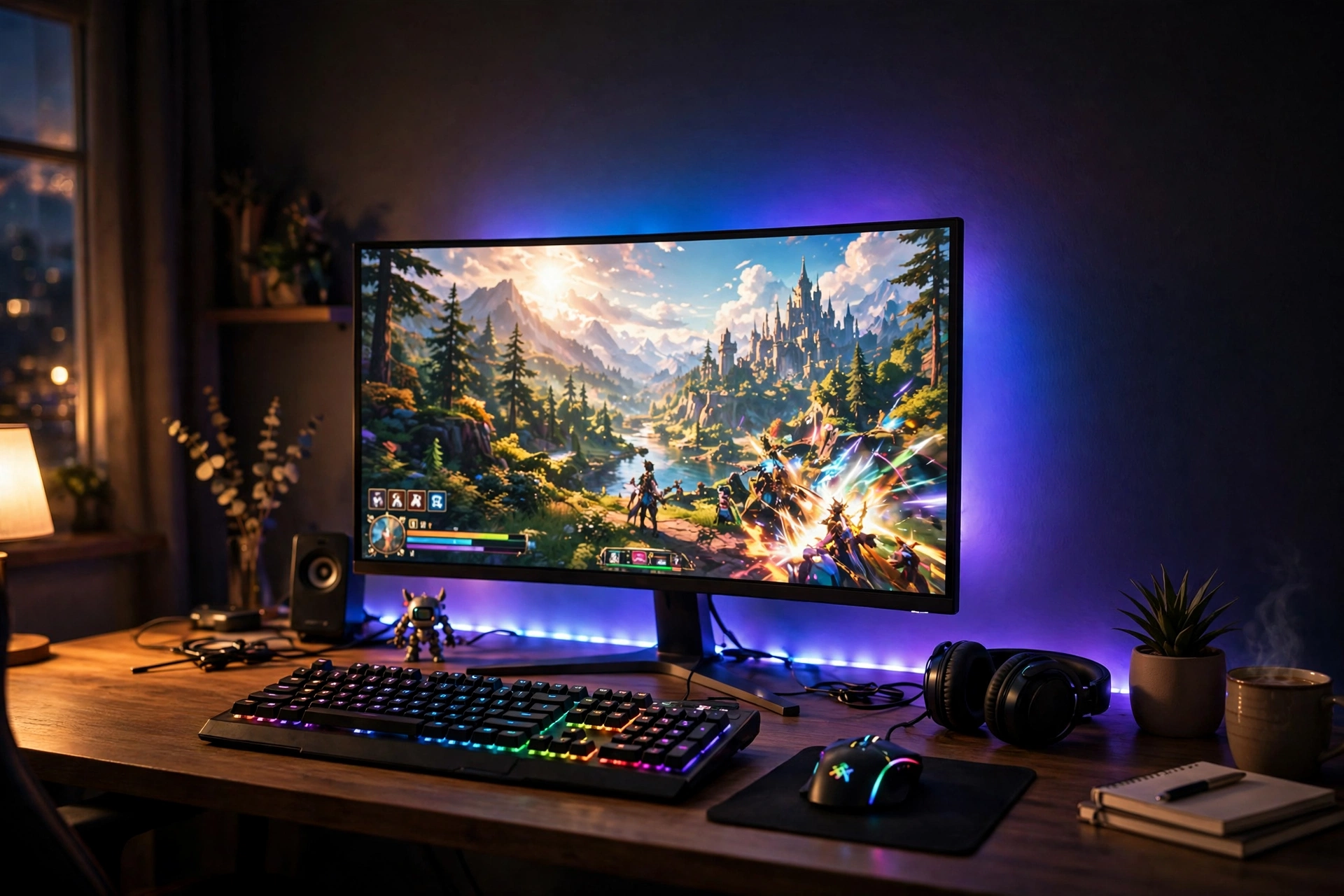
Start with the classic. A long LED strip run along the back edge of the desk throws a soft halo onto the wall, and suddenly the whole corner looks finished.
- Stick the strip along the rear edge of the desk, not the front, so the glow lands on the wall behind the monitor.
- Pick one calm color for everyday use, like teal or soft blue, and save the rainbow mode for game nights.
- Pair it with a light bar on top of the monitor so your keyboard area stays readable without a harsh desk lamp.
- Hide the power brick under the desk with a small cable tray so the glow is the only thing you notice.
A black desk, a comfortable chair, and a tidy cable run finish the look. This is the cheapest big visual win in the whole list, and it takes about twenty minutes to install.
Tip: measure the back edge of your desk before you order. A strip that is too short leaves dark gaps at the ends, and a strip that is too long bunches up in the corners.
Govee 65.6ft RGBIC LED Strip Lights
Why this one: the long length covers a full desk plus a shelf or two, and the RGBIC segments let different parts of the strip show different colors at once.
Worth knowing: the adhesive can lose grip on dusty or textured walls, so wipe the surface first and press each section firmly.
Quntis Monitor Light Bar RGB PRO
Why this one: it lights the desk without glare on the screen, and the RGB backlight adds a second glow layer that matches the strip behind the desk.
Worth knowing: it sits on top of the monitor, so very thin or curved screens may need a careful fit check first.
2. Triangle Wall Panel Art
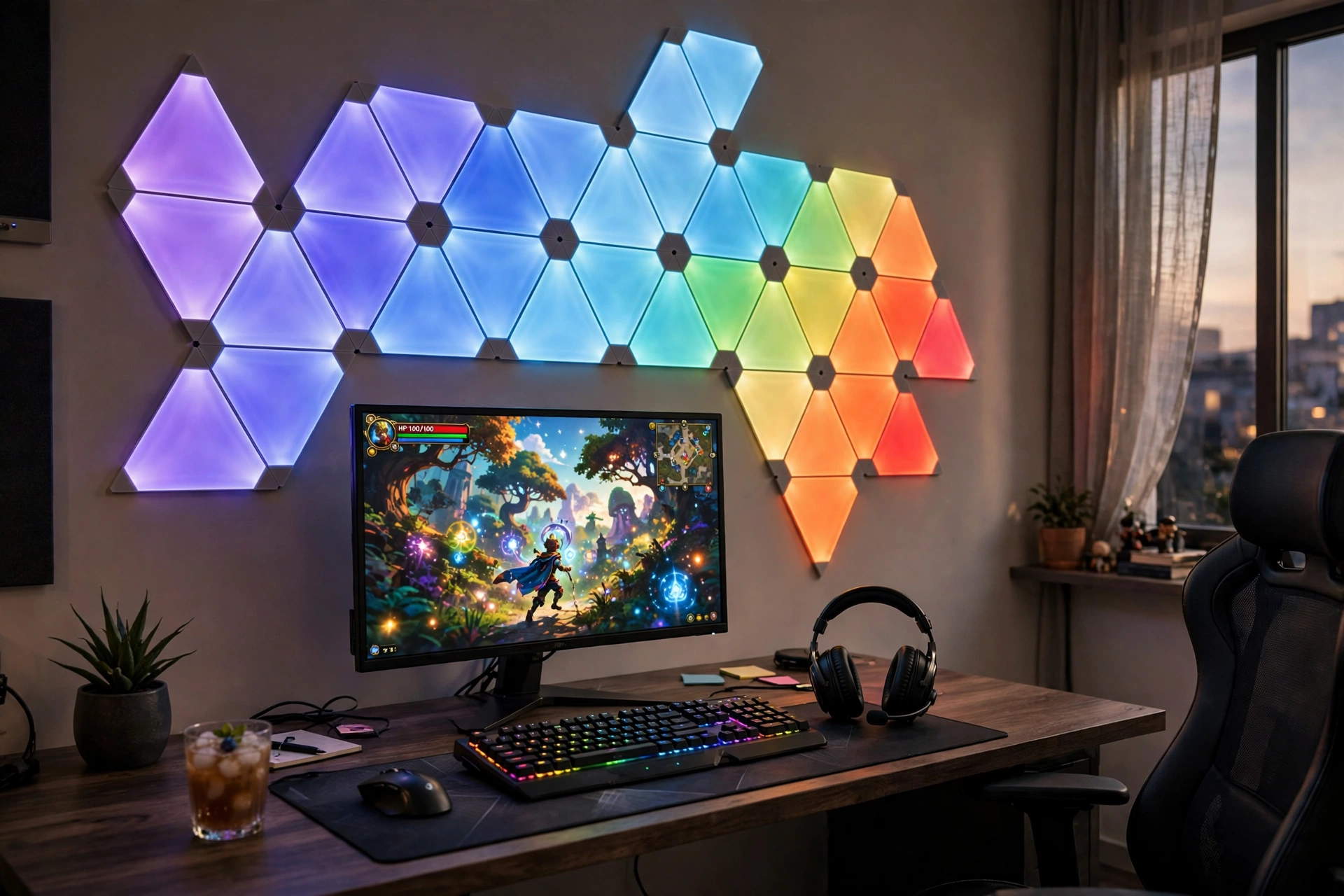
Wall panels turn lighting into wall art. Instead of hiding the light, you build a shape out of it, and the wall above your desk becomes the focal point of the room. This setup works best when the rest of the desk stays calm: a dark desk, one monitor, a simple keyboard, and a headset on a hook. Let the panels do the talking.
- Sketch the shape first on paper or with painter’s tape on the wall, so you know how many panels you need before you stick anything down.
- Start with a small cluster above the monitor, then add panels outward as you get comfortable with the layout.
- Set a slow color flow rather than fast flashing, so the wall feels alive without distracting you mid game.
- Add a second light line lower down, like a slim wall light beside the desk, to balance the brightness.
The panels also double as a backdrop for video calls and streams, which makes this one of the most photographed looks in the list.
| Mood | Panel colors to try |
|---|---|
| Calm focus | Deep blue, teal, soft white |
| Game night | Purple, magenta, hot pink |
| Cozy evening | Warm amber, orange, soft red |
Nanoleaf Shapes Triangles Smarter Kit
Why this one: the modular triangles snap into any shape you like, and the app gives you ready made scenes so you never have to build a color palette from scratch.
Worth knowing: the starter kit covers a modest shape, so a big wall design will need an expansion pack.
Govee Glide Wall Lights, 2 Panels Set
Why this one: the slim bars add a clean line of light beside the panels and work well as a second layer on the same wall.
Worth knowing: two panels only make a short line, so plan for extra sets if you want a longer run.
3. Corner Lamp Color Wash
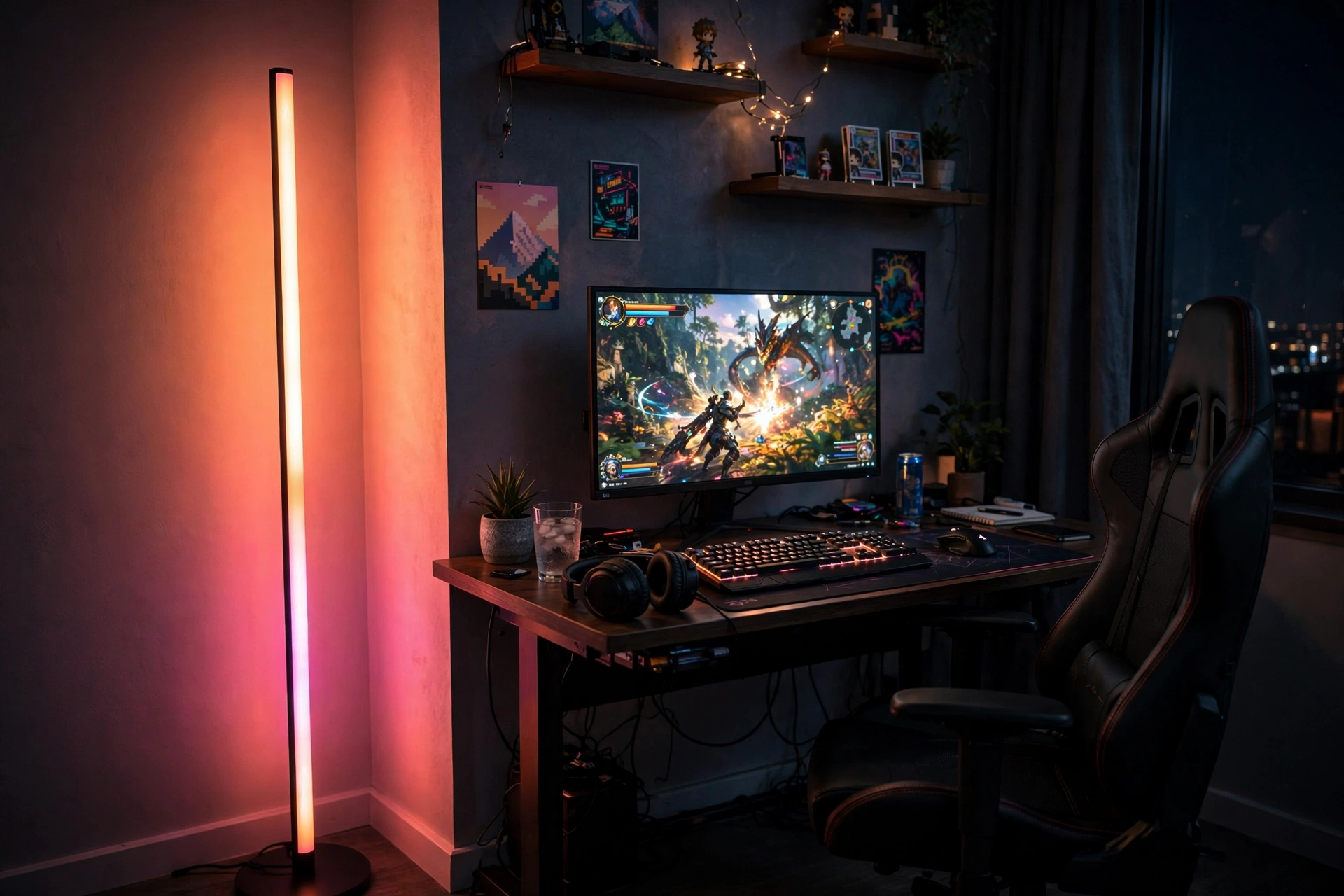
A corner floor lamp is the easiest way to fill a dark room with color. It needs no drilling, no adhesive, and no measuring. You plug it in, tuck it into the corner behind your chair, and the whole wall behind you glows. The monitor stays the brightest thing in front of you, while the lamp paints the room around it.
Quick tip: point the lamp at the corner, not at the desk. The two walls bounce the light back and the color looks twice as rich.
Keep the desk simple for this one: a single monitor on a stand, a keyboard with soft backlighting, and a small plant or figure on the desk. The lamp does the heavy lifting, so the rest of the room can stay quiet and tidy. It is a great pick for renters and for small rooms where wall panels feel like too much.
Corner lamp checklist
- Leave a hand width of space between the lamp and the wall
- Run the cable along the skirting board, not across the floor
- Set brightness to about half for evenings, full for parties
- Match the lamp color to your wallpaper or screen theme
Govee RGBIC Floor Lamp, LED Corner Lamp
Why this one: the slim corner design fits spaces a normal lamp cannot, and the RGBIC segments show a gradient of colors up the pole instead of one flat shade.
Worth knowing: it is tall and light, so keep it out of the path where a chair or a pet could knock it over.
Govee Glide Wall Light, 6 Pcs Plus 1 Corner
Why this one: the six bars plus a corner piece let you draw a longer shape on the wall, which balances the tall lamp on the other side of the room.
Worth knowing: the bars need a flat, clean wall to stick well, so avoid textured paint or wallpaper seams.
4. Gradient Glow for Console Nights
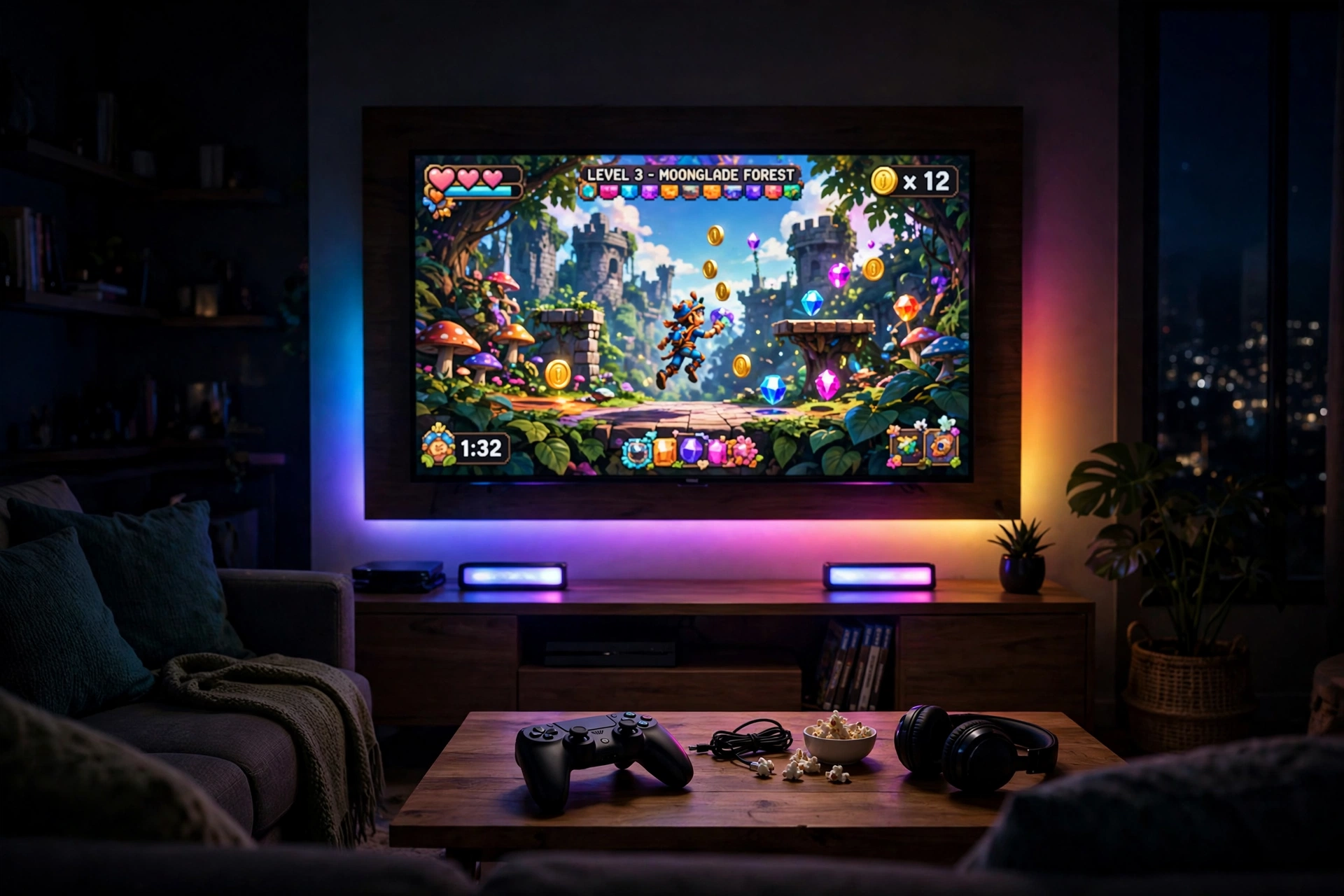
Console players get the best version of RGB lighting: a gradient strip behind the TV that mirrors the colors on screen. When the game shifts from a blue ocean to an orange sunset, the wall behind the TV follows, and the whole room feels bigger. It is the closest thing to a cinema at home.
You have two ways to get this look. A gradient strip mounted on the back of the TV gives you the full surround effect and reacts to what is on screen. A pair of light bars on the TV stand gives you a simpler version that still fills the wall with color. The strip looks more dramatic, the bars are easier to move and reposition.
| Option | Best when | Effort |
|---|---|---|
| Gradient strip behind TV | You want the full screen matching effect | One time install |
| Light bars on the stand | You rent, or you move the TV often | Plug in and place |
Finish the scene with a low TV stand, a controller dock, and a soft rug. Keep the overhead lights off during play and let the TV glow run the room.
Philips Hue Play Gradient Light Strip, 55 Inch
Why this one: the gradient follows the colors on screen, so the wall glow always matches the game instead of sitting on one static color.
Worth knowing: the full screen sync experience needs a Hue Bridge and a sync box, which are separate purchases.
Philips Hue Play Light Bar, 2 Pack
Why this one: the two bars can stand on the TV unit, mount behind the screen, or angle at the wall, so you can reshape the glow whenever you like.
Worth knowing: like the strip, they work best inside the Hue system, so factor in the bridge if you do not own one yet.
5. RGB Fans in a Glass Case
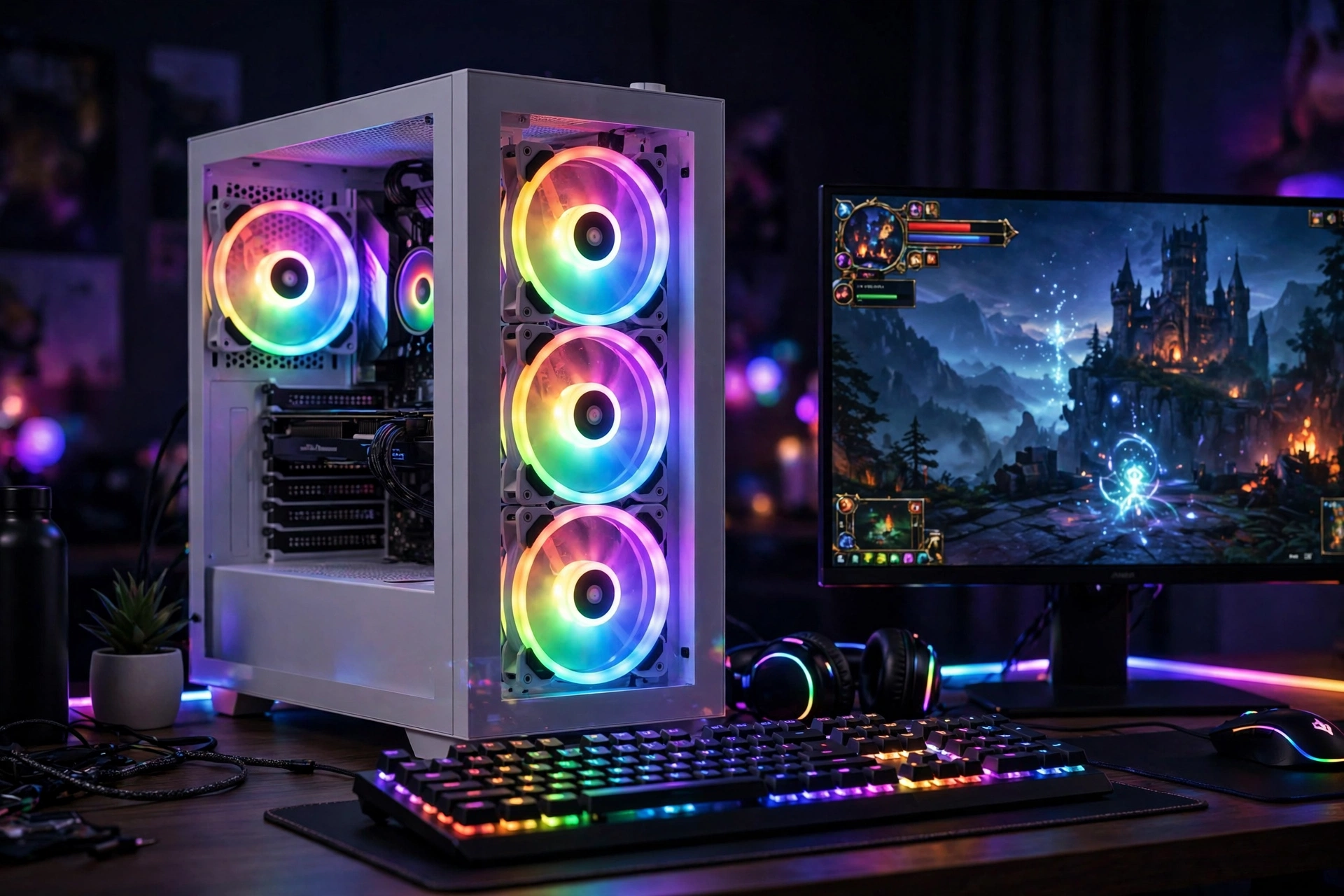
Here the PC itself is the light show. A glass case with glowing RGB fans turns the tower into a centerpiece, and the desk setup builds around it.
What works here: the case sits on the desk, not under it, so the fans stay visible. The monitor goes on the left, the case on the right, and the keyboard sits in the middle where the glow falls across it. A plain black desk keeps the rainbow fans from clashing with anything else. Cable management matters more than usual here, because the glass shows everything, so route cables behind the desk and keep the front clean.
- Mount three fans in a row for a full wall of color inside the case.
- Match the fan colors to your monitor wallpaper for a setup that looks planned, not random.
- Leave breathing room around the case vents so the fans cool properly as well as glow.
This is the setup for builders who love their hardware. It looks best in a darker room where the fan glow can really show.
AsiaHorse COSMIQ 120mm RGB Fans, 3 Pack
Why this one: three fans in one pack fill a case side with color, and the ring lighting looks bright and even from across the room.
Worth knowing: the hub and wiring add a few cables inside the case, so plan your cable routing before you mount them.
GAMDIAS NESO P1 White Tempered Glass Gaming Case
Why this one: the white frame and full glass side show off the fan glow beautifully, and the light color keeps the desk feeling bright in the daytime too.
Worth knowing: white cases show dust and fingerprints faster than black ones, so keep a microfiber cloth nearby.
6. LED Desk Edge Glow
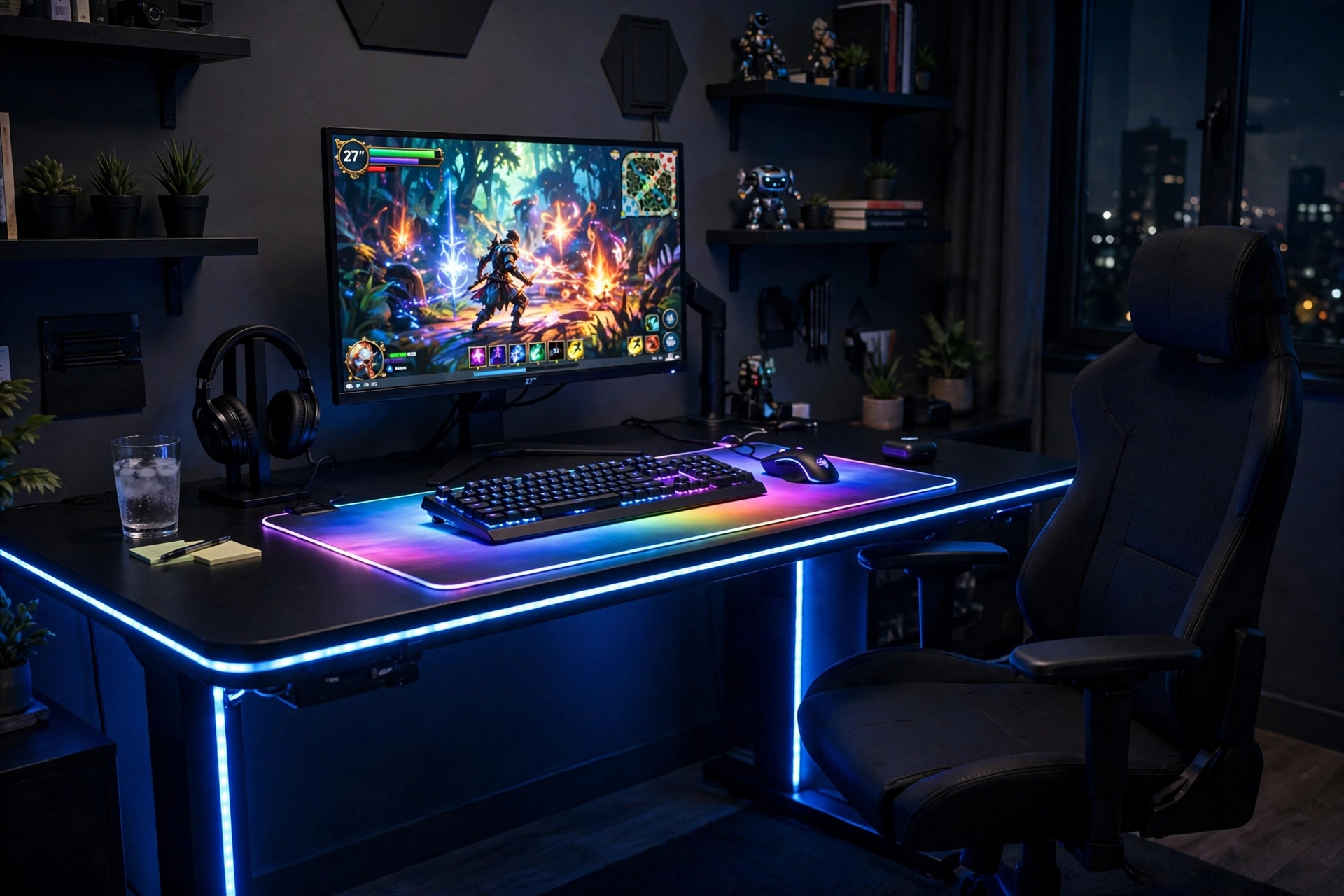
Some desks come with the glow built in. An LED gaming desk has strips along the edges and legs, so the light is part of the furniture and you never have to stick anything down yourself. Pair it with a glowing mouse pad and the whole desk surface becomes one lit zone.
- Keep the desk top dark so the edge light stands out
- Let the mouse pad glow echo the desk color, not fight it
- Use the built in power outlets for the monitor and charger
- Add a small shelf above for figures that catch the light
This is a great choice if you want the RGB look without a weekend of installing strips and hiding wires. It also suits darker rooms, where the desk itself becomes the main light source. If your room already leans dark and moody, our 15 dark gaming setup ideas for a moody battlestation pair well with this desk.
Tip: test the desk lights at night before you decide on a color. Blue looks crisp in photos but can feel cold in a small room, while purple and warm pink feel softer for long sessions.
DUMOS 45 Inch Gaming Desk with LED Lights and Power Outlets
Why this one: the built in LED strips and power outlets mean the glow and the charging are handled in one piece of furniture, with no extra kits to buy.
Worth knowing: at 45 inches it suits a single monitor setup best, so measure your gear before you order if you run two screens.
JOYYE Large RGB Gaming Mouse Pad with Magnetic Wireless Charger
Why this one: the glowing edge ties the desk lights together, and the built in wireless charger keeps your phone topped up without another cable on the desk.
Worth knowing: the charging spot only works with phones that support wireless charging, so check your model first.
7. Pretty in Pink RGB
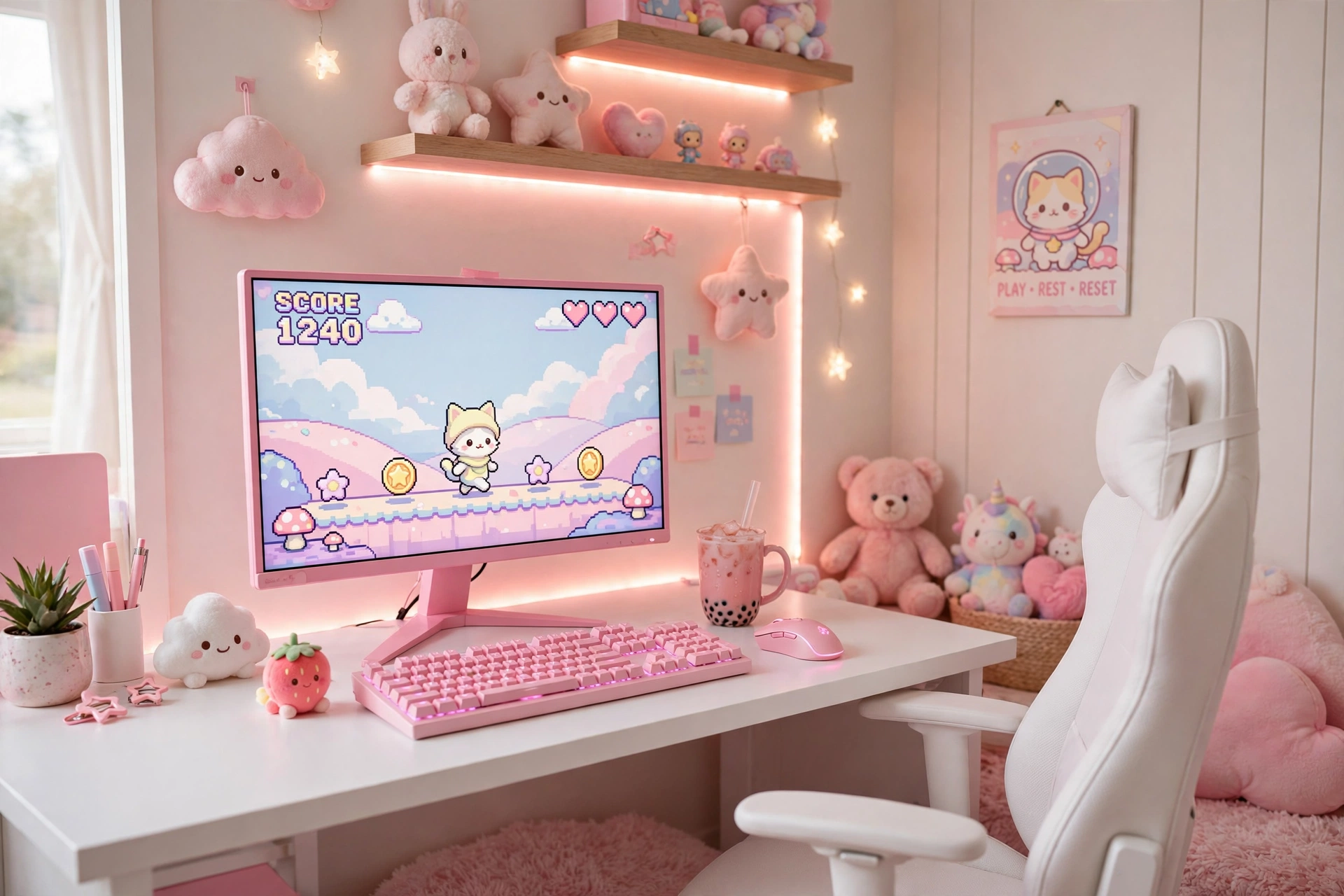
Pink RGB is softer than the usual rainbow blast, and it photographs beautifully. A pink monitor, a pink keyboard, and a warm pink strip on the wall make a setup that feels calm and cute at the same time.
- Start with the monitor in a pink finish, since it anchors the whole color story.
- Keep the desk white so the pink light bounces cleanly and the room stays bright.
- Add one warm strip behind the desk in rose or peach, not hot magenta, for evening softness.
- Finish with small touches like a plush toy or a pastel headset stand to tie the theme together.
A white chair, a light rug, and a tidy shelf complete the scene. This one proves RGB does not have to mean loud. It can be gentle, and it can still look like a proper gaming room.
| Spot | Pink to use |
|---|---|
| Monitor and keyboard | Soft quartz pink hardware |
| Wall strip | Rose or peach glow |
| Small accents | Blush, cream, and white |
Pixio PX279 Wave Pink 27 Inch Gaming Monitor, 240Hz
Why this one: the pink finish is the whole point here, and the fast 240Hz panel means the cute looks come with serious gaming performance.
Worth knowing: pink hardware limits your future color changes, so be sure you love the theme before you commit.
Razer BlackWidow V3 Mechanical Gaming Keyboard, Quartz Pink
Why this one: the quartz pink keys and per key RGB lighting match the monitor perfectly, and the mechanical switches feel great for long typing and gaming sessions.
Worth knowing: the clicky switches are loud, so they may not suit a shared bedroom or late night play next to a sleeping housemate.
8. Light Bar Plus Strip Layers
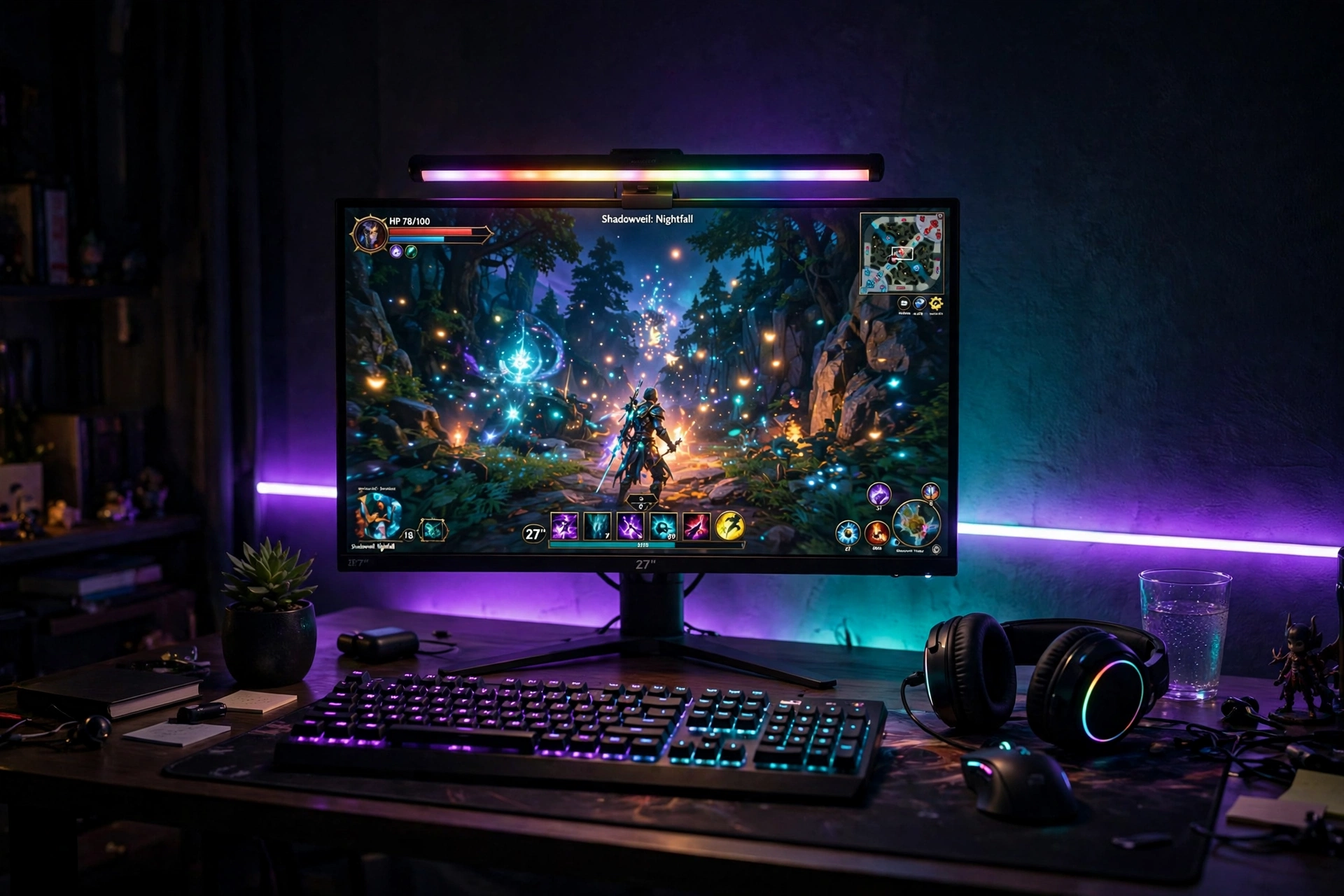
This is the setup for people who play late. A monitor light bar washes the desk in soft light so your eyes are not straining against a bright screen in a dark room, while a strip behind the desk adds the color and mood. Two layers of light, two different jobs, one calm room.
- Fit the light bar first on top of the monitor and aim it down at the keyboard, not at your eyes.
- Run a short strip along the back of the desk in a deep purple or teal for the wall glow.
- Keep both lights dim after midnight, since low and warm beats bright and harsh for tired eyes.
- Turn the strip off when you switch to work mode, and keep just the bar on for focus.
Add a comfortable chair with good back support, a mug of tea on a coaster, and a small plant on the desk corner. The room stays dark and cozy, but your desk is never in shadow.
Tip: set the light bar to a warm white for reading and the strip to a cool color for gaming. The contrast between the two layers makes the desk feel deeper and the screen easier on your eyes.
Hive Vibes Monitor Light Bar with RGB Backlight
Why this one: the front light keeps your desk readable with no screen glare, and the RGB backlight adds the color layer without a second device.
Worth knowing: the bar adds weight to the top of the monitor, so check that your monitor stand or arm holds steady with it fitted.
Govee RGBIC LED Strip Lights, 16.4ft
Why this one: the shorter length is just right for a single desk, and the RGBIC segments give you a smooth multi color glow behind the monitor.
Worth knowing: 16 feet will not stretch around a large L shaped desk, so measure first if your desk wraps a corner.
9. XXL Mousepad Glow Zone
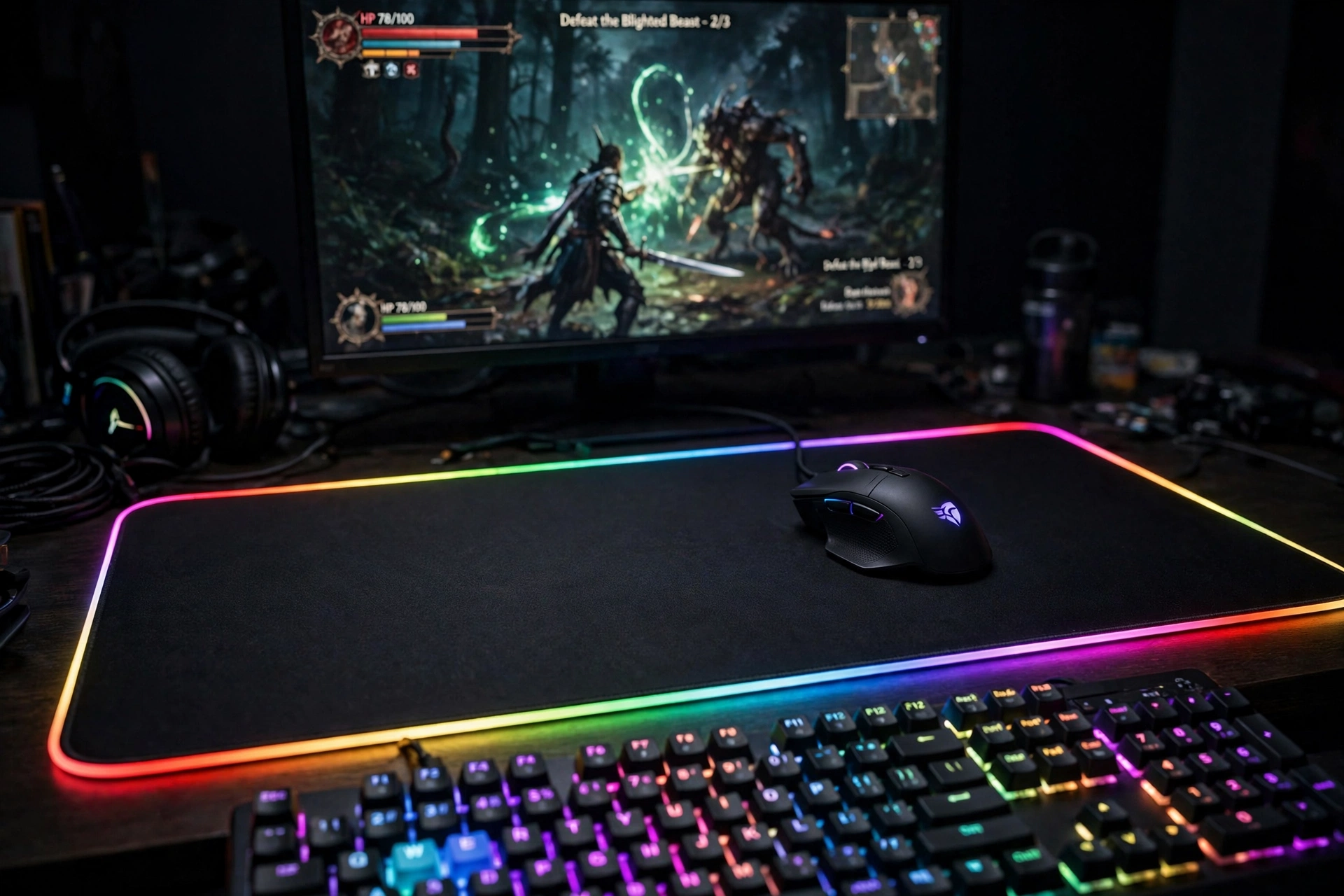
A giant glowing mouse pad is the simplest way to light a desk from below. It covers most of the desk surface, so the keyboard and mouse sit inside a ring of color, and the glow spills softly onto your arms as you play.
You have two ways to use it. A full desk pad turns the entire work surface into one lit zone, which looks amazing in photos and keeps everything in one color story. A standard large pad leaves room for a notebook or a drink, which suits people who also work at the same desk. Either way, pair it with a mouse that has its own lighting so the glow feels connected, not random.
Glow zone checklist
- Measure the desk depth so the pad does not hang over the edge
- Match the pad color to your keyboard backlight
- Keep the USB cable routed behind the desk, not across it
- Wipe the pad weekly, since the light shows every crumb
Finish with a monitor on a slim stand, a compact keyboard, and a chair that slides fully under the desk. The pad is the star here, so everything else stays simple.
XXL RGB Gaming Mouse Pad, Large LED Mouse Pad
Why this one: the extra large size covers the keyboard and mouse in one smooth surface, and the edge lighting is bright enough to see clearly even in a lit room.
Worth knowing: the big size needs a wide desk, so check your desk width before ordering.
Logitech G502 HERO Wired Gaming Mouse
Why this one: the HERO sensor is accurate and reliable, and the RGB lighting on the mouse ties in with the pad glow for a matched look.
Worth knowing: it is a wired mouse, so you will need to route one more cable if you prefer a fully wireless desk.
10. Headset Stand Glow
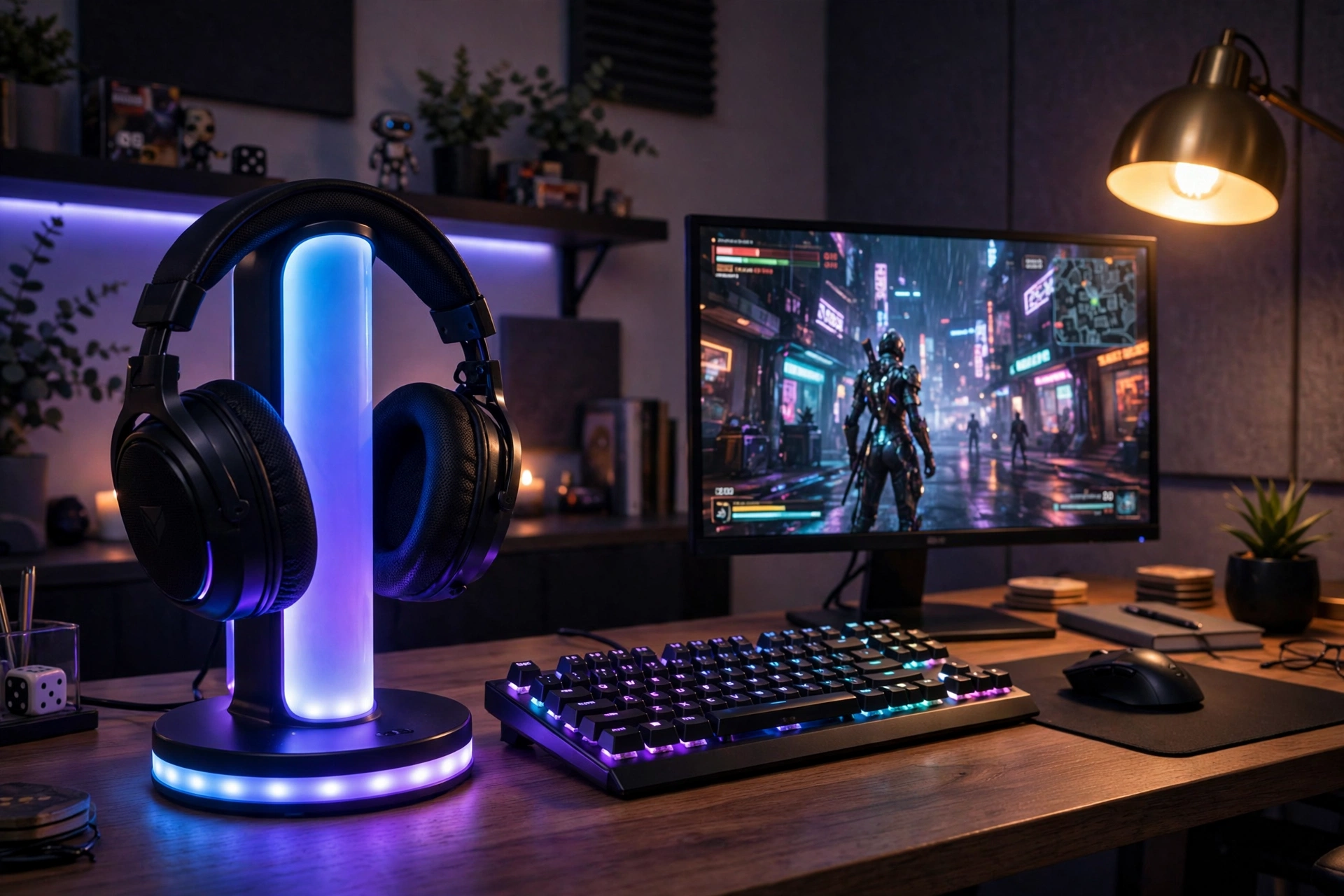
Small accents can carry a whole theme. A glowing headset stand sits at the edge of the desk, holds your headset where you can grab it, and adds a neat column of color that echoes the bigger lights in the room. It is the kind of detail visitors notice first.
Quick tip: place the stand on the opposite side of the desk from your mouse hand. That way the glow frames the setup instead of crowding your elbow.
Pair it with a backlit keyboard in a matching color and a monitor on a clean stand. The stand also keeps the headset off the desk, which frees up space and keeps the ear cushions in better shape. Some stands add charging for a phone or a second device, which turns a decoration into a genuinely useful piece of the setup.
| Stand feature | Why it helps |
|---|---|
| RGB base glow | Adds color without taking wall space |
| Charging ports | Keeps phone and headset topped up |
| Weighted base | Stops the stand tipping when you grab the headset |
Miroddi RGB Headset Stand with Wireless Charger, 8 in 1 Charging Station
Why this one: it combines the RGB glow with wireless charging and extra ports, so one small stand handles the headset, the phone, and the color accent together.
Worth knowing: the charging features need their own power cable, so plan one more plug under the desk.
Corsair K70 CORE RGB Mechanical Gaming Keyboard
Why this one: the per key RGB lighting matches the stand glow, and the solid build and palm rest make long sessions comfortable.
Worth knowing: it is a full size board, so it needs a decent amount of desk width next to the mouse.
11. L Shaped Corner Command Center
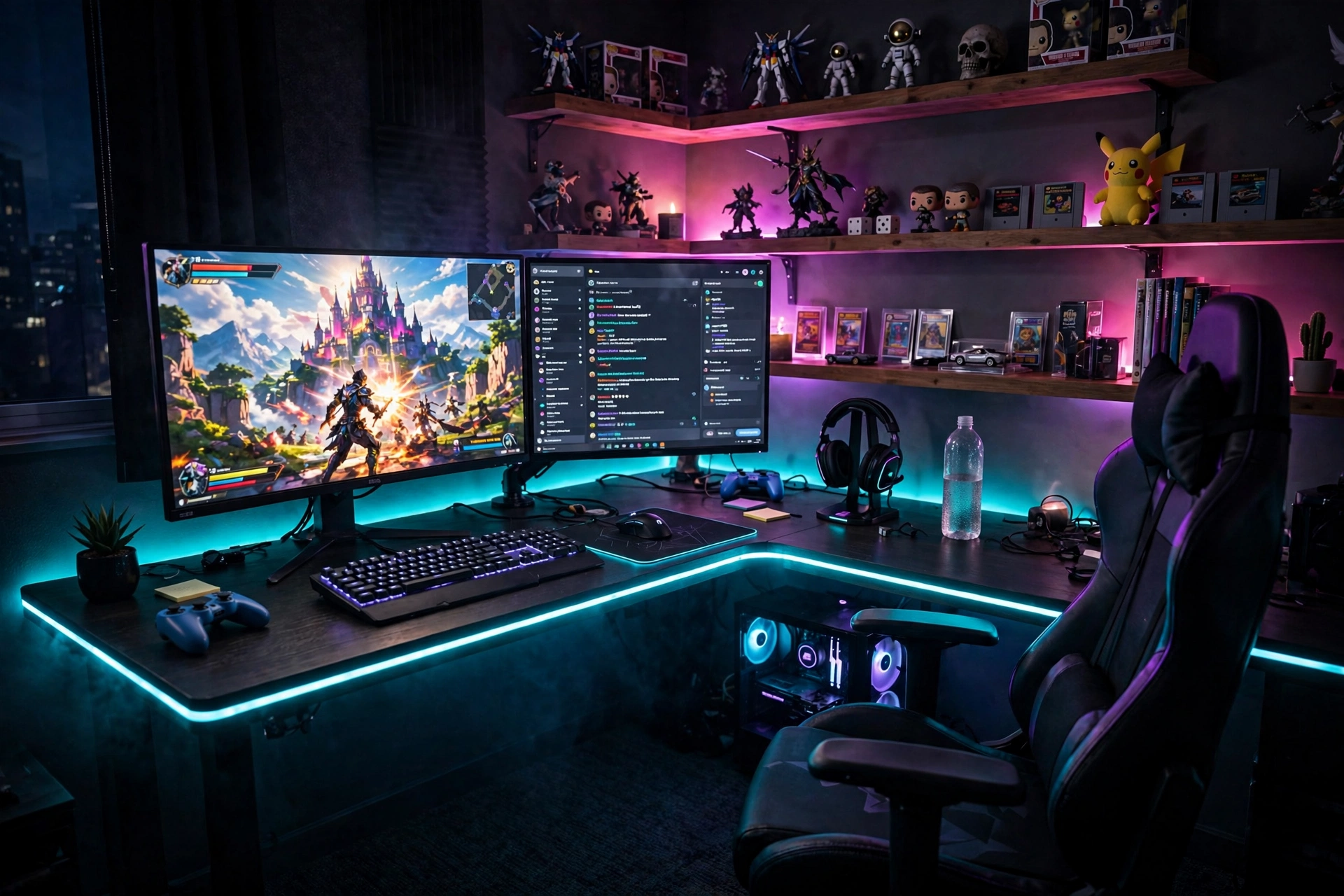
A corner desk gives you two walls of light instead of one. The L shape wraps around you, and LED strips along both edges make the whole corner glow. It is the setup for people who run two screens, stream, or just like a lot of desk space.
What works here: the main monitor sits in the corner where the two desk arms meet, so the screens curve around you. The second screen goes on the longer arm, and the shorter arm holds a notebook, a drink, or a small speaker. The LED strips run along the front edges of both arms, so the glow frames you from both sides. A gaming chair with a high back finishes the command center feel.
- Place the main monitor first in the corner, then build outward along each arm.
- Run the strips in one color along both edges so the corner feels like one space, not two desks.
- Keep cables on the wall side of the desk so the front edges stay clean and glowing.
Shelves above each arm hold collectibles that catch the light, and the corner becomes the room’s centerpiece.
PRAISUN 66 Inch L Shaped Gaming Desk with LED Lights and Power Outlets
Why this one: the 66 inch L shape gives room for two monitors plus gear, and the built in LED lights and power outlets cover the glow and the charging in one purchase.
Worth knowing: an L shaped desk needs a real corner, so measure both walls before you order.
Acer Nitro VG272U V3 27 Inch QHD Gaming Monitor, 180Hz
Why this one: the sharp QHD panel and fast 180Hz refresh make it a strong main screen, and the slim bezels look clean next to a second monitor.
Worth knowing: the built in speakers are basic, so add a headset or small speakers for better game audio.
12. Ultrawide Cinematic RGB
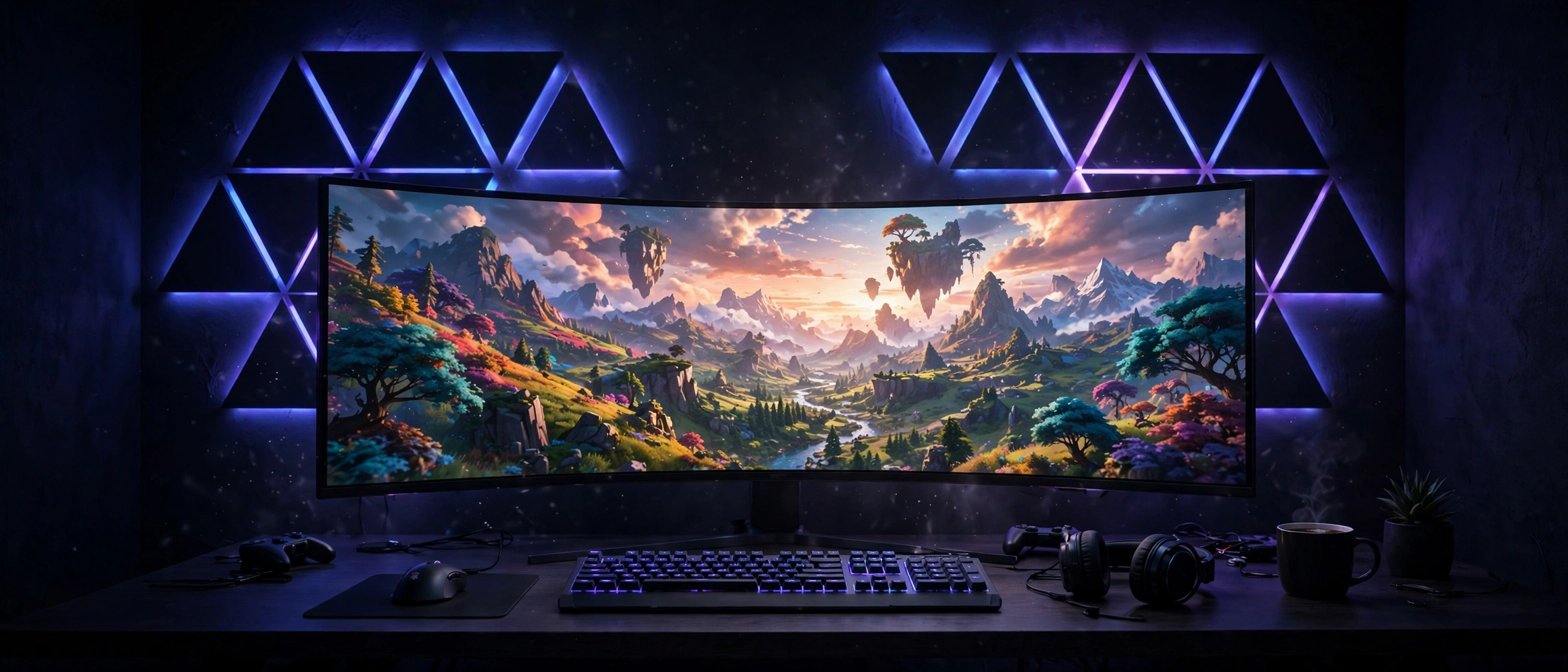
Finish with the big screen. An ultrawide curved monitor fills your whole field of view, and dark wall panels glowing behind it in deep blue and violet make the room feel like a private cinema. This is the setup for story games, racing games, and movie nights at the desk.
- Keep the wall behind the monitor dark so the panel glow stands out
- Set the panels to deep blue and violet for a cinema feel
- Use a low keyboard with soft backlighting so nothing competes with the screen
- Add a floor lamp in the far corner for a gentle second light source
A sleek desk, a comfortable chair with a headrest, and a pair of good headphones complete the scene. Dim the room, start the game, and the wall glow does the rest. It is the most immersive idea on this list, and the one guests always ask about first.
Tip: ultrawide monitors are wide, so check your desk depth before you buy. You want at least an arm length between your eyes and the screen, or the edges will feel too close.
LG 34 Inch Curved UltraWide QHD Monitor, 160Hz
Why this one: the wide curved panel wraps your view for a truly cinematic feel, and the fast refresh keeps motion smooth in games.
Worth knowing: not every game supports the full ultrawide ratio, so some older titles will show black bars on the sides.
Nanoleaf Shapes Ultra Black Triangles Smarter Kit, 15 Pack
Why this one: the black panels look sleek and almost invisible when off, then glow in rich color when on, which suits the dark cinematic wall perfectly.
Worth knowing: the 15 pack covers a good sized shape, but a very large wall will still need an expansion set.
Frequently Asked Questions
How much does RGB lighting for a gaming room cost?
A basic setup with one strip and a glowing mouse pad is very budget friendly, while a full room with wall panels, a gradient TV strip, and smart lights costs quite a bit more. Start with one layer, live with it for a week, then add the next piece. You do not need to buy everything at once.
Do I need a smart home hub for RGB lighting?
Not always. Most strips, lamps, and wall panels in this guide work with a phone app or a small remote on their own. A hub like the Hue Bridge only matters if you want screen syncing or voice control across many lights at once.
Will RGB lights hurt my eyes during long gaming sessions?
Bright, flashing colors in a dark room can tire your eyes. The fix is simple: keep the wall glow dim, use a monitor light bar for the desk, and pick slow color changes instead of fast strobing. Your eyes will thank you after a long night.
Can I use RGB lighting in a rented room?
Yes. Strips with adhesive can damage paint when removed, so use removable mounting clips or command strips instead. Floor lamps, light bars, and glowing mouse pads need no wall mounting at all, which makes them the safest picks for renters.
What is the best RGB color for a gaming room?
There is no single best color. Blue and teal feel calm and help you focus, purple and pink feel cozy and fun, and warm amber feels relaxed in the evening. Try a few and keep the one that feels right for the games you play most.
Do RGB lights use a lot of electricity?
No. LED strips, panels, and lamps use very little power, about the same as charging a phone or running a small lamp. Leaving them on for a few hours a day adds only a tiny amount to your electricity bill.
Conclusion: Start With One Layer of Light
The best RGB gaming room is not the one with the most lights. It is the one where the light layers work together: a strip behind the desk, a lamp in the corner, a glow on the wall, and a screen that stays the brightest thing in the room. Pick the idea that fits your room and your budget, start with that one layer, and add the next when you are ready. Your room will look better after the very first strip goes up, and the rest is just fun.
If you try one of these setups, take a photo at night with the lights on. That is when RGB really shows its magic, and it is the photo you will want to share.
Related reading
Love the glow? See our 15 neon gaming room ideas with signs that pop for bold sign lighting that pairs perfectly with RGB strips. You can also browse the full Gaming Room Ideas category for more setups.
