As an Amazon Associate I earn from qualifying purchases. Read our full affiliate disclosure for more detail.
Long sessions are won or lost by your chair. A great monitor and a fast PC mean little when your lower back aches an hour in, your neck stiffens, and your legs go numb. The setups in this guide put seating first, then build the desk, screen, light, storage, and power around it, so every hour feels as easy as the first.
Below you will find 7 complete gaming chair setups you can copy whole, from a classic recliner with a footrest to a big and tall cloud seat, a small room setup, and a calm ergonomic corner. Each one covers the full scene, not just the chair. If your room is tight, the ideas in 15 Gaming Desk Setup Ideas for Small Rooms pair well with the small room setup further down.
In this article
At a glance
1. The Recline and Rest Classic
2. The Fabric All Day Racer
3. The Big and Tall Cloud Seat
4. The Red Accent Battlestation
5. The Footrest First Setup
6. The Small Room Long Session
7. The Calm Ergonomic Corner
FAQ
Conclusion
At a Glance: Pick Your Gaming Chair Setup
1. The Recline and Rest Classic
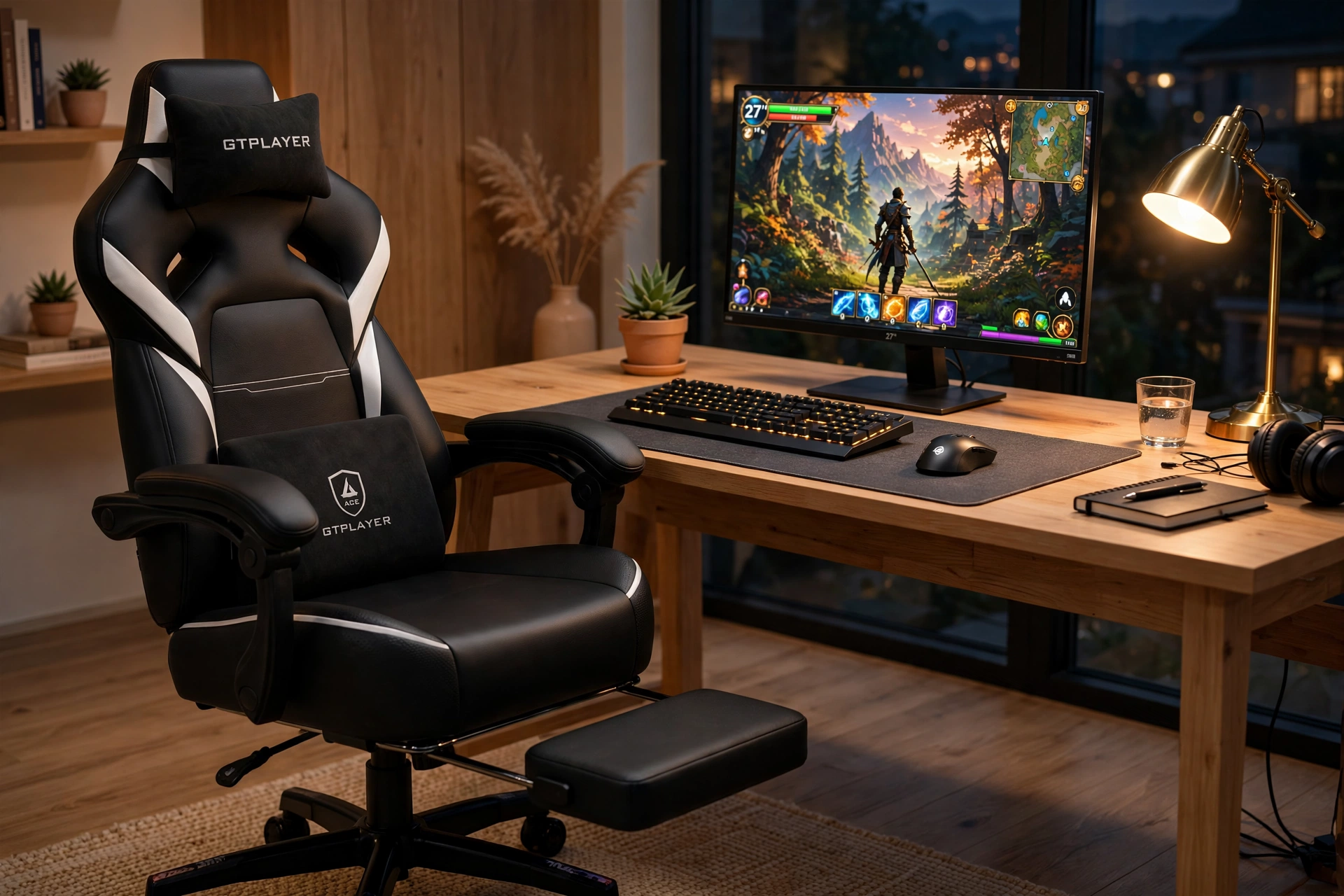
This is the setup for players who settle in for the whole evening. The chair reclines, the footrest comes out, and the lumbar pillow keeps your lower back supported while you lean back between matches. Nothing here is fussy, which is the point: when the chair does the work, you stop thinking about your posture and start enjoying the game.
- Desk: a straight wooden desk with room for the monitor, keyboard, and a drink.
- Seat: recline to a relaxed angle during cutscenes, sit upright for ranked matches.
- Screen: one sharp 27 inch monitor at eye level, so your neck stays neutral.
- Light: a warm lamp behind the desk, soft enough to keep the screen glare free.
- Storage: a small drawer or shelf for controllers, chargers, and snacks.
- Power: one strip behind the desk with the monitor, PC, and lamp all routed together.
GTPLAYER Gaming Chair, Computer Chair with Footrest and Lumbar Support
Why this one: the extendable footrest and lumbar pillow make it a true rest chair, not just a seat, and the recline range covers both focused play and relaxed breaks.
Worth knowing: the footrest supports relaxed legs, not full body weight, so avoid standing on it or loading it heavily.
ASUS TUF Gaming VG27AQ 27 Inch QHD Monitor, 165Hz
Why this one: a sharp QHD screen with a fast refresh rate keeps motion smooth, and the 27 inch size suits a single screen setup at a normal desk distance.
Worth knowing: to use the full refresh rate you need the right cable and display settings, so check your PC setup after you plug it in.
2. The Fabric All Day Racer
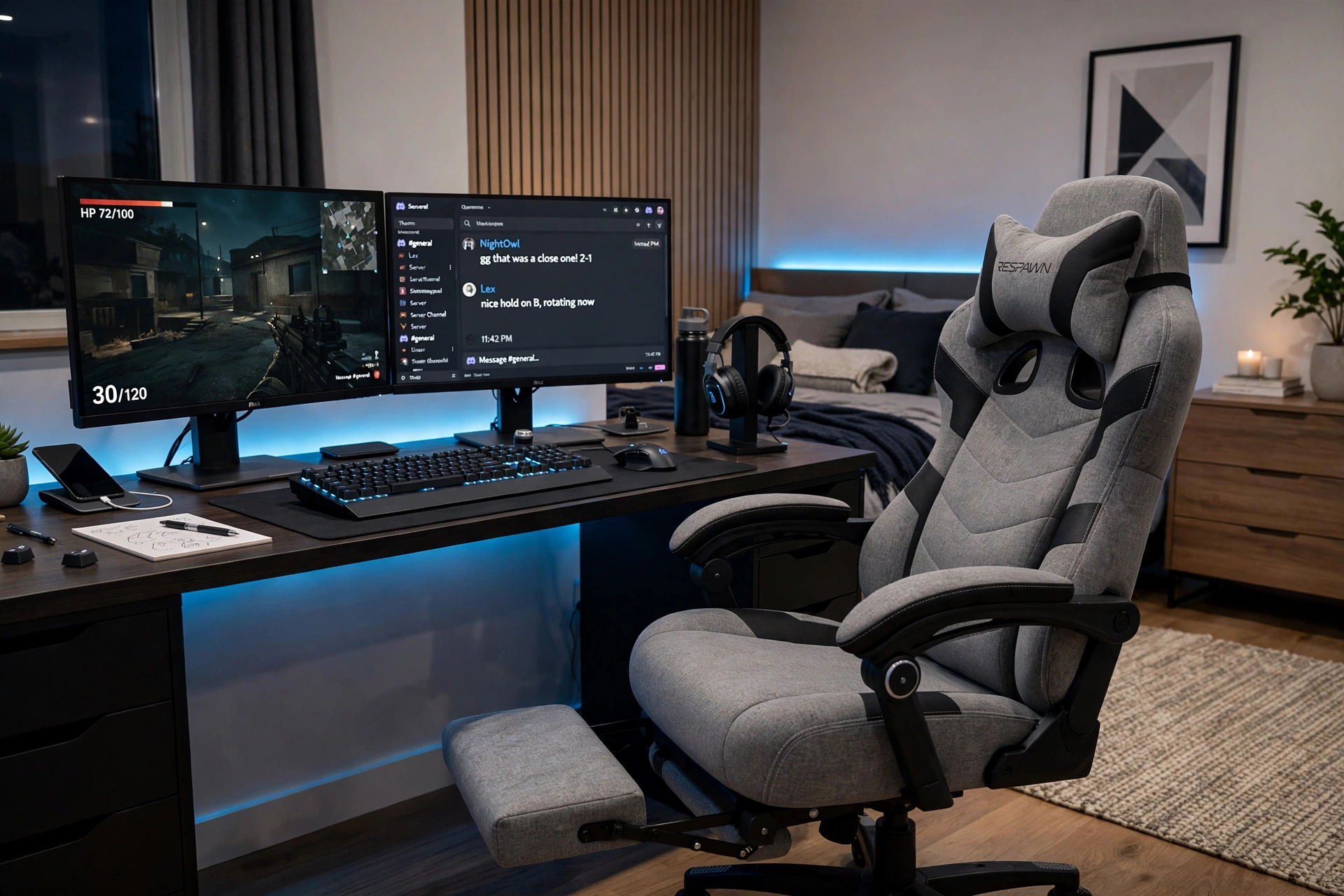
Some chairs have to survive a full day, not just a gaming night. This fabric racer stays cool and breathable through work calls, study, and a long evening of play, and the gray fabric looks calm in a room that doubles as an office. It is the setup for people whose desk never really switches off.
How to set it up:
- Set the chair height so your feet rest flat and your knees sit at a right angle.
- Put the main game on the screen directly in front of you and chat on the second.
- Slide the lumbar pillow to the small of your back and adjust it until it feels snug.
- Keep a water bottle on the desk, since long days go better with regular sips.
- Use the footrest for short breaks between tasks, not during fast paced play.
RESPAWN 110 Pro Ergonomic Gaming Chair with Footrest, Gray Fabric
Why this one: breathable fabric stays comfortable through long days, and the footrest plus lumbar support make it easy to shift position without leaving the desk.
Worth knowing: light gray fabric shows spills and marks more easily than dark leather, so keep drinks in a lidded bottle.
Corsair K70 CORE RGB Mechanical Gaming Keyboard
Why this one: a solid mechanical keyboard with a comfortable typing feel works for both long work documents and fast games, so one keyboard covers the whole day.
Worth knowing: mechanical keys are louder than membrane keyboards, so they may not suit a shared room late at night.
3. The Big and Tall Cloud Seat
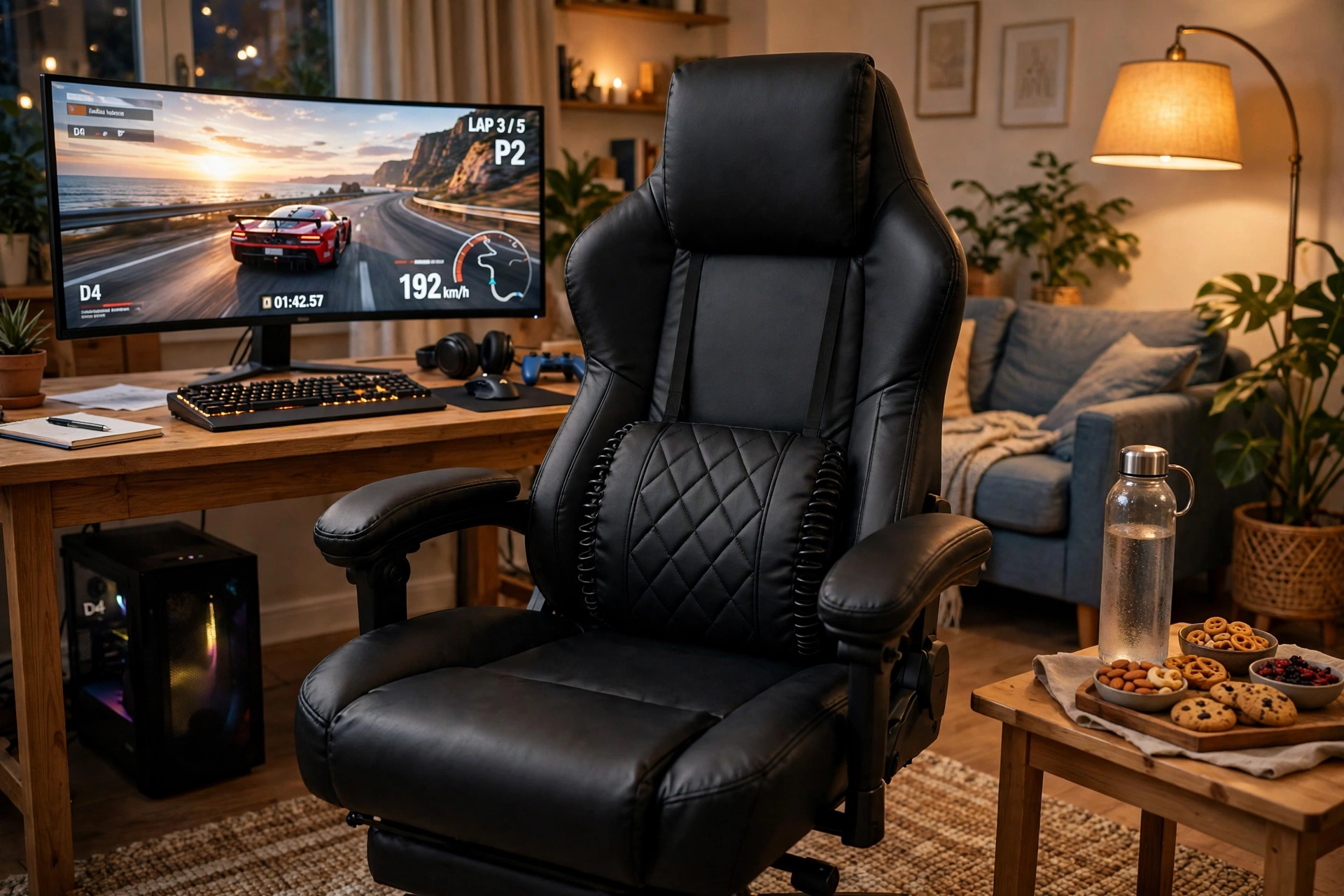
Standard chairs can feel narrow and short when you are taller or heavier, and that shows up as sore shoulders by hour two. This setup starts with a wide, heavy duty seat built for bigger frames, then gives it room to breathe: a spacious desk, an ultrawide curved screen, and a side table so nothing crowds your elbows. It is a setup that stops apologizing for your size and starts fitting it.
Comfort tip: check the chair weight rating and seat width before you buy, not after. A chair rated well above your weight keeps its cushioning and tilt working smoothly for years, while a chair at its limit sags fast.
A floor lamp gives warm light without a desk lamp eating space, and a cable tray under the desk keeps the wide floor area clear for the chair to roll. Keep a small fan nearby too, since bigger bodies run warmer during long sessions.
GTRACING Big and Tall Gaming Chair, 400lbs Heavy Duty Office Chair with Footrest
Why this one: the wide seat, pocket spring lumbar support, and high weight rating give bigger players real support instead of a standard chair stretched to its limit.
Worth knowing: a big and tall chair has a wide footprint, so measure your desk gap and floor space before ordering.
Logitech G502 HERO Wired Gaming Mouse
Why this one: a larger, weight tunable mouse suits bigger hands, and the extra buttons keep common actions close during long sessions.
Worth knowing: it is a wired mouse, so route the cable with a little slack or a bungee to keep it from dragging on the desk edge.
4. The Red Accent Battlestation
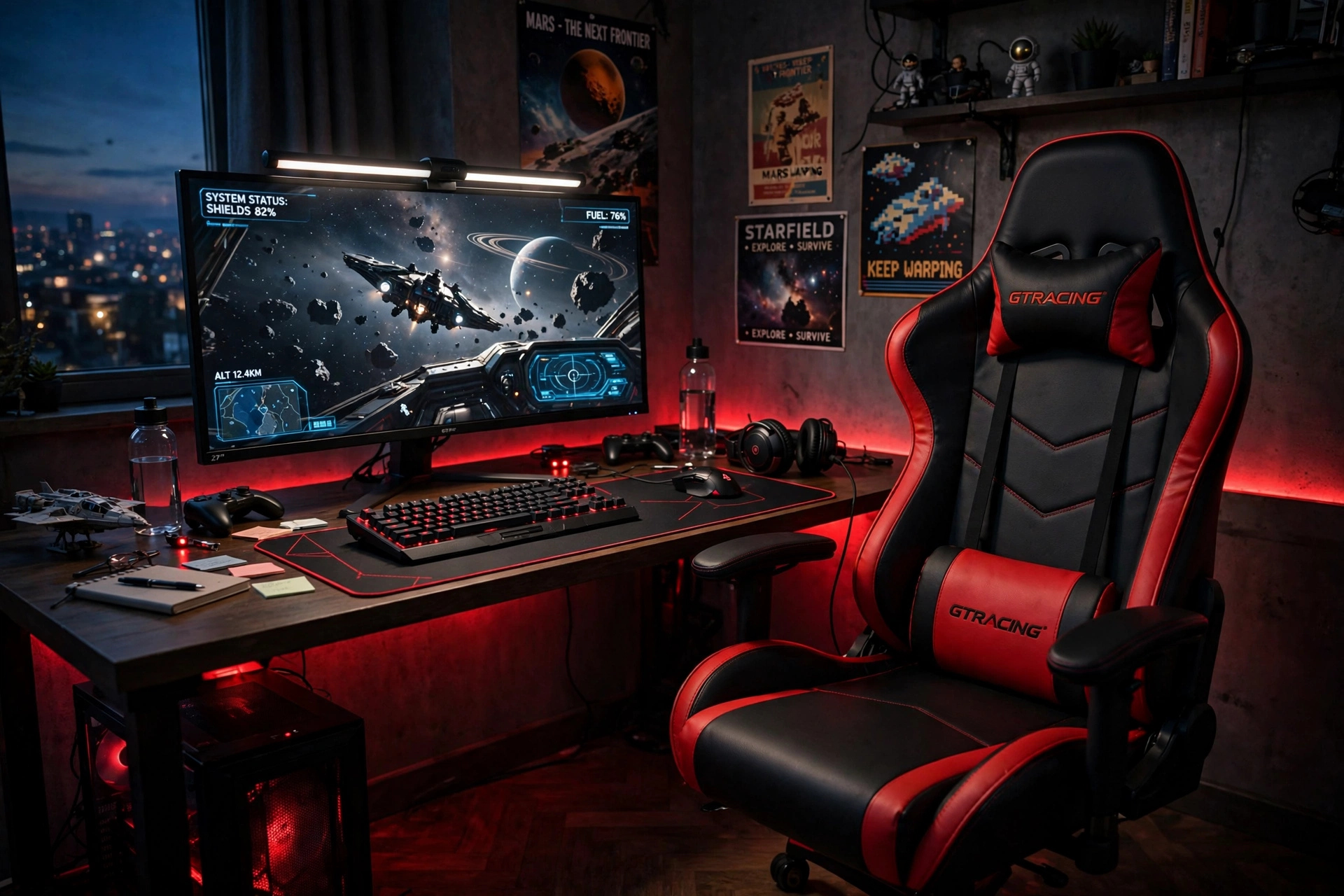
Bold rooms need a chair that matches their energy. This black and red racer is the visual anchor of the desk, and the rest of the setup plays along: red accent light, dark walls, posters, and a monitor light bar that keeps the screen readable when the room goes moody. It looks dramatic, but the comfort is practical too, with a headrest and lumbar pillow that carry you through late night sessions.
What works here:
- Desk: a dark desk with a large mat, so the red chair and light pop against it.
- Seat: adjust the headrest to the base of your skull for long sessions, not just for looks.
- Screen: one monitor with a light bar on top, so the room can stay dark without eye strain.
- Light: red LED accents low and behind the desk, never shining straight at your eyes.
- Storage: wall hooks for headsets and controllers, keeping the desk surface clear.
- Power: a strip tucked behind the desk, with cables tied along the back edge.
For more ideas on building a moody room around a bold chair, see 15 Dark Gaming Setup Ideas for a Moody Battlestation, which shows how to layer dark tones without losing comfort.
Why this one: the racing style back, adjustable headrest, and lumbar pillow give strong support for long sessions, and the bold styling sets the tone for the whole room.
Worth knowing: the racing wings hug your sides, which feels secure for most players but can feel snug for broader shoulders.
Quntis Monitor Light Bar RGB PRO
Why this one: light falls on the desk and keyboard, not into your eyes, so a dark red room stays readable during long evening sessions.
Worth knowing: check that the bar fits your monitor thickness and curve, since very thick bezels can make it sit unevenly.
5. The Footrest First Setup
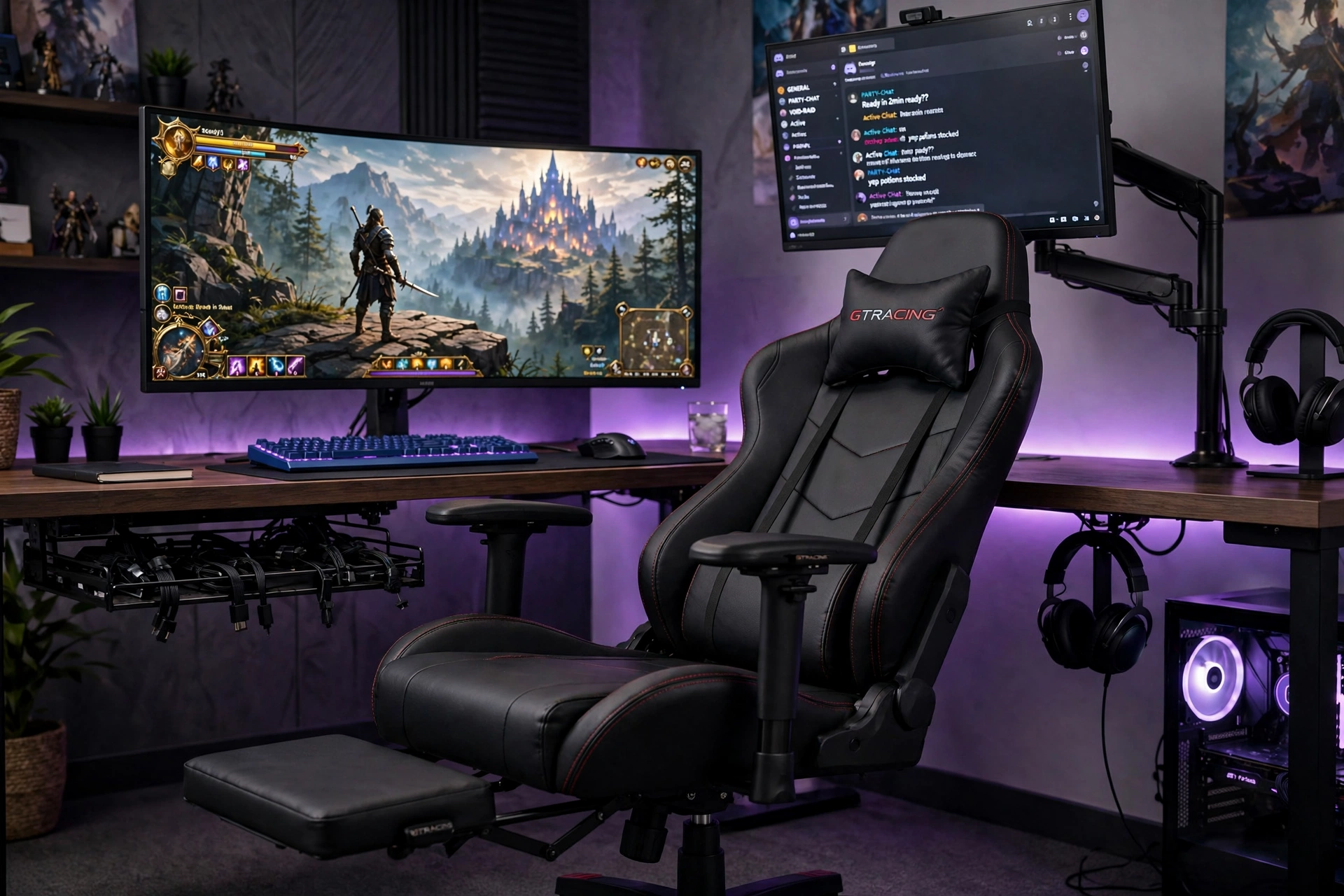
If your legs are the first thing to complain, start the setup there. This chair puts the footrest front and center, with 3D armrests that move with you as you shift between upright play and a stretched out lean. A curved main screen keeps the view wide even when you recline, and a second small screen on an arm holds chat or a guide at a glance.
Footrest first checklist:
- ✓ Extend the footrest fully and check your knees stay slightly bent, not locked.
- ✓ Tilt the backrest a little during story scenes, upright again for competitive play.
- ✓ Move the armrests in and out until your elbows rest without lifting your shoulders.
- ✓ Angle the second screen toward the chair, since you will glance at it from a recline.
- ✓ Stand and stretch every hour, even with the footrest out, since sitting is still sitting.
GTRACING Gaming Chair with Footrest, Ergonomic High Back Computer Chair with 3D Adjustable Armrests
Why this one: the footrest and 3D armrests let you change position often, which is the real secret to comfort over a long session.
Worth knowing: the diamond stitching looks sharp but has seams that can feel firm at first, so give it a few sessions to soften.
HUANUO Dual Monitor Arm, Gas Spring
Why this one: gas spring arms let you swing the second screen toward a reclined chair and back again in seconds, which fixed stands cannot do.
Worth knowing: adjust the gas spring tension to match your screen weight, or a heavier screen may slowly sink during the day.
6. The Small Room Long Session
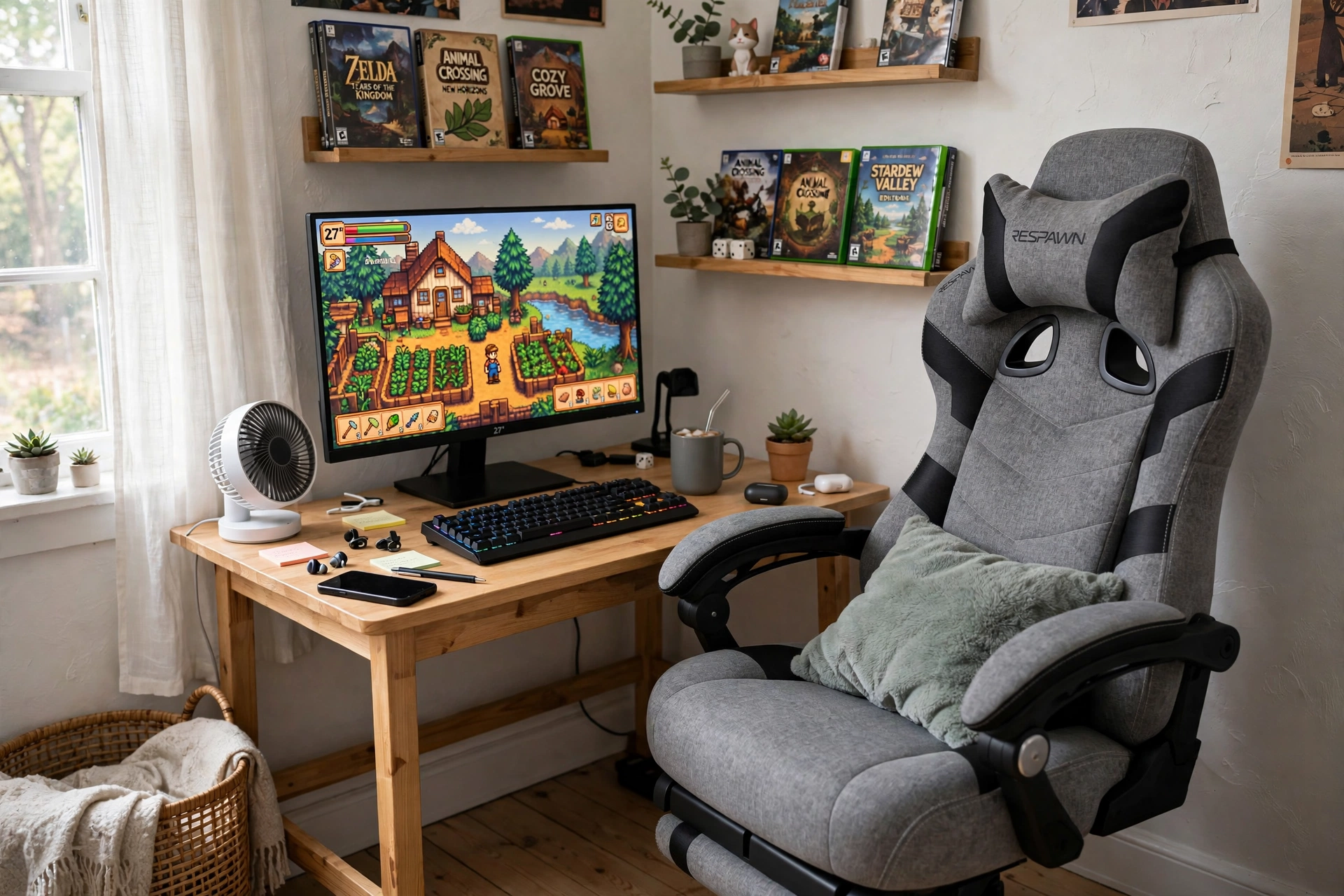
Small rooms punish bulky gear, but long sessions still need real support. This setup uses a compact chair with an integrated headrest, so nothing sticks out behind you, and a small desk that leaves floor space to roll. Wall shelves take over storage duty, and a soft LED strip gives the room warmth without a floor lamp eating the last free corner.
| Choice | Why it wins in a small room |
|---|---|
| Integrated headrest | No loose pillow to fall behind the desk or get lost. |
| Compact desk | Leaves floor space so the chair can roll and tuck away. |
| Wall shelves | Storage goes up, not out, so the room feels bigger. |
| LED strip | Mood light with zero floor space, stuck behind the desk. |
Add a small cushion for extra lumbar support and keep a fan on the shelf, since small rooms warm up fast during long sessions. When you are done, the chair tucks fully under the desk and the room is yours again.
Why this one: the integrated headrest and high back give full support in a compact frame, and the fabric breathes well in a small room that warms up quickly.
Worth knowing: this version has no footrest, so add a small footstool if you like to stretch your legs out.
Govee 65.6ft RGBIC LED Strip Lights
Why this one: a long strip runs behind the desk and shelves in one go, giving a small room color and depth without a single extra piece of furniture.
Worth knowing: measure the full run before you cut or stick it, since the adhesive is hard to reposition cleanly once pressed down.
7. The Calm Ergonomic Corner
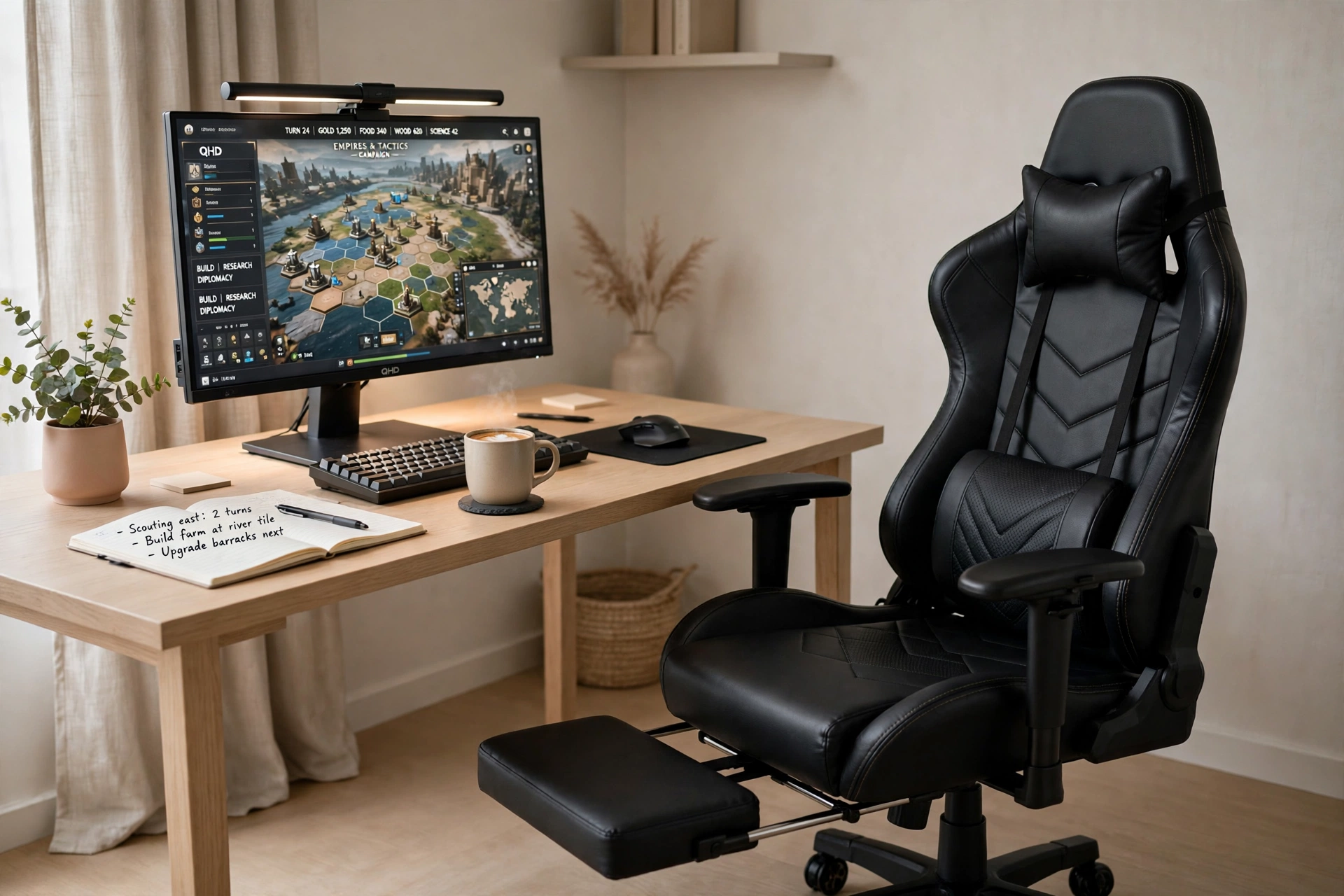
Not every gaming room wants racing stripes and neon. This corner is for players who like quiet focus: neutral tones, a plant, a notebook, and a chair built around pocket spring lumbar support that feels more like a good office chair than a race car seat. The desk is a proper gaming desk with built in power, so the calm look never costs you convenience.
Quiet room tip: keep the light bar on a warm setting and the screen brightness matched to the room. In a calm setup, harsh white light is the fastest way to ruin the mood and tire your eyes.
Place the desk in a corner or against a plain wall, add one shelf for games, and let the chair do the talking. It is the setup for long strategy sessions, slow evenings, and anyone who games best when the room stays still.
GTRACING Gaming Chair, Office Chair with Pocket Spring Lumbar Support and Footrest, Ink Black
Why this one: the pocket spring lumbar support gives springy, breathable lower back support that suits long, quiet sessions, and the wide seat feels relaxed rather than racy.
Worth knowing: the armrests are fixed in position, so if you like to adjust arm height often, this chair may feel less flexible than others here.
DUMOS 45 Inch Gaming Desk with LED Lights and Power Outlets
Why this one: built in power outlets remove the need for an extra strip, and the LED edge can stay off or on a soft warm tone to match the calm mood.
Worth knowing: a 45 inch desk is compact for a full setup, so keep the desk surface tidy and use a shelf for extras.
Frequently Asked Questions
What makes a gaming chair good for long sessions? Support that matches your body and the freedom to move. Look for adjustable lumbar support, a headrest, a recline range, and a seat that fits your width. A footrest helps too, since changing position is what keeps you comfortable hour after hour.
Is a gaming chair better than an office chair for gaming? It depends on how you sit. Racing style chairs suit players who like a snug, upright feel with strong side support. Ergonomic office style chairs suit players who want softer, wider support and a calmer look. Both can work for long sessions if the fit is right.
Do I need a footrest on a gaming chair? Not everyone does, but most long session players love one. It takes pressure off your legs and lets you lean back properly during breaks. If your chair has no footrest, a small separate footstool gives you most of the same benefit.
How high should my monitor be with a gaming chair? The top of the screen should sit roughly at eye level when you sit upright in your normal position. If you look down at the screen, your neck will ache within an hour, so raise the monitor with a stand or an arm until the view feels level.
How much should I budget for a long session setup? A solid chair plus a decent monitor and desk can stay in a modest budget range if you buy the chair first and add extras slowly. Check today’s price on Amazon for the chairs and gear in the setups above, and start with the chair, since it affects your comfort more than any other piece.
How do I stop back pain during long gaming sessions? Set the lumbar support to the small of your back, keep your feet flat, sit upright for competitive play, and stand and stretch at least once an hour. No chair removes the need to move, so build short breaks into your session like you build in loading screens.
Conclusion
Long sessions start with the chair and end with the details. Pick a seat that fits your body and supports your lower back, set your screen at eye level, add light that keeps your eyes relaxed, and keep the desk tidy enough that nothing distracts you. Start with the setup that matches your room and your budget, then adjust one piece at a time until the hours feel easy.
If you want more room inspiration after this, browse the Gaming Room Ideas category for the full collection.
