Quick note: As an Amazon Associate I earn from qualifying purchases. That keeps the lights on here and never changes what I recommend. Read the full policy on our affiliate disclosure page.
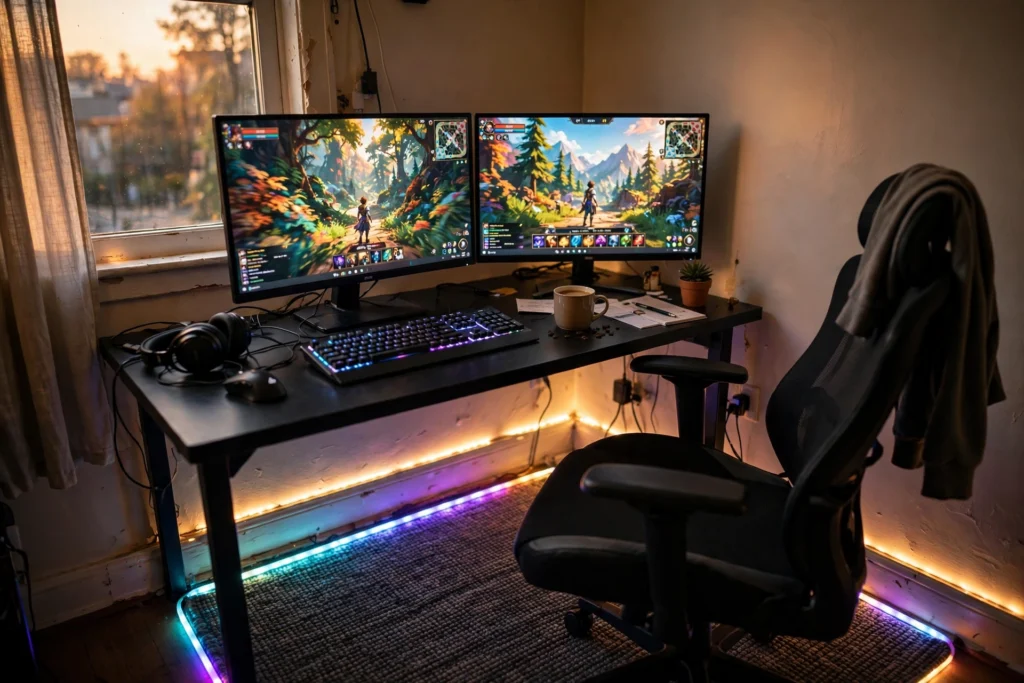
Your floor is the biggest surface in your gaming room, and it is the one most setups ignore. A rug or a floor mat changes how the whole room feels under your feet, how sound bounces around, and how your chair rolls. It also ties the desk, the chair, and the lighting together so the room reads as one setup instead of a desk dropped into an empty box.
I put together eight floor-first setups that start at the ground and build up. Some glow, some stay quiet and natural, and one is built to survive snacks, pets, and muddy shoes. If you have been staring at bare boards or tired carpet, start here. For more glow ideas, take a look at these 15 LED gaming room ideas that set the perfect mood.
In this guide
- 1. A rug that glows around the edges
- 2. A plush shag rug for a console corner
- 3. A gaming print rug for a small bedroom
- 4. A glass chair mat over a patterned rug
- 5. Wood grain foam tiles for a warm floor
- 6. A washable rug for messy real life
- 7. A natural seagrass rug for a calm setup
- 8. A big washable rug with RGB floor glow
- FAQ: rugs and floors for gaming rooms
- Conclusion
At a glance: which floor idea fits your room?
| Setup | Best for | Hero product |
|---|---|---|
| Glowing RGB rug | Night gamers who love color | DEALZOOM RGB gaming rug |
| Plush shag console corner | Cozy couch or floor gaming | SAFAVIEH Florida Shag rug |
| Gaming print rug | Small bedrooms on a budget | Osimiccp gaming rug |
| Glass chair mat | Protecting a rug you love | Koonmi tempered glass chair mat |
| Wood grain foam tiles | Renters and cold floors | Sorbus wood grain foam tiles |
| Washable rug | Pets, kids, and snacks | TWINNIS washable rug |
| Natural seagrass rug | Calm, grown up setups | SAFAVIEH seagrass rug |
| Big washable rug, RGB floor | Large rooms that need anchoring | Ruicharm washable rug |
1. A rug that glows around the edges
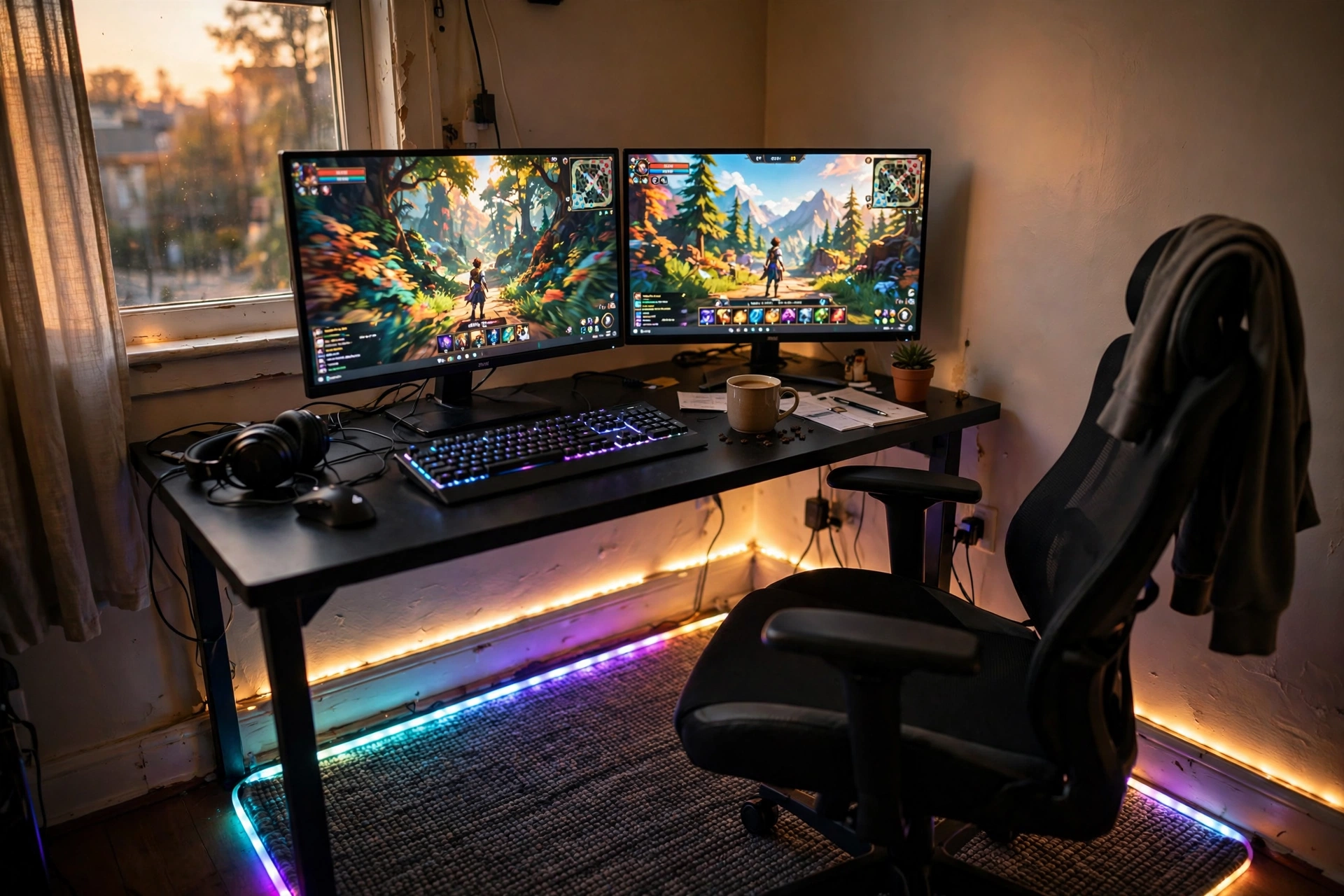
This is the fastest way to make a plain desk setup feel finished after dark. The rug sits under the desk and chair, and its lit edge draws a bright frame on the floor. Your monitors do the rest of the work, and the baseboard strip light picks up the same colors so the glow feels planned instead of random.
How to copy it
- Center the rug under the desk, not under the chair alone.
- Run the strip light along the baseboard behind the desk.
- Match the rug glow to one color on your screen, then leave it there.
The dark woven rug keeps the light from looking messy, and the chair rolls smoothly across it. Keep the desk pushed close to the wall so the rug edge stays visible on three sides.
Keep a small basket beside the desk for controllers and spare cables, and plug the monitor and the light strip into a power strip under the desk, so the cables stay off the rug and the glow stays tidy.
DEALZOOM Gaming Area Rug with RGB LED Light Edges
Why this one: the lit edge is built into the rug, so you get the glow without taping strips to the floor.
Worth knowing: the rug is on the smaller side, so measure your desk and chair space before ordering.
Govee RGBIC LED Strip Lights, 16.4ft
Why this one: the strip runs along the baseboard and ties the rug glow to the rest of the room.
Worth knowing: the adhesive can lift on dusty skirting boards, so wipe the surface first.
2. A plush shag rug for a console corner
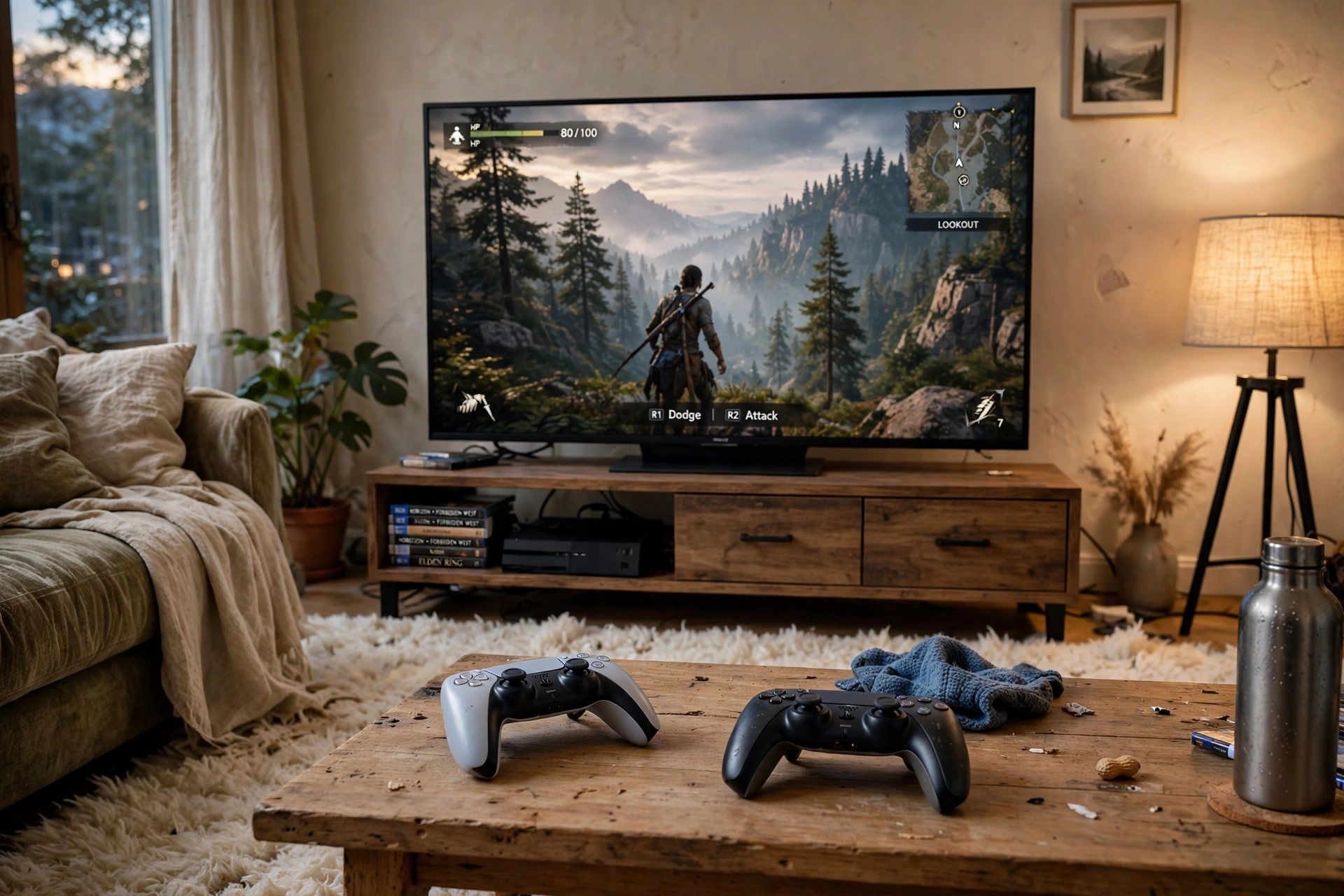
Not every gaming room has a desk. This corner is built for sitting on the floor with a controller, and the rug is the whole point. A thick cream shag rug softens the room, warms up bare boards, and makes the TV corner feel like a place to stay for hours.
The setup around it stays simple on purpose: a low TV stand, a small coffee table for controllers and snacks, and one floor lamp in the corner for soft light. The shag pile hides crumbs and controller cables better than a flat rug, and it feels good on bare feet during long sessions.
What works here
Thick pile underfoot, a low TV stand that keeps the screen at eye level from the floor, and warm lamp light instead of harsh ceiling light. Add a couple of floor cushions and the corner doubles as a movie spot. If console setups are your thing, these 15 PS5 gaming setup ideas for console players have more layouts worth stealing.
Keep a low basket beside the TV stand for controllers and game cases, so the corner stays tidy and everything has a home after play.
SAFAVIEH Florida Shag Collection Area Rug, 8×10, Cream and Blue
Why this one: the thick plush pile is soft to sit on and the cream and blue pattern stays calm on camera.
Worth knowing: deep pile traps dust, so it needs a good vacuum more often than a flat rug.
Govee RGBIC Floor Lamp, LED Corner Lamp
Why this one: it fills the dark corner with color and frees up table space a desk lamp would take.
Worth knowing: it is tall and slim, so keep it out of the path where someone might knock it over.
3. A gaming print rug for a small bedroom
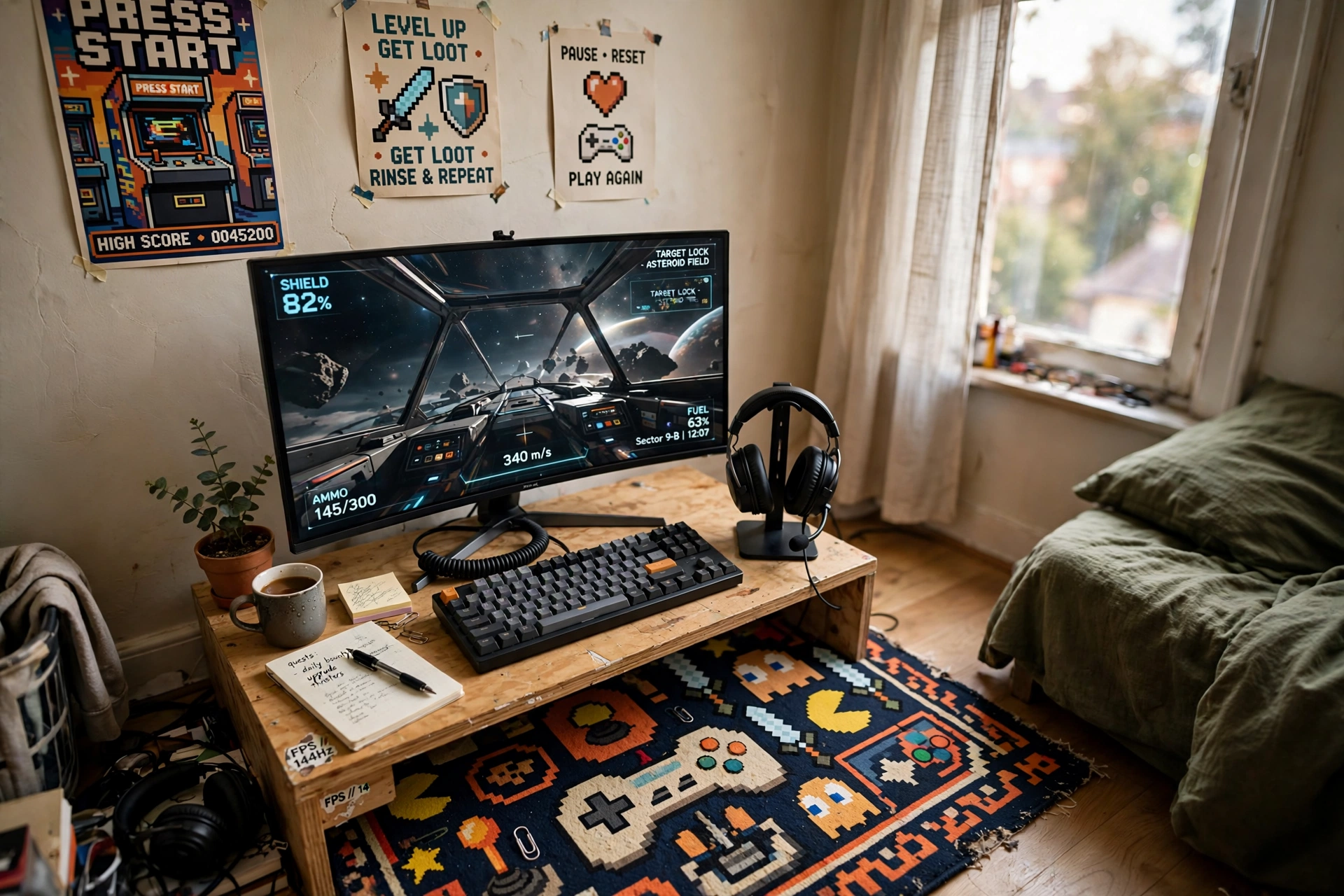
Small rooms need a rug that does more than cover the floor. A printed gaming rug adds the theme by itself, so the walls and desk can stay simple. This one sits under a compact desk in a bedroom corner, with one monitor, a keyboard, and a headset stand doing the rest.
- Pick a bold print and keep the desk and chair plain so the rug leads.
- Size it to the desk, not the whole room, so the pattern stays visible.
- Let daylight do the work and save the RGB for evenings.
The non slip backing matters here because the rug sits on a hard floor and the chair moves a lot. A rug that creeps under your wheels is annoying by day two.
Add a small desk lamp for soft light beside the monitor, keep a shelf or drawer unit beside the desk for games and headsets, and plug the monitor and the lamp into a power strip under the desk, so the cables stay out of sight.
Osimiccp Gaming Rug for Room, 3×5, Non Slip
Why this one: the gaming print carries the theme and the non slip backing keeps it still on hard floors.
Worth knowing: at 3×5 it fits one desk and chair, not a full room, so it works best in small spaces.
KTC 27 Inch Gaming Monitor, 180Hz, 1080p
Why this one: a single fast 27 inch screen fills a small desk without crowding it.
Worth knowing: it is 1080p, so text is a little softer than on a 1440p panel at this size.
4. A glass chair mat over a patterned rug
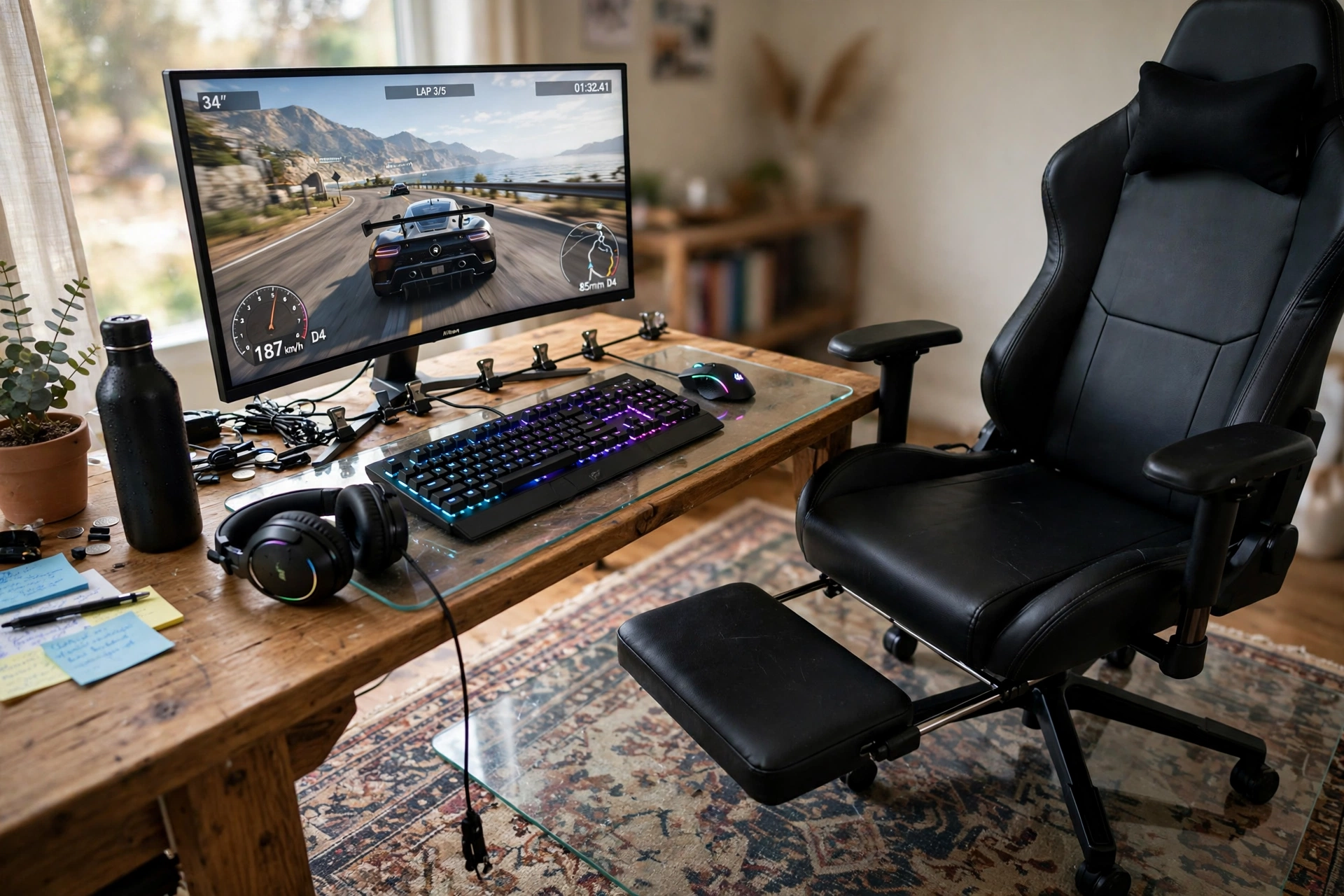
You love the rug. Your chair wheels do not. A clear tempered glass mat solves that fight: the pattern stays visible, the rug stays protected, and the chair glides instead of grinding fibers flat.
This setup pairs the mat with a patterned rug, a curved monitor, and a comfortable gaming chair with a footrest. The glass edge almost disappears against the rug, which is the point. Nobody notices the mat, and everybody notices how easy the chair moves.
Tip: measure the roll zone first
Sit in your chair and roll back as far as you normally go, then mark the floor. The mat should cover that whole area plus a little extra, or your back wheels will still catch the rug edge.
Add a small desk lamp for soft light beside the monitor, keep a shelf beside the desk for controllers and headsets, and plug the monitor and the lamp into a power strip under the desk, so the cables stay hidden under the rug edge.
Koonmi Tempered Glass Chair Mat for Hardwood Floors and Carpets, 48×60
Why this one: tempered glass stays flat, never curls, and lets the rug pattern show through.
Worth knowing: glass is heavy and the edges are firm, so handle it with two people and keep bare toes clear while placing it.
GTPLAYER Gaming Chair with Footrest and Lumbar Support
Why this one: the footrest and lumbar pillow make long sessions comfortable, and it rolls smoothly on the glass surface.
Worth knowing: the seat runs firm at first and softens with use, so give it a week before judging it.
5. Wood grain foam tiles for a warm floor
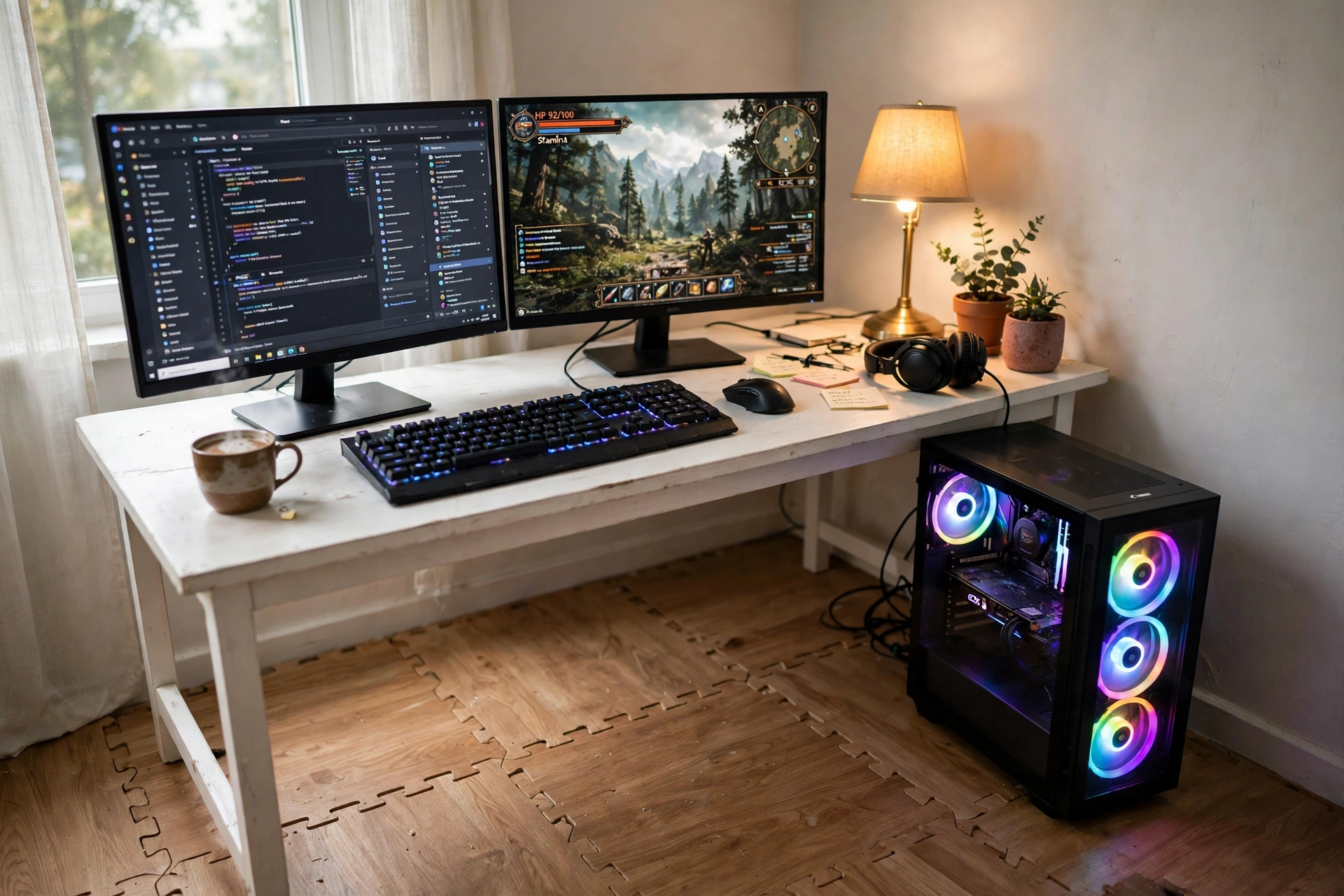
Cold hard floors are the worst part of a winter gaming session. Interlocking foam tiles fix that without a single tool, and the wood grain finish means they look like flooring instead of gym equipment.
Start with the tiles under the desk and chair, then add more if you want the whole corner covered. The puzzle edges lock tight, the surface wipes clean, and the slight cushion takes the edge off long hours in a chair. Pair them with a white desk, dual monitors, and a PC tower on the tiles, and the corner feels warm and intentional.
Two choices, one floor
Foam tiles win when you rent or want to change the layout later, because they lift up and move. A big rug wins when you want softness and pattern in one piece. If your floor is cold and your lease is short, tiles are the safer bet.
Either way, keep the desk legs on the tiles, not half on and half off, or the desk will wobble.
Add a small desk lamp for warm light beside the monitor, and plug the monitor and the lamp into a power strip under the desk, so the cables stay off the foam tiles.
Sorbus Wood Grain Floor Tiles Foam Mat, EVA Interlocking, 120 Sq Ft
Why this one: the wood grain print looks like real flooring and the tiles cover a big area in one box.
Worth knowing: heavy chair wheels can dent foam over time, so a small chair mat on top is worth adding later.
Acer Nitro KG271U 27 Inch QHD Gaming Monitor, 180Hz
Why this one: sharp QHD resolution and a fast refresh rate make it a strong main screen for this corner.
Worth knowing: the included stand is basic, so a monitor arm is a good upgrade if you want more desk space.
6. A washable rug for messy real life
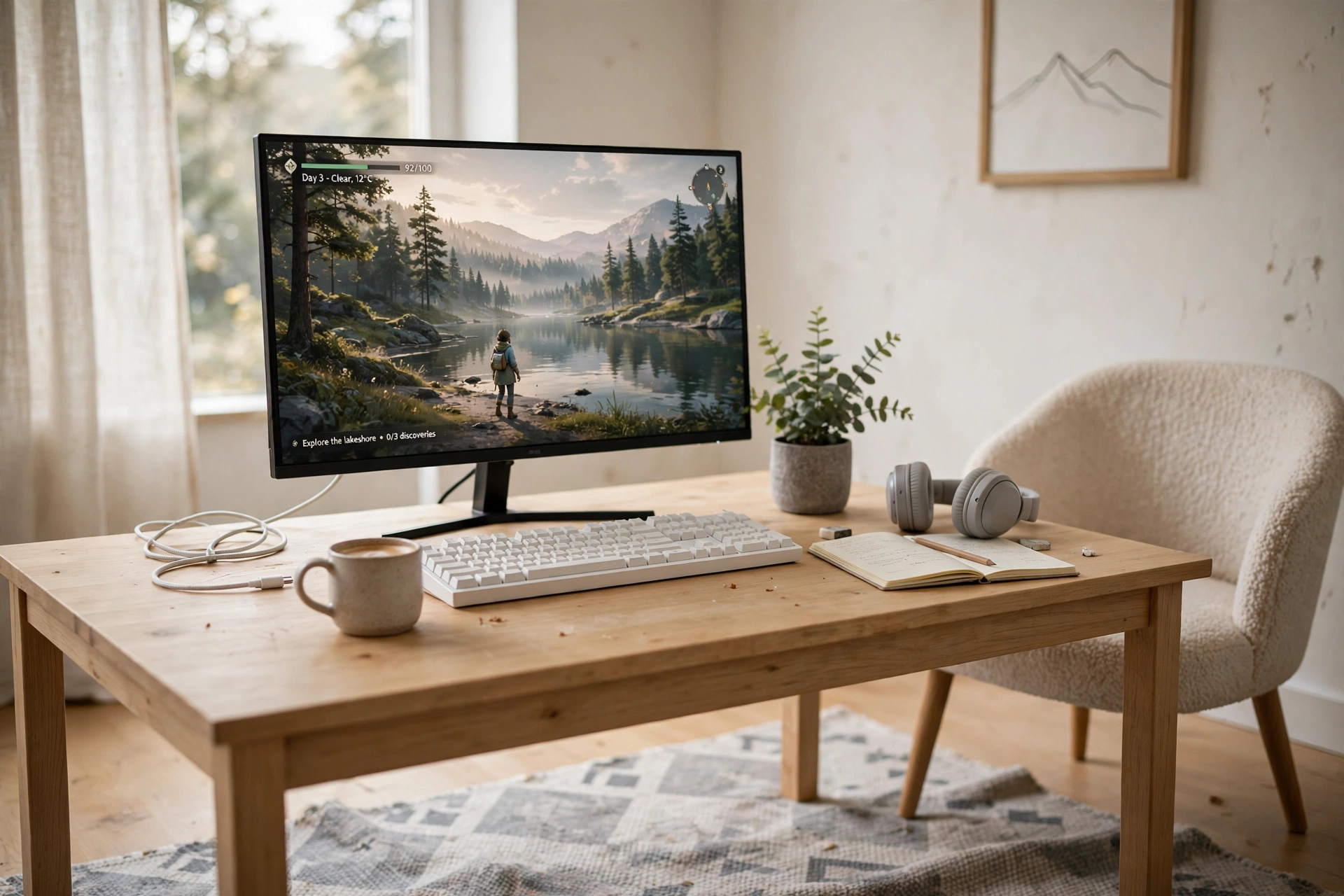
Spilled coffee, pet hair, snack crumbs, and muddy shoes all end up on the same rug. A machine washable rug is the honest answer, and the low pile means your chair still rolls without a fight.
- Low pile first: it vacuums easily and the chair glides over it.
- Non slip backing: it stays put on hard floors without a separate pad.
- Light, calm pattern: it hides dust between washes and keeps the room bright.
This setup keeps everything else light too: a pale wood desk, a single monitor, and a white keyboard. When the rug is the easy care part of the room, the whole setup feels lower maintenance.
Keep a small shelf or basket beside the desk for controllers and cleaning cloths, and plug the monitor into a power strip under the desk, so the cables stay out of the way when the rug goes in the wash.
TWINNIS Indoor Modern Area Rug, 5×7, Geometric, Washable, Grey
Why this one: it is machine washable, low pile, and the grey geometric print hides everyday mess between cleans.
Worth knowing: wash it on a gentle cycle and air dry, because high heat can warp the backing.
Corsair K70 CORE RGB Mechanical Gaming Keyboard
Why this one: solid build, satisfying keys, and RGB that matches the calm grey rug without shouting.
Worth knowing: it is a full size board, so it needs a desk with real depth.
7. A natural seagrass rug for a calm setup
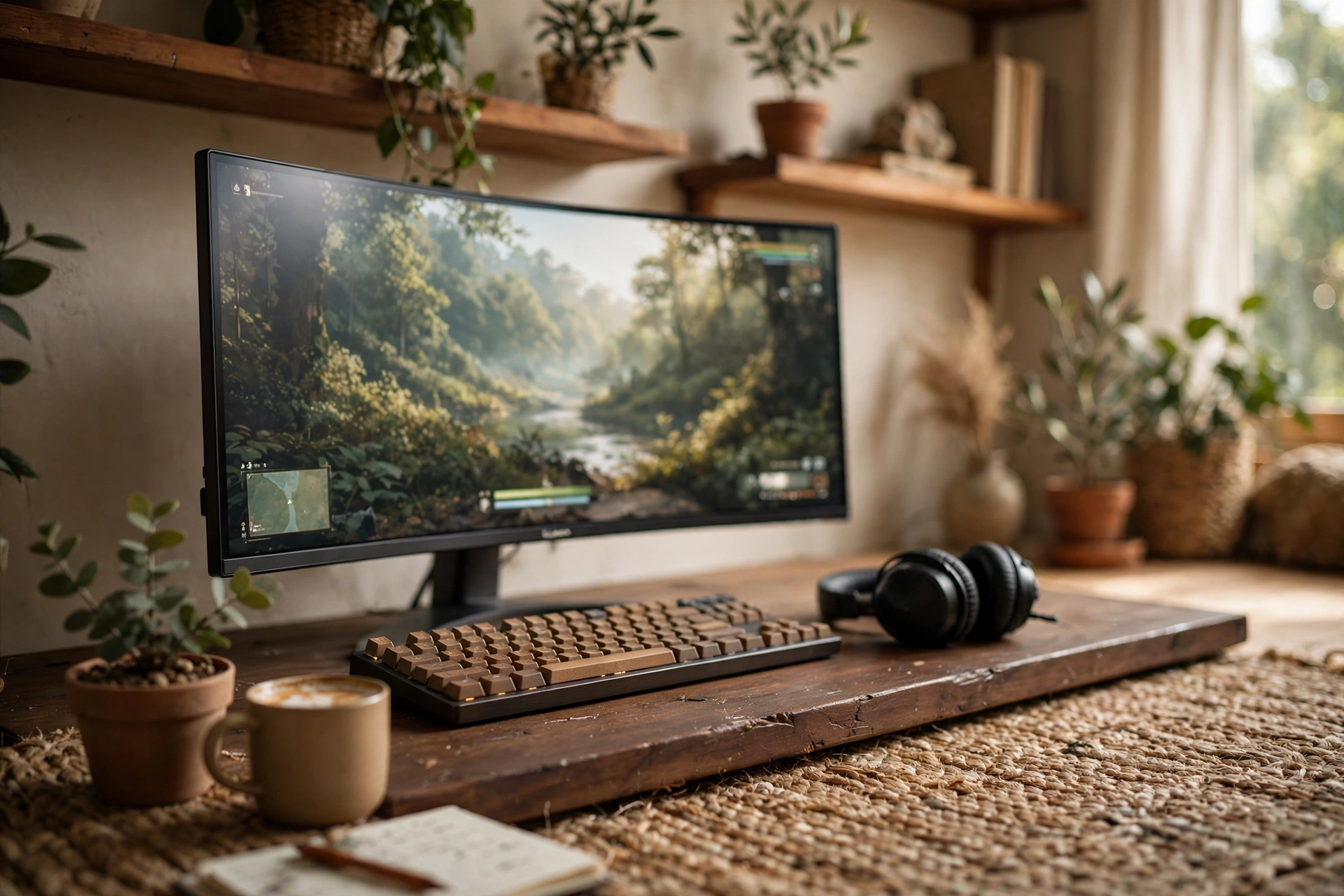
Some gaming rooms want to feel grown up, and a seagrass rug does that better than any RGB strip. The woven texture adds warmth, the natural tones calm down a dark desk, and the whole room reads as a study that happens to game.
Pair it with a dark wood desk, a curved ultrawide monitor, and wooden shelves with plants. The rug anchors the desk zone so the shelves and the monitor feel like one corner instead of separate pieces. Seagrass is firm underfoot and handles chair wheels better than a soft pile rug, which is a bonus if you roll a lot.
Keep it simple checklist
One natural rug, one wood tone, one plant, one warm light. If a second color creeps in, make it the screen glow, not another accessory.
Plug the monitor and a small desk lamp into a power strip under the desk, so the cables stay hidden and the calm seagrass look stays uncluttered.
SAFAVIEH Natural Fiber Collection Seagrass Area Rug, 8×10, Natural and Beige
Why this one: real seagrass texture brings warmth and a natural look that synthetic rugs struggle to copy.
Worth knowing: seagrass does not love spills, so keep drinks on the desk and clean spots fast.
LG 34 Inch Curved UltraWide QHD Monitor, 160Hz
Why this one: one wide curved screen replaces two monitors and keeps the calm desk free of clutter.
Worth knowing: ultrawide takes a deep desk, so check your desk depth before ordering.
8. A big washable rug with RGB floor glow
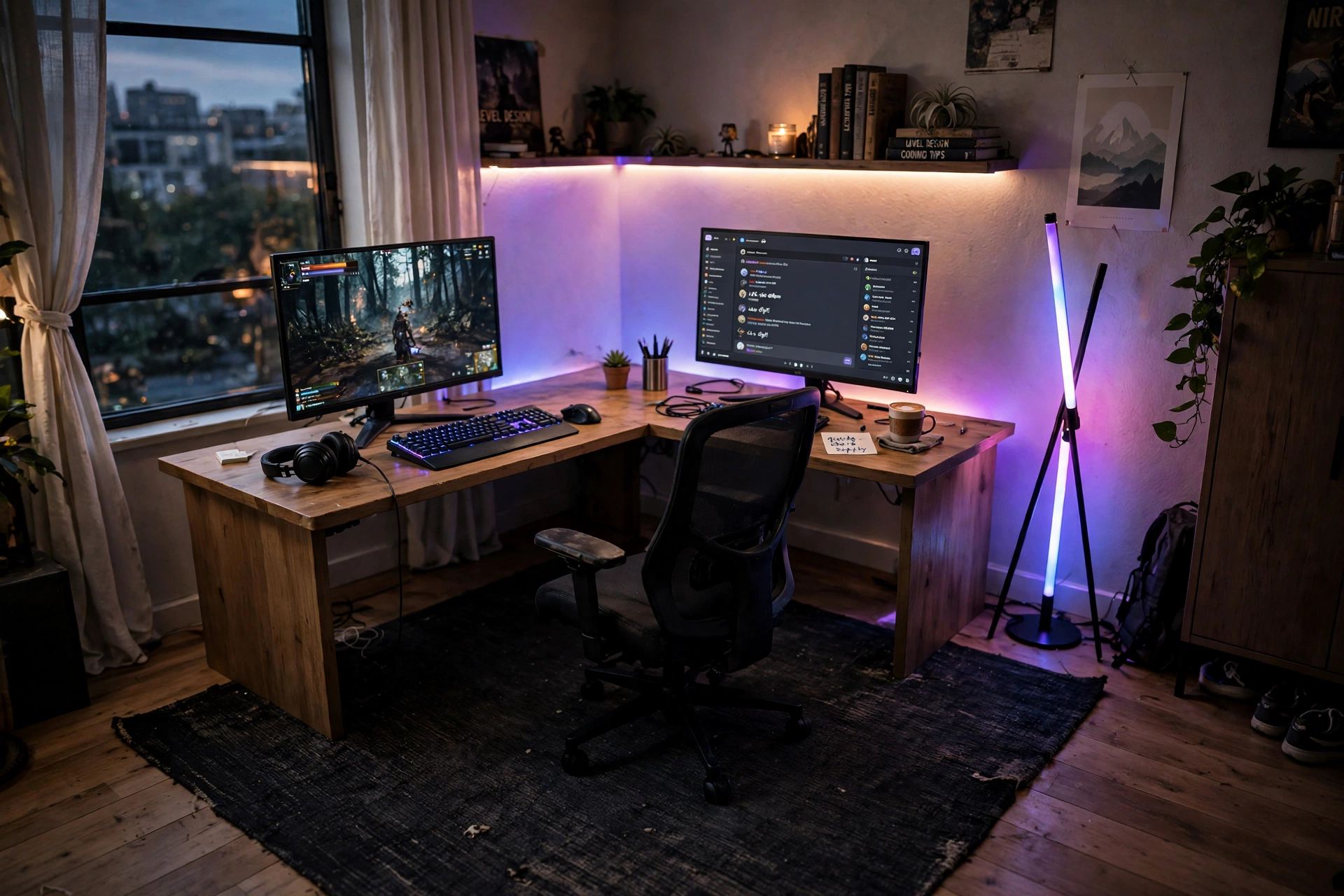
Big rooms have the opposite problem from small ones: the desk floats in empty space and nothing holds the setup together. A large dark rug fixes that in one move. It defines the gaming zone, and everything else sits inside its edges.
Here the rug holds a corner desk, dual monitors, and a gaming chair, while a long LED strip and a floor lamp wash the walls with color. The dark rug keeps the glow from bouncing too hard, and because it is washable, the size is not a cleaning problem.
Sizing rule for big rugs
The rug should reach past the desk on at least two sides and past the chair when it rolls back. If the chair rolls off the rug edge every time you stand up, the rug is too small, no matter how good it looks in photos.
Keep a low shelf beside the corner desk for controllers and game cases, and plug the monitors and the LED strip into a power strip under the desk, so the cables stay off the big rug.
Ruicharm Washable Area Rug, 6×9, Low Pile, Non Slip, Black Grey
Why this one: the large size anchors a full corner setup and it is machine washable, which matters at this scale.
Worth knowing: a 6×9 rug needs a large washing machine, so check yours before you plan on machine washing it.
Govee 65.6ft RGBIC LED Strip Lights
Why this one: the long run covers a whole wall or two, so the glow matches the scale of the big rug.
Worth knowing: plan the run before sticking it down, because repositioning the strip weakens the adhesive.
FAQ: rugs and floors for gaming rooms
What size rug should I get for a gaming desk?
Cover the desk footprint plus the full roll zone of your chair. For most single desk setups that means at least 5×7, and for a corner desk with a chair that rolls back, 6×9 or larger is safer.
Will my gaming chair roll on a rug?
Yes, on a low pile rug or a firm flat weave. Thick shag rugs fight the wheels, so use a chair mat on top or pick a low pile rug for the desk zone.
Are washable rugs really machine washable?
Most are, but size matters. Small rugs fit a home machine easily. Large rugs may need a laundromat machine, and all of them should be washed gentle and air dried.
Do I need a rug pad under a gaming rug?
It helps on hard floors. A pad stops sliding, adds cushion, and protects the floor from chair pressure. Many gaming rugs already have a non slip backing, so check that first.
What is the cheapest way to improve a gaming room floor?
Foam tiles or a single printed gaming rug. Both cost less than a large quality rug, both install in minutes, and both change the room more than a new poster does.
Related reading
If your room is tight on space, these 15 small gaming room ideas for tight spaces show how to fit a full setup into a small footprint. You can also browse the full Gaming Room Ideas category for more layouts.
Conclusion
The floor is where your chair rolls, your feet rest, and your whole setup stands. Pick the rug or mat that matches how you actually play: a glowing edge for night sessions, a washable rug for real life, a shag rug for floor gaming, or foam tiles for a cold rental floor. Get the size right, keep the chair rolling smoothly, and the rest of the room will fall into place around it.
Measure your desk and chair zone tonight, pick one idea from this list, and lay the floor first. The setup you build on top of it will look better for it.
