9 Home Office Ideas for Designers
By Maya Bennett, Founder & Editor. A designer home office is a working studio, not a showroom. Every setup below shows the design work itself on screen or on paper, with colour swatches, a tablet, or printed proofs as part of the scene, so you can see how the desk actually gets used. Each idea is one complete desk setup a reader can copy whole, with the desk, the seat, the screen, the light, the storage, and the power described together as one scene. Start with the design anchor in each setup, then build the rest of the desk around it. For more ideas in this series, browse the Home Office Ideas category.
As an Amazon Associate I earn from qualifying purchases. Please see our affiliate disclosure for details. This article prints no prices, because prices change. Check the listing before you buy, and confirm you have the exact variant named.
In this article
- 1. The Pantone Swatch Wall
- 2. The Pen Tablet Desk
- 3. The Colour Accurate 4K Monitor
- 4. The Pen Display Studio
- 5. The Ultrawide Timeline Desk
- 6. The Marker and Sketchbook Corner
- 7. The Light Pad Tracing Desk
- 8. The Proofing Board Wall
- 9. The Drafting Table Studio
- Frequently asked questions
- Conclusion
At a glance
| Setup | Key product | Best for |
|---|---|---|
| 1. The Pantone Swatch Wall | Pantone Formula Guide, Coated and Uncoated, GP1601B | Matching print colours by hand before they go to press |
| 2. The Pen Tablet Desk | Wacom Intuos Small Graphics Drawing Tablet, Black | Drawing with a pen while the laptop stays in view |
| 3. The Colour Accurate 4K Monitor | BenQ PD2706UA 27-inch Ergo Arm 4K UHD Monitor | Photo and colour work that needs a true screen |
| 4. The Pen Display Studio | HUION Kamvas 13 (Gen 3) Drawing Tablet with Screen | Drawing directly on screen for illustration work |
| 5. The Ultrawide Timeline Desk | LG 34WN80C-B UltraWide Monitor 34 Inch Curved WQHD | Seeing a whole design timeline at once |
| 6. The Marker and Sketchbook Corner | Ohuhu Alcohol Markers, 100 Colors, Chisel and Fine | Sketching logo ideas by hand before going digital |
| 7. The Light Pad Tracing Desk | LitEnergy A4 LED Copy Board Light Tracing Box | Tracing and refining hand drawn lines cleanly |
| 8. The Proofing Board Wall | Quartet Cork Board Bulletin Board, 23 x 35 Inch, Oak Frame | Pinning proofs and layouts where you can compare them |
| 9. The Drafting Table Studio | Studio Designs Vintage Rustic Oak Drafting Table, 36 x 24 Inch | Large format hand drawing at a tilted surface |
1. The Pantone Swatch Wall
AI-generated image
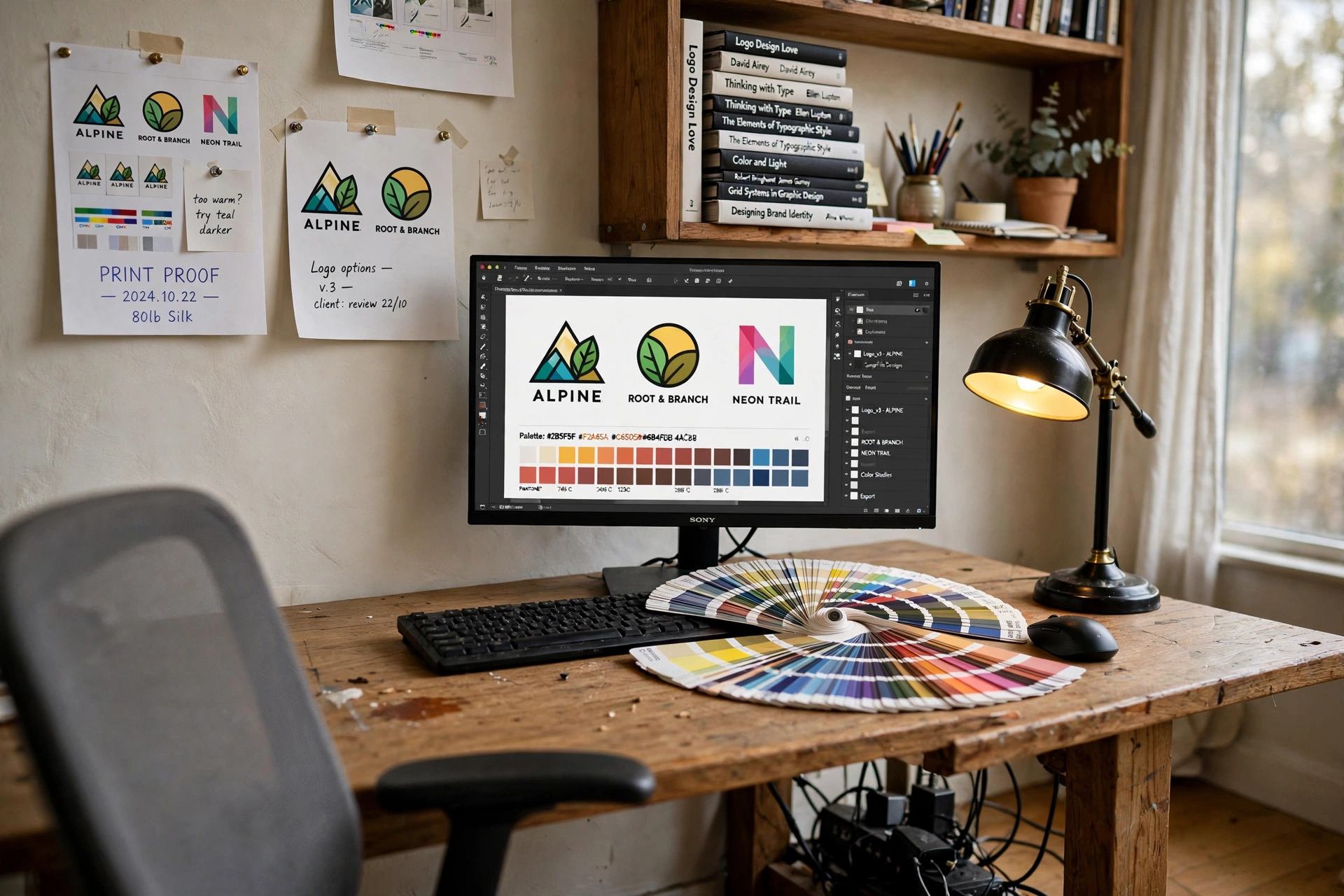
Start with colour you can hold in your hand. The Pantone Formula Guide sits open on the desk as a fanned deck, so the designer can match a printed proof against a real swatch instead of trusting the screen alone. The monitor behind it shows the same logo layout in progress, and a row of printed proofs pinned on the wall lets the eye compare the digital version with the printed one at a glance. A bamboo writing desk keeps the scene calm, the chair is a simple seat that tucks away, and a desk lamp lights the swatch pages for evening checks. Power runs from a strip behind the desk leg, so no cable crosses the floor. This is the setup to copy when your work goes to print and the colour on the page has to match the colour on the screen.
KEY PIECE
Pantone Formula Guide, Coated and Uncoated Ultimate Color Matching Tool to Communicate Color in Graphics and Print, GP1601B
Why this one: Two fan decks, coated and uncoated, cover 2,359 spot colours, so a designer can check how a colour will look on different paper stocks before it is printed.
Worth knowing: Printed swatches fade over time, so the guide needs replacing every few years if colour matching has to stay exact.
COMPLETES THE SETUP
Maydear 47 Inch Bamboo Multipurpose Study Writing Desk with Drawer, Modern Simple Computer and Laptop Table, Natural
Why this one: The 47 inch bamboo top fits the monitor and the open swatch deck side by side, and the drawer keeps the proofs and pens out of sight.
Worth knowing: One drawer fills fast, so the proofs live on the wall rather than in the desk.
COMPLETES THE SETUP
Amazon Basics 24-inch Full HD IPS Monitor
Why this one: A 24 inch IPS screen fits the desk without crowding the swatch deck, and the wide viewing angle keeps colours steady when you lean in to compare a proof.
Worth knowing: The included stand is fixed height, so a small riser may be needed to bring the screen to eye level.
2. The Pen Tablet Desk
AI-generated image
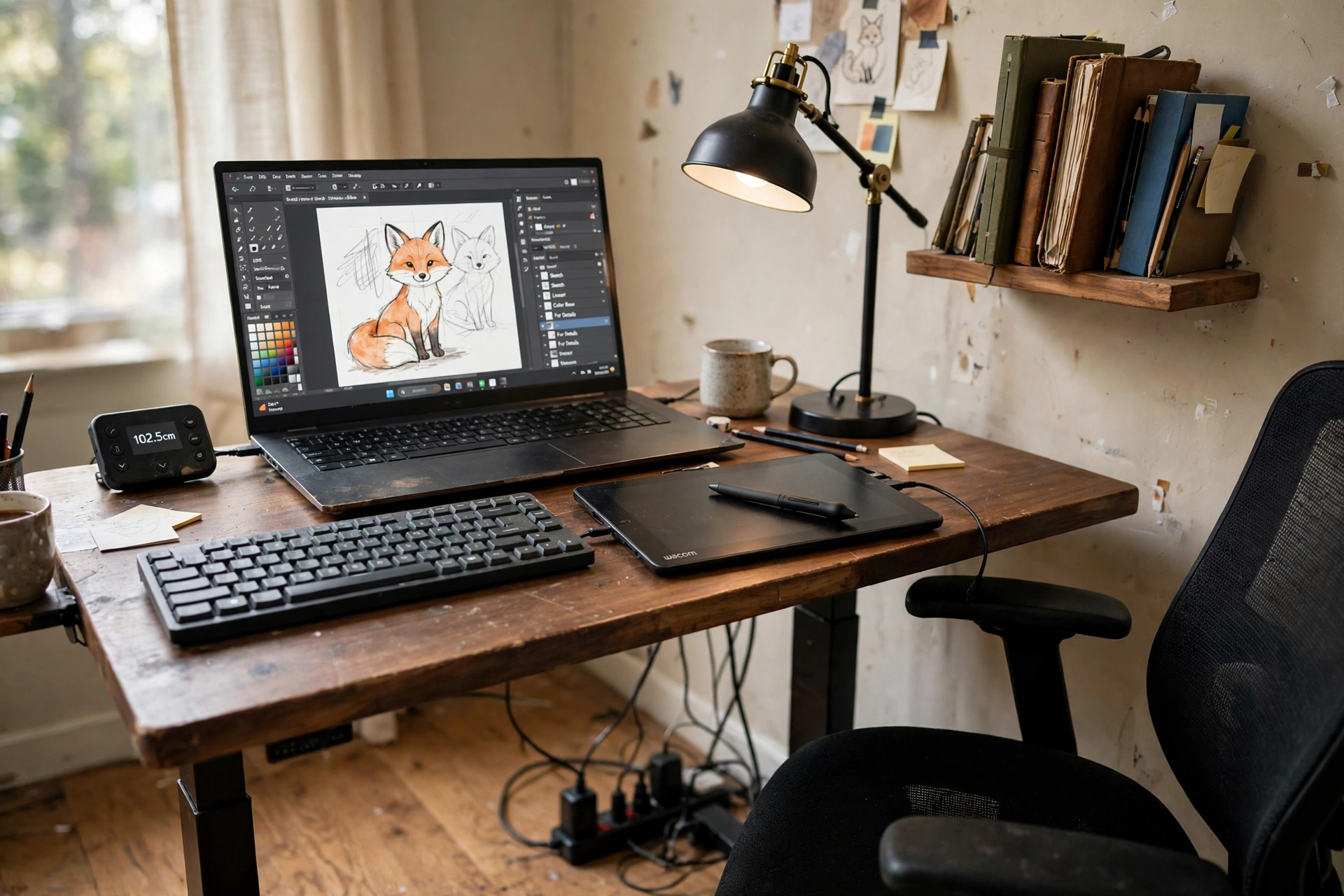
A pen tablet turns a laptop desk into a drawing desk. The Wacom tablet sits in front of the laptop, the stylus in hand, and the illustration on screen follows the pen instead of the mouse. Three things make this setup work in practice:
- Put the tablet where the keyboard usually sits, and slide the laptop back, so the drawing hand has a straight line to the screen.
- Keep the four ExpressKeys set to undo, zoom, and brush size, so the common moves never need the keyboard.
- Stand for the first sketching pass, then sit for the detail work, since the standing desk moves between the two in seconds.
A bamboo standing desk holds the laptop and the tablet with room to spare, a rolling chair waits behind for the long sessions, and a shelf above holds sketchbooks and reference books. Power runs through the desk frame, so the laptop charger plugs in at the desk and the floor stays clear.
KEY PIECE
Wacom Intuos Small Graphics Drawing Tablet, Includes Training and Software; 4 Customizable ExpressKeys Compatible with Chromebook Mac Android and Windows, Black
Why this one: The battery free pen with 4,096 pressure levels feels like drawing on paper, and the small size fits in front of a laptop without pushing the screen away.
Worth knowing: The small active area suits sketching and retouching, while very large illustrations may want the medium size instead.
COMPLETES THE SETUP
FlexiSpot E6 Bamboo 3-Stage Dual Motor Electric Standing Desk 55 x 28, Solid Bamboo Desktop and White Frame
Why this one: The solid bamboo top is a calm base under the tablet, and the dual motor frame moves smoothly between sitting and standing heights.
Worth knowing: The white frame shows dust and scuffs, so it wants a wipe down now and then.
COMPLETES THE SETUP
Hbada Office Chair, Black, J1
Why this one: A compact rolling chair that tucks under the desk top and keeps the small footprint honest.
Worth knowing: The seat is on the firm side, so it suits shorter work blocks better than a full eight hour day.
3. The Colour Accurate 4K Monitor
AI-generated image
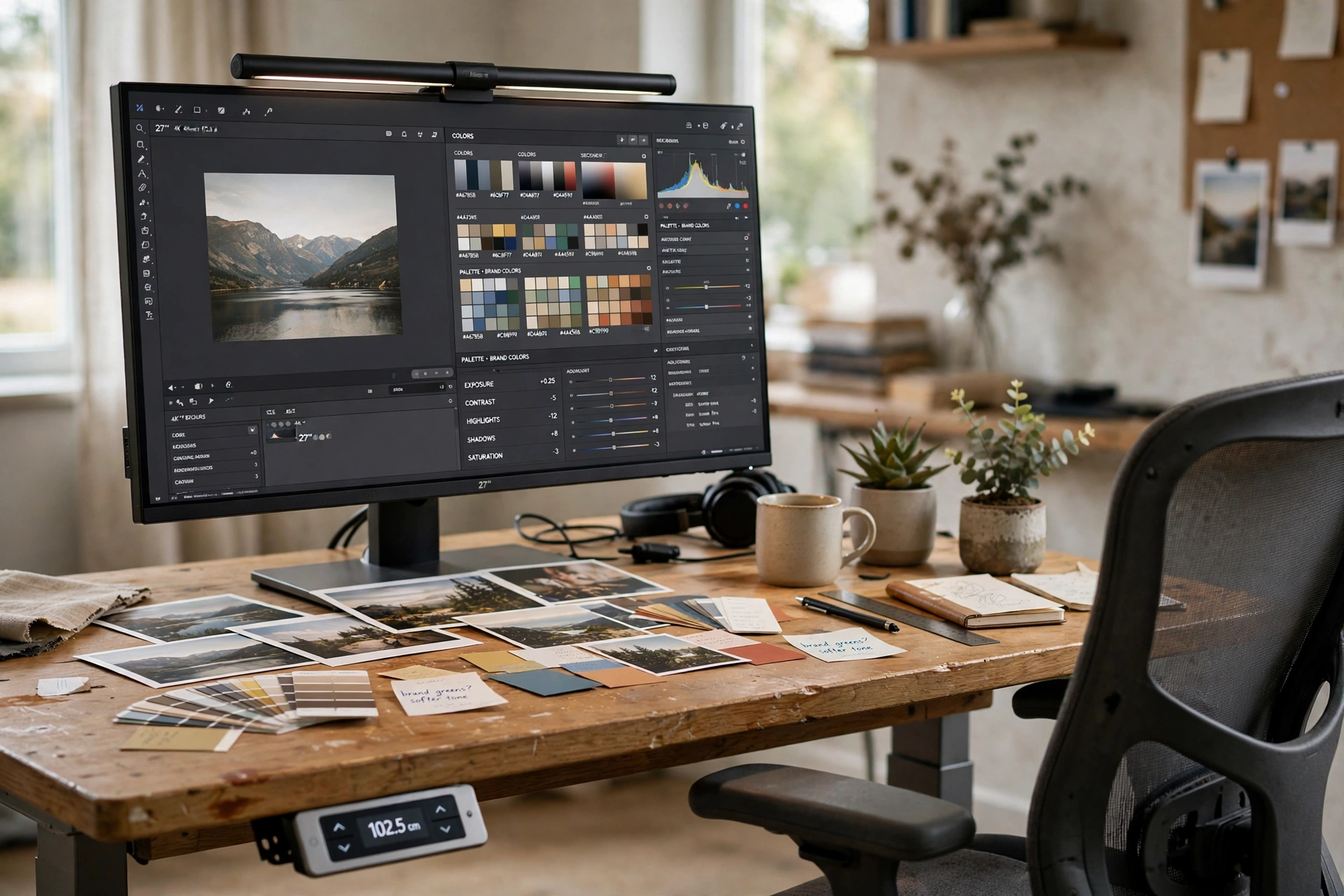
When colour is the work, the monitor is the tool that matters most. A 27 inch 4K designer monitor shows a photo editing workspace with colour palettes open beside the image, and the factory calibrated panel keeps the tones on screen close to the tones in the final file. A light bar across the top of the screen lights the desk and the printed photos laid out in front, without adding glare to the display. The desk is a bamboo standing desk with a keypad, so the screen height changes with the working position, and a chair with a high back waits behind it. Printed photos and swatches on the desk give the eye a physical reference while editing. Power runs through the desk frame and a strip under the top, so the monitor, the light bar, and the laptop all feed from one tidy run.
KEY PIECE
BenQ PD2706UA 27-inch Ergo Arm 4K UHD Monitor, USB-C, P3, DisplayHDR 400, IPS, Factory-Calibrated, DualView, Darkroom and Animation Modes, CAD/CAM and ePaper Modes, Hotkey Puck G2, KVM
Why this one: The 4K IPS panel is factory calibrated with P3 colour coverage, and the included ergo arm and Hotkey Puck put the screen exactly where the designer needs it.
Worth knowing: The ergo arm needs a solid desk edge to clamp to, so it does not suit a glass top.
COMPLETES THE SETUP
UPLIFT Bamboo 60 x 30 inch Standing Desk 2-Leg V2 Adjustable Stand Up C-Frame, White, Advanced Keypad, Wire Grommets, Wire Tray
Why this one: The 60 by 30 inch bamboo top gives the monitor and the printed photos room to share, and the keypad moves the desk between sitting and standing in seconds.
Worth knowing: A standing desk frame is heavier than a fixed desk, so plan the spot before assembly rather than dragging it across the room.
COMPLETES THE SETUP
BenQ ScreenBar Pro LED Monitor Light Bar (Silver), Ultrawide Lighting, Motion Sensor, Adjustable Brightness and Color Temperature, Eye-Care USB-C Monitor Lamp, No Glare, Curved Monitors, Monitor accessory
Why this one: The bar clamps to the top of the monitor and lights the desk and the printed photos without shining onto the screen itself.
Worth knowing: It draws power over USB-C, so it needs a free USB port or a small adapter at the desk.
4. The Pen Display Studio
AI-generated image
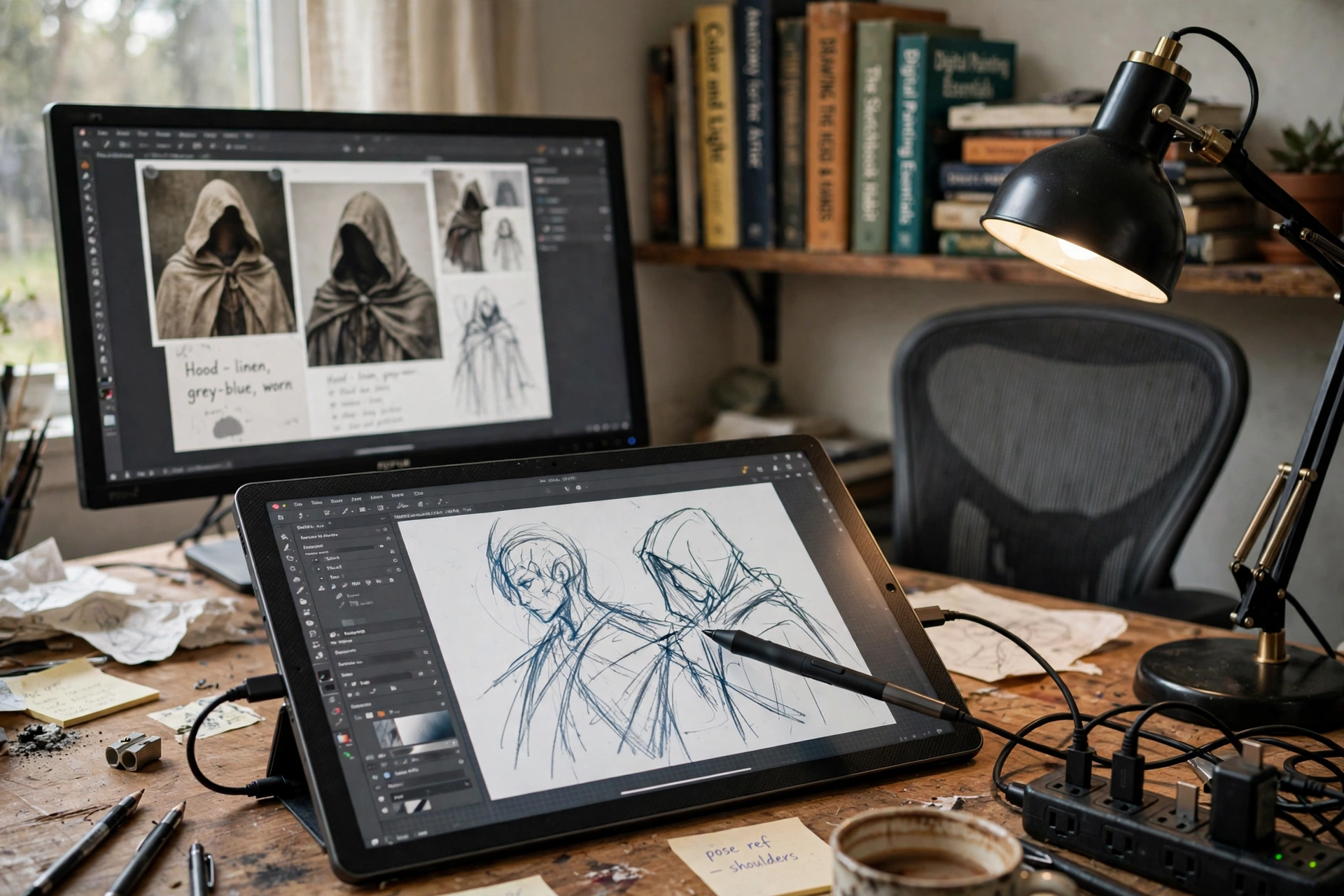
Drawing on screen changes the whole rhythm of illustration work. The pen display sits angled on the desk with a character sketch open on its own screen, the stylus drawing the line where the eye looks, while a second monitor behind it shows reference artwork and the colour palette. A bamboo desk with two drawers holds the setup, a desk lamp at the back edge lights the paper notes beside the tablet, and a shelf above holds art books for reference. The power strip sits behind the desk leg, feeding the display, the monitor, and the lamp from one outlet. Keep the pen display at a slight tilt, like a drawing board, and the wrist stays relaxed through long illustration sessions. This is the setup for designers who draw every day and want the screen to feel like paper.
KEY PIECE
HUION Kamvas 13 (Gen 3) Drawing Tablet with Screen 16K Pressure PenTech 4.0, 13.3-inch Full-Laminated Art Tablet with Anti-Sparkle Canvas Glass, 99% sRGB, Dual Dials for Digital Art, Designing, Black
Why this one: The 13.3 inch laminated screen with canvas glass feels close to paper, and the dual dials put zoom and brush size under the spare hand.
Worth knowing: It is a pen display, not a standalone tablet, so it must stay connected to a computer to work.
COMPLETES THE SETUP
Tangkula Bamboo Mid Century Desk with 2 Storage Drawers, Home Office Study Writing Desk with Shelf and Cable Management Groove, Natural
Why this one: The pale bamboo keeps the dark pen display from feeling heavy, and two drawers plus a shelf hold the daily tools out of sight.
Worth knowing: Bamboo shows water rings, so keep drinks on a coaster or a small tray.
COMPLETES THE SETUP
TOPREK Surge Protector Power Strip, 10 FT Flat Extension Cord
Why this one: The flat cord runs neatly along the baseboard to a distant outlet, and the strip mounts where the pen display and monitor chargers can reach it.
Worth knowing: A ten foot cord needs a tidy route or it will drape, so plan the run along the baseboard before you plug in.
5. The Ultrawide Timeline Desk
AI-generated image
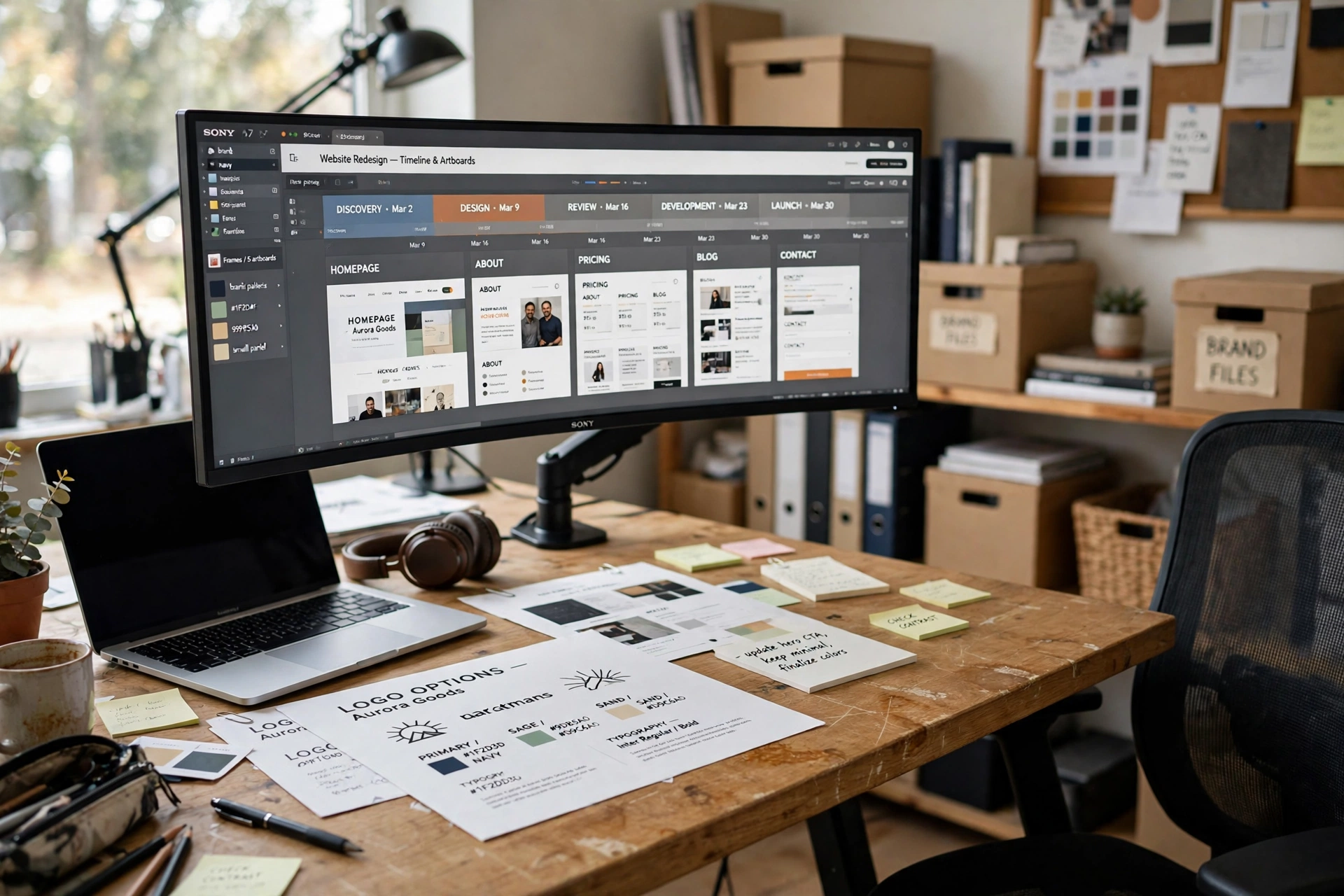
Brand and web design live in wide timelines, and a curved ultrawide monitor shows the whole thing at once. The screen holds artboards side by side, so the designer can compare a homepage, a mobile view, and a colour palette without switching windows. What works here, in order:
- The monitor goes on the arm first, so it floats above the desk and frees the surface for printed proofs.
- The laptop sits on the short side of the L-shaped desk, as the second screen for email and reference.
- Printed brand proofs spread across the long side, so the digital layout and the printed version sit side by side.
A desk lamp lights the proofing side, storage shelves hold the brand books, and power outlets built into the desk feed the monitor and the laptop. The lesson of this setup is width. A narrow screen forces constant scrolling through a timeline, while the ultrawide keeps the whole project in view.
KEY PIECE
LG 34WN80C-B UltraWide Monitor 34 Inch 21:9 Curved WQHD (3440 x 1440) IPS Display, USB Type-C (60W PD), sRGB 99% Color Gamut, 3-Side Virtually Borderless Design, Tilt and Height Adjustable Stand, Black
Why this one: The 34 inch curved 21:9 screen holds several artboards at once, and the 99 percent sRGB coverage keeps brand colours honest.
Worth knowing: This model has no built-in speakers, so plan on headphones or external speakers for sound.
COMPLETES THE SETUP
YOMILUVE 63 Inch Farmhouse L Shaped Executive Desk with Drawers and Storage Shelf, Corner Rattan Computer Desk with Power Outlets, L Shaped Office Desk with Monitor Stand, Printer Shelf
Why this one: The 63 inch L shape fills the wall under the ultrawide, and built in power outlets mean the monitor plugs in at the desk instead of at the wall.
Worth knowing: An L-shaped desk needs a real corner, so check the wall lengths on both sides before ordering.
COMPLETES THE SETUP
HUANUO NITROGLIDE Dual Monitor Stand for 13 to 40 Inch, Premium Dual Monitor Mount with USB, Height Adjustable Monitor Stand for 2 Monitors, VESA Mount with Clamp and Grommet Base, Holds 26.4lbs per Arm, HNDS7
Why this one: The arms hold screens up to 40 inches, so the heavy ultrawide floats at eye level, and the second arm is ready when a second screen joins the desk.
Worth knowing: The dual clamp base needs a solid desk edge, so it does not suit a glass or plastic top.
6. The Marker and Sketchbook Corner

AI-generated image
Every digital design starts as a rough sketch, and this corner keeps the paper stage close to the screen stage. An open sketchbook shows hand drawn logo concepts in marker, the marker case beside it, and the laptop behind shows a mood board of reference images, so the sketch and the screen talk to each other. A bamboo desk with two drawers holds the paper and the markers, a desk lamp lights the sketchbook pages, and a chair with a soft seat invites long drawing sessions. Try this:
DESIGNER TIP
Sketch ten quick logo marks before opening any design software. The best one usually appears around number seven, when the obvious ideas are out of the way.
Power is simple here: the laptop plugs into a short strip behind the desk leg, and the lamp runs from the same strip. Keep the sketchbook open on the desk even after the design moves to the screen, because the paper version is the record of how the idea started.
KEY PIECE
Ohuhu Alcohol Markers Double Tipped Art Marker Set for Artists Adults Coloring Sketch Illustration, Chisel and Fine, 100 Colors, Oahu of Ohuhu Markers, Refillable, AP Certificated
Why this one: One hundred colours with chisel and fine tips cover quick fills and fine lines in one case, and the refillable ink keeps the set going for years.
Worth knowing: Alcohol ink bleeds through thin paper, so use the included plastic sheet under the sketchbook page.
COMPLETES THE SETUP
Moleskine Art Sketchbook, Hard Cover, A4 (8.25 x 11.75 Inch) Plain and Blank, Black, 96 Pages
Why this one: The heavy acid free paper stands up to marker and repeated erasing, and the A4 size is big enough for real logo sketches.
Worth knowing: The hard cover adds weight, so it is a desk book rather than a pocket sketchbook.
COMPLETES THE SETUP
Nnewvante Desk, Bamboo Table with 2 Drawers, Simple Modern Furniture for Home, Office, Computer, Writing, Study, 46 Inch, Brown
Why this one: The warm brown bamboo top sits well under the sketchbook and the laptop, and two drawers keep the top clear for drawing.
Worth knowing: At 46 inches it fits one monitor comfortably, not a dual screen spread.
7. The Light Pad Tracing Desk
AI-generated image
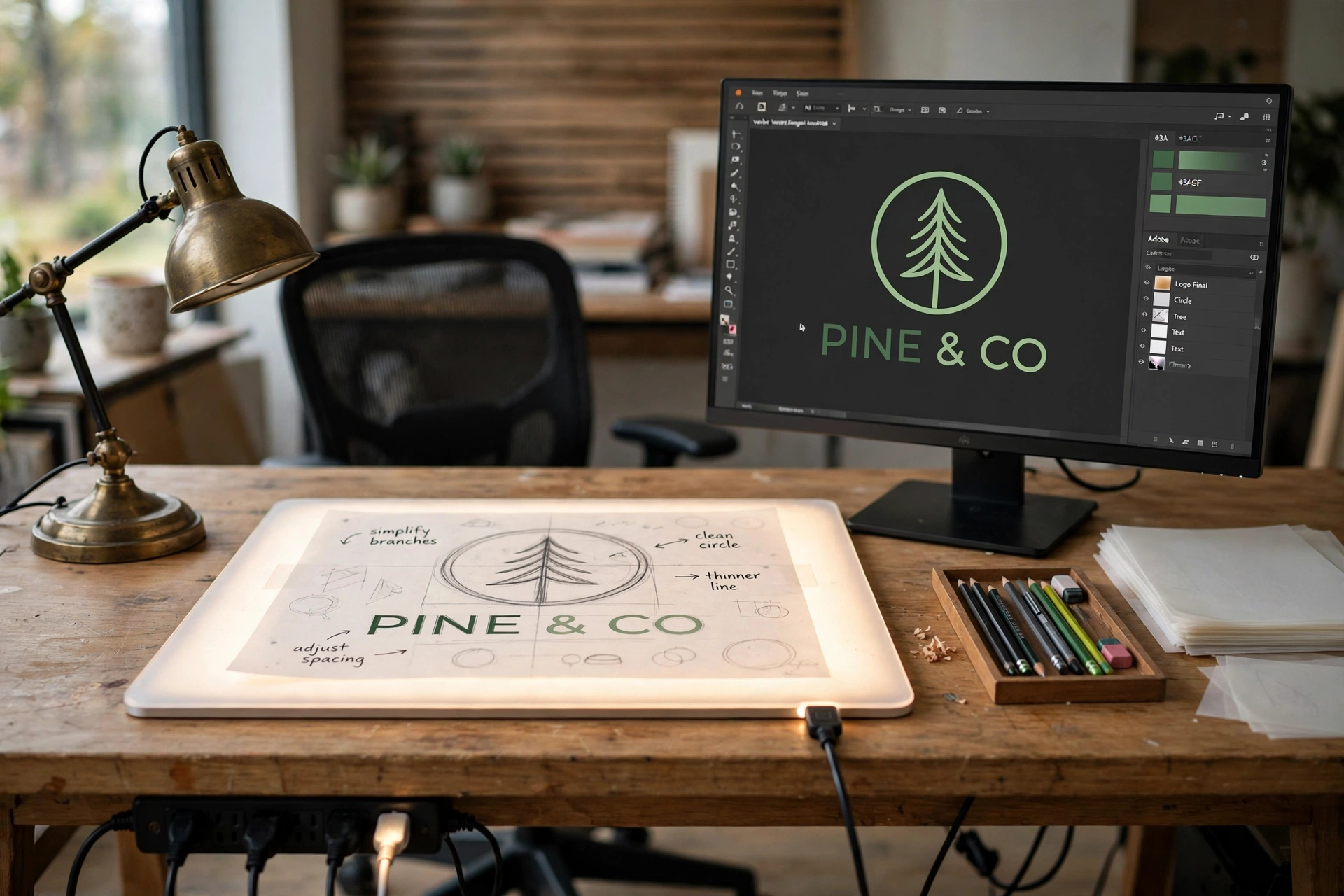
Tracing is how a rough sketch becomes a clean line. The LED light pad glows on the desk with a hand drawn logo sketch on top, and the monitor behind it shows the finished vector version of the same logo, so the designer can check each curve against the digital result. A desk lamp with adjustable brightness lights the paper from the side, a chair with a straight back keeps the posture honest, and pencils and tracing paper sit in a neat row at the back of the desk. The light pad runs from a USB port on the computer, and a strip under the desk feeds the monitor and the lamp. This setup suits designers who still draw by hand first, because the light pad keeps the hand drawn line in the process instead of losing it to the mouse.
KEY PIECE
LitEnergy A4 LED Copy Board Light Tracing Box, Adjustable USB Power Artcraft LED Trace Light Pad for Tattoo Transferring, Drawing, Sketching, Animation, Stenciling, Diamond Art Painting Accessories
Why this one: The slim A4 pad with adjustable brightness shines evenly through paper, and it runs from any USB port, so it needs no separate wall plug.
Worth knowing: It has no built in battery, so it must stay plugged into USB while you trace.
COMPLETES THE SETUP
Amazon Basics 24 Inch Monitor, FHD 1080P, Max 100Hz
Why this one: A 24 inch screen at 100Hz fits the middle of the desk and keeps scrolling and vector work smooth for a workday.
Worth knowing: The stand offers limited height adjustment, so a monitor riser may be needed for eye level.
COMPLETES THE SETUP
LEPOWER Desk Lamp, Eye-Caring Touch Control LED Study Lamps, Dimmable Office Lamp, 3 Color Modes 5 Adjustable Brightness Levels Table Lamps for Bedroom and Office (8W Black)
Why this one: Three colour modes and five brightness levels let the lamp match the light pad glow, and the touch control keeps the desk surface free of switches.
Worth knowing: At 8 watts it is a task light, so it will not light a large desk on its own.
8. The Proofing Board Wall
AI-generated image
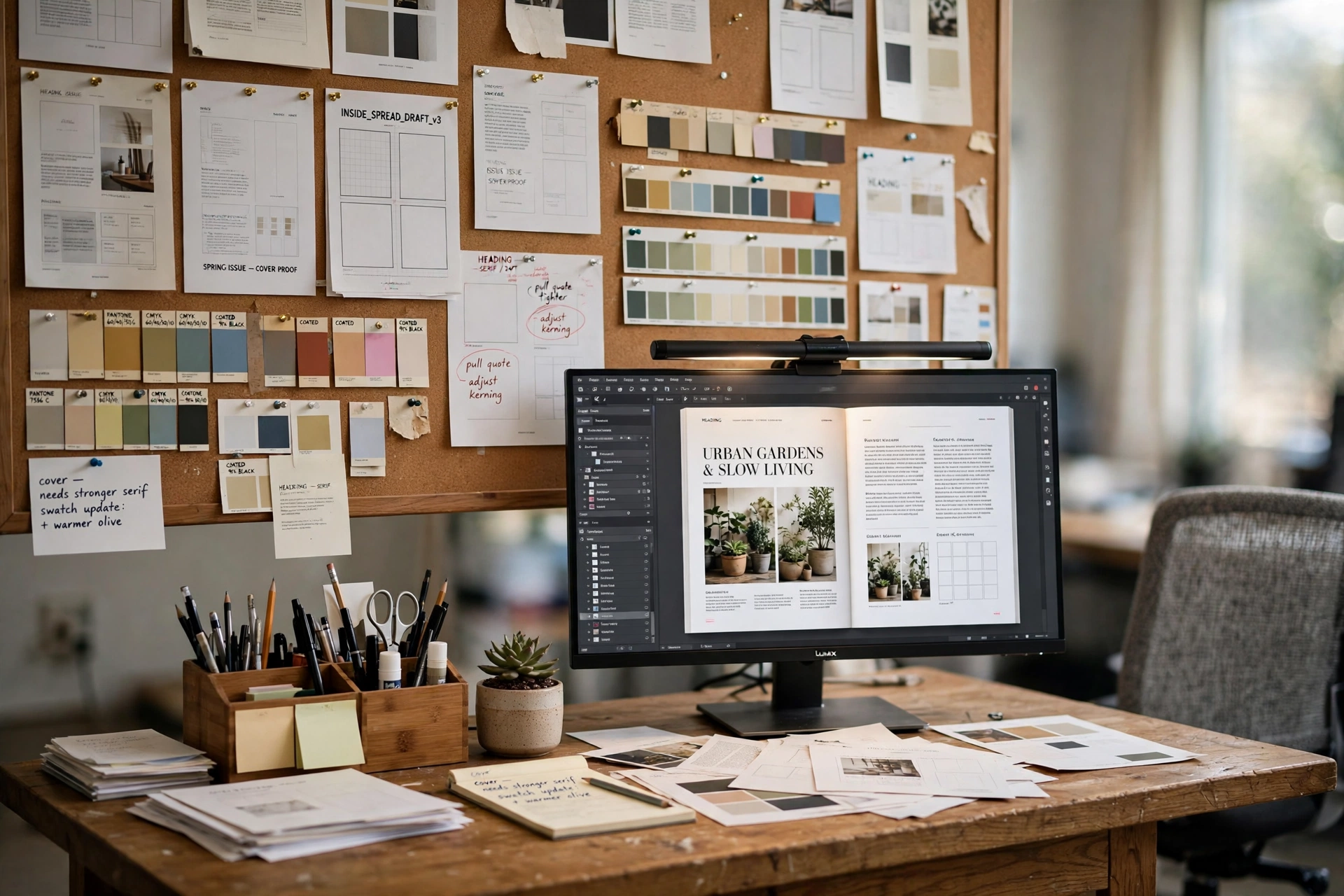
Print designers proof on the wall, not on the screen alone. A large cork board above the desk holds printed proofs, layout printouts, and colour swatches pinned in rows, so the designer can step back and compare three versions of a layout at once. The monitor below shows the same magazine layout open in the design software, and a light bar across the top of the screen keeps the printed proofs evenly lit without glare. A mesh desk organizer holds the pens, paper, and pins within reach, a rolling chair moves between the desk and the wall, and a strip behind the desk feeds the monitor and the lamp. Pin the proofs in the order they will print, and the wall becomes the proofing checklist itself.
KEY PIECE
Quartet Cork Board Bulletin Board, 23 x 35 Inch Framed Corkboard, Oak Frame, Decorative Hanging Pin Board, Perfect for Office and Home Decor, Home School Message Board or Vision Board (35-380352)
Why this one: The 23 by 35 inch board is big enough for a full layout proof and its swatches, and the oak frame looks finished on a home office wall.
Worth knowing: Cork shows pin holes over time, so rotate the pin positions when proofs change.
COMPLETES THE SETUP
BenQ ScreenBar Plus e-Reading LED Computer Monitor Light Bar with Desktop Dial, Auto-Dimming and Hue Adjustment, No Screen Glare, Space Saving, USB Powered, Matte Silver
Why this one: The bar lights the desk and the pinned proofs without glare on the screen, and the desktop dial puts brightness and hue under one hand.
Worth knowing: The dial takes a small space on the desk, so keep it at the back edge near the monitor base.
COMPLETES THE SETUP
Simple Houseware Mesh Desk Organizer with Sliding Drawer, Double Tray and 5 Upright Sections, Black
Why this one: Five upright sections hold the proofs and paper, the trays hold the pens and pins, and the drawer hides the small tools.
Worth knowing: The mesh frame is light, so it slides on a smooth desk unless it is loaded with paper.
9. The Drafting Table Studio
AI-generated image
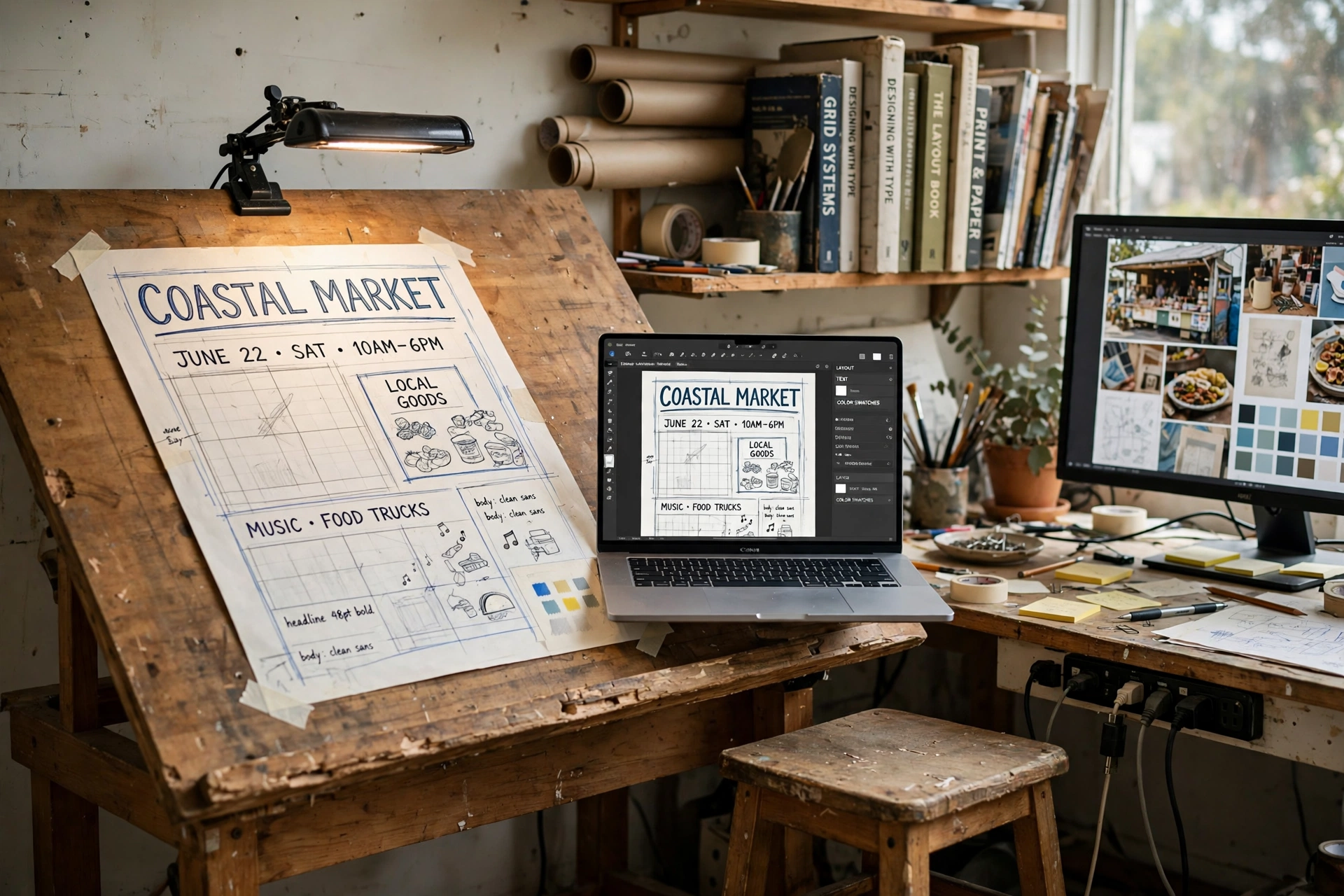
Some design work is too big for a flat desk. A tilted drafting table holds a large poster layout at drawing height, the paper held by the ledge, while a laptop on a side desk shows the same design on screen for comparison. A clip-on lamp lights the paper from above, a stool lets the designer sit close to the tilted surface, and a hanging file organizer on the wall holds the finished layouts and reference sheets. The monitor on the side desk stays on with reference images, and a power strip under the side desk feeds the laptop, the lamp, and the monitor. Work the big shapes on the tilted table first, then move to the screen for the fine detail, and the poster keeps the hand drawn energy that a mouse alone rarely gives.
KEY PIECE
Studio Designs Vintage Rustic Oak Drafting Table, Top Adjustable Drafting Table Craft Table Drawing Desk Hobby Table Writing Desk Studio Desk, 36 x 24 Inch
Why this one: The solid wood top tilts from flat to near vertical, and the built in pencil groove and ledge keep the tools and the paper where they belong.
Worth knowing: The 36 by 24 inch top suits posters and large layouts, while a full broadsheet may need a bigger table.
COMPLETES THE SETUP
LEPOWER Clip on Light, Reading Light and Book Light Color Changeable, Night Light Clip on for Desk, Bed Headboard and Computers (Silver)
Why this one: The clip grips the tilted table edge and the gooseneck aims the light exactly at the paper, without taking any desk space.
Worth knowing: The clip opens to about 2.36 inches, so it needs a table edge it can grip firmly.
COMPLETES THE SETUP
Simple Houseware Mesh Hanging File Folder Organizer, Silver
Why this one: The hanging files hold finished layouts flat and sorted, so the drafting table stays clear for the work in progress.
Worth knowing: It holds letter size files, so oversized poster sheets need a separate flat store.
Frequently asked questions
What does a designer need most in a home office?
A screen you can trust for colour, a pen tablet or pen display for drawing, and a surface for paper proofs and swatches. The desk, light, and storage support those three things, not the other way around.
Is a pen tablet or a pen display better for designers?
A pen tablet is smaller, cheaper, and fits in front of a laptop, while a pen display lets you draw directly on the screen. Designers who sketch all day often prefer the display, while designers who mix drawing with typing often prefer the tablet.
Do designers need a 4K monitor?
Not every designer does, but photo and print designers benefit from a 4K calibrated panel, because fine detail and colour shifts show up sooner on a sharp screen than on a basic one.
Why do designers still use paper swatches and proofs?
Screens vary in brightness and colour, while a printed swatch and a pinned proof show the work as it will actually look. The paper check catches colour and layout problems before a file goes to print or to a client.
Can a small room hold a designer setup?
Yes. A pen tablet setup, a light pad desk, or a sketchbook corner all fit on a standard desk, and the proofing board uses wall space instead of floor space. Start with the smallest setup that fits your work, then add the bigger pieces later.
Conclusion
A good designer home office shows the work. Pick the setup that matches how you actually design, whether that is matching swatches by hand, drawing on a pen display, proofing layouts on a wall, or sketching logos in a notebook, and build the desk, screen, light, storage, and power around that one anchor. Start small, keep the paper stage close to the screen stage, and let the setup grow with the work. For more setups in this series, browse the Home Office Ideas category.
