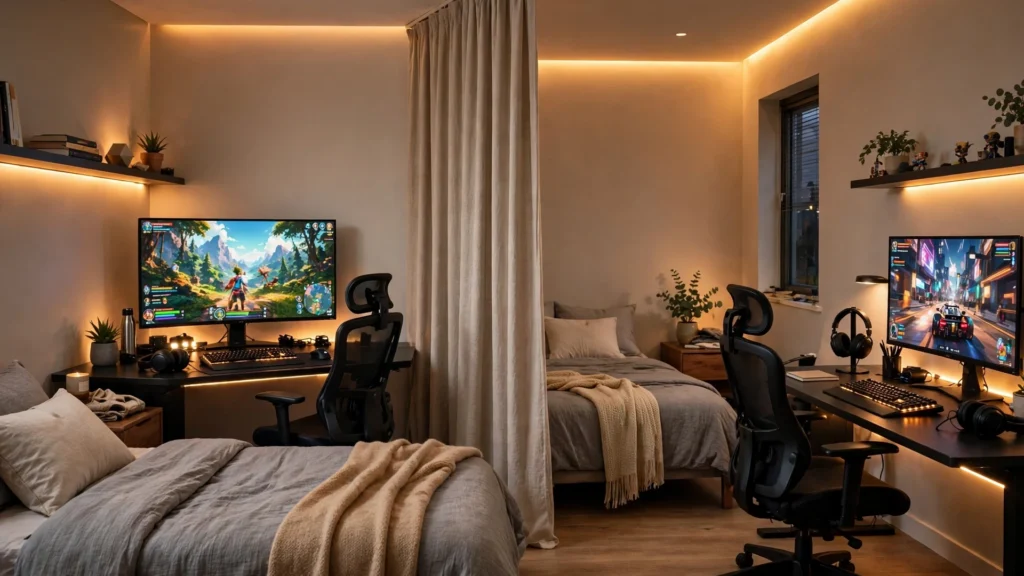
Gaming Room Ideas
Sharing a bedroom does not mean giving up your gaming setup, it just means planning for two people in one room. A good shared bedroom setup keeps your desk, chair, screen, and cables on your side of the room, keeps the noise and light away from the other bed, and still looks like a bedroom you both enjoy coming home to. These nine setups cover twins, couples, roommates, and siblings, and every one of them is a complete setup you can copy whole.
As an Amazon Associate I earn from qualifying purchases. Read our full affiliate disclosure for more detail.
Every idea below is one complete setup you can copy whole, desk, seat, screen, light, storage, and power included. Start by agreeing on the quiet hours and the side of the room that is yours, then pick the setup that fits your floor plan. If your room is tight, the 13 gaming room ideas for small bedrooms will help you squeeze a full setup into a small footprint, and the 7 gaming room soundproofing ideas will help keep late night sessions from waking your roommate.
In This Article
- 1. Back-to-Back Twin Desks
- 2. Bunk Bed Under-Desk Nook
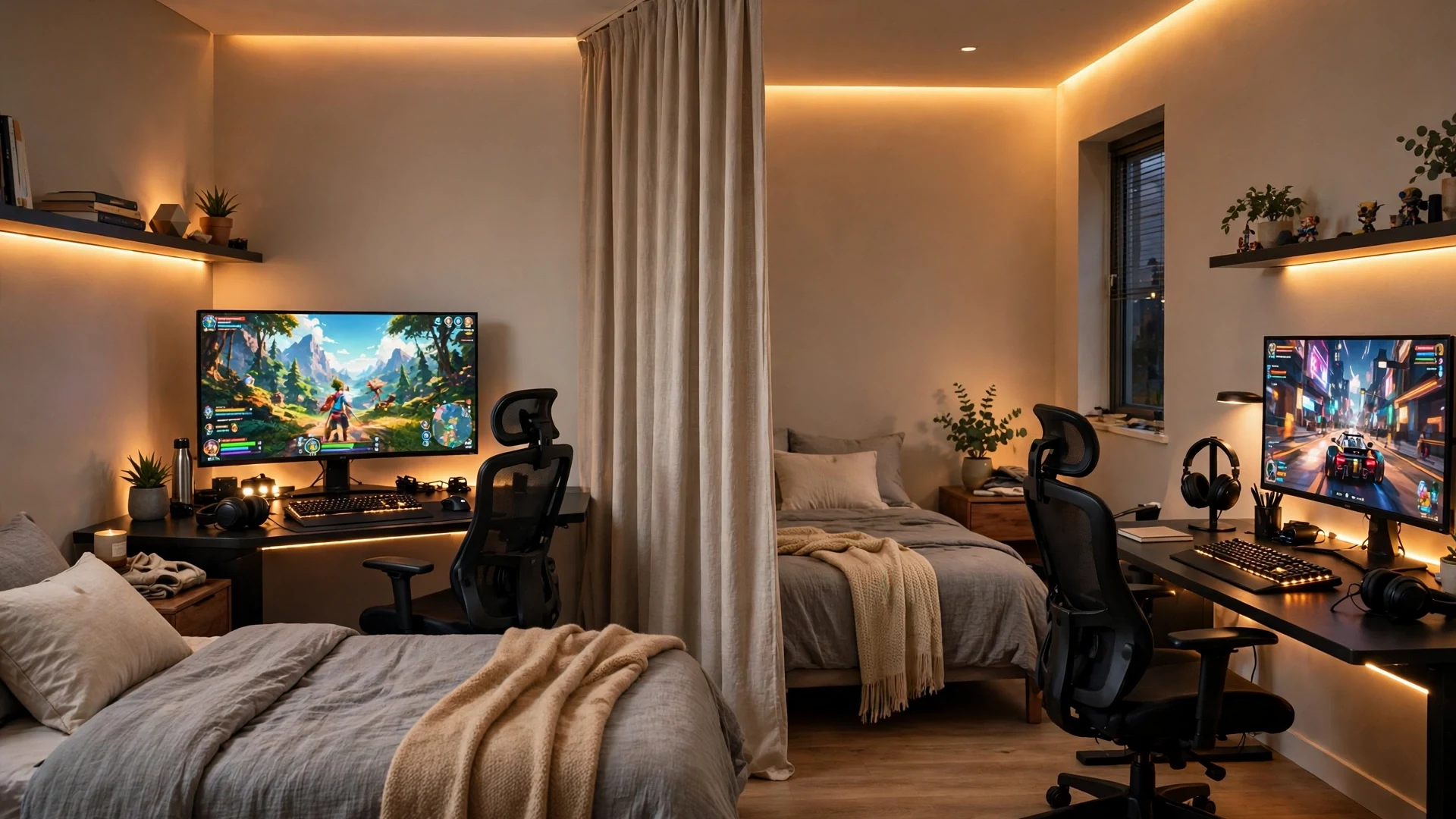
- 3. Room Divider Curtain Corner
- 4. Loft Bed Gaming Cave
- 5. Fold-Down Wall Desk
- 6. Shared Desk, Two Zones
- 7. Closet Turned Gaming Nook
- 8. Quiet Hours Headphone Haven
- 9. Split Storage Wall
- At a Glance Comparison
- Frequently Asked Questions
- Conclusion
At a Glance Comparison
| Setup | Desk and Seat | Screen and Light | Best For |
|---|---|---|---|
| 1. Twin Desks | Two 60 inch desks, matching chairs | Dual monitors, LED strips | Two gamers sharing one room |
| 2. Bunk Bed Nook | Compact 32 inch desk, small chair | Single monitor, LED strip | Kids and teens sharing a room |
| 3. Curtain Corner | L-shaped desk, ergonomic chair | Wide monitor, desk lamp | Privacy without building a wall |
| 4. Loft Bed Cave | 60 inch desk, gaming chair | Dual monitors, RGB strip | A private cave under a loft bed |
| 5. Fold-Down Desk | Wall mounted folding desk, folding chair | Single monitor, monitor light bar | Rooms where floor space is precious |
| 6. Two Zones | Long desk with pegboard divider, two chairs | Two monitors, LED strips | Couples sharing one long desk |
| 7. Closet Nook | Small desk in closet, compact chair | Single monitor, LED strip | Hiding the setup behind closet doors |
| 8. Headphone Haven | Compact desk, quiet chair | Single monitor, dim lamp | Late night sessions without waking anyone |
| 9. Storage Wall | Two compact desks, matching chairs | Two monitors, floor lamp | Keeping shared clutter under control |
1. Back-to-Back Twin Desks
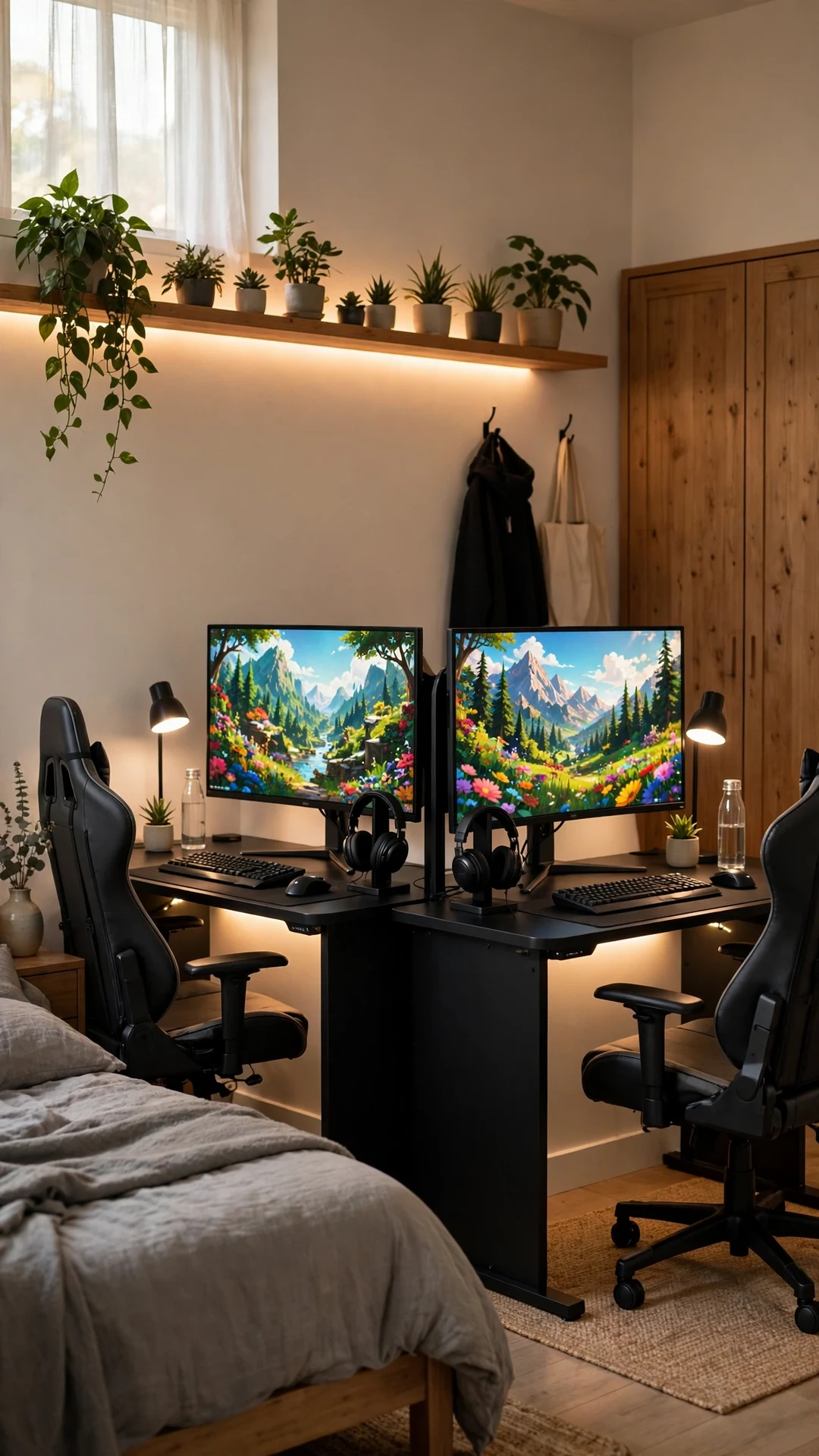
Give each gamer their own desk and put them back to back in the middle of the room, so neither screen faces the other bed. Two matching 60 inch desks create a shared island that feels fair and looks intentional, and a cable tray under each desk keeps the wires off the floor where bare feet walk at night.
Each side gets its own monitor on an arm, its own chair, and its own power strip, so nobody borrows the other person’s outlet or knocks the other’s mouse. A low bookshelf between the desks doubles as a divider and a home for shared games and controllers.
Finish with a warm LED strip under each desk edge and a small lamp on each side for late sessions. Keep the light warm and dim after bedtime, agree on headphones after ten, and this setup lets two people game in the same room without either feeling crowded.
DESIGNA Computer Gaming Desk 60 Inch, PC Laptop Table Workstation with Free Large Mousepad, Black
Why this one: The 60 inch top holds a monitor, keyboard, and mouse with room to spare, and the free large mousepad covers the whole desk surface.
Worth knowing: It has no drawers, so you need a shelf or basket nearby for controllers and cables.
Why this one: The armless design slides under the desk easily, the lumbar support helps long sessions, and the beige finish suits a shared bedroom.
Worth knowing: It has no armrests, so your elbows get no support during long ranked matches.
2. Bunk Bed Under-Desk Nook
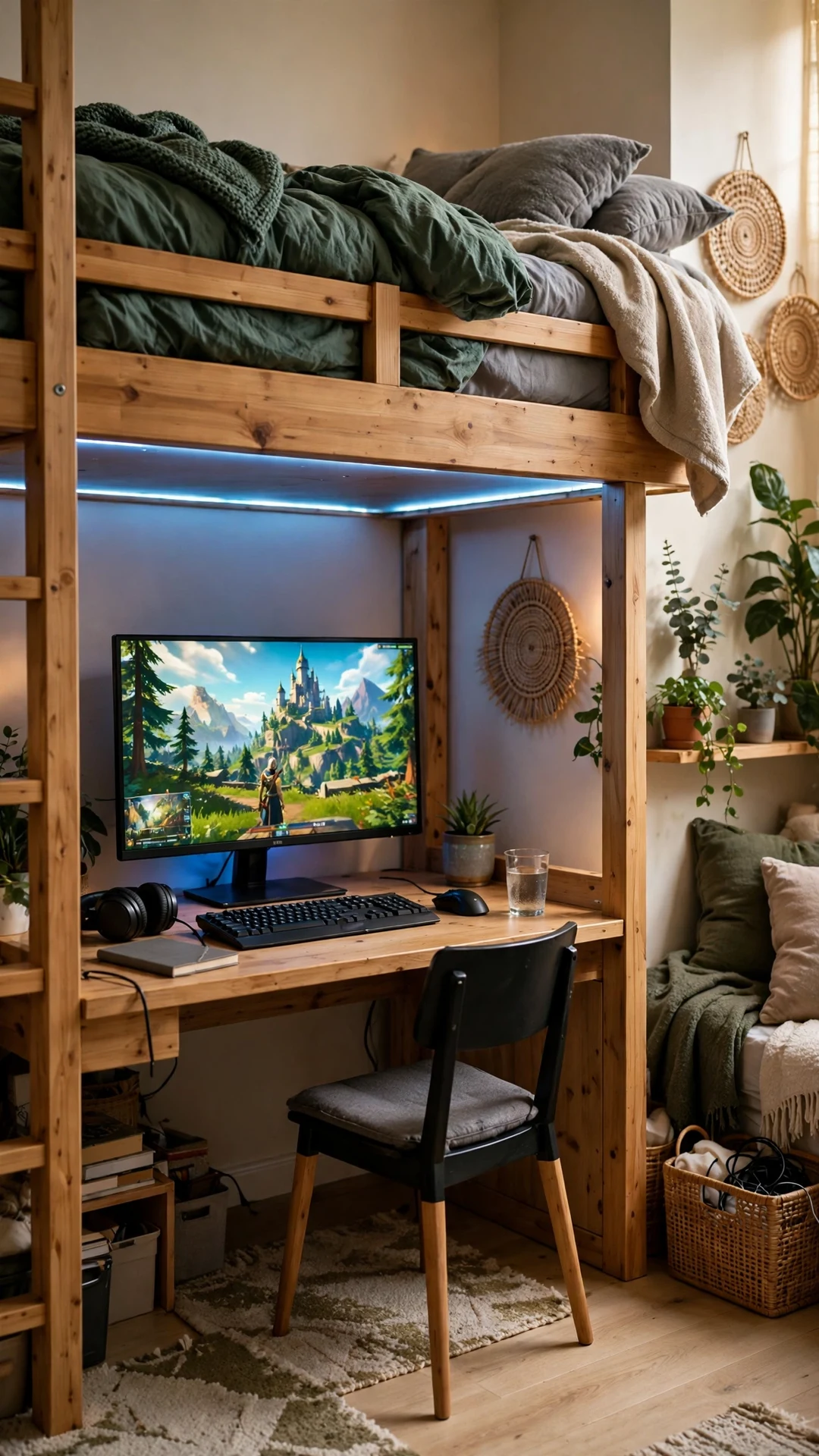
The space under a bunk bed is the best free real estate in a shared bedroom, and it makes a perfect gaming nook. A compact 32 inch desk slides right under the top bunk, the mattress above blocks light from the other bed, and the whole setup feels like a private den.
Mount a single monitor on an arm so it can tilt down to eye level from the low chair, and run an LED strip along the underside of the top bunk for soft light that never spills onto the sleeper above. A small rolling chair tucks fully under the desk when the game is over.
Store games in the desk drawer and hang the headset on a hook screwed into the bed frame. Run one power strip along the back of the desk with cables clipped to the bed leg, and the floor stays clear for the morning rush.
Why this one: The two drawers hold games and controllers, and the 32 inch top fits neatly under a standard bunk bed.
Worth knowing: A second monitor needs a riser or an arm to fit comfortably on the compact top.
Why this one: The adjustable arm lifts the monitor to eye level from a low chair and frees the whole desktop for keyboard and mouse.
Worth knowing: It only holds one screen up to 27 inches, so a dual monitor setup needs a second arm.
3. Room Divider Curtain Corner
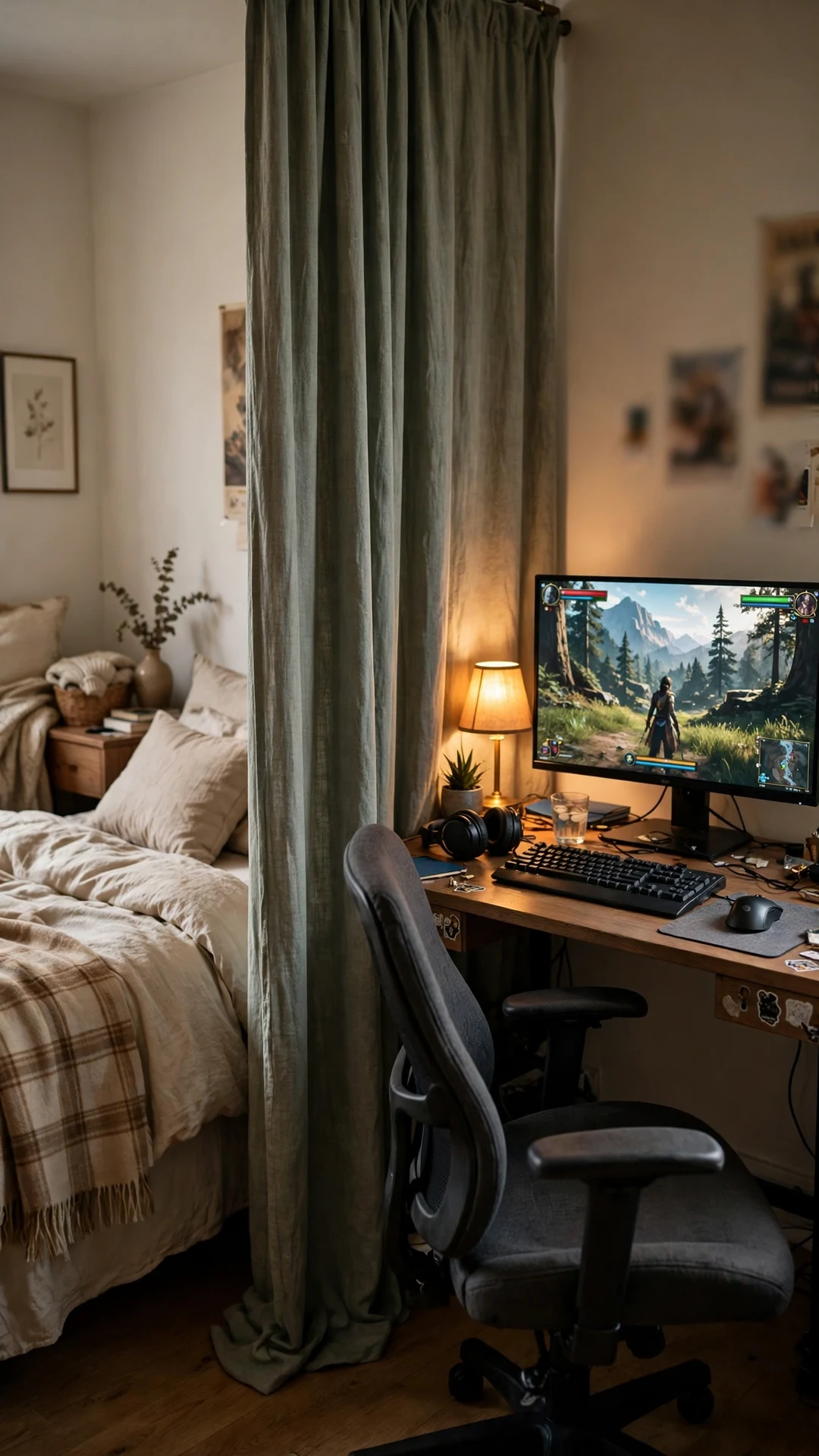
A floor length curtain on a ceiling track is the cheapest wall you will ever buy, and it turns one corner of a shared bedroom into a real gaming room. Hang the track in an L shape around your desk corner, choose a heavy curtain that blocks light, and you can close your whole setup away in seconds.
An L-shaped desk fits the corner perfectly and gives you a main screen zone plus a side zone for homework or a second screen. Put the monitor on the long side, the console or PC on the short side, and an ergonomic chair in the middle so you can swivel between them.
A desk lamp with a warm shade lights your keyboard without leaking through the curtain, and a power strip with a long cord reaches the wall outlet without crossing the room. When the curtain is open the room feels big again, and when it is closed your roommate can sleep while you play.
Why this one: The L shape fills a corner neatly, the reversible shelves hold games, and the marble top looks smart behind a curtain.
Worth knowing: The shelves are open, so cables and clutter stay visible unless you add baskets.
Why this one: The high back and lumbar support suit long sessions, the flip-up arms slide under the desk, and it holds up to 300 lbs.
Worth knowing: The gray velvet shows dust and pet hair easily, so it needs a quick brush now and then.
4. Loft Bed Gaming Cave
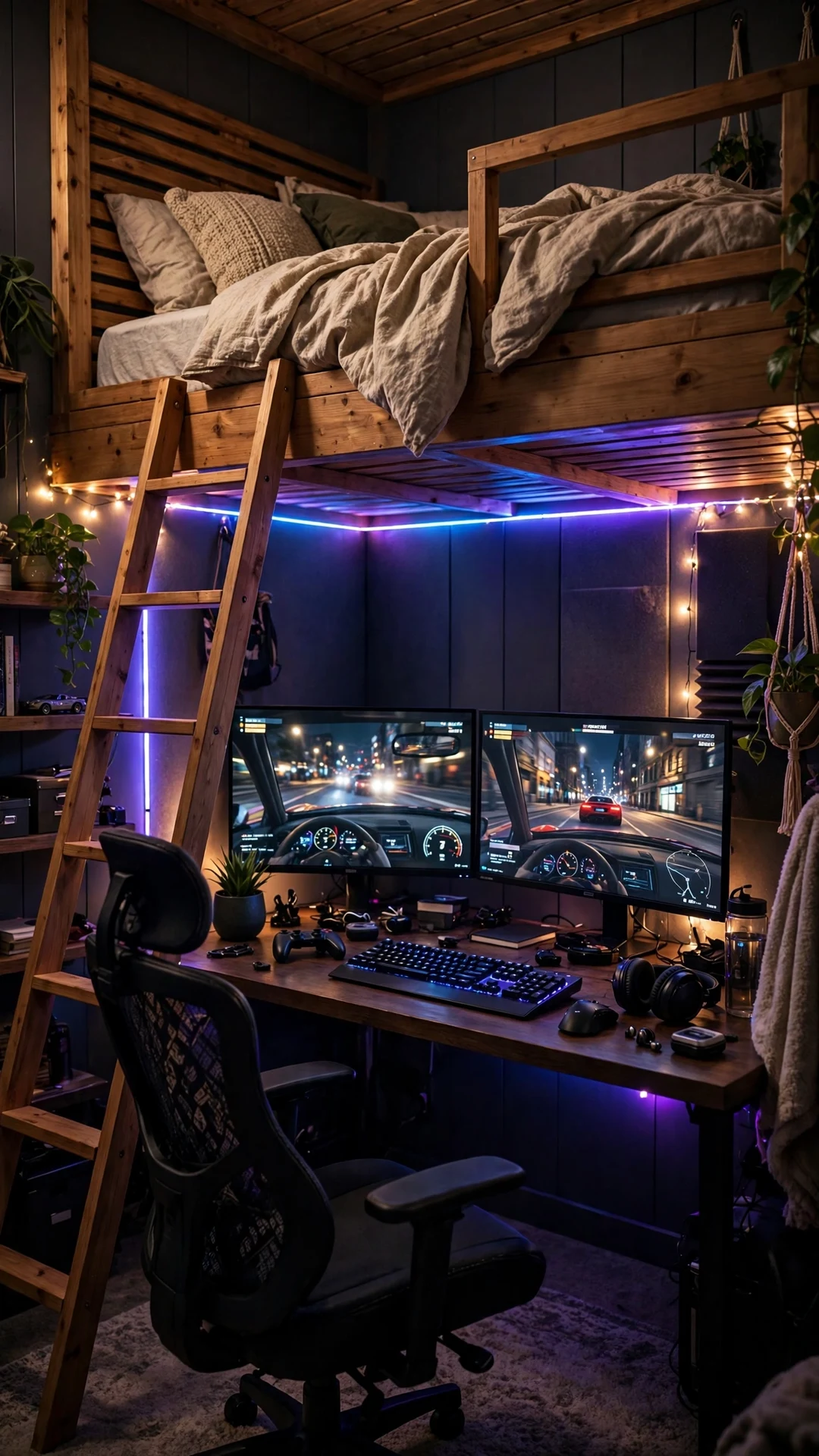
A loft bed lifts the sleeper up and hands you the whole floor underneath, which is enough room for a full gaming desk, a chair, and storage. The bed frame becomes the walls of your cave, the mattress above muffles sound, and a curtain across the front closes it off completely.
Put a 60 inch desk against the back wall, mount two monitors on arms so they sit at eye level from your chair, and line the frame with an RGB strip set to a calm color for late sessions. A gaming chair with a footrest fits the low space and lets you stretch out between matches.
Keep storage vertical with a small pegboard on the bed frame for controllers and headsets, and run power through a strip fixed under the desk. Add a small fan for airflow, since the cave gets warm, and you have a gaming room inside a bedroom.
Why this one: The footrest, massage lumbar support, and 360 degree swivel make it a proper gaming chair for long sessions in a low space.
Worth knowing: The red finish is bold, so it suits a cave setup better than a calm shared bedroom palette.
Govee 16.4ft RGBIC LED Strip Lights, Work with Alexa and Google Assistant
Why this one: The RGBIC strip lights the whole cave evenly, works with Alexa and Google Assistant, and can be set to a soft color for night play.
Worth knowing: The adhesive can loosen on bed frame metal over time, so add a few clips for a lasting hold.
5. Fold-Down Wall Desk
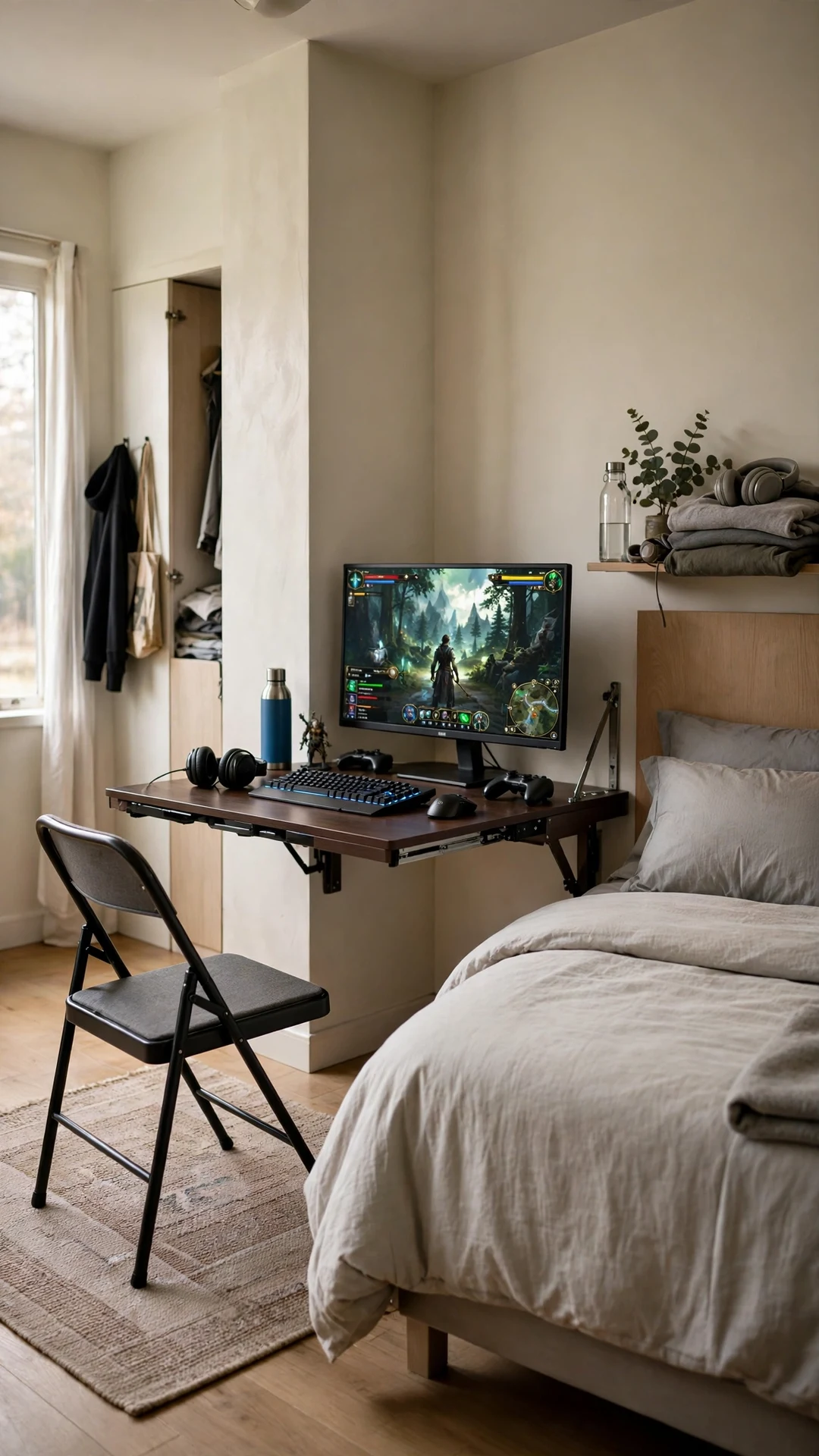
When floor space is the scarcest thing in a shared bedroom, a fold-down desk is the answer. It mounts to the wall, folds up for a full gaming session, and folds flat when you are done, leaving the room clear for getting dressed, exercising, or just walking around.
Pair it with a monitor light bar instead of a desk lamp, since the bar clips to the screen and takes up zero desk space. A lightweight folding chair or a small rolling chair tucks into the closet when the desk is closed, so nothing about the room says gaming until you open it.
Mount a small shelf above the desk for the console and a headset hook on the side. Run power from a strip fixed to the wall just under the desk, with cables clipped along the wall, and the whole setup appears and disappears in under a minute.
Why this one: The 48 by 16 inch folding top is a real desk when open and flat against the wall when closed, perfect for a shared room.
Worth knowing: It needs solid wall studs to hold a monitor safely, so check the wall before you mount it.
Why this one: The monitor light bar lights the keyboard with no desk footprint, dims with a remote, and protects your eyes at night.
Worth knowing: It only fits monitors with a flat top edge, so curved screens with a thick bezel may not work.
6. Shared Desk, Two Zones
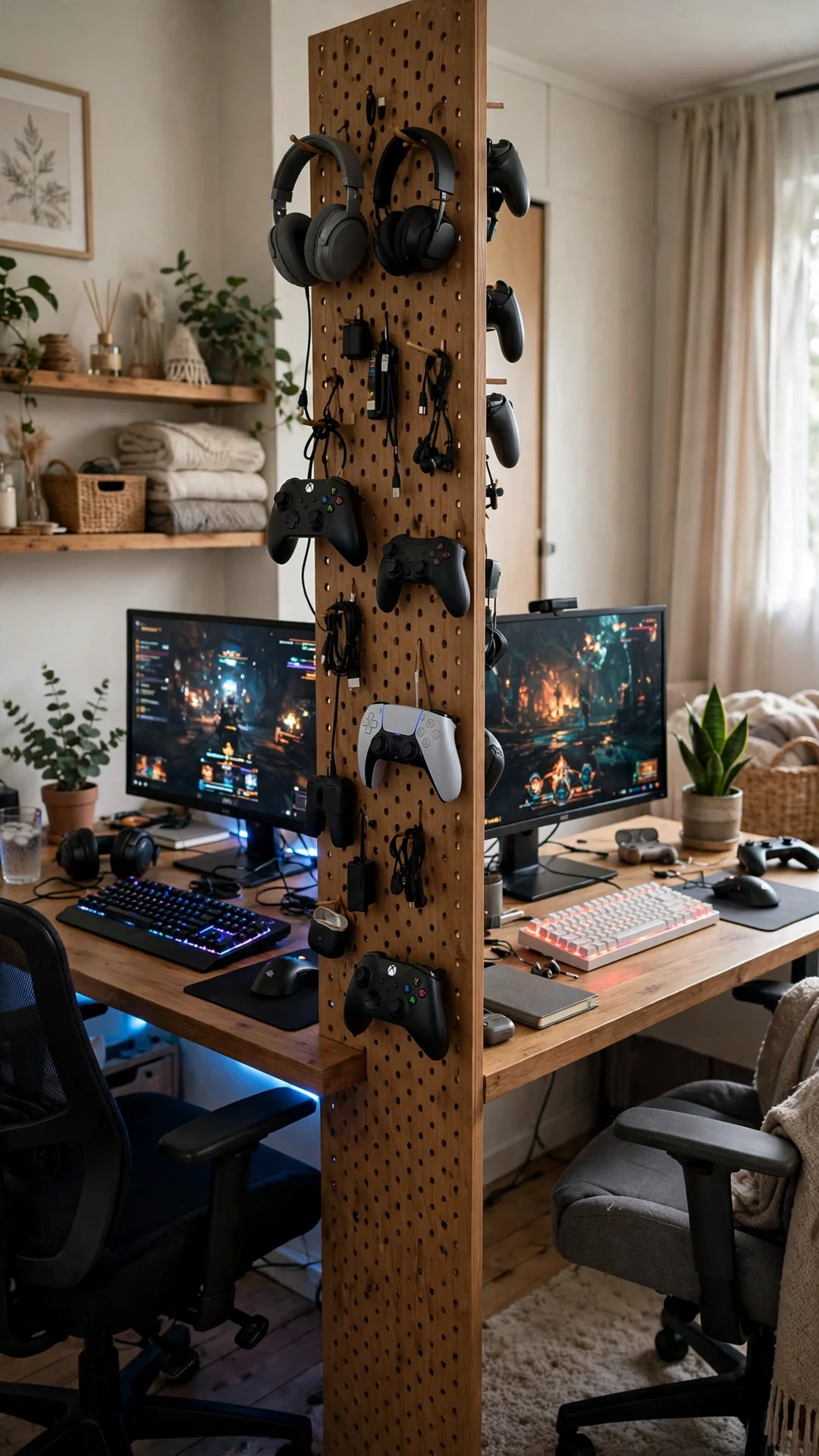
One long desk can serve two gamers if you split it down the middle with a clear boundary. A pegboard panel standing in the center marks the line, holds both players headsets and controllers, and stops elbows and mice from drifting into each other’s space.
Each zone gets its own monitor, its own keyboard and mouse, and its own chair, with the pegboard in the middle as shared storage. Put a monitor riser under each screen to lift it to eye level and free the space underneath for notebooks or a console controller.
Give each side its own power strip mounted under the desk edge, and run one LED strip along the back of the desk in a neutral color both players like. The setup feels like two desks that happen to touch, which is exactly how a shared desk should feel.
Why this one: The metal pegboard divides the desk fairly, holds headsets and controllers on hooks, and keeps gear off the desktop.
Worth knowing: The 48 piece kit is heavy, so it needs a sturdy desk edge or wall mount to stand safely.
Why this one: The bamboo riser lifts each monitor to eye level and adds storage underneath for controllers and notebooks.
Worth knowing: It is sized for one monitor, so a dual monitor zone needs two risers side by side.
7. Closet Turned Gaming Nook
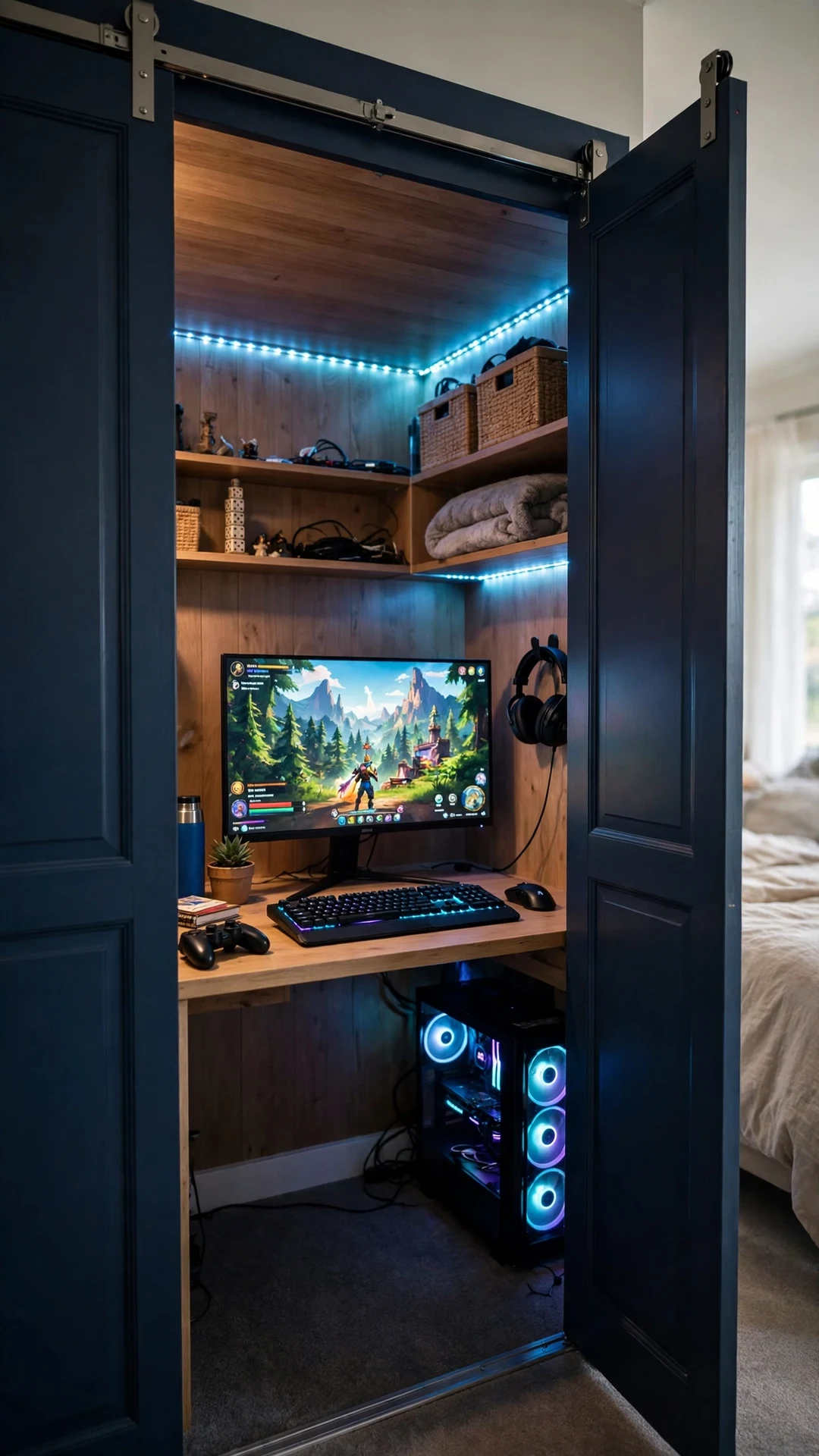
A spare closet is a ready made gaming room with a door you can close. Remove the hanging rail, fit a small desk across the back wall, and you have a nook that hides completely behind sliding doors when guests come over or your roommate needs quiet.
Line the closet walls with an LED strip and a small set of acoustic panels, which cut echo in the tight space and keep game sound from filling the bedroom. A single monitor on an arm leaves the desktop clear, and a compact chair rolls out easily when the doors open.
Storage is built in, since the closet shelf above the desk holds games and the side walls take hooks for headsets. Run a power strip inside the closet with a cable box to hide the plugs, add a small USB fan for airflow, and close the doors to make the whole setup vanish.
CubiCubi Computer Desk, 32 inch Small Home Office Desk for Small Spaces, Vintage
Why this one: The 32 inch vintage desk fits most closets, and the simple frame leaves room for a chair to roll in and out.
Worth knowing: It has no drawers or shelves, so games need the closet shelf above the desk.
Why this one: The self-adhesive foam panels cut echo inside the closet and keep late night game sound from filling the bedroom.
Worth knowing: The adhesive can mark painted walls when removed, so use removable strips on a rental closet.
8. Quiet Hours Headphone Haven
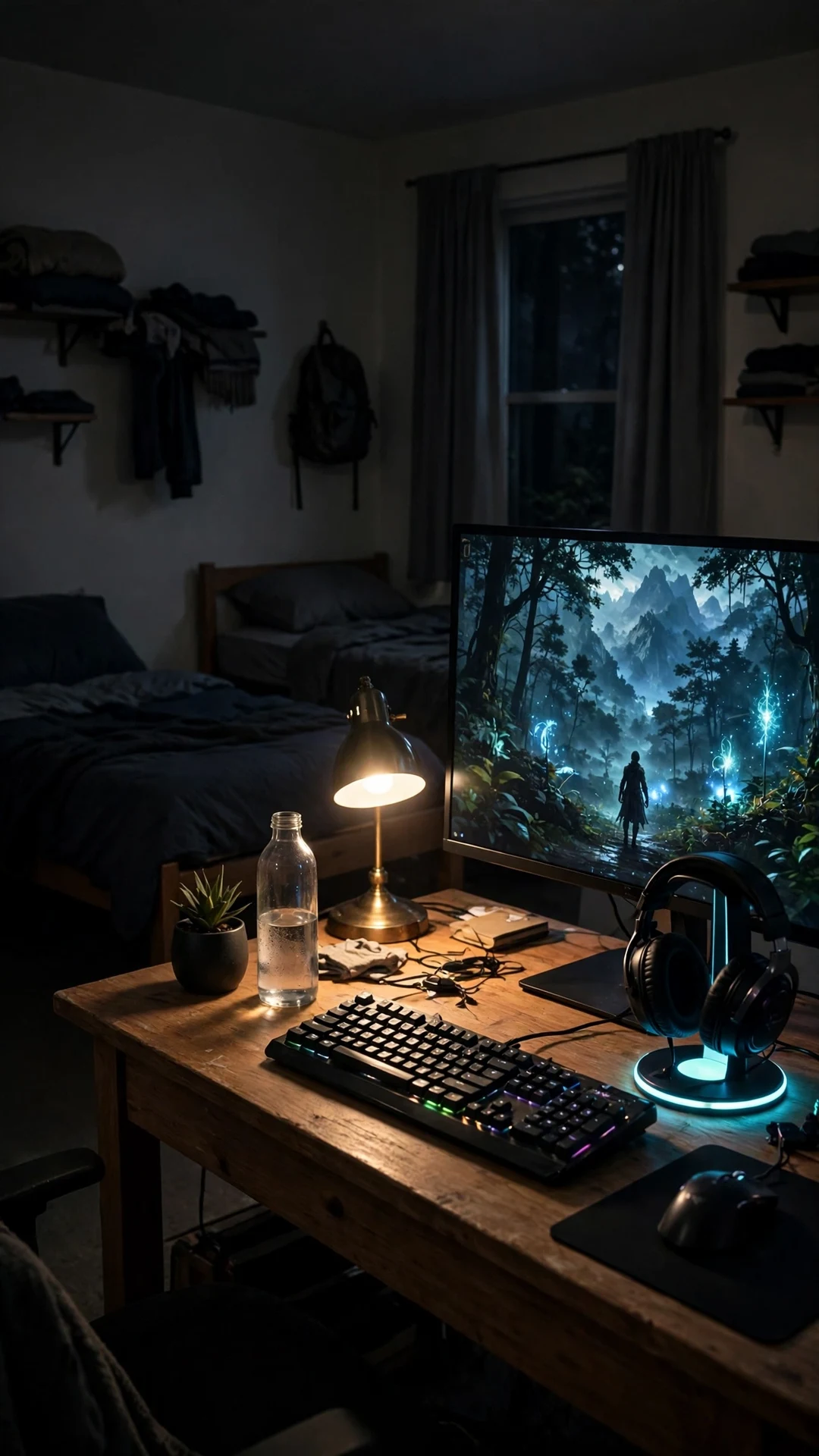
Some shared bedrooms work fine during the day and only clash at night, and this setup is built for exactly that. Everything is chosen for silence: a headset stand with a soft glow, a keyboard on a thick desk mat, a chair that does not squeak, and lighting dim enough that the other bed stays dark.
Use a single monitor with a light bar set low, and keep the desk lamp off entirely after bedtime. A headset with a mic lets you talk to your squad without speakers, and a controller holder keeps the second controller from rattling around in a drawer.
Power runs through a strip with individual switches, so you can kill the monitor and lights with one click when the session ends. Add a small rug under the chair to hush rolling wheels, agree on a headphones after ten rule, and night gaming stops being a negotiation.
Why this one: The RGB headset stand holds the headset and controller in one tidy spot, with nine light modes that can be set very dim.
Worth knowing: The lights stay on in standby unless you switch the strip off, so pair it with a switched power strip.
Why this one: The six outlets and four USB ports power the whole quiet setup, and the flat plug sits flush behind the desk.
Worth knowing: The five foot cord is short for a desk far from the wall, so measure before you buy.
9. Split Storage Wall
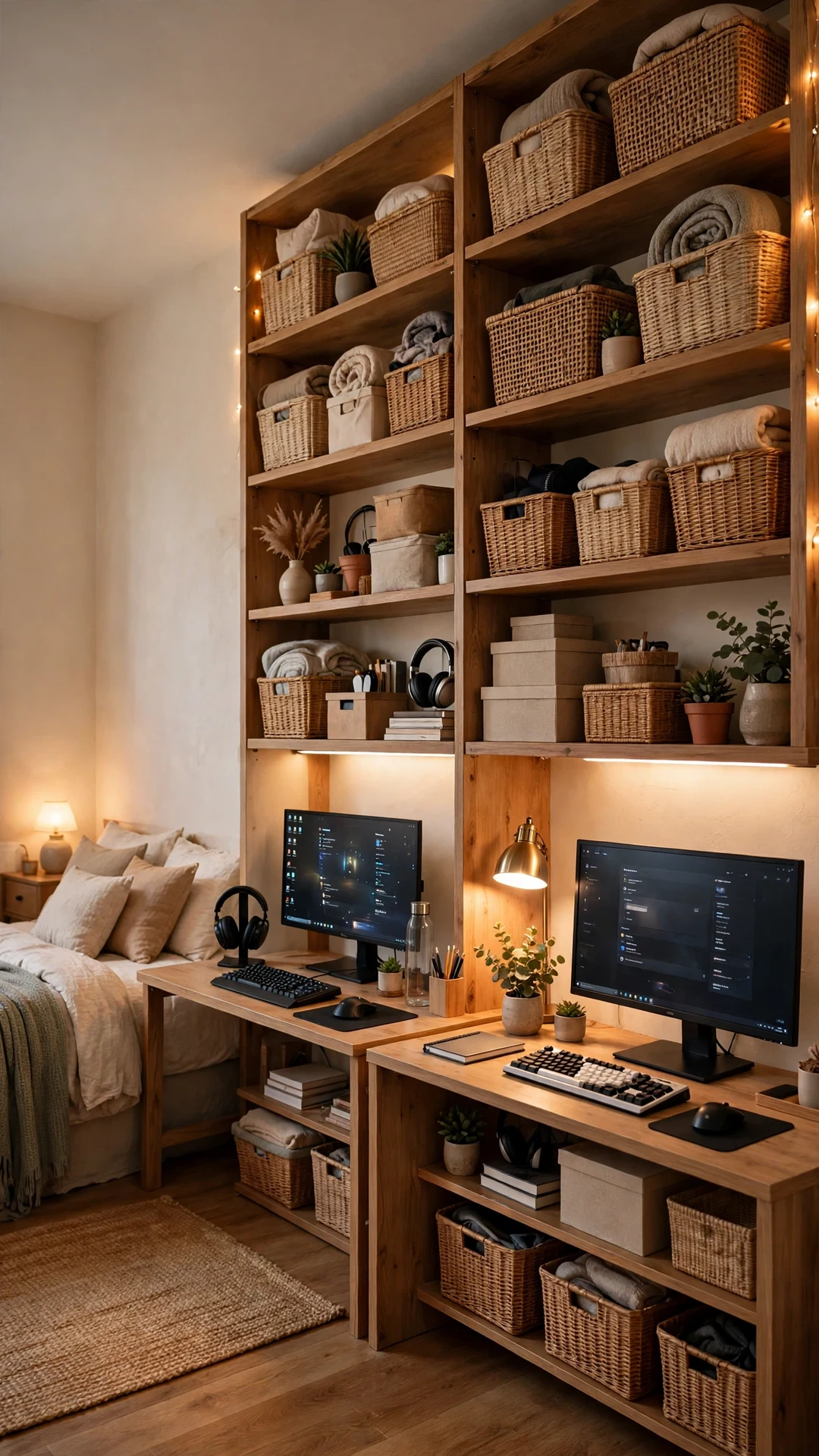
In a shared bedroom the gaming gear is only half the problem, and the clutter is the other half. This setup puts a tall storage wall on one side of the room and gives each gamer a compact desk on the other, so games, controllers, cables, and clothes all have a labeled home.
A three tier bookcase holds shared games and consoles, seagrass baskets on the shelves hide cables and chargers, and a floor lamp in the corner lights the whole room without a desk lamp on either desk. Each desk gets one monitor on a riser, which frees the space underneath for a notebook or a snack tray.
Label one basket per person and one basket for shared gear, and the daily argument about whose controller is whose disappears. Run a single long power strip behind the bookcase with cables clipped to the shelf backs, and the room stays tidy enough that both roommates actually like living in it.
Furinno Basic 3-Tier Bookcase Storage Shelves, French Oak Grey
Why this one: The three tier bookcase holds games, consoles, and baskets in a small footprint, and the French oak gray finish suits most bedrooms.
Worth knowing: It is open shelving, so it looks best with baskets hiding the clutter.
Why this one: The three seagrass baskets with lids hide cables and chargers, and the natural finish warms up a shared bedroom.
Worth knowing: The lids lift off rather than hinging, so they can slide off a high shelf if bumped.
Frequently Asked Questions
How do two gamers share one bedroom without fighting over space?
Draw the line first and build second. Give each person a defined desk zone, their own chair, their own power strip, and their own storage basket, and use a curtain, pegboard, or bookshelf as a visible boundary. Setups 1, 6, and 9 all use a clear divider so neither player drifts into the other side.
Can I game late at night in a shared bedroom?
Yes, with headphones and dim light. Use a headset instead of speakers, set the monitor light bar low, and keep a rug under the chair to hush the wheels. Setup 8 is built for quiet hours, and the acoustic panels in setup 7 help too.
What is the best desk for a shared bedroom?
A compact desk wins in most shared rooms. A 32 inch desk fits under a bunk or inside a closet, a 60 inch desk suits a twin desk island, and a fold-down wall desk is best when floor space is precious. Measure your zone before you buy, and leave room for the chair to roll back.
How do I hide my gaming setup when guests visit?
A closet nook or a fold-down desk hides completely, and a curtain corner hides in seconds. Setups 5 and 7 are the best hiders, while setup 4 closes off with a curtain across the loft bed front.
How do I keep cables safe in a shared bedroom?
Run one power strip per desk, fix it under the desktop, and clip cables along the desk edge or bed frame. A cable tray or cable box hides the rest, and a rug over floor runs stops trips in the dark.
Conclusion
A shared bedroom works when every gamer has their own zone, their own power, and their own storage, and when the quiet hours are agreed before the first late session. Start with the twin desks if you both play, the bunk nook if the room is small, or the closet nook if you want the whole setup to vanish behind a door. Add the curtain, the headphones, and the labeled baskets, and your shared bedroom will feel like two gaming rooms that happen to share a wall. For more small space ideas, the 12 corner gaming setup ideas show how to use the corners most shared rooms waste.
