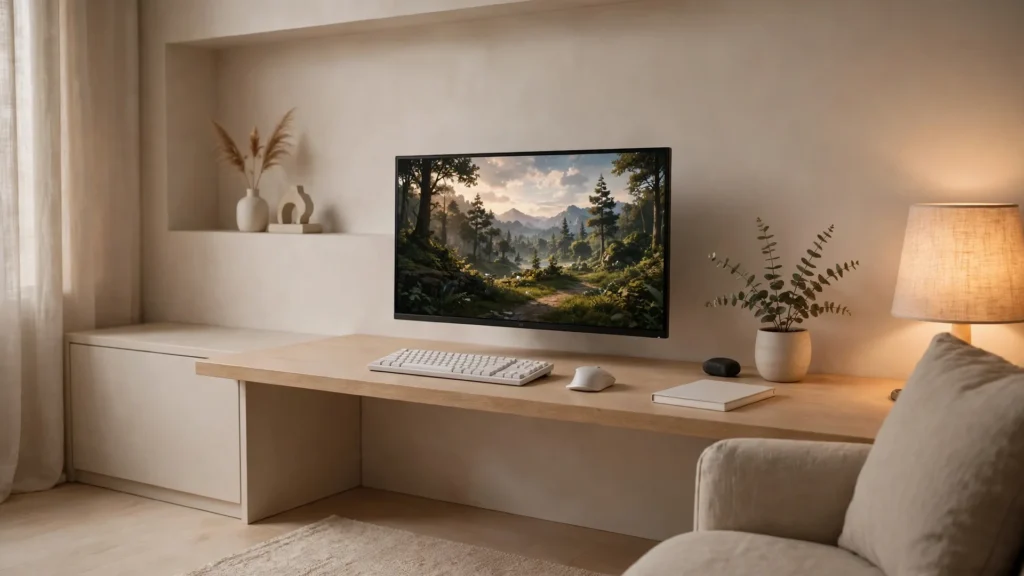
Gaming Room Ideas
The best gaming tech is the tech you cannot see. Hidden tech means the cables vanish, the console hides behind a door, and the room looks calm and finished until the screen lights up. These nine setups show how to hide every wire, speaker, and box without losing any of the play.
As an Amazon Associate I earn from qualifying purchases. Read our full affiliate disclosure for more detail.
Every idea below is one complete setup you can copy whole, desk, seat, screen, light, storage, and power included. Start by hiding the power, then the cables, then the boxes, and the room will transform. If your room is small and every cable shows, the 13 gaming room ideas for small bedrooms will help you plan the hiding spots first.
In This Article
- 1. The Cable Free Desk
- 2. The Hidden Console Cabinet
- 3. The In Wall Monitor Setup
- 4. The Hidden Speaker Setup
- 5. The Secret Charging Drawer
- 6. The Hidden Lighting Setup
- 7. The Under Desk PC Hideaway
- 8. The Wireless Everything Setup
- 9. The Hidden Storage Wall
- At a Glance Comparison
- Frequently Asked Questions
- Conclusion
At a Glance Comparison
| Setup | Desk and Seat | Screen and Light | Best For |
|---|---|---|---|
| 1. Cable Free Desk | Clean desk, simple chair | Single monitor, small lamp | A desk with zero visible wires |
| 2. Hidden Console Cabinet | Media cabinet, sofa seating | TV screen, soft lamps | Hiding the console in plain sight |
| 3. In Wall Monitor Setup | Floating desk, simple chair | Wall monitor, strip light | A monitor that looks built into the wall |
| 4. Hidden Speaker Setup | Simple desk, comfortable chair | Single monitor, warm lamps | Great sound with no visible speakers |
| 5. Secret Charging Drawer | Desk with drawer, simple chair | Single monitor, small lamp | Charging gear out of sight |
| 6. Hidden Lighting Setup | Simple desk, comfortable chair | Single monitor, hidden LEDs | Light with no visible fixtures |
| 7. Under Desk PC Hideaway | Clean desk, simple chair | Single monitor, small lamp | Hiding the PC under the desk |
| 8. Wireless Everything Setup | Minimal desk, simple chair | Single monitor, soft lamp | A desk with no wires at all |
| 9. Hidden Storage Wall | Clean desk, comfortable chair | Single monitor, warm lamps | Hiding every game and cable in one wall |
1. The Cable Free Desk
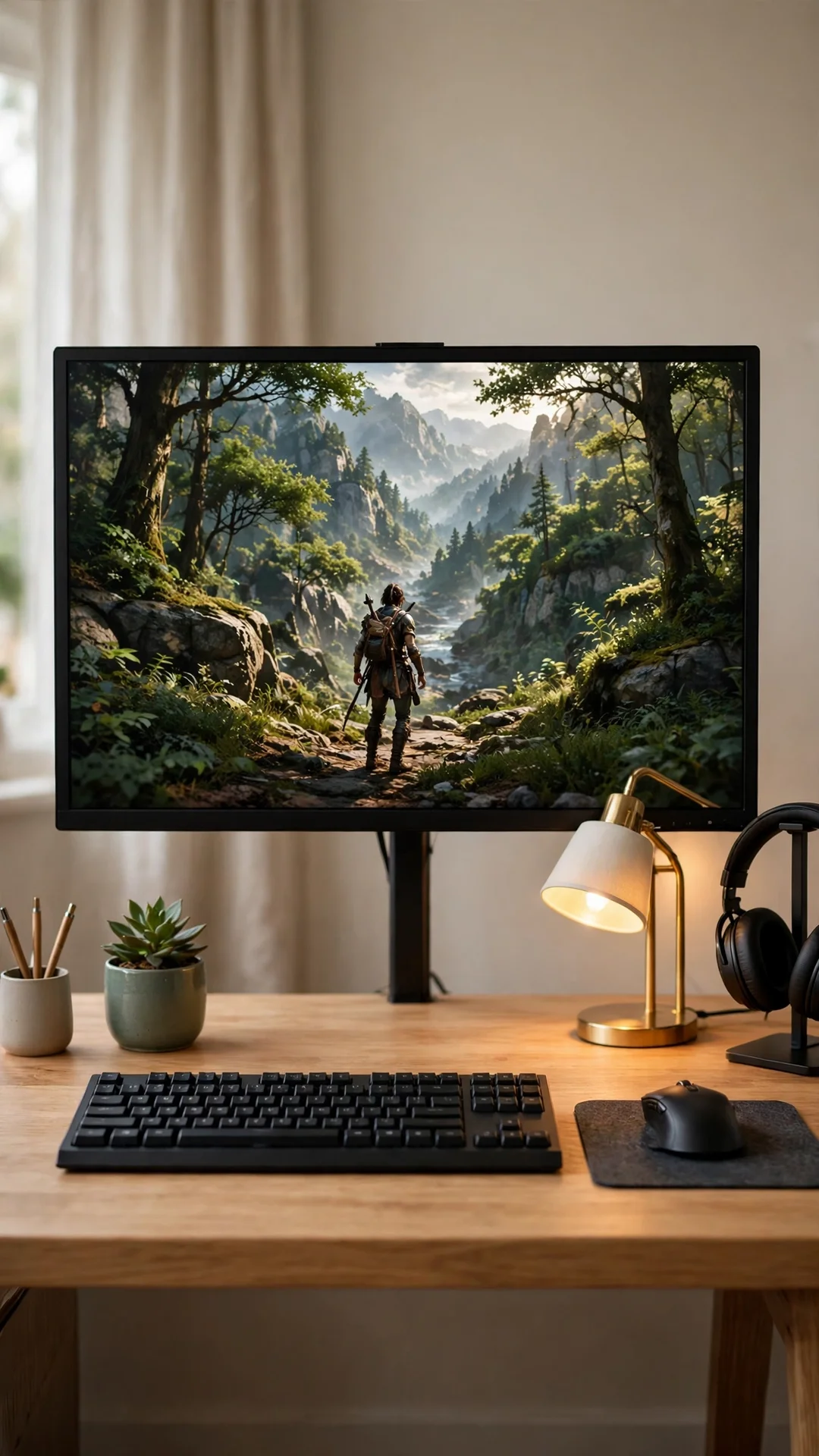
A cable free desk feels like magic the first time you see it, and it is mostly just good planning. Every cable runs through a tray under the desktop, the power strip is fixed to the underside, and the monitor cable drops straight down behind the desk into the tray. The desktop holds only the keyboard, the mouse, and the monitor, and nothing else.
Light is a small lamp and a strip behind the monitor, both with their cables hidden the same way. Storage is a drawer for the controller and a cable box on the floor that swallows the power strip and the chargers. The chair is simple and quiet, with no extra gear hanging off it.
Power is the whole trick here, one strip under the desk, one cable to the wall, and a tray that holds the rest. Add cord clips along the back edge for anything that still shows, and this desk will look clean from every angle, even from behind.
Yecaye 2 Pack Cable Management Under Desk, 31.5 in Under Desk Cable Management Tray
Why this one: The two pack of trays holds every cable under the desk, and the 31.5 inch length covers a wide desk.
Worth knowing: They mount under the desk, so check the desk thickness and the space below before you fit them.
Why this one: The cable box hides the power strip and chargers on the floor, and the lid keeps dust and little hands out.
Worth knowing: It is a plastic box, so very large power strips may need a bigger size.
2. The Hidden Console Cabinet
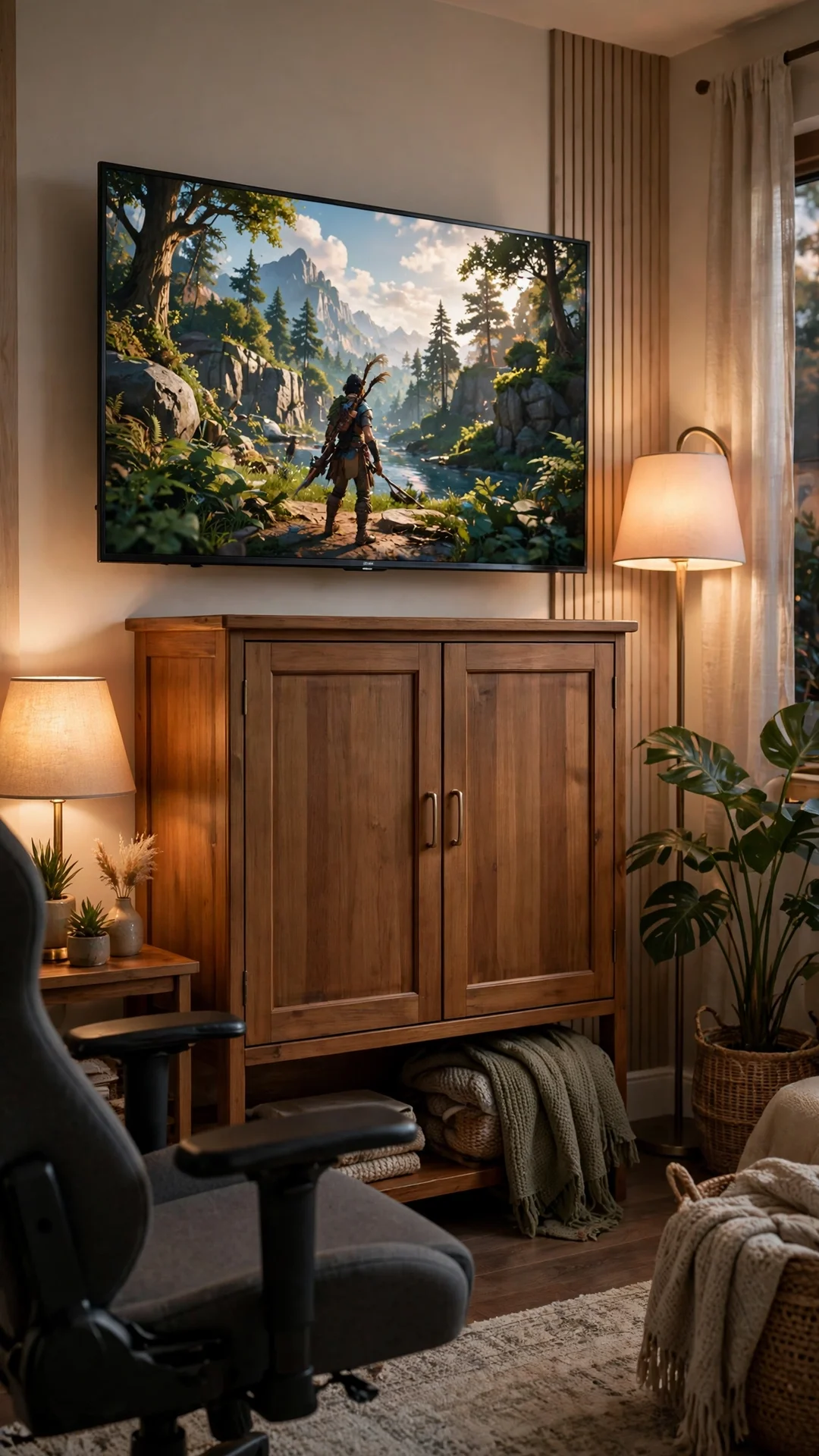
A console does not need to sit on display, and this setup hides it inside a closed cabinet with the TV above. The cabinet doors close over the console, the controllers, and the games, and the room looks like a normal living room until the TV lights up. Ventilation holes in the back keep the console cool, and a small fan helps on long sessions.
Light is a TV backlight and two soft lamps, which keep the room warm without any glow from the gear itself. Seating is the family sofa, so no extra chair is needed. Storage is the cabinet itself, with one shelf for games and one for the console, and a basket beside it for the controllers.
Power runs through a strip inside the cabinet, with one cable to the wall hidden behind the furniture. This is the easiest hidden tech setup to build, because the cabinet does all the hiding for you.
Why this one: The side cabinet hides the console and games behind closed doors, and it fits large TVs without looking like gaming furniture.
Worth knowing: It is a big piece of furniture, so measure your wall and check the delivery size before ordering.
Why this one: The rolling cable box keeps the power strip and surge protector tidy inside the cabinet, and the steel build lasts.
Worth knowing: It is a storage box, not a power strip, so you still need a strip to plug into it.
3. The In Wall Monitor Setup
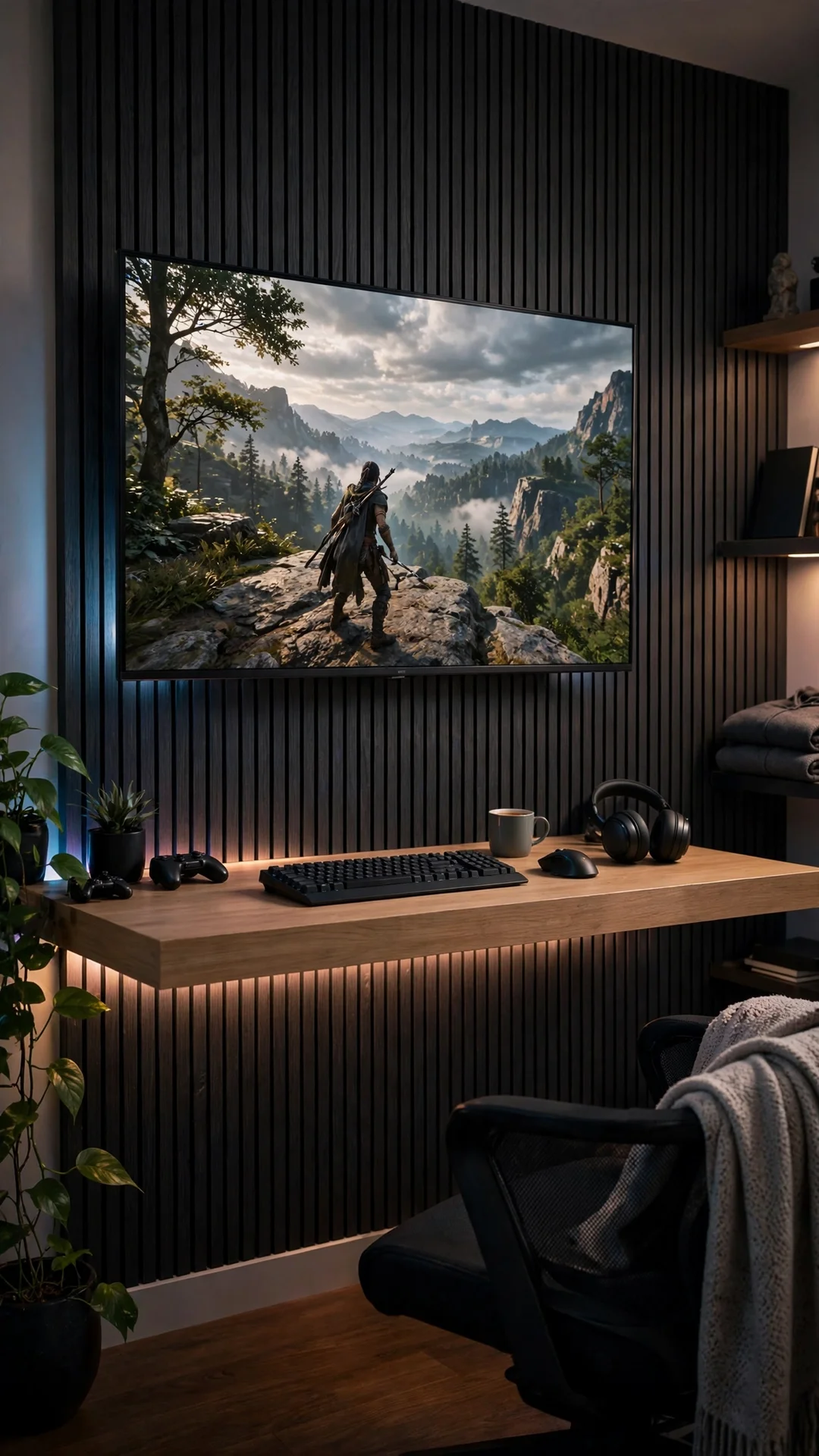
A monitor mounted flush on the wall looks built in, and the trick is hiding the cables inside the wall or behind a slim channel. A floating desk sits below the screen, a single cable drops from the monitor into a channel behind the desk, and the desktop stays completely clear. The effect is a screen that floats, with no wires anywhere.
Light is a strip behind the monitor that glows against the wall, which makes the floating effect even stronger. The chair is simple and slides under the floating desk when the game ends. Storage is a small shelf beside the desk for the controller and a drawer for the headset.
Power is a strip fixed behind the desk with cables clipped along the wall channel. This setup needs a little more planning than a normal desk, but the result looks like a room designed by a professional, not a desk with a screen on it.
Why this one: The single monitor mount holds the screen flush to the wall, and the clamp and grommet base give two fitting options.
Worth knowing: It fits screens from 13 to 32 inches, so check your monitor weight before you mount it.
Why this one: The floating shelves add storage without a desk, and they fold flat when the room needs to be clear.
Worth knowing: They are small shelves, so they suit games and a headset rather than heavy gear.
4. The Hidden Speaker Setup
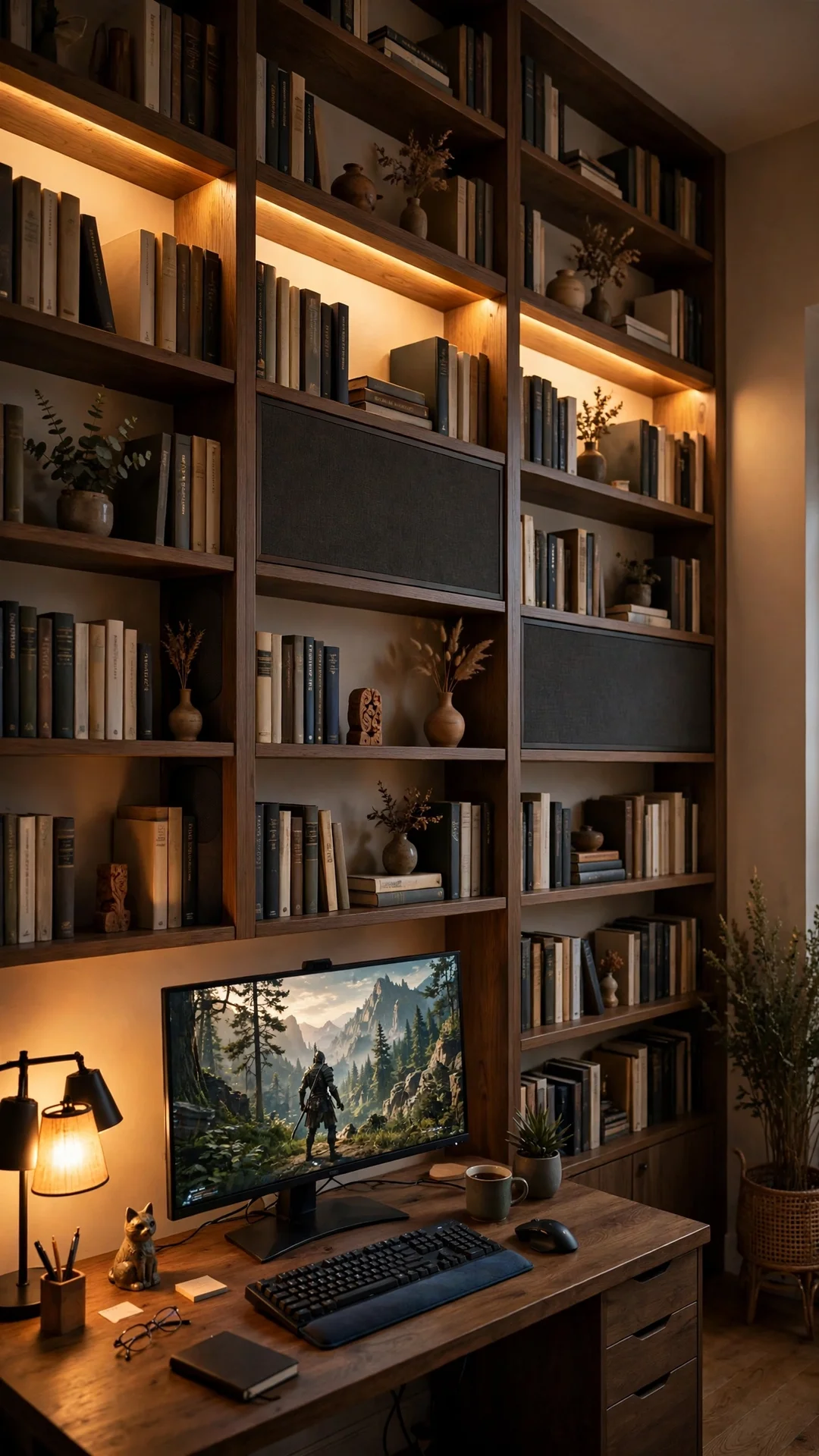
Good sound does not need big speakers on the desk, and this setup hides the audio completely. Small speakers sit on shelves behind books, a soundbar hides under the monitor, and the subwoofer lives under the desk behind a panel. The room sounds full and rich, and nobody can see where the sound comes from.
Light is warm and soft, with a floor lamp and a strip behind the monitor, which keeps the focus on the screen instead of the gear. The chair is comfortable and simple, with a headset on a stand for the moments you want private sound. Storage is a bookcase that doubles as a speaker shelf, with games and books sharing the space.
Power is a strip under the desk with a cable tray, so the speaker cables run the same hidden route as everything else. Add a few soft panels on the wall to keep the sound clean, and this room will sound like a cinema and look like a library.
Why this one: The twelve acoustic panels soak up echo and keep the hidden speakers sounding clean, and they stick on without tools.
Worth knowing: They are foam panels, so they suit a gaming room better than a formal living room.
Furinno Basic 3-Tier Bookcase Storage Shelves, French Oak Grey
Why this one: The three tier bookcase holds books, games, and a hidden speaker on one piece of furniture.
Worth knowing: It is an open bookcase, so the speaker still needs a little arranging to stay out of sight.
5. The Secret Charging Drawer
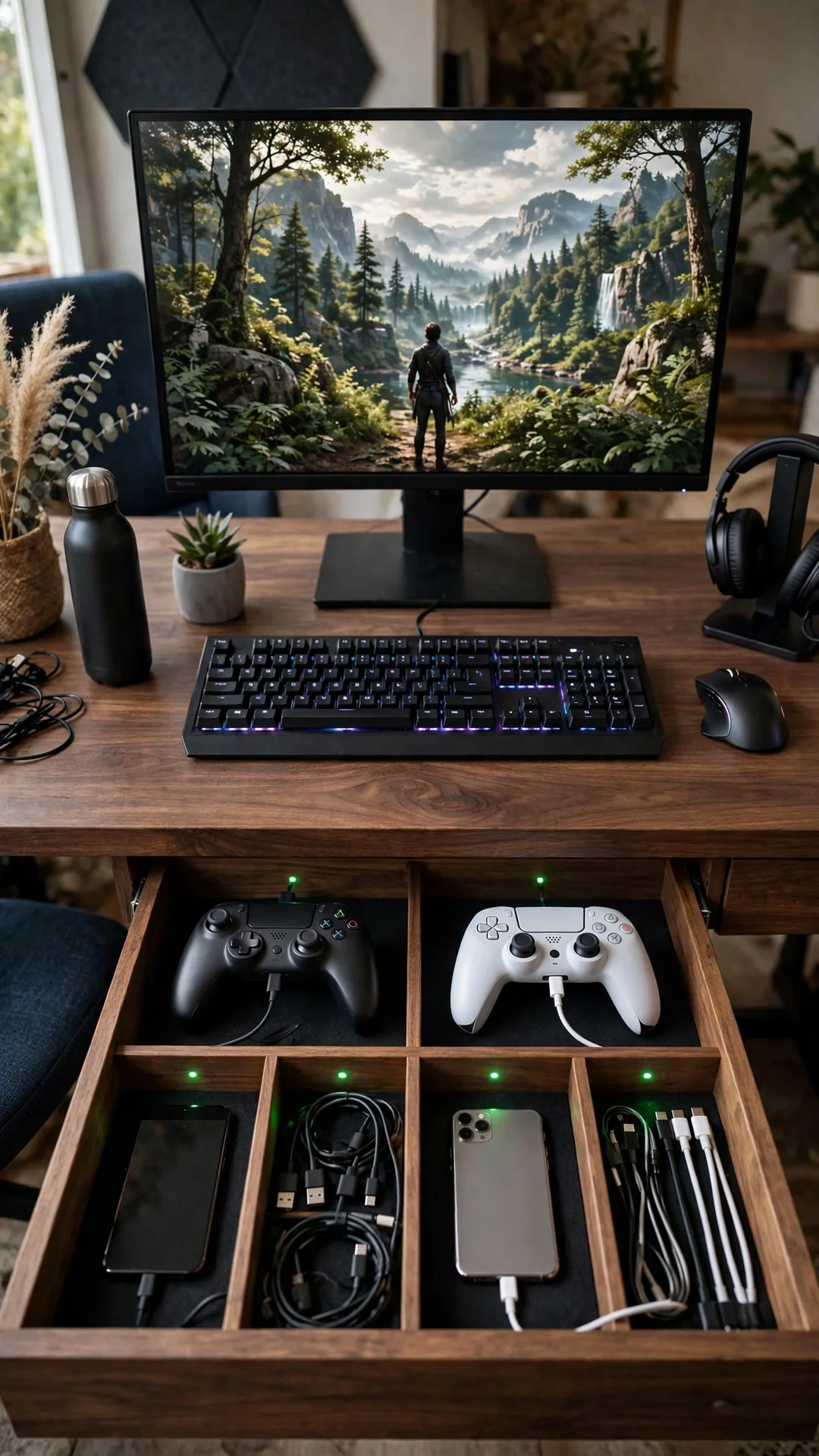
Charging cables are the messiest part of any gaming room, and this setup hides them inside a drawer. A power strip lives in the top drawer, with holes drilled in the back for the cables, and every controller, phone, and headset charges inside the closed drawer. Open it to grab a controller, close it and the mess vanishes.
Light is a small lamp and a strip behind the monitor, both with hidden cables. The chair is simple and the desk is tidy, with only the keyboard and the monitor on top. Storage is the drawer itself, plus a shelf above the desk for games and a basket under it for spare cables.
Power is one strip inside the drawer with a single cable to the wall, clipped along the back edge of the desk. This is a small change with a big payoff, because the drawer hides the ugliest part of the setup and keeps every device charged and ready.
Why this one: The two drawers hold the charging setup and the controller, and the 32 inch top fits a small room.
Worth knowing: It is a compact desk, so a second monitor will need a riser or an arm to fit.
Why this one: The six outlets and four USB ports charge the whole drawer at once, and the flat plug sits close to the wall.
Worth knowing: It is a power strip, so it still needs a cable tray or a drawer to hide the cords.
6. The Hidden Lighting Setup
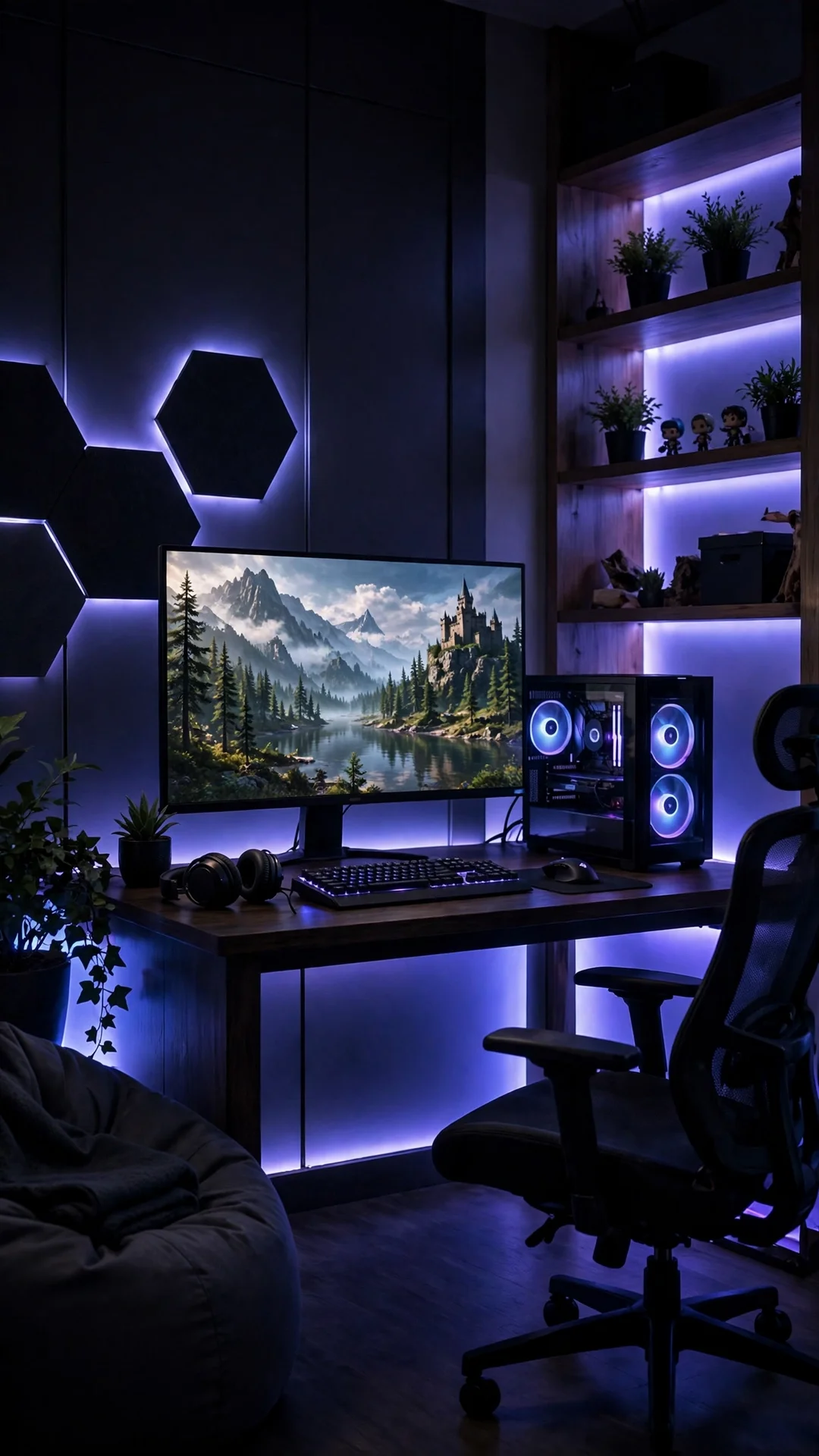
Hidden lighting makes a gaming room glow without a single visible bulb. Strips run behind the monitor, under the desk, along the shelf, and behind the headboard, and the whole room lights up from the edges. The effect is soft and even, with no harsh spots and no lamp taking up desk space.
The monitor is the centerpiece, with a backlight that matches the game colors and makes the screen feel bigger. The chair is comfortable and simple, and the desk holds only the keyboard and the mouse. Storage is a shelf with a strip underneath, so the games glow softly too.
Power is a strip under the desk with a cable tray, and the light strips plug into it with their controllers hidden behind the desk. This setup looks expensive and feels calm, and it is mostly just a few strips placed where nobody can see them.
Why this one: The covered strip gives soft even light behind the monitor, and the diffuser keeps the glow gentle.
Worth knowing: It needs a nearby outlet, so plan the strip route before you mount it.
Why this one: The 65.6 foot strip covers a whole room, and the app control makes it easy to change the mood.
Worth knowing: It is a long strip, so measure the room first and cut it to fit the hidden runs.
7. The Under Desk PC Hideaway
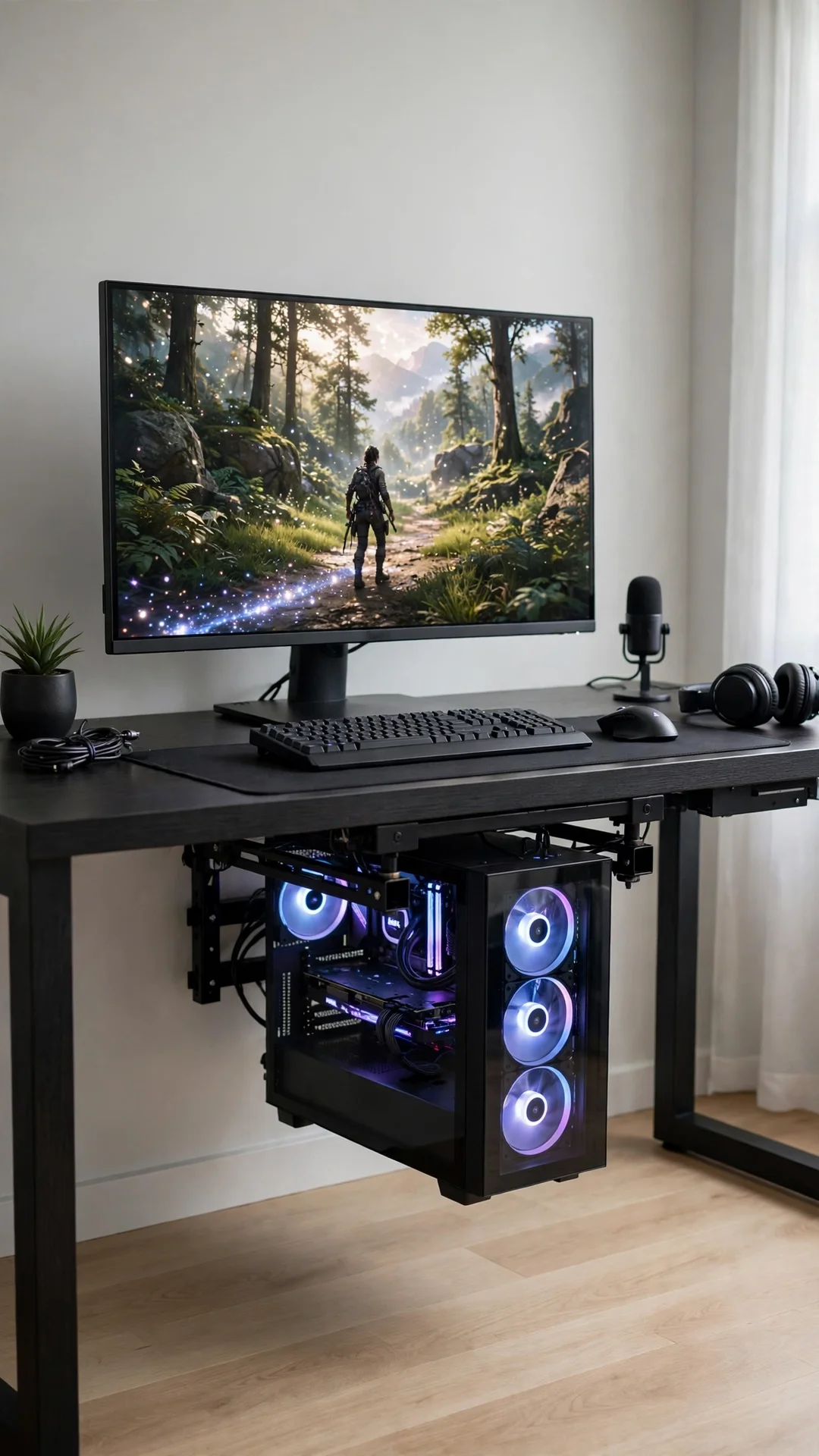
A PC tower on the floor collects dust and takes up legroom, and this setup mounts it under the desk instead. The tower hangs in a mount beneath the desktop, with its lights facing out just enough to glow, and the floor stays completely clear. The desk looks like it has no computer at all, until the screen lights up.
Light is a small lamp and a strip behind the monitor, which keeps the focus on the screen. The chair is simple and rolls freely, because there is no tower to bump into. Storage is a shelf above the desk for games and a drawer for the headset and cables.
Power is a strip under the desk with a cable tray, so the PC cables run straight up into the tray. Add a dust filter on the tower intake, because an under desk PC still needs clean air, and this setup will stay tidy and cool for years.
Why this one: The steel cable tray holds the power supply and the wires under the desk, which keeps the PC mount area tidy.
Worth knowing: It mounts under the desk, so check the desk thickness and the space below before you fit it.
Why this one: The clamp power strip fixes under the desk with ten outlets, which powers the PC and the whole setup from one spot.
Worth knowing: It is a large strip, so make sure there is room under the desktop for it and the cable tray.
8. The Wireless Everything Setup
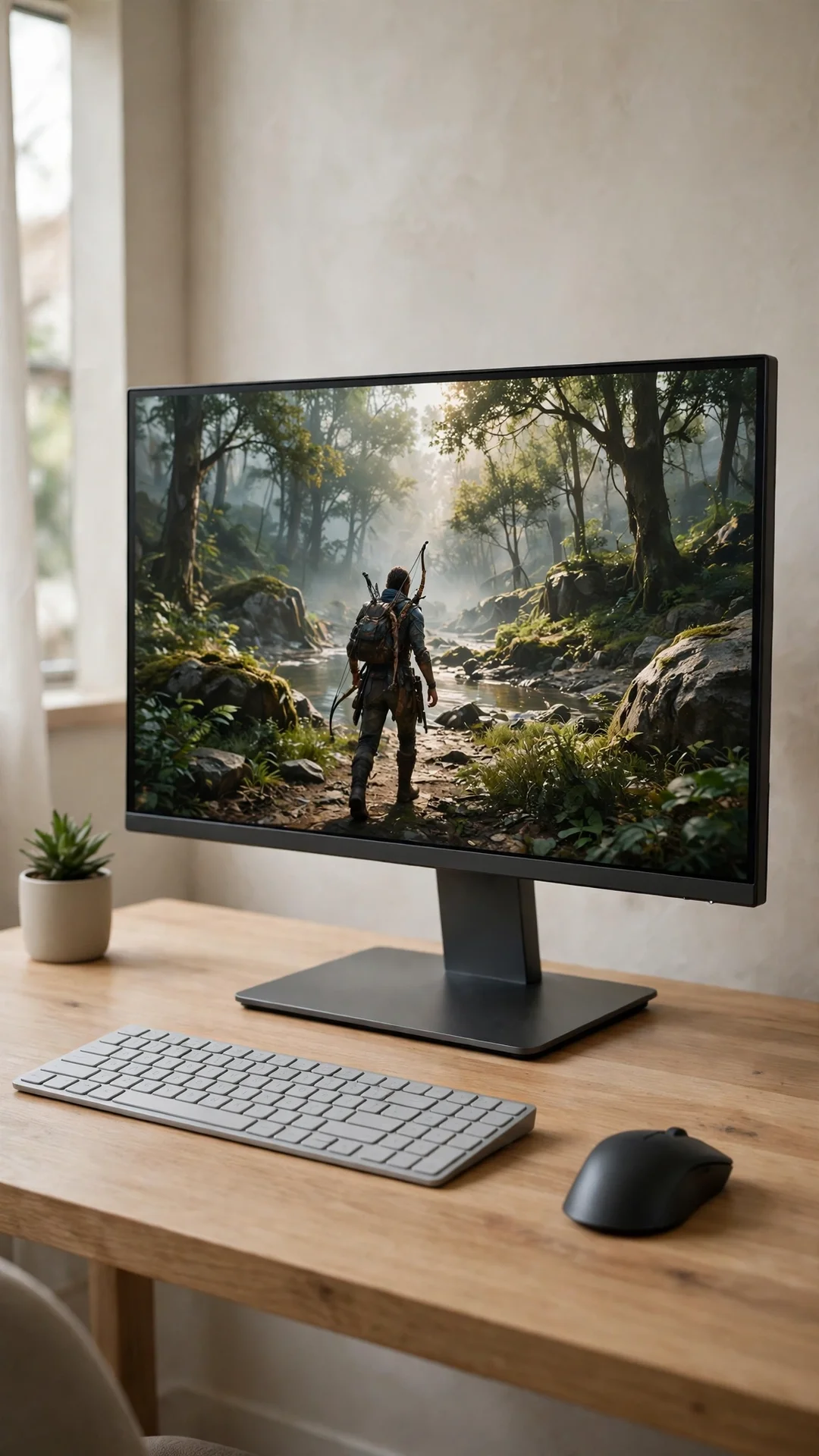
The ultimate hidden tech setup has no wires at all. A wireless keyboard, a wireless mouse, a wireless headset, and a wireless controller mean the desktop holds only the monitor and a small lamp. The PC hides under the desk, the power runs through a single hidden cable, and the whole desk looks like a photo, not a workspace.
Light is a monitor light bar and a small lamp, both with their cables hidden behind the desk. The chair is simple and the desk is clear, with a charging pad on the desktop for the phone and the mouse. Storage is a drawer for the spare batteries and a shelf for the games.
Power is one strip under the desk with a cable tray, and the only cable that leaves the desk is the one to the wall. The trick to wireless is keeping everything charged, so a small charging station on the desk keeps the headset and the controller ready without any cables showing.
Why this one: The charging station holds the headset and charges a phone and a watch at once, which keeps wireless gear ready.
Worth knowing: It needs a USB port for power, so check for a free port on the monitor or PC.
Why this one: The under desk hanger holds the headset and two controllers out of sight, and the clamp fits without drilling.
Worth knowing: It holds two controllers and one headset, so a bigger collection will need a second hanger.
9. The Hidden Storage Wall
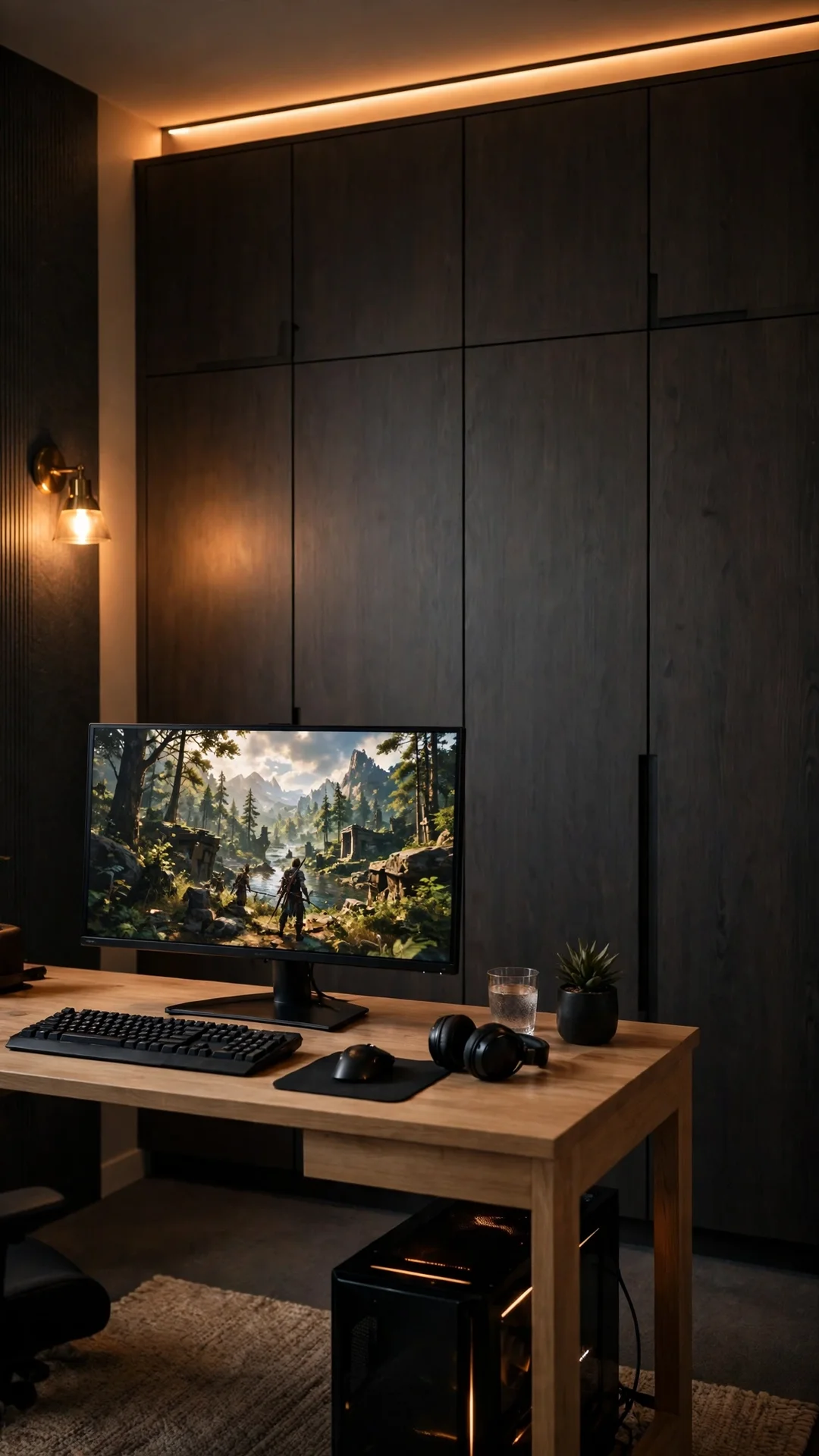
A storage wall hides everything at once, and this setup turns one whole wall into closed cabinets. Games, controllers, headsets, cables, and the console all live behind cabinet doors, and the desk in front of the wall holds only the monitor and the keyboard. Close the doors and the room looks like a calm study, open them and the whole collection is there.
Light is a strip under the top cabinets that washes the desk, plus a small lamp for reading. The chair is comfortable and simple, and the desk is clear because everything else has a cabinet home. Storage is the wall itself, with one cabinet for games, one for controllers, and one for cables and chargers.
Power is a strip inside the main cabinet with cables running behind the wall panels to the desk. This is the biggest hidden tech project in the guide, but it is also the most complete, because it hides the whole gaming room in one wall.
Why this one: The three lidded baskets keep controllers and chargers tidy inside the cabinets, and the seagrass looks good on a shelf.
Worth knowing: They are baskets, so very small bits can still slip through the weave.
Why this one: The cord clips hold cables along the cabinet edges without damage, and they come off cleanly when you rearrange.
Worth knowing: They are clips, so heavy cables may need a stronger fixing.
Frequently Asked Questions
How do I hide cables in a gaming room?
Run every cable through a tray under the desk, fix the power strip to the underside, and clip loose cords along the back edge. Setups 1, 7, and 8 show the cable free desk, the PC hideaway, and the wireless setup that hide cables completely.
Can I hide a console and still keep it cool?
Yes, use a cabinet with ventilation holes in the back and a small fan for airflow. Setup 2 shows the hidden console cabinet, and the key is airflow, never seal a console in a closed box with no vents.
What is the best way to hide a PC tower?
Mount it under the desk in a holder, with the cables running straight up into a tray. Setup 7 covers the under desk PC hideaway, and it keeps the floor clear and the tower dust free.
How can I hide lighting without losing the glow?
Run LED strips behind the monitor, under the desk, and along shelves, so the light comes from the edges and no fixture shows. Setup 6 shows the full hidden lighting routine.
Is wireless gear worth it for a hidden setup?
Yes, a wireless keyboard, mouse, headset, and controller remove the most visible cables at once. Setup 8 shows the wireless everything desk, and a small charging station keeps it all ready.
How do I hide game storage?
Use closed cabinets or lidded baskets on one wall, with one cabinet per category. Setup 9 shows the hidden storage wall, and labeled baskets inside the cabinets keep everything findable.
Conclusion
Hidden tech works because the room hides the work and shows the play. Start with the power, fix a strip under the desk and run every cable through a tray, then hide the boxes one at a time, the console in a cabinet, the PC under the desk, the chargers in a drawer. Add the lighting last, strips behind the monitor and under the shelves, so the room glows without a single visible bulb. Start with the cable free desk if you want the quickest win, the hidden console cabinet if you play on a TV, or the wireless everything setup if you want no wires at all. For more ideas on keeping a setup tidy, see our 7 gaming room soundproofing ideas and our 12 neo deco gaming room ideas.
