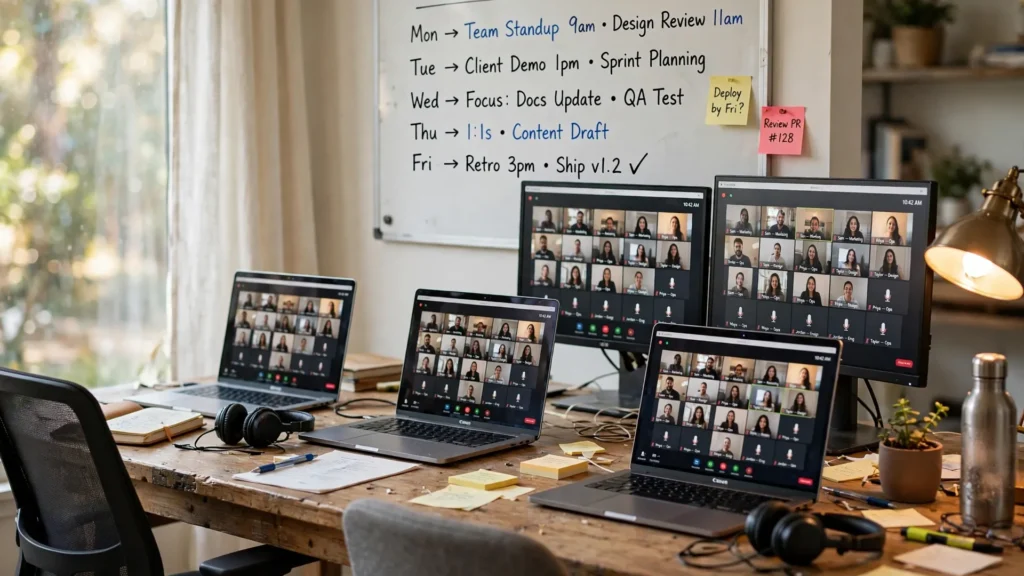
11 Home Office Ideas for Remote Teams
By Maya Bennett, Founder & Editor. These setups are built for a team working remotely, not one person alone. Every desk below seats more than one teammate, or brings the remote team onto the screen, with shared tools, call cues, and coordination you can see: shared screens, headsets, a whiteboard, a speakerphone, and enough power for every laptop. For more ideas in this series, browse the Home Office Ideas category.
As an Amazon Associate I earn from qualifying purchases. Please see our affiliate disclosure for details. This article prints no prices, because prices change. Check the listing before you buy, and confirm you have the exact variant named.
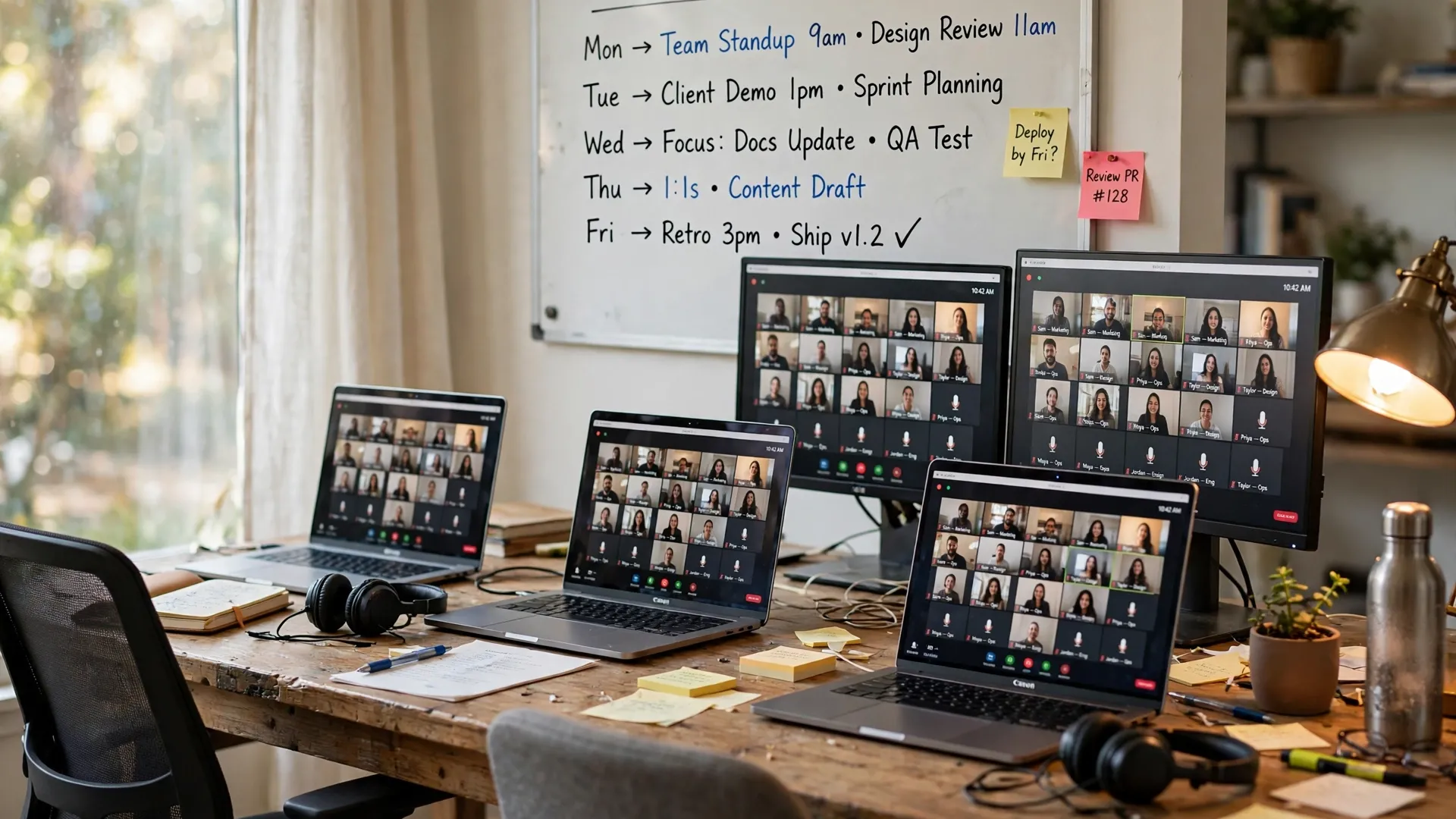
AI-generated image
In this article
- 1. The Long Shared Desk Team Hub
- 2. The Dual Monitor Video Call Desk
- 3. The Headset Call Hub Desk
- 4. The Whiteboard Planning Desk
- 5. The L Shaped Team Corner
- 6. The Blue Yeti Team Mic Desk
- 7. The Two Person Desk With a Call Light
- 8. The Back to Back Team Desk
- 9. The Standing Team Desk
- 10. The Acoustic Panel Quiet Call Desk
- 11. The Shared Screen Hub Desk
- Frequently asked questions
- Conclusion
At a glance
| Setup | Key product | Best for |
|---|---|---|
| 1. The Long Shared Desk Team Hub | NELYE Mid-Century Long Desk 71 Inch, Walnut | A 71 inch desk that seats three teammates side by side |
| 2. The Dual Monitor Video Call Desk | HUANUO Dual Monitor Stand for 13 to 35 inch, Premium Dual Monitor Mount with USB, Height Adjustable Monitor Stands for 2 Monitors, VESA Bracket with Clamp/Grommet Base, Each Arm Hold up to 26.4lbs | Two monitors, one for the call and one for the work |
| 3. The Headset Call Hub Desk | HyperX Cloud II Gaming Headset, 7.1 Surround Sound, Memory Foam Ear Pads, Durable Aluminum Frame, Detachable Microphone, Works with PC, PS5, PS4, Xbox Series X|S, Xbox One, Gun Metal | A headset and a key light for back to back team calls |
| 4. The Whiteboard Planning Desk | VIZ-PRO Magnetic Dry Erase Board, 36 X 24 Inches, Silver Aluminium Frame | A whiteboard and a speakerphone for team planning |
| 5. The L Shaped Team Corner | SEDETA L Shaped Desk 94.5 Inch Convertible, Grey With Power Outlet and Pegboard | An L shaped desk with two work zones in one corner |
| 6. The Blue Yeti Team Mic Desk | Logitech Creators Blue Yeti USB Microphone for PC, Mac, Gaming, Recording, Streaming, Podcasting, Studio and Computer Condenser Mic with Blue VO!CE effects, 4 Pickup Patterns, Plug and Play, Blackout | One shared mic for two teammates on the same call |
| 7. The Two Person Desk With a Call Light | GYIIYUO 93 Inch Two Person Desk with Charging Station, Rustic Brown | A 93 inch desk with a charging station and a call light |
| 8. The Back to Back Team Desk | MORDEER 47.2 Inch Privacy Desk Divider Panel, Light Grey | A divider that gives each teammate a private side |
| 9. The Standing Team Desk | FlexiSpot E6 Solid Wood 71 x 30 Electric Standing Desk, Black Frame | A standing desk the whole team can raise together |
| 10. The Acoustic Panel Quiet Call Desk | Foamily 12 Pack, Acoustic Panels Studio Foam Wedges 1 inch X 12 inch X 12 inch | Acoustic panels that tame echo on team calls |
| 11. The Shared Screen Hub Desk | LG 24 inch FHD (1920 x 1080) IPS Monitor, 100Hz Refresh Rate, 99 Percent sRGB, AMD FreeSync, 3-Side Borderless, Anti Glare, Tilt Adjustable, HDMI, VESA Mountable, for Gaming and Office | One big shared screen the whole team gathers around |
1. The Long Shared Desk Team Hub
AI-generated image
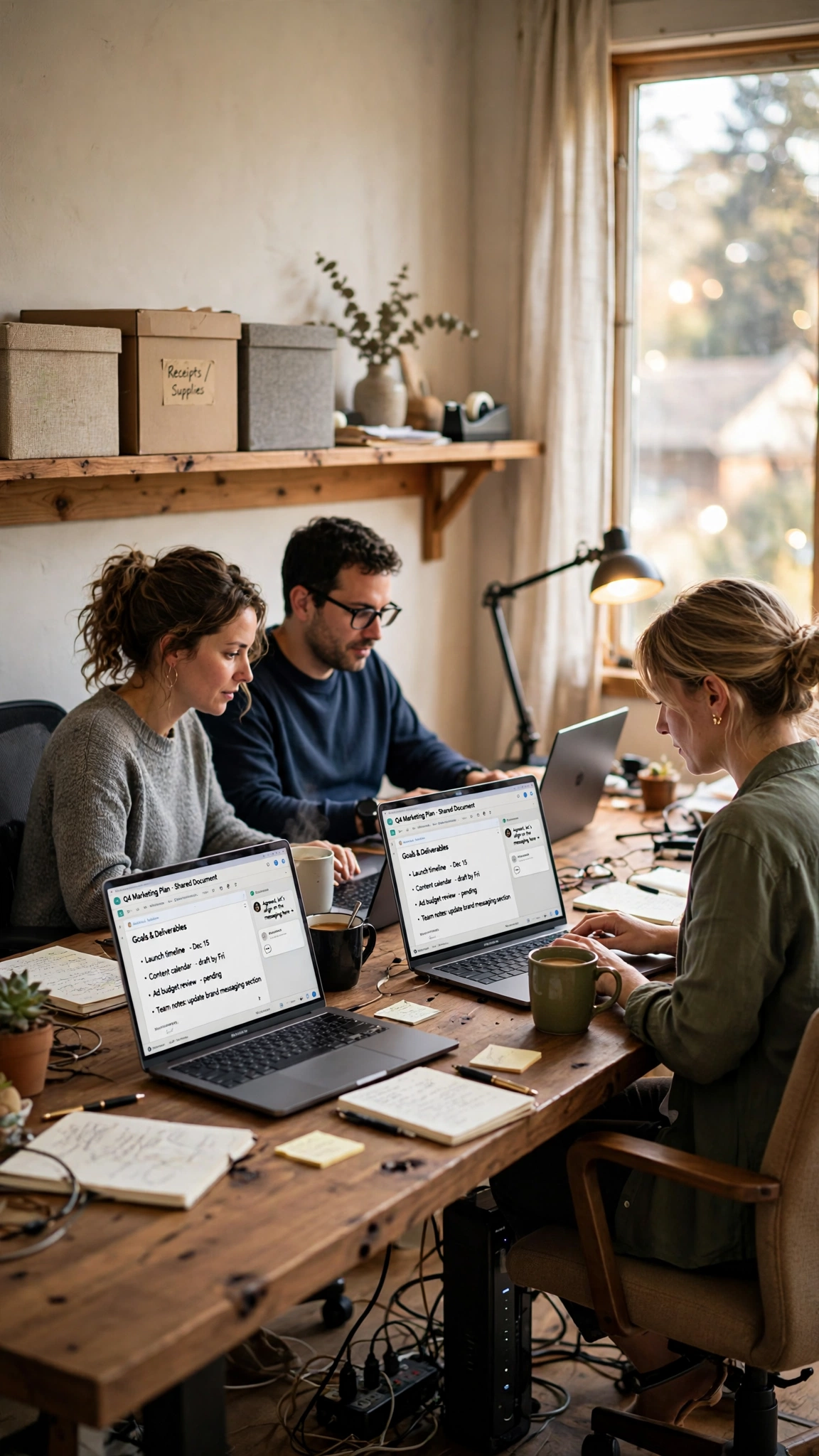
Three teammates, one long desk, and no one fighting for elbow room. The 71 inch walnut desk gives each person a real work zone, with laptops open and screens on, and the middle of the desk stays free for a shared notebook or a speakerphone when the whole team joins a call. Two chairs sit on one side and one on the other, so the team can talk across the desk without turning around.
- Give each teammate a marked zone, so chargers and notebooks stop drifting into each other.
- Keep the middle of the desk clear, so it can hold the shared call gear.
- Run one tower power strip under the desk, so three laptops share power without a tangle of cables.
The desk lamp lights the keyboard end of the desk, and a wall shelf holds the binders the whole team uses. This is the setup to copy if your team works in the same room most days, because one long desk keeps everyone in the same conversation, and the shared power strip means no one hunts for an outlet.
KEY PIECE
NELYE Mid-Century Long Desk 71 Inch, Walnut
Why this one: A 71 inch walnut desk long enough for three teammates to work side by side.
Worth knowing: At 71 inches it is a long desk, so measure the wall before ordering.
COMPLETES THE SETUP
NEO Chair Office Desk Chair, Black, 2 Pack
Why this one: Two matching office chairs in one pack, so two teammates sit at the same height.
Worth knowing: It is a two pack, so a third chair is needed for a team of three.
COMPLETES THE SETUP
TESSAN Tower Surge Protector Power Strip 10 Ft, 8 AC
Why this one: A tower power strip with eight outlets that sits under the desk and feeds every laptop.
Worth knowing: A tower strip needs floor space under the desk, so keep it clear of feet.
2. The Dual Monitor Video Call Desk
AI-generated image
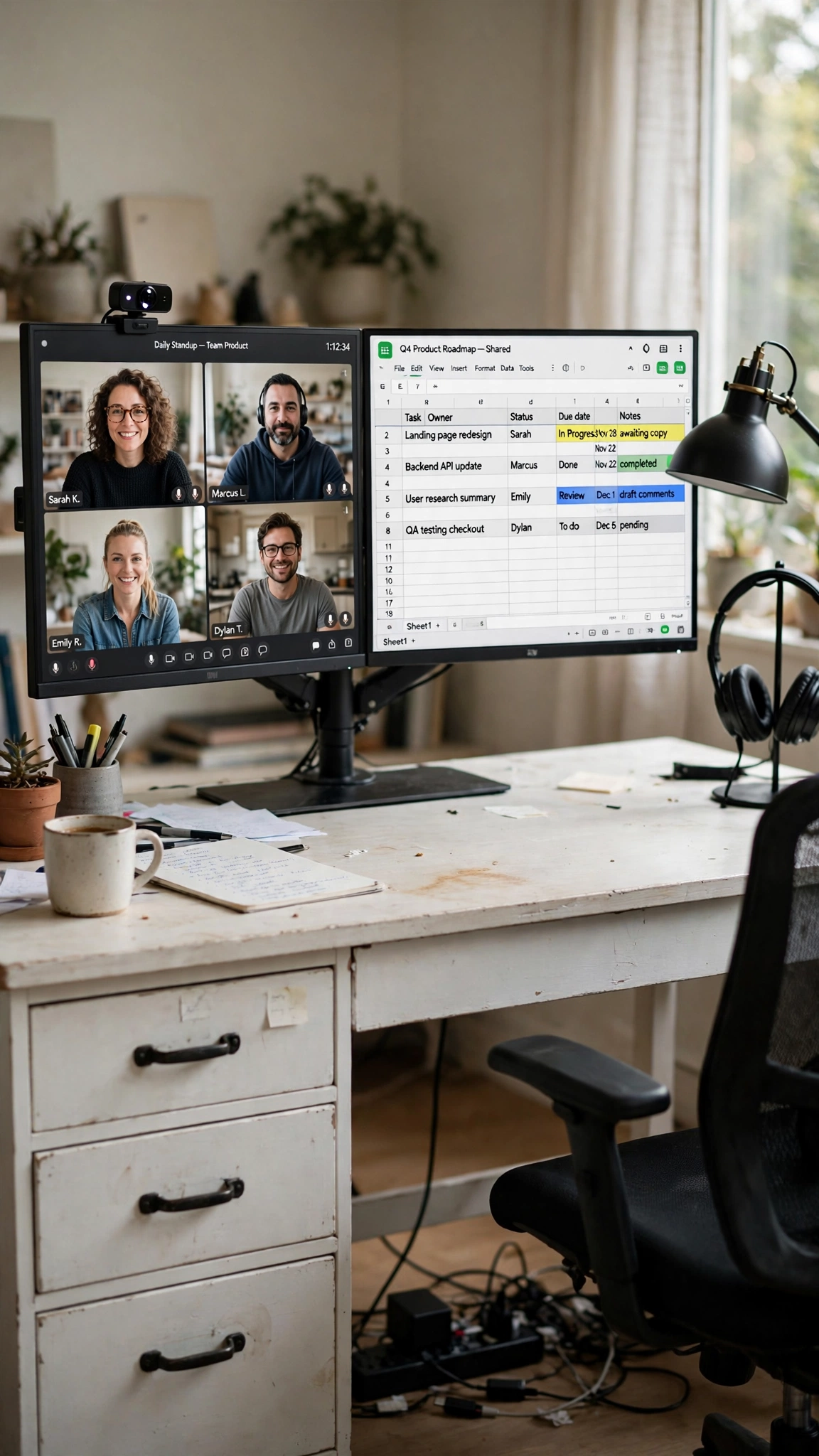
One screen for the call, one screen for the work. The dual monitor stand holds two monitors side by side, so the video call with the team stays open on one while the shared spreadsheet stays open on the other. The webcam sits on top of the main monitor, and the headset hangs on its stand, ready for the next call.
What works here: A white desk with drawers for the shared gear, a dual monitor stand that frees the desk top, a webcam for clear video, a headset for private listening, a desk lamp, and a power strip under the desk for both monitors and the laptop.
The drawers hold the spare cables and the team notebook, and the second monitor means no one has to shrink the call to see the work. This is the setup to copy if your team lives on video calls, because the call and the work stay visible at the same time, and the webcam puts you at eye level with the team.
KEY PIECE
HUANUO Dual Monitor Stand for 13 to 35 inch, Premium Dual Monitor Mount with USB, Height Adjustable Monitor Stands for 2 Monitors, VESA Bracket with Clamp/Grommet Base, Each Arm Hold up to 26.4lbs
Why this one: A dual monitor stand that holds two monitors at the same height, with a USB port on the base.
Worth knowing: Check that both monitors have VESA mounts before ordering.
COMPLETES THE SETUP
Logitech HD Pro Webcam C920, Widescreen Video Calling and Recording, 1080p Camera, Desktop or Laptop Webcam
Why this one: A 1080p webcam that sits on top of the monitor for clear team video calls.
Worth knowing: It clips to the monitor top, so check the monitor edge fits the clip.
COMPLETES THE SETUP
Tribesigns Computer Desk with Storage Shelf and Drawers, Modern 47 inch Office Writing Desk, White
Why this one: A 47 inch white desk with a storage shelf and drawers for the shared call gear.
Worth knowing: It is a writing desk, so it suits two monitors better than a large desktop tower setup.
3. The Headset Call Hub Desk
AI-generated image
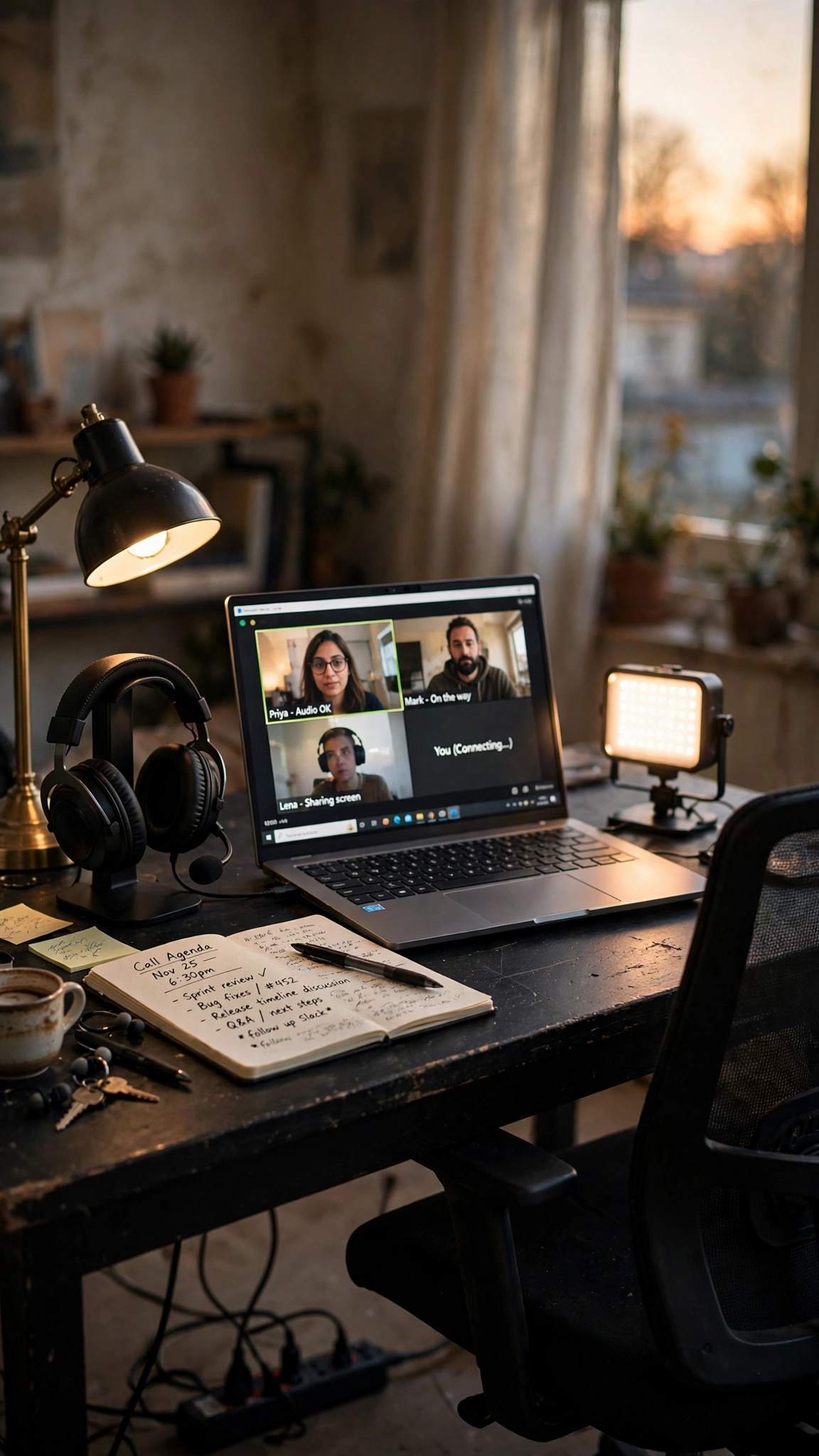
Calls are the team heartbeat here, and the headset is the tool that keeps them clear. The headset with its detachable microphone sits on its stand beside the laptop, and the key light glows beside the screen, so you look clear on camera even when the room light is low. A second chair is pulled up to the desk, so a teammate can join the same call from the same screen.
TRY THIS
Keep the headset on its stand between calls, so the microphone stays clean and the ear pads keep their shape.
The laptop screen shows the video meeting, a notebook holds the call agenda, and a power strip under the desk feeds the laptop and the light. This is the setup to copy if your team takes back to back calls, because the headset and the light are always in place, and the second chair turns a solo call into a team huddle in seconds.
KEY PIECE
HyperX Cloud II Gaming Headset, 7.1 Surround Sound, Memory Foam Ear Pads, Durable Aluminum Frame, Detachable Microphone, Works with PC, PS5, PS4, Xbox Series X|S, Xbox One, Gun Metal
Why this one: A headset with memory foam ear pads and a detachable microphone for long team calls.
Worth knowing: A stale crawl in an earlier search result showed no featured offers, so confirm the listing before ordering.
COMPLETES THE SETUP
Elgato Key Light Air, Professional 1400 Lumens Desk Light for Streaming and Video Conferencing
Why this one: A 1400 lumen desk light that lights your face evenly on video calls.
Worth knowing: It is a bright light, so angle it slightly off center to avoid glare on glasses.
COMPLETES THE SETUP
ODK Computer Desk 47 Inch, Black
Why this one: A simple 47 inch black desk that leaves room for a laptop, a light, and a second chair.
Worth knowing: It has no drawers, so storage needs a shelf or a basket nearby.
4. The Whiteboard Planning Desk
AI-generated image
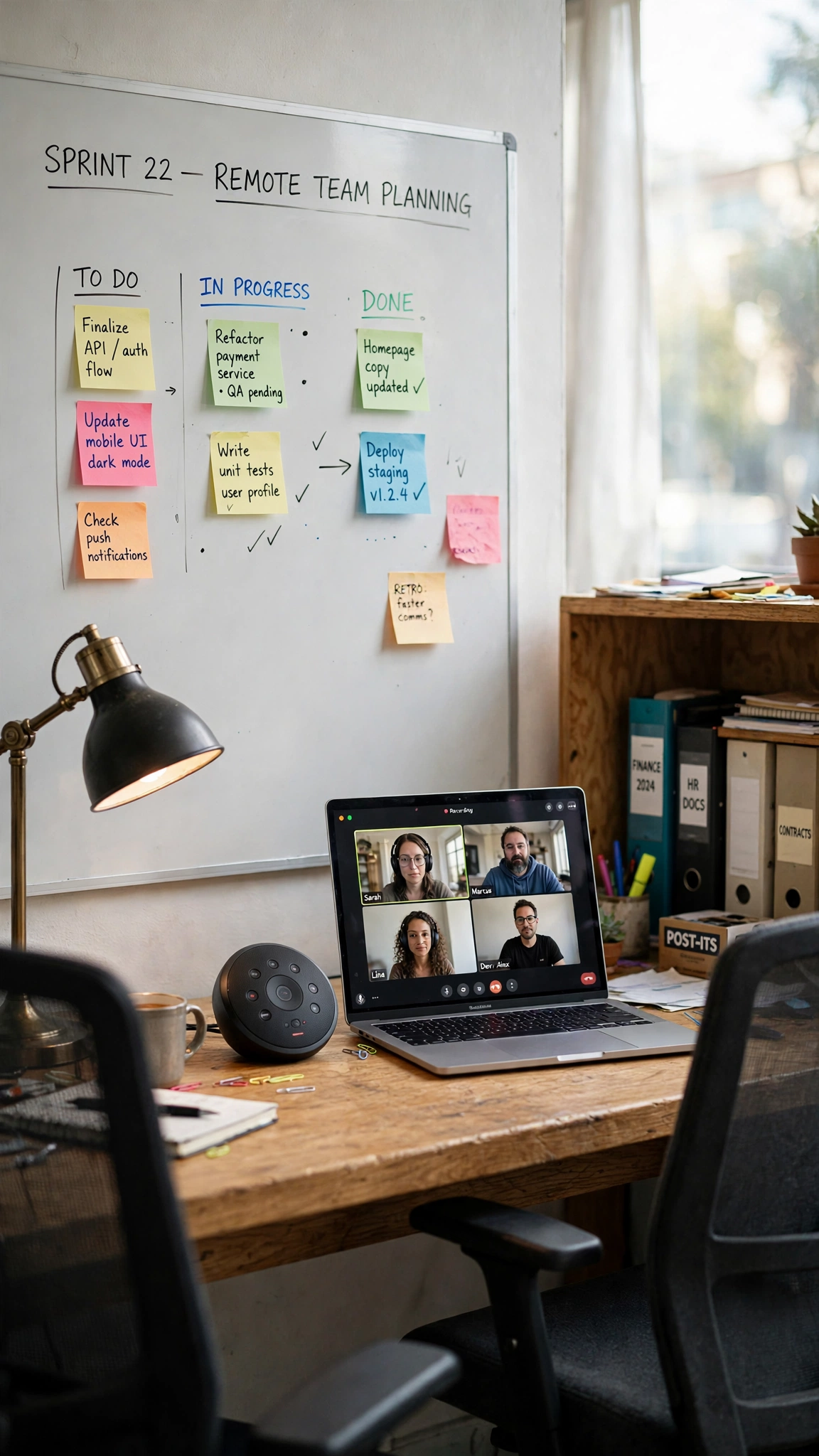
Planning needs a wall everyone can see. The 36 by 24 inch magnetic whiteboard hangs behind the oak desk, covered in the sprint plan and sticky notes, so the whole team reads the same board during the standup. The round speakerphone sits in the middle of the desk, picking up every voice in the room for the teammates who join from home.
- Write the week plan on the board on Monday, so every call starts from the same list.
- Put the speakerphone in the center of the desk, so it hears every seat equally.
- Photograph the board at the end of the week, so the plan survives even after it is wiped.
The laptop shows the video call, the desk lamp lights the keyboard, and a shelf holds the binders the team shares. This is the setup to copy if your team plans together in one room, because the board is the shared memory and the speakerphone brings the remote teammates into the same conversation.
KEY PIECE
VIZ-PRO Magnetic Dry Erase Board, 36 X 24 Inches, Silver Aluminium Frame
Why this one: A 36 by 24 inch magnetic whiteboard with a silver aluminium frame for team planning.
Worth knowing: Markers and magnets are sold with some variants only, so check what is included on the listing.
COMPLETES THE SETUP
Anker PowerConf S3 Speakerphone with 6 Mics, Enhanced Voice Pickup, 24H Call Time, App Control, Bluetooth 5, USB C, Conference Speaker Compatible with Leading Platforms, Home Office
Why this one: A speakerphone with six microphones that picks up the whole room on team calls.
Worth knowing: A stale crawl in an earlier search result showed no featured offers, so confirm the listing before ordering.
COMPLETES THE SETUP
GreenForest 47 Inch Computer Desk with Power Outlets, Oak
Why this one: A 47 inch oak desk with built in power outlets and a monitor stand, sized for a laptop and a speakerphone.
Worth knowing: The desk top is oak, so match the speakerphone and the lamp to warm wood tones.
5. The L Shaped Team Corner
AI-generated image
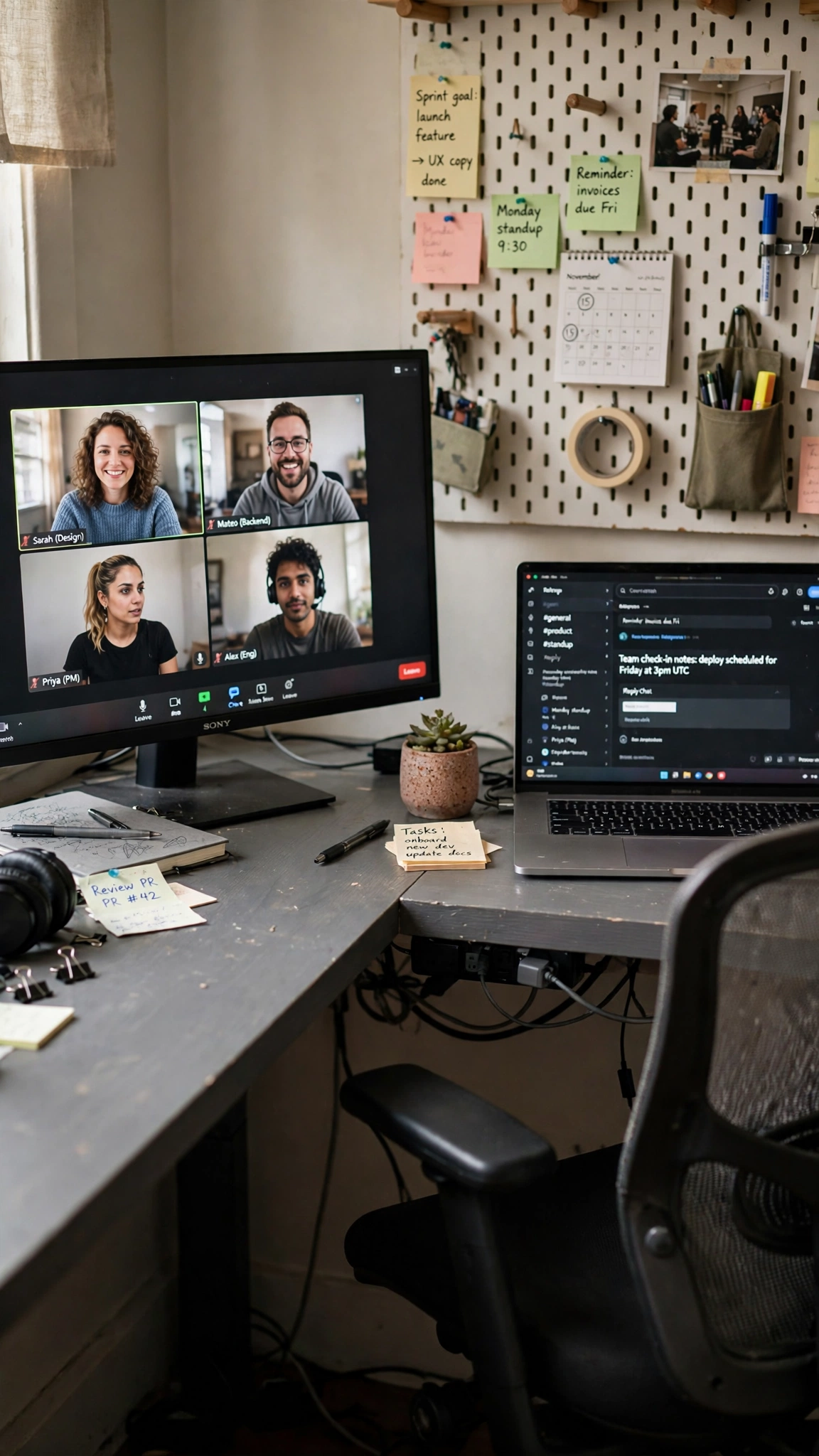
A corner gives a team two work zones without a second room. The grey L shaped desk runs along two walls, so one teammate works on the long side with the monitor on and another works on the short side with the laptop open. The pegboard on the wall holds the team notes, the call schedule, and the shared cables, all where both teammates can reach them.
What works here: A 94.5 inch L shaped desk with a power outlet and a pegboard, an ergonomic mesh chair, a power strip under the desk for both work zones, a desk lamp, and a small plant that softens the corner.
The monitor shows the video call on one side and the laptop shows the shared work on the other, so the team can talk and type at the same time. This is the setup to copy if your team shares a corner of one room, because the L shape gives each person a side, and the pegboard keeps the shared notes visible to both.
KEY PIECE
SEDETA L Shaped Desk 94.5 Inch Convertible, Grey With Power Outlet and Pegboard
Why this one: A 94.5 inch L shaped desk with a power outlet and a pegboard for two team work zones.
Worth knowing: A stale crawl in an earlier search result showed no featured offers, so confirm the listing before ordering.
COMPLETES THE SETUP
GABRYLLY Ergonomic Office Chair, Black
Why this one: An ergonomic office chair in black that suits long team workdays at the desk.
Worth knowing: It is a single chair, so add a second chair for the second work zone.
COMPLETES THE SETUP
Addtam Power Strip 6 AC + 3 USB, 5 Ft, Black
Why this one: A power strip with six outlets and three USB ports that feeds both work zones.
Worth knowing: The cord is 5 feet, so check the outlet distance from the corner.
6. The Blue Yeti Team Mic Desk
AI-generated image
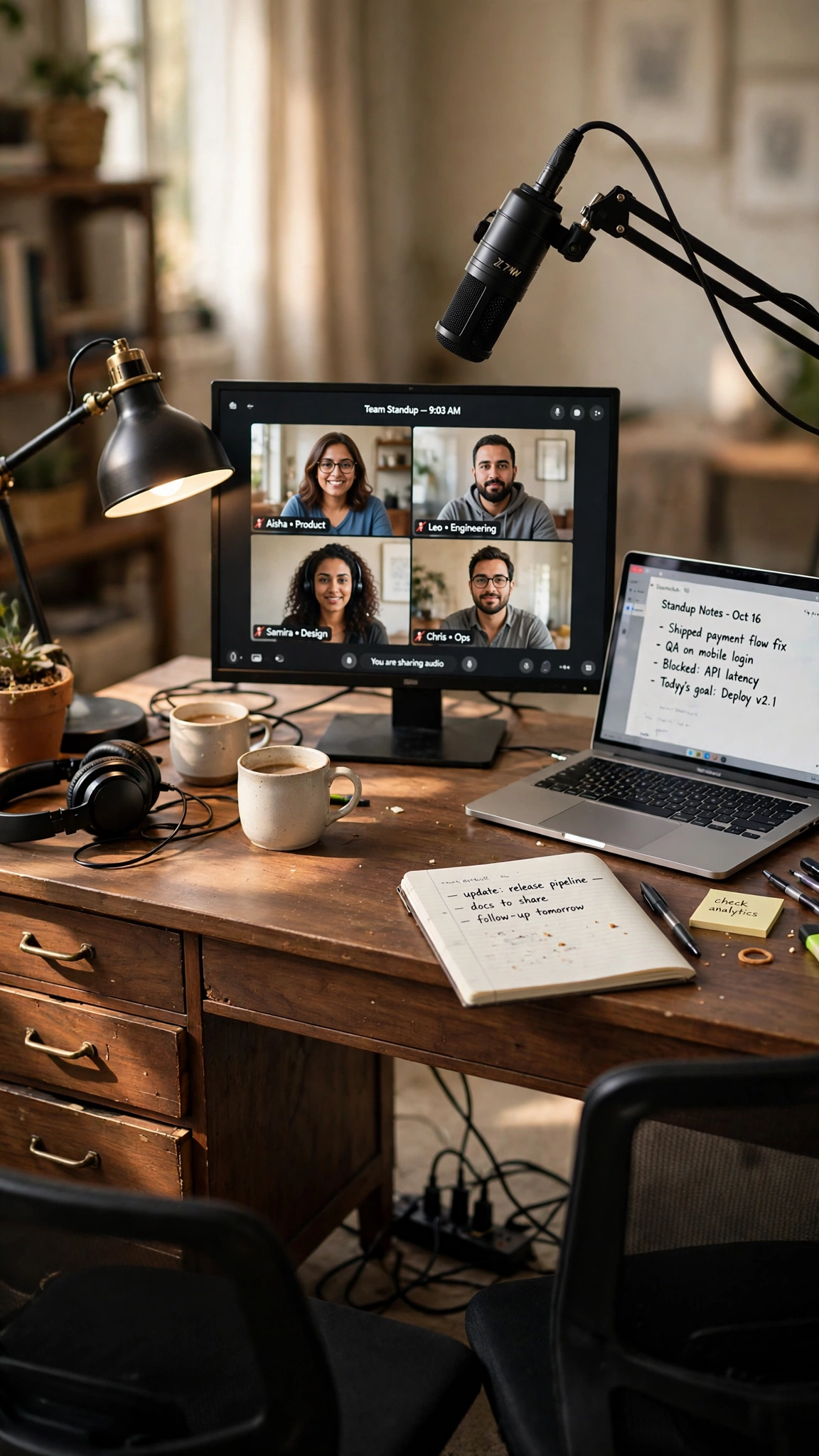
Shared updates sound better when the mic is shared too. The condenser microphone hangs on its boom arm over the walnut desk, and two chairs sit side by side, so two teammates can record a team update or join a standup call together. The monitor shows the call, the second laptop stays open for notes, and the boom arm swings the mic out of the way when the recording is done.
- Set the mic to pick up the whole desk, so both teammates sound the same on the call.
- Keep the boom arm clamped to the back edge, so it never blocks the monitor.
- Store the spare cables in the desk drawers, so the shared desk stays clear.
A desk lamp lights the keyboard, and a power strip under the desk feeds the monitor and both laptops. This is the setup to copy if your team records updates or runs shared calls from one desk, because one good mic covers two voices, and the boom arm keeps it off the desk top.
KEY PIECE
Logitech Creators Blue Yeti USB Microphone for PC, Mac, Gaming, Recording, Streaming, Podcasting, Studio and Computer Condenser Mic with Blue VO!CE effects, 4 Pickup Patterns, Plug and Play, Blackout
Why this one: A USB condenser microphone with four pickup patterns for shared team recordings and calls.
Worth knowing: It picks up room sound, so keep the desk away from noisy appliances during calls.
COMPLETES THE SETUP
NEEWER Microphone Arm Stand, Suspension Boom Scissor Mic Arm Stand with 3/8 inch to 5/8 inch Screw and Cable Ties Compatible with Blue Yeti, Snowball, Yeti X, Quadcast and Other Mics, Max Load 1.5kg
Why this one: A scissor boom arm that holds the microphone over the desk and folds away after the call.
Worth knowing: Check the desk edge thickness fits the clamp before ordering.
COMPLETES THE SETUP
GreenForest Computer Desk with Drawers and Monitor Stand, 51 inch, Walnut
Why this one: A 51 inch walnut desk with drawers, a monitor stand, and power outlets for a shared recording desk.
Worth knowing: The desk top is walnut, so pair it with a black mic arm and a dark lamp for a calm match.
7. The Two Person Desk With a Call Light
AI-generated image
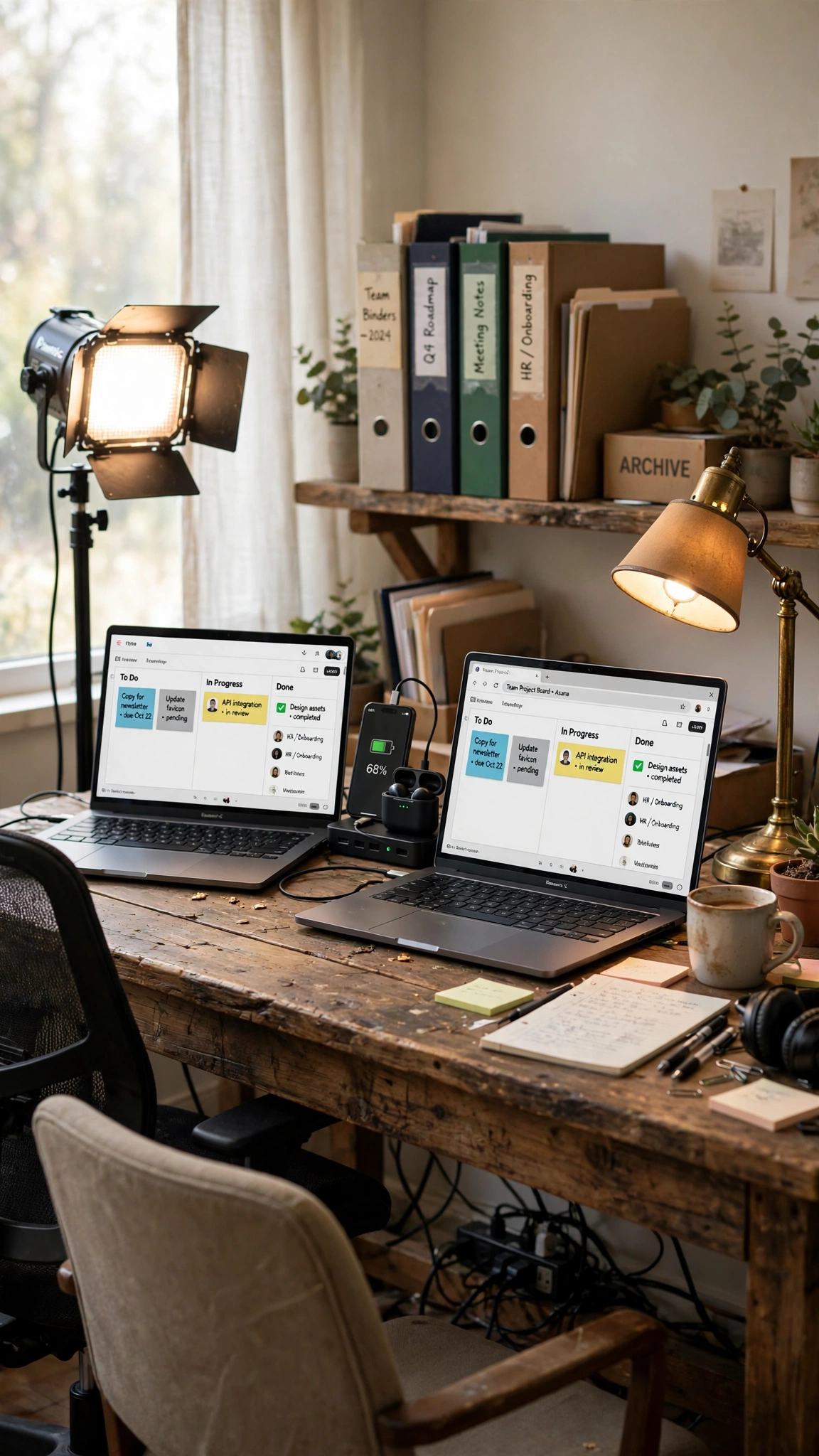
Two laptops, one shared project board, and light that makes both faces look clear on camera. The 93 inch two person desk has a charging station built in, so both laptops stay plugged in all day, and the tall key light stands beside the screens, lighting both teammates evenly for the video call. Two chairs sit side by side, and the shared board stays open on both screens.
TRY THIS
Angle the key light so it lights both faces, not just the nearer chair, and both teammates will look clear on the same call.
A desk lamp lights the keyboard end, a shelf holds the team binders, and a power strip under the desk feeds everything else. This is the setup to copy if two teammates share one long desk and join the same calls, because the charging station ends the outlet hunt, and the key light makes the shared call look professional for both people.
KEY PIECE
GYIIYUO 93 Inch Two Person Desk with Charging Station, Rustic Brown
Why this one: A 93 inch two person desk with a charging station, built for two teammates working side by side.
Worth knowing: At 93 inches it is a very long desk, so measure the wall and the door width before ordering.
COMPLETES THE SETUP
Elgato Key Light, Professional 2800 Lumens Studio Light with Desk Clamp for Streaming, Recording and Video Conferencing, Temperature and Brightness App-Adjustable
Why this one: A 2800 lumen studio light with a desk clamp that lights both teammates on video calls.
Worth knowing: It is a bright light, so start at low brightness and raise it until both faces look even.
COMPLETES THE SETUP
Qulomvs Ergonomic Office Chair with Footrest, Black
Why this one: An ergonomic office chair with a footrest for long shared workdays.
Worth knowing: It is a single chair, so add a second chair for the second seat at the desk.
8. The Back to Back Team Desk
AI-generated image
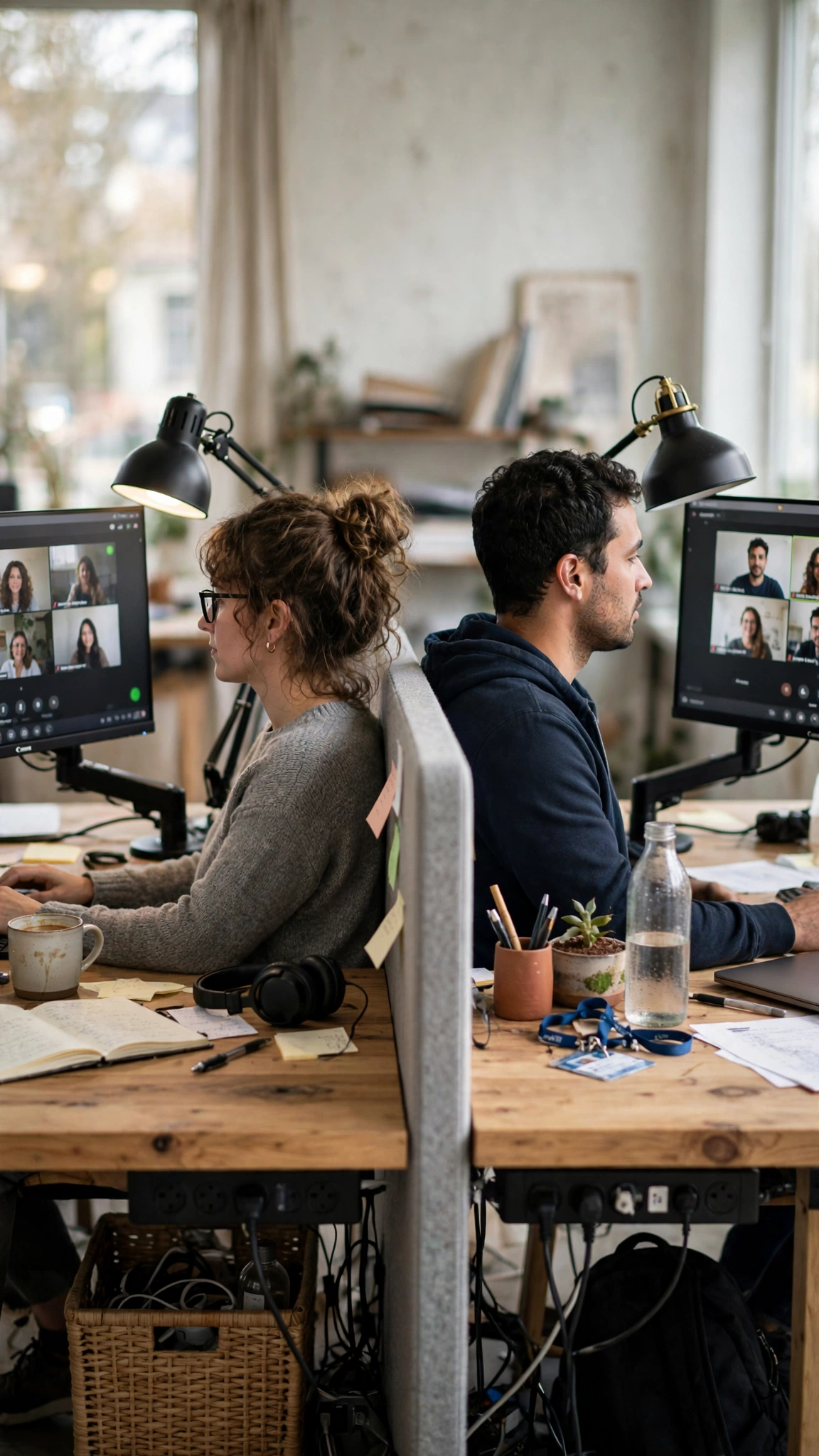
Back to back means each teammate gets quiet and the team still shares one desk. The light grey divider panel runs down the middle of the long natural wood desk, so each side has its own monitor, its own lamp, and its own call space, while the team stays in the same room. The dual monitor arm holds both screens at the same height, one facing each way.
What works here: A long natural wood desk, a divider panel that gives each side privacy, a dual monitor arm for both screens, a desk lamp on each side, and a shared power strip under the desk for both laptops.
Each monitor shows its own video call, and the divider keeps the two calls from distracting each other. This is the setup to copy if your team shares a room but takes different calls, because the divider gives each person a private side, and the shared desk still keeps the team together.
KEY PIECE
MORDEER 47.2 Inch Privacy Desk Divider Panel, Light Grey
Why this one: A 47.2 inch privacy desk divider panel that splits one long desk into two quiet sides.
Worth knowing: It is a single panel, so check the desk length match on the listing before ordering.
COMPLETES THE SETUP
Plank+Beam 47 Inch Writing Desk, Natural Finish
Why this one: A 47 inch writing desk in a natural finish that suits a shared team desk.
Worth knowing: It is a writing desk, so it suits laptops better than a large desktop setup.
COMPLETES THE SETUP
HUANUO 13 to 40 Inch Dual Monitor Arm, Black
Why this one: A dual monitor arm that holds two monitors back to back for the two sides of the desk.
Worth knowing: Check that both monitors have VESA mounts before ordering.
9. The Standing Team Desk
AI-generated image
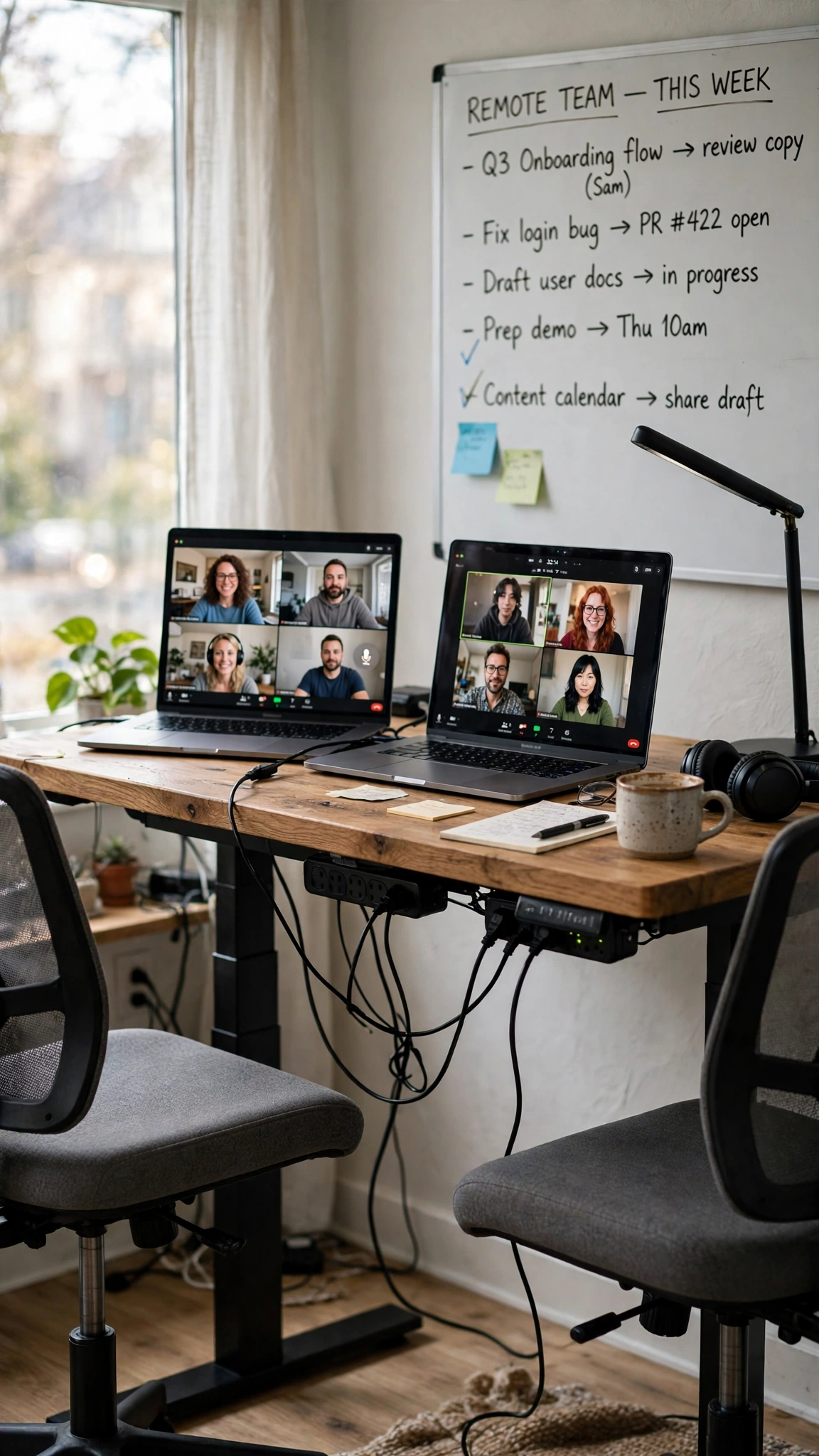
Some team days are better on your feet. The large black electric standing desk rises to standing height with its solid wood top, and two laptops sit open on it, both screens showing the team video call. Two tall chairs wait nearby for the teammates who want to sit, and the whiteboard on the wall holds the task list the whole team works from.
- Raise the desk for standup calls, then lower it for long writing sessions.
- Keep one power strip per side, so two laptops never share one short cord.
- Write the day tasks on the whiteboard before the first call, so the team starts from the same list.
A desk lamp lights the keyboard, and the two power strips under the desk feed both laptops and the lamp. This is the setup to copy if your team likes to stand for calls and sit for deep work, because the desk moves with the team, and the shared board keeps everyone on the same tasks.
KEY PIECE
FlexiSpot E6 Solid Wood 71 x 30 Electric Standing Desk, Black Frame
Why this one: A 71 by 30 inch electric standing desk with a solid wood top that rises for team standups.
Worth knowing: It is one shared desk, so the whole team stands or sits at the same height.
COMPLETES THE SETUP
ralex-chair 2 Pack Big and Tall Office Chair, Black, Flip-Up Arms
Why this one: Two big and tall office chairs in one pack with flip up arms for the team.
Worth knowing: Check the seat height range against the desk height before ordering.
COMPLETES THE SETUP
Mifaso 2 Pack Power Strip, 6 AC + 4 USB Each, 5 Ft
Why this one: Two power strips in one pack, one for each side of the shared desk.
Worth knowing: Each strip has a 5 foot cord, so check the outlet distance from the desk.
10. The Acoustic Panel Quiet Call Desk
AI-generated image
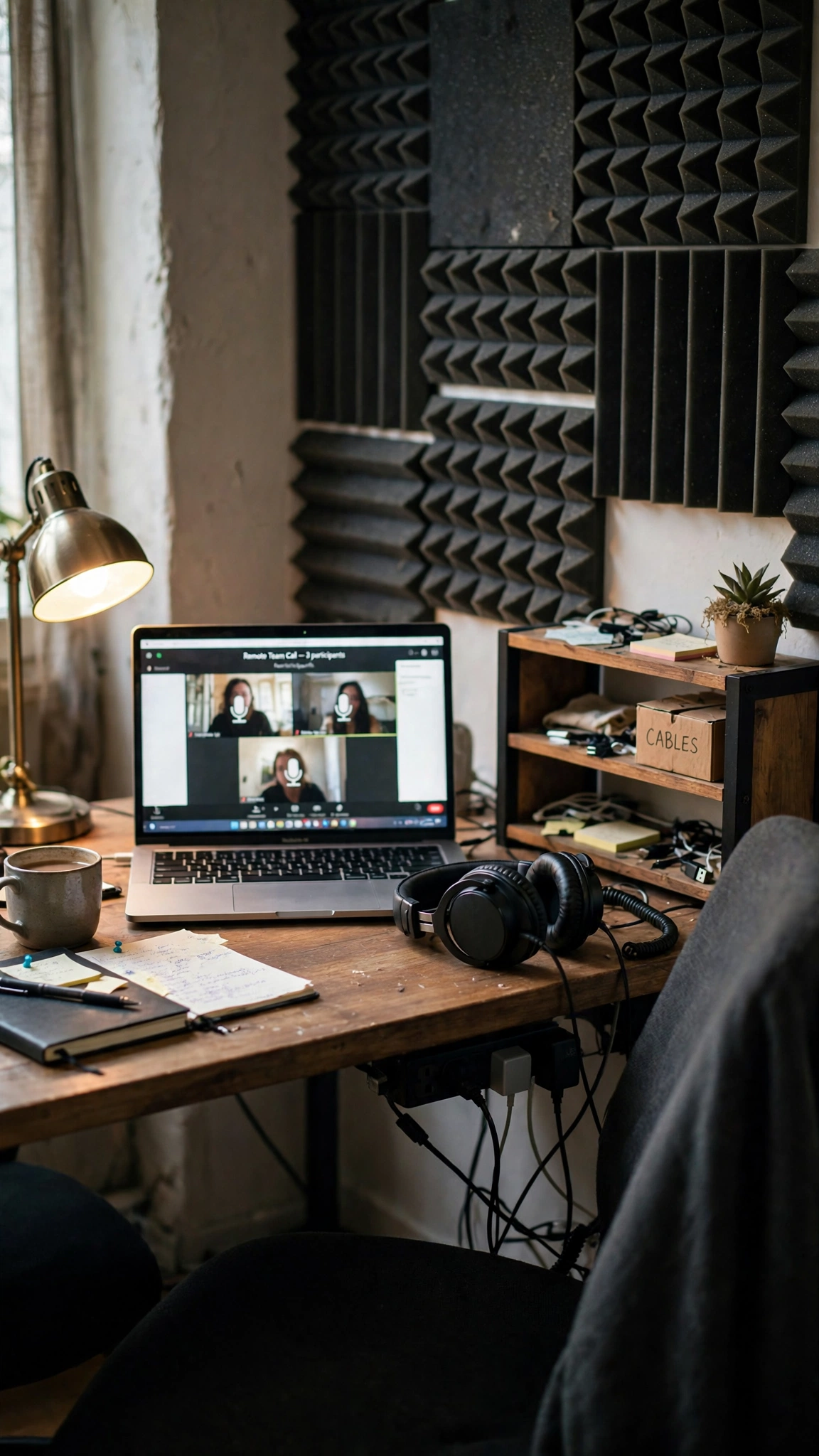
Echo ruins a team call, and foam panels are the simple fix. The dark acoustic panels cover the wall behind the desk, cutting the echo so voices sound clear on the call, and the studio headphones rest on the desk for the teammate who needs to listen closely. A second chair is pulled close, so a teammate can listen in on the same call without shouting across the room.
TRY THIS
Put the panels on the wall behind the desk first, because that is where the echo bounces back into the microphone.
The laptop screen shows the video call, a desk lamp glows beside it, and a small shelf holds the shared notebooks. This is the setup to copy if your team takes calls in a bare room with hard walls, because the panels tame the echo, and the headphones let one teammate listen closely while the other talks.
KEY PIECE
Foamily 12 Pack, Acoustic Panels Studio Foam Wedges 1 inch X 12 inch X 12 inch
Why this one: Twelve acoustic foam wedge panels that cut echo on the wall behind a team call desk.
Worth knowing: Foam panels soften echo, they do not block sound from the next room.
COMPLETES THE SETUP
Sony MDR7506 Professional Large Diaphragm Headphone
Why this one: Professional studio headphones for clear listening on team calls.
Worth knowing: They are wired headphones, so keep the cable clear of the keyboard.
COMPLETES THE SETUP
JXQTLINGMU 60 Inch Modern Executive Desk with Storage, Grayish Green
Why this one: A 60 inch executive desk with storage in grayish green for a quiet call corner.
Worth knowing: At 60 inches it is a wide desk, so measure the wall before ordering.
11. The Shared Screen Hub Desk
AI-generated image
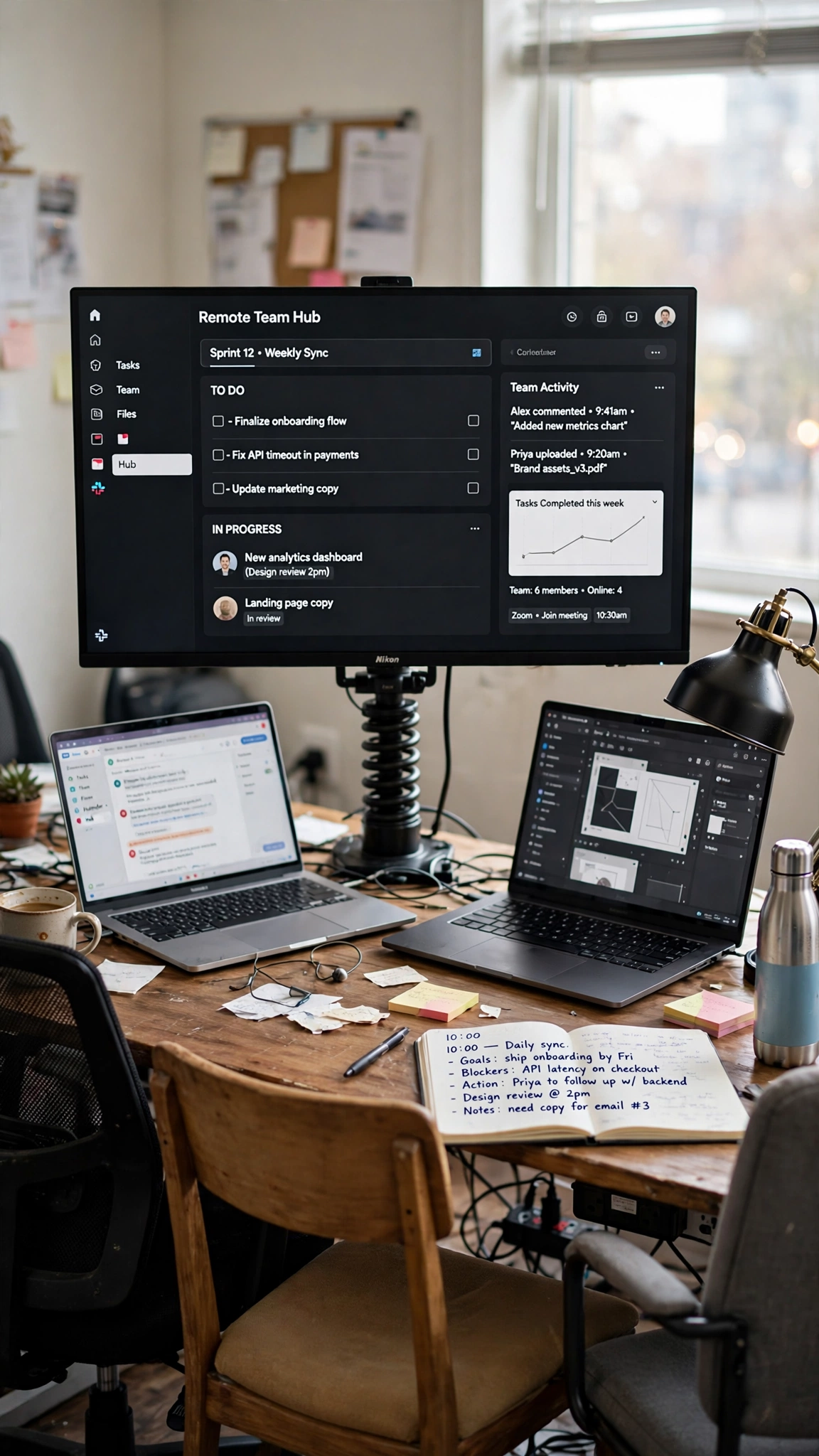
One big screen, three chairs, and the whole team looking at the same work. The large monitor floats on its gas spring arm above the desk, its screen showing the shared team dashboard, while two laptops stay open beside it for notes. Three chairs gather around the desk, so the team can review the work together instead of sharing a screen over a call.
What works here: A large monitor on a gas spring arm that adjusts to any seat, two laptops for notes, three chairs around one desk, a desk lamp, a notebook with the meeting notes, and a power strip under the desk for the monitor and both laptops.
The monitor arm lets the team tilt the screen toward whoever is presenting, and the laptops stay open for the details. This is the setup to copy if your team reviews work together in person, because the shared screen is the hub, and the chairs around it turn a desk into a meeting table.
KEY PIECE
LG 24 inch FHD (1920 x 1080) IPS Monitor, 100Hz Refresh Rate, 99 Percent sRGB, AMD FreeSync, 3-Side Borderless, Anti Glare, Tilt Adjustable, HDMI, VESA Mountable, for Gaming and Office
Why this one: A 24 inch IPS monitor with a 100Hz refresh rate for the shared team dashboard.
Worth knowing: It is a single monitor, so add a second screen if the team needs two views at once.
COMPLETES THE SETUP
Amazon Basics Gas Spring Single Computer Monitor Arm, Black
Why this one: A gas spring monitor arm that holds the shared screen at any height and angle.
Worth knowing: Check the monitor weight against the arm limit on the listing before ordering.
COMPLETES THE SETUP
Anker USB C Surge Protector Power Strip, 6 Outlet and 3 USB
Why this one: A power strip with six outlets and three USB ports that feeds the monitor and both laptops.
Worth knowing: The flat plug suits a wall outlet behind the desk, so check the outlet position.
Frequently asked questions
How many people can share one home office desk?
It depends on the desk length. A 47 inch desk suits one person with a second chair pulled up for calls, as in setups 3 and 10. A 71 inch desk suits two or three teammates side by side, as in setups 1 and 9, and a 93 inch desk suits two teammates with room to spare, as in setup 7. Measure the wall first, then pick the desk length that gives each person about 30 inches of elbow room.
Should a remote team use headsets or a speakerphone?
Use both, for different calls. A headset suits calls where one person talks and the rest of the team needs quiet, as in setup 3. A speakerphone suits calls where the whole room joins in, as in setup 4, because its six microphones pick up every seat. If your team mixes both kinds of calls, put a headset on the desk and a speakerphone in the middle, and pick the tool that fits the call.
What does a whiteboard add to a remote team office?
It gives the team one shared plan that everyone in the room can read at a glance, as in setup 4. The sprint list, the call schedule, and the task board all live on the wall, so every standup starts from the same list. Photograph the board at the end of the week, so the plan survives even after the board is wiped for the next week.
How do I light a team desk for video calls?
Put the light beside the screen, not behind you, so your face is lit and the screen stays clear. A key light, as in setups 3 and 7, lights one or two faces evenly on camera. Keep a desk lamp for the keyboard as well, because the key light is for your face and the lamp is for your work.
How much power does a team desk need?
Count every laptop, monitor, and light, then add one spare outlet. A shared desk with two laptops and a monitor needs at least six outlets, which is why most setups here use a six outlet strip or a tower strip with eight. Put one strip per side on a long desk, as in setup 9, so no one stretches a short cord across the room.
Is one shared desk better than separate desks for a remote team?
A shared desk suits teams that talk all day, because everyone hears the same conversation, as in setups 1 and 7. Separate desks suit teams that take different calls, because each person gets quiet, as in setup 8, where a divider splits one long desk into two private sides. Pick the shared desk when the team works together, and the divided desk when the team works apart in the same room.
Related reading
If you liked these ideas, browse the Home Office Ideas category on desk & glow, or start at the desk & glow home page for more desk setup ideas.
Conclusion
A remote team office is not a solo desk with extra chairs. It is a shared workspace where the call gear, the shared screen, the whiteboard, and the power are planned for the whole team from the start. Pick the setup that matches how your team actually works, whether that is planning on a whiteboard, taking calls back to back, or gathering around one big screen, and build the desk around the team, not around one person. The best team setup is the one where every teammate can see the work, hear the call, and reach an outlet.
