
10 Home Office Ideas with a Docking Station
By Maya Bennett, Founder & Editor. A docking station is the one piece that turns a laptop into a full desk setup. One cable from the dock carries the screen, the keyboard, the power, and the peripherals, so the laptop stays portable and the desk stays ready. Every setup below leads with a different dock, while the desk, the seat, the screen, the light, the storage, and the power stay practical and copyable. For more ideas in this series, browse the Home Office Ideas category.
As an Amazon Associate I earn from qualifying purchases. Please see our affiliate disclosure for details. This article prints no prices, because prices change. Check the listing before you buy, and confirm you have the exact variant named.

AI-generated image
In this article
- 1. The Dual 4K Everyday Desk
- 2. The Thunderbolt Pro Creator Desk
- 3. The Compact Triple Display Desk
- 4. The Triple Display Value Desk
- 5. The Four Screen Windows Desk
- 6. The Budget Office Fleet Desk
- 7. The Travel Hub Small Desk
- 8. The Pocket Hub Corner Desk
- 9. The ThinkPad Office Desk
- 10. The USB4 Triple 4K Desk
- Frequently asked questions
- Conclusion
At a glance
| Setup | Key product | Best for |
|---|---|---|
| 1. The Dual 4K Everyday Desk | Plugable USB-C Docking Station, Dual 4K 60Hz HDMI, 65W Charging | Two 4K screens from one USB-C cable on a normal workday |
| 2. The Thunderbolt Pro Creator Desk | CalDigit TS4 Thunderbolt 4 Dock, 18 Ports, 98W Charging, 40Gb/s Thunderbolt 4, USB-A/C, 2.5GbE, 8K/6K Displays, Mac/PC/Chrome Compatible | A creator desk where one Thunderbolt dock runs everything |
| 3. The Compact Triple Display Desk | Anker Laptop Docking Station, 13-in-1 USB-C Docking Station, Triple Display with 2xHDMI and 1xDP, 10 Gbps USB-C and 5 Gbps USB-A Data, Ethernet, Audio, SD, 85W Charging for Dell, HP, Lenovo and More | Three screens on a small desk from a compact dock |
| 4. The Triple Display Value Desk | Plugable USB C Triple Display Docking Station, 100W PD, 3x HDMI (1x 4K 30Hz, 2x 1080p 60Hz), 6x USB 5Gbps Ports, Windows, macOS, ChromeOS Compatible | Three screens on a budget from a value triple display dock |
| 5. The Four Screen Windows Desk | Anker 778 Thunderbolt Docking Station (12-in-1, Thunderbolt 4), 40 Gbps with Max 100W Charging for Laptop, Single 8K, Quad 4K Display, Ethernet, 6 USB Ports for Dell, HP Laptops and More, Gray | Four displays from one Thunderbolt dock on Windows |
| 6. The Budget Office Fleet Desk | Dell Dock WD19S USB-C 180W Power Delivery | A proven office dock at a low street price |
| 7. The Travel Hub Small Desk | Plugable 11-in-1 USB-C Hub, Space Gray | A pocket sized hub that docks a laptop anywhere |
| 8. The Pocket Hub Corner Desk | Anker USB C Hub, 7-in-1 Multi-Port USB Adapter for Laptop/Mac, 4K at 60Hz USB C to HDMI Splitter, 85W Max Power Delivery, 3xUSBA and C 3.0 Data Ports, SD/TF Card, for Type C Devices (Charger Not Included) | A tiny hub and a portable second screen in a corner |
| 9. The ThinkPad Office Desk | Lenovo ThinkPad Universal USB-C Dock 40AY0090US, Dual 4K, 90W Charging | The official dock for a ThinkPad laptop |
| 10. The USB4 Triple 4K Desk | Anker 568 USB-C Docking Station (11-in-1, USB4), Up to 100W Charging for Laptop, 40Gbps Data Transfer, Ethernet, Single 8K, Triple 4K Display, 6 USB Ports for Windows Laptop and More, Gray | Three 4K screens from a USB4 dock on Windows |
1. The Dual 4K Everyday Desk

AI-generated image
Two screens change how a workday feels, and this dock is the simplest way to get them. The Plugable dock drives two 4K monitors from one USB-C cable and charges the laptop at the same time, so the desk has one cable to plug in and one cable to pull out. The monitors sit on an oak desk with power outlets built in, and a chair with a plain back keeps the setup honest, because the dock is doing the clever work here, not the furniture.
- Put the dock between the two monitors, so both video cables take the short route.
- Plug the laptop into the dock first, then the monitors, so the screens wake in order.
- Keep the desk outlets for the lamp and the phone charger, and let the dock feed the laptop.
A desk lamp lights the keyboard for evening work, and a drawer unit beside the desk holds notebooks and chargers. A power strip under the desk feeds the monitors and the lamp. This is the setup to copy if your laptop is your only computer and you want a two screen desk without a desktop tower.
KEY PIECE
Plugable USB-C Docking Station, Dual 4K 60Hz HDMI, 65W Charging
Why this one: A USB-C dock with dual 4K HDMI outputs and 65W laptop charging from one cable.
Worth knowing: It has two HDMI outputs, so check that your monitors take HDMI before ordering.
COMPLETES THE SETUP
Dell 24 Monitor SE2425HM, Black
Why this one: A 24 inch Dell monitor that suits a dual screen desk without taking over the room.
Worth knowing: It is a single 24 inch screen, so order two if you want the pair shown here.
COMPLETES THE SETUP
GreenForest 47 Inch Computer Desk with Power Outlets, Oak
Why this one: A 47 inch oak desk with built in power outlets and a monitor stand, sized for two monitors.
Worth knowing: The desk top is oak, so match the lamp and the chair to warm wood tones.
2. The Thunderbolt Pro Creator Desk

AI-generated image
A creator desk has more gear than a normal desk, and this dock is built to hold it all. The CalDigit TS4 has eighteen ports, including card readers and fast wired networking, and it charges the laptop at 98W through the same cable that carries the display. The monitor sits on a white electric standing desk, so the whole setup rises and falls with one button while the dock keeps every device connected.
What works here: A standing desk that moves without unplugging anything, a Thunderbolt dock with card readers for camera work, a large monitor for editing, a desk lamp, shelves for camera gear, and a power strip under the desk for the dock and the lamp.
The laptop sits docked with one cable, and the card readers on the dock mean memory cards go straight into the dock, not into a separate reader. If you edit photos or video and your desk is full of drives and cards, this is the setup to copy, because the dock is the whole connection hub, not just a video adapter.
KEY PIECE
CalDigit TS4 Thunderbolt 4 Dock, 18 Ports, 98W Charging, 40Gb/s Thunderbolt 4, USB-A/C, 2.5GbE, 8K/6K Displays, Mac/PC/Chrome Compatible
Why this one: An 18 port Thunderbolt 4 dock with 98W charging, card readers, and 2.5GbE networking.
Worth knowing: It needs a Thunderbolt 4 or USB4 port for full speed, so check your laptop port first.
COMPLETES THE SETUP
Amazon Basics 24-inch Full HD IPS Monitor, 75 Hz, 1080P, HDMI, Display Port and VGA Input, Adjustable Stand, VESA Compatible, Built-in Speakers for Office and Home, Black
Why this one: A 24 inch full HD monitor with an adjustable stand and built in speakers for editing work.
Worth knowing: It is a 1080p screen, so it suits editing timelines and documents more than fine print.
COMPLETES THE SETUP
SHW 48-Inch Electric Height Adjustable Standing Desk with Drawer, White
Why this one: A 48 inch electric standing desk with a drawer, so the desk height changes without moving the dock.
Worth knowing: It is a standing desk, so check the weight of the monitor and the dock against its lift rating.
3. The Compact Triple Display Desk

AI-generated image
Three screens usually need a big desk, but this dock keeps the footprint small. The Anker 575 fits thirteen ports into a box under five inches long, with two HDMI ports, a DisplayPort, and 85W charging, so a small white desk can still run three displays. The monitors sit in a row with their screens on, and the dock sits at the back where its cables stay out of the way.
- Keep the dock at the back edge, so its cables drop straight down behind the desk.
- Use the DisplayPort for the middle screen, so the two HDMI screens match on the sides.
- Give the storage shelf to chargers and notebooks, so the small desk top stays clear.
A slim keyboard leaves room for a mouse, a desk lamp lights the work zone, and a power strip under the desk feeds the monitors and the lamp. This is the setup to copy if your room is small but your work needs three screens, because the dock is compact and the desk stays compact too.
KEY PIECE
Anker Laptop Docking Station, 13-in-1 USB-C Docking Station, Triple Display with 2xHDMI and 1xDP, 10 Gbps USB-C and 5 Gbps USB-A Data, Ethernet, Audio, SD, 85W Charging for Dell, HP, Lenovo and More
Why this one: A compact 13-in-1 USB-C dock with triple display support and 85W laptop charging.
Worth knowing: Triple display needs a USB-C port with DisplayPort Alt Mode, so check your laptop first.
COMPLETES THE SETUP
ViewSonic VA2456A-MHD 24 Inch Monitor
Why this one: A 24 inch ViewSonic monitor that suits a three screen row without crowding the desk.
Worth knowing: It is one screen, so plan the row with three of them or mix it with screens you own.
COMPLETES THE SETUP
Tribesigns Computer Desk with Storage Shelf and Drawers, Modern 47 inch Office Writing Desk, White
Why this one: A 47 inch white writing desk with a storage shelf and drawers for a small room.
Worth knowing: It is a writing desk, so it suits a laptop and monitors better than a large desktop tower.
4. The Triple Display Value Desk
AI-generated image
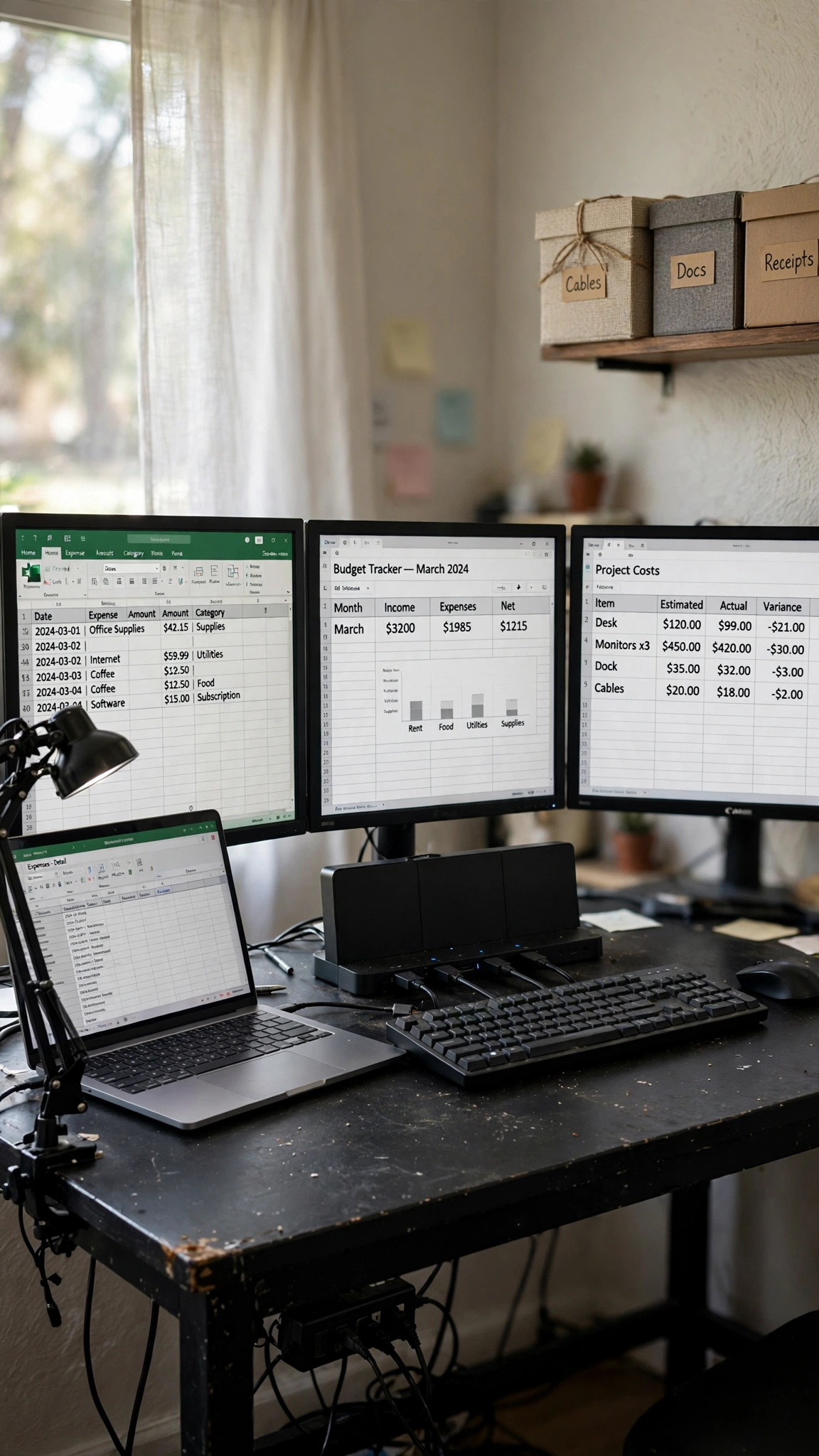
This is the cheapest route to three screens in this list, and it works because the dock does the heavy lifting. The Plugable triple display dock uses one native HDMI output and two DisplayLink outputs, with 100W laptop charging, so even a laptop that only supports one screen on its own can run three. The monitors sit on a dual monitor stand on a plain black desk, and the dock sits under the stand where its cables stay hidden.
TRY THIS
Put the main screen on the native HDMI output and the side screens on the DisplayLink outputs, so video and calls run on the sharpest screen.
A clamp lamp lights the keyboard without eating desk space, and a small shelf beside the desk holds storage boxes. A power strip under the desk feeds the monitors and the lamp. If spreadsheets and documents are your whole day, this is the setup to copy, because three screens cost less here than a second monitor costs elsewhere.
KEY PIECE
Plugable USB C Triple Display Docking Station, 100W PD, 3x HDMI (1x 4K 30Hz, 2x 1080p 60Hz), 6x USB 5Gbps Ports, Windows, macOS, ChromeOS Compatible
Why this one: A triple display USB-C dock with 100W charging, three HDMI outputs, and six USB ports.
Worth knowing: Two outputs use DisplayLink, so install the DisplayLink software first, and note the side screens run at 1080p.
COMPLETES THE SETUP
Freelift Dual Monitor Stand, Taller Gas Spring Arms for 2 Screens up to 32 Inch, Black
Why this one: A dual monitor stand with tall gas spring arms that lifts two screens off the desk.
Worth knowing: It holds two screens, so the third screen sits on its own stand or on the desk.
COMPLETES THE SETUP
ODK Computer Desk 47 Inch, Black
Why this one: A simple 47 inch black desk with a clean top that suits three monitors and a clamp lamp.
Worth knowing: It has no drawers, so storage needs a shelf or a basket nearby.
5. The Four Screen Windows Desk

AI-generated image
Four screens sounds like a control room, but this dock makes it a normal desk. The Anker 778 is a Thunderbolt 4 dock with an 8K HDMI port and two DisplayPorts, and it can drive up to four displays on Windows with 100W charging. The monitors sit on a dual arm on a large white desk, the laptop screen stays open as the fourth display, and the dock lies flat at the back where its front USB-C ports stay in reach.
What works here: A large white desk with room for four screens, a dual monitor arm that frees the desk top, a Thunderbolt dock with front USB-C ports for phones and drives, a desk lamp, a filing cabinet for paper, and a power strip under the desk for everything else.
The dock has no card reader and no audio jack, so keep a small reader in the filing cabinet if you need one. If your work lives across four windows at once, this is the setup to copy, because the dock is the only piece that has to be special, and the rest of the desk is plain and roomy.
KEY PIECE
Anker 778 Thunderbolt Docking Station (12-in-1, Thunderbolt 4), 40 Gbps with Max 100W Charging for Laptop, Single 8K, Quad 4K Display, Ethernet, 6 USB Ports for Dell, HP Laptops and More, Gray
Why this one: A 12-in-1 Thunderbolt 4 dock with 100W charging and up to four displays on Windows.
Worth knowing: Four displays work on Windows; Mac support is limited, so check your laptop before ordering.
COMPLETES THE SETUP
Amazon Basics Gas Spring Single Computer Monitor Arm, Black
Why this one: A gas spring single monitor arm that lifts one screen off the desk and frees the top.
Worth knowing: It holds one screen, so pair it with a second arm or a stand for the other monitor.
COMPLETES THE SETUP
Tribesigns Computer Desk, 55 inch Large Office Desk, White
Why this one: A large 55 inch white office desk that gives a four screen setup room to breathe.
Worth knowing: It is a plain large desk, so storage needs an organizer or a filing cabinet nearby.
6. The Budget Office Fleet Desk

AI-generated image
Some docks are famous because offices buy them by the hundred, and this is one of them. The Dell WD19S is a slim USB-C dock with two DisplayPorts and one HDMI, dual 4K monitors, and 130W charging for Dell laptops or 90W for other brands. It sits on a walnut desk with drawers, the monitor sits on the desk with its screen on, and the whole setup looks like a normal office desk, because that is what it is.
- Plug the dock into the wall with its own 180W adapter, because the dock does the charging.
- Use the DisplayPorts for the monitors first, and keep HDMI spare for a third screen.
- Give the top drawer to the dock cables, so spares stay with the desk.
A wireless keyboard keeps the desk top clear, a brass lamp lights the work zone, and a power strip under the desk feeds the monitor and the lamp. This is the setup to copy if you want a dock with a long office track record and a low street price, because the WD19S is the workhorse of this list.
KEY PIECE
Dell Dock WD19S USB-C 180W Power Delivery
Why this one: A slim Dell USB-C dock with dual 4K support and 130W charging for Dell laptops.
Worth knowing: It delivers 90W to non-Dell laptops, so check your laptop charging needs first.
COMPLETES THE SETUP
Logitech K585 Multi-Device Slim Wireless Keyboard, Graphite
Why this one: A slim multi-device wireless keyboard that pairs with a laptop and a tablet at once.
Worth knowing: It is a slim keyboard with no number pad, so check the layout before ordering.
COMPLETES THE SETUP
GreenForest Computer Desk with Drawers and Monitor Stand, 51 inch, Walnut
Why this one: A 51 inch walnut desk with drawers, a monitor stand, and power outlets for a setup with real storage.
Worth knowing: The desk top is walnut, so pair it with a black dock and a dark lamp for a calm match.
7. The Travel Hub Small Desk

AI-generated image
Not every dock needs its own power brick. This Plugable hub is an 11-in-1 USB-C hub that travels in a laptop bag and docks the laptop at any desk, with two HDMI outputs for dual screens and ports for a keyboard, a drive, and a card. The laptop sits raised on an aluminum stand on a black oak desk with power outlets, so the screen is at eye level and the hub sits flat beside it.
TRY THIS
Keep the hub in the laptop bag, not on the desk, so the same hub docks the laptop at home, at a shared desk, and on the road.
A desk lamp lights the keyboard, a storage basket under the desk holds cables and chargers, and a power strip under the desk feeds the lamp and the laptop charger. If you work from more than one desk, this is the setup to copy, because the dock is the part that moves with you.
KEY PIECE
Plugable 11-in-1 USB-C Hub, Space Gray
Why this one: A compact 11-in-1 USB-C hub with dual HDMI, card slots, and USB ports, with no power brick.
Worth knowing: It draws power from the laptop, so dual 4K needs a host with DisplayPort 1.4, and the second HDMI mirrors on Mac.
COMPLETES THE SETUP
SOUNDANCE Adjustable Laptop Stand, Aluminum, Silver
Why this one: An adjustable aluminum laptop stand that raises the screen to eye level on a small desk.
Worth knowing: It holds one laptop, so check the laptop size against the stand before ordering.
COMPLETES THE SETUP
iSunirm 47 inch Computer Desk with Power Outlets, Black Oak
Why this one: A 47 inch computer desk with built in power outlets, made for a laptop that stays plugged in all day.
Worth knowing: Confirm the colour variant on the listing, because this desk family sells in more than one finish.
8. The Pocket Hub Corner Desk

AI-generated image
A corner desk is where small gear earns its keep. This Anker hub is a 7-in-1 adapter the size of a phone, with 4K HDMI, 85W power delivery, USB ports, and card slots, and it turns a laptop into a two screen setup with a portable monitor beside it. The L-shaped desk wraps the corner, the laptop and the portable monitor sit side by side with their screens on, and the hub sits between them on a short cable.
- Keep the hub on the desk, not hanging from the laptop port, so the cable stays straight.
- Put the portable monitor on the long side of the L, so it faces you squarely.
- Use the clip-on lamp on the short side, so the light comes from the left or the right, not from behind the screens.
A small bookshelf in the corner holds books and boxes, and a power strip under the desk feeds the lamp and the laptop charger. This is the setup to copy if your office is a corner and your second screen has to pack away, because the hub and the portable monitor both fit in a drawer.
KEY PIECE
Anker USB C Hub, 7-in-1 Multi-Port USB Adapter for Laptop/Mac, 4K at 60Hz USB C to HDMI Splitter, 85W Max Power Delivery, 3xUSBA and C 3.0 Data Ports, SD/TF Card, for Type C Devices (Charger Not Included)
Why this one: A pocket sized 7-in-1 USB-C hub with 4K HDMI, 85W power delivery, and card slots.
Worth knowing: The charger is not included, so the hub passes power through only when your own charger is plugged in.
COMPLETES THE SETUP
ViewSonic VA1655 15.6 Inch Portable Monitor
Why this one: A 15.6 inch portable monitor that adds a second screen and packs away in a drawer.
Worth knowing: It is a portable screen, so it needs the laptop or a charger for power.
COMPLETES THE SETUP
WORLDEEP L Shaped Desk with Power Outlets and USB Ports, 47 Inch, Vintage
Why this one: A 47 inch L-shaped desk with power outlets and USB ports that fits a corner office.
Worth knowing: It is an L-shaped desk, so measure both walls before ordering.
9. The ThinkPad Office Desk

AI-generated image
If the laptop is a ThinkPad, the matching dock is the calm choice. The Lenovo Universal USB-C Dock is built for ThinkPad power management, with dual 4K outputs, 90W charging, and firmware updates through Lenovo tools, so the dock and the laptop stay in step. The monitor sits on a rustic brown five drawer desk, a leather desk pad sits under the slim keyboard, and the dock sits at the back with one cable to the laptop.
What works here: A rustic desk with five drawers for files and chargers, a leather desk pad that warms the work zone, a slim Bluetooth keyboard, a warm desk lamp, a monitor with its screen on, and a power strip under the desk for the monitor and the lamp.
The dock handles the wired network too, so the laptop stays off Wi-Fi at the desk and the connection stays steady for calls. If you already own the laptop and want the dock its maker tuned for it, this is the setup to copy, because the dock, the desk, and the drawers all stay quiet and practical.
KEY PIECE
Lenovo ThinkPad Universal USB-C Dock 40AY0090US, Dual 4K, 90W Charging
Why this one: The official Lenovo Universal USB-C Dock with dual 4K support and 90W laptop charging.
Worth knowing: It ships with a 90W adapter, so it suits most ThinkPads but not the largest workstation models.
COMPLETES THE SETUP
iClever BK10 Bluetooth Keyboard, Slim, USB-C Rechargeable
Why this one: A slim Bluetooth keyboard with USB-C charging that pairs with a laptop in seconds.
Worth knowing: It is a slim keyboard, so check the key travel suits how you type.
COMPLETES THE SETUP
Tribesigns Computer Desk with 5 Drawers, 47 inches Rustic Brown
Why this one: A 47 inch rustic brown desk with five drawers for files, notebooks, and chargers.
Worth knowing: Five drawers add weight, so check the assembly steps on the listing before ordering.
10. The USB4 Triple 4K Desk

AI-generated image
This is the sharpest desk in the list, and the dock is why. The Anker 568 runs on USB4 at 40Gbps, with two DisplayPorts and one HDMI that can drive three 4K displays, plus 100W charging and two fast USB-C ports for phones and drives. The monitors sit on a wide white desk with four drawers, the laptop screen stays open as a third work surface, and the dock sits at the back with its video cables in a neat row.
TRY THIS
Give each screen a job and keep it, so the left screen holds mail, the middle screen holds the main work, and the right screen holds reference material.
A mechanical keyboard suits the long typing days this desk is built for, a clamp swing arm lamp lights the keyboard without eating desk space, and a power strip under the desk feeds the monitors and the lamp. If your laptop has USB4 and your work needs three sharp screens, this is the setup to copy, because the dock is the only piece that has to keep up.
KEY PIECE
Anker 568 USB-C Docking Station (11-in-1, USB4), Up to 100W Charging for Laptop, 40Gbps Data Transfer, Ethernet, Single 8K, Triple 4K Display, 6 USB Ports for Windows Laptop and More, Gray
Why this one: An 11-in-1 USB4 dock with triple 4K display support, 100W charging, and 40Gbps data.
Worth knowing: It is built for Windows laptops with USB4 or Thunderbolt, so check your port before ordering.
COMPLETES THE SETUP
Keychron K3 75 Percent Wireless Mechanical Keyboard, 84-Key
Why this one: A 75 percent wireless mechanical keyboard with 84 keys for long typing days.
Worth knowing: It is a compact layout, so check the key layout suits how you work.
COMPLETES THE SETUP
ODK 55 Inch Computer Desk with 4 Drawers, Office Desk with Power Outlets, Printer Shelf and Storage Shelves, White
Why this one: A 55 inch white desk with four drawers, power outlets, and a printer shelf for a setup with plenty of storage.
Worth knowing: At 55 inches it is a wide desk, so measure the wall before ordering.
Frequently asked questions
What is a docking station, and how is it different from a USB hub?
A docking station is a powered box that connects a laptop to screens, a keyboard, a network cable, and power through one cable, and it usually has its own power adapter. A USB hub is smaller, often draws power from the laptop, and adds a few ports without charging the laptop or driving several screens. In this article, setups 1 to 6 and 9 and 10 use powered docks, while setups 7 and 8 use compact hubs that travel with the laptop.
Will one dock work with any laptop?
No, and the port on the laptop decides. A Thunderbolt dock needs a Thunderbolt port, a USB4 dock needs USB4 or Thunderbolt, and a DisplayLink dock needs its driver installed. Check the laptop port and the dock requirements on the listing before ordering, because a dock that does not match the port will charge the laptop but may not show a picture.
Can a docking station charge my laptop?
Most powered docks in this article can, and each product box names the wattage. The Plugable dock in setup 1 charges at 65W, the Anker docks in setups 3, 5, and 10 charge at 85W to 100W, and the CalDigit dock in setup 2 charges at 98W. Compare that number with the laptop charger wattage, because a dock that charges below the laptop needs may not keep up under heavy use.
How many monitors can a docking station run?
It depends on the dock and the laptop. The docks here run from one screen on the pocket hubs to four screens on the Anker 778 in setup 5. DisplayLink docks like the Plugable in setup 4 can add screens a laptop could not drive on its own, but they need a driver and the side screens may run at lower resolution.
Do I still need a power strip if the dock charges the laptop?
Yes, because the dock charges the laptop and powers its own ports, but the monitors, the lamp, and the dock itself still need wall power. Every setup here keeps a power strip under the desk for the monitors and the lamp, with the dock on its own adapter where it has one.
Which docking station should I buy first?
Start with the laptop port, then the screen count. If the laptop has Thunderbolt, the CalDigit TS4 in setup 2 or the Anker 778 in setup 5 are the strong picks. If it has plain USB-C, the Plugable dock in setup 1 or the Dell WD19S in setup 6 are the safe picks. If the laptop travels, the Plugable hub in setup 7 or the Anker hub in setup 8 are the ones that fit in a bag.
Related reading
If you liked these ideas, browse the Home Office Ideas category on desk & glow, or start at the desk & glow home page for more desk setup ideas.
Conclusion
A docking station is the shortest path from a laptop to a full desk, and the right one depends on the laptop port and the screen count, not on the price tag. Pick the dock that matches the port, count the screens it can drive, and let the desk, the chair, the light, the storage, and the power stay simple around it. The best docked setup is the one where plugging in a single cable starts the whole workday.
