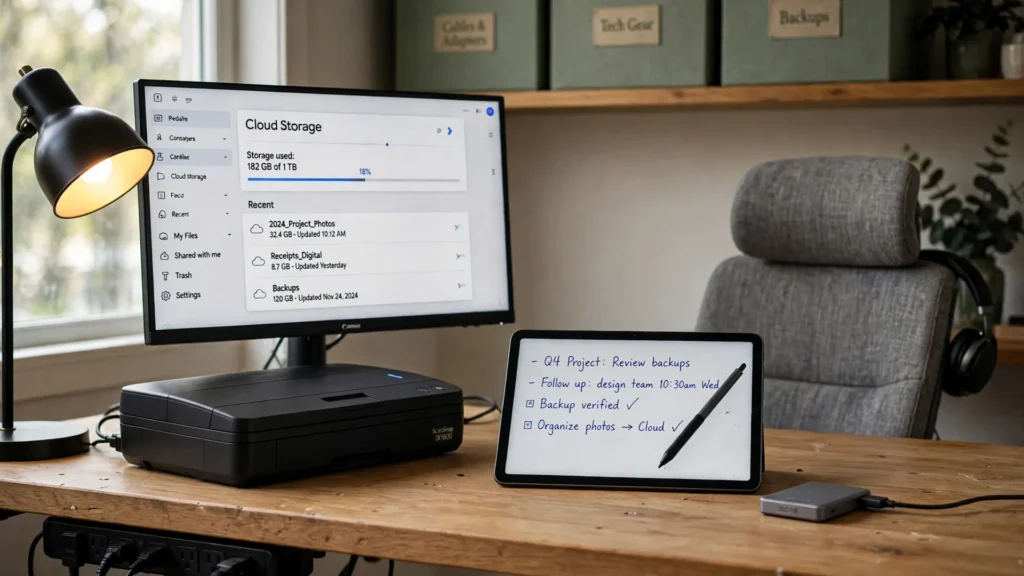
10 Home Office Ideas for a Paperless Office
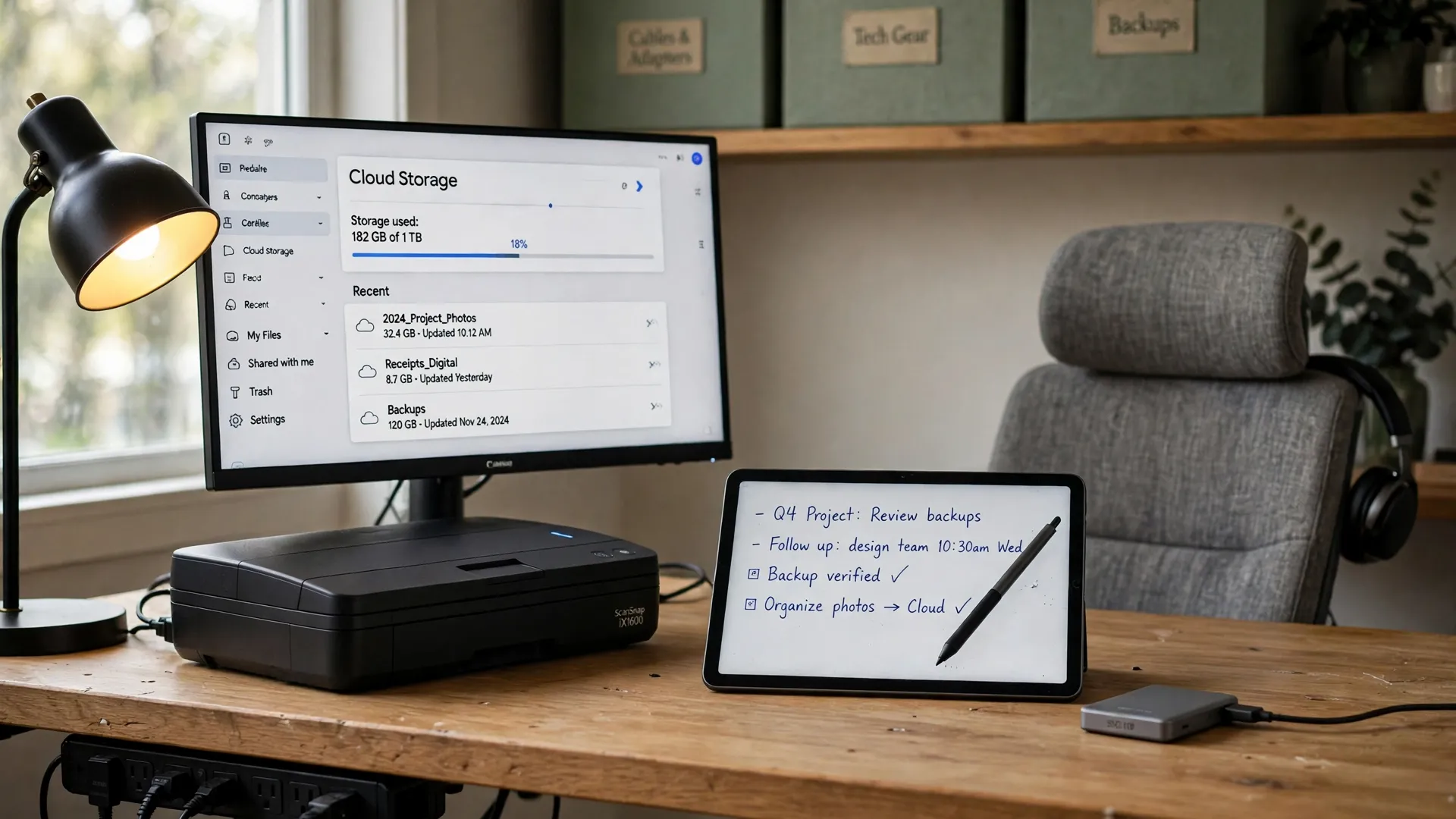
By Maya Bennett, Founder & Editor. A paperless office is not a tidy desk with a paper tray, it is a workflow where paper never stays paper. Every setup below scans, writes, or stores digitally, with a scanner, a tablet with a stylus, an e-ink notebook, or a cloud drive doing the work, while the desk, the seat, the screen, the light, the storage, and the power stay practical and copyable. For more ideas in this series, browse the Home Office Ideas category.
As an Amazon Associate I earn from qualifying purchases. Please see our affiliate disclosure for details. This article prints no prices, because prices change. Check the listing before you buy, and confirm you have the exact variant named.
AI-generated image
In this article
- 1. The ScanSnap iX1600 Paper Clearing Desk
- 2. The Kindle Scribe Digital Notebook Desk
- 3. The Epson ES-50 Portable Scan Anywhere Desk
- 4. The Rocketbook Reusable Planner Desk
- 5. The Galaxy Tab S9 FE S Pen Notes Desk
- 6. The Brother ADS-1700W Receipts Desk
- 7. The Canon R40 Cloud Scan Desk
- 8. The Samsung T7 Cloud Backup Desk
- 9. The iPad Digital Notes Desk
- 10. The Kobo Elipsa 2E Reading and Notes Desk
- Frequently asked questions
- Conclusion
At a glance
| Setup | Key product | Best for |
|---|---|---|
| 1. The ScanSnap iX1600 Paper Clearing Desk | Fujitsu ScanSnap iX1600 Versatile Cloud Enabled Document Scanner for Mac or PC, Black | A desktop scanner that clears a whole pile in one pass |
| 2. The Kindle Scribe Digital Notebook Desk | Kindle Scribe (16 GB), the first Kindle for reading, writing, journaling and sketching, with a 10.2 inch 300 ppi Paperwhite display, includes Basic Pen | Handwritten notes that live on an e-ink screen |
| 3. The Epson ES-50 Portable Scan Anywhere Desk | Epson WorkForce ES-50 Portable Sheet-Fed Document Scanner for PC and Mac | A scanner small enough to live in a laptop bag |
| 4. The Rocketbook Reusable Planner Desk | Rocketbook Fusion Reusable Undated Productivity Planner, Letter Size 8.5×11, Gray | A planner you write in, scan, and wipe clean |
| 5. The Galaxy Tab S9 FE S Pen Notes Desk | Samsung Galaxy Tab S9 FE 10.9 inch 128GB WiFi Android Tablet with S Pen, Gray | A tablet and a big monitor sharing one cloud desk |
| 6. The Brother ADS-1700W Receipts Desk | Brother Wireless Document Scanner, ADS-1700W, Fast Scan Speeds, Easy-to-Use, Ideal for Home, Home Office or On-the-Go Professionals, White | Receipts and cards scanned straight to the cloud |
| 7. The Canon R40 Cloud Scan Desk | Canon imageFORMULA R40, Office Document Scanner, Windows and Mac, Duplex Scanning, Easy Setup, Scans a Wide Variety of Documents, Scans to Cloud | One button scans that land in your cloud drive |
| 8. The Samsung T7 Cloud Backup Desk | Samsung T7 Portable SSD, 1TB External Solid State Drive, Speeds Up to 1,050MB/s, USB 3.2 Gen 2, MU-PC1T0T/AM, Gray | A pocket drive that backs up the whole paperless desk |
| 9. The iPad Digital Notes Desk | Apple iPad (10th Generation): with A14 Bionic chip, 10.9-inch Liquid Retina Display, 64GB, Wi-Fi 6, 12MP front/12MP Back Camera, Touch ID, All-Day Battery Life, Blue | An iPad that turns handwriting into typed notes |
| 10. The Kobo Elipsa 2E Reading and Notes Desk | Kobo Elipsa 2E eReader, 10.3 inch Glare-Free Touchscreen with ComfortLight PRO, Includes Kobo Stylus 2, 32GB of Storage | An e-ink reader that marks up PDFs like paper |
1. The ScanSnap iX1600 Paper Clearing Desk
AI-generated image
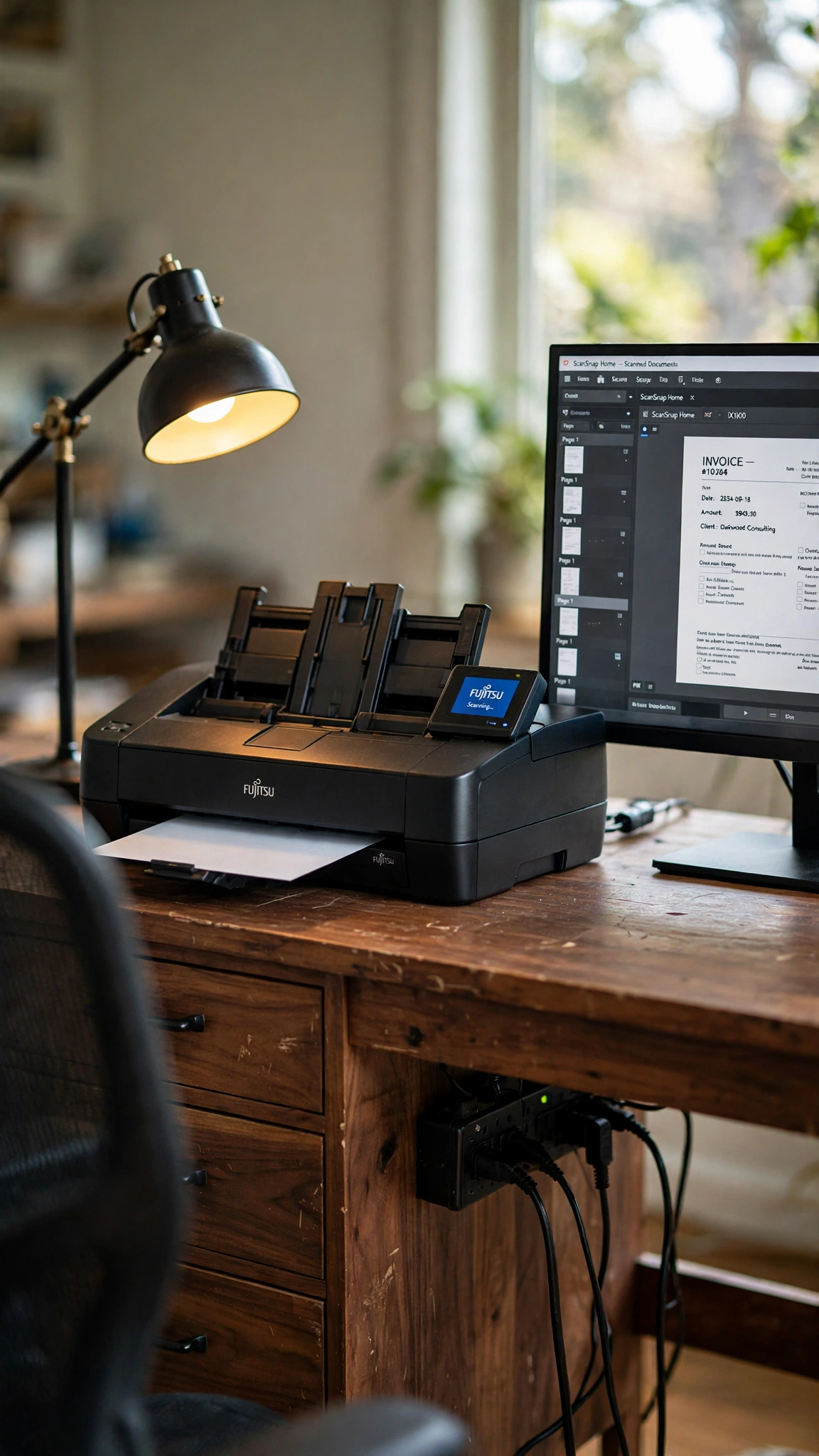
This is the setup for the pile you have been meaning to deal with. The ScanSnap iX1600 takes a stack of letters, bills, and forms through its feeder and sends each page straight to a cloud folder, so the paper leaves the desk the same day it arrives. A monitor sits beside it with its screen on, showing the scanned files as they land, and the walnut desk with drawers holds the scanner, the monitor, and nothing else that needs keeping.
- Scan mail the day it arrives, so no pile ever forms again.
- Name each cloud folder for the kind of document it holds, not for the month.
- Keep the scanner lid closed when it is not running, so it reads as part of the desk.
A black mesh chair with a footrest rolls up to the desk, and a power strip under the desk feeds the monitor and the scanner. If your desk is buried under paper right now, this is the setup to copy, because the scanner is the whole plan, and the rest of the desk just supports it.
KEY PIECE
Fujitsu ScanSnap iX1600 Versatile Cloud Enabled Document Scanner for Mac or PC, Black
Why this one: A cloud enabled desktop scanner with a touchscreen and an automatic feeder that scans both sides at once.
Worth knowing: It is a full size desktop scanner, so give it a permanent spot on the desk, not a shelf.
COMPLETES THE SETUP
GreenForest Computer Desk with Drawers and Monitor Stand, 51 inch, Walnut
Why this one: A 51 inch walnut desk with drawers, a monitor stand, and power outlets for a setup with real storage.
Worth knowing: The desk top is walnut, so pair it with a black chair and a dark lamp for a calm match.
COMPLETES THE SETUP
Amazon Basics 24-inch Full HD IPS Monitor, 75 Hz, 1080P, HDMI, Display Port and VGA Input, Adjustable Stand, VESA Compatible, Built-in Speakers for Office and Home, Black
Why this one: A 24 inch full HD monitor with built in speakers for checking scanned files as they land.
Worth knowing: It is a 1080p monitor, so it suits documents and browsing better than detailed photo work.
2. The Kindle Scribe Digital Notebook Desk
AI-generated image
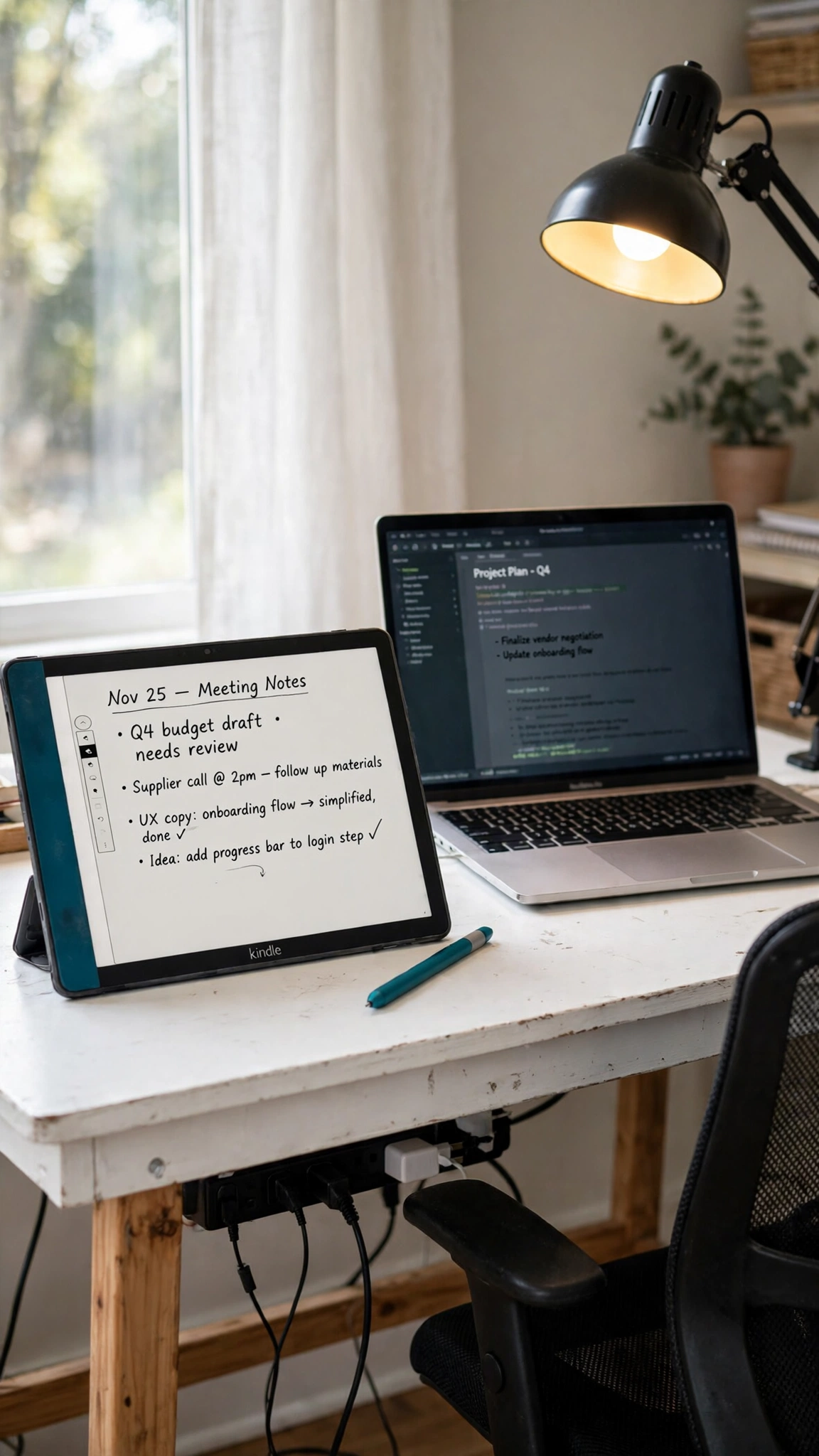
If you think on paper, this setup keeps the habit and drops the paper. The Kindle Scribe is an e-ink notebook with a pen, so you write lists, meeting notes, and sketches by hand, then send them to yourself or store them in folders, and the pages never pile up. The laptop sits open beside it with its screen on, so a note can move from handwriting to a typed document without a single sheet changing hands.
What works here: A white writing desk with a storage shelf, an e-ink notebook that replaces every notepad, a laptop for the typed version, a clamp lamp that frees the desk top, and a power strip under the desk for both screens.
A small ergonomic chair tucks under the desk, and the shelf holds chargers and the pen tips. This is the setup to copy if you love handwriting but hate the notebooks it leaves behind, because the pen feels like paper and the storage feels like nothing at all.
KEY PIECE
Kindle Scribe (16 GB), the first Kindle for reading, writing, journaling and sketching, with a 10.2 inch 300 ppi Paperwhite display, includes Basic Pen
Why this one: A 10.2 inch e-ink notebook with a Basic Pen for handwritten notes, reading, and sketching in one device.
Worth knowing: This is the 2022 release, so confirm the variant on the listing, because a newer Scribe model also exists.
COMPLETES THE SETUP
Tribesigns Computer Desk with Storage Shelf and Drawers, Modern 47 inch Office Writing Desk, White
Why this one: A 47 inch white writing desk with a storage shelf and drawers for a laptop and a digital notebook.
Worth knowing: It is a writing desk, so it suits a laptop better than a large desktop setup.
COMPLETES THE SETUP
HaFundy LED Desk Lamp with Clamp, Swing Arm, Black, Large
Why this one: A large swing arm LED lamp that clamps to the desk edge and frees the whole desk top.
Worth knowing: The clamp fits desks up to a set thickness, so check your desk edge on the listing.
3. The Epson ES-50 Portable Scan Anywhere Desk
AI-generated image
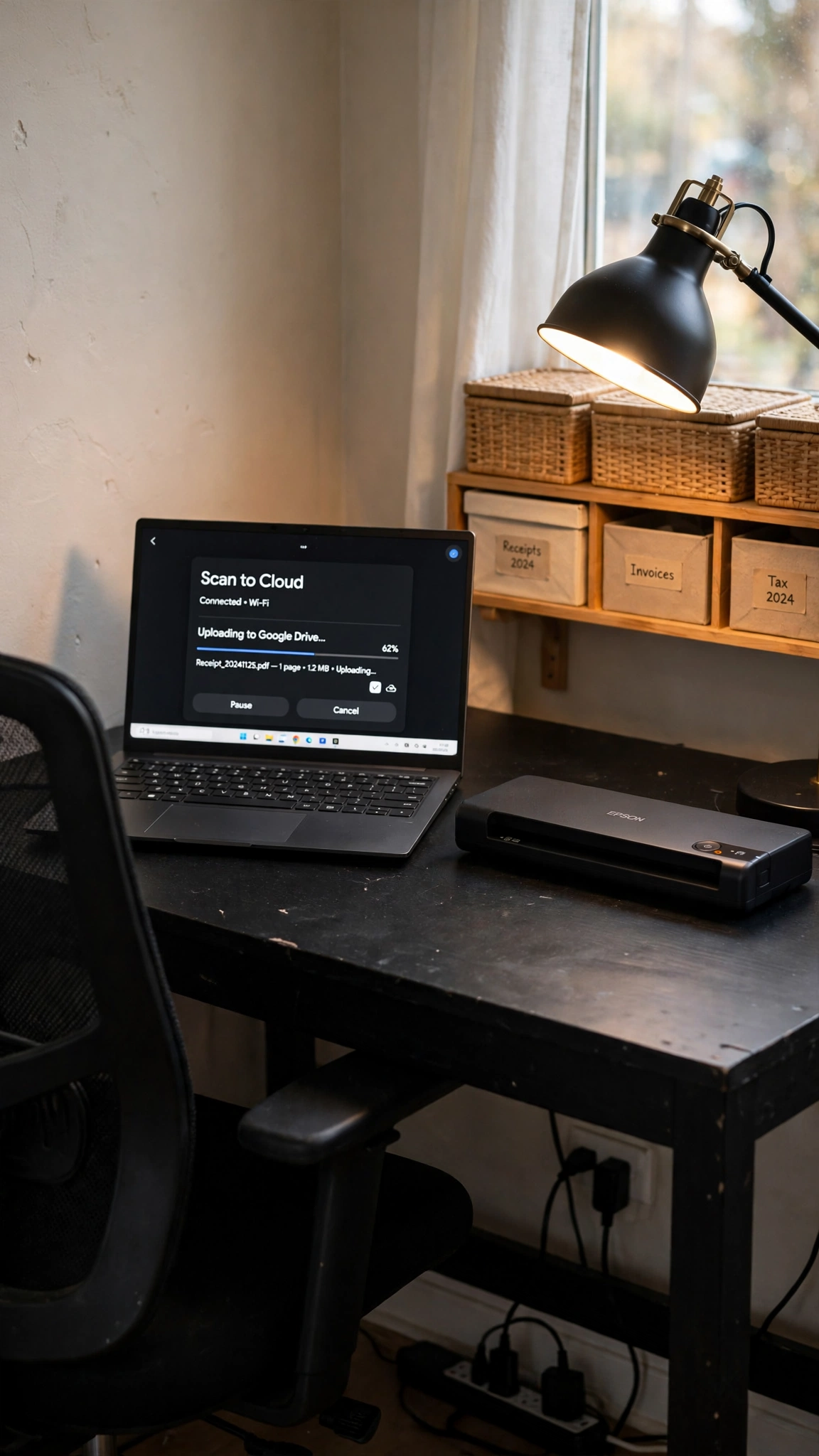
Not every paperless desk needs a big machine. The Epson ES-50 is a slim portable scanner that runs off USB, so it scans one sheet at a time wherever the laptop is, at home, at a client office, or at the kitchen table. The laptop screen shows the scan landing in a cloud app, and the desk stays a plain 47 inch black top, because the scanner is small enough to put away when the work is done.
TRY THIS
Keep the portable scanner in your laptop bag, not on the desk, and scan receipts the moment you get them, so nothing waits for a weekly session.
A black ergonomic chair sits behind the desk, and a small shelf beside it holds storage boxes for the few things that still need a home. If your paper comes in ones and twos instead of piles, this is the setup to copy, because a portable scanner matches the way your paper actually arrives.
KEY PIECE
Epson WorkForce ES-50 Portable Sheet-Fed Document Scanner for PC and Mac
Why this one: A slim USB powered portable scanner that turns single pages, receipts, and cards into searchable PDFs.
Worth knowing: It scans one sheet at a time, so it suits occasional pages better than whole piles.
COMPLETES THE SETUP
ODK Computer Desk 47 Inch, Black
Why this one: A simple 47 inch black desk with a clean top that suits a laptop and a portable scanner.
Worth knowing: It has no drawers, so storage needs a shelf or a basket nearby.
COMPLETES THE SETUP
GABRYLLY Ergonomic Office Chair, Black
Why this one: A black ergonomic office chair that suits a full day at a laptop.
Worth knowing: It is a full size office chair, so check the floor space behind the desk before ordering.
4. The Rocketbook Reusable Planner Desk
AI-generated image
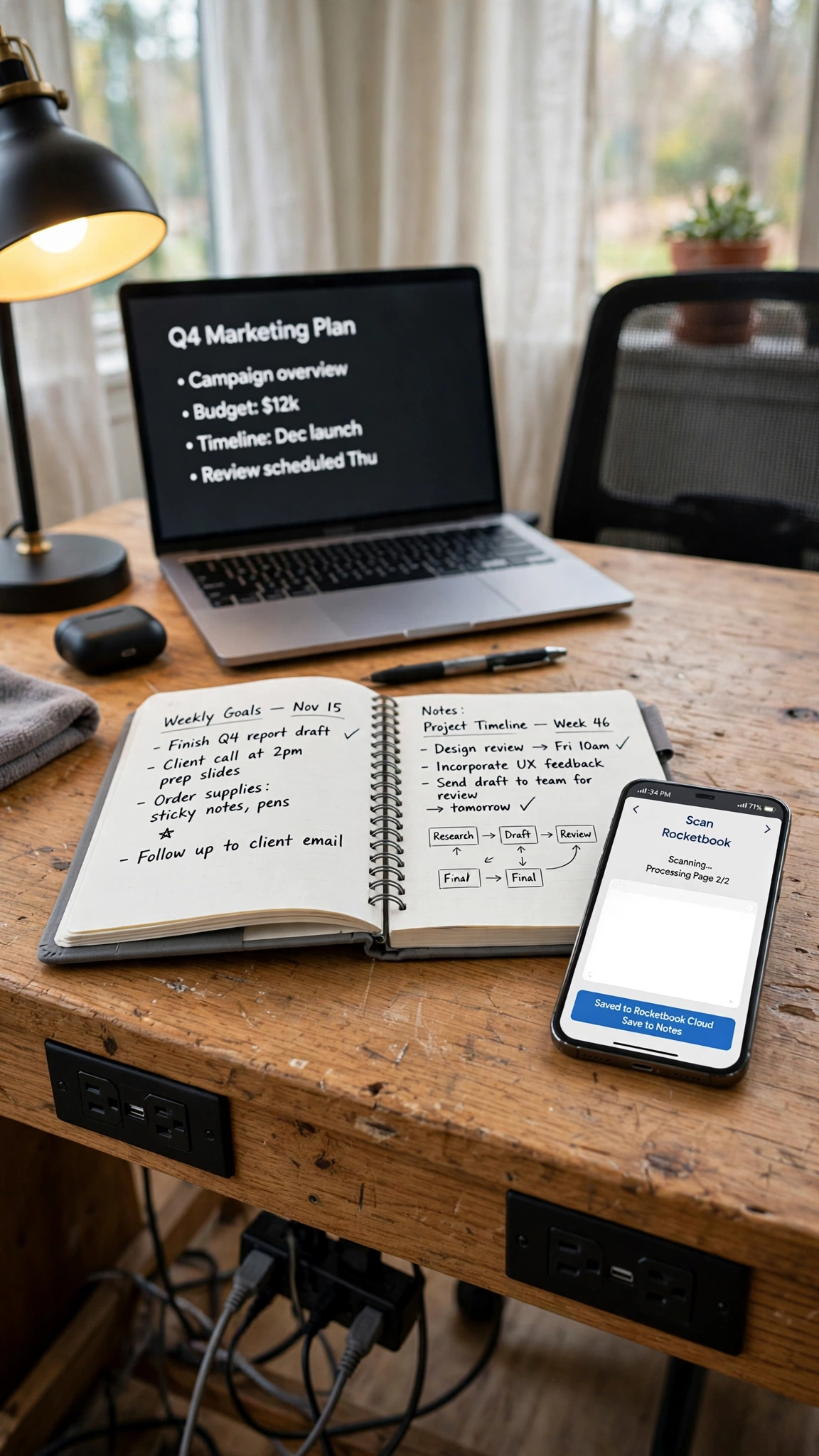
The Rocketbook Fusion is the halfway house for people who are not ready to give up handwriting. You write your week, your goals, and your to do lists in erasable ink, scan each page with the phone app, and send it to a cloud folder, then wipe the page clean and start again. The oak desk has power outlets built in, so the laptop and the phone stay charged while the planner does its work.
- Write the week first, then scan it before you wipe anything.
- Mark one symbol per page, so each scan files itself in the right cloud folder.
- Keep the cloth and pen on the desk, because a reusable planner only works if the tools are in reach.
A black mesh chair sits behind the desk, and a desk lamp lights the keyboard for evening planning. If you plan on paper every week and buy a new planner every year, this is the setup to copy, because one reusable book replaces all of them, and the cloud keeps every week you ever wrote.
KEY PIECE
Rocketbook Fusion Reusable Undated Productivity Planner, Letter Size 8.5×11, Gray
Why this one: A reusable letter size planner with calendar, to do, and lined pages that scan to the cloud and wipe clean.
Worth knowing: It needs the erasable pen and cloth that come with it, so keep both on the desk.
COMPLETES THE SETUP
GreenForest 47 Inch Computer Desk with Power Outlets, Oak
Why this one: A 47 inch oak desk with built in power outlets and a monitor stand, sized for a laptop and a chair.
Worth knowing: The desk top is oak, so match the planner and the chair to warm wood tones.
COMPLETES THE SETUP
DUMOS Home Office Chair, Mid Back Mesh, Black
Why this one: A mid back mesh office chair that breathes well and suits a bright oak desk.
Worth knowing: It is a mid back chair, so it supports the back without a tall headrest.
5. The Galaxy Tab S9 FE S Pen Notes Desk
AI-generated image
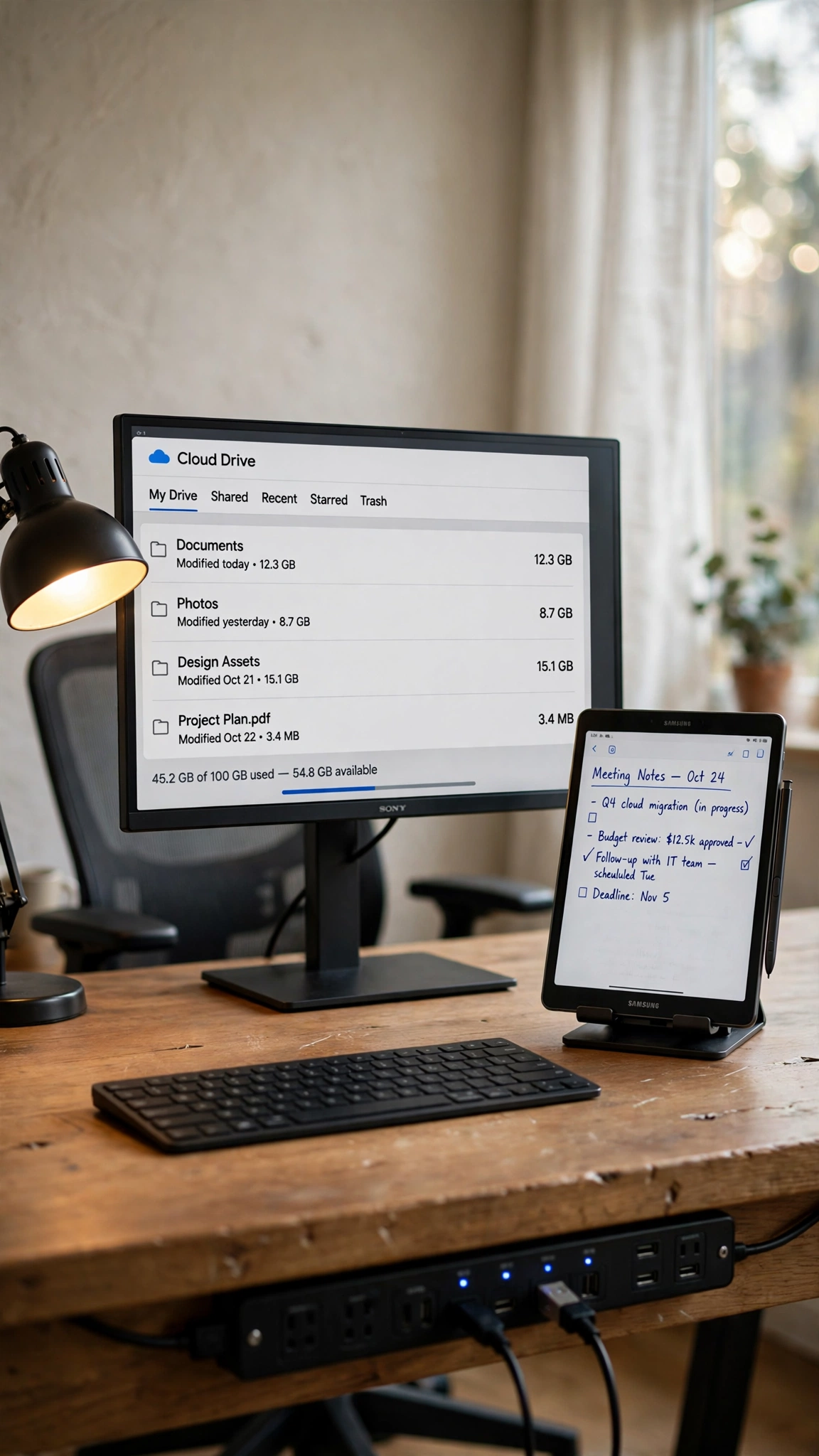
This is the two screen version of going paperless. The Galaxy Tab S9 FE sits on a stand with its S Pen, taking handwritten notes and marking up documents, while the 27 inch monitor shows the same files in the cloud drive, so a note written on the tablet is already filed before you look up. A wireless keyboard sits between them, and the desk lamp keeps the tablet screen easy to read after dark.
What works here: A wide desk with room for both screens, a tablet that takes notes by hand, a 27 inch monitor that shows the cloud files, a keyboard for the typed work, and a power strip with USB ports under the desk for the tablet and the phone.
A comfortable office chair sits in the middle, because this setup is used for full days, not quick notes. If you already live in a cloud drive and want handwriting back in your day, this is the setup to copy, because the tablet adds the pen without adding any paper.
KEY PIECE
Samsung Galaxy Tab S9 FE 10.9 inch 128GB WiFi Android Tablet with S Pen, Gray
Why this one: A 10.9 inch Android tablet with an included S Pen for handwritten notes, markups, and sketches.
Worth knowing: Confirm the storage and colour variant on the listing, because this tablet family sells in more than one size.
COMPLETES THE SETUP
Acer SB273 G0bi 27 Inch IPS Full HD (1920 x 1080) Ultra-Thin Zero-Frame Monitor, Up to 120Hz Refresh, 1ms (VRB), Tilt, HDMI and VGA Ports
Why this one: A 27 inch full HD IPS monitor with a thin frame for showing cloud files beside the tablet.
Worth knowing: It has no built in speakers, so plan for headphones or a small speaker if you need sound.
COMPLETES THE SETUP
AUOPLUS Power Strip, 6 Outlet and 4 USB, 10 Ft
Why this one: A power strip with six outlets and four USB ports on a long cord, so the desk is never short of plugs.
Worth knowing: The cord is long, so coil the spare length neatly instead of letting it pile on the floor.
6. The Brother ADS-1700W Receipts Desk
AI-generated image
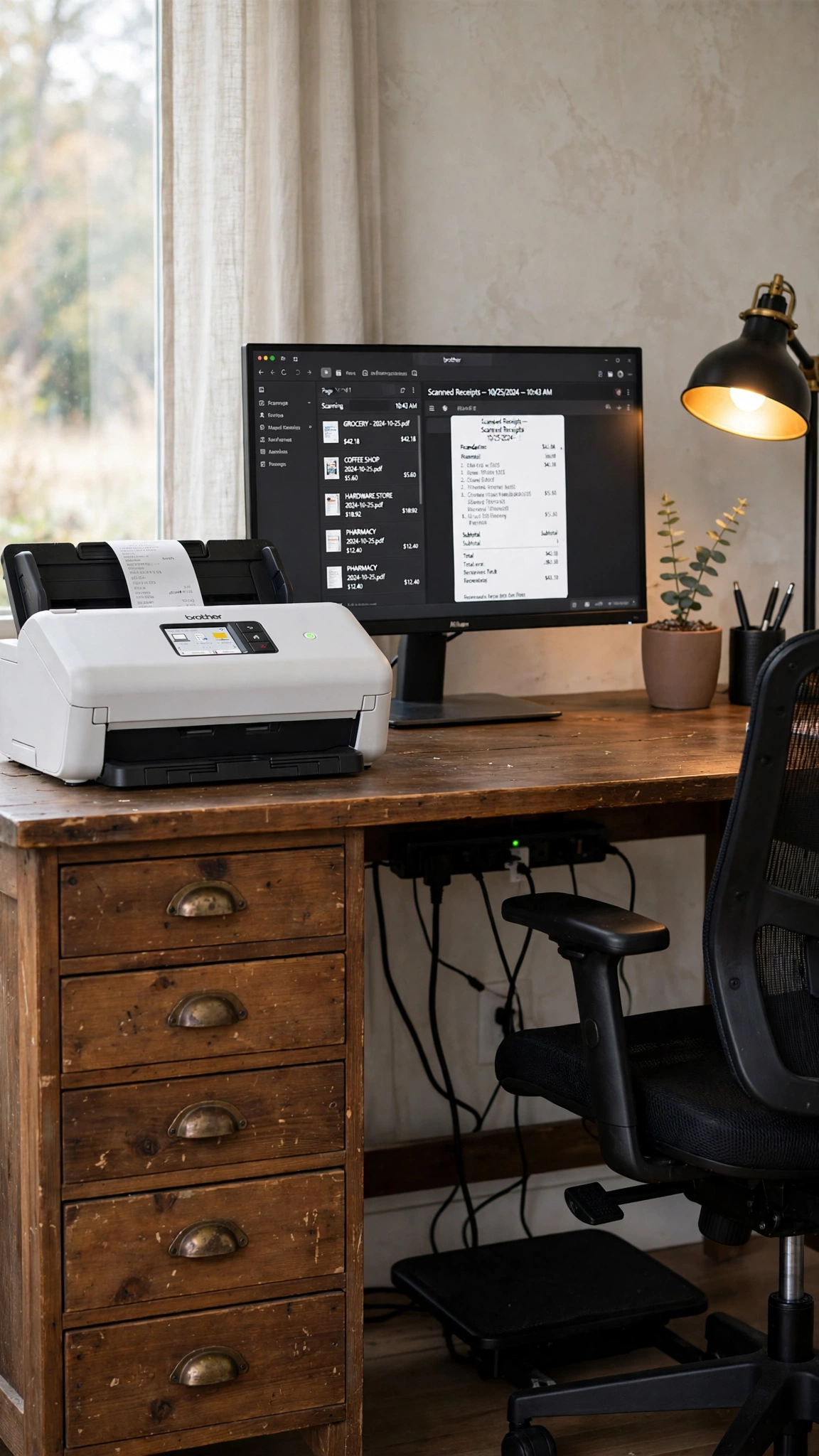
Receipts are the paper that piles up fastest, and this scanner is built for them. The Brother ADS-1700W is a compact wireless scanner with a touchscreen, so you pick a destination on its screen and the receipt goes straight to a cloud folder or an email, no computer needed for the scan itself. The monitor sits beside it with its screen on, showing the receipts filed by month, and the rustic five drawer desk holds the scanner at arm height.
- Scan receipts the day you get them, while you still remember what they were for.
- File business cards the same way, so contacts live in the cloud, not in a drawer.
- Keep one drawer for the scanner supplies, and let the other four hold chargers and cables.
A black mesh chair with a footrest rolls up to the desk, and a power strip under the desk feeds the monitor and the scanner. If your desk drawers are full of old receipts, this is the setup to copy, because the scanner empties the drawer one receipt at a time.
KEY PIECE
Brother Wireless Document Scanner, ADS-1700W, Fast Scan Speeds, Easy-to-Use, Ideal for Home, Home Office or On-the-Go Professionals, White
Why this one: A compact wireless document scanner with a touchscreen that scans receipts, cards, and pages to the cloud.
Worth knowing: It is a compact scanner, so it suits receipts and single pages better than thick piles.
COMPLETES THE SETUP
Tribesigns Computer Desk with 5 Drawers, 47 inches Rustic Brown
Why this one: A 47 inch rustic brown desk with five drawers for files, notebooks, and chargers.
Worth knowing: Five drawers add weight, so check the assembly steps on the listing before ordering.
COMPLETES THE SETUP
COLAMY Ergonomic Mesh Office Chair with Footrest, Black
Why this one: A mesh ergonomic chair with a footrest that suits long days at a wide desk.
Worth knowing: The footrest adds length when pulled out, so check the space under the desk first.
7. The Canon R40 Cloud Scan Desk
AI-generated image
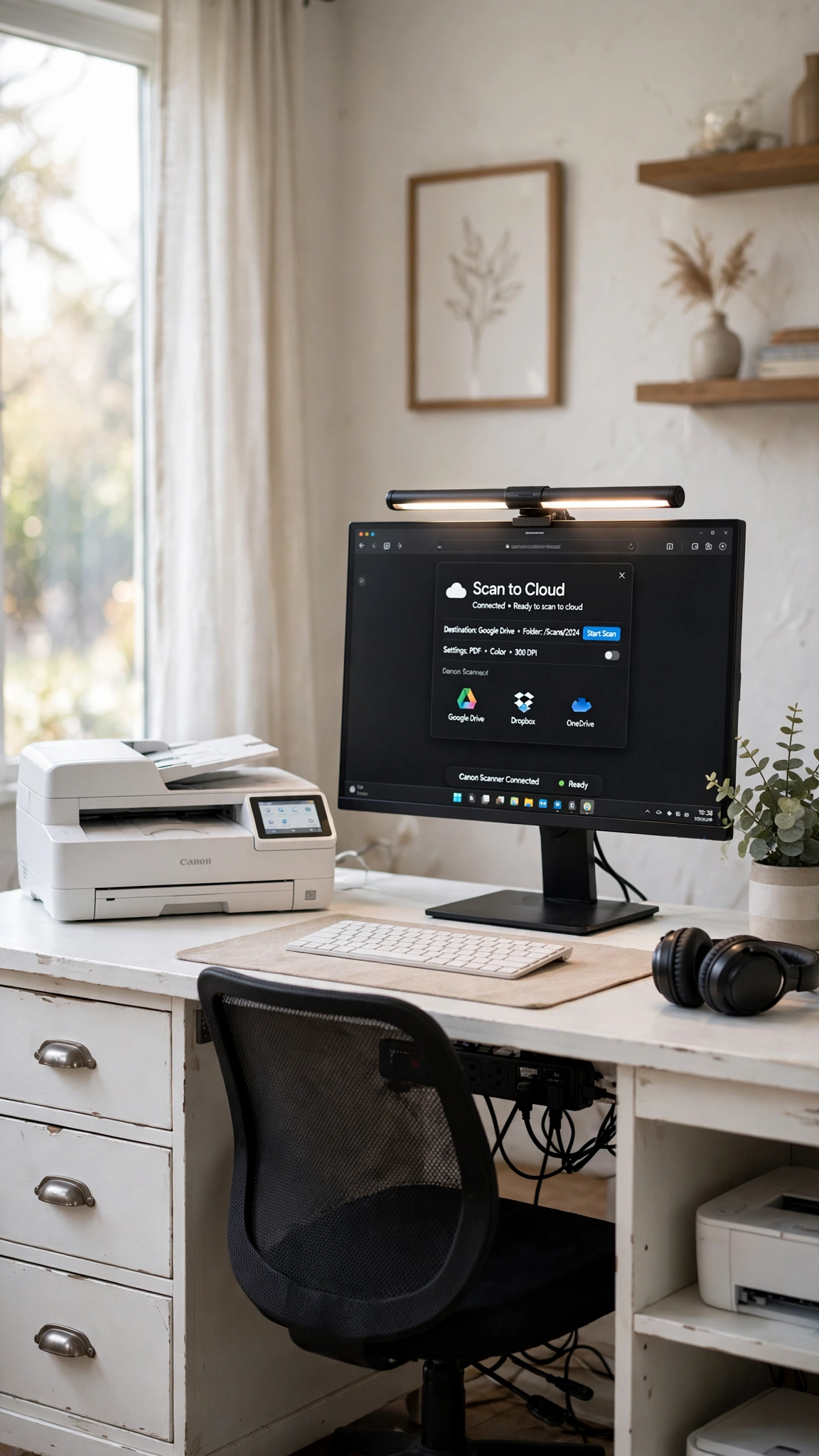
The Canon R40 is the scanner for people who want one button and no fuss. Load the feeder, press start, and the pages go to the cloud, to email, or to a folder on the computer, with both sides scanned in one pass. The wide white desk gives it room to breathe, with four drawers and a printer shelf for the few things that still need a home, and a monitor light bar above the screen lights the keyboard without taking any desk space.
TRY THIS
Set one button on the scanner for your main cloud folder, and a second button for email, so the two most common destinations are always one press away.
A mid back mesh chair sits behind the desk, and a power strip under the desk feeds the monitor, the scanner, and the light bar. If you want scanning to feel as easy as printing used to, this is the setup to copy, because the R40 asks for one press and does the rest itself.
KEY PIECE
Canon imageFORMULA R40, Office Document Scanner, Windows and Mac, Duplex Scanning, Easy Setup, Scans a Wide Variety of Documents, Scans to Cloud
Why this one: A compact office document scanner with duplex scanning that sends pages to the cloud with one press.
Worth knowing: Confirm the software fits your computer, because the scanner works with Windows and Mac.
COMPLETES THE SETUP
ODK 55 Inch Computer Desk with 4 Drawers, Office Desk with Power Outlets, Printer Shelf and Storage Shelves, White
Why this one: A 55 inch white desk with four drawers, power outlets, and a printer shelf for a setup with plenty of storage.
Worth knowing: At 55 inches it is a wide desk, so measure the wall before ordering.
COMPLETES THE SETUP
Quntis Monitor Light Bar PRO+ with Remote Control, 20 Inch, Black
Why this one: A 20 inch monitor light bar with a remote control and auto dimming that lights the desk without glare.
Worth knowing: It clips to the monitor top, so check your monitor thickness against the clip on the listing.
8. The Samsung T7 Cloud Backup Desk
AI-generated image
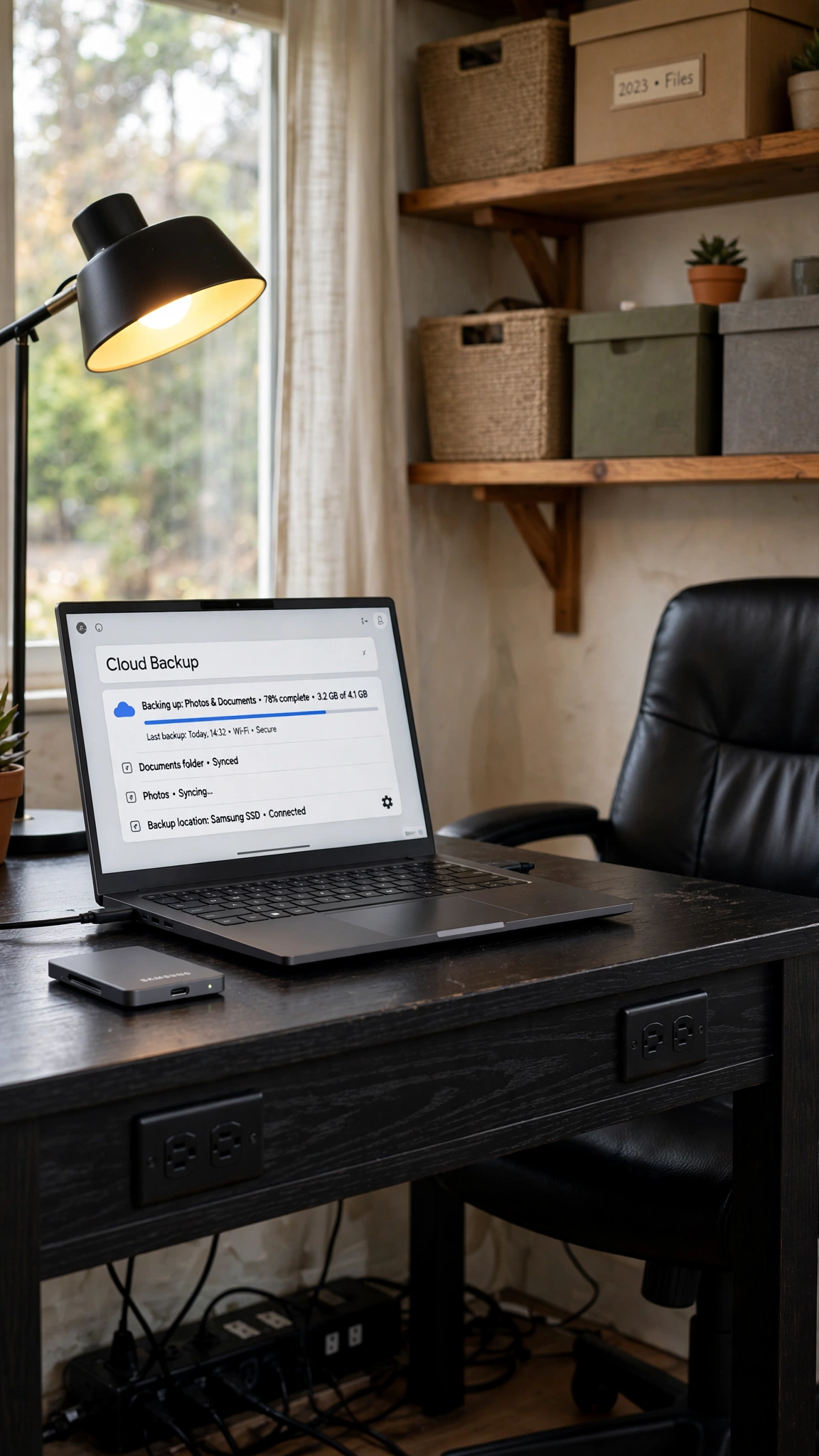
Going paperless only works if the digital copies are safe, and that is what this setup is about. The Samsung T7 is a pocket size drive that holds a full backup of the cloud folders, so every scanned letter and every digital note has a second copy that fits in a drawer. The laptop sits open with its screen on, showing the backup app, and the black oak desk has power outlets built in, so the drive plugs in right where you sit.
What works here: A black oak desk with built in power, a laptop that is the main screen, a pocket SSD that backs up the cloud, a faux leather chair that wipes clean, and a desk lamp for evening work.
Shelves behind the desk hold storage boxes for chargers and cables, and a power strip under the desk feeds the laptop and the lamp. If you have ever lost a file and wished for a second copy, this is the setup to copy, because the backup is the part of paperless that nobody sees until it saves the day.
KEY PIECE
Samsung T7 Portable SSD, 1TB External Solid State Drive, Speeds Up to 1,050MB/s, USB 3.2 Gen 2, MU-PC1T0T/AM, Gray
Why this one: A 1TB portable SSD with fast transfer speeds for backing up scanned files and digital notes.
Worth knowing: Confirm the grey 1TB variant on the listing, because this drive family sells in more than one colour and size.
COMPLETES THE SETUP
iSunirm 47 inch Computer Desk with Power Outlets, Black Oak
Why this one: A 47 inch computer desk with built in power outlets, made for a laptop that stays plugged in all day.
Worth knowing: Confirm the colour variant on the listing, because this desk family sells in more than one finish.
COMPLETES THE SETUP
Amazon Basics Office Computer Task Desk Chair, Mid-Back, Black Faux Leather
Why this one: A black faux leather mid back task chair, simple, wipe clean, and easy on the budget.
Worth knowing: It is a mid back chair with no headrest, so check that it suits how you sit.
9. The iPad Digital Notes Desk
AI-generated image
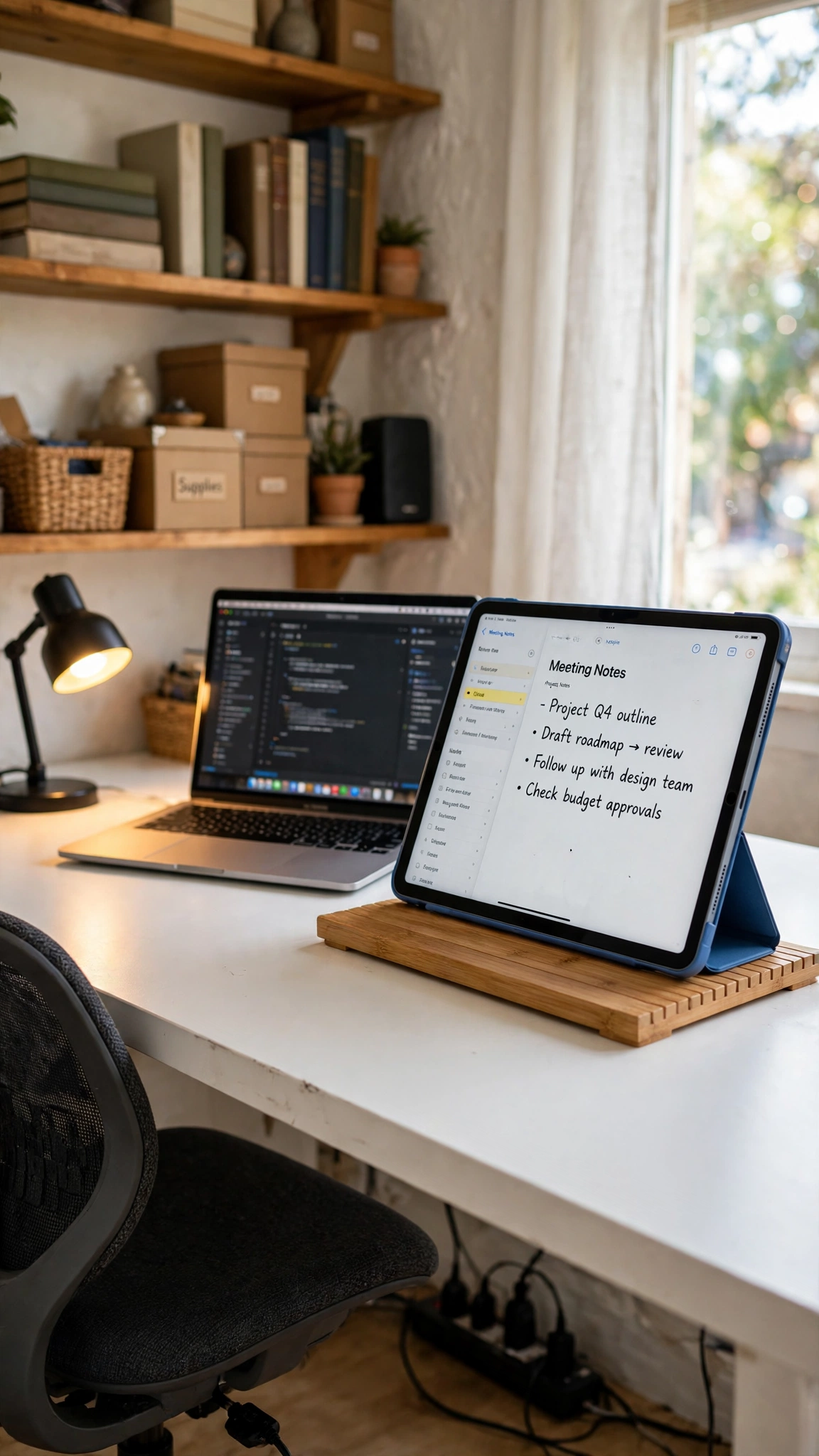
The iPad is the most flexible note taker in this list, because it is a tablet, a reader, and a second screen in one. Raised on a bamboo riser, it shows the notes app at eye level while the laptop handles the typed work, and with a stylus it turns handwriting into searchable text, so a meeting note can be found weeks later with one search. The large white desk gives both screens room, and shelves behind hold books and storage boxes.
- Keep the iPad on the riser, so it reads as a second screen, not a spare tablet.
- File each note the same day, so the search stays useful.
- Charge the stylus on the desk overnight, so it is ready for the first meeting.
A small ergonomic chair tucks under the desk, and a power strip under the desk feeds the laptop and the iPad. If you want one device that covers notes, reading, and calls, this is the setup to copy, because the iPad does all three without a single sheet of paper.
KEY PIECE
Apple iPad (10th Generation): with A14 Bionic chip, 10.9-inch Liquid Retina Display, 64GB, Wi-Fi 6, 12MP front/12MP Back Camera, Touch ID, All-Day Battery Life, Blue
Why this one: A 10.9 inch iPad with Wi-Fi for digital notes, reading, and calls, with all day battery life.
Worth knowing: A stylus is sold separately, so add one if you plan to handwrite notes on the iPad.
COMPLETES THE SETUP
Tribesigns Computer Desk, 55 inch Large Office Desk, White
Why this one: A large 55 inch white office desk that gives a setup room to breathe.
Worth knowing: It is a plain large desk, so storage needs an organizer or shelves nearby.
COMPLETES THE SETUP
Homerays Bamboo Monitor Stand Riser with Drawer
Why this one: A bamboo riser with a drawer that lifts the tablet or monitor and gives small supplies a home underneath.
Worth knowing: It is a wooden riser, so check the weight and the size against your device on the listing.
10. The Kobo Elipsa 2E Reading and Notes Desk
AI-generated image
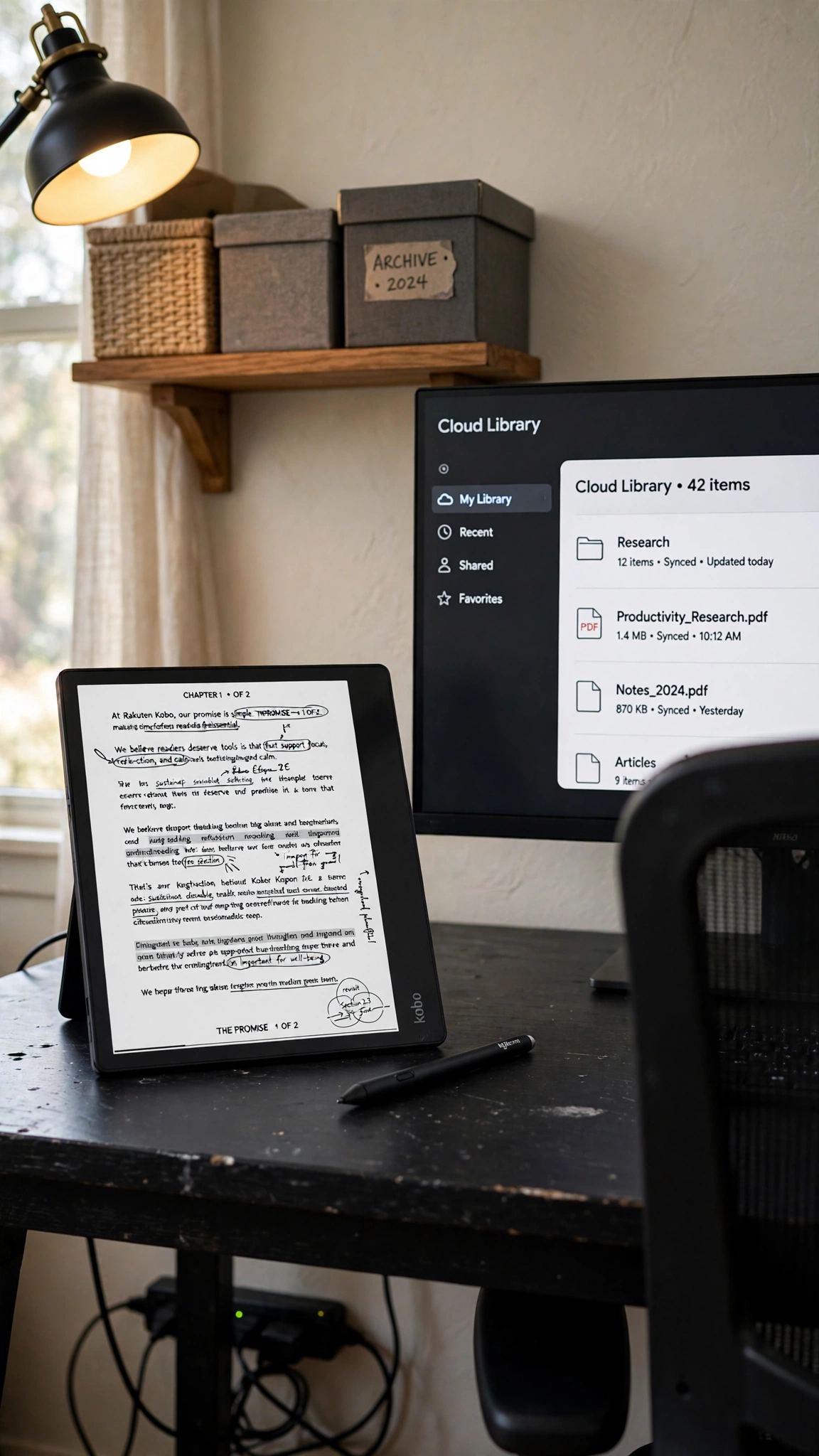
If most of your paper is reading material, this is the setup that replaces it. The Kobo Elipsa 2E is a large e-ink reader with a stylus, so you read ebooks and PDFs on a glare free screen and write notes straight onto the page, then export the notes to the cloud when you are done. The monitor sits beside it with its screen on, showing the cloud library, and the plain black desk keeps the whole scene calm and quiet.
<strong>What works here:</strong> A plain black desk with nothing extra on it, an e-ink reader that replaces every printed article, a monitor that shows the library, a black office chair, and a power strip under the desk for the monitor and the lamp.
A small shelf beside the desk holds storage boxes for chargers and the stylus tips. If you print articles to read them and then never file them, this is the setup to copy, because the reader holds the whole library and the notes stay with the page they belong to.
KEY PIECE
Kobo Elipsa 2E eReader, 10.3 inch Glare-Free Touchscreen with ComfortLight PRO, Includes Kobo Stylus 2, 32GB of Storage
Why this one: A 10.3 inch e-ink reader with an included stylus for writing on ebooks and PDFs and exporting notes to the cloud.
Worth knowing: It is a reading first device, so it suits notes and markup better than fast app work.
COMPLETES THE SETUP
Hbada Office Chair, Black, J1
Why this one: A black office chair that suits a simple desk and a full day of reading and work.
Worth knowing: It is a compact chair, so taller users should check the seat height on the listing.
COMPLETES THE SETUP
Anker USB C Surge Protector Power Strip, 6 Outlet and 3 USB, 6.6 Foot Cord, Flat Plug
Why this one: A power strip with six outlets and three USB ports on a flat plug cord for the monitor, the lamp, and the reader.
Worth knowing: The cord is 6.6 feet, so check the distance to your wall outlet before ordering.
Frequently asked questions
What does a paperless office actually mean at home?
It means paper never stays paper. Mail, receipts, and notes get scanned or written digitally the day they arrive, and the files live in cloud folders and on a backup drive. A tidy desk with a paper tray is not paperless, because the paper is still there, just neater.
Do I need a scanner if I already have a phone camera?
A phone camera works for one page now and then, and the Rocketbook setup in this list uses exactly that. A scanner wins when paper arrives in piles, because a feeder scans both sides of many pages at once and saves them as searchable files, which a phone photo cannot do as neatly.
Where do my files live once the paper is gone?
In cloud folders, with a backup. Every setup here sends scans and notes to a cloud drive, and setup 8 adds a portable SSD as a second copy. Name folders for the kind of document they hold, and back the folders up, because a paperless office with one copy is a risky office.
What replaces sticky notes and paper planners?
A digital note device. The Kindle Scribe in setup 2, the Galaxy tablet in setup 5, the iPad in setup 9, and the Kobo in setup 10 all take handwritten notes, and the Rocketbook in setup 4 scans a paper style planner to the cloud. Pick the one that matches how you like to write.
How do I start going paperless without buying everything at once?
Start with one piece. A portable scanner like the Epson in setup 3 clears new paper as it arrives, or a reusable planner like the Rocketbook in setup 4 replaces the notebook you buy every year. Add the desktop scanner only when the piles need it, and the backup drive once the files matter.
Can a paperless setup work in a small room?
Yes, and setups 3 and 10 show how. A portable scanner lives in a bag, an e-ink reader lives on the desk, and neither needs a drawer or a cabinet. The whole point of going paperless is that the files live in the cloud, so the room can stay small.
Related reading
If you liked these ideas, browse the Home Office Ideas category on desk & glow, or start at the desk & glow home page for more desk setup ideas.
Conclusion
Going paperless is a habit, not a purchase. Pick the piece that matches the paper you actually have, a desktop scanner for piles, a portable scanner for ones and twos, an e-ink notebook for handwriting, or a tablet for notes that search themselves, and let the cloud and a backup drive do the filing. The desk, the seat, the screen, the light, and the power stay the same in every setup here, because the room does not need to change, only what happens on the desk. Start with one setup, scan the next piece of paper that arrives, and let the pile shrink from there.
