10 Dual Monitor Desk Setup Ideas
By Maya Bennett, Founder & Editor
As an Amazon Associate I earn from qualifying purchases. See our affiliate disclosure for details.
Two screens change a desk more than almost any other upgrade, because the second screen turns reference material, chat, spreadsheets and video calls from a window you keep switching to into a place that is simply there. The trick is not buying two monitors, it is giving both screens a home that fits your desk, your neck and your room. This list covers ten complete dual-monitor setups for one reader, each with a different way of holding the pair: side-by-side arms, stacked poles, wall mounts, long risers and a laptop plus external screen. Pick the arrangement that matches your desk first, then copy the rest of the scene around it.
A note before you start: no affiliate monitor appears in this article. The screens in every setup are your own monitors, and in one setup your own laptop, because the mount, desk, chair, light and power are the parts that decide whether a dual setup works. Where a fit depends on a size, a weight or a VESA pattern, the setup says so plainly, so measure your screens before ordering rather than trusting a headline claim.
Contents
1. The Side-by-Side Arms on a Wide Straight Desk2. The Stacked Pair for a Narrow Desk3. The Wall-Mounted Pair That Clears the Desk4. The Long Riser Shelf Pair, No Drilling5. The Gas-Spring Arms on a Wide White Desk6. The Laptop Plus External Monitor on One Pole7. The Stacked Pair on a Narrow Walnut Desk8. The Stacked Pair with Drawers and a Clamp Lamp9. The Two Monitors on a Long Rustic Riser10. The Sliding Arms on a Sit-Stand DeskAt a GlanceFAQConclusion
At a Glance: The 10 Setups
| Setup | Scene | Key Product |
|---|---|---|
| 1 | The Side-by-Side Arms on a Wide Straight Desk | Mount-It! Dual Monitor Arm |
| 2 | The Stacked Pair for a Narrow Desk | HUANUO Vertical Dual Monitor Mount |
| 3 | The Wall-Mounted Pair That Clears the Desk | MOUNT PRO Dual Monitor Wall Mount |
| 4 | The Long Riser Shelf Pair, No Drilling | TEAMIX White Dual Monitor Riser, 42 Inch |
| 5 | The Gas-Spring Arms on a Wide White Desk | MOUNTUP Dual Monitor Stand, Gas-Spring Dual Arms |
| 6 | The Laptop Plus External Monitor on One Pole | WALI Laptop and Monitor Stand M001LP, Black |
| 7 | The Stacked Pair on a Narrow Walnut Desk | AVLT 38 Inch Vertical Ultrawide Monitor Mount DM58-2 |
| 8 | The Stacked Pair with Drawers and a Clamp Lamp | ErGear Vertical Dual Monitor Stand |
| 9 | The Two Monitors on a Long Rustic Riser | TEAMIX 42 Inch Large Dual Monitor Riser, Rustic Brown |
| 10 | The Sliding Arms on a Sit-Stand Desk | ErGear Dual Monitor Stand Mount EGCM5, Sliding Arms |
1. The Side-by-Side Arms on a Wide Straight Desk
Arrangement: Side-by-Side Gas-Spring Arms
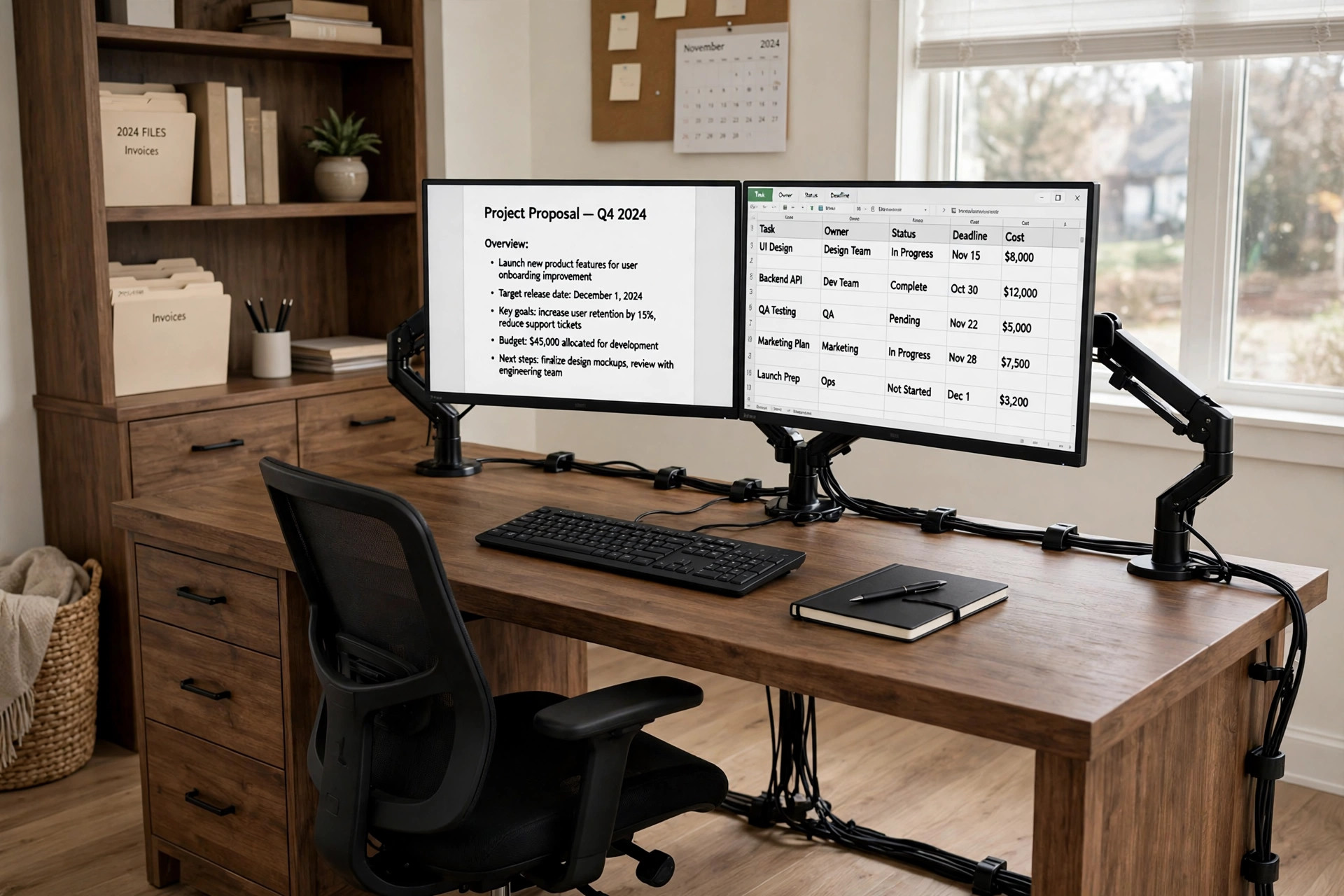
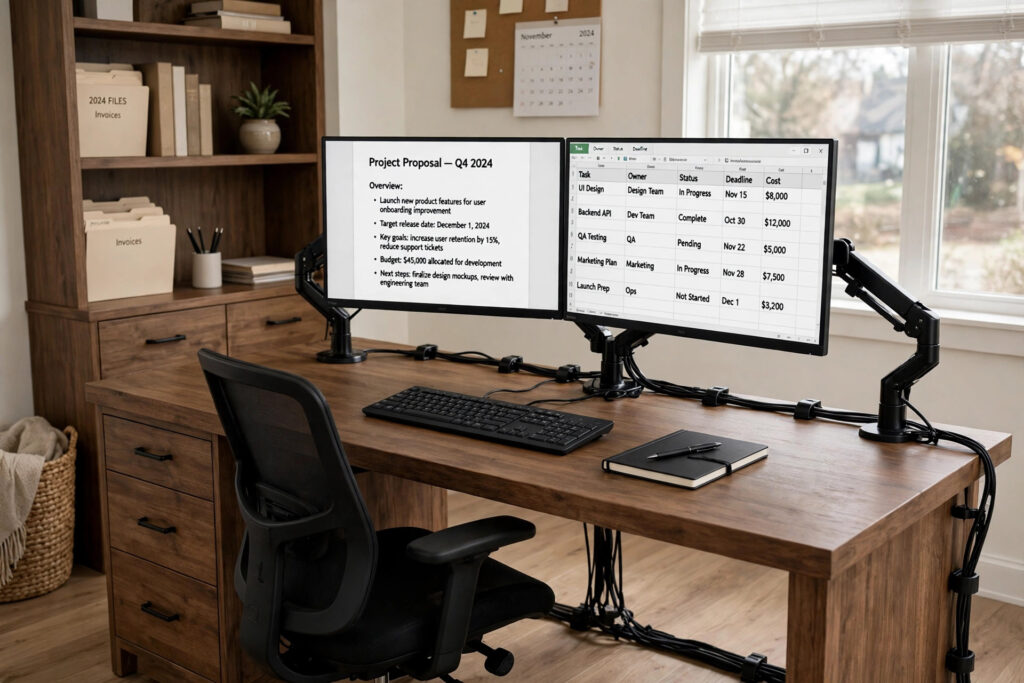
Two monitors side by side is the classic dual setup, and it works best when each screen can move on its own. Here both screens float on independent gas-spring arms over a wide brown desk, so you can tilt one screen toward you for writing and angle the other flat for reference without moving the whole pair. The desk gives the arms room to clamp and still leaves keyboard space clear, while drawers and shelves beside the desk hold notebooks and supplies. A mesh task chair keeps long two-screen sessions comfortable, and room light plus a standard outlet run cover light and power in this scene.
Two-screen fit check: each monitor must be 22 to 27 inches and up to 19.8 lb, with a C-clamp that fits desktops up to 3.5 inches thick. The listing says VESA Compatible without spelling out a pattern figure for this exact mount, so check your monitors against the listing before ordering and do not assume a pattern figure. Measure the clamp zone, not just the overall top, because the hutch uprights limit where the arms can clamp, and no desk height figure is stated for this desk.
KEY PIECE
Why this one: Two independent full-motion gas-spring arms, so each screen can be tilted, swivelled and rotated on its own, unlike a fixed crossbar that locks both screens to one rail.
Worth knowing: The title range is 22 to 27 inches only, so a 32 inch pair does not belong on this mount, and the exact VESA pattern is not spelled out for this mount, so confirm it live before ordering.
SUPPORTING PIECE
Tribesigns 55 Inch Computer Desk, Brown
Why this one: A genuinely wide 55 inch top gives two armed monitors room to sit side by side without the clamp bases crowding the keyboard, and the drawers plus shelves give the setup its storage without a second unit.
Worth knowing: The search dimensions mix desk and hutch figures, so the desk-only height is not cleanly established, and the hutch adds visual bulk a minimal reader may not want. Assembly is required.
SUPPORTING PIECE
Why this one: Mesh back with pivoting lumbar support and a 300 lb capacity, at a plain task-chair footprint that does not fight the wide desk.
Worth knowing: This is the base Task Chair, not the headrest version, so a reader who wants neck support for long dual-screen days will miss a headrest. Use the Task Chair variant only, at standard desk height.
2. The Stacked Pair for a Narrow Desk
Arrangement: Stacked Vertical Dual
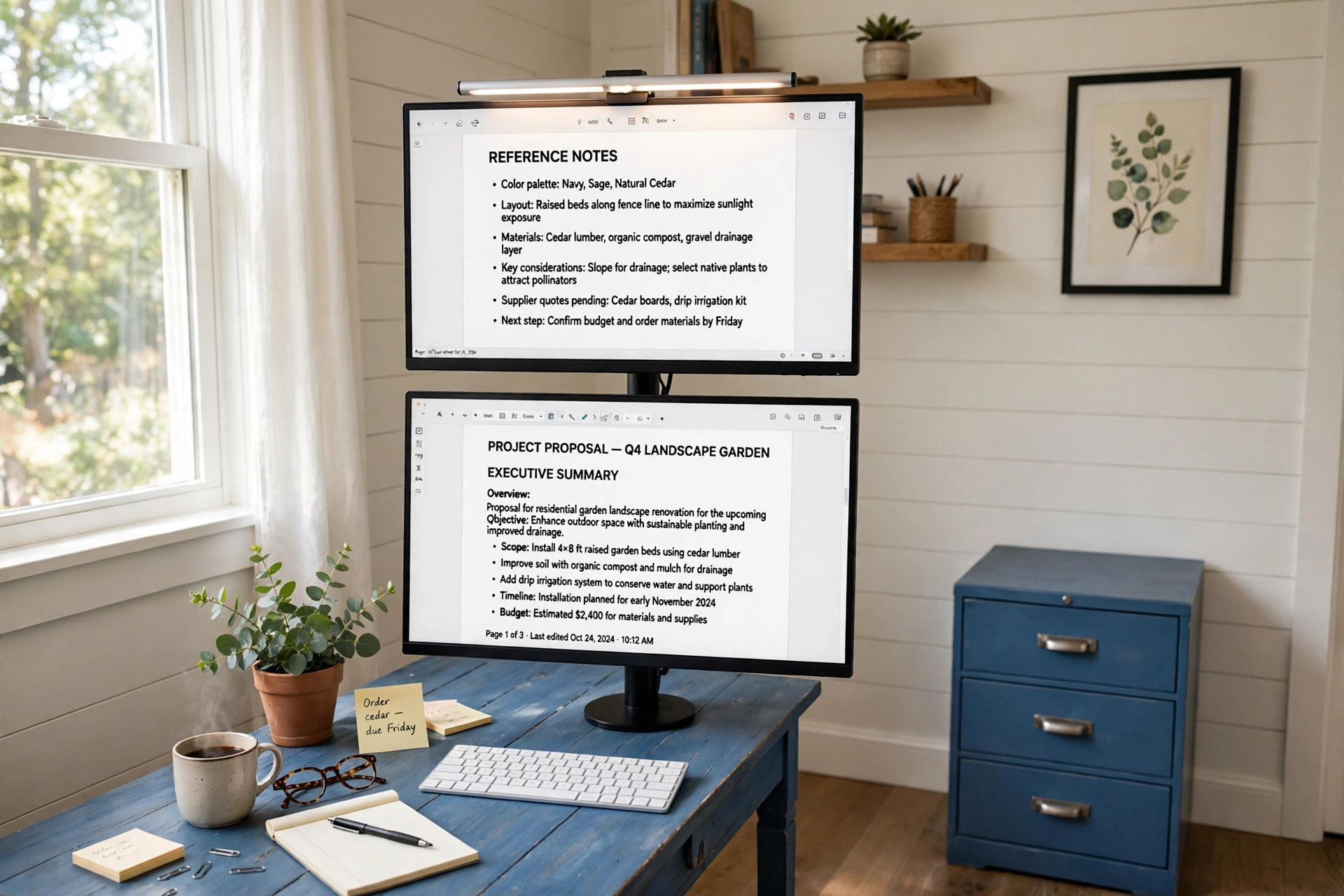
When desk width is short, stacking beats widening. Two monitors sit one above the other on a single tall pole, so the whole dual setup takes barely more width than one screen. The lower screen holds the main work at eye level while the upper screen holds reference material, chat or monitoring. A blue farmhouse desk with a file cabinet and a built-in charging station gives this narrow scene its storage and power, and a clamp-on light bar lights the work without taking any desk footprint. Seating here is the chair you already own, described plainly rather than replaced.
KEY PIECE
HUANUO Vertical Dual Monitor Mount
Why this one: The only genuinely stacked top-and-bottom arrangement in this article, so it frees horizontal desk width entirely, which is the whole point of this setup against a side-by-side pair.
Worth knowing: Stacked screens force constant up and down head movement, the lower screen can sit too low if the pole is not set carefully, and the tension and height setting step must be done honestly, since monitors sliding down after tightening has been reported.
SUPPORTING PIECE
Whalefall 55 Inch Farmhouse Desk, Blue
Why this one: A 55 inch wide top with a file cabinet for storage and a built-in charging station, so storage and power are covered even though the monitors take almost no width.
Worth knowing: The Blue finish is a strong colour choice that will not suit every room, and the 22 inch depth is shallower than the wide desks elsewhere here, so check that the pole base and keyboard both fit the depth.
SUPPORTING PIECE
Quntis Monitor Light Bar, White, with Remote
Why this one: A clamp-on light bar lights the desk without taking any desk footprint, which matters in a narrow stacked setup, and the remote plus stepless dimming suit switching between reading and screen work.
Worth knowing: One bar sits on one monitor, the top one here, and does not light both stacked screens evenly. Clip fit and bar length are unsettled for this listing, so confirm them live and do not borrow figures from the PRO+ bar.
A note on the second screen: the light bar in this setup sits on the top monitor only. It does not light both stacked screens evenly, and the lower screen relies on spill light, so plan a second light source if the lower screen is your main work screen in a dark room.
3. The Wall-Mounted Pair That Clears the Desk
Arrangement: Wall-Mounted Dual
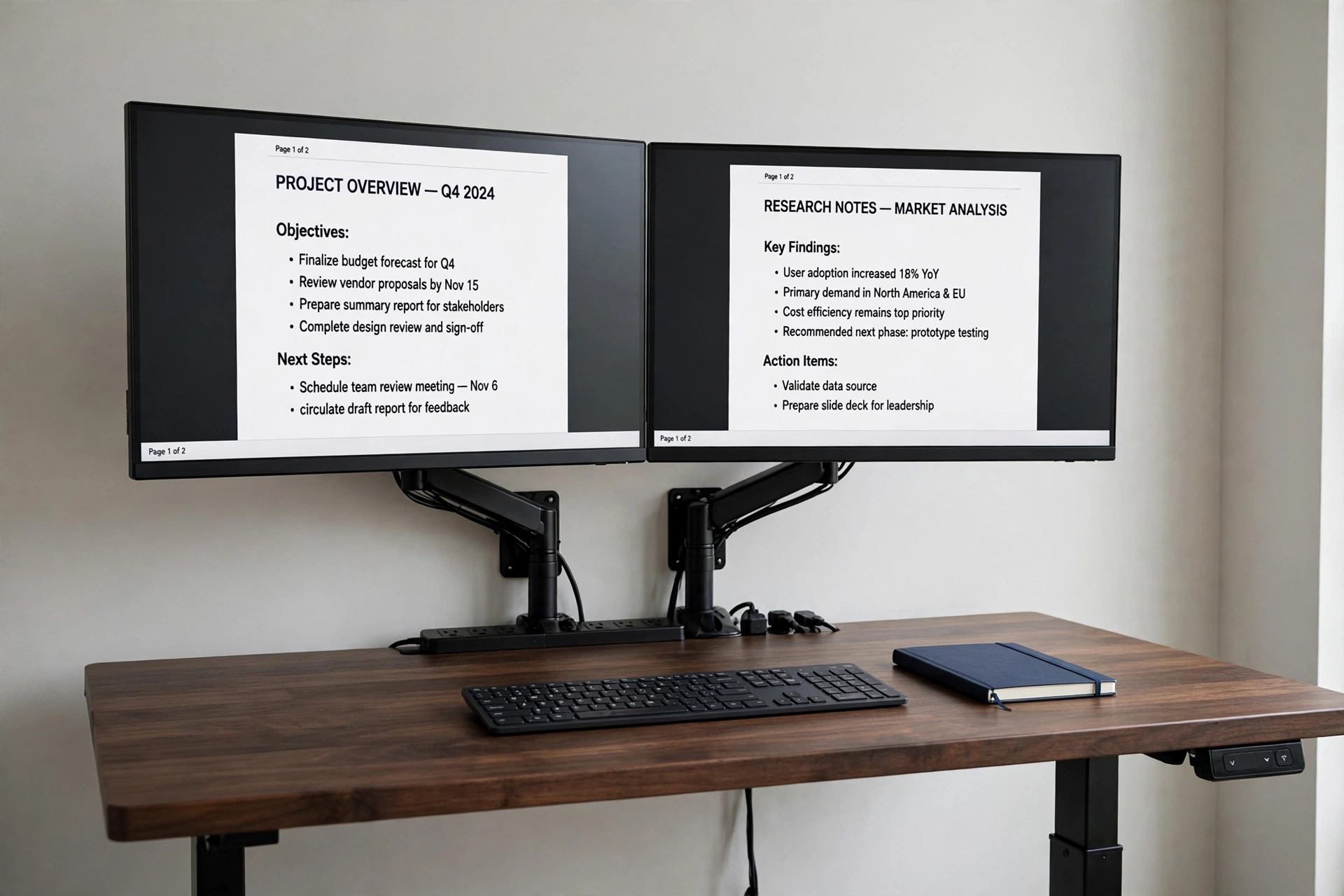
Moving both screens to the wall is the most radical way to free a desk. Two full-motion wall arms hold the monitors above a height-adjustable solid wood desk, so the top stays clear except for a keyboard and a notebook. Underneath, a drawer and a storage shelf hold supplies, and a flat plug power strip feeds both screens plus laptop and phone charging. Seating and a separate desk lamp are described generically here, since the wall arms are the whole story. This is a drilling job, so it suits a reader who owns the wall.
- Wall arms, not desk arms: the screens do not move with the desk.
- Re-check screen height at sitting and standing heights, or treat this as sitting-only.
- Flat plug strip sits behind the desk without pushing it off the wall.
KEY PIECE
MOUNT PRO Dual Monitor Wall Mount
Why this one: The only true wall-mounted dual arrangement here, moving both screens off the desk while full-motion arms still let each screen tilt, swivel and rotate.
Worth knowing: It requires drilling into a wall and finding a solid fixing point, so it is the least renter-friendly arrangement here, and repositioning the desk later means the monitors do not move with it. Use the Dual variant only, never a Single.
SUPPORTING PIECE
ONBRILL Standing Desk, Black Walnut, 55 x 23.6 Inches
Why this one: A whole-piece solid wood 55 inch top with a drawer and a storage shelf, height-adjustable from 28 to 46 inches, so the desk underneath the wall monitors can move between sitting and standing without moving the screens.
Worth knowing: Because the monitors are fixed to the wall, changing desk height changes the eye-to-screen relationship, and a tall standing position can leave wall monitors too low. A shipping fee may apply and the item may not be eligible for free return.
SUPPORTING PIECE
TESSAN Flat Plug Power Strip, Grey, 5 Feet
Why this one: Two wall monitors plus a laptop and phone charger need more than a wall socket, and a flat plug sits behind the desk without pushing it off the wall, with 900 joules surge protection plus USB-C and USB-A for small devices.
Worth knowing: Only 4 AC outlets, so it fills fast once two monitors, a laptop charger and a lamp or speaker are plugged in, and the 5 foot cord limits how far the strip can sit from the wall socket. Confirm the Grey 4-outlet variant itself live.
Two-screen fit check: each monitor must be 13 to 32 inches and within 17.6 lb per arm until the higher title figure is resolved live. Check your wall and fixings before ordering, since wall type and anchors are not spelled out. Count AC plugs first: two monitors plus a laptop charger already use 3 of the 4 strip outlets.
4. The Long Riser Shelf Pair, No Drilling
Arrangement: Long Riser Shelf Dual
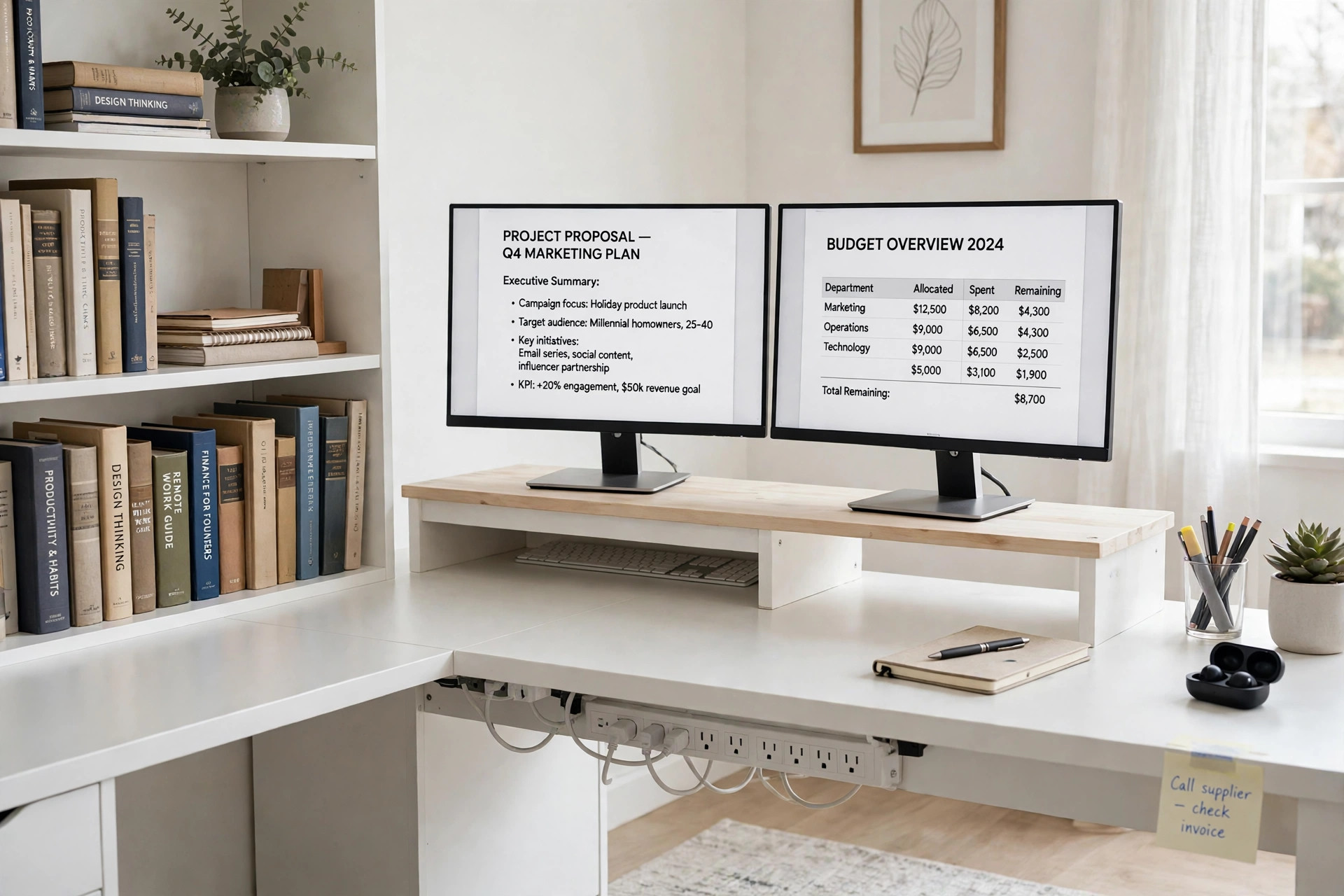
Not every dual setup needs a mount. Here two monitors keep their own stands and sit side by side on one long white riser shelf, which lifts both screens to eye level and leaves storage space underneath. Nothing is clamped and nothing is drilled, so this is the renter-friendly dual setup. An L-shaped desk with a bookshelf, drawers, built-in outlets and LED lighting gives the scene its storage, power and light in one piece of furniture, and a wide power strip under the desk covers a second run of devices. Seating is the chair you already own.
Two-screen fit check: this riser is a shelf, not a VESA mount, so fit is measured in total monitor-plus-stand width, not VESA pattern or arm weight. Both monitors on their own stands must fit side by side on the 42 inch shelf, and the riser must sit on one straight run of the L desk, so measure that run, not the 55.1 inch overall width. No desk height figure is stated for this desk, and USB output on the strip is 17W shared, so do not promise fast charging for several devices at once.
KEY PIECE
TEAMIX White Dual Monitor Riser, 42 Inch
Why this one: A single 42 inch shelf lifts both monitors to eye level with storage underneath, without clamping, drilling or VESA mounts, so it works with monitors whose own stands the reader wants to keep.
Worth knowing: Height is fixed at 5.5 inches with no adjustment, and a riser is only as good as the monitors own stands, since wobbly or very wide factory stands can eat the shelf width fast. The two-monitor size limit for the White variant is unsettled, so do not borrow the Rustic Brown figure.
SUPPORTING PIECE
DWVO L Shaped Desk with Bookshelf, White
Why this one: The L shape gives the 42 inch riser a long straight run while the return holds books and supplies, and the built-in power outlets plus LED plus drawers cover storage, power and light in one desk.
Worth knowing: The overall footprint is a corner footprint, not a straight-desk footprint, so a reader without a corner will waste the return, and assembly needs 2 people.
SUPPORTING PIECE
TROND Power Strip, White, 5 Feet
Why this one: Two monitors, a laptop charger, the desk LED and phone charging together exceed the desk built-in outlets on a busy day, and 13 widely spaced outlets plus 4 USB ports, mountable under the desk, keep that second run of power off the desktop.
Worth knowing: Thirteen outlets invite overloading a single wall circuit if heaters or other high-draw items are plugged in, so keep this strip to desk electronics, and the 5 foot cord is short for a desk far from a socket. Use the 5 foot variant only.
5. The Gas-Spring Arms on a Wide White Desk
Arrangement: Side-by-Side Gas-Spring Arms
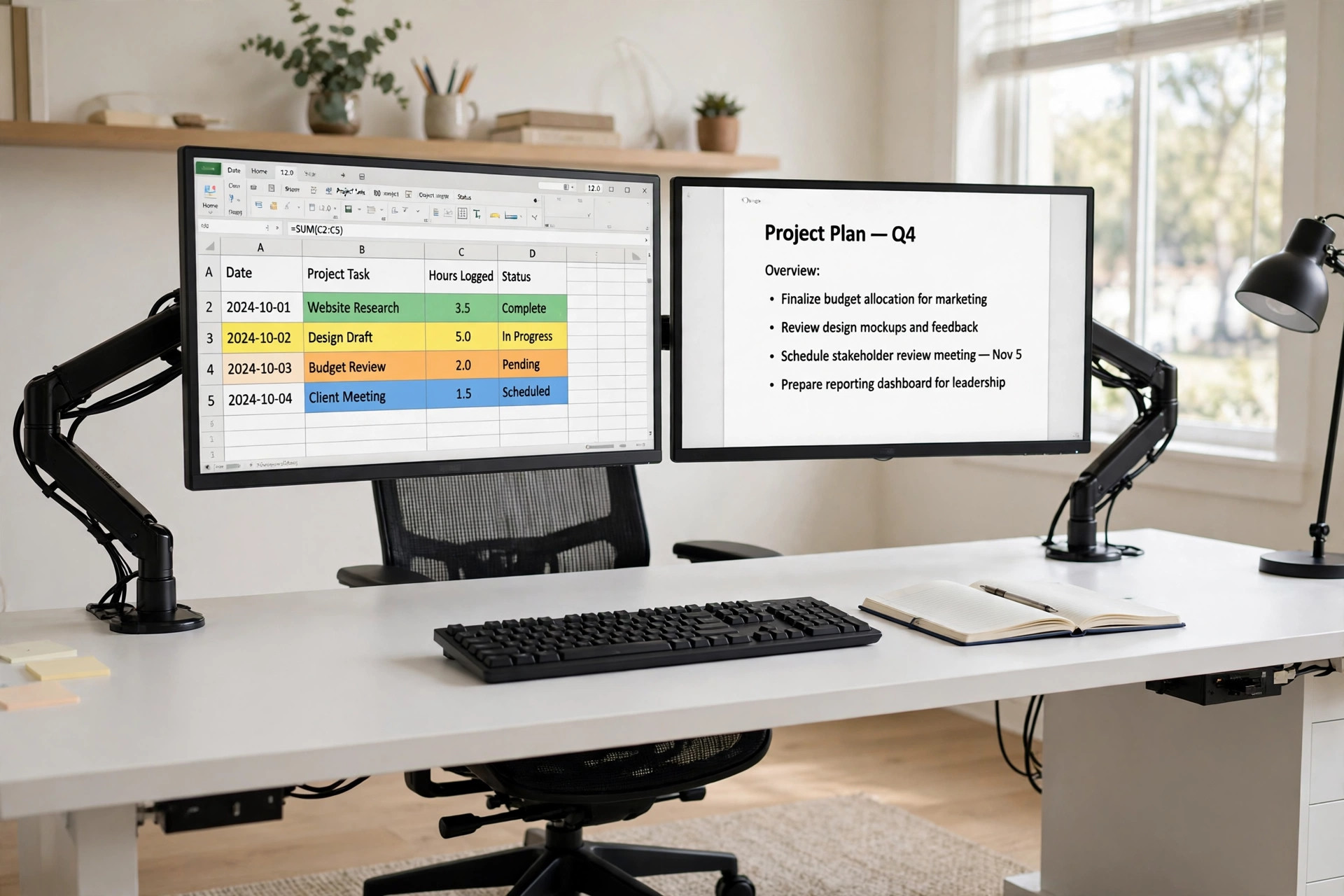
This is the workhorse dual setup for spreadsheet, document and reference work: two equal monitors side by side, each on its own gas-spring arm, both at eye level, either screen angleable on its own. A wide white desk gives the pair room plus keyboard, notebook and space to angle either screen without crowding the desk edge, and a high-back mesh chair suits long side-by-side sessions. Cables run inside the arms, so the desktop stays clear underneath the floating screens. Task lighting and closed storage are described generically here, since the arms and the desk are the whole story.
KEY PIECE
MOUNTUP Dual Monitor Stand, Gas-Spring Dual Arms
Why this one: Two independent gas-spring arms, not one shared bar, so each monitor can be tilted, swivelled and rotated on its own, with about 19.8 inches of arm extension and 9.4 inches of height adjustment for real side-by-side spacing freedom on a 63 inch desk.
Worth knowing: Gas-spring tension must be adjusted to each monitor weight or a light monitor will drift up and a heavy one will sag, so this is a set-up step, not plug-and-play. Do not substitute the newer heavy-duty or stacked version, which is a different listing.
SUPPORTING PIECE
Tribesigns Modern Computer Desk, White, 63 x 31.5 Inches
Why this one: A 63 x 31.5 inch top gives two monitors on arms plus keyboard, notebook and room to angle either screen without crowding the desk edge, and a steel frame with extra support bars is a better clamp base than a thin folding table.
Worth knowing: The top comes in four pieces, not one full desktop, so there are seams across the surface, and you must not clamp directly across a seam. No exact thickness is stated for this desk until the 0.98 versus 0.59 inch conflict is resolved live.
SUPPORTING PIECE
Amazon Basics Ergonomic High-Back Mesh Chair, Black
Why this one: High-back mesh with adjustable headrest and lumbar support, gas-lift height adjustment and 360 degree swivel suit long side-by-side screen sessions, and flip-up arms tuck under the wide desk when the chair is pushed in.
Worth knowing: The seat is mesh with no additional fill material, so it feels firmer and less padded than a cushioned seat, and the arms flip up but are not height or depth adjustable. Use model 51515 only.
A note on the second screen: each arm carries one monitor only, and two monitors together are not covered by a single arm limit. Check each screen against the 17 to 32 inch and 4.4 to 17.6 lb range on its own, and set the gas-spring tension for each monitor weight, or a light monitor will drift up and a heavy one will sag.
6. The Laptop Plus External Monitor on One Pole
Arrangement: Laptop Plus External Monitor
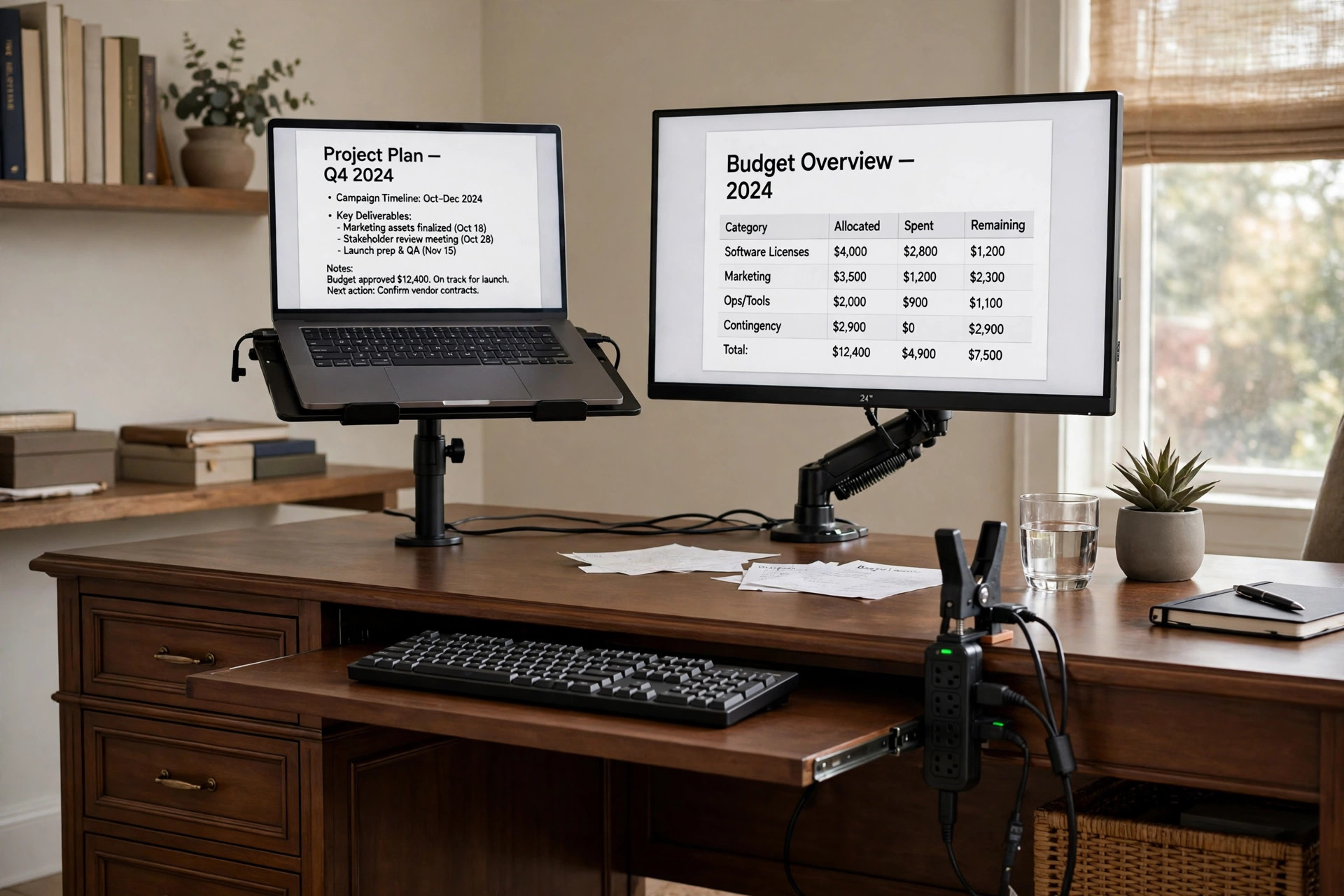
A dual setup does not have to mean two desktop monitors. Here a laptop rises on a tray beside one external monitor on a single pole, so a laptop reader gets a true second screen without buying two monitors. A brown executive desk with drawers, a file drawer, a keyboard tray and a cabinet gives the scene its storage, and a clamp-on power strip on the desk edge feeds both screens within reach. Seating and task lighting are described generically, and your own external keyboard is the comfortable typing choice, since the laptop keyboard sits at tray height.
- Laptop keyboard at tray height: type on your own external keyboard.
- Desk depth is about 21.7 inches only, so measure your keyboard depth.
- This desk is not the monitor support; the pole mount is.
KEY PIECE
WALI Laptop and Monitor Stand M001LP, Black
Why this one: One pole carries both a laptop up to 17 inches and a screen up to 27 inches, with a gas-spring arm and C-clamp or grommet base, so a laptop reader gets a second screen without a second desk mount.
Worth knowing: The laptop sits up on a tray, so its own keyboard is at tray height and is not comfortable for long typing. Use the 16 inch Tall variant only, and avoid the tray-only and wall variants, which are different products.
SUPPORTING PIECE
Bestier 63 Inch Fluted Executive Desk, Brown
Why this one: A 63 inch wide desk under the pole pair gives a clear writing surface once the screens are raised, and 3 drawers including a file drawer, a keyboard tray and a magnetic-door cabinet cover storage without a separate storage product.
Worth knowing: At 129 lb with a multi-piece build of drawers, tray and cabinet, assembly is a real job, and the drawer and cabinet pedestals reduce knee and chair-tuck space compared with an open four-leg desk. This desk is not height-adjustable.
SUPPORTING PIECE
TROND Desk Clamp Power Strip, Black
Why this one: A clamp-on strip puts 4 widely spaced AC outlets plus 2 USB-C and 2 USB-A ports within reach for two screens, a laptop and a lamp, with 1700 joules surge protection and a 10 foot flat-plug cord.
Worth knowing: USB power is shared, so a single USB-C port gives 20W max and a single USB-A gives 18W max, but using any two or more USB ports drops the shared output to 15W max. Confirm the desk edge fits the 1.97 inch clamp limit live.
Two-screen fit check: laptop up to 17 inches, external screen up to 27 inches, 22 lb capacity, VESA 75×75 or 100×100, 16 inch Tall variant only. The clamp strip fits tops up to 1.97 inches thick, but the desk top thickness is unstated, so confirm edge fit or leg mounting live. USB power is shared at 15W max with 2 or more ports in use.
7. The Stacked Pair on a Narrow Walnut Desk
Arrangement: Stacked Vertical Dual
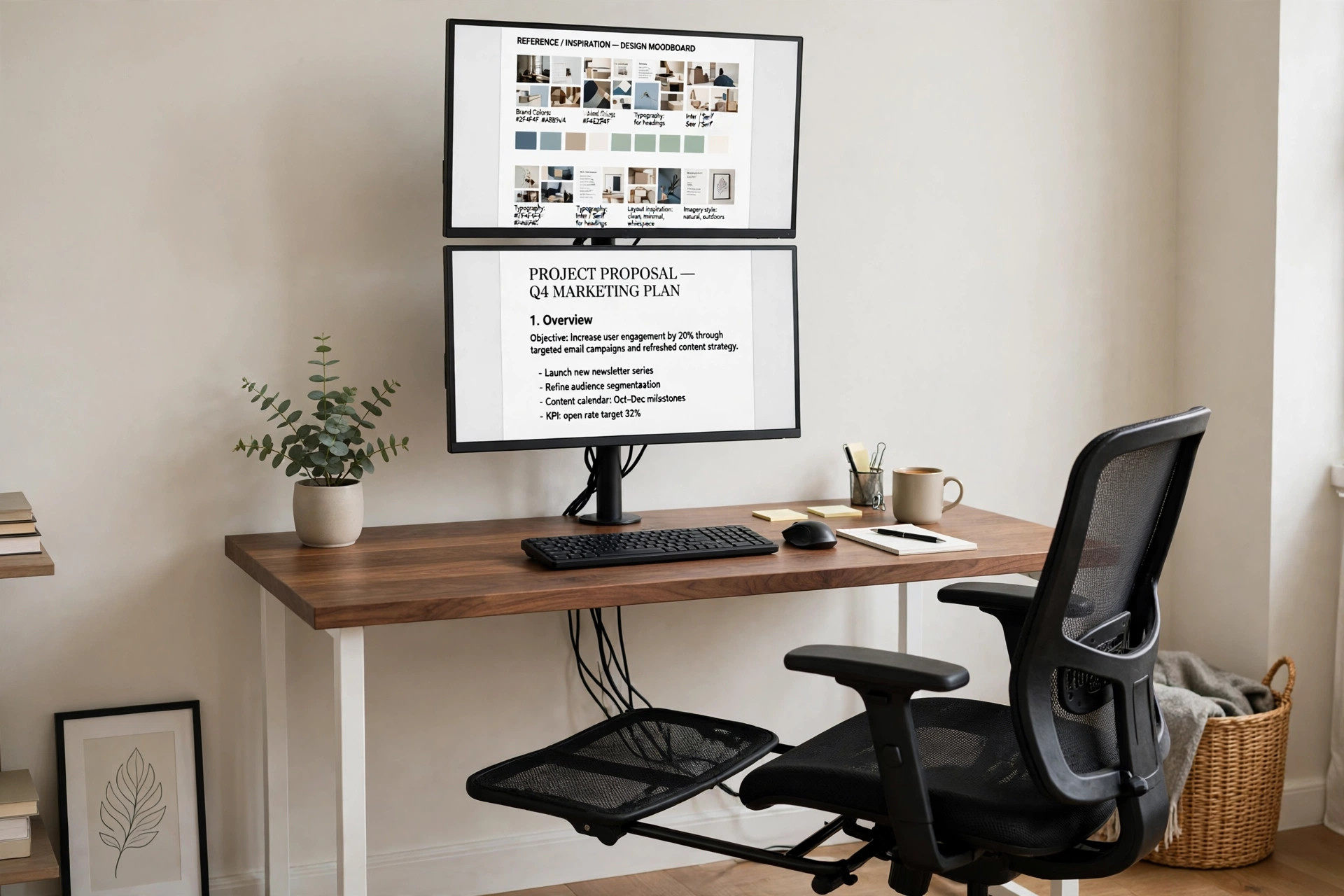
Stacking is the answer when a desk is too narrow for side-by-side screens. A single tall pole holds two monitors top and bottom over a genuinely narrow walnut desk, with the main work on the lower screen at eye level and reference material, chat or monitoring on the upper screen. A mesh chair with a footrest suits the longer glance-up sessions a stacked setup creates, and the desk slim top keeps the whole scene against a wall. Task lighting and closed storage are described generically, since the pole and the narrow desk are the whole story.
Two-screen fit check: each screen must be 13 to 38 inches and up to 26.5 lb, with VESA 75×75 or 100×100. The C-clamp needs 0.4 to 3.4 inches of thickness and at least 3.5 inches of depth, and the desk here at 0.98 inches thick and 23.6 inches deep satisfies both. The upper screen is for glances, not equal constant work, so do not claim both screens sit at eye level at once. Do not copy the 55 inch dimensions field or the 900 lb claim for this 47 inch desk.
KEY PIECE
AVLT 38 Inch Vertical Ultrawide Monitor Mount DM58-2
Why this one: A true two-screen top-and-bottom configuration on one heavy-duty steel pole, rather than two side-by-side arms or a riser that keeps the original monitor stands, with up to 26.5 lb per arm covering heavier 27 to 32 inch screens.
Worth knowing: The upper screen forces an upward neck angle for anything more than glances, so it is a poor choice if both screens need equal, constant attention, and adjusting the upper screen means reaching up the pole. Avoid the freestanding-base version, which needs a large footprint.
SUPPORTING PIECE
Tribesigns Computer Desk, 47 Inch, Light Walnut
Why this one: A 47.2 x 23.6 inch top is genuinely narrow, which is the whole point of stacking instead of going side by side, and the listing itself says the 0.98 inch top is sturdy enough to support a dual monitor rack, with a steel frame and adjustable leg pads.
Worth knowing: Depth of 23.6 inches is tight once a keyboard, the pole base area and any notebook share the surface, and there is no drawer or shelf in this desk, so storage must live elsewhere.
SUPPORTING PIECE
MALOL Ergonomic Mesh Chair with Footrest, Black
Why this one: High-back mesh with a 3D headrest, 5-level lumbar support, 3D arms, recline with tilt lock and a retractable footrest suit the longer glance-up sessions a stacked setup creates, at a stated 300 lb capacity.
Worth knowing: The footrest and recline mechanism add bulk under and behind a narrow desk, and the lumbar support has a reset quirk the listing itself discloses, where you lift it slightly above the highest position first and it then slides down, which is normal operation, not a defect. No exact seat depth is stated.
8. The Stacked Pair with Drawers and a Clamp Lamp
Arrangement: Stacked Vertical Dual
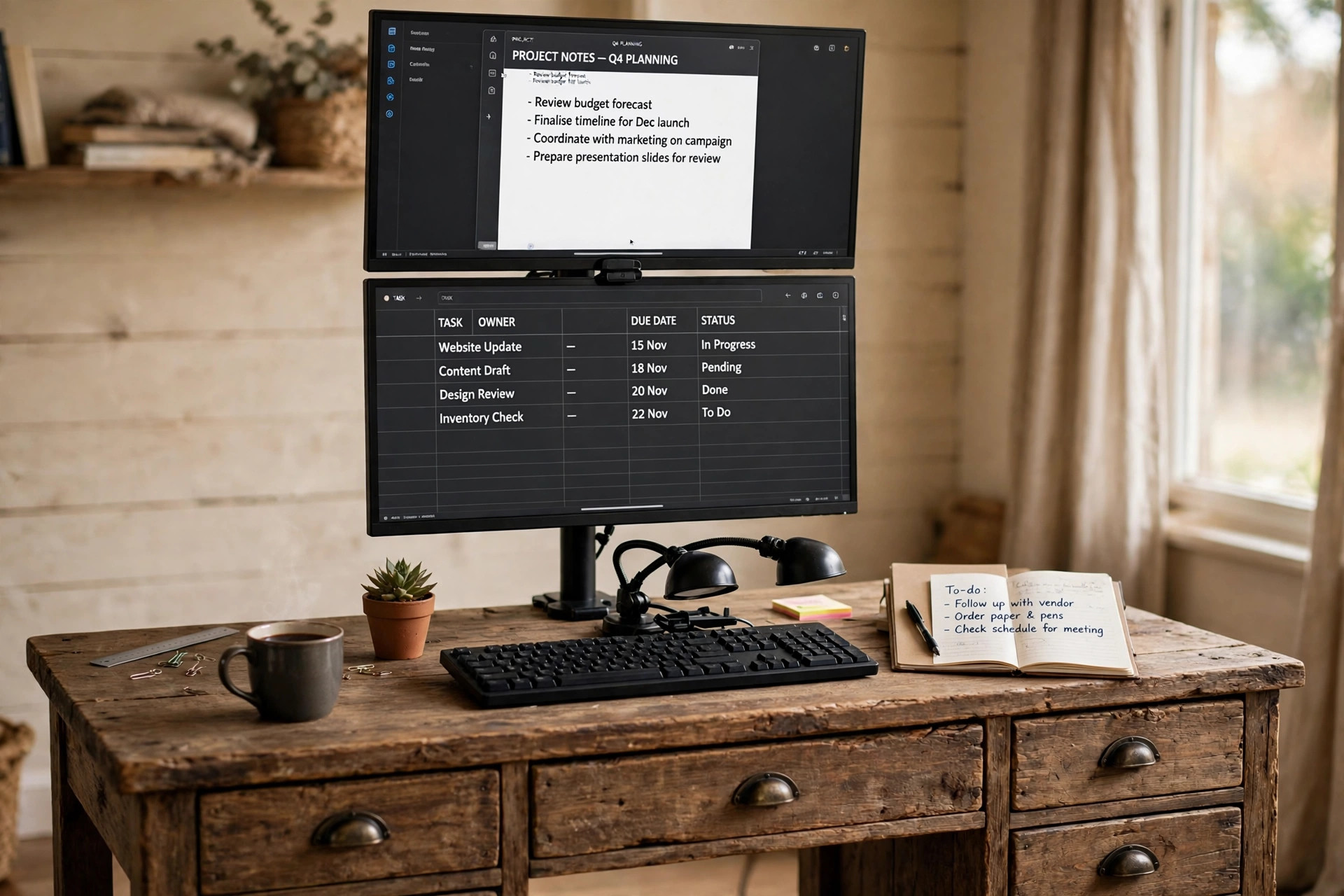
This stacked setup trades a chair product for light and storage. Two monitors stack on a vertical pole over a 47 inch desk with five drawers and a reversible drawer cabinet, so storage is built into the desk itself, and a double-head clamp lamp lights the keyboard and papers below both screens without taking any top space. Seating is the chair you already own, and power comes from a wall outlet, both deliberately left without a listed product because the third slot is better spent on light here. A riser is deliberately left off too, since a riser under stacked monitors would push the top screen too high.
KEY PIECE
ErGear Vertical Dual Monitor Stand
Why this one: A genuine stacked mount, not a side-by-side arm relabelled as stacked, with an additional vertical pole for stable stacking, an integrated C-clamp, and each arm independently height adjustable, which is what a stacked pair needs.
Worth knowing: Stacking is tall by nature, so the top screen will sit high, and the listing gives no stacked total height figure, so the reader cannot check top-screen eye height from the listing alone. Pole height and clamp thickness range are unstated, so confirm them live.
SUPPORTING PIECE
Tribesigns Computer Desk with 5 Drawers, 47 Inches, Rustic Brown
Why this one: Five drawers plus a reversible drawer cabinet give the stacked setup its storage without a separate storage piece, which matters on a narrow desk where the pole clamp already uses the back edge.
Worth knowing: Maximum weight recommendation is only 70 lb for the whole desk, so two monitors plus the mount plus a laptop and books can approach that quickly, and the reader must add up monitor weights before buying. Use the title size of 47 inches only, since the comparison dimensions are garbled.
SUPPORTING PIECE
EppieBasic LED Desk Lamp, Double Head, Clamp
Why this one: A clamp mount takes zero top space on a 47 inch desk that already holds a pole clamp, and the unfolded 25.1 inch double head spans the width of the stacked pair work area so one lamp lights the keyboard and papers below both screens.
Worth knowing: The two heads are not independently controlled, and the unfolded 25.1 inch bar is wide for a narrow desk, so it can visually dominate the stacked screens if left fully spread. Clamp max is 1.57 inches, so measure the desk top thickness live.
A note on the second screen: stacked pairs work best at 24 inches or smaller per screen, because two 27 inch or 32 inch screens stacked put the top screen well above comfortable eye level for a seated reader. Measure the combined stacked height against seated eye height before buying, and tilt the top screen down.
9. The Two Monitors on a Long Rustic Riser
Arrangement: Long Riser Shelf Dual
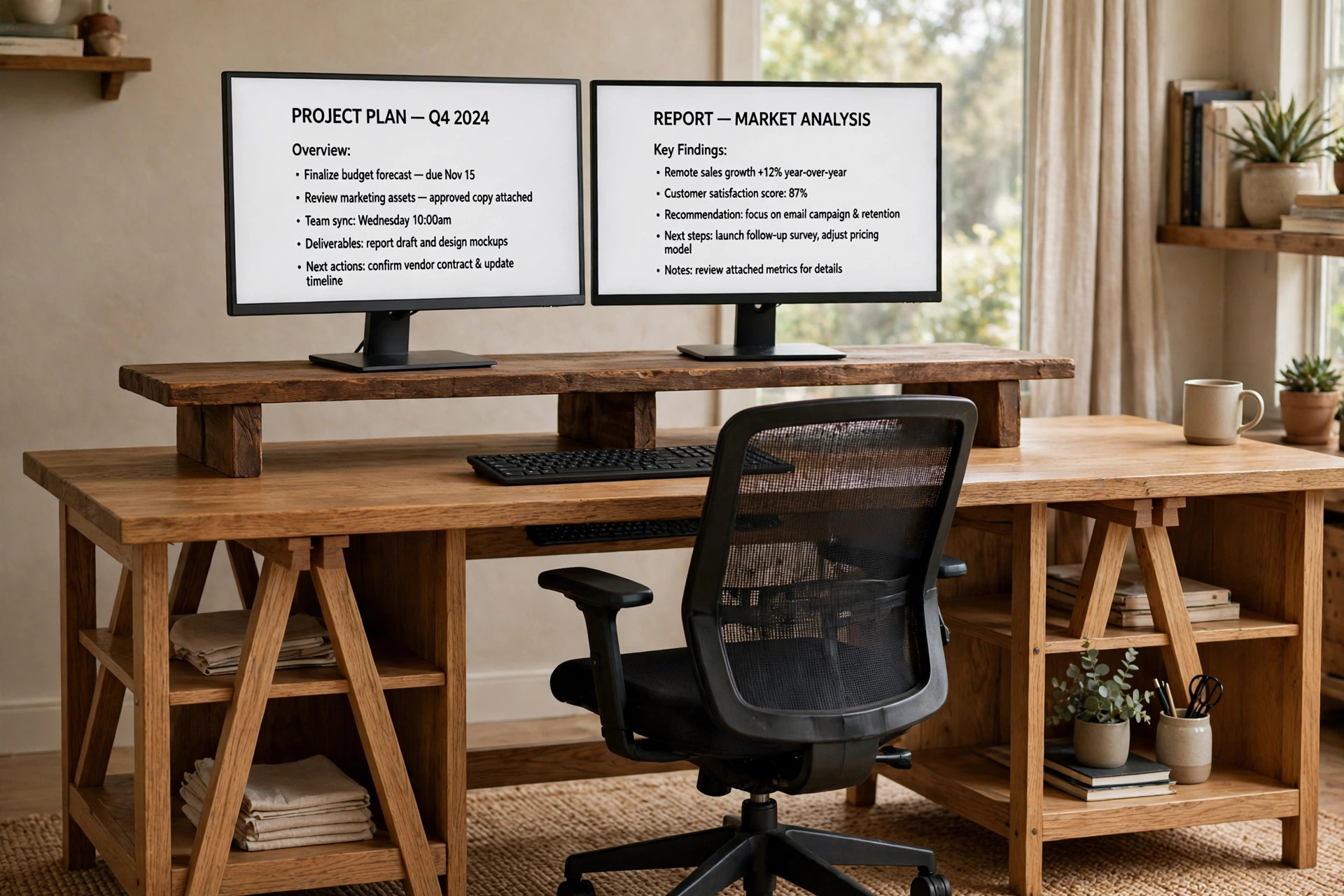
This no-drilling dual setup has a warmer look: two monitors on their own stands sit side by side on a long rustic brown riser over an oak trestle desk, keyboard underneath, supplies on the shelves. A large mesh chair suits long sessions, and the riser under-shelf plus the desk surface are the storage. A monitor arm, desk lamp and power strip are deliberately left off: the riser is the arrangement, and two monitors plus a laptop fit a wall outlet.
- Shelf, not VESA mount: VESA does not apply, since the monitors keep their own stands.
- Centre the riser so a few inches remain on each side.
- No seat height is quoted for the chair, since the listed figure conflicts with its height range.
KEY PIECE
TEAMIX 42 Inch Large Dual Monitor Riser, Rustic Brown
Why this one: At 41.7 x 9.5 x 5.5 inches it is genuinely long enough for two smaller monitors side by side, 5.5 inches high so it lifts both screens toward eye level without a clamp or drilling, and the space underneath takes a keyboard or papers.
Worth knowing: Depth of 9.5 inches is shallow, so a monitor stand foot deeper than 9.5 inches will overhang the front or back edge, and the riser height is fixed at 5.5 inches, so it cannot be adjusted for a taller or shorter reader the way an arm can.
SUPPORTING PIECE
Soges Trestle Desk with 2 Shelves, 47 Inches, Oak
Why this one: A plain 47.2 x 23.6 x 29.5 inch top with a metal frame gives the 42 inch riser a stable, uncluttered base, and the oak top matches the rustic brown riser without matching it exactly, so the setup reads as one warm wood scene.
Worth knowing: This desk has trestle legs and open shelves with no drawers, so storage in this setup is only the riser under-shelf and the desk surface itself. Use the 47 inch Oak variant only, and confirm its own buy box live.
SUPPORTING PIECE
ProtoArc Ergonomic Office Chair EC200, Black
Why this one: High-back mesh with adjustable lumbar, a 3D headrest, sliding seat, tilt positions with tilt lock, and a 280 lb maximum, so one chair covers long dual-screen sessions and the headrest supports the slightly raised head position a riser creates.
Worth knowing: At 40 lb and a large footprint it is a big, heavy chair for a 47 inch desk setup, and it will dominate a small room visually. It is not a tuck-under chair, so floor space behind the desk must be planned.
Two-screen fit check: the riser is 41.7 inches long, so both monitors must fit on 41.7 inches. Two 22 or 24 inch monitors fit comfortably; two 27 inch monitors at about 48 inches total will overhang and must not be claimed to fit. Stand feet 9.5 inches deep or less, height fixed at 5.5 inches, and the riser needs no clamp, so the 15 mm top is not a clamp issue.
10. The Sliding Arms on a Sit-Stand Desk
Arrangement: Dual Sliding Arms on a Sit-Stand Desk
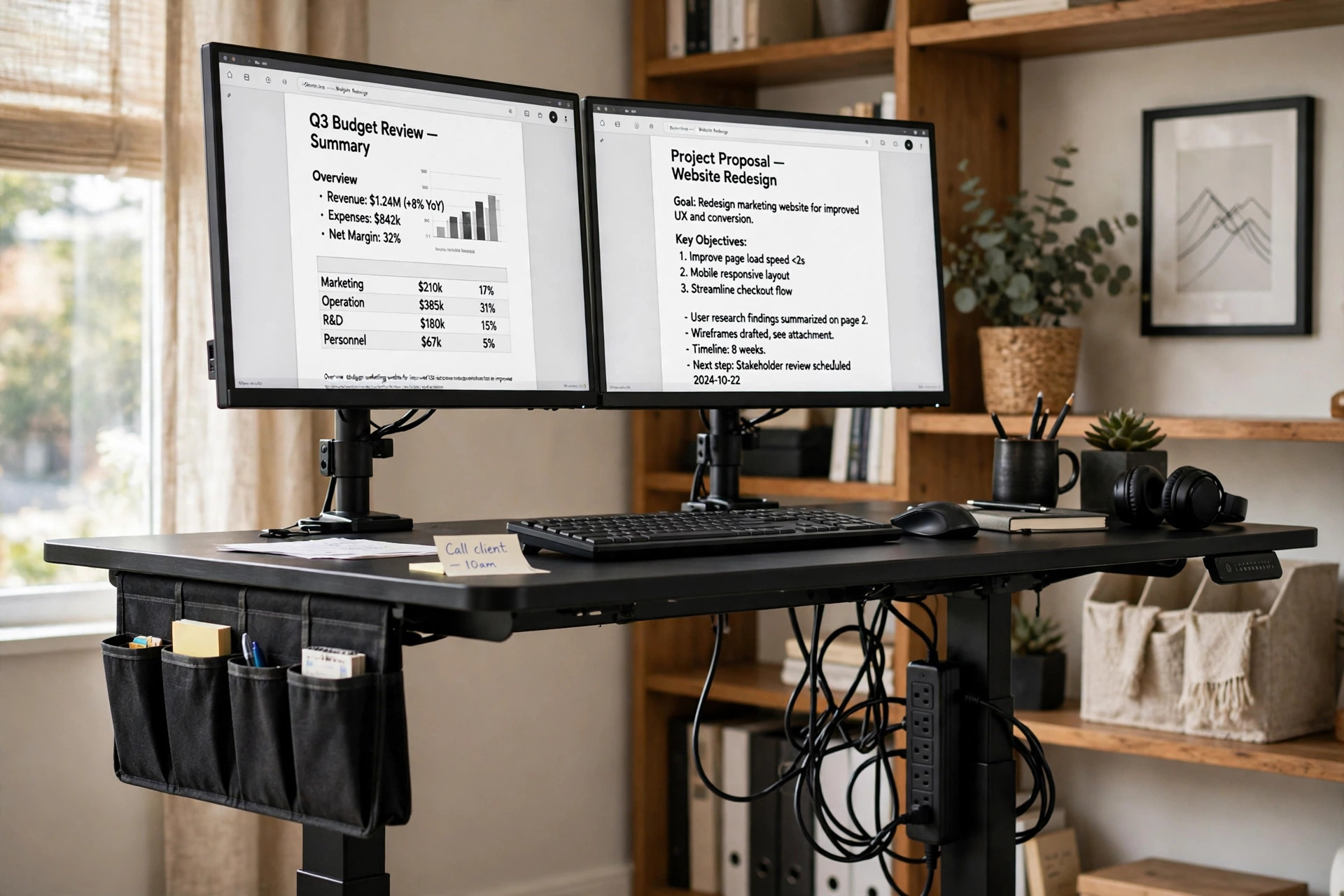
A sit-stand desk changes the dual-monitor problem, because the screens must travel with the desk. Here two monitors sit side by side on sliding pole arms over an electric standing desk with memory presets, so the pair moves between sitting and standing without re-aiming the screens by hand. A fabric drawer plus a side pocket give storage without a separate cabinet, and a long power strip fixed to the desk leg or wall feeds both monitors, a laptop and the desk motor. A desk lamp, a separate chair and a riser are deliberately left off, since the arms already lift both screens and a clamp lamp would need re-aiming at every height change.
Two-screen fit check: each screen 17 to 32 inches and within 26.4 lb per arm, VESA 75×75 or 100×100, C-clamp or grommet base. Height is set by sliding and locking on the pole, not by gas spring. Two monitors must total 48 inches wide or less including bezels, cables need slack for the full 28 to 46 inch travel, and the strip must mount to the leg or wall, not the moving top, as a single strip only, not a 2-pack.
KEY PIECE
ErGear Dual Monitor Stand Mount EGCM5, Sliding Arms
Why this one: Sliding arms on a pole let each screen be set and locked at its height, which suits a sit-stand desk where the whole pair travels with the desk, with a C-clamp and grommet base and cable management on the pole.
Worth knowing: Sliding-pole adjustment is less fluid than gas spring, and the variant-table mapping is unresolved, so the live sweep must confirm the EGCM5 variant's own buy box and correct ASIN, swapping the whole mount if the live title does not match.
SUPPORTING PIECE
ErGear Standing Desk With Storage Pocket, Black, 48 x 24 Inches
Why this one: Electric height adjustment with memory presets lets the dual-arm pair move between sitting and standing without re-aiming the screens by hand, the 48 x 24 inch top fits two monitors side by side, and the fabric drawer plus side pocket give storage without a separate cabinet.
Worth knowing: The dimensions block is garbled, so use only the title size of 48 x 24 inches and the 28 to 46 inch height range, and note this variant has a storage pocket, not a cable management tray, so cables still need the arms management and careful strip placement.
SUPPORTING PIECE
AUOPLUS Power Strip, 10 Feet, 6 Outlet + 4 USB
Why this one: Six widely spaced AC outlets plus 4 USB ports cover two monitors, a laptop, the standing desk motor and a phone from one strip, with 2100 joules surge protection, a 10 foot cord and wall-mount holes so it can be fixed to the desk leg or wall.
Worth knowing: USB output is only 3.4A total across 4 ports, so it will not fast-charge a laptop over USB, and a laptop that needs USB-C PD must still use its own AC brick in an AC outlet. Confirm the single 10 foot 6-outlet variant and the title and ASIN match live.
Frequently Asked Questions
How wide does my desk need to be for two monitors?
It depends on the arrangement. Side-by-side arms need a desk wide enough for both screens plus the clamp bases, so a 55 inch or 63 inch top is comfortable, while a stacked pair fits a 47 inch desk because the screens share one pole. A riser setup needs a desk at least as wide as the riser plus a few inches spare on each side. Measure your two screens including bezels, then match that total against the desk and the mount, not against a single screen size.
Do my monitors need VESA mounts for a dual setup?
Only if you use arms or a pole. Arms and poles need VESA 75×75 or 100×100 mounting holes on the back of each screen, and one listing here does not spell out a pattern figure, so check it live before ordering. A riser setup needs no VESA at all, since the monitors keep their own stands, which makes a riser the simplest choice for screens without VESA holes.
Are stacked monitors bad for your neck?
They can be if both screens need equal, constant attention, since the upper screen forces an upward neck angle. Stacking works best when the lower screen holds the main work at eye level and the upper screen holds reference material you glance at. If both screens need constant focus, choose a side-by-side pair instead, and sit a little further back than you would for one screen.
Can I use a riser instead of monitor arms?
Yes, and for many readers it is the better choice, since a riser needs no clamping, no drilling and no VESA holes. The trade is fixed height and a width limit: the total width of both monitors on their own stands must fit the riser, and a 42 inch riser suits two 22 inch or 24 inch monitors, not two 27 inch monitors. Arms win when you need adjustable height, tilt and swivel per screen.
What if my two monitors are different sizes?
Different sizes work on arms and poles, since each arm carries one screen and can be set to its own height, tilt and weight. Check each screen against the mount range on its own, and set gas-spring tension per monitor weight where the mount uses gas springs. On a riser, different sizes work only if their combined width and stand depths fit the shelf, and the taller screen will set the eye line for the pair.
Do I need a new chair for a dual-monitor setup?
Not always. What matters is sitting at a height and distance where both screens sit in a comfortable view without turning your head hard to either side, and being able to push the chair in under the desk when you are done. Several setups here list a chair because long two-screen days reward back support and armrests that tuck away, but if your current chair already does that, keep it and spend the slot on the mount or the desk instead.
Conclusion
The best dual-monitor setup is the one that fits your desk and your neck, not the one with the most arms or the longest riser. Start from your two screens: measure them, check their VESA holes and weights, then choose the arrangement that holds them honestly. A wide desk suits side-by-side arms, a narrow desk suits a stacked pole, a rented room suits a riser, and a laptop reader suits one pole with a tray. Once the pair has a home, the desk, chair, light and power around it fall into place, and the second screen stops being a gadget and becomes simply where your reference work lives.
Browse more ideas in our Home Office Ideas category, or see how lighting changes a room in 15 LED Gaming Room Ideas That Set the Perfect Mood and 15 Dark Gaming Setup Ideas for a Moody Battlestation.
