As an Amazon Associate I earn from qualifying purchases. Read our full affiliate disclosure for more detail.
Cyberpunk is a mood before it is a shopping list. Think dark walls, a screen glowing like a city window, and two colors doing all the work: hot pink and electric cyan. Get those three things right and almost any desk starts to feel like a scene from a future city, even in a small bedroom.
In this guide you will find 11 complete cyberpunk gaming setups you can copy whole, from a pink and cyan command center to an ultrawide city view, a glass case glow rig, a console lounge, and a budget starter den. Each setup covers the desk, seat, screens, light, storage, and power, so nothing important is left out. If neon signs are your thing too, the ideas in 15 Neon Gaming Room Ideas With Signs That Pop pair well with almost every setup below.
In this article
At a glance
1. Neon Pink and Cyan Command Center
2. Ultrawide Future City View
3. Glass Case Glow Rig
4. Curved Neon Racing Cockpit
5. Corner Neon Wall Grid
6. Cyberpunk L Desk Battle Station
7. Console Cyberpunk Lounge
8. Vertical Code and Game Tower
9. Pink Cyberpunk Creator Corner
10. Budget Neon Starter Den
11. Dark Mood Neon Den
FAQ
Conclusion
At a Glance: Pick Your Cyberpunk Setup
1. Neon Pink and Cyan Command Center
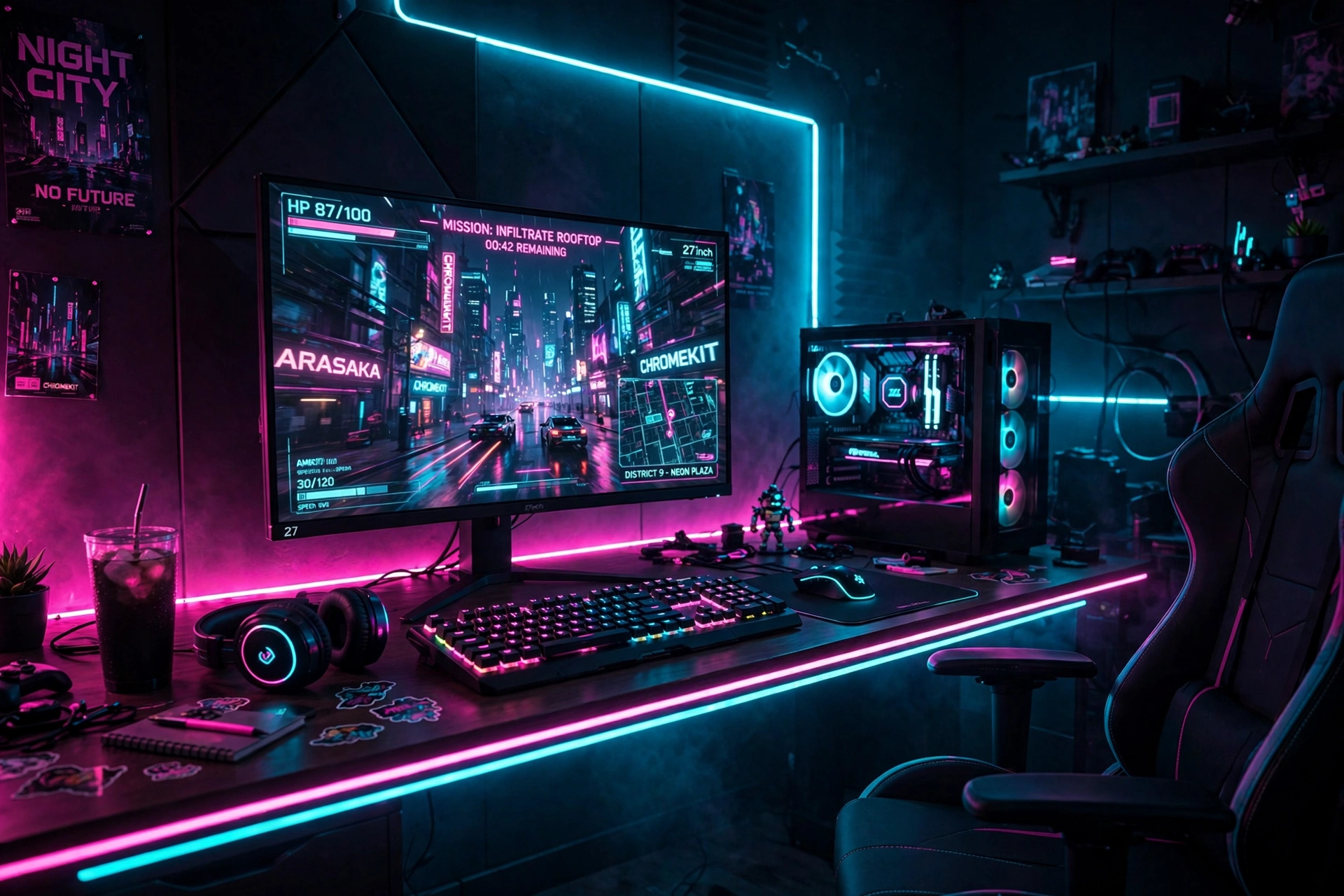
A pink and cyan command center is the classic cyberpunk look, and it works because the two colors fight each other just enough to feel electric. Start with a dark wall behind the desk so the glow has somewhere to land, then let a pink strip run along the back edge of the desk and a cyan strip wash the wall above the monitor. The monitor stays the hero, with the game glowing front and center, while a backlit keyboard picks up the same two colors.
- Desk: a straight desk with the monitor centered and the keyboard pulled close.
- Seat: a black gaming chair that lets the neon do the talking.
- Light: pink on one side, cyan on the other, never mixed into muddy white.
- Storage: a small shelf for a headset and a couple of game cases.
- Power: one strip behind the desk with the strip lights on a smart plug.
Color recipe for this setup
Hot pink Electric cyan Dark navy wall
LG UltraGear 27GP850-B 27 Inch QHD Gaming Monitor
Why this one: a sharp QHD screen with fast refresh makes neon city games look crisp, and the slim bezels keep the glow feeling like one wide view.
Worth knowing: bright neon wallpapers can make dark game scenes harder to read, so keep the in game brightness balanced.
Govee RGBIC LED Strip Lights, 16.4ft
Why this one: the RGBIC strip can show pink and cyan at the same time along one run, which is exactly the two color split this setup needs.
Worth knowing: strip adhesive can weaken on textured walls, so clean the surface first and press firmly along the whole run.
2. Ultrawide Future City View
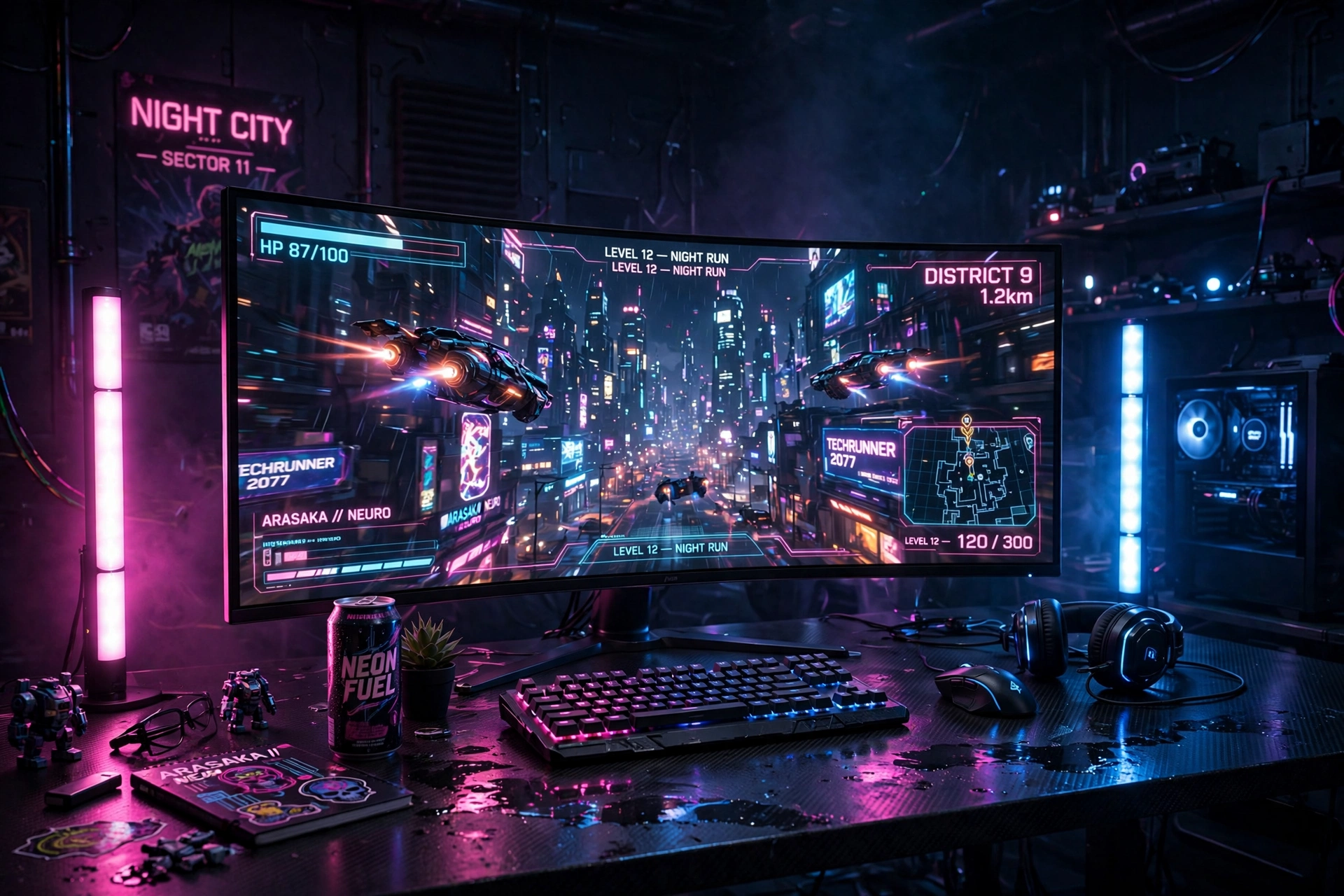
An ultrawide screen is the closest thing to a window into a future city. The long view pulls the skyline across your whole field of vision, and when the light bars on either side of the desk match the on screen glow, the room feels like part of the game. This setup suits story games and open worlds best, where the wide view actually changes what you see.
How to build it:
- Center the ultrawide on the desk and sit at arm’s length.
- Place a light bar on each side of the desk, angled at the wall.
- Match the bar colors to the game: cyan for city nights, magenta for sunset streets.
- Keep the keyboard and mouse low profile so nothing blocks the screen.
- Add a small shelf under the monitor for a controller and headset.
LG 34 Inch Curved UltraWide QHD Monitor, 160Hz
Why this one: the wide curved view gives city skylines and open worlds a panoramic feel that a standard screen cannot quite match.
Worth knowing: not every game supports ultrawide ratios fully, so some titles may show black bars at the sides.
Philips Hue Play Light Bar, 2 Pack
Why this one: two bars flank the ultrawide and wash the wall in matching color, which makes the screen feel wider than it is.
Worth knowing: the bars work best with a hub for full app control, so check what you already own before you buy.
3. Glass Case Glow Rig
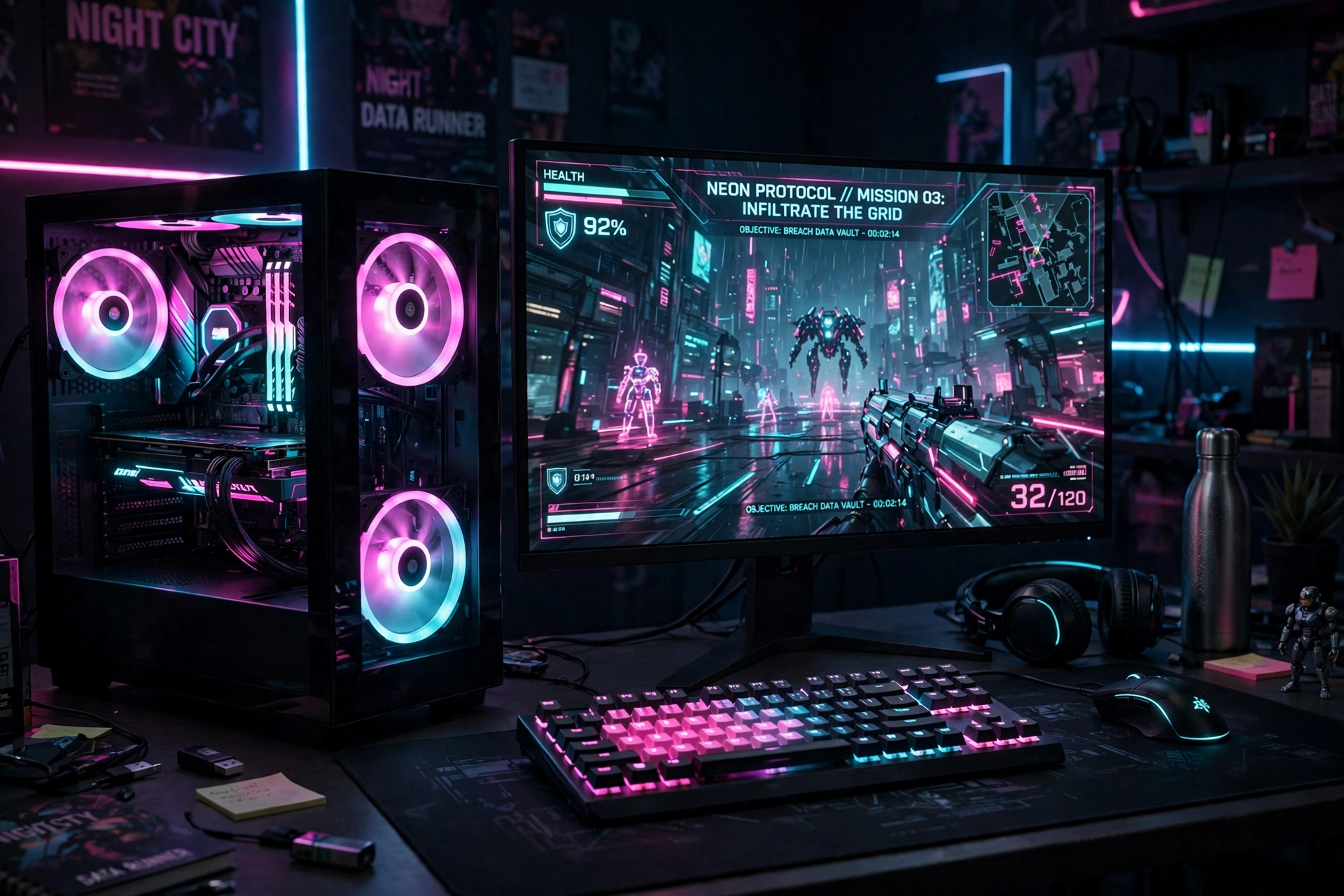
A glass sided PC case turns your computer into part of the decor. With RGB fans glowing pink and cyan inside, the case reads like a little neon city of its own, and it pairs beautifully with a monitor showing the same color world. Put the case on the desk, not under it, so the glow is visible from your chair and from the door.
Case tip: set the fans to a slow color cycle rather than a fast strobe. Slow movement looks premium, fast flashing gets tiring after an hour.
Keep the desk itself simple so the case stays the star: a plain black desk, a compact keyboard, and a cable tray underneath so nothing dangles in front of the glass. A monitor light bar keeps the screen readable without washing out the case glow, and a headset on a stand adds one more small accent without cluttering the view.
GAMDIAS NESO P1 White Tempered Glass Gaming Case
Why this one: the tempered glass panels show off glowing fans and parts, so the case becomes the visual center of the desk instead of hiding under it.
Worth knowing: glass panels show dust and fingerprints easily, so a quick wipe becomes part of your weekly routine.
AsiaHorse COSMIQ 120mm RGB Fans, 3 Pack
Why this one: three matching fans fill the case with even pink and cyan light, and the pack covers a full case in one buy.
Worth knowing: check your case fan mounts and controller connections before ordering, since not every case fits the same fan layout.
4. Curved Neon Racing Cockpit
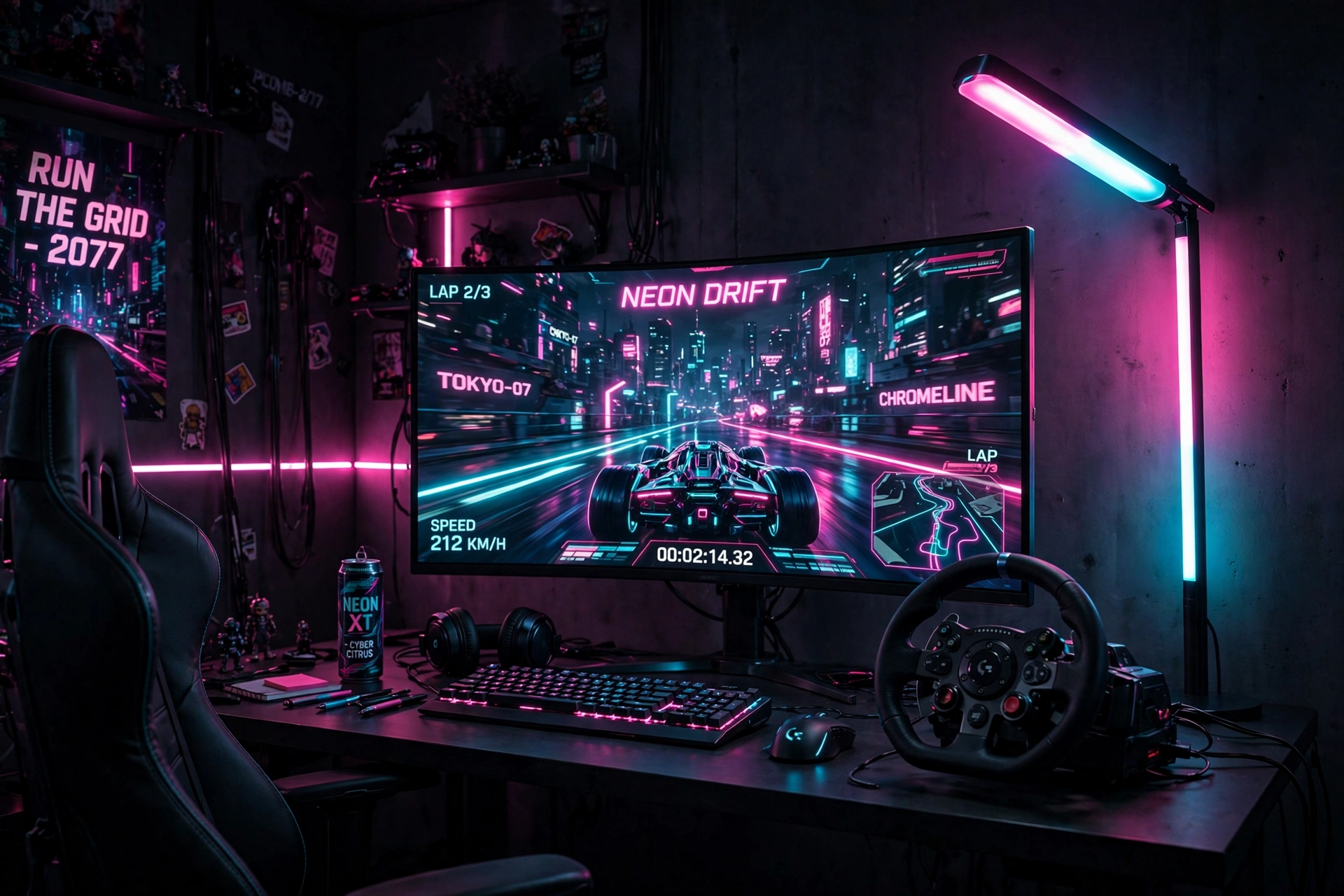
Racing games love a curved screen, and a cyberpunk racing cockpit leans into that with a tall floor lamp that washes the corner in pink and cyan. The question is how far to push the curve and the light, and the honest answer is that both choices work, they just suit different rooms and different racers.
Whichever you pick, keep the wheel or controller centered, the pedals or footrest steady, and the lamp behind the screen so it never glares into your eyes. A headset hook on the desk edge keeps the cockpit tidy between races, and one power strip behind the desk handles the screen, lamp, and wheel in one place.
Samsung 27 Inch Odyssey G5 QHD Gaming Monitor
Why this one: the QHD curved panel wraps the road around you, which suits racing and driving games far better than a flat screen.
Worth knowing: curved screens can distort straight lines slightly, so they are less ideal if you do precise photo or design work on the same desk.
Govee RGBIC Floor Lamp, LED Corner Lamp
Why this one: a tall corner lamp fills the room with color without taking any desk space, which matters when a wheel and pedals already fill the floor.
Worth knowing: a tall lamp needs a clear corner, so keep it away from curtains and door swings.
5. Corner Neon Wall Grid
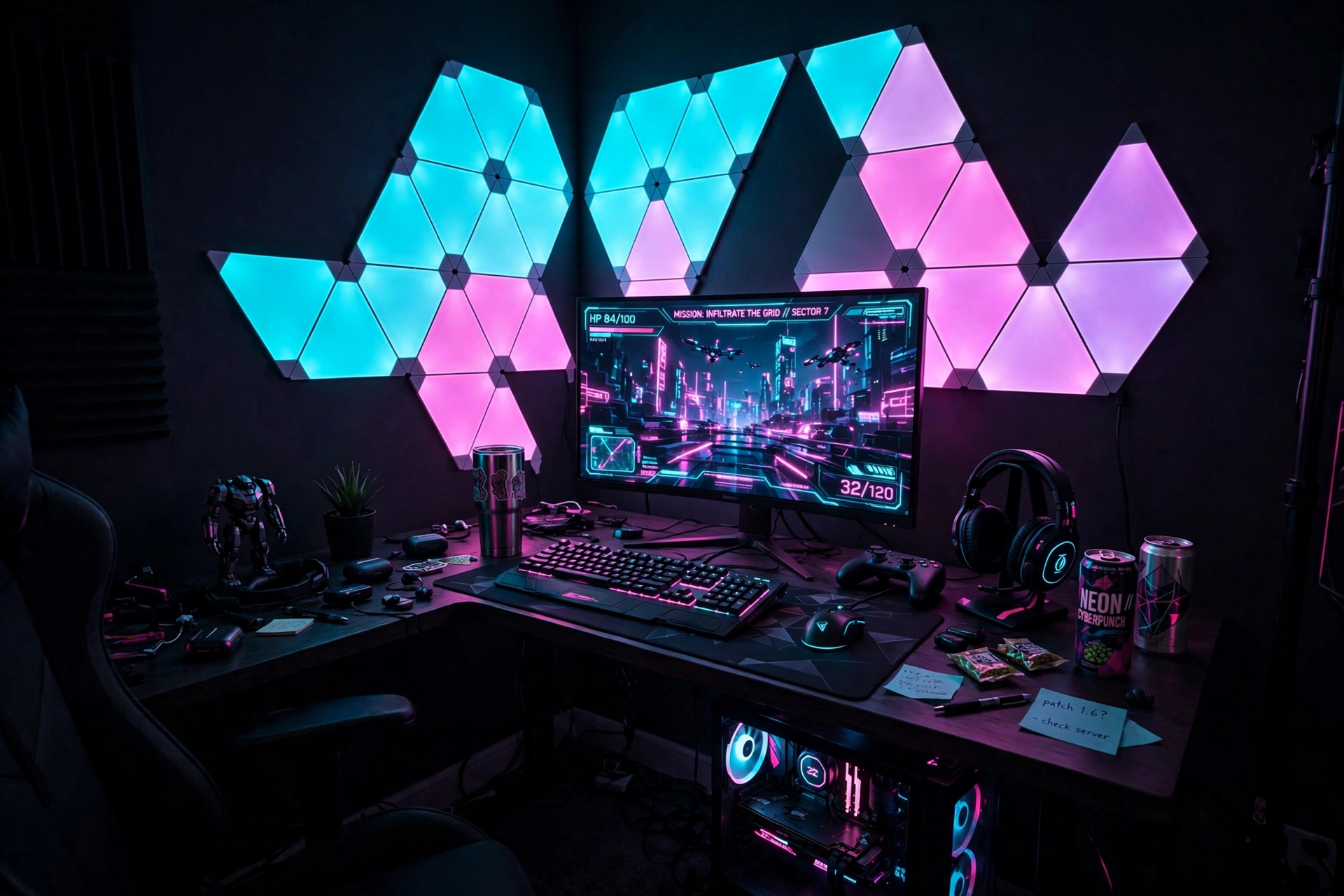
Triangle wall panels turn a plain corner into a neon grid, like a piece of a future city wall. The trick is restraint: a cluster of six to nine panels above and beside the monitor is enough, and the monitor below anchors the whole wall so it reads as a setup, not a light show. A dark corner wall makes the panels glow harder, so paint or paper one wall dark if you can.
Wall grid checklist
✓ Plan the panel shape on the floor first, then stick it up.
✓ Keep the brightest panel colors near the monitor, softer ones at the edges.
✓ Leave a gap between the panels and the ceiling so the glow has room.
✓ Match one panel color to your keyboard backlight.
✓ Run the panel cable down behind the desk, never across the wall.
Finish the corner with a compact desk, a headset on a stand, and a cable tray underneath so the wall stays the star. If you rent, test one panel on a hidden spot first, since the adhesive is the part most people regret rushing.
Nanoleaf Shapes Triangles Smarter Kit
Why this one: the triangle panels snap into any grid shape you design, and each panel can glow a different color for a true neon wall effect.
Worth knowing: the panels need a power outlet nearby and a flat wall, so check your corner before you plan a large shape.
Acer Nitro KG271U 27 Inch QHD Gaming Monitor, 180Hz
Why this one: a fast QHD screen under a glowing wall grid keeps the game sharp while the panels carry the style.
Worth knowing: bright wall panels behind a screen can cause glare on glossy displays, so angle the panels slightly away from the monitor.
6. Cyberpunk L Desk Battle Station
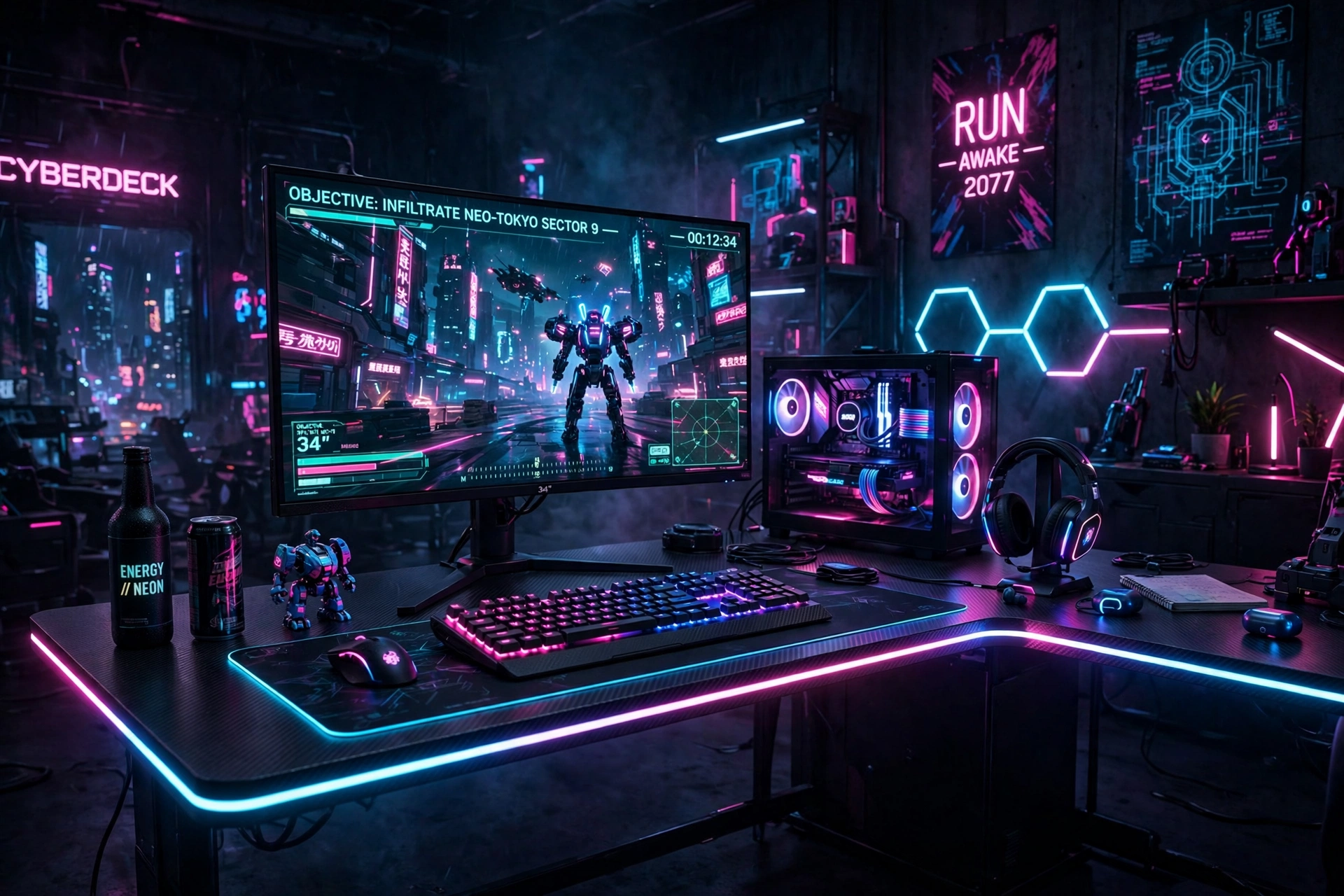
An L desk gives a cyberpunk setup room to breathe. The main screen lives on the long side for gaming, the return side holds a second screen or a stream deck, and the LED edge ties both sides together in one continuous line of pink and cyan. It is the best shape for a corner room, and it doubles as a streaming desk without adding furniture.
Add a mechanical keyboard with per key lighting so the desk itself glows, and keep cables in a tray under the return side where they are easy to reach. For a darker take on this look, see 15 Dark Gaming Setup Ideas for a Moody Battlestation, which shows how to keep a neon room moody instead of bright.
PRAISUN 66 Inch L Shaped Gaming Desk with LED Lights and Power Outlets
Why this one: the L shape, built in power, and LED edge cover the three things a corner cyberpunk setup needs most: space, power, and light.
Worth knowing: measure both walls and the corner angle, since an L desk is harder to return than a straight desk if it does not fit.
Corsair K70 CORE RGB Mechanical Gaming Keyboard
Why this one: per key RGB lighting lets you paint the keyboard pink and cyan to match the desk edge exactly.
Worth knowing: mechanical keyboards are louder than membrane ones, so they may not suit a shared bedroom at night.
7. Console Cyberpunk Lounge
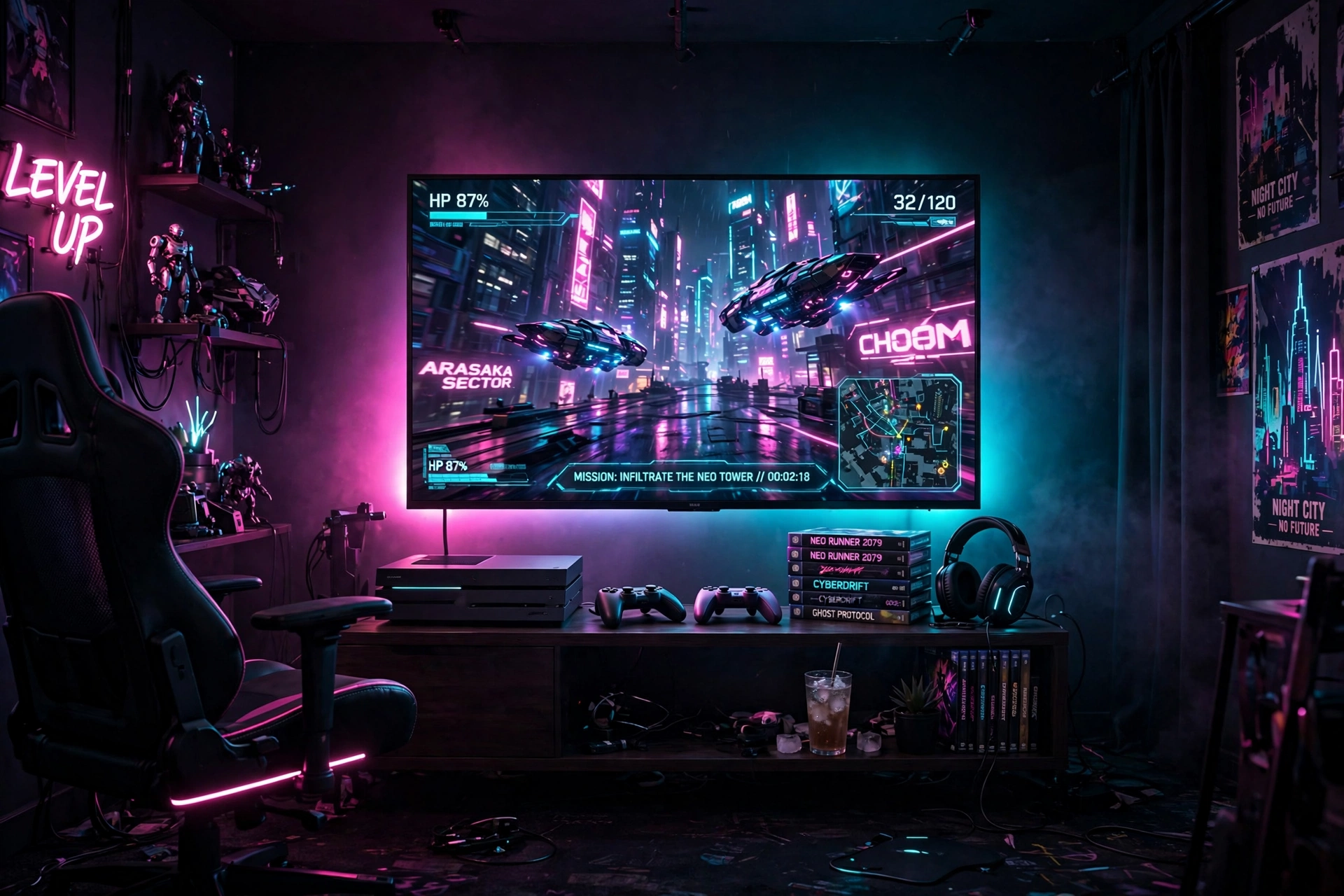
Not every cyberpunk room needs a PC. A console lounge with a big TV, a gradient strip glowing behind it, and a low media stand feels like a neon arcade you own. The TV is the hero, so give it a dark wall and a strip that shifts color with the scene, then keep everything else low and simple so the glow stays the focus.
What works here:
- TV: wall mounted or on a low stand, at eye level from the couch or chair.
- Light: a gradient strip behind the TV, pink at the top fading to cyan at the bottom.
- Seat: a low chair or couch with a side table for controllers and snacks.
- Storage: a shelf for games and a second controller, close to the couch.
- Power: one strip behind the stand, with the console given airflow space.
Lounge rule: the TV glow should light the room, not the ceiling. If you can see the strip itself from the couch, move it further behind the TV until only the color shows.
CRUA 27 Inch Curved Gaming Monitor, 180Hz
Why this one: the curved screen suits console play from a chair or couch, and the fast refresh keeps motion smooth in action games.
Worth knowing: a 27 inch screen is compact for a lounge, so sit closer than you would with a big TV.
Philips Hue Play Gradient Light Strip, 55 Inch
Why this one: the gradient strip blends several colors along one run, so the glow behind the TV shifts from pink to cyan instead of sitting flat.
Worth knowing: the strip is sized for a TV, so measure your screen before ordering to avoid a short run.
8. Vertical Code and Game Tower
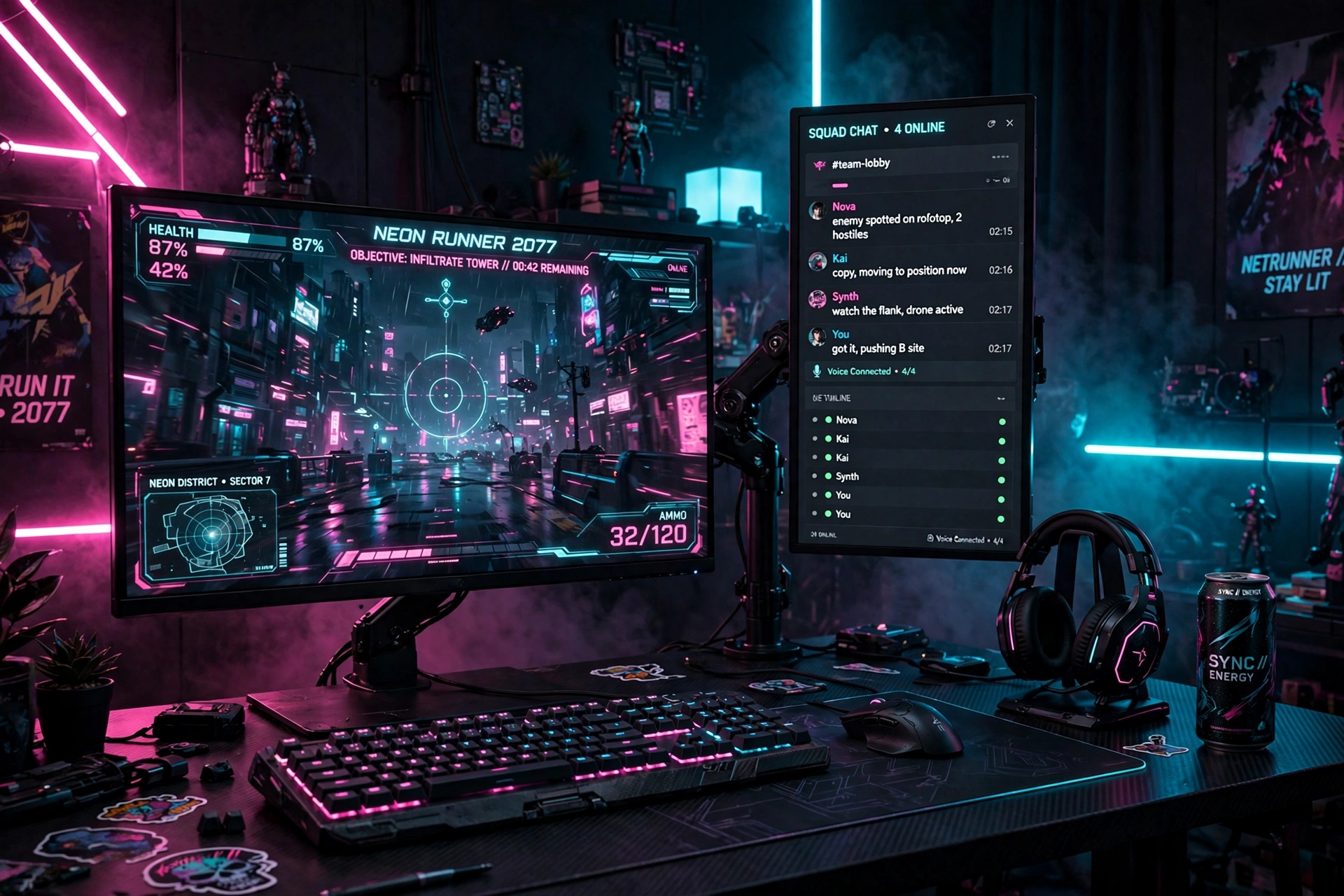
This one is for players who also build things: a horizontal screen for the game, a vertical screen for code, chat, or a long guide. The portrait screen reads like a neon tower, and the two screens together fill a wall without needing a huge desk. It looks unusual at first, then feels obvious after a day.
How to set it up:
- Mount both screens on one dual arm so the heights match.
- Put the game on the horizontal screen, directly in front of you.
- Put chat, code, or a guide on the vertical screen to the side.
- Set the vertical screen wallpaper to a dark neon city scene.
- Add a small lamp behind the desk so the vertical screen does not float in darkness.
Screen jobs
Horizontal screen: the game, always, front and center.
Vertical screen: chat, code, guides, and music, stacked tall.
Acer Nitro VG272U V3 27 Inch QHD Gaming Monitor, 180Hz
Why this one: a fast QHD screen works well as the main game screen, and a second matching screen in portrait still reads text crisply.
Worth knowing: some games and apps do not scale neatly in portrait mode, so test your favorite chat app before you commit to this layout.
HUANUO Dual Monitor Arm, Gas Spring
Why this one: a dual arm makes the portrait rotation simple and keeps both screens steady at different angles.
Worth knowing: portrait screens sit taller than landscape screens, so check ceiling shelves and wall clearance above the desk.
9. Pink Cyberpunk Creator Corner
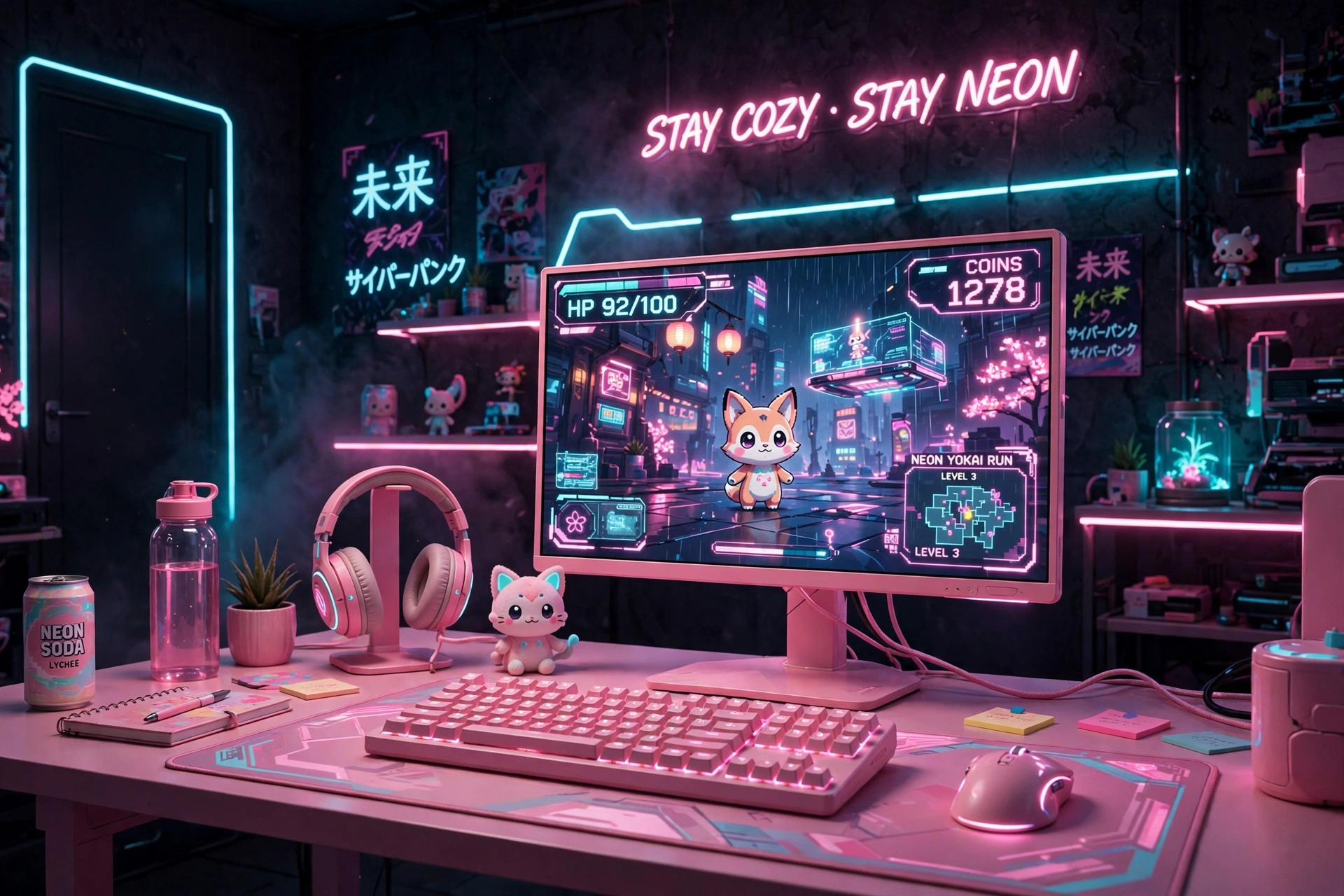
Pink cyberpunk is softer but no less futuristic. A pink monitor with a matching keyboard, a white desk, and cyan accents in the light keeps the room bright on camera while the neon still reads clearly in photos and streams. This setup suits creators who game and record in the same corner, and it photographs beautifully for social posts.
Creator tip: keep the pink light on your face side and the cyan light behind you. The camera sees a flattering warm glow, and the background still gets its neon edge.
Add a small shelf for a camera or mic, a drawer for cables, and a headset stand so the desk stays clean on camera. The second screen can stay dimmer than the main screen, so your face lighting stays flattering and the pink monitor remains the clear star of the shot.
Pixio PX279 Wave Pink 27 Inch Gaming Monitor, 240Hz
Why this one: the pink finish is the style statement of the room, and the fast refresh rate keeps it a real gaming screen, not just a pretty one.
Worth knowing: a bold color limits future matching, so pair it with white or neutral gear if you like to change themes often.
Razer BlackWidow V3 Mechanical Gaming Keyboard, Quartz Pink
Why this one: the quartz pink keys match the monitor exactly, so the desk reads as one planned color story instead of mixed parts.
Worth knowing: light colored keycaps show dirt and wear faster than dark ones, so keep a cleaning cloth nearby.
10. Budget Neon Starter Den
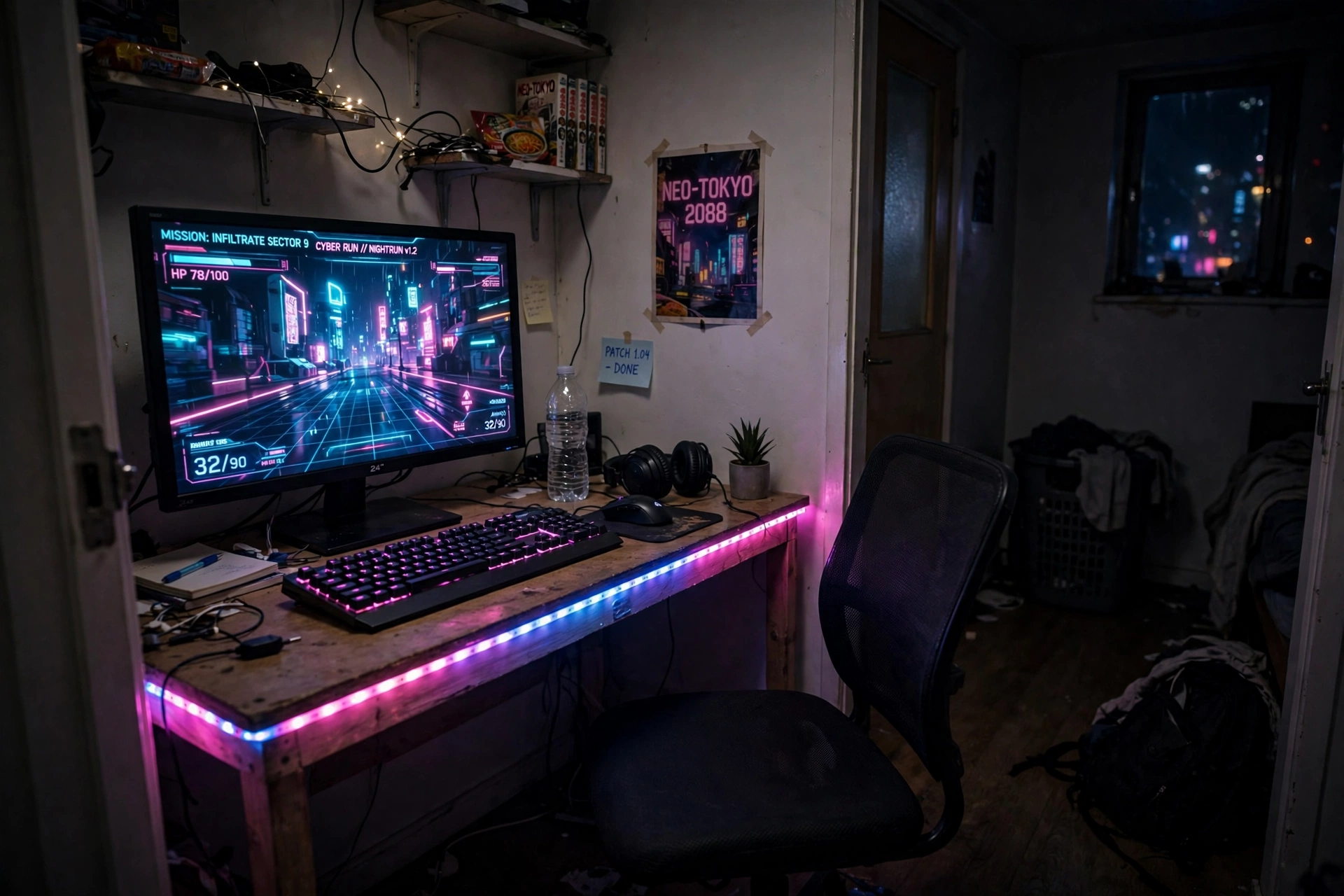
You do not need a big budget to get the neon look. One fast monitor, one LED desk, and a strip light are enough to make a small bedroom feel like a future city, and you can add the fancy extras later. The secret is spending on the screen and the light first, since those two things carry the whole look.
- Desk: an LED desk with built in outlets, so power and light arrive in one box.
- Screen: one fast monitor, centered, with a dark wallpaper that makes the glow pop.
- Light: a single strip along the back edge, set to pink and cyan.
- Seat: a simple chair that tucks under the desk when you are done.
- Storage: a wall shelf for games, so the small desk stays clear.
KTC 27 Inch Gaming Monitor, 180Hz, 1080p
Why this one: a fast 27 inch screen at a friendly tier for a first cyberpunk setup, with a size that pairs well with most small desks.
Worth knowing: 1080p on a 27 inch screen looks softer up close than QHD, so sit a little farther back if text looks fuzzy to you.
DUMOS 45 Inch Gaming Desk with LED Lights and Power Outlets
Why this one: built in power outlets cut down on extension leads, and the LED edge adds a gaming feel without extra gear.
Worth knowing: a 45 inch desk is snug for two 27 inch screens, so measure your screens and stands before ordering.
11. Dark Mood Neon Den
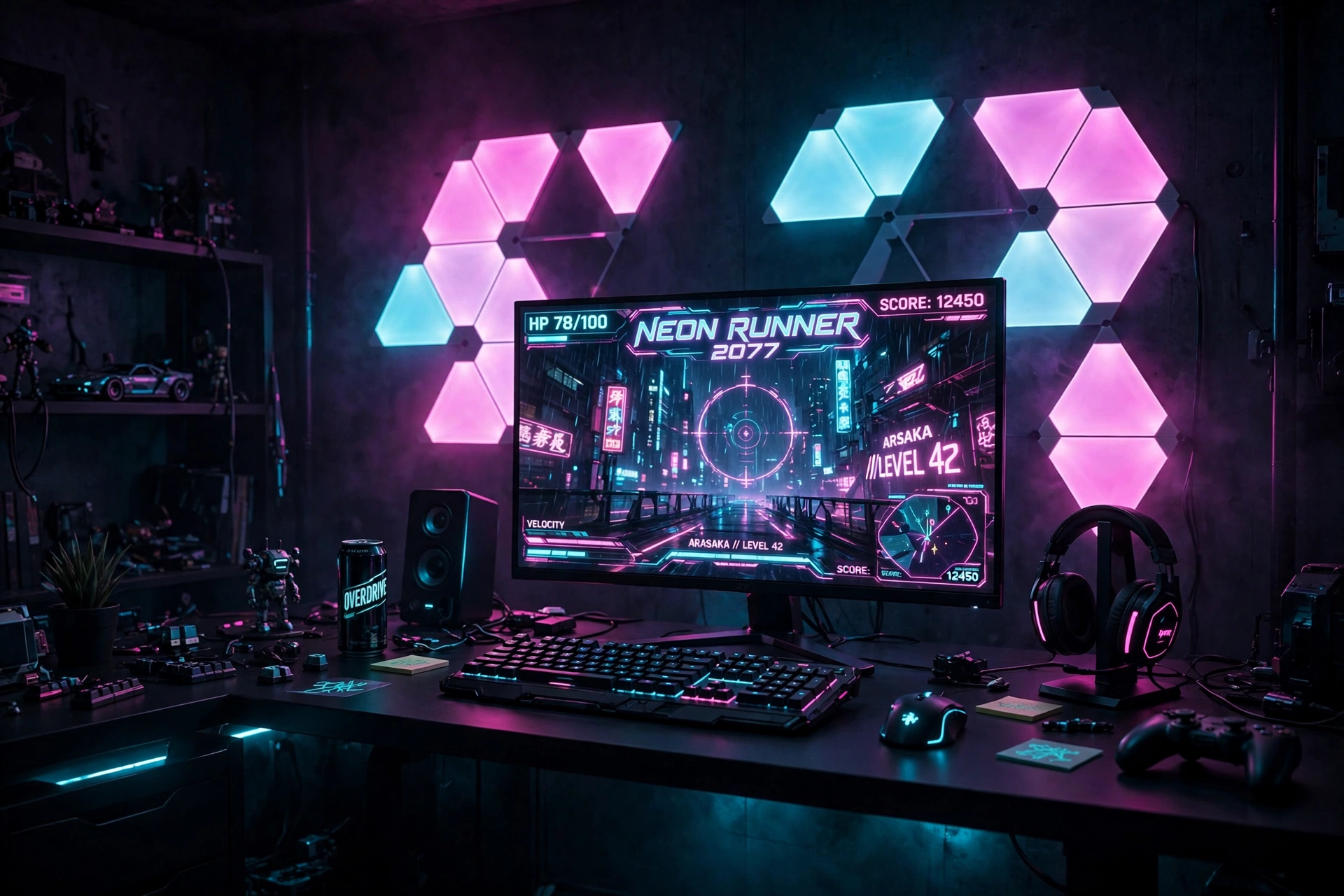
The darkest cyberpunk rooms are the most dramatic, and they are also the easiest to get wrong. Too little light and the room feels like a cave, too much and the neon washes out. The fix is one strong light source and one strong screen, with everything else kept dark so the color has nowhere to hide.
Keep the desk black, the chair dark, and let the monitor and the wall panels carry all the color. A single headset stand with a small glow is the only extra light the desk needs, and a dark rug under the chair finishes the den without adding clutter.
ASUS TUF Gaming VG27AQ 27 Inch QHD Monitor, 165Hz
Why this one: QHD sharpness plus a fast refresh rate covers both dark neon games and everyday use without forcing a compromise.
Worth knowing: higher refresh rates need the right cable and settings, so check that your PC is actually running the screen at full speed.
Govee Glide Wall Light, 6 Pcs + 1 Corner
Why this one: the bar style wall lights draw clean neon lines on a dark wall, which suits a moody den better than busy panels.
Worth knowing: plan the bar layout on paper first, since moving them after sticking can weaken the adhesive.
Frequently Asked Questions
How much does a cyberpunk gaming setup cost? It depends on how far you go. A starter setup with one monitor, a strip light, and an LED desk is the most affordable route, while an ultrawide screen, wall panels, and a glass case rig sit at the premium end. Start with light and one good screen, then add pieces over time instead of buying everything at once.
What colors make a setup look cyberpunk? Hot pink and electric cyan on a dark background are the classic pair, with magenta and purple as supporting colors. Keep the walls dark and limit yourself to two main colors, since three or more bright colors at once can look messy rather than futuristic.
Do I need a PC for a cyberpunk setup? No. A console lounge with a TV and a gradient strip gives the same neon feel, and a laptop setup works too. The look comes from the light and the screen, not from the machine under the desk.
How do I stop neon light from hurting my eyes? Keep the light indirect: strips and bars should wash a wall, not shine into your eyes. A monitor light bar helps too, and dimming the room lights for evening sessions plus regular breaks makes long nights much easier.
Will LED strips damage my walls? They can peel paint if removed carelessly, especially on fresh paint. Clean the surface first, press firmly, and warm the strip gently with a hair dryer on a low setting when you remove it. Renters should test one small piece in a hidden spot first.
Can I build a cyberpunk setup in a small bedroom? Yes, the budget starter den in this guide was designed for exactly that. One monitor, one LED desk, and one strip light are enough, and wall shelves keep storage off the small desk.
Conclusion
Cyberpunk is not about owning the most gear, it is about committing to a mood: a dark room, a glowing screen, and two colors that refuse to be quiet. Pick the setup that matches your room and your budget, start with the screen and the light, and add the rest one piece at a time. The best neon room is the one you actually sit in every night.
If you want more room inspiration after this, browse the Gaming Room Ideas category for the full collection.
