As an Amazon Associate I earn from qualifying purchases. Read our full affiliate disclosure for more detail.
A futuristic gaming room is less about buying the flashiest gear and more about clean lines, soft glow, and a screen that feels like the center of the room. Think slim monitors, floating light, tidy cables, and a desk that looks like it belongs in the next decade, not the last one.
In this guide you will find 12 complete futuristic setups you can copy whole, from an ultrawide command deck to a pink creator corner, a console lounge, and a compact pod for a small room. Each setup covers the desk, seat, screens, light, storage, and power, so nothing important is left out. If you want more glow ideas first, the ideas in 15 LED Gaming Room Ideas That Set the Perfect Mood pair well with almost every setup below.
In this article
At a glance
1. Ultrawide Command Deck
2. White Glass Future Pod
3. Floating Light Panel Wall
4. Clean White Minimal Desk
5. Neon Edge L Shaped Station
6. Console Future Lounge
7. Corner Glow Column
8. Pink Future Creator Corner
9. RGB Keyboard Command Center
10. Dual Screen Future Workstation
11. Gradient Glow Back Wall
12. Compact Future Pod
FAQ
Conclusion
At a Glance: Pick Your Futuristic Setup
1. Ultrawide Command Deck
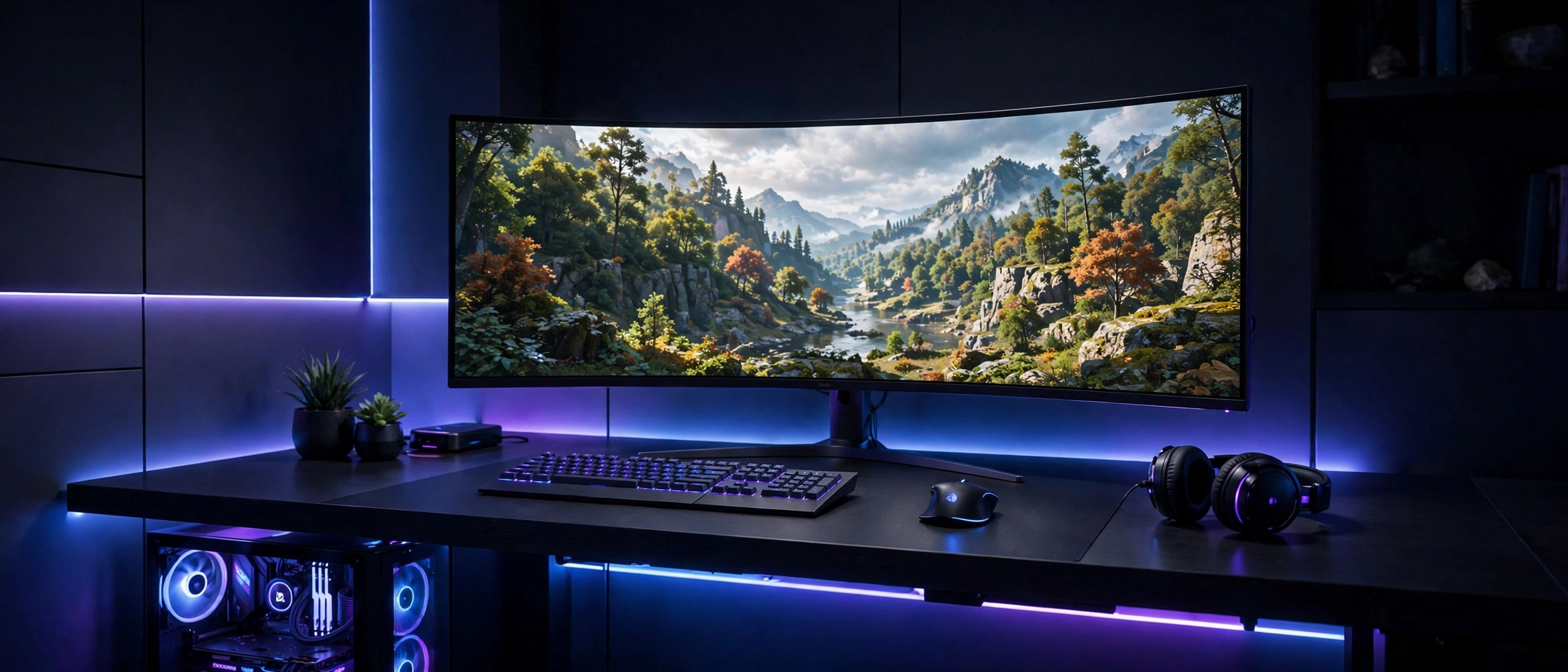
One wide screen can do the work of two. An ultrawide monitor stretches the game across your view, so racing tracks feel longer, open worlds feel bigger, and you still have room at the edge for chat or a music player. Keep the desk surface almost bare, because a wide screen already gives the room its shape.
- Desk: a straight desk with clear space on both sides of the screen, so the wide panel breathes.
- Seat: sit centered and a little farther back than usual, so the curved edges stay in your view.
- Light: cool blue and purple glow behind the desk, kept low so the screen stays the brightest thing in the room.
- Storage: a slim drawer or shelf under the desk for controllers, so the top stays clean.
- Power: one strip behind the desk with the monitor cable routed down the center.
2. White Glass Future Pod
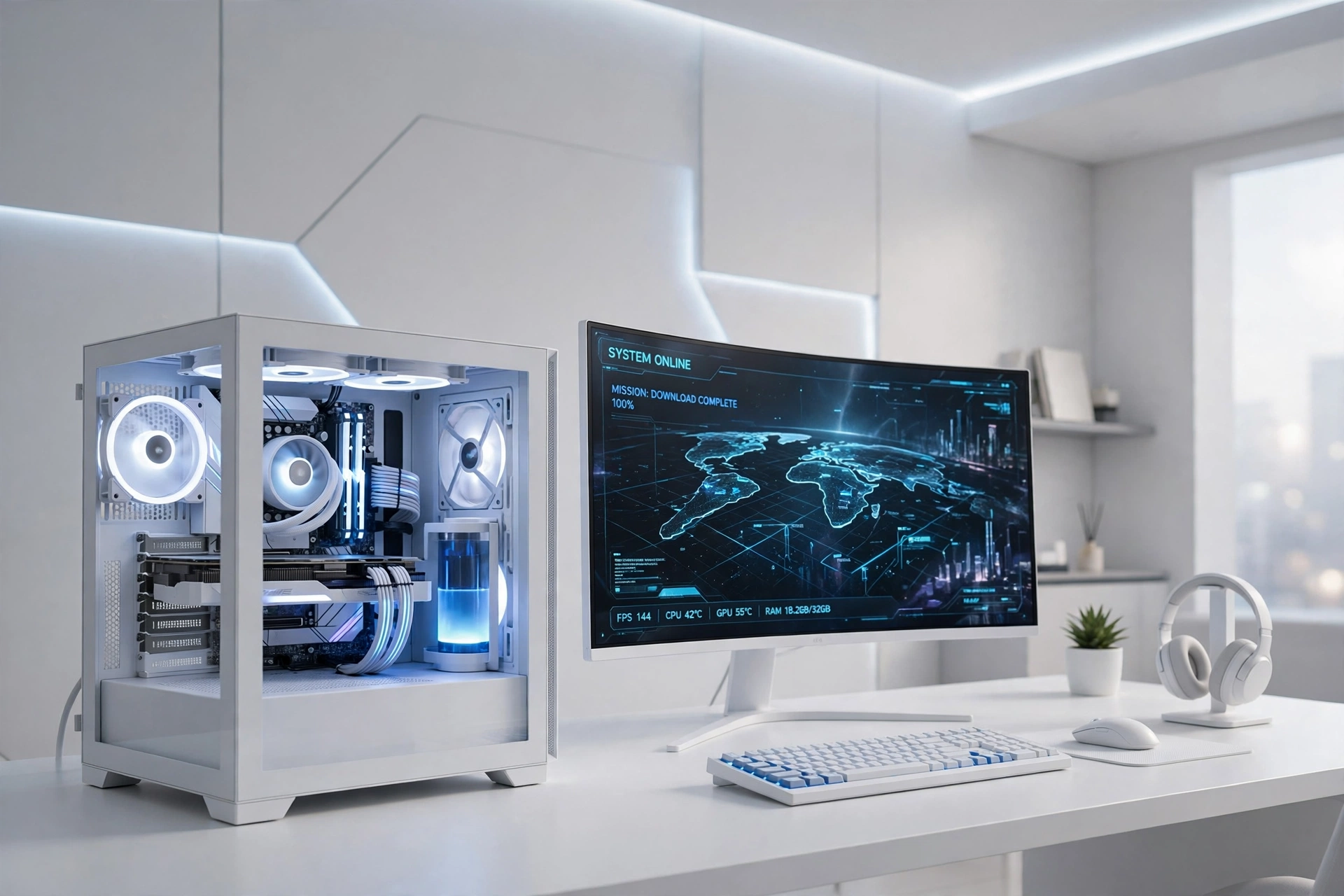
White and glass is the fastest way to make a setup feel like it came from the future. A white case with a clear side panel shows off the build inside, and a curved screen in front keeps the whole desk feeling light instead of heavy. The trick is keeping the white parts clean, so the glow reads as fresh rather than messy.
How to build it:
- Put the white case on the desk, not under it, so the glass panel becomes part of the look.
- Place the curved monitor slightly angled, with the case to one side.
- Set the internal lights to white or soft blue for a calm futuristic feel.
- Add a white keyboard and mouse so the desk reads as one matched set.
- Run cables behind the desk and use a white cable tray to hide the rest.
3. Floating Light Panel Wall
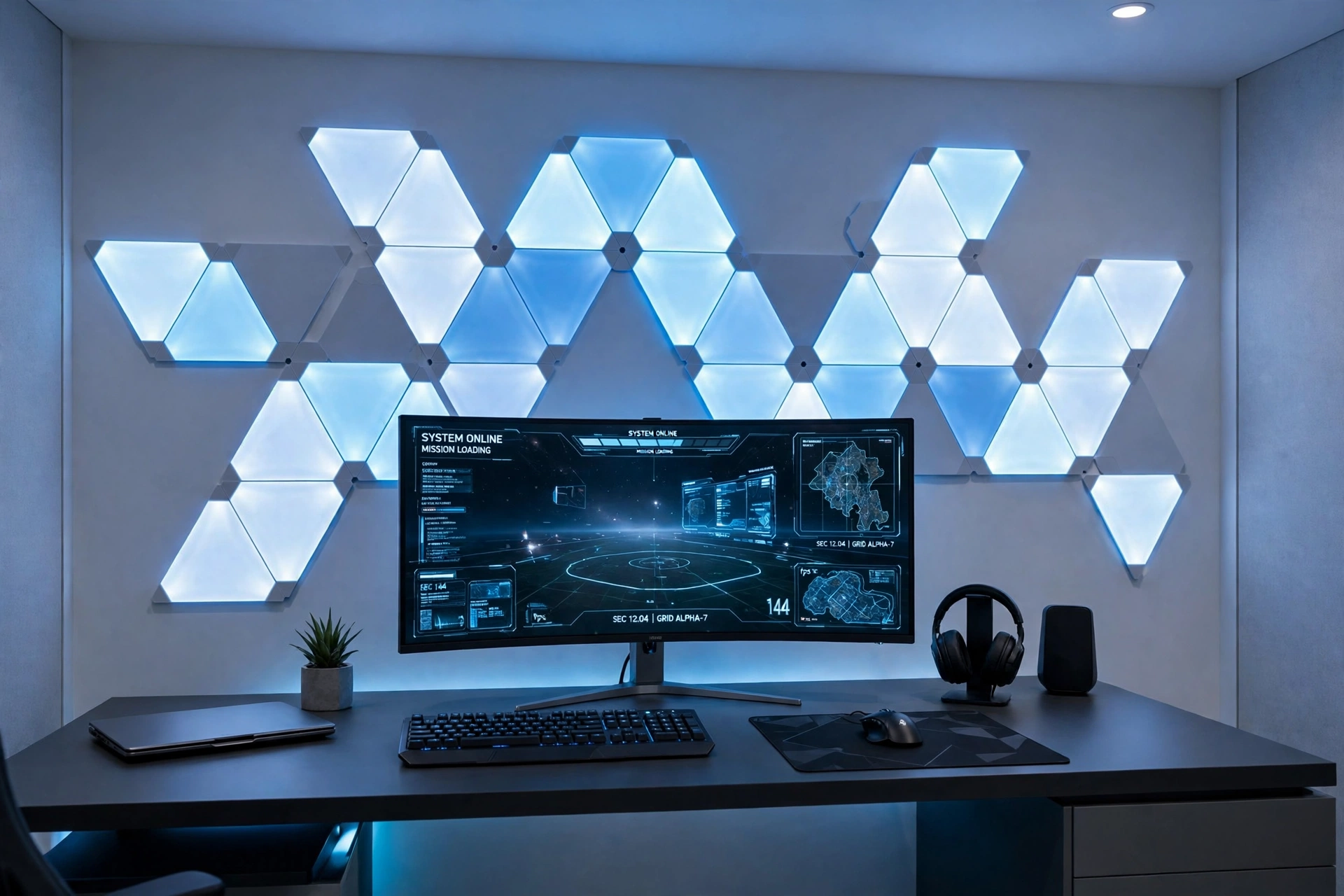
When the wall does the decorating, the desk can stay simple. Geometric light panels turn a plain wall into the room’s centerpiece, and they change color with the game or the mood, so the room never feels stuck on one look. This is a great pick if your desk is small, because the wow factor lives on the wall instead of taking up desk space.
Panel tip: sketch your panel layout on paper before you stick anything to the wall. Start with a simple shape, like a hexagon cluster or a diagonal line, and leave space to add more panels later instead of filling the wall on day one.
Keep the desk low and dark so the panels stand out, add a monitor light bar to balance the glow, and run one power strip behind the desk for the panels and the screen. A small plant or a single shelf keeps the wall from feeling like a showroom.
4. Clean White Minimal Desk
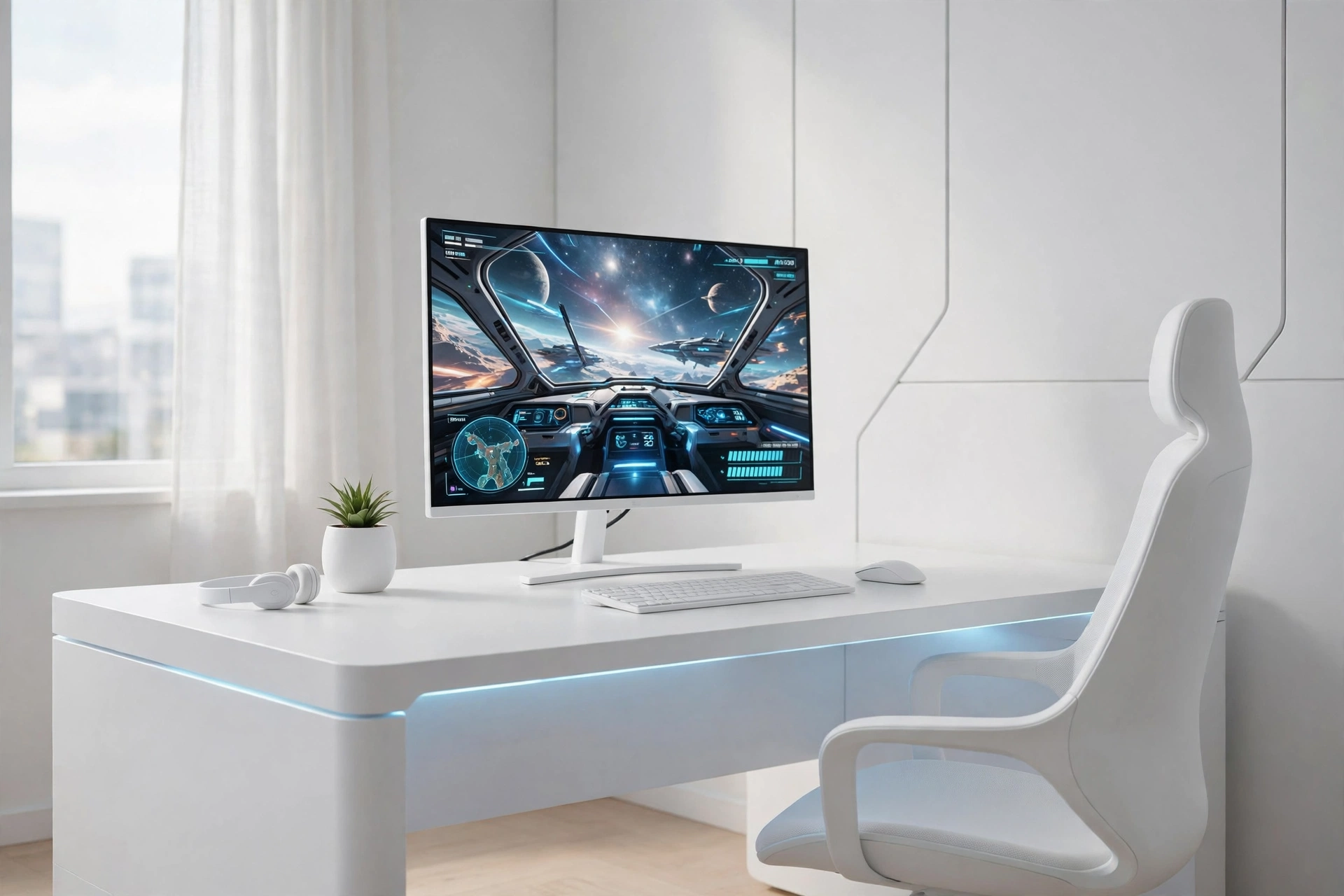
Not every futuristic room needs neon. An all white desk with one slim monitor, a single cool light accent, and nothing extra on the surface can feel more futuristic than a room full of color, because the future in most films is calm and clean. This setup is also the easiest to keep tidy, since clutter has nowhere to hide.
| Choice | Why it works here |
|---|---|
| White desk | Reflects daylight and keeps the room bright without extra lamps. |
| Dark desk | Hides cables well, but can make a small room feel heavier. |
Pair the desk with a white chair, a slim monitor arm, and a small drawer unit underneath for storage. One cool white light strip behind the monitor is enough glow, and a power strip with a switch lets you shut the whole desk down at night.
5. Neon Edge L Shaped Station
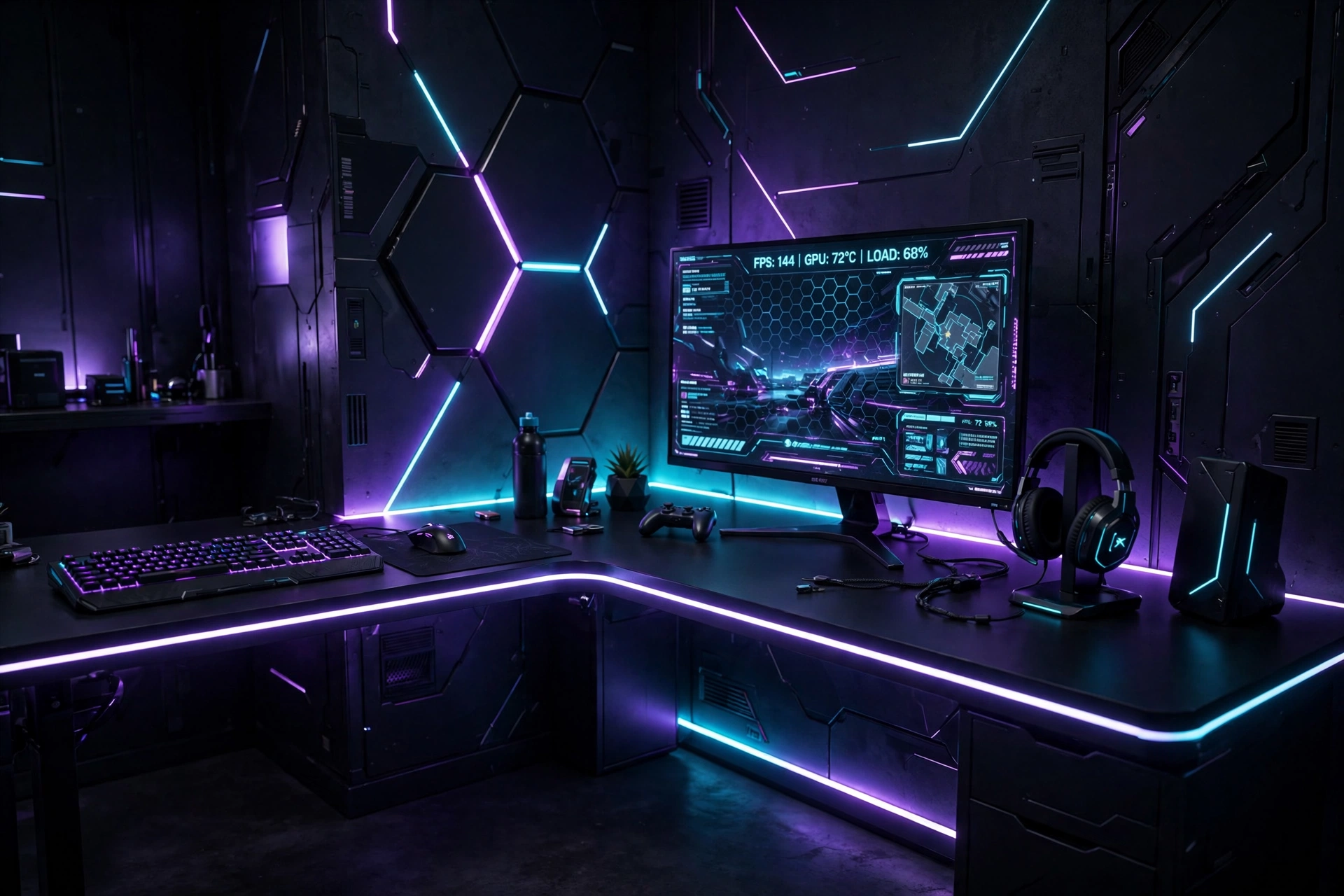
Corners are wasted space in most rooms, and an L shaped desk turns one into the best seat in the house. The long side holds your monitor and keyboard, the short side holds a second screen, a console, or a notebook, and a neon strip along the desk edge ties the two sides together into one glowing shape.
Corner checklist
✓ Measure both walls before you order the desk, since corners are rarely square.
✓ Put the monitor on the longer side, with the chair facing the corner.
✓ Run the LED strip along the front edge so the glow outlines the whole L shape.
✓ Keep a power strip in the corner itself, where both sides can reach it.
Add a comfortable chair with good back support, since corner setups invite long sessions, and keep a small shelf on one wall for games and controllers. The neon edge does most of the decorating, so the rest of the desk can stay calm.
6. Console Future Lounge
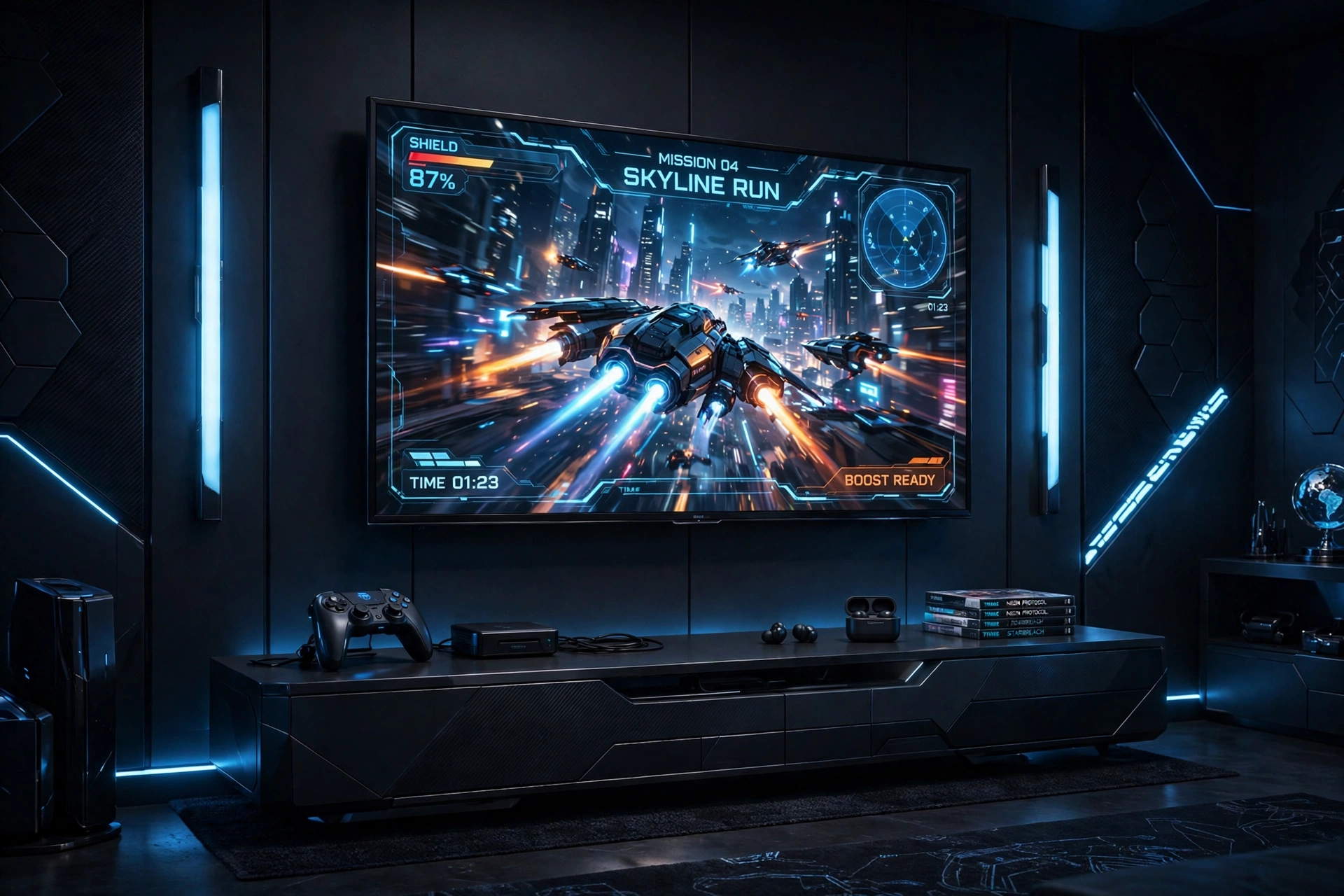
Futuristic does not have to mean a desk. A low media console, a big screen on the wall, and two light bars that wash the wall in color can feel like a small cinema, and it is the most relaxed way to play. Sit back on a sofa or a floor cushion, keep the controller close, and let the room do the work.
What works here: a curved screen keeps the picture wide and immersive from the sofa, while the light bars on either side stretch the color beyond the screen so the wall glows instead of the room going dark. A low console hides the console itself and the cables, and a small basket nearby holds extra controllers and headsets. If you want more console specific ideas, the setups in 15 PS5 Gaming Setup Ideas for Console Players fit this lounge style well.
Keep the seating low and soft, add a dimmable floor lamp for breaks between games, and run all power through one strip behind the console so nothing trails across the floor.
7. Corner Glow Column
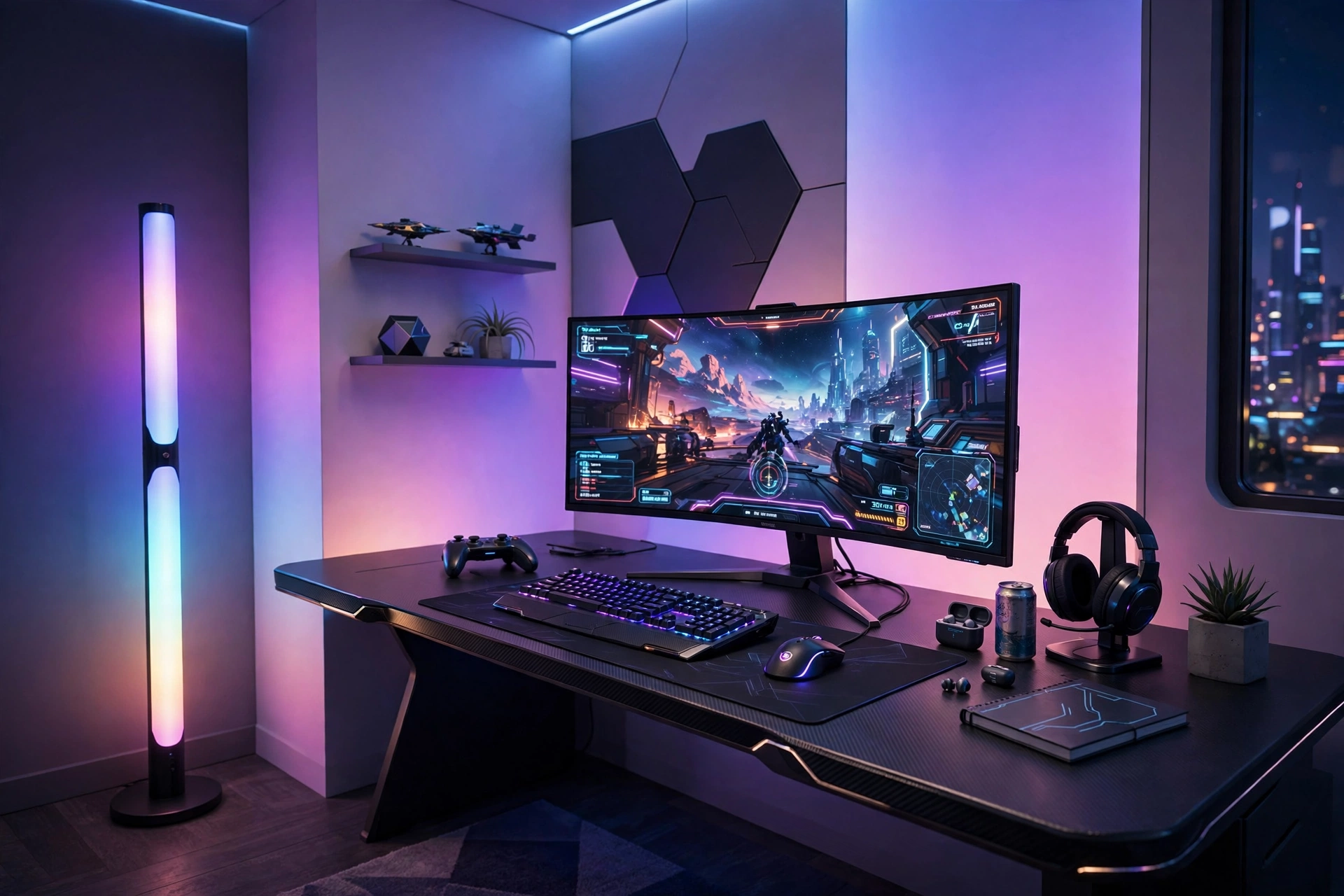
One tall light in the corner can change the whole room. A glowing floor lamp throws soft color up the walls and across the ceiling, so the desk area feels wrapped in light without a single bright bulb in your eyes. It is the easiest futuristic upgrade there is, because it needs one outlet and no tools.
Corner glow tip: set the lamp to a slow color flow in the evening and a single calm color during focused play. A lamp that cycles too fast can distract you, while one steady color fades into the background and just feels good.
Pair the lamp with a mid sized desk, a monitor on a slim arm, and a chair you can swivel toward the lamp when you take a break. Keep a small shelf in the corner for a headset and a book, and run the lamp cable behind the desk so the corner stays clean.
8. Pink Future Creator Corner
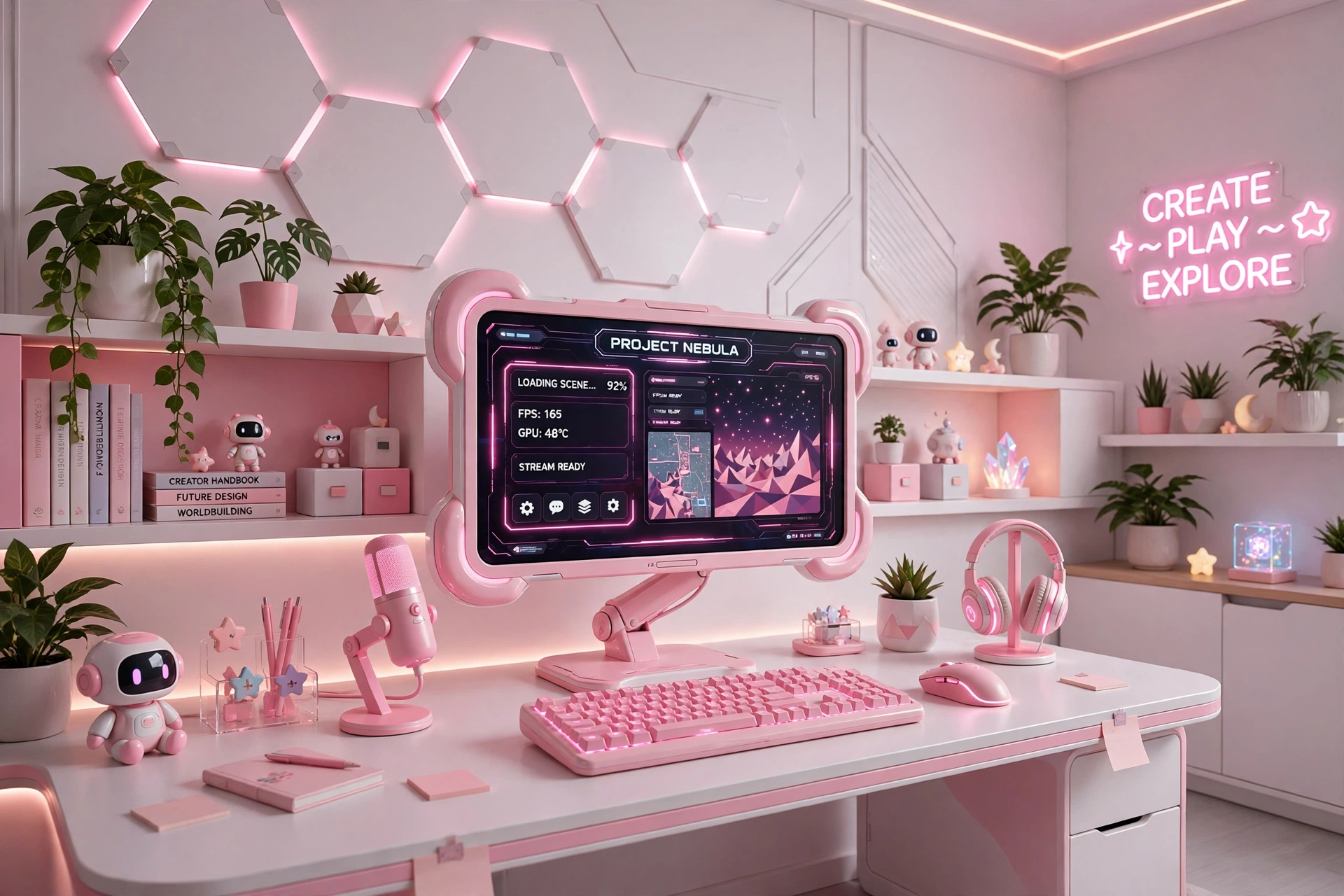
Future does not have to mean cold. A pink monitor, a pink keyboard, and a soft pink glow make a creator corner that feels warm and modern at the same time, and it photographs beautifully for streams and videos. The key is keeping the pink to two or three pieces, so it reads as a theme rather than a flood.
Creator corner checklist
✓ Pink monitor as the hero, with white or silver for the desk and chair.
✓ Pink keyboard as the second accent, with a plain white mouse.
✓ One soft pink light strip behind the monitor, not three.
✓ A small shelf with a plant to balance the tech with something natural.
Set the monitor at eye level, keep a ring light or a small lamp ready for video calls, and store cables in a white box under the desk so the pink pieces stay the stars. A headset stand keeps the desk clear between sessions.
9. RGB Keyboard Command Center
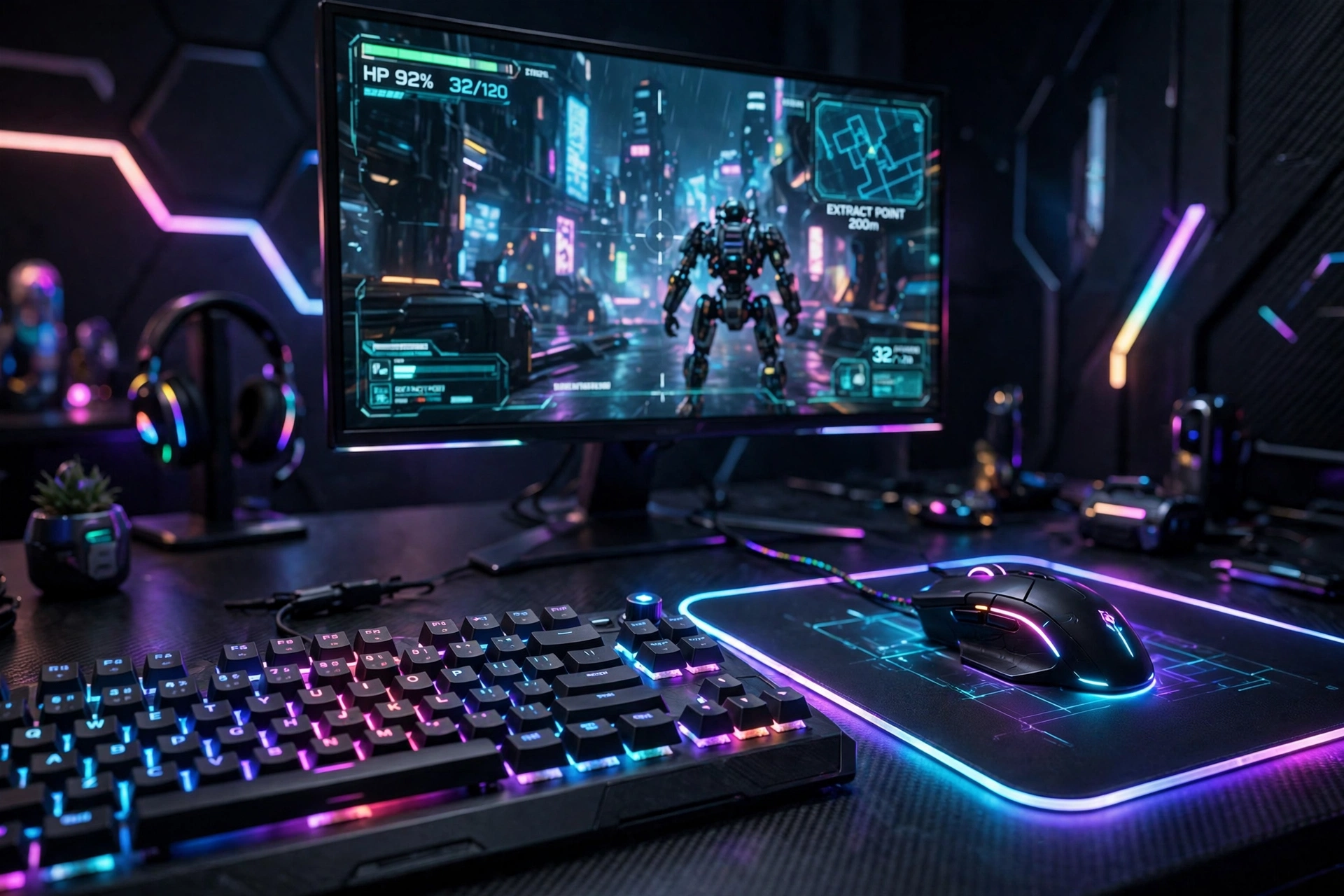
Your hands spend more time on the keyboard and mouse than on anything else in the room, so this setup starts there. A good mechanical keyboard with per key lighting and a precise mouse turn an ordinary desk into a command center, and the glow from the keys lights the desk from below in a way no wall light can match.
| Piece | What to look for |
|---|---|
| Keyboard | Mechanical switches, per key RGB, and a layout that fits your desk. |
| Mouse | A shape that fits your grip, with a sensor that tracks smoothly. |
Set the keyboard lighting to match the game or your mood, add a large mousepad so the mouse never runs out of room, and keep the monitor on a slim stand so the keyboard stays the visual star. A cable tray under the desk hides the keyboard and mouse wires completely.
10. Dual Screen Future Workstation
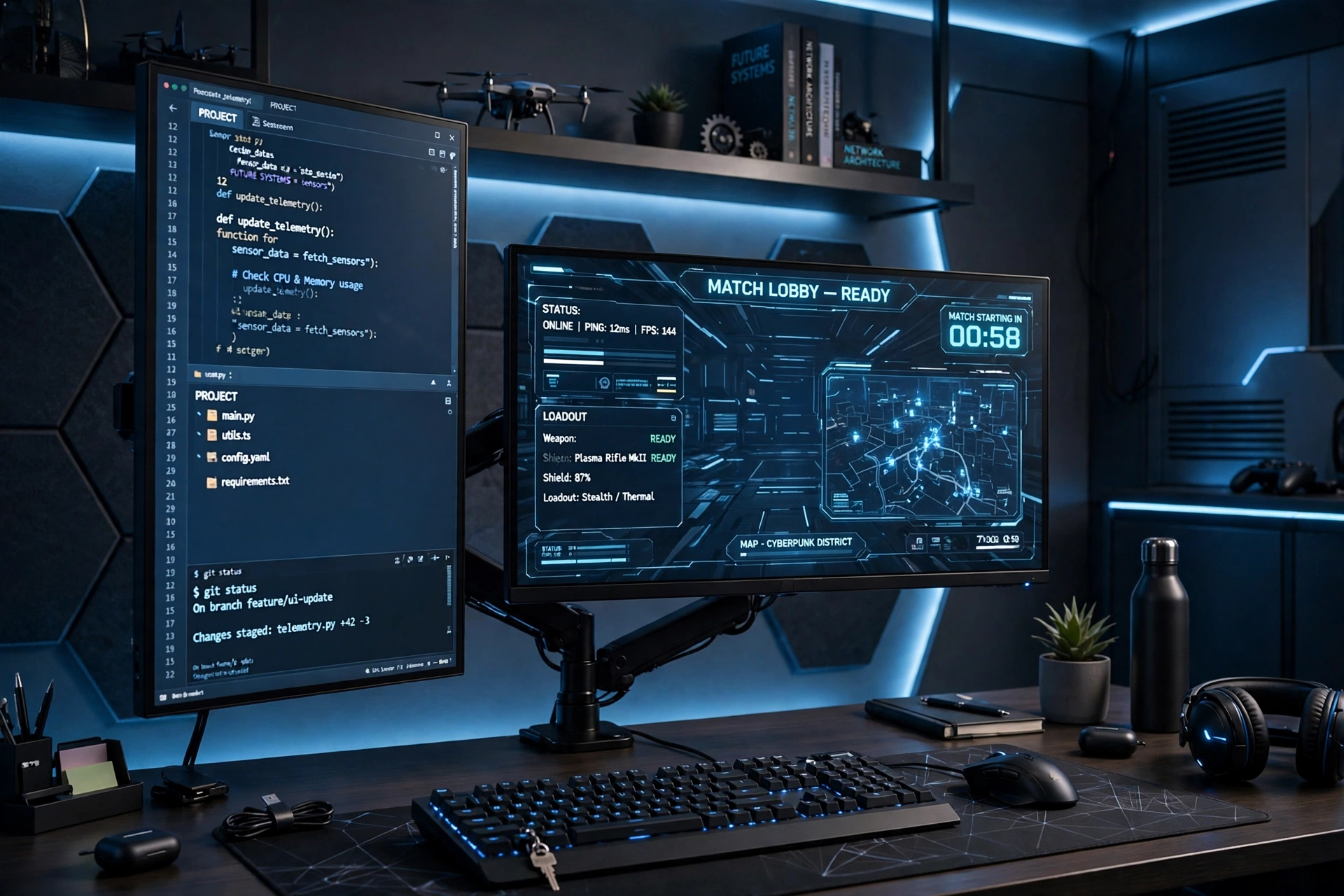
Some desks have to work as hard as they play. One horizontal screen holds the game or the main document, and one vertical screen holds chat, a guide, or a long page of notes, so you stop switching windows every minute. It looks futuristic because it looks like a mission control desk, and it genuinely saves time.
- Desk: a straight desk wide enough for two screens on one arm, with room for a notebook on the side.
- Seat: a chair with adjustable height, so you can line your eyes up with the main screen.
- Light: a monitor light bar for evening work, plus a soft room light so the screens do not glare.
- Storage: a small shelf for books and a drawer for cables and chargers.
- Power: one strip behind the desk with a switch, so the whole workstation shuts down at night.
11. Gradient Glow Back Wall
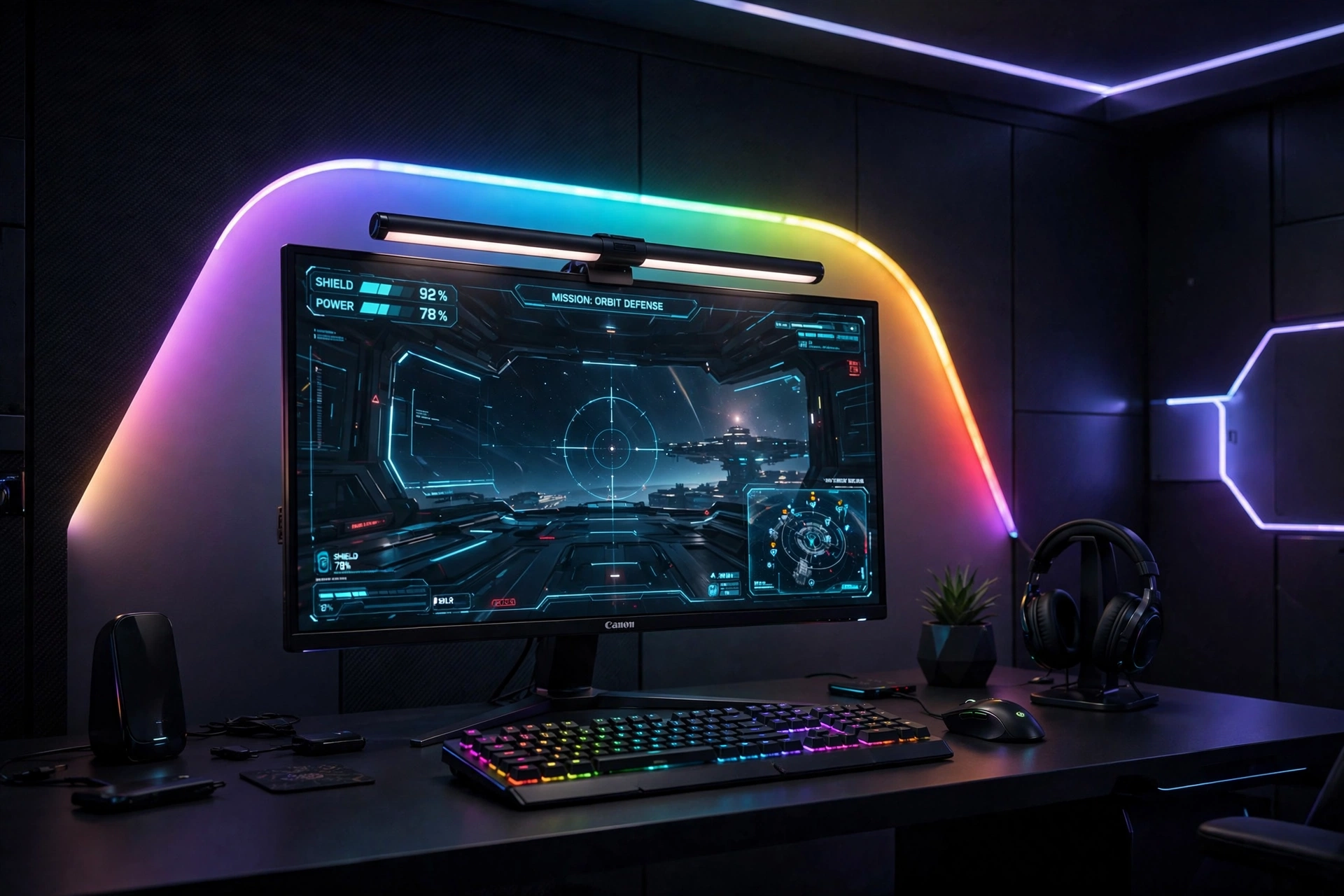
A gradient strip behind the monitor is the closest thing to a cinema at your desk. Instead of one flat color, the light flows from blue to purple to pink across the wall, which makes the screen feel bigger and the room feel deeper. At night, with the room lights off, the effect is genuinely cinematic.
How to set it up:
- Mount the gradient strip on the back of the monitor or on the wall just behind it.
- Set the gradient to flow slowly, not flash, so it stays relaxing during long sessions.
- Add a monitor light bar on top to light the desk without washing out the wall glow.
- Keep the desk dark and simple, so the gradient is the only color show.
- Run one power strip behind the desk for the strip, the light bar, and the monitor.
12. Compact Future Pod
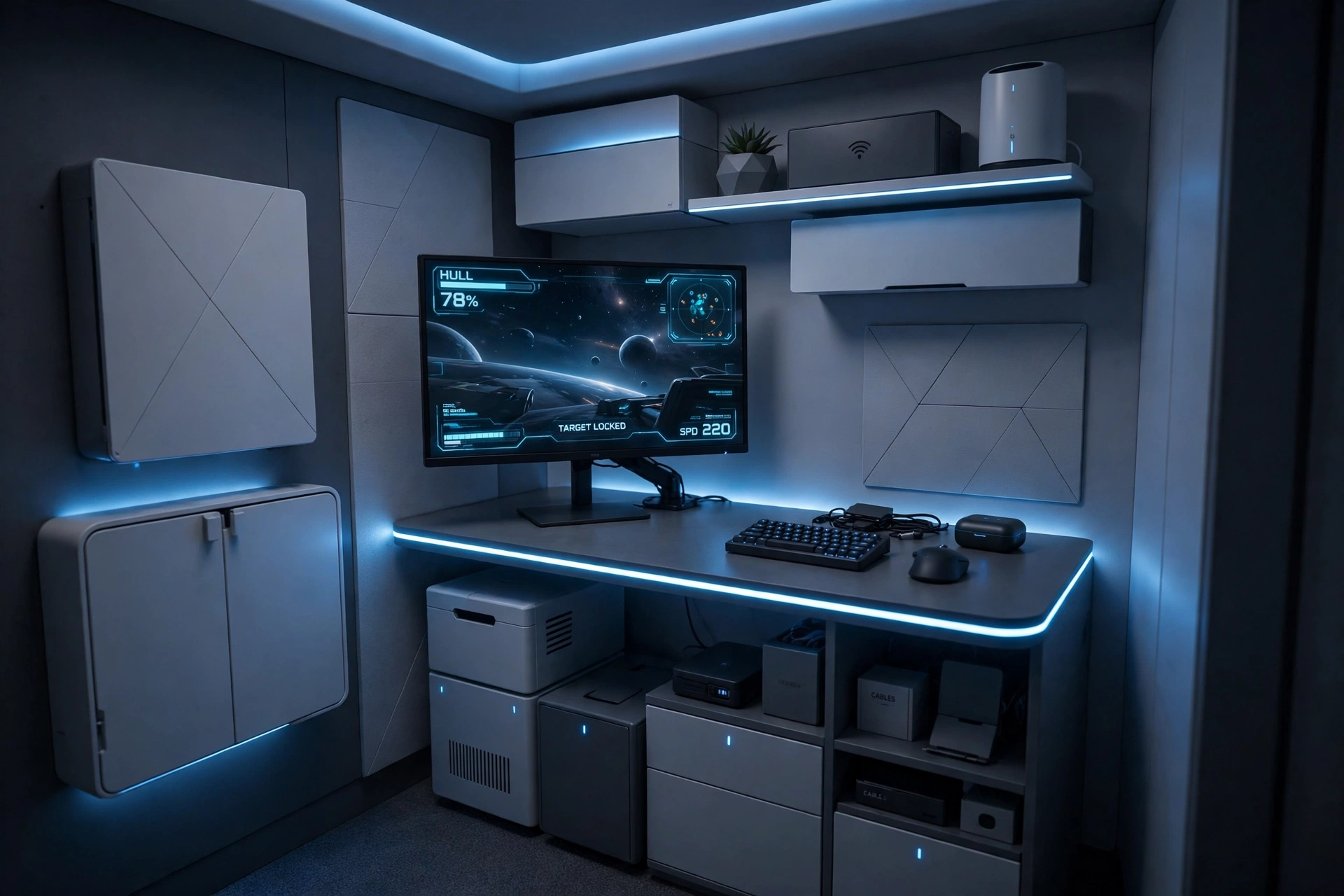
Small rooms can still feel futuristic. The secret is choosing one strong idea and letting it carry the room, instead of squeezing in five. Here that idea is a compact desk with a glowing edge, one fast monitor, and a single cool light color, so the whole pod feels designed rather than cramped.
What works here: the desk is just wide enough for the monitor and keyboard, and the LED edge makes it look custom built rather than small. A monitor arm lifts the screen and frees the surface for a notebook, while a wall shelf above the desk holds games and a headset without taking floor space. One power strip behind the desk handles everything, and a folding chair or a slim stool keeps the walkway clear.
Keep the color palette to one glow color and one neutral, and resist adding a second light strip. In a small room, restraint is what makes it feel futuristic.
Frequently Asked Questions
What makes a gaming room look futuristic?
Clean lines, hidden cables, and layered light. A slim monitor, a tidy desk, and one or two glow sources beat a room full of random RGB gear. Pick one light color family and repeat it, and the room reads as designed.
Do I need an ultrawide monitor for a futuristic setup?
No. An ultrawide looks impressive, but a standard 27 inch monitor with a slim frame, a monitor arm, and good lighting can feel just as futuristic. Spend the difference on lighting or a better chair if the ultrawide does not suit your games.
How much does a futuristic gaming setup cost?
It depends on how much you already own. You can start small with one light strip and a monitor arm, then add a panel wall or a new monitor later. Build in stages, and put the money into the pieces you touch every day first: the screen, the chair, and the keyboard.
Are LED light panels worth it?
Yes, if you want a focal wall without buying furniture. Panels change color with games and music, and they take no desk space. Plan the layout before you stick them up, and start with a small kit you can expand.
Can a futuristic setup work in a small room?
Yes, and small rooms often look more futuristic, because you are forced to keep things tidy. One glowing desk edge, one monitor, and one light color are enough. The compact pod setup above is built exactly for that.
What is the easiest first upgrade?
A light strip behind the monitor or a tall corner lamp. Both need one outlet, no tools, and they change the room instantly. Start there, live with it for a week, and then decide what to add next.
Conclusion
A futuristic gaming room is not about owning the most gear. It is about choosing a clean shape, a calm glow, and a screen that feels like the center of the room, then keeping everything else out of the way. Start with one setup from this list, or mix two ideas that fit your room, and build in stages. The future arrives one tidy upgrade at a time.
Related reading
15 Aesthetic Gaming Setup Ideas Clean and Minimal for more calm, tidy desk inspiration.
15 Dark Gaming Setup Ideas for a Moody Battlestation if you prefer a darker, moodier take on the future look.
