As an Amazon Associate I earn from qualifying purchases. Read our full affiliate disclosure for more detail.
Streaming turns a gaming room into a small studio. The game still matters, but now your face, your voice, and the wall behind you are part of the show too. A good streamer room is not about owning the most expensive gear. It is about light that flatters you, sound that stays clear, and a background that looks intentional on camera.
In this guide you will find 10 complete streamer room setups you can copy whole, from a simple key light and mic starter to a full studio corner with a vertical chat screen. Each setup covers the desk, seat, screens, light, sound, and background, so nothing important is left out. If you want the room itself to glow, the ideas in 15 LED Gaming Room Ideas That Set the Perfect Mood pair well with almost every setup below.
In this article
At a glance
1. The Key Light Classic
2. Dual Screen Chat Command
3. A Wall of Color Behind You
4. First Stream on a Budget
5. The Corner L Desk Stream Hub
6. Console to Camera Living Room
7. Moody Late Night Glow
8. Bright and Clean Creator Desk
9. The Vertical Chat Column
10. The Full Studio Upgrade
FAQ
Conclusion
At a Glance: Pick Your Streamer Room Setup
1. The Key Light Classic
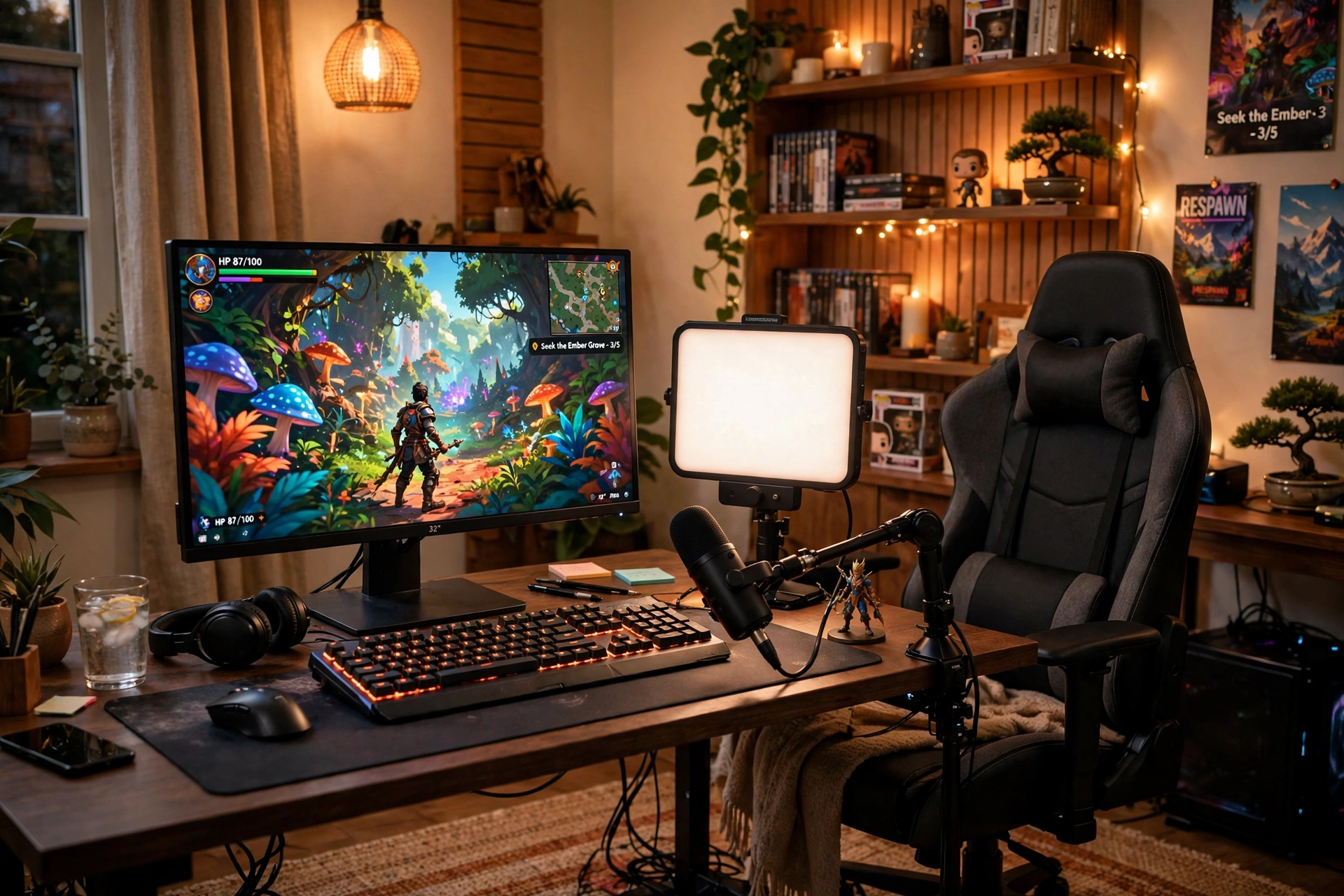
Every streamer starts here, and for good reason. A key light in front of you and a decent mic beside you fix the two things viewers notice first: how you look and how you sound. The game on your monitor is the third piece, not the first. Put the light at about 45 degrees to your face, keep the mic close but just out of frame, and sit so the light catches your eyes without washing out the screen.
Quick check before you go live
Face the light, not the window, so your brightness stays steady.
Do a ten second test recording and listen back for echo or hum.
Tidy the shelf behind you, because the camera sees it all.
A simple desk, a comfortable chair, and one power strip behind the desk finish the setup. Keep cables routed down the back leg of the desk so nothing dangles into frame.
Why this one: a large, soft panel that lights your face evenly, with brightness and color temperature you can adjust from an app, so you can match daylight or a warm evening look.
Worth knowing: it clamps to a desk edge and needs a sturdy desk, and it is a single panel, so very wide rooms may want a second light for fill.
Logitech Blue Yeti USB Microphone, Blackout
Why this one: a plug and play USB mic with several pickup patterns, so it works for solo streams, couch co-op commentary, and voiceovers without extra gear.
Worth knowing: it picks up keyboard clicks and room noise easily, so keep it close to your mouth and use the cardioid pattern for solo streams.
2. Dual Screen Chat Command
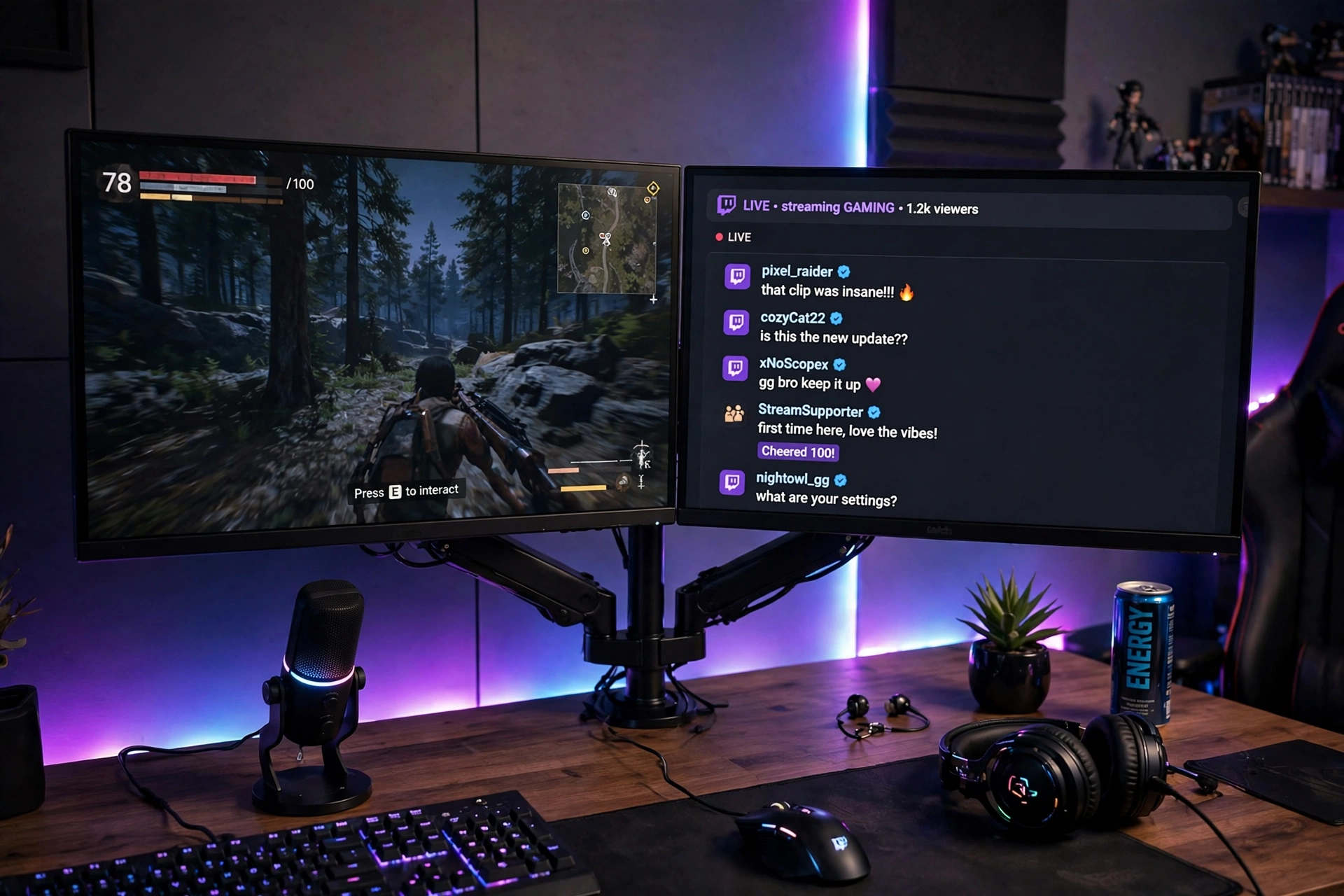
Chat is half the stream, and a second screen is how you keep up with it. The game stays full screen on your main monitor while chat, alerts, and your stream dashboard live on the second one. A single dual monitor arm holds both screens level and frees the desk for your mic and keyboard.
- Main screen: game only, directly in front of you, at eye level.
- Second screen: chat and alerts, angled slightly toward you.
- Sound: mic on a short stand or boom, close to your mouth and off the desk surface.
- Light: soft RGB glow behind the desk so the second screen does not glare.
- Power: one strip behind the desk with both monitor cables routed together.
What works here: glancing at chat without alt tabbing keeps your game smooth and your replies fast, which viewers notice within the first few minutes of a stream.
ASUS TUF Gaming VG27AQ 27 Inch QHD Monitor, 165Hz
Why this one: a sharp QHD screen with a fast refresh rate, so the game looks smooth on camera and text in chat stays crisp on the second screen.
Worth knowing: a second matching screen costs as much as the first, so many streamers pair this with a cheaper second monitor for chat only.
HUANUO Dual Monitor Arm, Gas Spring
Why this one: gas spring arms let you level two screens precisely and swing them for a better camera angle, which fixed stands cannot do.
Worth knowing: check the weight limit and VESA pattern for your monitors, since heavier screens need the tension adjusted or they will slowly droop.
3. A Wall of Color Behind You
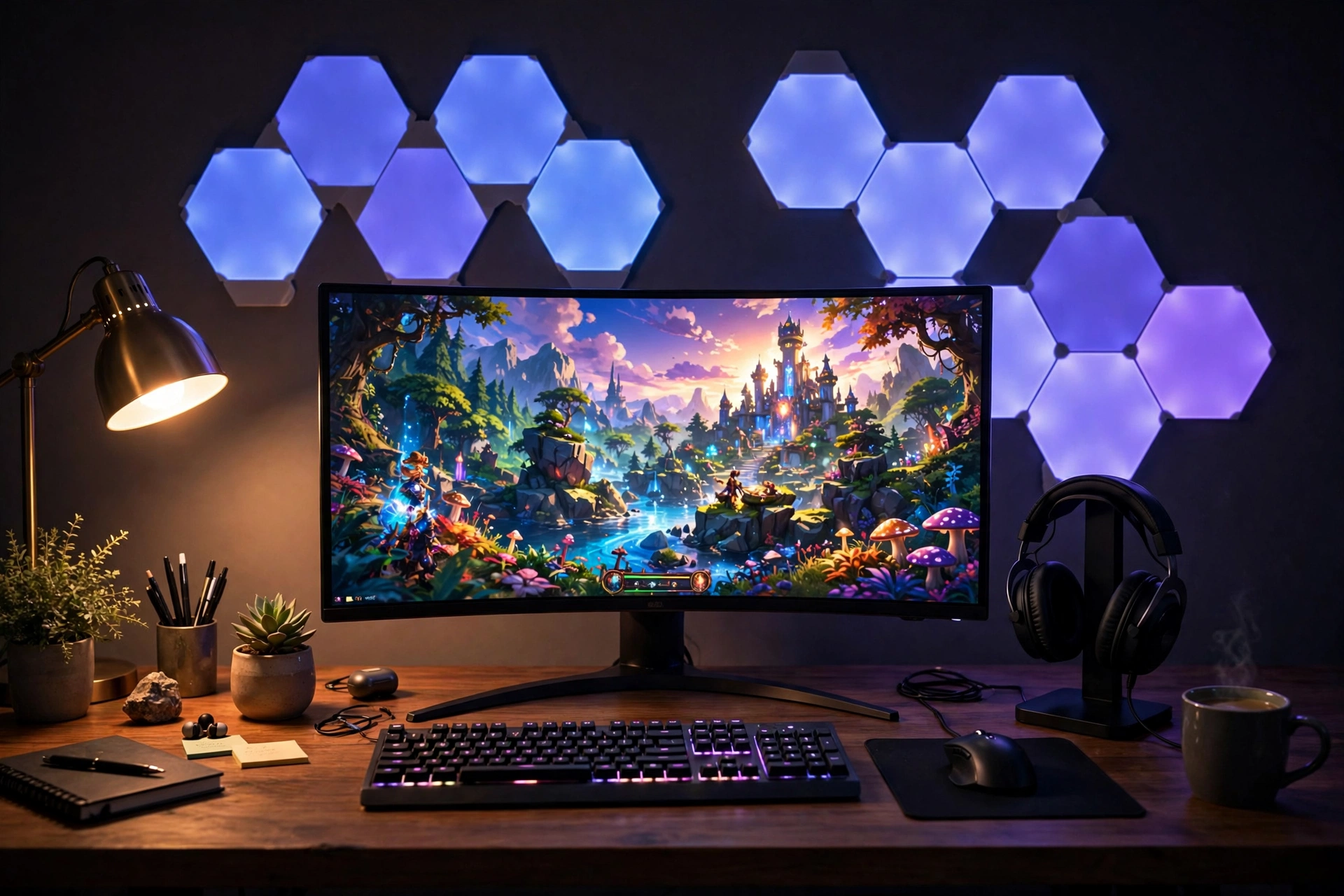
Your backdrop is your brand. When viewers join a stream, the wall behind you is the first thing they read, before they even hear your voice. Hexagonal light panels and a slim wall light give you a backdrop that looks designed, not accidental, and you can change the colors to match a game, a season, or your channel theme.
How to build it:
- Place the panels on the wall directly behind your chair, inside the camera frame.
- Pick two colors that match your channel, and keep the rest neutral.
- Add one wall light at the edge of the frame for depth.
- Keep the desk itself calm, so the wall does the talking.
- Test the colors on camera, since panels look brighter on video than in person.
An ultrawide monitor in front keeps the game wide and cinematic, while a headset stand keeps the desk tidy between streams.
Nanoleaf Shapes Triangles Smarter Kit
Why this one: touch controlled panels you can arrange in your own shape and sync to music or game colors, so your backdrop can change with the stream.
Worth knowing: the panels stick to the wall with adhesive, so they can mark paint when removed, and a bigger layout needs extra expansion packs.
Govee Glide Wall Light, 6 Pcs plus 1 Corner
Why this one: slim bars that bend around a corner and wash the wall with color, adding depth to the edge of your camera frame.
Worth knowing: the bars are fixed in shape once installed, so plan the layout on paper before you stick them up.
4. First Stream on a Budget
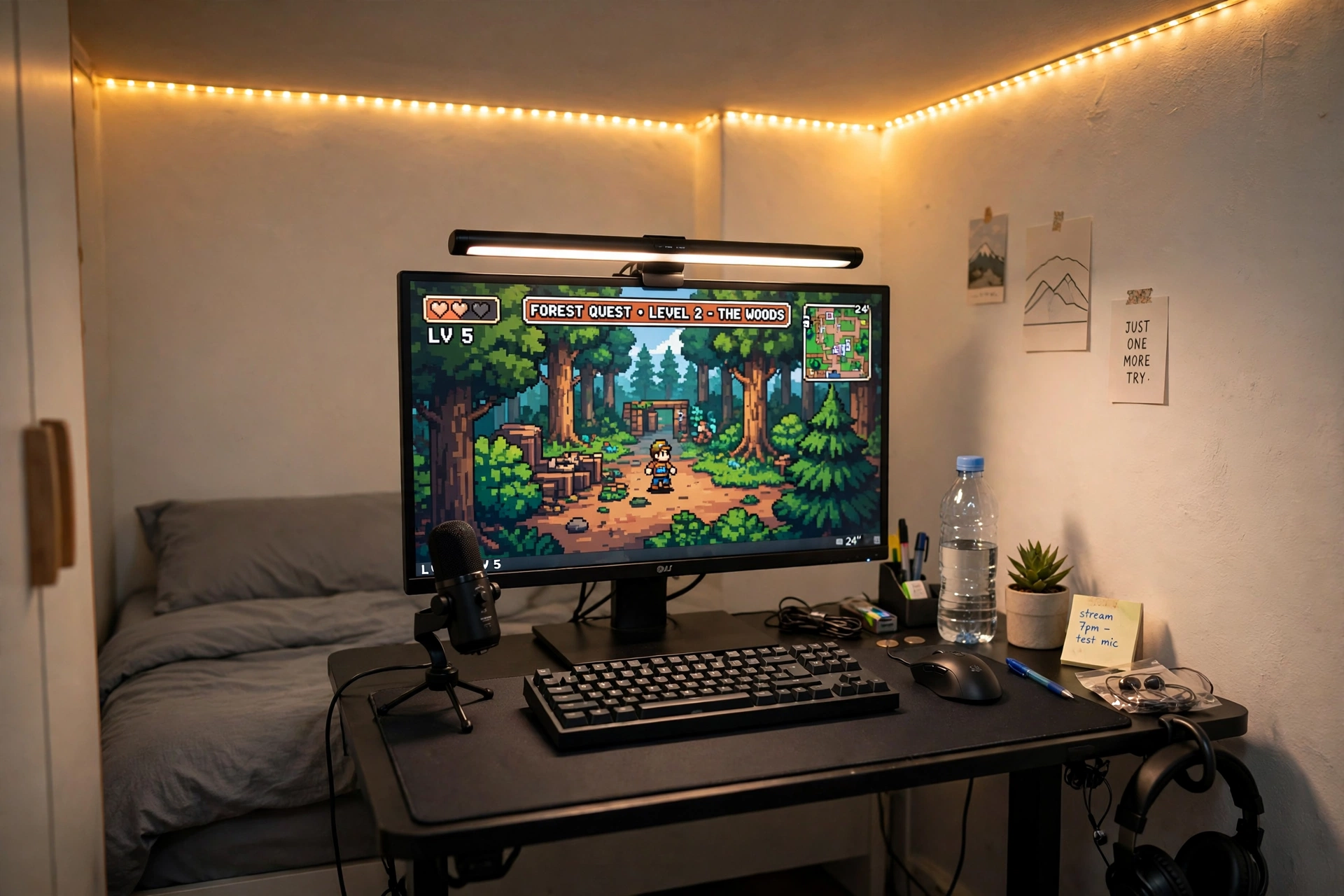
You do not need a studio to start streaming. A compact desk, one good screen, and a light bar that keeps your face lit and your desk glare free will carry your first fifty streams just fine. Spend where viewers will feel it, on light and sound, and save on the desk itself until you know streaming is for you.
Budget tip: buy the light bar before you buy a second screen. Good light improves every stream you make, while a second screen only helps once chat gets busy.
Push the desk against a wall, add an LED strip along the wall edge for a little color, and run one power strip behind the desk. A small shelf above the monitor holds a plant or a figure that gives your camera frame some personality.
Quntis Monitor Light Bar RGB PRO
Why this one: it lights your desk and your face without shining into your eyes or onto the screen, and the RGB backlight adds color to the wall behind your monitor.
Worth knowing: it sits on top of your monitor, so very thin or curved screens may need a different clip or a bit of adjustment.
DUMOS 45 Inch Gaming Desk with LED Lights and Power Outlets
Why this one: built in power outlets cut down on extension leads, and the LED edge gives a small desk a gaming feel without extra gear.
Worth knowing: a 45 inch desk is snug once you add a mic arm and a second screen, so measure your gear before you order.
5. The Corner L Desk Stream Hub
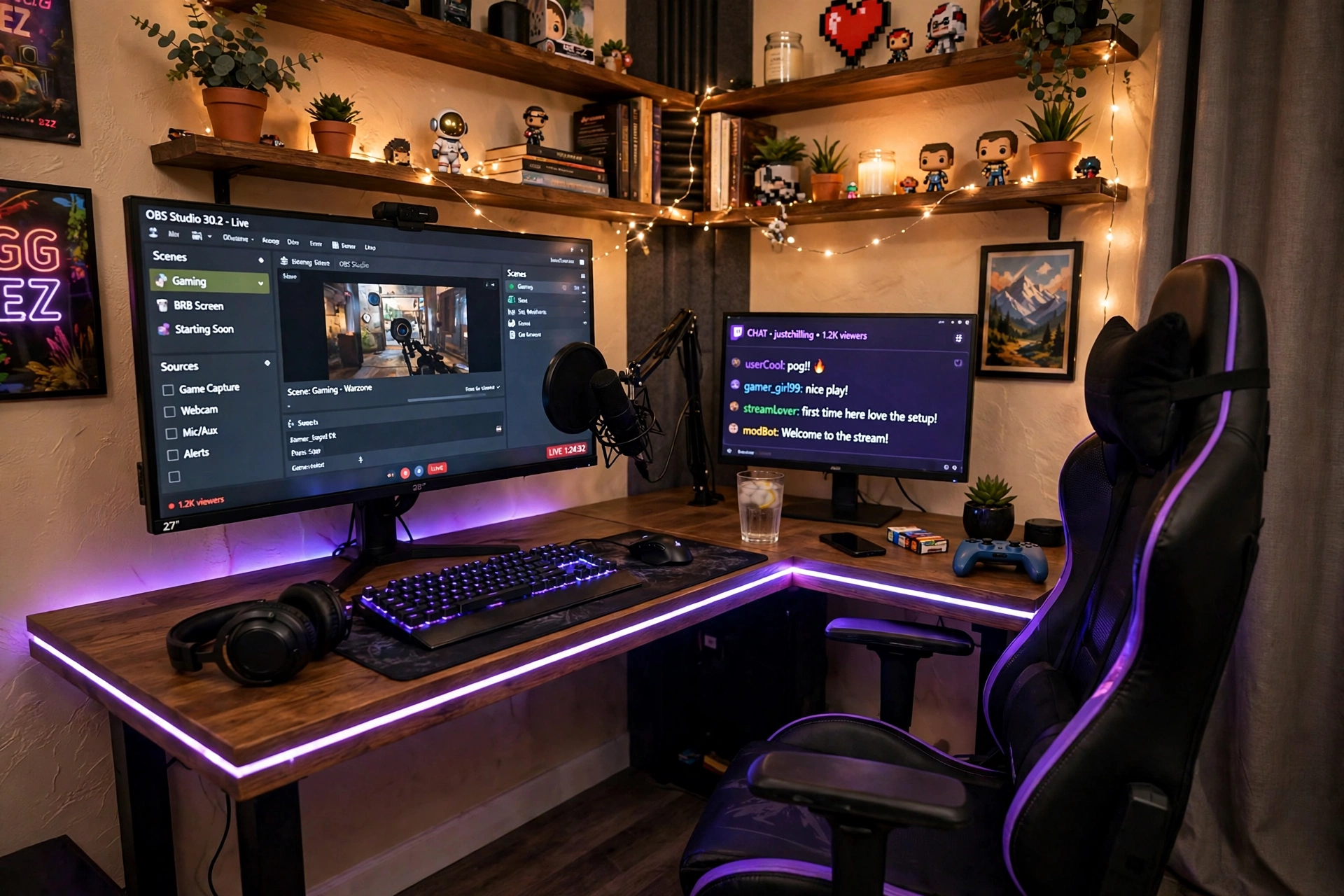
Corners are wasted space in most rooms, and a streamer can use every inch of one. An L shaped desk gives you a game side and a stream side: the main monitor and mic on one arm of the L, the chat monitor and notes on the other. You turn your chair, not your whole room, when you switch between playing and talking to chat.
| Side of the L | What lives there |
|---|---|
| Game side | Main monitor, keyboard, mouse, mic |
| Stream side | Chat monitor, stream deck, notes, drink |
LED strips along the desk edge tie the two sides together on camera, and shelves above the corner hold games and a small plant. If your desk sits in a tight corner, the ideas in 15 Gaming Desk Setup Ideas for Small Rooms show how to make small footprints work hard.
PRAISUN 66 Inch L Shaped Gaming Desk with LED Lights and Power Outlets
Why this one: a long L shape with built in LED lights and power outlets gives you room for two monitors, a mic arm, and a chat screen without crowding.
Worth knowing: an L desk needs a real corner to sit in, so measure both walls, including skirting boards, before you buy.
Govee 65.6ft RGBIC LED Strip Lights
Why this one: a long strip that can run along both arms of an L desk and up the wall, with segments you can color separately for a gradient effect on camera.
Worth knowing: the strip is cut to length only at marked points, so plan the run before you stick it down, or you will waste a section.
6. Console to Camera Living Room
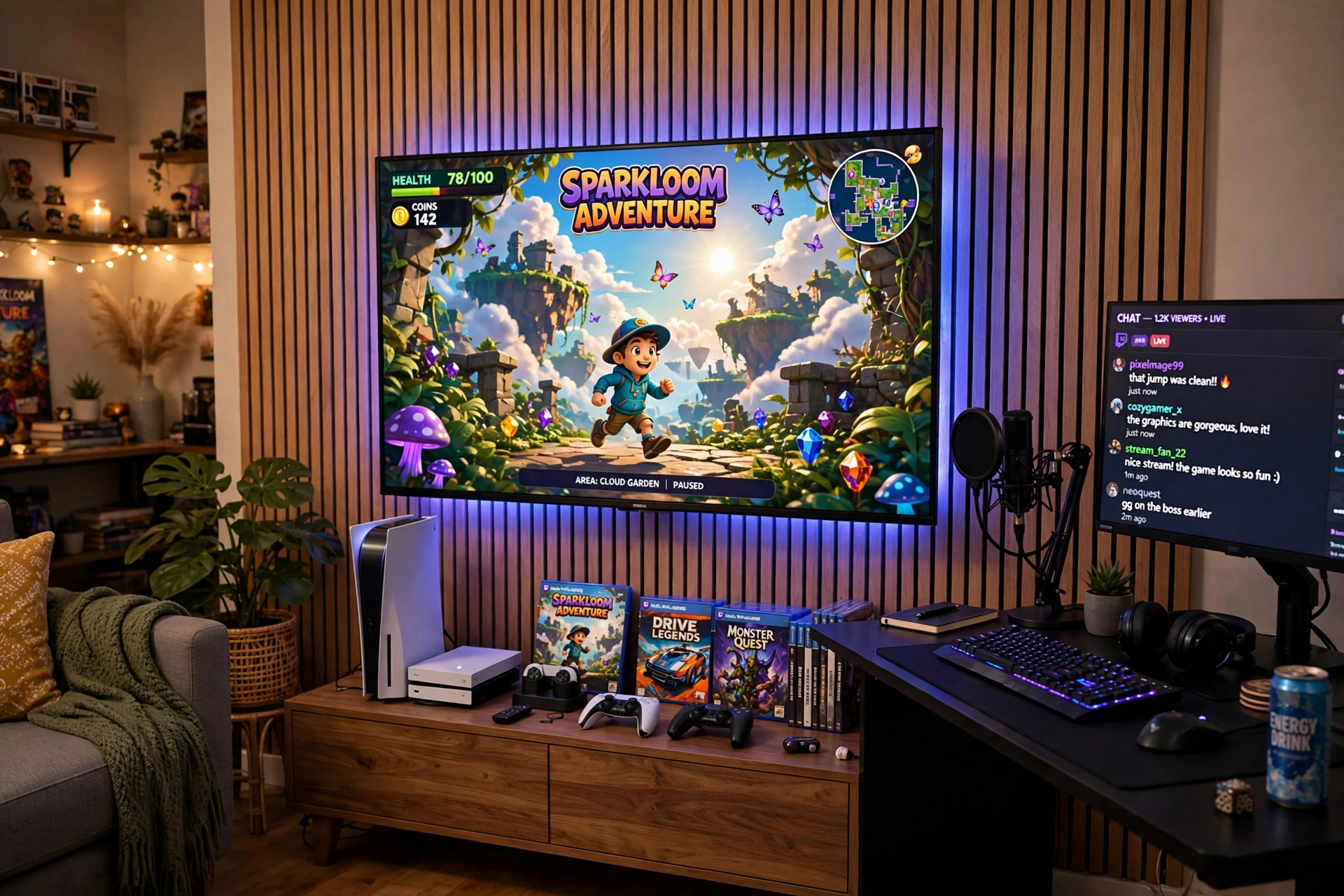
Console streamers do not need a PC desk at all. The TV is the game screen, a side desk holds a small monitor for chat, and a camera and mic face the couch. Light bars behind the TV stop the room from going pitch black on camera, and a gradient strip that follows the game colors makes the whole wall feel alive.
- Game screen: the TV, with a gradient light strip synced to the picture.
- Chat screen: a small monitor on a side desk, turned toward the couch.
- Camera: on a tripod or shelf at eye level, facing the couch.
- Sound: a mic on a stand beside the couch, away from the TV speakers.
- Seating: a couch or a comfy chair with a controller in easy reach.
Console tip: keep the TV speakers low and your mic close. Viewers hear the game through your stream audio, not through your room, so the mic only needs your voice.
Philips Hue Play Gradient Light Strip, 55 Inch
Why this one: it throws a gradient of color onto the wall behind your TV that follows the game, so the room itself reacts to what you play.
Worth knowing: it needs a Hue Bridge and the Hue Sync setup to follow the screen, which adds cost and a little setup time.
Philips Hue Play Light Bar, 2 Pack
Why this one: two slim bars you can stand behind the TV or lay flat under a shelf, adding a wash of color that softens a dark living room on camera.
Worth knowing: like the gradient strip, these need the Hue Bridge to unlock syncing and app control, so budget for that too.
7. Moody Late Night Glow
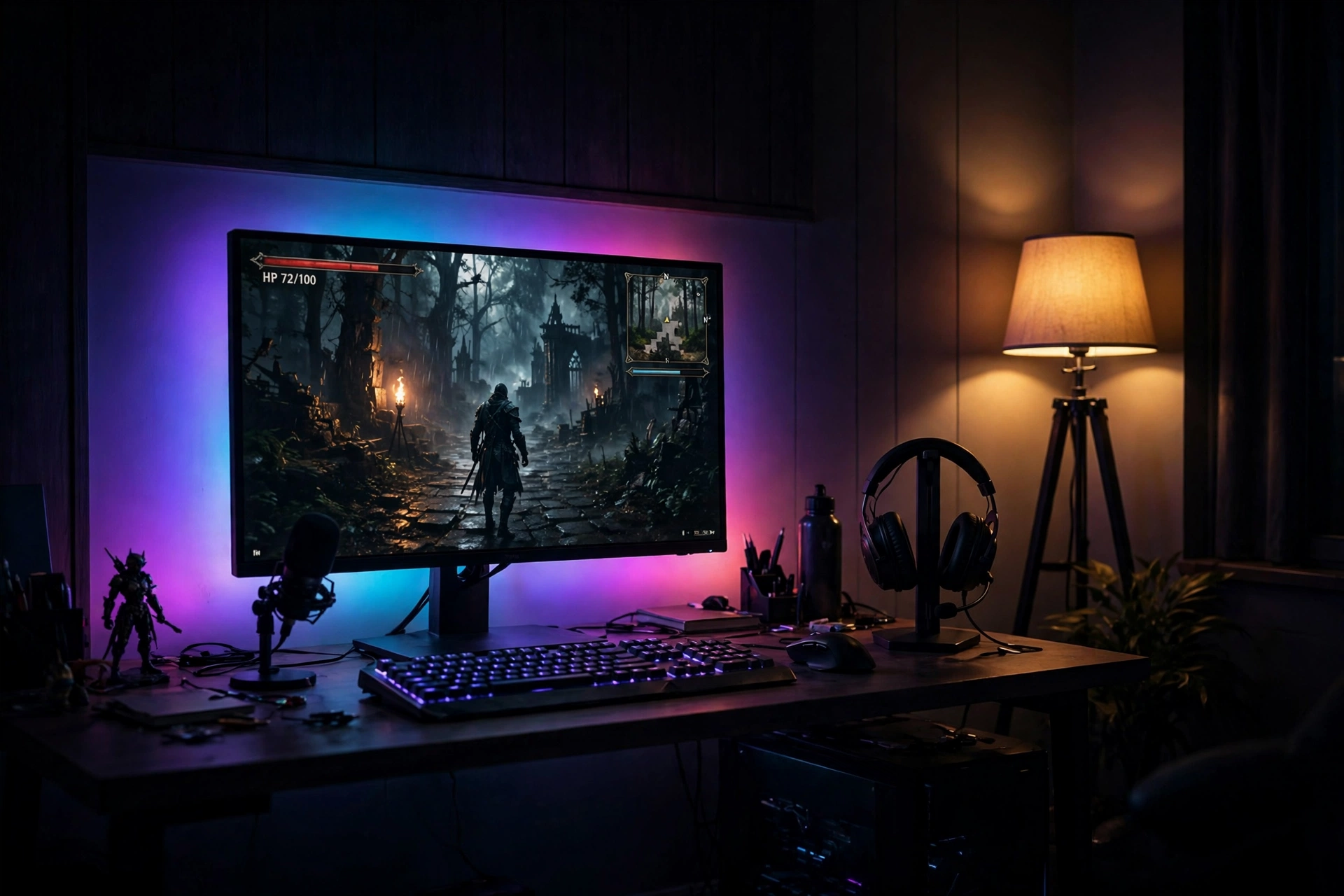
Night streams have their own mood. The room goes dark, the screen glows, and a warm floor lamp in the corner keeps your face from turning into a silhouette. An ultrawide monitor fills the frame with game, so the camera sees a wide, cinematic view instead of a small bright box in a black room.
Two lights, two jobs: the floor lamp warms your face and the corner behind you, while the strip behind the monitor adds color to the wall. Together they stop the camera from struggling between a bright screen and a black room, which is what makes night streams look grainy.
Night stream checklist:
Lamp on, behind the camera, never behind you.
Screen brightness down a notch so your face stays the brightest thing.
Door closed, so hallway light does not flicker into frame.
A headset stand keeps your headset off the desk, and a small side table holds a drink so you are not reaching across the keyboard mid game.
LG 34 Inch Curved UltraWide QHD Monitor, 160Hz
Why this one: a wide curved screen that fills your view and your camera frame, with a fast refresh rate that keeps motion smooth in dark, atmospheric games.
Worth knowing: ultrawide screens need a deep desk and a strong arm or stand, and some older games do not support the wide aspect ratio.
Govee RGBIC Floor Lamp, LED Corner Lamp
Why this one: a tall corner lamp that washes the wall with color and warms your face from the side, which is exactly what a night stream camera needs.
Worth knowing: it stands in a corner, so it needs a spare corner near your desk, and the app setup takes a few minutes the first time.
8. Bright and Clean Creator Desk
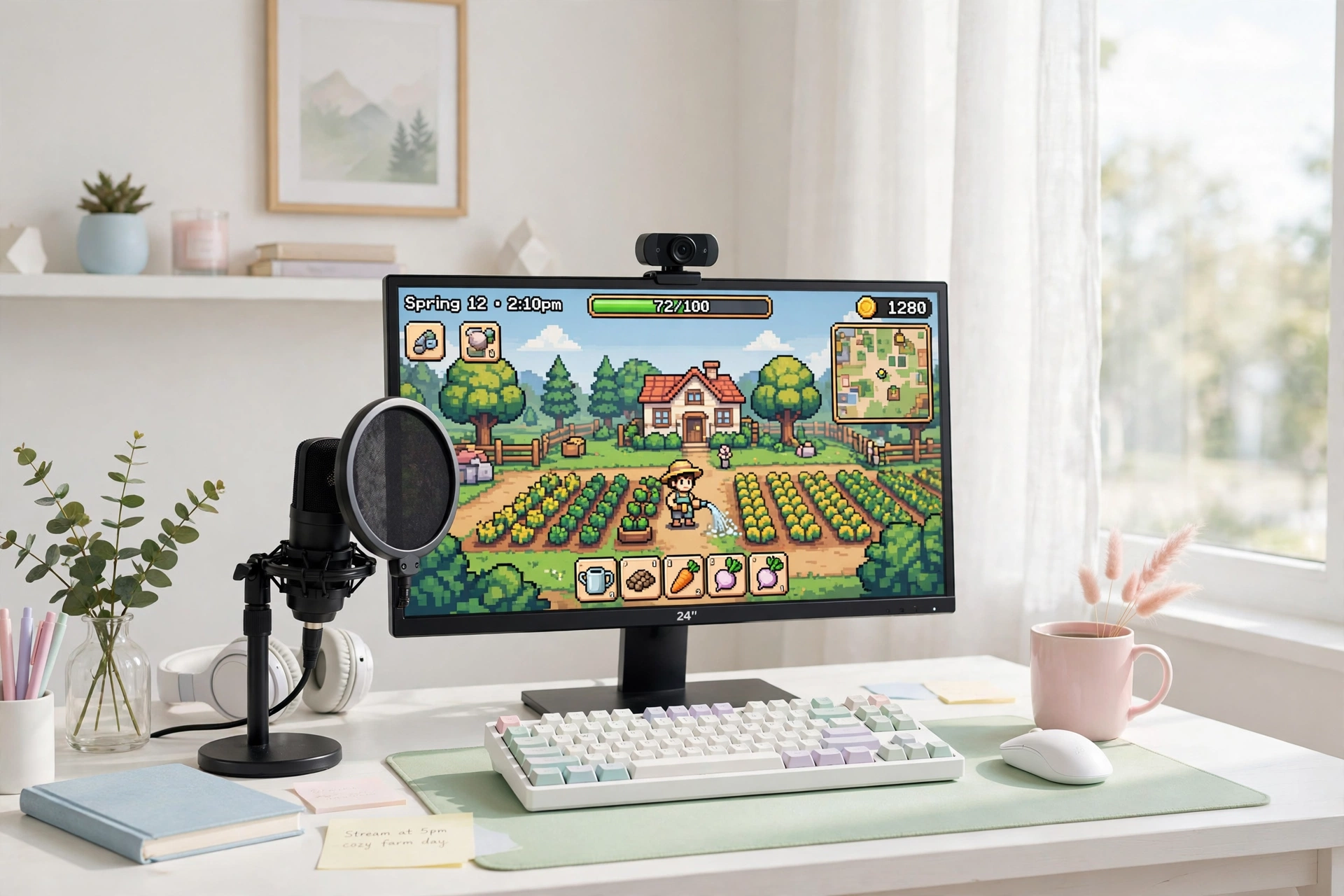
Not every stream needs a dark room and neon. A bright desk near a window, a white monitor, and a light bar on top of the screen gives you a clean look that works for daytime streams, video calls, and cozy game sessions alike. The camera sees a tidy desk, a clear face, and a calm background, which suits talkative streams and creative games.
What works here: daylight plus a light bar means your face is lit from two soft sources, so there are almost no harsh shadows, and the camera needs very little exposure correction.
Keep the desk surface clear except for the keyboard, mouse, and mic. A small plant and a notebook add warmth without clutter, and a headset stand keeps the one bulky item off the desk when you are not wearing it.
Hive Vibes Monitor Light Bar with RGB Backlight
Why this one: a light bar that lights your desk evenly and adds a soft RGB glow to the wall behind, so a bright desk still has a little personality on camera.
Worth knowing: the RGB backlight is a bonus, not a main light, so do not rely on it alone for a dark room stream.
Corsair K70 CORE RGB Mechanical Gaming Keyboard
Why this one: a solid mechanical keyboard with quiet switches and a palm rest, so typing sounds stay soft on stream and long sessions stay comfortable.
Worth knowing: mechanical keys are still louder than a membrane keyboard, so test the sound on a recording before your first stream.
9. The Vertical Chat Column
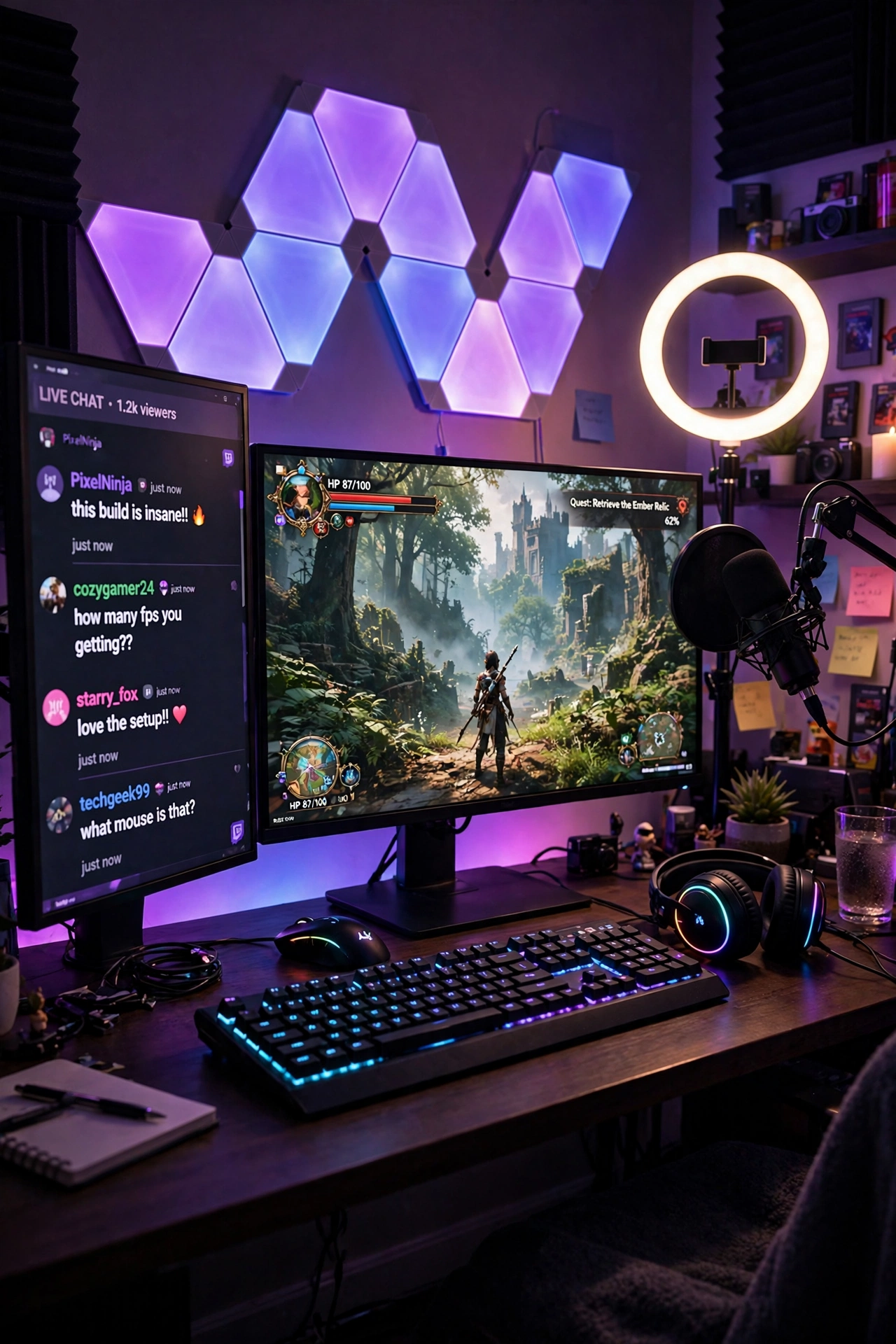
Chat scrolls vertically, so a vertical screen fits it perfectly. Turn a second monitor on its side and you get a tall column of chat, alerts, and stream stats that takes up less desk space than a second landscape screen. Your main monitor stays wide for the game, and your eyes only move a little to read the latest messages.
How to set it up:
- Mount the second monitor on an arm or a stand that allows rotation.
- Rotate it to portrait and set the display orientation in your computer settings.
- Put chat at the top and alerts below, so new messages land at eye level.
- Keep the vertical screen just behind your main screen, so it never blocks the camera.
- Dim it slightly, since a bright tall screen can pull the camera exposure.
A fast mouse and a large mousepad keep your aim steady while you glance sideways, and a small shelf keeps your mic arm and cables out of the way.
KTC 27 Inch Gaming Monitor, 180Hz, 1080p
Why this one: a fast 27 inch screen that works well as a vertical chat column, with a size that matches most main monitors without dominating the desk.
Worth knowing: 1080p text looks softer than QHD up close, so sit a little farther back or raise the font size in your chat window.
Logitech G502 HERO Wired Gaming Mouse
Why this one: a precise sensor and adjustable weights, so it feels steady whether you are aiming in game or clicking chat controls between rounds.
Worth knowing: it is wired, so route the cable with a little slack or a bungee, or it can drag across the desk mid game.
10. The Full Studio Upgrade
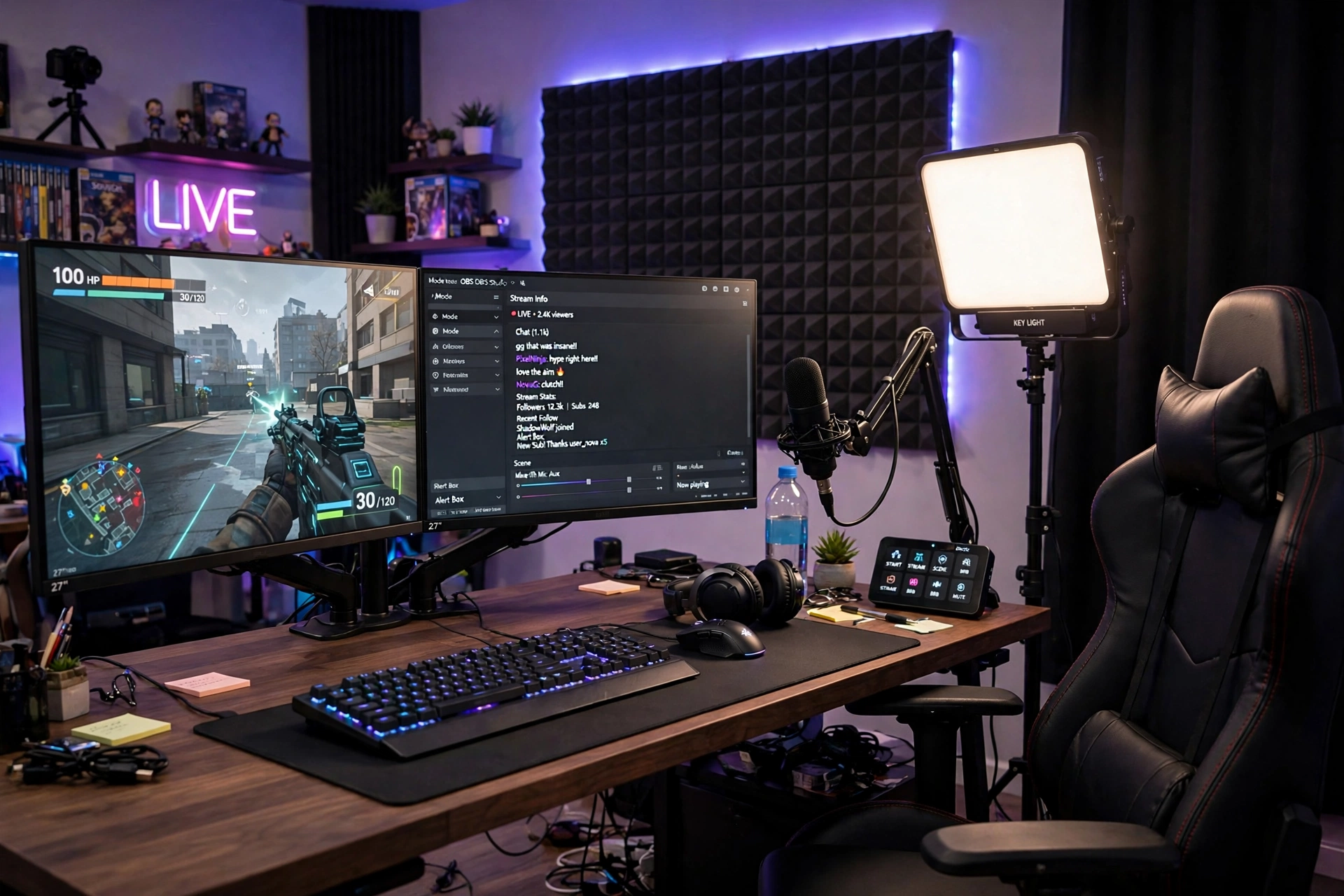
When streaming becomes a regular habit, comfort decides how long you can go. A proper gaming chair with a footrest and lumbar support, a headset stand with charging built in, and two monitors for game plus dashboard turn a hobby desk into a studio you can sit at for hours. This is the setup you build toward, not the one you start with.
- Seat: a chair with lumbar support and a footrest for long sessions.
- Screens: game on the main monitor, dashboard and chat on the second.
- Sound: mic on a boom arm, headset on a charging stand when not in use.
- Walls: acoustic panels or soft fabric to cut echo in the room.
- Power: a strip with a switch, so the whole studio shuts down in one move.
Studio rule: upgrade the chair before you upgrade the camera. Viewers forgive a basic webcam, but your back will not forgive a bad chair after a four hour stream.
GTPLAYER Gaming Chair, Computer Chair with Footrest and Lumbar Support
Why this one: a footrest and lumbar pillow built in, so you can lean back between games without leaving the chair, which matters on long stream days.
Worth knowing: it is a big chair, so check the seat height and your desk clearance, and give yourself room to roll back from the desk.
TROND RGB Headset Stand with PD 20W USB C Charger
Why this one: it holds your headset in view on camera and charges a phone or controller at the same time, so the desk stays tidy and your gear stays ready.
Worth knowing: the RGB lighting is always on unless you switch it off, so it may add glow you do not want in a dark studio.
Frequently Asked Questions
What do I actually need to start streaming?
A computer or console that can run your game, a mic, a light, and a camera or webcam. That is the whole starter kit. A second monitor and a fancy backdrop can wait until you have streamed a few times and know what you want to improve.
Do I need two monitors to stream?
No, but it helps a lot. One screen can hold the game while the second holds chat and your stream dashboard, so you never alt tab mid game. A single ultrawide monitor can also work if you split the screen.
What is the best light for a streamer room?
A key light in front of you is the single biggest upgrade. It lights your face evenly and makes even a basic webcam look good. Add a floor lamp or a light bar behind you for depth, and avoid a bright window directly behind your chair.
How do I make my background look good on camera?
Pick one feature, like light panels, a shelf, or a gradient strip, and keep the rest tidy. Two colors that match your channel are enough. Test the background on camera before you go live, since cameras see clutter more clearly than your eyes do.
Can I stream from a small bedroom?
Yes. A compact desk, one monitor, a light bar, and a mic fit in most bedrooms. Put the desk against a wall, keep the camera frame tight, and use a corner lamp instead of a big floor light.
How much does a streamer room setup cost?
It varies a lot. A basic starter with a light and a mic is a modest spend, while a full studio with two monitors, a good chair, and wall lighting costs much more. Start with light and sound, then add one piece at a time as your channel grows.
Conclusion: Build the Room Your Stream Deserves
A streamer room is a gaming room with a camera pointed at it. Light your face, keep your voice clear, give the wall behind you one good feature, and keep the desk tidy enough that nothing distracts from the game. You do not need all ten setups. Pick the one that matches where you are now, a key light and a mic for your first stream, a second screen when chat gets busy, or a full studio when streaming becomes your routine, and build from there. Your viewers will notice the care, one stream at a time.
Related reading
If you stream from a console, the ideas in 15 PS5 Gaming Setup Ideas for Console Players show how to build a console corner that looks great on camera. For more room ideas, browse the Gaming Room Ideas category.
