6 New Year Desk Organization Reset Ideas
By Maya Bennett, Founder & Editor. Before the new year starts, give your desk surface one honest reset. Not the whole room, just the surface where you actually work: the trays, the drawers, the cables, and the paper that piled up through December. Each idea below is one complete desk setup a reader can copy whole, with the desk, the seat, the screen, the light, the storage, and the power all in the same scene. Pick the one that matches your messiest corner, do it in an afternoon, and start January with a desk that is already working for you.
As an Amazon Associate I earn from qualifying purchases. Please see our affiliate disclosure for details. This article prints no prices, because prices change. Check the listing before you buy, and confirm you have the exact variant named.
In this article
At a glance
| Setup | Best for | Key product |
|---|---|---|
| 1. The Bamboo Tray Reset | Small bits scattered everywhere | Theodore Bamboo Desktop Organizer, 10-Compartment |
| 2. The Rolling Drawer Reset | Files and folders with nowhere to go | VINGLI 3-Drawer File Cabinet with Lock, Oak |
| 3. The Cable Control Reset | A tangle of cords under the desk | YECAYE Under Desk Cable Management Tray, Black |
| 4. The Monitor Riser Reset | A screen sitting too low on a crowded desk | ROCDEER Bamboo Dual Monitor Shelf, Natural |
| 5. The Desktop Shelf Reset | Books and supplies taking over the surface | Snughome Desk Shelf, 38.6 Inch, 4 Tier, Rustic Brown |
| 6. The Paper Sort Reset | Paper piles from the whole year | DALTACK 9-Tier Paper Letter Tray Desk Organizer, Black |
1. The Bamboo Tray Reset
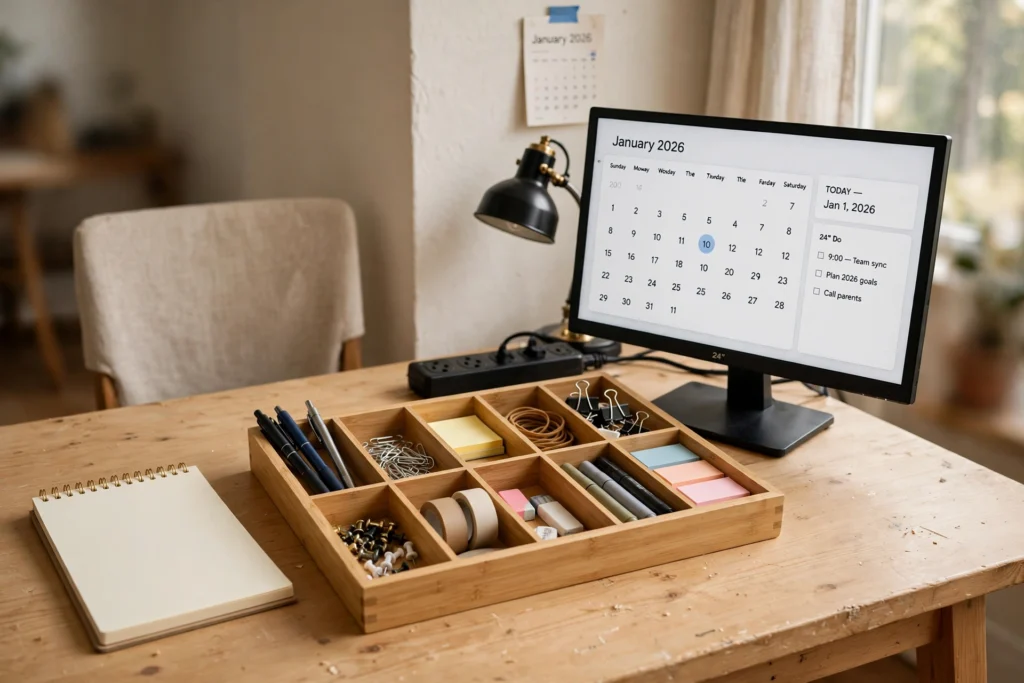
AI-generated image
Start with the smallest things, because they are the ones that spread. Pens, clips, tape, sticky notes, and the odd screw from a chair you fixed in March: they take over a desk one inch at a time. A ten compartment bamboo tray gives every one of them a named home, so clearing the desk becomes a five minute habit instead of a weekend job.
- Empty the desk completely, then put back only what the tray holds.
- Give the biggest compartment to the thing you reach for most.
- Keep one compartment empty on purpose, for whatever arrives next week.
- Pair the tray with a monitor at eye level and a chair you can sit in for a full workday.
The monitor shows a tidy calendar, the lamp warms the corner, and the power strip sits flat at the back where it cannot be kicked. This is the gentlest reset in the list, and for many desks it is the only one needed.
Theodore Bamboo Desktop Organizer, 10-Compartment Natural Wood Storage Tray for Office
Why this one: Ten compartments in one tray, so pens, clips, tape, and notes each get their own spot with no extra boxes needed.
Worth knowing: The tray is wide, so measure your desk depth first, because on a narrow desk it can crowd the keyboard.
Amazon Basics 24-inch Full HD IPS Monitor
Why this one: A plain, dependable 24 inch screen that sits neatly beside the tray without dominating a small desk.
Worth knowing: The stand has limited height adjustment, so a riser or a stack of books may still be needed for eye level.
Amazon Basics Office Computer Task Desk Chair, Mid-Back, Black Faux Leather
Why this one: A simple mid-back chair that tucks under the desk and keeps the reset looking tidy when the workday ends.
Worth knowing: Faux leather can feel warm on long summer afternoons, so it suits shorter sessions best.
2. The Rolling Drawer Reset
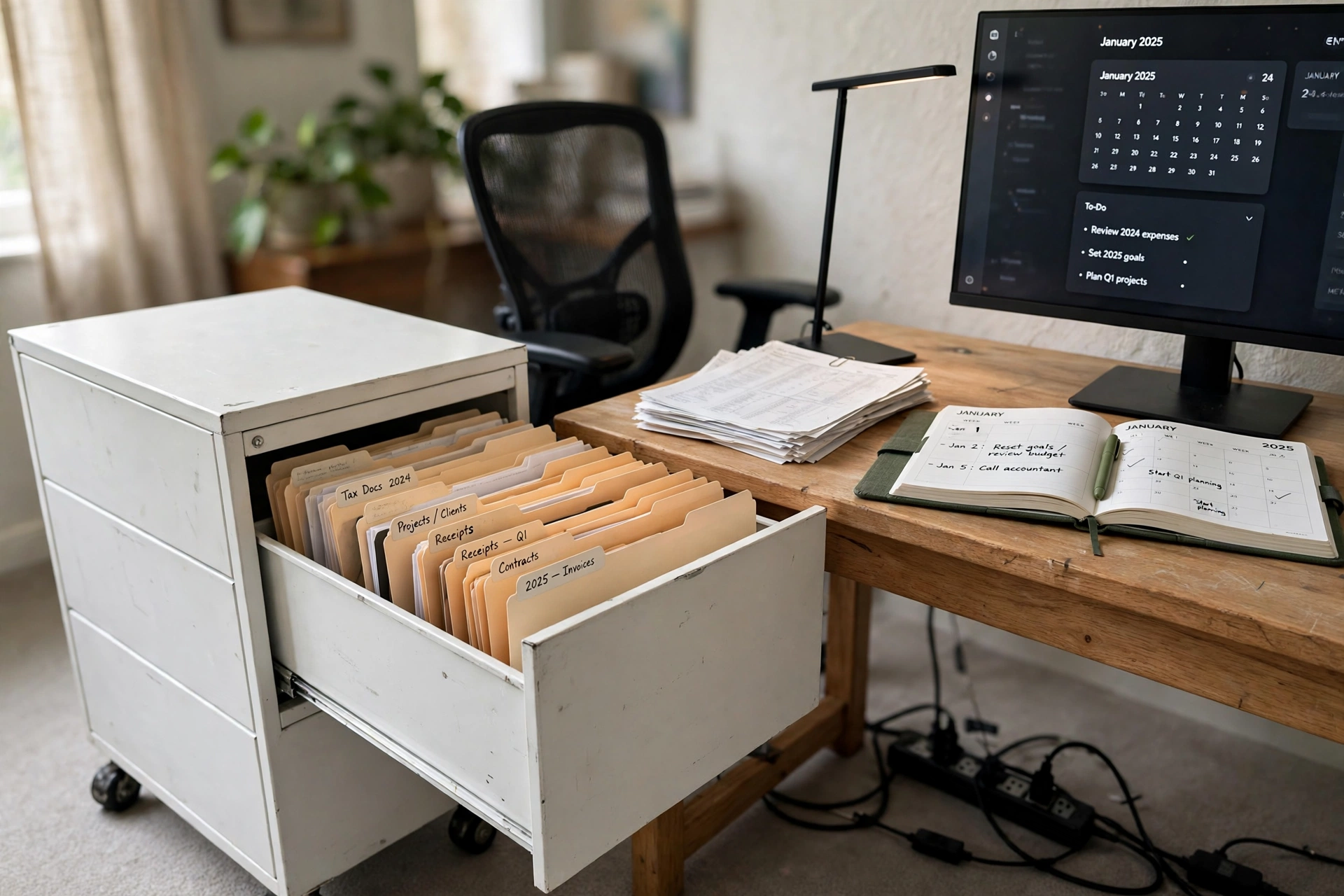
AI-generated image
Paper has a habit of living on the desk because it has no better address. A rolling three drawer cabinet gives it one, and the lock means tax papers and contracts are not sitting out for every visitor to see. The bottom drawer takes hanging files, the top drawers take the small stuff, and the casters mean you can roll the whole unit out when you need it and tuck it back under the desk when you do not.
Do the reset in order, and it takes about an hour. First, gather every loose paper in the house into one pile. Second, sort it into three groups: keep and file, act on this week, and shred or recycle. Third, label the hanging folders before anything goes in, because an unlabeled drawer fills up again within a month. The mesh chair, the slim lamp, and the long power strip under the desk finish a setup that is built for real paperwork, not just for show.
Why this one: Three drawers with a lock and casters, so files roll where you need them and stay private when you do not.
Worth knowing: The cabinet is MDF with a melamine finish, so it can chip if it takes a hard knock, and heavy loads should stay in the bottom drawer.
Why this one: A compact black chair that rolls easily between the desk and the cabinet while you sort files.
Worth knowing: The seat is on the firm side, so a cushion helps on long filing sessions.
TOPREK Surge Protector Power Strip, 10 FT Flat Extension Cord
Why this one: A long flat cord that reaches the wall outlet without crossing the floor where the cabinet rolls.
Worth knowing: The flat cord can be a trip edge if it runs across a walkway, so route it along the wall.
3. The Cable Control Reset
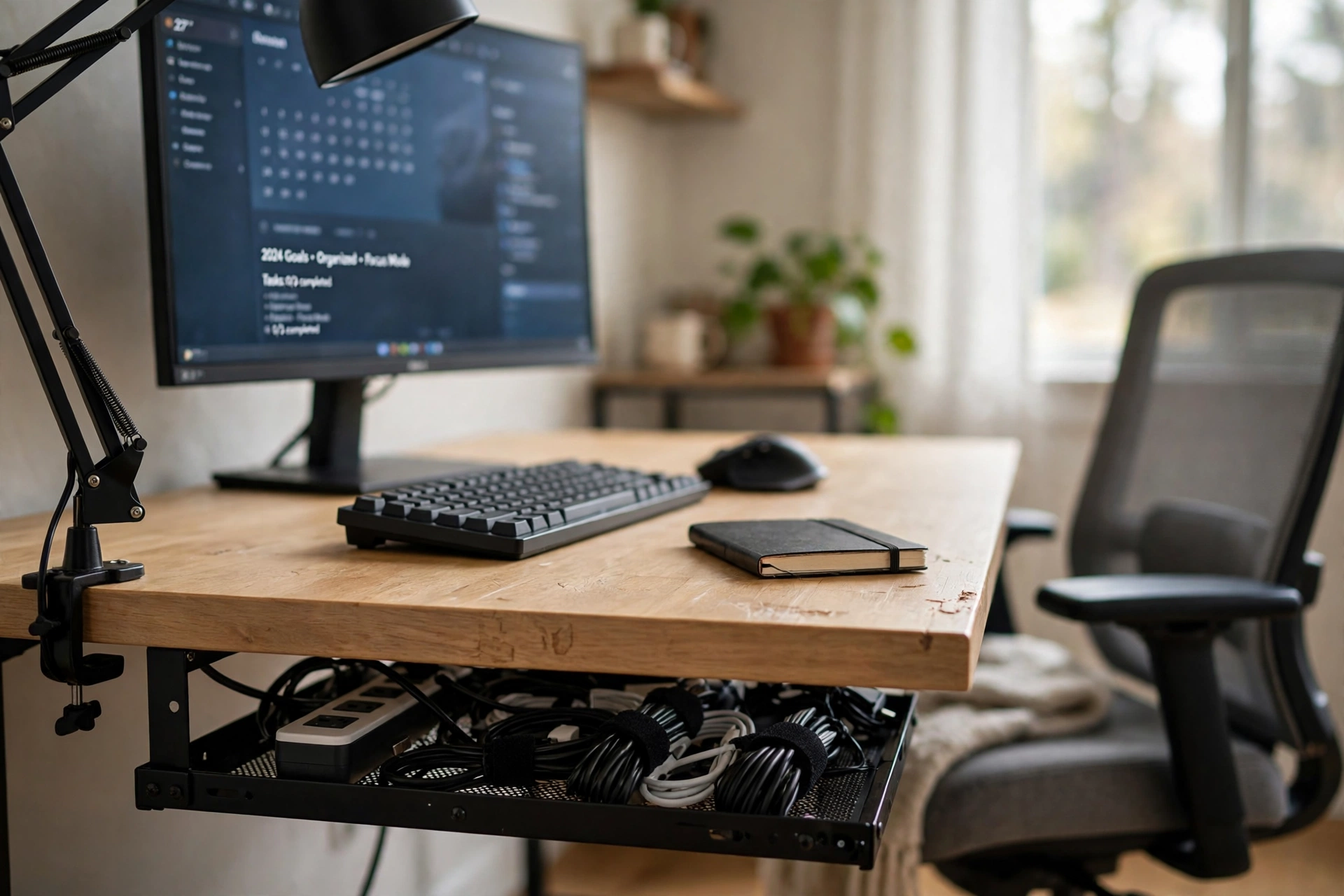
AI-generated image
Look under your desk right now. If the answer is a nest of cords on the floor, this is your reset. A clamp mount metal tray screws nothing and drills nothing: it grips the desk edge and holds the power strip and the bricks up off the floor, where they stop collecting dust and stop getting kicked. The surface above stays completely clear, just a keyboard, a mouse, and a notebook.
Reset tip: Unplug everything first, then plug it back one cable at a time through the tray. Label each plug with a strip of tape as you go, so the next time something stops working you know which cord to check without crawling under the desk.
The monitor runs a tidy task list on screen, the clamp lamp swings over the work, and the mesh chair waits at the side. Nothing here is decorative. It is the setup for someone who is tired of untangling cords every time the desk gets moved for cleaning.
Why this one: A clamp mount tray that holds a power strip and cords with no drilling, so renters can use it too.
Worth knowing: The clamp only fits desks within its stated thickness range, so measure the desk edge before ordering.
Amazon Basics 24 Inch Monitor, FHD 1080P, Max 100Hz
Why this one: A straightforward 24 inch screen with a smooth refresh rate, and only one cable to route into the tray.
Worth knowing: Built in speakers are basic, so keep separate speakers or headphones nearby for calls.
Addtam Power Strip Surge Protector, 10 Ft, Right Angle Plug
Why this one: A long cord and a right angle plug that sits flat against the wall, perfect for feeding into the tray.
Worth knowing: The strip itself is wide, so check it fits inside the tray alongside your charging bricks.
4. The Monitor Riser Reset
AI-generated image
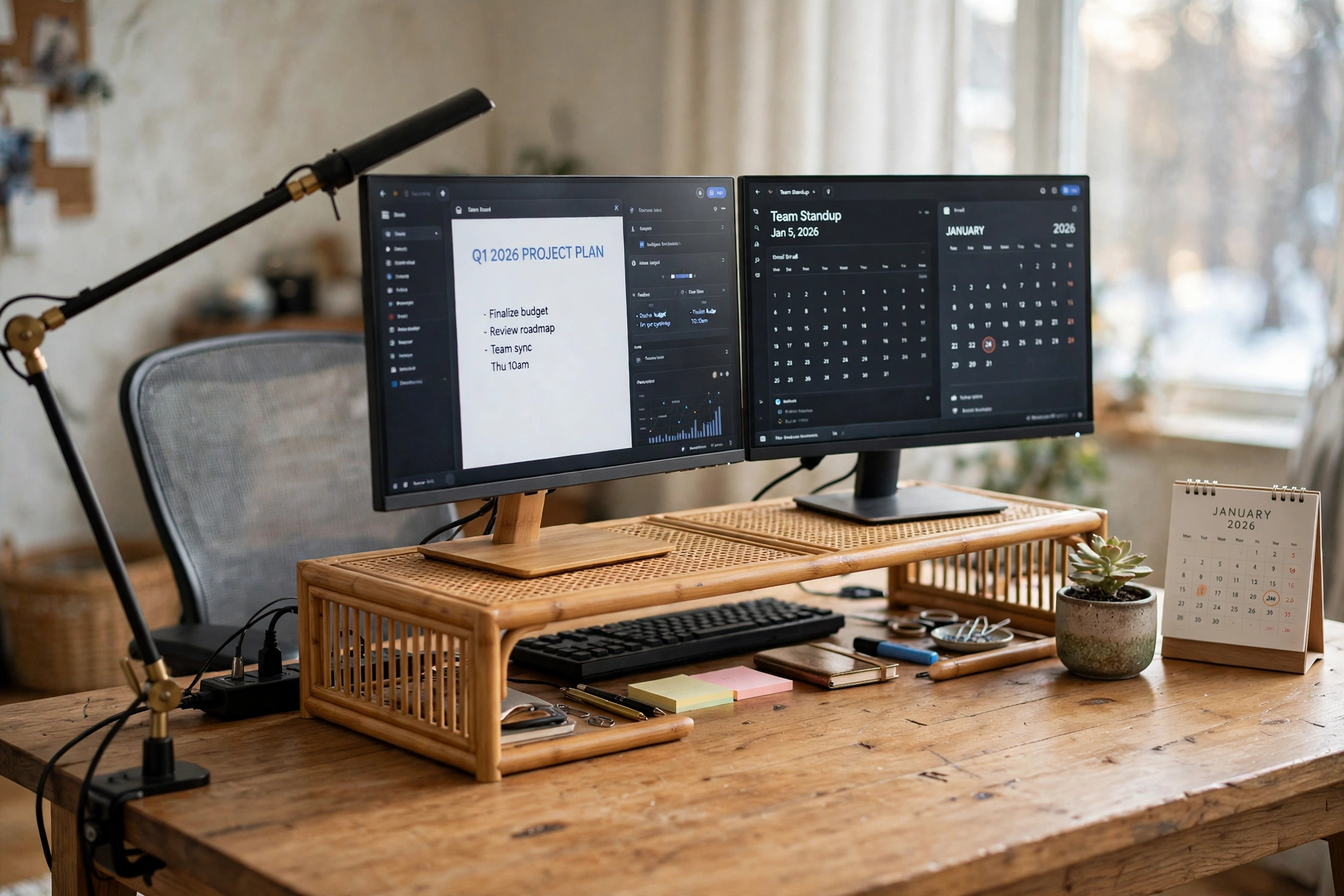
There are two ways to fix a screen that sits too low and a desk that has no free surface. One is a bigger desk. The other is a riser, and the riser is cheaper and faster. A wide bamboo shelf lifts two monitors to a comfortable height and opens up the space underneath for the keyboard, the notebook, and the small things that used to live in front of the screen.
What works here, in short:
- The riser: it creates a second level on the desk, so the surface effectively grows without new furniture.
- The storage underneath: the keyboard slides away when you need the desk for paper, then slides back for screen work.
- The swing arm lamp: it clamps to the edge, so it lights the work without taking a single inch of desk space.
- The power strip at the back: both monitors and the lamp plug in at one spot, with cords running behind the riser, not across it.
With the mesh chair pulled in, this is a two screen setup that still leaves room to write. Do this reset if your desk feels full the moment you sit down.
Why this one: A wide bamboo shelf that holds two monitors and leaves the space below free for a keyboard and supplies.
Worth knowing: At nearly 40 inches wide, it needs a desk to match, so it is a poor fit for a small corner desk.
DUMOS Mid Back Mesh Office Chair, Black
Why this one: A breathable mesh chair that suits a two screen setup where you sit for long stretches.
Worth knowing: The armrests are fixed, so check they clear the desk edge at your sitting height.
Upgrade Swing Arm LED Desk Lamp with Clamp
Why this one: A clamp on swing arm lamp that lights the keyboard zone without using any desk surface.
Worth knowing: The clamp needs a desk edge it can grip, so it will not work on a desk with a thick apron underneath.
5. The Desktop Shelf Reset
AI-generated image
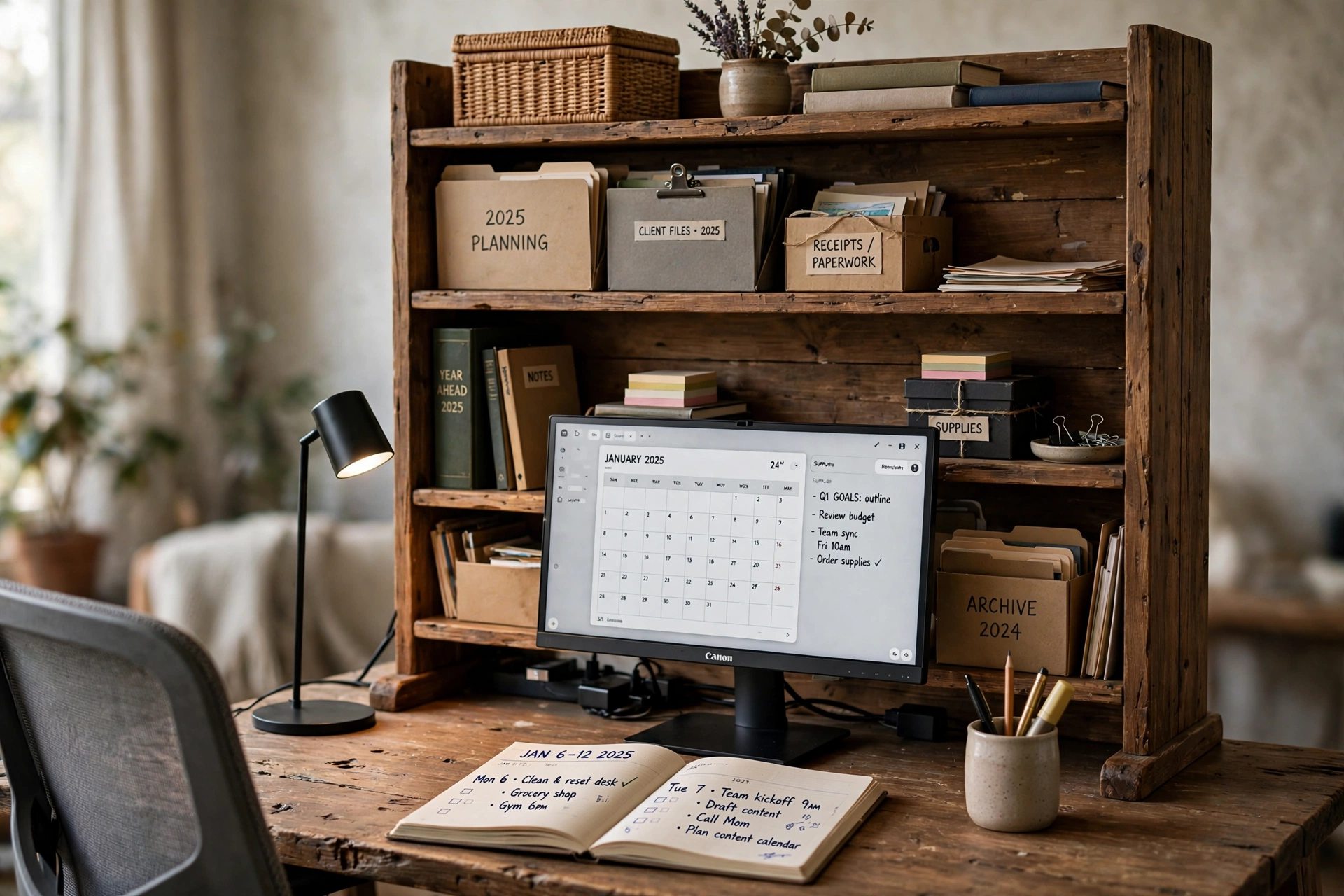
When books, files, and supplies all live flat on the desk, there is no desk left. A four tier desktop shelf moves them up, into a hutch that sits at the back of the surface, and the work area in front opens up again. Labelled boxes take the files, the middle tiers take the books and the current project, and the top tier takes the things you want to see but rarely touch.
Before the new year, run this checklist on the shelf:
- ☐ Every box on the shelf has a label you can read from your chair.
- ☐ The bottom tier is clear enough for the monitor to sit in front of it.
- ☐ One tier is reserved for the current week only, and it gets emptied on Friday.
- ☐ Nothing on the shelf is something you have not touched in six months.
The monitor sits in front of the shelf with its calendar on screen, the lamp lights the open planner, and the power strip hides behind the hutch where the cables belong. It is the reset for a desk that has become a storage unit.
Why this one: Four tiers across a wide span, so books, files, and supplies move up off the work surface in one piece.
Worth knowing: It is a large unit for a small desk, so check the depth as well as the width before ordering.
BN-LINK 6-Outlet Power Strip Surge Protector, 4-Foot Extension Cord, White
Why this one: A short cord and six outlets that tuck behind the shelf, keeping monitor, lamp, and charger in one place.
Worth knowing: Four feet of cord is short, so the wall outlet needs to be close to the desk.
Architect Desk Lamp with Clamp, Touch Control Dimmable LED Computer Light
Why this one: A clamp lamp with touch dimming that lights the open planner without taking shelf space.
Worth knowing: Touch controls can be fiddly with cold hands, so expect a tap or two to find the right brightness.
6. The Paper Sort Reset
AI-generated image
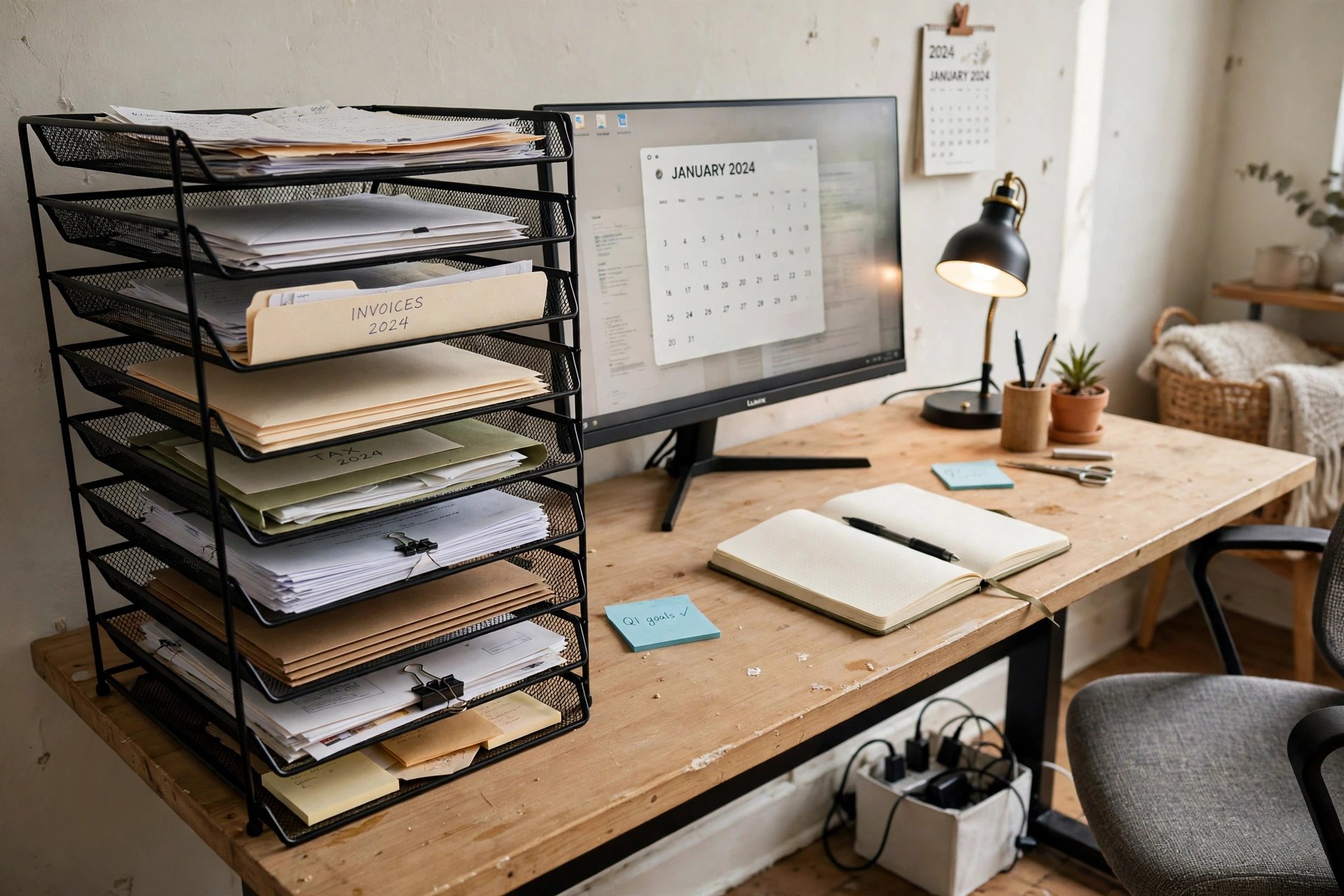
Paper is the slowest kind of desk clutter, because every sheet feels too important to throw away and too boring to file. A nine tier mesh tray breaks the logjam: each tier gets a job, one for bills, one for the current project, one for tax papers, and the rest for whatever the year left behind. The trays stack vertically, so nine piles take up the footprint of one.
- Sort standing up, with a recycling bag at your elbow, and do not sit down until the pile is gone.
- Give the top tier to the thing that needs action this week, so it is the first thing you see.
- Move anything older than a year into the filing cabinet or the shredder, not into a new pile.
- Keep the tray on the desk, not in a cupboard, or the paper will follow it there.
The monitor shows the new year calendar, the lamp glows over the notebook, and the cable box at the desk leg keeps the power strip out of sight. It is the least glamorous reset in this list, and the one you will feel every single morning.
DALTACK 9-Tier Paper Letter Tray Desk Organizer with Handles, Mesh File Holder Organization, Black
Why this one: Nine adjustable mesh tiers with handles, so a whole year of paper sorts into labelled layers in the space of one stack.
Worth knowing: Tall stacks can lean if a tier is overloaded, so keep the heaviest papers on the lower tiers.
Cable Organizer Box Set of Three, Power Cover Cord Holder
Why this one: Three boxes that hide the power strip and its cords at the desk leg, so paper and power never mix on the floor.
Worth knowing: The boxes trap heat, so leave the lid ajar when a large charging brick runs inside for hours.
AUOPLUS Power Strip, 6 Outlet and 4 USB, 10 Ft
Why this one: Six outlets plus four USB ports on a long cord, so the monitor, lamp, and phone all charge from one strip inside the box.
Worth knowing: The USB ports charge slowly compared with a dedicated charger, so use them for overnight charging, not a quick top up.
Frequently asked questions
How long does a desk organization reset take?
One setup takes an afternoon, including the sorting. Do not try all six at once. Pick the setup that matches your worst clutter, finish it, and live with it for a week before starting the next one.
Do I need to buy new furniture for a desk reset?
No. Every setup here works on the desk you already own. The products are organizers that sit on, under, or beside that desk, not replacements for it.
What is the best first step if my desk is completely covered?
Take everything off the surface first, then put things back one group at a time. A clear surface shows you what you actually own, and most people find a third of it can leave the desk for good.
How do I keep the desk tidy after the reset?
Give every group of items a named home, and empty the in tray once a week. A reset fails when new things arrive with nowhere to go, so keep one tray or drawer deliberately empty for them.
Can renters use the cable tray and shelf setups?
Yes. The cable tray in setup three clamps on with no drilling, and the desktop shelf simply sits on the desk. Check the clamp range and the shelf depth against your own desk before ordering.
Which setup should I choose for a very small desk?
Start with setup one, the bamboo tray, or setup three, the cable tray. Both add order without adding furniture, and both leave the work surface mostly free.
Related reading
Browse more desk setups in the Home Office Ideas category on desk & glow, where you will find more complete desk setups to copy, including general desk organization ideas to pair with this new year reset.
Conclusion
A new year desk reset does not need a new room, a new desk, or a whole weekend. It needs one honest afternoon and one decision about where things live from now on. The tray holds the small bits, the cabinet holds the files, the tray under the desk holds the cables, the riser lifts the screens, the shelf lifts the books, and the paper sorter turns a year of piles into nine neat layers. Pick the setup that matches your mess, do it before January, and let the first workday of the new year start at a desk that is already clear.
