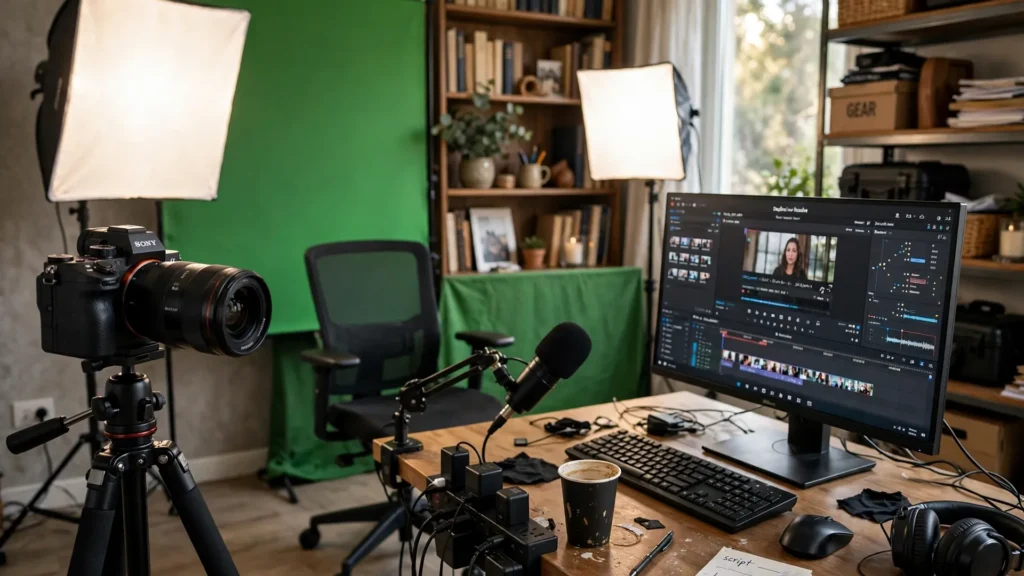
9 Home Office Ideas for YouTubers
By Maya Bennett, Founder & Editor. Every setup here is built for recording videos, not for looking tidy on a call. A camera or webcam sits on the desk in each one, the light is placed for the lens, and the backdrop is part of the plan, because a recording room has to look good from the camera side, not just from the chair. Each idea below is one complete desk setup a reader can copy whole, with the desk, the seat, the screen, the light, the storage, and the power described together as one scene. For more ideas in this series, browse the Home Office Ideas category.
As an Amazon Associate I earn from qualifying purchases. Please see our affiliate disclosure for details. This article prints no prices, because prices change. Check the listing before you buy, and confirm you have the exact variant named.
AI-generated image
In this article
- 1. The Sony ZV-E10 Camera Desk
- 2. The Logitech C920x Streaming Desk
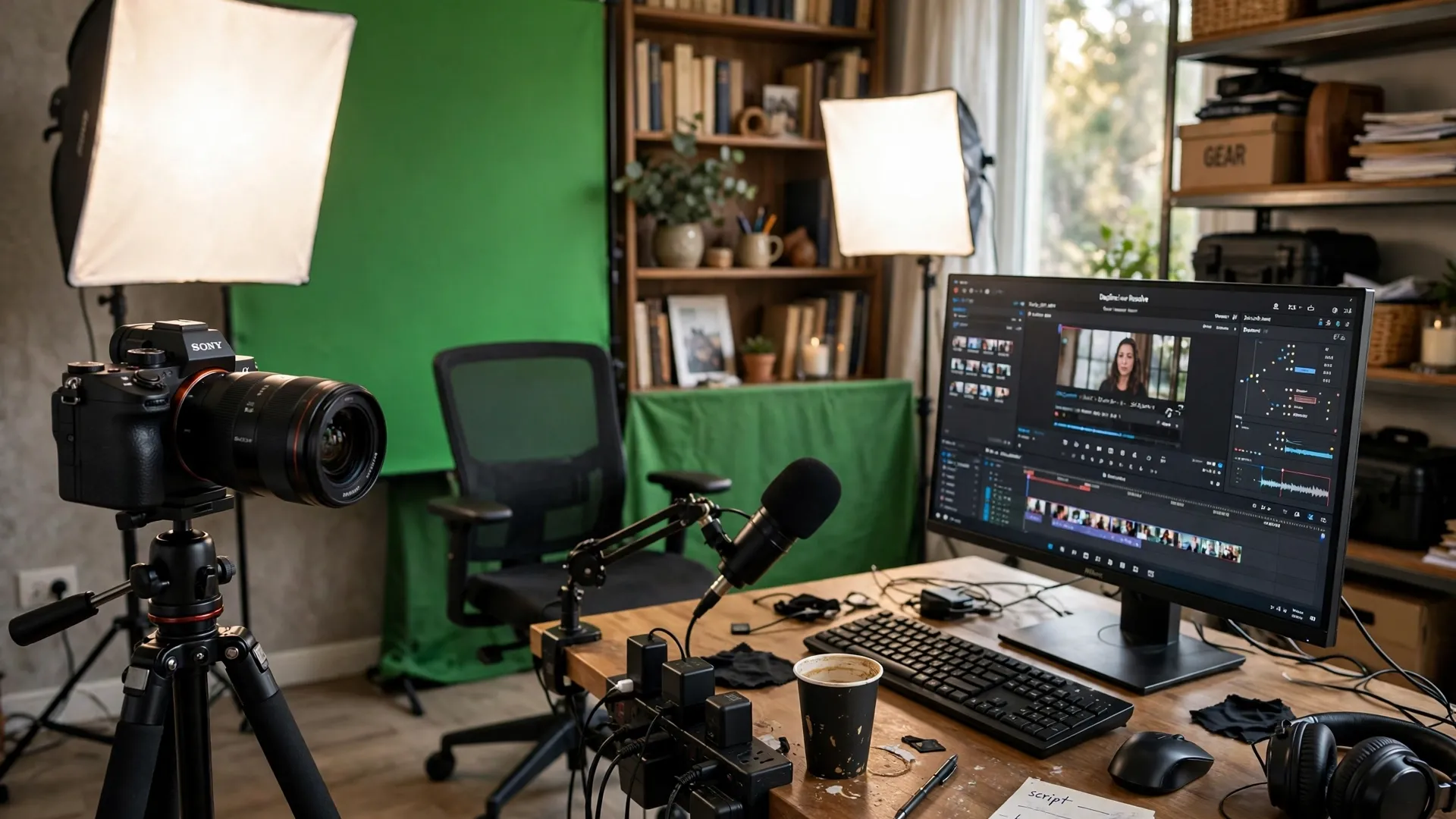
- 3. The Green Screen Recording Desk
- 4. The Ring Light Filming Desk
- 5. The Backdrop and Key Light Air Desk
- 6. The RGB Ring Light Desk
- 7. The Blue Yeti Voiceover Desk
- 8. The Clip-On Light Recording Desk
- 9. The Key Light Neo Talking Head Desk
- Frequently asked questions
- Conclusion
At a glance
| Setup | Key product | Best for |
|---|---|---|
| 1. The Sony ZV-E10 Camera Desk | Sony Alpha ZV-E10 APS-C Interchangeable Lens Mirrorless Vlog Camera Kit, Black, ZVE10KB | A real camera as the recording camera |
| 2. The Logitech C920x Streaming Desk | Logitech C920x HD Pro Webcam, Full HD 1080p/30fps Video, Clear Audio, HD Light Correction, Works with Microsoft Teams, Google Meet, Zoom, Mac and Tablet, Black | A webcam led recording desk |
| 3. The Green Screen Recording Desk | Elgato Green Screen XL, Extra Wide 79×72 inch Chroma Key Panel | A clean background in every take |
| 4. The Ring Light Filming Desk | NEEWER Ring Light 18inch Kit, 55W 5600K Professional LED with Stand and Phone Holder, RL-18 | Even face light for filming |
| 5. The Backdrop and Key Light Air Desk | Elgato Key Light Air, Professional 1400 Lumens Desk Light for Streaming and Video Conferencing | A bookshelf backdrop that looks lived in |
| 6. The RGB Ring Light Desk | UBeesize 12 inch RGB Ring Light with 50 inch Tripod Stand and Phone Holder, Dimmable Selfie Light for TikTok, YouTube, Live Streaming and Photography | Colour light for a fun channel look |
| 7. The Blue Yeti Voiceover Desk | Logitech Creators Blue Yeti USB Microphone for PC, Mac, Gaming, Recording, Streaming, Podcasting, Studio and Computer Condenser Mic with Blue VO!CE effects, 4 Pickup Patterns, Plug and Play, Blackout | Clear voiceover over your video |
| 8. The Clip-On Light Recording Desk | ACMEZING Video Conference Lighting Kit, Ring Light Clip on Laptop Monitor with 5 Dimmable Color and 5 Brightness Level for Webcam Lighting, Zoom Lighting, Remote Working, Self Broadcasting and Live Streaming | A small desk that still records well |
| 9. The Key Light Neo Talking Head Desk | Elgato Key Light Neo, Professional Video Call Light with Adjustable Monitor Mount | A simple talking head setup |
1. The Sony ZV-E10 Camera Desk
AI-generated image
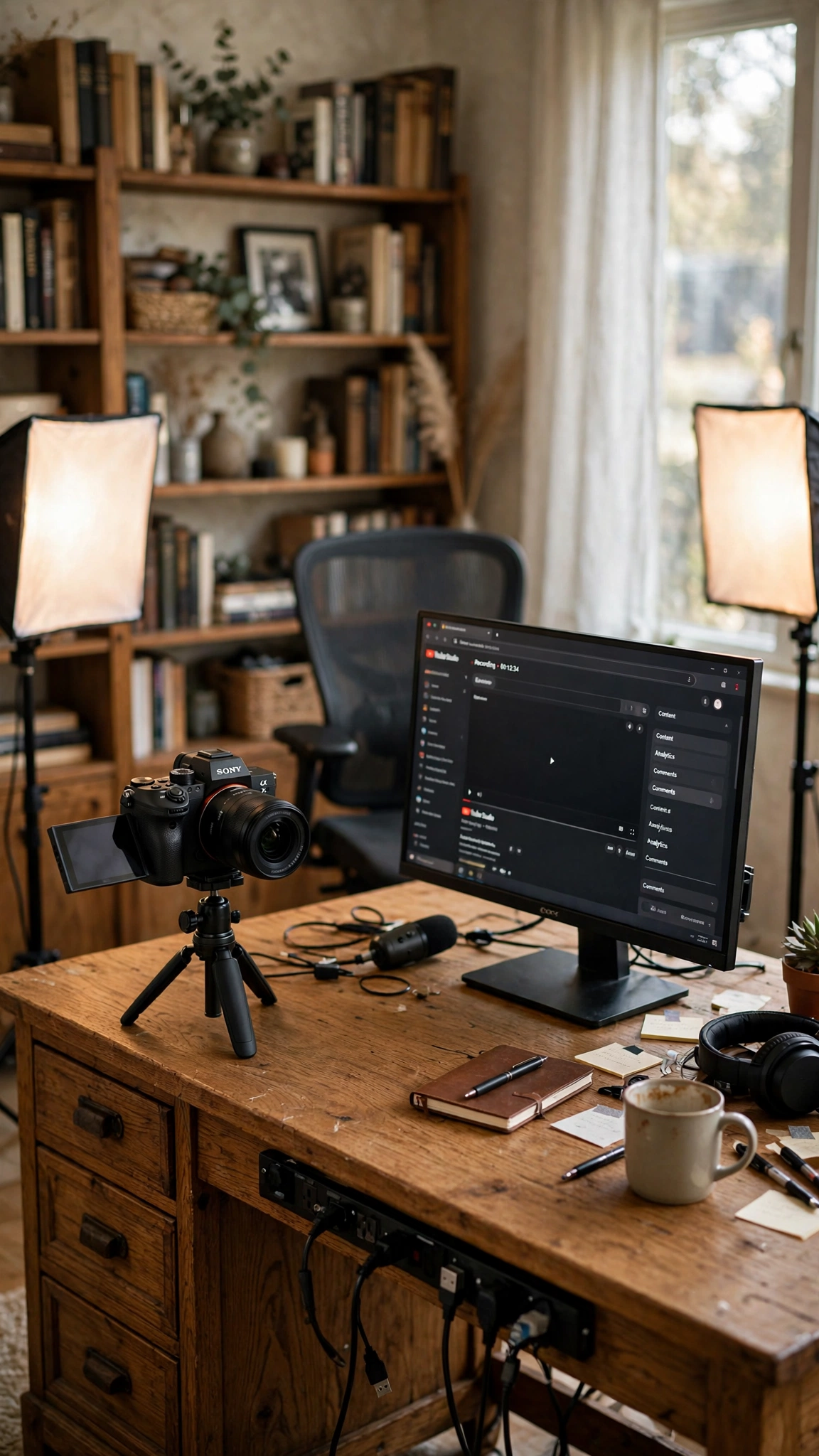
This is the setup to build when the camera itself is the star of the channel. A Sony mirrorless vlog camera sits on a small tripod on the oak desk, facing the chair, while the monitor sits beside it with its screen on showing the editing timeline. Two softbox lights stand on either side of the desk, so the face is lit evenly and the background stays soft. The desk has power outlets built in, the drawers hold spare batteries and memory cards, and a power strip under the desk feeds the monitor, the lights, and the camera charger.
- Put the camera at eye level, so the recording angle feels like a conversation, not a security camera.
- Keep the softboxes just out of frame, one a little brighter than the other, so the face has shape.
- Leave a clear strip of desk in front of the camera for notes, so nothing blocks the lens mid take.
The chair matters here because the camera sees it in every wide shot, so pick a plain chair that does not fight the backdrop.
KEY PIECE
Sony Alpha ZV-E10 APS-C Interchangeable Lens Mirrorless Vlog Camera Kit, Black, ZVE10KB
Why this one: An interchangeable lens mirrorless camera made for vlogging, with a flip screen that lets you check framing while you record.
Worth knowing: It is a camera kit, not a webcam, so it needs a tripod and a memory card before the first recording.
COMPLETES THE SETUP
NEEWER 700W Equivalent Softbox Lighting Kit, 2Pack UL Certified 5700K LED Lighting Bulbs, 24×24 inches Softboxes with E26 Socket, Photography Continuous Lighting Kit Photo Studio Equipment
Why this one: Two 24 inch softboxes with daylight bulbs that spread soft, even light across the desk and the face.
Worth knowing: Two softboxes take real floor space, so measure the sides of the desk before ordering.
COMPLETES THE SETUP
GreenForest 47 Inch Computer Desk with Power Outlets, Oak
Why this one: A 47 inch oak desk with built in power outlets and a monitor stand, sized for a camera, a monitor, and a tripod.
Worth knowing: At 47 inches it is a mid size desk, so a second monitor would crowd the camera tripod.
2. The Logitech C920x Streaming Desk
AI-generated image
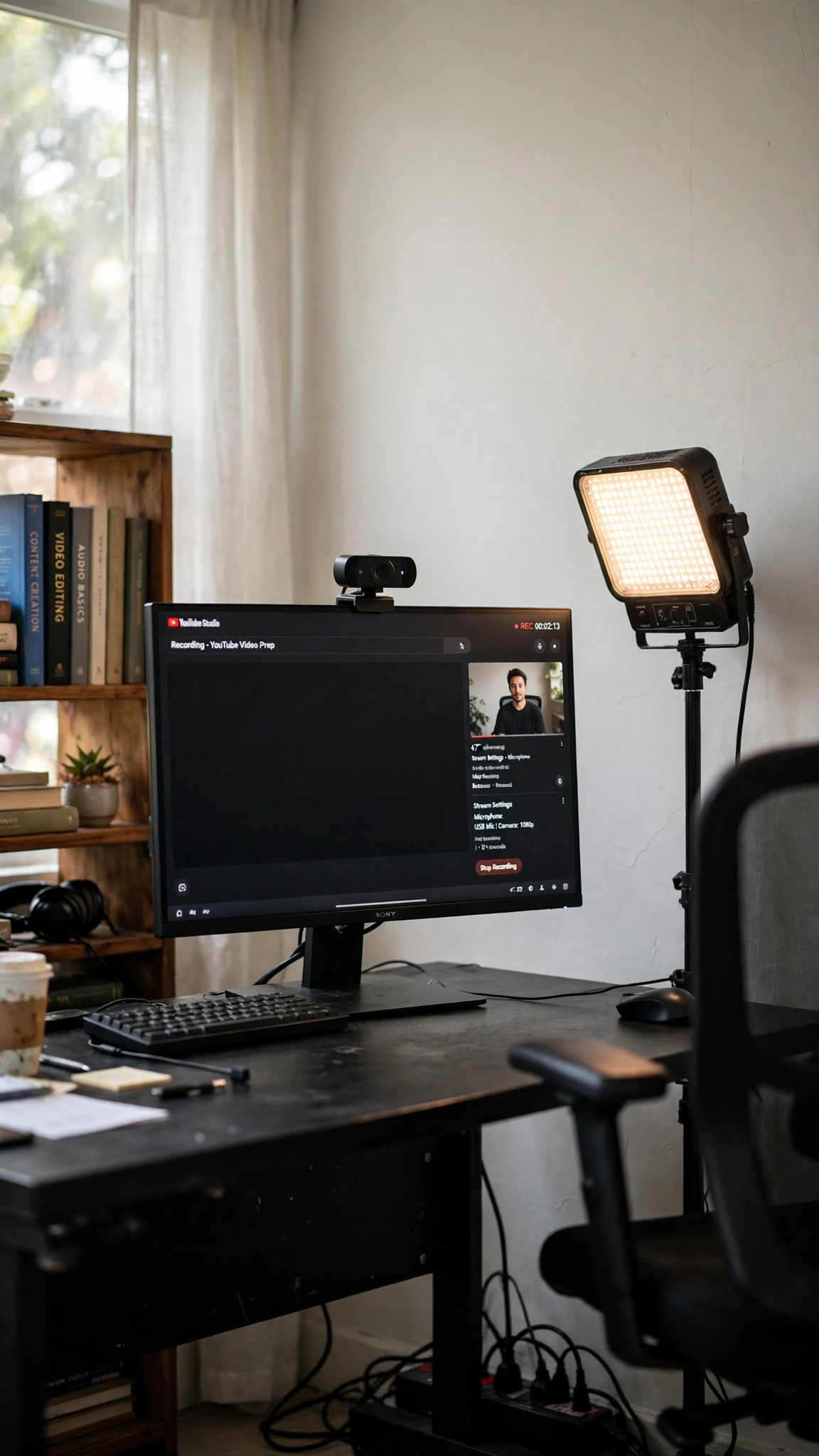
A webcam can carry a whole channel when the light does the heavy lifting. Here the webcam sits on top of the monitor with its screen on, and a professional key light glows beside it, so the face is bright and the background falls away softly. The black 47 inch desk keeps the scene simple, the chair sits square to the lens, and a shelf behind the desk holds books that read well on camera. Storage is a small shelf and a basket under the desk, and a power strip feeds the monitor, the key light, and the charger.
What works here: A webcam at eye level, a key light just off centre, a plain black desk that does not reflect light, a bookshelf backdrop with a few neat rows, and power kept under the desk and out of the shot.
For more storage ideas that keep a recording desk clear, see the Desk Setup and Organization category. This is the setup to pick when you want to press record and go, with no camera settings to fuss over first.
KEY PIECE
Logitech C920x HD Pro Webcam, Full HD 1080p/30fps Video, Clear Audio, HD Light Correction, Works with Microsoft Teams, Google Meet, Zoom, Mac and Tablet, Black
Why this one: A full HD webcam with light correction that mounts on the monitor and records a clean, steady picture.
Worth knowing: It records at 1080p, so it will not match the sharper look of a 4K mirrorless camera.
COMPLETES THE SETUP
Elgato Key Light, Professional 2800 Lumens Studio Light with Desk Clamp for Streaming, Recording and Video Conferencing, Temperature and Brightness App-Adjustable
Why this one: A bright 2800 lumen studio light with a desk clamp and app control for temperature and brightness.
Worth knowing: It clamps to the desk edge, so it needs a desk edge thick enough for the clamp to grip.
COMPLETES THE SETUP
ODK Computer Desk 47 Inch, Black
Why this one: A simple 47 inch black desk that keeps the recording scene plain and the light under control.
Worth knowing: It has no drawers, so storage needs a shelf or a basket nearby.
3. The Green Screen Recording Desk
AI-generated image
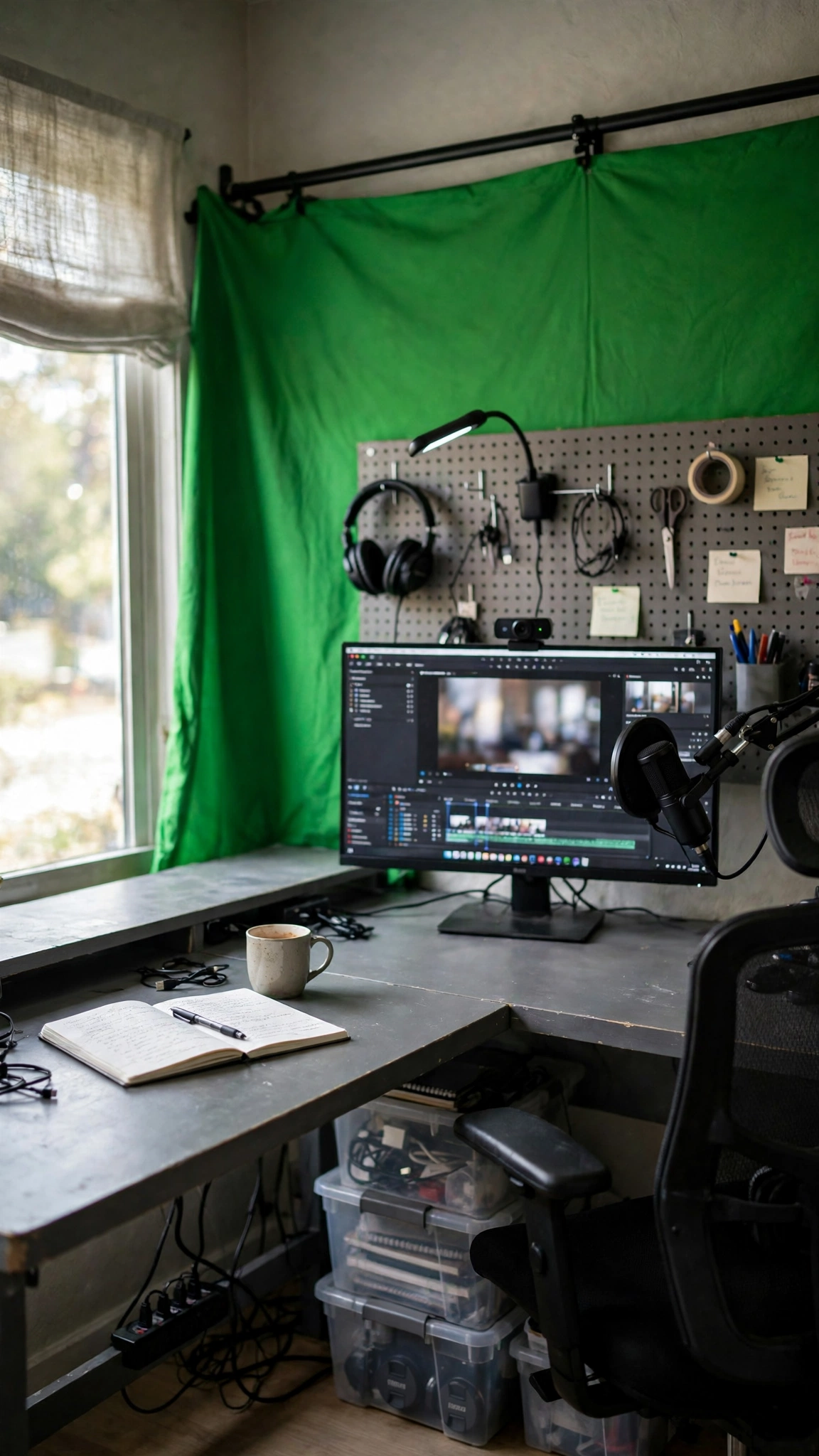
Some channels need a different background every week, and a green screen is how you get it without repainting the room. The extra wide panel pulls up behind the grey L shaped desk, the webcam sits on the monitor with its screen on, and the pegboard holds the small tools that stay off camera. One arm of the L holds the monitor and the recording gear, the other arm holds notes and props, and the desk power outlet feeds the monitor and the charger. Storage bins under the desk hold cables and spare gear, and a power strip takes the rest.
- Pull the screen up and check it is flat, because creases show up as dark lines in the recording.
- Light the screen on its own, so the green is even from edge to edge.
- Keep a little space between your back and the screen, so no shadow falls on it.
This setup is for recording, not for calls: the screen is there so the edit can swap the background, not so a meeting looks tidy. Roll it down after the take, and the room is a normal L shaped office again.
KEY PIECE
Elgato Green Screen XL, Extra Wide 79×72 inch Chroma Key Panel
Why this one: An extra wide 79 by 72 inch green screen that pulls up behind a desk for a clean, replaceable background.
Worth knowing: It is a large panel, so check the floor space behind the desk before ordering.
COMPLETES THE SETUP
Logitech HD Pro Webcam C920, Widescreen Video Calling and Recording, 1080p Camera, Desktop or Laptop Webcam
Why this one: A 1080p widescreen webcam that records a steady picture and sits neatly on the monitor.
Worth knowing: It records at 1080p, so it will not match the sharper look of a 4K mirrorless camera.
COMPLETES THE SETUP
SEDETA L Shaped Desk 94.5 Inch Convertible, Grey With Power Outlet and Pegboard
Why this one: A 94.5 inch convertible L shaped desk with a power outlet and a pegboard for two recording zones.
Worth knowing: At 94.5 inches it is a very long desk, so it needs a true corner with two clear walls.
4. The Ring Light Filming Desk
AI-generated image
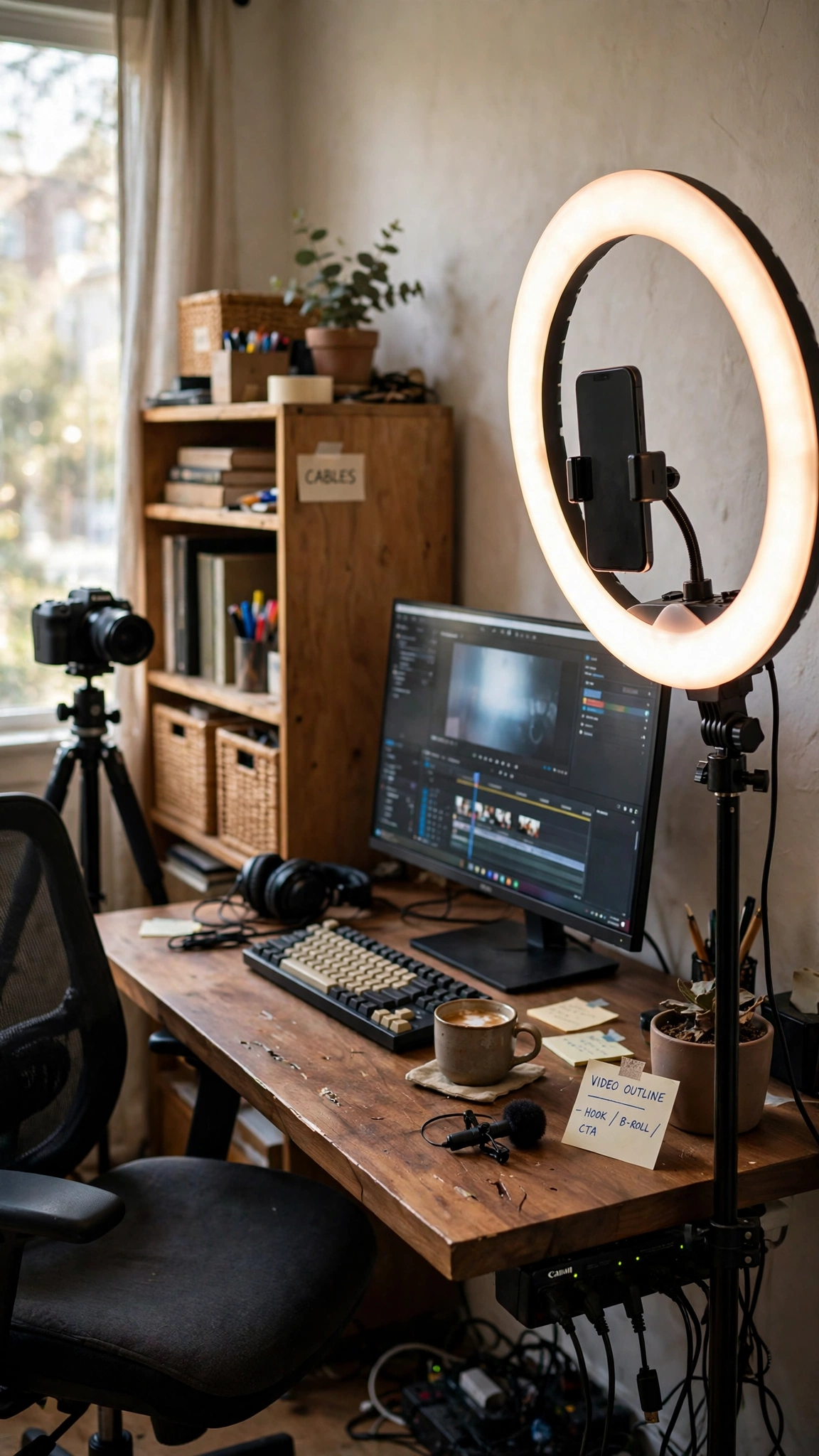
A ring light is the fastest way to look good on camera in a dim room, and this desk is built around one. The 18 inch ring stands beside the long walnut desk, the phone sits in its holder inside the ring for vertical takes, and a camera on a tripod faces the chair for the main recording. The monitor sits on the desk with its screen on, showing the shot list, while a shelf behind holds props and a storage box keeps spare cables. A power strip under the desk feeds the monitor, the ring light, and the camera charger, and the desk is long enough that the light stand never crowds the keyboard.
TRY THIS
Shoot the phone take and the camera take in the same session, so the ring light does double duty and the two clips match.
Ring light footage has a signature look, with a bright catch light in the eyes and very soft shadows, which suits beauty, unboxing, and talking head videos. If the room has a bright window, turn the ring down and let the daylight do half the work.
KEY PIECE
NEEWER Ring Light 18inch Kit, 55W 5600K Professional LED with Stand and Phone Holder, RL-18
Why this one: An 18 inch professional ring light with a stand and a phone holder, bright enough to light a face evenly.
Worth knowing: The 18 inch ring is large, so it needs a clear patch of floor beside the desk for its stand.
COMPLETES THE SETUP
UBeesize 10 inch LED Ring Light with 62 inch Tripod Stand, Selfie Ring Light for Video Recording, Live Streaming, TikTok and YouTube, Compatible with iPhone and Android (Black)
Why this one: A smaller 10 inch ring light on a tall tripod that works as a fill light or a second angle for phone clips.
Worth knowing: At 10 inches it is a fill light, not a main light, so it will not replace the 18 inch ring on its own.
COMPLETES THE SETUP
NELYE Mid-Century Long Desk 71 Inch, Walnut
Why this one: A 71 inch walnut desk with room for a monitor, a camera tripod, and a ring light stand beside it.
Worth knowing: At 71 inches it needs a long clear wall, so measure the room before ordering.
5. The Backdrop and Key Light Air Desk
AI-generated image
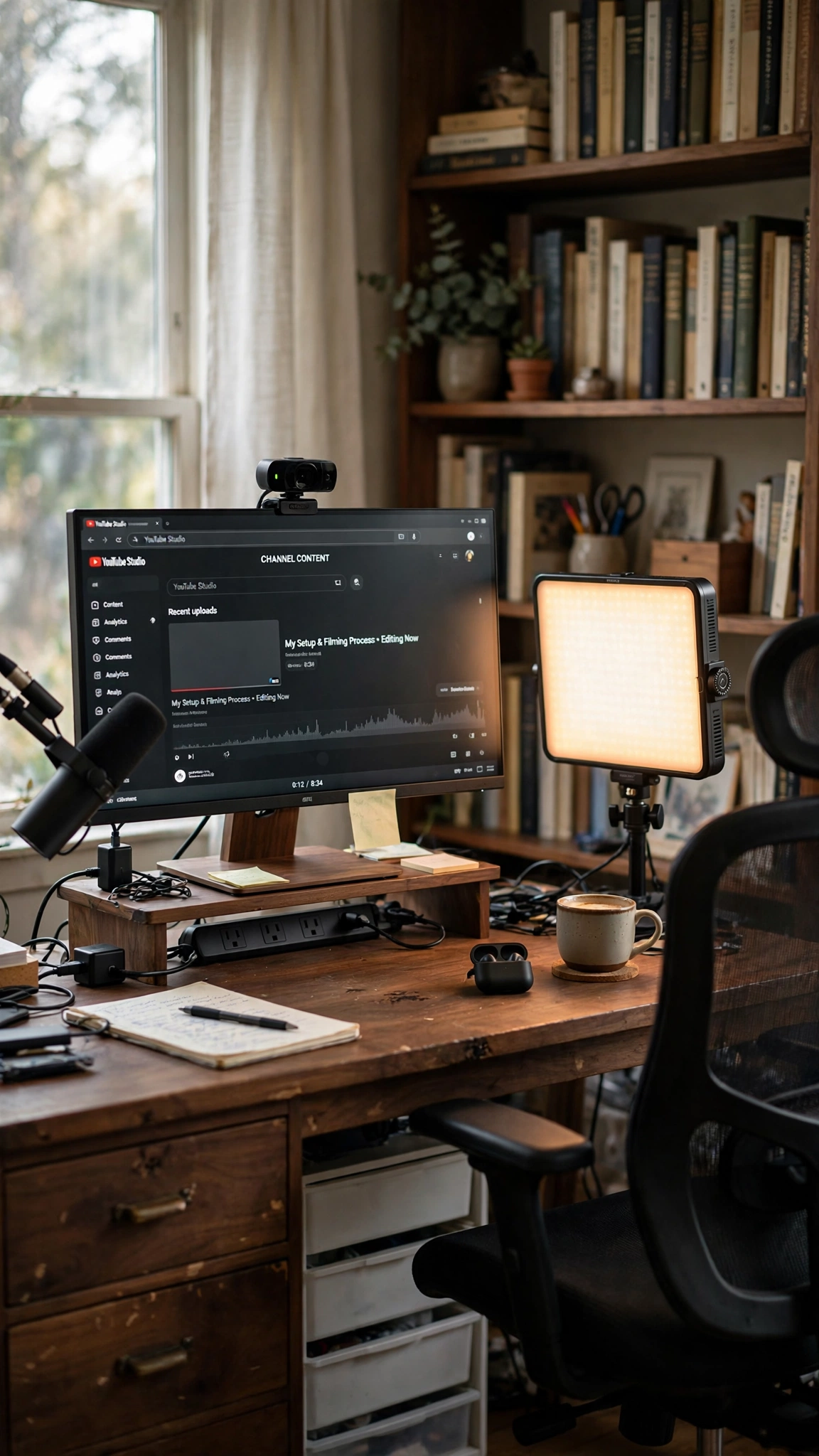
Start with the backdrop, then light the person, and the video almost frames itself. A printed bookshelf backdrop hangs behind the walnut desk with drawers, the key light glows beside the monitor with its screen on, and the webcam sits on top of the monitor facing the chair. The monitor stand lifts the screen to eye level, the drawers hold notes and spare cables, and the desk power outlets feed the monitor and the light. A power strip under the desk takes the charger and the camera battery dock, so no cable crosses the shot.
- Hang the backdrop flat and straight, because a wrinkle reads as a shadow on camera.
- Keep the key light at the same height as the face, not above it, so the eyes stay bright.
- Put one real object on the desk, like a notebook, so the scene feels like a room, not a set.
A printed backdrop is the pick when the real wall behind the desk is messy or plain. It packs away flat between recordings, which suits a room that has to work as an office the rest of the day.
KEY PIECE
Elgato Key Light Air, Professional 1400 Lumens Desk Light for Streaming and Video Conferencing
Why this one: A compact 1400 lumen desk light that sits on the desk and lights the face without a floor stand.
Worth knowing: It is smaller and less bright than the full Key Light, so it suits one person at a desk, not a wide shot.
COMPLETES THE SETUP
CHNYWORK 9x6ft Home Office Backdrop White Bookshelves Armchair Home Office Library Books Plants Background Home Office Virtual Meeting Teleconference Calls Decoration Photo Booth Studio Props
Why this one: A 9 by 6 foot printed bookshelf backdrop that gives a plain wall the look of a lived in library.
Worth knowing: It is a printed backdrop, so it needs a rail or clips to hang flat, and it will crease if folded badly.
COMPLETES THE SETUP
GreenForest Computer Desk with Drawers and Monitor Stand, 51 inch, Walnut
Why this one: A 51 inch walnut desk with drawers, a monitor stand, and power outlets for a backdrop recording setup.
Worth knowing: The desk top is walnut, not white, so the backdrop and the light carry the bright look here.
6. The RGB Ring Light Desk
AI-generated image
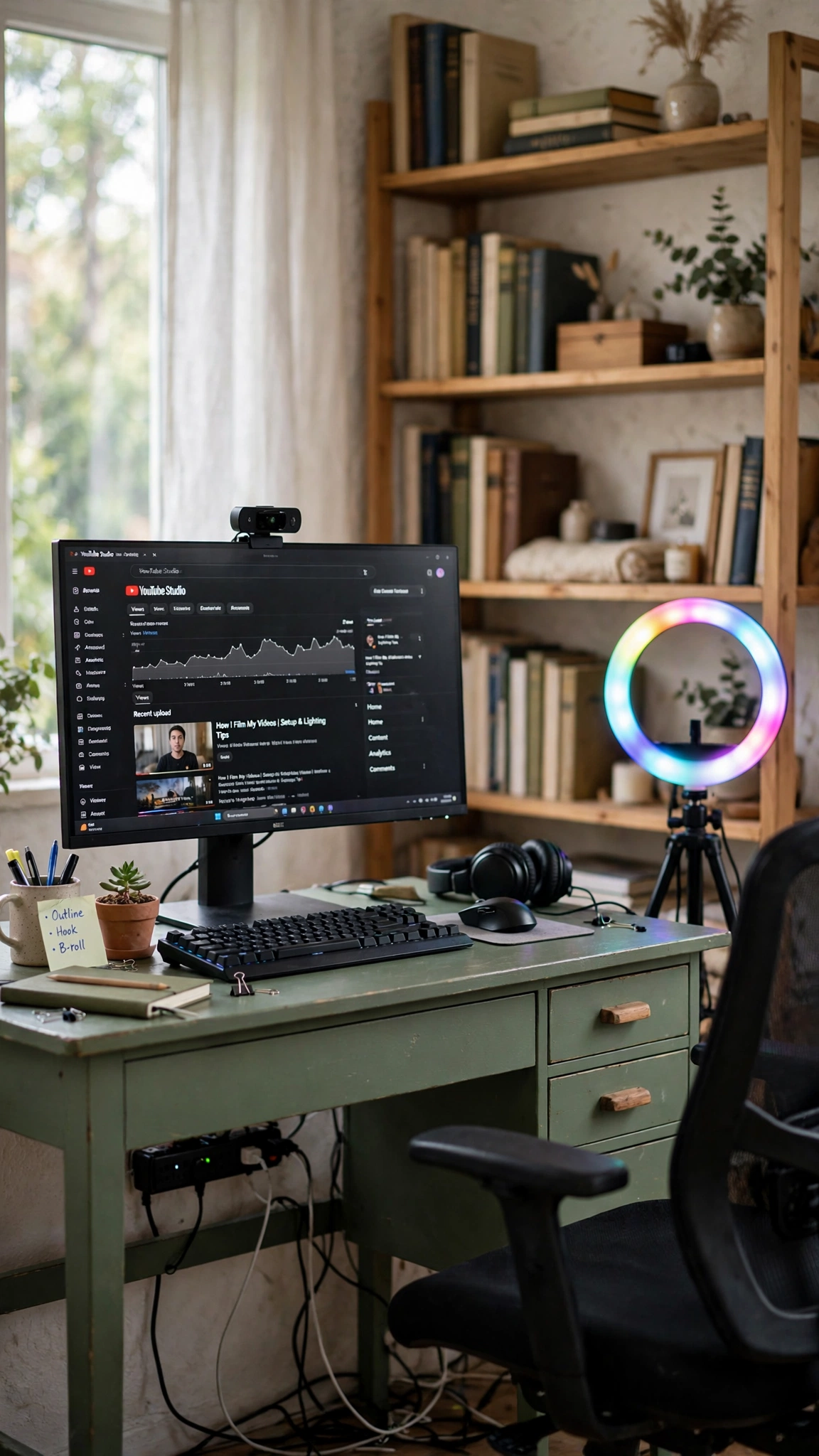
White light or colour light, that is the choice this desk is built around, and colour wins when the channel is playful. The RGB ring light stands on its tripod beside the sage green desk, the webcam sits on the monitor with its screen on, and a small clip on ring light adds a second glow from the desk itself. The sage green two drawer desk keeps the scene calm, the shelf behind holds books and a plant, and the drawers store the phone holder and spare cables. A power strip under the desk feeds the monitor, both lights, and the charger, and the phone holder on the tripod is ready for vertical clips.
Two ways to use the colour: Pick one colour and leave it on for the whole video, so the channel has a signature look, or use white for the main take and colour only for the intro and outro shots. Mixing colours mid video looks messy, so choose one and stick with it for that recording.
A calm desk behind a bright colour light keeps the glow soft, not glaring.
KEY PIECE
UBeesize 12 inch RGB Ring Light with 50 inch Tripod Stand and Phone Holder, Dimmable Selfie Light for TikTok, YouTube, Live Streaming and Photography
Why this one: A 12 inch RGB ring light on a 50 inch tripod with a phone holder, dimmable for colour or white light.
Worth knowing: At 12 inches it is a mid size ring, so it lights one person well but not a wide two person shot.
COMPLETES THE SETUP
NEEWER Basic 5 in Ring Light, BR60 Clip-On Kit
Why this one: A small 5 inch clip on ring light that adds a fill glow right at the monitor for close up takes.
Worth knowing: It is a small clip on light, so it is a fill light only and will not light a whole scene.
COMPLETES THE SETUP
SAFAVIEH Home Collection Haven Farmhouse Country Cottage Sage Green 2-Drawer Desk Console Table
Why this one: A sage green two drawer desk console that brings a calm colour into a bright colour light setup.
Worth knowing: It is a slim console style desk, so it suits a laptop and one monitor better than two large monitors.
7. The Blue Yeti Voiceover Desk
AI-generated image
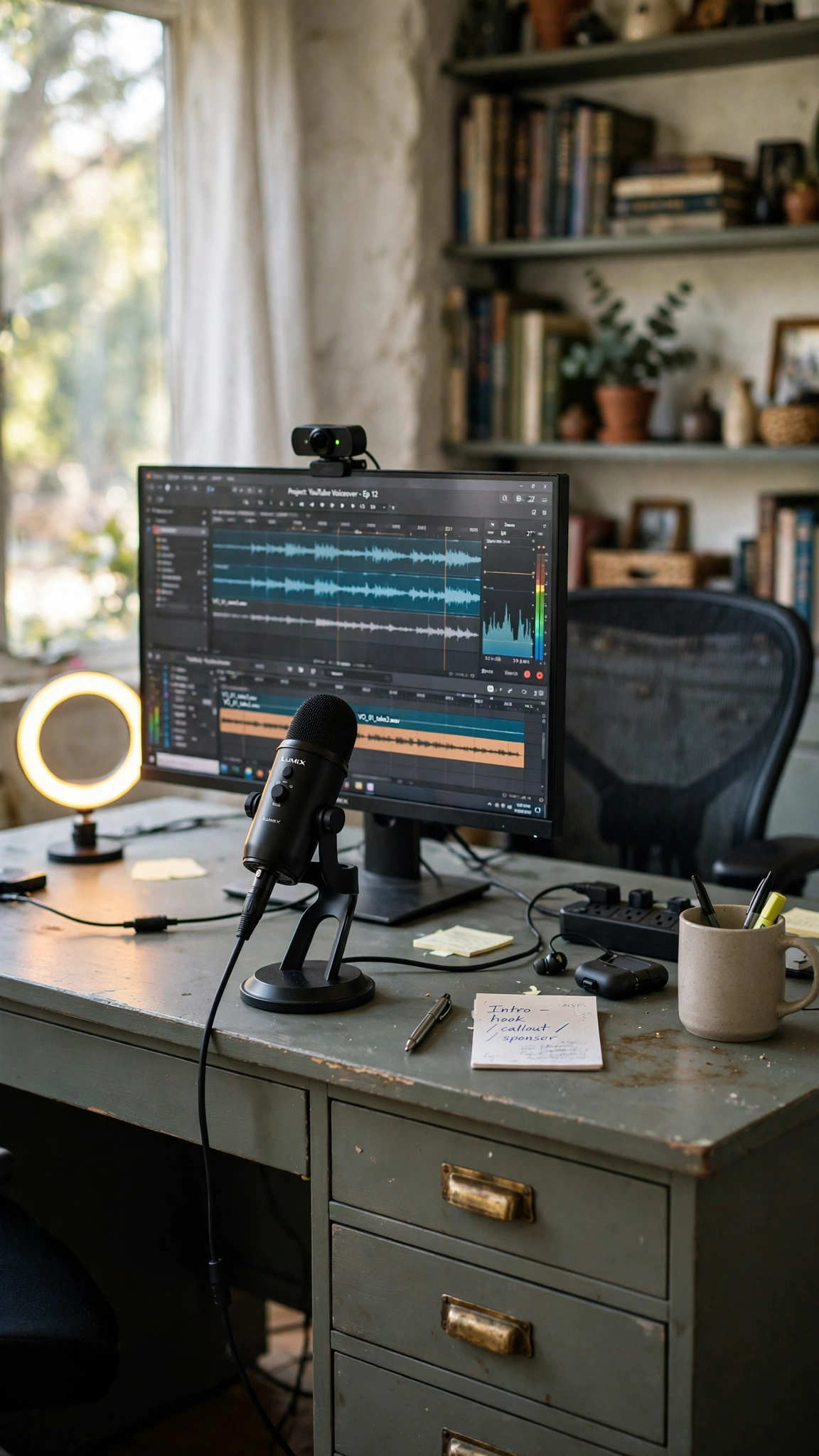
Good sound is what makes a viewer stay past the first minute, and this desk treats the microphone as part of the video, not an afterthought. The USB microphone stands on the desk in front of the monitor with its screen on showing the recording software, the webcam sits on the monitor for the face to camera parts, and a small desk ring light glows beside the screen. The greyish green 60 inch executive desk has a drawer and a cabinet for scripts and spare gear, and the bookshelf backdrop fills the frame behind the chair.
- Keep the microphone close to the mouth and off the desk edge, so it picks up voice, not keyboard taps.
- Record the voiceover in the same room as the video, so the sound matches the picture.
- Use the cabinet for scripts and the drawer for the mic cable, so the desk top stays clear for the take.
This is a video desk with a voiceover mic, not an audio only setup: the camera stays in the plan, and the mic is there so the narration sounds clean.
KEY PIECE
Logitech Creators Blue Yeti USB Microphone for PC, Mac, Gaming, Recording, Streaming, Podcasting, Studio and Computer Condenser Mic with Blue VO!CE effects, 4 Pickup Patterns, Plug and Play, Blackout
Why this one: A plug and play USB condenser microphone with four pickup patterns for voiceover, streaming, and recording.
Worth knowing: It picks up room sound easily, so a noisy room will show in the recording, and it needs a stand or arm to sit at mouth height.
COMPLETES THE SETUP
LitONES Zoom Lighting for Computer, Adjustable Desk Lighting for Video Calls, 30 Light Modes Video Conference Light, Desk Ring Light with Stand for Webcam, Meetings, Live Stream, Home Office. CRI 97.8
Why this one: A desk ring light with a stand and 30 light modes that lights the face for the camera parts of the video.
Worth knowing: It is a desk size light, so it suits a close up shot better than a wide full room shot.
COMPLETES THE SETUP
JXQTLINGMU 60 Inch Modern Executive Desk with Storage, Grayish Green
Why this one: A 60 inch grayish green executive desk with a drawer and a cabinet for scripts and recording gear.
Worth knowing: The green is grayish, not saturated, so expect a muted green in real light.
8. The Clip-On Light Recording Desk
AI-generated image
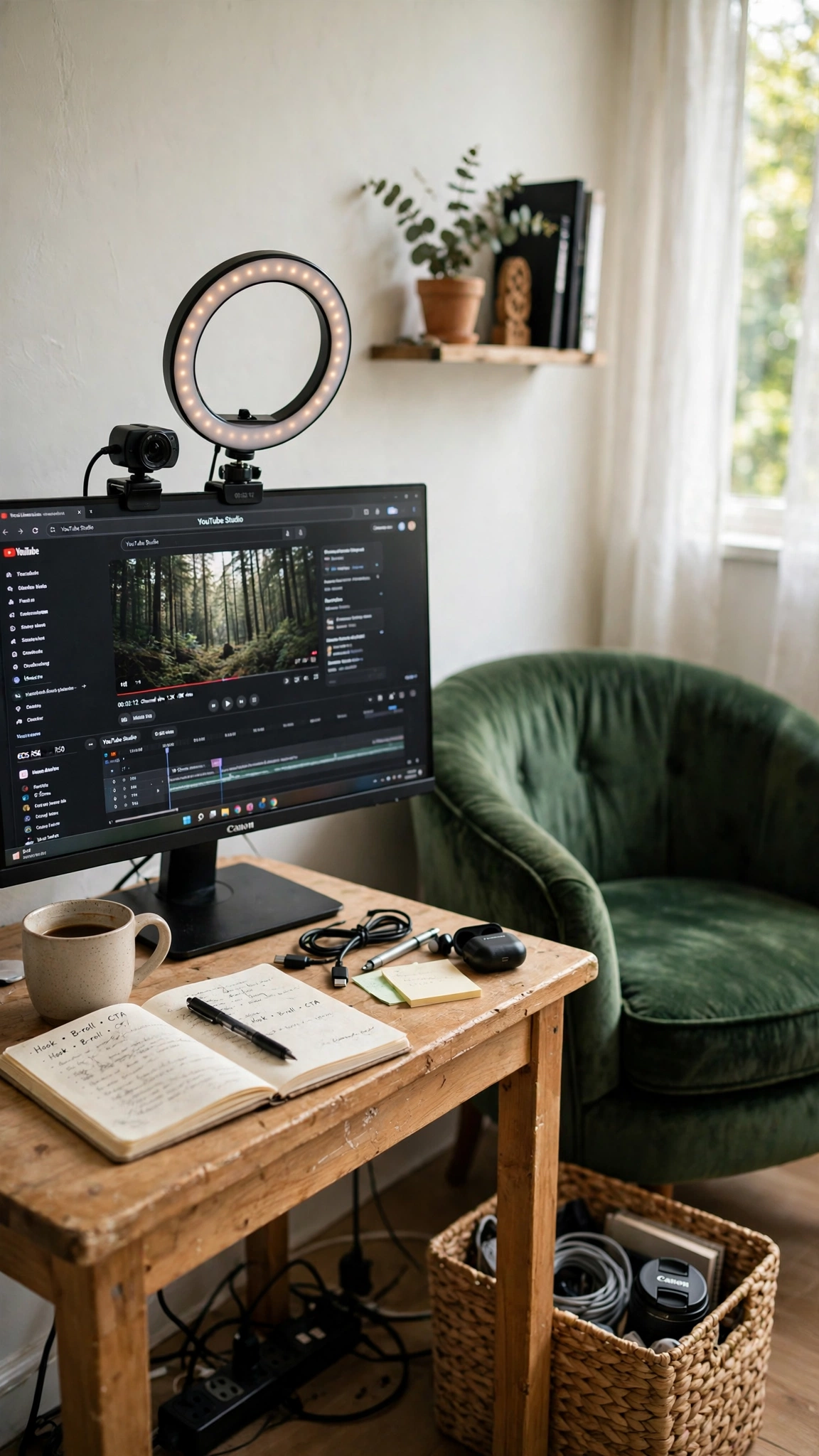
A small desk can still record a good video when the light clips right onto the monitor. The clip on ring light sits on top of the monitor with its screen on, the webcam clips beside it, and the forest green velvet barrel chair fills the frame with colour. The small wooden desk holds just the monitor, a notebook, and the phone, while a basket under the desk stores the charger and spare cables. A power strip under the desk feeds the monitor and the light.
What works here: A clip on light that needs no floor space, a webcam at the same height as the light, a green chair that gives the shot its colour, a desk kept to three things, and a wall shelf that makes the background look finished.
This is the setup to pick for a bedroom corner or a shared room, where a floor stand would be in the way. The chair sells as a pair, so use the second chair as a reading seat in another corner, and the pair stops feeling like a spare.
KEY PIECE
ACMEZING Video Conference Lighting Kit, Ring Light Clip on Laptop Monitor with 5 Dimmable Color and 5 Brightness Level for Webcam Lighting, Zoom Lighting, Remote Working, Self Broadcasting and Live Streaming
Why this one: A clip on ring light with five colours and five brightness levels that adds light without a stand.
Worth knowing: It clips to the monitor, so it needs a monitor edge it can grip, and it will not light a wide shot.
COMPLETES THE SETUP
LG 24 inch FHD (1920 x 1080) IPS Monitor, 100Hz Refresh Rate, 99 Percent sRGB, AMD FreeSync, 3-Side Borderless, Anti Glare, Tilt Adjustable, HDMI, VESA Mountable, for Gaming and Office
Why this one: A 24 inch full HD IPS monitor with thin borders that suits a small desk and a clip on light.
Worth knowing: At 24 inches it is a compact monitor, so check the listing for the exact stand and ports before ordering.
COMPLETES THE SETUP
CHITA Swivel Accent Chair, FSC Certified Upholstered Velvet Barrel Chair, Forest Green, Set of 2
Why this one: A forest green velvet barrel chair that swivels and gives a small recording shot a strong colour lead.
Worth knowing: It sells as a set of 2, so plan a spot for the second chair before ordering.
9. The Key Light Neo Talking Head Desk
AI-generated image
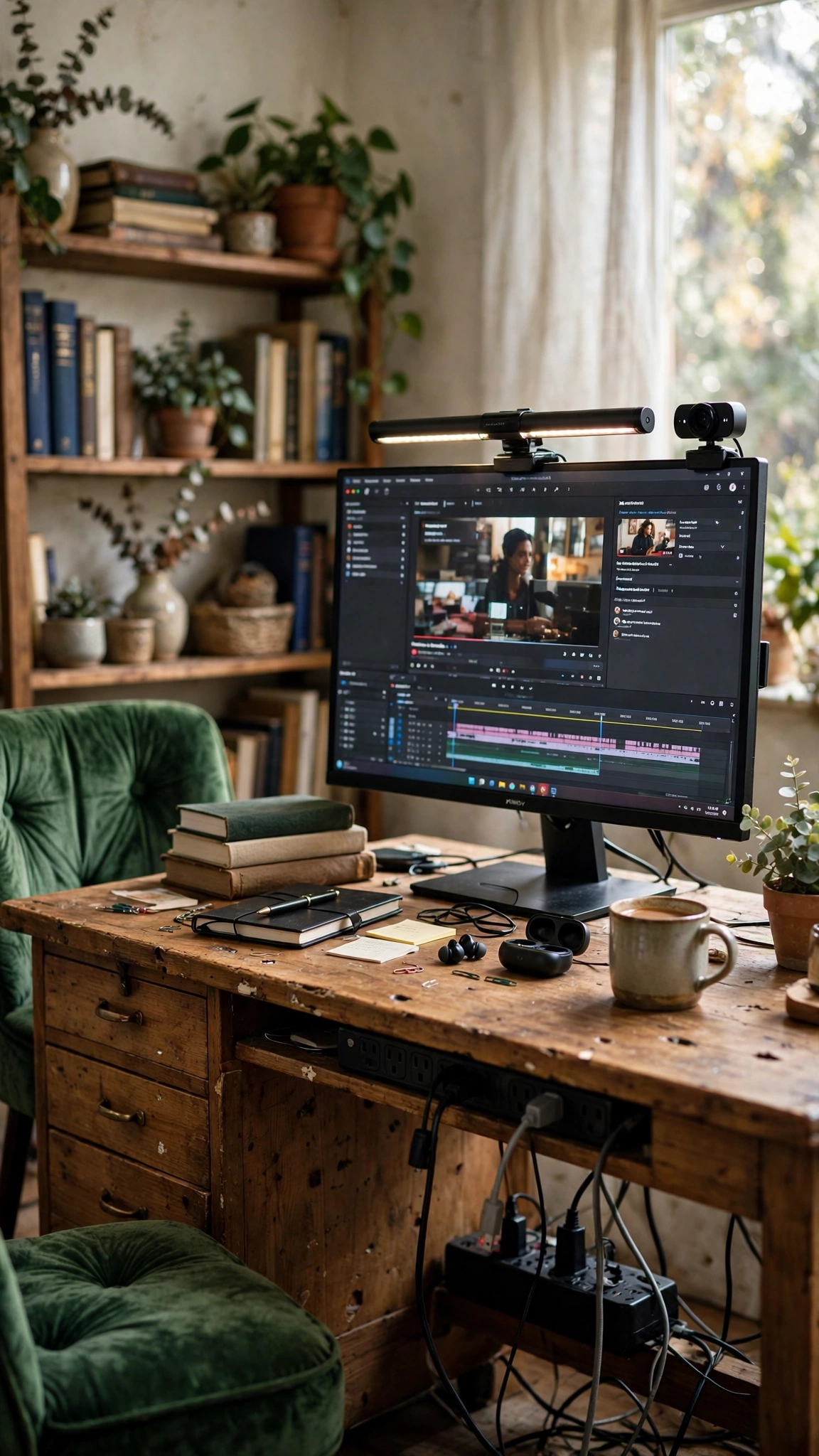
Keep it simple: one light, one camera, one chair, and a backdrop that does not distract. The slim video light mounts on top of the monitor with its screen on, the webcam sits beside it, and the green velvet chair with its ottoman faces the lens. The wooden desk holds the monitor and a notebook, the drawers store scripts and cables, and a power strip under the desk feeds the monitor and the light. Books and a small plant on the shelf behind the chair fill the background, so the talking head shot feels like a real room.
- Mount the light on the monitor, so it moves with the screen and the angle stays right.
- Put the ottoman aside for recording, so the chair sits square to the camera.
- Check the bookshelf behind you in a test clip, and move anything that pulls the eye away from your face.
This is the setup to pick when the videos are mostly you, talking to the camera, with no props and no second angle.
KEY PIECE
Elgato Key Light Neo, Professional Video Call Light with Adjustable Monitor Mount
Why this one: A slim video light with an adjustable monitor mount that lights the face from right above the camera.
Worth knowing: It is a single compact light, so it suits a talking head shot better than a wide full desk shot.
COMPLETES THE SETUP
Dell 24 Monitor SE2425HM, Black
Why this one: A 24 inch Dell monitor in black that gives the light and webcam a clean mount and a clear screen for notes.
Worth knowing: At 24 inches it is a compact monitor, so a second screen would need more desk space.
COMPLETES THE SETUP
Andeworld Velvet Accent Chair with Ottoman, Green
Why this one: A green velvet accent chair with a matching ottoman that looks good on camera and suits relaxed recording.
Worth knowing: It is an accent chair, not an ergonomic desk chair, so it suits relaxed recording better than long typing days.
Frequently asked questions
Do I need a real camera to start a YouTube channel?
No. Setups 2, 3, 6, 8, and 9 record with a webcam, and a good light does more for the picture than a dearer camera. Setup 1 uses a mirrorless camera, and it is the pick when you want a sharper look and a flip screen to check framing, but it is not the starting point for everyone.
What is the difference between a recording desk and a video call desk?
A call desk needs to look tidy for a few minutes on a small window. A recording desk needs to hold up in a full screen video that viewers watch and rewatch, so the camera angle, the light, and the backdrop are planned for the lens. Every setup here is built for recording first, with the camera or webcam, the light, and the backdrop as part of the desk.
Is a green screen only for gaming channels?
No. Setup 3 uses the green screen so the background can be swapped in the edit, which suits tutorials, reviews, and talking head videos as well as gaming. If you like your real room, setups 5 and 9 use a bookshelf backdrop instead, and the video keeps the room in the shot.
How much light do I need for recording?
One good key light is enough for a talking head video, as in setups 5 and 9. Two softboxes, as in setup 1, suit a wider shot with more of the room in frame. A ring light, as in setups 4 and 6, gives even face light in a dim room. Start with one light, test a clip, and add a second only if the test shows a dark side.
Can I record YouTube videos on a small desk?
Yes. Setup 8 uses a small desk with a clip on light and a webcam, and setup 2 uses a 47 inch desk with a webcam and a key light. Keep the desk to the monitor, the camera, and one light, and put the rest in a basket or on a wall shelf, so the shot stays clean.
Do I need a separate microphone for YouTube videos?
Not at the start. The webcams in setups 2 and 3 have built in audio that works for a first video. Setup 7 adds a USB microphone when the voiceover matters, because clean sound keeps viewers watching longer. Add the mic when the sound, not the picture, is the weak part of your test clips.
Conclusion
Start with the webcam and key light desk in setup 2 if you want to press record today, the Sony camera desk in setup 1 if you want the sharpest picture, or the talking head desk in setup 9 if your videos are mostly you, talking to the camera. Add one light, one backdrop, and a power strip, and the desk is a recording studio, not just a place to sit. For more ideas, browse the Home Office Ideas category and the desk & glow home page.
