As an Amazon Associate I earn from qualifying purchases. Read our full affiliate disclosure for more detail.
A gaming room does not need a big budget to look like a place you love spending time in. The rooms that impress visitors are usually built from a handful of smart, low cost pieces: a strip of light behind the desk, a glowing wall panel, a mat that ties the desk together. Small buys, placed well, do more than one expensive showpiece ever will.
This guide rounds up 10 budget finds from Amazon that dress up a gaming room without draining your wallet. Each idea is a complete setup you can copy whole, with the desk, screen, seat, light, storage, and power covered. If you want the bigger picture on stretching a budget, 15 Budget Gaming Setup Ideas That Look Expensive pairs perfectly with the finds below.
In this article
At a glance
1. LED Strip Glow Behind the Desk
2. Hexagon Wall Light Art
3. Corner Floor Lamp Glow
4. Gradient Glow Behind the Monitor
5. Giant RGB Desk Mat
6. Compact Desk With Floating Screens
7. Black Triangle Wall Feature
8. RGB Fans and a Headset Display
9. Small Desk, Big Light
10. LED Desk and an XXL Glow Mat
FAQ
Conclusion
At a Glance: Pick Your Budget Find
1. LED Strip Glow Behind the Desk
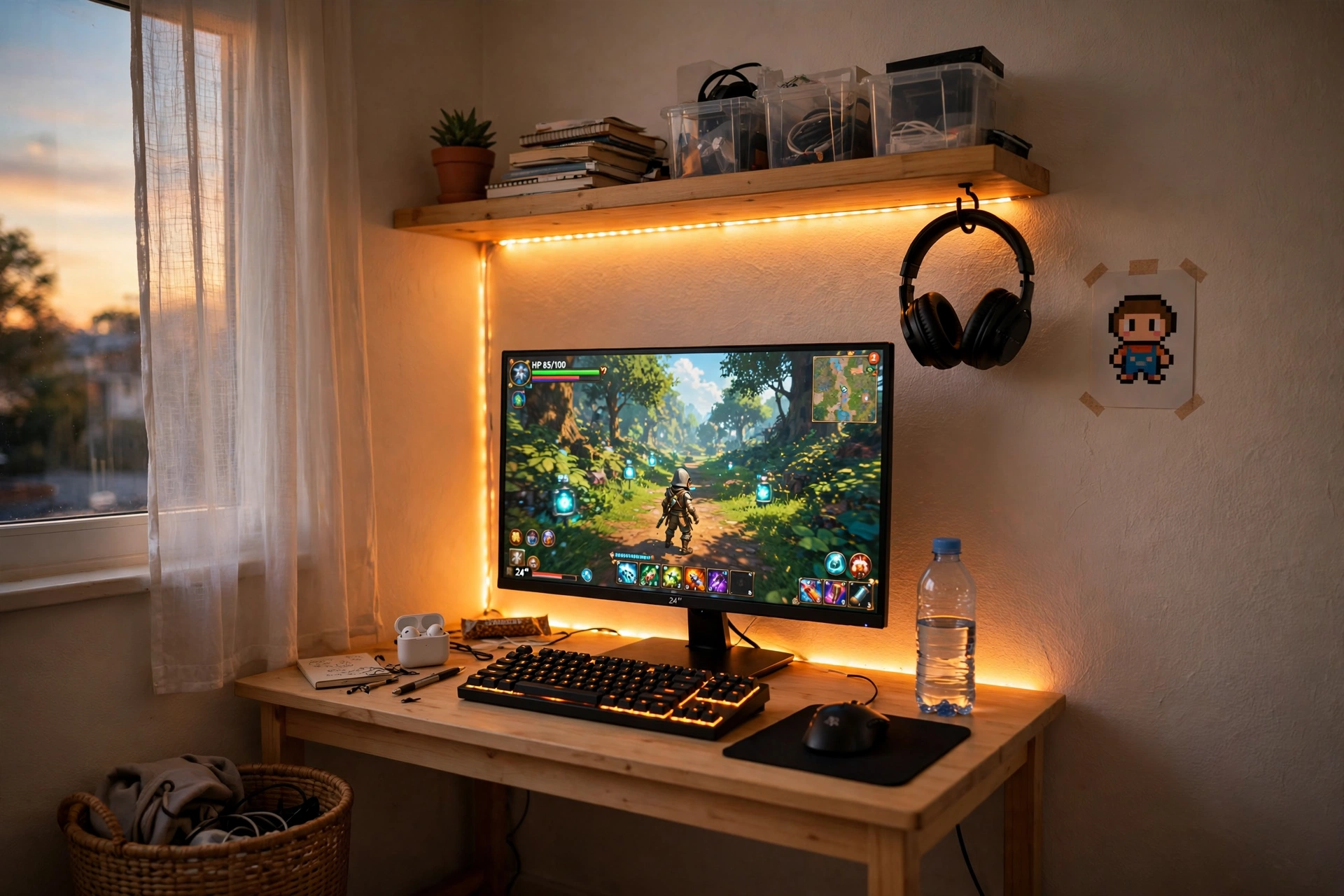
One strip of light changes everything. Run it along the back edge of the desk and under a shelf, and a plain corner suddenly looks like a setup you planned on purpose. The glow softens the wall behind the monitor, which makes long evening sessions easier on the eyes too.
- Desk: a straight desk pushed against the wall, with the strip hidden behind the rear edge so you see glow, not bulbs.
- Screen: one monitor centered, with a light bar on top for desk light that never glares on the screen.
- Seat: any comfortable chair you already own, pulled close enough that the screen fills your view.
- Storage: a small wall shelf above the desk for games and a controller.
- Power: one power strip tucked behind a desk leg, with the strip and monitor sharing it.
Quick win: set the strip to one steady color, like warm blue or soft purple, instead of rainbow mode. A single color looks far more expensive and calms the whole room.
Govee 65.6ft RGBIC LED Strip Lights
Why this one: the long length covers a desk, a shelf, and a second wall run, and the app lets you pick scenes and colors without getting up.
Worth knowing: measure your runs before cutting, since a strip cut too short cannot be rejoined cleanly.
Quntis Monitor Light Bar RGB PRO
Why this one: light falls on the keyboard and desk, not into your eyes, so late sessions feel gentler while the strip handles the mood.
Worth knowing: it sits on top of the monitor, so check that your screen has a flat top edge and enough clearance from the wall.
2. Hexagon Wall Light Art
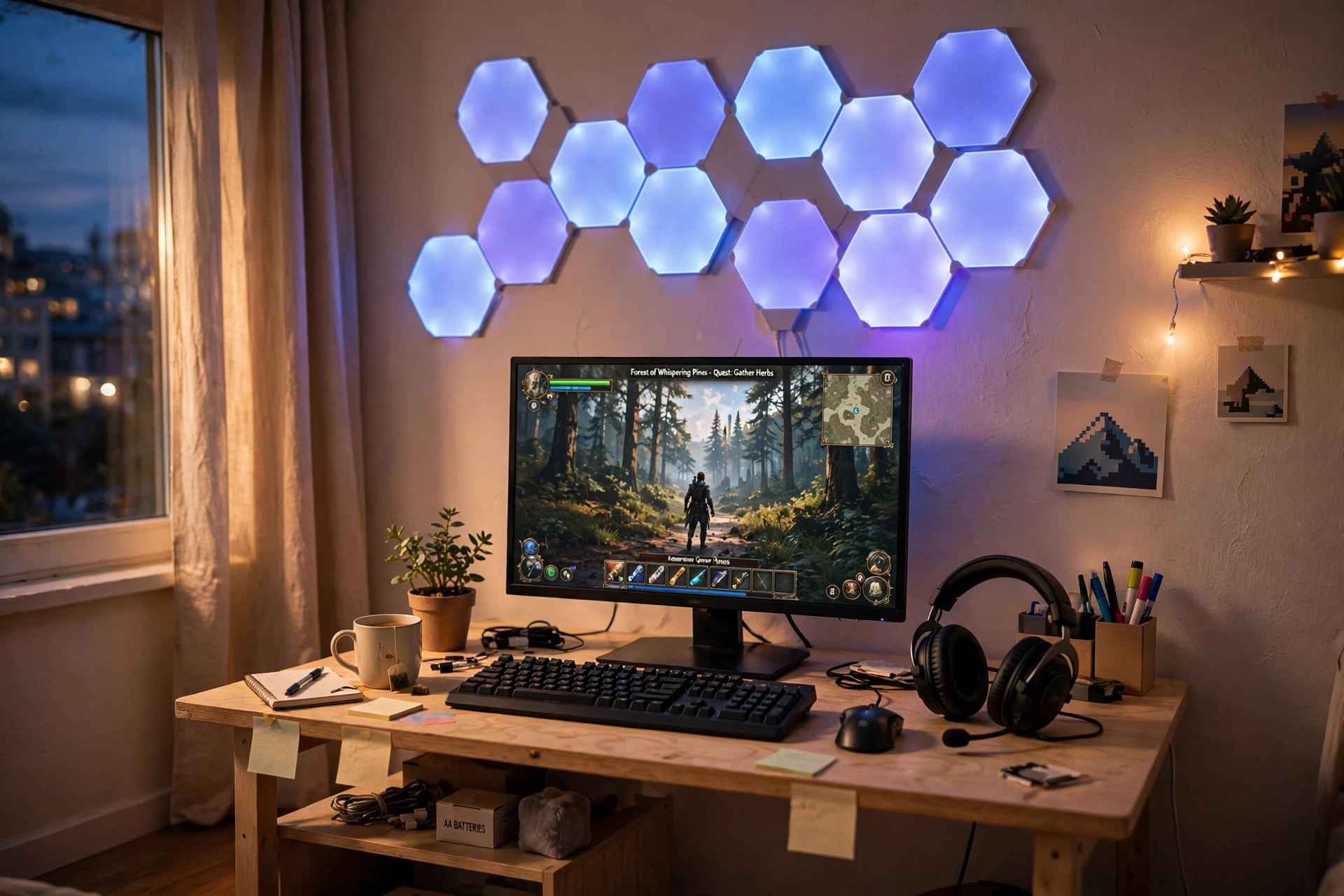
Wall panels are the closest thing to hanging art that also lights the room. A cluster of glowing hexagons above the desk gives the wall a shape and a color story, and the desk below it suddenly looks styled instead of just assembled. Start with one small kit, arrange the panels in a loose honeycomb, and let the glow spill onto the desk.
How to set it up:
- Plan the shape on the floor first, then stick panels to the wall in that order.
- Center the cluster above the monitor so the desk feels balanced.
- Pick two or three colors that match your desk mat or chair.
- Add a small plant and your headset on the desk to soften the tech look.
- Keep one power outlet free near the wall for the panel controller.
Layout idea: a crooked, stair step cluster looks more handmade and interesting than a perfect grid, and it hides a slightly uneven wall line.
Nanoleaf Shapes Triangles Smarter Kit
Why this one: the triangles link into almost any shape, and touch controls let you change a scene with a tap when the phone is across the room.
Worth knowing: the starter kit covers a modest cluster, so a big wall needs an expansion pack to fill it out.
Govee Glide Wall Lights, 2 Panels Set
Why this one: slim light bars add a second shape to the wall and fill gaps where triangles would look crowded.
Worth knowing: two panels is a small set, so plan them as an accent beside the triangles rather than a wall on their own.
3. Corner Floor Lamp Glow
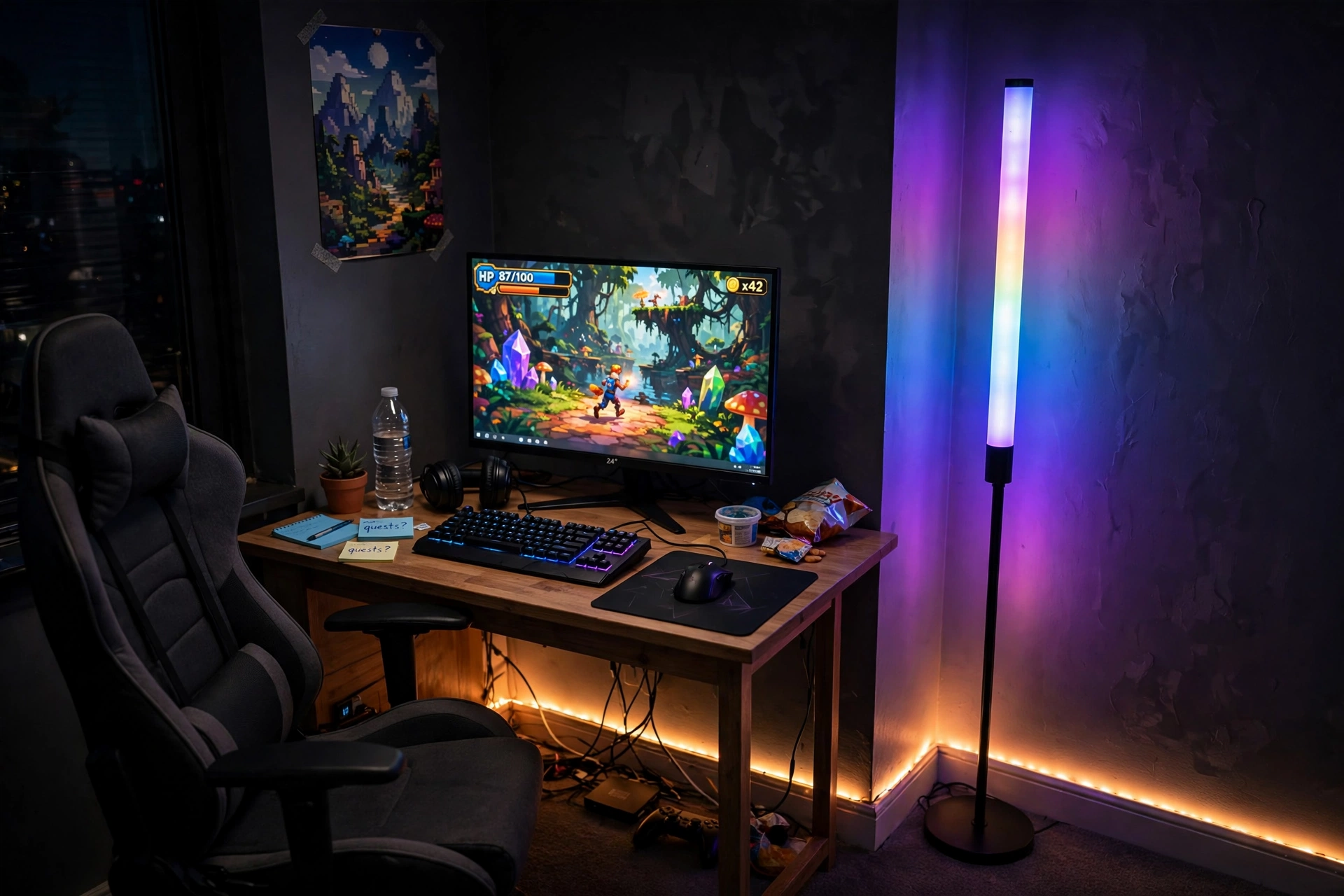
Every gaming room has a corner that does nothing. A tall floor lamp turns that dead space into the room’s soft light source, and it costs less than most wall art. Place it behind the desk chair or beside the desk, set it to a warm color, and the whole corner starts to glow instead of sitting dark.
The desk itself stays simple here: one monitor on, keyboard and mouse in the middle, and a short LED strip along the baseboard to tie the lamp color to the desk. A chair with a cushion, a small shelf for games, and one power strip behind the desk finish the setup. For more ways to layer light like this, the ideas in 15 LED Gaming Room Ideas That Set the Perfect Mood show how a few glowing pieces can carry a whole room.
Placement tip: keep the lamp a full step away from the desk so it never shines straight into your eyes, and let the wall bounce the color back toward you.
Govee RGBIC Floor Lamp, LED Corner Lamp
Why this one: the slim shape fits corners that a table lamp cannot, and the app offers scenes that blend several colors up the pole.
Worth knowing: it needs a floor outlet nearby, so a corner without power will need a discreet extension lead.
Govee RGBIC LED Strip Lights, 16.4ft
Why this one: a shorter strip is the right size for one desk edge or baseboard run, so you are not paying for length you will cut off.
Worth knowing: the adhesive sticks best to clean, flat surfaces, so wipe the baseboard before you press it on.
4. Gradient Glow Behind the Monitor
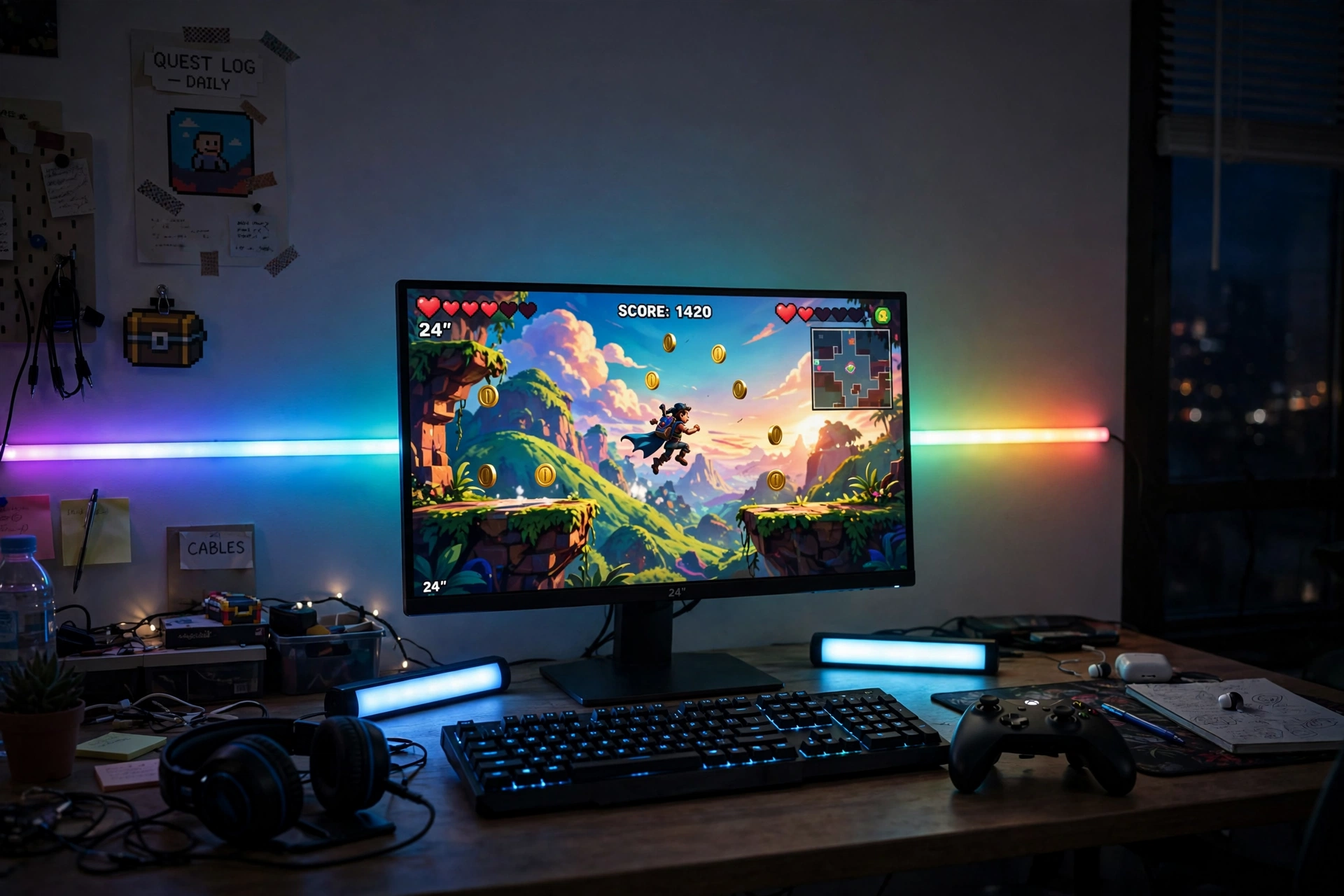
There is a difference between a light behind a screen and a light that moves with the game. A gradient strip paints the wall in shifting colors that follow what is on screen, so explosions feel warmer and night scenes feel cooler. Two small light bars on the desk add a second layer, one on each side of the monitor.
| Choice | What it does best |
|---|---|
| Gradient strip | Colors that shift with the game, big wall glow |
| Light bars | Focused side light you can aim at the wall or desk |
Keep the desk tidy so the light is the star: monitor centered, keyboard and controller in reach, a small drawer unit for cables, and a power strip behind the desk leg. A plain chair and a dark rug make the colors pop without competing with them.
Philips Hue Play Gradient Light Strip, 55 Inch
Why this one: the strip shows several colors at once along its length, which gives the wall a smooth gradient instead of one flat color.
Worth knowing: it works best with the Hue app and hub setup, so check what you already own before you buy.
Philips Hue Play Light Bar, 2 Pack
Why this one: the bars stand upright or lie flat, so you can aim them at the wall for a wash of color or at the desk for task light.
Worth knowing: each bar needs its own spot near an outlet, so plan the cable run before you settle their positions.
5. Giant RGB Desk Mat
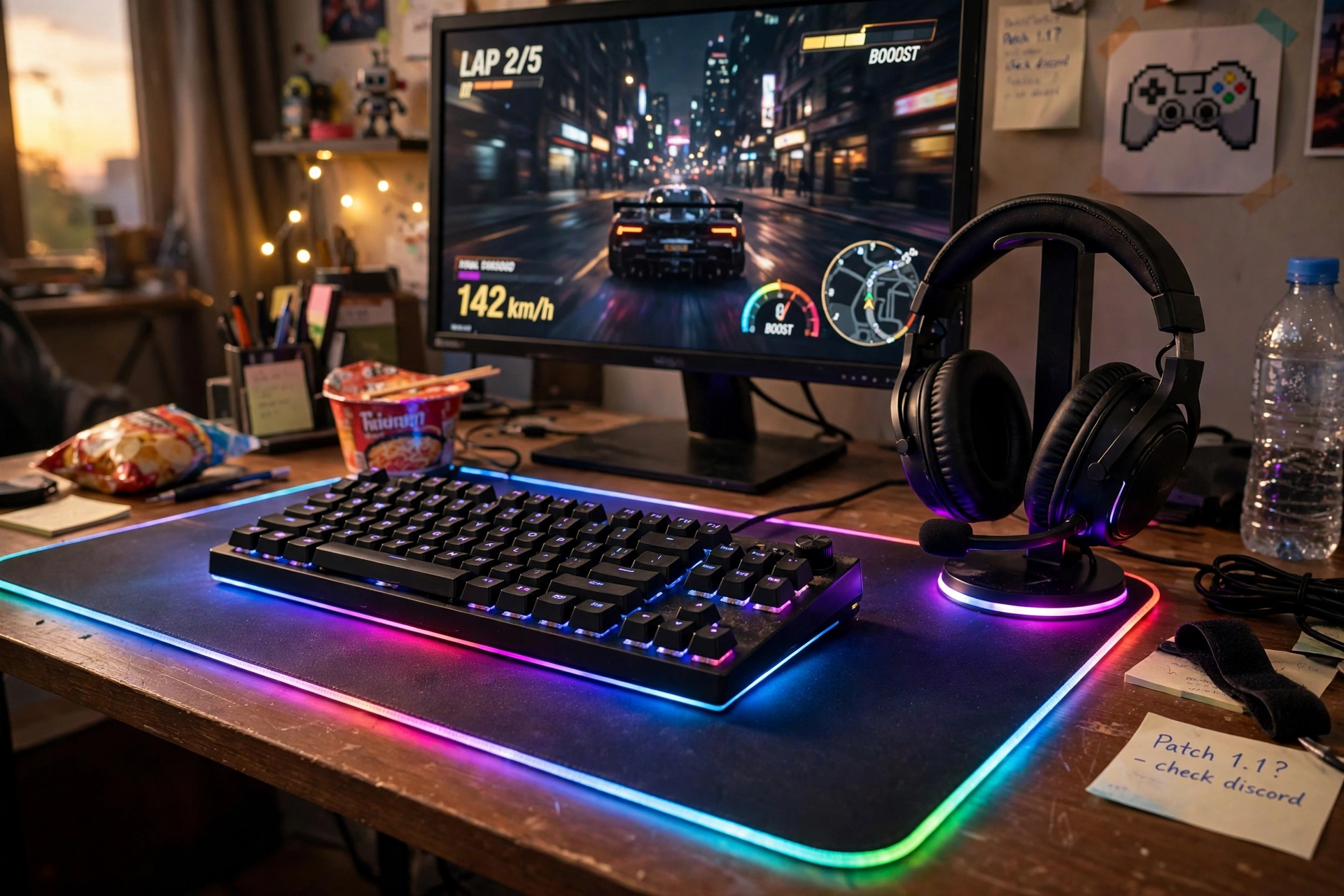
A desk mat is the cheapest way to make a desk look finished. One large glowing mat covers scratches, hides a worn desktop, and gives the keyboard, mouse, and a mug a shared home. The lit edge draws a bright line around your whole workspace, which photographs beautifully and makes the room feel intentional.
Desk mat checklist:
- ✓ Measure the desk first, the mat should leave a small border of desk showing.
- ✓ Route the mat cable behind the monitor so it never crosses the keyboard.
- ✓ Match the edge glow to your wall light for one color story.
- ✓ Park the headset on a glowing stand at the mat corner, it doubles as decor.
Set the monitor on the mat, add a small shelf above for games, and keep a power strip behind the desk for the mat, the monitor, and the headphone stand. The whole setup takes ten minutes and changes the room instantly.
JOYYE Large RGB Gaming Mouse Pad with Magnetic Wireless Charger
Why this one: the large size holds keyboard and mouse with room to spare, and the built in charger keeps a phone topped up without another cable.
Worth knowing: the charger works only with phones that support wireless charging, so check yours before counting on it.
FancyMay RGB Headphone Stand with Music Rhythm Light
Why this one: the stand keeps the headset off the desk and its light pulses gently with music, which adds movement to the setup.
Worth knowing: the rhythm light reacts to sound, so it stays still in a quiet room and lights up only when audio plays.
6. Compact Desk With Floating Screens
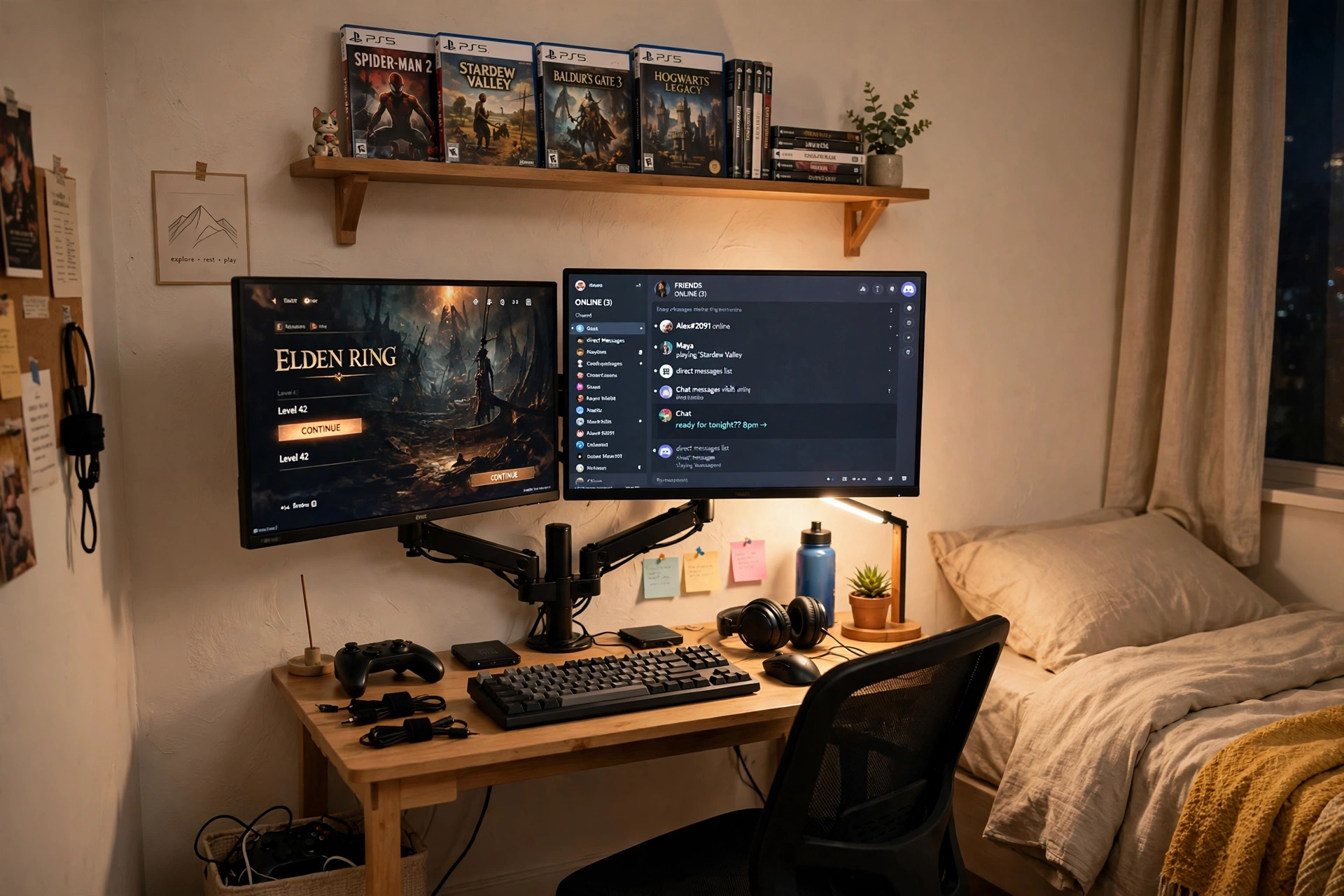
Small rooms punish bulky furniture, so the trick is to lift things off the desk. A compact desk with a built in monitor stand gives you a screen riser for free, and a dual monitor arm frees the rest of the surface for a keyboard, a notebook, and a drink. The screens float, the desk stays clear, and the room feels bigger than it is.
What works here:
- Desk: a 40 inch desk that fits a bedroom wall without blocking the door swing.
- Screens: two monitors on one arm, leveled so the join sits at eye height.
- Light: a short strip under the shelf above the desk for evening glow.
- Storage: one small shelf for games and a drawer unit that doubles as a side table.
- Power: a slim power strip mounted under the desk so cables never touch the floor.
KKL 40 Inch Small Computer Desk with Adjustable Monitor Stand
Why this one: the adjustable monitor stand lifts the screen to a comfortable height and leaves the desk surface free for everything else.
Worth knowing: a 40 inch top is snug for two large monitors, so measure your screens and arm footprint first.
HUANUO Dual Monitor Stand for 13 to 40 Inch Screens
Why this one: one stand holds both screens at the same height and clears the desk space two factory stands would eat.
Worth knowing: check the weight limit and VESA pattern for your monitors before ordering.
7. Black Triangle Wall Feature
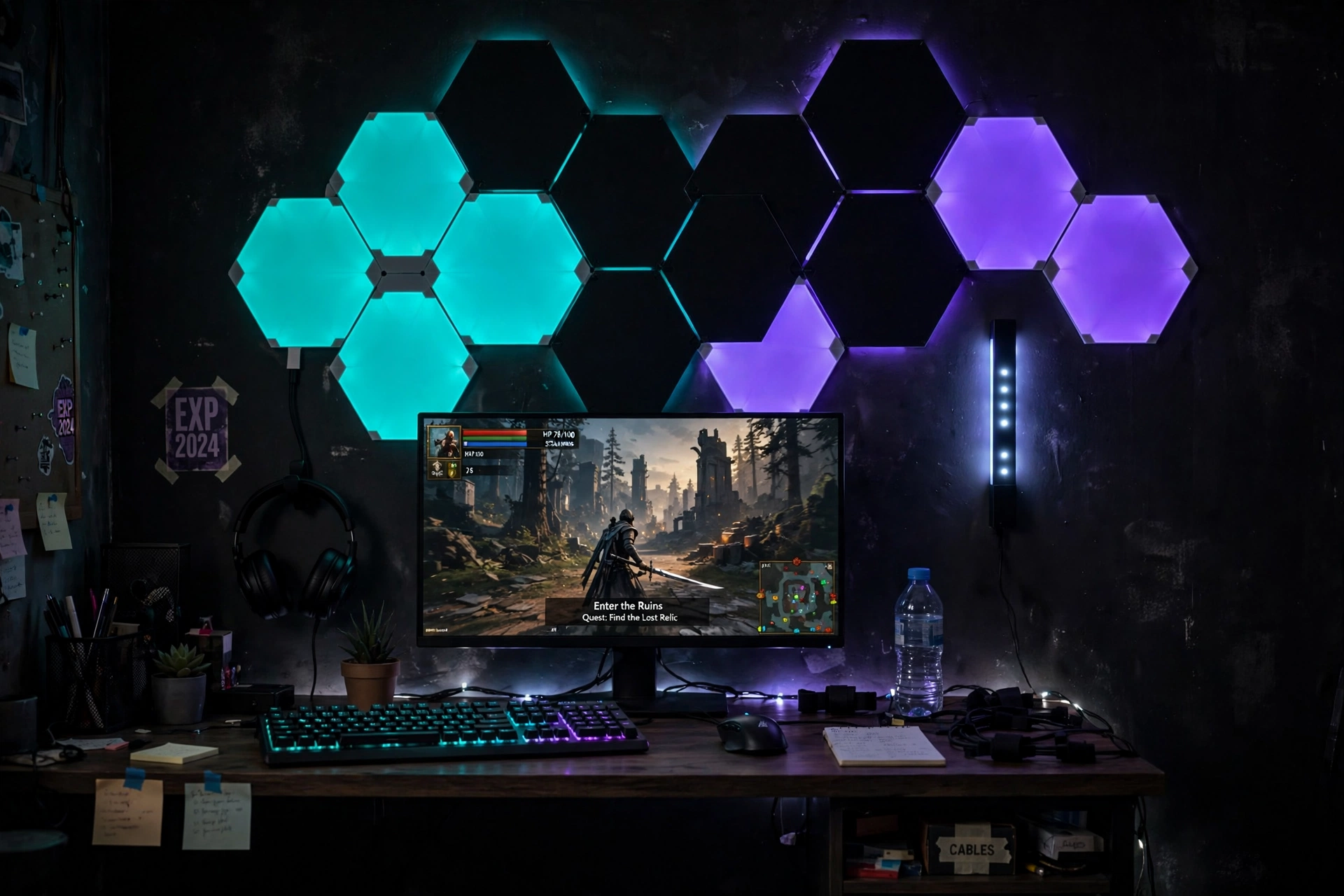
If white panels feel too bright for your room, go dark. Black triangle panels disappear into a dark wall during the day and glow like stained glass at night, which suits a moody gaming setup perfectly. Arrange them in a sharp diagonal above the monitor, add a slim light bar beside them, and the wall reads like a design choice rather than a gadget display.
How to set it up:
- Sketch the shape on paper, then lay the panels on the floor in that order.
- Start from the center and work outward so the cluster stays balanced.
- Choose deep colors, teal, violet, or warm amber, instead of pure white.
- Keep the desk dark too, with a black mat and a dark chair, so the glow stands out.
- Run the panel cable down behind the monitor to keep the wall clean.
Moody room note: dark walls make colored light look richer, so a deep grey or navy accent wall is the best backdrop for this setup.
Nanoleaf Shapes Ultra Black Triangles Smarter Kit, 15 Pack
Why this one: fifteen black panels cover a generous wall area, and the dark frames blend into a moody room when the lights are off.
Worth knowing: fifteen panels need a wide stretch of wall, so measure the space before you commit to the full layout.
Govee Glide Wall Light, 6 Pcs + 1 Corner
Why this one: the slim bars bend around corners and fill the gap beside the triangles with a matching glow.
Worth knowing: the bars mount with adhesive, so a textured wall may need extra mounting strips to hold them firmly.
8. RGB Fans and a Headset Display
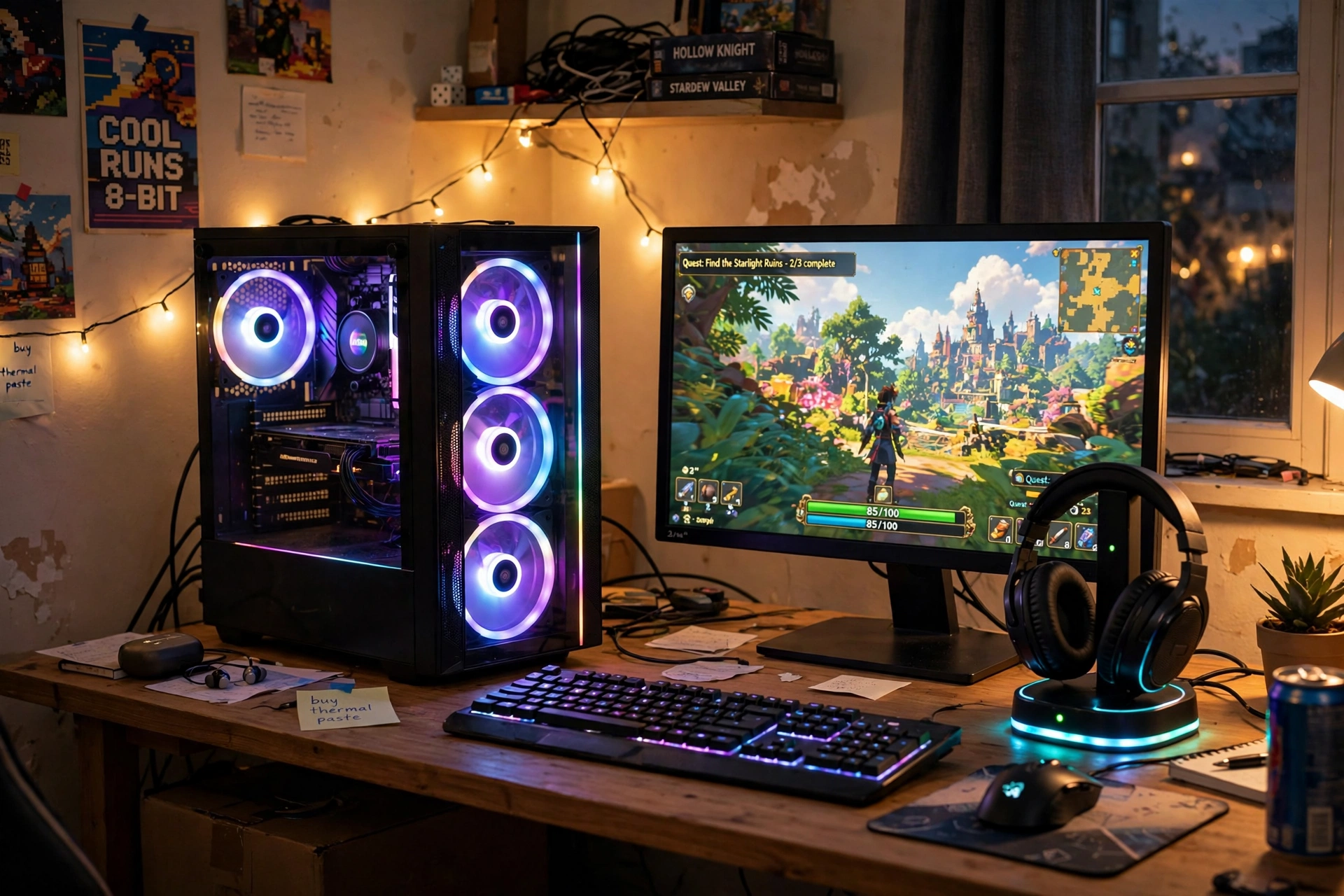
Your PC is decor too, especially when its side panel shows glowing fans. A set of RGB fans turns the tower into a light feature on the desk, and a headset stand with a charger keeps your headphones on display instead of tangled in a drawer. Together they make the desk feel like a showroom piece rather than a pile of gear.
- Desk: a sturdy desk with the PC on top or on a small stand beside it, so the fans face the room.
- Screen: one monitor centered, with the tower to one side where its glow reflects softly on the wall.
- Seat: a chair with good back support, since a showpiece setup invites long sessions.
- Storage: a small shelf for games and a cable box to hide the power strip.
- Power: one strip behind the desk, with the fan hub and headset stand sharing it.
Color tip: pick one fan color and match the headset stand to it. Mixed rainbow fans look busy, while one steady color looks deliberate and calm.
AsiaHorse COSMIQ 120mm RGB Fans, 3 Pack
Why this one: three fans fill a case window with color for the cost of one small accessory, and the controller makes color changes simple.
Worth knowing: check your case fan mounts and available headers before ordering, since not every case fits 120mm fans in every slot.
Miroddi RGB Headset Stand with Wireless Charger, 8 in 1 Charging Station
Why this one: it holds the headset, charges a phone, and glows in matching colors, so one small piece replaces a tangle of chargers.
Worth knowing: the charger suits phones with wireless charging, and heavier headsets should sit centered so the stand stays stable.
9. Small Desk, Big Light
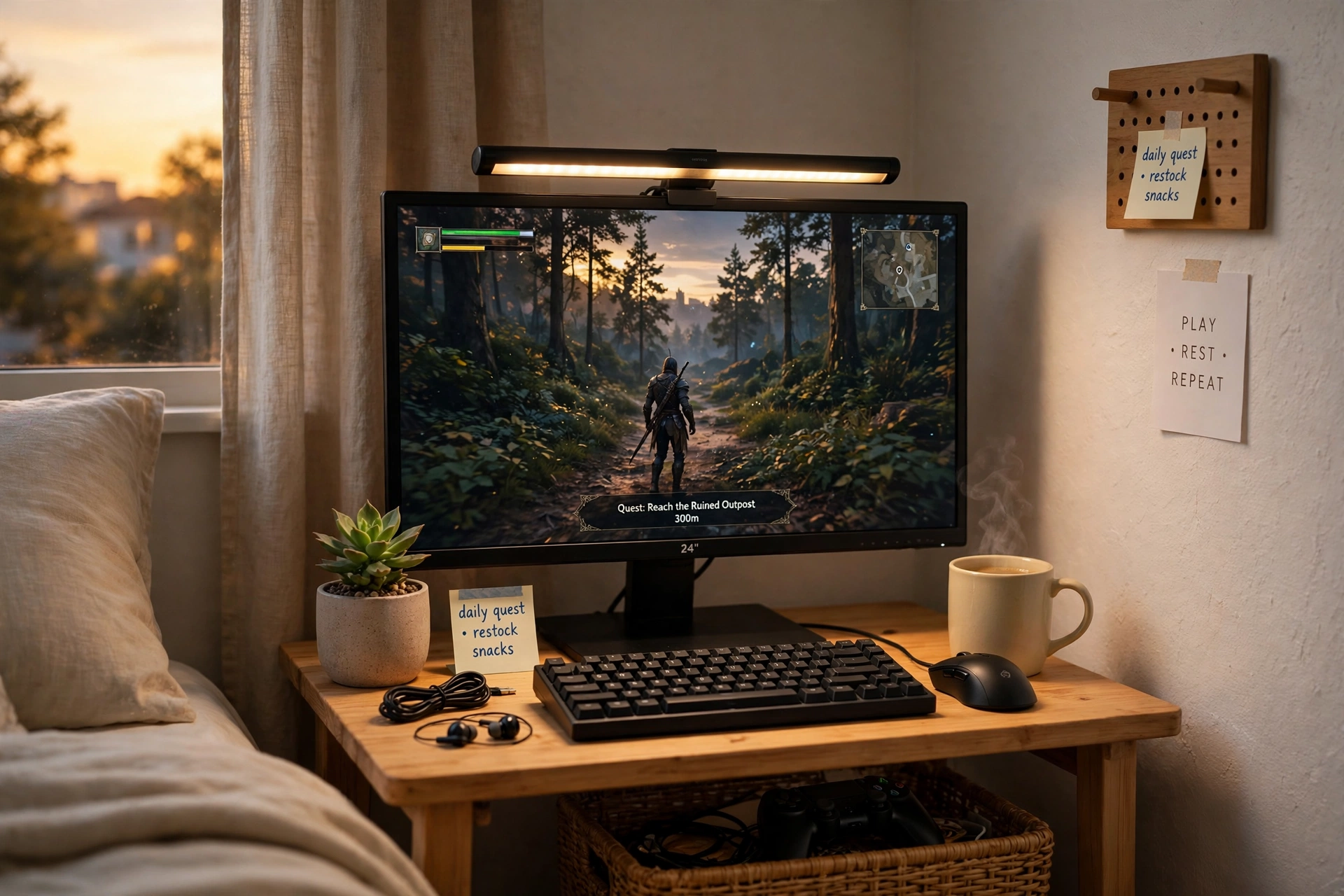
Not every gaming corner has room for a big desk, and that is fine. A small desk with one monitor and a light bar on top can feel just as complete as a full battlestation, because the light does the decorating work that extra furniture would do. The bar washes the desk in soft light, the screen stays glare free, and the whole corner feels calm and intentional.
Place the desk in a bedroom corner, add a small plant and a mug for warmth, and keep a shelf above for two or three favorite games. A chair that tucks fully under the desk keeps the walkway clear, and one power strip behind the desk leg handles the monitor, the light bar, and a phone charger.
Small room rule: when the desk is small, keep the surface to five things only, monitor, keyboard, mouse, plant, and one personal item. Anything else lives on the shelf.
Sweetcrispy Small Computer Desk, 40X24 Inch Office Writing Work Study Gaming PC Table
Why this one: the simple 40 by 24 inch top fits a monitor, keyboard, and mouse with nothing wasted, and it slides into corners other desks cannot.
Worth knowing: there is no built in storage, so pair it with a wall shelf or a small drawer unit for games and cables.
Hive Vibes Monitor Light Bar with RGB Backlight
Why this one: the bar lights the desk while its RGB backlight glows on the wall behind the monitor, so one piece does two jobs.
Worth knowing: it clips to the top of the monitor, so very thin or curved screens may not hold it as firmly.
10. LED Desk and an XXL Glow Mat
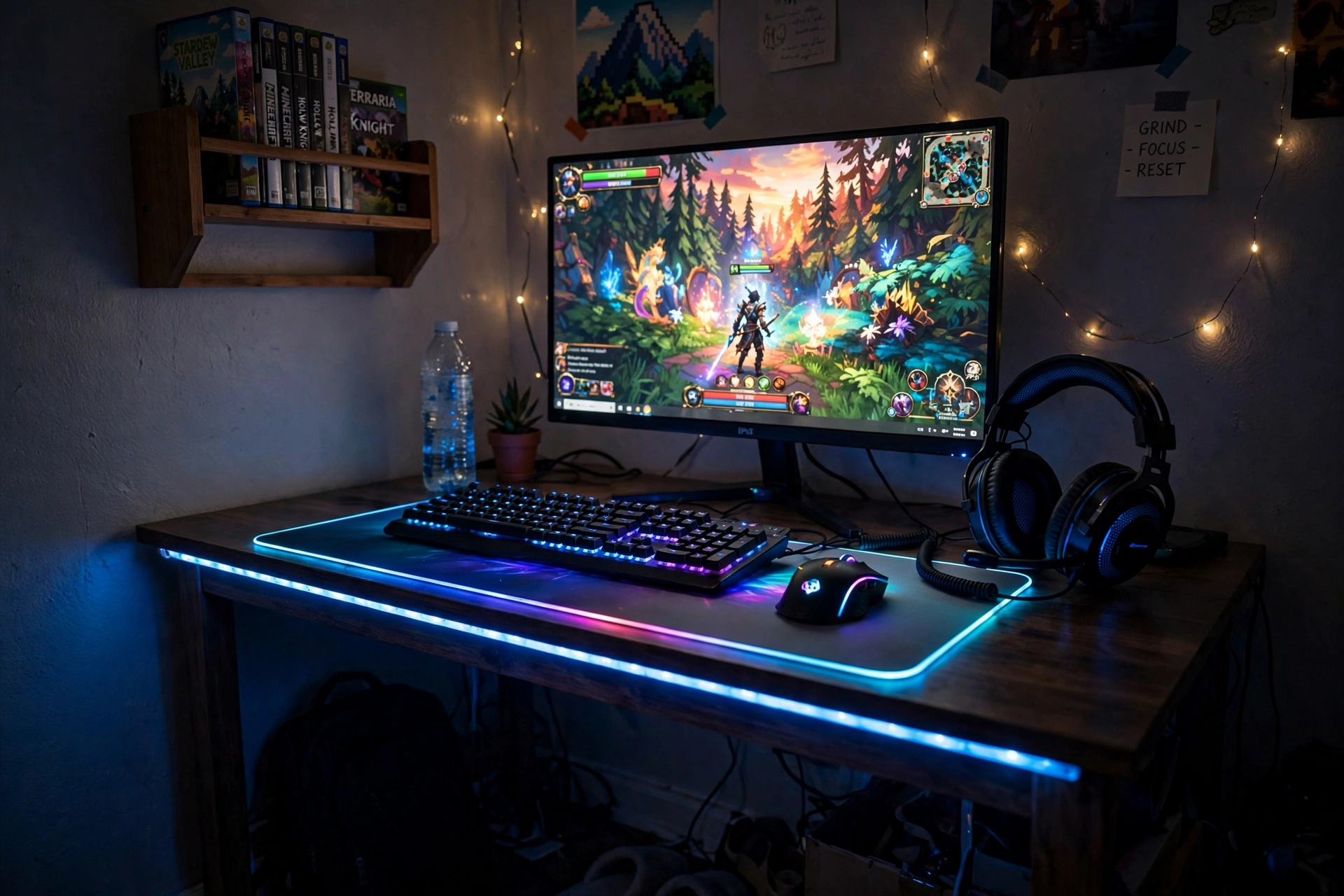
When the desk itself glows, you barely need anything else. A gaming desk with built in LED edging and power outlets gives you the light and the plugs in one purchase, and an XXL glowing mat on top finishes the look. This is the setup to pick when you want a full refresh in one afternoon, without buying five separate pieces.
| Piece | What it adds |
|---|---|
| LED desk | Edge glow plus built in outlets |
| XXL mat | A glowing base for keyboard, mouse, and monitor |
| Wall shelf | A home for games and a small plant |
Center the monitor on the mat, keep the keyboard and mouse inside the mat edges, and let the desk LEDs set the room color. A comfortable chair, a headset on a small stand, and a power strip hidden in a cable box complete a setup that looks far more expensive than the sum of its parts.
DUMOS 45 Inch Gaming Desk with LED Lights and Power Outlets
Why this one: built in outlets cut down on extension leads, and the LED edge gives the whole desk a gaming feel without extra gear.
Worth knowing: a 45 inch desk is snug for a wide monitor plus speakers, so measure your gear before ordering.
XXL RGB Gaming Mouse Pad, Large LED Mouse Pad
Why this one: the extra large size covers most of the desk, so the whole workspace shares one glowing frame.
Worth knowing: the mat needs a USB port for its lights, so keep one free on the PC or use the desk outlets with a small adapter.
Frequently Asked Questions
How much should I budget to decorate a gaming room?
Most rooms in this guide need only a few finds, and each one costs roughly the same as a new game or less. Start with one light piece, live with it for a week, then add the next.
Do LED strips damage walls or desks?
Good strips use adhesive that peels off cleanly from smooth, painted surfaces. Test a small corner first, and avoid sticking them to fresh paint or textured wallpaper.
Can I mix brands like Govee, Nanoleaf, and Philips Hue?
Yes, they work side by side, but each brand needs its own app. If you want one app for everything, stick to one brand for your lights.
What is the first decor buy for a brand new gaming room?
An LED strip behind the desk. It is the cheapest find here, it changes the whole mood, and it works in any room size.
Will these finds work in a small bedroom?
Yes. Several ideas here, the compact desk, the small desk with a light bar, and the corner lamp, were picked exactly for tight spaces.
Do I need a smart home hub for these lights?
No, most of these finds run from a phone app or a small remote. A hub adds voice control and syncing, but it is optional, not required.
Conclusion
A great looking gaming room is not about spending more, it is about spending smart. One strip of light, one glowing mat, one wall of panels, each small find adds a layer until the room feels finished. Pick the idea that fits your space, start with a single piece, and let the room grow one find at a time. Your setup will look like you planned it for months, even if it only took an afternoon.
Related reading:
For more low cost comfort, see 15 Cozy Gaming Setup Ideas on a Budget, and for rooms that need to fit a tight floor plan, 15 Small Gaming Room Ideas for Tight Spaces has plenty of small space tricks.
