As an Amazon Associate I earn from qualifying purchases. Read our full affiliate disclosure for more detail.
A space themed gaming room is one of the easiest themes to get right, because the colors already do half the work. Deep navy walls, purple nebula light, tiny stars on the ceiling, and a glowing screen in the middle make even a plain desk feel like a cockpit. You do not need a big budget or a big room, just a few pieces that point at the same idea: stars, planets, rockets, and soft cosmic light.
This guide has 13 complete space themed setups you can copy whole, from a nebula wall behind the desk to a lunar white build, a Mars red corner, and a console setup built around a big TV. Each one covers the desk, seat, screen, light, storage, and power, so nothing important is left out. If you want more ideas for lighting the whole room first, the setups in 15 LED Gaming Room Ideas That Set the Perfect Mood pair well with every room below.
In this article
At a glance
1. Nebula Wall Glow
2. Astronaut Corner
3. Planet Ring Wall Art
4. Starfield Ceiling
5. Lunar White Setup
6. Black Hole Dark Room
7. Mars Red Planet Corner
8. Console Space Adventure
9. Mission Control Dual Monitors
10. Compact Rocket Pod
11. Streaming From Orbit
12. Cozy Purple Nebula
13. Galaxy Command Deck
FAQ
Conclusion
At a Glance: Pick Your Space Setup
1. Nebula Wall Glow
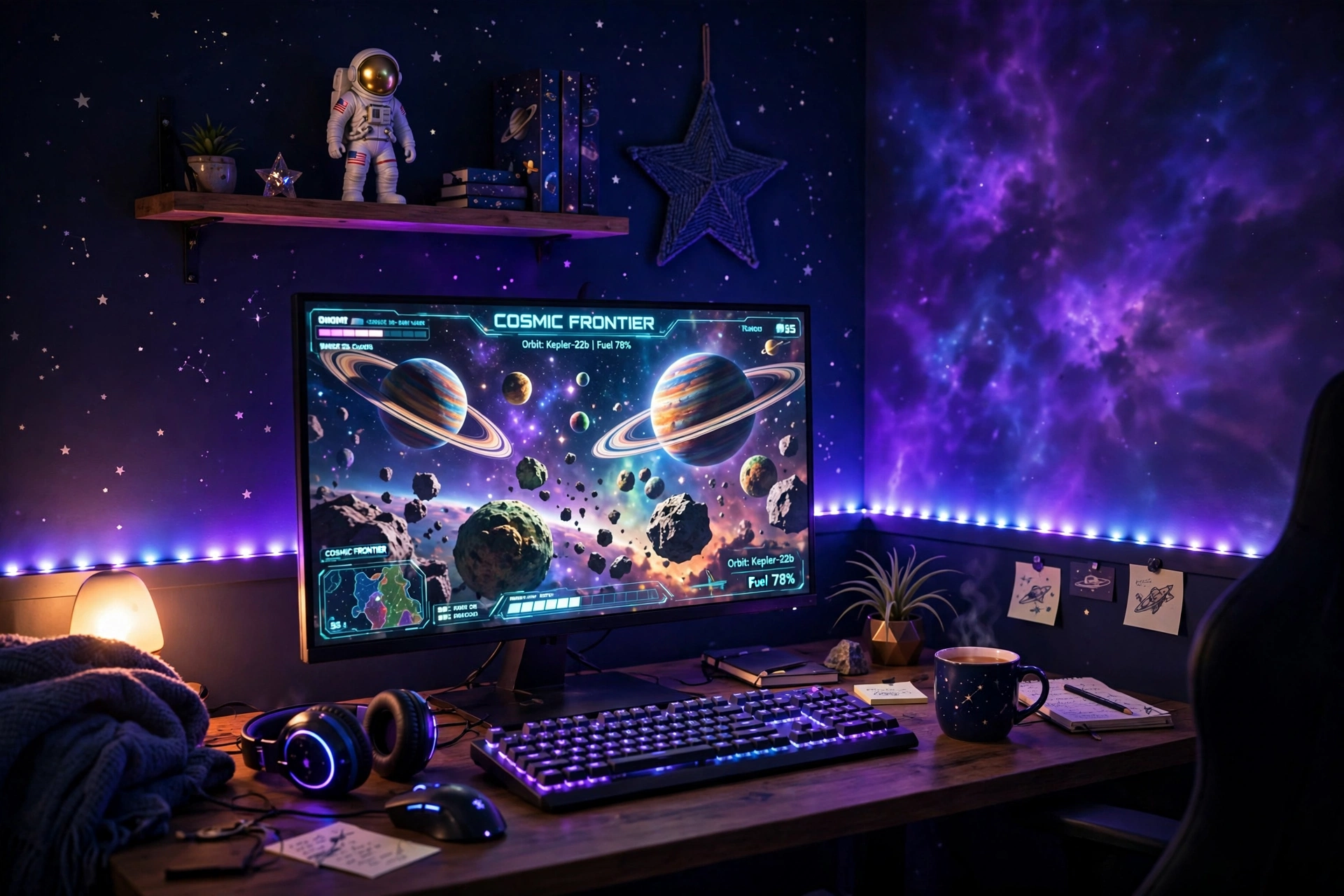
Start with the wall, because it is the biggest surface in the room and the easiest one to change. Run a long RGBIC strip behind the desk and up the wall, set it to slow purple and blue, and the whole wall turns into a soft nebula while your monitor stays the clear focus. A small astronaut figure on the shelf and a few star decals finish the look without any extra furniture.
- Desk: a straight desk pushed close to the wall, with the strip hidden along its back edge.
- Seat: a comfortable chair centered on the monitor, so the glow frames you evenly.
- Screen: one sharp main monitor, with a space game front and center.
- Light: a long RGBIC strip set to a slow purple and blue blend, plus a small lamp for reading.
- Storage: a shelf above the desk for games, figures, and a headset hook on the side.
- Power: one power strip behind the desk leg, with the strip controller in easy reach.
Govee 65.6ft RGBIC LED Strip Lights
Why this one: the long length covers a desk, a wall, and a shelf in one run, and the RGBIC segments let different parts of the strip show different colors at once, which is exactly what a nebula look needs.
Worth knowing: measure your wall and desk first, because a strip that is too long will leave a loose tail that is hard to hide neatly.
ASUS TUF Gaming VG27AQ 27 Inch QHD Monitor, 165Hz
Why this one: a sharp QHD screen with fast refresh keeps the game crisp against the colorful wall, and the size suits most desks.
Worth knowing: the stand is fairly wide, so check your desk depth if you also want a large mousepad in front of it.
2. Astronaut Corner
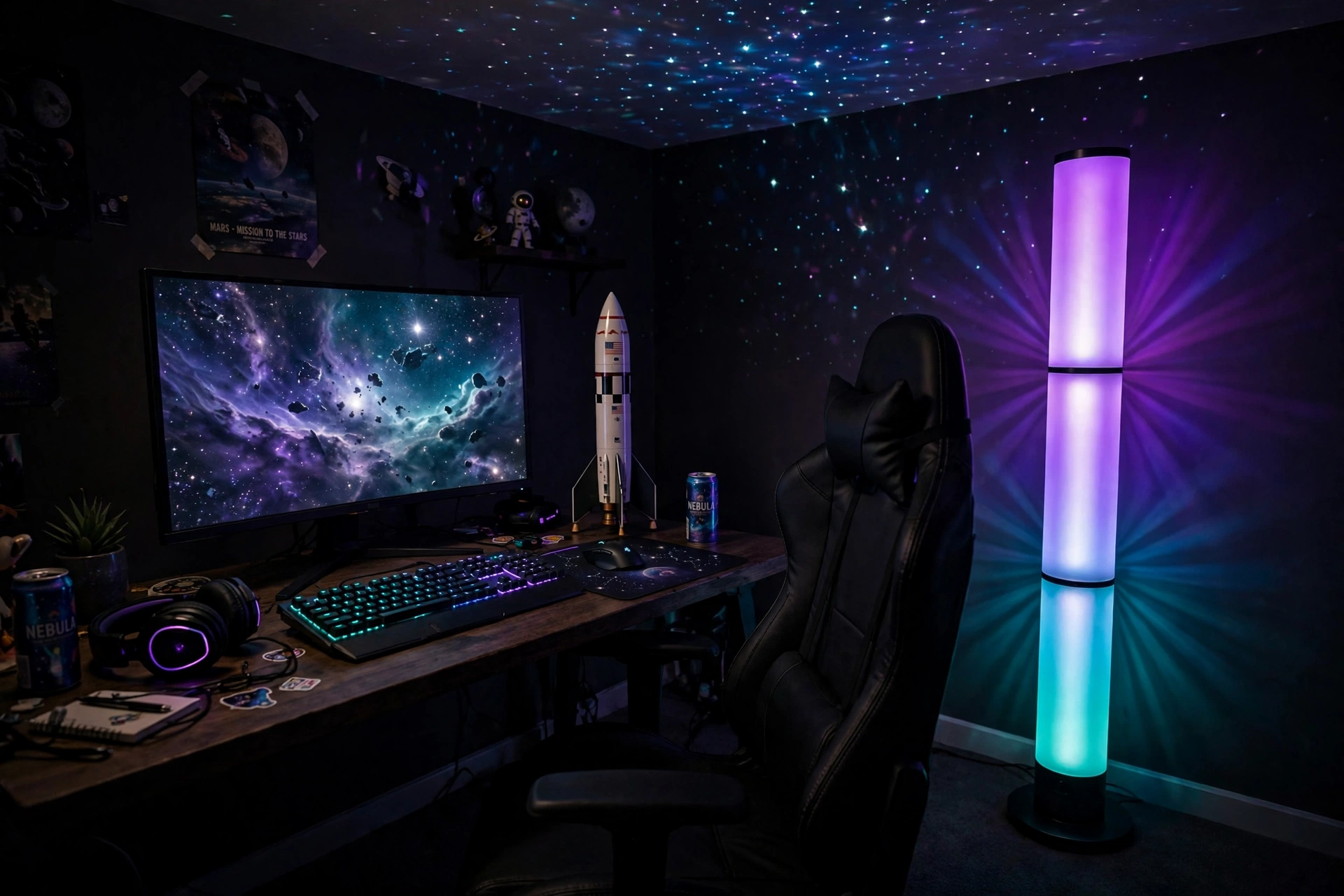
Not every space room needs a wall full of lights. Sometimes one tall lamp in the corner does the whole job. A floor lamp set to purple and teal washes the corner in color, a rocket model on the desk gives the theme a focal point, and a star projector on the ceiling adds tiny stars above you. It is a quiet setup, and it works well in a bedroom where you also read and relax.
How to set it up:
- Place the lamp in the corner behind the desk, so the light spills across the wall and the ceiling.
- Put the rocket model on the desk where it catches the lamp light, not hidden behind the monitor.
- Add a small shelf for books and a headset, so the corner stays useful, not just decorative.
- Keep the chair simple and comfortable, with room to turn toward the room when you are not gaming.
- Run one power strip behind the desk leg, so the lamp and the monitor share one tidy cable run.
Govee RGBIC Floor Lamp, LED Corner Lamp
Why this one: the tall slim shape fits a corner without taking floor space, and the RGBIC segments blend several colors at once for a soft galaxy wash.
Worth knowing: the lamp needs a corner with a clear wall behind it, because a cluttered wall breaks up the glow.
Acer Nitro KG271U 27 Inch QHD Gaming Monitor, 180Hz
Why this one: QHD sharpness and a very fast refresh rate make it a strong main screen, and the slim frame keeps the corner looking light.
Worth knowing: a fast monitor shows its best in fast games, so a slower game will not show off the full refresh rate.
3. Planet Ring Wall Art
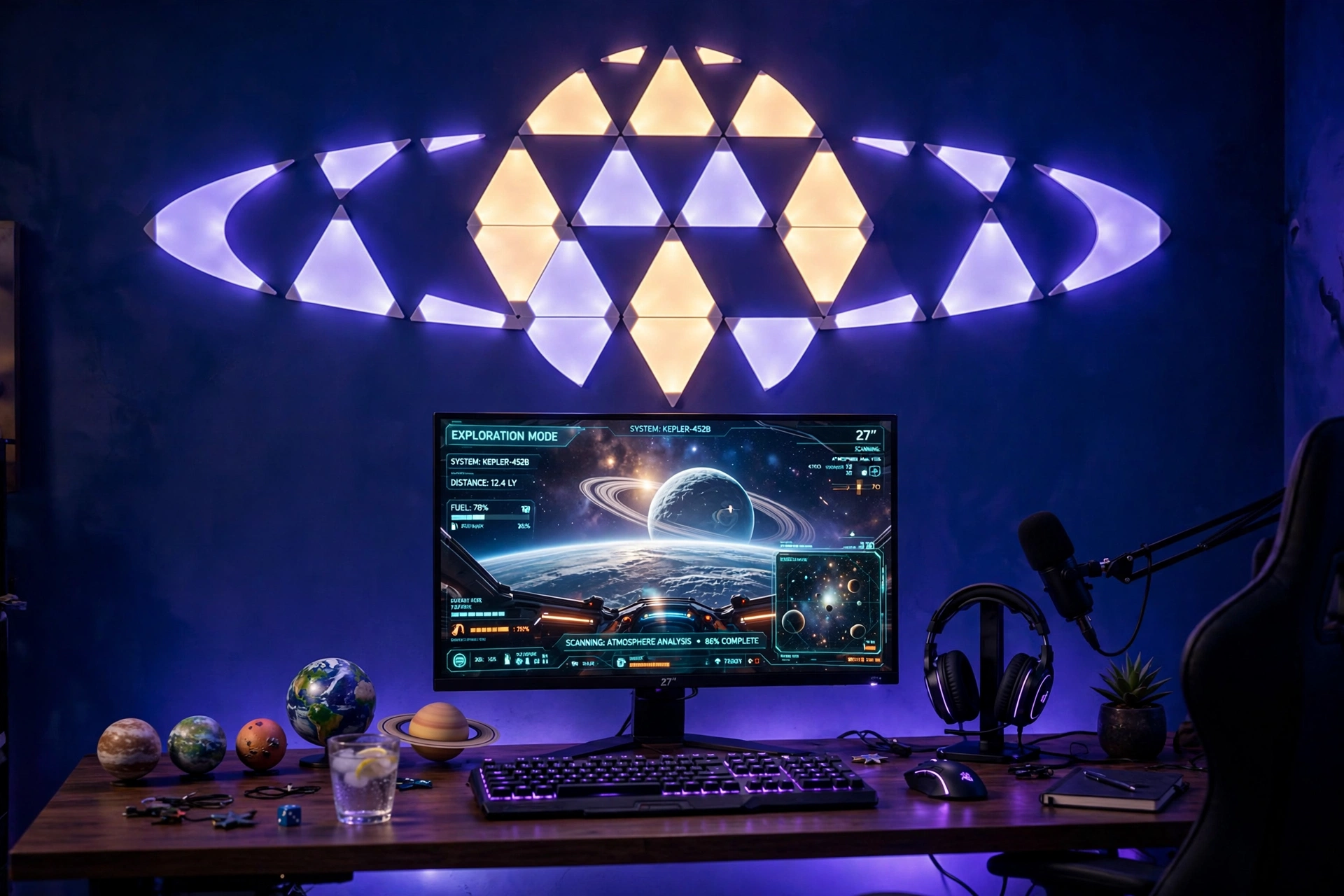
Wall panels are the fastest way to make a space theme look planned instead of random. Arrange the triangles in a circle with a few panels sticking out like rings, and from across the room it reads as a planet with rings. Set the panels to deep blue and violet, keep the desk below simple, and the wall becomes the art in the room.
Layout tip: sketch the planet shape on the wall with painter tape before you stick anything down. A circle with two ring lines takes about ten minutes to plan and saves you from peeling panels off and starting over.
Keep a small planet model or two on the desk to echo the wall, add a headset stand so the desk stays tidy, and run the panel power from the same outlet as the monitor so one switch turns the whole desk off at night. A chair with good back support matters here, because you will sit and look up at the wall as much as the screen.
Nanoleaf Shapes Triangles Smarter Kit
Why this one: the triangle shape builds circles, rings, and rockets easily, and the panels sync with music and games for a wall that reacts to what you play.
Worth knowing: plan the layout on the wall first with tape, because moving the panels after they are stuck on can weaken the adhesive.
LG UltraGear 27GP850-B 27 Inch QHD Gaming Monitor
Why this one: QHD sharpness and a fast refresh rate make it a strong main screen, and the slim back leaves the wall art as the star of the room.
Worth knowing: a bright wall behind the monitor can reflect on the screen, so angle the panels slightly away from the desk if you notice glare.
4. Starfield Ceiling
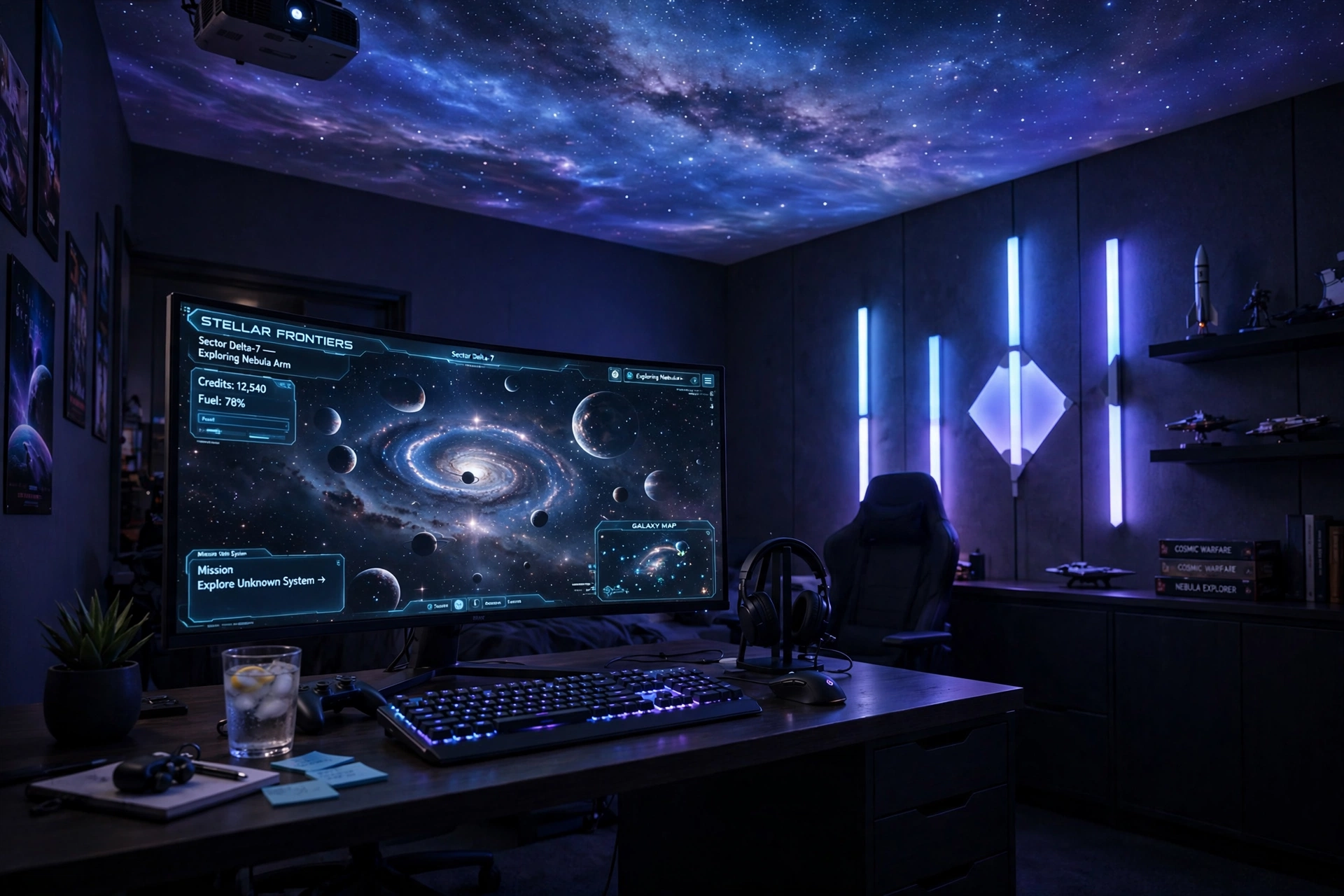
The ceiling is the most underused surface in a gaming room, and a starfield up there changes how the whole room feels at night. A small projector throws stars and a soft Milky Way band across the ceiling, while glowing wall bars on the side wall add a violet wash. The desk stays simple, so your eyes go to the screen and the stars above it.
Starfield or wall panels, which is better? A ceiling starfield fills the whole room with stars for very little money, and it is easy to move to another room. Wall panels give you a sharper, brighter feature wall, but they cost more and stay where you stick them. Many space rooms use both: stars on the ceiling for mood, and one panel set on the wall for shape. If you can only pick one, start with the ceiling, because it covers the most space.
Choose a wide curved monitor so the screen fills your view like a cockpit window, keep a drawer for controllers and cables, and run the projector power from the same outlet as the monitor so one switch ends the night. A dark rug under the desk keeps the room feeling grounded while the ceiling glows.
Govee Glide Wall Light, 6 Pcs + 1 Corner
Why this one: the bar shape fits neatly along wall edges and around corners, and the pieces join into lines that match your wall layout.
Worth knowing: plan the layout on the wall first with painter tape, because moving the bars after they are stuck on can weaken the adhesive.
Samsung 27 Inch Odyssey G5 QHD Gaming Monitor
Why this one: the QHD curved screen wraps your view nicely for space games, and the size suits most desks without crowding the wall bars.
Worth knowing: a curved screen needs a bit of desk depth, so check your desk before you buy if your desk is shallow.
5. Lunar White Setup
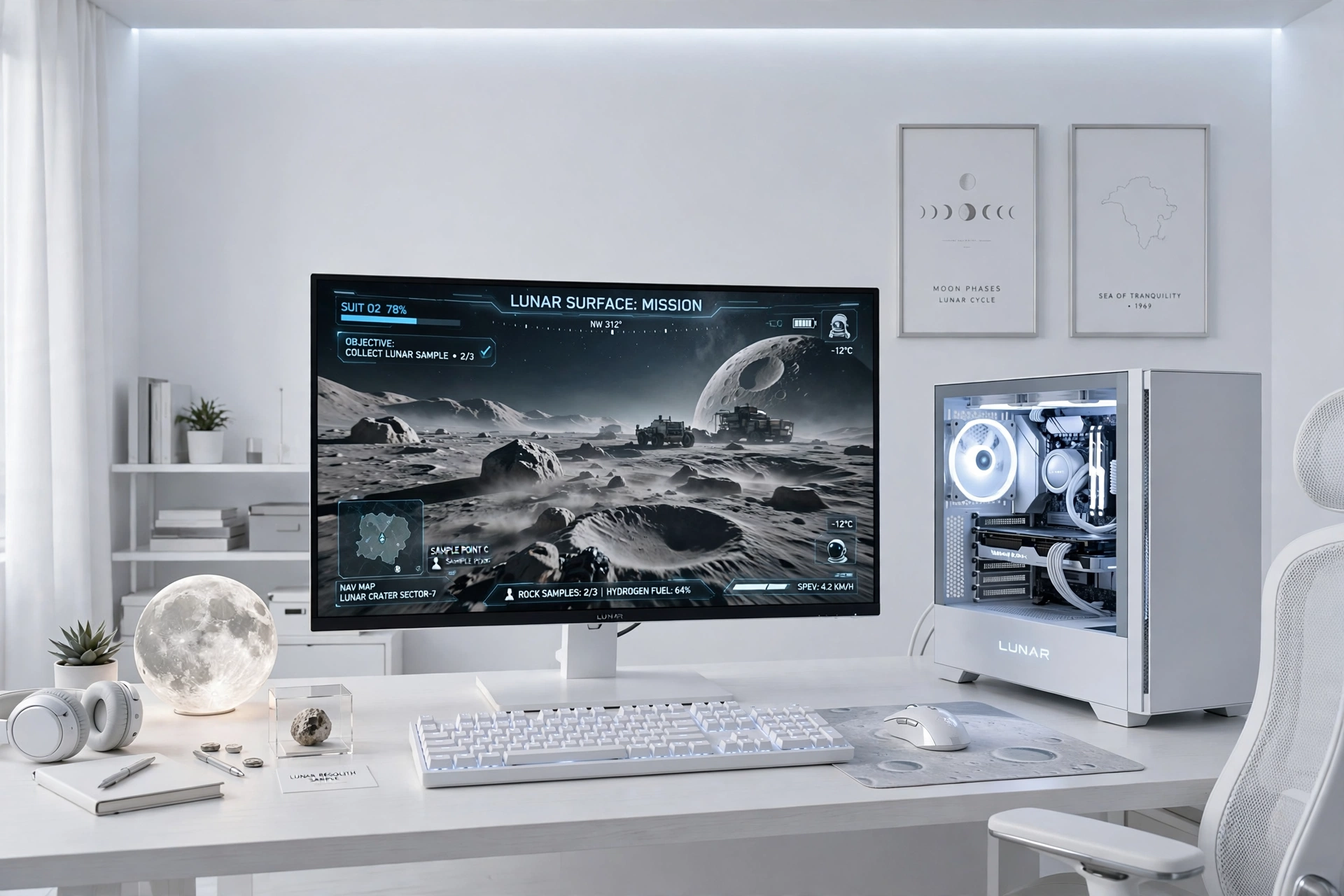
Space does not have to mean dark. A lunar white setup feels like a moon base: white desk, white PC case with soft white light inside, a small moon lamp, and one bright monitor showing a moon surface scene. The room stays bright in the day and calm at night, which suits a room you also use for work or study.
- Desk: a white desk with clean lines, kept clear except for the keyboard, mouse, and moon lamp.
- Seat: a light colored chair that matches the desk, so the whole setup reads as one piece.
- Screen: one sharp monitor on a small white riser, with a bright space scene on screen.
- Light: cool white light from the PC case and the moon lamp, with no strong colors fighting the screen.
- Storage: one white shelf for games and a small drawer for cables and spare parts.
- Power: a white power strip behind the desk leg, with cables tucked out of sight.
GAMDIAS NESO P1 White Tempered Glass Gaming Case
Why this one: the white tempered glass shows off the parts inside, and the clean white finish is the centerpiece of a lunar look.
Worth knowing: white glass shows dust and fingerprints more easily than a dark case, so give it a quick wipe now and then.
LG UltraGear 27GS75Q-B 27 Inch Gaming Monitor
Why this one: a sharp, fast screen with a slim dark frame that contrasts nicely against the white desk without breaking the clean look.
Worth knowing: the dark frame stands out on a white desk, so if you want an all white look, pair it with a white monitor arm or a white riser.
6. Black Hole Dark Room
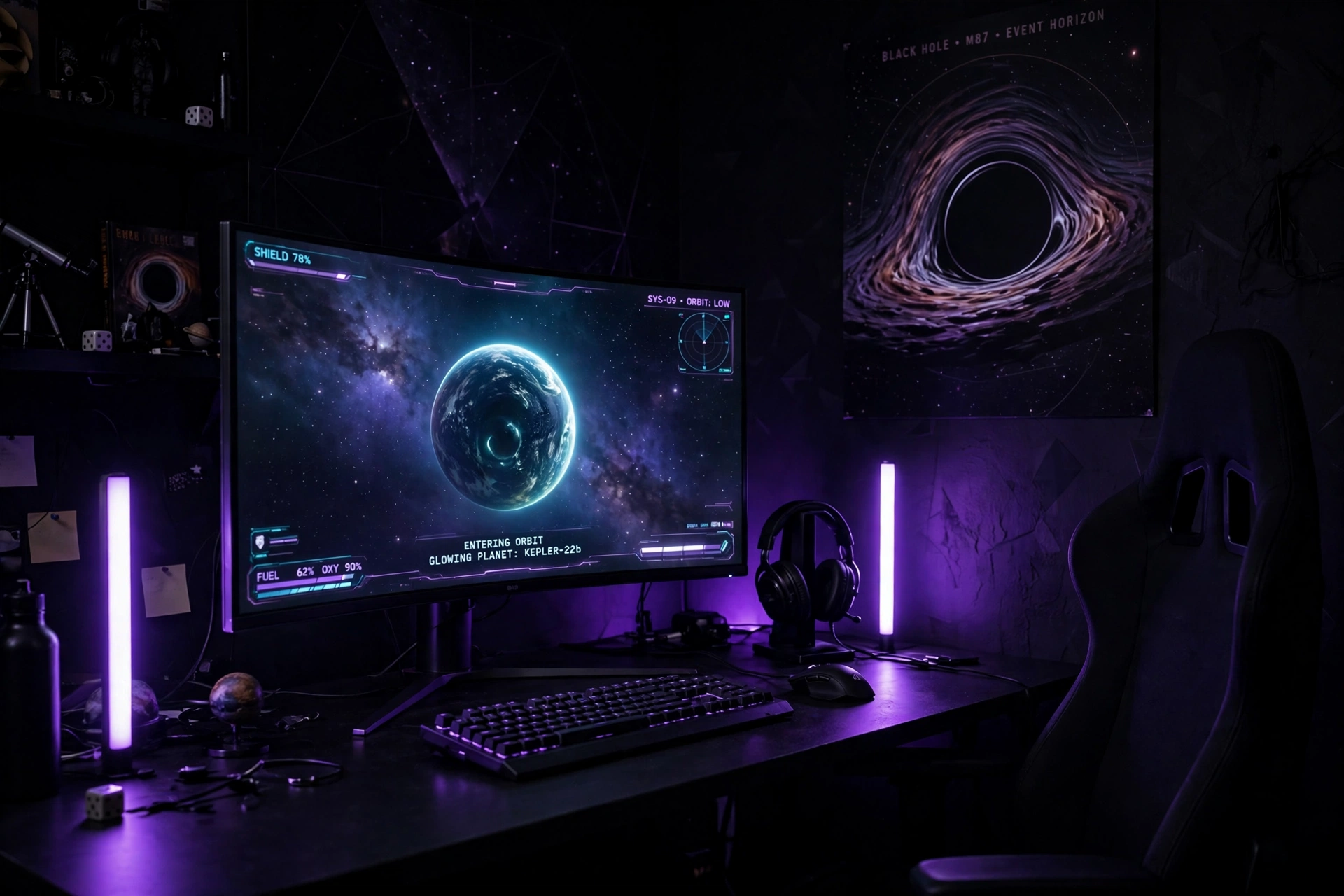
This is the darkest setup in the guide, and it is the one that feels most like deep space. Black walls, a black desk, and a curved monitor showing a glowing planet, with two light bars on the desk casting a violet glow on the wall behind. Everything else fades away, and the screen is the only bright thing in the room.
Keep it watchable: a very dark room can strain your eyes if the screen is the only light. Keep the light bars on at low brightness behind the monitor, so the wall glows softly and the contrast between screen and room stays gentle. Your eyes will thank you after a long session.
If you love a moody look, the ideas in 15 Dark Gaming Setup Ideas for a Moody Battlestation show how to keep a dark room comfortable instead of gloomy. Back in this setup, keep the desk tidy, use a black gaming chair that blends into the room, and hide every cable, because in a dark room a single loose cable catches the light and stands out.
Philips Hue Play Light Bar, 2 Pack
Why this one: the two bars sit on the desk or mount behind the monitor, and they throw a smooth violet wash on the wall that makes a black room feel deep instead of flat.
Worth knowing: the bars work best with the Hue app and a bridge for full control, so check the setup steps if you do not already use Hue.
Dell S2721HGF 27 Inch Curved Gaming Monitor, 144Hz
Why this one: the curved screen pulls you into the game, and the 144Hz refresh keeps fast space combat smooth.
Worth knowing: 144Hz is plenty for most games, but a PC player chasing the fastest refresh rates may want a faster panel.
7. Mars Red Planet Corner
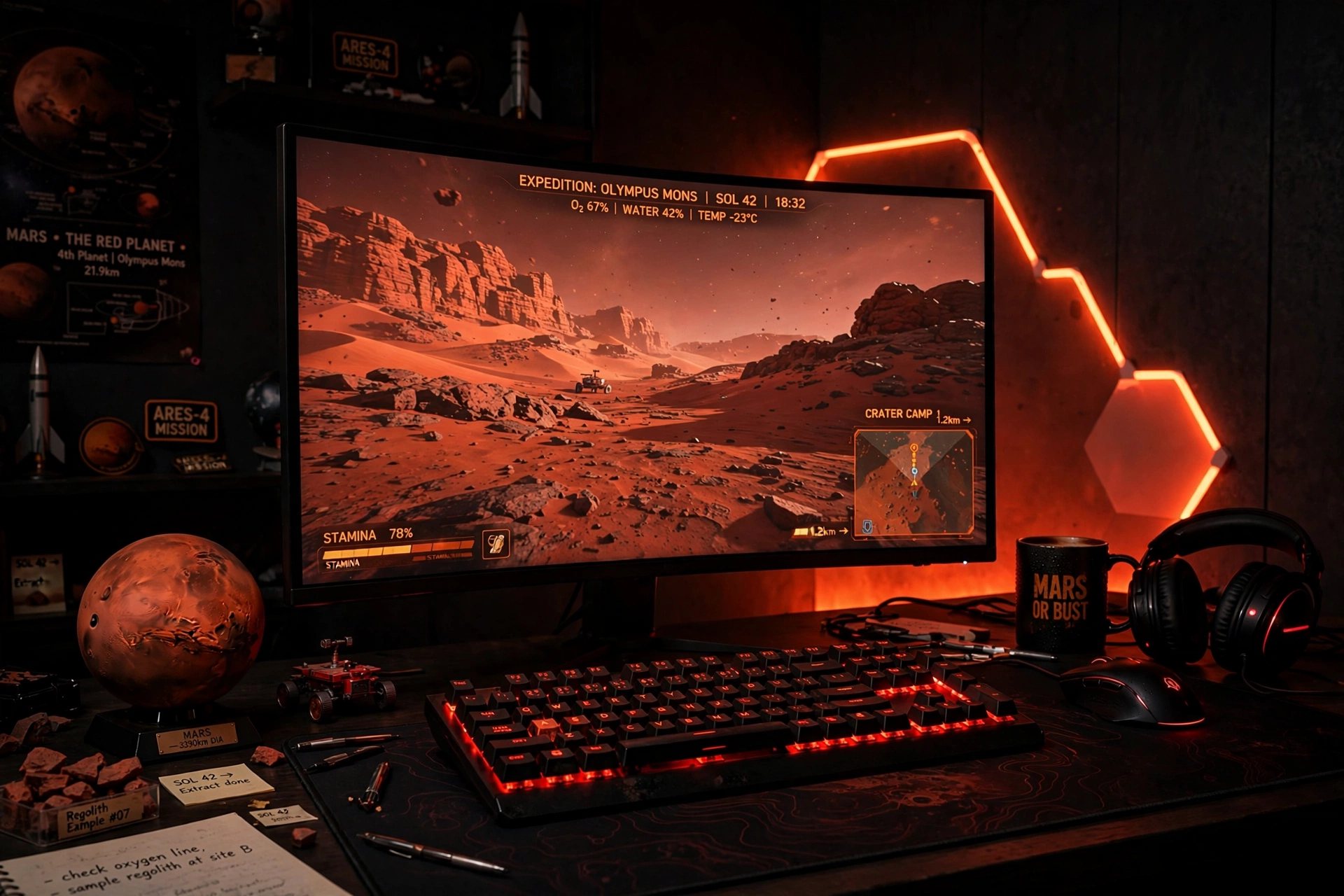
Mars is the warmest planet in this guide, and this corner leans into it. Red and orange light on the wall behind the desk, a curved monitor showing a red desert planet, and a keyboard with red backlighting make the room feel like a base on the surface of Mars. It is a bold color, so keep the rest of the room dark and simple and let the red do the talking.
How to set it up:
- Set the wall light to a warm red, not a bright pure red, so the room feels warm instead of alarming.
- Place a Mars globe or a red planet model on the desk where it catches the light.
- Use a dark desk and a dark chair, so the red glow has a calm base to sit on.
- Add one small shelf for games, and keep the desk surface clear of clutter.
- Run the light and monitor power from one strip behind the desk, so one switch ends the session.
CRUA 27 Inch Curved Gaming Monitor, 180Hz
Why this one: the curved screen and very fast refresh make red desert races and space combat feel smooth, and the size suits a corner desk.
Worth knowing: a curved screen needs a bit of desk depth, so check your desk before you buy if your desk is shallow.
Corsair K70 CORE RGB Mechanical Gaming Keyboard
Why this one: the per key RGB lets you set the whole keyboard to a warm red that matches the wall, and the mechanical switches feel solid for long sessions.
Worth knowing: a full size keyboard takes a good amount of desk space, so check your desk width if you also want a large mousepad.
8. Console Space Adventure
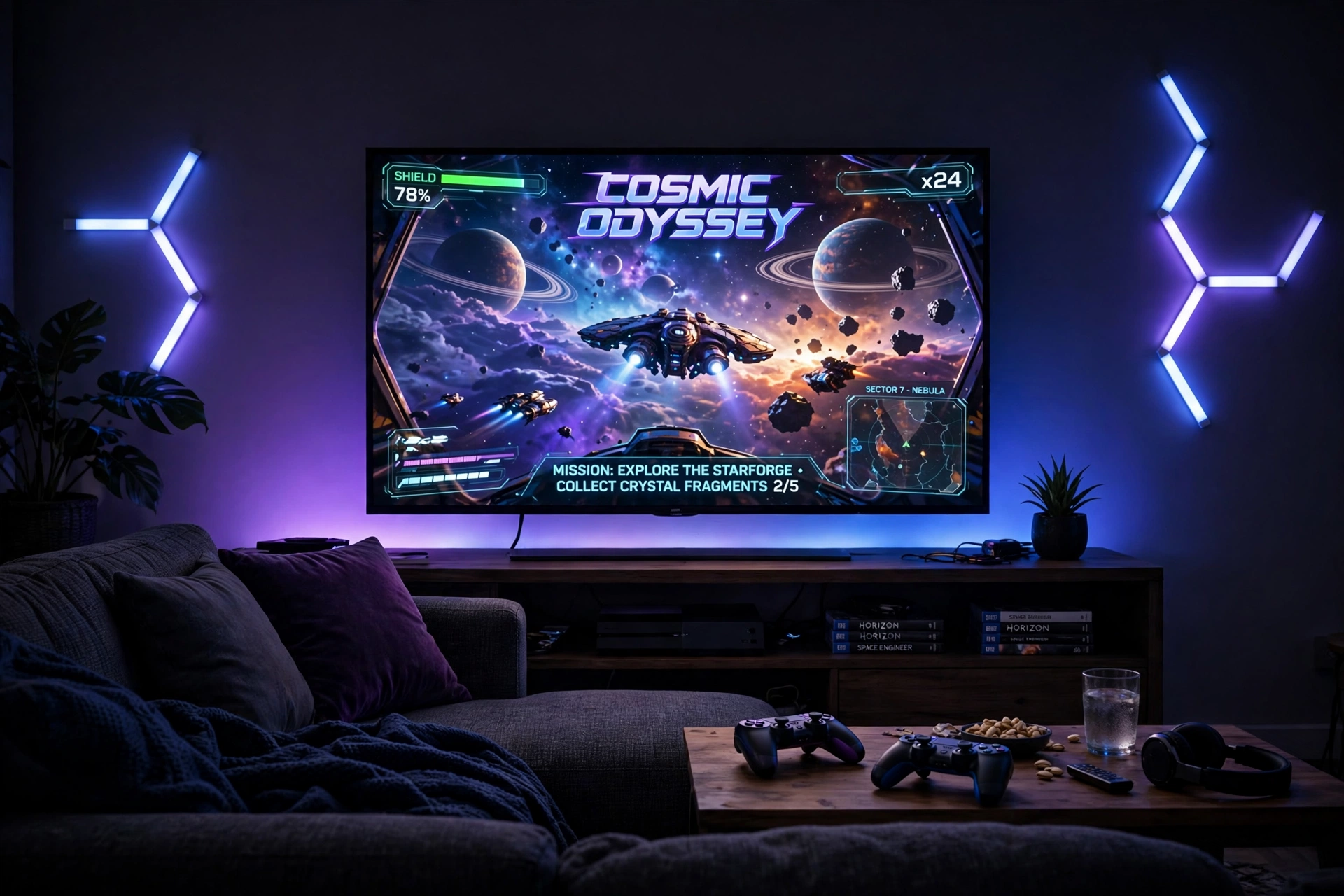
Console players do not need a desk at all. A big TV, a sofa, and a gradient strip behind the TV give the living room the same cosmic feel as a gaming desk, and the room still works for movies on a night off. The TV is the main screen, the sofa is the seat, and glowing wall bars beside the TV frame the whole wall like a starship window.
Keep the console in a ventilated spot on the media unit, and run the strip power from the same outlet as the TV so one remote or switch controls the glow. A basket beside the sofa holds controllers and headsets, and the room stays tidy even when the lights are doing their brightest work.
Philips Hue Play Gradient Light Strip, 55 Inch
Why this one: the gradient blends several colors smoothly behind the screen, which looks far more natural than one flat color, and it pairs with other Hue lights in the room.
Worth knowing: the strip is sized for larger screens, so check it against your TV size and the Hue app setup before you buy.
Govee Glide Wall Lights, 2 Panels Set
Why this one: the slim bars sit neatly beside a TV or under a media console, and the two panel set is enough to frame one side of the room without taking over the wall.
Worth knowing: two panels cover a small area only, so a large living room wall may need a second set to look balanced.
9. Mission Control Dual Monitors
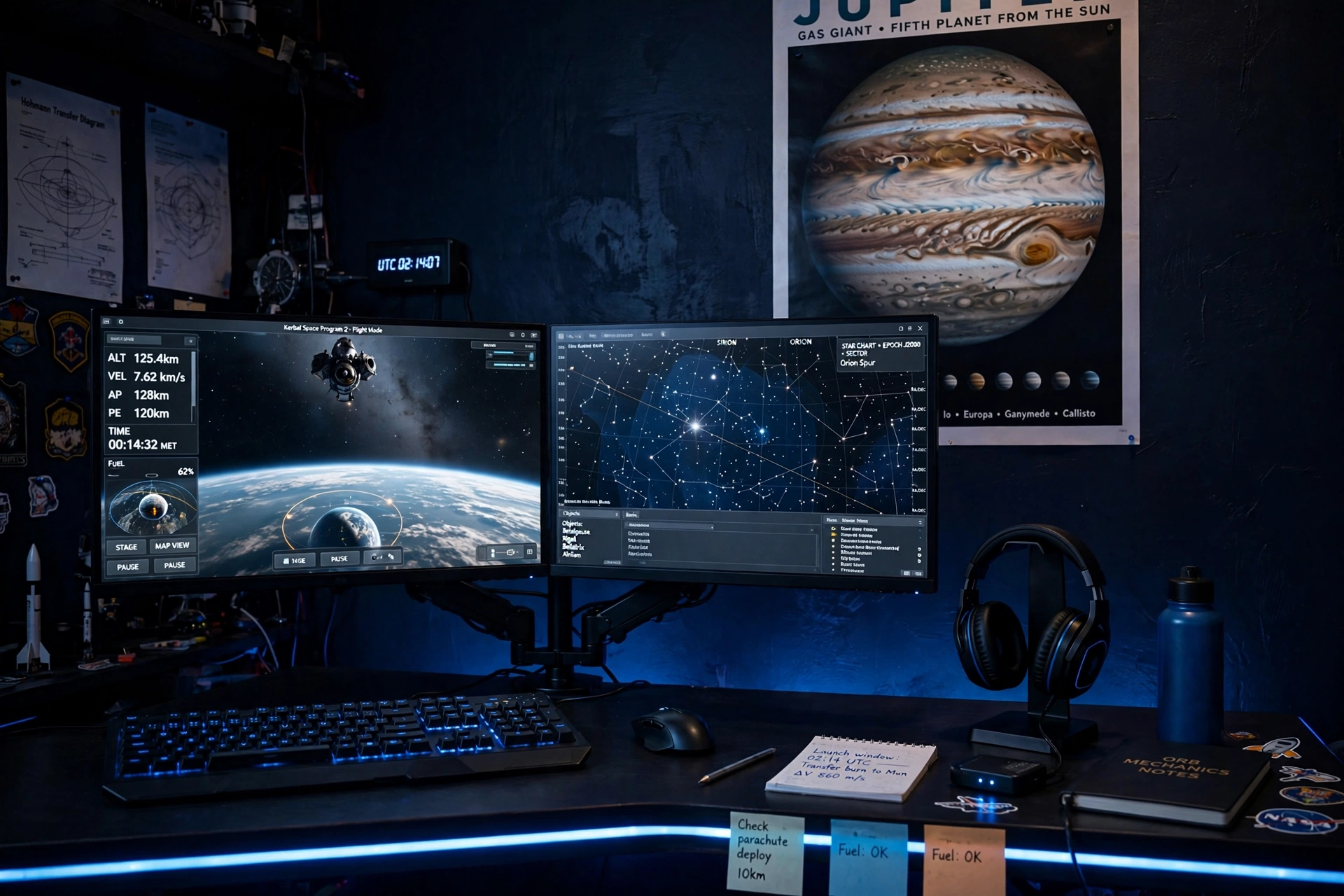
Two monitors turn a desk into mission control. One screen runs the flight simulator or the game, the other shows star charts, a map, or a chat with friends, and a dual monitor arm holds both at the same height so your neck stays straight. A planet poster on the dark navy wall and a headset on a stand complete the control room feel.
- Desk: a wide straight desk, with both monitors on one arm in the center.
- Seat: a chair with good lumbar support, because sim sessions run long.
- Screens: two matching monitors, one for the game and one for charts, maps, or chat.
- Light: a soft blue glow behind the monitors, plus a small desk lamp for notes.
- Storage: a shelf for flight manuals and a drawer for cables and spare controllers.
- Power: one power strip behind the desk, with both monitors and the PC on the same run.
HUANUO Dual Monitor Arm, Gas Spring
Why this one: the gas spring arms hold two screens at the same height and let you tilt and swivel them easily, which keeps long sim sessions comfortable.
Worth knowing: check your desk edge and monitor weights before you buy, because the arm needs a solid clamp point and a weight limit that fits both screens.
Acer Nitro VG272U V3 27 Inch QHD Gaming Monitor, 180Hz
Why this one: QHD sharpness and a very fast refresh rate suit a main game screen, and buying two matching panels keeps the pair looking neat.
Worth knowing: two 27 inch screens need a wide desk, so measure your desk width before you commit to a pair.
10. Compact Rocket Pod
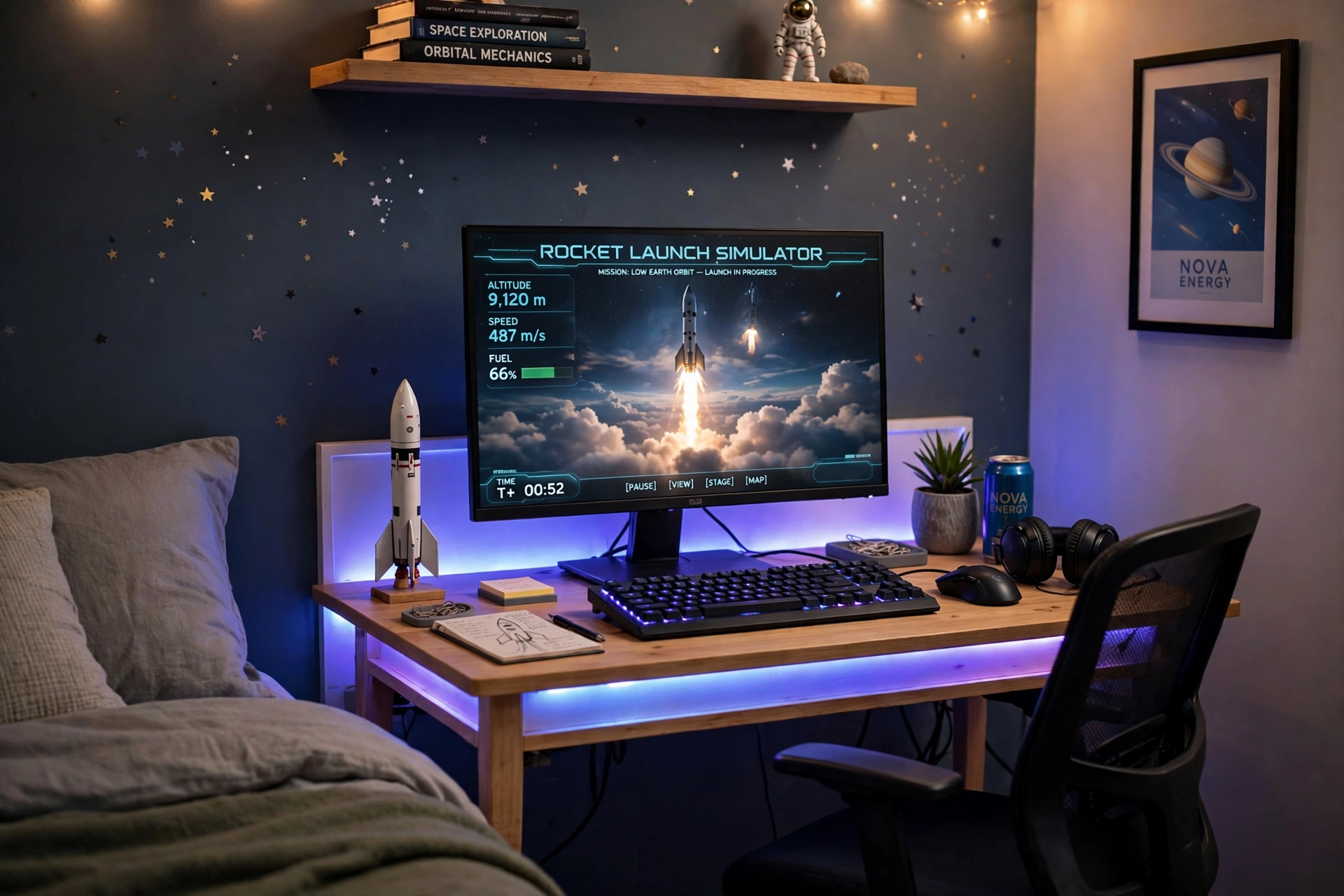
When the room is small, think of the desk as a rocket pod: everything you need, packed tight, with nothing extra. A compact desk with built in LED lights and power outlets gives you the glow and the plugs in one piece, a small rocket model and star decals give the theme, and a chair that tucks fully under the desk keeps the floor clear when you are done.
Small room note: one calm color at low brightness looks tidier than a fast rainbow in a small room. Save the rainbow for movie nights, and use a soft blue or purple for homework and late sessions. A single color also makes the room feel bigger, because the walls read as one calm surface instead of many bright patches.
Pick one monitor and keep it centered, add a small shelf above the desk for games, and run the desk power from the built in outlets so no extra strips or leads clutter the floor. The whole setup fits in a corner, and it still feels like a real space room.
DUMOS 45 Inch Gaming Desk with LED Lights and Power Outlets
Why this one: built in power outlets cut down on extension leads, and the LED edge gives the desk a space feel before you add any extra lights.
Worth knowing: a 45 inch desk is snug for a monitor plus a second screen, so measure your screens before adding a second display.
KTC 27 Inch Gaming Monitor, 180Hz, 1080p
Why this one: a fast 180Hz screen at a friendly size for a compact desk, with a slim frame that leaves room for the rocket model beside it.
Worth knowing: 1080p on a 27 inch screen is less sharp than QHD, so sit a little further back if you notice soft text.
11. Streaming From Orbit
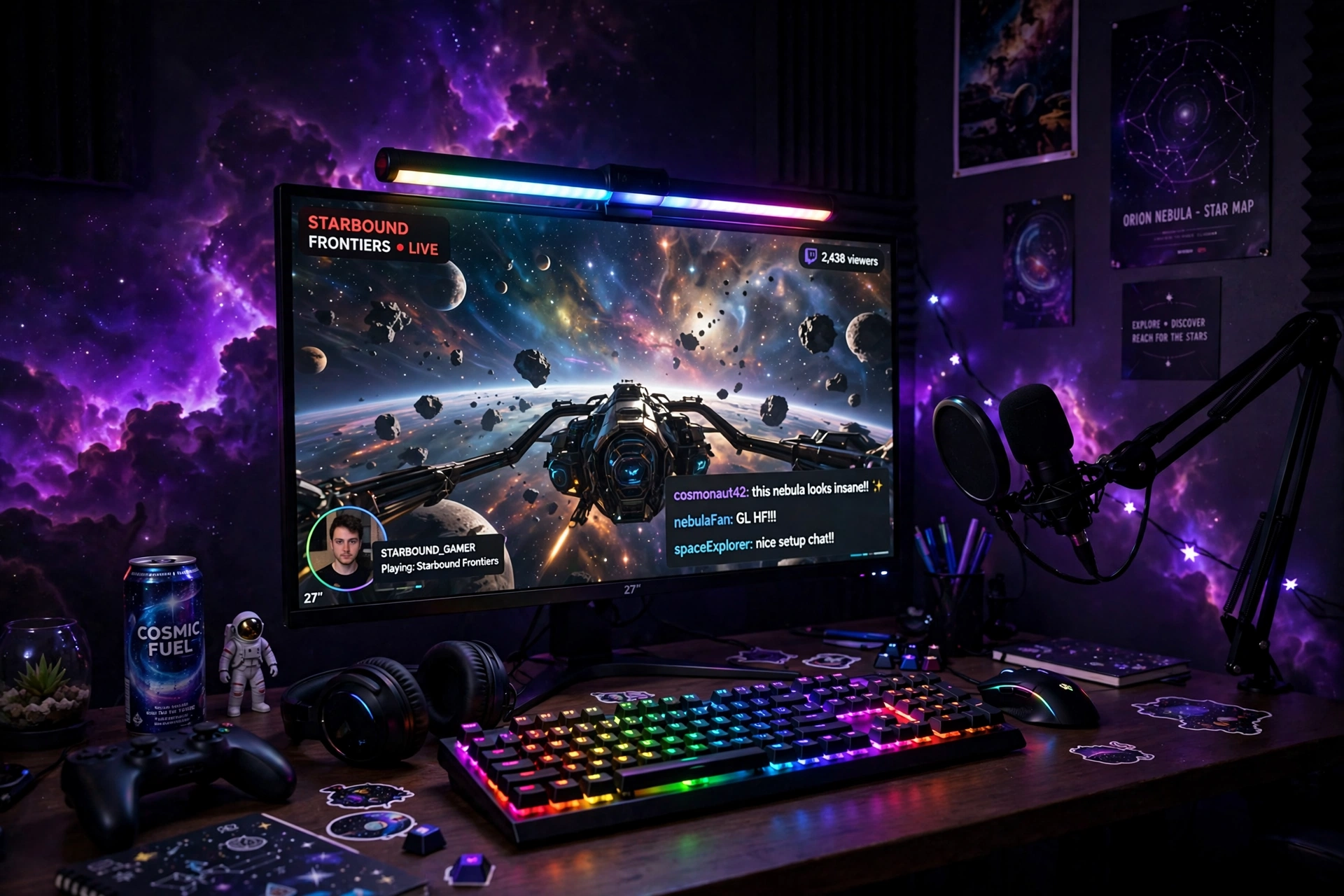
A streamer’s room has a second audience: the camera. This setup is built to look good on video as well as in person. An RGB light bar above the monitor lights your face softly and throws a purple nebula glow on the wall behind you, the monitor shows a galaxy wallpaper between games, and a microphone on an arm keeps the desk clear for the keyboard.
What works here: the light bar does two jobs at once, it lights your face for the camera and it lights the wall behind the screen for mood. A keyboard with per key RGB lets you match the desk to the wall color in seconds, so the whole frame looks planned. Keep the background simple, one glowing wall and one shelf, because a busy background distracts viewers from you and the game.
Add a small shelf for a camera and a headset stand, keep cables tied behind the desk so they never appear on stream, and run the light bar power from the monitor outlet so one switch starts the whole setup. A comfortable chair matters most here, because streams run long.
Quntis Monitor Light Bar RGB PRO
Why this one: the RGB backlight throws color on the wall while the front light keeps the desk bright without glare on the screen, which is ideal for a camera facing setup.
Worth knowing: check the bar fits your monitor thickness and top edge before you buy, because a very thin or curved top edge can make it sit unevenly.
Corsair K70 PRO RGB Optical-Mechanical Gaming Keyboard
Why this one: optical mechanical switches feel fast and consistent for long streams, and the per key RGB lets you match the keyboard to the wall glow in seconds.
Worth knowing: a full size keyboard with a wrist rest takes a good amount of desk space, so check your desk depth if your desk is shallow.
12. Cozy Purple Nebula
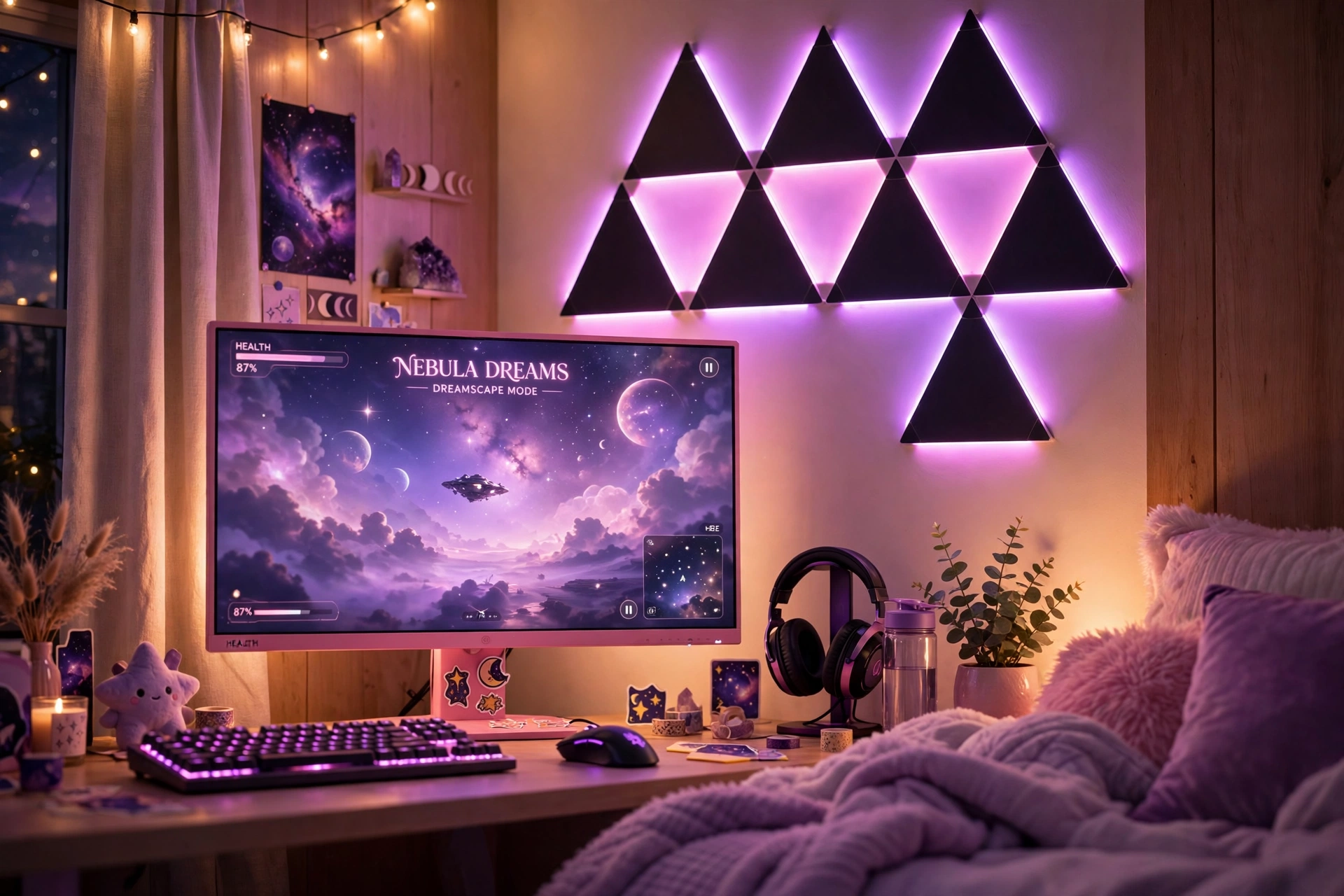
Purple nebula is the softest palette in this guide, and it suits a bedroom best. Black triangle panels above the monitor glow pink and purple, a pink monitor shows a dreamy space scene, and the rest of the room stays soft and simple with light bedding nearby. The result feels gentle in the day and glows like a dream at night, without any harsh colors fighting the screen.
- Desk: a light desk with a clean surface, kept clear except for the keyboard and a small plant.
- Seat: a soft, comfortable chair that matches the cozy bedroom feel.
- Screen: one pink monitor, with a soft space scene on screen.
- Light: black triangle panels in pink and purple above the monitor, dimmed to about half brightness in the evening.
- Storage: one shelf for games and a small drawer for controllers and cables.
- Power: one power strip behind the desk, with the panels and the monitor on the same run.
Nanoleaf Shapes Ultra Black Triangles Smarter Kit, 15 Pack
Why this one: the black triangles make pink and purple glow pop harder than white panels would, and the 15 pack is enough for a full shape above the monitor.
Worth knowing: the dark panels show dust more easily than light ones, so give them a quick wipe now and then to keep the colors bright.
Pixio PX279 Wave Pink 27 Inch Gaming Monitor, 240Hz
Why this one: the pink finish matches the nebula glow perfectly, and the very fast refresh rate makes it a serious gaming screen, not just a pretty one.
Worth knowing: a pink monitor is a bold style choice, so be sure the color suits the rest of your room before you commit.
13. Galaxy Command Deck
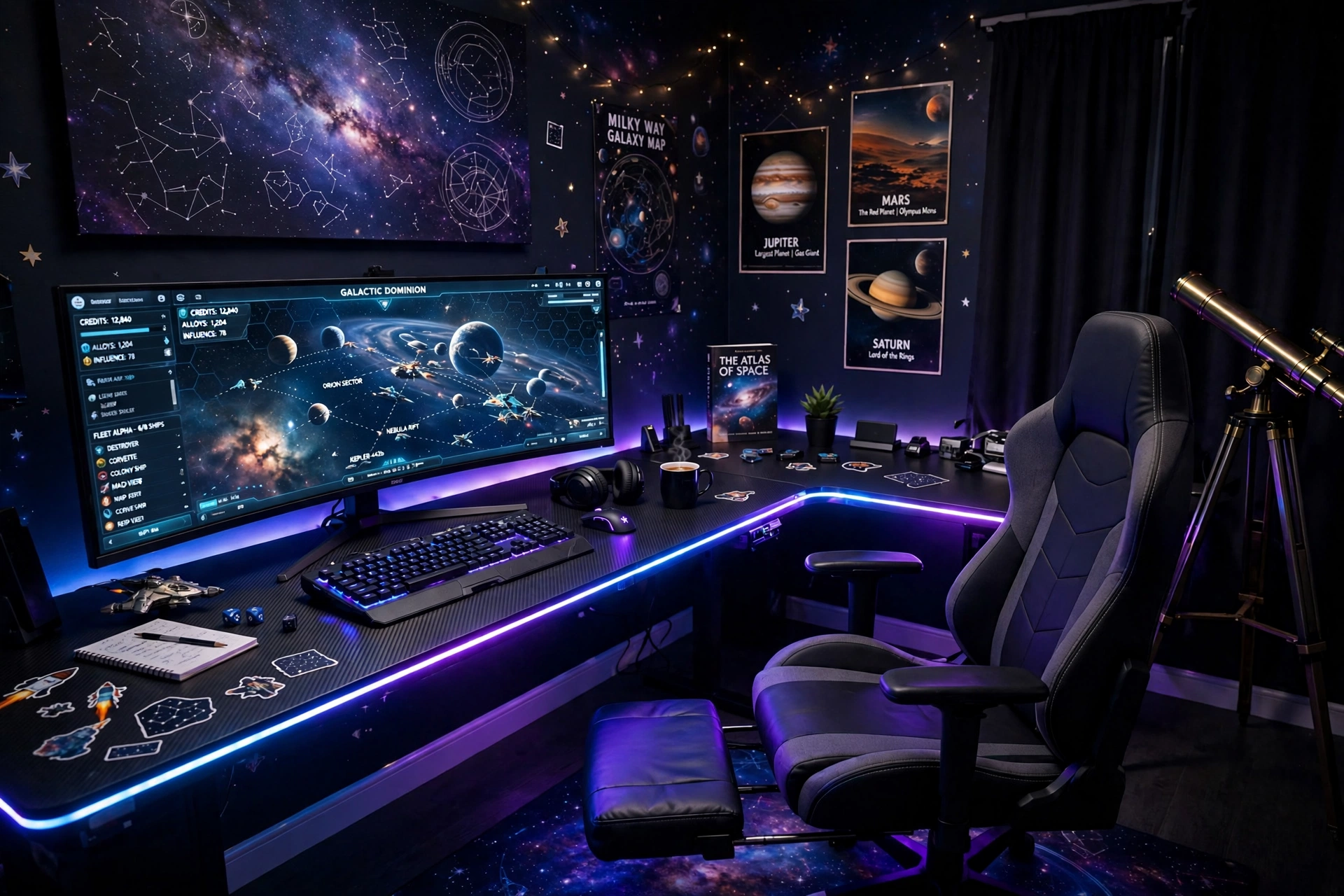
This is the biggest setup in the guide, and it earns the name command deck. An L shaped desk wraps around the corner, a wide ultrawide monitor shows a space strategy game on the main side, and the return side holds a second screen, a notebook, and a telescope in the corner for stargazing breaks. LED strips along the desk edges glow blue and violet, and planet posters on the wall finish the room.
How to set it up:
- Place the L desk in the corner with the long side on the main wall and the return side along the side wall.
- Put the ultrawide monitor on the main side, centered on your chair.
- Use the return side for a second screen, notes, and a headset stand.
- Add a gaming chair with a footrest, because a big desk invites long sessions.
- Run one power strip under each side of the desk, so cables never cross the floor.
PRAISUN 66 Inch L Shaped Gaming Desk with LED Lights and Power Outlets
Why this one: the L shape gives you a main side and a return side in one piece, and the built in LED lights and power outlets cut down on extra strips and leads.
Worth knowing: an L desk needs a real corner with clear walls on both sides, so measure the corner before you buy.
GTPLAYER Gaming Chair, Computer Chair with Footrest and Lumbar Support
Why this one: the footrest and lumbar support make long sessions comfortable, and the chair fits the big desk without looking lost in the room.
Worth knowing: a chair with a footrest needs floor space in front of the desk, so check the room depth if your room is tight.
Frequently Asked Questions
What colors work best for a space themed gaming room? Deep navy, purple, and blue are the core colors, with white for stars and one accent color like teal, pink, or red. Pick two main colors and one accent, and keep the rest of the room dark or neutral so the colors have room to glow.
How much does a space themed gaming room cost? It depends on how far you go. A simple version with one LED strip, star decals, and a small planet model costs very little. A full version with wall panels, a light bar, and a new monitor costs much more. Start with light and wall color, then add pieces over time.
Can I make a space themed room in a small bedroom? Yes, space is one of the best themes for a small room, because dark walls and a starry ceiling make a small room feel deeper instead of smaller. The Compact Rocket Pod setup in this guide is built for a small bedroom, and it needs only one corner.
Do I need a star projector for a space room? No, it is a nice extra, not a must. LED strips, wall panels, and dark paint do most of the work. A projector adds stars to the ceiling, which is the one surface strips cannot reach, so add one later if the ceiling still looks plain.
What is the best lighting for a space gaming room? Soft, indirect light that bounces off a wall or ceiling. Strips behind the desk, a floor lamp in the corner, or a light bar behind the monitor all work. Avoid a bright light shining straight at your eyes, because it fights the screen and ruins the mood.
Can I mix a space theme with other themes? Yes, space mixes well with a dark moody look, a neon look, and a futuristic look, because they share the same colors. Keep one theme as the lead and borrow one or two pieces from the other, so the room still reads as one idea.
Conclusion
A space themed gaming room works because the theme is simple: dark walls, cosmic light, and a glowing screen in the middle. You do not need a big budget or a big room, just a few pieces that point at the same idea. Start with one setup from this list, the one that matches your room and the way you play, and add pieces over time. Pick your colors, light the wall or the ceiling, and let the stars do the rest. Your gaming room does not need to be big to feel infinite, it just needs light in the right place.
Related reading:
If you liked these space ideas, try 15 Neon Gaming Room Ideas With Signs That Pop for a brighter wall look, and 15 Small Gaming Room Ideas for Tight Spaces for more ways to fit a full setup into a small room.
