As an Amazon Associate I earn from qualifying purchases. Read our full affiliate disclosure for more detail.
Your first gaming PC desk does not need to be big, expensive, or complicated. It needs a desk that fits your room, a screen you can actually see your game on, a chair that does not hurt after an hour, and cables that stay out of the way. Get those four things right and you have a setup you will enjoy every day.
In this guide you will find 10 complete beginner gaming PC desk setups you can copy whole, from a simple straight desk in a bright bedroom to a corner desk with a curved screen, a dual monitor starter, and a cozy chair setup for long sessions. Each one covers the desk, seat, screen, light, storage, and power, so nothing important is left out. If you are still weighing up what a first setup should look like, the ideas in 15 PC Gaming Setup Ideas for Beginners are a good place to start before you buy anything.
In this article
At a glance
1. The Straightforward Starter
2. The Small Bedroom First Desk
3. The Corner Starter
4. Dual Screens From Day One
5. Big Screen, Small Budget
6. The Tidy Cable Starter
7. The Comfy Long Session Starter
8. The Glow Up Starter
9. The Compact 40 Inch Starter
10. The Plug In and Play Starter
FAQ
Conclusion
At a Glance: Pick Your Beginner PC Desk
| Setup | Best for | Hero product |
|---|---|---|
| The Straightforward Starter | A first desk, no fuss | DUMOS 45 Inch Gaming Desk |
| The Small Bedroom First Desk | Tight bedrooms | Sweetcrispy Small Computer Desk |
| The Corner Starter | Empty room corners | PRAISUN 66 Inch L Shaped Gaming Desk |
| Dual Screens From Day One | Game plus chat or homework | HUANUO Dual Monitor Arm |
| Big Screen, Small Budget | Immersive play on a budget | Samsung 27 Inch Odyssey G5 Monitor |
| The Tidy Cable Starter | People who hate cable mess | Huuger 47 Inch Computer Desk |
| The Comfy Long Session Starter | Long evenings of gaming | GTPLAYER Gaming Chair |
| The Glow Up Starter | A fun first battlestation | Govee RGBIC LED Strip Lights, 16.4ft |
| The Compact 40 Inch Starter | Dorms and shared rooms | KKL 40 Inch Small Computer Desk |
| The Plug In and Play Starter | Easy power and charging | HOMCOM 56 Inch Gaming Desk |
1. The Straightforward Starter
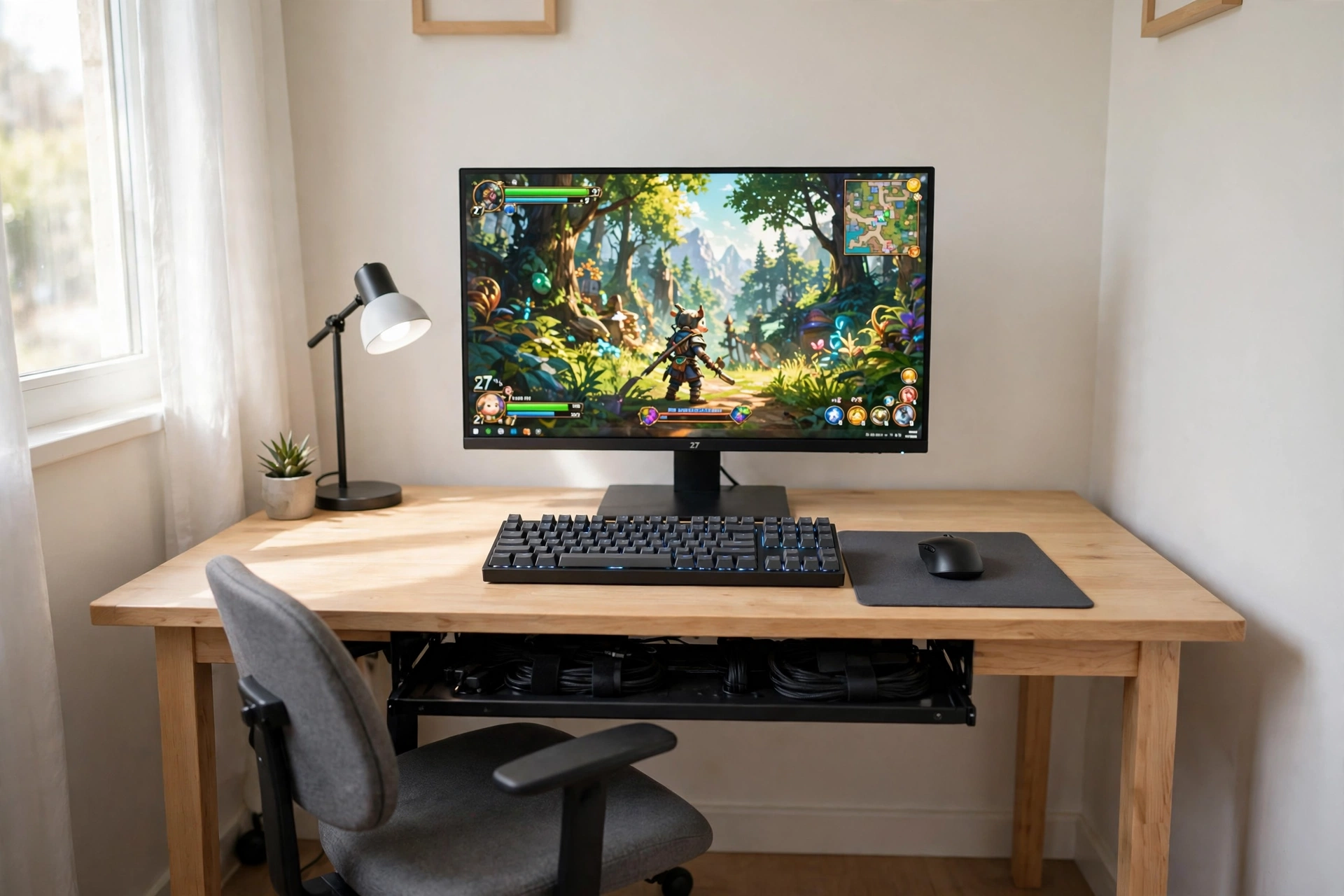
If you have never built a gaming setup before, start here. A straight desk against a plain wall, one good monitor, a keyboard and mouse, and a chair you can sit in for a couple of hours. Nothing fancy, nothing to assemble twice, and nothing you will regret buying.
- Desk: a 45 inch desk with built in LED lights and power outlets, so your monitor and lamp plug in right at the desk.
- Seat: a basic office chair with armrests, pushed in so the desk stays tidy when you are done.
- Screen: one sharp 27 inch monitor, centered on the desk, with the game front and center.
- Light: a small desk lamp for evening sessions, plus daylight from the window during the day.
- Storage: a cable tray under the desk and a small plant on the corner for a bit of life.
- Power: the desk outlets handle the monitor and lamp, with one spare socket for charging a phone.
DUMOS 45 Inch Gaming Desk with LED Lights and Power Outlets
Why this one: built in outlets cut down on extension leads, and the LED edge gives the desk a gaming feel before you add any extra gear.
Worth knowing: a 45 inch desk is snug for a monitor plus a second screen, so measure your screens before adding a second display later.
KTC 27 Inch Gaming Monitor, 180Hz, 1080p
Why this one: a fast 180Hz screen at 27 inches is a strong first monitor, and 1080p keeps it friendly for starter graphics cards.
Worth knowing: 1080p on a 27 inch screen looks softer up close than QHD, so sit a normal arm’s length back for the sharpest picture.
2. The Small Bedroom First Desk
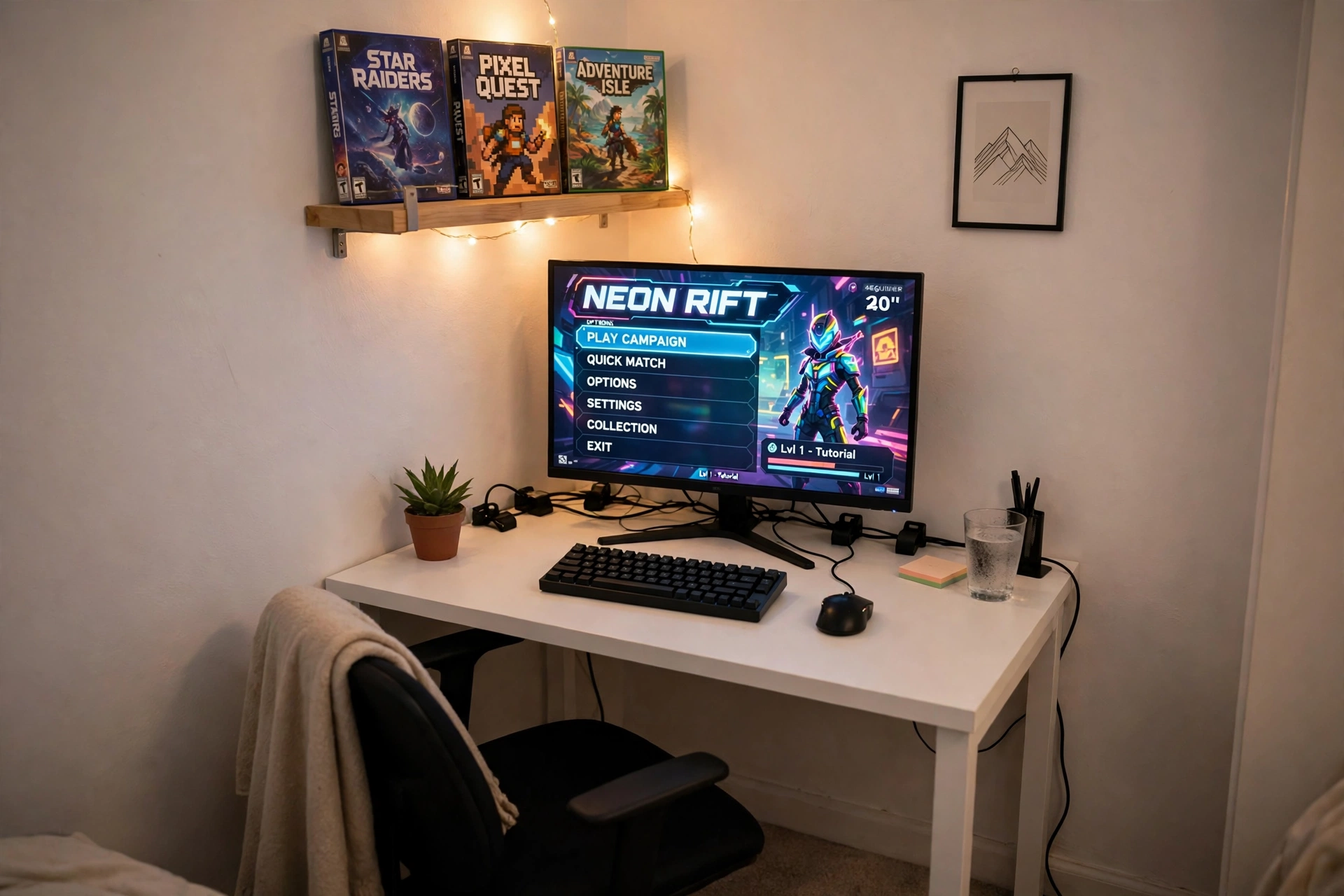
A small bedroom does not mean a small gaming life. It means choosing a desk that fits the wall you actually have, then letting a shelf above it do the storage work. This setup uses a compact desk and a bright monitor, and it leaves floor space for a bed and a chair that tucks away.
How to set it up:
- Push the desk into the corner or against the shortest free wall, with the monitor centered.
- Fit a small shelf above the desk for game boxes and a headset, so the desktop stays clear.
- Place the keyboard and mouse on a slim mat, leaving room for a notebook at the side.
- Choose a chair that slides fully under the desk when you are done playing.
- Run one power strip behind the desk leg, with the cable clipped to the leg so it never dangles.
Sweetcrispy Small Computer Desk, 40X24 Inch Office Writing Work Study Gaming PC Table
Why this one: the compact size fits bedrooms and dorms easily, and the simple top gives you a clean surface for one monitor and a keyboard.
Worth knowing: there is no built in cable tray, so add a small clip on tray if loose cables bother you.
Acer Nitro KG271U 27 Inch QHD Gaming Monitor, 180Hz
Why this one: QHD sharpness and a fast refresh rate make games look crisp even on a small desk, and the slim stand saves space.
Worth knowing: the stand is fixed height on some models, so check the tilt and height range if you like your screen raised.
3. The Corner Starter
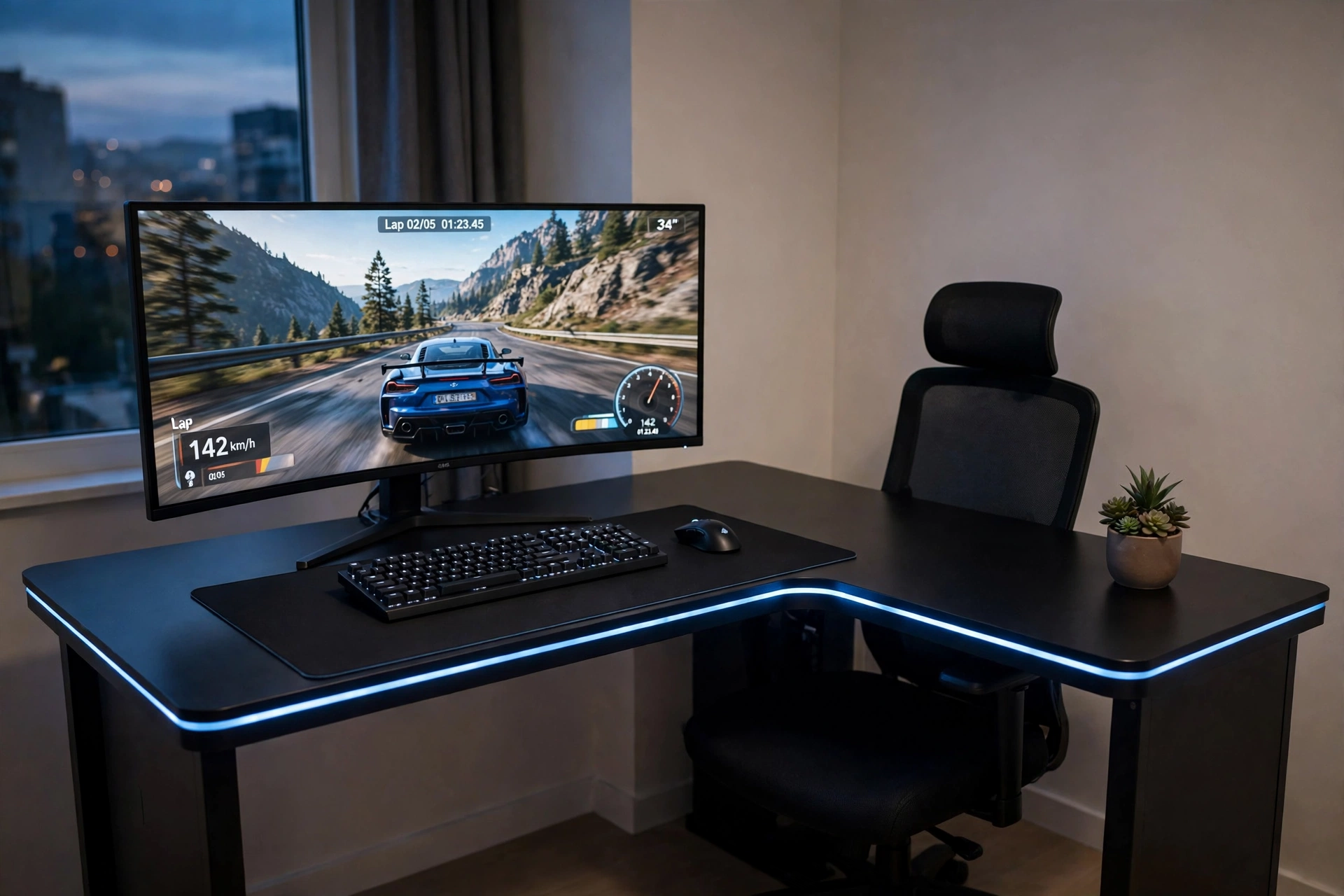
Corners are the most wasted space in a bedroom, and an L-shaped desk turns one into the best seat in the room. The long side holds your monitor and keyboard, the short side holds a notebook, a drink, or a second small screen, and you sit in the middle of it all with everything in easy reach.
Beginner tip: put the curved monitor on the longer side of the L, angled slightly toward you, and keep the short side clear for homework or snacks. A curved screen wraps around your view, so you do not need to sit as far back as you would with a flat screen.
Keep the desk tidy so the corner does not become a dumping ground. A small plant on the far end, a headset hook on the side, and one power strip behind the desk leg finish the setup. The blue LED edge along the desk gives it a gaming feel at night without any extra lights to buy.
PRAISUN 66 Inch L Shaped Gaming Desk with LED Lights and Power Outlets
Why this one: the L shape gives you two work surfaces for the price of one desk, and built in outlets mean the monitor and PC plug in right where you sit.
Worth knowing: measure both walls of your corner first, because a 66 inch desk needs a genuinely free corner and will not squeeze into a tight one.
CRUA 27 Inch Curved Gaming Monitor, 180Hz
Why this one: the gentle curve pulls the edges of the game into your view, which suits racing and adventure games, and 180Hz keeps motion smooth.
Worth knowing: curved screens suit one person sitting centered, so they are less ideal if two people often watch the screen together.
4. Dual Screens From Day One
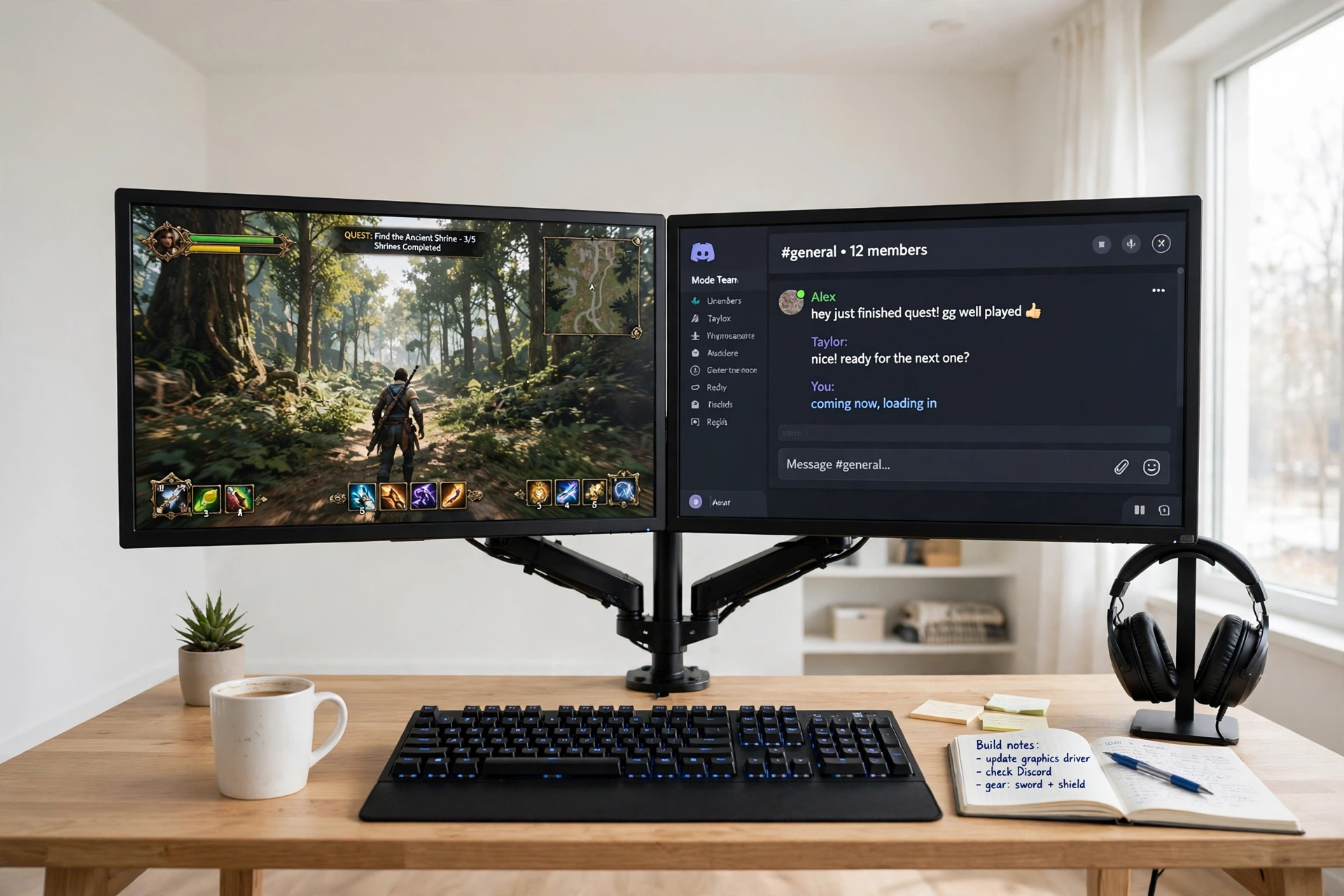
Two screens sounds advanced, but for a beginner it is one of the most useful upgrades you can make. Game on the main screen, keep chat, a walkthrough, or homework on the second. A dual monitor arm holds both screens on one stand, so you do not need a huge desk or two separate stands.
One arm or two stands, which is better? One dual arm keeps the desk surface clear, lets you line the screens up perfectly, and frees the space underneath for a keyboard and notebook. Two separate stands are simpler to buy, but they eat desk space and the screens rarely sit at the same height. For a first dual setup, the arm wins, and it costs less than a second desk.
Mount both screens at the same height, with the main game screen directly in front of you and the second screen angled slightly to the side. Hang your headset on a small stand, keep a mug off the desk mat, and run both monitor cables down the arm so they stay hidden.
HUANUO Dual Monitor Arm, Gas Spring
Why this one: the gas spring arms let you move each screen up, down, and sideways with one hand, so lining up two monitors takes minutes instead of an afternoon.
Worth knowing: check your monitors have VESA mount holes and your desk edge is thick enough for the clamp before you buy.
Acer Nitro VG272U V3 27 Inch QHD Gaming Monitor, 180Hz
Why this one: a sharp QHD screen with a fast refresh rate makes a strong main display, and its slim bezels look neat next to a matching second screen.
Worth knowing: buying two matching monitors looks tidier than mixing brands, so budget for a second one of the same model when you are ready.
5. Big Screen, Small Budget
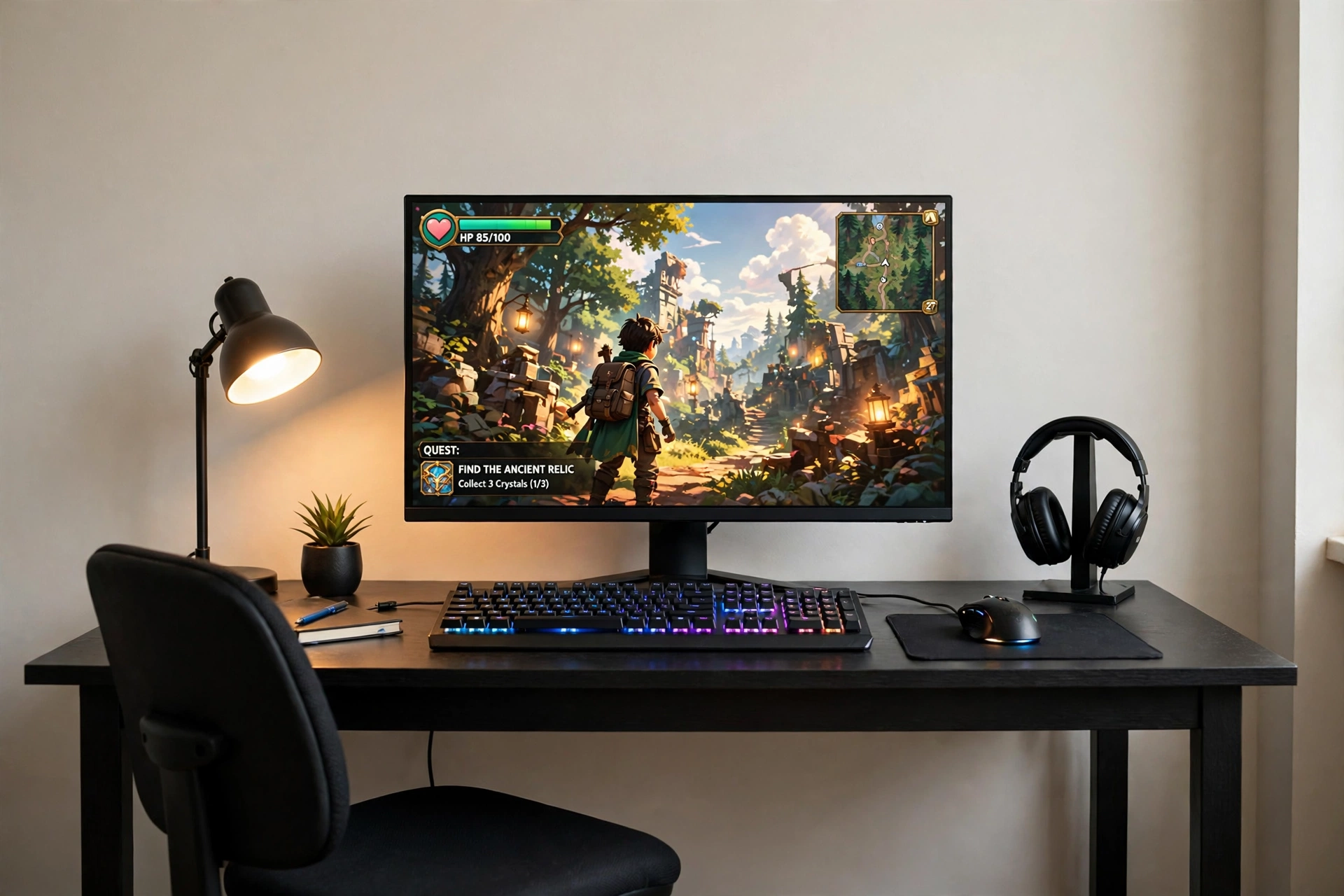
Here is the secret most beginners miss: one good big screen does more for your setup than a pile of small extras. A 27 inch QHD monitor fills your view, makes games feel immersive, and doubles as a great screen for films and homework. Pair it with a backlit keyboard and the whole desk feels like a real battlestation.
What works here:
- The screen: a large QHD display is the hero, so give it the center of the desk and keep the sides clear.
- The keyboard: soft RGB backlighting helps you find keys at night and adds color without extra lights.
- The light: a warm desk lamp balances the cool glow of the screen in the evening.
- The seat: a basic chair with good back support, because a big screen invites longer sessions.
- The extras: a headset stand keeps headphones off the desk, and a drawer holds spare cables.
If your budget is tight, spend it on the monitor first and the keyboard second. A cheap desk and a plain chair still work fine when the screen in front of you is great, and you can upgrade the furniture later. For more ways to stretch a small budget, the ideas in 15 Budget Gaming Setup Ideas That Look Expensive show how far simple choices can go.
Samsung 27 Inch Odyssey G5 QHD Gaming Monitor
Why this one: QHD sharpness on a 27 inch screen makes games and films look rich, and the Odyssey line is a solid first step into serious gaming monitors.
Worth knowing: the stand takes up a fair amount of desk depth, so leave room behind the keyboard for it.
Corsair K70 CORE RGB Mechanical Gaming Keyboard
Why this one: mechanical keys feel responsive and last well, and the RGB backlighting looks great next to a big screen at night.
Worth knowing: mechanical keyboards are louder than membrane ones, so they may not suit a shared bedroom late at night.
6. The Tidy Cable Starter
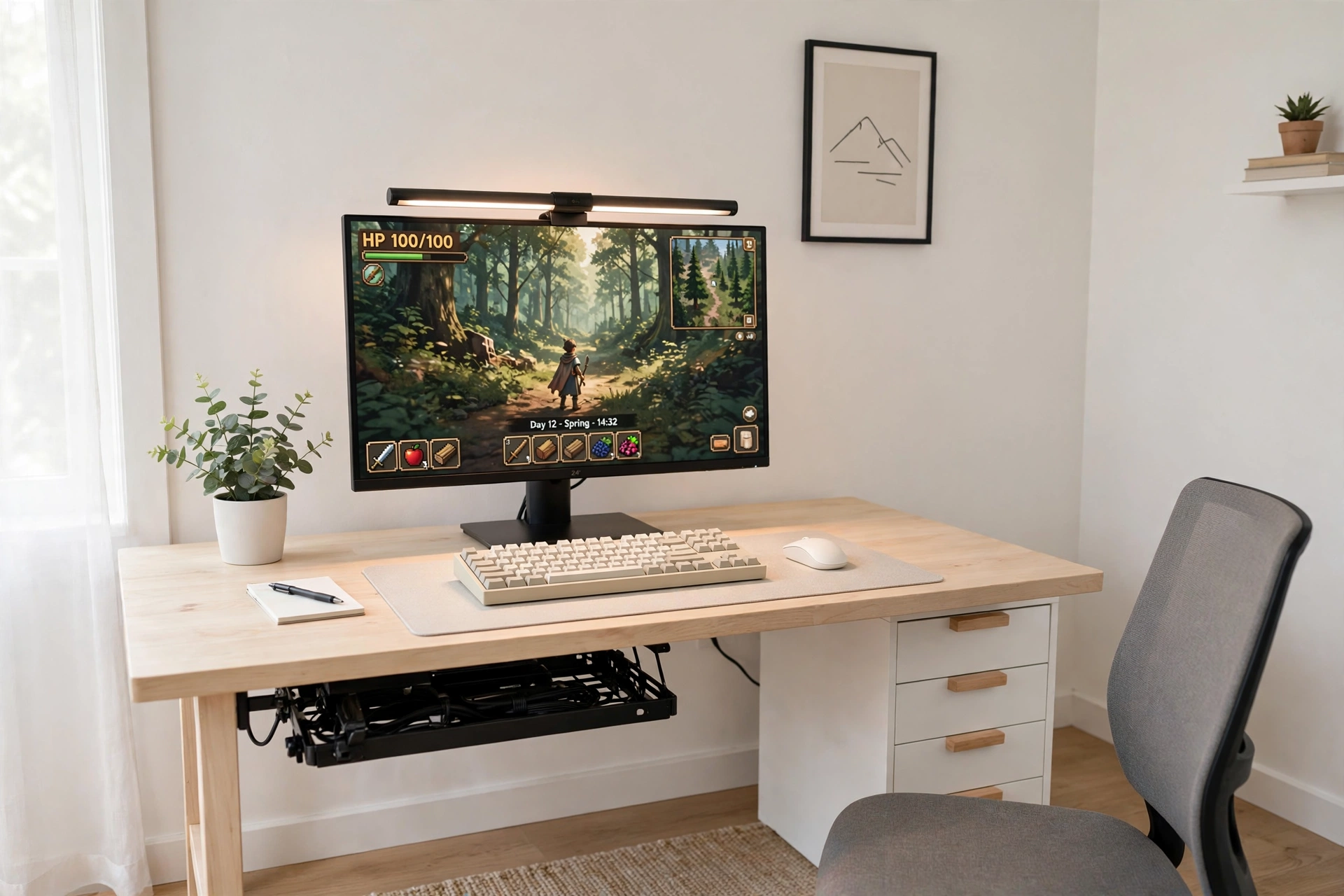
Cables are the fastest way to make a new setup look messy, and the fix is easier than most beginners think. Pick a desk with power outlets built in, add a light bar above the screen instead of a desk lamp, and hide the rest in a tray. The result is a desk that looks calm and planned from day one.
Your tidy desk checklist:
- Plug the monitor and PC into the desk outlets, not a floor strip.
- Clip the keyboard and mouse cables to the back edge of the desk.
- Put a small tray under the desk for the power brick and spare cables.
- Use a monitor light bar so you do not need a lamp taking up desk space.
- Keep a drawer unit beside the desk for controllers, chargers, and spares.
A light bar is a small thing that changes the whole desk. It lights the keyboard without shining in your eyes, and it leaves the corners of the desk free for a notebook or a drink. With the cables hidden and the light sorted, this setup looks far more expensive than it is.
Huuger 47 Inch Computer Desk with Power Outlets and LED Lights
Why this one: built in outlets and a monitor shelf keep power and cables in one tidy place, and the LED edge adds a gaming feel without extra gear.
Worth knowing: the monitor shelf is fixed in place, so check it suits your monitor size and viewing height before you buy.
Quntis Monitor Light Bar RGB PRO
Why this one: it sits on top of the monitor and washes the desk in light without glare on the screen, which suits late night sessions.
Worth knowing: check the bar fits your monitor thickness, because very thin or very thick bezels can make the clip sit unevenly.
7. The Comfy Long Session Starter
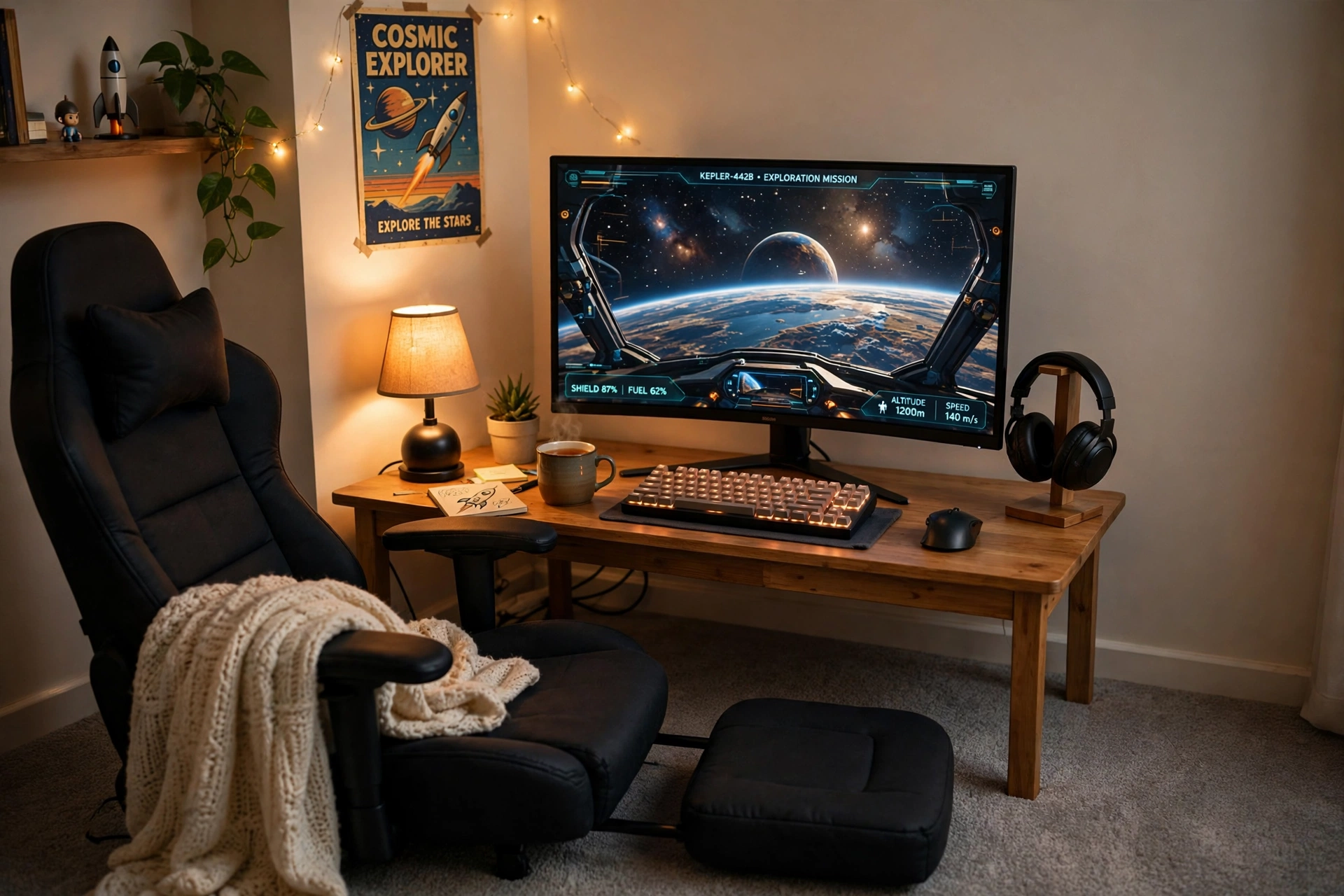
Comfort is not a luxury extra for a beginner, it is what keeps you playing without a sore back. A padded gaming chair with a footrest, a curved monitor at the right height, a warm lamp, and a blanket over the chair arm turn a plain desk into a corner you actually want to sit in for a long evening.
Beginner tip: set the monitor so the top of the screen is level with your eyes when you sit back. If you find yourself leaning forward or tilting your head up, raise the monitor or lower the chair until your neck feels relaxed.
Keep the desk simple so the chair is the star. A curved monitor, a backlit keyboard, a mouse on a small mat, and headphones on a wooden stand are all you need on the surface. A poster on the wall, fairy lights along the shelf, and a mug of tea finish a setup that feels like a cozy den rather than an office.
GTPLAYER Gaming Chair, Computer Chair with Footrest and Lumbar Support
Why this one: the footrest and lumbar pillow let you stretch out between games, which makes long sessions far more comfortable than a plain office chair.
Worth knowing: gaming chairs are bulky, so measure your floor space and check the footrest clears the desk when you recline.
Dell S2721HGF 27 Inch Curved Gaming Monitor, 144Hz
Why this one: the curve wraps the game around your view for a cozy feel, and 144Hz keeps fast games smooth without needing top tier hardware.
Worth knowing: curved screens suit one centered viewer, so they are less ideal if friends often watch from the side.
8. The Glow Up Starter
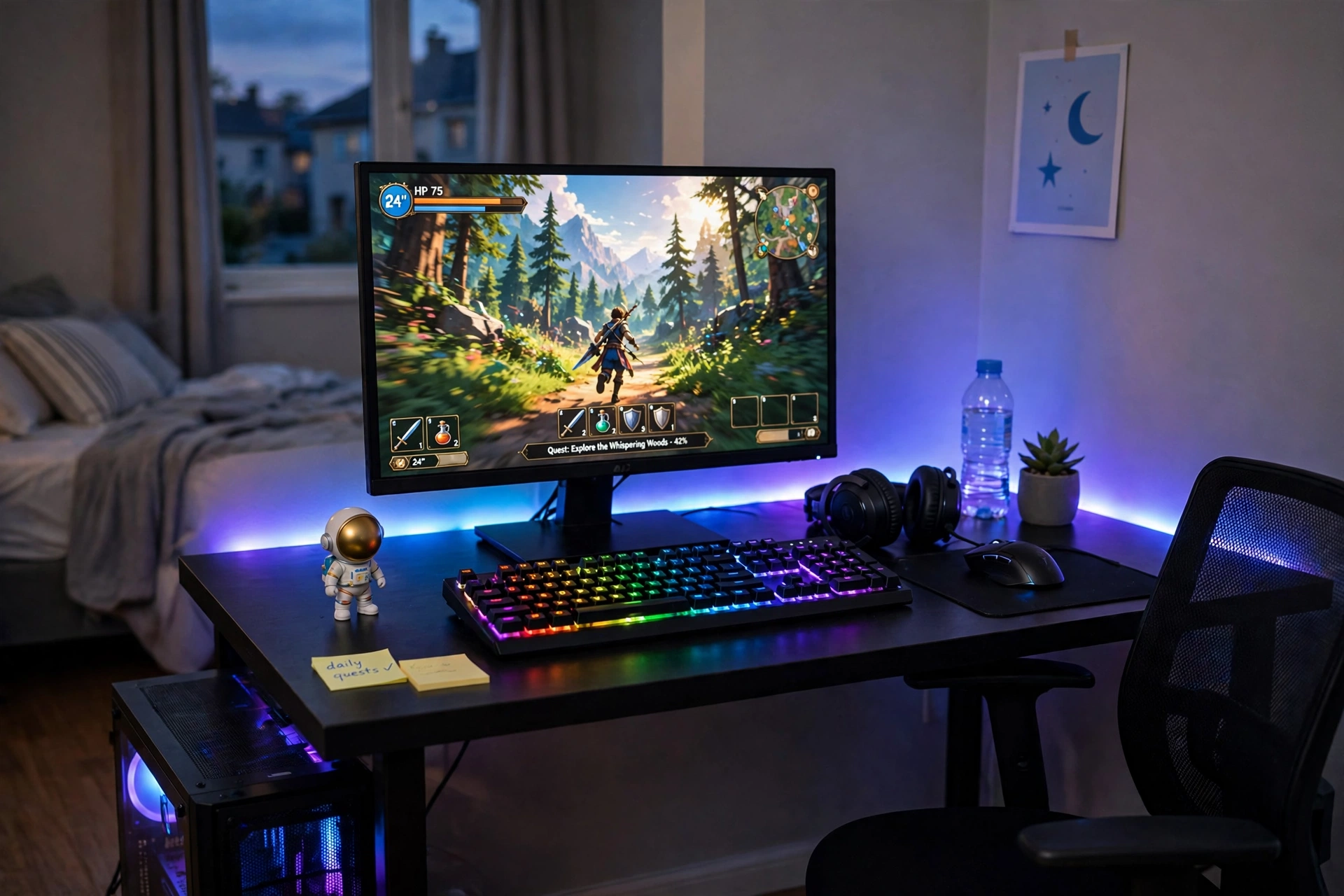
One LED strip is the cheapest way to make a beginner desk look like a real battlestation. Run it along the back edge of the desk, set it to a calm blue or purple, and the whole wall glows while your monitor stays the clear focus. It costs little, sticks on in minutes, and peels off cleanly if you move rooms.
- Desk: a simple black desk against a plain wall, with the strip hidden along its back edge.
- Seat: a basic chair centered on the monitor, so the glow frames you evenly.
- Screen: one bright main monitor, with the game front and center.
- Light: a 16.4ft RGBIC strip set to a slow color fade, plus a small lamp for reading.
- Storage: a small figurine on the desk corner and a headset hook on the side.
- Power: one strip behind the desk, with the controller in easy reach on the desktop.
Govee RGBIC LED Strip Lights, 16.4ft
Why this one: the shorter length is just right for one desk edge, and the app control makes it easy to dim the glow for late night sessions.
Worth knowing: the strip cannot be cut to any length you like without care, so check the cut marks before trimming it to fit your desk.
LG UltraGear 27GS75Q-B 27 Inch Gaming Monitor
Why this one: a sharp gaming monitor with a clean look that pairs well with colorful lighting, and the slim frame keeps the glow as the star.
Worth knowing: a bright strip behind the desk can show dust on the wall, so give the wall a quick wipe before you stick the strip on.
9. The Compact 40 Inch Starter
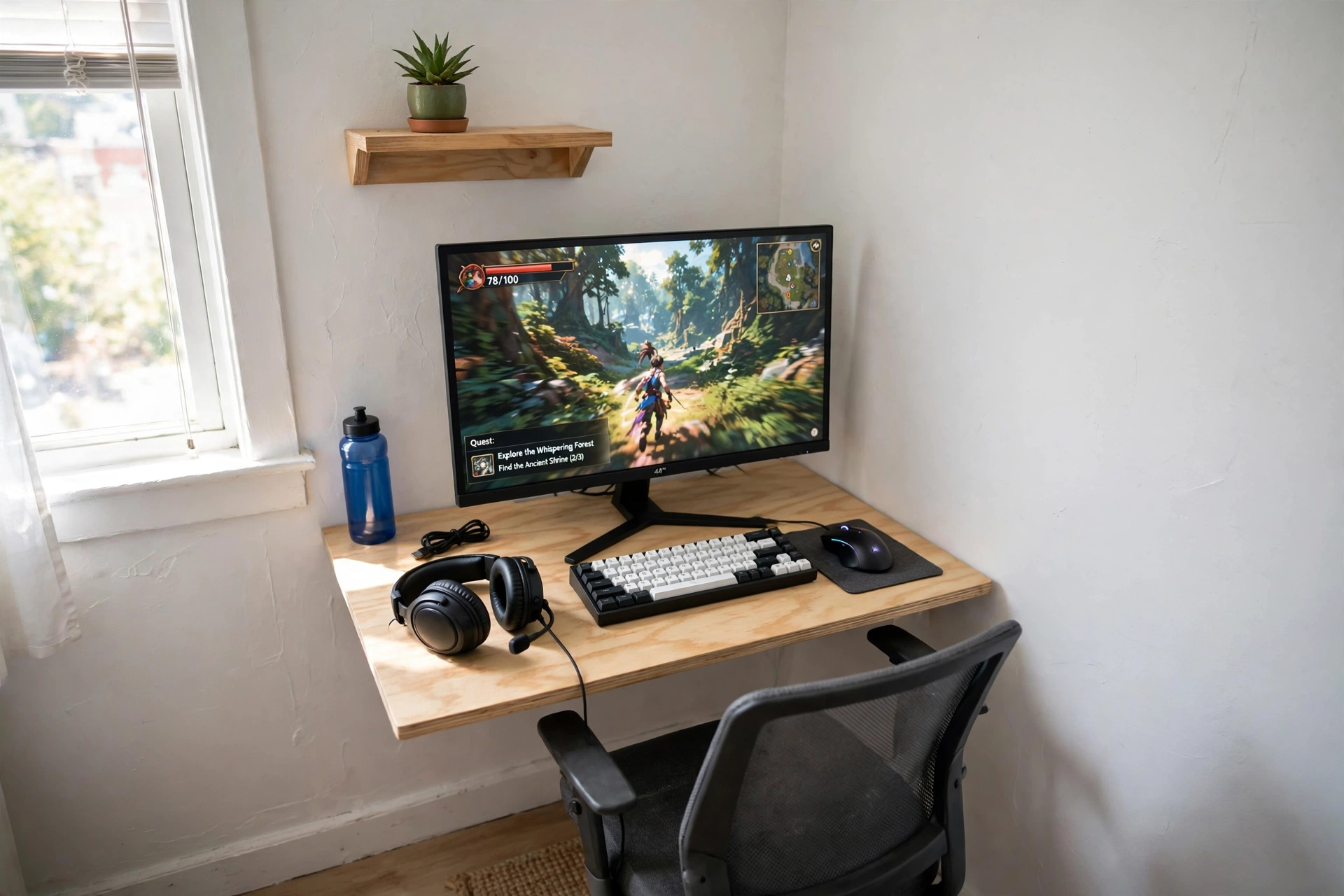
Dorm rooms and shared bedrooms need a desk that does its job in 40 inches and then gets out of the way. This setup fits a monitor, a compact keyboard, and a good mouse on one small surface, with a wall shelf above it for a plant and a few books. When you are done, the chair slides under and the room is yours again.
How to set it up:
- Place the desk against the wall with the most free space, leaving room to pull the chair out.
- Put the monitor on a small riser so the keyboard slides under it when you need desk space.
- Fit a short wall shelf above the desk for a plant and a headset, keeping the desktop clear.
- Keep the mouse on a slim mat, with a notebook tucked at the side for homework.
- Run one cable from the monitor down the desk leg, clipped out of sight.
KKL 40 Inch Small Computer Desk with Adjustable Monitor Stand
Why this one: the adjustable monitor stand lifts the screen to a comfortable height and frees desk space underneath for the keyboard.
Worth knowing: a 40 inch desk is a one monitor desk, so do not plan on adding a second screen later without a bigger desk.
Logitech G502 HERO Wired Gaming Mouse
Why this one: a reliable gaming mouse with adjustable weights and extra buttons, and it has been a safe first pick for years.
Worth knowing: it is a wired mouse, so route the cable with a clip to keep it from dragging across the small desk.
10. The Plug In and Play Starter
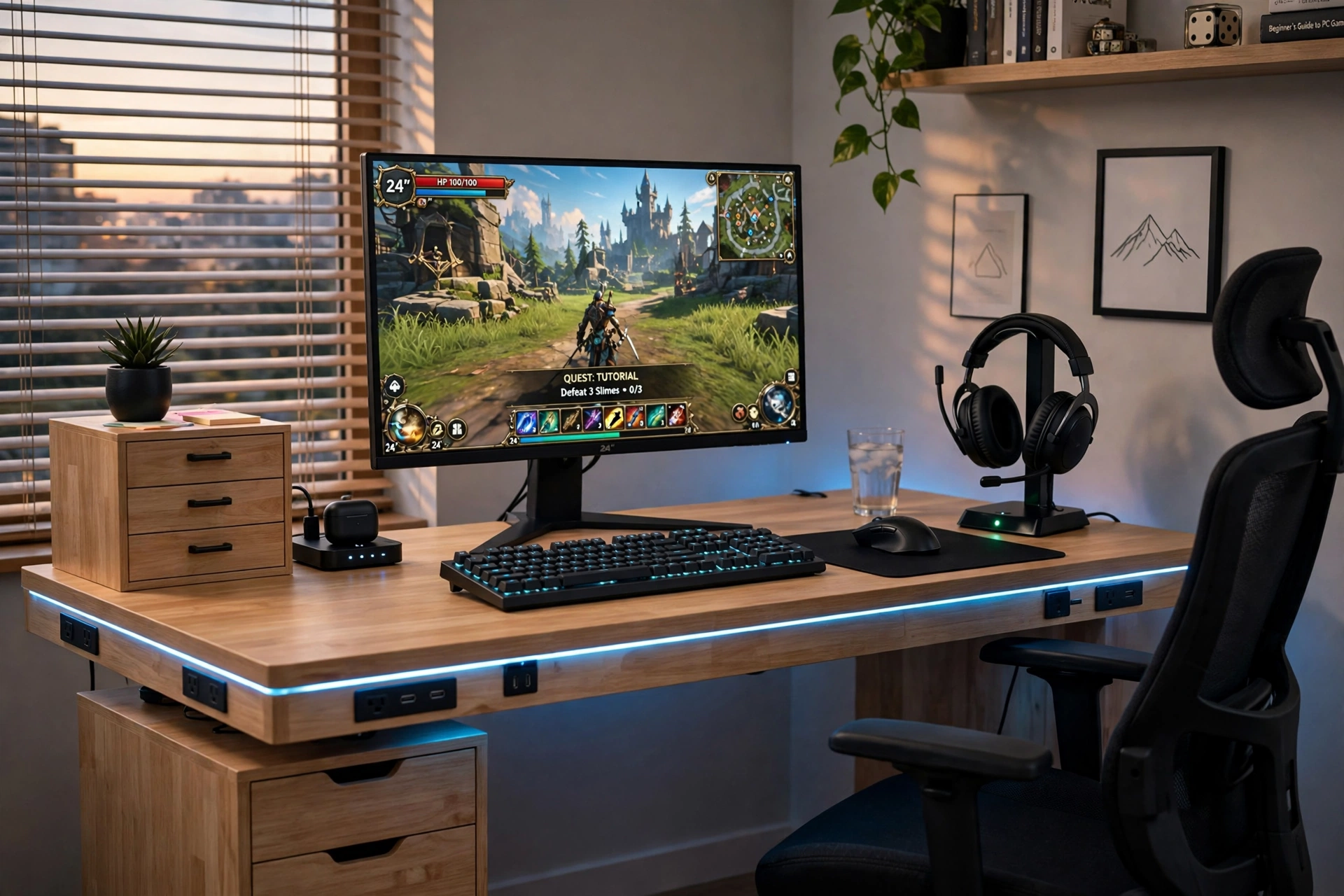
Some beginners do not want to think about power strips, extension leads, or where the headset charger goes. This setup answers all of that with a desk that has outlets and LED lighting built in, plus a headset stand that charges while it holds your headphones. Plug the monitor and PC into the desk, set your headset on the stand, and you are playing in minutes.
Your first night checklist:
- Plug the monitor and PC into the desk outlets, and test the LED edge light.
- Set the headset on its charging stand so it is full for your next session.
- Put the keyboard and mouse on the mat, with a drink on the far side of the desk.
- Slide the small drawer unit into place for controllers and spare cables.
- Take a photo of the cable layout, so you can put it back the same way after cleaning.
The desk LED edge gives the whole setup a gaming feel without any extra lights to buy, and the built in outlets mean you are not crawling under the desk to find a spare socket. It is the closest thing to a setup that builds itself, and it is a kind first desk for anyone who just wants to play.
HOMCOM 56 Inch Gaming Desk with Power Outlets and LED Lights
Why this one: the wide top fits a monitor, keyboard, and headset stand with room to spare, and built in outlets keep power right where you need it.
Worth knowing: a 56 inch desk needs a decent stretch of free wall, so measure your room before it arrives.
Miroddi RGB Headset Stand with Wireless Charger, 8 in 1 Charging Station
Why this one: it holds your headset, charges your phone, and adds a soft RGB glow to the desk corner, all from one small stand.
Worth knowing: check your phone and headset fit the charging pads, because larger cases and bulky headsets can sit unevenly.
Frequently Asked Questions
How much does a beginner gaming PC desk setup cost?
It varies a lot, but a simple starter with a desk, a monitor, a keyboard and mouse, and a basic chair can be put together for a modest budget if you buy the monitor first and keep the furniture simple. Check the price buttons in this guide for current prices on each piece.
What size desk do I need for a gaming PC?
A 40 to 47 inch desk suits one monitor and a keyboard with room to spare, while a 55 inch or larger desk is better if you want two screens or extra space for homework. Measure your wall and your monitor before you buy, and leave a few inches on each side for cables.
Do I need a gaming chair for my first setup?
No, a comfortable office chair works fine to start with. A gaming chair is worth it if you play for long sessions and want lumbar support and a footrest, but the desk and monitor matter more on day one.
Is one monitor enough for a beginner?
Yes, one good monitor is plenty for a first setup. A second screen is handy for chat, guides, or homework, and you can add one later with a dual monitor arm when you are ready.
How do I keep cables tidy on a beginner desk?
Pick a desk with built in outlets, add a small tray under the desk for the power brick, and clip cables to the back edge or a desk leg. It takes about ten minutes and makes the whole setup look far more finished.
What is the first thing I should upgrade?
The monitor, because you look at it every second you play. After that, a better chair or a monitor arm usually makes the biggest difference to comfort.
Start Simple, Upgrade When You Are Ready
Your first gaming PC desk does not have to impress anyone, it has to work for you. Pick the setup in this guide that fits your room and your budget, build it once, and play on it for a while before you buy anything else. You will quickly learn what matters to you: a bigger screen, a comfier chair, a second monitor, or better light. When you are ready for the next step, small room ideas like the ones in 15 Gaming Desk Setup Ideas for Small Rooms can help you grow the setup without starting over.
