Affiliate note: As an Amazon Associate I earn from qualifying purchases. Read our full affiliate disclosure for more detail.
A dorm room is the smallest gaming room you will ever build, and that is exactly what makes it fun. You get one bed, one desk, one wall, and a roommate who has opinions about your lights at 1 a.m. The setups below work inside those limits, not against them. Each one fits a real dorm layout, from a desk tucked under a loft bed to a fold down desk that disappears when class starts.
In this guide you will find 6 complete dorm room gaming setups you can copy whole, with compact desks, foldable gear, quiet lighting, and storage that keeps your stuff off the floor. Each setup covers the desk, seat, screen, light, storage, and power, so nothing important is left out. If your room is tight in a different way, the ideas in 15 Gaming Desk Setup Ideas for Small Rooms pair well with everything below.
In this article
At a glance
1. Loft Bed Desk
2. Fold Down Wall Desk
3. Laptop First Setup
4. Roommate Friendly Corner
5. Console TV and Lamp
6. Corner Dual Monitor
FAQ
Conclusion
At a Glance: Pick Your Dorm Setup
| Setup | Best for | Hero product |
|---|---|---|
| Loft Bed Desk | Using the space under your bed | KKL 40 Inch Small Computer Desk |
| Fold Down Wall Desk | Rooms with almost no floor space | IFANNY Folding Wall Desk |
| Laptop First Setup | Gamers who also study on the same desk | Sweetcrispy Small Computer Desk |
| Roommate Friendly Corner | Shared rooms and late night sessions | KTC 27 Inch Gaming Monitor, 180Hz |
| Console TV and Lamp | Console players and movie nights | Govee RGBIC Floor Lamp |
| Corner Dual Monitor | Two screens in a tiny corner | Huuger 47 Inch Computer Desk |
1. Loft Bed Desk Underneath
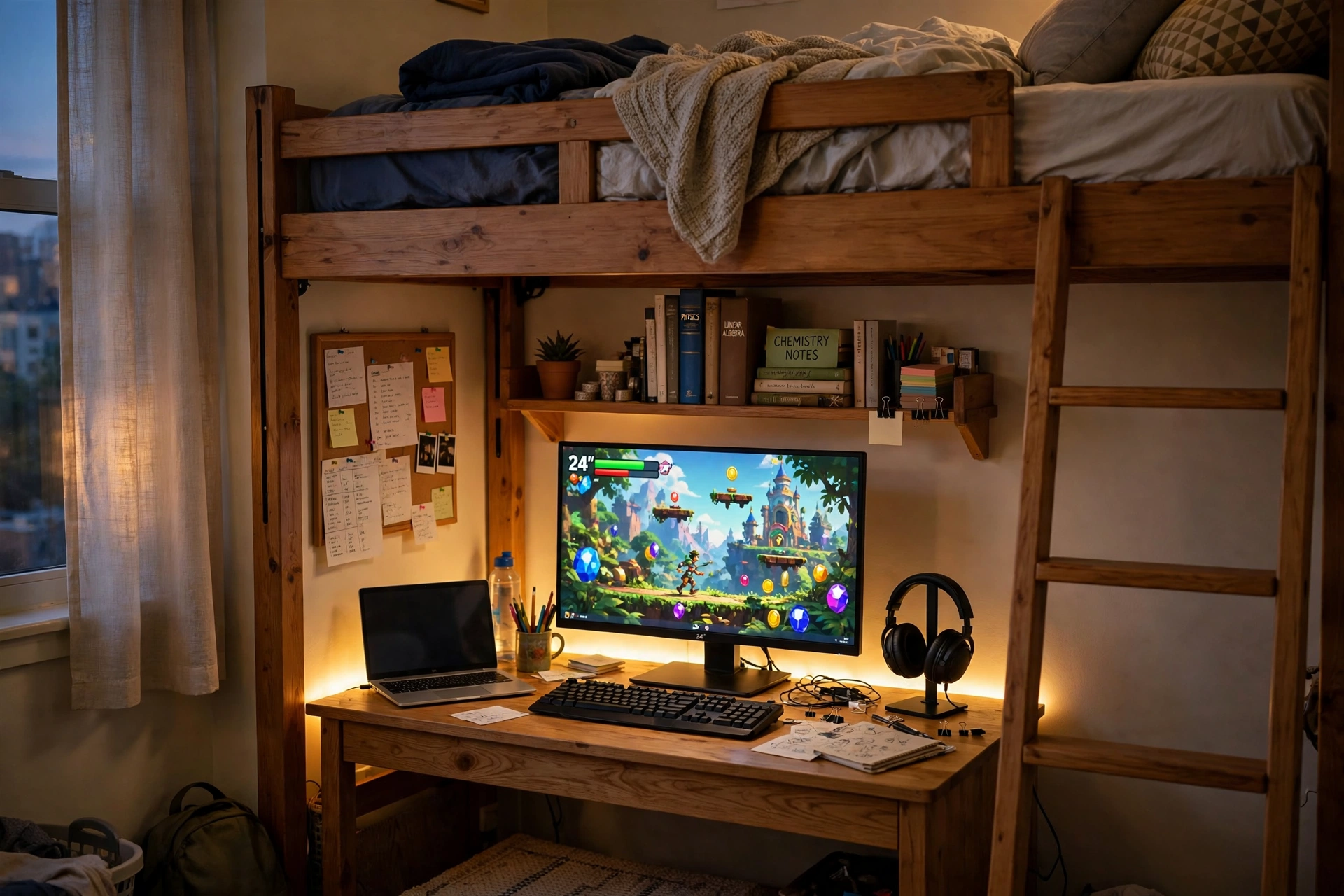
The space under a loft bed is the best free real estate in a dorm, and a compact desk turns it into a proper gaming spot. The bed frame gives you a shelf above the desk for books, and the low ceiling keeps the glow from your strip light close and cozy instead of lost in a big room.
What works here:
- Desk: a small 40 inch desk that slides neatly under the bed frame, with a monitor stand built in to lift the screen to eye level.
- Seat: a slim chair that pushes fully under the desk, so the walkway stays clear when you are not playing.
- Screen: one main monitor for games, with a laptop beside it for notes and streams.
- Light: a warm strip along the desk edge, plus the shelf above for books and a small plant.
- Storage: a cork board on the side wall for class notes, and a backpack hook on the bed post.
- Power: one power strip behind the desk leg, with the strip light controller in easy reach.
KKL 40 Inch Small Computer Desk with Adjustable Monitor Stand
Why this one: the adjustable monitor stand lifts the screen without a separate riser, which saves precious desk depth under a low bed.
Worth knowing: a 40 inch desk is snug for a monitor plus a laptop side by side, so keep the laptop closed or on a small stand when you game.
Govee RGBIC LED Strip Lights, 16.4ft
Why this one: the shorter length is just right for one desk edge under a loft bed, and the app control lets you dim it to a soft warm glow for late sessions.
Worth knowing: check the cut marks before trimming, since cutting in the wrong spot can kill a section of the strip.
2. Fold Down Wall Desk That Vanishes
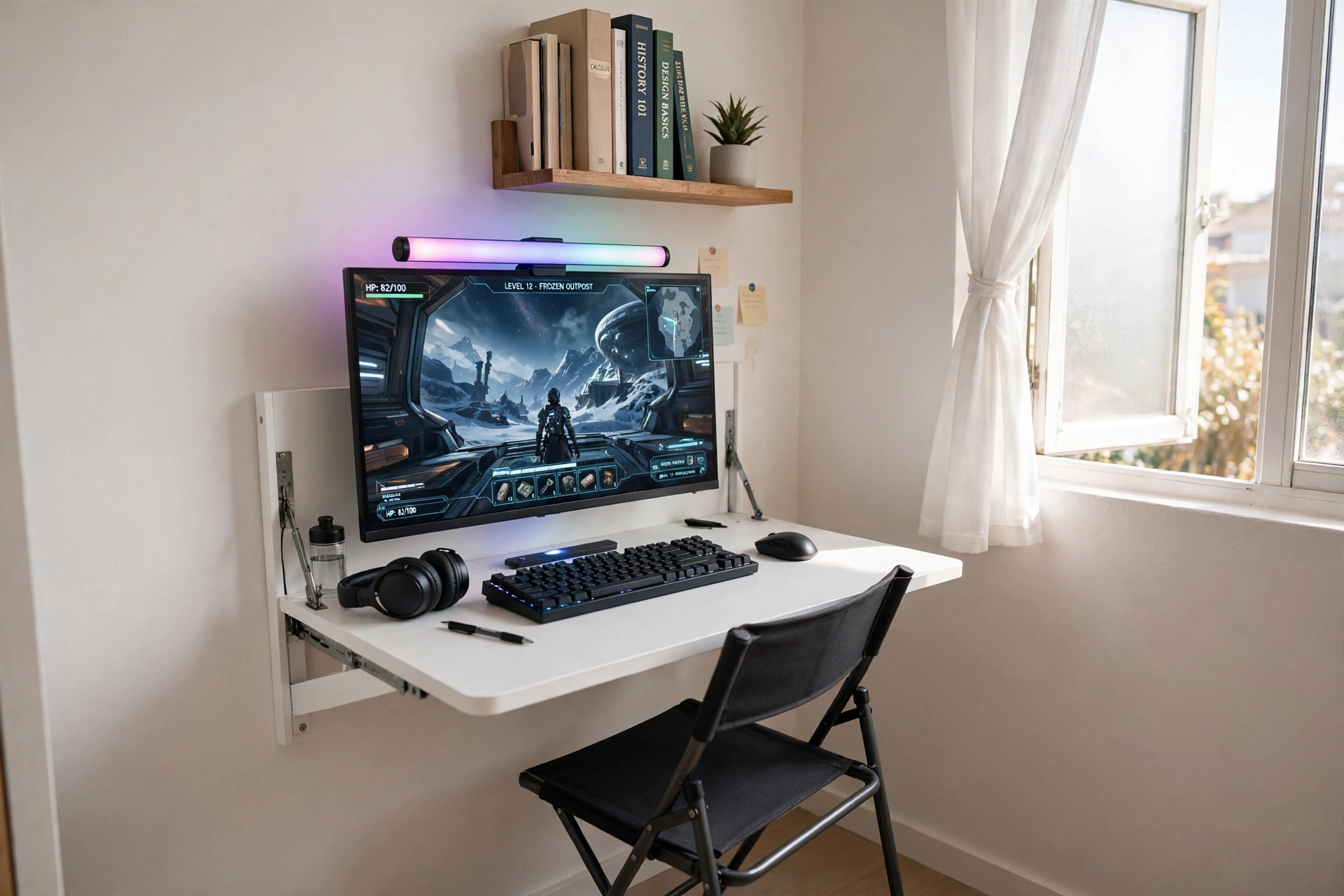
When the room barely fits a bed, a fold down wall desk is the answer. It flips up for a full gaming session and folds flat against the wall when you need the floor back, which matters in a room you also live, study, and dress in.
How to set it up:
- Mount the desk at a height where your elbows rest naturally when you sit on a folding chair.
- Place the monitor at the back edge, with a light bar on top so the wall glows softly behind the screen.
- Keep the keyboard and mouse in a small tray on the shelf above, so setup takes one minute.
- Run one cable from a wall outlet to a small power strip fixed under the desk flap.
- Fold the desk up and hang the chair on a wall hook when the session ends.
Dorm rule: ask your housing office before drilling into the wall. Many dorms allow small anchors, and some offer a maintenance visit to mount it for you, which keeps your deposit safe.
IFANNY Folding Wall Desk, Wood Wall Mounted Desk with Storage Drawer and Shelves
Why this one: the built in drawer and shelves hold your keyboard, mouse, and headset when the desk is folded up, so nothing ends up on the bed or floor.
Worth knowing: the desk needs a solid wall and proper anchors, so check what your dorm walls are made of before you mount it.
Quntis Monitor Light Bar RGB PRO
Why this one: the light bar sits on top of the monitor and lights the desk without a lamp taking up space, and the RGB back glow adds color to a plain white wall.
Worth knowing: the bar is sized for wider monitors, so measure your screen width before ordering.
3. Laptop First Desk for Study and Play
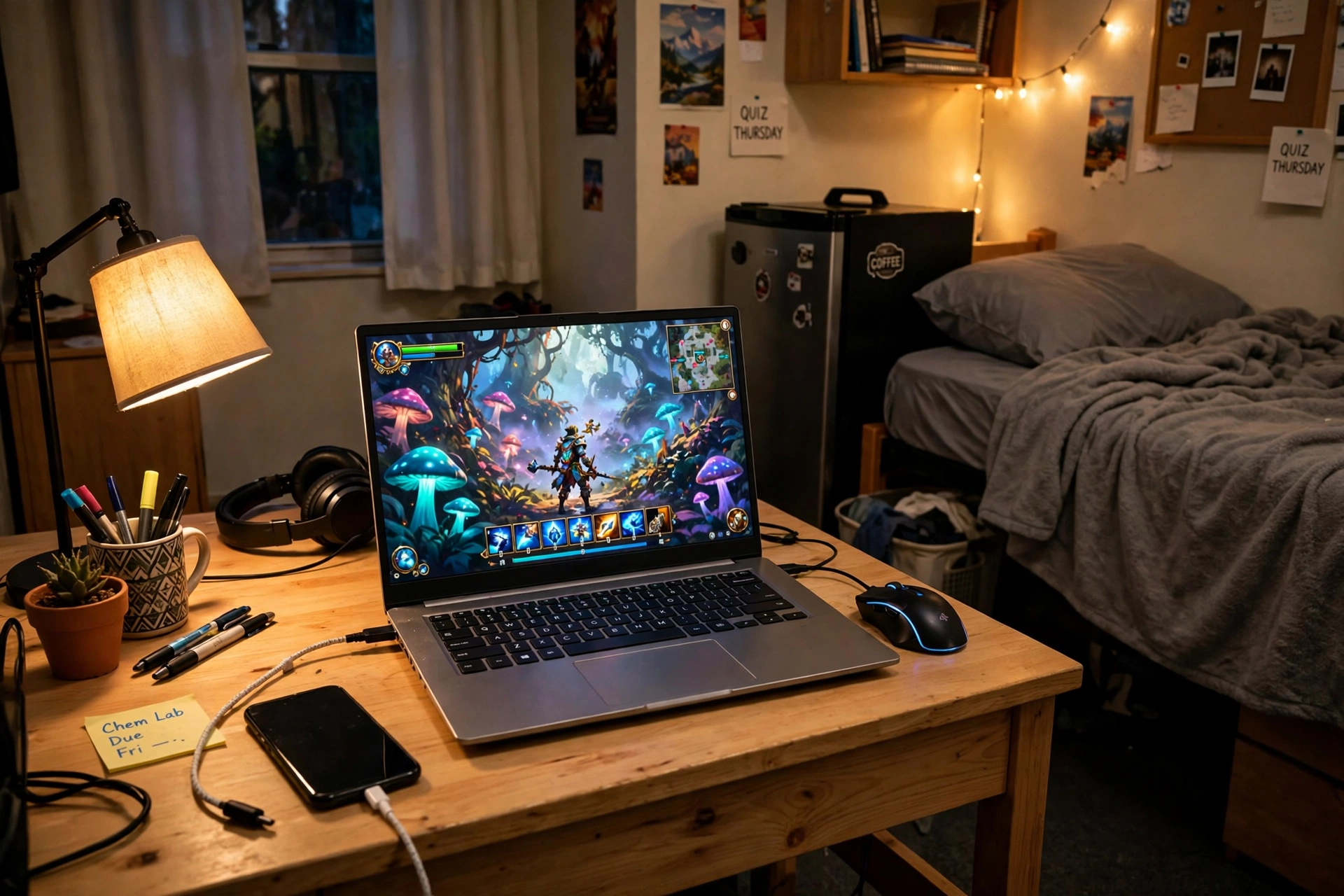
Most dorm gamers start with a laptop, and this setup treats that laptop like a proper gaming station instead of a compromise. A small desk, a real mouse, and a warm lamp turn the same surface you write essays on into a setup you actually want to sit at after class.
One desk, two jobs: keep the left half of the desk for study and the right half for play. A small tray holds pens and notes on the left, while the mouse and a headset live on the right, so switching from homework to a game means moving one notebook, not rebuilding the desk.
Place a desk lamp on the left for reading, keep a phone charger cable clipped to the desk edge, and store textbooks on the wall shelf above so the surface stays clear. When game time comes, close the notes, plug in the mouse, and the desk is ready in seconds. If your room is shared, the ideas in 15 Small Gaming Room Ideas for Tight Spaces show more ways to carve out a personal corner without taking over the room.
Sweetcrispy Small Computer Desk, 40X24 Inch Office Writing Work Study Gaming PC Table
Why this one: the 40 by 24 inch top is big enough for a laptop plus a mouse, yet small enough to fit between a bed and a mini fridge, which is the classic dorm squeeze.
Worth knowing: the desk has no built in storage, so add a small shelf or a hanging organizer for books and cables.
Logitech G502 HERO Wired Gaming Mouse
Why this one: the precise sensor and extra buttons make a real difference over a laptop trackpad, and the wired connection means no batteries to buy or charge.
Worth knowing: the cable can drag on a small desk, so clip it to the desk edge or use a small cable holder to keep it out of the way.
4. Roommate Friendly Quiet Corner
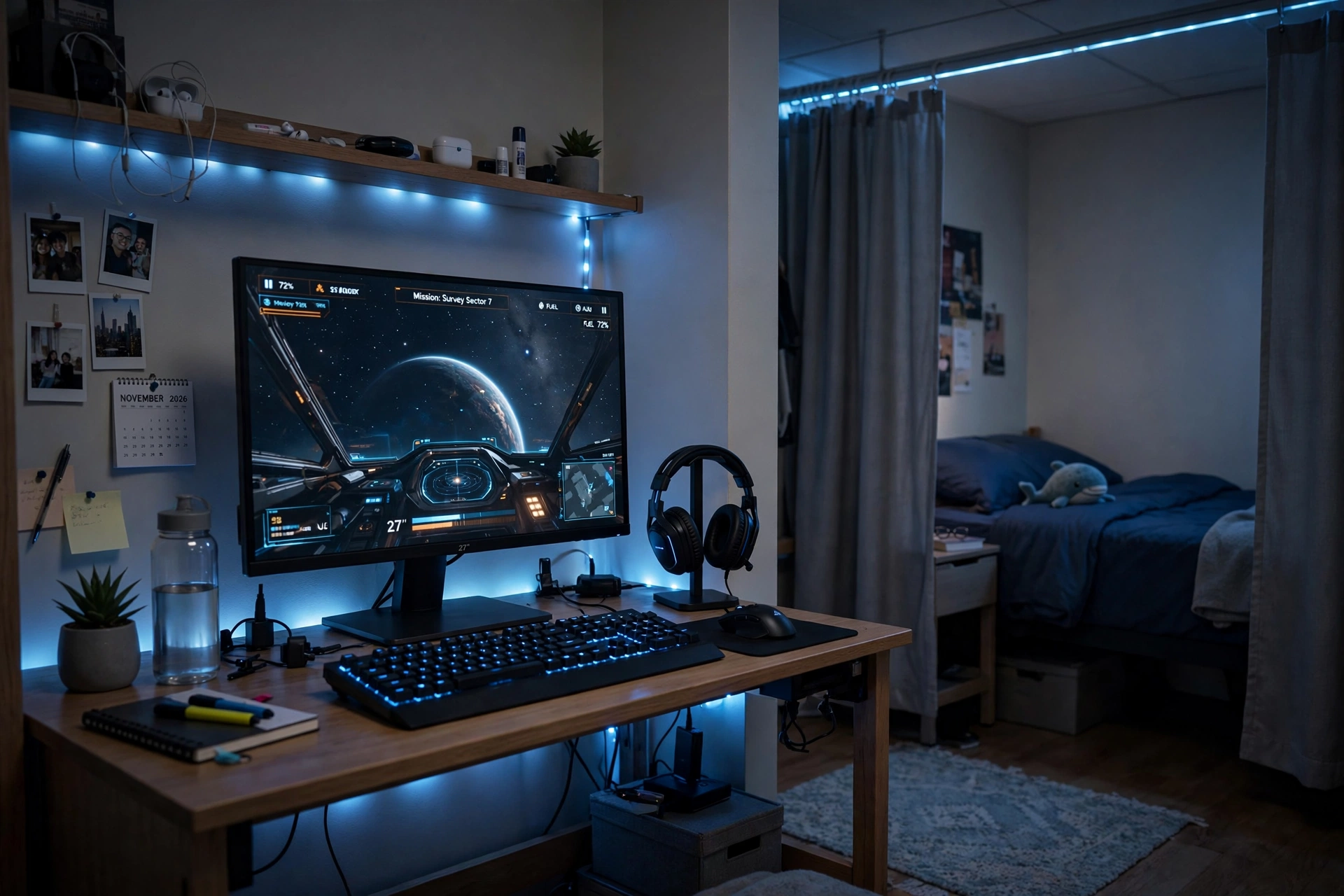
Sharing a room means your setup has to be quiet, dim, and contained. This corner uses headphones for all sound, a single calm blue glow instead of a rainbow, and a curtain or shelf as a soft divider, so your roommate can sleep while you finish one more mission.
Quiet setup or loud setup, which wins in a shared room? Quiet wins every time. Headphones keep the game to yourself, a keyboard with softer keys keeps the clicking down, and one steady color at low brightness looks calm instead of flashing across the room. Save the bright RGB party mode for when your roommate is out, and keep the quiet version as your default.
Hang a headset on a stand with a built in charger so your phone and headset are always ready, keep a water bottle and notebook on the desk, and store spare cables in a small box under the desk. One power strip behind the desk leg runs everything, and one switch ends the night.
KTC 27 Inch Gaming Monitor, 180Hz, 1080p
Why this one: the fast refresh rate suits competitive games, and the 27 inch size fills a small desk nicely without crowding your roommate’s side of the room.
Worth knowing: 1080p on a 27 inch screen looks softer up close than QHD, so sit a little farther back if text looks fuzzy to you.
TROND RGB Headset Stand with PD 20W USB C Charger
Why this one: the stand keeps your headset off the desk and in one place, and the built in USB C charger tops up your phone while you play, so one cable does two jobs.
Worth knowing: the RGB glow is always on unless you switch it off, so set it to a dim single color before a late night session.
5. Console TV and Corner Lamp
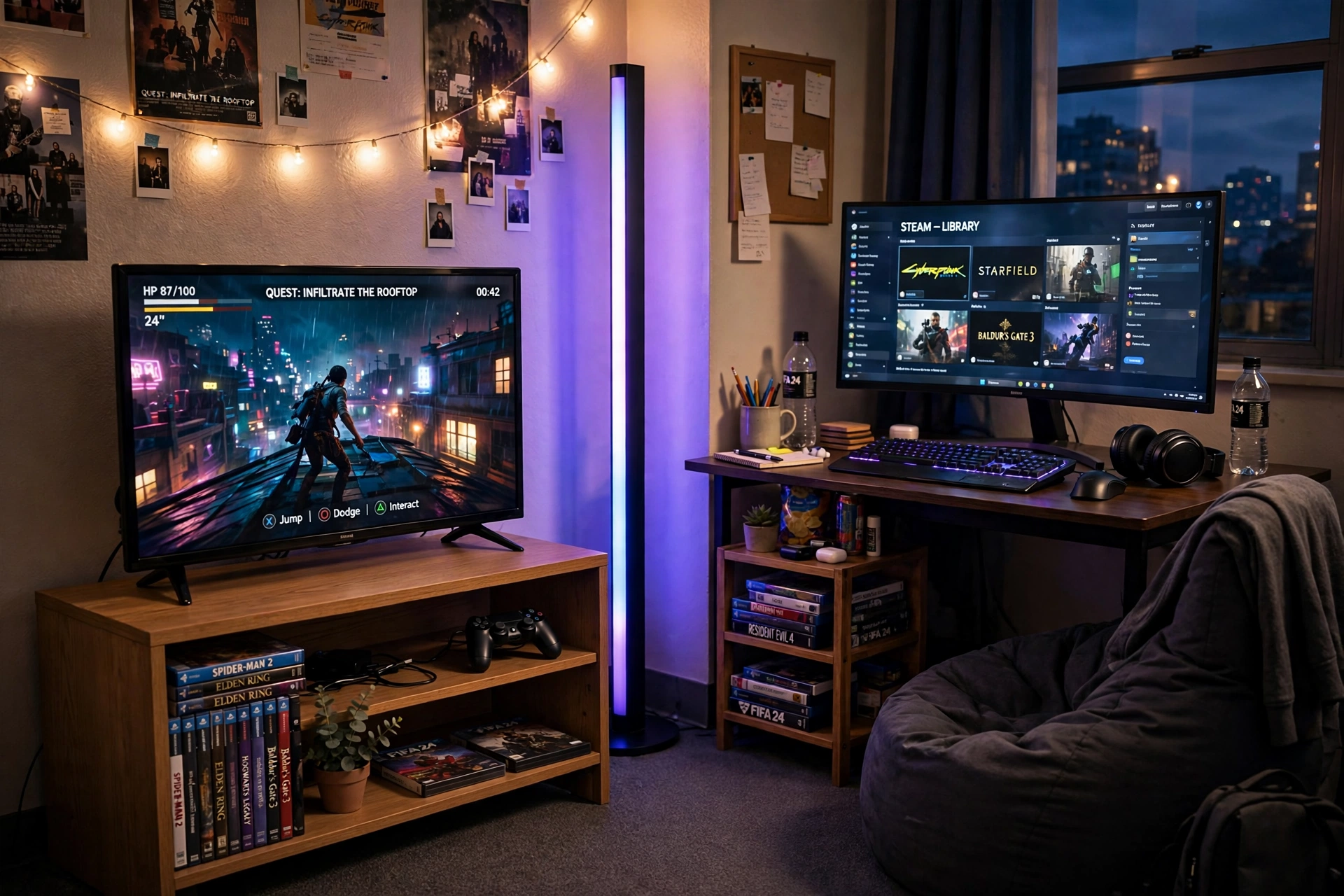
Console players do not need a big desk at all. A small TV on a low stand, a tall corner lamp for glow, and a beanbag for seating turn the corner of a dorm into a lounge that works for games and movie nights alike.
Console corner checklist:
✓ TV on a low stand, at eye level from the beanbag or bed
✓ Corner lamp behind the TV stand, set to one calm color
✓ Console in a ventilated spot, not inside a closed shelf
✓ Controllers on a small shelf or in a basket by the seat
✓ One power strip behind the stand for the TV, console, and lamp
Add a small desk beside the TV with a monitor for PC games or a second player, and keep game cases on a narrow shelf so the floor stays clear. The lamp does the decorating here, so the rest of the corner can stay simple and the whole setup still looks finished.
Govee RGBIC Floor Lamp, LED Corner Lamp
Why this one: the slim tower fits into a corner that a normal lamp cannot use, and the RGBIC segments show more than one color at once for a richer glow behind the TV.
Worth knowing: the lamp is tall and light, so keep it out of the path where someone might knock it over in the dark.
Samsung 27 Inch Odyssey G5 QHD Gaming Monitor
Why this one: the QHD curved panel gives a wide, wrapped view that suits immersive games in a dark corner, while staying a sensible size for a small side desk.
Worth knowing: curved screens can distort straight lines slightly, so they are less ideal if you do precise photo or design work on the same desk.
6. Corner Dual Monitor Battlestation
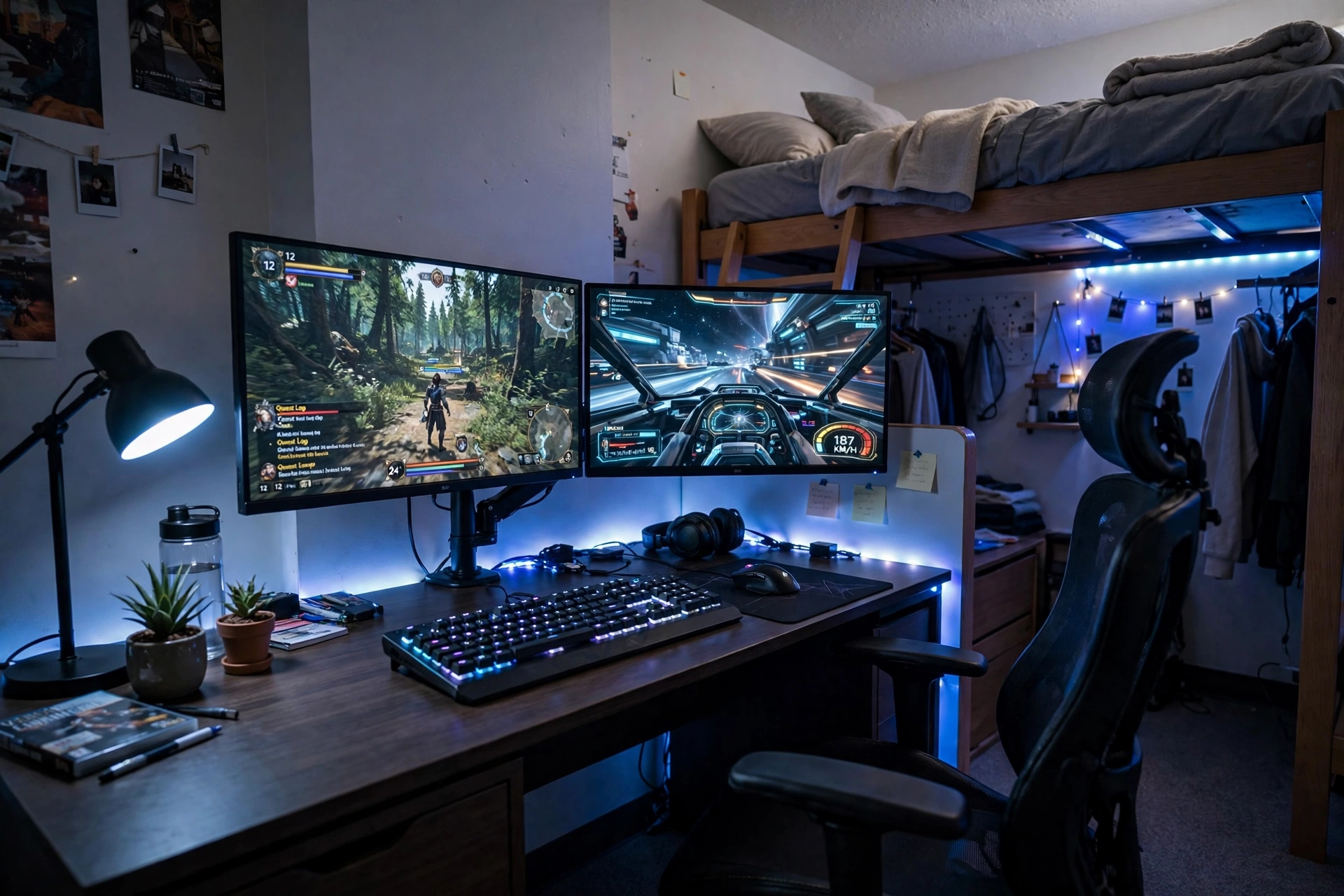
Two monitors in a dorm sounds impossible until you put them on one arm in a corner. The arm lifts both screens off the desk, which frees the whole surface for a keyboard, a mousepad, and a notebook, and the corner walls bounce the blue glow back so the setup feels bigger than it is.
- Desk: a 47 inch desk pushed tight into the corner, with drawers on one side for chargers and cables.
- Seat: a gaming chair with armrests that slide under the desk, so the corner stays walkable.
- Screen: two monitors on a single gas spring arm, one for the game and one for chat, music, or a guide.
- Light: a soft blue strip along the back edge of the desk and under the loft bed frame above.
- Storage: a small shelf on the side wall for game cases, plus a drawer for spare controllers.
- Power: one power strip behind the desk, with monitor and laptop cables clipped to the arm pole.
Corner tip: angle the two monitors slightly toward you, not flat against the walls. A gentle inward angle keeps both screens readable from one chair and stops the corner from feeling like a tunnel.
Huuger 47 Inch Computer Desk with Power Outlets and LED Lights
Why this one: the built in power outlets cut down on extension leads, and the LED edge gives the corner a gaming feel before you add any extra light.
Worth knowing: the desk is wide for a dorm corner, so measure the wall space and the door swing before you order.
HUANUO Dual Monitor Arm, Gas Spring
Why this one: the gas spring arms hold two monitors at the same height and let you adjust them with one hand, which is the only practical way to fit two screens on a dorm desk.
Worth knowing: the arm clamps to the desk edge, so check your desk thickness and make sure the clamp has a solid spot to grip.
Frequently Asked Questions
Can I build a gaming setup in a tiny dorm room? Yes, and most dorm setups use one compact desk, one monitor or a laptop, and a strip of light. A small desk under a loft bed or a fold down wall desk gives you a full station in about the space of a chair.
What is the best desk size for a dorm room? A desk around 40 to 47 inches wide suits most dorms. It holds a monitor, a keyboard, and a mouse, and it still leaves room to walk past the bed. Measure your wall before you order, and check the door swing too.
How do I keep a dorm gaming setup roommate friendly? Use headphones for all sound, keep lights to one calm color at low brightness after quiet hours, and keep your gear on your side of the room. A small setup that folds or tucks away also helps when your roommate needs the space.
Are LED lights allowed in dorm rooms? Most dorms allow LED strips and lamps, since they need no drilling and peel off cleanly. Check your housing rules first, and avoid anything that blocks a smoke detector or covers a sprinkler.
Do I need a monitor if I have a gaming laptop? No, a laptop alone works well in a dorm, and a good mouse makes the biggest difference. Add a monitor later if you want a bigger screen for long sessions, or if you stream and need a second display.
How do I hide cables in a dorm room? Run one power strip behind the desk, clip cables to the desk edge or a monitor arm, and keep spare cables in a small box or drawer. Fewer cables on the floor means fewer trips and a tidier room for inspections.
Conclusion
A dorm room gaming setup is not about having the biggest desk or the most screens. It is about fitting a complete station into one small corner and making it work for both study and play. Start with the layout that matches your room, a desk under the loft bed, a fold down wall desk, or a quiet corner with headphones, and add light and storage around it. Your setup will move with you when the semester ends, and the habits you build now, tidy cables, one calm light, gear that packs away, will make every room after this one easier too.
Related reading:
If you liked these dorm ideas, try 15 Budget Gaming Setup Ideas That Look Expensive for more ways to make a small room look polished without spending much, and 15 Cozy Gaming Setup Ideas on a Budget for warm, low cost setups that suit a shared room.
