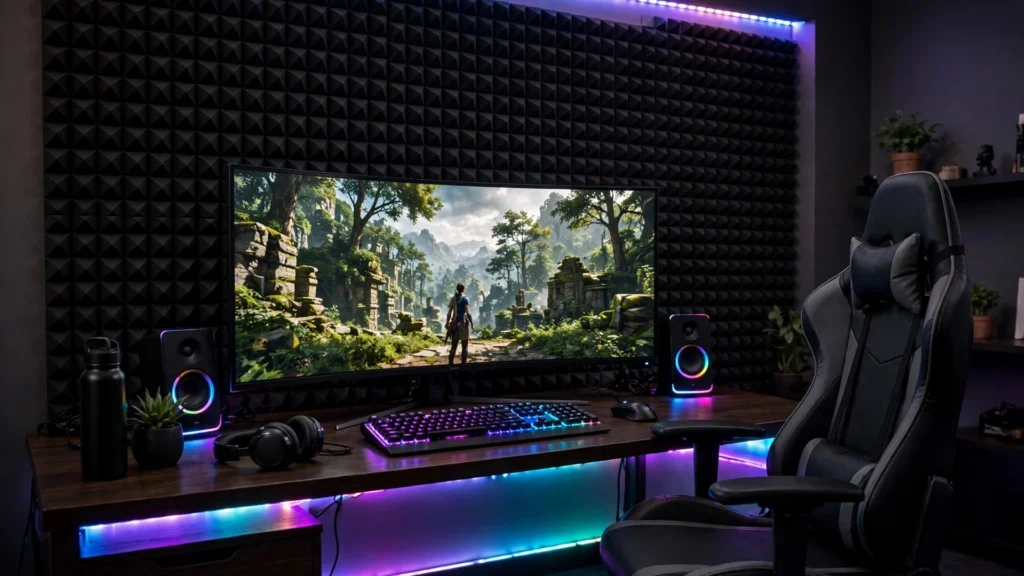
Gaming Room Ideas
A gaming room that sounds good feels good, and acoustic panels are the fastest way to get there. They soak up echo, tame keyboard clatter, and keep your voice clear on stream, and they look like proper wall art while they do it. These twelve setups show acoustic panels in every style, from bold feature walls to quiet corners, and every one of them is a complete plan you can copy, desk, seat, screen, light, storage, and power included.
As an Amazon Associate I earn from qualifying purchases. Read our full affiliate disclosure for more detail.
Every idea below is one complete setup you can copy whole. Start with the wall behind your desk, because that is where most echo comes from, then add panels to the side walls if the room still sounds lively. If noise is already a problem with neighbours or roommates, the 7 gaming room soundproofing ideas will help with the rest of the room, and the 12 RGB lighting ideas for gaming rooms will help you light the new wall beautifully.
In This Article
- 1. Wedge Foam Feature Wall
- 2. Hexagon Panel Art Wall
- 3. Behind the Monitor Sound Trap
- 4. Corner Bass Trap Nook
- 5. Ceiling Cloud Panels
- 6. Doorway Sound Seal
- 7. Streamer Voice Booth
- 8. Shared Wall Quiet Zone
- 9. Panel and Plant Combo
- 10. Color Block Panel Wall
- 11. Low Profile Panel Strip
- 12. Full Room Wrap
- At a Glance Comparison
- Frequently Asked Questions
- Conclusion
At a Glance Comparison
| Setup | Desk and Seat | Screen and Light | Best For |
|---|---|---|---|
| 1. Wedge Foam Wall | Desk, black chair | Monitor, LED strip glow | A bold sound treated backdrop |
| 2. Hexagon Panel Art | Desk, chair | Monitor, hexagon wall glow | Panels that look like art |
| 3. Behind Monitor Trap | Desk, black chair | Monitor, monitor light bar | Targeted echo control |
| 4. Corner Bass Trap | Corner desk, comfy chair | Monitor, warm floor lamp | Boomy corners and bass |
| 5. Ceiling Cloud Panels | Desk, chair | Monitor, rattan pendant glow | Echo from hard ceilings |
| 6. Doorway Sound Seal | Desk, chair | Monitor, soft lamp light | Keeping game sound in the room |
| 7. Streamer Voice Booth | Desk, gaming chair | Monitor, key light | Pro voice quality on stream |
| 8. Shared Wall Quiet Zone | Desk, dark chair | Monitor, soft LED glow | Flats with shared walls |
| 9. Panel and Plant Combo | Desk, beige chair | Monitor, warm lamp glow | A softer, greener treated wall |
| 10. Color Block Panel Wall | Desk, bright chair | Monitor, neon rope glow | A playful treated wall |
| 11. Low Profile Panel Strip | Desk with riser, simple chair | Monitor, daylight glow | Renters who want subtle treatment |
| 12. Full Room Wrap | Desk, gaming chair | Monitor, soft LED glow | A dedicated treated gaming room |
1. Wedge Foam Feature Wall
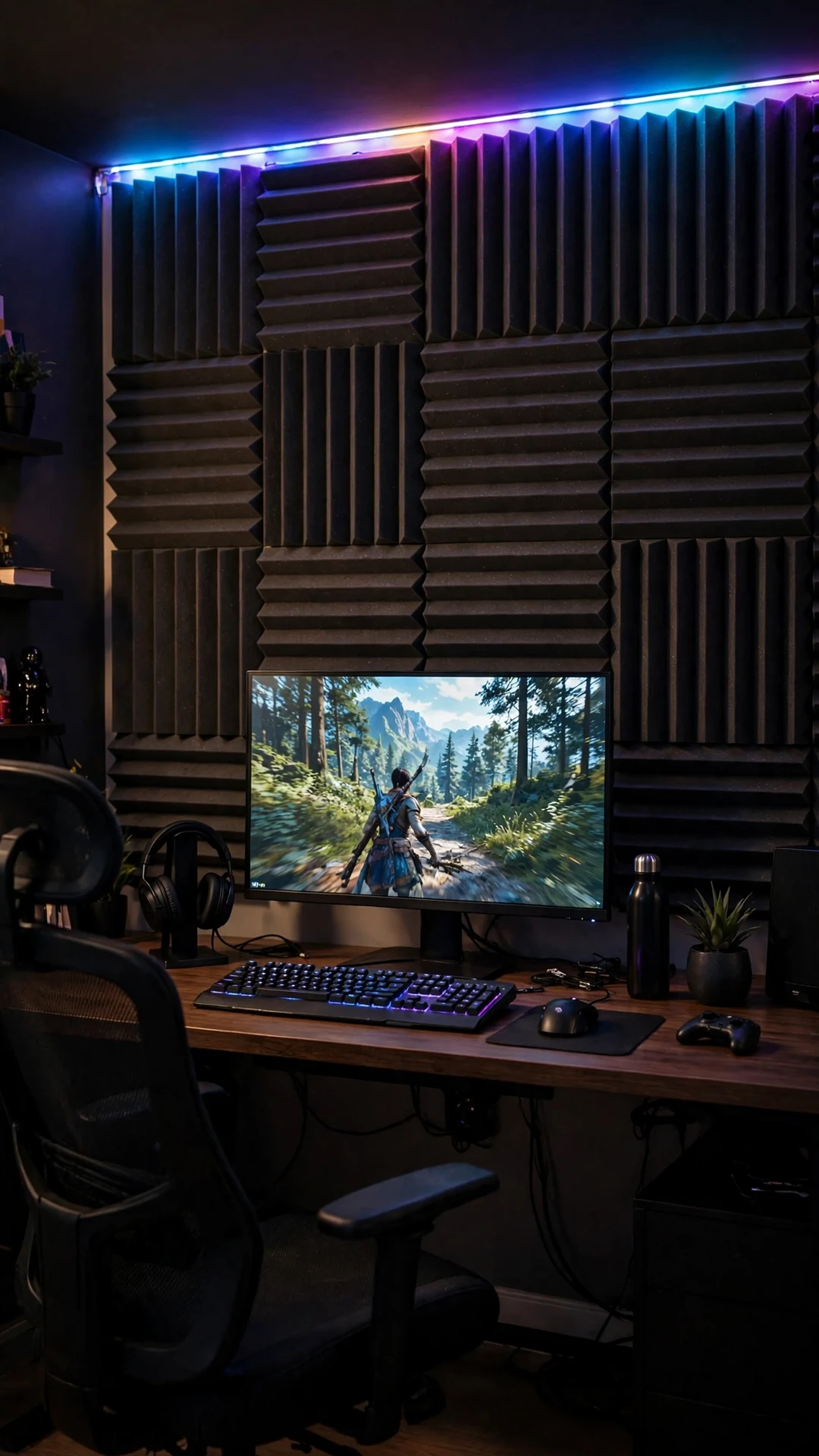
The classic acoustic setup is a full wall of wedge foam behind the desk, and it works because it treats the exact spot where echo starts. Twelve black foam panels in a neat grid soak up reflections from your voice and your keyboard, so the room sounds calm and your stream sounds close and clear.
An RGBIC strip along the top of the panels washes the foam in color and turns a plain black wall into a feature. Keep the monitor centered, the desk clear, and the panels in straight rows, and the wall looks like design, not padding. It is the setup that makes a bare spare room sound like a studio.
Why this one: The twelve foam panels cut echo and keyboard noise, and they stick on without tools or drilling.
Worth knowing: The adhesive can mark painted walls if you peel panels off, so plan the layout before you stick them.
Govee 16.4ft RGBIC LED Strip Lights, Work with Alexa and Google Assistant
Why this one: The RGBIC strip lights the panel wall evenly and can be set to a soft color that matches your game.
Worth knowing: The strip needs a nearby outlet, and the adhesive can loosen on textured walls over time.
2. Hexagon Panel Art Wall
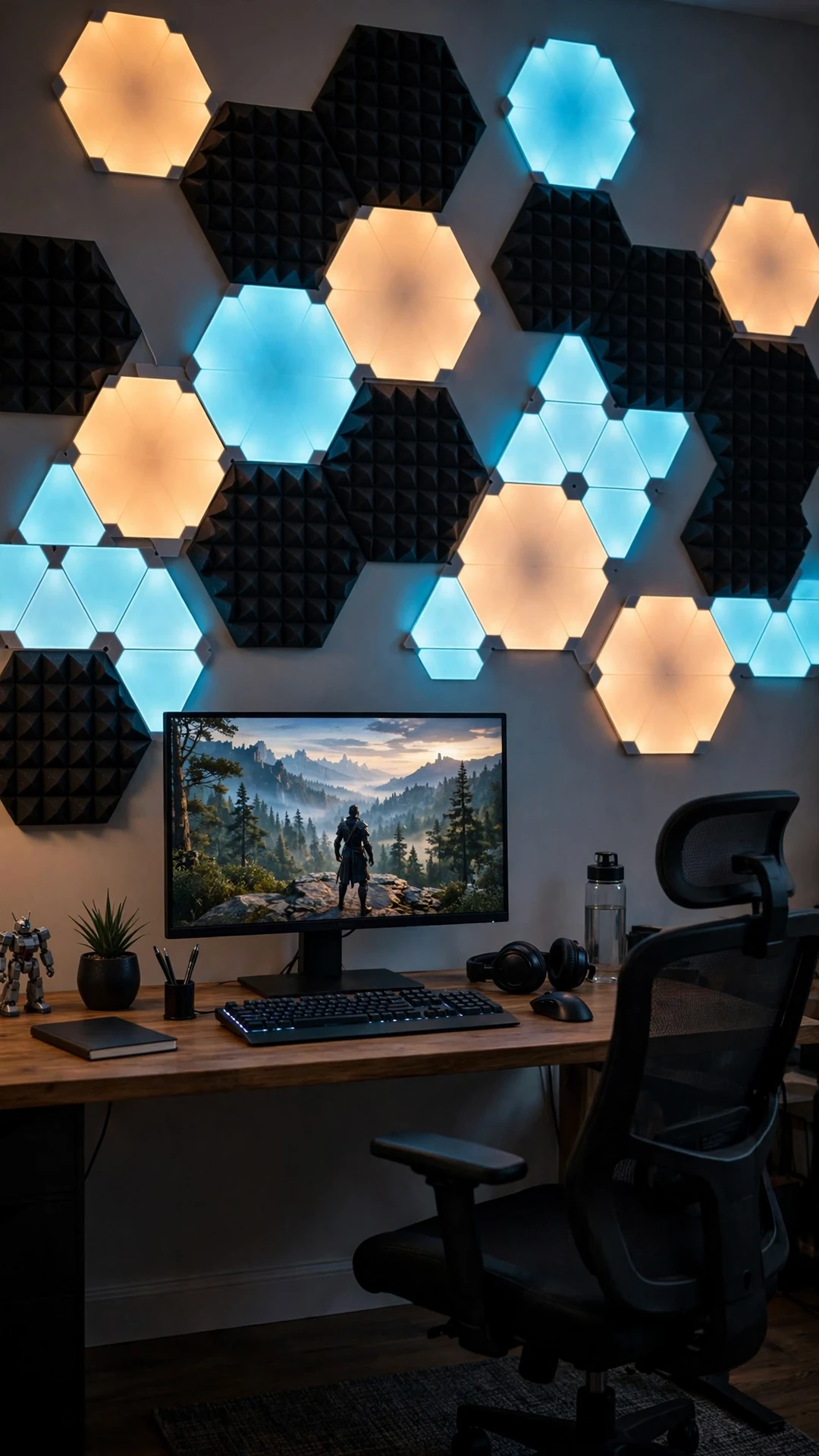
Acoustic panels do not have to look like a studio, they can look like art. Hexagon light panels mixed with black foam panels make a glowing geometric wall that treats sound and lights the room at the same time, and the pattern is entirely yours to design.
Arrange the hexagons in a cluster above the monitor and fill the gaps with foam panels, so the wall absorbs sound where it matters and glows where it shows. Set the panels to a calm color for work and a bright scene for game night, all from the app. It is the setup for people who want their sound treatment to be the prettiest wall in the room.
Govee Glide Hexa Pro Light Panels, RGBIC 3D Hexagon Wall Lights
Why this one: The hexagon panels make a bold glowing wall feature and sync with music and games through the app.
Worth knowing: The panels stick to the wall, so plan the layout before you press them on.
Why this one: The foam panels fill the gaps between the hexagons and cut echo behind the desk.
Worth knowing: The adhesive can mark painted walls if you peel panels off, so plan the layout before you stick them.
3. Behind the Monitor Sound Trap
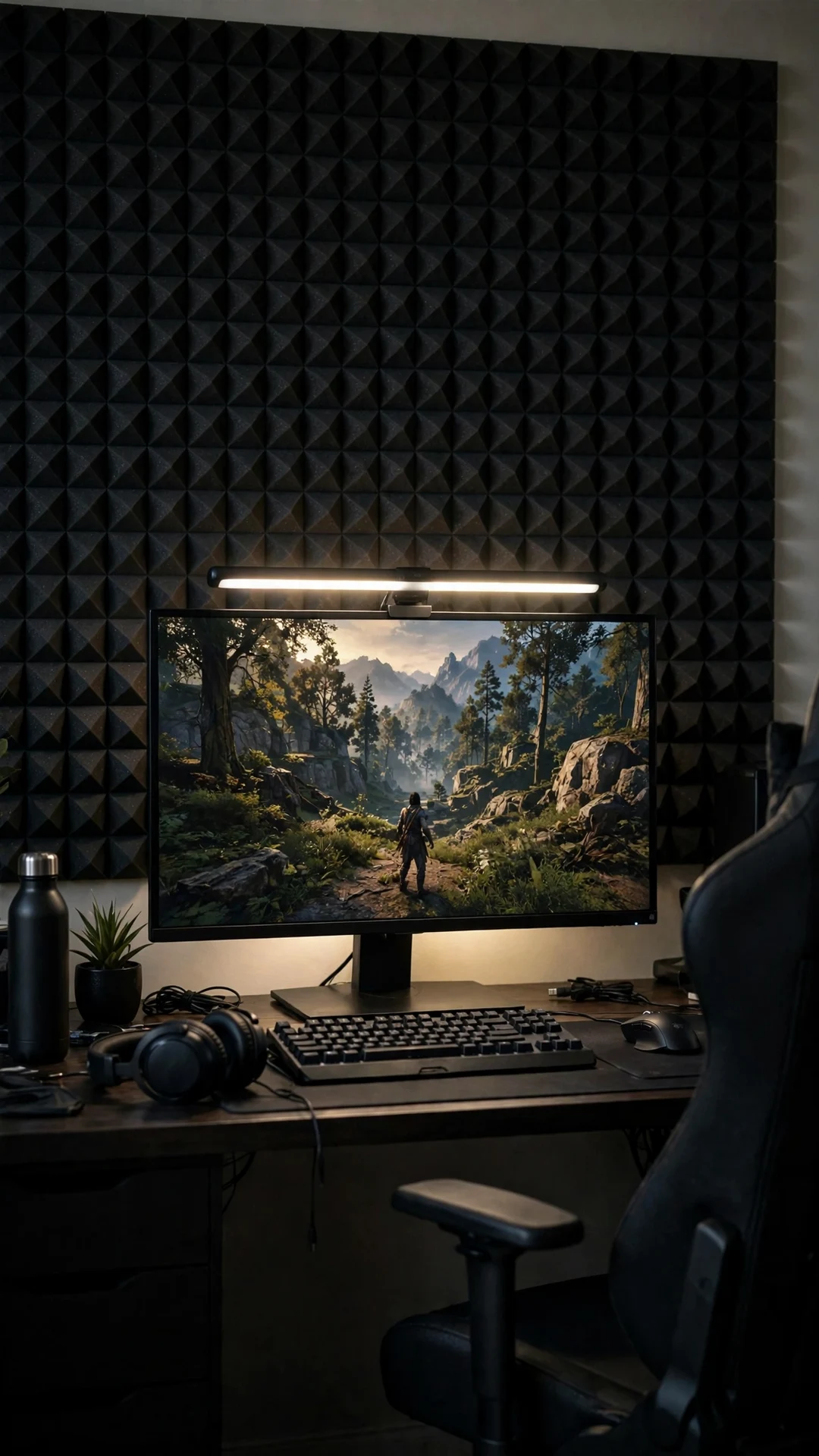
You do not need a whole wall of foam to hear the difference, sometimes the strip behind the monitor is enough. A band of black foam panels directly behind the screen catches the reflections from your voice and your speakers before they bounce around the room.
A monitor light bar above the screen washes the desk in soft light without glare, and the foam behind it stays dark and tidy. Keep the panels in a straight band, the desk clear, and the cables in a tray underneath. It is the smallest acoustic upgrade with the biggest payoff, and it takes an afternoon to install.
Why this one: The twelve foam panels cut echo and keyboard noise, and they stick on without tools or drilling.
Worth knowing: The adhesive can mark painted walls if you peel panels off, so plan the layout before you stick them.
Why this one: The light bar lights the desk without glare on the screen, and the remote makes it easy to dim at night.
Worth knowing: It sits on top of the monitor, so very thin bezels may need the included clips adjusted.
4. Corner Bass Trap Nook
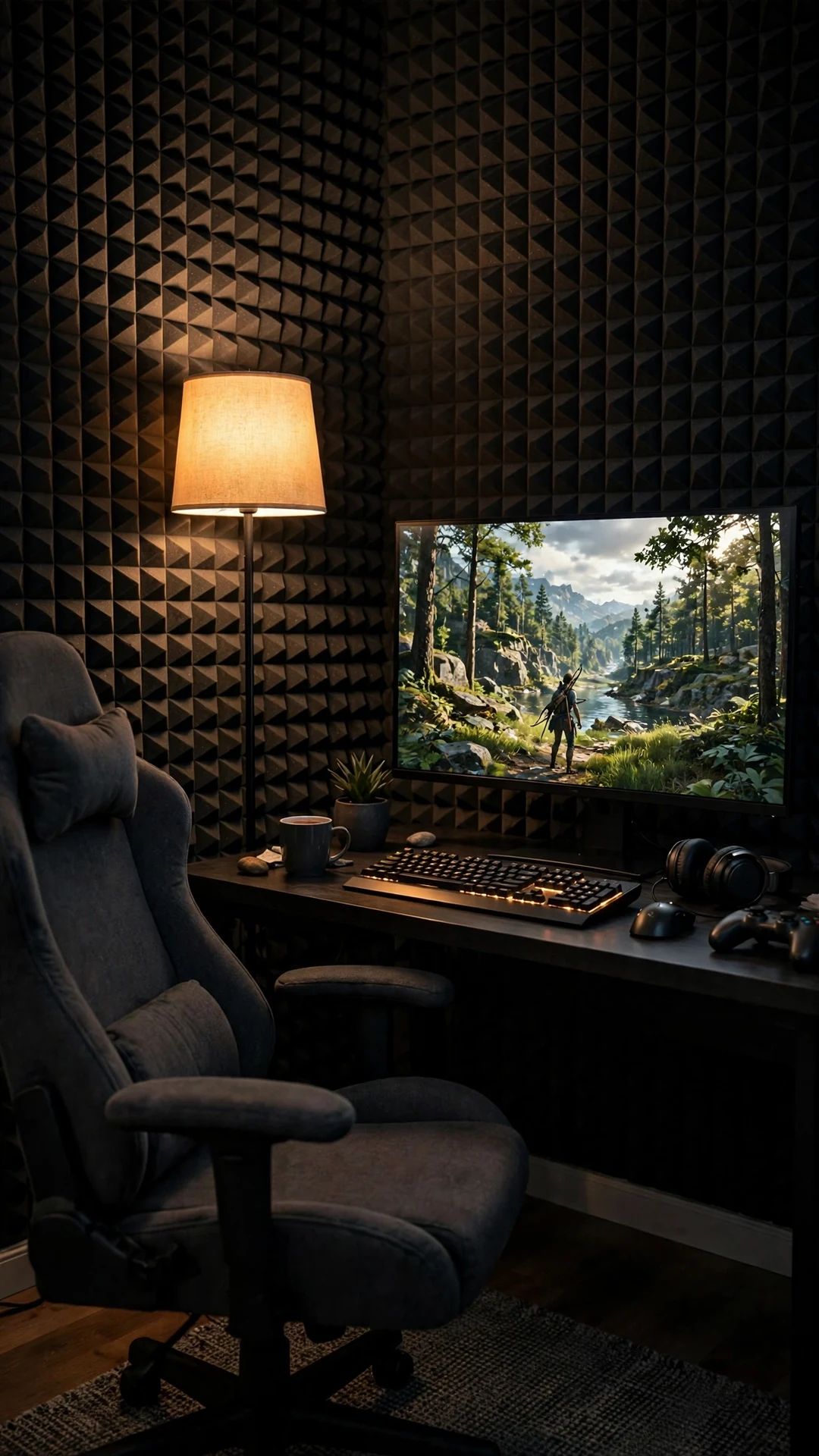
Corners collect bass and echo, so they are the worst sounding spot in most rooms and the best place to treat. Foam panels on both walls of the corner soak up the low end rumble from your speakers and the echo from your voice, so the nook sounds warm instead of boomy.
A tall floor lamp in the corner gives the nook a soft glow that makes the foam look intentional, and a comfy chair makes it a place you want to sit. Keep the desk small, the monitor at eye level, and the panels running floor to ceiling in the corner. It is the setup that turns the worst corner in the room into the best seat in the house.
Why this one: The twelve foam panels cut echo and keyboard noise, and they stick on without tools or drilling.
Worth knowing: The adhesive can mark painted walls if you peel panels off, so plan the layout before you stick them.
Why this one: The tall floor lamp fills a dark corner with warm light and the tan shade suits a cosy gaming nook.
Worth knowing: It is a statement lamp, so very small rooms may find it dominates the corner.
5. Ceiling Cloud Panels
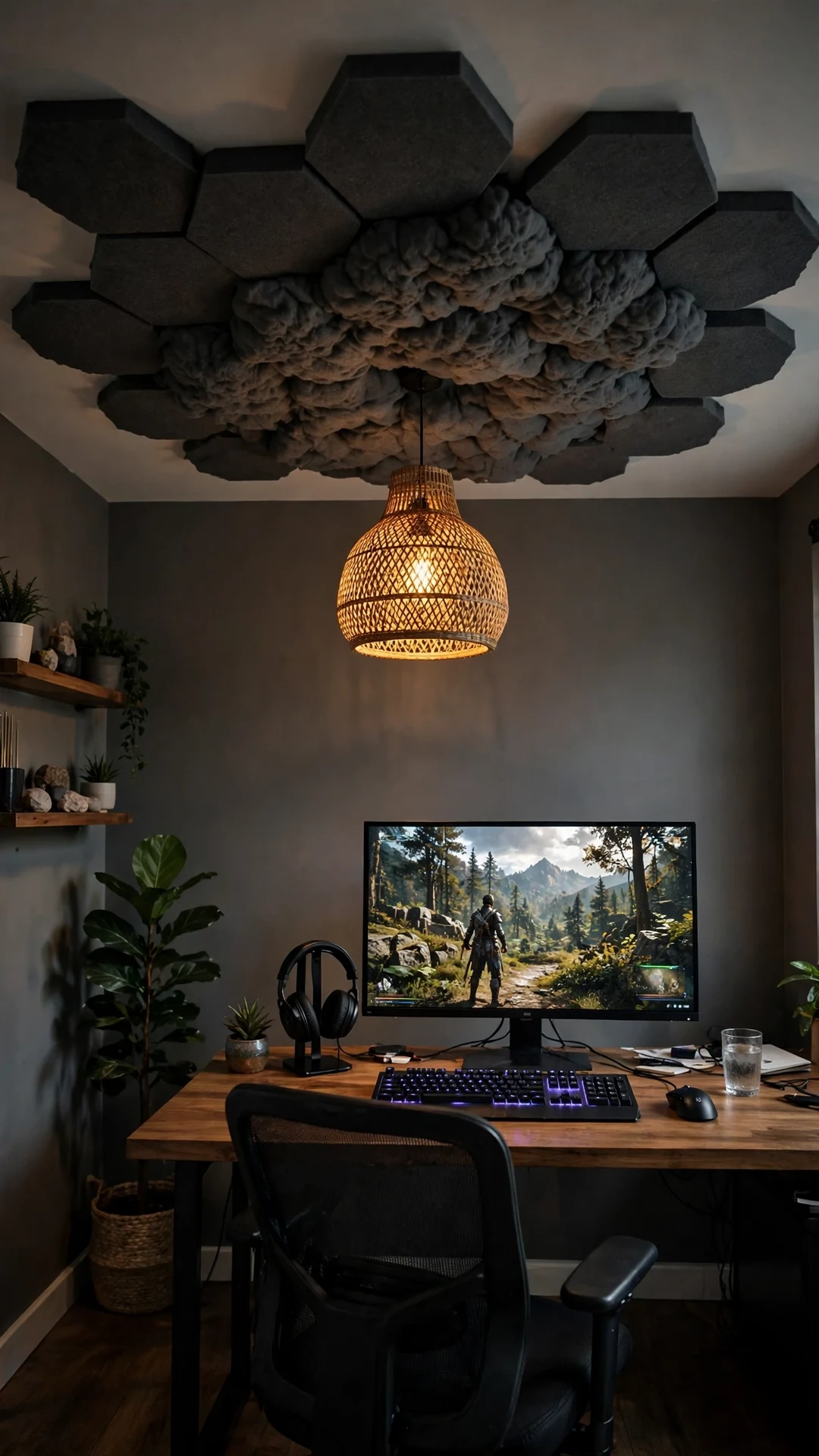
Hard ceilings bounce sound straight back down at you, and a cloud of panels above the desk catches it. Foam panels mounted on the ceiling over the gaming spot soak up reflections from above, so your voice sounds dry and clear on stream even in a room with bare floors.
A woven rattan pendant light hanging beside the cloud gives the ceiling a warm focal point and soft light for the desk. Keep the panels in a neat rectangle above the monitor, the desk centered underneath, and the cables in a tray. It is the setup for rooms with high ceilings and hard floors that echo too much.
Why this one: The twelve foam panels cut echo and keyboard noise, and they stick on without tools or drilling.
Worth knowing: Ceiling mounting needs strong adhesive or hooks, so check the panels stay put before you leave them.
Why this one: The woven rattan pendant gives the room a warm handmade glow that suits a cosy gaming space.
Worth knowing: It needs a ceiling hook and a little assembly, so allow time before you hang it.
6. Doorway Sound Seal
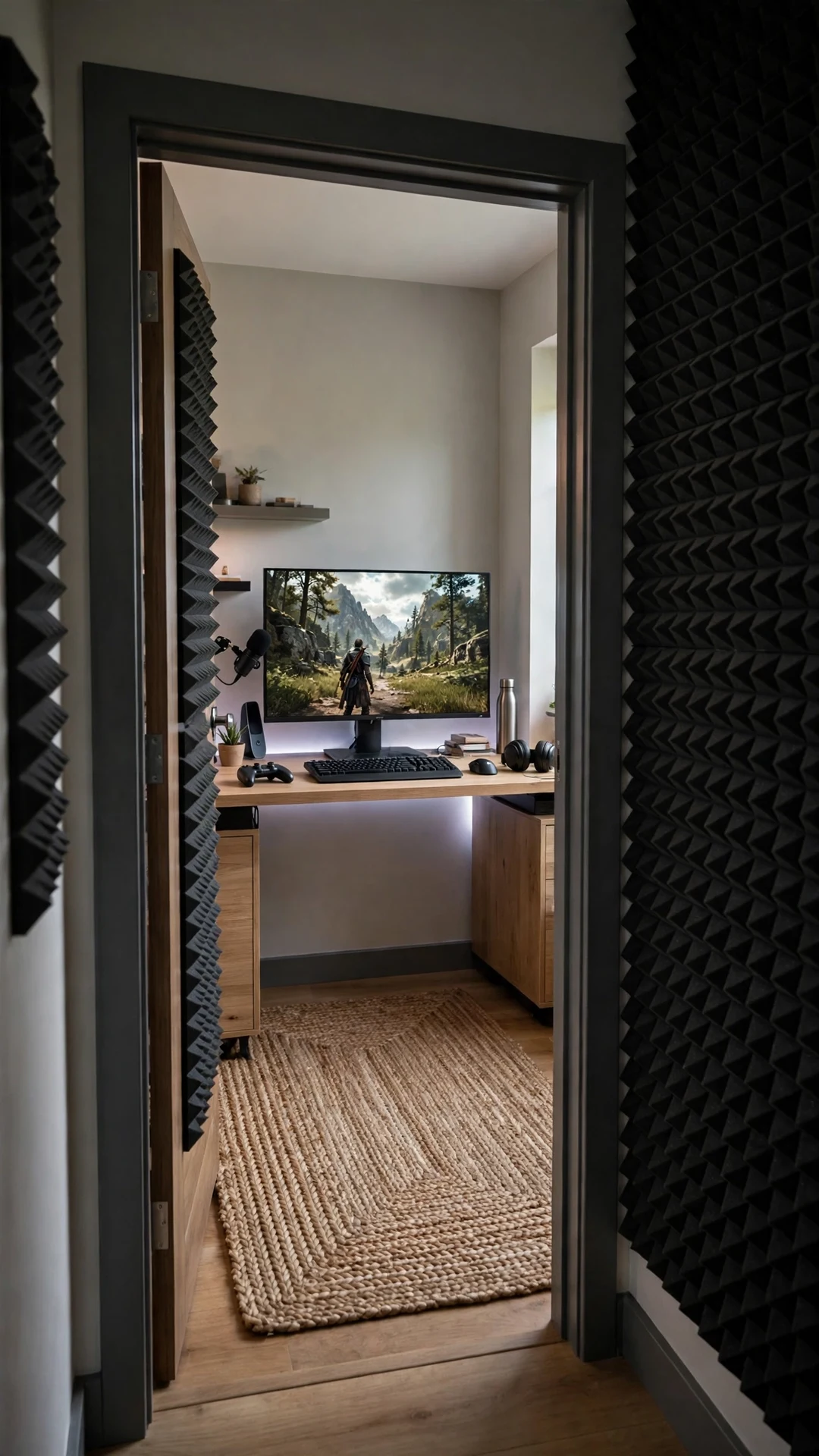
Sound leaks through doorways more than walls, so treating the wall beside the door keeps your games in the room and the rest of the house quiet. A column of foam panels beside the doorframe catches the sound before it escapes, and a thick woven rug on the floor soaks up footsteps and chair noise.
Keep the desk facing away from the door so the screen never glares at anyone walking in, and the panels make the doorway look like part of the design. Add a draught excluder under the door for the last bit of sound, and the room stays yours even at midnight. It is the setup for gamers who share a house and want to keep the peace.
Why this one: The twelve foam panels cut echo and keyboard noise, and they stick on without tools or drilling.
Worth knowing: The adhesive can mark painted walls if you peel panels off, so plan the layout before you stick them.
Why this one: The jute cotton rug soaks up floor noise and adds a warm natural texture to the gaming room.
Worth knowing: It is a flat weave rug, so it needs a rug pad underneath on slippery floors.
7. Streamer Voice Booth
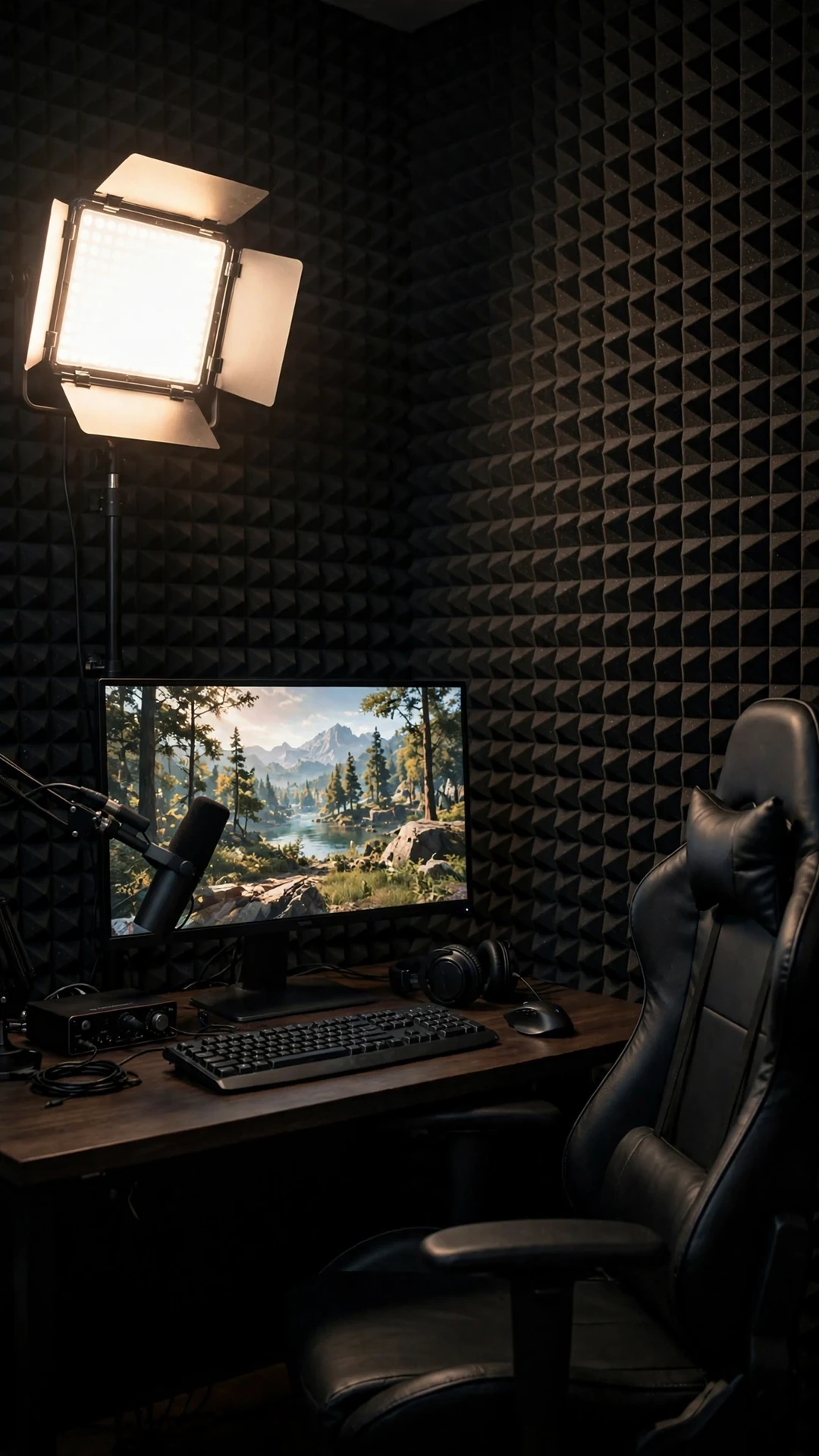
A voice booth is just a corner that is treated on every side, and this one is built for streamers who live on their mic. Foam panels on the two walls around the desk and on the wall behind you catch reflections from every direction, so your voice sounds like it was recorded in a booth, not a bedroom.
A key light beside the monitor gives your face even light for the camera, and the dark foam makes the background look clean and professional. Keep the mic close, the monitor at eye level, and the panels in neat rows. It is the setup for streamers whose voice is their brand.
Why this one: The twelve foam panels cut echo and keyboard noise, and they stick on without tools or drilling.
Worth knowing: The adhesive can mark painted walls if you peel panels off, so plan the layout before you stick them.
Elgato Key Light, Professional 2800 Lumens Studio Light with Desk Clamp for Streaming
Why this one: The key light gives bright, even light for streaming and clamps to the desk without taking space.
Worth knowing: It is a premium light, so it costs more than a basic desk lamp.
8. Shared Wall Quiet Zone
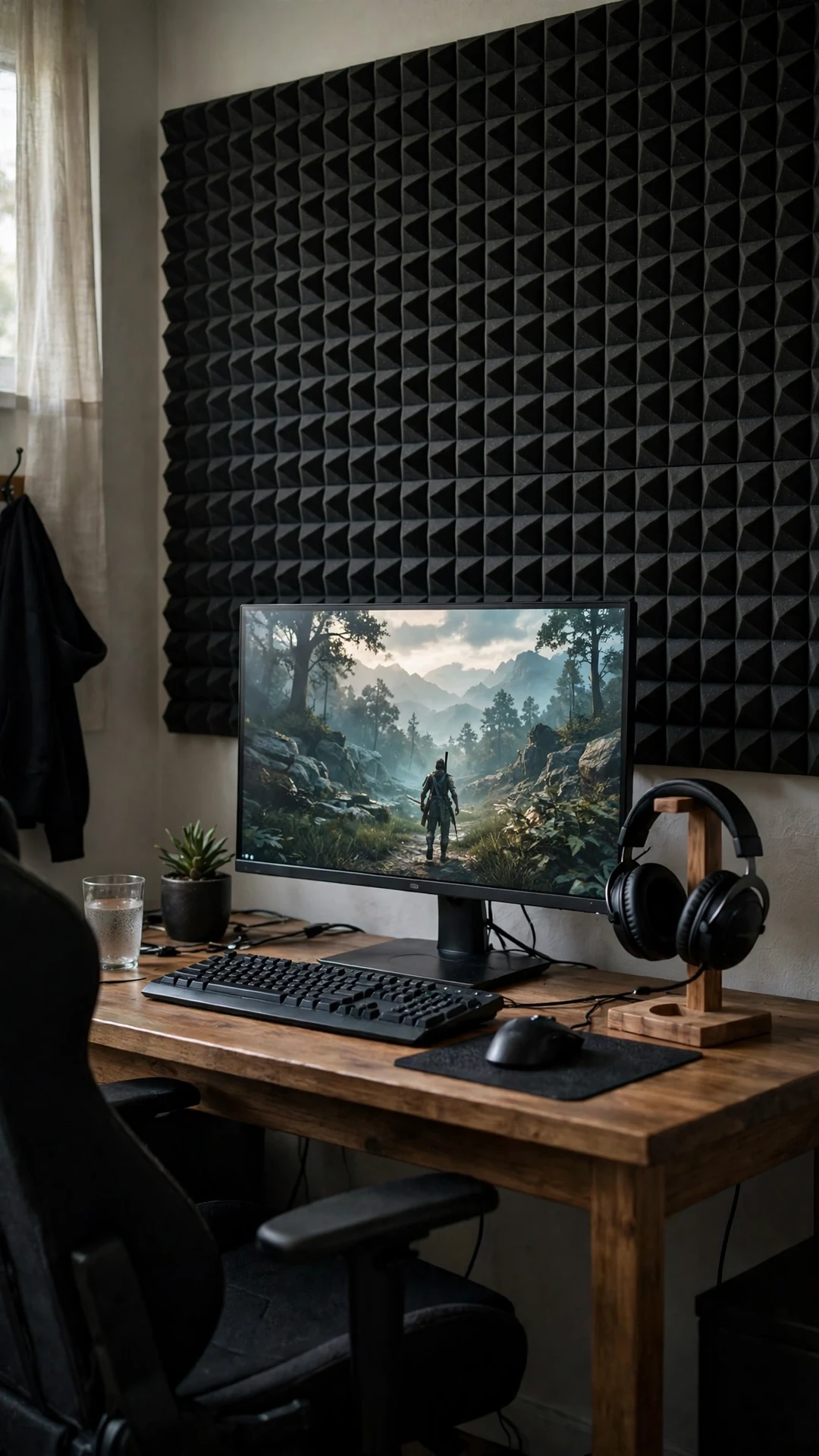
In a flat, the shared wall is the one that matters most, and treating it keeps both sides happy. Foam panels on the shared wall cut the sound that travels through to your neighbour and the echo that comes back to you, so late night games stay between you and your headset.
A headset stand keeps your headset off the desk and ready, and the soft LED glow behind the monitor keeps the room calm. Keep the speakers low after midnight, the panels in a neat grid, and the desk against the treated wall. It is the setup for gamers who want to play late and stay friends with the neighbours.
Why this one: The twelve foam panels cut echo and keyboard noise, and they stick on without tools or drilling.
Worth knowing: The adhesive can mark painted walls if you peel panels off, so plan the layout before you stick them.
UPERGO Headset Stand with Gaming Controller Holder, Walnut Wood Headphone Stand with Storage Base
Why this one: The walnut wood stand holds your headset and a controller, and the storage base keeps small gear tidy.
Worth knowing: It is a desk stand, so it takes up surface space that very small desks may not have.
9. Panel and Plant Combo
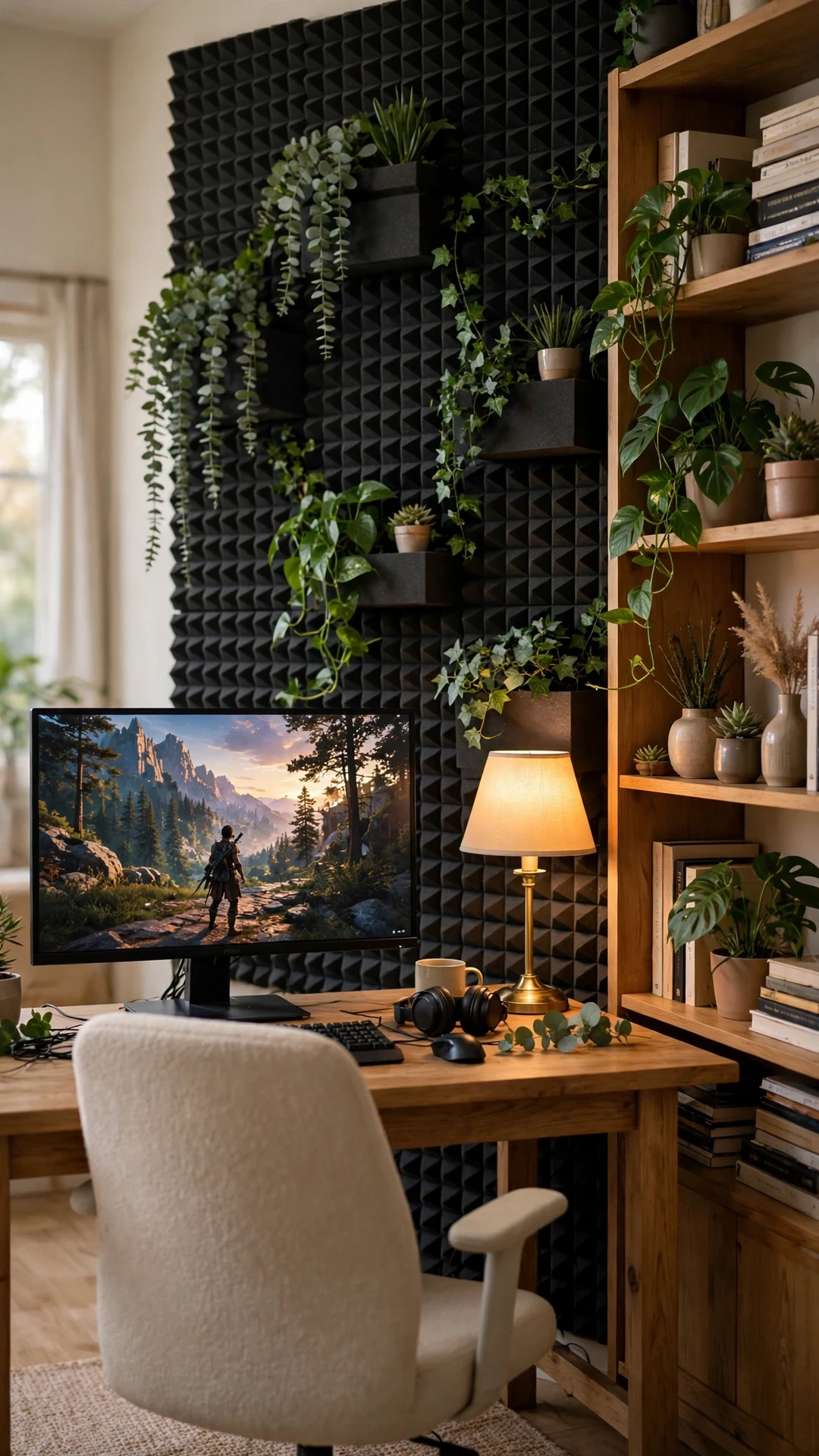
Foam panels and plants are a natural pair, because both soften a room, one for sound and one for the eye. A grid of black foam panels behind the desk cuts the echo, and a bookcase beside it full of leafy plants adds life and a little more sound absorption.
Keep the plants on the bookcase where they catch the light, and the panels in straight rows behind the monitor. A warm lamp on the desk ties the two together, and the room feels like a garden studio that happens to play games. Water the plants once a week, dust the panels now and then, and the wall stays fresh for years.
Why this one: The twelve foam panels cut echo and keyboard noise, and they stick on without tools or drilling.
Worth knowing: The adhesive can mark painted walls if you peel panels off, so plan the layout before you stick them.
Furinno Basic 3-Tier Bookcase Storage Shelves, French Oak Grey
Why this one: The three shelves hold plants, game cases, and a console, and the open design keeps everything easy to grab.
Worth knowing: It is a light bookcase, so very heavy pots should go on the bottom shelf.
10. Color Block Panel Wall
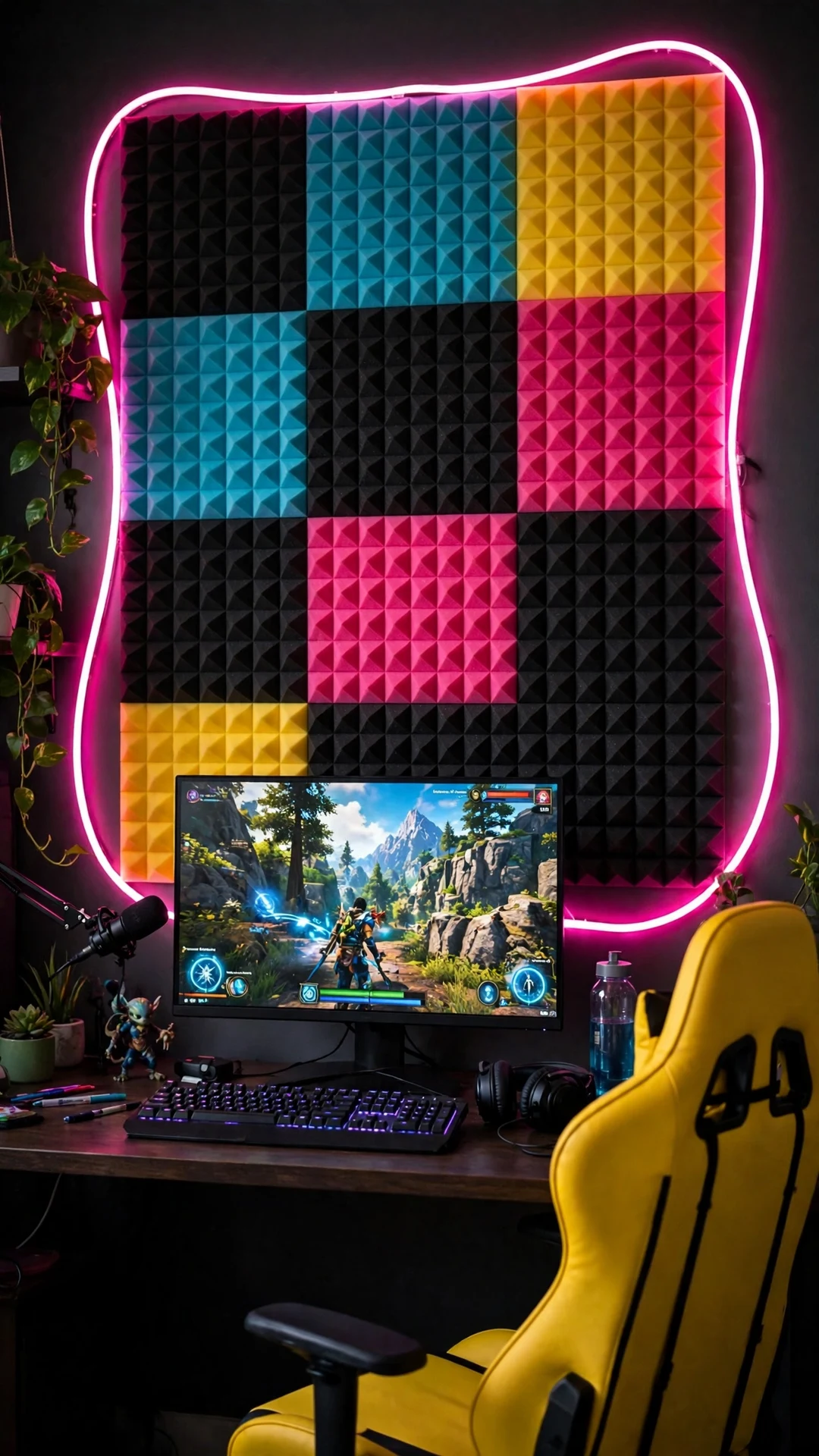
Black foam does not have to mean a black wall, and this setup proves it. Arrange the panels in a color block pattern with gaps for a neon rope light, and the wall becomes a piece of art that treats sound and lights the room at the same time.
The neon rope weaves between the panels in a bright color that matches your game, and the foam around it keeps the room quiet. Keep the pattern simple, two or three blocks of panels with the rope running through them, and the wall looks deliberate, not random. It is the setup for gamers who want their sound treatment to be fun.
Why this one: The twelve foam panels cut echo and keyboard noise, and they stick on without tools or drilling.
Worth knowing: The adhesive can mark painted walls if you peel panels off, so plan the layout before you stick them.
Govee RGBIC Gaming Lights, 10ft Neon Rope Lights Soft Lighting for Gaming Desks
Why this one: The neon rope light adds a soft glowing line to the desk or wall and looks great on camera.
Worth knowing: It is a decorative light, so it will not light the desk for reading.
11. Low Profile Panel Strip
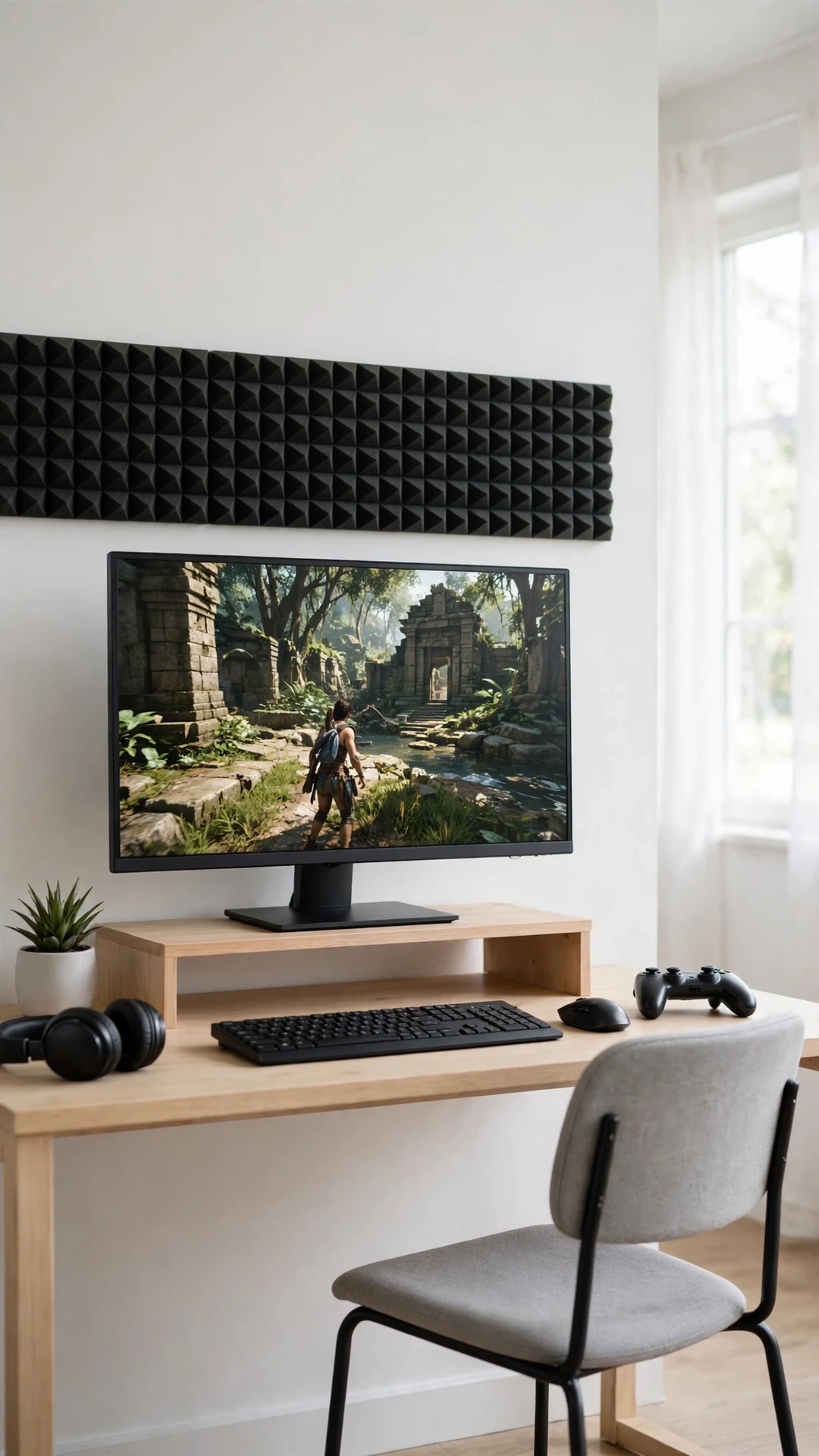
Renters often cannot cover a whole wall, so this setup treats just the strip that matters. A low band of foam panels above the monitor catches the worst reflections, and a monitor riser underneath lifts the screen to eye level and gives you a shelf for a keyboard or notebook.
Keep the panels in one straight row, the desk small and clear, and the room bright with daylight. The treatment is subtle enough that a landlord will never notice it, but your ears will notice it every session. It is the setup for renters who want better sound without a single hole in the wall.
Why this one: The twelve foam panels cut echo and keyboard noise, and they stick on without tools or drilling.
Worth knowing: The adhesive can mark painted walls if you peel panels off, so plan the layout before you stick them.
Why this one: The riser lifts the monitor to eye level and the shelf underneath holds a keyboard or notebooks.
Worth knowing: It is a fixed height riser, so very tall users may still want a monitor arm for fine tuning.
12. Full Room Wrap
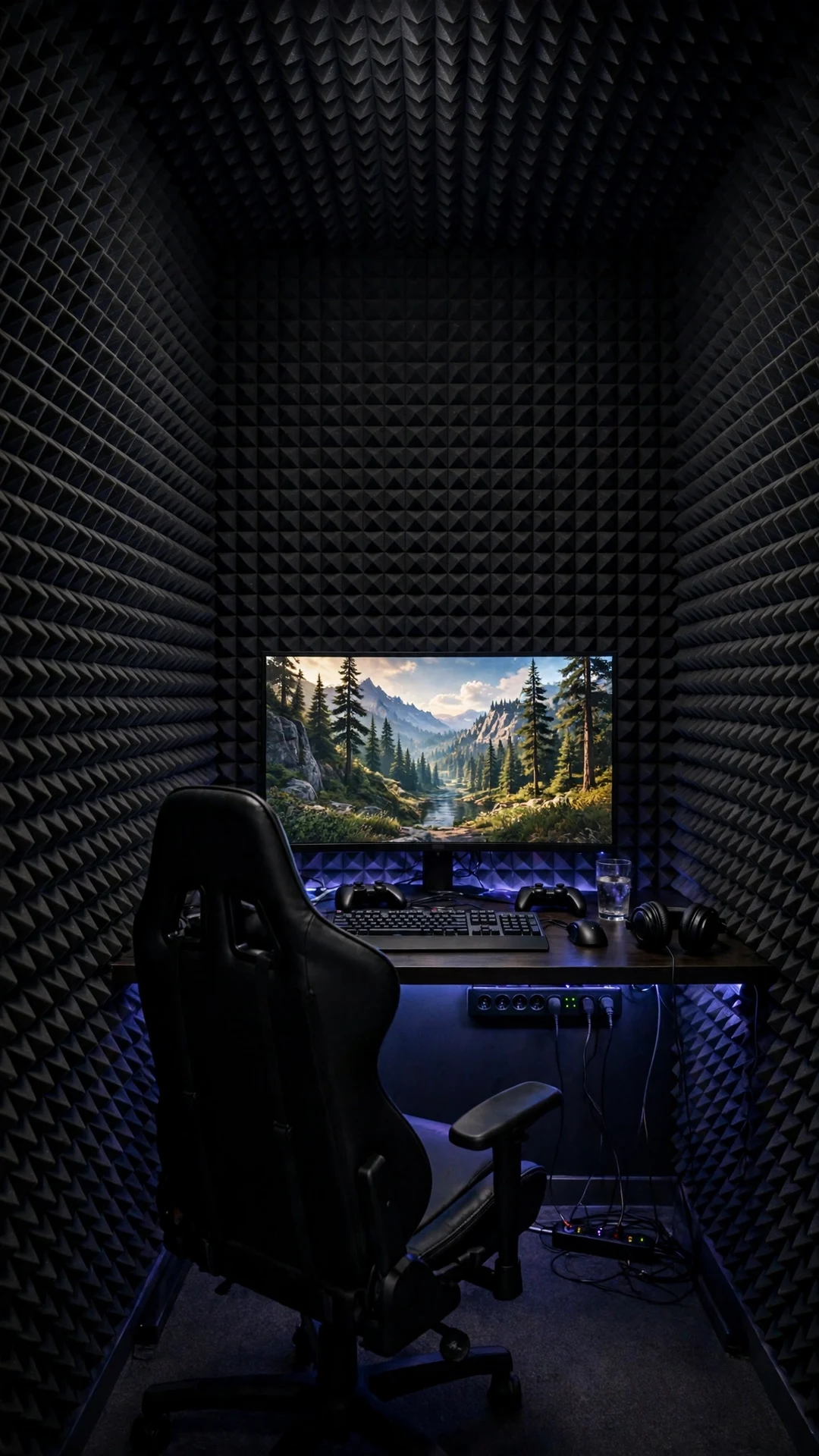
When the whole room is yours, treat the whole room. Foam panels on every wall around the desk turn a spare bedroom into a proper studio, with no echo, no rumble, and no sound leaking to the rest of the house.
Keep the panels in neat grids, the desk centered on the best wall, and the monitor at eye level. A power strip under the desk feeds the monitor, the lights, and the PC from one tidy spot, and the cables run in a tray so nothing trails. It is the biggest acoustic upgrade in this list, and the room will sound like it was built for gaming, because it was.
Why this one: The twelve foam panels cut echo and keyboard noise, and they stick on without tools or drilling.
Worth knowing: The adhesive can mark painted walls if you peel panels off, so plan the layout before you stick them.
Why this one: Six outlets plus three USB ports charge everything from one strip, and the flat plug sits flush to the wall.
Worth knowing: The cord is five feet long, so far outlets may still need an extension.
Frequently Asked Questions
How many acoustic panels do I need for a gaming room?
Start with one pack of twelve panels behind your desk, which covers the wall that matters most. Add a second pack for the side walls only if the room still echoes after the first pack is up.
Do acoustic foam panels block sound from neighbours?
They absorb echo inside your room, but they do not block much sound from passing through walls. For blocking sound, add a rug, soft furniture, and a door seal, and keep speakers low late at night.
Will acoustic panels damage my walls?
Most foam panels use adhesive that can mark paint if you peel them off. Plan the layout first, and use removable strips or a backing board if you rent and want zero risk.
Where should I put acoustic panels first?
Behind your desk and monitor first, because that is where your voice and speakers reflect. Then treat the side walls and corners, and the ceiling last if the room still sounds lively.
Can acoustic panels look good, or do they always look like a studio?
They can look great. Arrange them in patterns, mix them with light panels or plants, and use a neon rope or LED strip to turn the wall into a feature instead of padding.
How do I clean acoustic foam panels?
Dust them with a soft brush or a vacuum on low suction. Never soak them in water, and keep them out of direct sunlight so the foam does not fade or crumble.
Conclusion
Acoustic panels are the quiet upgrade that changes how a gaming room feels, not just how it sounds. Pick the setup that fits your wall and your style, start behind the desk, and add more panels only if your ears tell you to. If you want more ideas for the rest of the room, the 12 corner gaming setup ideas and the 12 neo deco gaming room ideas are good next stops, and the first time you hear your voice come back clean on stream, you will wonder why you waited so long.
