As an Amazon Associate I earn from qualifying purchases. Read our full affiliate disclosure for more detail.
Christmas is the easiest season to decorate a gaming desk, because a few small touches do all the work. A mini tree, a garland, a red desk mat, and some warm light turn a plain setup into a room that feels like December, and you can take it all down in January without repainting a wall or buying new furniture.
In this guide you will find 7 complete Christmas gaming desk setups you can copy whole, from a little flocked tree beside the monitor to a garland framing the screen, a red and green light show, and a calm snowy white desk for anyone who likes the season quiet. Each setup covers the desk, seat, screen, light, storage, and power, so nothing important is left out. If you want more mood ideas for the rest of the room, the ideas in 15 LED Gaming Room Ideas That Set the Perfect Mood pair well with every setup below.
In this article
At a glance
1. A Little Flocked Tree Beside the Monitor
2. Garland Framing the Screen
3. Red and Green Glow, Set to Party Mode
4. A Ho Ho Ho Desk Mat Under Everything
5. Warm White Light and a Cozy Corner
6. Christmas Movie Nights at the Console TV
7. A Snowy White Desk That Stays Calm
FAQ
Conclusion
At a Glance: Pick Your Christmas Desk Setup
| Setup | Best for | Hero product |
|---|---|---|
| A Little Flocked Tree Beside the Monitor | A classic Christmas look in minutes | RIDGEPOLE 2FT Pre-lit Mini Christmas Snow Flocked Tree |
| Garland Framing the Screen | A photo-ready frame for the monitor | Seslust 6FT Snowy Christmas Garland with Lights |
| Red and Green Glow, Set to Party Mode | Bold color for game nights | Govee 65.6ft RGBIC LED Strip Lights |
| A Ho Ho Ho Desk Mat Under Everything | The cheapest big change you can make | Aowced Christmas Large Mouse Pad for Desk |
| Warm White Light and a Cozy Corner | Late evenings and long sessions | Quntis Monitor Light Bar RGB PRO |
| Christmas Movie Nights at the Console TV | Console players and family nights | Philips Hue Play Gradient Light Strip, 55 Inch |
| A Snowy White Desk That Stays Calm | Minimalists who still want the season | Nanoleaf Shapes Triangles Smarter Kit |
1. A Little Flocked Tree Beside the Monitor
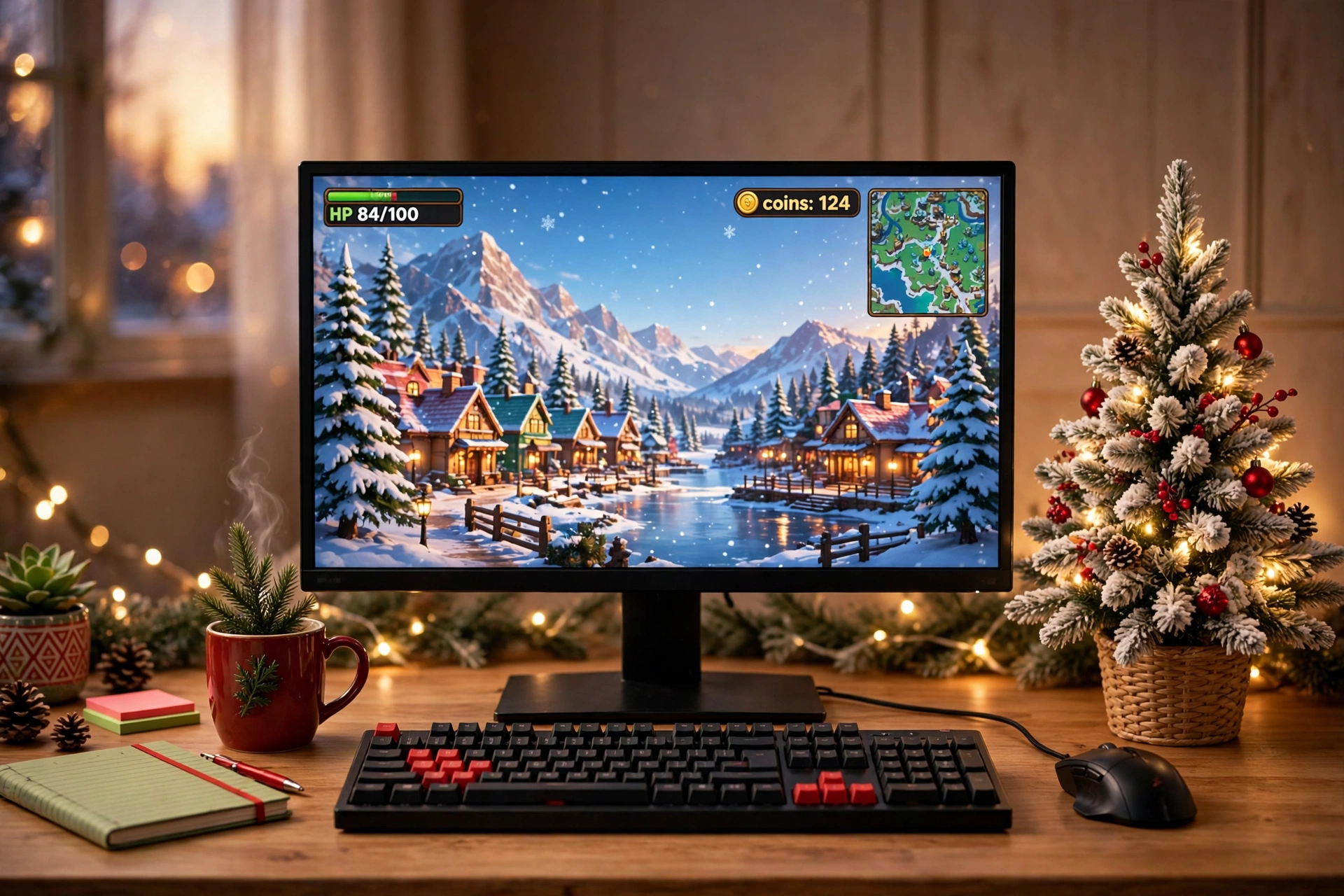
A two foot pre-lit tree is the whole idea here, and it is enough. Set it on the desk beside the monitor, switch on its warm lights, and the desk reads as Christmas from across the room. The flocked branches, berries, and pinecones do the decorating for you, so you do not need to hang anything on the wall.
Your quick setup checklist:
- Desk: a straight desk with the tree on the side away from your mouse hand, so ornaments never catch your elbow.
- Seat: a comfortable chair pulled close, with the tree in your side view, not blocking the screen.
- Screen: one sharp main monitor showing the game, with the tree glow softening the edge of the screen.
- Light: the tree lights plus a warm desk lamp, and keep the room light low in the evening.
- Storage: a small drawer or shelf for spare controllers, and keep gift wrap out of the desk zone.
- Power: one power strip behind the desk leg, with the tree plug and the monitor sharing it.
RIDGEPOLE 2FT Pre-lit Mini Christmas Snow Flocked Tree
Why this one: it arrives pre-decorated with berries, pinecones, and warm white lights, so it looks finished the moment you set it down, and the two foot size fits a desk without crowding the monitor.
Worth knowing: it runs on batteries, so keep spare batteries on hand if you plan to leave the lights on every evening through December.
ASUS TUF Gaming VG27AQ 27 Inch QHD Monitor, 165Hz
Why this one: a sharp QHD screen with a fast refresh rate keeps the game crisp next to the soft tree glow, and the 27 inch size leaves room on the desk for the tree.
Worth knowing: the stand is fairly wide, so measure your desk depth if the tree and a large mousepad both need to fit in front of it.
2. Garland Framing the Screen
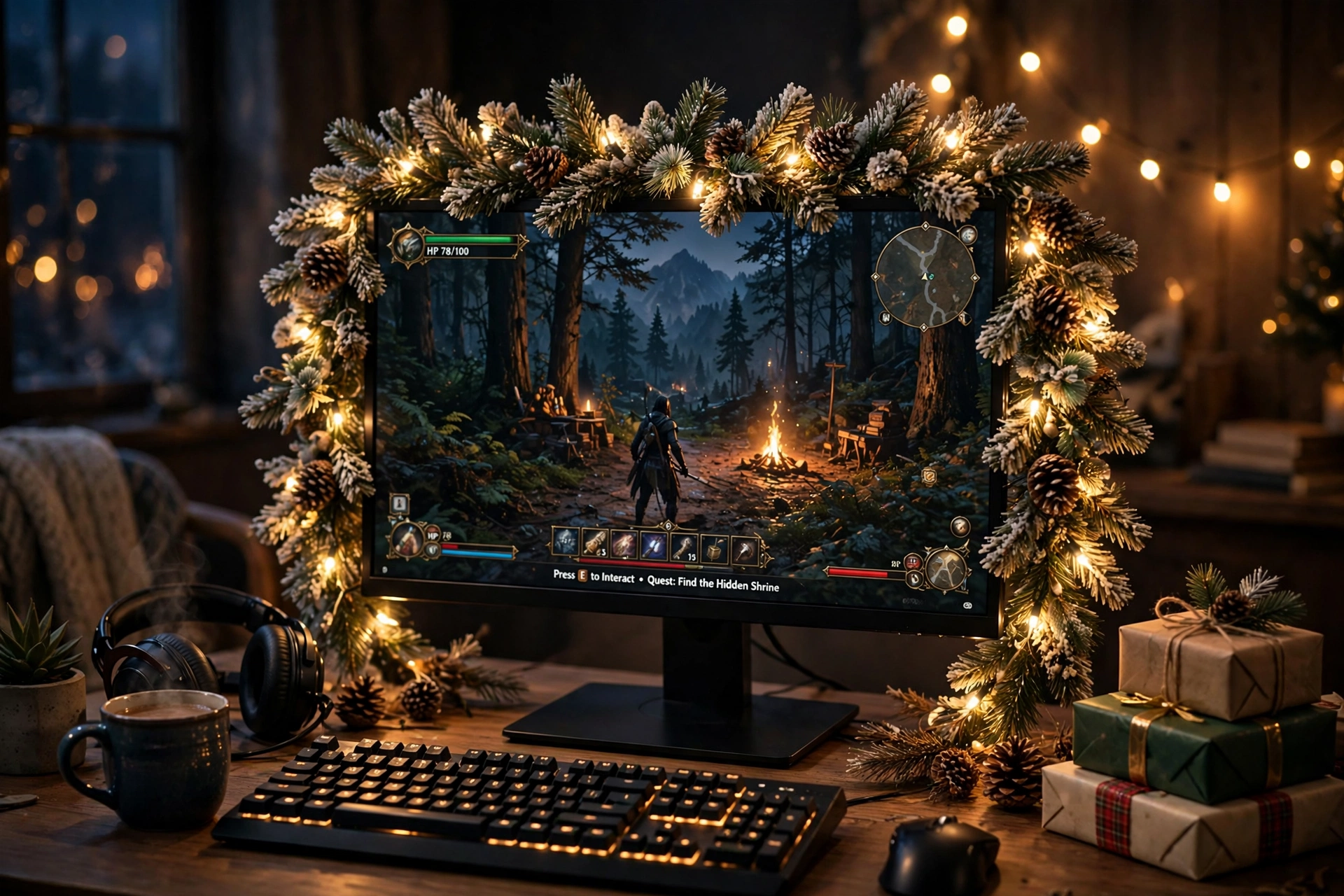
Drape a pre-lit garland around the top and sides of the monitor and the screen gets a frame made of pine, berries, and warm light. It photographs beautifully, and from your chair it feels like gaming inside a wreath. The trick is keeping the garland off the screen itself, so it hugs the bezel and the monitor stand instead of covering any pixels.
How to hang it neatly:
- Start at the top center of the monitor and let the garland fall evenly down both sides.
- Hook it to the monitor stand and the desk edge with small removable clips, never tape on the screen.
- Tuck the battery pack or plug behind the monitor so no cable crosses the desk.
- Fluff the branches outward, so the garland looks full from the front and from the side.
- Set the timer once, and the lights will switch themselves on each evening.
Seslust 6FT Snowy Christmas Garland with Lights
Why this one: the six foot length is enough to frame a monitor and still spill onto the desk, the warm white LEDs are pre-strung, and the built in timer means you set it once and forget it.
Worth knowing: the garland runs on batteries or USB, so plan where the cable or battery pack will sit before you drape it, or the pack will dangle in view.
Acer Nitro KG271U 27 Inch QHD Gaming Monitor, 180Hz
Why this one: a fast 180Hz QHD panel makes the game look smooth inside the garland frame, and the slim bezel keeps the garland close to the picture instead of floating far from it.
Worth knowing: a garland adds weight to the top of the monitor, so use a sturdy stand or arm and check the screen stays steady before you walk away.
3. Red and Green Glow, Set to Party Mode
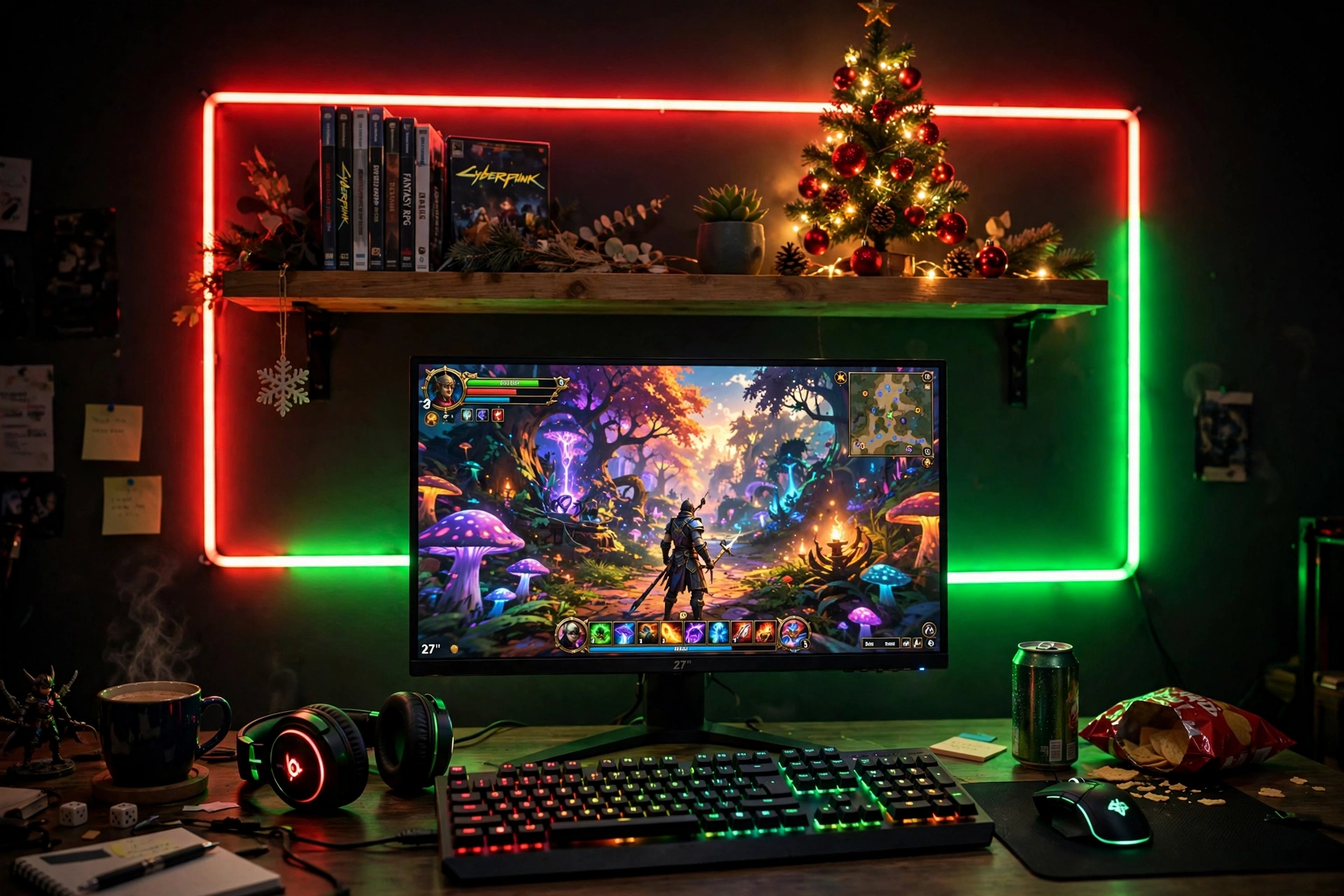
When friends come over for a game night, subtle is not the goal. Set the LED strip behind the desk to red and green, let the keyboard glow to match, and the whole wall becomes a Christmas light show. Keep the monitor as the brightest thing in the room, so the color stays on the wall and never fights the game.
Party mode tip: use red on one half of the strip and green on the other instead of flashing both at once. A slow fade between the two looks festive without giving anyone a headache, and it photographs far better than a fast strobe.
Run the strip along the back edge of the desk and up the wall behind the monitor, then add a small tree or a few ornaments on the shelf above so the color has something to land on. A chair with room to lean back matters here, because this is a setup for long nights with people watching over your shoulder. Keep drinks on a side table, not on the desk, since a spill near a glowing keyboard is a bad end to a good night.
Govee 65.6ft RGBIC LED Strip Lights
Why this one: the long length covers a desk, a wall, and a shelf in one run, and the RGBIC segments let the red and green sit side by side instead of mixing into one muddy color.
Worth knowing: measure your wall and desk first, because a strip that is too long will leave a loose tail that is hard to hide neatly.
Corsair K70 CORE RGB Mechanical Gaming Keyboard
Why this one: per key RGB lighting lets you paint the keyboard red and green to match the wall, and the solid build holds up to heavy game night use.
Worth knowing: the keyboard is full size, so check your desk width if a large Christmas desk mat also needs to fit beside it.
4. A Ho Ho Ho Desk Mat Under Everything
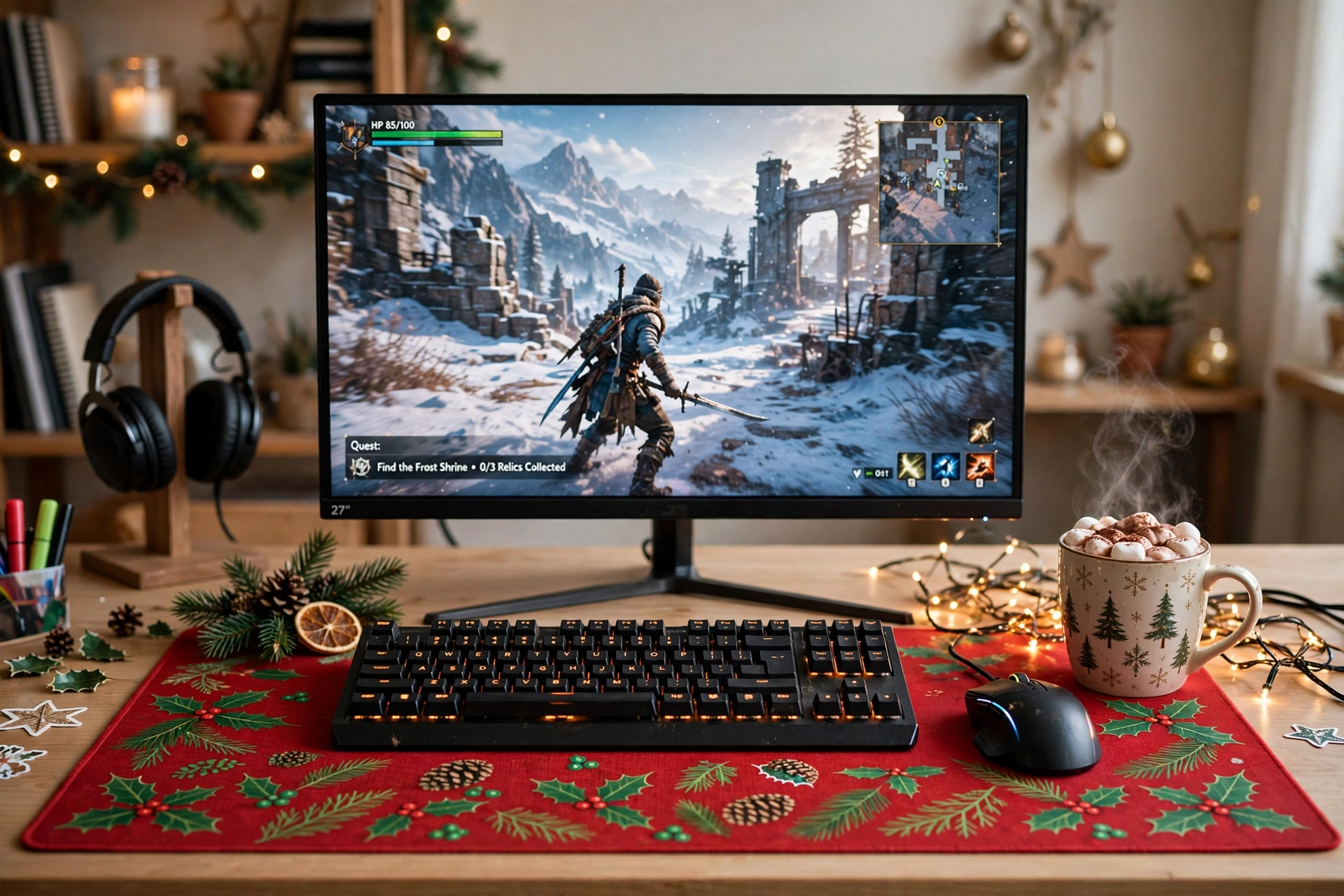
A big festive desk mat is the fastest Christmas change you can make, because it covers the whole desk surface in one move. Lay a red mat with a green holiday pattern under the keyboard and mouse, and the desk looks decorated even before you add a tree or a light. It also protects the desk from cocoa rings, which matters more in December than any other month.
Red mat or green mat, which is better? Red makes the desk feel warm and loud, and it suits a dark room with a bright monitor. Green is calmer and suits a light room or a white desk. If you cannot choose, pick red, because it reads as Christmas from further away, and pair it with a green mousepad edge or a green keyboard backlight so both colors show up.
Keep the rest of the desk simple so the mat stays the star: one monitor, one keyboard, one mug, and a short string of fairy lights along the back edge. A chair that tucks fully under the desk helps, because the mat is wide and you will want to roll the chair in and out without catching its edge.
Aowced Christmas Large Mouse Pad for Desk, Red and Green Ho Ho Ho Desk Mat
Why this one: at over 31 inches wide it fits a keyboard and mouse with room to spare, the red and green print is bold enough to carry the whole desk, and the non slip rubber base keeps it flat during fast games.
Worth knowing: the print is bright and busy, so if your desk is small, measure first, because a mat that hangs over the edge will curl and catch on your wrists.
Logitech G502 HERO Wired Gaming Mouse
Why this one: a reliable wired mouse that glides smoothly across a big cloth mat, and the extra buttons are handy for games with lots of shortcuts.
Worth knowing: it is a wired mouse, so route the cable behind the mat and up to the monitor, or the cable will drag across the festive print.
5. Warm White Light and a Cozy Corner
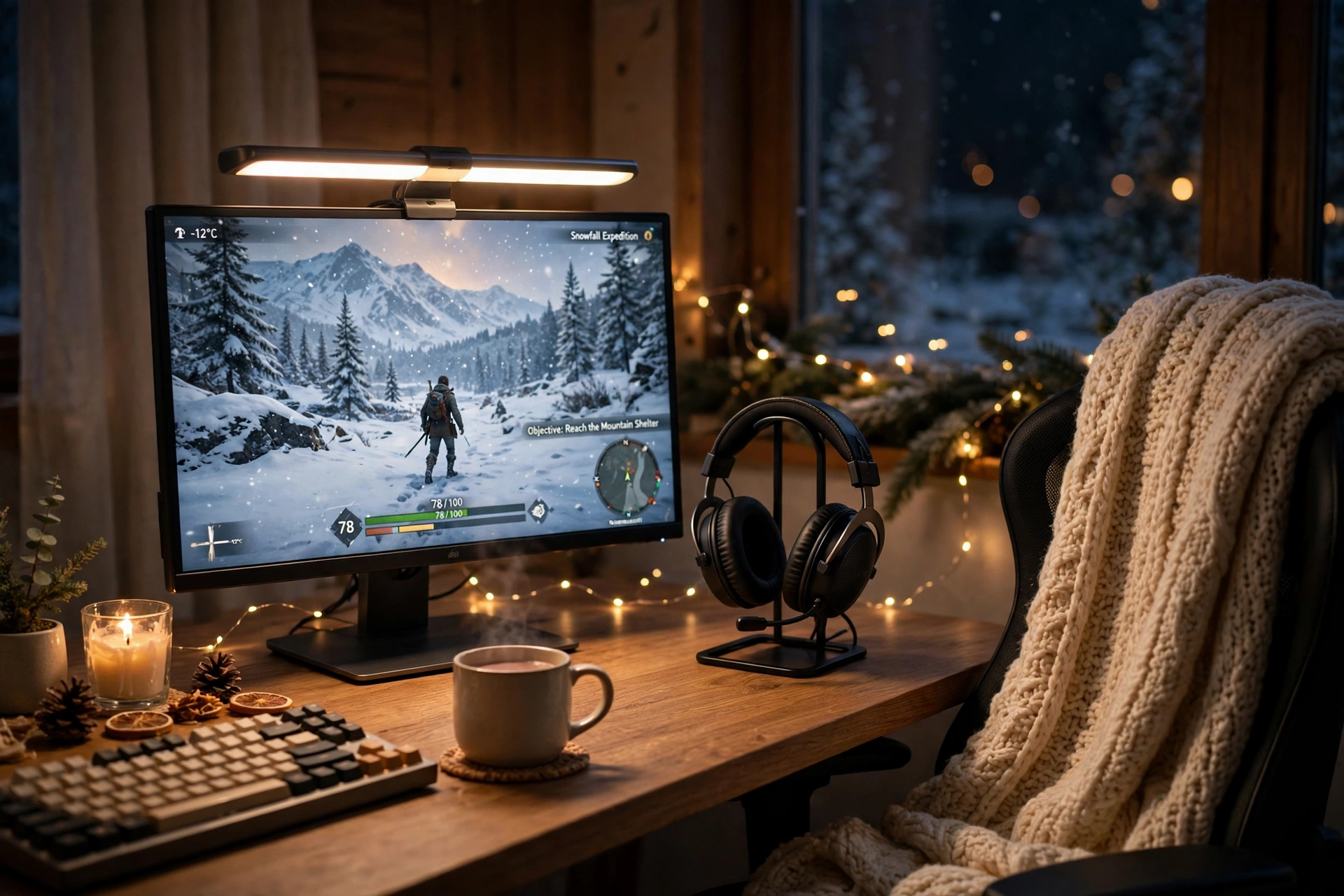
Not every Christmas desk needs to shout. This one is built for quiet evenings: a warm white light bar washing the desk, a headset resting on its stand, a knitted blanket on the chair, and a short string of fairy lights along the shelf. The screen shows a snowy game, the room stays dim, and the whole corner feels like a cabin.
What works here:
- Warm light, not bright light: a low warm glow keeps your eyes relaxed during long winter nights.
- Soft textures: a blanket and a fabric chair make the corner feel warm even before the heating kicks in.
- One scent of Christmas: a candle on the shelf, kept well away from cables, adds more mood than another light strip would.
- Everything within reach: headset, mug, and controller all sit on the desk, so you never have to leave the warm corner mid game.
This is also the setup to copy if you work at the same desk during the day. The light bar is practical for reading and typing, and the fairy lights switch off in seconds when you need a plain work desk again. For more low cost cozy ideas, see 15 Cozy Gaming Setup Ideas on a Budget.
Quntis Monitor Light Bar RGB PRO
Why this one: it lights the desk without shining in your eyes, the warm white setting suits winter evenings, and the RGB backlight adds a soft festive glow to the wall behind the monitor.
Worth knowing: check that it fits your monitor thickness and leaves the webcam clear, because a light bar that sits crooked will throw an uneven pool of light.
Miroddi RGB Headset Stand with Wireless Charger, 8 in 1 Charging Station
Why this one: it keeps the headset off the desk and charges your phone and other gear in one tidy spot, and its RGB glow can be set to a soft warm color to match the room.
Worth knowing: it needs its own plug, so count it in your power strip plan before you add more lights to the same outlet.
6. Christmas Movie Nights at the Console TV
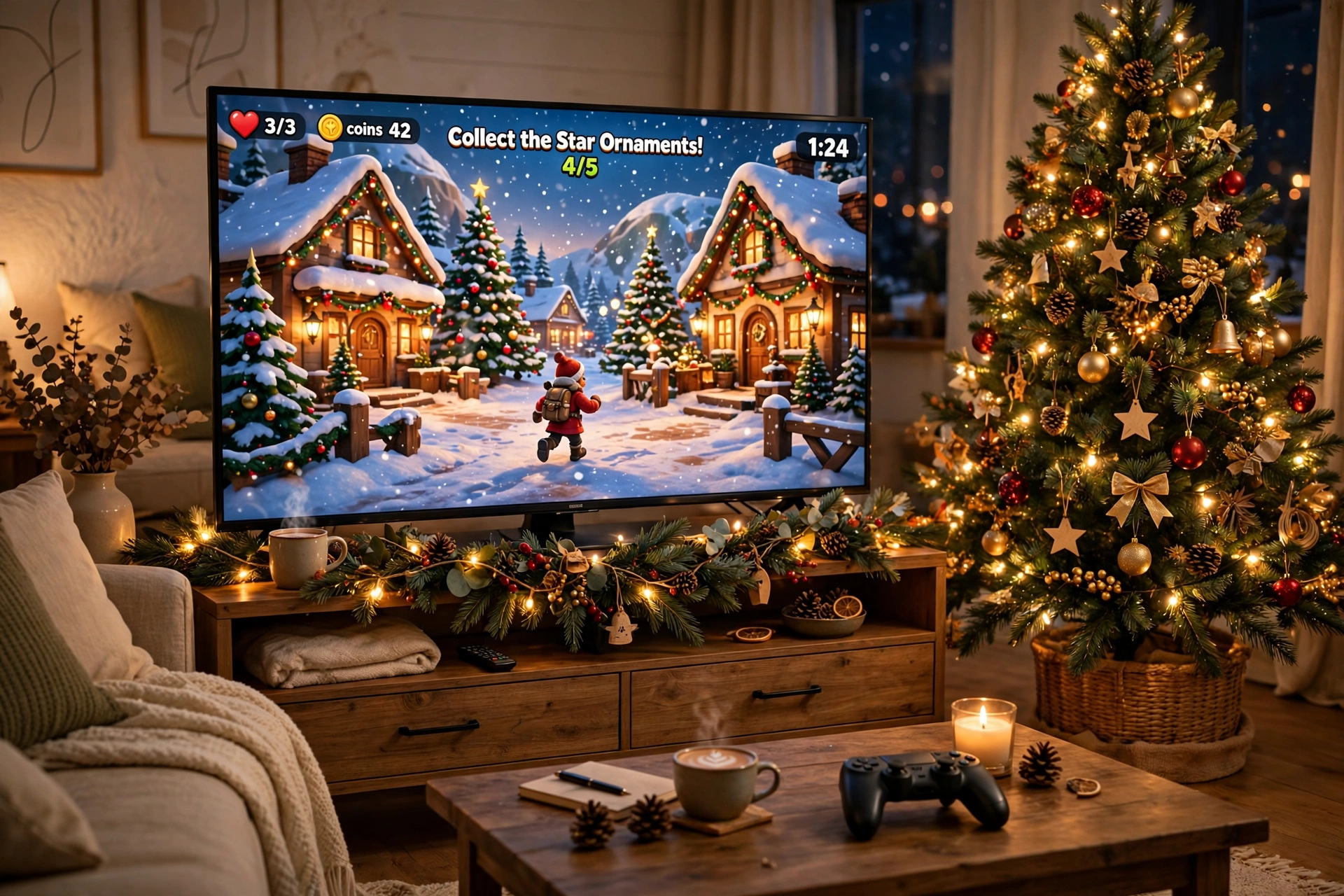
Console players get the best Christmas setup of all, because the TV is already the center of the living room. Put a decorated tree beside it, drape garland along the TV stand, and stick a gradient light strip behind the TV so the wall glows in warm festive color. The game fills the screen, the tree fills the corner, and the whole room is ready for a family night without moving any furniture.
Your movie night checklist:
- Tree: a full size tree beside the TV, with lights that match the strip color behind the screen.
- Seats: a sofa with a folded blanket and room for two controllers on the coffee table.
- Screen: the TV on its stand, with the gradient strip glowing softly behind it.
- Light: a floor lamp in the corner for reading, dimmed low once the game starts.
- Storage: a drawer in the TV stand for games, remotes, and spare batteries.
- Power: one strip behind the TV stand for the TV, console, lights, and tree.
Philips Hue Play Gradient Light Strip, 55 Inch
Why this one: the gradient blends several warm colors smoothly behind the TV, which looks far more natural than one flat color, and it can sync with what is on screen for movie nights.
Worth knowing: the strip is sized for larger screens, so check it against your TV size before you buy, and plan for the Hue app setup.
Govee RGBIC Floor Lamp, LED Corner Lamp
Why this one: a tall corner lamp fills the dark corner beside the TV with soft color, it takes no floor space a tree would need, and the app control makes it easy to match the tree lights.
Worth knowing: keep it clear of the tree branches and the curtain, because a tall lamp in a crowded corner is easy to knock over.
7. A Snowy White Desk That Stays Calm
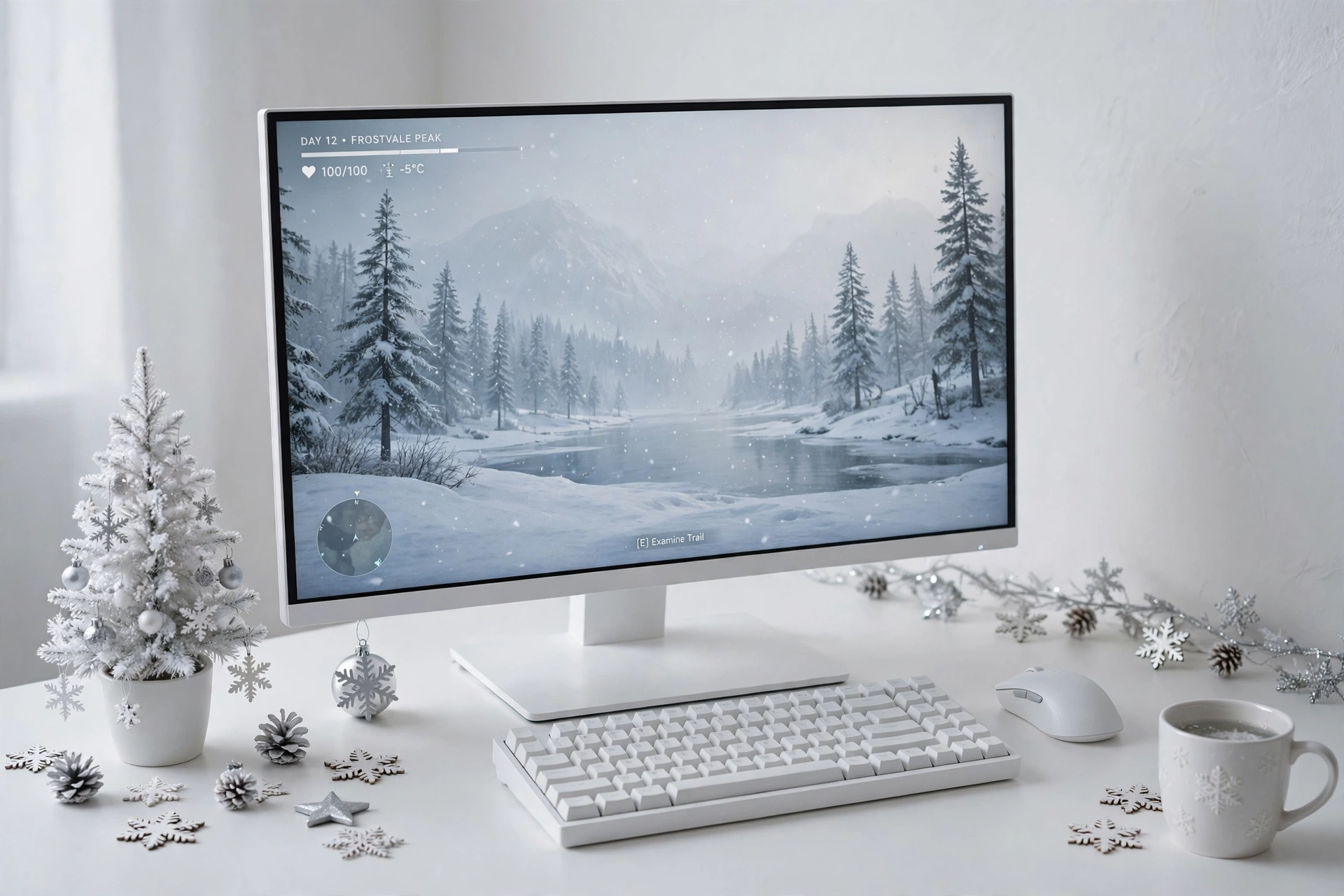
If red and green feel too loud for your room, go snowy instead. A white desk, a white monitor frame, silver ornaments, and a tiny white tree give you Christmas without any strong color at all. The screen shows a calm snowy landscape, the wall panels glow in soft white, and the desk looks like a fresh snowfall.
Keep it calm: limit yourself to white, silver, and one soft blue. Three colors are enough for a winter desk, and a fourth color is usually what makes a minimal setup start to look cluttered. Pack the rest of the ornaments away and let the empty desk space do the talking.
Storage stays hidden in this setup: a drawer under the desk for cables and controllers, and a small white shelf for the few ornaments you do show. Power runs through one strip behind the desk leg, with the monitor, the light panels, and the tree sharing it. When January comes, the ornaments come off the shelf and the desk is already back to normal.
Nanoleaf Shapes Triangles Smarter Kit
Why this one: the triangle panels can be arranged like snowflakes on the wall, set to a soft white or pale blue they glow like winter light, and they double as everyday wall art after Christmas.
Worth knowing: plan the layout on the wall first with painter tape, because moving the panels after they are stuck on can weaken the adhesive.
Acer Nitro VG272U V3 27 Inch QHD Gaming Monitor, 180Hz
Why this one: a bright QHD panel with a fast refresh rate suits both snowy games and everyday work, and the slim design keeps the white desk looking light and uncluttered.
Worth knowing: a white desk shows dust and marks more than a dark one, so give it a quick wipe before photos or guests, because the bright panels will light up every smudge.
Frequently Asked Questions
How much does it cost to decorate a gaming desk for Christmas?
Most desks in this guide need only one or two new pieces, like a mini tree or a desk mat, and the rest can be lights or decor you already own. A single hero piece plus a short light string is enough for a full festive look, and you can add more next year instead of buying everything at once.
Will a garland damage my monitor?
Not if you hang it right. Clip it to the bezel edge, the monitor stand, and the desk, never tape it to the screen, and keep the battery pack behind the monitor. A light garland weighs very little, but a heavy one can tip a monitor on a weak stand, so check the screen is steady after you hang it.
Are battery powered Christmas lights safe on a desk?
Yes, battery LED lights run cool and are made for desks, shelves, and trees. Keep the battery pack clear of drinks and out of direct heat, and switch the lights off or use the timer when you leave the room for the night.
What if my desk is too small for a mini tree?
Use the garland or the desk mat setup instead. A garland frames the monitor without taking any desk space, and a festive mat changes the whole desk surface while leaving the same footprint as a normal mat.
When should I take the decorations down?
Most people pack them away in early January, but the light strip and the desk mat can stay longer if you switch the colors back to normal. The tree and garland are the pieces that say Christmas most clearly, so store those first and the desk returns to normal in minutes.
Conclusion
Christmas decorating works best on a gaming desk when you pick one hero piece and let it carry the season. A mini tree, a garland, a red desk mat, or a wall of red and green light is each enough on its own, and the rest of the setup is just a tidy desk, a good screen, and warm light. Start with the idea that fits your desk size and your taste, add the lights, and enjoy the season from your chair.
Related reading: if you like a darker festive mood, the ideas in 15 Dark Gaming Setup Ideas for a Moody Battlestation show how to keep the room moody while the Christmas lights do the glowing.
