Festive lighting is the fastest way to make a gaming room feel like a celebration. You do not need a new desk or a new monitor. A string of fairy lights, a strip of color behind the screen, or a neon sign on the wall can turn the same setup into a holiday party, a cozy winter den, or a New Year countdown corner. The trick is layering light: one bright piece for the wow factor, plus a soft glow that keeps the room comfortable to play in.
This guide gives you 10 complete festive lighting setups you can copy whole, from a fairy light canopy to a pink winter wonderland. Each one covers the desk, seat, screen, light, storage, and power, so nothing is left out. If you want more mood lighting ideas for the rest of the year, the setups in 15 LED Gaming Room Ideas That Set the Perfect Mood pair well with every festive idea below.
In this article
At a glance
1. Fairy Light Canopy
2. Neon Sign Feature Wall
3. Christmas Tree Corner
4. Twin Light Bars
5. Festive Panel Wall
6. Console TV Holiday Glow
7. Corner Floor Lamp Glow
8. Glowing Desk Surface
9. Headset Stand Party Light
10. Pink Winter Wonderland
FAQ
Conclusion
At a Glance: Pick Your Festive Lighting Setup
| Setup | Best for | Hero product |
|---|---|---|
| Fairy Light Canopy | A warm holiday welcome | Govee 65.6ft RGBIC LED Strip Lights |
| Neon Sign Feature Wall | Parties and photos | Philips Hue Play Light Bar, 2 Pack |
| Christmas Tree Corner | December gaming nights | Govee RGBIC LED Strip Lights, 16.4ft |
| Twin Light Bars | A tidy, balanced glow | Quntis Monitor Light Bar RGB PRO |
| Festive Panel Wall | A colorful feature wall | Nanoleaf Shapes Triangles Smarter Kit |
| Console TV Holiday Glow | Console players and family | Philips Hue Play Gradient Light Strip, 55 Inch |
| Corner Floor Lamp Glow | Dark corners and small rooms | Govee RGBIC Floor Lamp |
| Glowing Desk Surface | Party nights with friends | JOYYE Large RGB Gaming Mouse Pad |
| Headset Stand Party Light | Music and rhythm games | FancyMay RGB Headphone Stand |
| Pink Winter Wonderland | Cozy pink bedrooms | Nanoleaf Shapes Ultra Black Triangles, 15 Pack |
1. Fairy Light Canopy Over the Desk
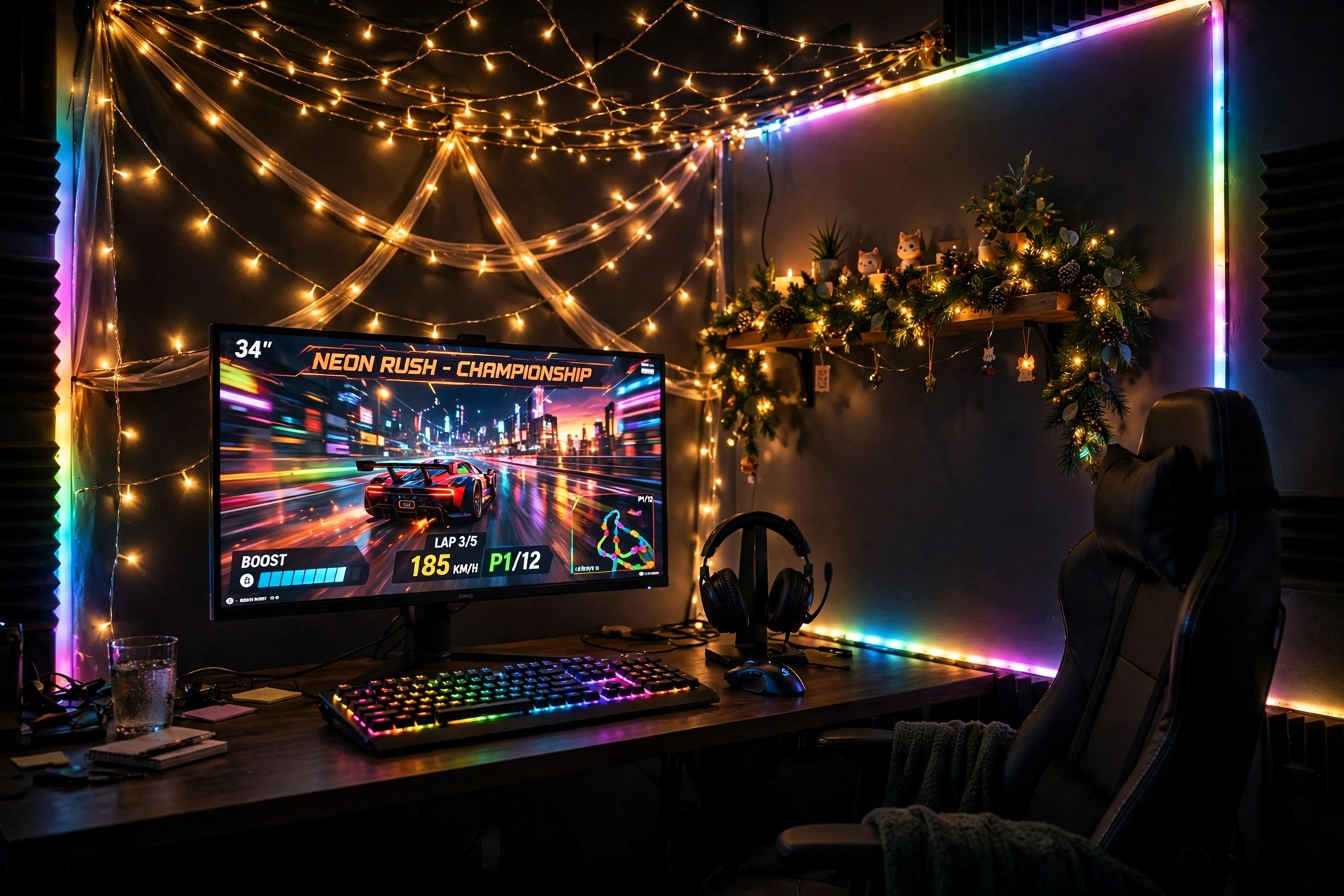
Nothing says festive faster than fairy lights overhead. Drape a string of warm lights across the wall behind your desk, add a long color strip along the edges, and the whole corner glows like a holiday market. It works in any room, and it costs less than most single pieces of gaming gear.
- Desk: a straight desk pushed to the wall, with the strip hidden along its back edge.
- Seat: a comfortable chair centered on the monitor, so the canopy frames you evenly.
- Screen: one sharp main monitor, bright enough to hold its own against the glow.
- Light: warm fairy lights overhead plus a long RGBIC strip set to a slow festive scene.
- Storage: a shelf with garland and a headset hook on the desk side.
- Power: one power strip behind the desk leg, with the light controller in easy reach.
Govee 65.6ft RGBIC LED Strip Lights
Why this one: the long length covers a desk, a wall, and a shelf in one run, and the RGBIC segments let different parts of the strip show different colors at once.
Worth knowing: measure your wall and desk first, because a strip that is too long will leave a loose tail that is hard to hide neatly.
ASUS TUF Gaming VG27AQ 27 Inch QHD Monitor, 165Hz
Why this one: a sharp QHD screen with fast refresh keeps the game crisp against the colorful wall, and the size suits most desks.
Worth knowing: the stand is fairly wide, so check your desk depth if you also want a large mousepad in front of it.
2. Neon Sign and Light Bar Feature Wall
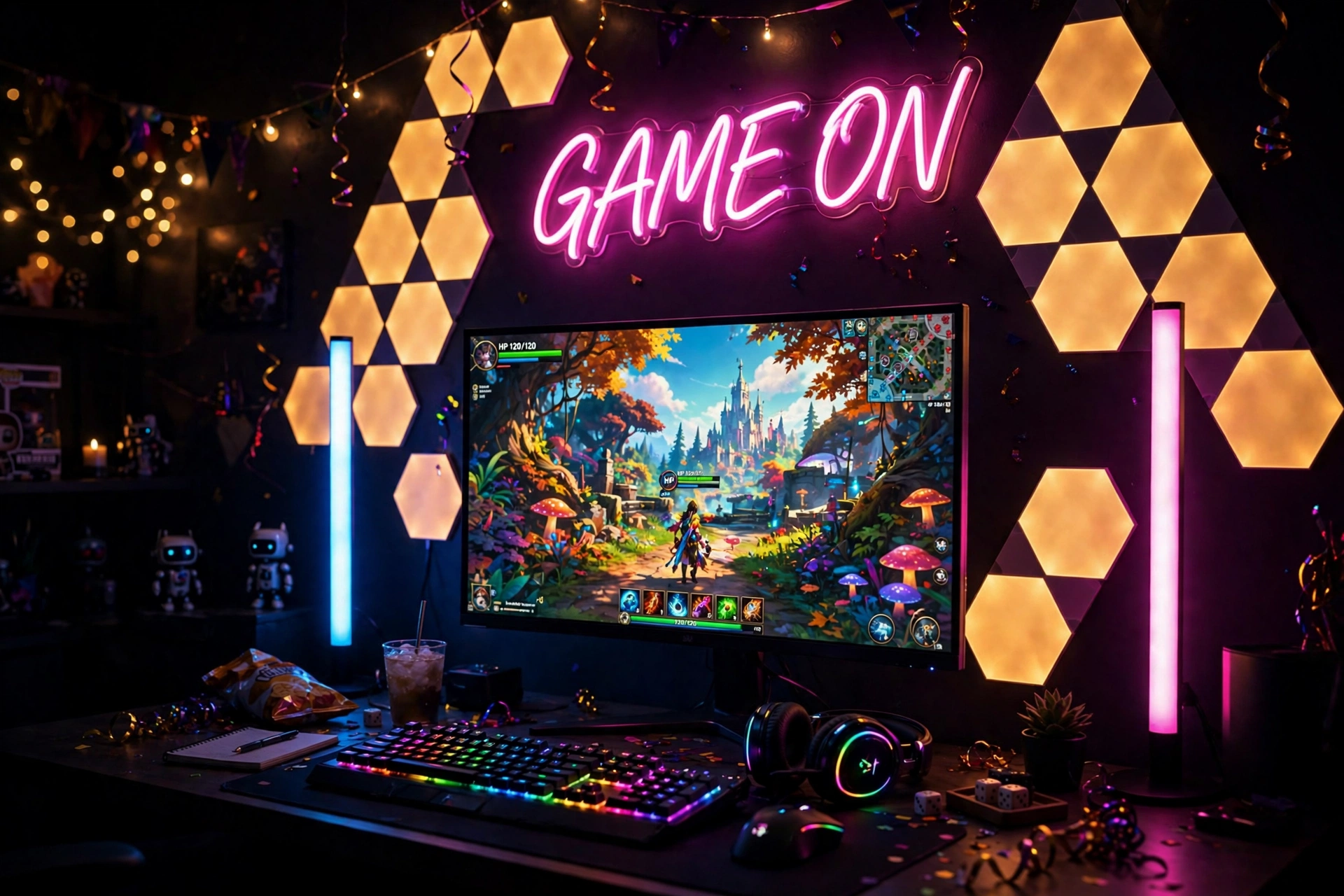
A neon sign is the centerpiece of a party setup. Put one glowing sign above the monitor, flank the screen with two light bars, and the wall behind you becomes the backdrop for every photo and stream. Keep the sign simple, one word or one shape, so it reads clearly from across the room.
How to set it up:
- Hang the neon sign centered above the monitor, at eye level when you stand back.
- Place one light bar on each side of the monitor, angled slightly toward the wall.
- Add two small wall panels beside the sign to fill the empty corners.
- Set the bars to pink on one side and blue on the other for a classic party look.
- Run all the cables down one side of the desk so the wall stays clean.
Philips Hue Play Light Bar, 2 Pack
Why this one: the two bars work as a matched pair for a symmetrical wall, and they pair with other Hue lights if you grow the setup later.
Worth knowing: the bars work best with the Hue app and bridge setup, so check what you already own before you buy.
Govee Glide Wall Lights, 2 Panels Set
Why this one: the bar shape fills wall gaps neatly beside a sign, and the two panels can sit apart or join into one line.
Worth knowing: plan the layout with painter tape first, because moving the panels after they are stuck on can weaken the adhesive.
3. Red and Green Christmas Tree Corner
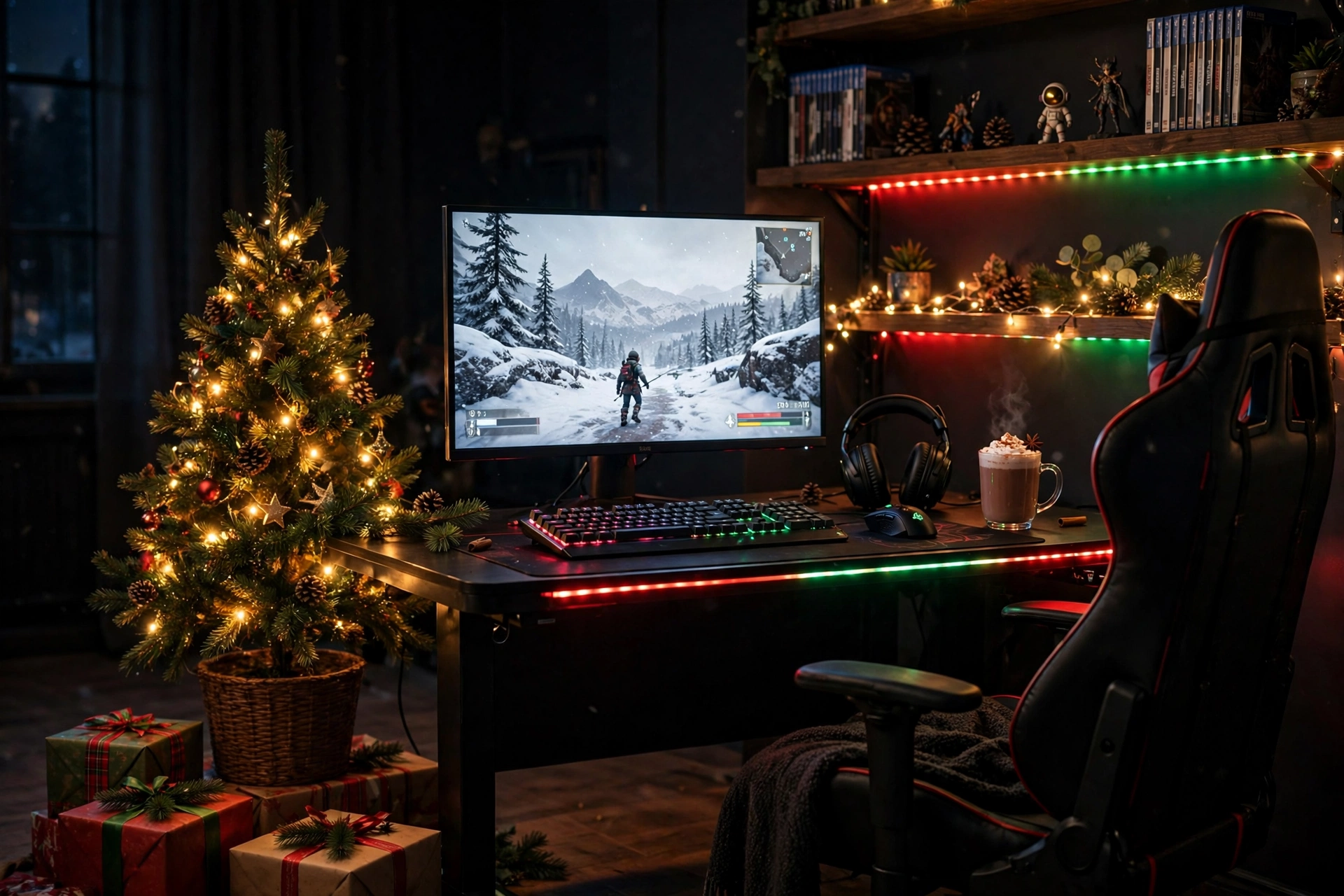
Put a small tree next to the desk and the whole room smells like December. A tabletop tree with warm lights, a red and green strip along the desk edge, and a snowy game on the screen make a setup that feels festive without a single extra piece of furniture. Keep the tree small enough that it never blocks the monitor.
Tree tip: a tree on the floor beside the desk works better than one on the desk itself. It stays out of your elbow room, the lights glow up the wall, and you still see every ornament from your chair.
Set the strip to red and green for Christmas week, then switch it to warm white for the rest of winter. A drawer under the desk holds spare controllers and gift wrap, and one power strip behind the desk runs the tree lights, the strip, and the monitor from a single switch.
Govee RGBIC LED Strip Lights, 16.4ft
Why this one: the shorter length is just right for one desk edge and a shelf, and the app control makes it easy to switch between red and green and warm white.
Worth knowing: check the cut marks before trimming the strip, so you do not cut through a section that cannot be cut.
Acer Nitro KG271U 27 Inch QHD Gaming Monitor, 180Hz
Why this one: QHD sharpness and a fast refresh rate make winter games look crisp, and the slim frame suits a desk that also holds holiday decor.
Worth knowing: the stand takes up a fair bit of desk depth, so leave room for the keyboard and a festive mug or two.
4. Twin Light Bars, Perfect Symmetry
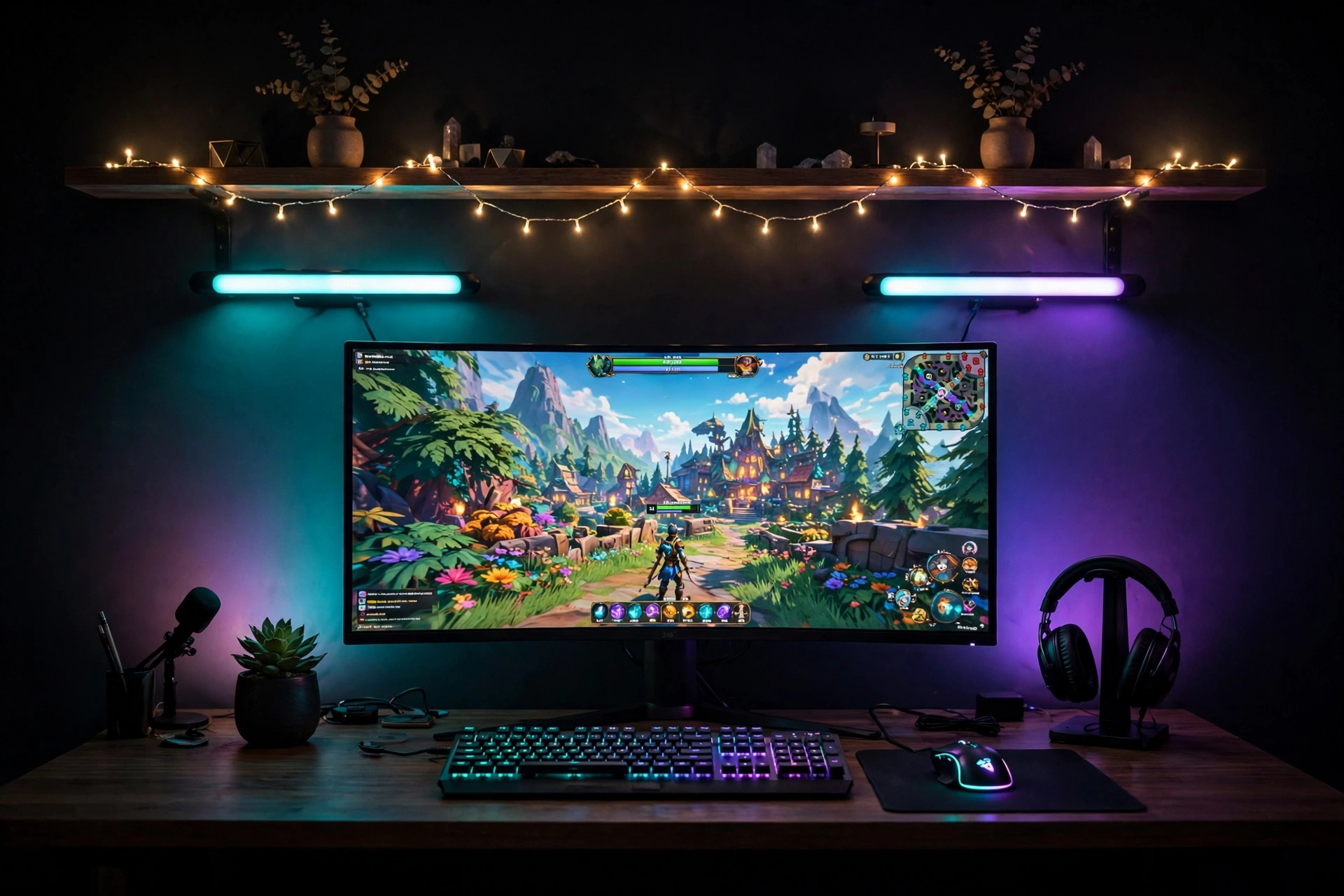
Some rooms look best when everything matches. Two identical light bars, one on each side of the monitor, give you a balanced glow that feels calm even at a party. Set both to the same color for a tidy look, or mirror two colors, teal on the left and purple on the right, for a festive split.
What works here: the symmetry does the decorating for you. A tidy desk, a keyboard with soft backlighting, a headset on a small stand, and one shelf with fairy lights are all you need. Keep the wall behind the monitor plain, because the bars paint it for you. A small drawer holds cables and spare batteries, and one outlet strip powers the whole desk.
Quntis Monitor Light Bar RGB PRO
Why this one: the RGB backlight throws a wide, even wash of color on the wall, and the front light keeps the keyboard readable without glare on the screen.
Worth knowing: the bar sits on top of the monitor, so check your monitor thickness and top bezel before you buy.
Hive Vibes Monitor Light Bar with RGB Backlight
Why this one: the RGB backlight adds a second color zone behind the screen, which deepens the glow and makes the twin bar look feel richer.
Worth knowing: two bars mean two remotes or two app controls, so pair them to one scene and save it as a preset to avoid adjusting both every night.
5. Festive Triangle Panel Wall
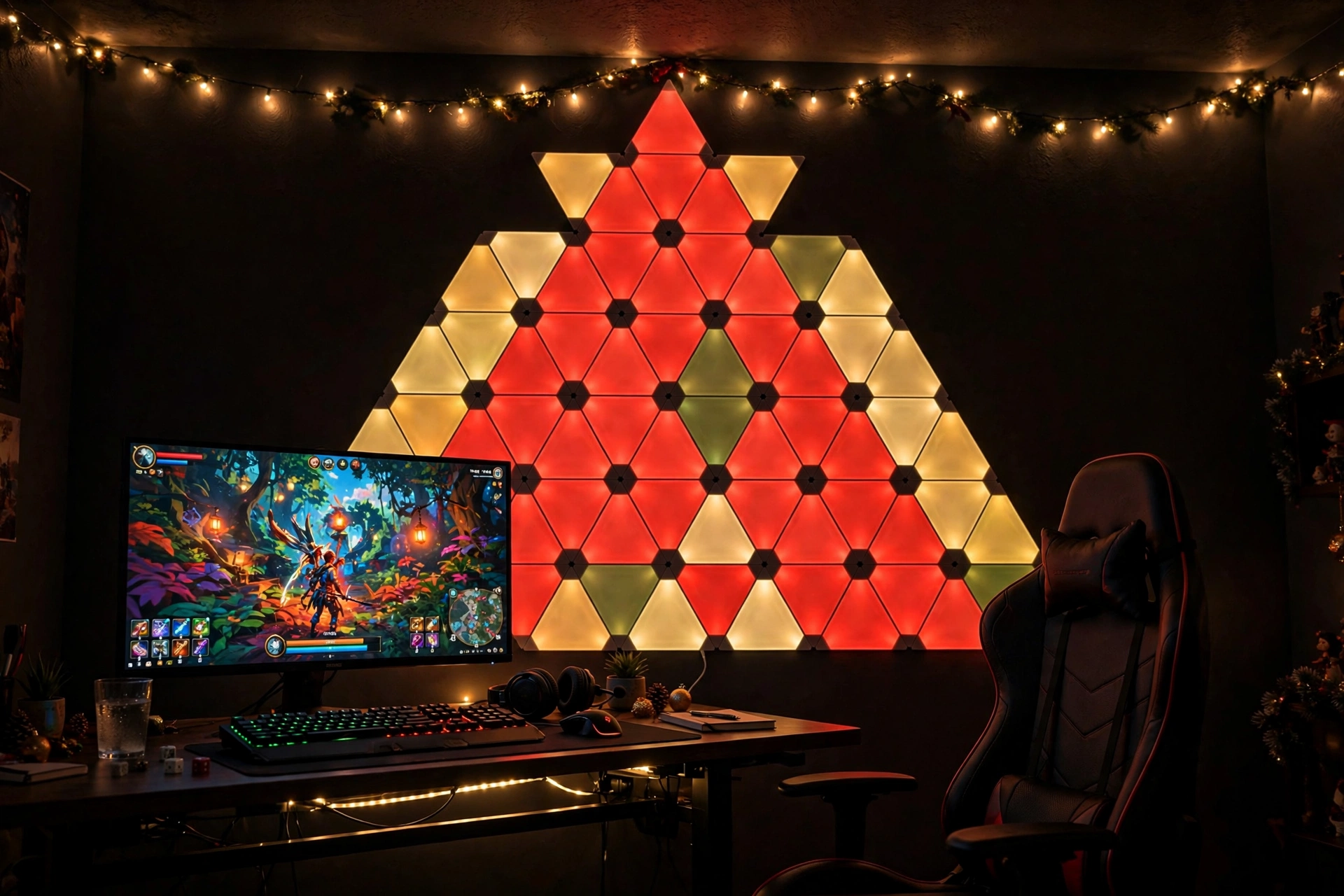
Triangle panels turn a plain wall into a piece of art that changes with the season. Arrange them in a tree shape for December, a star for New Year, or a simple zigzag for a party. Set them to red, gold, and green for the holidays, then switch to one calm color when the season ends.
- Desk: a straight desk under the panel wall, with the monitor centered on the brightest cluster.
- Seat: a chair with good back support, because you will sit and admire the wall as much as the screen.
- Screen: one main monitor, with the game bright and the panels dimmed slightly behind it.
- Light: the triangle panels as the hero, plus warm string lights along the ceiling edge.
- Storage: a low shelf for games and a small box for panel spares and cables.
- Power: one outlet behind the desk, with the panel controller app on your phone.
Nanoleaf Shapes Triangles Smarter Kit
Why this one: the triangles join into any shape you like, and the app scenes make it easy to switch from a festive red and gold pattern to a calm everyday glow.
Worth knowing: sketch the layout on paper first, because the panels stick to the wall and moving them later can weaken the mounts.
Acer Nitro VG272U V3 27 Inch QHD Gaming Monitor, 180Hz
Why this one: a sharp QHD panel with a fast refresh rate keeps the game smooth, and the slim bezels keep the focus on the colorful wall behind it.
Worth knowing: a bright panel wall can reflect in a glossy screen, so angle the monitor slightly or dim the panels during competitive games.
6. Console TV Holiday Glow
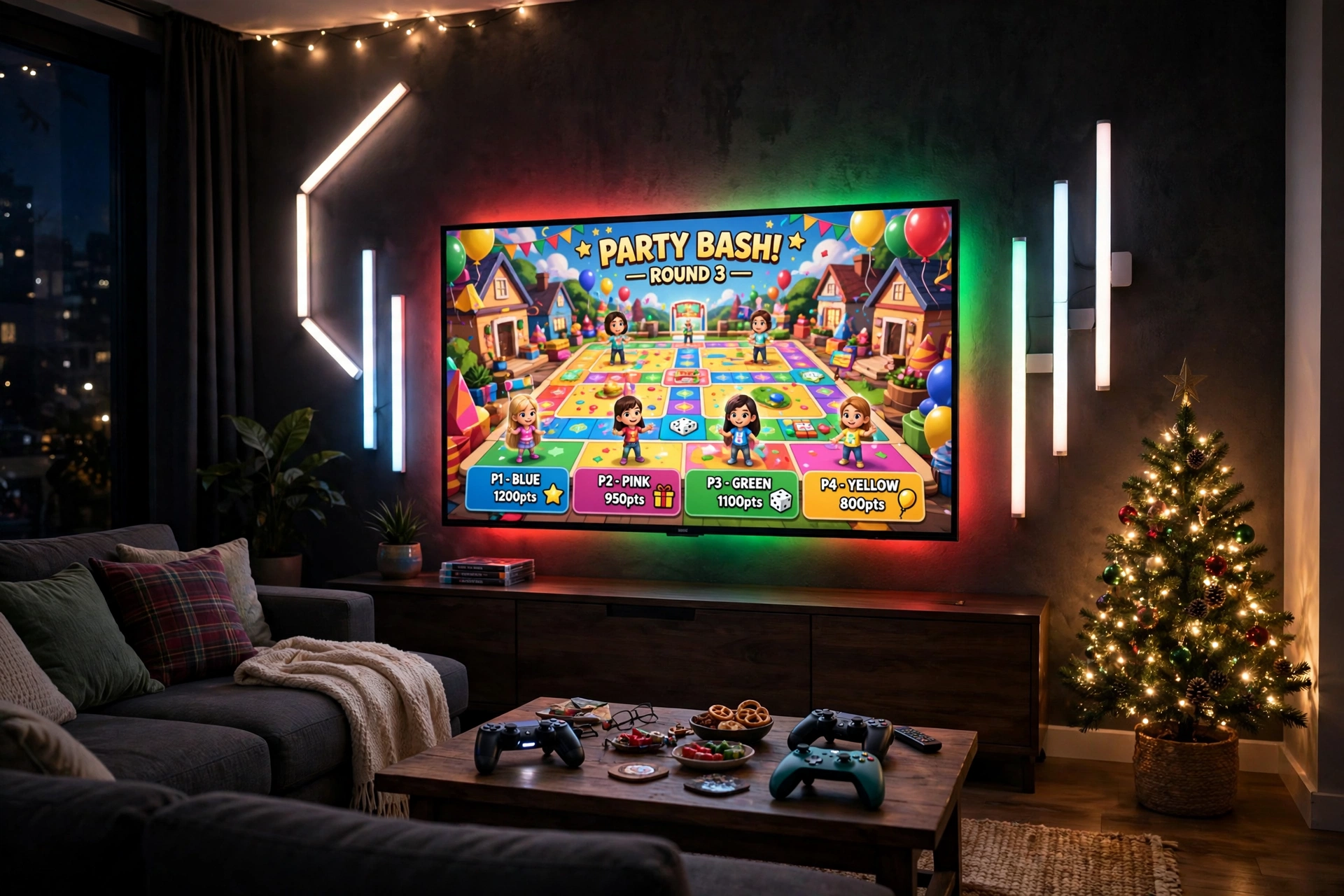
Console players deserve festive light too, and the TV is the perfect canvas. A gradient strip behind the TV throws red and green across the wall, light bars on each side fill the room, and a small tree in the corner finishes the scene. It is the best setup in this guide for family game nights, because everyone on the sofa shares the glow.
Festive or everyday, which is better? A gradient strip that follows the colors on screen is magical during a party game, but it can be too busy for a long story game. Many console players run a slow red and green scene for parties and switch to a soft warm white for solo sessions, which gives them both looks from the same strip.
Keep controllers on a small tray on the coffee table, store extra games in the TV stand, and run one power strip behind the stand so the TV, the strip, and the console share one tidy switch. If you want more console room ideas, the setups in 15 PS5 Gaming Setup Ideas for Console Players show how to build the whole corner around the TV.
Philips Hue Play Gradient Light Strip, 55 Inch
Why this one: the gradient blends several colors smoothly behind the TV, which looks far more natural than one flat color, and it pairs with other Hue lights in the room.
Worth knowing: the strip is sized for larger screens, so check it against your TV size before you buy.
Govee Glide Wall Light, 6 Pcs + 1 Corner
Why this one: the bar shape fits neatly beside a TV and along wall edges, and the pieces join into lines or corners to match your room layout.
Worth knowing: plan the layout on the wall first with painter tape, because moving the bars after they are stuck on can weaken the adhesive.
7. Corner Floor Lamp Glow
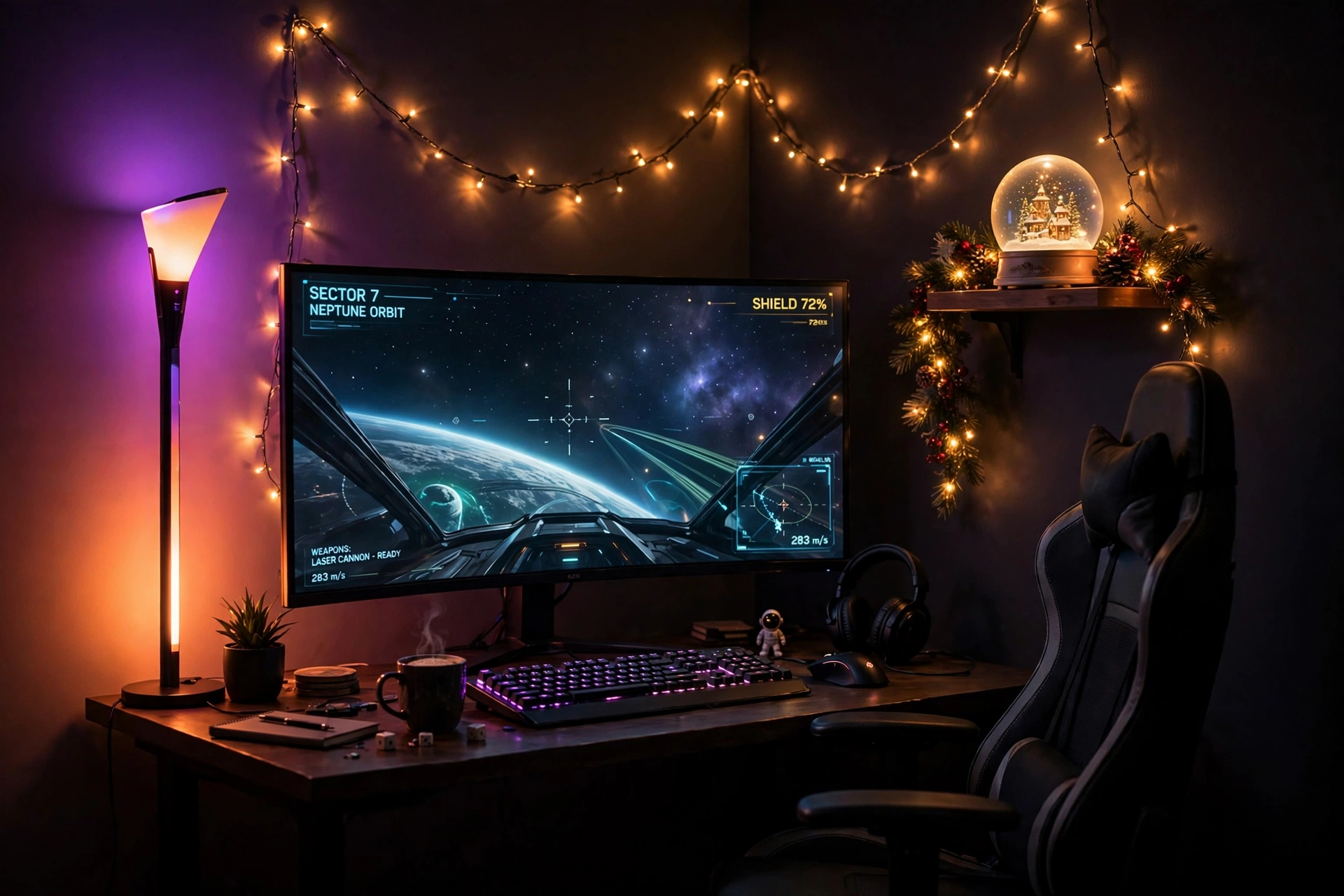
Every gaming room has one dark corner that swallows light. A tall corner floor lamp fixes it in seconds: it washes the two walls in warm color, makes the room feel bigger, and needs no holes, no tape, and no ladder. Set it to warm orange for a cozy winter evening, or purple and blue for a party.
How to set it up:
- Push the lamp into the darkest corner, a few inches from both walls.
- Angle the desk so the monitor faces away from the lamp, to avoid glare.
- Drape fairy lights along the shelf above the desk for a second layer of glow.
- Add a small garland on the shelf and a snow globe for a festive touch.
- Plug the lamp and the monitor into one strip, so one switch ends the night.
Govee RGBIC Floor Lamp, LED Corner Lamp
Why this one: the tall slim shape fits corners that a normal lamp cannot, and the RGBIC segments blend several colors up the wall at once.
Worth knowing: the lamp needs a clear corner to shine, so keep books and boxes a few inches away from the base.
CRUA 27 Inch Curved Gaming Monitor, 180Hz
Why this one: the curved screen wraps your view nicely in a corner setup, and the fast refresh keeps games smooth in the soft lamp light.
Worth knowing: a curved screen shows reflections from a lamp behind you, so keep the lamp to the side of the desk, not behind your chair.
8. Glowing Desk Surface for Party Nights
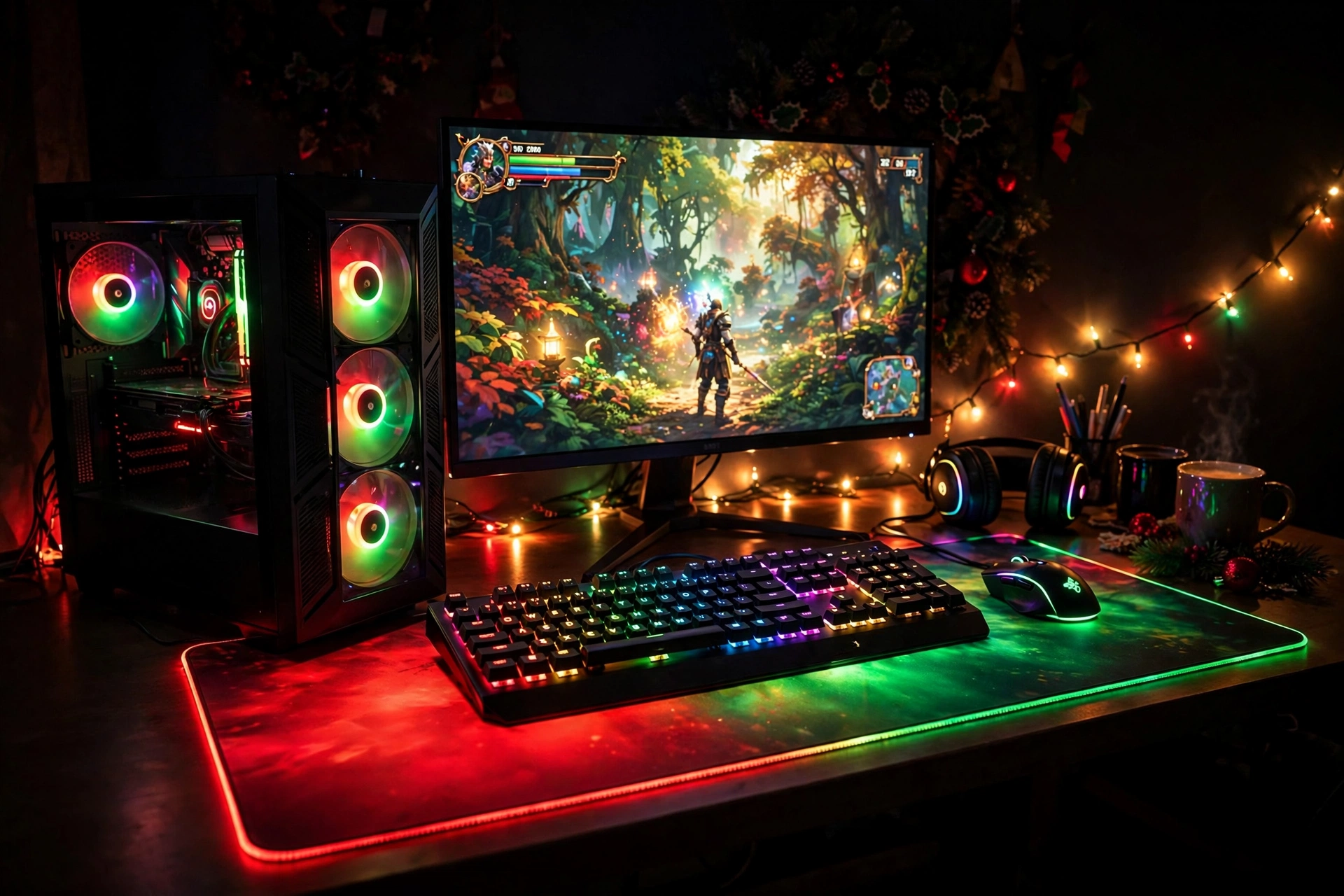
When friends come over, the desk itself should glow. A large RGB mousepad lights the whole surface in festive red and green, a backlit keyboard adds color under your hands, and a glass PC case with glowing fans turns the tower into a decoration. It is the easiest party setup in this guide, because the light is already on the desk.
Party checklist: mousepad set to a slow color cycle, keyboard brightness turned up, PC fans on a matching scene, room lights dimmed, and snacks on a tray away from the keyboard. Five minutes of setup, and the room is ready.
Keep the desk clear of clutter so the glow spreads evenly, store spare cables in a drawer, and run the mousepad and keyboard from one USB hub so you only manage one cable to the PC. If neon signs are more your style, the ideas in 15 Neon Gaming Room Ideas With Signs That Pop show how to add a glowing sign above a setup like this one.
JOYYE Large RGB Gaming Mouse Pad with Magnetic Wireless Charger
Why this one: the large size lights the whole desk surface, and the built in wireless charger keeps your phone topped up during long party sessions.
Worth knowing: the pad needs a USB port to power the lights, so keep a spare port free on your PC or hub.
Corsair K70 CORE RGB Mechanical Gaming Keyboard
Why this one: bright per key RGB lighting matches the mousepad glow, and the solid build holds up to long party gaming sessions.
Worth knowing: the keyboard software takes a few minutes to set up, so save your festive lighting scene as a profile before guests arrive.
9. Headset Stand That Pulses to the Music
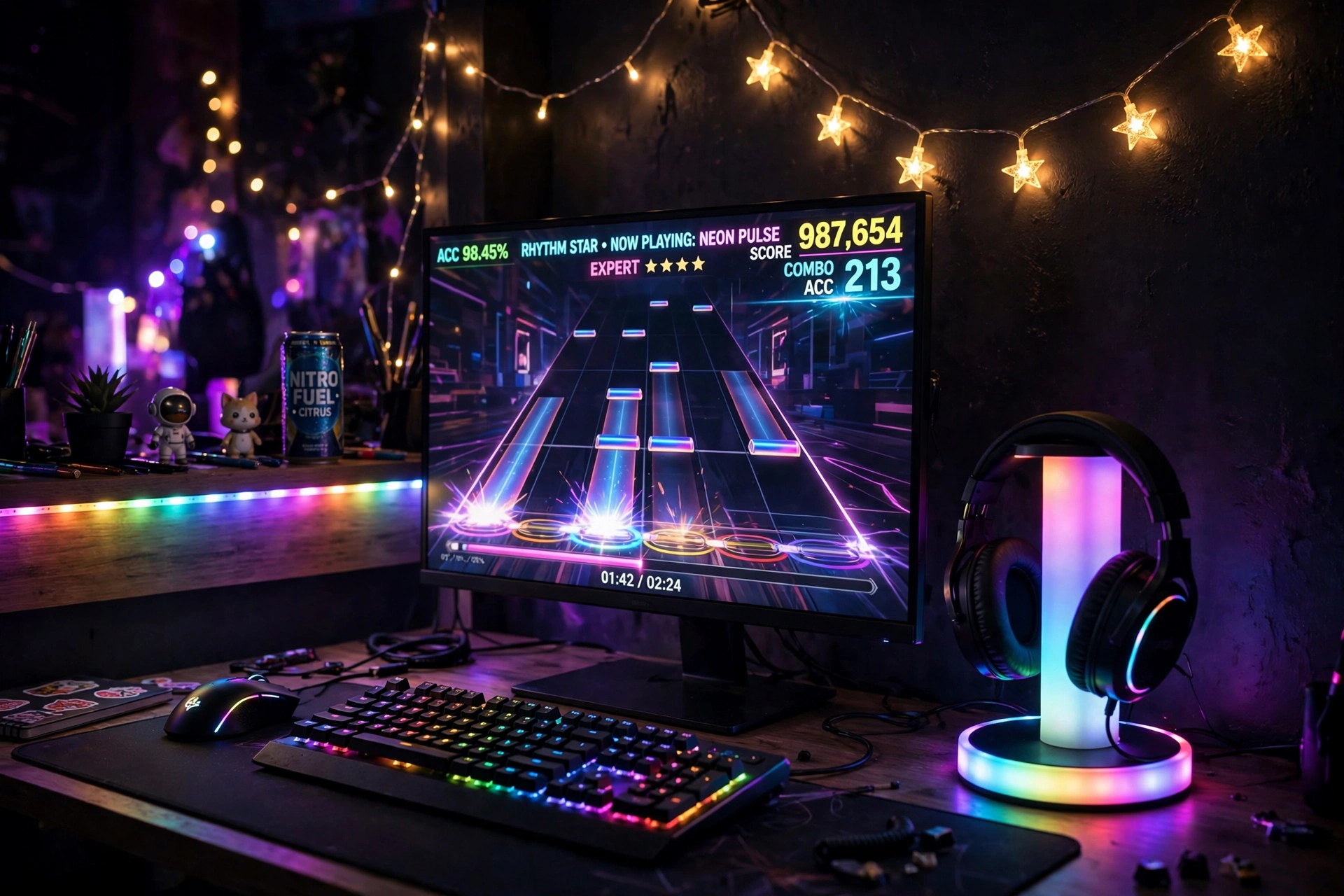
A headset stand that lights up with the music turns a quiet desk into a tiny dance floor. Set the stand to rhythm mode, put on a party playlist or a rhythm game, and the colors pulse with every beat. It is a small piece of gear with a big effect, and it keeps your headset safe at the same time.
- Desk: a straight desk with the stand on the side opposite your mouse hand.
- Seat: a chair that rolls easily, because you will turn toward the music more than once.
- Screen: one main monitor, bright enough to stay the focus while the stand pulses beside it.
- Light: the RGB headset stand as the star, plus fairy lights and a star garland on the wall.
- Storage: a shelf for games and a drawer for spare cables and batteries.
- Power: the stand plugs into USB, so one hub powers it, the keyboard, and the mouse.
FancyMay RGB Headphone Stand with Music Rhythm Light
Why this one: the music rhythm mode reacts to sound in real time, so the light show follows your game or playlist without any setup.
Worth knowing: the rhythm mode needs sound playing nearby to react, so it stays still in a silent room.
KTC 27 Inch Gaming Monitor, 180Hz, 1080p
Why this one: a fast refresh rate suits rhythm and party games, and the bright panel stays clear beside the pulsing stand light.
Worth knowing: the stand for this monitor is basic, so a monitor arm is worth considering if you want more desk space.
10. Pink Winter Wonderland
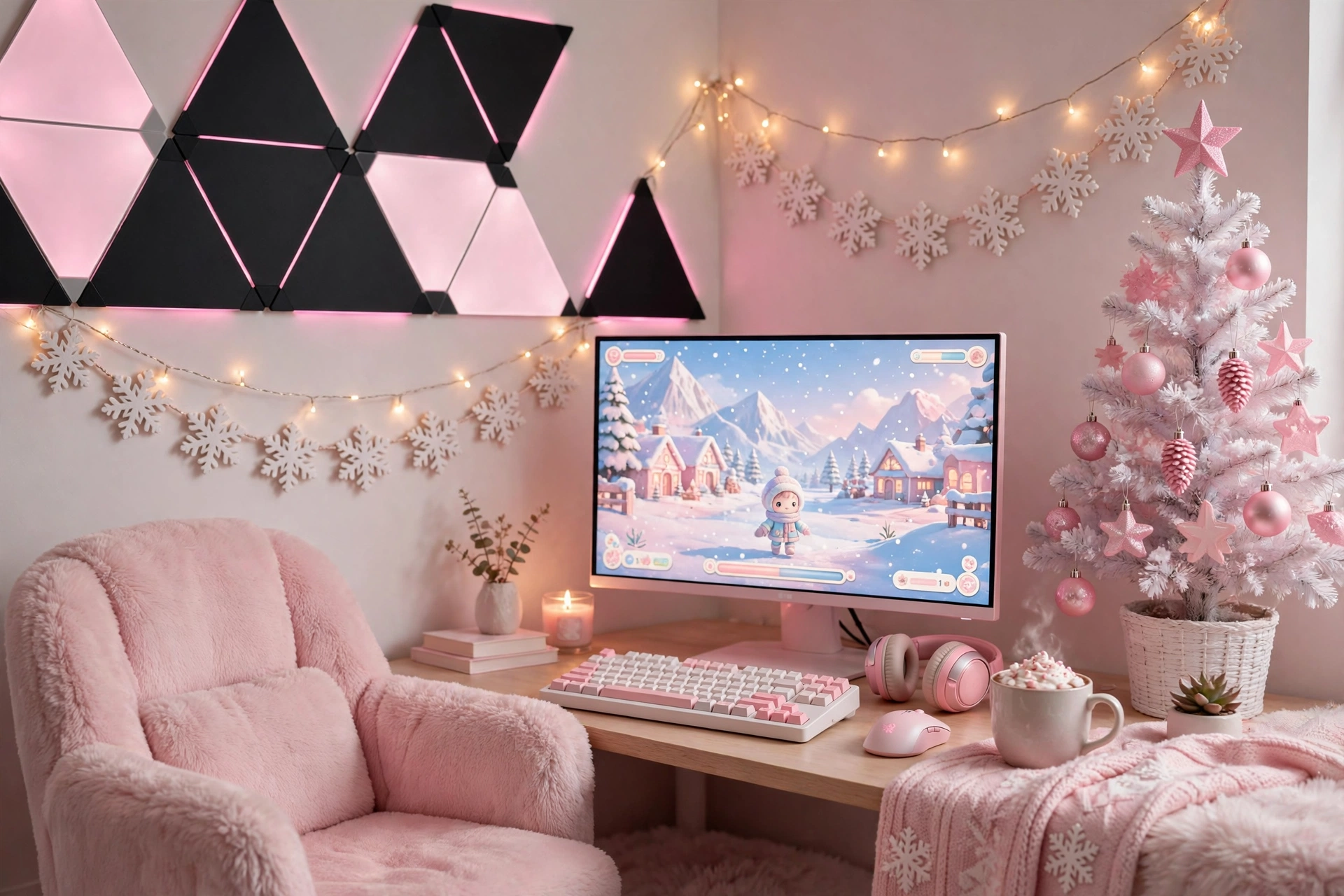
Festive does not have to mean red and green. A pink and white winter setup feels like a snow globe: soft pink panels on the wall, white fairy lights, a snowflake garland, and a tiny white tree with pink ornaments. It is cozy, calm, and perfect for long winter evenings with a pastel game on screen.
What works here: the black triangle panels make the pink glow pop, and the white desk keeps the room bright even at night. A plush chair, a soft blanket over the chair back, and a warm drink on a coaster finish the scene. Keep one drawer for cables and a small shelf for games, and the whole room stays tidy enough to feel like a retreat.
Nanoleaf Shapes Ultra Black Triangles Smarter Kit, 15 Pack
Why this one: the black panels make pink and pastel colors glow brighter by contrast, and 15 panels give you room for a big winter shape on the wall.
Worth knowing: the black finish shows dust more than white panels, so give them a quick wipe when you clean the room.
Samsung 27 Inch Odyssey G5 QHD Gaming Monitor
Why this one: a sharp QHD screen with a smooth refresh rate suits cozy story games, and the clean design fits a soft pink and white room.
Worth knowing: the stand is simple and takes up desk space, so a monitor arm frees room for the tree and garland.
Festive Gaming Room Lighting FAQ
How much does festive gaming room lighting cost?
A single strip or a string of fairy lights can change a room for a small budget, while a full setup with panels, light bars, and a new monitor costs much more. Start with one hero piece, live with it for a week, then add a second layer only if the room still feels plain.
Can I leave festive lights on all night?
LED strips, panels, and fairy lights run cool and use little power, so short overnight use is usually fine. Still, switch them off when you leave the room for a long time, and never cover a light strip or lamp with fabric or paper.
Do I need a hub for smart festive lights?
Most strips and panels in this guide work from a phone app with no hub. Some brands, like Philips Hue, work best with their own bridge for full features, so check the product details before you buy if you want scenes and sync.
What colors work best for festive gaming lighting?
Red and green read as Christmas, gold and warm white feel cozy, and pink and blue suit parties and New Year. Pick one main color and one accent, because three or more bright colors at full brightness can feel messy fast.
Will festive lights distract me while gaming?
Bright, fast changing colors behind the screen can pull your eyes away during competitive games. Use a slow scene or a single soft color while you play seriously, and save the fast party modes for breaks and friends.
Can I reuse festive lights after the holidays?
Yes, that is the best part. Strips, panels, light bars, and lamps all switch to everyday colors with one tap, so the same gear gives you a calm blue glow in January and a party scene at your next birthday.
Conclusion: Light the Room, Keep the Glow
Festive lighting is not about buying the most lights. It is about picking one hero piece, a canopy, a sign, a tree, or a panel wall, and letting a soft second layer fill in the rest. Start with the setup that matches your room and your budget, add fairy lights for warmth, and save a party scene for the nights that deserve it. When the holidays end, the same lights switch to everyday colors, so your festive setup keeps working all year.
If you liked the moody side of these ideas, the setups in 15 Dark Gaming Setup Ideas for a Moody Battlestation show how to keep the glow after the decorations come down.
