As an Amazon Associate I earn from qualifying purchases. Read our full affiliate disclosure for more detail.
The holidays are the best excuse to give your gaming setup a proper makeover. A string of warm lights, a pine garland along the desk, and a tree glowing in the corner can turn an ordinary battlestation into the coziest spot in the house, and none of it needs a big budget or a full room redo.
In this guide you will find 9 complete holiday gaming setups you can copy whole, from a classic Christmas tree corner to a snowy white winter desk, a console TV night by the fire, and a sparkly New Year party setup. Each one covers the desk, seat, screen, light, storage, and power, so nothing important is left out. If you want more glow ideas for the rest of the year, the ideas in 15 LED Gaming Room Ideas That Set the Perfect Mood pair well with every setup below.
In this article
At a glance
1. Christmas Tree Corner Glow
2. Garland and Warm Lamp Glow
3. Snowy White Winter Setup
4. Console TV Holiday Night
5. Red and Gold Classic Christmas
6. Frosty Blue Dual Monitor Winter
7. Cozy Bedroom Holiday Nook
8. Winter Cabin L Shaped Desk
9. New Year Sparkle Party Setup
FAQ
Conclusion
At a Glance: Pick Your Holiday Setup
1. Christmas Tree Corner Glow
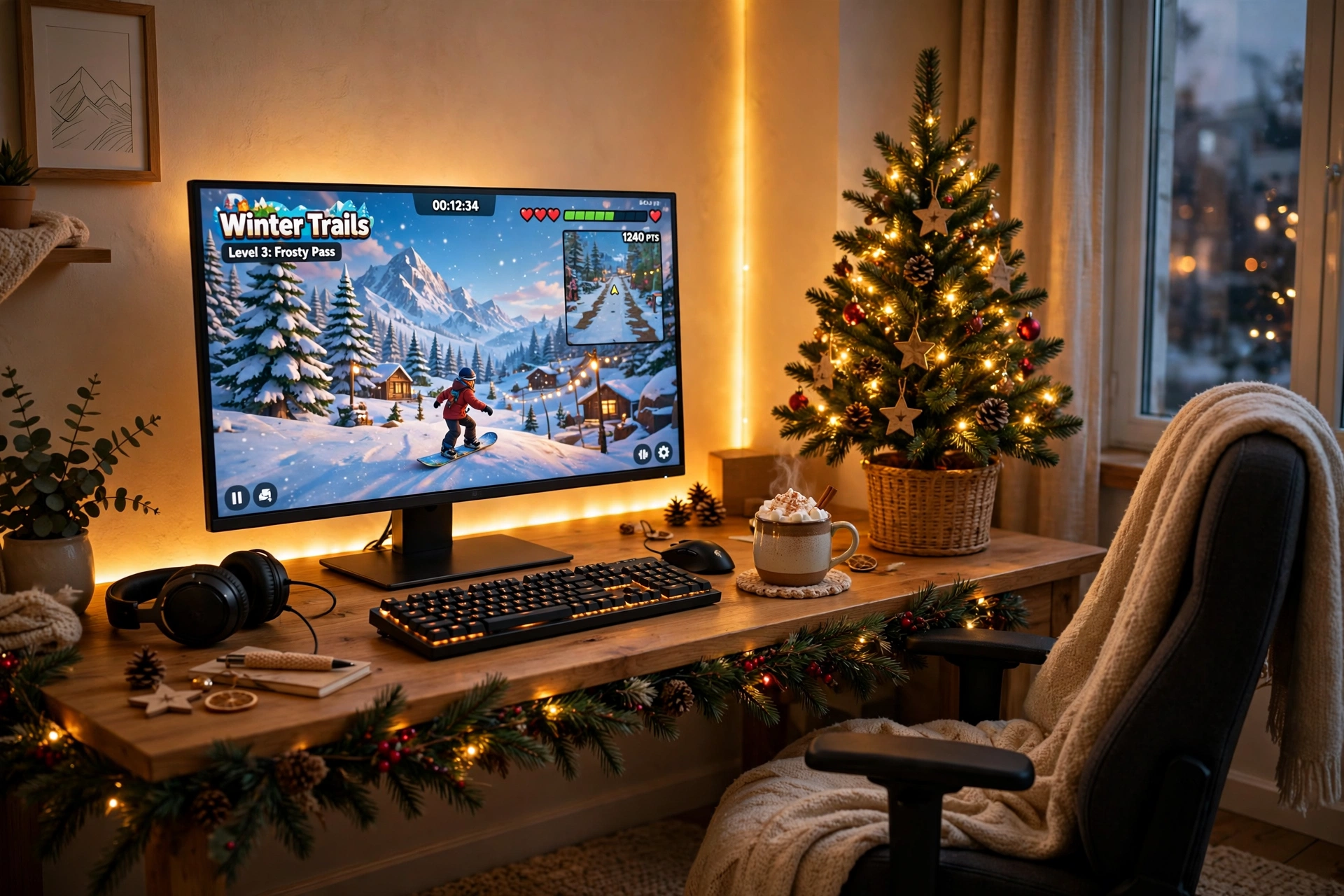
Nothing says the holidays like a tree glowing next to your desk. Put a small decorated tree in the corner beside the desk, drape a pine garland along the front edge, and let a long LED strip tie the whole corner together with warm color. The monitor stays the clear focus, and the tree light fills in the background so the room feels festive even when the game is paused.
- Desk: a wooden desk pushed into the corner, with the tree on the side that gets the least foot traffic.
- Seat: a padded chair with a folded throw over the back, ready for long winter evenings.
- Screen: one large monitor, centered, with the game bright against the warm room light.
- Light: a long RGBIC strip behind the desk and around the tree, set to warm gold.
- Storage: a small shelf for wrapped gifts and a hook for a stocking on the desk leg.
- Power: one power strip behind the desk leg, with the tree lights and strip sharing it.
Holiday tip: keep the tree lights warm white and let the LED strip carry the color. Two competing light colors can make the corner look messy, while one warm base plus one accent color looks planned.
FEATURED PICK
Govee 65.6ft RGBIC LED Strip Lights
Why this one: the long length covers a desk, a wall, and a tree in one run, and the RGBIC segments let different parts of the strip show different colors at once.
Worth knowing: measure your wall and tree distance first, because a strip that is too long will leave a loose tail that is hard to hide neatly.
FEATURED PICK
ASUS TUF Gaming VG27AQ 27 Inch QHD Monitor, 165Hz
Why this one: a sharp QHD screen with fast refresh keeps the game crisp against the warm tree light, and the size suits most desks.
Worth knowing: the stand is fairly wide, so check your desk depth if you also want a large mousepad and a mug in front of it.
2. Garland and Warm Lamp Glow
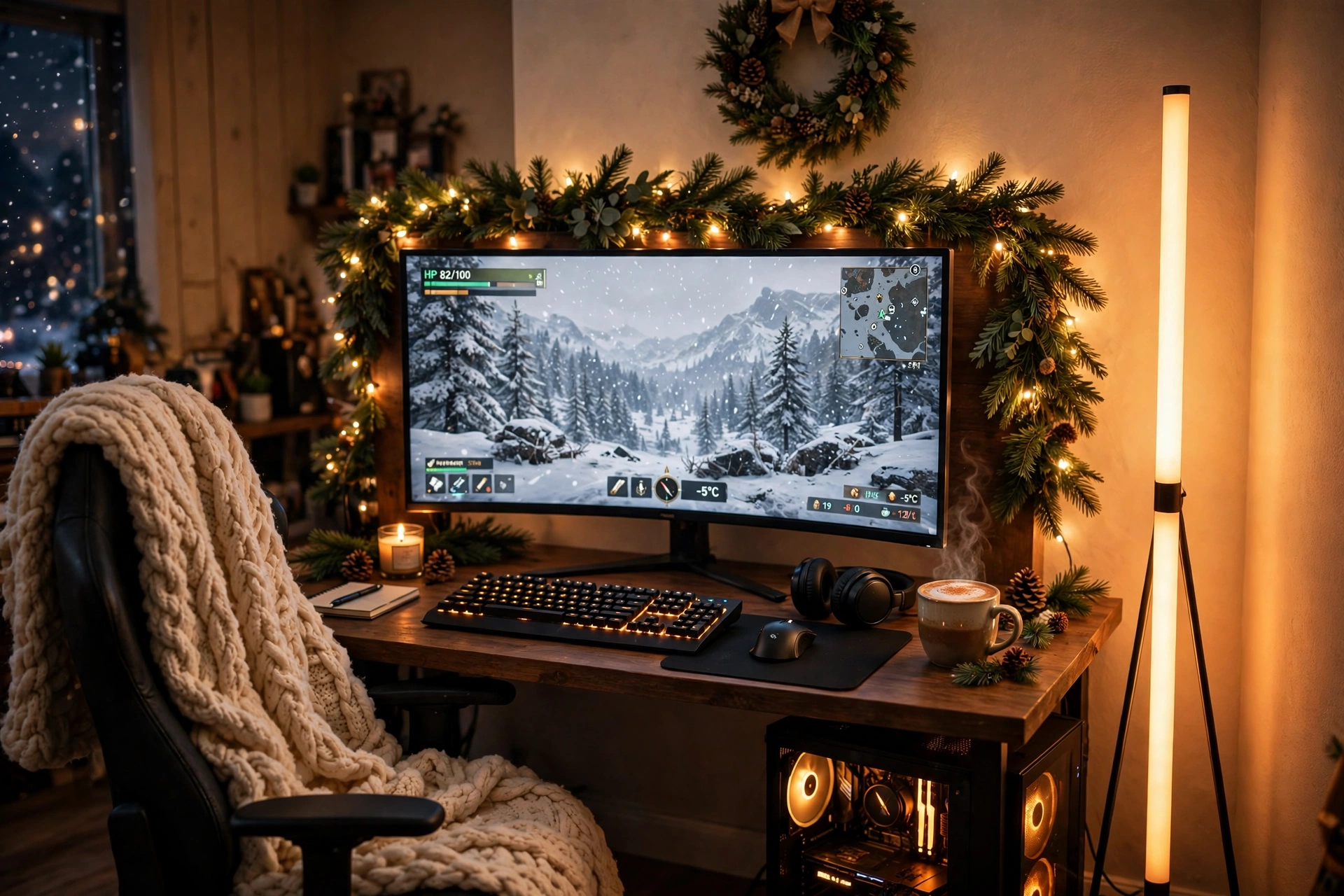
Some holiday setups are about one big decoration, and this one is about a soft glow that fills the whole room. A pine garland with warm string lights runs along the top of the desk, and a tall corner lamp washes the wall in amber. Together they make the room feel like a cabin evening, even if you live in a flat.
How to set it up:
- Drape the garland along the back edge of the desk and tuck the string lights into it.
- Place the floor lamp in the corner behind the desk, so its light bounces off two walls.
- Center the monitor and keep a plush throw on the chair for cold nights.
- Hang a small wreath on the wall above the monitor to finish the frame.
- Run one power strip behind the desk leg for the lamp, the lights, and the PC.
FEATURED PICK
Govee RGBIC Floor Lamp, LED Corner Lamp
Why this one: it tucks into a corner that would otherwise stay dark, and the RGBIC glow can shift from warm amber for quiet nights to bright color for a party.
Worth knowing: a corner lamp needs a clear corner, so move any tall shelf or plant away before you set it up.
FEATURED PICK
Acer Nitro KG271U 27 Inch QHD Gaming Monitor, 180Hz
Why this one: a fast QHD screen that looks great with warm ambient light, and the price usually sits in friendly territory for a main monitor.
Worth knowing: the stand offers limited height adjustment, so a small monitor riser can help if you like the screen higher.
3. Snowy White Winter Setup
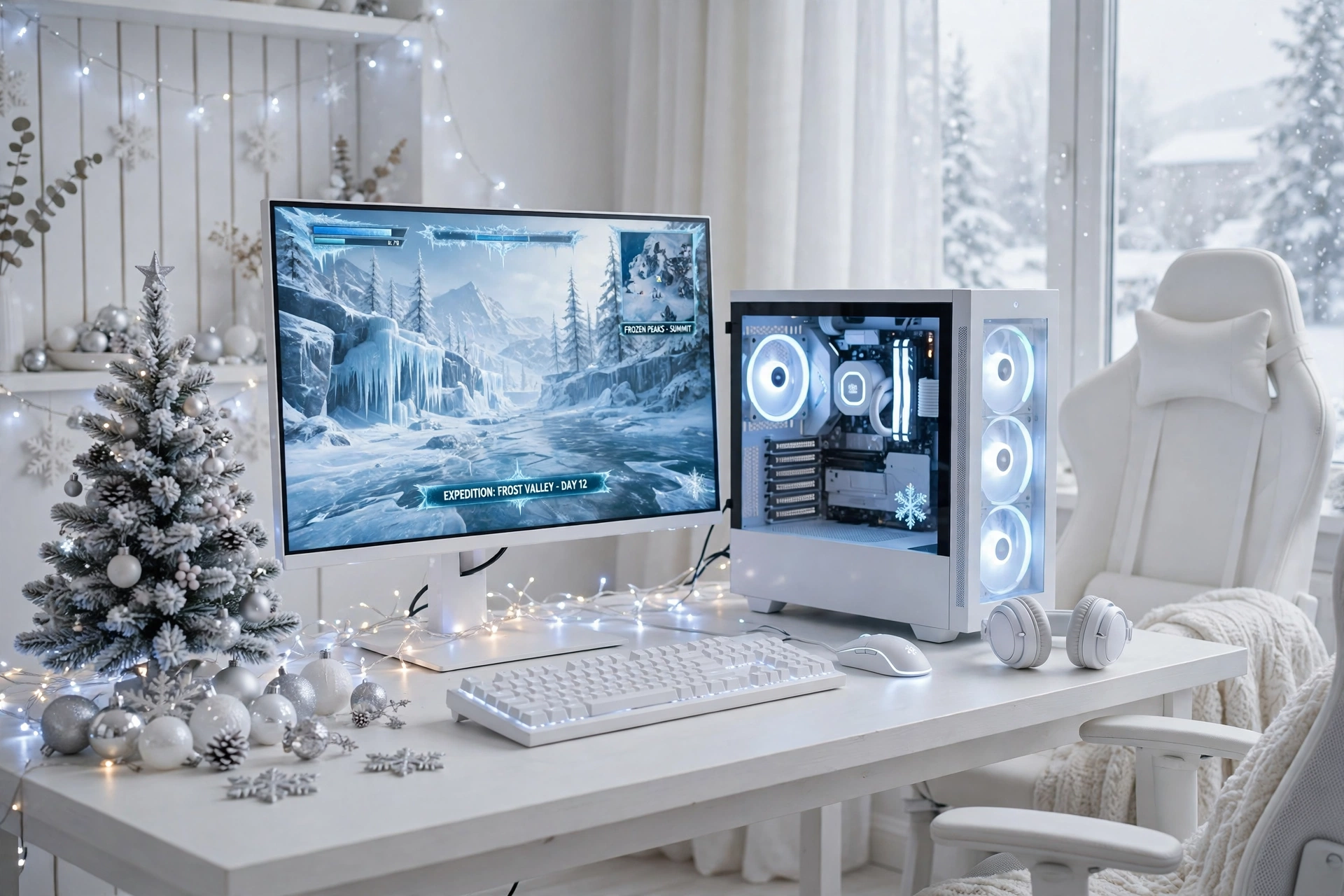
If red and green feel too loud for your room, go snowy white instead. A white desk, a white PC case with soft light inside, silver ornaments, and a small flocked tree make the setup feel like a fresh snowfall. Cool white fairy lights keep it bright without turning it into a rainbow, and the whole desk photographs beautifully.
Keep the desk surface clear so the white theme reads as clean rather than empty. A white keyboard, a light colored mousepad, and a single silver garland are enough. Store spare controllers and cables in a white drawer unit under the desk, and run the power strip along the back edge where it stays hidden. If you want a cozier version of this same idea, the setups in 15 Cozy Gaming Setup Ideas on a Budget show how soft light and a throw blanket warm up a pale room without much spending.
What works here: white gear plus cool white light plus one silver accent. Three pale tones are enough. Add a fourth color and the snowy look starts to fall apart.
FEATURED PICK
GAMDIAS NESO P1 White Tempered Glass Gaming Case
Why this one: the white tempered glass case is the centerpiece of a snowy build, and the glass shows off the lit components inside like a display window.
Worth knowing: white cases show dust and fingerprints more than dark ones, so keep a microfiber cloth in the desk drawer.
FEATURED PICK
LG UltraGear 27GS75Q-B 27 Inch Gaming Monitor
Why this one: a clean 27 inch screen with smooth motion that suits bright, icy game scenes, and the slim bezels keep the white desk looking tidy.
Worth knowing: the built in speakers are basic, so plan on headphones or a small speaker if sound matters to you.
4. Console TV Holiday Night
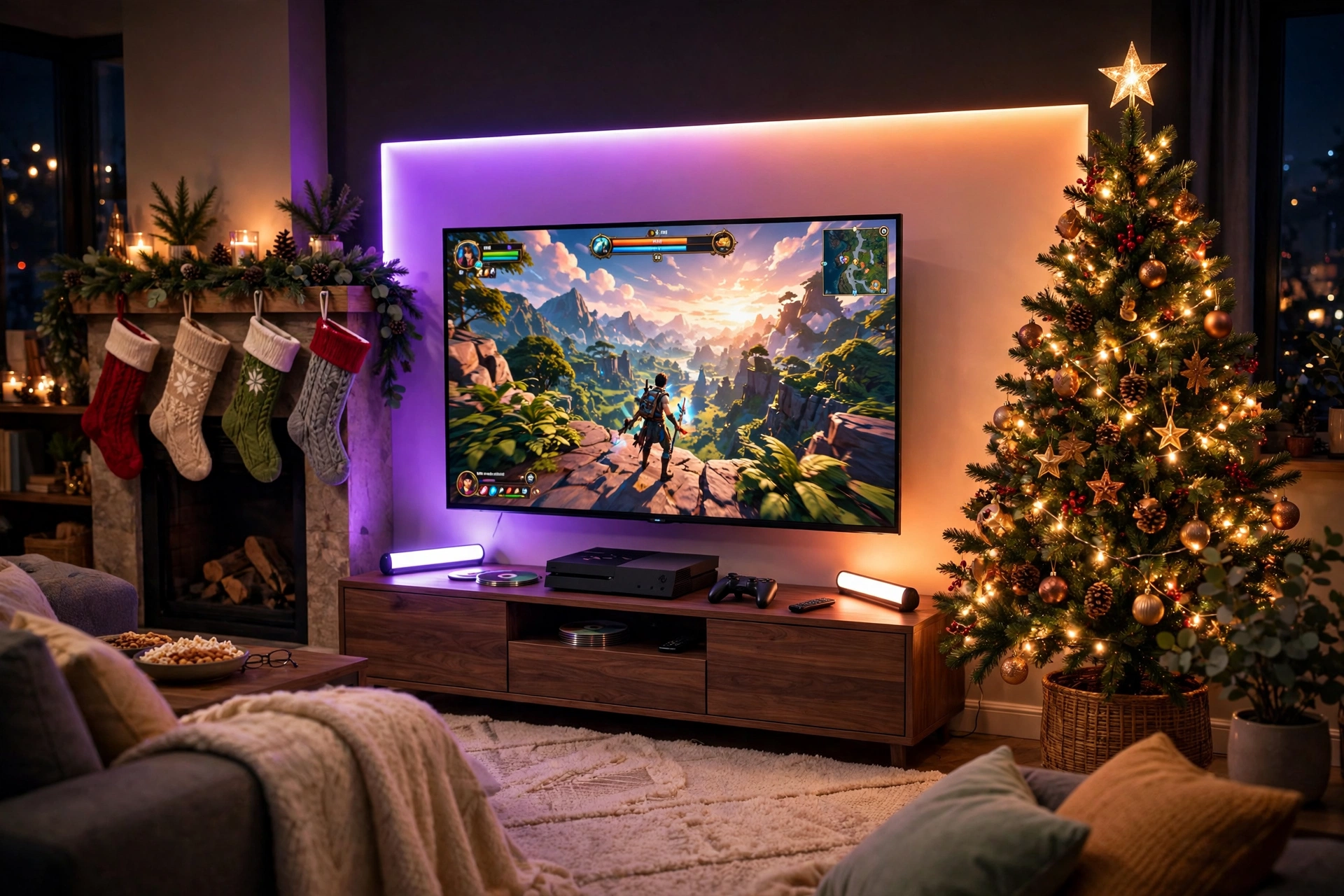
Holiday gaming is not only a desk thing. A console setup in the living room, with the tree beside the TV and stockings on the mantel, is where family game nights happen. A gradient strip behind the TV throws a soft halo on the wall, which makes the screen easier on the eyes in a dark room, and two light bars on the TV stand fill in the lower half of the wall.
- Stand: a low TV stand with closed doors, so controllers and games stay hidden.
- Seat: the sofa, plus a floor cushion or two for extra players.
- Screen: the big TV, with the game bright and the room lights low.
- Light: a gradient strip behind the TV and two light bars on the stand, set to match the game.
- Storage: a basket beside the stand for controllers, chargers, and spare batteries.
- Power: one surge protected strip behind the stand, with a switch you can reach without crawling.
FEATURED PICK
Philips Hue Play Gradient Light Strip, 55 Inch
Why this one: the gradient blends several colors smoothly behind the screen, which looks far more natural than one flat color, and it pairs with other Hue lights in the room.
Worth knowing: the strip is sized for larger screens, so check it against your TV size and the Hue app setup before you buy.
FEATURED PICK
Philips Hue Play Light Bar, 2 Pack
Why this one: two slim bars stand neatly on the TV stand and can aim at the wall or the room, so you get a wide glow from a small footprint.
Worth knowing: the bars work best with the Hue app and hub setup, so factor that in if you do not already use Hue lights.
5. Red and Gold Classic Christmas
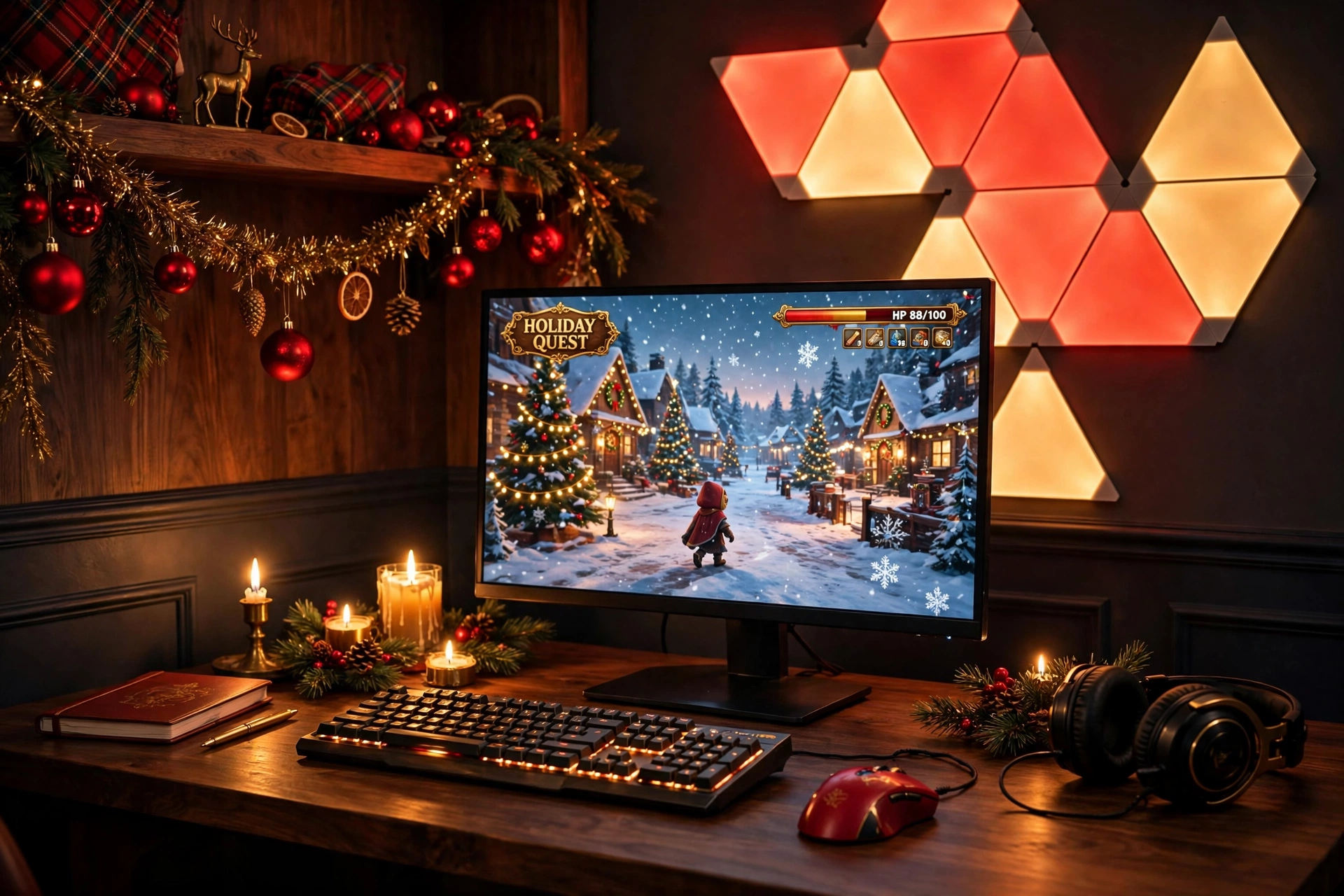
Red and gold never goes out of style at Christmas, and it works just as well on a gaming desk as it does on a tree. Triangle light panels above the desk glow in deep red and warm gold, red ornaments sit on the shelf, and gold tinsel catches the light along the desk edge. The monitor shows a festive game, and the whole setup feels rich without needing a single new piece of furniture.
Red or gold, which leads? Let gold lead and red follow. Gold light is warm and easy to live with for hours, while red is strong and best used in smaller doses. Set the panels mostly gold with a few red triangles, then echo the red in small things like ornaments, a mousepad edge, or a ribbon on the chair. The room will feel classic instead of loud.
Keep the desk surface dark wood or black so the gold light has something to glow against. A drawer under the desk holds spare ornaments and wrapping paper, and one power strip behind the desk keeps the panels and the PC on the same tidy cable run.
Holiday tip: take the tinsel down before it sheds. A quick shake outside once a week keeps glitter out of the keyboard and the PC fans.
FEATURED PICK
Nanoleaf Shapes Triangles Smarter Kit
Why this one: the triangle panels snap into any shape you like, and the app lets you set a red and gold scene in seconds, then switch back to everyday colors in January.
Worth knowing: plan the layout on the wall first with painter tape, because moving the panels after they are stuck on can weaken the adhesive.
FEATURED PICK
Logitech G502 HERO Wired Gaming Mouse
Why this one: a proven, comfortable mouse with adjustable weights and plenty of buttons, and the RGB lighting can be set to a warm gold to match the room.
Worth knowing: it is a wired mouse, so route the cable with a small clip if you hate drag on the desk.
6. Frosty Blue Dual Monitor Winter
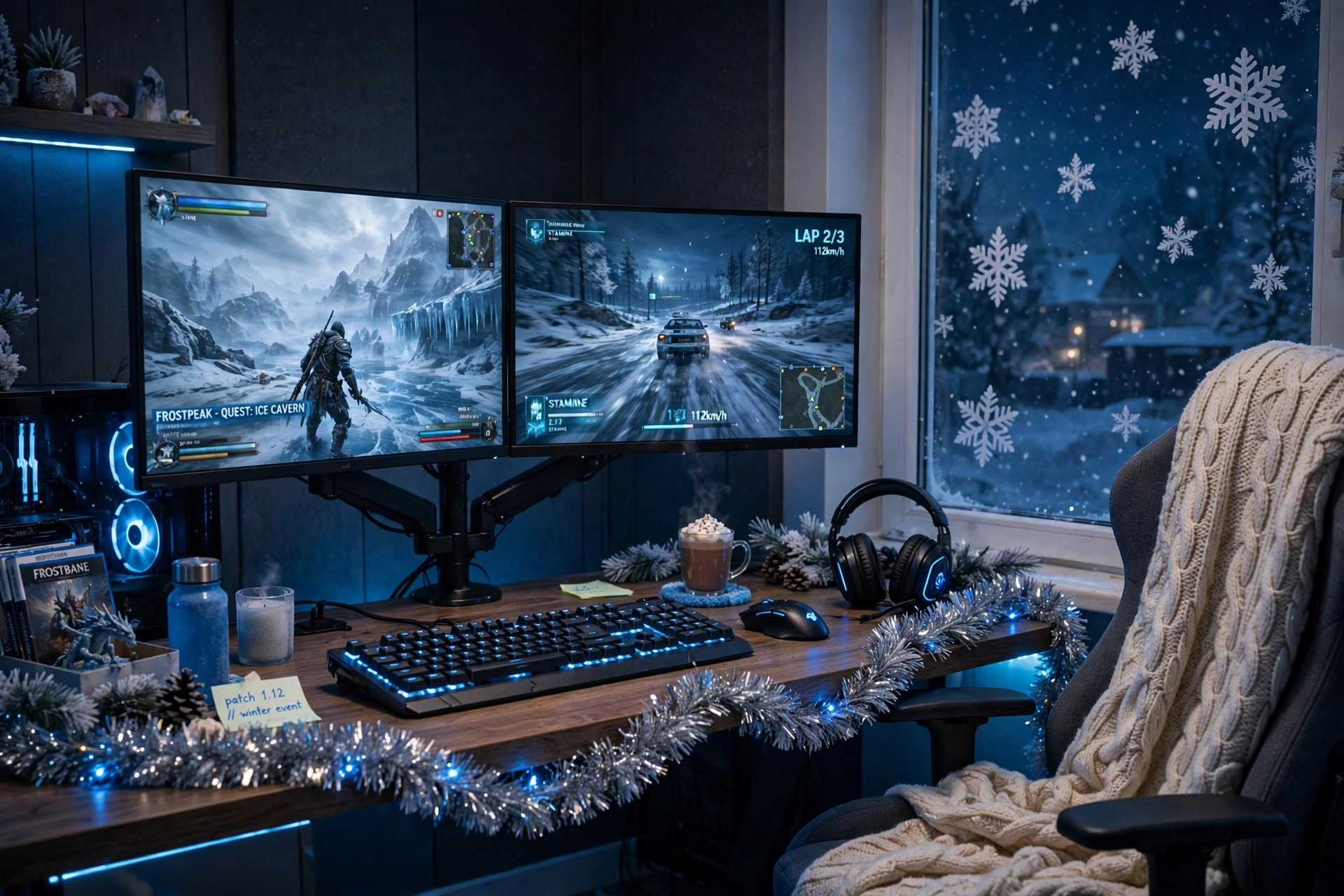
Two monitors, cold blue light, and a window full of snowflake decals. This setup leans into winter instead of Christmas, so it still looks right in January when the tree comes down. A dual monitor arm holds both screens at the same height, which frees the whole desk surface, and a silver tinsel garland along the front edge catches the blue glow.
How to set it up:
- Clamp the dual arm to the back of the desk and set both monitors at eye level.
- Put the main game screen straight ahead and the second screen slightly angled.
- Stick snowflake decals on the window beside the desk for a frosty view.
- Drape the silver garland along the desk front and add a knit blanket to the chair.
- Keep one power strip behind the desk, with both monitors and the PC on it.
FEATURED PICK
HUANUO Dual Monitor Arm, Gas Spring
Why this one: the gas spring arms move smoothly, so you can pull a screen closer for a game and push it back for homework, and the clamp frees the desk surface.
Worth knowing: check your desk thickness and monitor weight limits first, because a heavy screen on a thin desk edge can wobble.
FEATURED PICK
Samsung 27 Inch Odyssey G5 QHD Gaming Monitor
Why this one: a sharp QHD screen with smooth motion that looks great in a dual setup, and the slim design keeps two screens from feeling bulky.
Worth knowing: two matching screens look best, so if you buy a second one later, get the same model for a clean pair.
7. Cozy Bedroom Holiday Nook
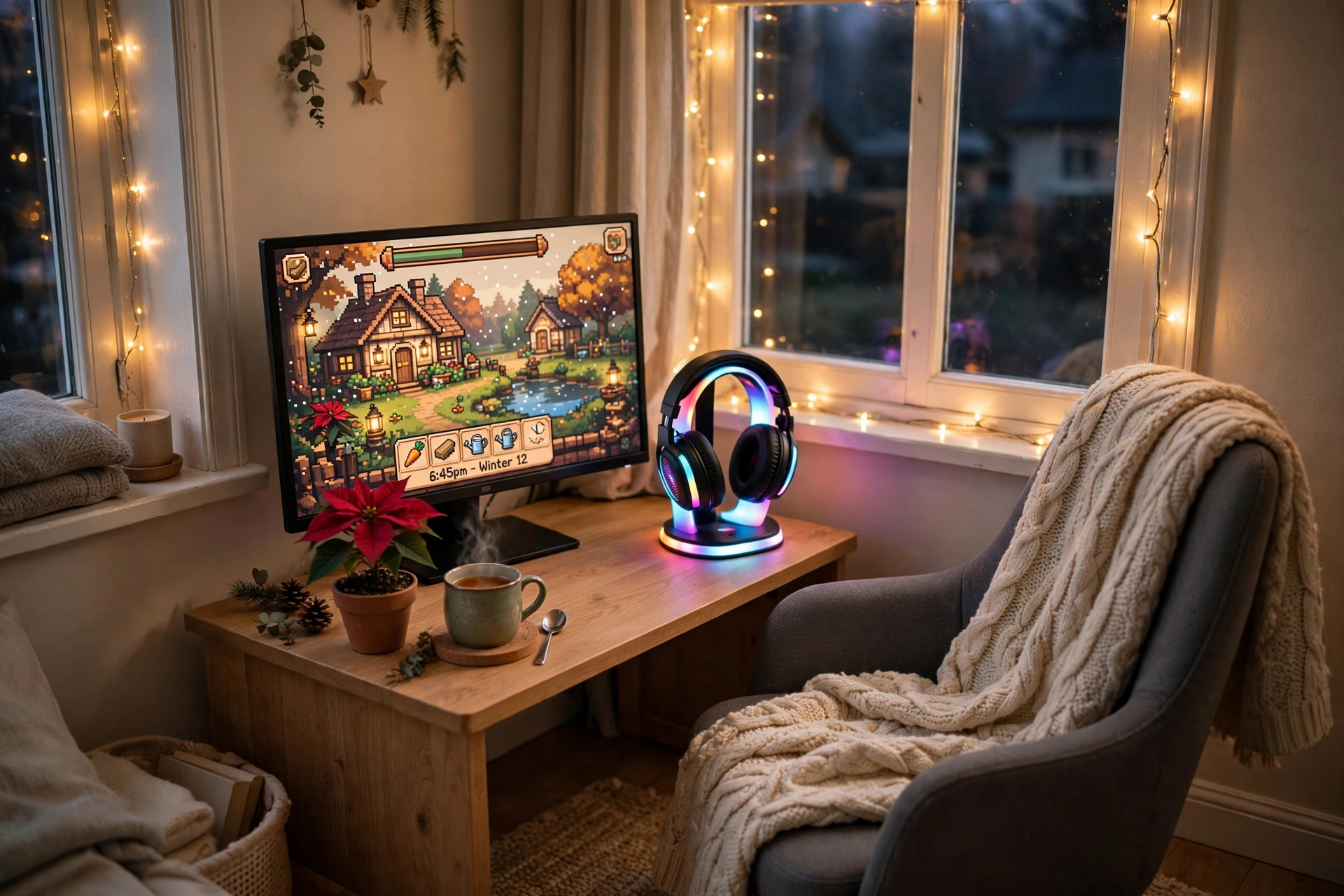
Not every holiday setup needs a tree or a big room. A small bedroom corner can feel just as festive with warm fairy lights around the window, a glowing headphone stand on the desk, and a knitted throw over the chair. This nook is built for one person, one monitor, and quiet winter evenings with a mug of tea.
- Desk: a compact desk tucked into the corner, with the monitor close to the wall.
- Seat: a small chair with a soft throw, pushed fully under the desk when you are done.
- Screen: one monitor, angled slightly toward the bed so you can watch from either seat.
- Light: warm fairy lights around the window frame and a soft glow from the headphone stand.
- Storage: a small poinsettia on the desk and a basket under it for games and cables.
- Power: one short power strip behind the desk, with the lights on a timer plug.
What works here: warm light at low brightness plus soft fabric. In a small room, gentle light and a cozy texture do more than bright color ever will.
FEATURED PICK
FancyMay RGB Headphone Stand with Music Rhythm Light
Why this one: it holds your headphones neatly and adds a gentle rhythm light to the desk, so the nook glows even when the game is off.
Worth knowing: the rhythm light reacts to sound, so turn it to a steady color if you find the pulsing distracting while you play.
FEATURED PICK
KTC 27 Inch Gaming Monitor, 180Hz, 1080p
Why this one: a fast 27 inch screen that keeps the nook simple and affordable, with smooth motion for games and plenty of size for cozy titles.
Worth knowing: it is a 1080p panel, so text will look a little softer than on a QHD screen if you also use it for lots of reading.
8. Winter Cabin L Shaped Desk
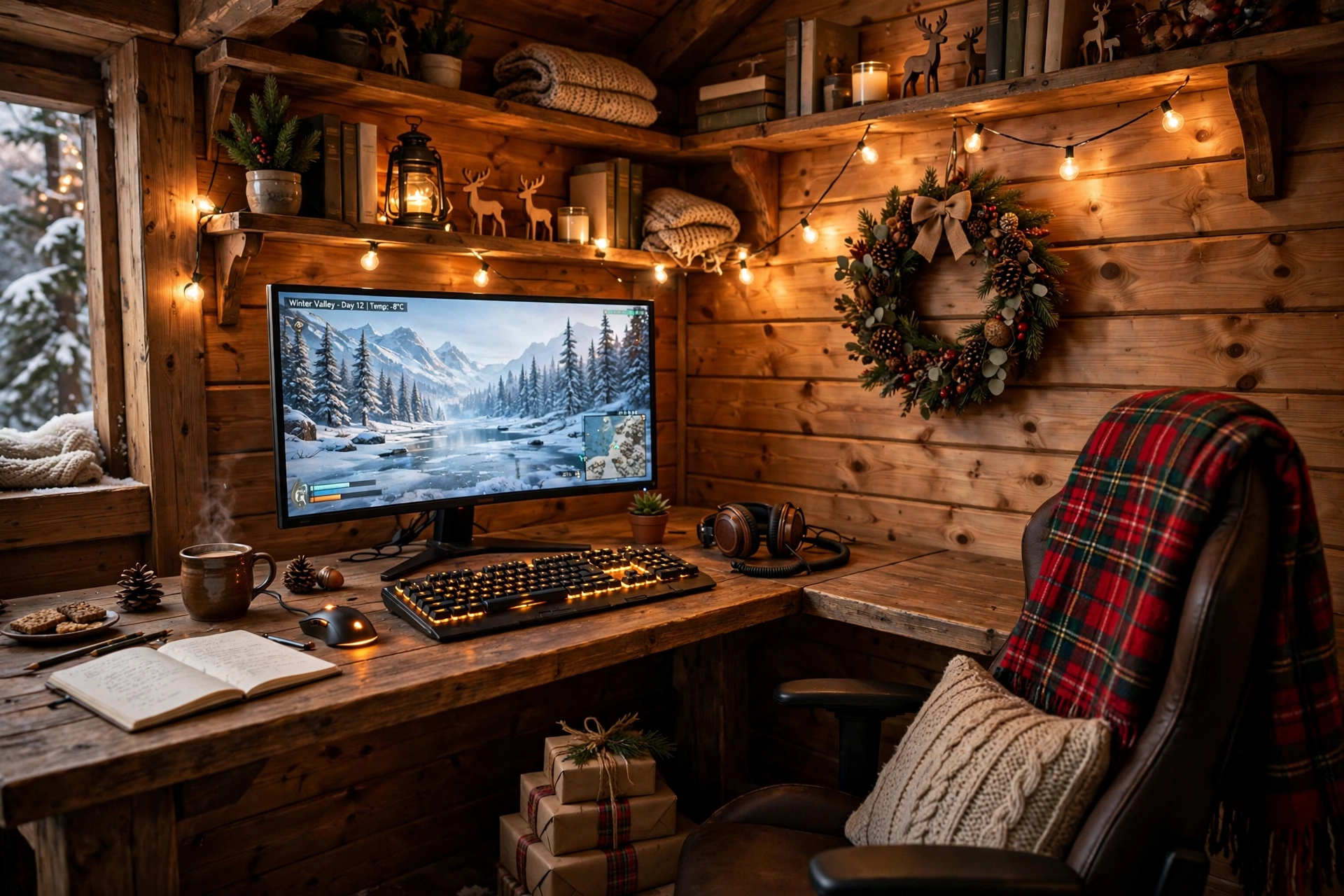
An L shaped desk turns a spare corner into a little cabin. One side holds the monitor and keyboard, the other side holds a mug, a book, and a stack of wrapped gifts. A pine wreath on the wall, warm string lights along the shelves, and a plaid blanket on the chair finish the rustic mood, and the extra desk space means the holiday clutter never crowds the game.
Put the monitor on the long side of the L and the gifts and snacks on the short side, so your elbows stay clear while you play. A keyboard with warm backlighting keeps the cabin glow going after dark, and a small shelf above the desk holds ornaments without taking desk space. Run one power strip along the back corner where both desk sides meet, so every cable has a short path home.
Holiday tip: keep wrapped gifts on the short side of the L, not behind the monitor. Paper and ribbon near a warm PC exhaust can dry out and crinkle, and they block the airflow the PC needs.
FEATURED PICK
PRAISUN 66 Inch L Shaped Gaming Desk with LED Lights and Power Outlets
Why this one: the L shape gives you a real second surface for gifts, snacks, and a second screen, and the built in power outlets cut down on extension leads.
Worth knowing: an L desk needs a true corner, so measure both walls before you buy, because it will not sit flat against a straight wall.
FEATURED PICK
Razer BlackWidow V3 Mechanical Gaming Keyboard, Quartz Pink
Why this one: a solid mechanical keyboard with a satisfying click and bright backlighting that you can set to a warm tone for the cabin look.
Worth knowing: the pink colorway is a bold choice, so check the color options if you want a plainer black or white to match the wood.
9. New Year Sparkle Party Setup
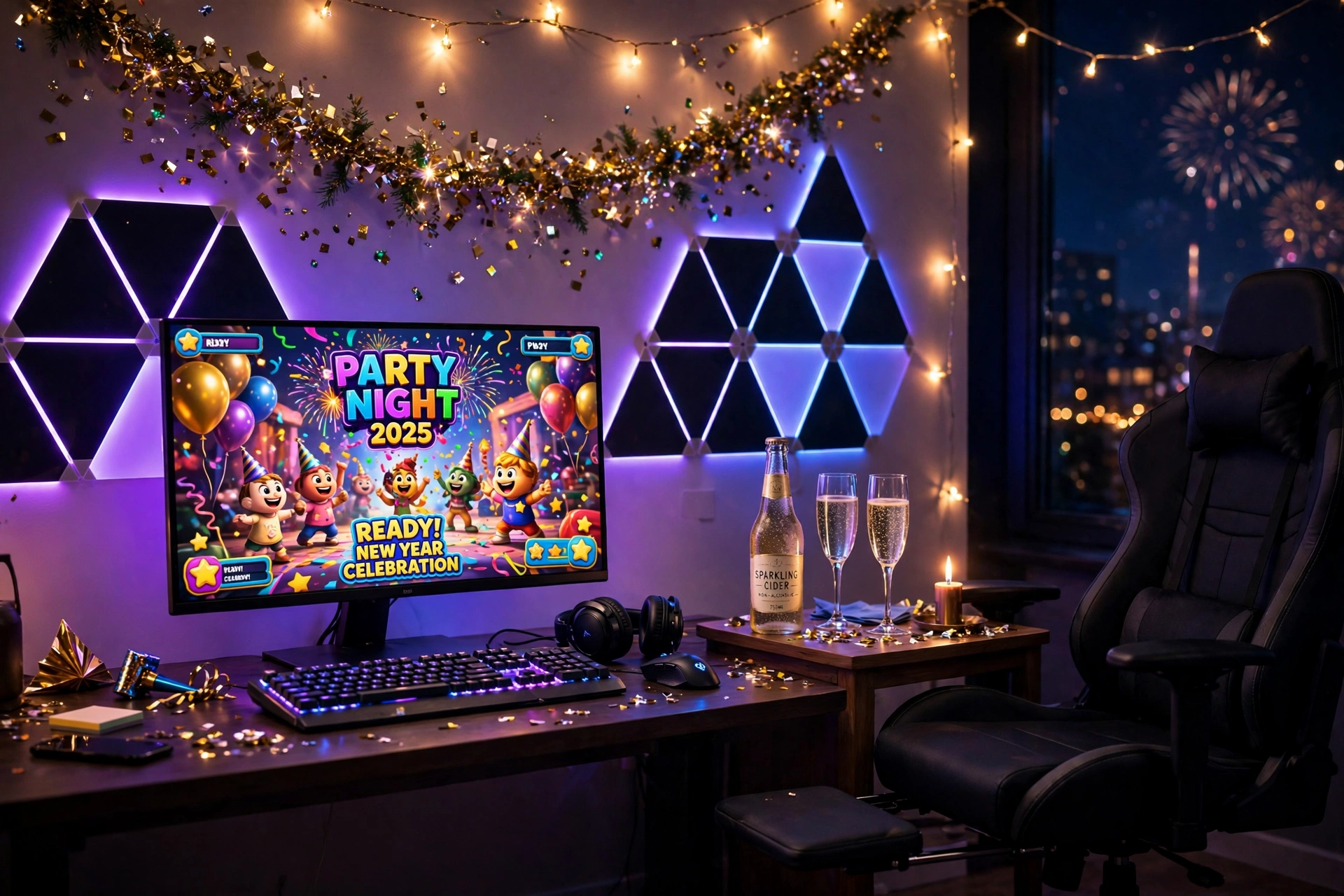
When the countdown hits midnight, your setup should be ready to party. Black triangle panels glow in purple and blue on the wall, gold confetti garland runs along the desk, and a chair with a footrest lets you settle in for the long night. Keep a bottle of sparkling cider and two glasses on a side table, and the desk stays clear for the game.
Party night checklist:
- Set the wall panels to a slow purple and blue cycle before guests arrive.
- Charge every controller and headset so nothing dies at midnight.
- Clear the desk of wrapping paper and clutter, and keep drinks on the side table.
- Queue a party game that everyone can join, not only the regular players.
- Keep a spare power strip handy, because guests always bring a phone to charge.
FEATURED PICK
Nanoleaf Shapes Ultra Black Triangles Smarter Kit, 15 Pack
Why this one: the black panels look sharp even with the lights off, and the 15 pack is big enough for a real feature wall behind the desk.
Worth knowing: a big panel layout takes time to plan and stick, so do it the day before the party, not an hour before guests arrive.
FEATURED PICK
GTPLAYER Gaming Chair, Computer Chair with Footrest and Lumbar Support
Why this one: the footrest and lumbar support make a long party night comfortable, and the chair reclines when the countdown is over and you want to relax.
Worth knowing: the chair is best on a hard floor or a chair mat, because the wheels can drag on a thick rug.
Frequently Asked Questions
Do I need to buy new furniture for a holiday gaming setup?
No. Lights, a garland, and a throw blanket change the feel of a desk you already own. Start with light and fabric, and only buy furniture if the layout itself is the problem.
What is the cheapest way to make a gaming desk feel festive?
One string of warm fairy lights and a pine garland along the desk edge. Both are small purchases, they take minutes to put up, and they work in almost any room.
Can I leave holiday lights on all night while I game?
Yes, LED strips and fairy lights run cool and use little power, but give them a break when you sleep. A timer plug turns them off for you, which also saves power.
Will tinsel and garlands damage my PC or monitor?
Only if they block airflow or shed into fans. Keep decorations away from vents and the PC intake, and shake tinsel outside before you hang it.
How do I take the holiday look down without a mess?
Work in reverse: lights first, then garlands, then ornaments. Coil each light string loosely and label the bag, so next December you are not untangling a knot.
Can I keep the winter look after Christmas?
Yes. The frosty blue setup and the snowy white setup use winter colors rather than Christmas colors, so they still look right in January. Just remove the tree and the red ornaments.
Conclusion
A holiday gaming setup does not need a big budget or a new room. It needs warm light in the right place, one festive touch that feels like you, and a desk that stays comfortable for long winter nights. Pick the setup that fits your room, start with the lights, and add the rest one piece at a time.
When the holidays are over, keep the parts you love. The floor lamp, the monitor arm, and the wall panels all earn their place year round, and the garland packs away in minutes. If you want a moodier look for the rest of winter, 15 Dark Gaming Setup Ideas for a Moody Battlestation is a good next read.
