As an Amazon Associate I earn from qualifying purchases. Read our full affiliate disclosure for more detail.
A galaxy projector is the fastest way to make a gaming room feel like somewhere else. One small light turns a plain ceiling into a moving starfield, and suddenly a normal desk setup feels like a cockpit under the night sky. You do not need a big room or a big budget to get the effect, just a projector, a screen that is already on, and a little thought about where the light lands.
In this guide you will find 7 complete galaxy projector setups you can copy whole, from a classic ceiling nebula to a cozy bedroom nook, a streamer backdrop, and a console lounge under the stars. Each setup covers the desk, seat, screen, light, storage, and power, so nothing important is left out. If you want more glow ideas to pair with the stars, the ideas in 15 LED Gaming Room Ideas That Set the Perfect Mood work beautifully alongside almost every setup below.
In this article
At a glance
1. Classic Nebula Ceiling
2. Aurora Movie Night Corner
3. Astronaut Space Station Desk
4. Cozy Bedroom Galaxy Nook
5. Streamer Starry Backdrop
6. Minimal Cloud Nebula Desk
7. Console Galaxy Lounge
FAQ
Conclusion
At a Glance: Pick Your Galaxy Projector Setup
1. Classic Nebula Ceiling
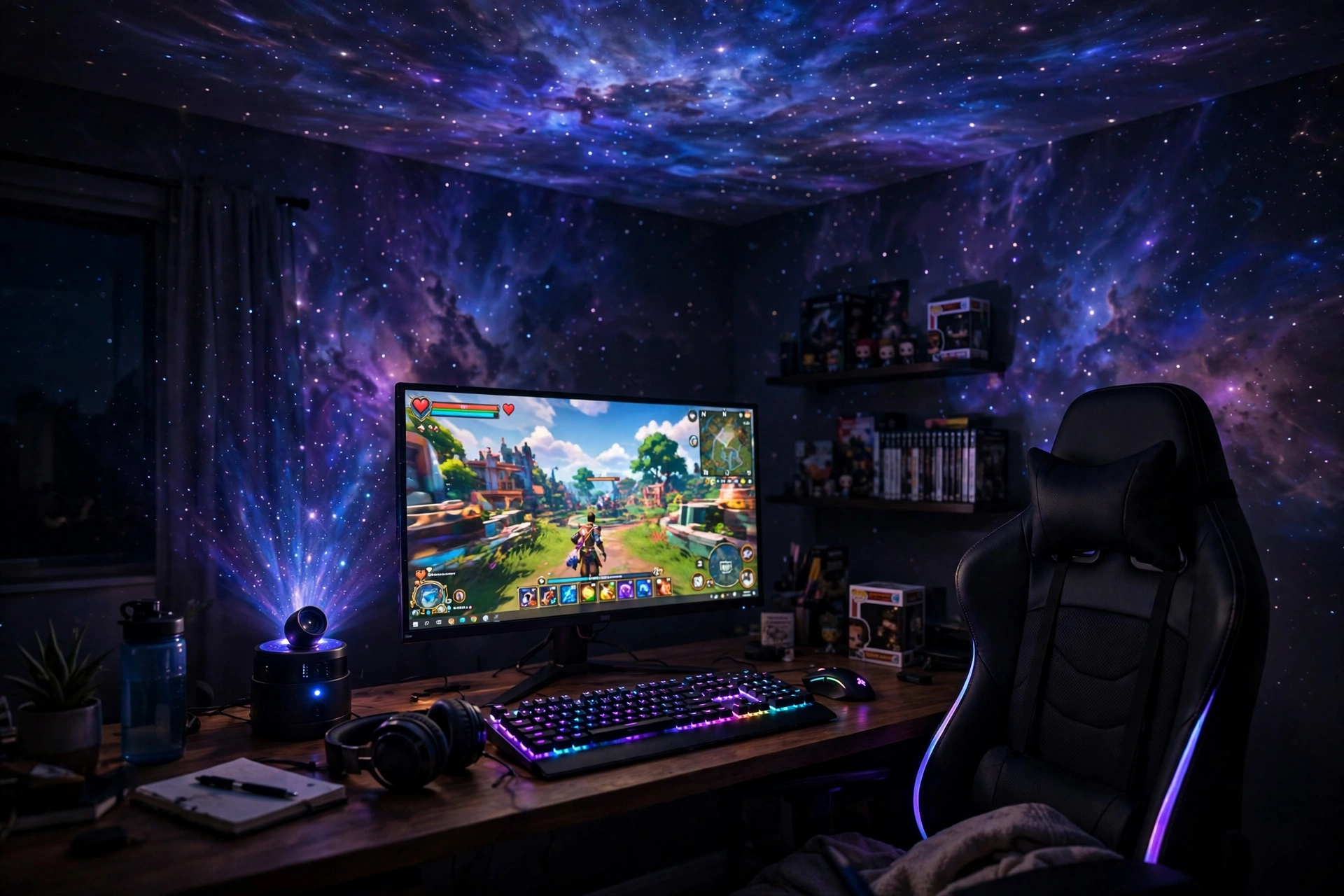
A galaxy projector does its best work when the ceiling is the canvas. Point it up from the desk, turn the room lights off, and the ceiling turns into a slow moving sky. This setup keeps the desk simple so the stars stay the star of the show. One monitor holds your game, a strip of light along the desk edge adds a soft color echo, and the chair sits close enough that the screen and the sky both stay in view. It fits a bedroom, a dorm, or a small gaming corner.
- Desk: a straight desk with the projector on a back corner, aimed at the ceiling.
- Seat: a chair that lets you lean back and look up between matches.
- Screen: one monitor with the game on, brightness turned down a notch so the stars read clearly.
- Light: the projector plus a slim LED strip behind the desk for a gentle color wash.
- Storage: a small shelf for the remote, so you are not hunting for it in the dark.
- Power: one strip behind the desk for the monitor, projector, and strip light.
Rossetta Galaxy Projector, Star Projector LED Lights for Bedroom
Why this one: it mixes star light with a moving aurora and white noise, so one small device covers the sky effect and a calm background sound for late sessions.
Worth knowing: the projection looks best in a dark room, so blackout curtains or a late night session make a real difference to the effect.
Govee 65.6ft RGBIC LED Strip Lights
Why this one: a long strip runs behind the desk and along a shelf, echoing the projector colors at floor level so the glow feels layered, not one single light source.
Worth knowing: the strip is long, so measure your desk and shelf run first and plan where the extra length will go.
2. Aurora Movie Night Corner
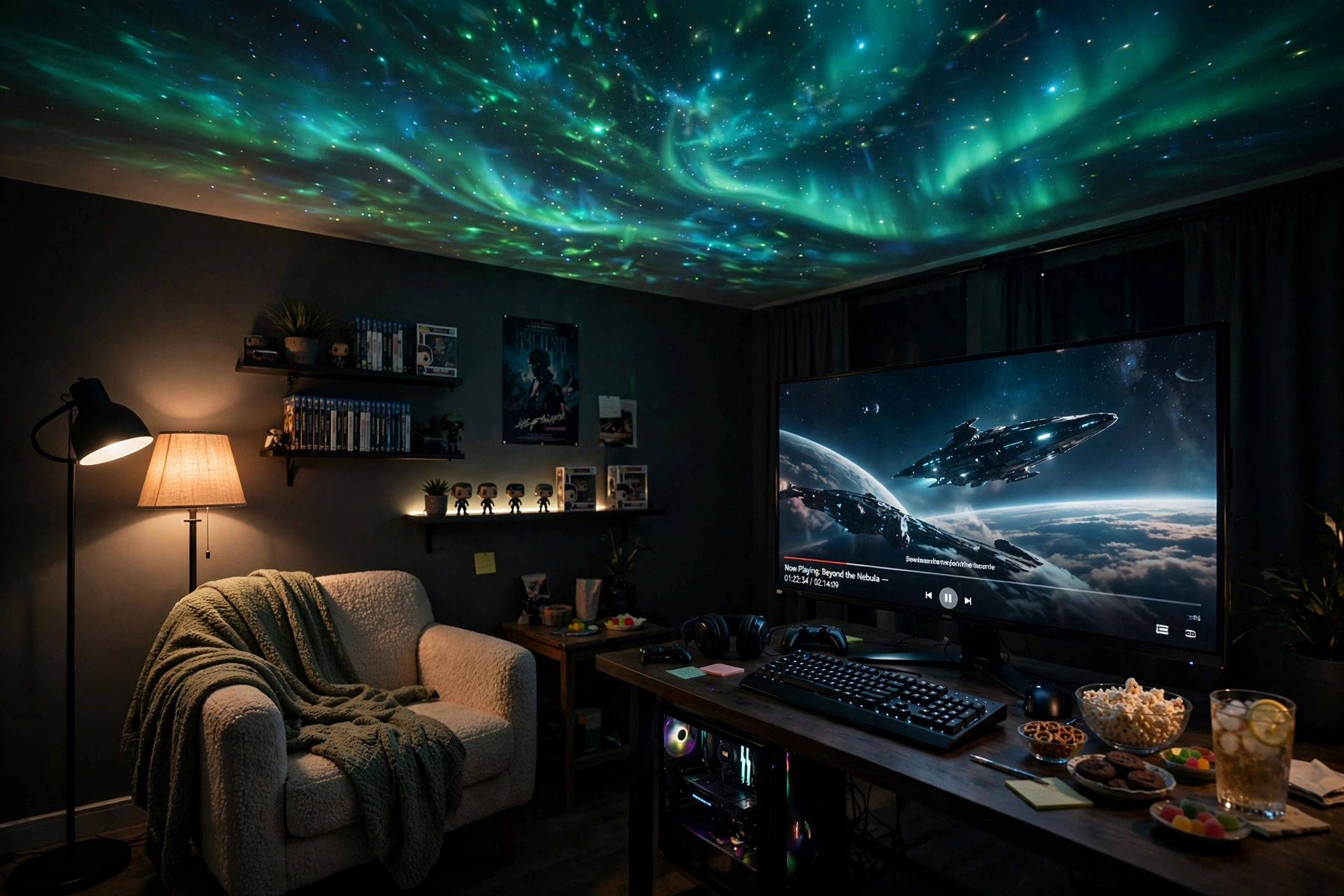
Some nights are for films, not ranked matches, and this corner is built for them. The projector throws slow green and teal aurora waves across the ceiling while the monitor shows the film, and a floor lamp keeps just enough warm light near the chair so the room never feels like a cave. Add a blanket, a drink on the side table, and the room turns into a tiny home cinema that still works as a gaming desk the next day.
Set it up in five steps:
- Put the projector on a side table or shelf, aimed at the ceiling above the screen.
- Set the aurora to a slow drift and a green or teal tone that suits the film.
- Place the floor lamp behind the chair so its light never hits the screen.
- Keep the monitor brightness low and the room lights off for the best sky effect.
- Use the projector timer so the stars switch off by themselves after the film.
Rossetta Dual Galaxy Projector, Star Projector for Bedroom with Bluetooth Speaker and White Noise
Why this one: dual lenses give a wider, richer sky, and the built in Bluetooth speaker plays film sound or a calm playlist without a separate speaker on the desk.
Worth knowing: the built in speaker suits background sound, not cinema volume, so pair it with better speakers for a big film night.
Govee RGBIC Floor Lamp, LED Corner Lamp
Why this one: a slim corner lamp adds warm color at the edge of the room without taking desk space, and it balances the cool aurora overhead.
Worth knowing: corner lamps need a free corner with a nearby outlet, so check the layout before you buy.
3. Astronaut Space Station Desk
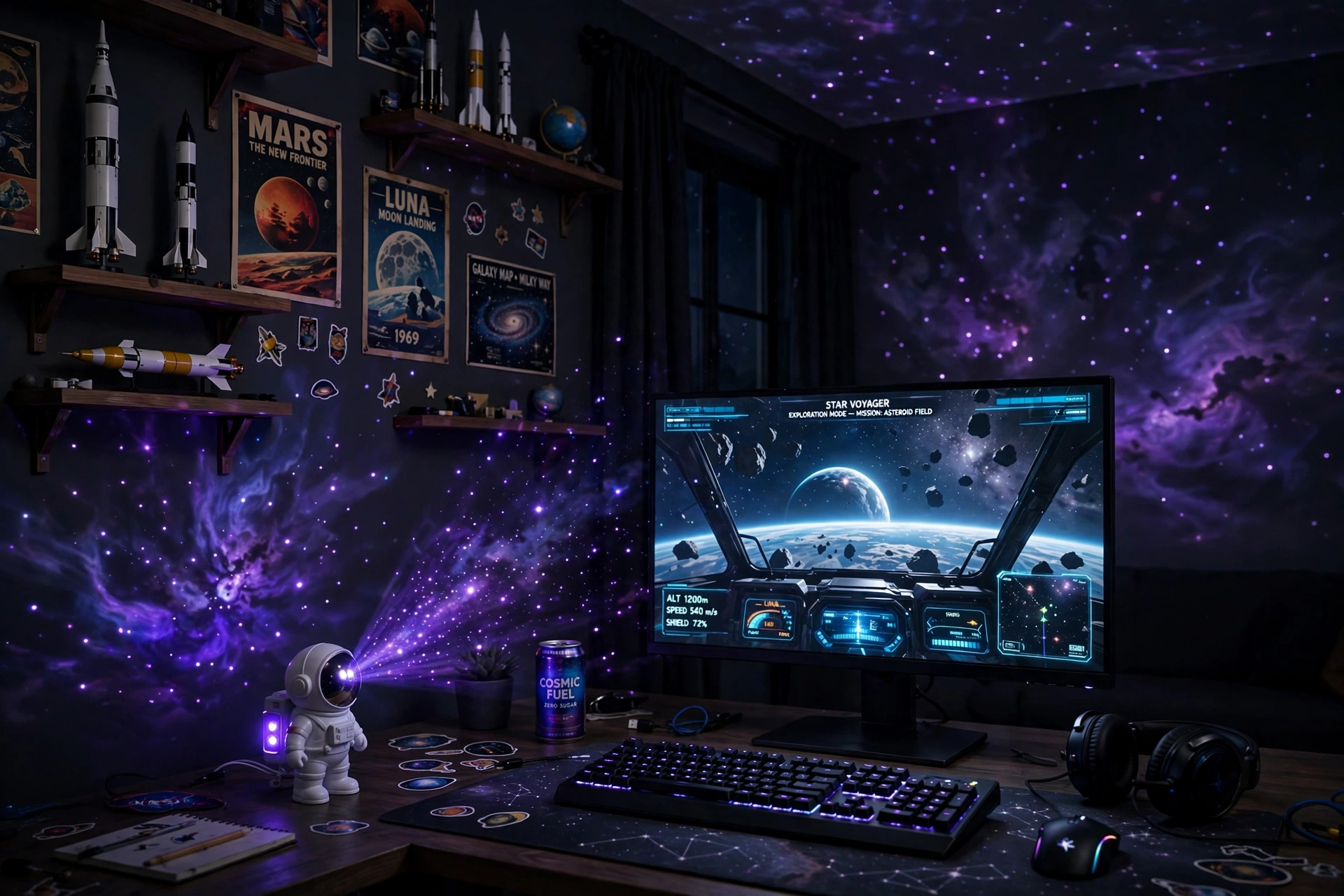
If you love space games, lean into the theme all the way. A little astronaut projector sits on the desk like a crew member, throwing purple stars across the wall while your monitor shows a space game. Model rockets, a planet poster, and a dark desk finish the station look without much effort. The projector is the fun piece, but the monitor is still the workhorse, so pick a sharp screen that makes the game look as good as the sky above it.
★ Space station tip: angle the astronaut head slightly upward so the stars spread across the ceiling instead of landing in a small patch on the wall. A wider spread looks like a real sky, and it keeps the bright lens out of your eyes while you play.
Keep the desk dark and the shelves simple, with one or two space pieces rather than a crowded collection. A small drawer or box under the desk holds the projector remote and spare cables, so the station stays tidy between sessions.
Rossetta Astronaut Galaxy Projector, Star Projector for Bedroom
Why this one: the astronaut shape is a piece of desk decor on its own, and the remote plus timer let you change the sky or switch it off without leaving your chair.
Worth knowing: it needs a 5V 2A power adapter, which is not included, so check your spare adapters before the first night.
LG UltraGear 27GP850-B 27 Inch QHD Gaming Monitor
Why this one: a sharp QHD screen with fast refresh makes space games look crisp, and the dark bezel blends into the night theme instead of fighting it.
Worth knowing: a QHD screen asks more of your graphics card, so check your PC can drive it at full speed before you buy.
4. Cozy Bedroom Galaxy Nook
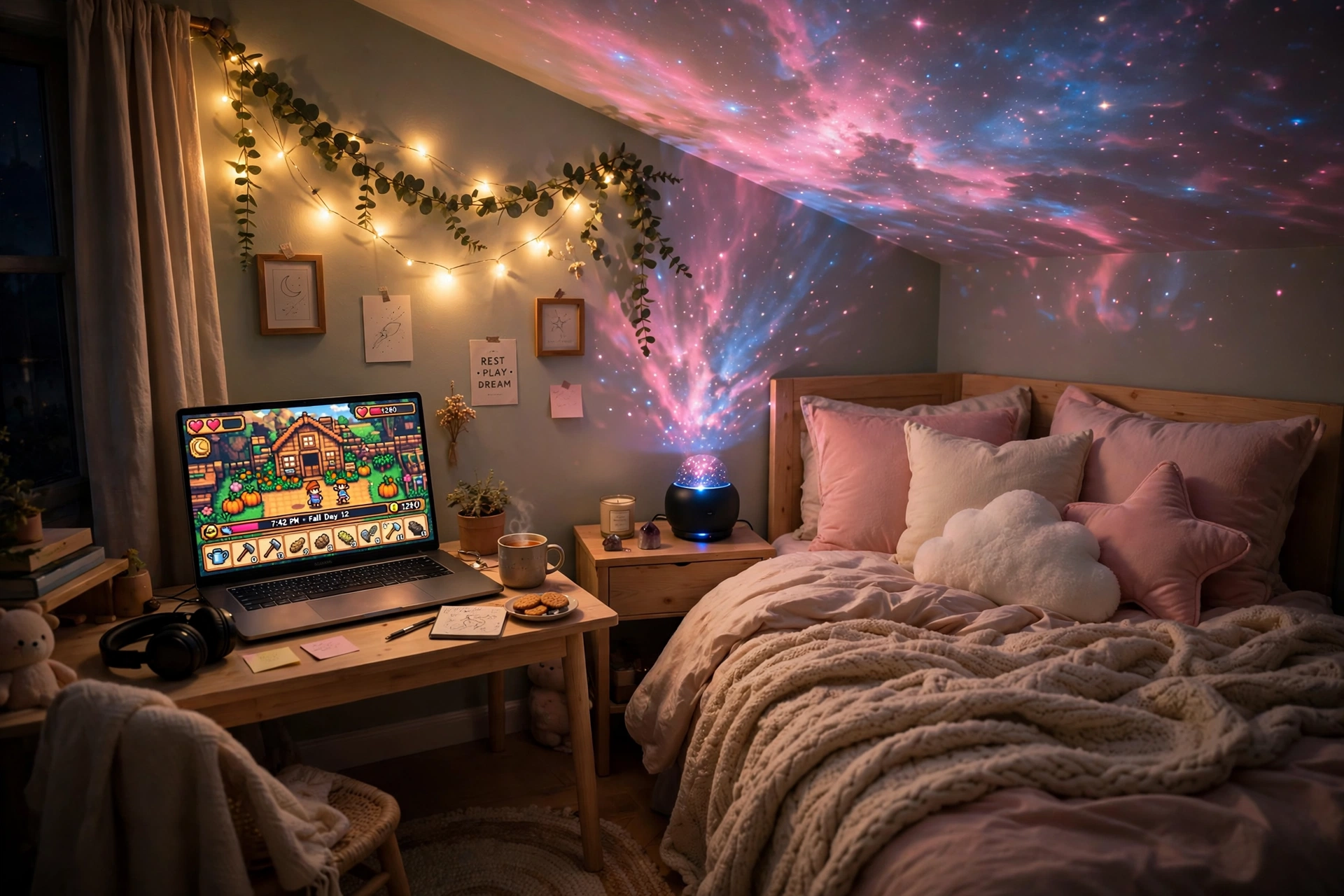
Small bedrooms are where galaxy projectors shine brightest, because the stars only have a short distance to travel. Put the projector on the nightstand, aim it at the ceiling above the bed, and a tiny room suddenly feels wide open. A laptop on a small desk handles cozy games and homework, a soft chair tucks under the desk when you are done, and fairy lights along one shelf add a warm edge to the cool starlight. For a darker, moodier take on the same small room idea, see 15 Dark Gaming Setup Ideas for a Moody Battlestation, which shows how deep tones can make a small space feel like a real retreat.
- ✓ Projector: nightstand placement, aimed at the ceiling, timer set before bed.
- ✓ Screen: laptop with the screen on, kept at a comfortable brightness.
- ✓ Seat: a supportive chair that fits the small desk without crowding the room.
- ✓ Light: soft pink and blue stars, plus one warm light for reading.
- ✓ Storage: a shelf or drawer for the remote, charger, and a spare blanket.
Rossetta Dual Lens Galaxy Star Projector, Aurora Night Light for Bedroom
Why this one: dual lenses spread the aurora and stars wider, which matters in a small room where the projector sits close to the ceiling.
Worth knowing: a close ceiling can make the pattern look dense, so try a lower brightness first and raise it slowly.
GTPLAYER Gaming Chair, Computer Chair with Footrest and Lumbar Support
Why this one: the footrest and lumbar support turn a small desk chair into a proper relax spot for long cozy sessions under the stars.
Worth knowing: gaming chairs are bulky for a small room, so measure the floor space and the desk clearance before ordering.
5. Streamer Starry Backdrop
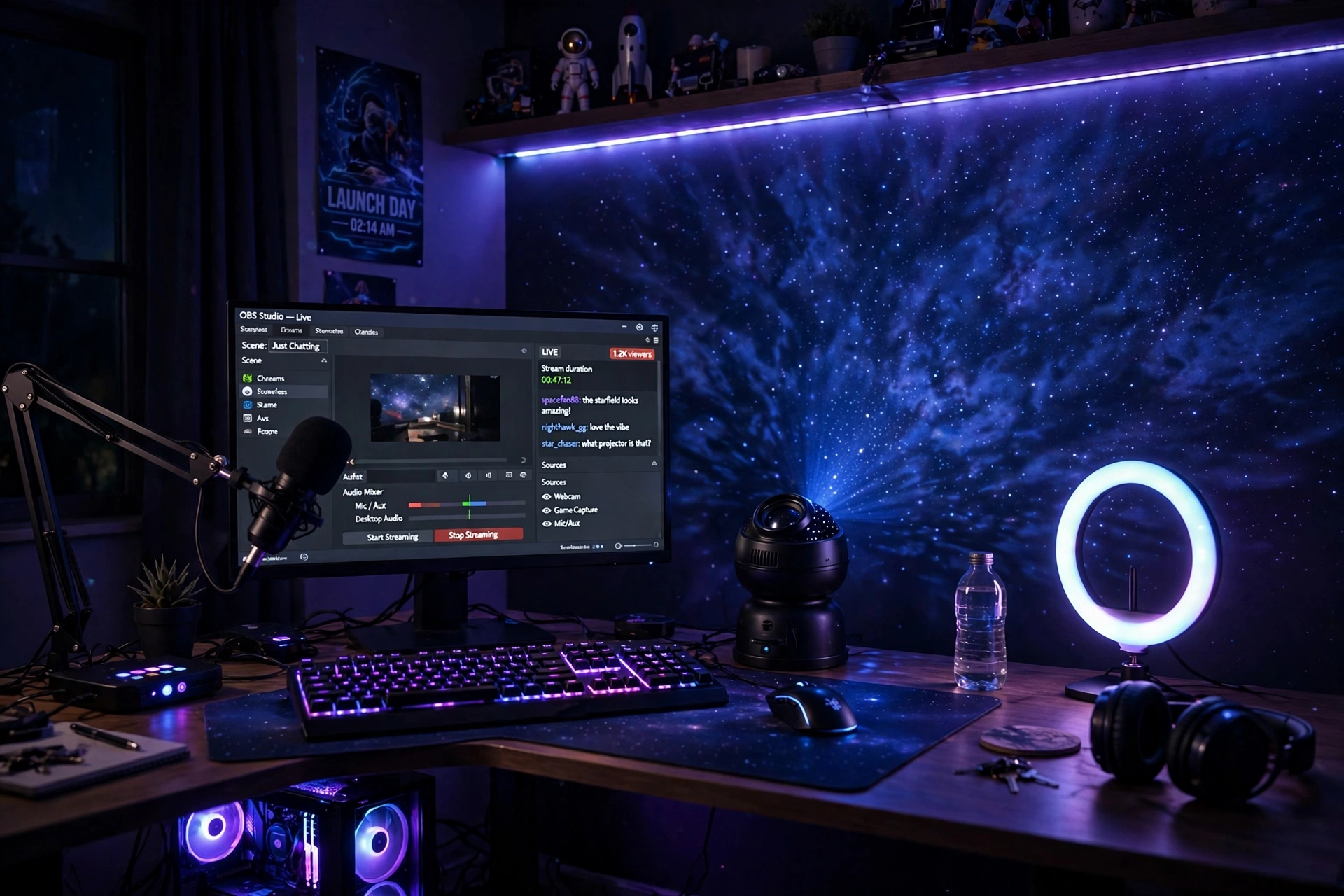
A galaxy projector makes a brilliant streaming backdrop because it moves, but never steals the show. Point it at the wall behind you, not at the camera, and your viewers see a living starfield while your face stays lit by your key light. The monitor holds your streaming software and chat, the mic sits on an arm close to your mouth, and the keyboard glow ties the desk to the sky behind you. Keep the projector colors deep blue or purple, since bright red or green can tint your camera image in a strange way.
| Choice | What it gives your stream |
|---|---|
| Projector alone | A clean starfield backdrop with almost no extra gear |
| Projector plus strip light | A matching color wash on the desk that frames the shot |
| Projector plus wall panels | A layered look, but more light to balance on camera |
Test the backdrop on a short recording before you go live. If the stars look too busy, slow the movement and dim the brightness until your face is the clear focus again.
Why this one: it combines aurora, stars, a Bluetooth speaker, and white noise in one unit, so the backdrop, background music, and calm down audio all come from a single small device.
Worth knowing: keep the speaker volume low during a stream, since a mic can pick up the music and mix it into your voice audio.
Corsair K70 CORE RGB Mechanical Gaming Keyboard
Why this one: the RGB glow matches the starfield colors on camera, and the solid mechanical feel suits long streaming sessions with lots of typing.
Worth knowing: mechanical keys can sound loud on a sensitive mic, so test your mic pickup with the keyboard before a live stream.
6. Minimal Cloud Nebula Desk
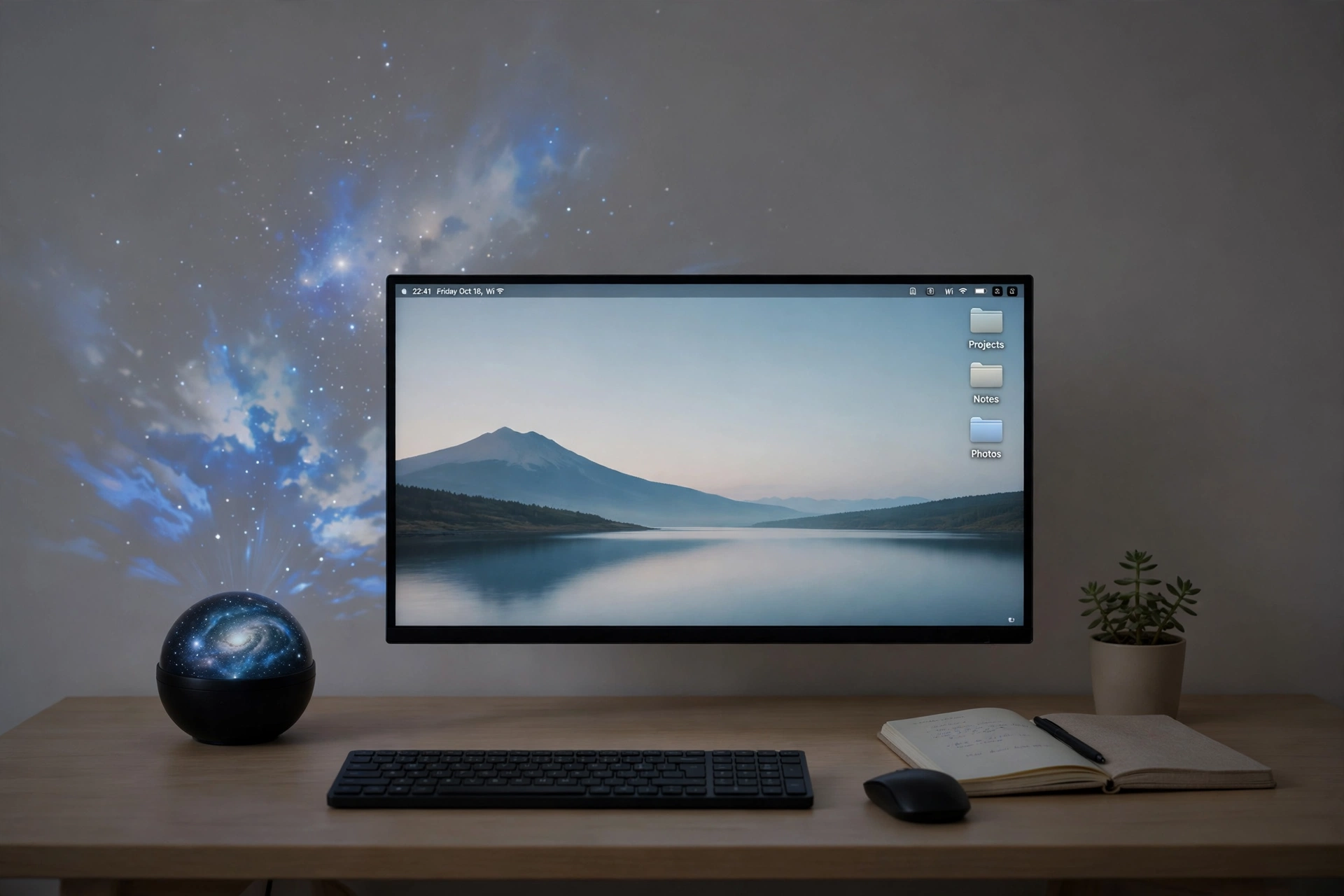
Not every galaxy room needs to be loud. This desk keeps everything calm: a plain white wall, a slim monitor, a small plant, and a projector that paints soft white and blue clouds instead of a wild rainbow. The stars stay gentle, the desk stays clear, and the whole room feels like a quiet evening sky rather than a light show. It suits players who want the galaxy mood without a dozen glowing gadgets competing for attention.
What works here:
- Soft colors: white and blue clouds read as calm, while bright red or green would break the minimal mood.
- Clear desk: one monitor, one keyboard, and a notebook, with everything else stored away.
- Low light: the projector is the main light source, so the room stays dim and restful.
- One accent: a small plant or a single framed print is enough, the sky does the decorating.
- Hidden power: cables run down the back of the desk to a strip on the floor, out of sight.
Why this one: the app control and wide nebula coverage let you tune the sky to a soft, slow cloud without getting up, and the small round shape sits neatly on a clean desk.
Worth knowing: the app setup takes a few minutes on first use, so set it up in daylight before your first evening session.
Huuger 47 Inch Computer Desk with Power Outlets and LED Lights
Why this one: built in power outlets cover the projector, monitor, and charger in one tidy desk, and the LED edge can stay off to keep the minimal look.
Worth knowing: a 47 inch desk is compact, so keep the projector small and the accessories slim to protect the clear surface.
7. Console Galaxy Lounge
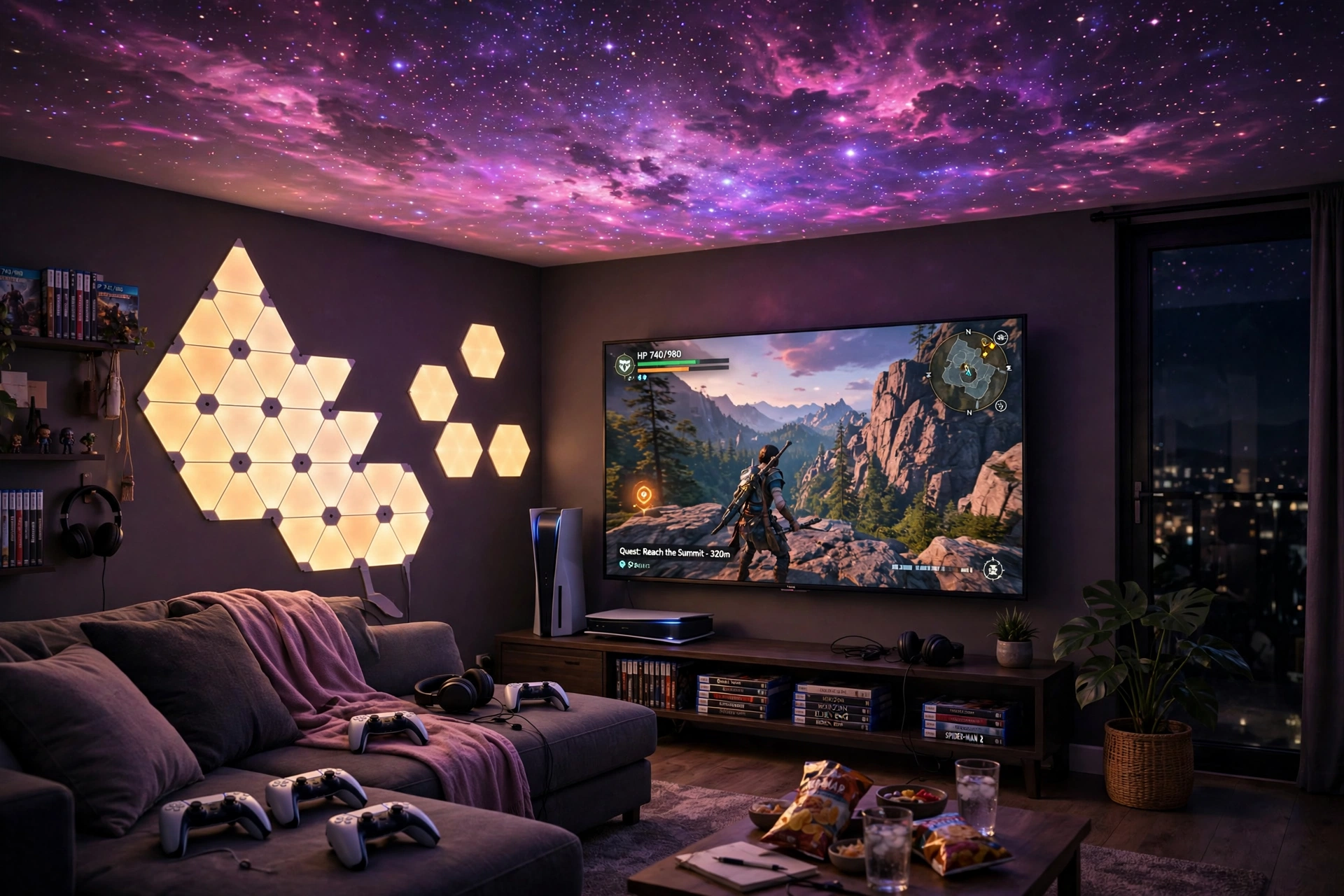
Galaxy projectors are not just for desks. In a living room lounge, the projector turns the ceiling into a planetarium while the TV shows the game, and the whole room feels like a late night arcade under the stars. A low sofa, controllers on a small tray, and wall light panels in matching purple tones complete the scene. Friends can sit back, watch, or take turns, and the starry ceiling makes even a quiet co-op night feel like an event.
| Spot in the room | What goes there |
|---|---|
| Center of the room | Low sofa, facing the TV, with room to lean back and look up |
| Beside the TV stand | Galaxy projector, aimed at the ceiling above the sofa |
| Wall near the TV | Light panels in purple, echoing the stars overhead |
| Side table | Controllers, drinks, and the projector remote |
Keep the TV brightness moderate so the stars stay visible, and set the projector on a timer so the lounge winds down by itself when the night ends.
BlissLights Sky Lite Evolve Galaxy Projector, LED Nebula Lighting, WiFi App (Nebula Cloud Only)
Why this one: the wide nebula cloud fills a whole living room ceiling, and the WiFi app lets anyone on the sofa change the colors without reaching the projector.
Worth knowing: this version focuses on the nebula cloud, so if you want sharp laser stars as well, check the star version of the same model.
Govee Glide Wall Light, 6 Pcs plus 1 Corner
Why this one: the wall bars add a structured glow near the TV that matches the soft nebula above, so the room feels planned from floor to ceiling.
Worth knowing: wall lights need a flat, clean wall and a nearby outlet, and rearranging them later means re-sticking the mounts.
Frequently Asked Questions
Do galaxy projectors work in a bright room? Not really. The stars and nebula need darkness to show up, so they look best at night or with blackout curtains. In a bright room the pattern washes out and you mostly see a faint glow.
Will a galaxy projector distract me while gaming? It can if the stars land on your screen or right in your eyeline. Aim the projector at the ceiling or the wall behind you, keep the brightness low, and pick slow movement so the sky stays in your peripheral view, not your focus.
Do I need a special ceiling or wall color? White or light ceilings show the stars best, but dark walls can work too if the projector is bright enough. Textured ceilings scatter the pattern a little, which can actually look softer and more natural.
Can I use a galaxy projector with a TV setup? Yes, and it works beautifully. Place the projector beside the TV stand and aim it at the ceiling above the sofa, so the stars fill the room without competing with the TV picture.
Is it safe to leave a galaxy projector on all night? Most models have a timer and auto off, so set the timer before bed and let it switch itself off. Check the manual for your model, and keep the projector away from bedding or anything that could block its vents.
How much does a good galaxy projector setup cost? A single projector plus a small light or two covers most rooms, and the range is wide depending on the brand and features. Check today’s price on Amazon for the models in the setups above and start with one projector before adding extras.
Conclusion
A galaxy projector is a small buy with a big payoff. Pick the setup that matches your room, aim the stars at the ceiling, keep your screen brightness low, and let the sky do the decorating. Start with one projector, live with it for a week, then add a strip light or a wall panel only if the room still feels like it needs more.
If you want more room inspiration after this, browse the Gaming Room Ideas category for the full collection.
