As an Amazon Associate I earn from qualifying purchases. Read our full affiliate disclosure for more detail.
A neon sign does more than light a wall. It gives your gaming room a voice, one short quote that tells everyone what the room is for. Pick the right words and the whole setup feels planned, even if the desk is small and the budget is tight.
In this guide you will find 8 complete setups built around a neon quote, from the classic Game On glow to a soft pink Good Game sign for calmer nights. Each one covers the desk, seat, screen, light, storage, and power, so you can copy the whole look. If you want more sign ideas before you choose, the ideas in 15 Neon Gaming Room Ideas With Signs That Pop pair well with every quote below.
In this article
At a glance
1. Game On in Bold Blue
2. Level Up in Purple and Pink
3. Press Start with a Gamepad Glow
4. Player One, Player Two, One Wall
5. Just One More Game, Late Night Edition
6. Eat Sleep Game Repeat, Bedroom Edition
7. Good Game, Soft Pink Glow
8. Born to Game, Full Color Finish
FAQ
Conclusion
At a Glance: Pick Your Neon Quote
1. Game On in Bold Blue
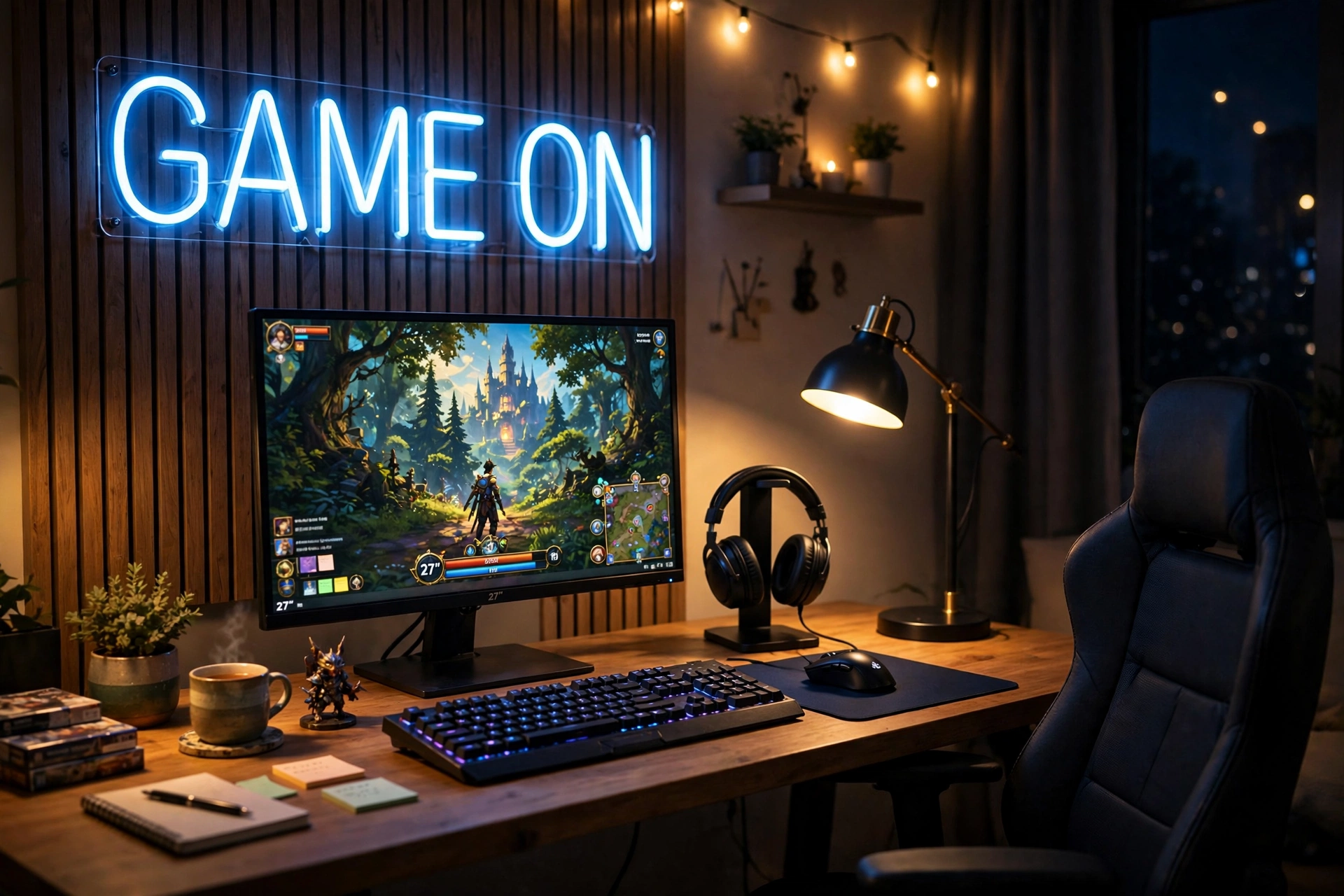
Start with the quote everyone knows. Game On in bold blue is the safest first neon sign, and it works in almost any room because the message is simple and the color suits most screens.
- Desk: a straight desk with the monitor centered under the sign, keyboard in front, and a little space on each side for a controller.
- Seat: a comfortable chair placed so the sign sits just above eye level when you sit down.
- Screen: one sharp monitor with the game front and center, so the blue glow frames the action instead of fighting it.
- Light: dim the ceiling light and let the sign plus the screen do the work at night.
- Storage: a small shelf or drawer for games and cables, kept out of the sign’s glow.
- Power: one strip behind the desk for the monitor, sign, and charger, with cables tied together.
Quick tip: hang the sign first, then place the desk. It is much easier to center a desk under a sign than to move a sign to match a desk that is already full of gear.
GOOSLA Gaming Neon Sign Game On Neon Lights LED Gamer Room Decor
Why this one: the Game On wording is clear from across the room, and the app control and music sync modes let you change the mood without touching the sign.
Worth knowing: app controlled signs take a few minutes to set up the first time, so plan the install before a gaming night, not during one.
Acer Nitro KG271U 27 Inch QHD Gaming Monitor, 180Hz
Why this one: a fast QHD screen makes the setup feel serious, and the size fills the space under the sign without crowding the desk.
Worth knowing: a 27 inch screen needs a desk with real depth, so measure from the wall to the front edge before you order.
2. Level Up in Purple and Pink
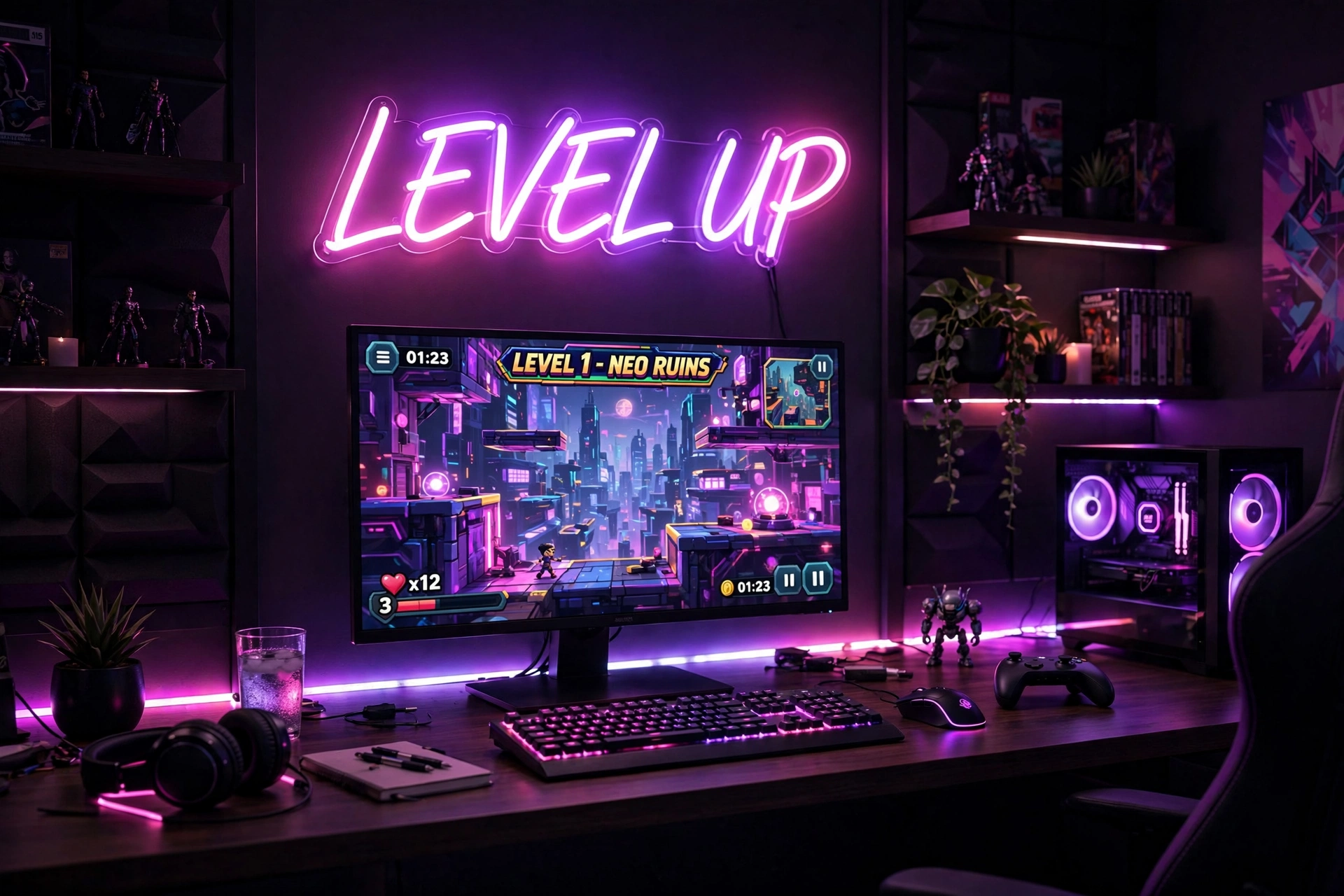
Level Up is the quote for anyone who treats gaming as a skill to grow. Purple and pink light flatters a camera too, which makes this a strong pick if you stream or record clips at your desk.
How to set it up:
- Center the sign above the monitor so it reads well on camera, not just in person.
- Keep the desk tidy, because a bright sign draws eyes to everything below it.
- Add a mechanical keyboard with soft backlighting to echo the pink glow.
- Place a small plant or shelf at one side to soften the purple light.
- Run one power strip behind the desk and hide the sign cable along the wall.
What works here: purple light on the wall, pink light near the desk, and a dark desk surface in between. The contrast keeps the room vivid without turning the whole wall one flat color.
Gevbay Game Room Neon Sign for Man Cave Game Neon Lights for Party Bedroom Wall Decor
Why this one: a large, eye catching game room sign that reads clearly on camera and fills a blank wall without extra decor.
Worth knowing: a large sign needs a solid wall fixing and a clear stretch of wall, so check the size against your space before hanging it.
Corsair K70 CORE RGB Mechanical Gaming Keyboard
Why this one: solid keys and RGB lighting that you can tune to match the pink and purple glow on the wall.
Worth knowing: mechanical keyboards are louder than membrane ones, so they may not suit a shared bedroom late at night.
3. Press Start with a Gamepad Glow
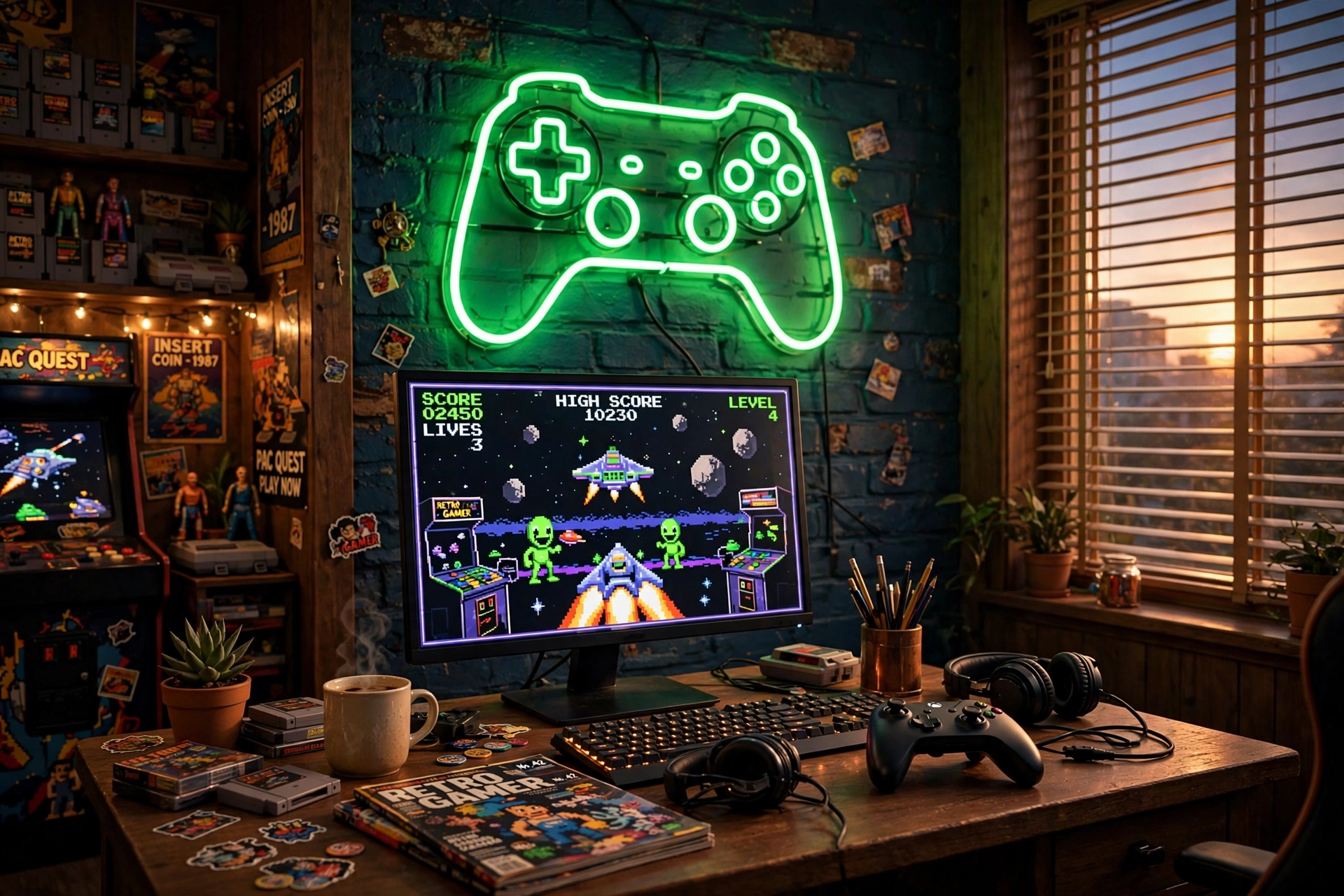
Some rooms do not need words at all. A glowing gamepad says Press Start better than letters can, and it suits retro games, arcade collections, and anyone who grew up with a controller in hand.
Style note: green neon loves dark walls and wood desks. The warm wood keeps the green from feeling cold, and the dark wall makes the shape pop even with the room lights low.
Set the desk against the wall under the gamepad, keep the monitor at eye level, and leave the controller on the desk as part of the look. A small shelf for retro games or figures adds personality without clutter, and one power strip behind the desk keeps the cables out of sight. A responsive mouse finishes the setup for games that mix controller and mouse play.
Kavaas Gamer Neon Sign, Neon Controller Sign for Gaming Room Decor
Why this one: the controller shape reads instantly as gaming, even from a doorway, and the USB power keeps the install simple.
Worth knowing: the power adapter is not included, so you will need a spare USB adapter or a powered USB port on your desk.
Logitech G502 HERO Wired Gaming Mouse
Why this one: a proven shape with extra buttons you can map to your favorite actions, which suits the mix of retro and modern games in this room.
Worth knowing: it is a wired mouse, so route the cable neatly or it will spoil the clean desk look the sign creates.
4. Player One, Player Two, One Wall
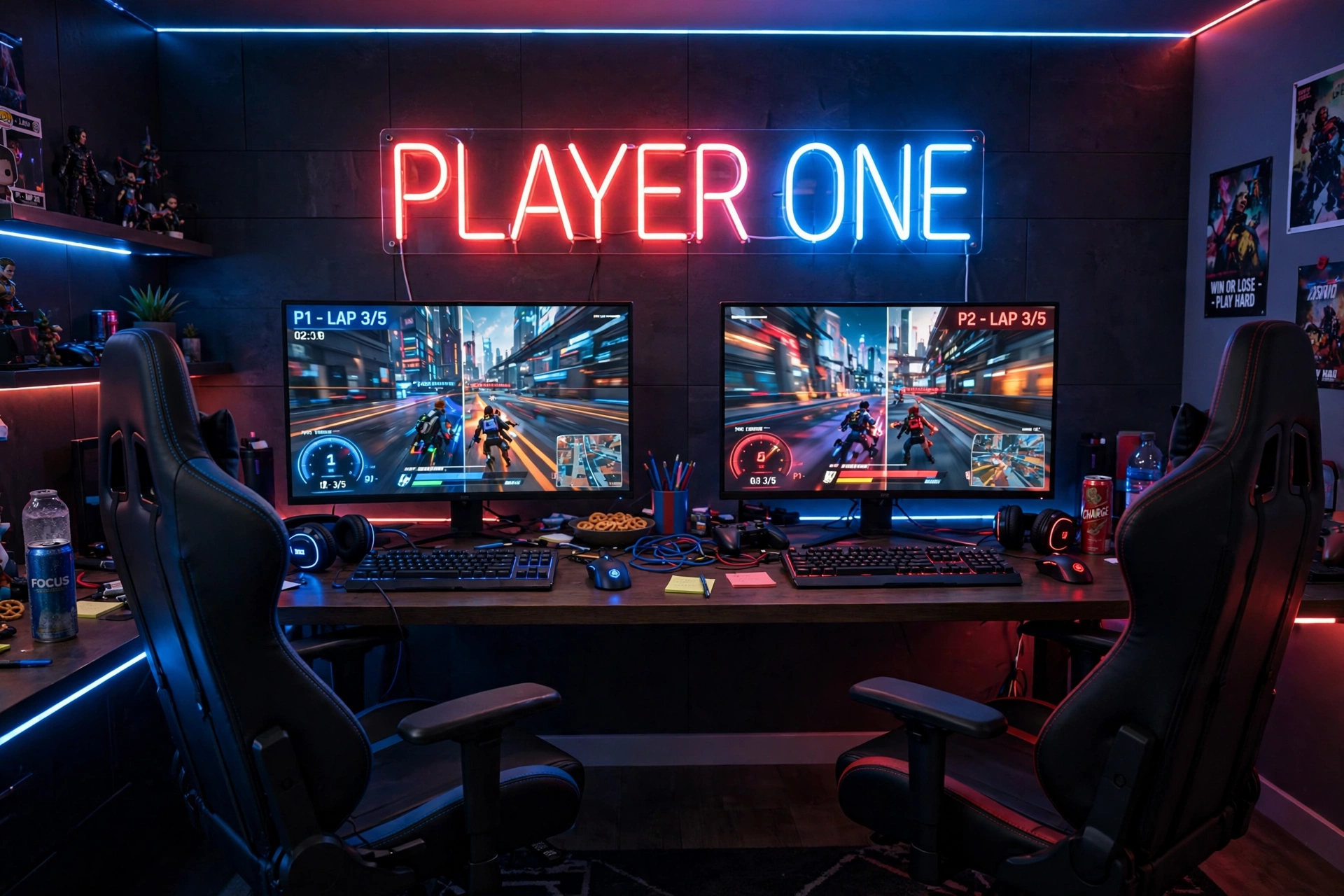
Player One is really a two player idea. This setup shares one wide wall and one glowing sign between two seats, so friends, siblings, or a couple can play side by side without building two separate rooms.
| Side | What goes there |
|---|---|
| Player One, left | Main monitor, keyboard, and the chair with the best view of the sign |
| Player Two, right | Second monitor, controller, and a headset hook on the wall |
Use a wide desk or two matching desks pushed together, and keep the sign centered over the join so neither player feels like the guest. A supportive chair matters here, because two player sessions run long. Add a shared shelf for games, one power strip per side, and a small lamp so the room stays usable when only one person is playing.
Kavaas Gamer Neon Sign, Game Controller LED Sign for Gaming Room Decor
Why this one: the controller design suits a shared setup, and the pre drilled holes make wall mounting straightforward over a wide desk.
Worth knowing: the power adapter is not included, so keep a spare USB adapter near the desk for the sign.
GTPLAYER Gaming Chair, Computer Chair with Footrest and Lumbar Support
Why this one: lumbar support and a footrest help during long two player sessions, and the look fits the bold neon wall.
Worth knowing: a gaming chair takes up more floor space than a plain chair, so leave room for two of them to roll back.
5. Just One More Game, Late Night Edition
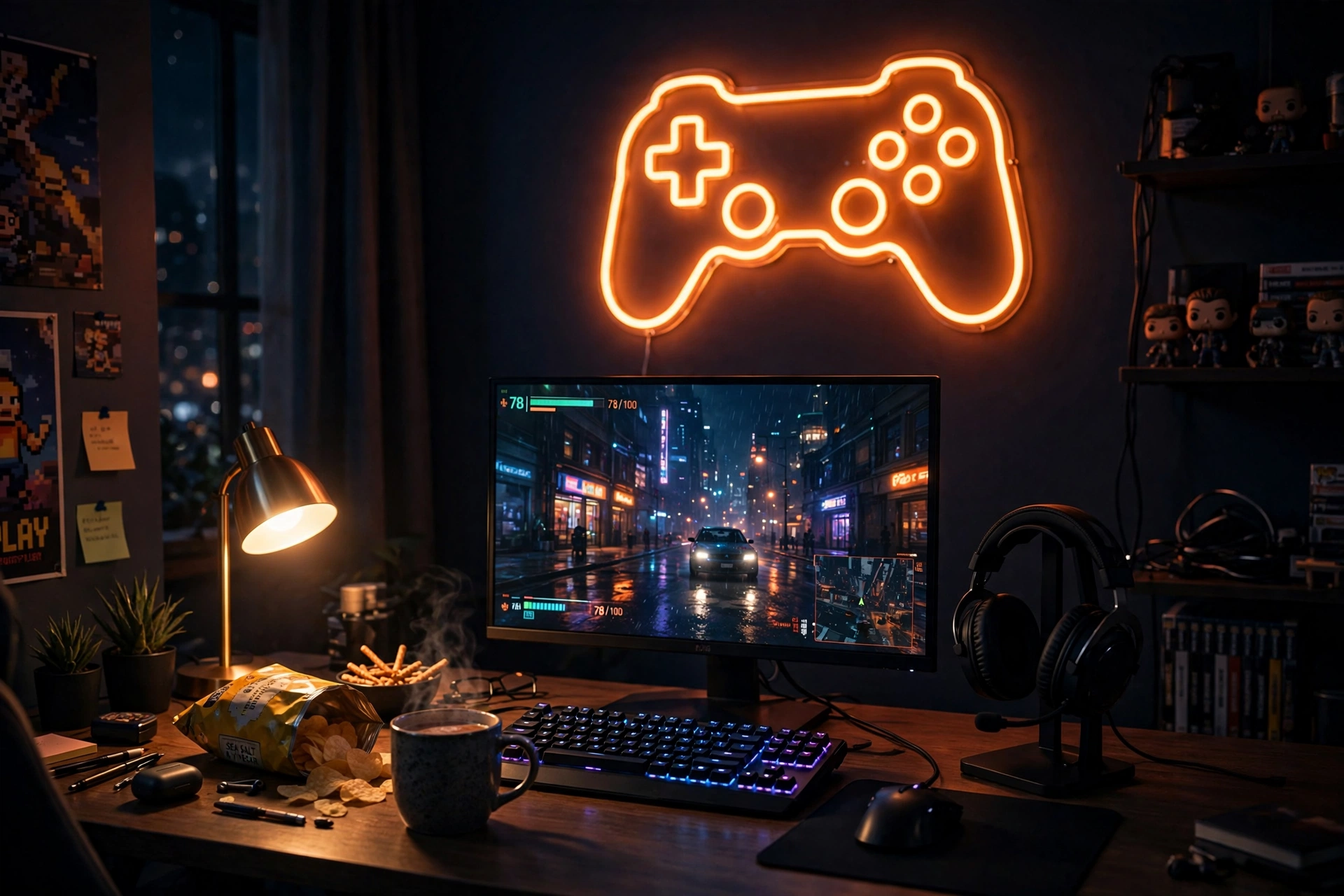
Just One More Game is the quote for the night owl, so this setup is built for low light and long sessions. Warm orange neon feels calmer than bright white light at midnight, and it keeps the room cozy instead of stark.
Before your next late session, check:
- ✓ Sign dimmed to a soft glow, not full brightness
- ✓ Monitor light bar on, ceiling light off
- ✓ Headset on its stand, controller charged
- ✓ Water and a snack within reach, so you are not leaving mid game
The desk stays simple: monitor, keyboard, headset stand, and a small tray for the bits you use every night. If you want the same warm mood across the whole room, the ideas in 15 LED Gaming Room Ideas That Set the Perfect Mood show how to layer light without making the room too bright. Keep the power strip behind the desk, and set a gentle alarm for yourself, because this quote has a habit of turning one game into five.
CULOIS Gamer Neon Sign, Gaming Neon Sign for Gamer Room Decor
Why this one: adjustable brightness lets you drop the glow low for late nights, and USB power means it can run from the desk setup.
Worth knowing: brightness controls sit on the sign itself, so hang it where you can reach it without climbing over the desk.
Hive Vibes Monitor Light Bar with RGB Backlight
Why this one: light falls on the desk and keyboard, not into your eyes, which makes late sessions easier on tired eyes.
Worth knowing: a light bar adds a glow behind the screen too, so it may not suit you if you want total darkness for horror games.
6. Eat Sleep Game Repeat, Bedroom Edition
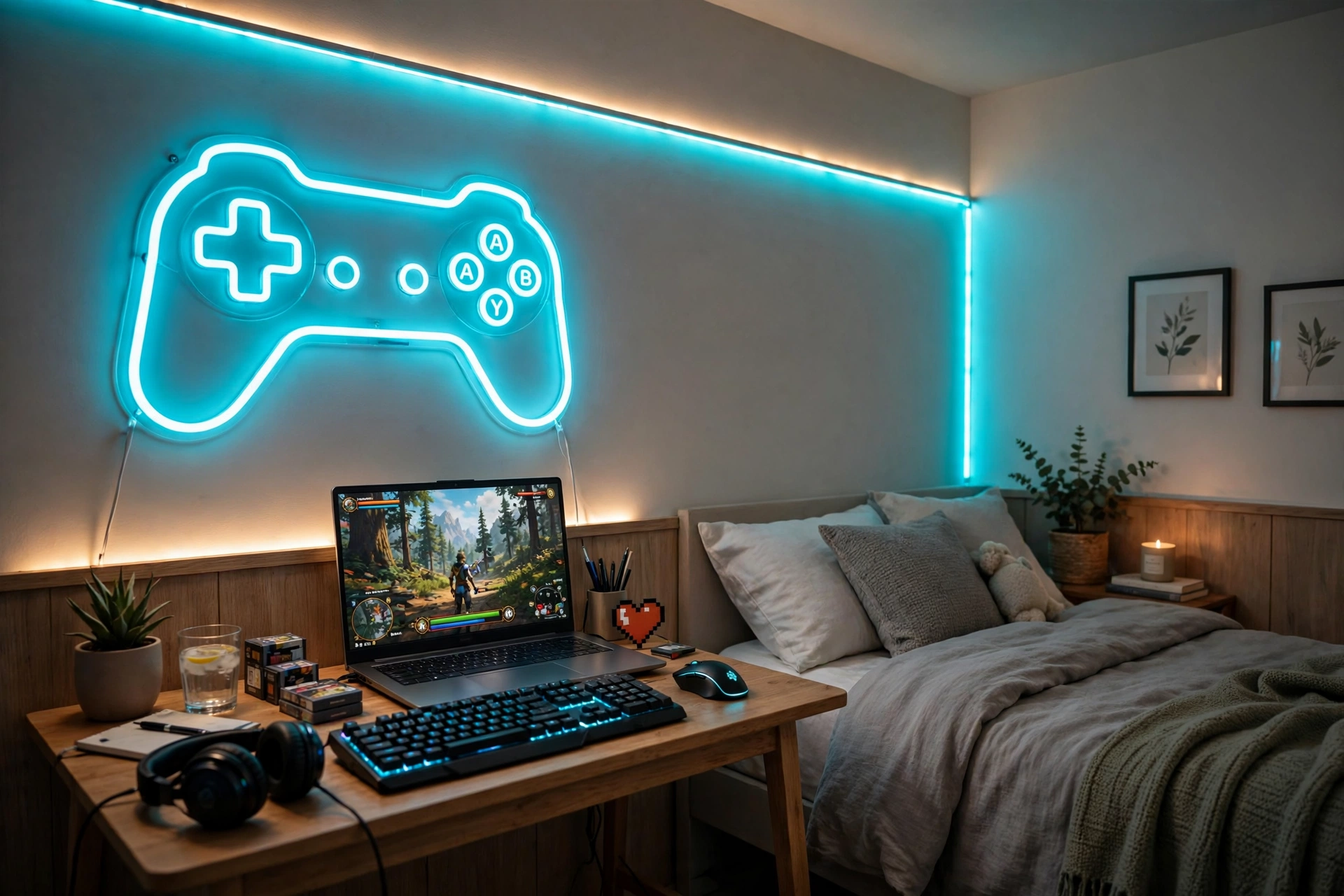
Eat Sleep Game Repeat only makes sense in a bedroom, because the whole joke is that the room does all three jobs. This setup keeps the desk compact, the sign small, and the bed close enough that the cycle is real.
Room plan, in three zones:
Eat: a small tray or shelf for snacks, kept away from the keyboard. Sleep: the bed, with bedding that picks up the cyan glow. Game: the desk and laptop, with the sign above it as the anchor for the whole wall.
A laptop works better than a big monitor here, because it frees desk space and lets you move the setup when the room needs to change. LED strips along the wall tie the desk zone to the bed zone, and a small drawer unit holds controllers and chargers. One power strip behind the desk covers the laptop, sign, and strips, so nothing trails across the floor at night.
iQuincy Gamer Neon Sign, Dimmable Gamepad Shape Neon Sign, USB Powered Gaming Light for Room Decor
Why this one: the gamepad shape and dimmable glow suit a bedroom, where the sign doubles as a soft night light after gaming ends.
Worth knowing: a dimmable sign still glows at its lowest setting, so hang it where it will not shine straight onto the bed if you are a light sleeper.
Govee 65.6ft RGBIC LED Strip Lights
Why this one: a long strip can run behind the desk and along the bed frame, tying the two zones together in one color.
Worth knowing: the adhesive can mark painted walls if you pull the strip off later, so plan the run before you stick it down.
7. Good Game, Soft Pink Glow
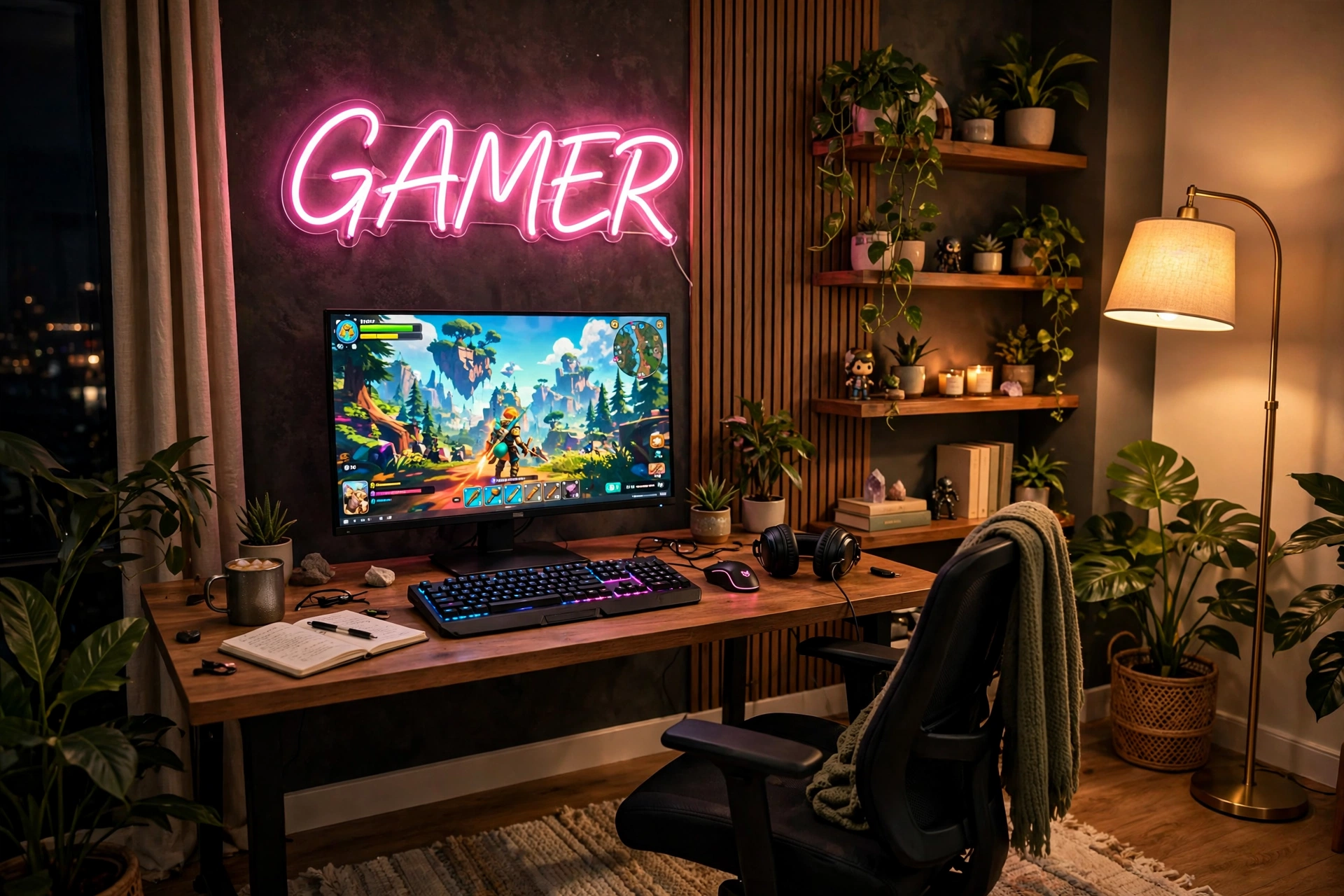
Good Game is the kindest quote on this list, and it suits a room that stays calm after the match ends. Soft pink neon, a floor lamp in the corner, and a tidy desk make this the setup to pick if bright blue light feels too harsh for you.
- Desk: a light desk with the monitor centered, keyboard low, and a small vase or plant at one end.
- Seat: a chair you can sit in for a long session without fidgeting, placed straight in front of the screen.
- Light: the pink sign plus a warm floor lamp, with no overhead light after sunset.
- Storage: closed shelves or boxes, so the calm look is not broken by clutter.
- Power: one strip behind the desk, with the lamp and sign on separate switches if you can.
Keep it calm: pick one pink, then let everything else stay neutral. White, light wood, and soft grey let the sign be the only loud thing in the room, which is exactly the point.
Gdbkabf Gamer Neon Sign, Gaming Neon Signs for Wall Decor
Why this one: a simple gamer sign that gives a soft wall glow without a busy design, so it fits a calm room as well as a loud one.
Worth knowing: USB powered signs need a nearby port or adapter, so check the cable length against your desk before hanging it.
Govee RGBIC Floor Lamp, LED Corner Lamp
Why this one: a corner lamp adds warm light without taking desk space, and the color can be tuned to sit near the pink sign.
Worth knowing: a tall lamp in a corner can tip if it is knocked, so place it behind furniture, not in a walkway.
8. Born to Game, Full Color Finish
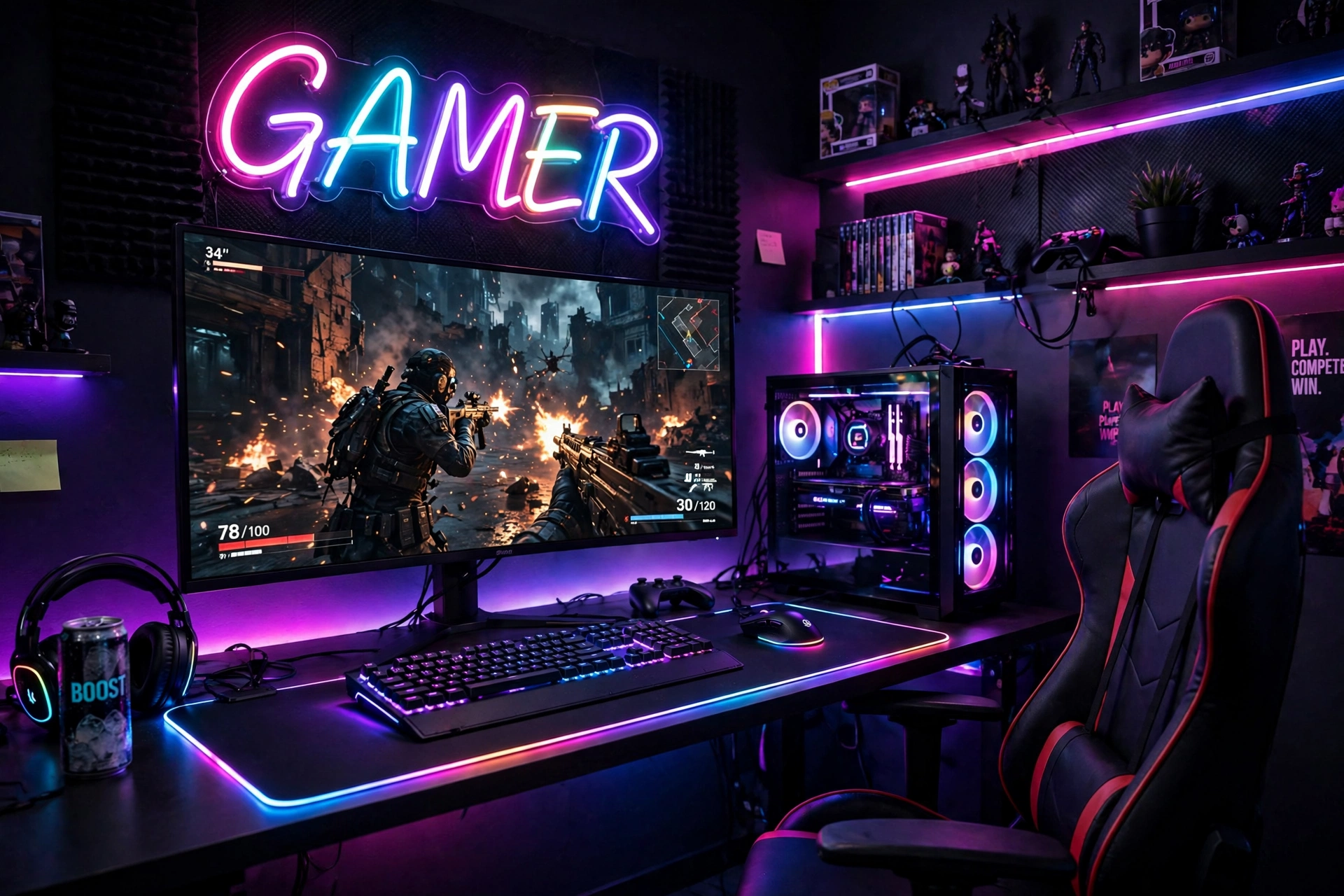
Save the loudest quote for last. Born to Game is a statement, so this setup goes all in on color: a multicolor sign, a glowing mouse pad, and a large screen that fills the desk.
How to keep full color from turning messy:
- Let the sign lead, and set the mouse pad and screen glow to nearby colors.
- Keep the desk surface dark, so the colors have somewhere to land.
- Hide cables completely, because bright light makes messy cables look worse.
- Use one power strip behind the desk for everything that glows.
- Step back and look at the wall as a whole before adding anything else.
What works here: three light sources, one color story. The sign, the mouse pad, and the screen all pull toward the same bright palette, so the room feels bold on purpose, not by accident.
KATMBFUE Gamer Neon Sign, Gaming Neon Signs for Wall Decor, USB Powered Gamer Neon Lights
Why this one: a bold gamer sign that fills a wide wall and gives the whole room its color theme in one piece.
Worth knowing: a wide sign needs a wide stretch of clear wall, so measure the space above the desk before you order.
JOYYE Large RGB Gaming Mouse Pad with Magnetic Wireless Charger
Why this one: a large glowing pad ties the desk to the wall sign, and the built in wireless charger keeps a phone topped up during play.
Worth knowing: the wireless charger only works with compatible phones, so check your phone model before counting on it.
Frequently Asked Questions
How much does a neon sign for a gaming room usually cost?
Most small to medium LED neon signs sit in a modest range, well below the cost of a monitor or a desk. Larger custom signs cost more, so start with a ready made sign if you are unsure about the size you want.
Are LED neon signs safe to leave on for long gaming sessions?
Modern LED neon signs run cool and use low voltage power, so they are made for long use. Keep the cable tidy, use the adapter that fits the sign, and switch it off when you leave the room for a long time.
What size neon sign works above a desk?
Measure the width of your desk and pick a sign that is a little narrower, so it sits inside the desk edges. A sign that is wider than the desk can look top heavy, and a tiny sign can get lost above a large monitor.
How do I hang a neon sign without damaging the wall?
Most signs come with pre drilled holes or hooks. Use the fixings that suit your wall type, and test the position with a friend holding the sign before you drill or stick anything down.
Can I use a neon sign in a rented room?
Yes, if you pick a light sign and a fixing that suits rental rules. Adhesive hooks or a small shelf can hold a light sign without holes, but check the weight and your rental agreement first.
Do neon signs work with a TV setup as well as a monitor?
Yes. A sign above a TV works well for console rooms, as long as the sign sits high enough not to reflect in the screen. Keep the sign dimmable if you watch in a dark room.
Conclusion
A quote on the wall turns a desk into a room with a point of view. Start with the words that feel most like you, hang the sign where you can see it from your chair, then build the desk, light, and storage around it. One sign, one screen, and a tidy desk is all it takes to make the room feel finished.
If you are still choosing, go back to the quote that made you smile first. That is usually the right one, and you can always change the color or the sign later as the room grows.
Related reading
Keep building the room around your sign with 15 Neon Gaming Room Ideas With Signs That Pop for more sign styles, 15 LED Gaming Room Ideas That Set the Perfect Mood for layered lighting, and 15 Budget Gaming Setup Ideas That Look Expensive if you want the whole look without a big spend.
