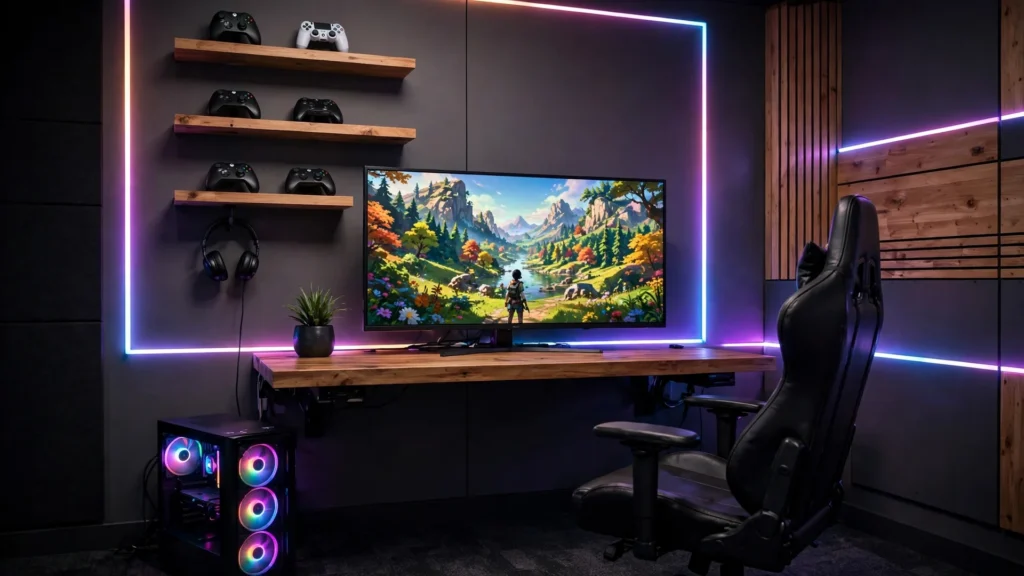
Gaming Room Ideas
Wall mounted gaming setups free up your floor, keep cables out of sight, and make even a small room feel like a proper battlestation. When the desk, the monitor, and the storage all live on the wall, you get a clean surface to play on and nothing to trip over below it. These eight setups show how to mount each piece properly, from a fold down desk that disappears after a session to a full light panel feature wall, so you can copy the one that fits your room and your budget.
As an Amazon Associate I earn from qualifying purchases. Read our full affiliate disclosure for more detail.
Every idea below is one complete setup you can copy whole, desk, seat, screen, light, storage, and power included. Before you drill anything, find the studs in your wall and use fixings rated for the weight you plan to hang, since a monitor arm and a loaded shelf are heavier than they look. If your room is tight overall, the 13 gaming room ideas for small bedrooms will help you fit the rest of the room around your new wall mounted setup.
In This Article
- 1. Fold Down Wall Desk Battlestation
- 2. Floating Shelf Command Center
- 3. Wall Mounted Monitor Arm Setup
- 4. Pegboard Wall Storage Station
- 5. Hexagon Light Panel Feature Wall
- 6. Wall Mounted TV Gaming Lounge
- 7. Floating Desk With Hidden Power
- 8. Acoustic Panel Wall Studio
- At a Glance Comparison
- Frequently Asked Questions
- Conclusion
At a Glance Comparison
| Setup | Desk and Seat | Screen and Light | Best For |
|---|---|---|---|
| 1. Fold Down Desk | Fold down wall desk, black gaming chair | Single monitor on arm, LED strip glow | Tiny rooms and shared spaces |
| 2. Floating Shelves | Floating shelf desk, ergonomic chair | Wide monitor, blue LED glow | A clean floating look |
| 3. Monitor Arm Wall | Slim desk, grey office chair | Monitor on wall arm, light bar | Perfect screen height every time |
| 4. Pegboard Wall | Compact desk, beige task chair | Single monitor, warm desk lamp | Gear you can grab fast |
| 5. Hexagon Light Wall | Black desk, black gaming chair | Ultrawide monitor, hexagon panels | A wall that is the decor |
| 6. Wall TV Lounge | Low media console, plush armchair | Wall mounted TV, LED backlight | Big screen couch gaming |
| 7. Hidden Power Desk | Floating desk, black task chair | Single monitor, soft strip light | A cable free look |
| 8. Acoustic Wall Studio | Black gaming desk, gaming chair | Monitor, studio key light | Streaming and quiet play |
1. Fold Down Wall Desk Battlestation
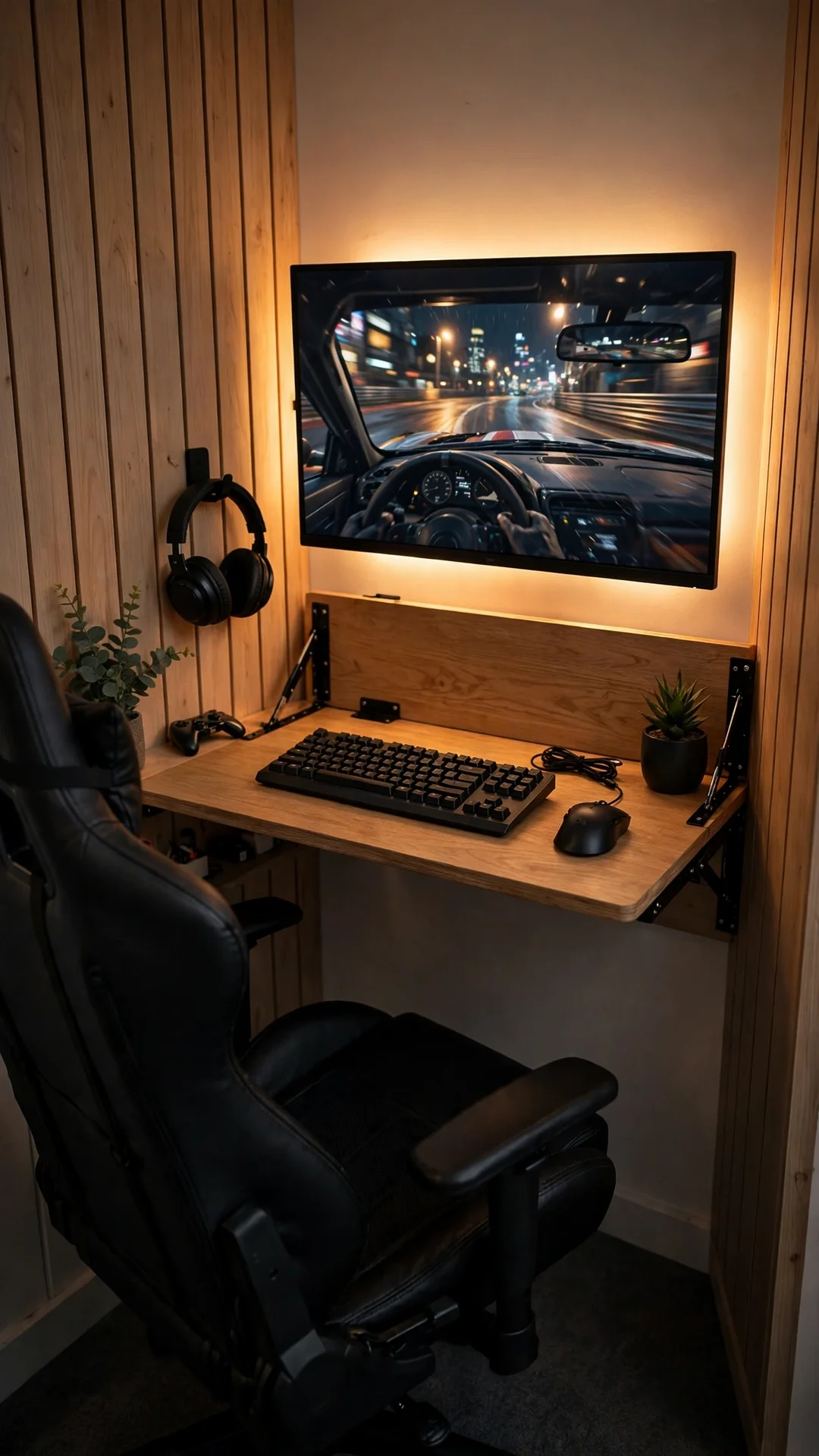
Start with a wall mounted desk that folds flat when you are done, because it gives you a full gaming surface without giving up any floor space. Mount it at elbow height on solid studs, center a monitor on a wall arm above it, and keep the desktop to a keyboard, a mouse, and a headset so nothing slides off when you fold it away.
Pick a compact black gaming chair with a footrest so you can sit comfortably for long sessions and roll it aside when the desk is folded. Run an LED strip along the back edge of the desk for soft light behind the screen, and store controllers and games in a small wall shelf beside the desk. Power comes from one surge protected strip fixed to the wall under the desk, with cables clipped tight along the wall so nothing dangles when the desk folds up.
Why this one: The 48 inch folding top is a real desk when it is down and a flat panel when it is up, which is exactly what a tiny room needs.
Worth knowing: It needs solid wall fixings and studs, since a folding desk with a monitor arm on top is heavier than a shelf.
Why this one: The footrest and lumbar support make long sessions comfortable, and it rolls away easily when the desk folds up.
Worth knowing: The red finish is bold, so it will stand out in a pale or neutral room.
2. Floating Shelf Command Center
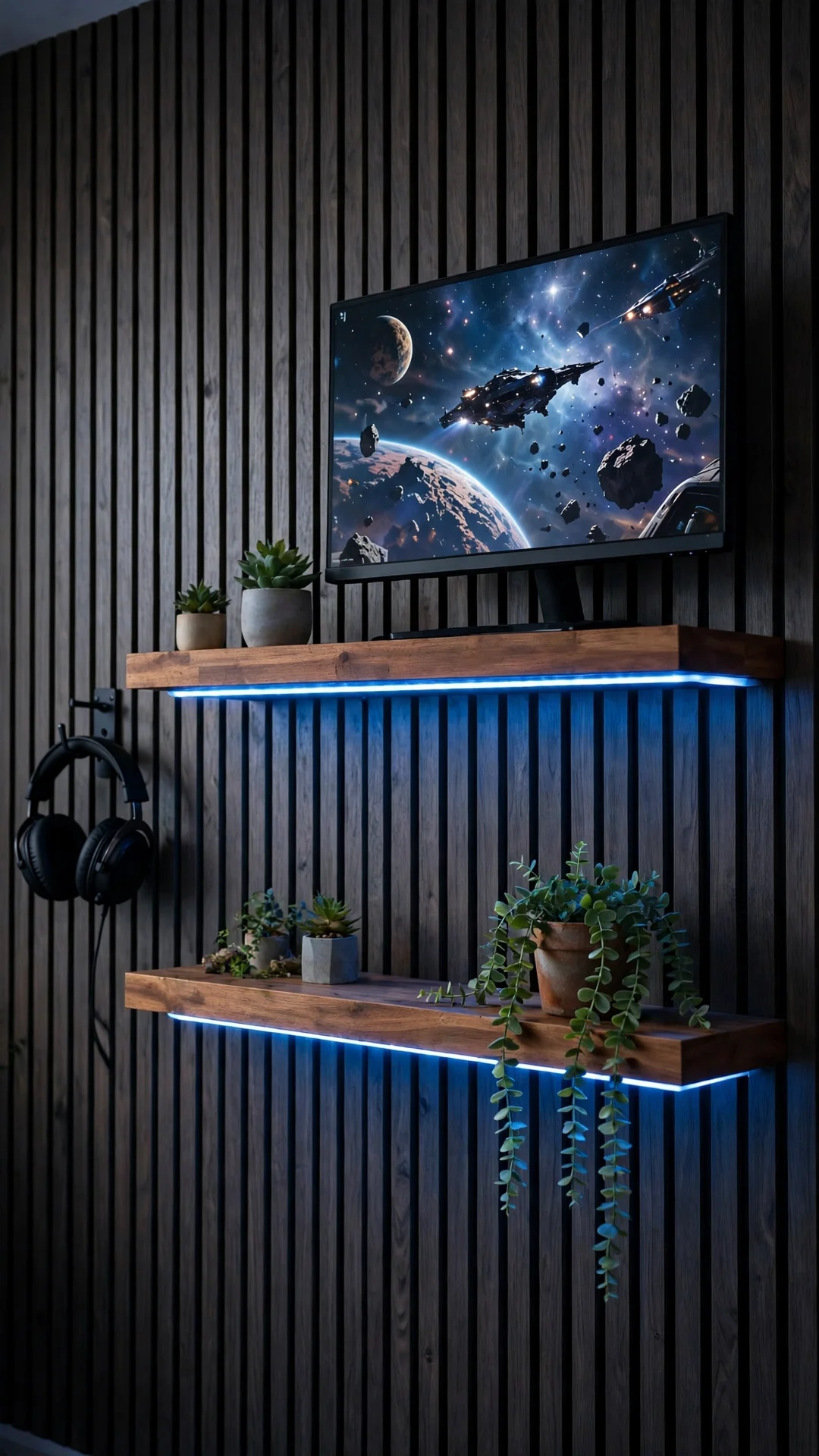
Use a pair of folding wall shelves as your desk, with the lower shelf as the work surface and the upper shelf for display. Mount a wide monitor on a slim arm above the lower shelf so the screen floats at eye level, and keep the shelf clear except for a keyboard and mouse pad. A pale ergonomic chair keeps the look light and airy.
Light the setup with a color changing LED strip tucked under the upper shelf so it washes the wall in a soft blue glow. Store headsets on a wall hook and games in small baskets on the upper shelf, and run power through a slim strip mounted behind the lower shelf with the cable clipped along the wall. Dust the shelves weekly, since a floating setup shows dust fast, and this command center will stay sharp for years.
Why this one: The two folding shelves give you a desk and a display shelf in one wall mounted unit, and they fold flat when not in use.
Worth knowing: Each shelf holds only a light load, so keep heavy consoles on a separate stand.
Govee 16.4ft RGBIC LED Strip Lights, Work with Alexa and Google Assistant
Why this one: The strip lights the shelf edges evenly and can be set to a soft blue that matches the floating look.
Worth knowing: The adhesive can loosen on textured walls over time, so press it firmly when you fit it.
3. Wall Mounted Monitor Arm Setup
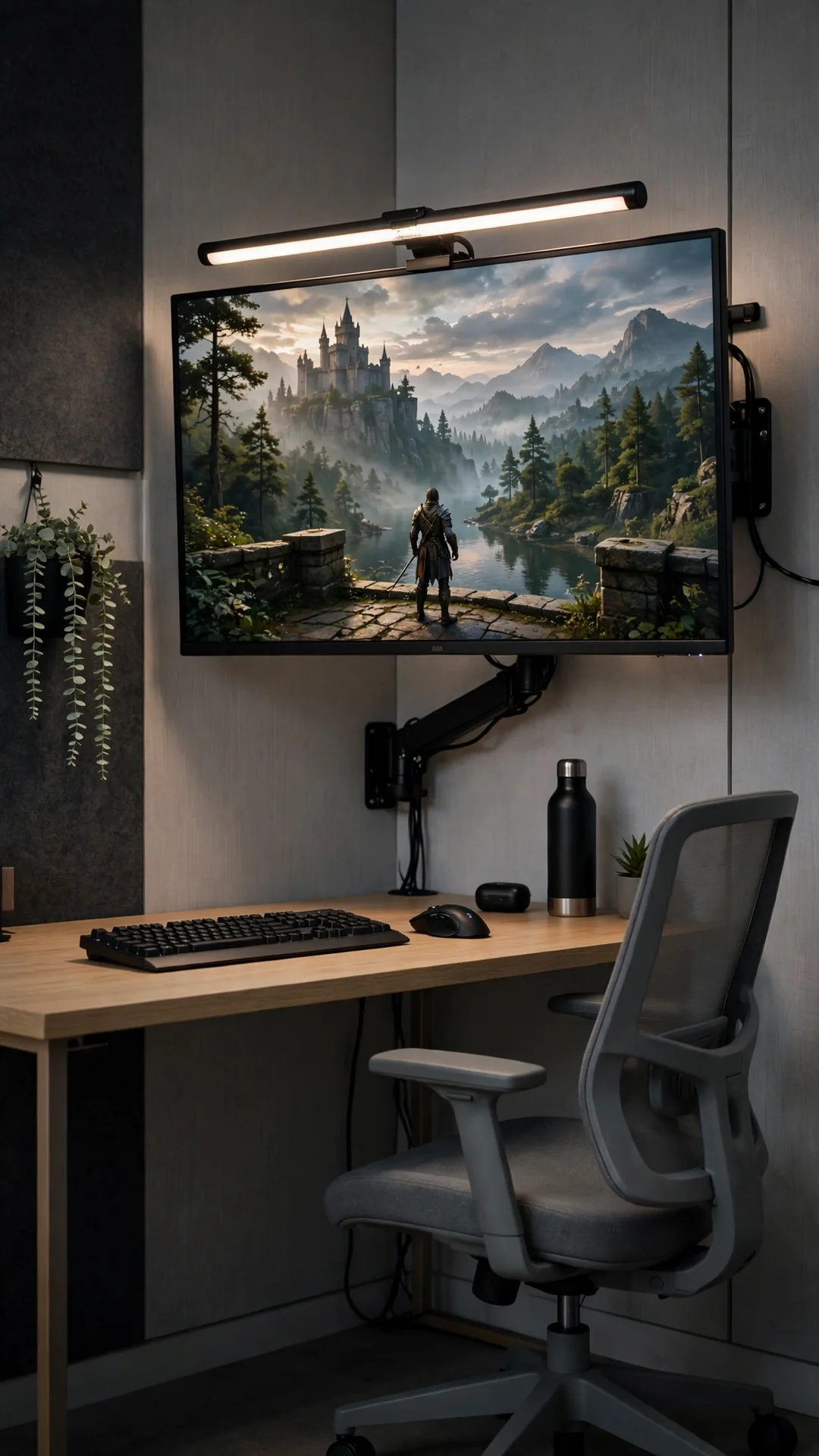
Put the monitor on the wall, not the desk, and you get your whole desktop back. A single articulated arm holds the screen at exact eye level and lets you pull it toward you for a close game or push it flat for watching from the bed. Pair it with a slim desk below and a grey high back chair that supports long sessions.
Add a monitor light bar on top of the screen for glare free evening light that never reflects in the display. Keep the headset on an under desk hanger and the controllers in a drawer, and run power through a clamp on power strip under the desk so the only cable you see is the one from the arm to the wall. Adjust the arm once, tighten it, and the screen will stay exactly where you put it.
Why this one: The arm holds screens from 13 to 32 inches and adjusts smoothly, so you can set the exact height and angle you want.
Worth knowing: It needs a desk edge or grommet hole to clamp to, so it will not suit a wall mounted shelf with no lip.
Why this one: The light bar sits on top of the monitor and lights the desk without any glare on the screen, with a remote for dimming.
Worth knowing: It needs a USB port for power, so plan one spare port on your strip.
4. Pegboard Wall Storage Station
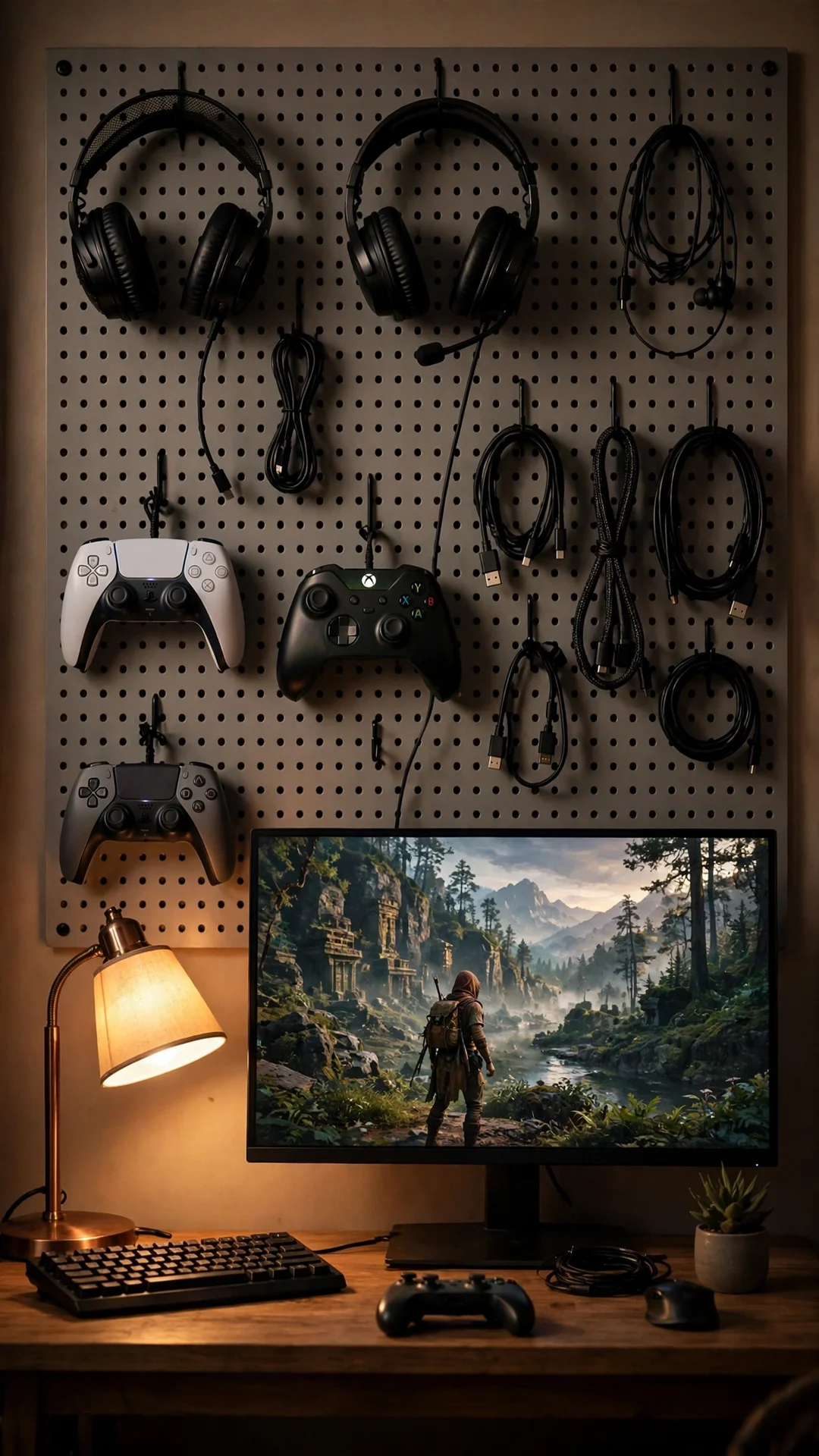
Cover the wall above your desk with a pegboard and every piece of gear gets a hook of its own. Controllers, headsets, cables, and chargers hang in plain sight and within reach, so you never dig through a drawer mid game. A compact desk below holds a single monitor and a keyboard, with a beige task chair that tucks right under it.
Light the pegboard with a small warm desk lamp so you can see every hook in the evening, and use the pegboard baskets for small items like batteries and memory cards. Power runs through one strip fixed to the wall behind the desk, with cables clipped to the pegboard frame so they stay tidy. Rearrange the hooks whenever your gear changes, since the whole wall is a system you can rebuild in minutes.
Why this one: The 48 piece kit gives you hooks, baskets, and shelves to build a full storage wall above any desk.
Worth knowing: It needs screws into studs to hold a full load of gear safely.
Why this one: The clamp on hanger holds a headset and two controllers under the desk, keeping the pegboard free for other gear.
Worth knowing: The clamp needs a desk edge at least an inch thick to grip firmly.
5. Hexagon Light Panel Feature Wall
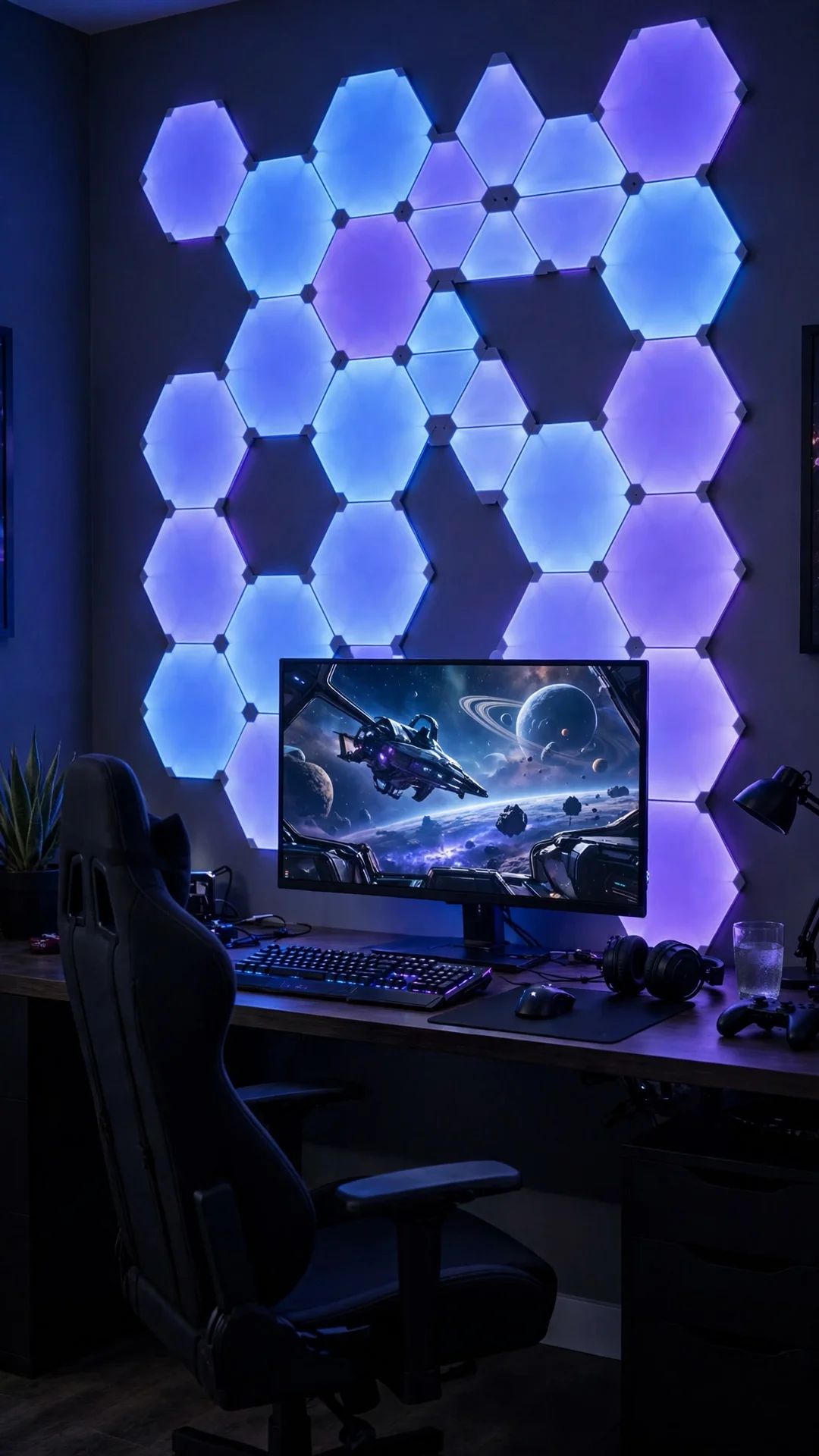
Turn the wall itself into the light show with hexagon panels arranged in a bold shape behind your desk. The panels give you color, pattern, and ambient light in one piece, so the rest of the room can stay simple. A black desk and a black gaming chair keep the focus on the glowing wall, while an ultrawide monitor sits in the middle of the panel shape.
Add a slim LED strip behind the desk edge to tie the desk glow to the wall panels, and keep storage to a single drawer unit so the wall stays the star. Power the panels and the monitor from one surge protected strip mounted behind the desk, and route the panel cables down the wall in a slim channel so the shape stays clean. Change the panel colors to match the game you are playing, and the whole room changes with it.
Govee Glide Hexa Pro Light Panels, RGBIC 3D Hexagon Wall Lights
Why this one: The hexagon panels snap together in any shape and sync color across the wall, so you can design your own light art.
Worth knowing: They need a flat smooth wall and a nearby outlet, and the set covers only a modest area on its own.
Govee Glide RGBIC LED Wall Lights, Smart RGBIC Wall Sconces for Gaming TV Bedroom Streaming
Why this one: The smart wall sconces add a second layer of color beside the panels and react to music and games.
Worth knowing: They need the app to set scenes, so keep your phone handy for the first setup.
6. Wall Mounted TV Gaming Lounge
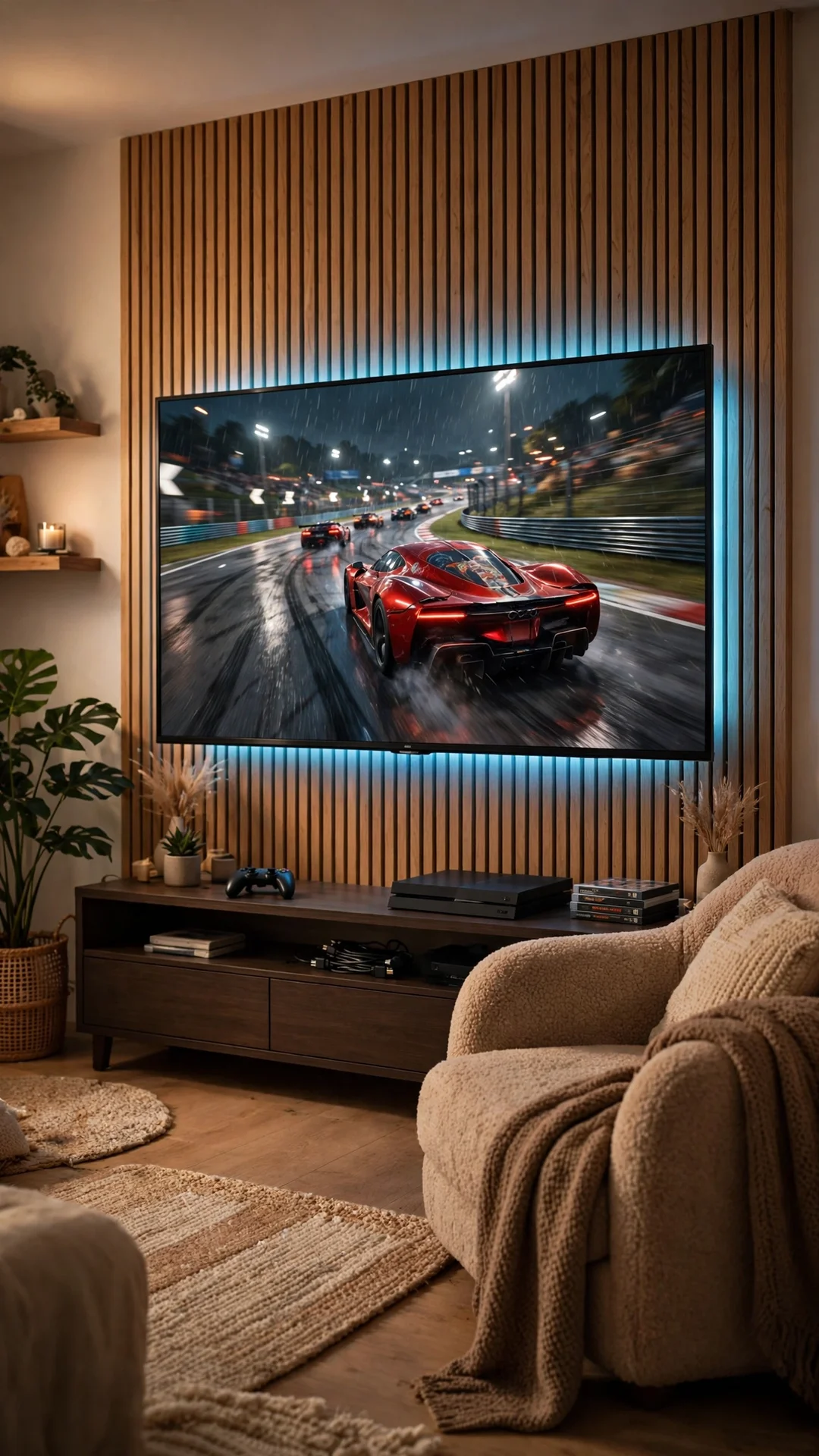
Mount the TV on the wall and the whole lounge opens up. A low media console below holds the console and a few games, while a plush armchair gives you a proper seat for long sessions without a desk in the way. The TV backlight glows behind the screen and makes the wall feel bigger, especially in the evening.
Keep controllers on a wall mounted holder beside the TV so they are always in reach, and store extra games and cables in the console drawers. Power runs through one strip hidden inside the console, with a single cable channel down the wall to the outlet so the mounted TV looks like it floats. Sit back, dim the room lights, and the wall mounted screen feels like a small cinema built for gaming.
Why this one: The wall mount kit holds two controllers and a headset on the wall or the back of the TV, so the lounge stays tidy.
Worth knowing: It suits standard controllers best, so check the fit if you use an oversized pad.
Why this one: The 15 foot TV backlight strip wraps a large TV and changes color with the app, which makes the mounted screen pop.
Worth knowing: It is USB powered, so you need a spare USB port on the TV or a small adapter.
7. Floating Desk With Hidden Power
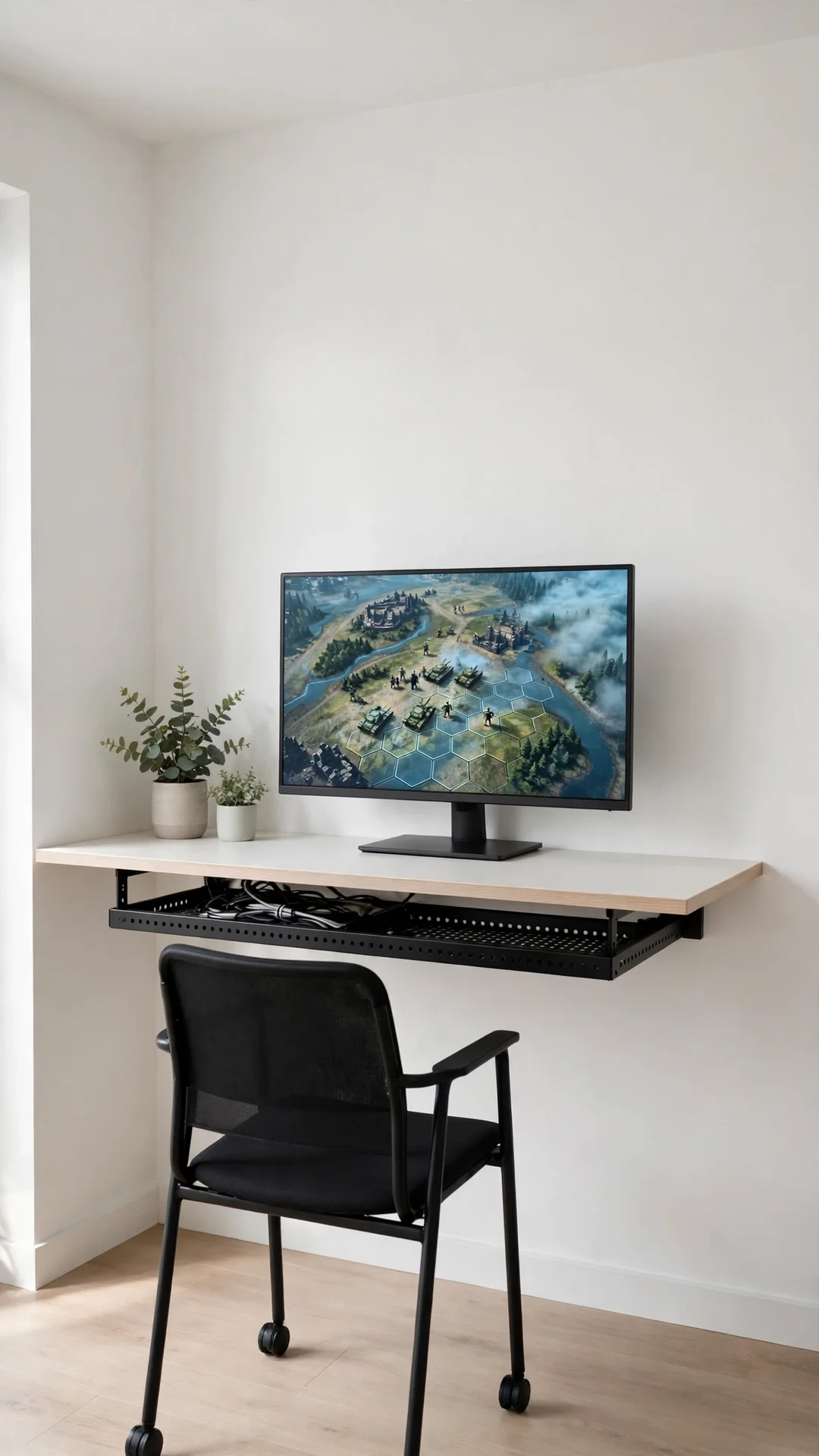
The trick to a floating desk is hiding the power, not just the desk. Mount a slim desk to the wall, then fix a clamp on power strip and a steel cable tray underneath it so every plug and cable lives out of sight. The monitor mounts on a slim arm, the keyboard sits on the desk, and from the front you see nothing but clean wall and screen.
Choose a simple black task chair that slides fully under the desk so the floor stays clear too. Light the setup with a short LED strip under the desk edge for a soft glow on the floor, and keep the headset on a wall hook beside the desk. Label the plugs on the strip once, since you will not want to crawl under the desk to find the right one later, and this setup will look cable free from every angle.
Why this one: The clamp on strip gives you ten outlets and three USB ports under the desk, so every device has a plug without a visible strip.
Worth knowing: The clamp needs a desk edge to grip, so it will not fit a shelf with a rounded or very thick edge.
Yecaye 2 Pack Cable Management Under Desk, 31.5 in Under Desk Cable Management Tray
Why this one: The two pack of cable trays hides power bricks and cables under the desk in a neat steel channel.
Worth knowing: Screws are needed to fix the trays, so measure the desk thickness before you drill.
8. Acoustic Panel Wall Studio
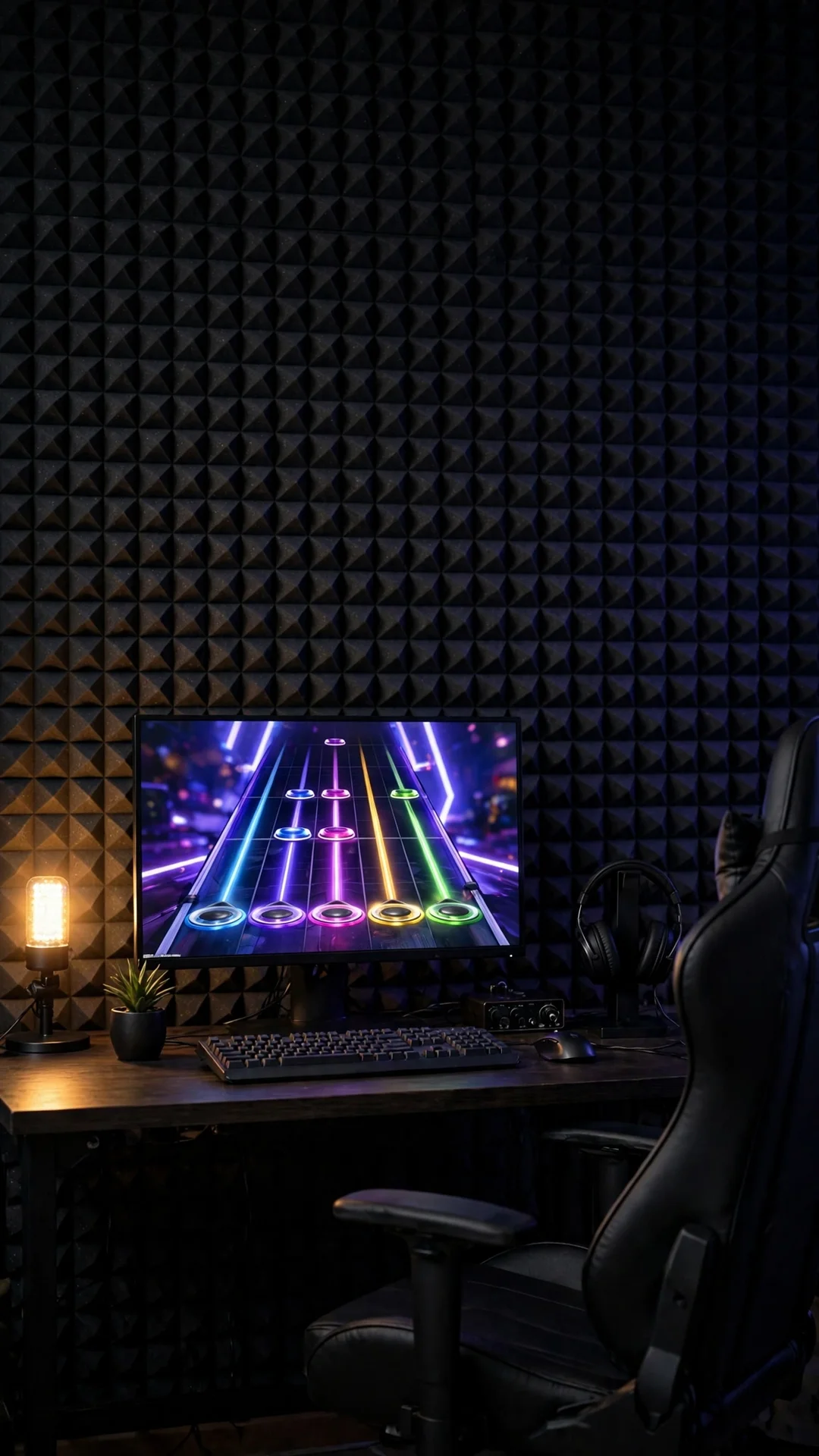
Line the wall behind your desk with acoustic foam panels and the room instantly sounds better, with less echo on voice chat and less noise leaking to the rest of the house. The black panels look sharp behind a monitor, and they double as a backdrop for streaming. A black gaming desk and a gaming chair complete the studio feel.
Light the desk with a professional key light clamped to the desk edge, which gives you clean even light for a camera and a bright screen for late sessions. Keep the headset on a walnut stand on the desk and controllers in a drawer, and run power through a wall mounted strip behind the desk with cables clipped along the panel edges. Add panels to the side walls later if you want even more sound control, since the foam sticks on and peels off without damage.
Why this one: The twelve pack of self adhesive panels covers a good wall area and cuts echo noticeably for voice chat and streaming.
Worth knowing: The adhesive is strong, so plan the layout before you stick the first panel down.
Elgato Key Light, Professional 2800 Lumens Studio Light with Desk Clamp for Streaming
Why this one: The 2800 lumen key light gives clean studio light with a desk clamp, and it dims smoothly for evening play.
Worth knowing: It is a single light, so a second light helps if you stream from a wide angle.
Frequently Asked Questions
How much weight can a wall mounted gaming desk hold?
It depends on the fixings and the wall. A desk screwed into studs with rated fixings can hold a monitor, a keyboard, and a console, while one held by drywall anchors alone should carry only light gear. Always check the weight rating of the desk and the fixings, and test it with a gentle push before you load it with expensive gear.
Do I need to find studs for a wall mounted monitor?
Yes, for anything heavy. A monitor arm and a TV should always screw into studs, while light items like LED strips and small shelves can use good drywall anchors. Use a stud finder and mark the studs before you drill, since guessing is how screens end up on the floor.
How do I hide cables on a wall mounted setup?
Run them in a slim cable channel down the wall, use a cable tray under the desk, and fix the power strip to the wall behind the desk. Setup 7 shows the full hidden power approach, and a short LED strip under the desk edge hides the last few cables in its glow.
Will a fold down desk work for daily gaming?
Yes, if it is mounted well. Setup 1 uses a folding desk rated for daily use, and the key is solid stud fixings and a monitor arm that does not add too much weight. Fold it up each night and the room is yours again, which is ideal in a bedroom or a shared space.
Are acoustic panels worth it in a gaming room?
They help a lot if you use voice chat or stream. Setup 8 uses self adhesive foam panels that cut echo and keep your voice clear on calls, and they also stop sound bouncing around a hard walled room. Start with the wall behind your desk and add more later if you need them.
Conclusion
A wall mounted gaming setup works because every piece has a place on the wall and nothing is left on the floor. Pick the fold down desk if your room is small, the pegboard if you own a lot of gear, the hexagon light wall if you want the wall to be the decor, or the acoustic panel studio if you stream or chat a lot. Find the studs, use fixings rated for the weight, hide the power behind the desk, and your setup will look built in, not bolted on. For more ways to shape the light around your new wall setup, see the 12 RGB lighting ideas for gaming rooms, and for a bigger screen setup on the same wall, the 10 dual monitor gaming setup ideas will help you plan the next step.
