Gaming Room Ideas
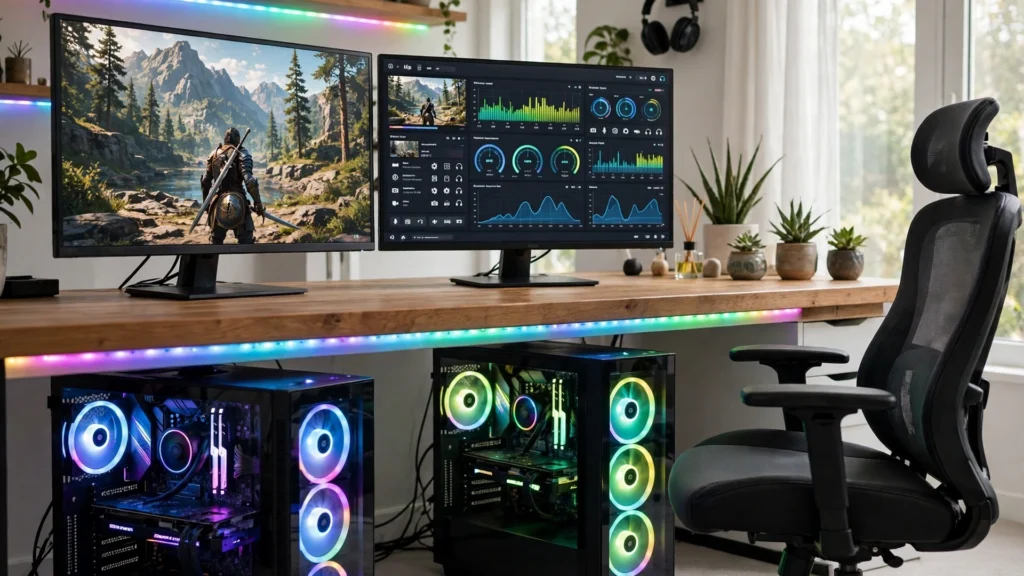
A dual PC stream setup splits the work in two, one computer plays the game and the other one handles the stream, so neither of them has to struggle. The result is smooth gameplay and a clean broadcast at the same time, with no dropped frames and no fan screaming in the background. These ten setups are complete plans for two computer streaming, desk, seat, screen, light, storage, and power included, so you can build the rig that fits your room and your budget.
As an Amazon Associate I earn from qualifying purchases. Read our full affiliate disclosure for more detail.
Every idea below is one complete setup you can copy whole. Pick the one that fits your space, then build the gaming PC side first and add the streaming PC second. If your room is small, the 13 gaming room ideas for small bedrooms will help you fit two machines into one corner, and the 7 monitor stand ideas for gaming desks will help you lift your screens to a healthy height for long sessions.
In This Article
- 1. Side by Side Twin Desks
- 2. Gaming PC and Stream PC Split
- 3. Capture Card Command Center
- 4. Dual Monitor Wall
- 5. Rack Style Under Desk
- 6. Two Chair Broadcast Booth
- 7. Clean Cable Dual Rig
- 8. Guest PC Ready Corner
- 9. Dual Screen Glow Wall
- 10. Compact Two PC Nook
- At a Glance Comparison
- Frequently Asked Questions
- Conclusion
At a Glance Comparison
| Setup | Desk and Seat | Screen and Light | Best For |
|---|---|---|---|
| 1. Twin Desks | Two desks, two chairs | Two monitors, LED glow | Two PCs with room to spare |
| 2. PC Split | Gaming desk, gaming chair | Two monitors, monitor arm | One desk, two computers |
| 3. Capture Command Center | Desk, gaming chair | Monitor, sync box and light bars | Console and PC capture streaming |
| 4. Dual Monitor Wall | Desk, black chair | Two monitors, shelf and mount | Two screens at eye level |
| 5. Rack Under Desk | Desk, gaming chair | Two monitors, soft LED glow | Hiding two PCs worth of cables |
| 6. Two Chair Booth | Two chairs, wide desk | Two monitors, key light | Co-op streams and guests |
| 7. Clean Cable Dual Rig | Desk, black chair | Two monitors, soft desk light | A tidy rig with two PCs |
| 8. Guest PC Corner | Small desk, rolling chair | Monitor, desk lamp glow | A second PC for guests |
| 9. Dual Screen Glow Wall | Desk, dark chair | Two monitors, LED strip and panels | A glowing dual PC backdrop |
| 10. Compact Two PC Nook | Folding wall desk, small chair | Monitor, daylight glow | Two PCs in a tiny room |
1. Side by Side Twin Desks
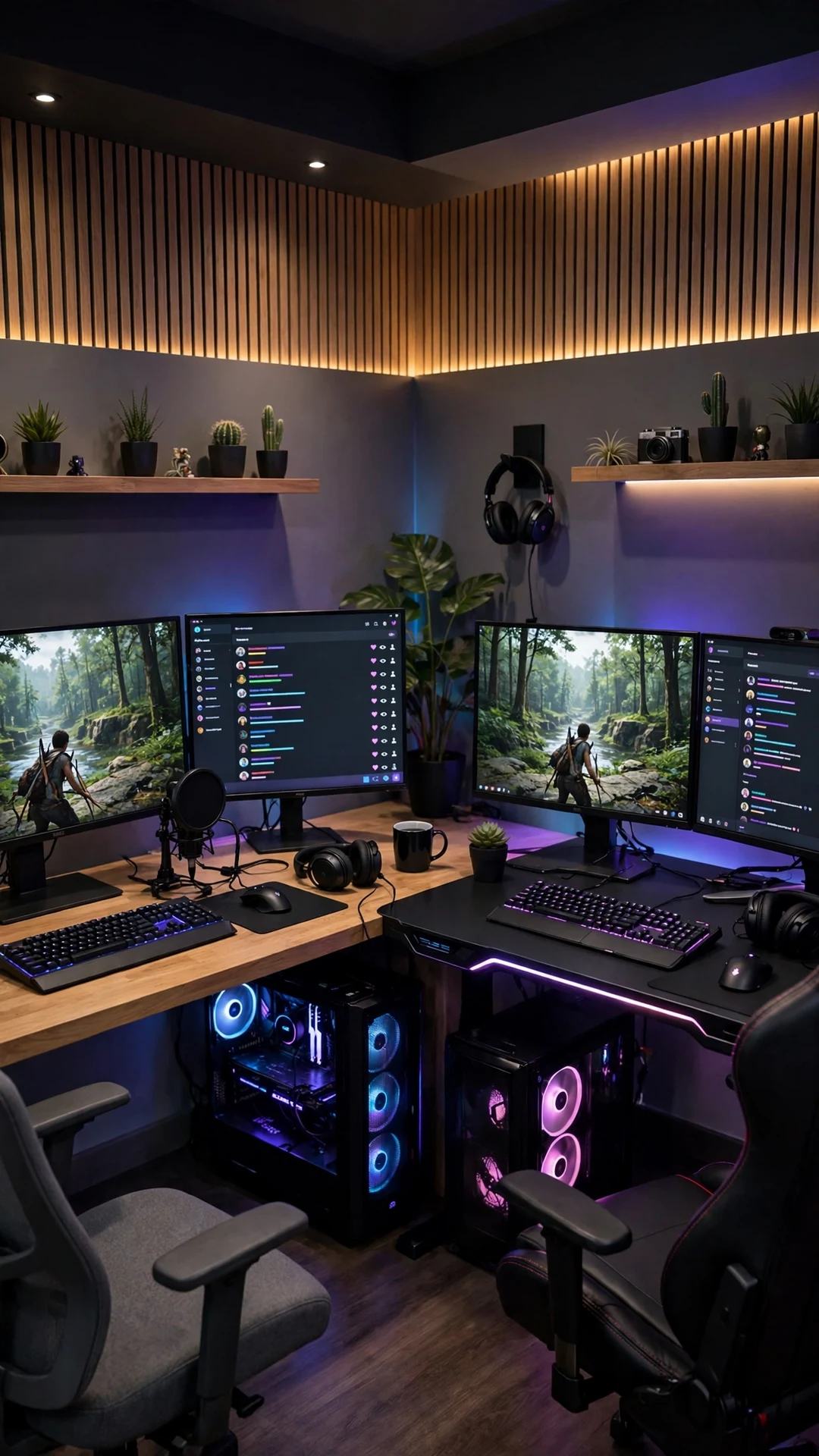
The simplest dual PC setup is two desks doing two jobs. An L shaped desk holds the gaming PC and its monitor, and a 60 inch gaming desk beside it holds the streaming PC, its monitor, and the capture gear, so each machine has its own space and its own airflow.
Keep the gaming side clean with just a keyboard and mouse, and put the stream deck, webcam, and notes on the streaming side. A large mousepad on the gaming desk keeps the mouse smooth, and one power strip per desk keeps the two rigs on separate circuits. It is the setup for streamers who want everything visible and nothing shared.
Why this one: The reversible L shape fits left or right corners, and the side shelves hold the gaming PC gear within reach.
Worth knowing: The marble top shows dust and fingerprints, so it needs a quick wipe now and then.
DESIGNA Computer Gaming Desk 60 Inch, PC Laptop Table Workstation with Free Large Mousepad, Black
Why this one: The 60 inch top fits a second monitor plus stream gear, and the included mousepad covers the whole desk.
Worth knowing: The desk is wide, so measure your wall first, as it needs a full five feet of space.
2. Gaming PC and Stream PC Split
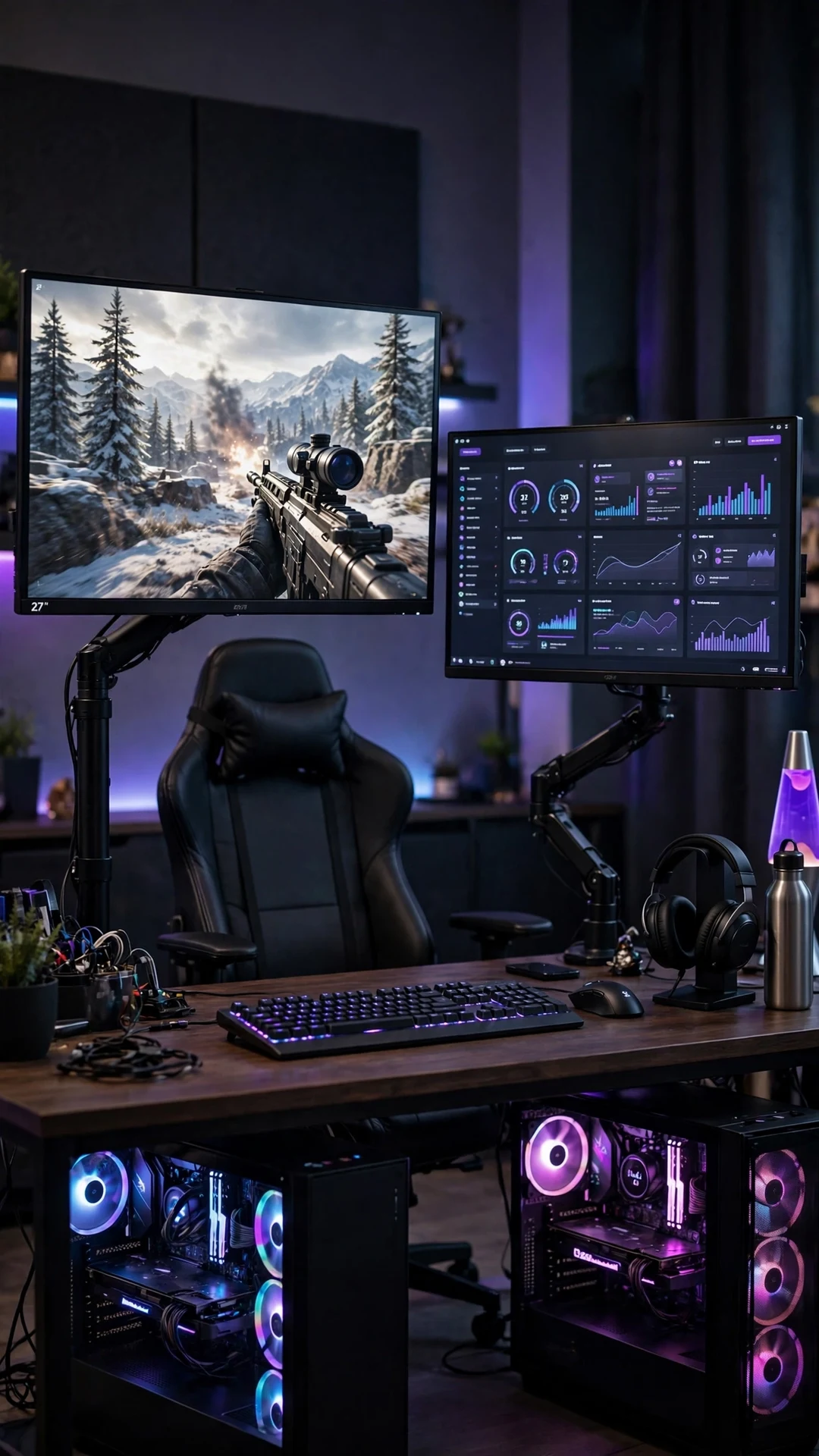
One desk can hold two PCs if the screens are planned well. A fast 165Hz monitor in the center is the gaming screen, and a second monitor on an adjustable arm sits to the side for the stream dashboard, chat, and alerts, so you can glance across without turning your head.
The arm lifts the second screen to eye level and frees the desk for a keyboard, a mic, and a notebook. Keep the gaming PC on the floor to the right and the streaming PC to the left, with cables running up the back of the desk to one strip underneath. It is the setup for streamers who want two machines and one tidy desk.
ASUS TUF Gaming 24 inch 1080P Monitor VG247Q1A, 165Hz, 1ms, FreeSync Premium
Why this one: The 165Hz refresh rate makes games feel smooth, and the 24 inch size leaves room for a second screen.
Worth knowing: It has no built in speakers, so you will need a headset or separate speakers for sound.
Why this one: The arm frees up desk space and lifts the stream monitor to eye level beside the gaming screen.
Worth knowing: It clamps to the desk edge, so very thick desktops may not fit the clamp.
3. Capture Card Command Center
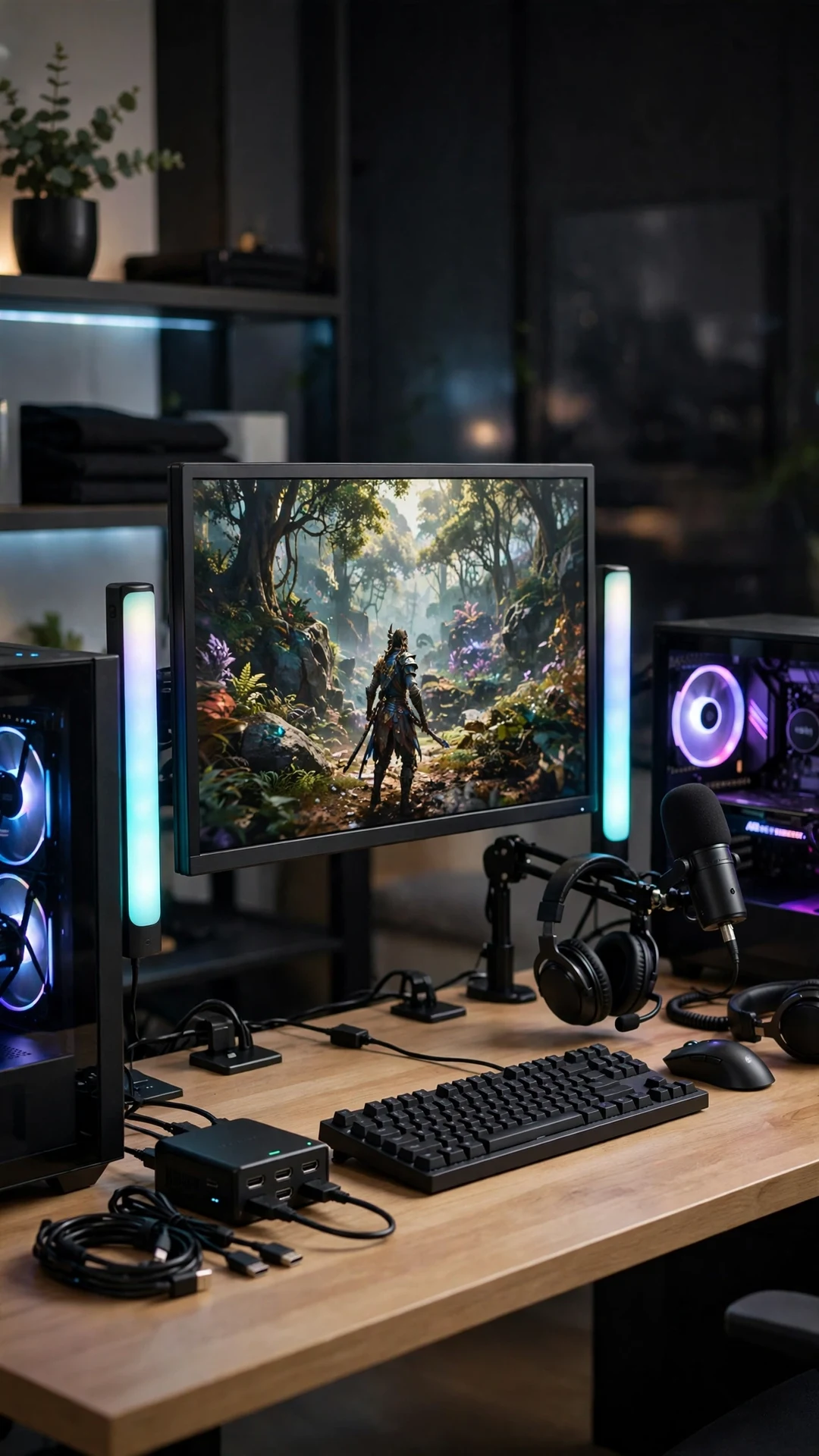
A capture setup lives or dies on the signal chain, so this one builds around it. A sync box kit takes the gaming PC output, passes it to the streaming PC, and drives light bars that match the game, so the room glows with whatever you are playing.
The light bars sit on either side of the monitor and give the desk a wide wash of color without glare on the screen. Keep the sync box on the desk where you can reach it, the streaming PC under the desk, and the cables in a tray so the signal path stays short and clean. It is the setup for streamers who capture from a PC, a console, or both.
Why this one: The sync box kit includes light bars and a monitor backlight, and it supports 8K at 60Hz and 4K at 144Hz.
Worth knowing: It is a premium kit, so it costs more than a basic capture card alone.
Why this one: The triple sided light bars give a wide glow behind the monitor with music sync and dozens of scene modes.
Worth knowing: They need Wi-Fi and the app for full control, so setup takes a little patience.
4. Dual Monitor Wall
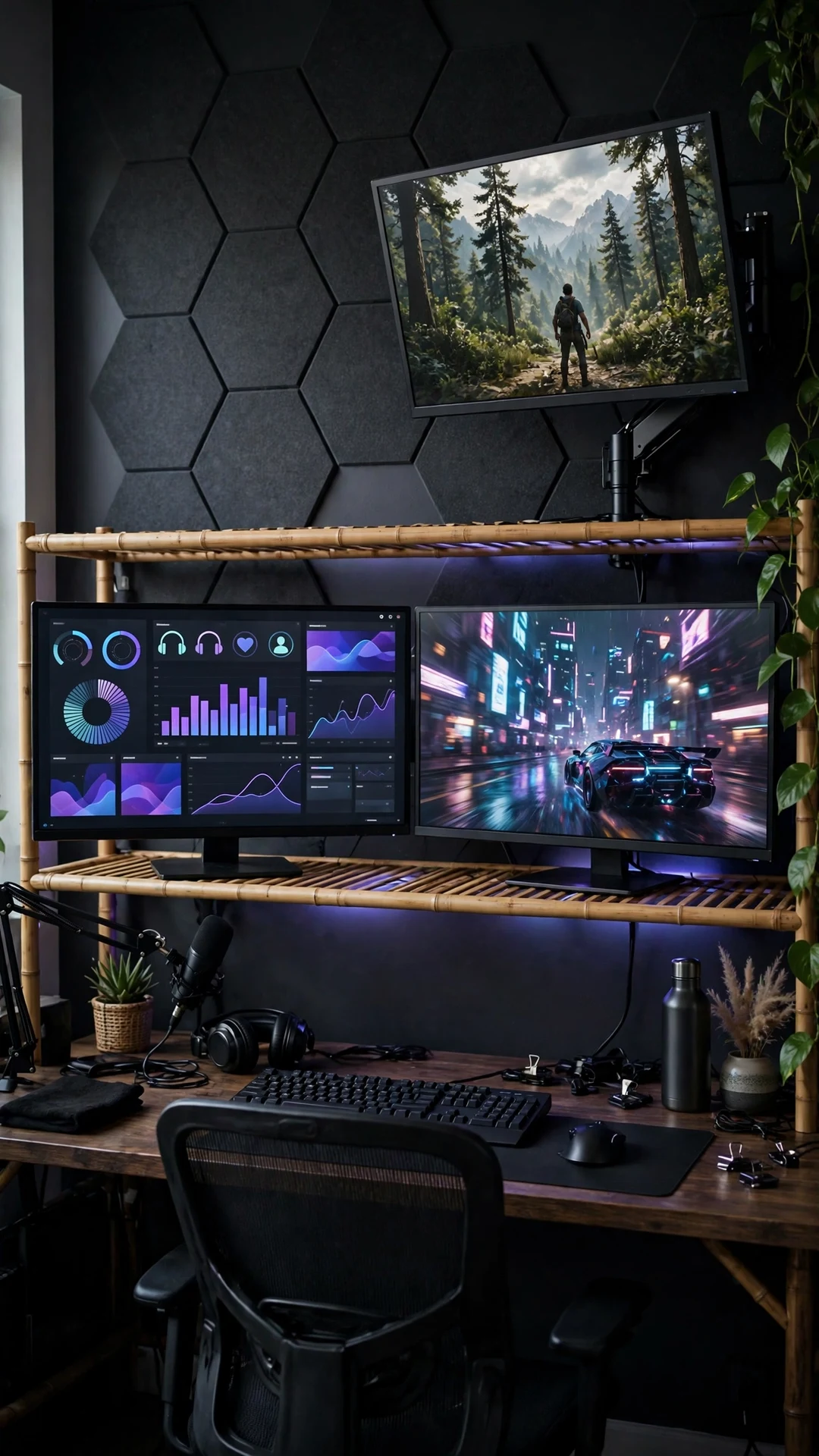
Two monitors at eye level make a dual PC setup feel like a control room. A bamboo monitor shelf lifts both screens and adds a drawer underneath for notebooks and stream notes, while a monitor mount holds the second screen at the exact angle you want for chat.
Keep the gaming screen centered and the stream screen angled toward you, so one glance covers both machines. The shelf keeps the desktop clear for a keyboard and a mic, and one power strip under the desk feeds both PCs and both screens. It is the setup for streamers who watch everything at once.
Why this one: The bamboo shelf lifts two monitors and adds storage underneath for notebooks and desk supplies.
Worth knowing: It is a shelf, not a mount, so very heavy monitors should sit centered on it.
Why this one: The single monitor mount adjusts height and angle, so the stream screen sits exactly where you want it.
Worth knowing: It fits screens up to 32 inches, so very large monitors need a heavier mount.
5. Rack Style Under Desk
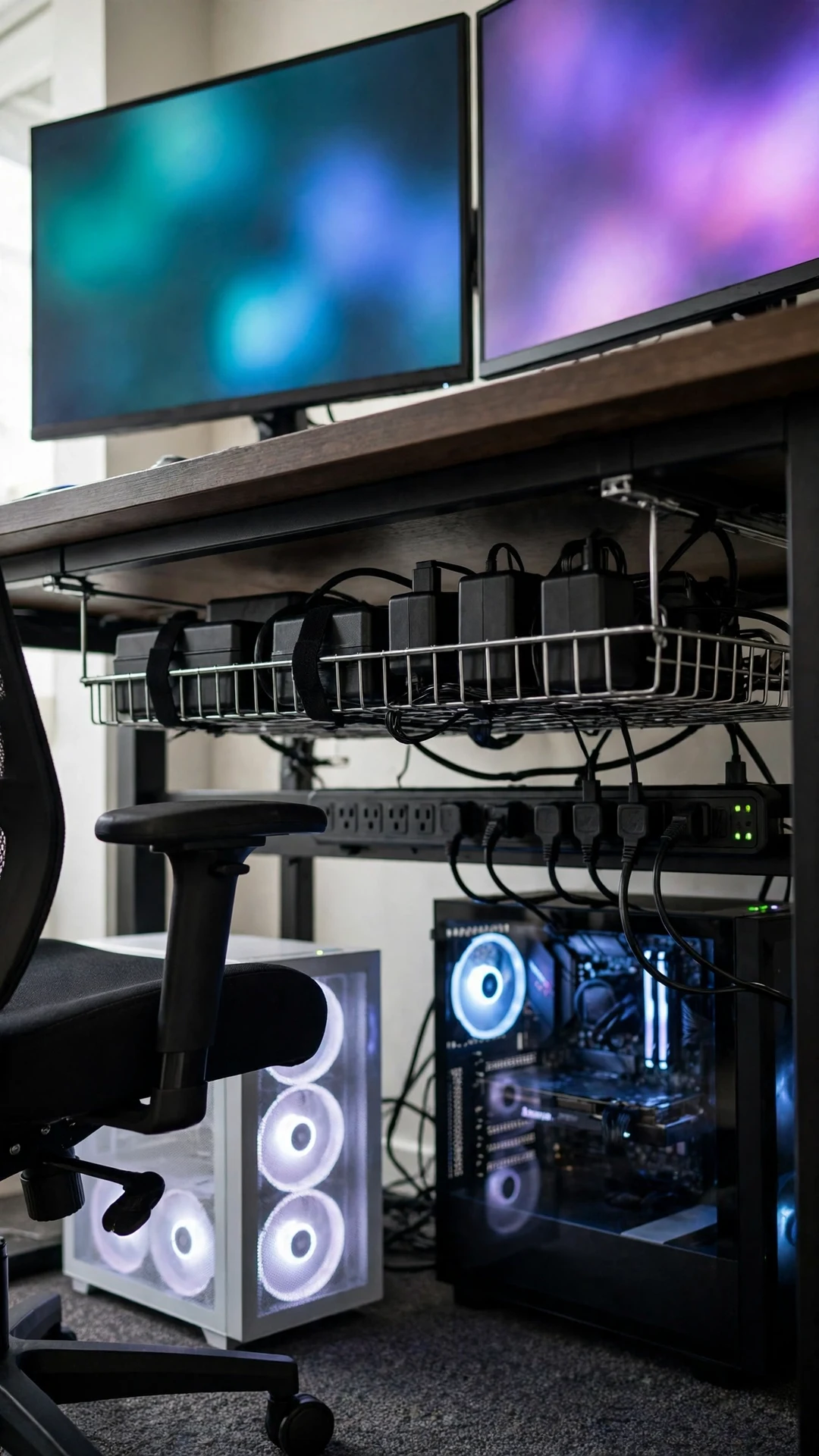
Two PCs mean twice the cables, so this setup hides them all underneath. A steel cable tray under the desk holds both power bricks and the tangle of leads, and a long ten foot power strip reaches the wall outlet without a daisy chain.
With the cables in the tray, the desktop shows only the two monitors, a keyboard, and a mic, which looks calm on camera and feels calm to sit at. Keep one short cable for the headset and one for the phone, and everything else stays out of sight. It is the setup for streamers who want a clean desk and a clean stream.
Why this one: The steel tray holds power bricks and cables under the desk, so the desktop stays clear for two monitors.
Worth knowing: It needs screws into the desk underside, so very thin desktops may not suit it.
Why this one: The ten foot cord reaches far outlets, and six outlets plus three USB ports feed both PCs and the monitors.
Worth knowing: The long cord needs a tray or clips, or it will trail across the floor.
6. Two Chair Broadcast Booth
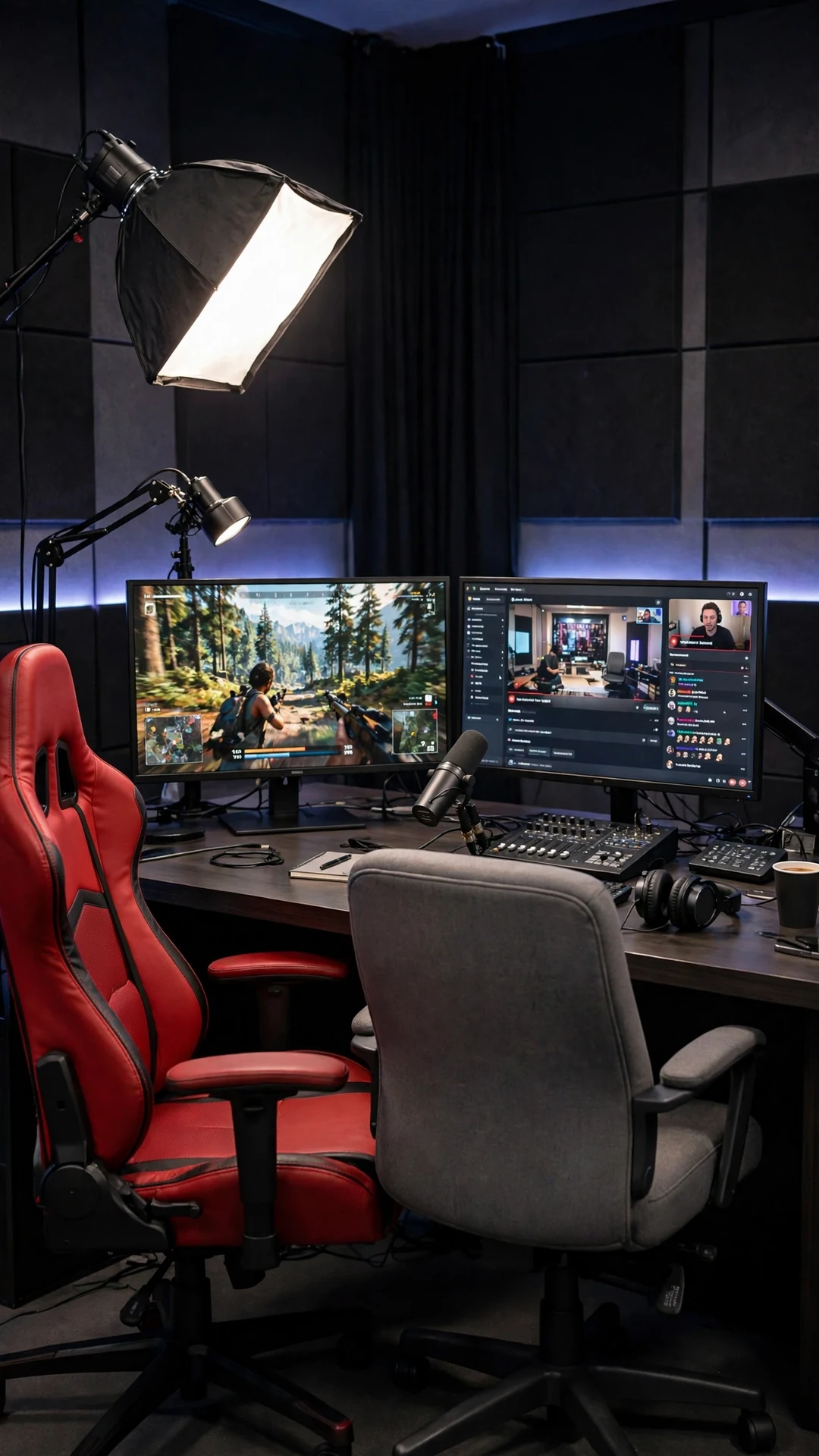
Dual PC streams often mean two people, so this setup seats them both properly. A red gaming chair with a footrest is the host seat, and a gray velvet executive chair with lumbar support is the guest seat, so both players stay comfortable through a long broadcast.
A key light beside the monitors lights both faces evenly for the camera, and the wide desk holds two keyboards without crowding. Keep the gaming PC under the host side and the streaming PC under the guest side, with one power strip per side. It is the setup for duos who stream together every week.
Why this one: The chair has a footrest, massage lumbar support, and a recline, so long streams stay comfortable.
Worth knowing: It is a large chair, so very small rooms may feel cramped with it in place.
Why this one: The high back chair has lumbar support and flip up armrests, and it holds up to 300 lbs.
Worth knowing: The velvet fabric shows dust, so it needs a quick brush now and then.
7. Clean Cable Dual Rig
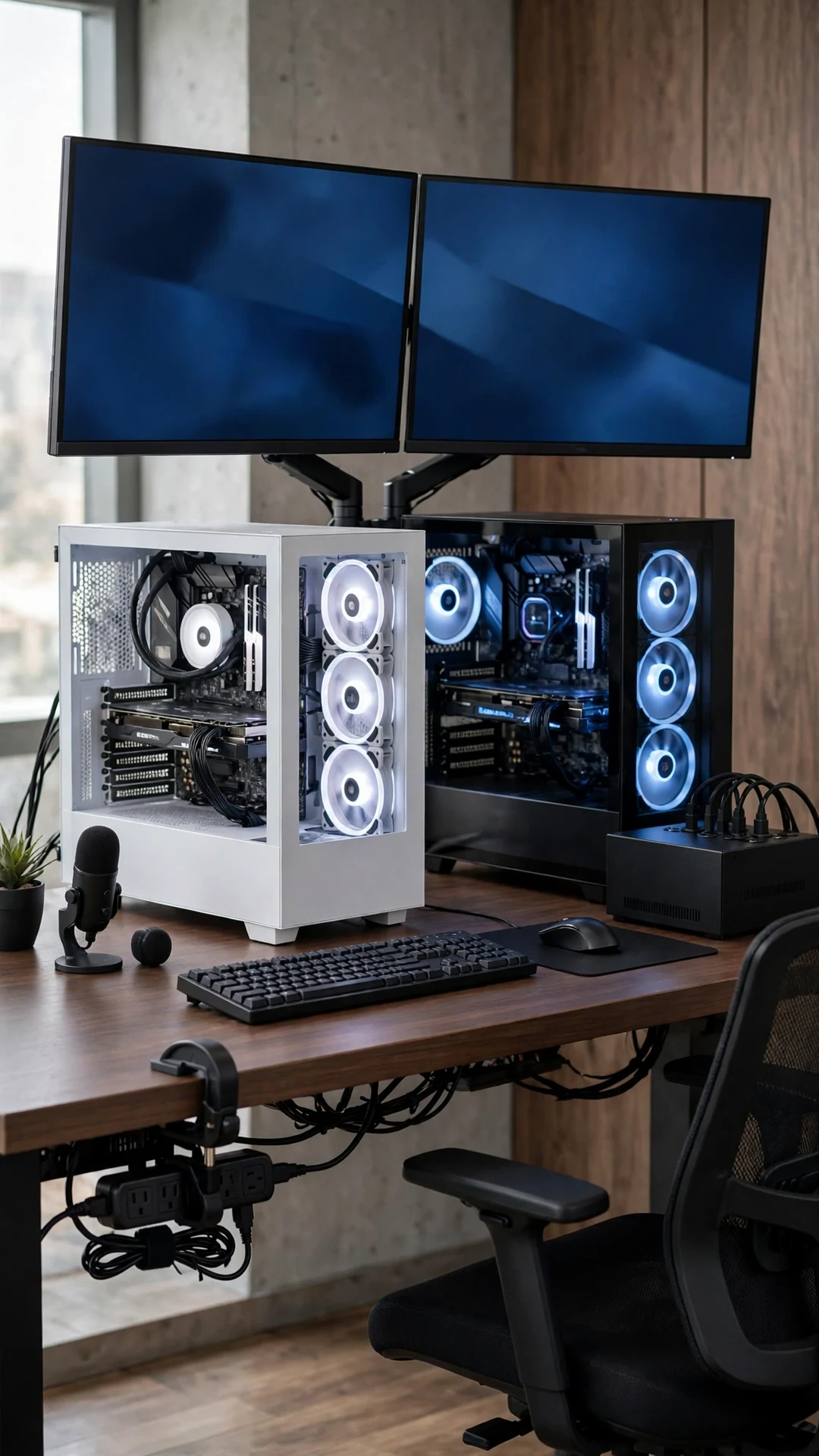
A dual rig looks messy fast, so this setup plans the power first. A cable management box hides the main power strip and its chargers behind one neat lid, and a clamp power strip under the desk edge adds ten outlets right where both PCs need them.
Keep the gaming PC and the streaming PC on opposite sides of the desk, with each one plugged into its own strip, so the cables never cross. The desktop stays clear for two monitors and a keyboard, and the whole rig looks like one machine, not two. It is the setup for streamers who like their desk as tidy as their stream.
Why this one: The cable box hides the power strip and chargers behind a lid, so the desk looks tidy even with two PCs.
Worth knowing: It fits standard strips only, so very large surge protectors may not close inside.
Why this one: The clamp strip adds ten outlets and three USB ports right at the desk edge, with no drilling needed.
Worth knowing: The clamp needs a desk edge to grip, so glass tops and very thick desks may not fit.
8. Guest PC Ready Corner
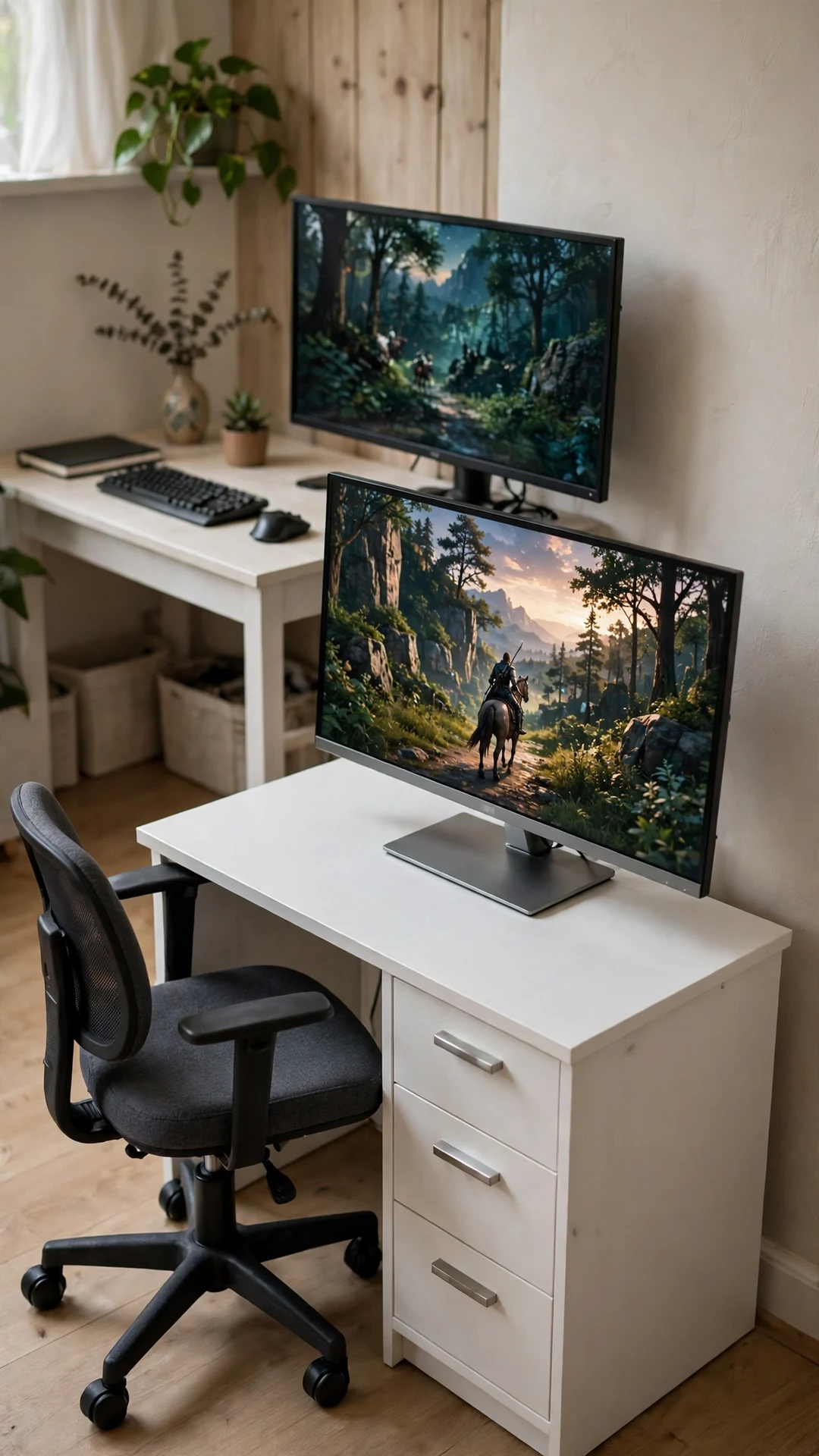
A guest PC is the best upgrade for a dual setup, because it turns every stream into a duo. A compact white desk with two drawers holds the second machine and its monitor, and a small rolling chair tucks underneath when the guest goes home.
Keep the guest desk beside the main desk, with its own monitor and keyboard, so the guest can play while you run the stream. The drawers hold the spare headset and controller, and one power strip behind the desk feeds the whole corner. It is the setup for hosts who always have one more friend to invite.
Why this one: The two drawers swallow controllers and cables, and the 32 inch top fits a monitor and a laptop side by side.
Worth knowing: It is a compact desk, so a second monitor needs a riser or an arm to fit comfortably.
Why this one: The armless chair rolls under the desk easily and the lumbar support helps during long sessions.
Worth knowing: It has no armrests, so some players miss the extra support during long games.
9. Dual Screen Glow Wall
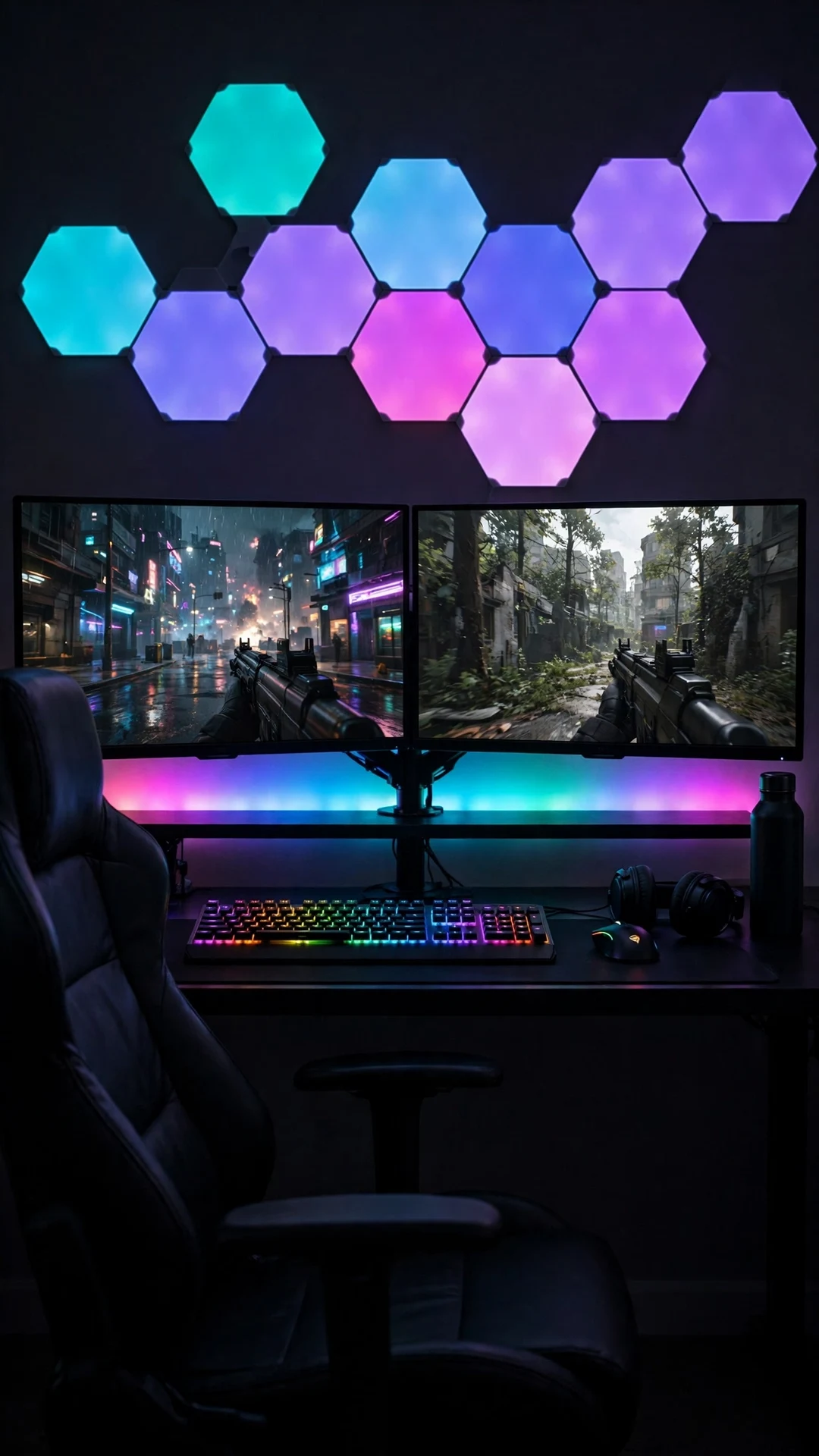
Two screens deserve a wall that glows with them. A long RGBIC strip behind the monitors gives the desk a soft backlight that matches the game, and hexagon panels on the wall above add a glowing feature that looks great on camera.
Set the strip to a calm color for the stream intro and a brighter scene when the game heats up, all from the app. The panels can pulse with the music, so the whole wall joins the broadcast. Keep the monitors bright, the room lights low, and let the glow do the show.
Why this one: The 65.6 foot strip covers a long desk and two monitors with app control and music sync.
Worth knowing: It comes as two 32.8 foot strips, so very short runs leave extra strip to store.
Govee Glide Hexa Pro Light Panels, RGBIC 3D Hexagon Wall Lights
Why this one: The hexagon panels make a bold glowing wall feature and sync with music and games through the app.
Worth knowing: The panels stick to the wall, so plan the layout before you press them on.
10. Compact Two PC Nook
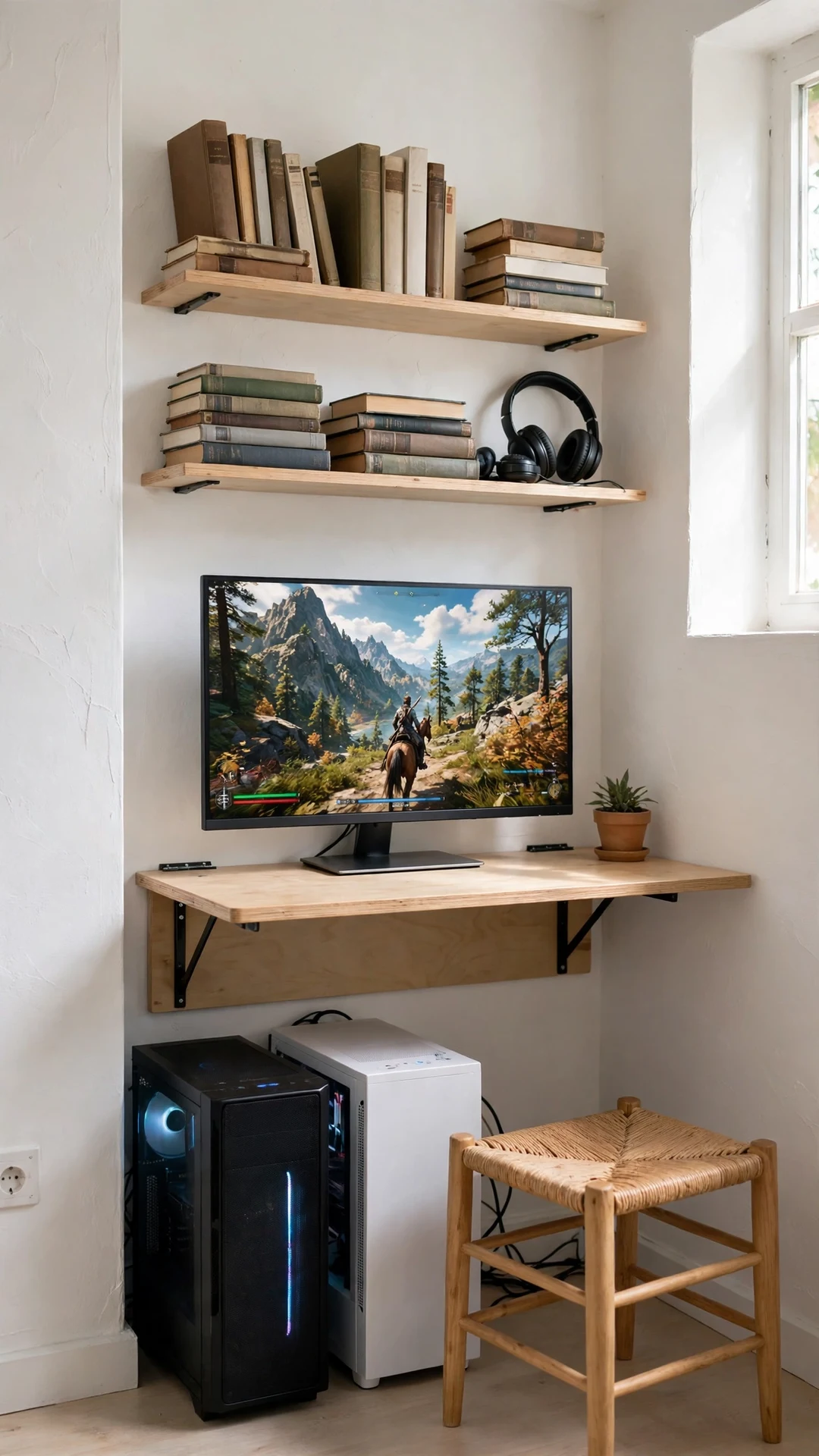
Two PCs in a tiny room sounds impossible until the desk folds away. A wall mounted folding desk drops down for the gaming PC and folds flat when you need the floor back, and two folding shelves above hold the streaming gear, books, and a headset without taking any floor space.
Keep the gaming PC on the floor beside the desk and the streaming PC on a small stand under it, with one power strip on the wall feeding both. When the stream ends, fold the desk up and the room is a bedroom again. It is the setup for streamers who refuse to let a small room stop them from running two machines.
Why this one: The folding desk mounts to the wall and folds away flat, so it is perfect for a tight two PC nook.
Worth knowing: It needs solid wall fixings, so check your wall type before you drill.
Why this one: The two folding shelves give you a desk and storage that fold flat when you need the floor back.
Worth knowing: Each shelf holds light loads only, so a heavy monitor needs a separate stand.
Frequently Asked Questions
Why use two PCs for streaming instead of one?
One PC plays the game and the other encodes the stream, so neither job steals power from the other. The game stays smooth and the stream stays clean, with no dropped frames when the action heats up.
How do I connect a gaming PC to a streaming PC?
Use a capture card or a sync box between the two machines, with the gaming PC output going into the streaming PC. Keep the cable run short and test the signal before you go live.
How much desk space does a dual PC setup need?
Plan for at least five feet of desk for two monitors and two keyboards, or use two desks side by side. A monitor arm or shelf helps, because it lifts the screens and frees the desktop.
Do I need two monitors for a dual PC setup?
Two monitors are the norm, one for the game and one for the stream dashboard and chat. You can start with one monitor and a laptop, then add the second screen when you are ready.
How do I power two PCs and two monitors safely?
Use one surge protected strip per PC and never daisy chain strips. Keep the total load sensible, give each PC its own outlet where you can, and keep cables in a tray under the desk.
Conclusion
A dual PC setup is really about giving each job its own machine, so the game and the stream never have to fight for power. Pick the setup that fits your room and your budget, build the gaming side first, and add the streaming PC when you are ready. If you want more ideas for the rest of the room, the 12 corner gaming setup ideas and the 12 neo deco gaming room ideas are good next stops, and your next stream will look and feel like it was always meant to run on two machines.
