Gaming Room Ideas
A flight sim cockpit turns a gaming room into a flight deck, with a yoke or stick, throttle, rudder pedals, and a seat that put you in the pilot seat instead of in front of it. The difference between a good cockpit and a great one is the setup around it, the screen layout, the light, the storage for the controls when you are not flying, and the power that keeps it all running. These eight setups cover every kind of rig, from a yoke clamped to a desk in a bedroom corner to a full triple screen flight deck, so you can copy the one that fits your room and your budget.
As an Amazon Associate I earn from qualifying purchases. Read our full affiliate disclosure for more detail.
Every idea below is one complete setup you can copy whole, desk, seat, screen, light, storage, and power included. Measure your cockpit footprint before you buy anything, since a rig with a yoke, throttle quadrant, and rudder pedals needs more floor than a normal desk, and leave space to get in and out of the seat. If your room is tight overall, the 13 gaming room ideas for small bedrooms will help you fit the rest of the room around your new cockpit.
In This Article
- 1. Desk Clamp Yoke Starter Rig
- 2. Single Screen Flight Deck Corner
- 3. Triple Screen Flight Command
- 4. TV Cockpit Lounge Flyer
- 5. Compact Apartment Flight Nook
- 6. Flight Sim With Throttle And Panels
- 7. Flight Sim Streaming Studio
- 8. Budget Stick And Keyboard Rig
- At a Glance Comparison
- Frequently Asked Questions
- Conclusion
At a Glance Comparison
| Setup | Desk and Seat | Screen and Light | Best For |
|---|---|---|---|
| 1. Desk Clamp Yoke | Desk, office chair | Single monitor, warm LED strip | First flights and small rooms |
| 2. Single Screen Deck | Cockpit frame, pilot seat | Large monitor, soft blue light | A dedicated corner flight deck |
| 3. Triple Screen Flight | Triple screen rig, pilot seat | Three monitors, cool white glow | Full peripheral vision flying |
| 4. TV Lounge Flyer | Yoke stand, plush armchair | Large TV, LED backlight | Big screen flying from the sofa |
| 5. Apartment Flight Nook | Compact desk, task chair | Single monitor, warm lamp | Flying in a small flat |
| 6. Throttle And Panels | Full rig frame, pilot seat | Ultrawide monitor, strip light | Airliner and GA flying |
| 7. Flight Streaming Studio | Rig frame, streaming chair | Monitor, studio key light | Streaming your flights |
| 8. Budget Stick Rig | Simple desk, office chair | Single monitor, small LED strip | Flying on a tight budget |
1. Desk Clamp Yoke Starter Rig
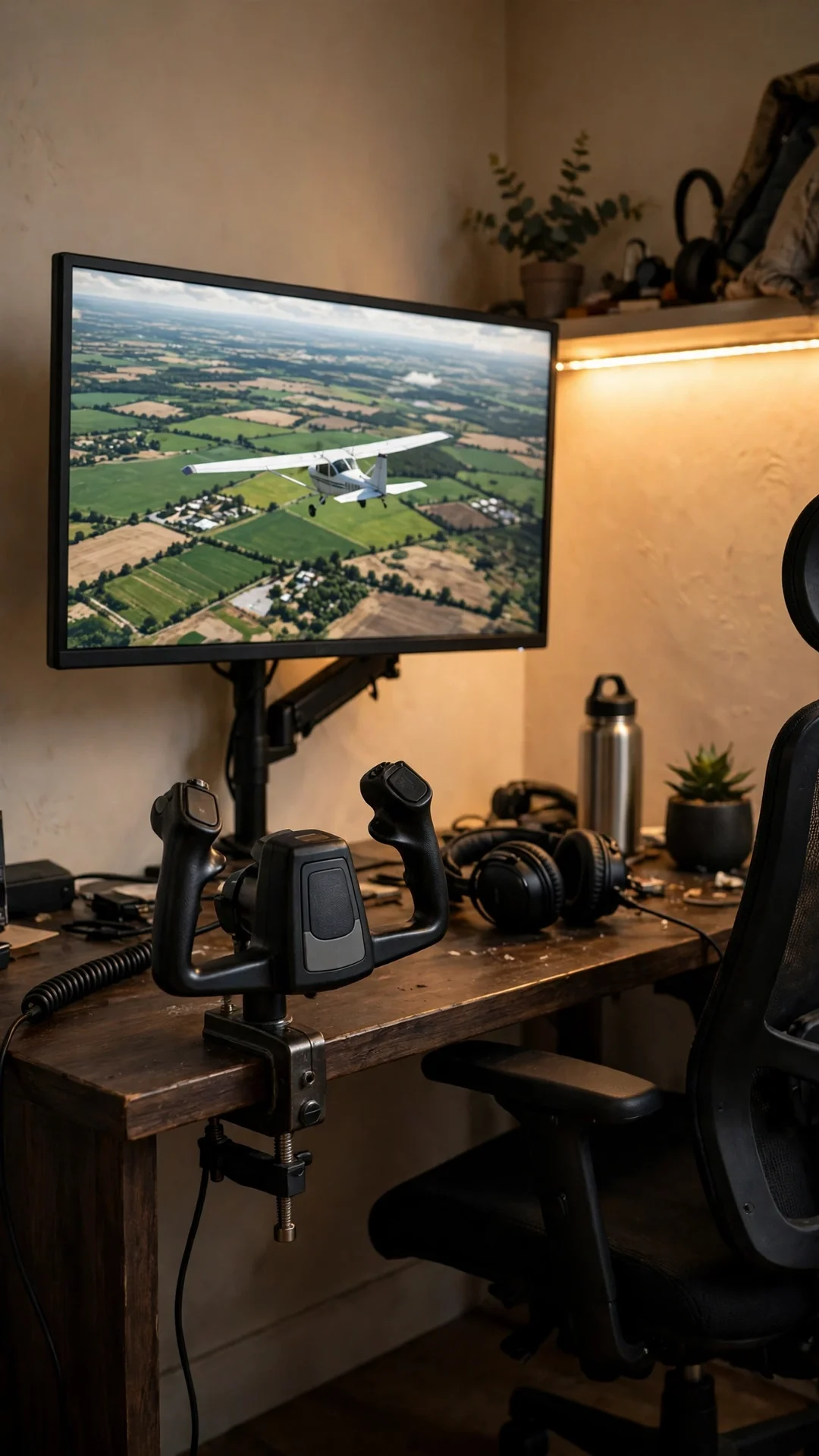
Start with a yoke clamped to the desk you already own and you can be flying tonight for the cost of the yoke alone. The clamp holds the yoke firm on a sturdy desk, the rudder pedals sit on the floor against the wall so they do not slide, and a single monitor shows the sky ahead. A black office chair and a warm LED strip behind the monitor finish the setup for very little money.
Keep the yoke clamped to the desk between flights so setup takes seconds, and store the headset on a hook on the wall. Power runs through the strip you already use for the desk, with the yoke plugged in beside the monitor. Fly for a few weeks on this setup, and you will know exactly which upgrade to buy next.
CubiCubi Computer Desk, 32 inch Small Home Office Desk for Small Spaces, Vintage
Why this one: The 32 inch CubiCubi desk is sturdy enough to hold a clamped yoke, with a vintage look that suits any room.
Worth knowing: It is a simple desk with no drawers, so add a small basket for controllers and cables.
Govee 16.4ft RGBIC LED Strip Lights, Work with Alexa and Google Assistant
Why this one: The color changing strip lights the monitor wall evenly and can be set to a soft warm white for evening flights.
Worth knowing: The strip needs a nearby outlet, and the adhesive can loosen on textured walls over time.
2. Single Screen Flight Deck Corner
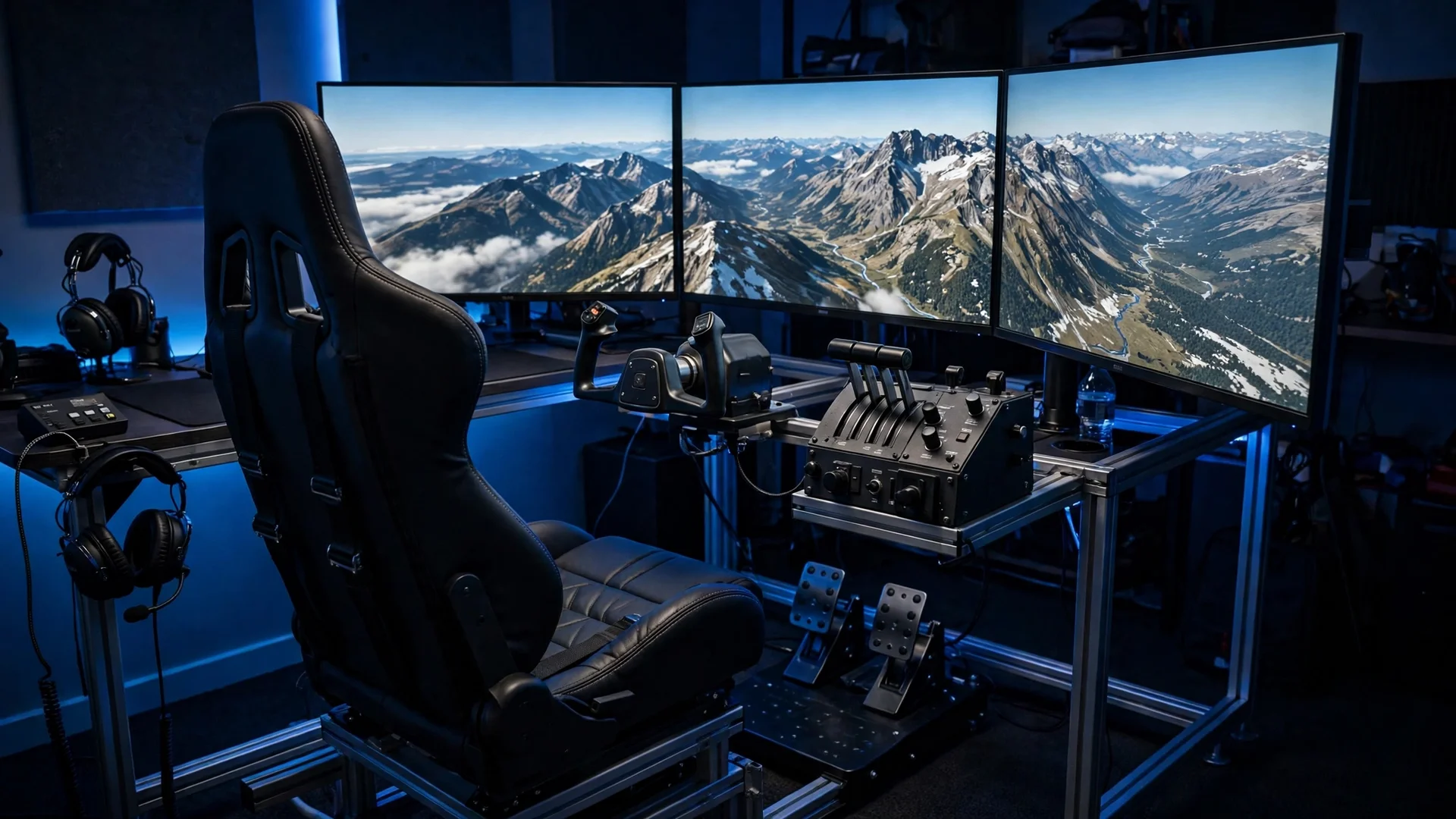
Build a proper cockpit frame in a corner and the pilot seat, yoke, throttle, and pedals all sit in one fixed position, so every flight starts exactly the same way. A large monitor on a low stand sits just behind the yoke, close enough that the sky fills your view, and a pilot style seat holds you steady through turns. Soft blue light behind the monitor keeps the corner calm and focused.
Add a small shelf beside the frame for the headset and a drink, and keep spare cables and the yoke manual in a basket under the frame. Power runs through a strip fixed to the frame itself, so the yoke, monitor, and light all plug in at the rig and only one cable goes to the wall. Sit down, clip in, and the corner disappears and the sky takes over.
ASUS TUF Gaming 24 inch 1080P Monitor VG247Q1A, 165Hz, 1ms, FreeSync Premium
Why this one: The 24 inch 165Hz monitor is fast and smooth, with FreeSync to keep the picture steady in tight turns.
Worth knowing: It is a 1080p screen, so it will not show the finest detail of a high resolution sky.
Why this one: The high back executive chair gives lumbar support and flip up armrests that stay out of the way of the yoke.
Worth knowing: It is an office chair, not a pilot seat, so it will not hold you as firmly in steep banks.
3. Triple Screen Flight Command
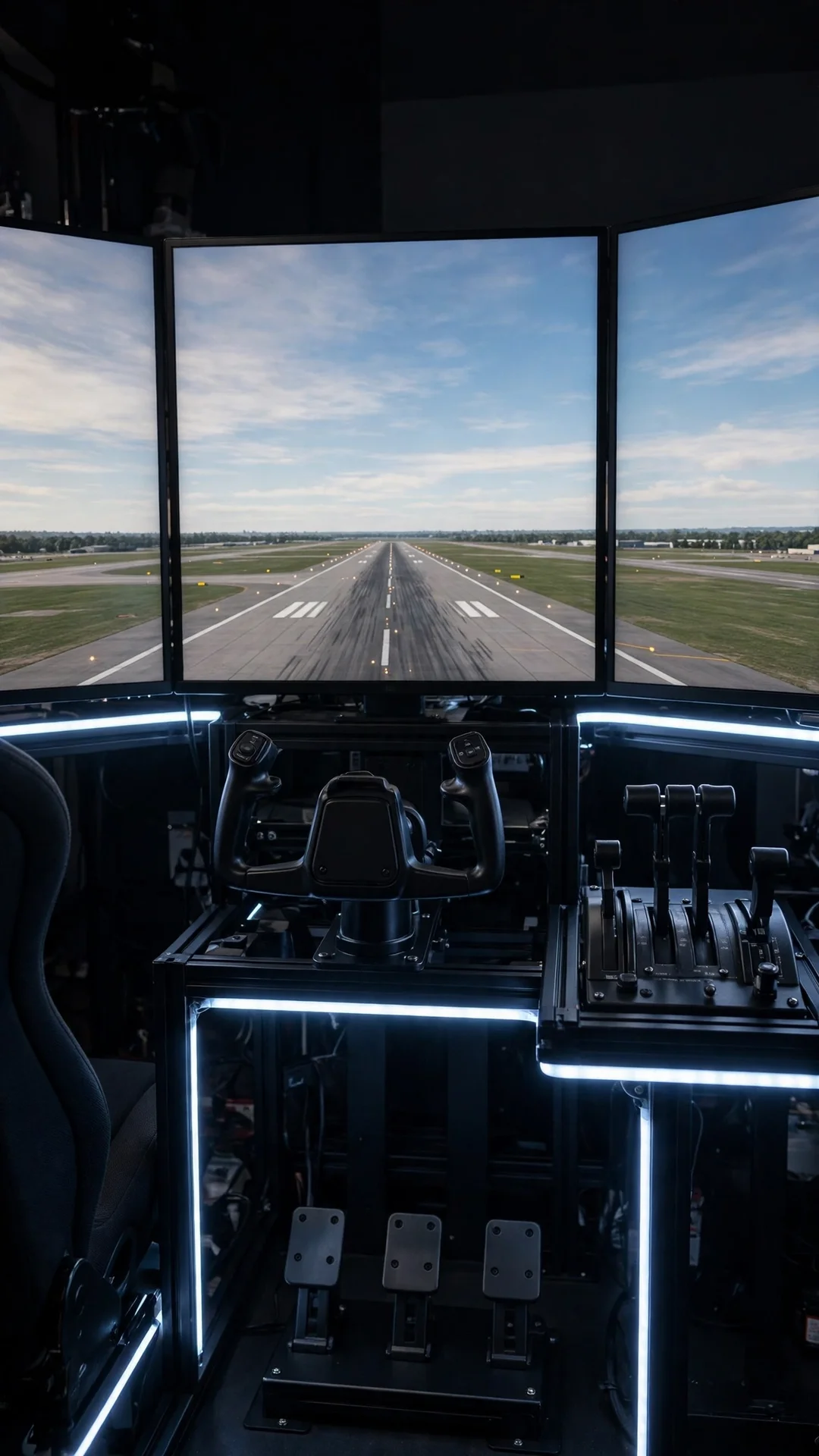
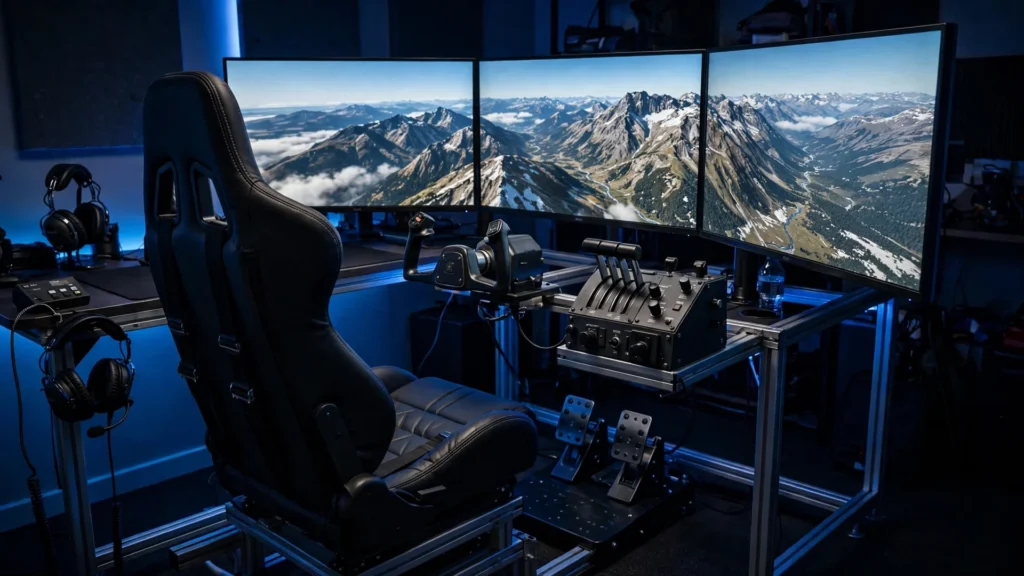
Mount three monitors in a gentle curve around the yoke and you can see the runway ahead and the sky beside you, just like a real flight deck. The center screen shows the horizon, the side screens show the wings and the ground below, and the yoke sits at the center of it all. A pilot seat on a solid frame keeps you planted while the screens wrap around you.
Light the rig with cool white LED strips along the frame edges so the cockpit glows without washing out the screens. Keep the headset on a stand on a small side table and the checklists in a drawer, and run power through two strips, one for the screens and one for the yoke and PC, so no single strip carries the whole rig. Angle the side screens until the horizon lines up across all three, then tighten the mounts and fly.
Why this one: The monitor light bar lights the rig without glare on the screens, with a remote for dimming between flights.
Worth knowing: It needs a USB port for power, so plan one spare port on your strip.
Why this one: The strip kit with diffuser covers gives a smooth professional glow with no visible dots, and it works with Alexa and Google Assistant.
Worth knowing: The covers need a flat surface to mount on, so they suit straight wall runs best.
4. TV Cockpit Lounge Flyer
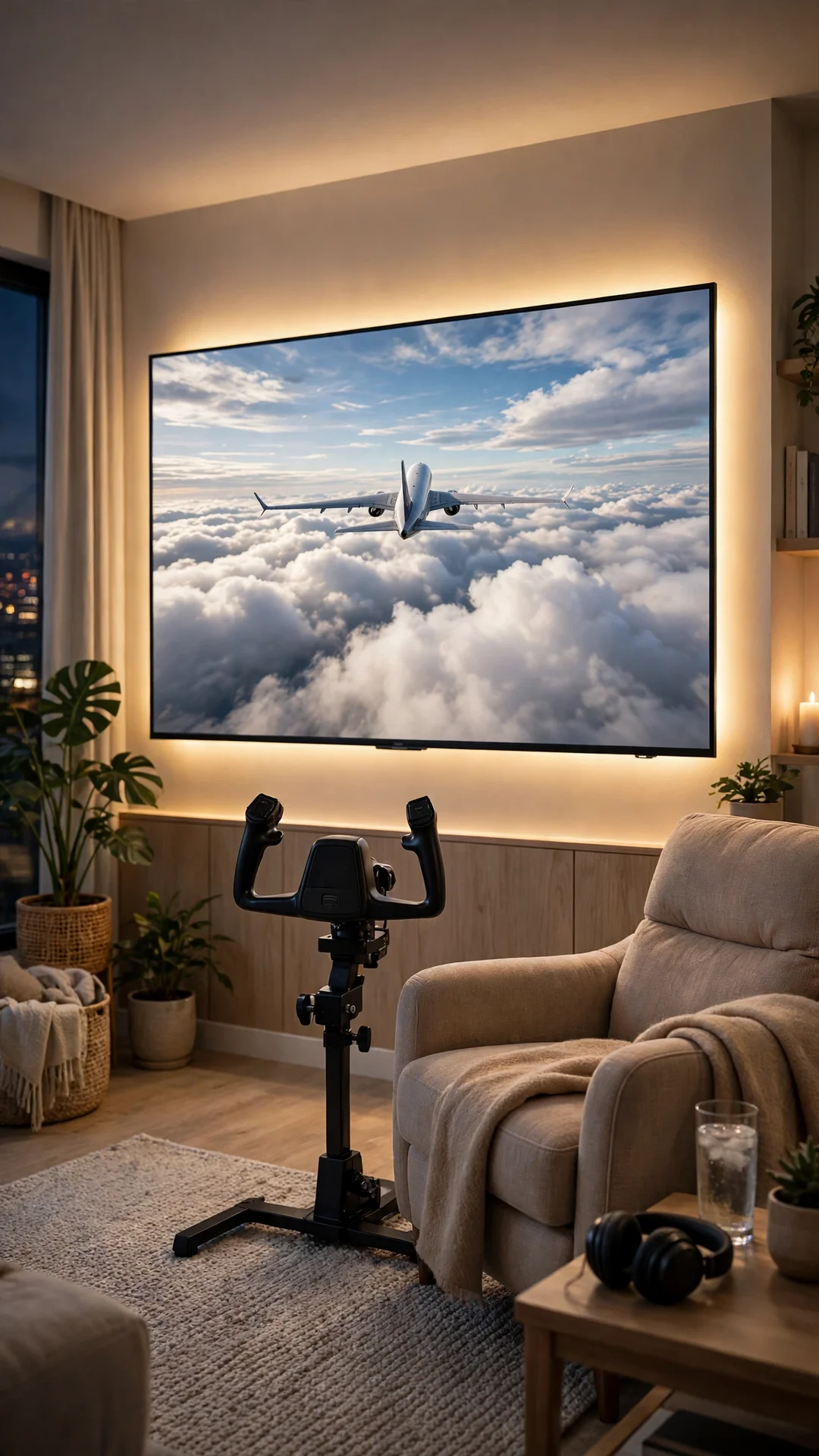
Put the yoke on a stand in front of the TV and the living room becomes a flight deck for the evening. A large TV on the wall shows the sky big enough to feel real, a plush armchair gives you a comfortable seat with room to steer, and a backlight strip behind the TV makes the screen glow in the dark room. The yoke stand rolls away when the flight is over.
Keep the rudder pedals clipped to the stand base so they never slide on the floor, and store the yoke on a wall hook when it is not in use. Power runs through one strip behind the TV unit, with the yoke base and the backlight plugged in beside the console. Dim the room lights, start the engines, and the sofa is the best seat in the house.
Why this one: The Envisual T2 backlight for 55 to 65 inch TVs uses dual cameras to match the screen colors closely.
Worth knowing: It needs a clear view of the screen from the top, so keep the top of the TV clear.
Why this one: The TV stand holds screens up to 80 inches with a side cabinet for the console, controllers, and games.
Worth knowing: It is a large unit, so measure your wall before you bring it home.
5. Compact Apartment Flight Nook
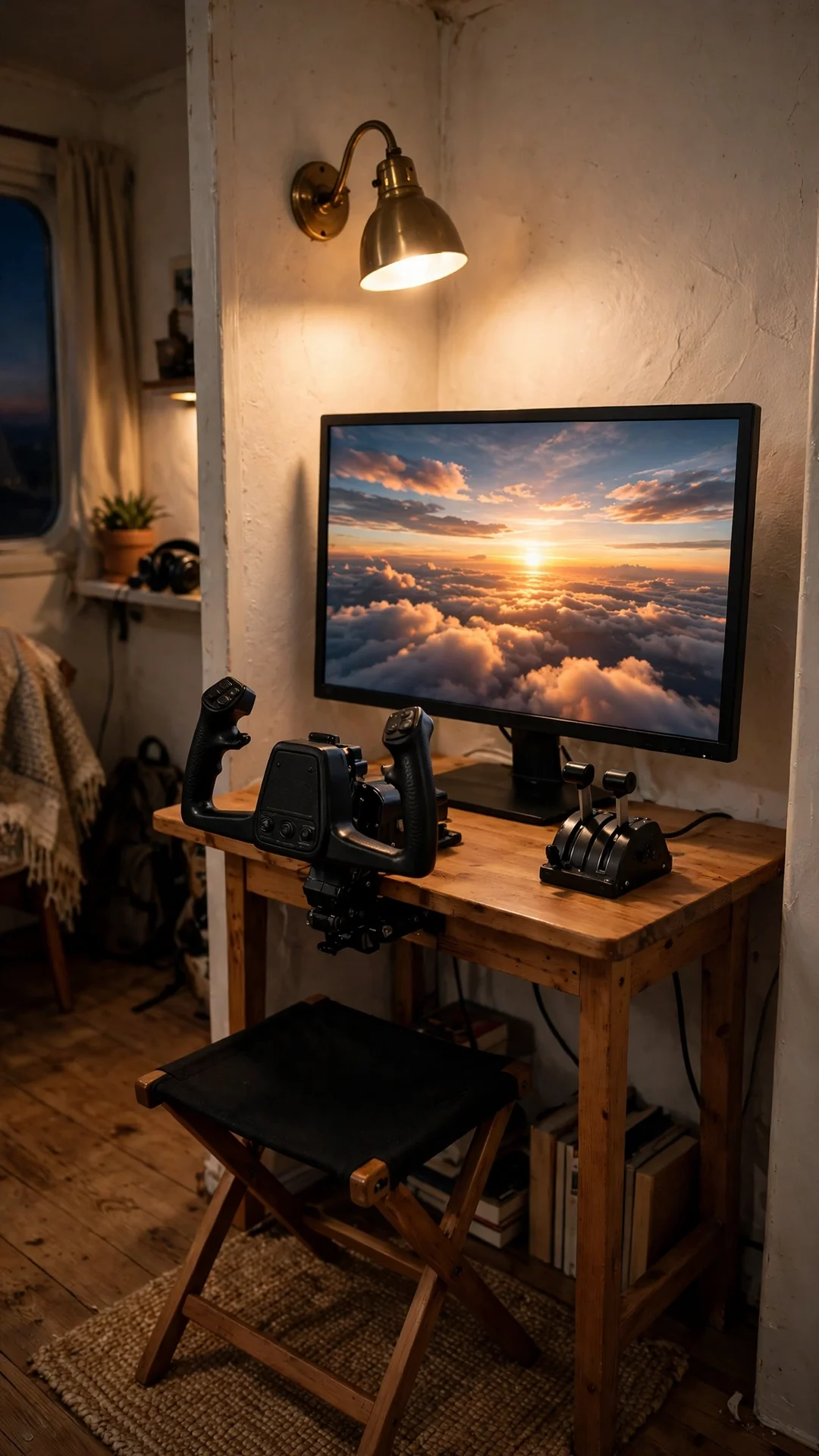
Fit a yoke onto a compact desk and you can fly in a flat without a dedicated room. The desk holds the yoke and the monitor, the pedals tuck under the desk when you are not flying, and a task chair slides right up to the yoke. A warm desk lamp lights the nook without bothering the rest of the flat.
Keep the yoke in a small basket beside the desk when it is not mounted, and store the headset on a hook on the wall. Power runs through one slim strip under the desk, with the yoke and monitor plugged in together so one switch turns the whole nook on. Mount the yoke, slide the chair in, and a corner of the flat becomes a flight deck for the night.
Why this one: The 32 inch desk with two drawers fits a yoke and a monitor, with storage for headsets and cables.
Worth knowing: It is a compact desk, so a second monitor needs a riser or an arm to fit comfortably.
Why this one: The vintage bankers lamp gives a warm green glass glow that suits a small desk and is easy on the eyes.
Worth knowing: It uses a pull chain switch, so it suits a manual on and off rather than a smart plug timer.
6. Flight Sim With Throttle And Panels
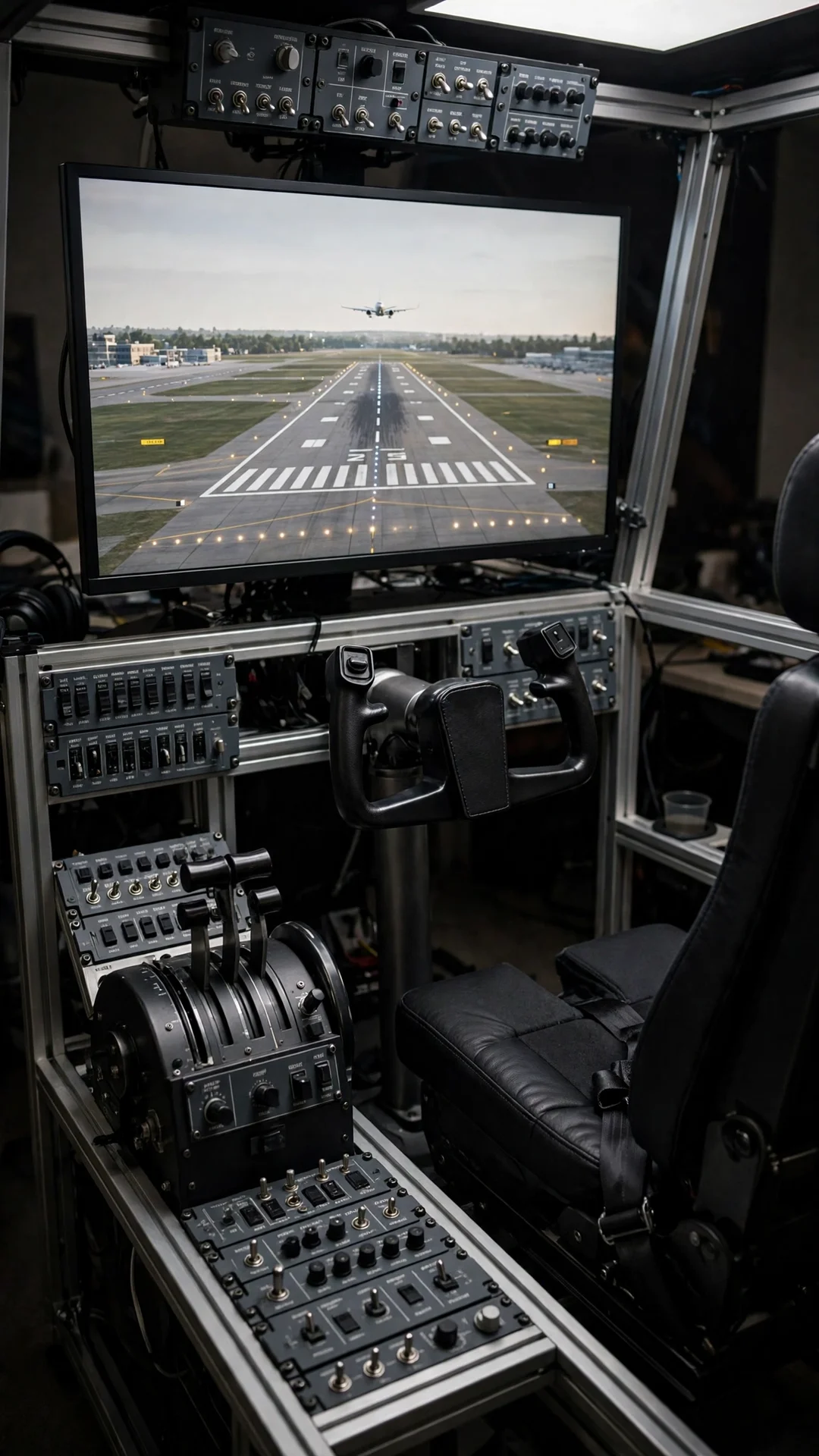
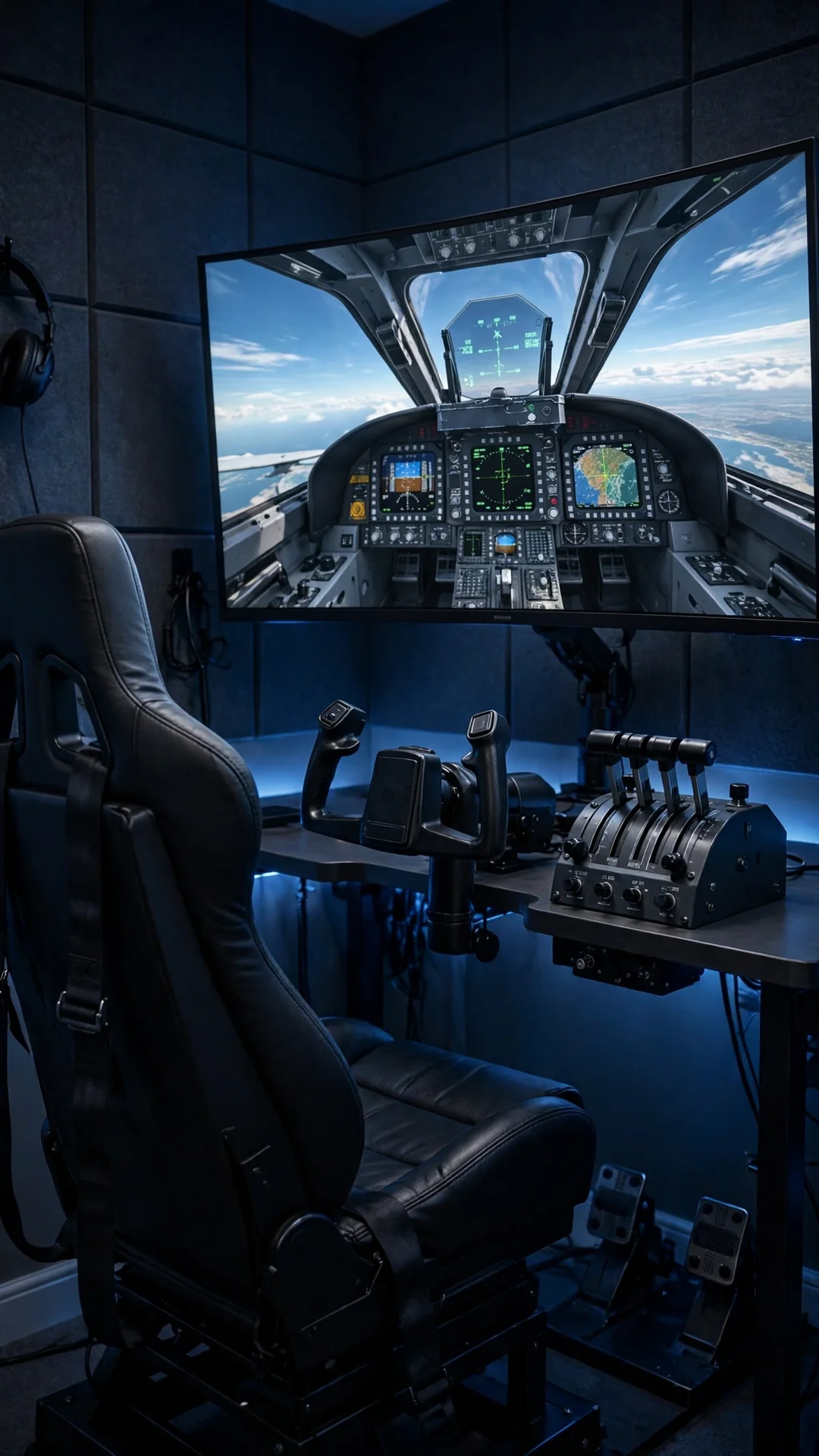
Add a throttle quadrant and a switch panel to your rig and airliner flying finally feels right. Mount the throttle on the right side of the frame at elbow height and the switch panel just below the monitor, so your hand moves from yoke to throttle without reaching. An ultrawide monitor shows the whole runway ahead, and a pilot seat keeps you steady through the approach.
Light the frame with a strip along the base so you can see the pedals and the panels in a dark room. Keep a small tray on the frame for the headset and a drink, and run power through a strip fixed to the frame with the yoke, throttle, and monitor all plugged in at the rig. Practice the landing in a small plane first, then take a jet up to cruise altitude.
Why this one: The six outlet strip with three USB ports powers the yoke, throttle, and monitor from one wall mountable unit.
Worth knowing: It has a 5 foot cord, so keep it close to the wall outlet.
Why this one: The jute rug under the rig stops the pedals sliding and protects the floor from the frame feet.
Worth knowing: It is a natural fiber rug, so vacuum it regularly to keep dust out of the pedals.
7. Flight Sim Streaming Studio
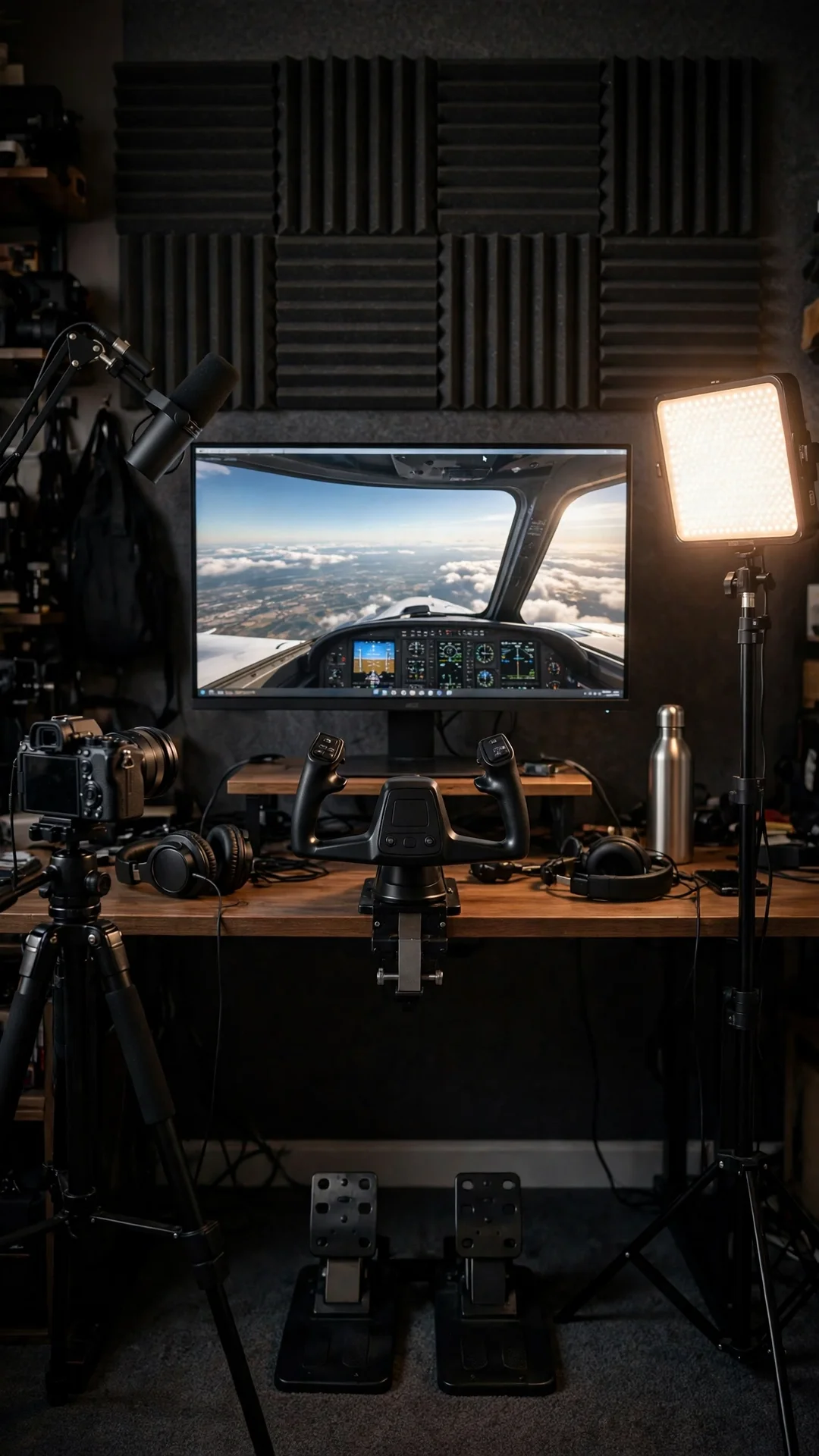
Turn your rig into a streaming studio and your flights become a show. Mount a key light on the rig frame to light your face for the camera, put acoustic panels on the wall behind you to clean up your voice, and place the camera on a tripod beside the monitor so it catches you and the yoke. The monitor shows the sky, the light shows you, and the panels keep the sound clean.
Keep the headset on a stand on the rig and the stream deck on a small shelf within reach. Power the light, camera, and rig from two strips, one on the frame and one on the wall, so the camera never shares a circuit with the yoke base. Test the camera angle and the light before you go live, and your flights will look as good as they feel.
Elgato Key Light, Professional 2800 Lumens Studio Light with Desk Clamp for Streaming
Why this one: The 2800 lumen key light gives clean studio light with a desk clamp, and it dims smoothly for evening streams.
Worth knowing: It is a single light, so a second light helps if you stream from a wide angle.
Why this one: The twelve pack of self adhesive panels covers the wall behind the rig and cuts echo noticeably for voice chat.
Worth knowing: The adhesive is strong, so plan the layout before you stick the first panel down.
8. Budget Stick And Keyboard Rig
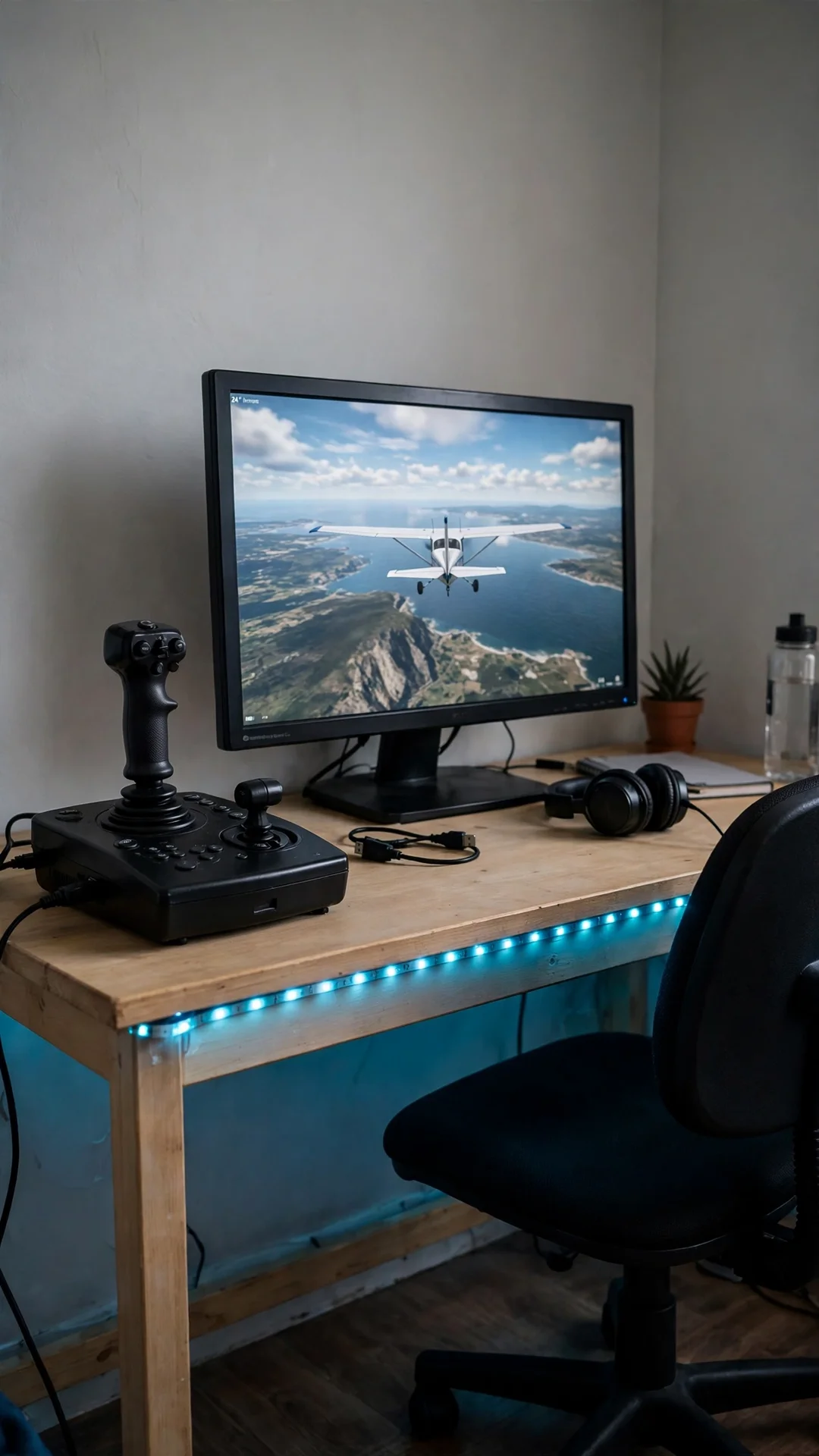
Put a joystick on the desk you already own and you can start flying tonight for the cost of the stick alone. The stick sits on a sturdy desk, the keyboard beside it handles the throttle and flaps, and a single monitor shows the sky. A basic office chair and a small LED strip behind the monitor finish the setup for very little money.
Keep the stick on the desk between flights so setup takes seconds, and store the headset on a hook on the wall. Power runs through the strip you already use for the desk, with the stick plugged in beside the monitor. Fly for a few weeks on this setup, and you will know exactly which upgrade to buy next.
Why this one: The armless task chair slides right up to the desk and adjusts to the right height for a stick and keyboard.
Worth knowing: It has no armrests, so long flights need a cushion or a break now and then.
Why this one: The surge protector strip gives six outlets and four USB ports in one slim unit, with a flat plug that fits behind the desk.
Worth knowing: It has a 5 foot cord, so keep it close to the wall outlet.
Frequently Asked Questions
How much space does a flight sim cockpit need?
A desk clamp yoke needs about the same space as a desk chair, while a full rig with a frame and triple screens needs a corner roughly six feet wide and four feet deep. Setup 1 shows the smallest option and setup 3 shows the largest, so measure your room and pick the rig that fits with space to get in and out.
Can I use a yoke on a normal desk?
Yes, if the desk is sturdy. Setup 1 clamps a yoke to a simple desk, and the key is a solid top that does not flex when you pull hard. Avoid glass tops and thin folding tables, since a strong yoke base can move them across the floor.
Do I need triple screens for flight sim?
No, but they help a lot. A single monitor works well for learning, as in setups 1 and 2, while triple screens in setup 3 let you see the runway beside you and judge landings better. An ultrawide monitor is a good middle step if three screens feel like too much.
How do I stop rudder pedals sliding on the floor?
Put a rug under the pedals, as in setup 6, or clip the pedals to the rig frame so they cannot move. Hard floors are the worst for sliding pedals, so a rug or a rubber mat under the rig is the cheapest fix that works.
What is the best first upgrade after a yoke and pedals?
A solid frame or cockpit, since it stops the yoke and pedals moving and makes every flight feel the same. Setup 2 shows a good first cockpit, and after that a throttle quadrant or a second screen is the next upgrade most pilots notice.
Conclusion
A flight sim cockpit works when the yoke, the throttle, the pedals, the seat, and the screen all sit in one fixed position, so every flight starts the same way. Start with a desk clamp yoke if your room is small, a single screen cockpit if you want a dedicated corner, or a triple screen rig if you want full peripheral vision. Keep the power on the frame, hide the cables, light the rig so you can see the pedals, and the room will feel like a flight deck every time you sit down. For more ways to shape the light around your rig, see the 12 RGB lighting ideas for gaming rooms, and for a wall that shows off your cockpit, the 7 gaming room soundproofing ideas will help you keep the sound in while you fly.
