Gaming Room Ideas
Left handed gamers have spent years adapting to setups built the other way round, with the mouse on the right, the number pad in the way, and cables crossing the desk. A setup built for the left hand flips all of that: the mouse lives on the left, the keyboard shifts right, and nothing fights your natural reach. These eleven setups cover desks, consoles, racing rigs, and streamers, and every one of them is a complete setup you can copy whole.
As an Amazon Associate I earn from qualifying purchases. Read our full affiliate disclosure for more detail.
Every idea below is one complete setup you can copy whole, desk, seat, screen, light, storage, and power included. The first step is always the same: move the mouse to the left, shift the keyboard right, and give your left arm the same space a right handed setup gives the right. If you also game on a second screen, the 10 dual monitor gaming setup ideas will help you place both screens for a left handed layout, and the 7 monitor stand ideas for gaming desks will show you how to lift the screens to the right height.
In This Article
- 1. Mirrored Left Hand Desk
- 2. Left Hand Mouse and Keypad
- 3. Ambidextrous Console Corner
- 4. Left Hand Streamer Desk
- 5. Left Hand Racing Rig
- 6. Left Hand Compact Corner
- 7. Left Hand Dual Monitor
- 8. Left Hand Couch Gaming
- 9. Left Hand Retro Setup
- 10. Left Hand Laptop Station
- 11. Left Hand Shared Desk
- At a Glance Comparison
- Frequently Asked Questions
- Conclusion
At a Glance Comparison
| Setup | Desk and Seat | Screen and Light | Best For |
|---|---|---|---|
| 1. Mirrored Desk | 60 inch desk, ergonomic chair | Wide monitor, LED strip | A full mirror of a right handed desk |
| 2. Mouse and Keypad | Compact desk, task chair | Single monitor, desk lamp | Competitive left handed play |
| 3. Console Corner | TV stand, velvet chair | Large TV, TV backlight | Console gaming for left handers |
| 4. Streamer Desk | 60 inch desk, gaming chair | Dual monitors, key light | Streaming as a left handed player |
| 5. Racing Rig | Sim rig frame, racing seat | Wide monitor, LED strip | Racing games with a left hand shift |
| 6. Compact Corner | L-shaped desk, small chair | Single monitor, LED strip | Small rooms and left handed play |
| 7. Dual Monitor | 60 inch desk, ergonomic chair | Dual monitors, LED strip | Two screens for left handed work and play |
| 8. Couch Gaming | TV stand, couch with lap desk | Large TV, TV backlight | Relaxed left handed couch play |
| 9. Retro Setup | TV stand, accent chair | TV, neon sign | Retro games with a left hand stick |
| 10. Laptop Station | Compact desk, task chair | Laptop plus monitor, desk lamp | Left handed laptop gaming |
| 11. Shared Desk | Long desk, two chairs | Two monitors, LED strips | A left hander sharing with a right hander |
1. Mirrored Left Hand Desk
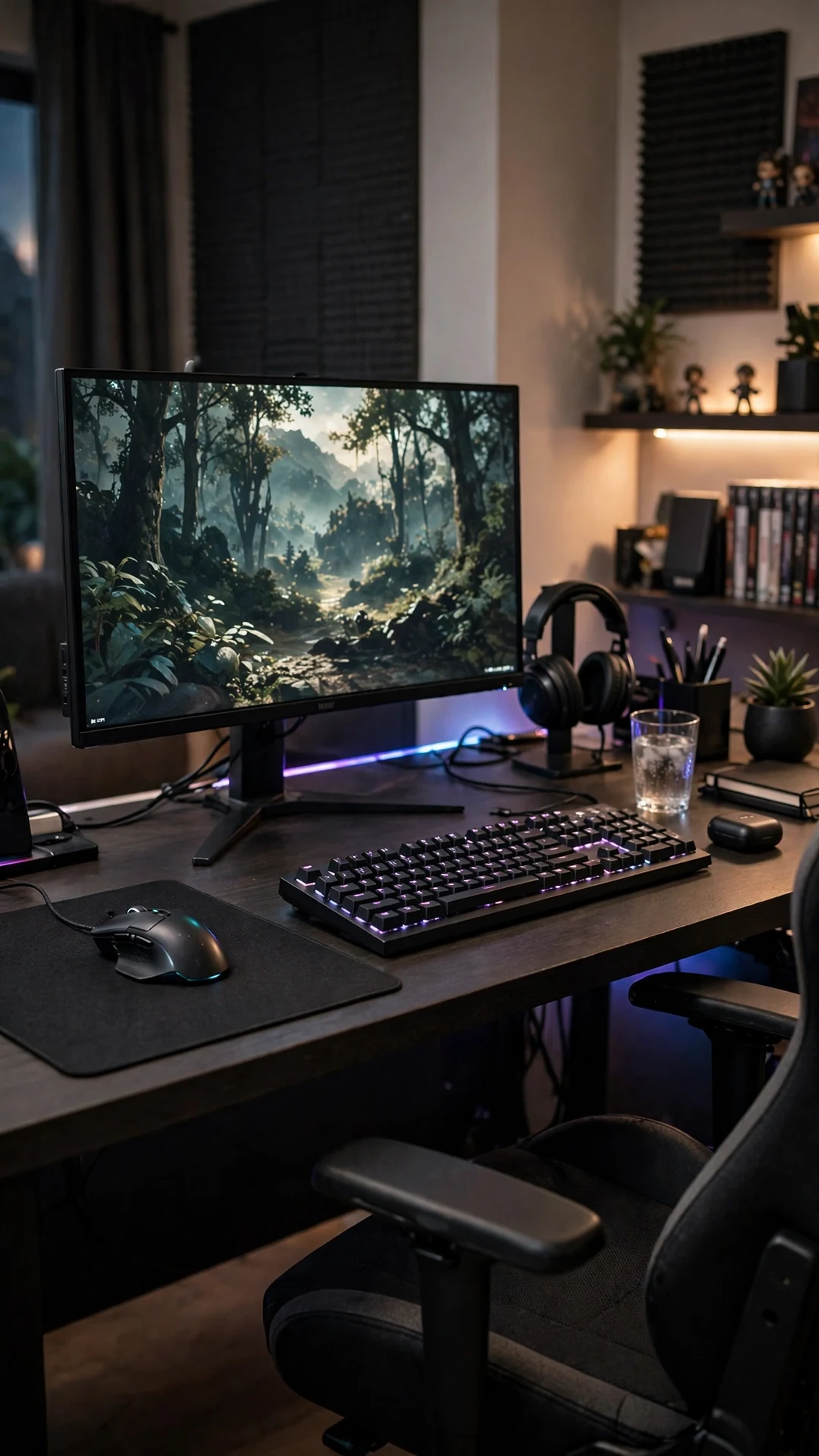
The simplest left handed setup is a mirror image of a normal one, and it works because nothing about the gear changes, only the layout. Put the mouse and a large mousepad on the left, shift the keyboard to the right so your left hand reaches the mouse without crossing your body, and center the monitor on your seating position, not on the keyboard.
A 60 inch desk gives you the width to make this mirror without crowding, and a monitor on an arm lets you angle the screen exactly toward your eyes. An LED strip along the back edge lights the desk evenly, and a headset stand on the right keeps the headset out of the mouse zone.
Run power through a strip fixed under the left side of the desk, so the mouse cable never crosses the keyboard cable. Store games in a shelf on the right, and the desk finally feels like it was built for your hand.
DESIGNA Computer Gaming Desk 60 Inch, PC Laptop Table Workstation with Free Large Mousepad, Black
Why this one: The 60 inch top has room for a left side mouse zone and a right shifted keyboard, and the free mousepad covers the desk.
Worth knowing: It has no drawers, so add a small shelf or basket for game storage.
Why this one: The high back and lumbar support suit long sessions, and the flip-up arms slide under the desk on either side.
Worth knowing: The gray velvet shows dust and pet hair easily, so it needs a quick brush now and then.
2. Left Hand Mouse and Keypad
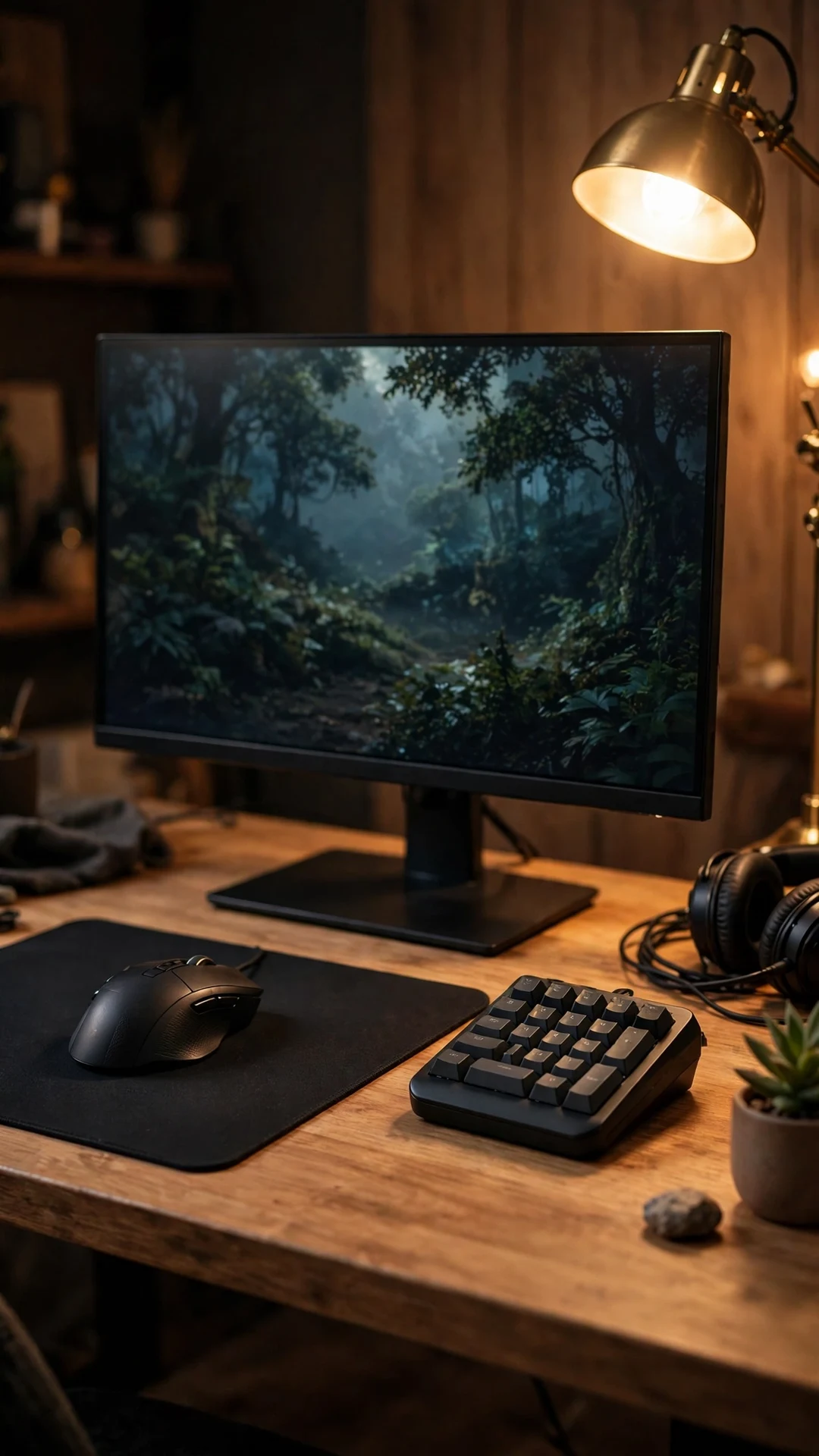
Competitive left handed players often skip the full keyboard entirely and use a compact keypad on the right with the mouse on the left. The keypad puts the movement keys under your right hand, the mouse stays under your left, and the whole setup takes up less desk than a full keyboard ever could.
A compact desk suits this layout perfectly, since the keypad and mouse need less width than a full board. Put the monitor on a riser at eye level, and add a desk lamp with an adjustable arm so the light falls on the keypad without glaring on the screen.
Keep the keypad cable and the mouse cable on their own sides with a cable tray under the desk, and run power from a strip with a flat plug so the desk sits flush to the wall. The setup is small, fast, and built entirely around your left hand.
Why this one: The 32 inch desk fits a keypad and mouse layout neatly, and the two drawers hold spare keycaps and cables.
Worth knowing: A second monitor needs a riser or an arm to fit comfortably on the compact top.
Why this one: The bamboo riser lifts the monitor to eye level and frees space underneath for the keypad when it is not in use.
Worth knowing: It is sized for one monitor, so a dual setup needs two risers side by side.
3. Ambidextrous Console Corner
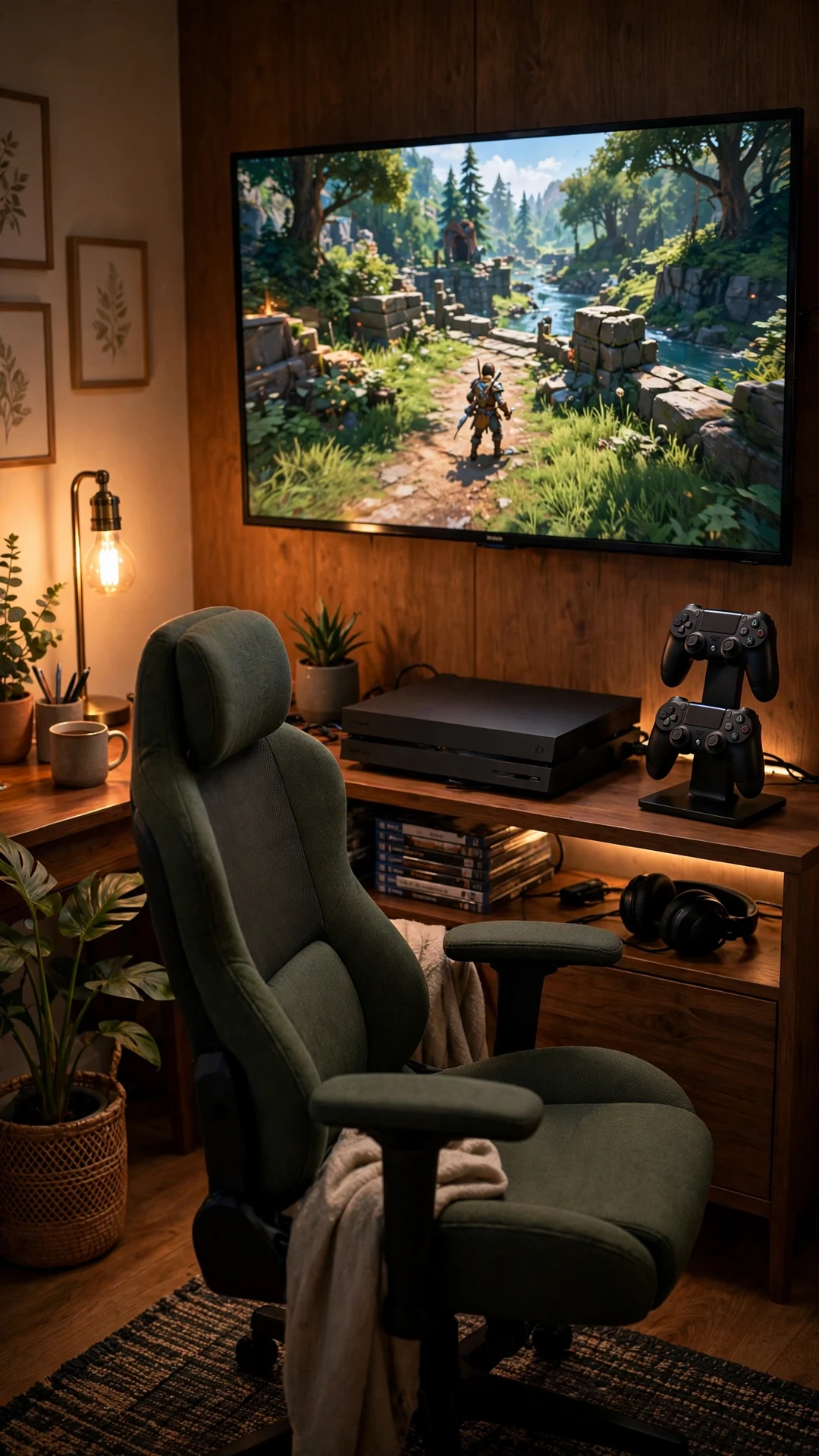
Console gaming is kinder to left handed players than PC gaming, since the controller is symmetrical, but the corner still matters. Put the TV on a stand at eye level from your chair, keep the controller on the left arm of the chair or a stand on the left, and let your left hand do the fine work it is best at.
A deep velvet chair with wide arms gives your left elbow a rest during long sessions, and a TV backlight strip behind the screen adds a soft glow that fills the corner without washing out the picture. A small side table on the left holds drinks and the second controller.
Store the games in the TV stand cabinet, and run power through a strip hidden behind the stand with a cable box for the plugs. The corner feels built for you, because the layout follows your hand instead of fighting it.
Why this one: The stand holds TVs up to 80 inches, and the side cabinet hides consoles and games in one place.
Worth knowing: It is a wide unit, so measure the wall before you commit to it.
Why this one: The deep green velvet chair has wide arms that support a left handed controller grip comfortably.
Worth knowing: It is a lounge chair, so it has no wheels or height adjustment for desk play.
4. Left Hand Streamer Desk
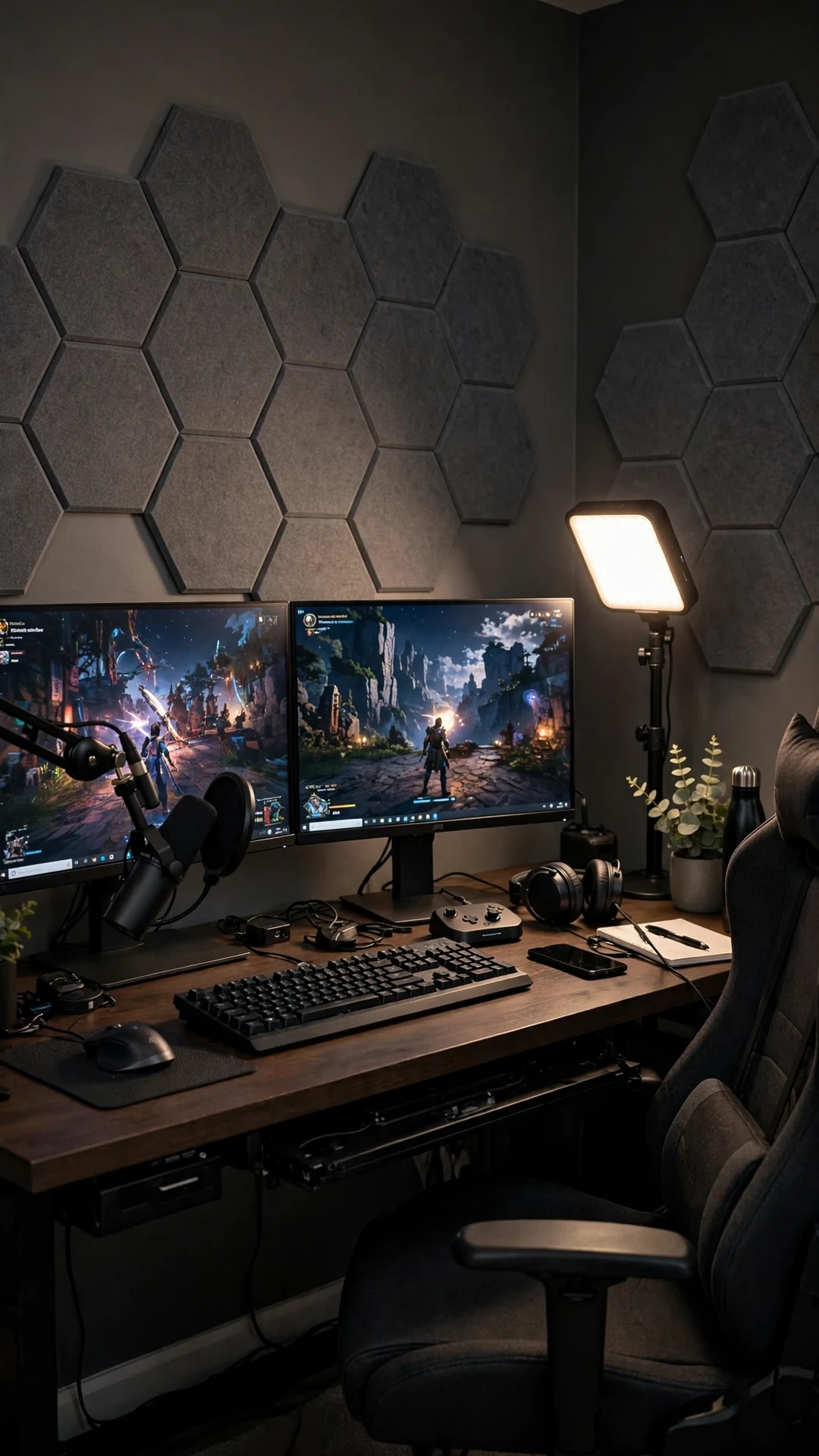
Streaming as a left handed player means the camera, the mic, and the mouse all need to sit on the correct sides. Put the key light on the right so it lights your face without blocking the mouse, mount the mic on an arm on the left above the mouse hand, and keep chat on the left monitor where your eyes naturally go.
Dual monitors on arms let you angle the game screen straight ahead and the chat screen slightly left, so you can glance at chat without turning your head across the room. A gaming chair with good back support matters here, since streams run long and you will be talking the whole time.
Acoustic panels on the wall behind you cut echo and look great on camera, and power runs through a strip with surge protection under the desk. Keep the background tidy with a shelf of games, and the stream looks professional from the left handed side.
Elgato Key Light, Professional 2800 Lumens Studio Light with Desk Clamp for Streaming
Why this one: The 2800 lumen key light clamps to the desk and gives clean face light without taking mouse space.
Worth knowing: It is a single light, so a second light is needed for a fully balanced camera shot.
Why this one: The twelve foam panels tame echo in a streaming room and make your voice sound far more professional.
Worth knowing: The adhesive can mark painted walls when removed, so use removable strips in a rental.
5. Left Hand Racing Rig
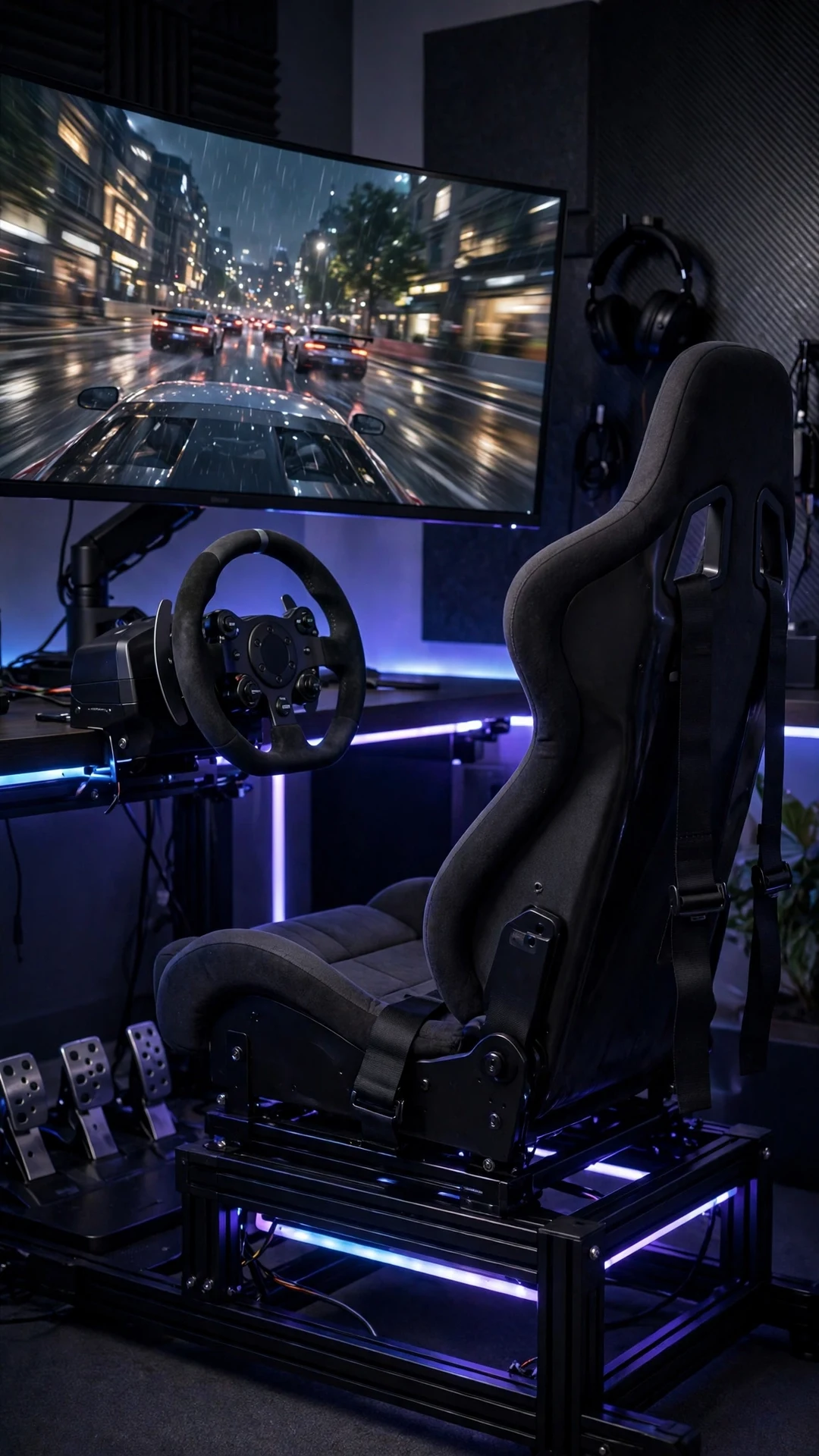
A racing rig is one of the best left handed setups, because the wheel is symmetrical and the shifter can go on either side. Mount the shifter on the left of the seat, put the wheel dead center, and your left hand does the shifting while your right steers, which feels natural if your left hand is dominant.
Put a wide monitor on a stand right in front of the rig, and run an LED strip behind it for glow that matches the game. A small desk to one side holds the PC, keyboard, and headset, and a fan pointed at the driver keeps long races comfortable.
Store spare wheels and pedals on a shelf above the desk, and run power through a strip with surge protection fixed to the wall behind the rig. Keep the floor clear with a cable tray under the rig frame, and the track is ready whenever you are.
ASUS TUF Gaming 24 inch 1080P Monitor VG247Q1A, 165Hz, 1ms, FreeSync Premium
Why this one: The 165Hz refresh rate and 1ms response make races feel instant, and the 24 inch size suits a rig mounted close.
Worth knowing: It is a 1080p panel, so it will not show the finest detail of a 4K racing title.
Why this one: The footrest and massage lumbar support make a great racing seat for long sessions, with 360 degree swivel.
Worth knowing: The red finish is bold, so it suits a rig corner better than a calm room palette.
6. Left Hand Compact Corner
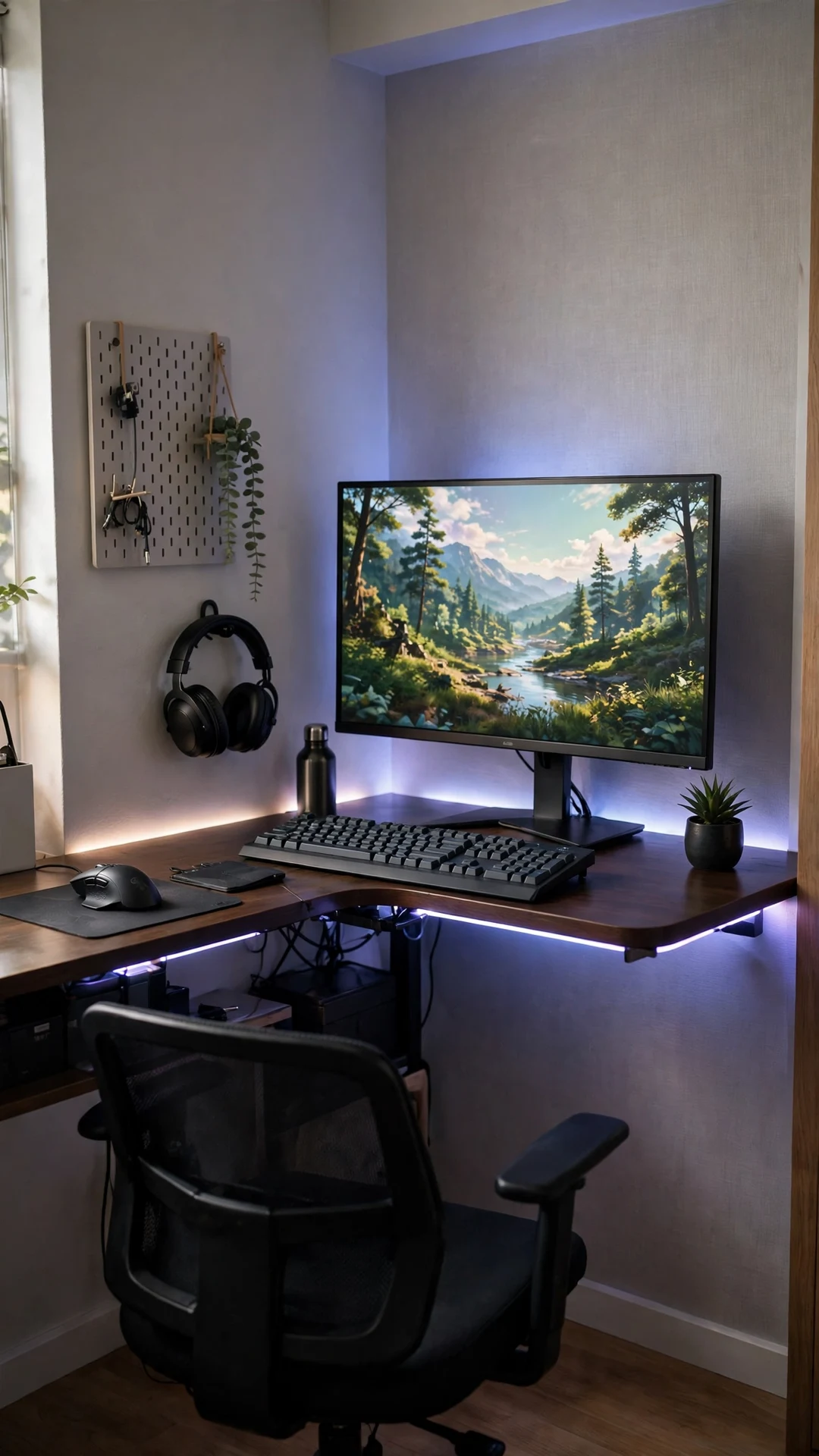
A small room does not have to mean a cramped left hand. An L-shaped desk in the corner gives you a main zone on the long side for the monitor and a side zone on the short side for the mouse, so your left arm has a full runway without hitting the wall.
Put the monitor on the long side, the mouse on the short side closest to the corner, and the keyboard shifted right so your hands never cross. A small rolling chair tucks into the corner when the session ends, and an LED strip along both desk edges lights the whole corner in one color.
Store games in the desk shelves on the right, and run power through a strip fixed under the desk with cables clipped to the wall. The corner that wasted space in a right handed room becomes the best seat in the house for a left handed player.
Why this one: The L shape gives the mouse a full side zone, and the reversible shelves hold games within reach.
Worth knowing: The open shelves show clutter, so use small bins to keep the corner tidy.
Why this one: The armless chair slides fully into a tight corner and the lumbar support helps long sessions.
Worth knowing: It has no armrests, so your elbows get no support during long matches.
7. Left Hand Dual Monitor
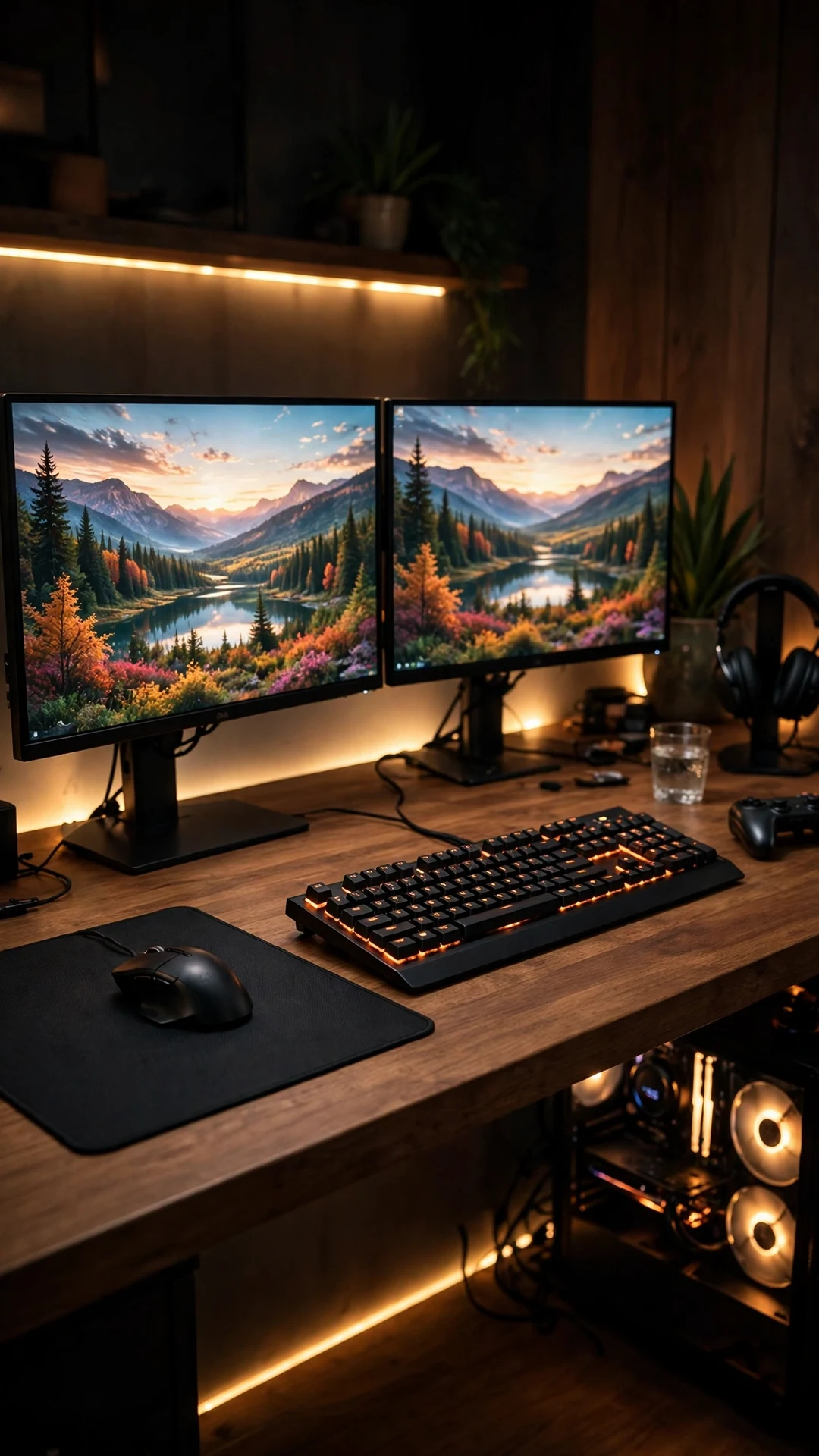
Dual monitors for a left handed player work best when the main screen sits straight ahead and the second screen sits to the left, where your eyes and your mouse hand naturally go. That way the second screen is a glance away, not a head turn across the room.
Mount both screens on arms so you can angle the left screen slightly toward you and match their heights exactly. A 60 inch desk gives you the width for both screens plus a left side mouse zone, and a monitor riser under the main screen frees space for a notebook.
Keep the keyboard shifted right, the mouse on the left with a large pad, and power running through a strip under the desk with cables clipped to the back edge. Add an LED strip behind both screens for evening glow, and the dual setup finally respects your left hand.
Why this one: The adjustable arm holds the main screen at eye level and angles it exactly toward a left handed player.
Worth knowing: It only holds one screen up to 27 inches, so a dual setup needs a second arm.
Govee 16.4ft RGBIC LED Strip Lights, Work with Alexa and Google Assistant
Why this one: The RGBIC strip lights both screens evenly and can be set to a calm color for long dual monitor sessions.
Worth knowing: The adhesive can loosen on textured walls over time, so add a few clips for a lasting hold.
8. Left Hand Couch Gaming
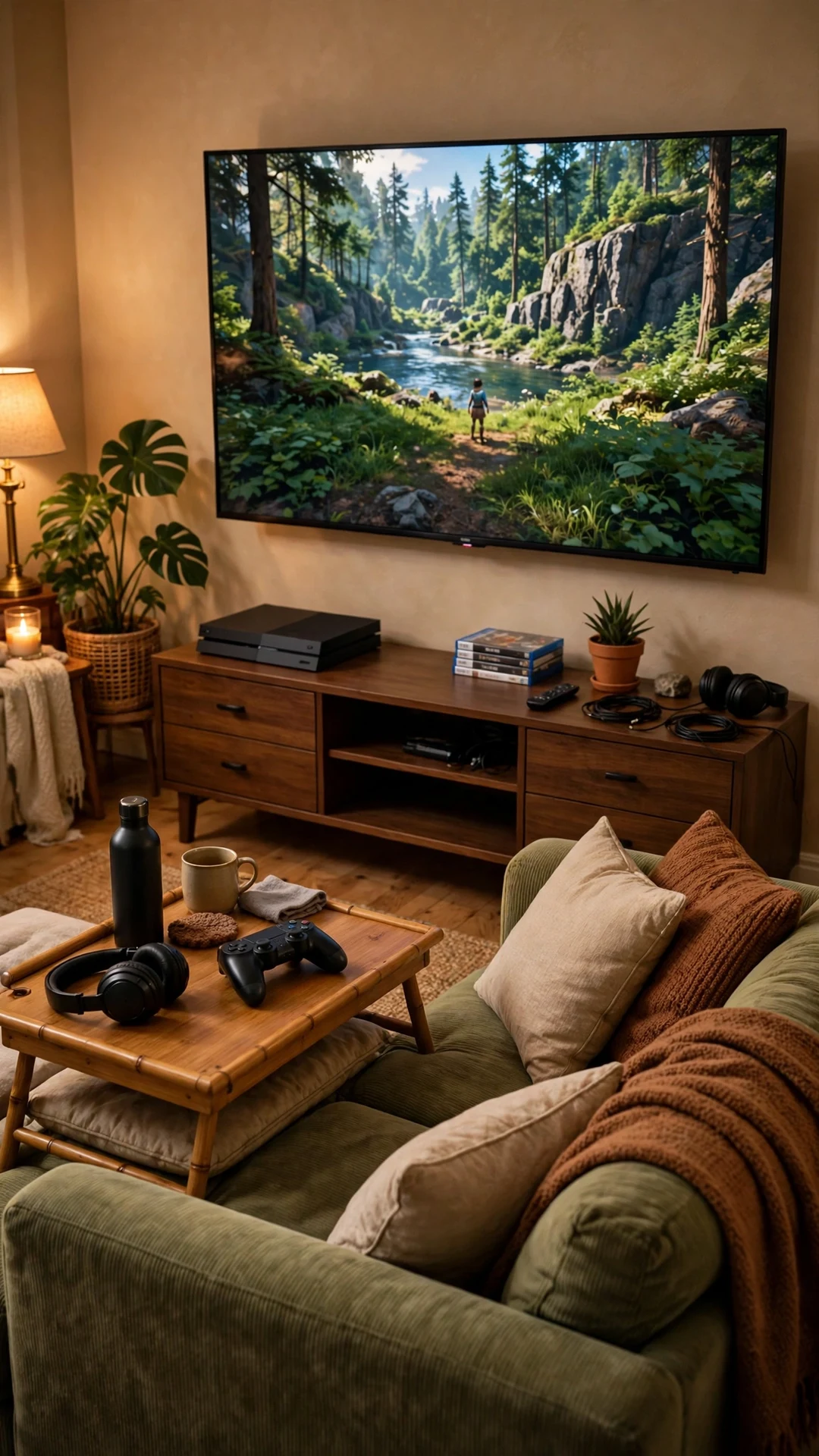
Couch gaming suits left handed players, because the controller is symmetrical and the couch has no right handed layout to fight. The trick is the lap desk and the side table: put the side table on the left of the couch so drinks, the second controller, and your phone sit on your dominant side.
A large TV on a stand at eye level from the couch, with a TV backlight strip behind it, makes the living room feel like a cinema. A lap desk on your left knee holds a keyboard for chat or a mouse for menu navigation, and a soft blanket on the couch arm keeps the session cozy.
Store the games in the TV stand cabinet, and run power through a strip hidden behind the stand. Add a floor lamp behind the couch for warm light, and the living room becomes a left handed gaming lounge without moving a single piece of furniture.
Why this one: The 15 foot LED backlight fits TVs from 65 to 75 inches and makes couch gaming glow at night.
Worth knowing: It is USB powered, so the TV needs a free USB port or a nearby outlet.
Why this one: The TV stand holds a big screen and the side cabinet hides consoles, games, and cables.
Worth knowing: It is a wide unit, so measure the living room wall before you buy it.
9. Left Hand Retro Setup
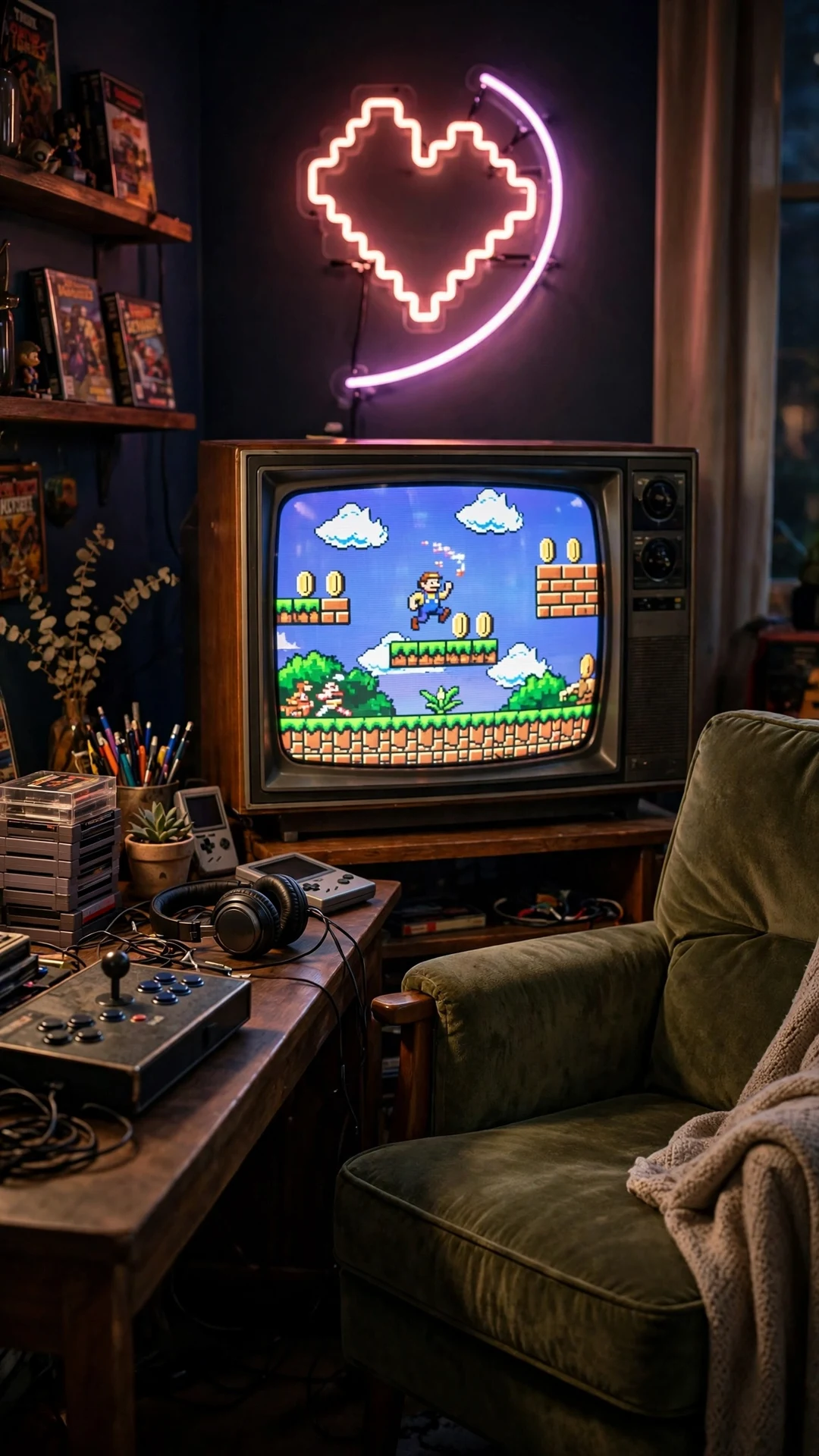
Retro games were often kinder to left handed players than modern ones, and a retro setup leans into that. Put the arcade stick on the left side of the desk or table, with the buttons on the right, and your left hand does the stick work it is best at while your right taps the buttons.
A TV on a stand with a retro console, a neon sign above it, and a comfy accent chair make a corner that feels like an arcade. A TV backlight strip adds color that spills onto the wall, and a small shelf beside the TV holds the cartridge collection.
Power the corner from one strip hidden behind the TV stand, with a cable box for the plugs. Add a rug in front of the TV to mark the retro zone, and the high scores will start falling to your left hand.
Why this one: The flamingo and palm tree neon sign adds instant retro color and dims for late night play.
Worth knowing: It is an accent light, so it will not light the whole room on its own.
Why this one: The cream tufted chair with gold legs is comfortable for long retro sessions and looks smart in a living room.
Worth knowing: It is a lounge chair, so it has no wheels or height adjustment for desk play.
10. Left Hand Laptop Station
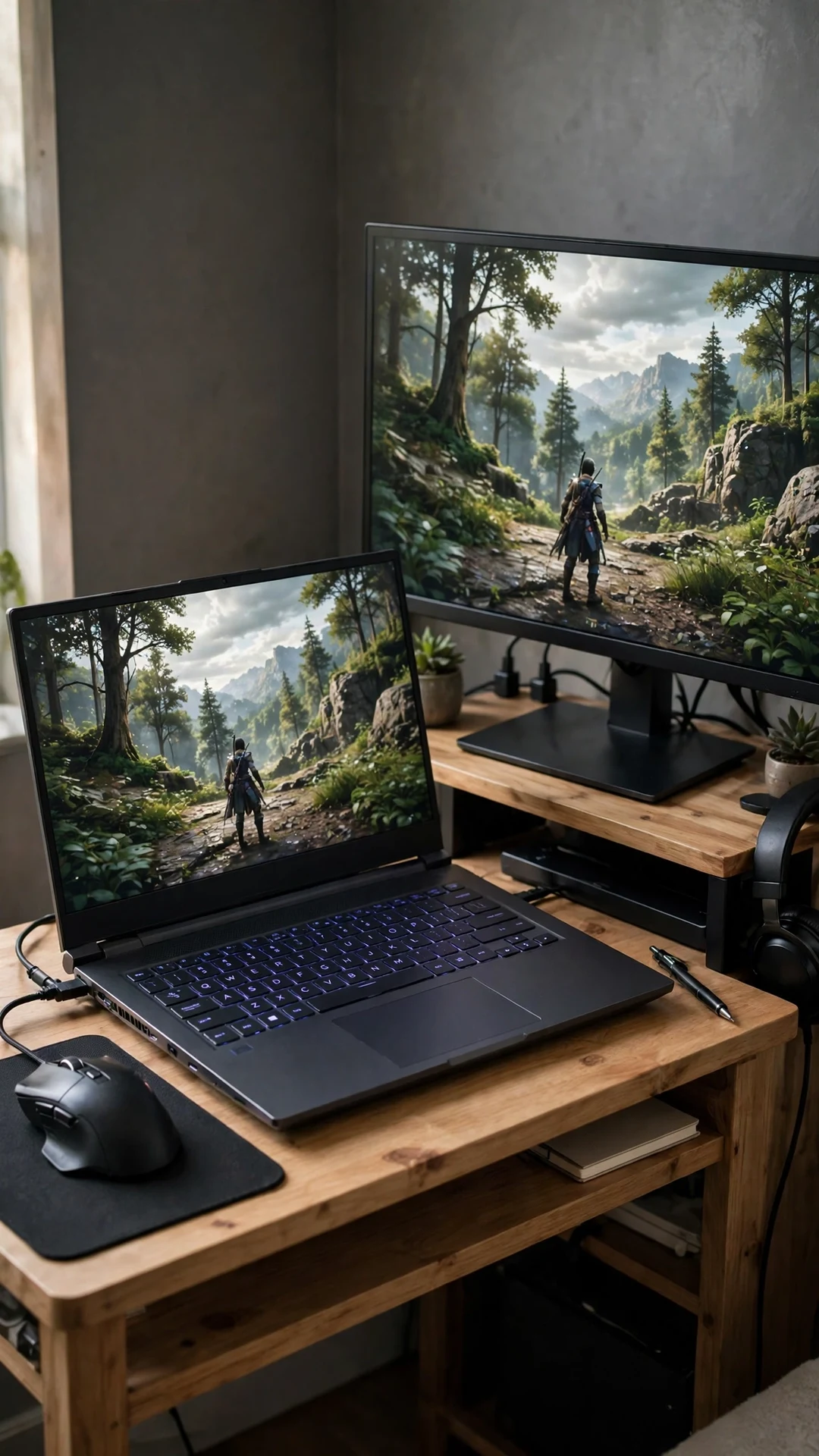
Laptop gaming is the hardest setup for a left handed player, because the trackpad sits in the middle and the ports are usually on the right. The fix is simple: plug in an external mouse on the left, push the laptop to the right side of the desk, and add an external monitor above it so your eyes stay level.
Put the laptop on a riser on the right, the monitor on a stand in the center, and the mouse on a large pad on the left. A desk lamp with an adjustable arm lights the keyboard without glaring on either screen, and a small fan keeps the laptop cool during long sessions.
Run power through a strip with USB ports so the laptop, the monitor, and the phone all charge from one place. Store the laptop sleeve and spare cables in the desk drawer, and the laptop station finally works for your left hand.
Why this one: The vented monitor riser lifts the laptop or monitor for airflow and frees desk space underneath.
Worth knowing: It is a simple riser with no drawers, so storage needs a shelf or basket nearby.
Why this one: The six AC outlets and four USB ports charge a laptop, a monitor, and a phone from one strip.
Worth knowing: The five foot cord is short for a desk far from the wall, so measure before you buy.
11. Left Hand Shared Desk
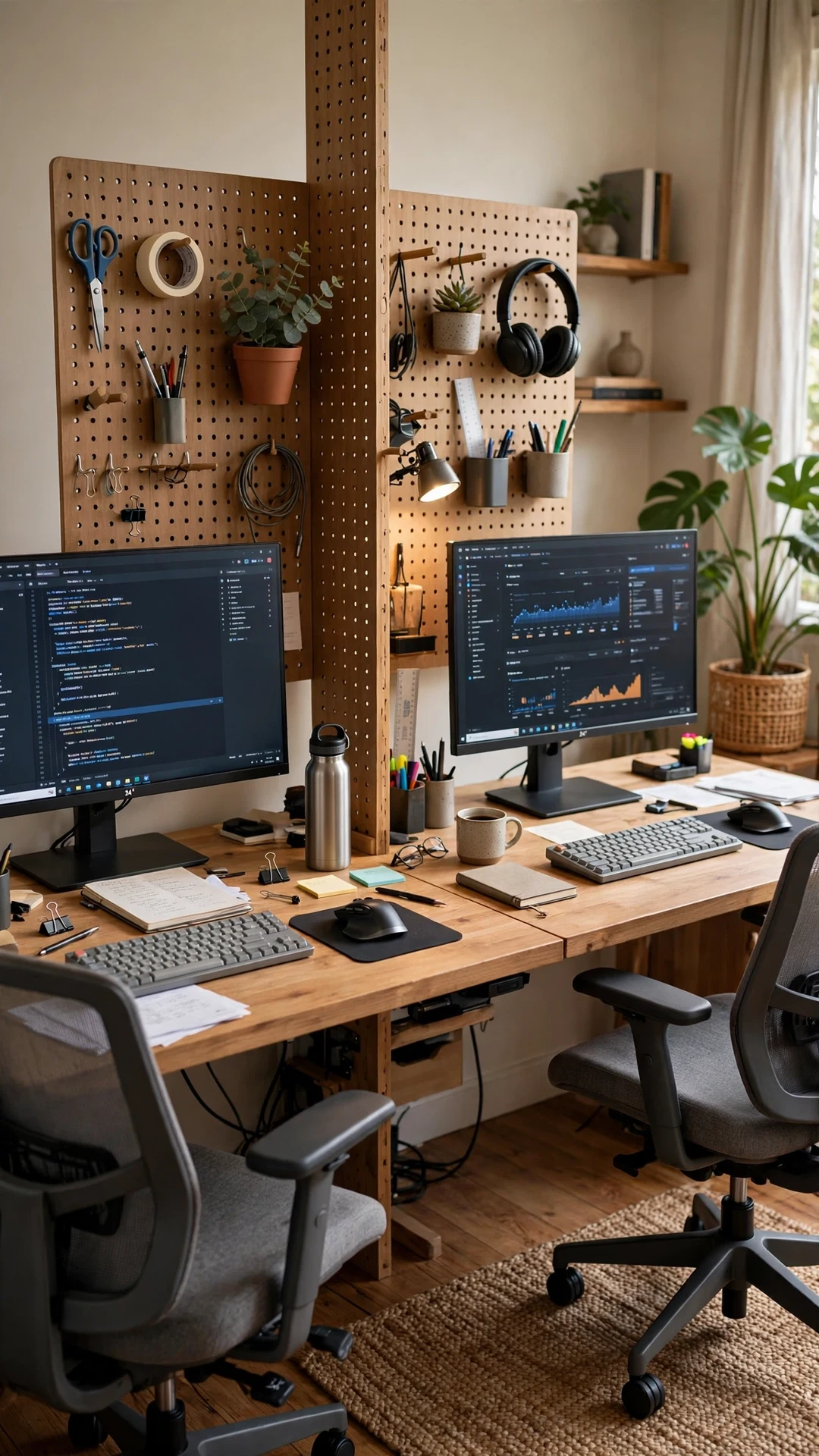
A shared desk with one left handed and one right handed player is easier than it sounds, because the two layouts mirror each other. Put the left handed player on the left side of the desk with the mouse on the far left, and the right handed player on the right with the mouse on the far right, and the two mice end up at opposite ends where they never collide.
A pegboard divider in the middle marks the boundary and holds both headsets, and each side gets its own monitor on an arm so the screens can angle toward their player. Give each side its own power strip mounted underneath, so nobody unplugs the other person’s gear by mistake.
Each player gets their own desk lamp or a shared LED strip along the back in a neutral color both like. The desk feels fair, the mice never meet, and the left handed player finally gets a zone built for their hand.
Why this one: The metal pegboard divides the shared desk fairly and holds both headsets on hooks within reach.
Worth knowing: The 48 piece kit is heavy, so it needs a sturdy desk edge or wall mount to stand safely.
Why this one: Each player gets their own adjustable arm, so both screens angle toward their player at eye level.
Worth knowing: It only holds one screen up to 27 inches, so each side needs its own arm.
Frequently Asked Questions
How do I set up a desk for left handed gaming?
Mirror a normal desk: mouse on the left, keyboard shifted right, monitor centered on your seating position. A 60 inch desk gives you the width to do this without crowding, and setup 1 shows the full mirrored layout.
Should left handed gamers use a special mouse?
An ambidextrous mouse is the safest choice, since it works the same in either hand. Some left handed players also remap the mouse buttons in software so the primary click sits under the index finger of the left hand.
Can I use a full keyboard as a left handed gamer?
Yes, but many left handed players prefer a compact keypad on the right with the mouse on the left, since it frees desk space and keeps the hands apart. Setup 2 shows the keypad layout for competitive play.
How do I share a desk with a right handed player?
Put the left handed player on the left with the mouse on the far left, and the right handed player on the right with the mouse on the far right. Setup 11 shows the mirrored shared desk, with a pegboard divider in the middle.
Is console gaming easier for left handed players?
Usually yes, since the controller is symmetrical and both hands share the work. The layout still matters, so keep the controller and drinks on your left side. Setup 3 covers the console corner.
What is the best monitor layout for a left handed gamer?
Put the main screen straight ahead and the second screen to the left, where your eyes and mouse hand naturally go. Setup 7 shows the dual monitor layout with both screens on arms.
Conclusion
A left handed gaming setup is not complicated, it is just a mirror image of the setup you have been fighting for years. Move the mouse to the left, shift the keyboard right, center the monitor on you, and give your left arm the space it deserves. Start with the mirrored desk if you play on PC, the console corner if you play on the couch, or the shared desk if you split a desk with a right handed player. For more ideas on placing two screens for any layout, the 10 dual monitor gaming setup ideas show how to angle both screens so neither player has to turn their head.
