As an Amazon Associate I earn from qualifying purchases. Read our full affiliate disclosure for more detail.
A small room does not mean a small gaming life. It just means every inch has to earn its place. A tiny desk can still hold a proper monitor, a keyboard you love, and a chair that does not wreck your back, as long as you pick pieces that fit the room instead of fighting it.
Below you will find 13 complete tiny desk setups you can copy whole, from a 40 inch starter nook to a fold away wall desk, a corner squeeze, and a dorm room double screen. Each one covers the desk, seat, screen, light, storage, and power. If you want more ideas for the room around the desk, our 15 Gaming Desk Setup Ideas for Small Rooms pairs nicely with everything here.
In this article
At a glance
1. The 40 Inch Starter Nook
2. The Raised Screen Saver
3. The One Wall Wonder
4. The Fold Away Desk
5. The LED Edge Compact
6. The Corner Squeeze L Desk
7. The Clean and Calm Slim Desk
8. The Vertical Second Screen
9. The Work by Day, Play by Night Desk
10. The Glow Corner
11. The Curved Comfort Nook
12. The Pretty Pink Pocket Desk
13. The Dorm Room Double Screen
FAQ
Conclusion
At a Glance: 13 Tiny Gaming Desks Compared
| Setup | Best for | Hero product |
|---|---|---|
| 1. The 40 Inch Starter Nook | First tiny setup | Sweetcrispy Small Computer Desk |
| 2. The Raised Screen Saver | Neck and wrist comfort | KKL 40 Inch Small Computer Desk |
| 3. The One Wall Wonder | Single wall rooms | Huuger 47 Inch Computer Desk |
| 4. The Fold Away Desk | Rooms that multitask | IFANNY Folding Wall Desk |
| 5. The LED Edge Compact | Night gaming glow | DUMOS 45 Inch Gaming Desk |
| 6. The Corner Squeeze L Desk | Awkward corners | PRAISUN 66 Inch L Shaped Gaming Desk |
| 7. The Clean and Calm Slim Desk | Minimal, tidy rooms | HOMCOM 56 Inch Gaming Desk |
| 8. The Vertical Second Screen | Chat and streams | Acer Nitro VG272U V3 Monitor |
| 9. The Work by Day, Play by Night Desk | Shared work and play | LG UltraGear 27GP850-B Monitor |
| 10. The Glow Corner | Mood lighting lovers | Samsung Odyssey G5 Monitor |
| 11. The Curved Comfort Nook | Long cozy sessions | Dell S2721HGF Curved Monitor |
| 12. The Pretty Pink Pocket Desk | Cheerful small rooms | Pixio PX279 Wave Pink Monitor |
| 13. The Dorm Room Double Screen | Dorms and shared rooms | LG UltraGear 27GS75Q-B Monitor |
1. The 40 Inch Starter Nook
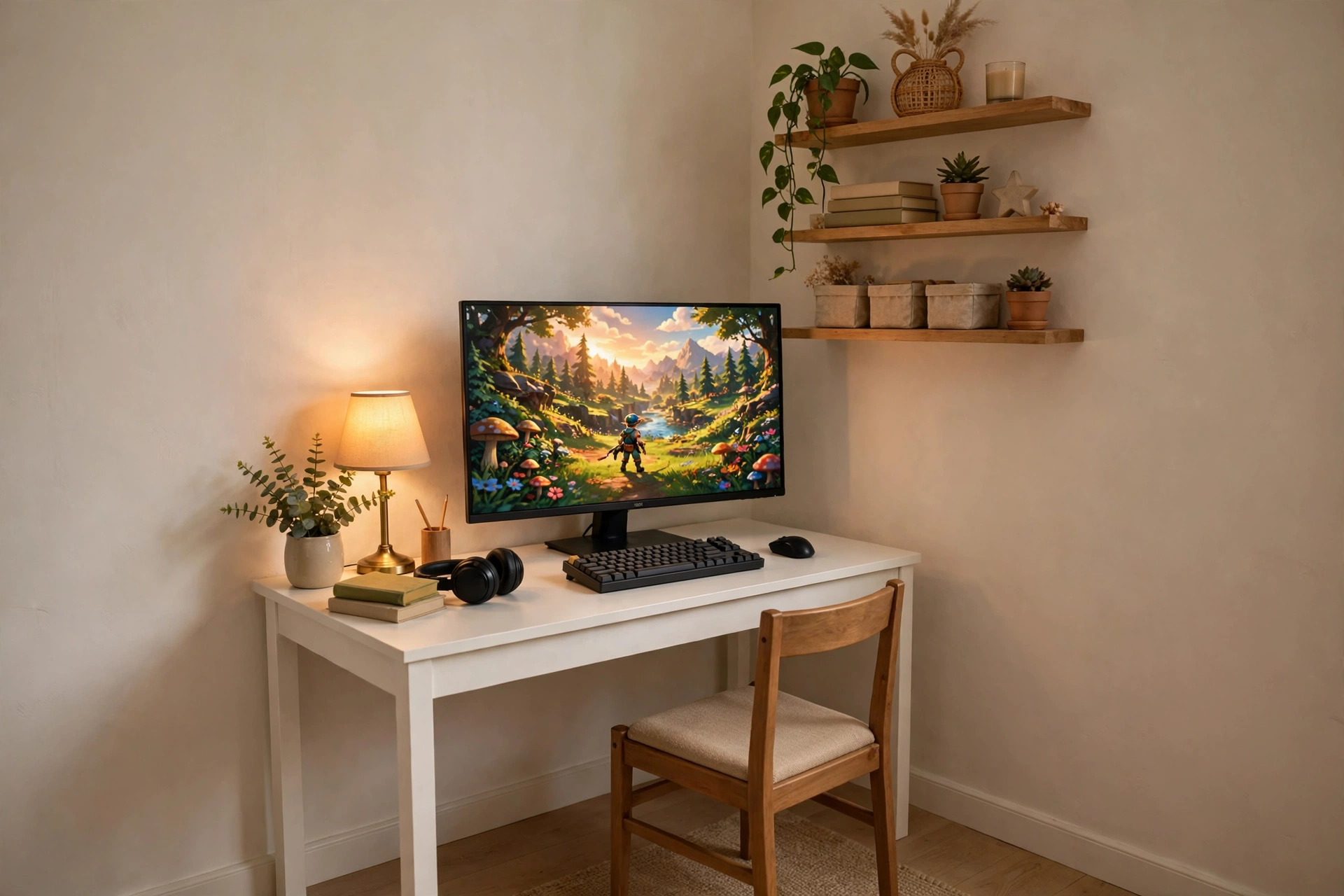
Start small and start right. A 40 inch desk sounds tiny, but it fits a full monitor, a compact keyboard, and a mouse with room to spare, as long as nothing extra sneaks onto the surface. Push the desk into a corner so two walls do the work of holding the setup in place, then keep everything else off the desktop.
- Desk: one small writing desk, pushed tight to the corner.
- Screen: a single 27 inch monitor, centered, with the keyboard pulled close.
- Seat: a simple chair you can slide fully under the desk when you are done.
- Light: one warm lamp on the side, plus a shelf above for games and a headset.
- Power: a short strip tucked behind the desk leg, out of sight.
This is the setup to copy if your room barely fits a bed and a desk. It costs the least to build, takes an afternoon to put together, and still feels like a real gaming corner instead of a laptop balanced on a chair.
Sweetcrispy Small Computer Desk, 40X24 Inch Office Writing Work Study Gaming PC Table
Why this one: the 40 by 24 inch top is honestly small, which is the point here, and it still holds a monitor and keyboard without crowding the room.
Worth knowing: there is no built in storage, so you will need a small shelf or a drawer unit nearby for games and cables.
KTC 27 Inch Gaming Monitor, 180Hz, 1080p
Why this one: a fast 27 inch screen that makes a first setup feel properly quick, without demanding a big desk or a big budget.
Worth knowing: 1080p on a 27 inch screen looks softer up close, so sit a little farther back if text looks fuzzy to you.
2. The Raised Screen Saver
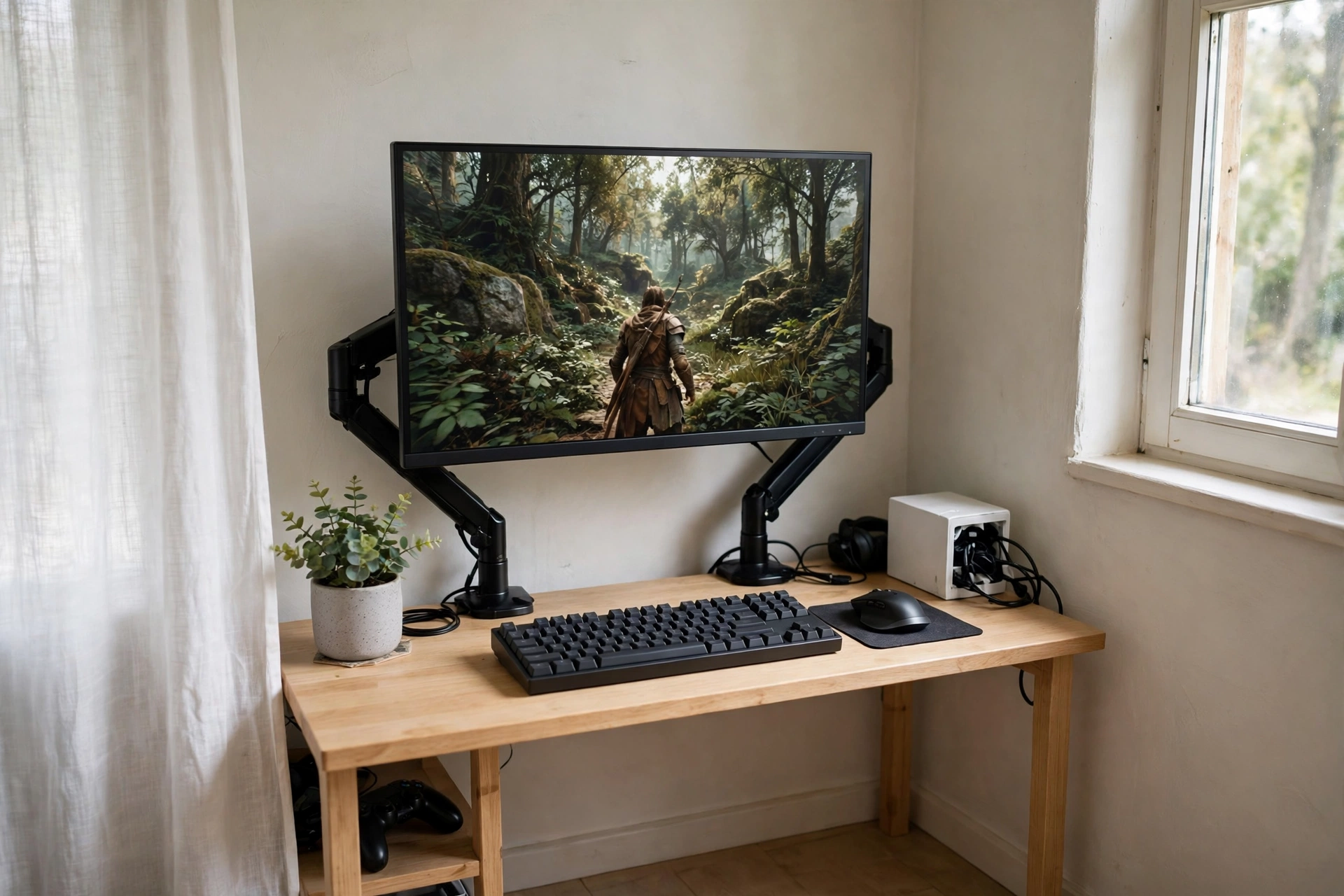
If your neck aches after an hour of play, the screen is probably too low. Raising it to eye level changes everything, and on a tiny desk the trick is to raise it without eating the whole surface. An adjustable monitor stand lifts the screen and frees the space underneath for a keyboard, a notebook, or a small storage box.
How to set it up:
- Place the desk against the wall with the stand centered.
- Raise the monitor until the top of the screen sits near eye level.
- Slide the keyboard under the raised screen when you need desk space.
- Put a small cable box under the desk to hide the power strip.
- Add one plant or a small lamp so the corner still feels lived in.
Comfort check: sit in your chair, close your eyes, then open them. You should be looking at the top third of the screen, not craning down. If you are looking down, raise the screen one more notch.
KKL 40 Inch Small Computer Desk with Adjustable Monitor Stand
Why this one: the adjustable stand is built in, so you get the raised screen and the freed desk space in one small footprint.
Worth knowing: the stand height range is modest, so very tall players may still want a separate riser for a perfect eye level fit.
HUANUO Dual Monitor Stand for 13 to 40 Inch Screens
Why this one: a sturdy stand holds the screen steady and keeps the desk base clear, which matters when every inch counts.
Worth knowing: a stand base takes up some desk depth, so measure your desk before ordering if your desk is very shallow.
3. The One Wall Wonder
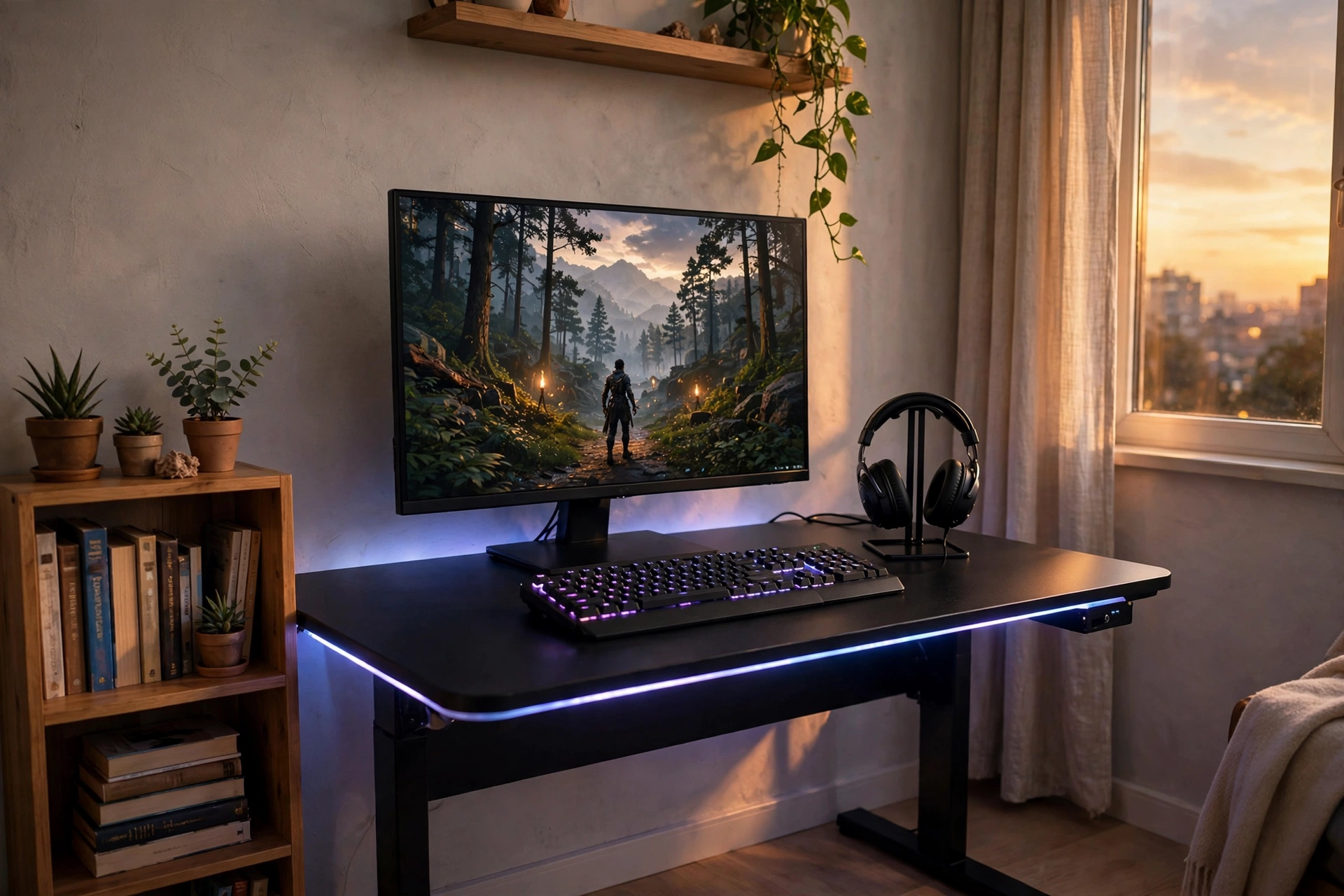
Some rooms give you exactly one usable wall, and this setup makes that wall do everything. The desk runs along it, the screen sits in the middle, and a slim shelf above holds games and a headset. Built in power outlets mean no extension lead snaking across the floor, and a strip of LED light along the back edge makes the whole wall glow at night.
| Zone | What goes there |
|---|---|
| Center | Monitor, keyboard, mouse |
| Left | Headset stand and a small lamp |
| Right | Notebook, drink, controller |
| Above | One shelf for games and storage boxes |
Keep the wall itself plain and pale so the screen and the glow stand out. One framed print or a small poster is plenty. Anything more and the wall starts closing in on you.
Huuger 47 Inch Computer Desk with Power Outlets and LED Lights
Why this one: built in outlets and LED lights solve two small room problems at once, power and mood, without extra gear on the desk.
Worth knowing: the LED strip runs along the desk edge, so it lights the wall behind rather than the desk surface itself.
ASUS TUF Gaming VG27AQ 27 Inch QHD Monitor, 165Hz
Why this one: QHD sharpness plus a fast refresh rate makes one screen feel like plenty, which is exactly what a one wall setup needs.
Worth knowing: you need the right cable and settings to run the full refresh rate, so check your PC is set up for it after install.
4. The Fold Away Desk
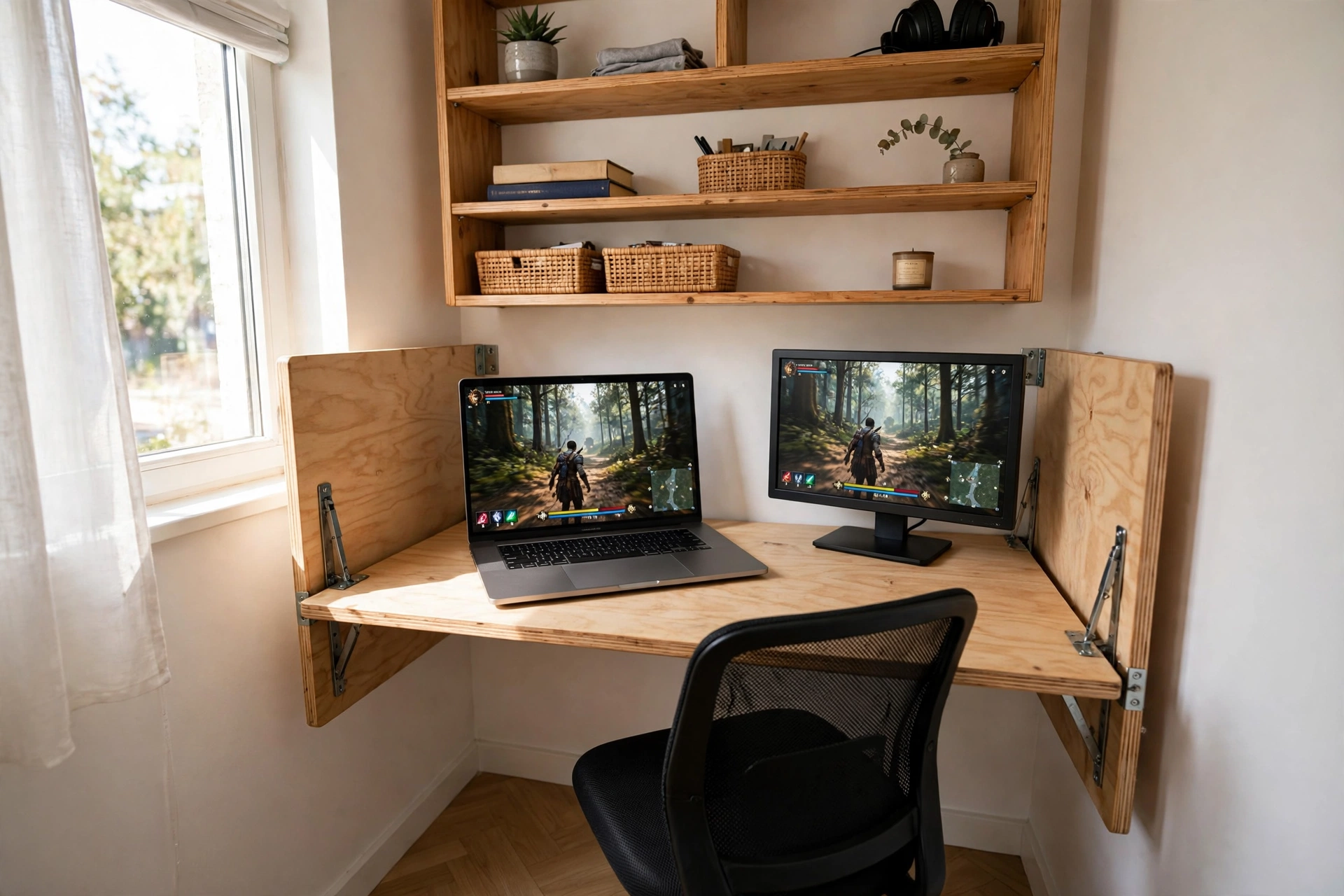
When the room has to be a bedroom, an office, and a gaming spot all at once, a desk that folds away is the honest answer. Open it for a session, close it when you need the floor back. A laptop plus a small external monitor gives you two screens without a permanent desk, and the shelves above hold everything when the desk is folded shut.
Fold down or fixed desk, which one fits your room? A fold away desk wins when floor space matters more than desk space, for example in a studio or a shared bedroom. A fixed desk wins when you play every day and hate setting up each time. If you fold and unfold more than twice a day, you will stop bothering, so be honest about your habits before you choose.
Keep it light: a fold away desk is not the place for a heavy tower PC. A laptop and a light monitor keep the fold mechanism happy and the setup quick to open and close.
IFANNY Folding Wall Desk, Wood Wall Mounted Desk with Storage Drawer and Shelves
Why this one: it folds flat against the wall and the built in drawer and shelves give your gear a home when the desk is closed.
Worth knowing: wall mounting needs solid fixings, so check your wall type before drilling, and keep the load light.
Acer Nitro KG271U 27 Inch QHD Gaming Monitor, 180Hz
Why this one: a sharp QHD screen with a fast refresh rate that pairs well with a laptop for a two screen fold away setup.
Worth knowing: the stand is fairly wide, so you may want a small riser or a compact arm to save depth on a folding desk.
5. The LED Edge Compact
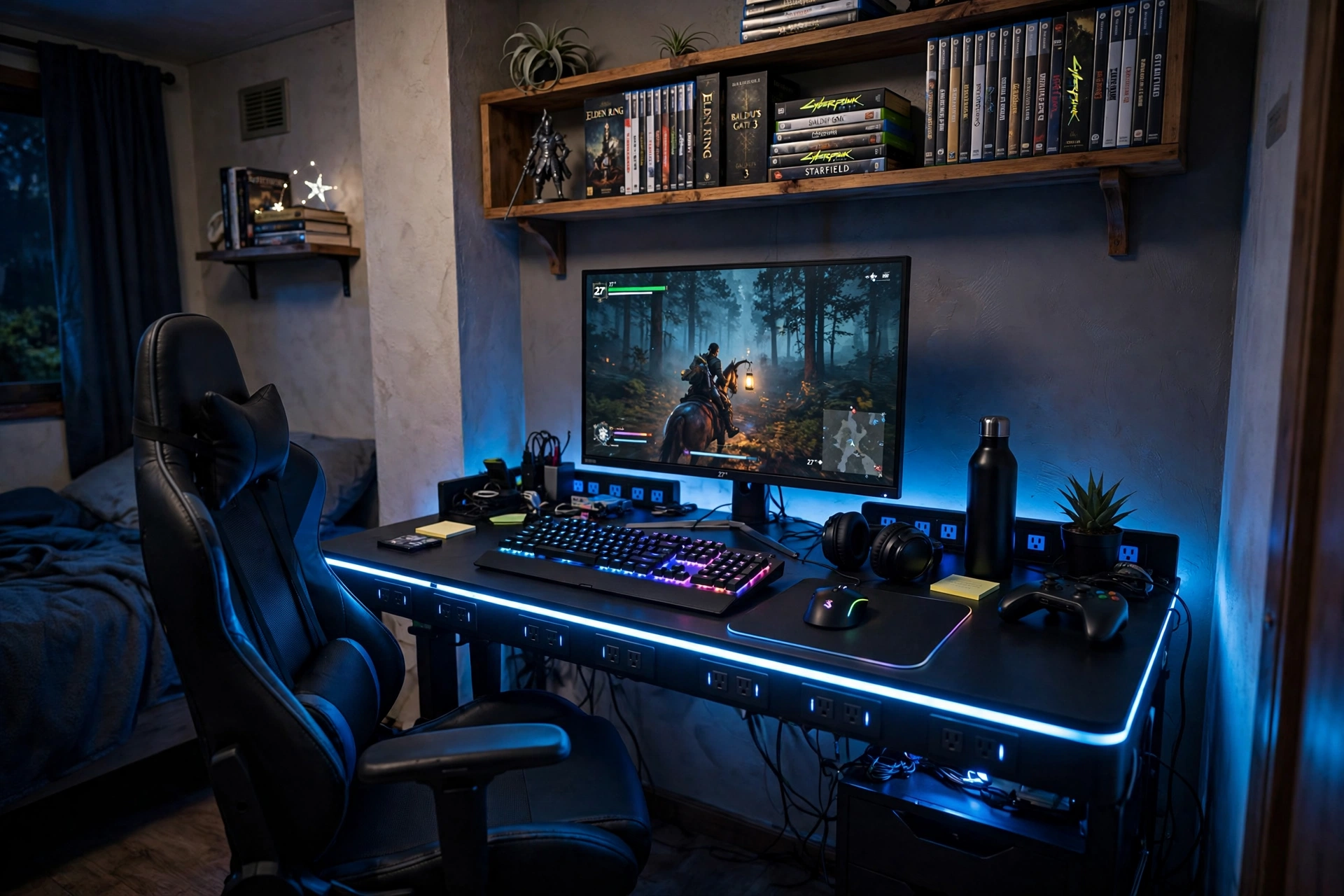
A tiny desk can still glow. The trick is to let the light do the decorating instead of buying shelves of stuff you have no room for. A 45 inch desk with a lit edge gives you a gaming mood the moment you switch it on, and the built in outlets keep the power tidy behind the desk.
What works here:
- Desk: a compact gaming desk with LED edge and outlets, set against the wall.
- Screen: one monitor centered, with an RGB keyboard underneath the glow.
- Seat: a gaming chair that slides under the desk so the room stays walkable.
- Light: the desk LED plus one small lamp, nothing else competing.
- Storage: wall shelves for games, so the desktop stays clear for play.
Pick one LED color and stick with it for the night. Mixing red, blue, and rainbow on a tiny desk looks busy fast, while one calm color makes the whole corner feel designed.
DUMOS 45 Inch Gaming Desk with LED Lights and Power Outlets
Why this one: LED lighting and power outlets are built in, so a small desk still gets the full gaming feel with no extra clutter.
Worth knowing: 45 inches is snug for a large monitor plus speakers, so plan on a headset instead of desktop speakers.
Corsair K70 CORE RGB Mechanical Gaming Keyboard
Why this one: a solid mechanical keyboard with RGB lighting that matches the desk glow and feels great for long sessions.
Worth knowing: mechanical keys are clickier than membrane keyboards, which matters if you share the room with someone sleeping nearby.
6. The Corner Squeeze L Desk
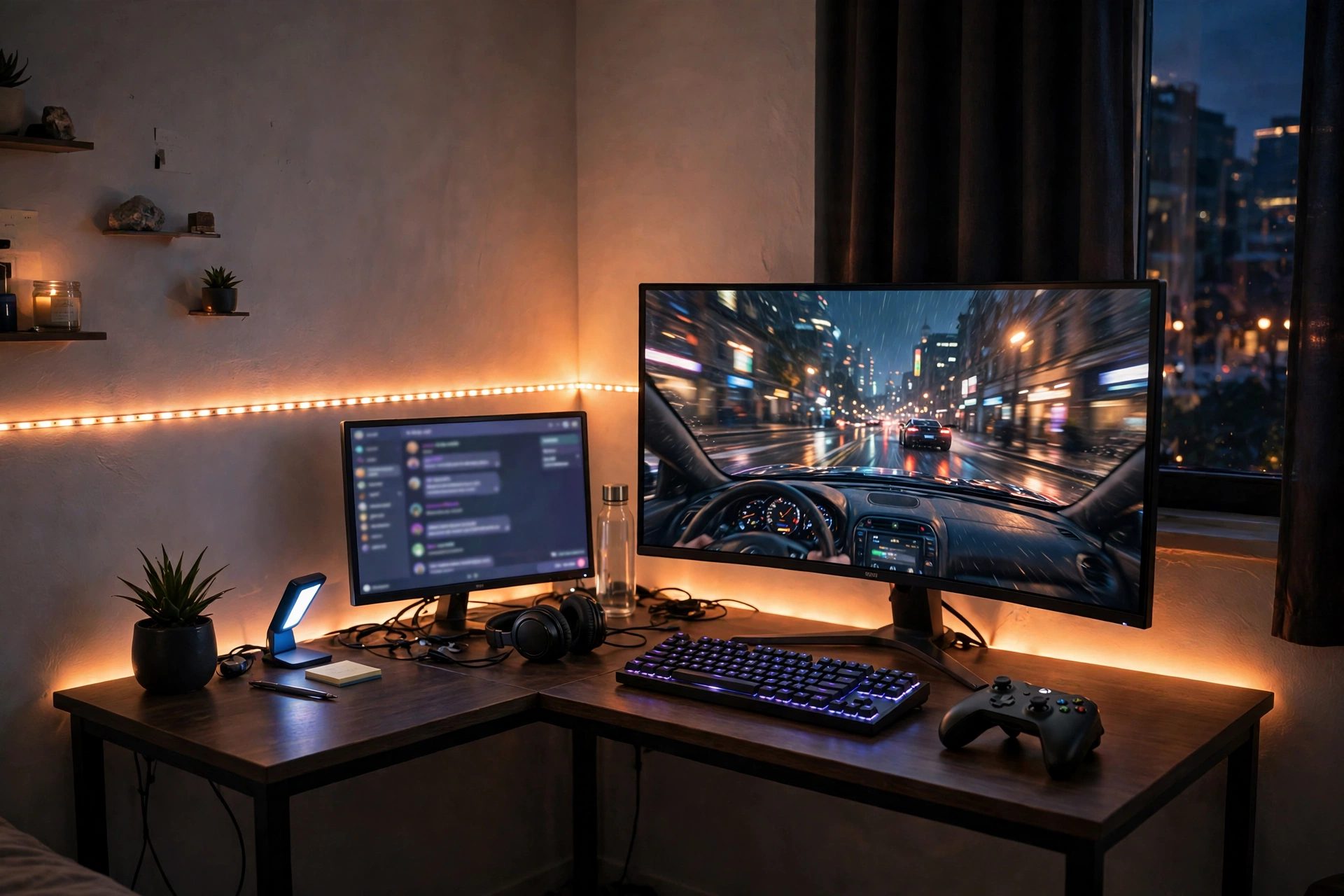
Corners are wasted space in most small rooms, and an L desk turns that dead zone into a proper battlestation. One arm of the L holds your main screen for gaming, the return arm holds a second screen, a console, or just your drink and notebook. You sit at the join and turn slightly toward whichever screen you need.
Main arm: your game screen, keyboard, and mouse. This is where you sit and play.
Return arm: second screen, console, or storage. This is where the extras live, out of your elbow room.
Run one LED strip along the back edge of both arms so the two sides feel like one setup at night, and run all cables to a single strip in the corner where nobody can see them.
PRAISUN 66 Inch L Shaped Gaming Desk with LED Lights and Power Outlets
Why this one: the L shape uses corner space other desks waste, and the built in lights and outlets keep both arms tidy.
Worth knowing: an L desk needs a real corner to work, so measure both walls before ordering, since the return arm can block a door if the room is very tight.
CRUA 27 Inch Curved Gaming Monitor, 180Hz
Why this one: the curved screen wraps your view nicely in a corner, where a flat screen can feel boxed in by two walls.
Worth knowing: curved screens can distort straight lines slightly, so they are less ideal if you do precise design work on the same desk.
7. The Clean and Calm Slim Desk
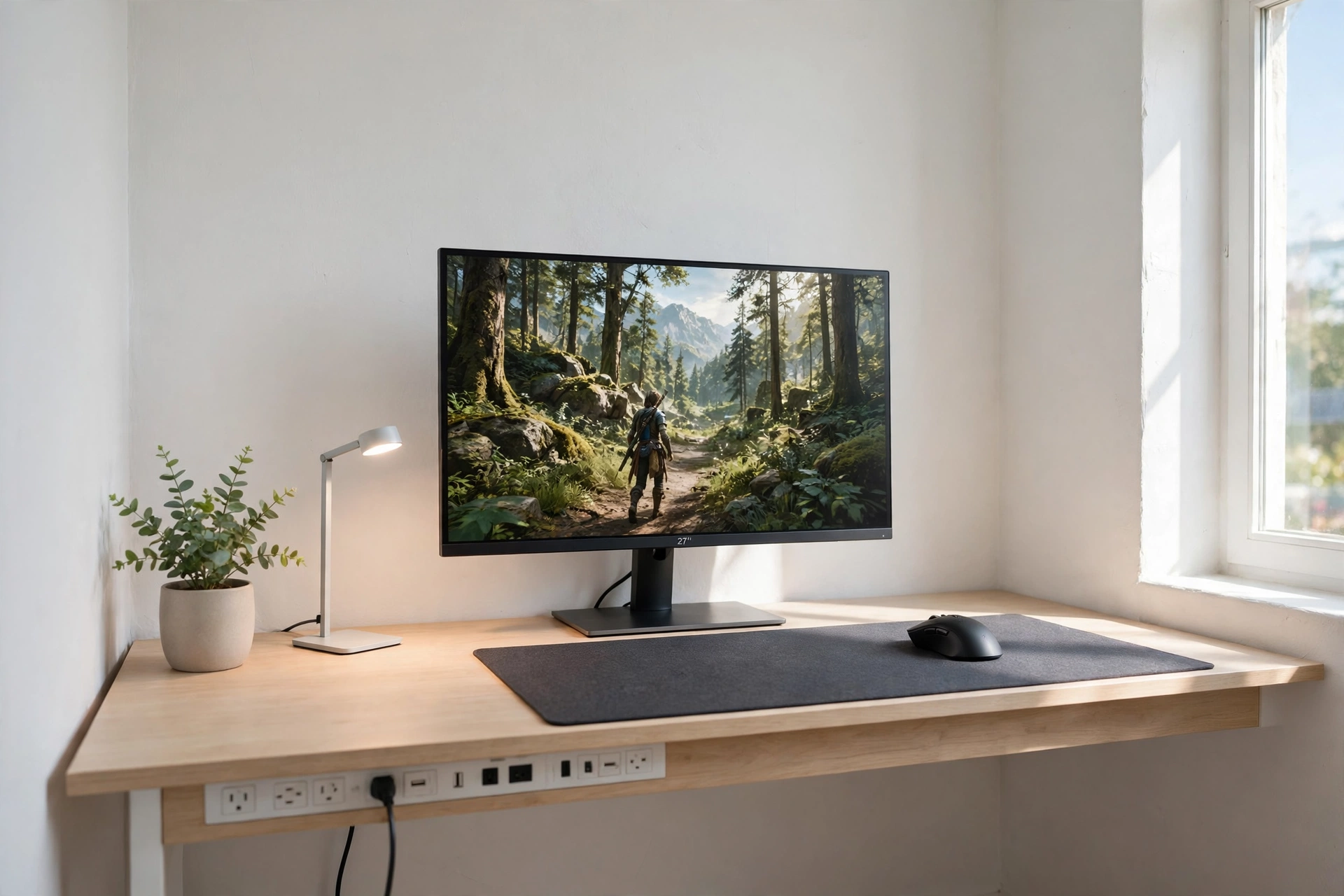
Not every gaming setup needs to glow. This one is for the reader who wants a calm room that happens to play games well. A slim desk, one monitor, a good mouse, and a single plant. Nothing else on the surface. The room feels bigger because the desk is doing less, and your eyes get a break from RGB every time you sit down.
If your room already feels crowded, this is the setup to copy first. Pale walls, a light colored desk, and a short daily reset where everything goes back to its place will make a small room feel twice as big. For more ways to make a tight space work, see our 15 Small Gaming Room Ideas for Tight Spaces, which is full of small room tricks that pair well with a calm desk.
Daily reset checklist:
✓ Keyboard and mouse centered, cables pushed back
✓ Headset on its stand, not on the desk
✓ One mug or bottle only, everything else off the surface
✓ Chair pushed in, floor clear for walking
HOMCOM 56 Inch Gaming Desk with Power Outlets and LED Lights
Why this one: a slim 56 inch top with built in outlets gives you room for a monitor and a mouse pad without the desk feeling bulky.
Worth knowing: the LED lights are there if you want them, but you can leave them off entirely and this desk still looks clean and calm.
Logitech G502 HERO Wired Gaming Mouse
Why this one: a precise, comfortable mouse that earns its place on a minimal desk, with buttons you can tune to your games.
Worth knowing: it is a wired mouse, so route the cable with a small clip or it will drag across a clean desk.
8. The Vertical Second Screen
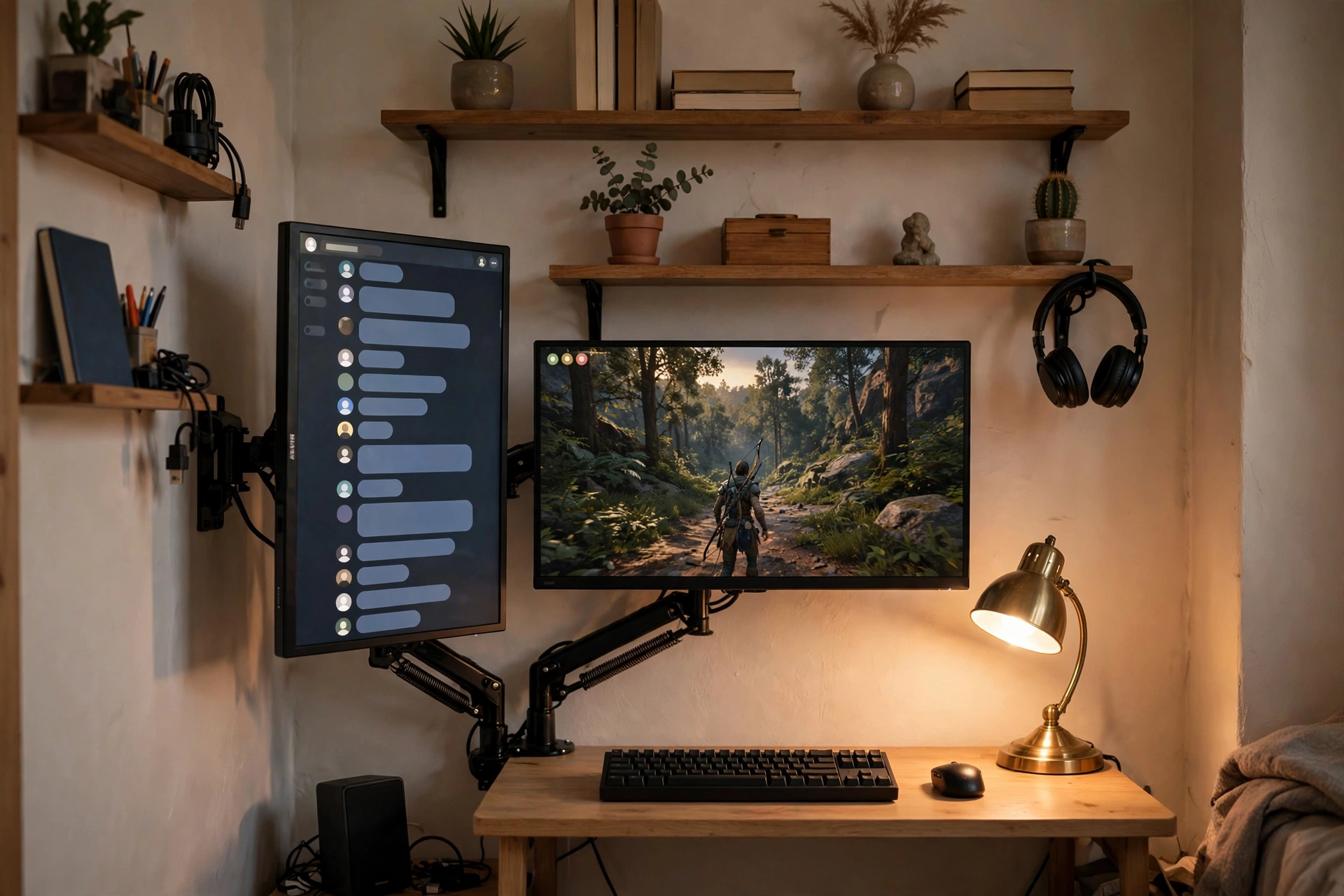
Two screens on a tiny desk sounds impossible until one of them turns sideways. A vertical second screen takes up barely any width, and it is perfect for chat, a stream, a guide, or a long page of notes. Your main screen stays horizontal for the game, the vertical one handles everything else.
How to set it up:
- Mount both screens on gas spring arms so they float above the desk.
- Turn the smaller or older screen vertical on the side you glance toward.
- Put chat or a stream on the vertical screen, the game on the main one.
- Keep the keyboard centered under the main screen, not between the two.
- Add a warm lamp behind the desk so the vertical screen does not glare.
Why vertical works: chat and guides scroll down, not sideways. A vertical screen shows far more of a conversation at once, so you stop scrolling mid game and stop missing messages.
Acer Nitro VG272U V3 27 Inch QHD Gaming Monitor, 180Hz
Why this one: a sharp QHD screen with a fast refresh rate that works as a main game screen or as a crisp vertical side screen.
Worth knowing: check your monitor arm supports rotating to portrait, since not every arm turns a full 90 degrees.
HUANUO Gas Spring Dual Monitor Stand for 17 to 32 Inch Screens
Why this one: gas spring arms let you tilt, rotate, and reposition both screens easily, which is what makes the vertical layout possible.
Worth knowing: gas arms need the tension adjusted to each screen weight, or a heavier screen may slowly droop over time.
9. The Work by Day, Play by Night Desk
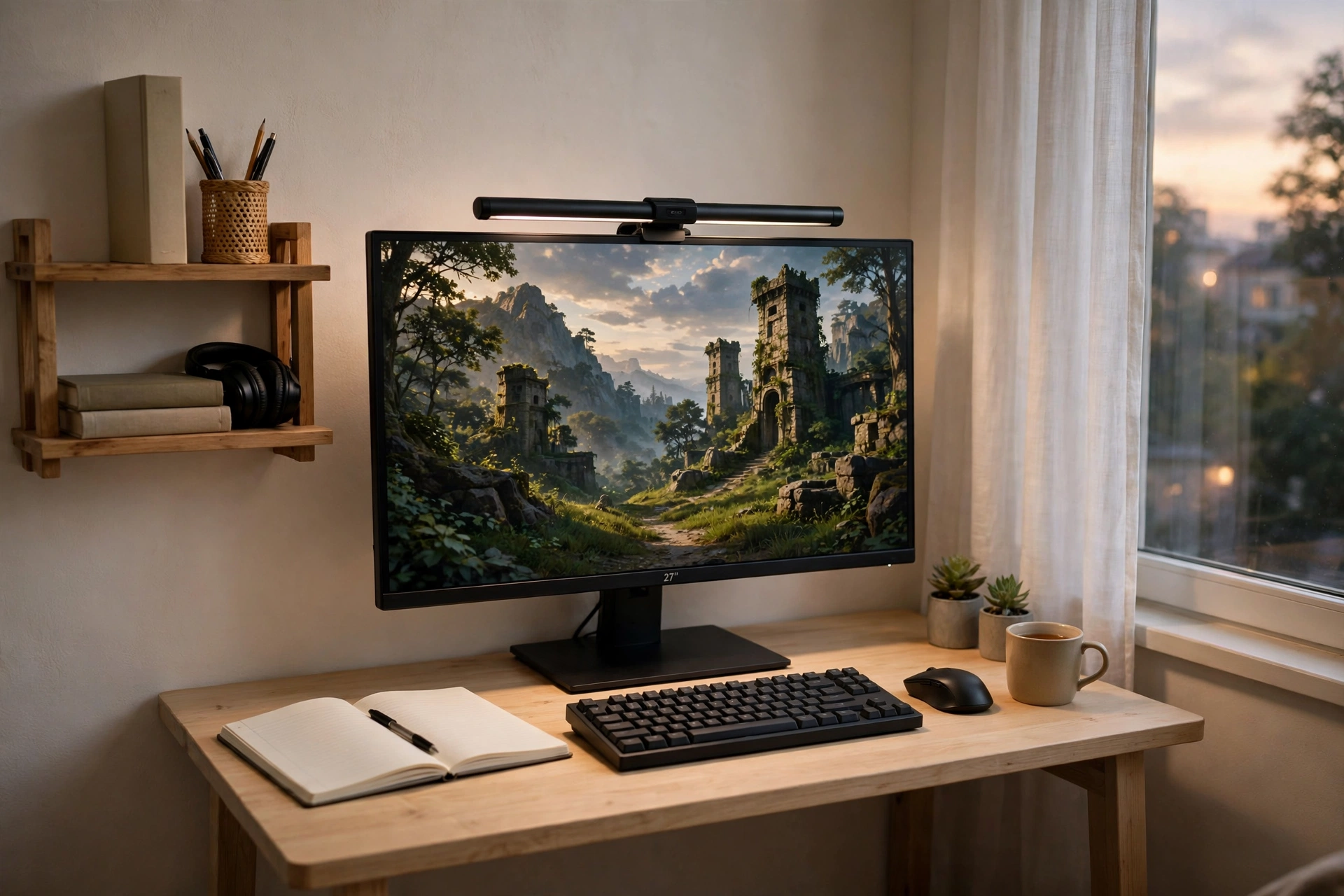
Some desks have to do two jobs, and this one does both without a costume change. In the day it holds documents and video calls, at night it holds a game and a friend group chat. A QHD screen keeps text crisp for work and games detailed for play, and a monitor light bar washes the desk in soft light so evening sessions feel easy on the eyes.
- Day mode: notebook and papers on the right, work window on the screen, light bar on low.
- Night mode: papers in the drawer, game on the screen, light bar warm, headset on.
- Shared gear: one keyboard, one mouse, one chair, no swapping anything between jobs.
- Power: a strip with a switch, so the whole desk sleeps when you do.
The switch between modes should take under a minute. If it takes longer, something on the desk does not belong there, and it is time to move it to a shelf.
LG UltraGear 27GP850-B 27 Inch QHD Gaming Monitor
Why this one: QHD sharpness plus a fast refresh rate covers both work text and fast games without forcing a compromise.
Worth knowing: higher refresh rates need the right cable and settings, so check that your PC is actually running the screen at full speed.
Quntis Monitor Light Bar RGB PRO
Why this one: light falls on the desk, not into your eyes or onto the screen, which helps late sessions feel easier on the eyes.
Worth knowing: the RGB glow behind the screen adds color to the wall, which may not suit a room where you want total darkness.
10. The Glow Corner
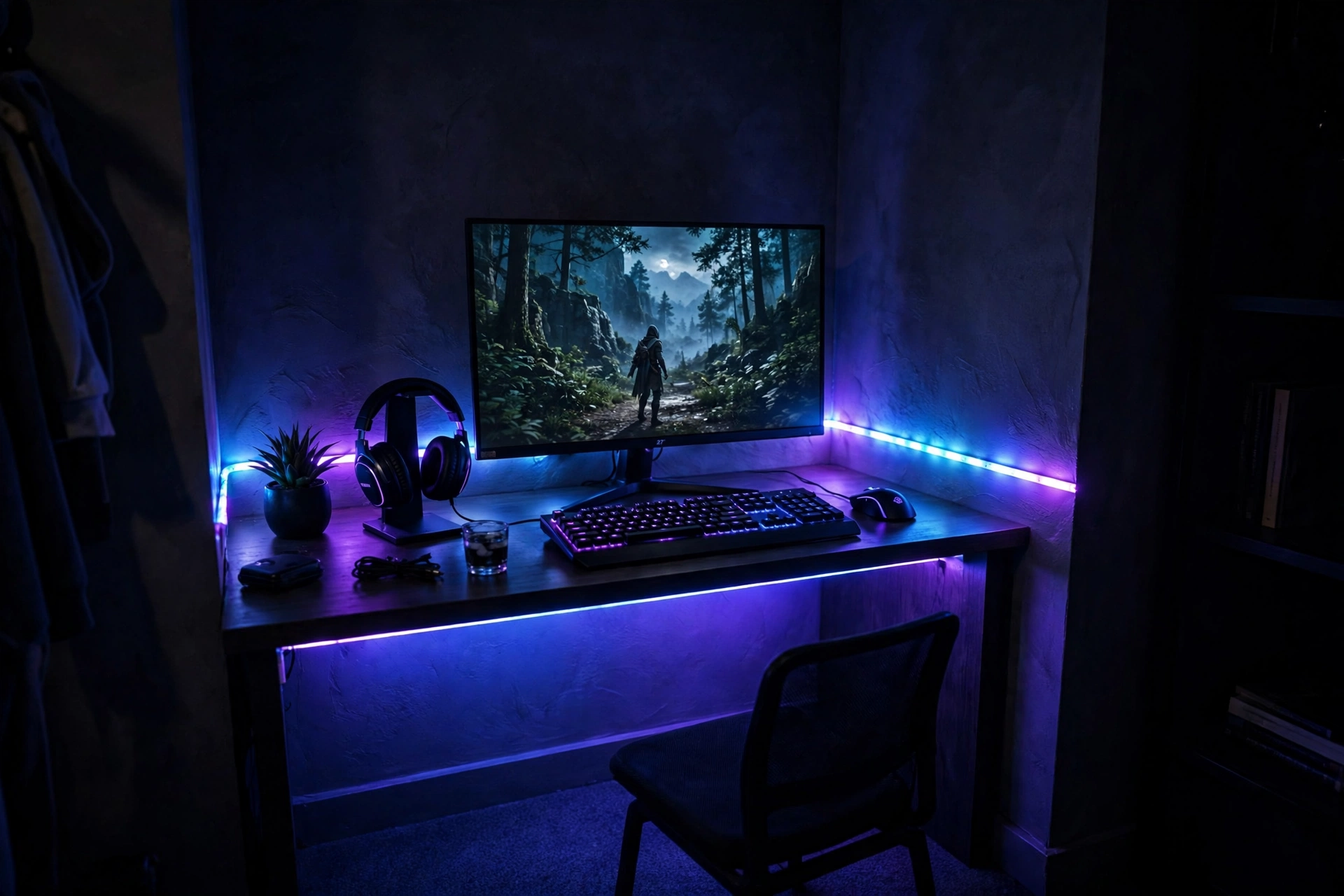
This is the setup for anyone who plays mostly at night. A compact desk in a dark corner, one bright QHD screen, and LED strips along the wall behind it. The strips do the decorating, the screen does the entertaining, and the desk stays small because the light makes the corner feel bigger than it is.
One color or two at most. A single blue or purple wash makes a tiny corner feel like a gaming cave, while a rainbow cycle makes it feel like a fairground. Run the strip along the top of the wall and down one side so the glow frames the screen instead of fighting it, and keep a small lamp nearby for the moments you need real light.
Night tip: set the strip to a dim, steady color an hour before bed. Bright flashing light right before sleep is a rough habit, and a calm glow lets you wind down while you finish one last round.
Samsung 27 Inch Odyssey G5 QHD Gaming Monitor
Why this one: the QHD curved panel gives a wide, wrapped view that suits moody night sessions, while staying a sensible size for a small desk.
Worth knowing: curved screens can distort straight lines slightly, so they are less ideal if you do precise photo or design work on the same desk.
Govee RGBIC LED Strip Lights, 16.4ft
Why this one: RGBIC segments let different parts of the strip show different colors, so one strip can frame the whole corner.
Worth knowing: the adhesive works best on a clean, smooth wall, and it may not stick well to textured paint or wallpaper.
11. The Curved Comfort Nook
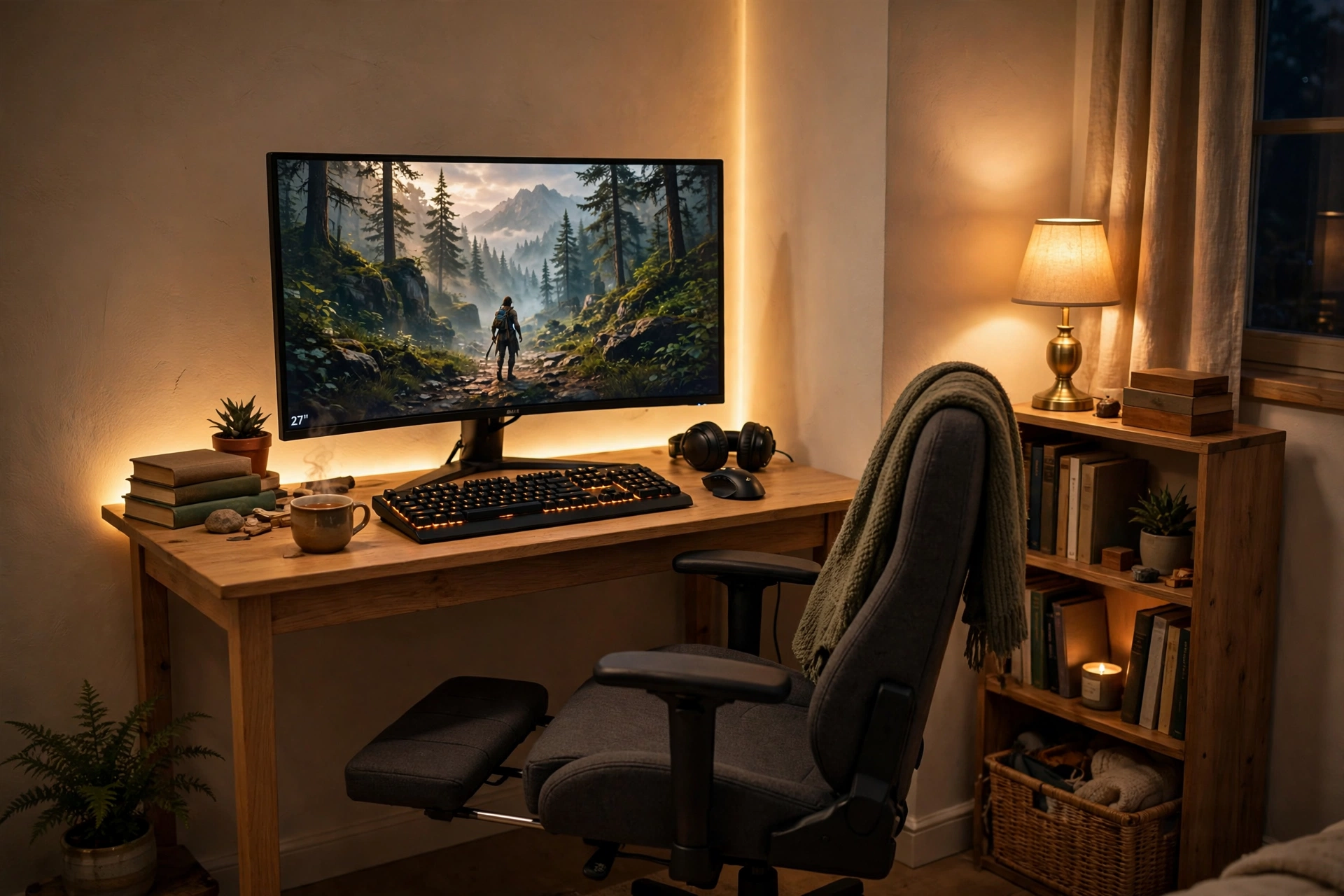
Long sessions in a small room need one thing above all else, comfort. A curved screen pulls the game around you, a chair with a footrest lets you stretch out without leaving the desk, and warm light keeps the corner feeling like a retreat instead of a cramped box.
What works here:
- Screen: a curved 27 inch monitor, angled slightly toward the chair.
- Seat: a gaming chair with a footrest and lumbar support for long nights.
- Light: one warm lamp plus a soft glow behind the desk, no harsh ceiling light.
- Storage: a small bookshelf beside the desk for games and a blanket.
- Power: cables run behind the desk to one strip, so the floor stays clear for stretching.
Keep a blanket and a bottle of water within reach. The whole point of this nook is that you do not have to get up for the small things.
Dell S2721HGF 27 Inch Curved Gaming Monitor, 144Hz
Why this one: the curved panel wraps your view for immersive games, and the fast refresh rate keeps motion smooth for long sessions.
Worth knowing: the curve suits games more than spreadsheets, so if you work on this desk too, expect a short adjustment period.
GTPLAYER Gaming Chair, Computer Chair with Footrest and Lumbar Support
Why this one: the footrest and lumbar support make long sessions in a small room far more comfortable than a plain desk chair.
Worth knowing: gaming chairs are wider than office chairs, so check it fits between your desk and the wall before ordering.
12. The Pretty Pink Pocket Desk
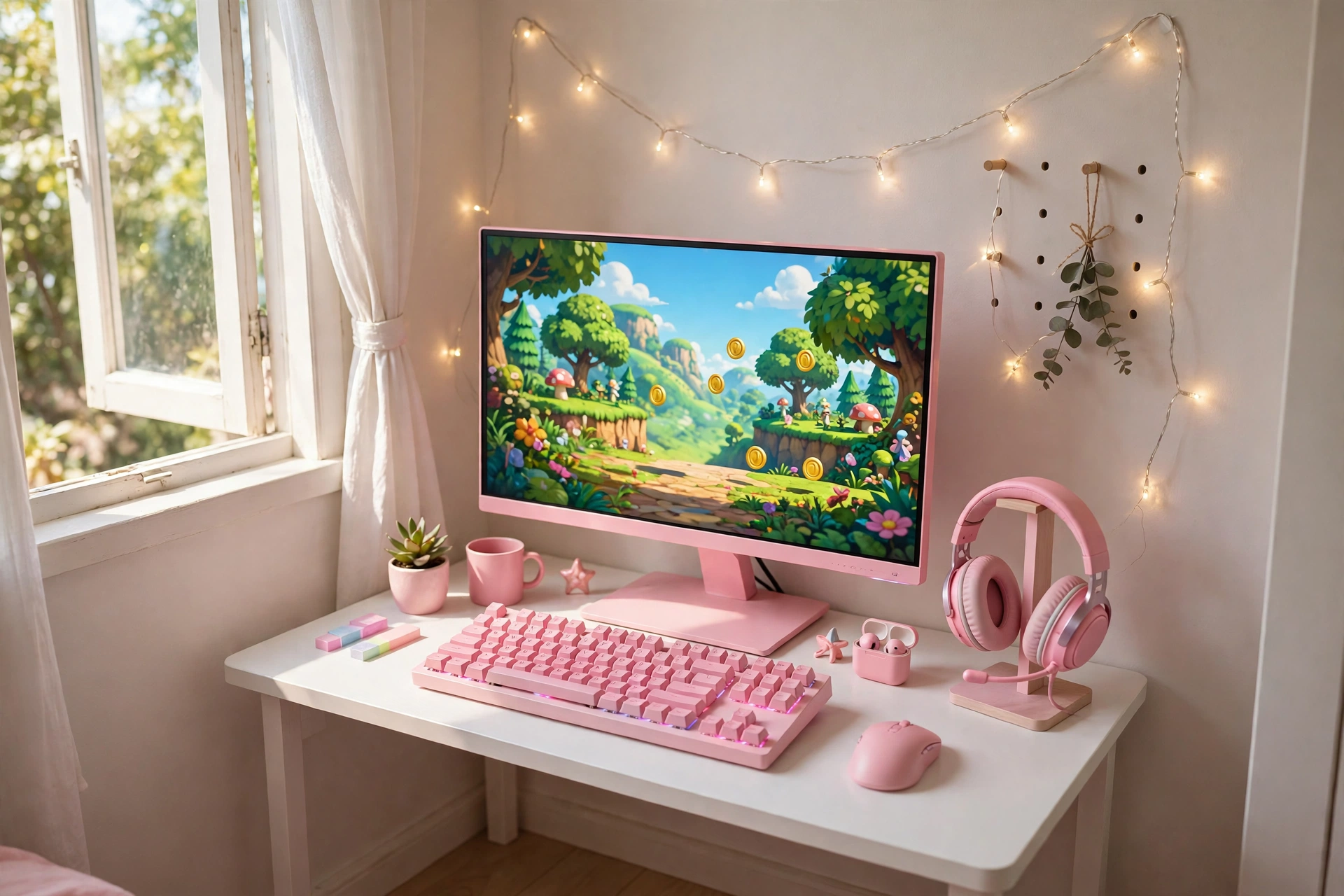
A small room is the perfect excuse to go bold with color. Pink on a tiny desk does not feel loud, it feels cheerful, and a pink monitor with a matching keyboard turns a plain white desk into a setup with real personality. Fairy lights on the wall add warmth without taking up a single inch of desk space.
| Piece | Color note |
|---|---|
| Monitor | Pink frame, the hero of the desk |
| Keyboard | Pink keys to match, not clash |
| Desk | White, so the pink pops |
| Wall | Warm fairy lights, one string only |
Keep the desk white and the wall pale so the pink pieces stay the stars. Two pink pieces are a theme, five pink pieces are a lot, so let the monitor and keyboard carry the color and keep everything else neutral.
Pixio PX279 Wave Pink 27 Inch Gaming Monitor, 240Hz
Why this one: a genuinely fast pink monitor, so the color is not a trade off against performance.
Worth knowing: pink gear can be harder to match with other accessories, so plan your keyboard and headset colors around it.
Razer BlackWidow V3 Mechanical Gaming Keyboard, Quartz Pink
Why this one: a proper mechanical keyboard in quartz pink that matches the monitor and feels great to type and play on.
Worth knowing: the pink keycaps can show dirt more than dark ones, so keep a small cloth nearby for quick wipes.
13. The Dorm Room Double Screen
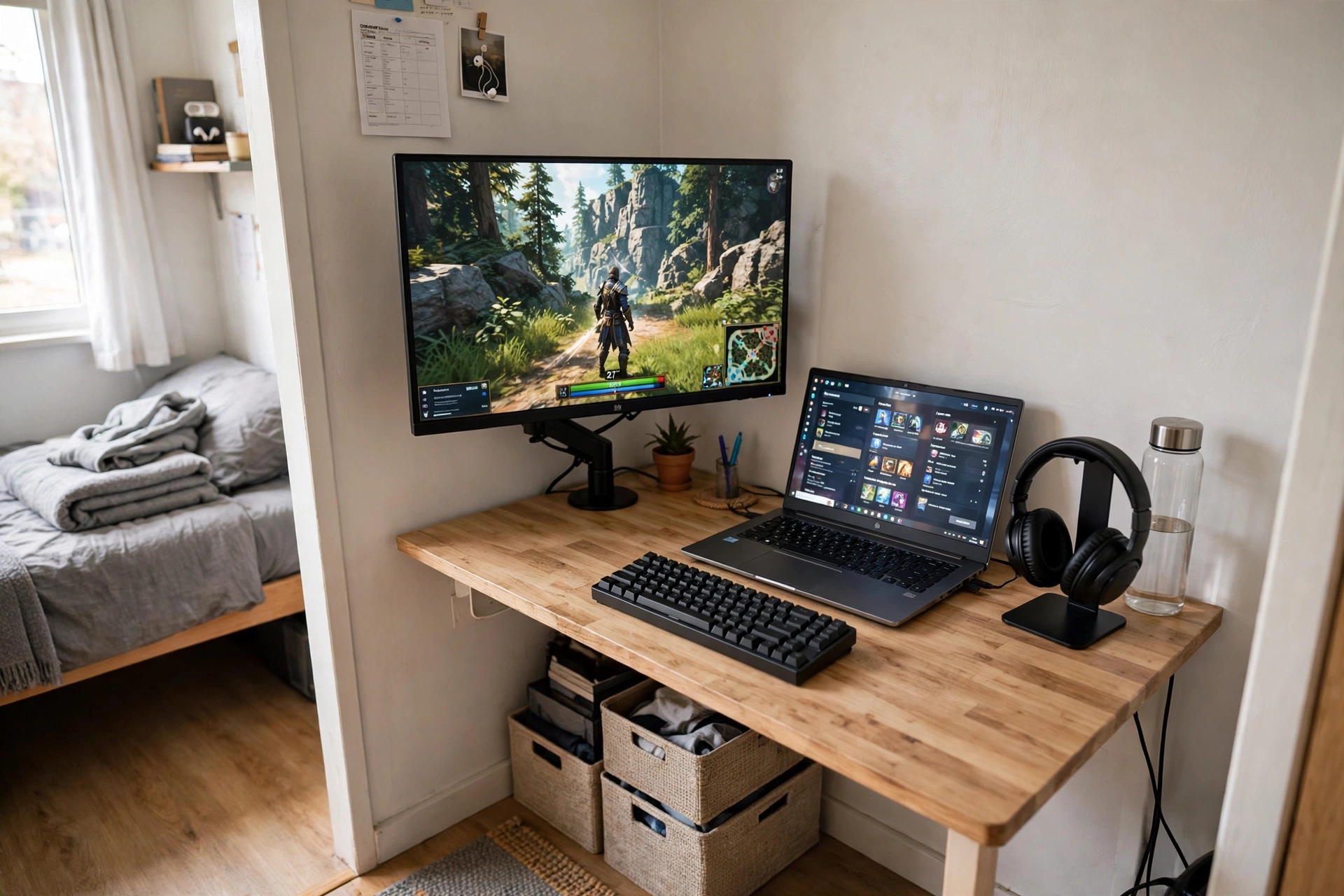
Dorm rooms are the ultimate tiny room test, and this setup passes it. A compact desk against the wall, a monitor on a dual arm, and your laptop beside it with its screen on. Two screens, one small footprint, and everything packs down at the end of the year.
How to set it up:
- Clamp a dual monitor arm to the back of the desk and float the monitor above it.
- Place the laptop on a small stand beside the monitor for a second screen.
- Keep textbooks and storage in crates under the desk, not on it.
- Run one power strip behind the desk and label the plugs.
- Use headphones instead of speakers, since dorm walls are thin.
Roommate rule: keep your glow dim after lights out and your keyboard quiet. A tiny shared room works when both people respect the quiet hours, and a soft light bar beats a bright overhead light every time.
LG UltraGear 27GS75Q-B 27 Inch Gaming Monitor
Why this one: a sharp, fast 27 inch screen that pairs well with a laptop for a two screen dorm setup without taking over the desk.
Worth knowing: a 27 inch screen is the largest that still feels comfortable on a small dorm desk, so measure your wall space first.
HUANUO Dual Monitor Arm, Gas Spring
Why this one: a gas spring arm clamps to the desk and floats the monitor, which frees the whole desktop for the laptop and books.
Worth knowing: clamp arms need a desk edge with room to grip, so check your desk has a clear lip at the back.
Frequently Asked Questions
What size desk do I need for a gaming setup in a small room?
A desk around 40 to 47 inches wide fits a 27 inch monitor, a compact keyboard, and a mouse comfortably. Go smaller only if you use a laptop or a monitor arm, since a screen stand eats into a narrow desk fast.
Can I fit two monitors on a tiny desk?
Yes, with a monitor arm. Arms lift the screens off the desk surface, and turning one screen vertical saves even more width. Two screens on their own stands will crowd a desk under 47 inches.
How much does a tiny gaming desk setup cost?
A starter setup with a compact desk, one monitor, and a keyboard can be built for roughly the cost of a single mid range monitor and a budget desk, while a fuller setup with a chair, arms, and lighting costs more. Start with the desk and screen, then add one piece at a time.
How do I keep cables tidy on a small desk?
Use a small cable box or a strip tucked behind the desk leg, route cables with clips along the back edge, and pick a desk with built in outlets if you can. Fewer cables on show means the desk feels bigger.
Is a 27 inch monitor too big for a tiny desk?
Not usually. A 27 inch screen is the sweet spot for most small desks, as long as you sit about an arm’s length away. If your desk is under 40 inches wide, a monitor arm helps a lot, since it lets you push the screen back to the wall.
What is the best first upgrade for a tiny gaming desk?
A monitor arm. It frees the most desk space for the least money, improves your posture, and makes room for a second screen later. After that, good lighting is the upgrade you will notice every evening.
Conclusion
A tiny room is not a reason to wait for a bigger one. Pick the setup that matches your room, your habits, and the way you actually play, then build it one piece at a time. Start with the desk and the screen, add an arm or a light when the budget allows, and keep the surface clear enough that sitting down feels good every single day.
The best tiny desk is the one you use, not the one that looks biggest in a photo. Measure your wall, choose one idea from this list, and make it yours.
Related reading:
If you want to stretch a small budget as far as a small desk, our 15 Budget Gaming Setup Ideas That Look Expensive shows how to make affordable gear look like a premium setup. You can also browse the full Gaming Room Ideas category for more inspiration.
