As an Amazon Associate I earn from qualifying purchases. Read our full affiliate disclosure for more detail.
January is the best month to reset a gaming room. The holidays are over, the desk has collected clutter for weeks, and a fresh year is a good excuse to start clean instead of buying a whole new setup. A real refresh is not about spending the most money. It is about clearing what you do not use, fixing the light, and giving every piece of gear a proper home.
In this guide you will find 11 complete New Year refresh setups you can copy whole, from a simple decluttered desk reset to a gold and midnight blue lighting makeover, a dual monitor command center, and a cozy pink and gold bedroom setup. Each one covers the desk, seat, screen, light, storage, and power, so nothing important is left out. If you love a clean look, the ideas in 15 Aesthetic Gaming Setup Ideas Clean and Minimal pair well with every refresh below.
In this article
At a glance
1. January Desk Reset
2. Gold and Midnight Blue Lighting
3. Dual Monitor Command Center
4. Ultrawide Fresh Start Workspace
5. Cable Free Clean Desk
6. Wall Art Glow Up
7. New Chair, New Posture
8. Console Corner Refresh
9. L Shaped Desk Reorganization
10. Pink and Gold Cozy Refresh
11. Small Bedroom Bed and Desk Refresh
FAQ
Conclusion
At a Glance: Pick Your New Year Refresh
1. The January Desk Reset: Clear Surface, Clear Head
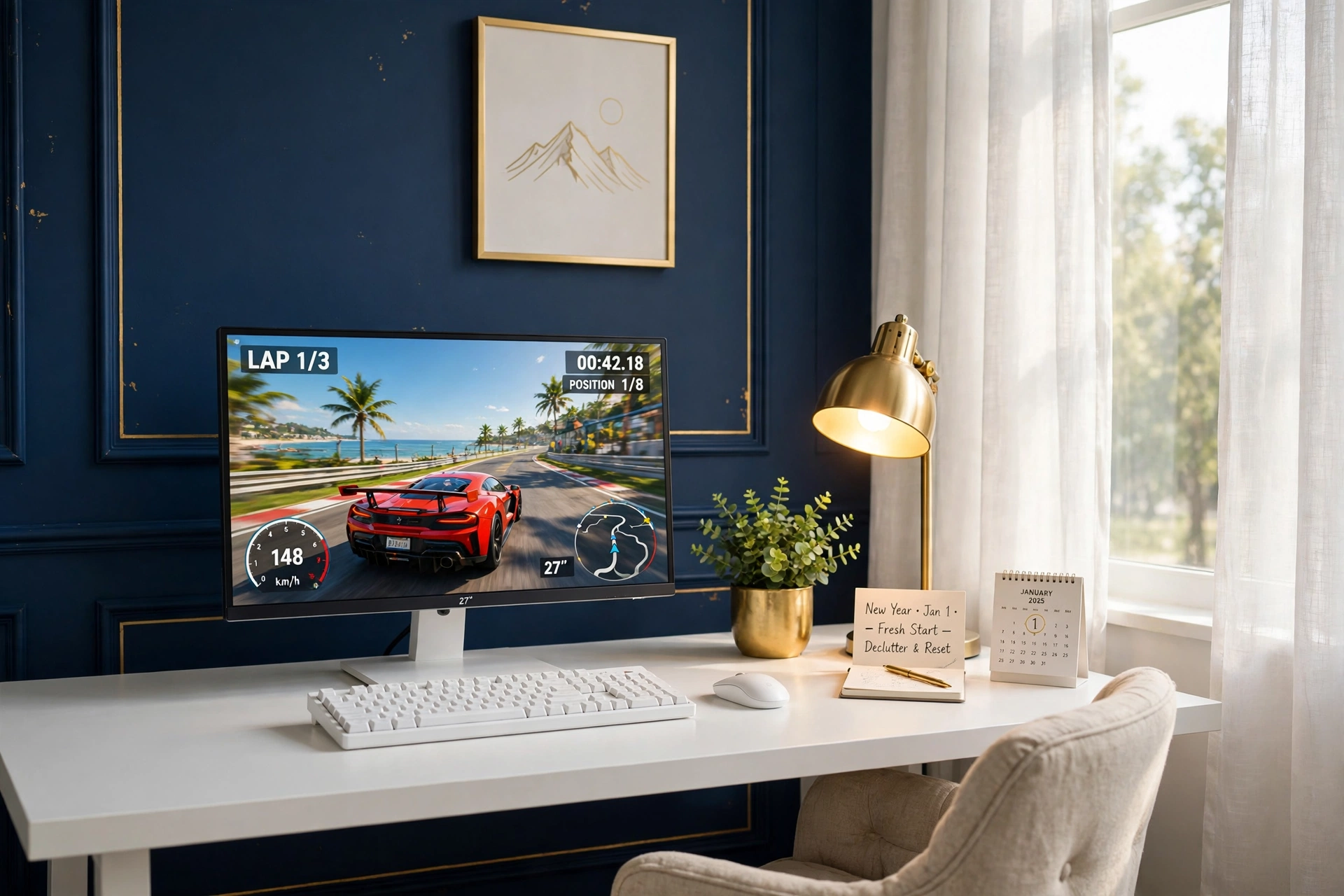
Start the year by taking everything off the desk. Yes, everything. Wipe the surface, then put back only what you actually use every day: the monitor, the keyboard, the mouse, and one small thing that makes you smile. A compact desk with a built in monitor stand helps a lot here, because it lifts the screen and leaves the desktop free for your hands and your coffee.
- Desk: a compact desk with a raised monitor stand, so the screen sits at eye level and the surface stays open.
- Seat: a light chair that tucks fully under the desk when you are done, keeping the room looking tidy.
- Screen: one sharp main monitor on a gas spring arm, so you can pull it close for games and push it back for work.
- Light: a warm gold desk lamp for evening sessions, plus daylight from the window during the day.
- Storage: one small drawer or shelf for cables and spare gear, and nothing left loose on the desktop.
- Power: one power strip behind the desk leg, with cables clipped to the desk frame.
KKL 40 Inch Small Computer Desk with Adjustable Monitor Stand
Why this one: the adjustable monitor stand raises the screen and frees the desktop, which is exactly what a small desk reset needs.
Worth knowing: a 40 inch desk is snug for two monitors, so this one works best as a single screen setup.
HUANUO Dual Monitor Arm, Gas Spring
Why this one: the gas spring arm lets you move the monitor with one hand and frees the desk surface the old stand used to take up.
Worth knowing: check your desk edge thickness and monitor VESA mount before you order, because not every desk and screen fits every arm.
2. Gold and Midnight Blue Lighting Makeover
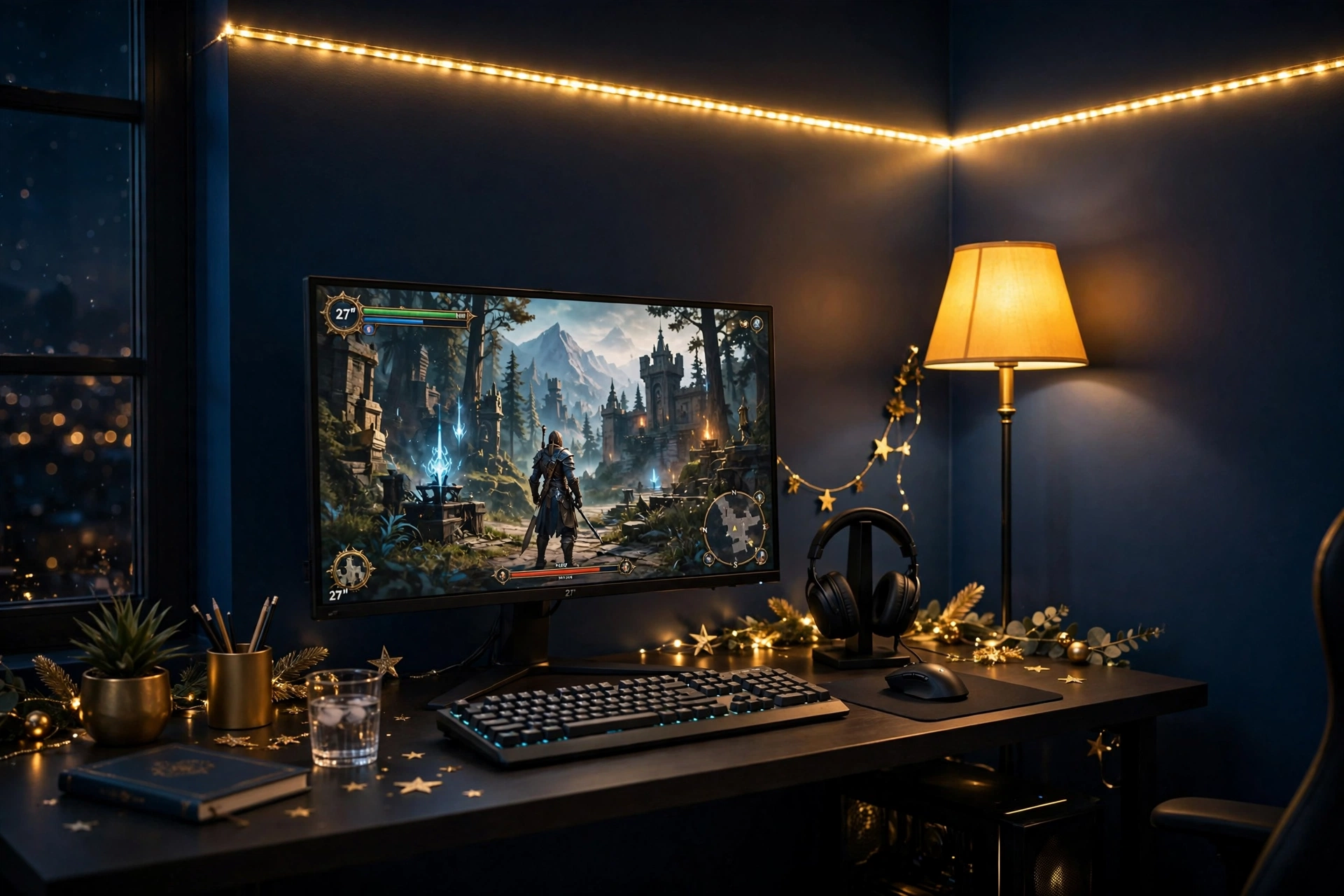
If you change only one thing this January, change the light. Gold and midnight blue is the freshest color pair for a New Year refresh: the deep blue calms the room down, and the warm gold makes it feel expensive without a big spend. A long strip behind the desk plus a tall corner lamp gives you two layers of glow, so the room never looks flat.
How to set it up:
- Paint or cover one wall in deep midnight blue, or hang a dark blue curtain behind the desk if you rent.
- Run a long LED strip along the back edge of the desk and up the wall, set to warm gold.
- Place a tall RGB floor lamp in the far corner to wash the wall in soft color.
- Keep the monitor brightness moderate, so the gold glow frames the screen instead of fighting it.
- Put the headset on a small stand and the controller in a drawer, so the light has a clean scene to land on.
Govee RGBIC Floor Lamp, LED Corner Lamp
Why this one: the tall slim shape fits corners that nothing else can use, and the RGBIC segments blend gold into blue smoothly along the lamp.
Worth knowing: the lamp needs a nearby outlet and a clear corner, so measure the space before you place it behind furniture.
Govee 65.6ft RGBIC LED Strip Lights
Why this one: the long length covers a desk, a wall, and a shelf in one run, and different segments can show gold and blue at the same time.
Worth knowing: measure your wall and desk first, because a strip that is too long leaves a loose tail that is hard to hide neatly.
3. Dual Monitor Command Center for the New Year
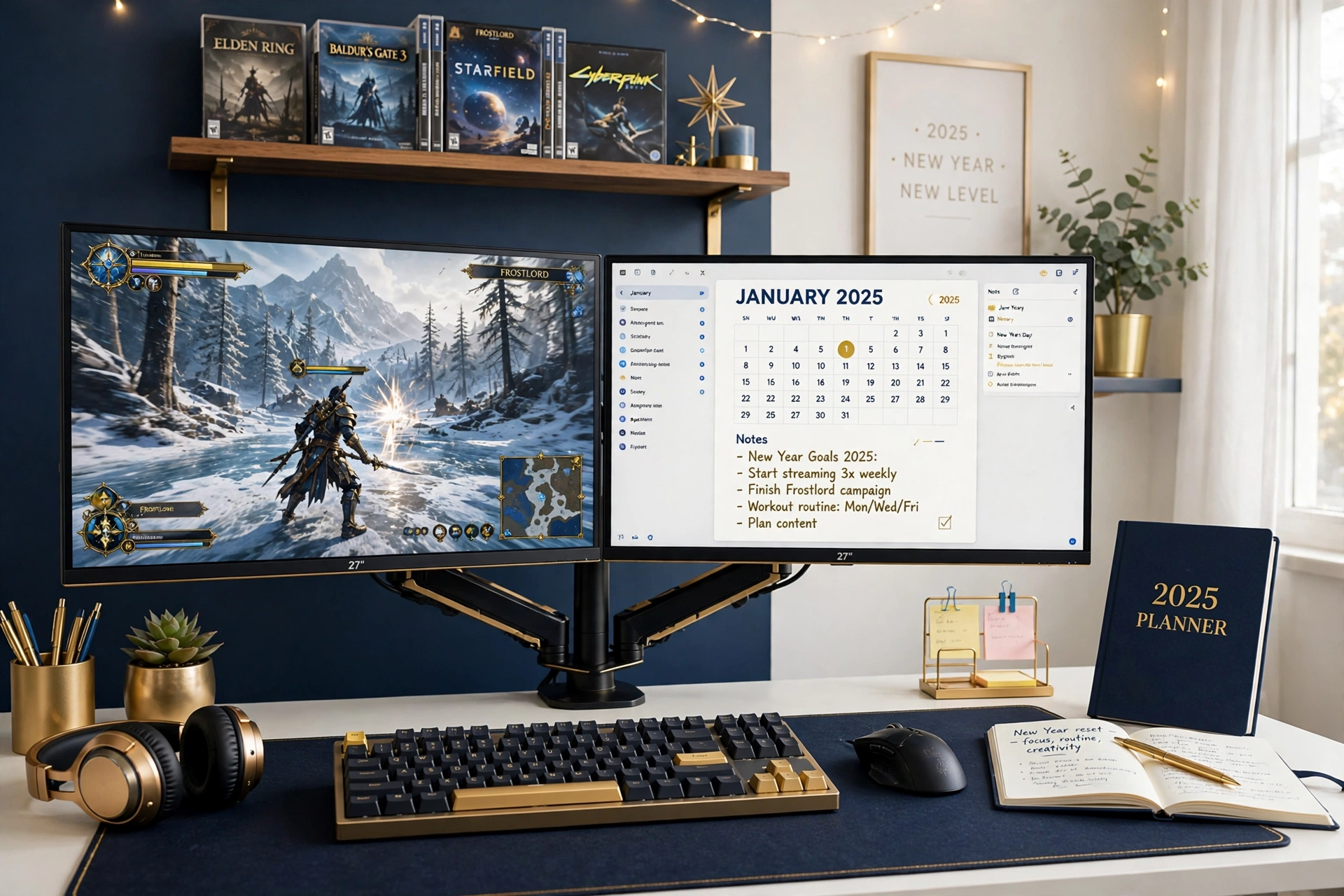
A new year usually means new plans, and two screens make those plans easier to keep. Game on the main monitor, keep your calendar, chat, or study notes open on the second one, and you stop switching windows all day. Mount both screens on one stand so they sit at the same height with no gap in the middle, and the whole desk feels like a proper command center.
New Year tip: set the second monitor to a calm wallpaper, like a dark blue gradient with a small January calendar widget. It keeps the desk feeling fresh and organized, and you will actually glance at your plans instead of ignoring them.
Keep the desk tidy underneath the screens. A keyboard with soft backlighting, a notebook for the week ahead, and a small shelf above the desk for games finish the setup. Run both monitor cables down the stand pole together, so the back of the desk stays as clean as the front.
Acer Nitro KG271U 27 Inch QHD Gaming Monitor, 180Hz
Why this one: QHD sharpness and a fast refresh rate make it a strong main screen, and two matching panels look far tidier than two different monitors.
Worth knowing: two monitors need two display cables and two power outlets, so count your ports before you add the second screen.
HUANUO Dual Monitor Stand for 13 to 40 Inch Screens
Why this one: one stand holds both screens at the same height and frees the whole desktop, which is the whole point of a command center.
Worth knowing: the stand has a weight limit per arm, so check both monitors against it, especially if one is a heavier older model.
4. Ultrawide Fresh Start Workspace
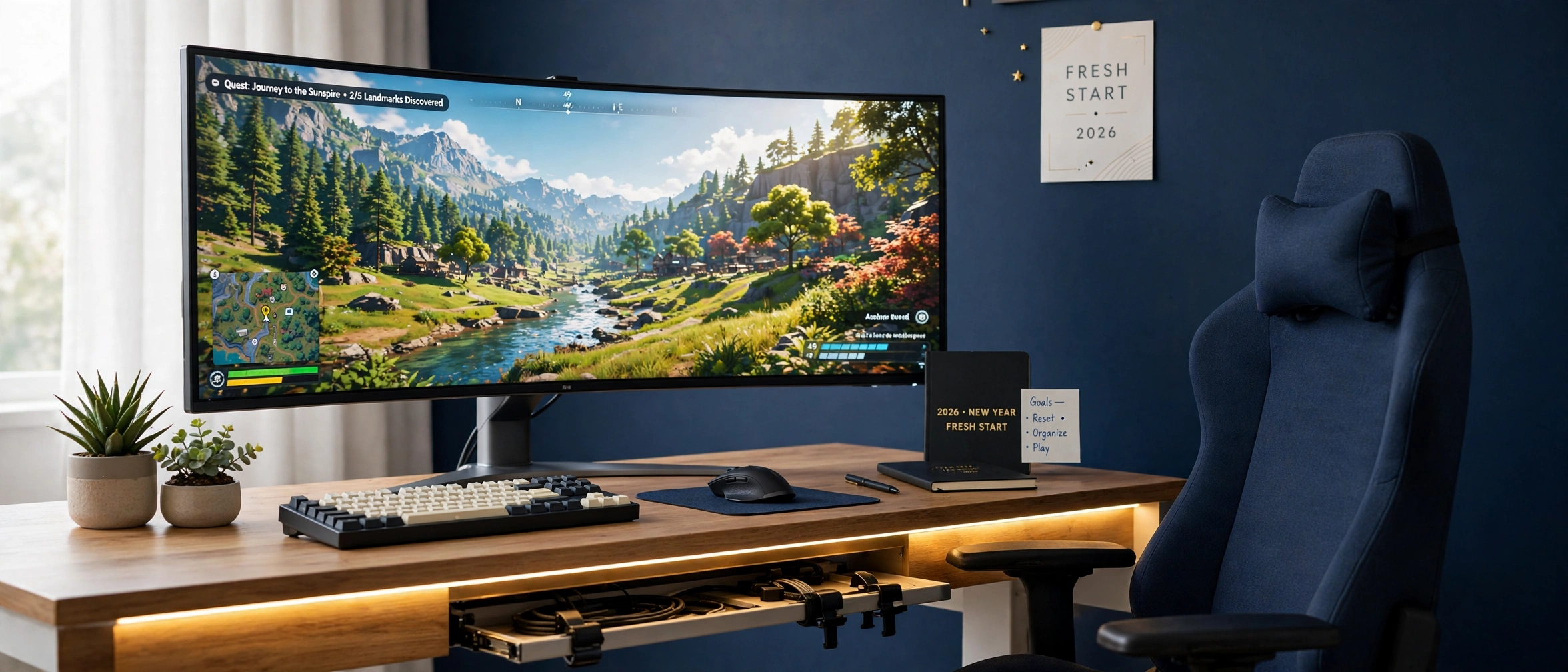
Sometimes the freshest start is one big screen instead of two. An ultrawide monitor fills your view in games and gives you room for two windows side by side when you work, with no bezel line down the middle. Pair it with a desk that has built in LED lighting and power outlets, and the whole setup feels new even though you only changed two pieces.
Your fresh start checklist:
- ✓ Center the ultrawide on the desk, with equal space on both sides.
- ✓ Set the desk LED edge to warm gold for evenings and soft white for daytime work.
- ✓ Keep one plant and one small tray on the desk, and nothing else.
- ✓ Run the monitor and desk power from the desk outlets, so one switch turns it all off.
LG 34 Inch Curved UltraWide QHD Monitor, 160Hz
Why this one: the wide curved screen wraps your view in games and fits two work windows side by side, so one monitor does the job of two.
Worth knowing: an ultrawide needs a deep desk, so measure your desk depth before you order, because a screen this wide feels cramped up close.
DUMOS 45 Inch Gaming Desk with LED Lights and Power Outlets
Why this one: built in power outlets cut down on extension leads, and the LED edge gives the desk a fresh gaming feel before you add anything else.
Worth knowing: a 45 inch desk is snug for an ultrawide plus a second screen, so plan this as a one monitor setup.
5. Cable Free Clean Desk Refresh
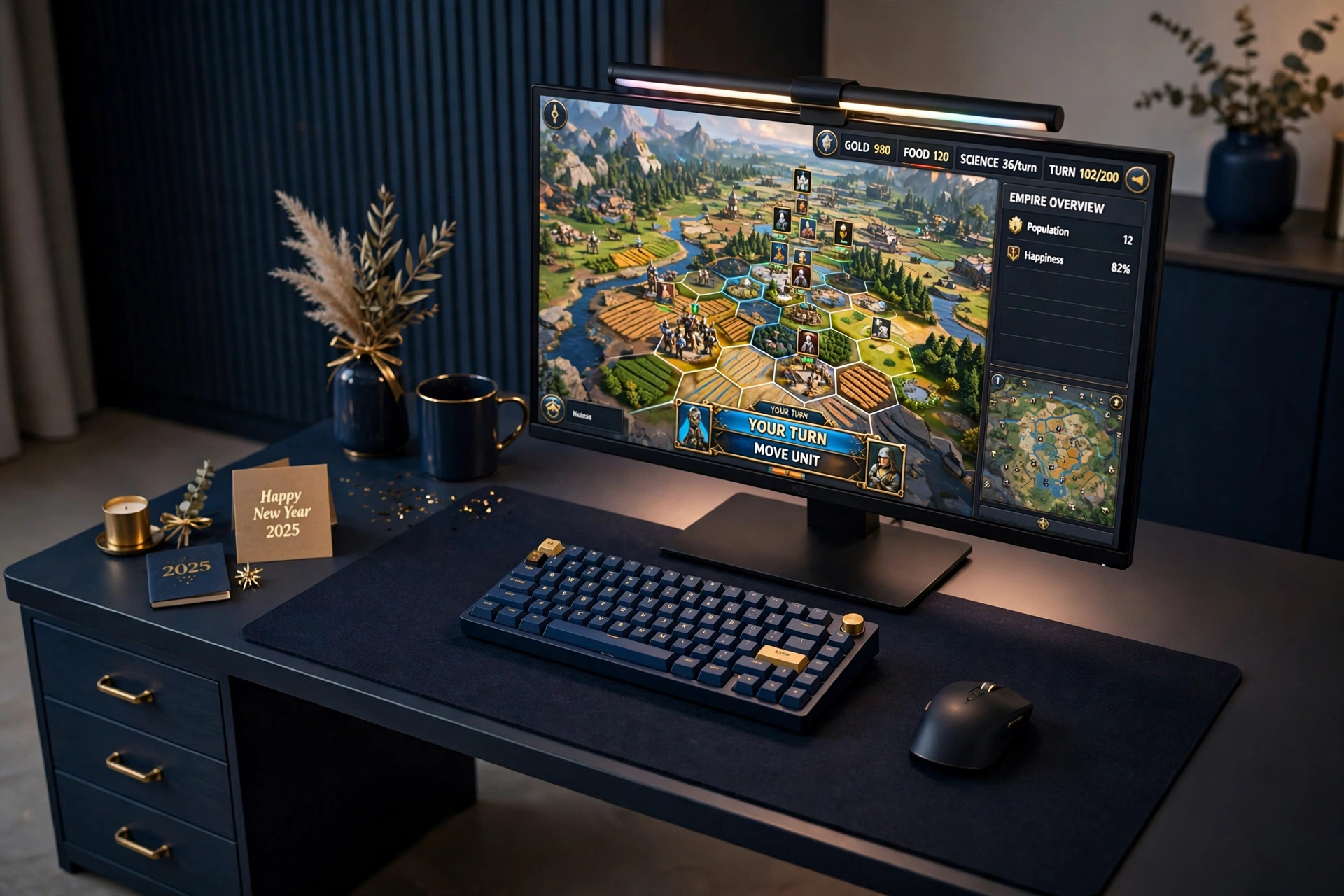
Nothing makes a desk look old faster than a tangle of cables. A New Year cable refresh costs very little and changes everything: a slim light bar on top of the monitor lights the desk without a lamp taking up space, and a large desk mat hides the cable run underneath while giving your keyboard and mouse one clean surface to sit on.
Light bar or desk lamp, which is better? A light bar wins on a small desk, because it lights the keyboard and the mat without using any surface at all, and it cuts screen glare at night. A lamp wins if you also read paper books at the desk, because you can angle it down at the page. For a gaming refresh, the light bar is the cleaner pick, and you can add a small lamp later only if you miss one.
Finish the job with a cable tray under the desk and a small drawer unit beside it. Every cable gets clipped, tied, or tucked, and the only things left on the surface are the screen, the keyboard, the mouse, and the mat.
Quntis Monitor Light Bar RGB PRO
Why this one: it sits on top of the monitor and lights the desk with no glare on the screen, and the RGB back glow adds a soft color wash on the wall.
Worth knowing: the bar fits most flat monitors, but check your monitor top edge thickness first, because very slim or curved screens can be a tight fit.
JOYYE Large RGB Gaming Mouse Pad with Magnetic Wireless Charger
Why this one: the large size covers the keyboard and mouse in one clean surface, and the built in charger means one less cable on the desk.
Worth knowing: the wireless charger only works with phones that support it, so check your phone model before counting on that feature.
6. Wall Art Glow Up with Light Panels
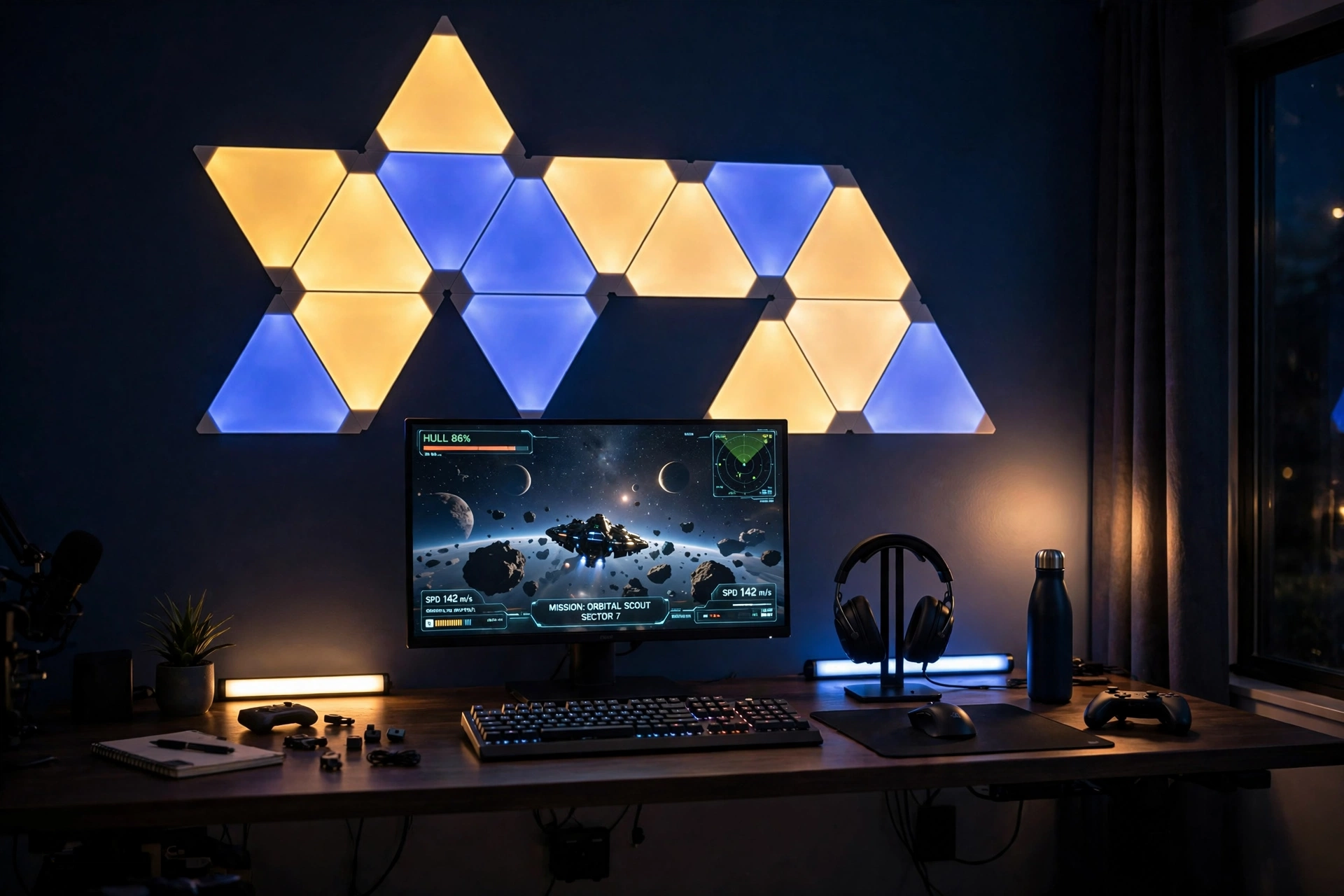
A blank wall is a missed chance. Triangle light panels turn the wall above your desk into the feature of the whole room, and gold set against midnight blue looks calm in the day and rich at night. Arrange the panels in a simple shape first, like a small mountain or a rising line, and leave space around them so the glow has room to breathe.
- Desk: a clean desk pushed against the panel wall, with the monitor centered under the art.
- Seat: a comfortable chair that faces the panels, so you see the glow every time you sit down.
- Screen: one main monitor with a bright game or wallpaper that matches the gold and blue theme.
- Light: triangle panels in gold and deep blue, plus two small light bars on the desk for a second layer.
- Storage: a headset stand on the desk and a shelf for games, keeping the wall free for the art.
- Power: one outlet behind the desk for the panels and the bars, with the cables hidden behind the desk.
If you want more ways to light the whole room, the ideas in 15 LED Gaming Room Ideas That Set the Perfect Mood show how to layer strips, bars, and panels without overdoing it.
Nanoleaf Shapes Triangles Smarter Kit
Why this one: the triangle panels snap into any shape you like, and the app lets you set gold and blue scenes that change with the time of day.
Worth knowing: plan the layout on the wall first with painter tape, because moving the panels after they are stuck on can weaken the adhesive.
Philips Hue Play Light Bar, 2 Pack
Why this one: the two bars add a soft wash of color on the desk or the wall, and they pair with other Hue lights if you already own any.
Worth knowing: the full Hue experience works best with a Hue Bridge, so check what you need for app control before you buy.
7. New Chair, New Posture for the New Year
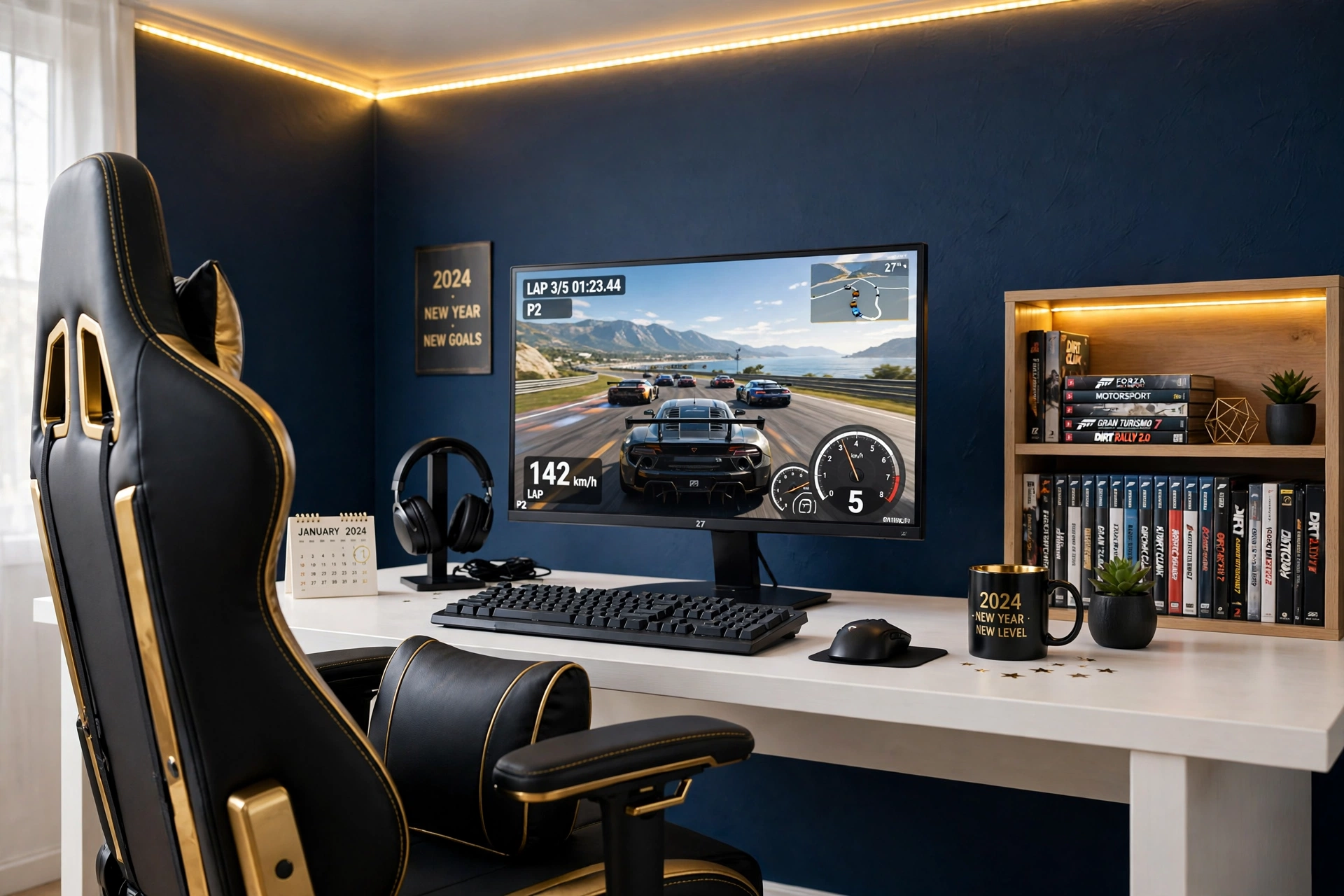
A new year is a good time to stop gaming from a chair that hurts your back. A proper gaming chair with lumbar support and a footrest changes long sessions completely, and it is one of the few upgrades you feel in your body instead of just seeing on the desk. Pair it with a sharp QHD monitor at eye level, and your posture improves without you having to think about it.
How to set it up:
- Set the chair height so your feet rest flat on the floor and your knees sit level with your hips.
- Place the lumbar pillow low on your back, where your spine curves in, not up near your shoulders.
- Raise the monitor so the top of the screen sits at eye level when you sit tall.
- Keep the keyboard close enough that your elbows rest near your sides, not stretched forward.
- Use the footrest for long cutscenes and put it away when you need to lean in for a ranked match.
GTPLAYER Gaming Chair, Computer Chair with Footrest and Lumbar Support
Why this one: the footrest and lumbar pillow support long sessions, and the chair reclines when you want to relax between games.
Worth knowing: assembly takes some time and a bit of space, so clear the floor and follow the steps in order before your first sit.
Samsung 27 Inch Odyssey G5 QHD Gaming Monitor
Why this one: QHD sharpness keeps text and games crisp, and the 27 inch size suits most desks without crowding the chair space.
Worth knowing: the stand is fairly wide, so check your desk depth if you also want a large mousepad in front of it.
8. Console Corner Refresh with a TV Glow
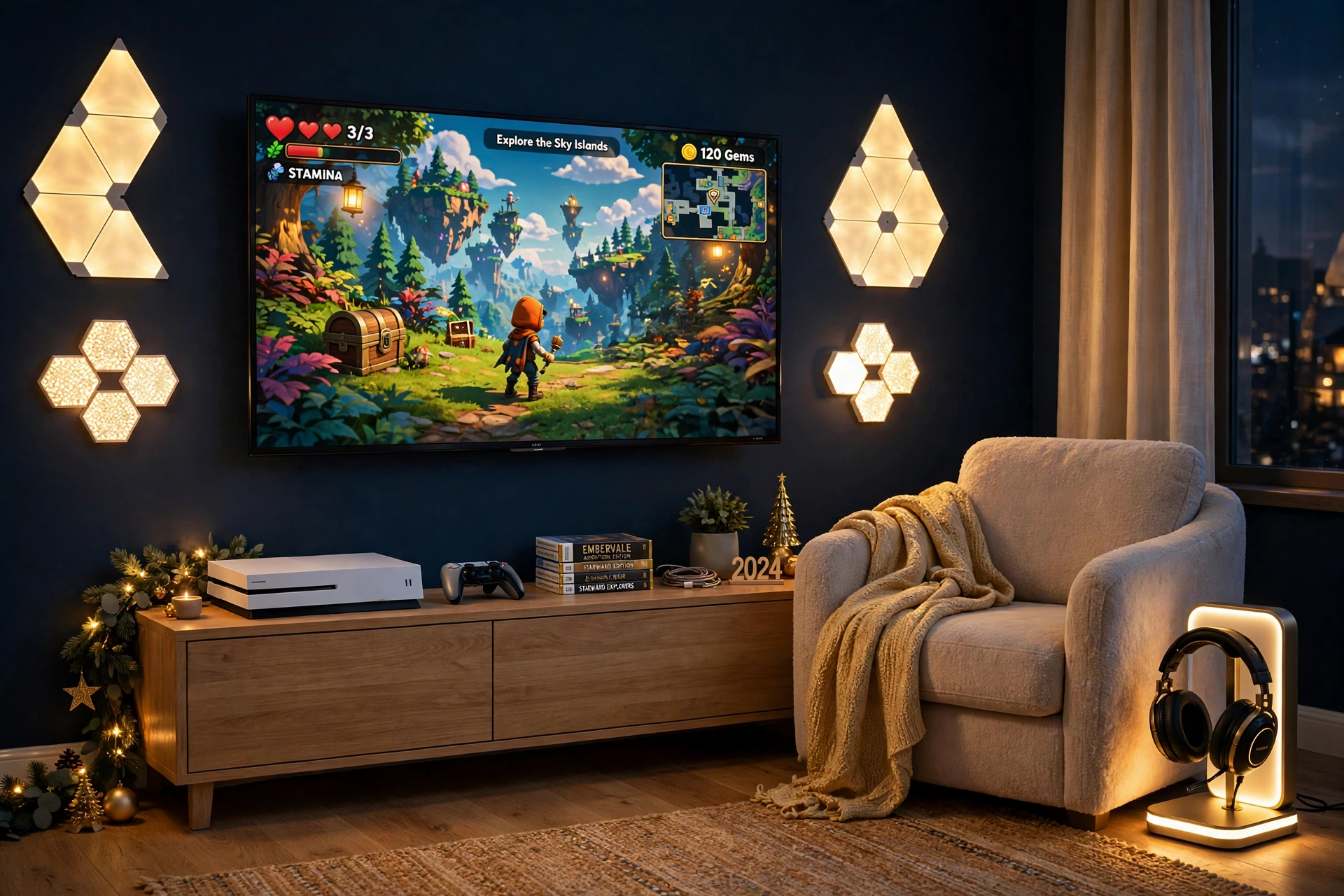
Console players deserve a New Year refresh too, and the TV corner is the place to start. Clear the media unit, keep only the console, one controller, and a few favorite games on show, and let the wall do the talking. Gold light panels on either side of the TV frame the screen beautifully, and a glowing headset stand beside the armchair keeps your headset safe and looks great when it is lit.
Try this: set the wall panels to warm gold for story games and movie nights, then switch them to deep blue for late night sessions. One tap changes the whole corner, and it costs nothing once the panels are up.
Add a soft throw blanket over the armchair, a small plant on the media unit, and a rug that warms up the floor. Run the console and TV power from one strip behind the unit, so the front stays clean and the cables never show.
Govee Glide Wall Lights, 2 Panels Set
Why this one: the bar shape frames a TV neatly, and the two panels can sit on either side of the screen for a balanced glow.
Worth knowing: plan the layout with painter tape first, because moving the bars after they are stuck on can weaken the adhesive.
Miroddi RGB Headset Stand with Wireless Charger, 8 in 1 Charging Station
Why this one: it holds the headset, charges a controller and a phone, and the RGB glow looks like part of the room decor instead of clutter.
Worth knowing: the stand needs its own power cable, so place it near an outlet or the media unit power strip.
9. L Shaped Desk Reorganization
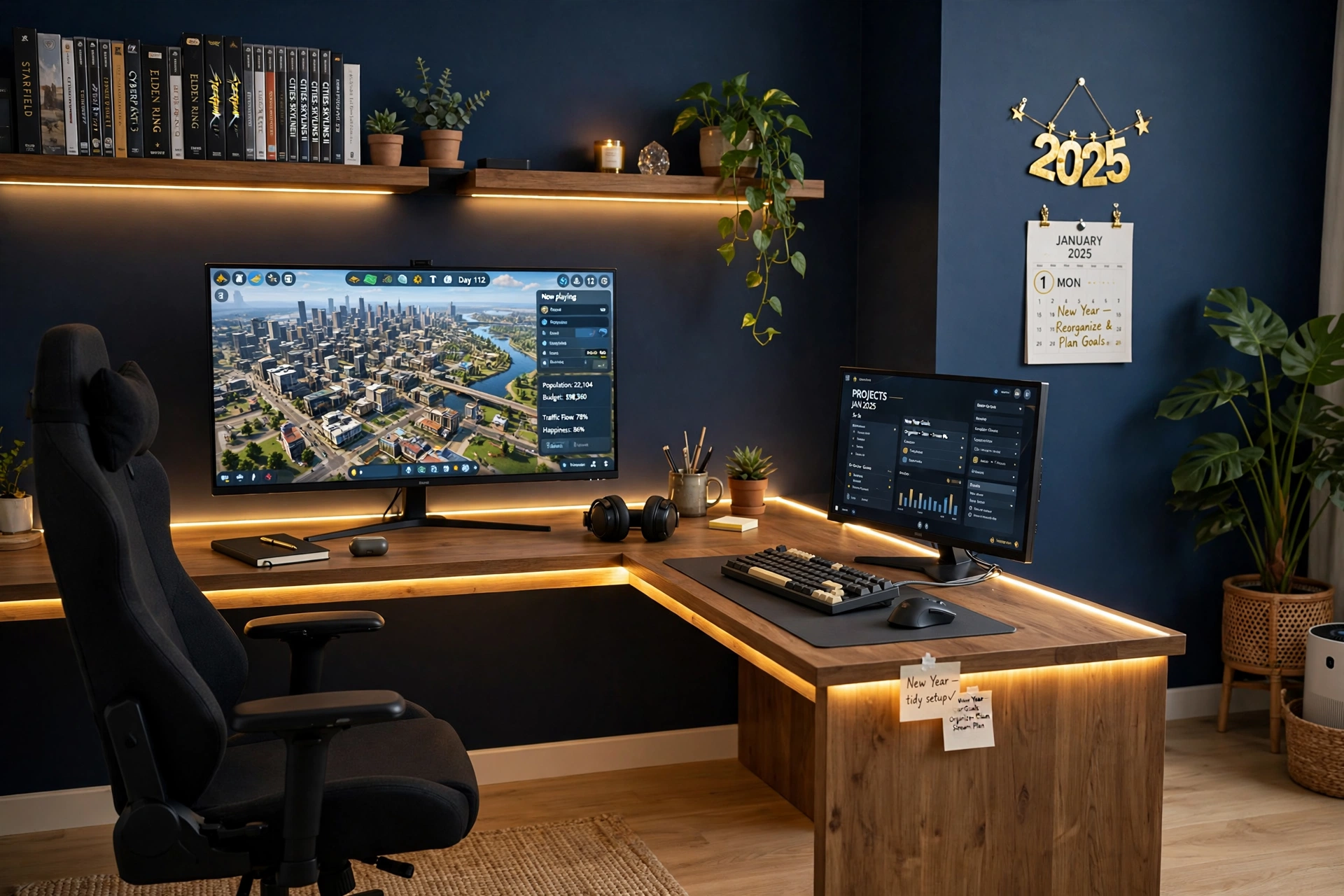
An L shaped desk is the best New Year gift you can give a crowded room, because it gives every activity its own zone. Put the monitor and the main game on the long side, and use the return side for homework, streaming gear, or a second screen. A mechanical keyboard with bright backlighting makes the return side feel like a real workspace instead of a dumping ground.
- Desk: a 66 inch L shaped desk with LED lights and power outlets, tucked into the corner so both sides get wall space.
- Seat: a chair on wheels that glides between the two sides without scraping the floor.
- Screen: one main monitor on the long side, with room for a small second screen on the return side later.
- Light: the desk LED edge in warm gold, plus a small lamp on the return side for reading and notes.
- Storage: shelves above the long side for games and plants, and a drawer under the return side for cables and spares.
- Power: the desk outlets on both sides, so each zone has power without long extension leads.
PRAISUN 66 Inch L Shaped Gaming Desk with LED Lights and Power Outlets
Why this one: the L shape doubles your usable surface in a corner, and the built in outlets mean each side has power close by.
Worth knowing: an L shaped desk is heavy and wide, so measure the corner and the doorway before you order, because it needs room to turn during setup.
Corsair K70 CORE RGB Mechanical Gaming Keyboard
Why this one: the mechanical switches feel solid for long typing and gaming sessions, and the RGB backlight matches the desk LED edge.
Worth knowing: mechanical keyboards are louder than membrane ones, so keep that in mind if you share the room or play late at night.
10. Pink and Gold Cozy Refresh
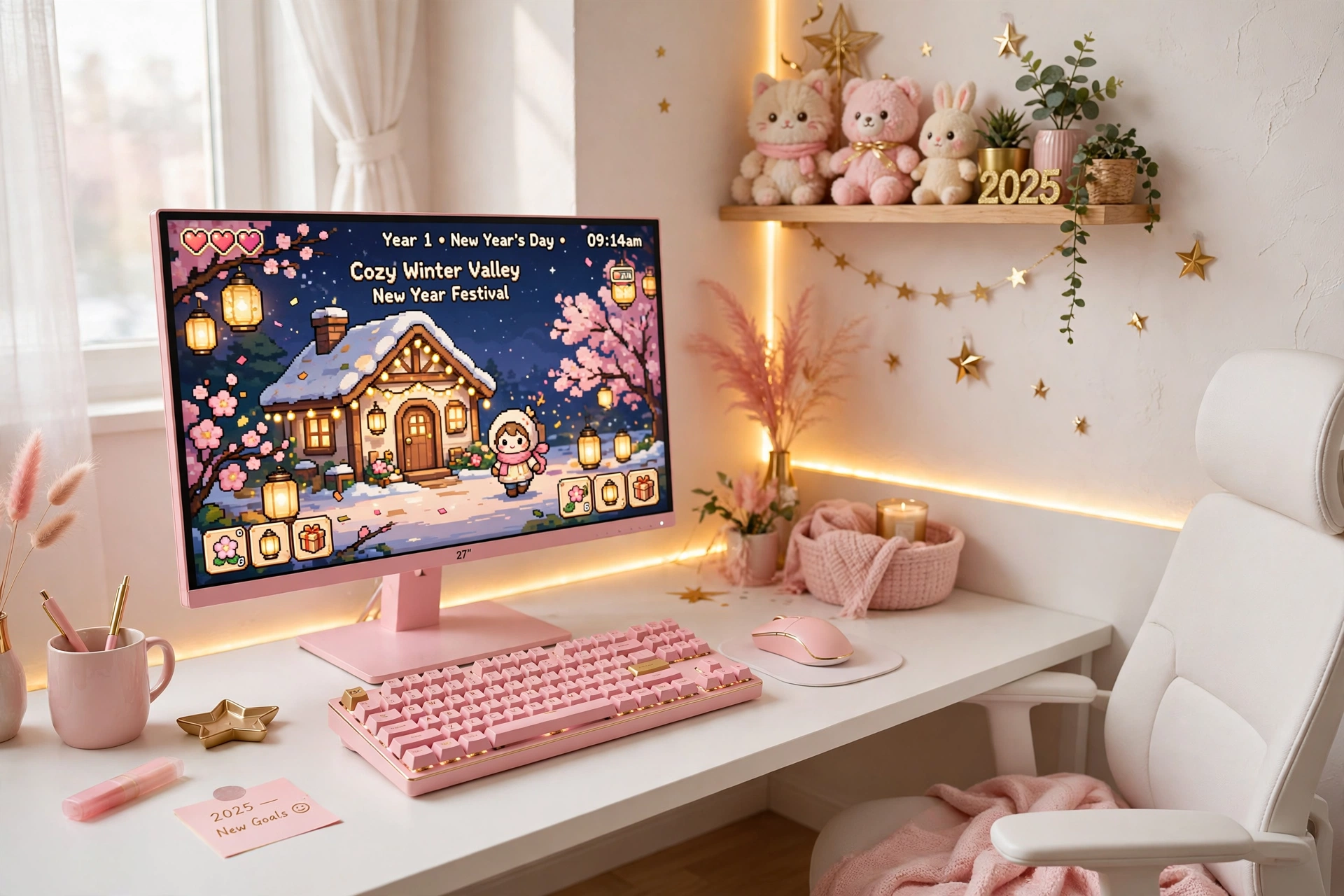
Not every New Year refresh has to be blue and serious. A pink and gold setup feels warm, soft, and cheerful, and it works beautifully in a bedroom corner. A pink monitor with a fast refresh rate is the hero here, and a pink mechanical keyboard with bright backlighting ties the whole desk together. Keep the wall simple so the pink and gold can shine.
Your cozy refresh checklist:
- ✓ Match the monitor, keyboard, and mouse in pink, then add gold only in the light and small decor.
- ✓ Run the LED strip in warm gold, not pink, so the room glows instead of looking flat.
- ✓ Add one small shelf with plush toys and a plant, and keep the desk surface clear.
- ✓ Use a white or cream chair so the pink pieces stand out instead of competing.
Pixio PX279 Wave Pink 27 Inch Gaming Monitor, 240Hz
Why this one: the soft pink finish is the whole look, and the very fast refresh rate keeps competitive games smooth.
Worth knowing: the pink color is bold, so make sure it fits your room before you commit to a pink monitor, keyboard, and mouse together.
Razer BlackWidow V3 Mechanical Gaming Keyboard, Quartz Pink
Why this one: the quartz pink finish matches the monitor perfectly, and the mechanical keys feel crisp for both games and typing.
Worth knowing: mechanical keys are louder than a quiet membrane keyboard, so it is worth testing the sound if you play late at night.
11. Small Bedroom Bed and Desk Refresh
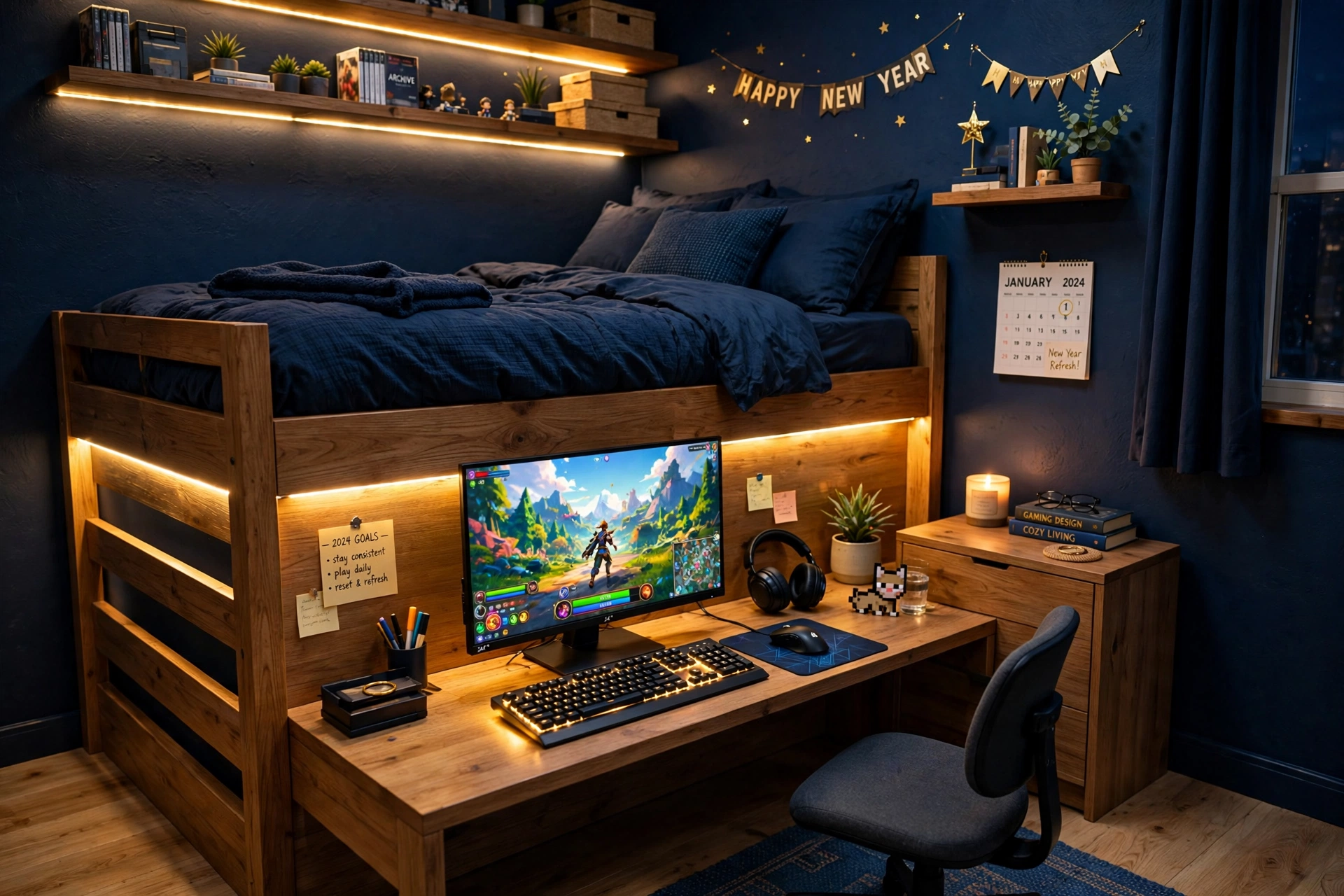
Small bedrooms need furniture that does two jobs, and a bed with a built in desk is the smartest New Year fix for a tiny room. You sleep, study, and game in the same footprint, and the built in LED lighting makes the whole corner glow gold in the evening. Add a short LED strip along the bed frame and the shelves, and the room feels planned instead of cramped.
How to set it up:
- Place the bed desk against the longest wall, with the monitor facing away from the bed so work and sleep feel separate.
- Run a short LED strip along the bed frame and under the shelves, set to warm gold.
- Keep bedding in midnight blue to match the gold light, and add one gold cushion for the New Year theme.
- Use the built in drawer for controllers and chargers, so nothing ends up on the floor.
- Put a small chair at the desk that slides under it when you climb into bed.
Bekeknlny Wood Gaming Bed with Built-in Desk, Wardrobe, LED and a Drawer
Why this one: the bed, desk, wardrobe, and drawer come in one piece, which saves more floor space than any separate furniture could.
Worth knowing: this is a large piece of furniture, so measure the room, the doorway, and the stairs before you order it.
Govee RGBIC LED Strip Lights, 16.4ft
Why this one: the shorter length is just right for a bed frame and a shelf, and the app control makes it easy to dim the glow for sleep.
Worth knowing: check the cut marks before trimming the strip, because cutting in the wrong place can stop a section from lighting.
Frequently Asked Questions
How much does a New Year gaming room refresh cost?
It depends on what you change. A simple declutter and cable tidy costs almost nothing. Adding one light strip or a light bar is a small spend, while a new desk, chair, or monitor is a bigger one. Start with the free steps first, then buy one piece at a time.
What is the best color scheme for a New Year refresh?
Gold and midnight blue is a strong pick, because the deep blue calms the room and the warm gold makes it feel fresh and a little fancy. If you prefer a softer look, pink and gold works well in a bedroom, and plain warm white suits a room you also use for work.
Do I need to buy new furniture to refresh my gaming room?
No. Most refreshes start with clearing the desk, hiding the cables, and fixing the light. New furniture helps when the old desk is too small or the chair hurts your back, but it is the last step, not the first.
How do I keep the room tidy after the refresh?
Give every item a home: a drawer for cables, a stand for the headset, a shelf for games. Spend five minutes at the end of each session putting things back, and the room stays close to how it looked on day one.
Can I do a refresh in a rented room?
Yes. LED strips, light panels, and floor lamps all come off without holes in the wall, and a new desk, chair, or monitor moves with you. Stick to freestanding pieces and removable light, and skip anything that needs drilling.
What should I refresh first if I can only pick one thing?
The light. One good light change, like a gold strip behind the desk or a corner lamp, transforms how the whole room feels in the evening, and it costs far less than new furniture.
Start the Year with a Room You Love Sitting In
A New Year refresh does not need a full rebuild. Clear the desk, hide the cables, fix the light, and give your chair and screen the attention they deserve, and the room will feel new again. Pick the one setup from this guide that matches your room and your budget, start with the free steps, and add one piece at a time until the space feels like yours again.
And when the refresh is done, keep it that way. Five minutes of tidying after each session is all it takes, and next January you will be starting from a room you already love instead of starting over.
