AFFILIATE NOTE: As an Amazon Associate I earn from qualifying purchases. Read our full affiliate disclosure for more detail.
An attic is the most underused gaming space in a house. The sloped ceiling that makes it awkward for a wardrobe makes it perfect for a desk, because a screen fits neatly under the slope while you sit in the taller part of the room. Add a skylight, some warm wood, and clever low storage, and the attic stops feeling like a leftover and starts feeling like a hideaway built just for games.
In this guide you will find 11 complete attic gaming room setups you can copy whole, from a bright skylight desk to a cozy loft bed den, a console corner under the roof, and a minimal white setup for small attics. Each one covers the desk, seat, screen, light, storage, and power, so nothing important is left out. If your attic is also tight on floor space, the ideas in 15 Small Gaming Room Ideas for Tight Spaces pair well with every setup below.
In this article
At a glance
1. Skylight Desk Under the Slope
2. Wood Beam Nook
3. Low Eaves Storage Wall
4. Daylight Dormer Setup
5. Console Corner Under the Roof
6. Dual Monitors on the Slanted Wall
7. Warm Wood Reading and Gaming Nook
8. Loft Bed Gaming Den
9. Minimal White Attic Setup
10. Sloped Ceiling Shelf Display
11. Compact Dorm Style Attic Corner
FAQ
Conclusion
At a Glance: Pick Your Attic Setup
1. Skylight Desk Under the Slope
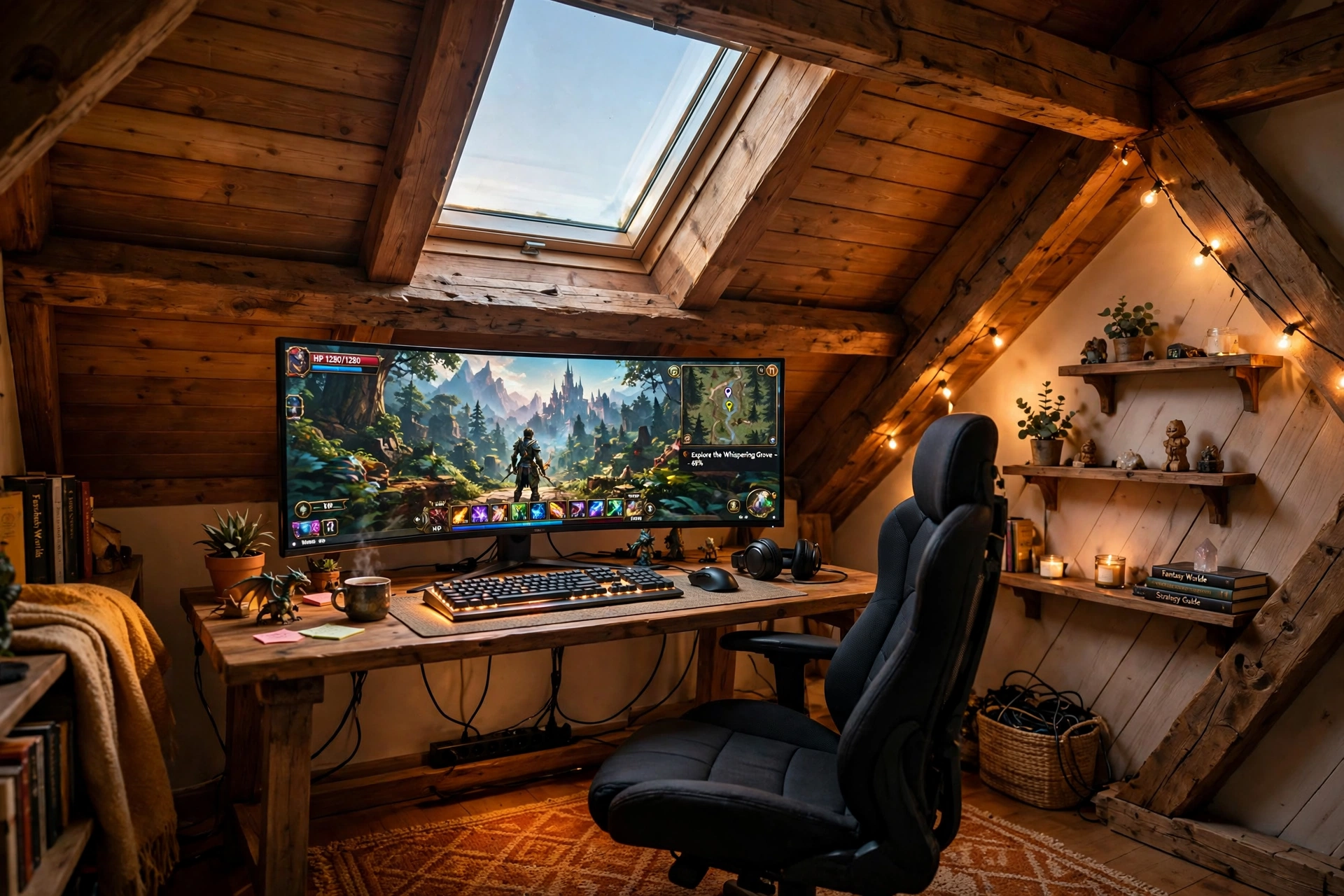
Put the desk where the roof is lowest and the skylight is highest. Daylight falls straight onto the desk, the monitor sits under the slope where glare cannot reach it, and you sit in the taller part of the room where you can stand up without ducking. It is the brightest setup in this guide, and it costs nothing in extra lighting during the day.
Skylight desk checklist:
✓ Desk pushed under the slope, monitor facing away from the skylight
✓ Chair placed where the ceiling is tallest, so standing up is easy
✓ A small shelf on the slanted wall for games and a headset hook
✓ A blind or shade on the skylight for bright summer afternoons
✓ One power strip behind the desk leg, out of the walkway
Keep the desk surface simple: a sharp main monitor, a compact keyboard, and a mousepad that fits the desk width. The skylight does the decorating here, so pale wood and a light chair keep the room feeling open instead of crowded.
ASUS TUF Gaming VG27AQ 27 Inch QHD Monitor, 165Hz
Why this one: a sharp QHD screen with fast refresh stays readable in bright skylight, and the size suits a desk tucked under a slope.
Worth knowing: the stand is fairly wide, so check your desk depth if you also want a large mousepad in front of it.
Huuger 47 Inch Computer Desk with Power Outlets and LED Lights
Why this one: built in power outlets cut down on extension leads, and the LED edge adds a soft glow for evening sessions under the skylight.
Worth knowing: a 47 inch desk is snug for a monitor plus a second screen, so measure your screens before adding a second display.
2. Wood Beam Nook
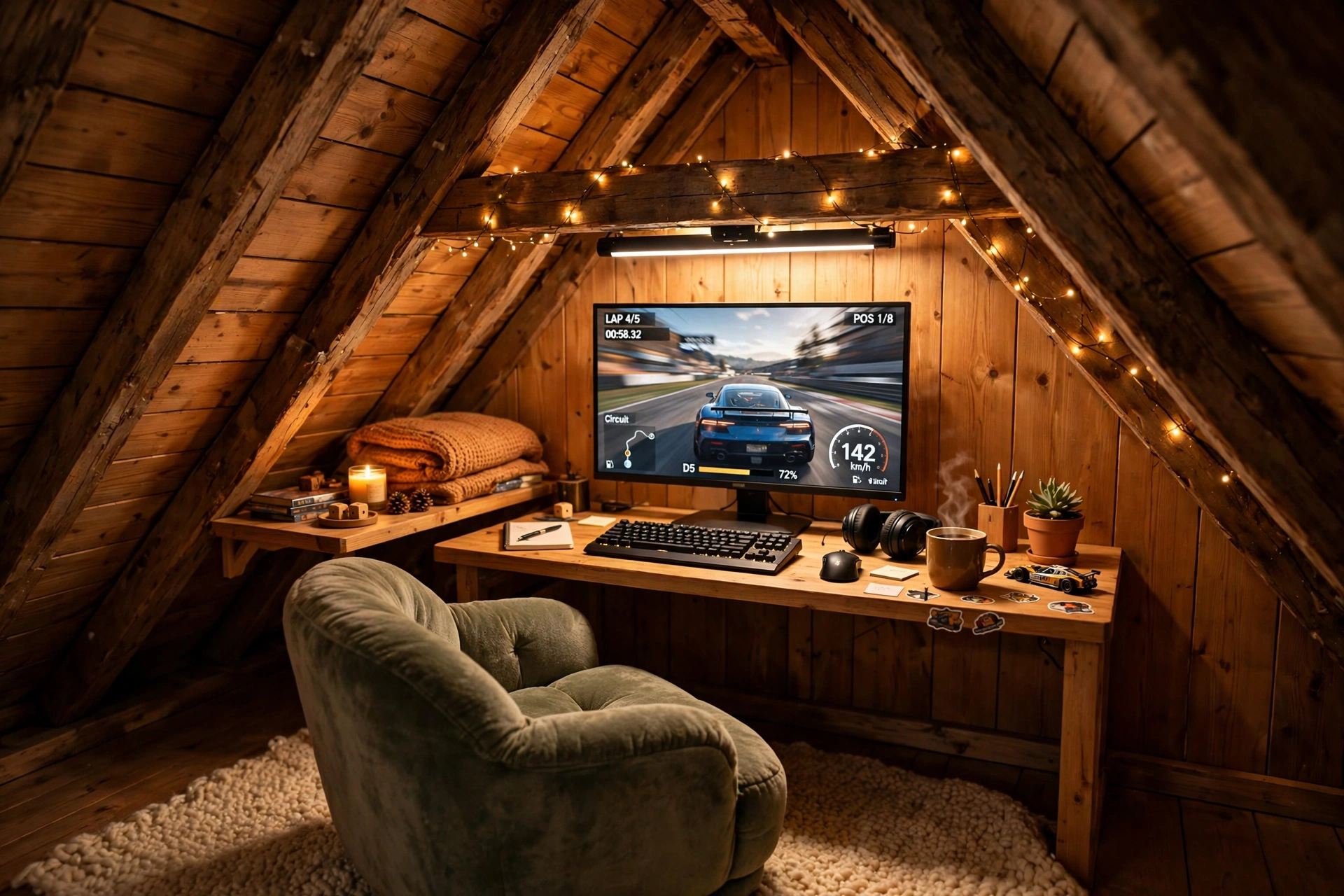
Exposed beams are the attic’s best feature, so build the nook around them instead of hiding them. A compact desk slides between two beams, the monitor sits just under the beam line, and warm wood tones do the rest. A light bar above the screen keeps the desk lit without a lamp taking up space, and a soft rug under the chair makes the wood floor feel warm underfoot.
Beam height tip: sit in your chair and check the beam above your head before you place the desk. A desk that looks fine empty can feel cramped once you sit down, so test the sitting height first and move the desk a few inches toward the tall side if you need to.
Keep storage low and simple: one small shelf on the beam wall for games, a hook for the headset, and a cable box under the desk. The wood already gives the nook its character, so the rest of the setup can stay plain and the room still feels finished.
Acer Nitro KG271U 27 Inch QHD Gaming Monitor, 180Hz
Why this one: QHD detail and a very fast refresh rate suit competitive games, and the screen stays bright enough to hold its own against warm wood tones.
Worth knowing: the stand takes up a fair amount of desk depth, so a monitor arm can help if your desk is shallow.
Quntis Monitor Light Bar RGB PRO
Why this one: the bar lights the desk and keyboard without glare on the screen, and the RGB back glow adds color to the wood beams behind the monitor.
Worth knowing: the bar sits on top of the monitor, so check it fits your screen thickness and bezel before ordering.
3. Low Eaves Storage Wall
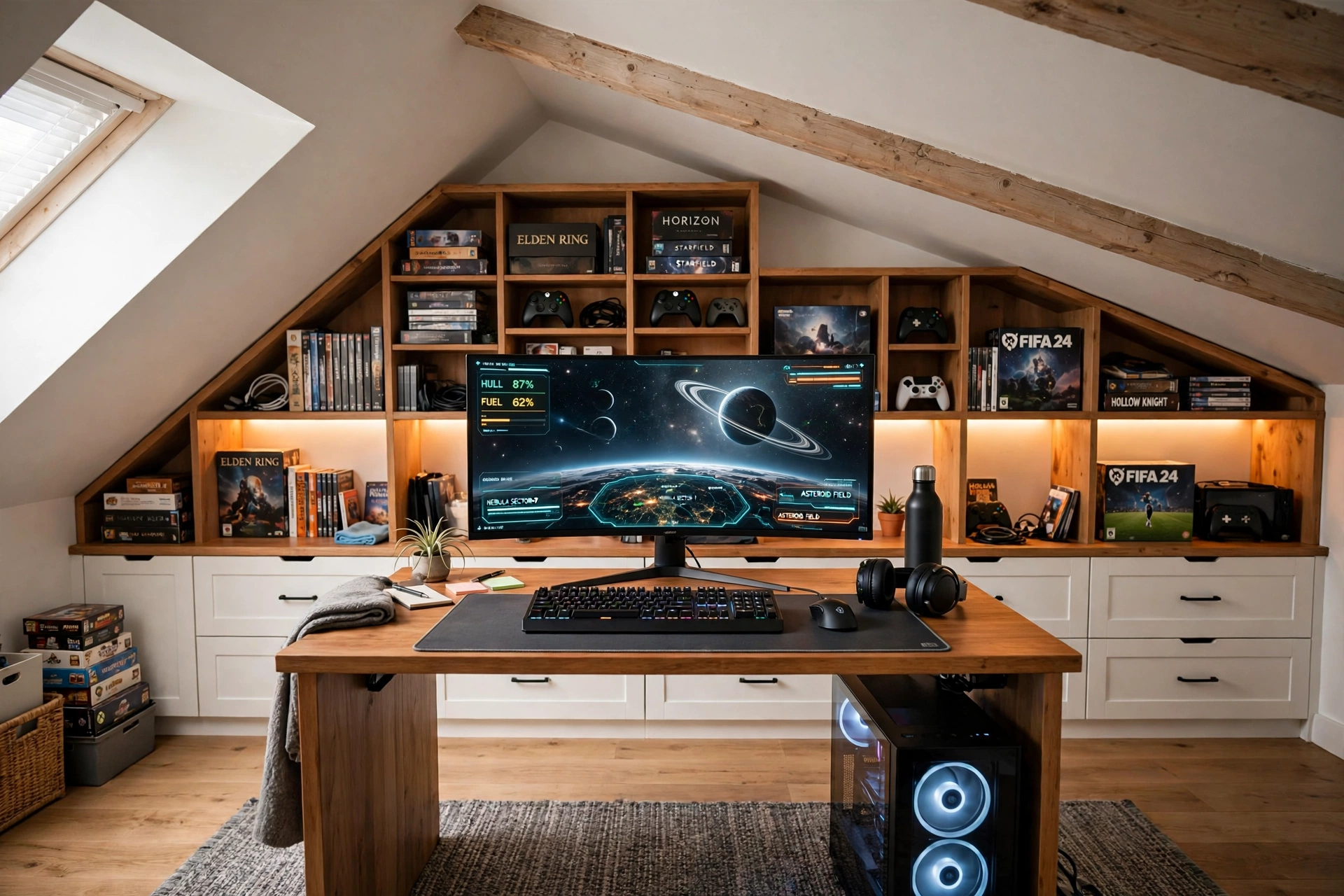
The space under the eaves is too low to stand in, which makes it the perfect place for storage. Low cubbies and drawers run along the whole sloped wall, holding games, controllers, books, and spare cables, while the desk sits in the middle of the room where the ceiling is tallest. Everything you own has a home, and the desk stays clear.
A curved monitor suits this setup because it pulls you into the game while the storage wall stays out of your eyeline. Add a chair with good back support, since you will sit for long sessions, and run one power strip behind the desk so the monitor, the strip light, and the charger share one tidy cable run.
DUMOS 45 Inch Gaming Desk with LED Lights and Power Outlets
Why this one: built in power outlets cut down on extension leads, and the LED edge gives the desk a gaming feel before you add any extra strips.
Worth knowing: a 45 inch desk is snug for a monitor plus a second screen, so measure your screens before adding a second display.
CRUA 27 Inch Curved Gaming Monitor, 180Hz
Why this one: the curved panel wraps the game around you in a room where the walls already curve in, and the fast refresh keeps motion smooth.
Worth knowing: curved screens can distort straight lines slightly, so they are less ideal if you do precise photo or design work on the same desk.
4. Daylight Dormer Setup
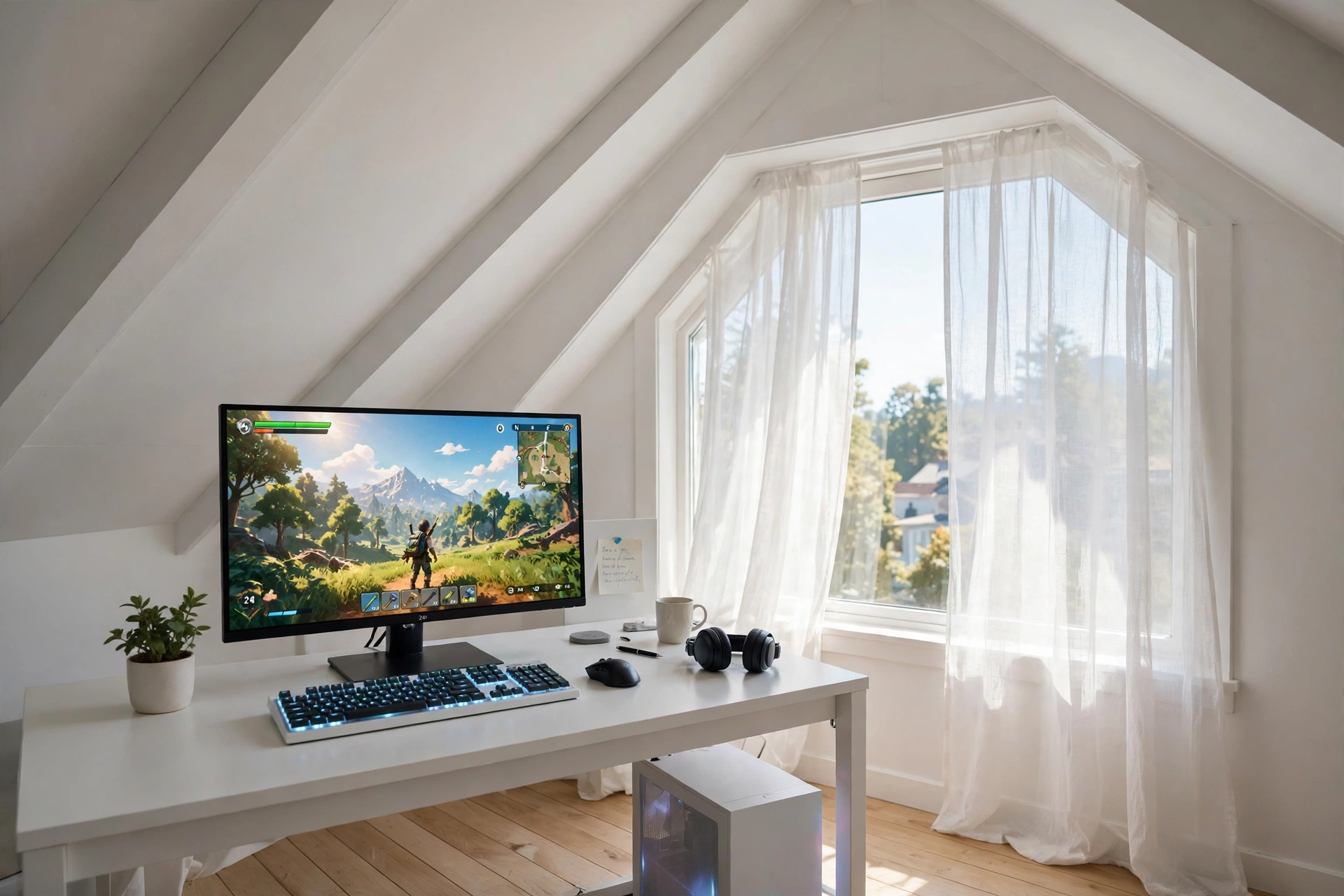
A dormer window is the attic’s gift: a flat wall and a real window in a room full of slopes. Put the desk under the dormer and you get daylight, a view, and a straight wall to mount a shelf on, all in one spot. This is the setup to pick if the attic doubles as a work room, because the same desk works for a laptop in the morning and a game at night.
How to set it up:
- Place the desk under the dormer window, with the monitor facing into the room so sunlight never hits the screen directly.
- Add a small shelf on the dormer wall for work papers and game cases.
- Keep the keyboard backlit, so the switch from daylight work to evening play needs no extra lamp.
- Use a chair with adjustable height, since dormer desks often sit a little lower than normal desks.
- Run cables down the side of the desk nearest the wall, so the window side stays clean.
If you want more small room desk ideas before you commit, the setups in 15 Gaming Desk Setup Ideas for Small Rooms show how to squeeze a full desk into a tight corner without it feeling cramped.
Acer Nitro VG272U V3 27 Inch QHD Gaming Monitor, 180Hz
Why this one: a sharp QHD panel with a very fast refresh rate handles both work text and fast games well, and the bright screen stays readable in daylight.
Worth knowing: the stand is basic, so a monitor arm is worth adding if you want to tilt the screen away from window glare.
Corsair K70 CORE RGB Mechanical Gaming Keyboard
Why this one: the per key RGB lighting looks great in evening play, and the solid build feels steady during fast games and long typing sessions alike.
Worth knowing: mechanical keyboards are louder than membrane ones, so they may not suit a shared attic bedroom late at night.
5. Console Corner Under the Roof
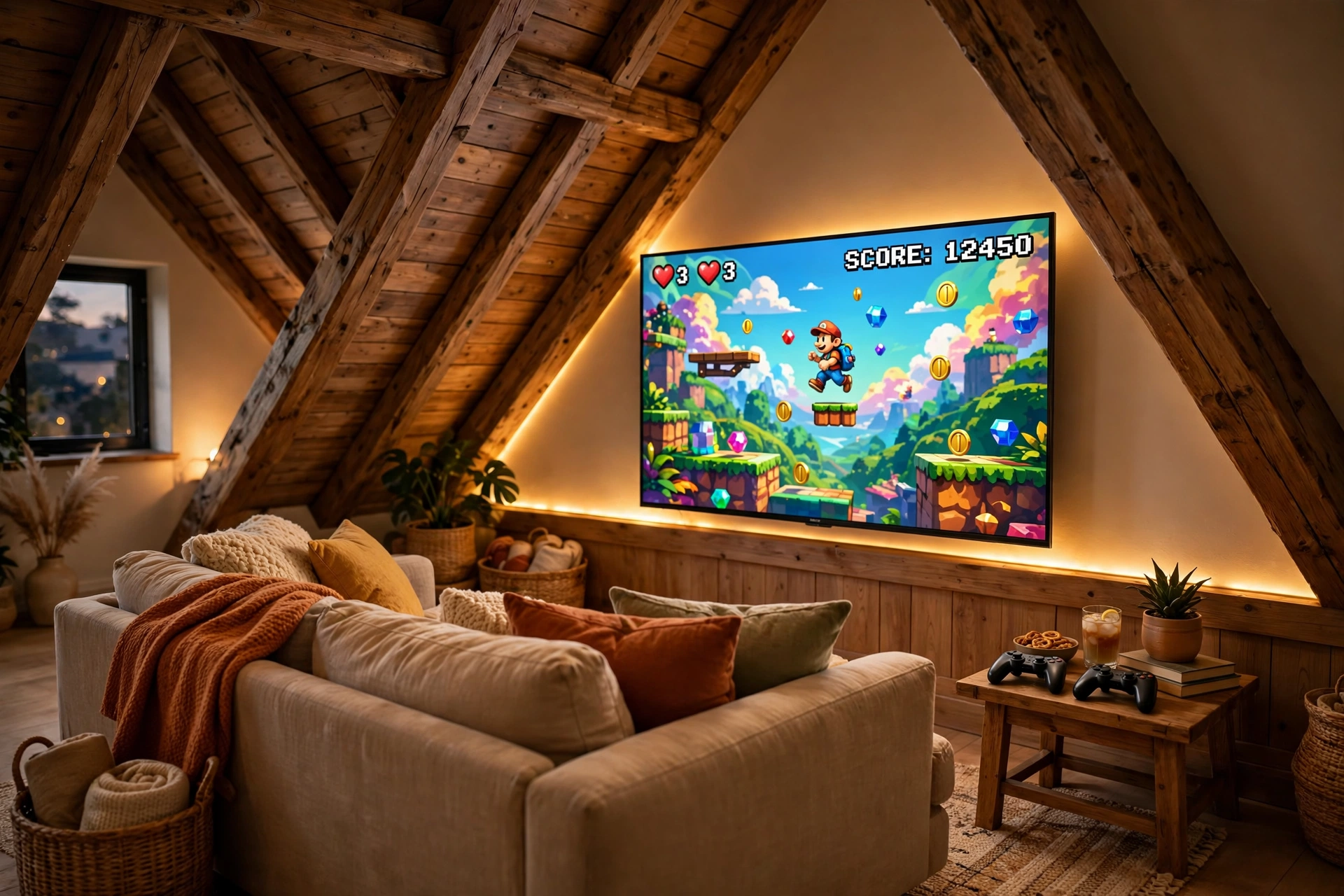
Console players do not need a desk at all, and an attic corner is made for a sofa setup. Mount the TV low on the slanted wall or set it on a low media unit, push a comfortable sofa a few feet back, and let the sloped ceiling wrap the room around you like a den. A strip behind the TV gives the whole corner a warm glow, and the same room works for movie nights without moving a thing.
TV height note: in an attic, the TV should sit lower than in a normal living room, because the sofa is close and the ceiling is low. Aim for the center of the screen at seated eye level, and tilt the mount a few degrees if the screen sits under a slope. Your neck will thank you after a long session.
Keep the console in a ventilated spot on the media unit, and run the strip power from the same outlet as the TV so one switch controls the glow. A basket beside the sofa holds controllers and headsets, and a small side table keeps snacks and drinks off the floor.
Govee 65.6ft RGBIC LED Strip Lights
Why this one: the long length covers the TV, the media unit, and the ceiling edge in one run, and the RGBIC segments let different parts of the strip show different colors at once.
Worth knowing: measure your wall and TV first, because a strip that is too long will leave a loose tail that is hard to hide neatly.
Govee Glide Wall Lights, 2 Panels Set
Why this one: the slim bars sit neatly beside a TV or under a media console, and the two panel set is enough to frame one side of the corner without taking over the wall.
Worth knowing: two panels cover a small area only, so a large attic wall may need a second set to look balanced.
6. Dual Monitors on the Slanted Wall
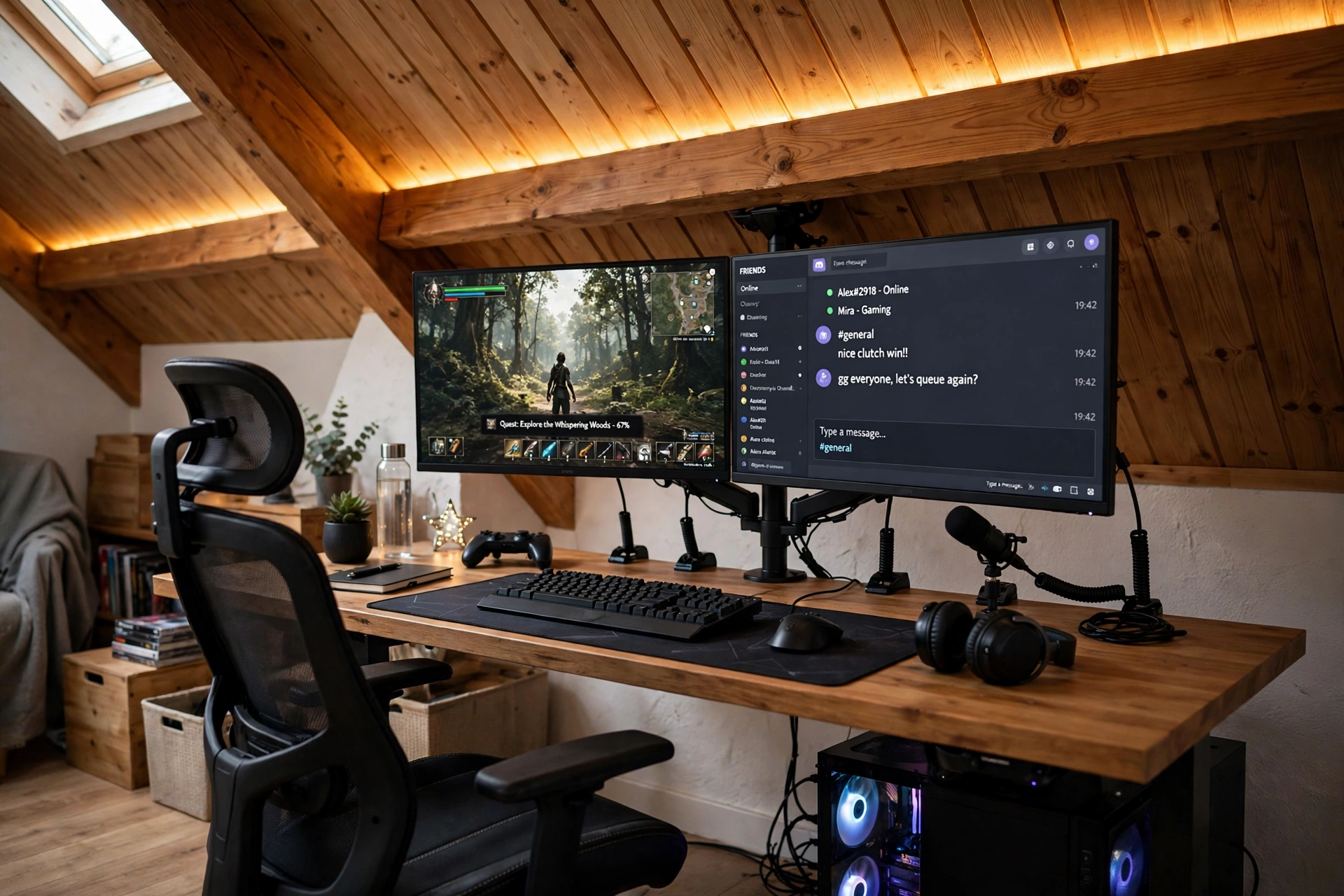
Two monitors in an attic sound impossible until you hang them on one arm. A dual monitor arm clamps to the back of the desk and floats both screens at the right height, so the sloped ceiling never gets in the way and the desk surface stays free for a keyboard, a mousepad, and a notebook. One screen runs the game, the other holds chat, a stream dashboard, or a guide, which is exactly what streamers and multitaskers need.
What works here:
✓ One gas spring arm holds both screens, so they tilt and turn together
✓ The main screen sits straight ahead, the second screen angled slightly in
✓ A strip along the roofline echoes the screen glow without extra lamps
✓ Cables run down the arm and behind the desk, not across the desktop
✓ A chair with a high back suits long sessions with two screens to watch
Keep the second screen dimmer than the main one, so your eyes stay on the game. A small shelf on the side wall holds a headset and a spare controller, and one power strip behind the desk runs both monitors and the strip light from a single switch.
HUANUO Dual Monitor Arm, Gas Spring
Why this one: the gas spring arms let you move both screens smoothly to the right height under a slope, and the clamp frees up desk space that two stands would eat.
Worth knowing: check the weight limit against your monitors before buying, because a screen heavier than the arm rating will slowly sink.
LG UltraGear 27GP850-B 27 Inch QHD Gaming Monitor
Why this one: QHD sharpness and a fast refresh rate make it a strong main screen, and the slim back leaves room for the arm mount to sit neatly behind it.
Worth knowing: a bright screen can show dust and marks on the wall behind it, so give the wall a quick wipe before you mount the arm.
7. Warm Wood Reading and Gaming Nook
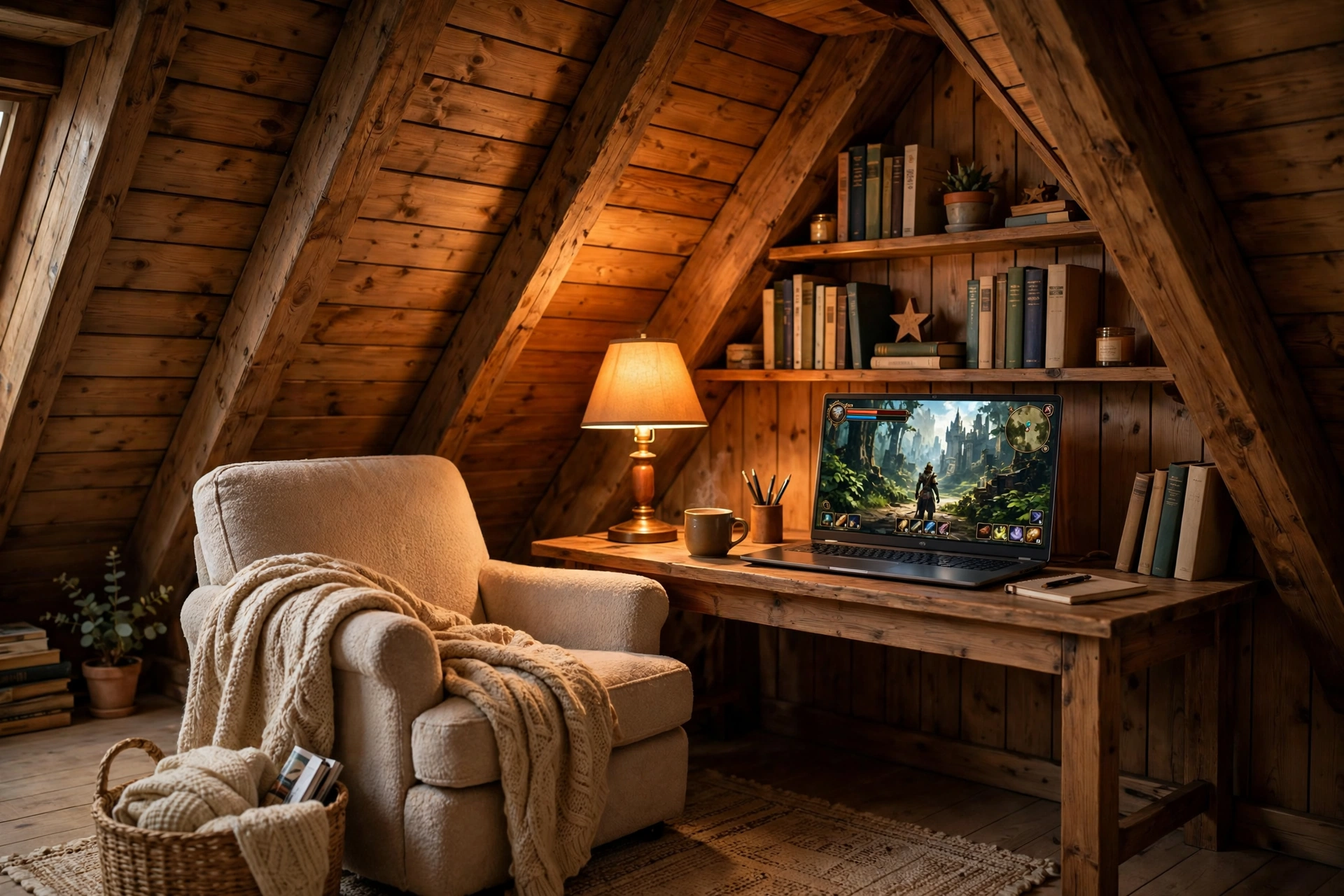
Not every attic setup needs to shout. This nook mixes a laptop, a few books, and warm wood into a corner that works for reading in the morning and gaming at night. A small bookshelf built into the eave holds the books, a warm lamp lights the desk, and a laptop with a good screen keeps the whole setup portable enough to move to the sofa when you want to.
Laptop or monitor, which is better here? A laptop keeps the nook light and flexible, and it suits a corner where a full monitor would crowd the shelf. A monitor gives a bigger, sharper picture for long games, but it needs a fixed desk and more cable room. If the nook is also your reading spot, start with the laptop, and add a monitor later only if the small screen starts to feel tight.
Add a cushioned chair beside the desk for reading, a throw blanket over the chair back, and a small drawer for the charger and a spare mouse. One power strip behind the desk runs the lamp, the laptop charger, and the light bar, so the nook shuts down with one switch.
Hive Vibes Monitor Light Bar with RGB Backlight
Why this one: the bar lights the desk for reading without glare on the laptop screen, and the RGB back glow adds a soft color wash to the wood wall behind it.
Worth knowing: the bar sits on top of a screen, so check it fits your laptop lid thickness before ordering.
Logitech G502 HERO Wired Gaming Mouse
Why this one: the precise sensor and comfortable shape suit both games and long reading sessions with lots of scrolling, and the wired connection never needs charging.
Worth knowing: the cable can drag on a small desk, so route it behind the laptop or use a small cable clip to keep it tidy.
8. Loft Bed Gaming Den
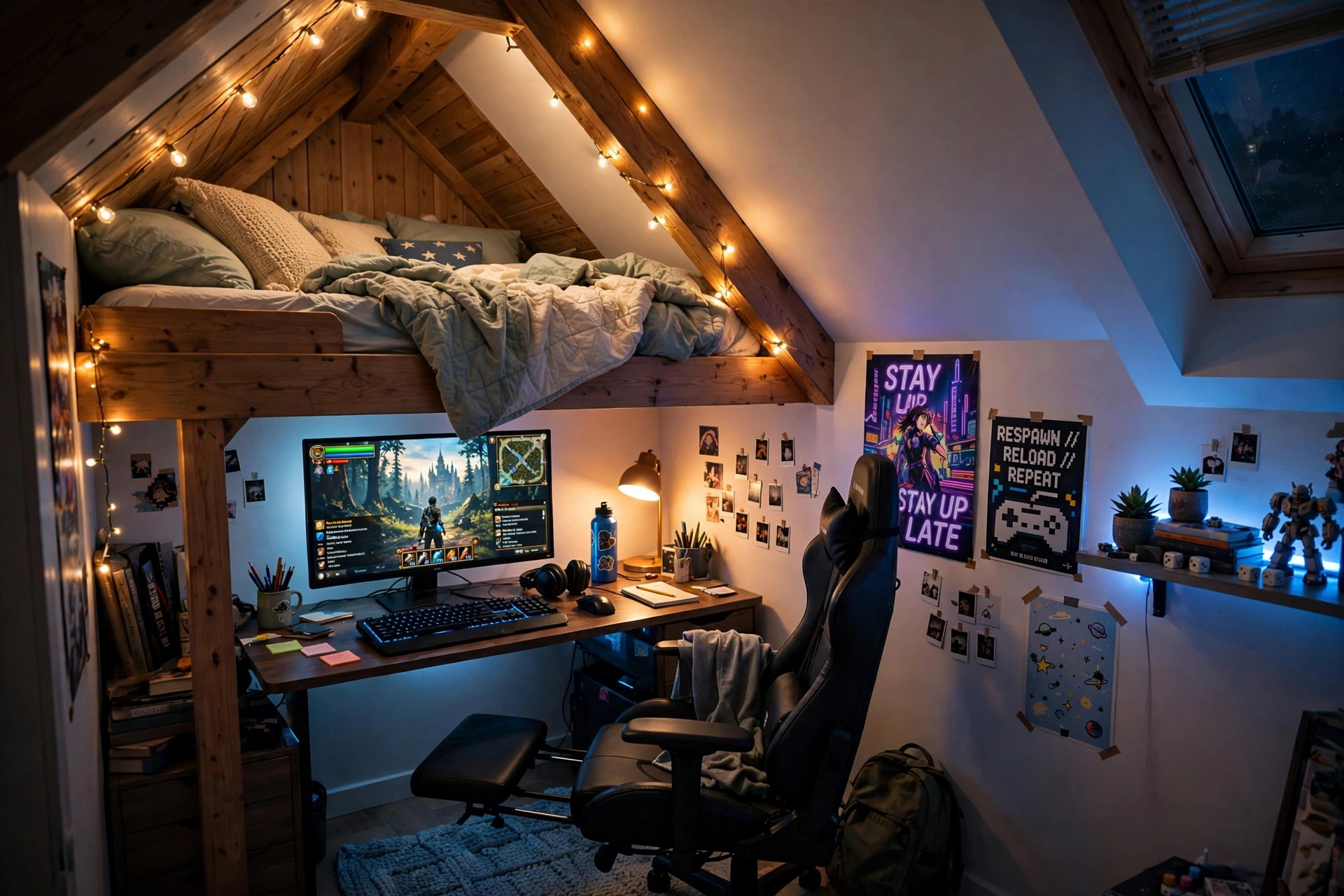
A loft bed turns the lowest part of the attic into the best part. The bed sleeps up in the eave where standing is not needed, and the desk fits underneath in the taller space, so one small room holds a bed and a full gaming setup without either one crowding the other. String lights along the slope make the whole den glow softly at night.
Loft den checklist:
✓ Measure sitting height under the loft before you place the desk
✓ A chair with a footrest suits long sessions in a low den
✓ A headset stand keeps the desk clear when the game is off
✓ String lights on the slope, not over the screen, to avoid glare
✓ A small shelf on the bed frame for a book and a phone charger
Choose a chair with a footrest, since the den invites long relaxed sessions, and keep the monitor at eye level with a small riser so you are not looking up at the screen from a low chair. A drawer under the desk holds controllers and cables, and the room stays tidy even when the bed is unmade.
GTPLAYER Gaming Chair, Computer Chair with Footrest and Lumbar Support
Why this one: the footrest and lumbar support make long sessions in a low den comfortable, and the chair reclines for movie nights under the loft.
Worth knowing: the chair is wide, so check it fits between the desk and the loft ladder before ordering.
Miroddi RGB Headset Stand with Wireless Charger, 8 in 1 Charging Station
Why this one: the stand holds the headset, charges a phone, and lights up in RGB, which packs three jobs into one small footprint on a tight desk.
Worth knowing: the wireless charger needs the phone placed just right, so check it lines up with your phone case before relying on it.
9. Minimal White Attic Setup
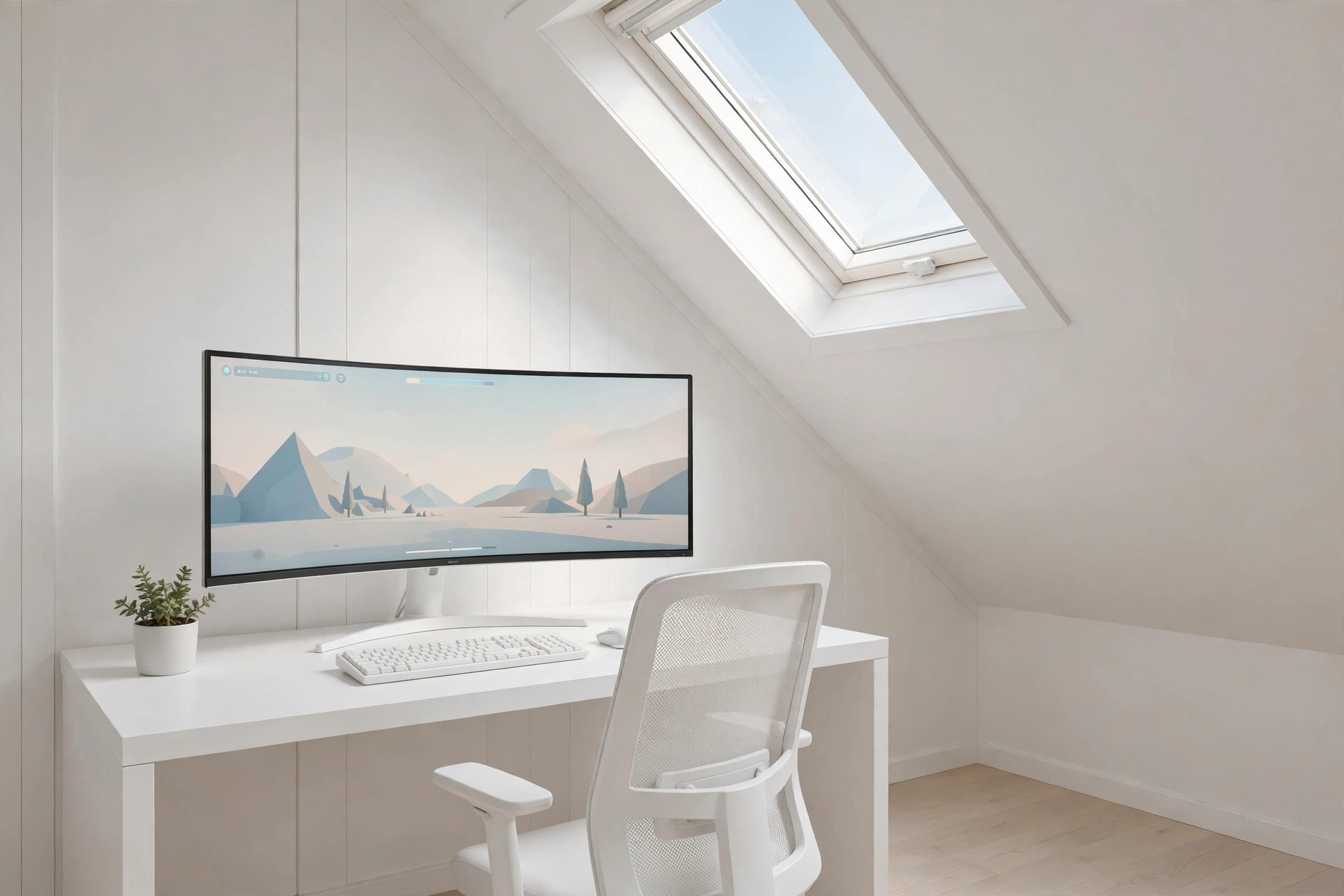
White paint is the attic’s best friend. It bounces skylight around the room, makes a low ceiling feel higher, and turns a small attic into a bright, calm space. One wide ultrawide monitor replaces two screens, a white desk and a light chair keep the palette clean, and a single plant adds the only color the room needs.
Keep it white: pick white or silver gear and hide the cables completely, because one black cable across a white desk breaks the whole look. Run cables through a white channel under the desk, use a white power strip, and keep the mousepad light colored so the desk reads as one clean surface.
A glowing mousepad adds a soft color accent without breaking the palette, and it doubles as the desk mat. Keep storage to one white shelf and a small drawer, and let the skylight and the screen do the rest. This is the setup to pick if you want the attic to feel like a calm studio, not a cave.
LG 34 Inch Curved UltraWide QHD Monitor, 160Hz
Why this one: the ultrawide curved screen fills the desk under a white slope, and the extra width holds a game plus chat side by side with no second monitor needed.
Worth knowing: an ultrawide screen needs a deep desk and a strong arm or stand, so check your desk size before you buy.
JOYYE Large RGB Gaming Mouse Pad with Magnetic Wireless Charger
Why this one: the large size covers the keyboard and mouse in one glowing surface, and the built in wireless charger keeps a phone topped up without another cable on the desk.
Worth knowing: check the pad size against your desk before ordering, since a large pad can hang over the edge of a narrow desk.
10. Sloped Ceiling Shelf Display
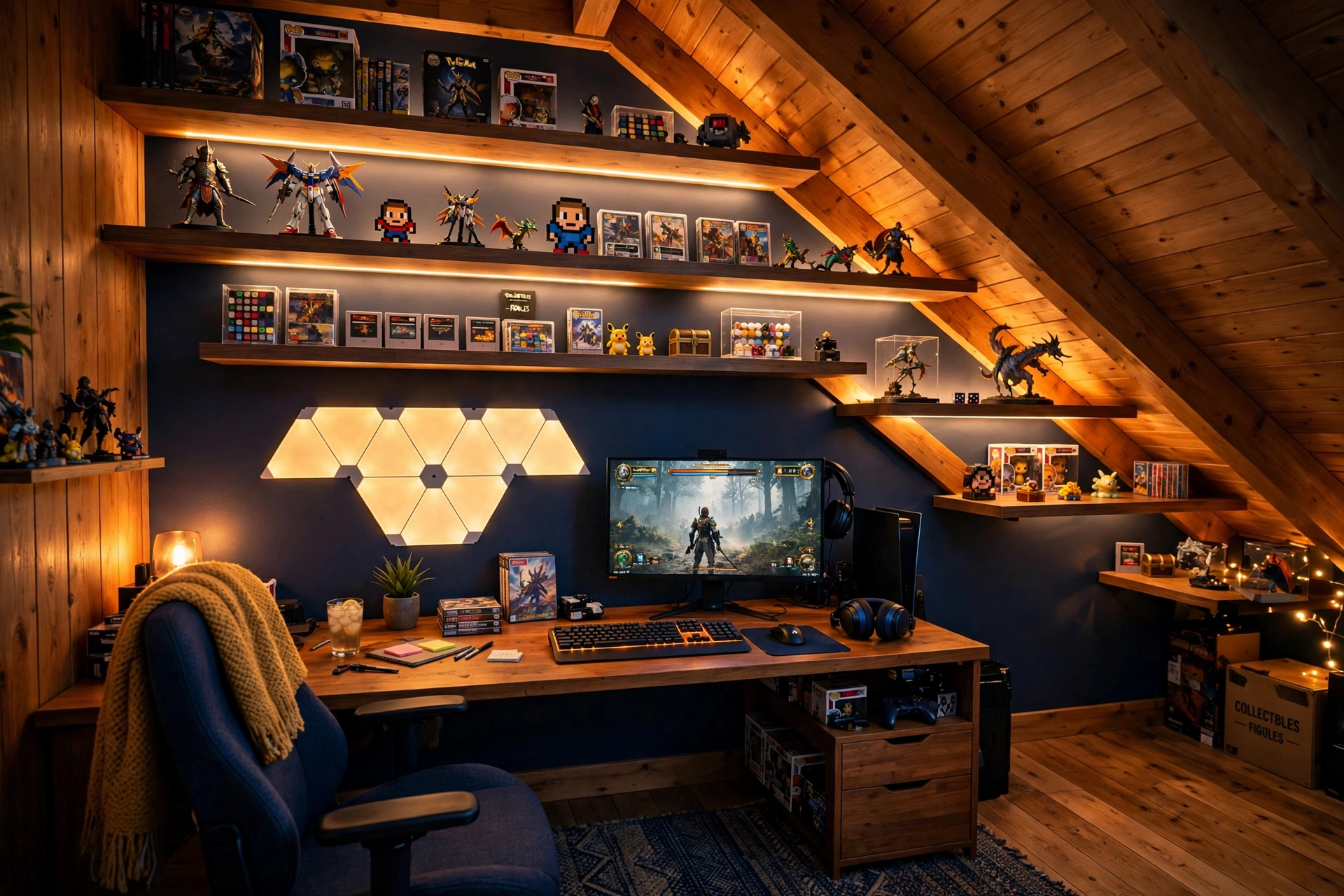
If you collect figures, the sloped ceiling is a display wall waiting to happen. Floating shelves step up the slope like stairs, each one holding a row of figures lit by a warm strip, and triangle light panels above the monitor tie the whole wall together. The desk sits below the lowest shelf, so the collection is always in view while you play.
How to plan the shelves:
- Sketch the shelf steps on paper first, following the angle of the ceiling.
- Place the biggest figures on the lowest shelf, where they are easiest to see.
- Run a short strip under each shelf so every row glows evenly.
- Leave a little blank wall between the shelves and the panels, so the display has room to breathe.
- Keep the heaviest figures on the lowest shelf, where a fall would do the least harm.
Keep the desk tidy so the display has a clean base to sit on. A keyboard with soft backlighting, a headset on a small stand, and a drawer for cables finish the setup without adding clutter to the shelves.
Nanoleaf Shapes Triangles Smarter Kit
Why this one: the triangle panels snap into any shape you design, and they respond to touch and music, which makes the wall feel alive during a game.
Worth knowing: the panels need a flat, clean wall to stick well, so textured walls may need extra mounting care.
LG UltraGear 27GS75Q-B 27 Inch Gaming Monitor
Why this one: a sharp 27 inch screen fits neatly under a shelf without crowding it, and the fast refresh keeps games smooth while the display wall glows above.
Worth knowing: check the monitor height against the lowest shelf, so the top of the screen does not block the figures above it.
11. Compact Dorm Style Attic Corner
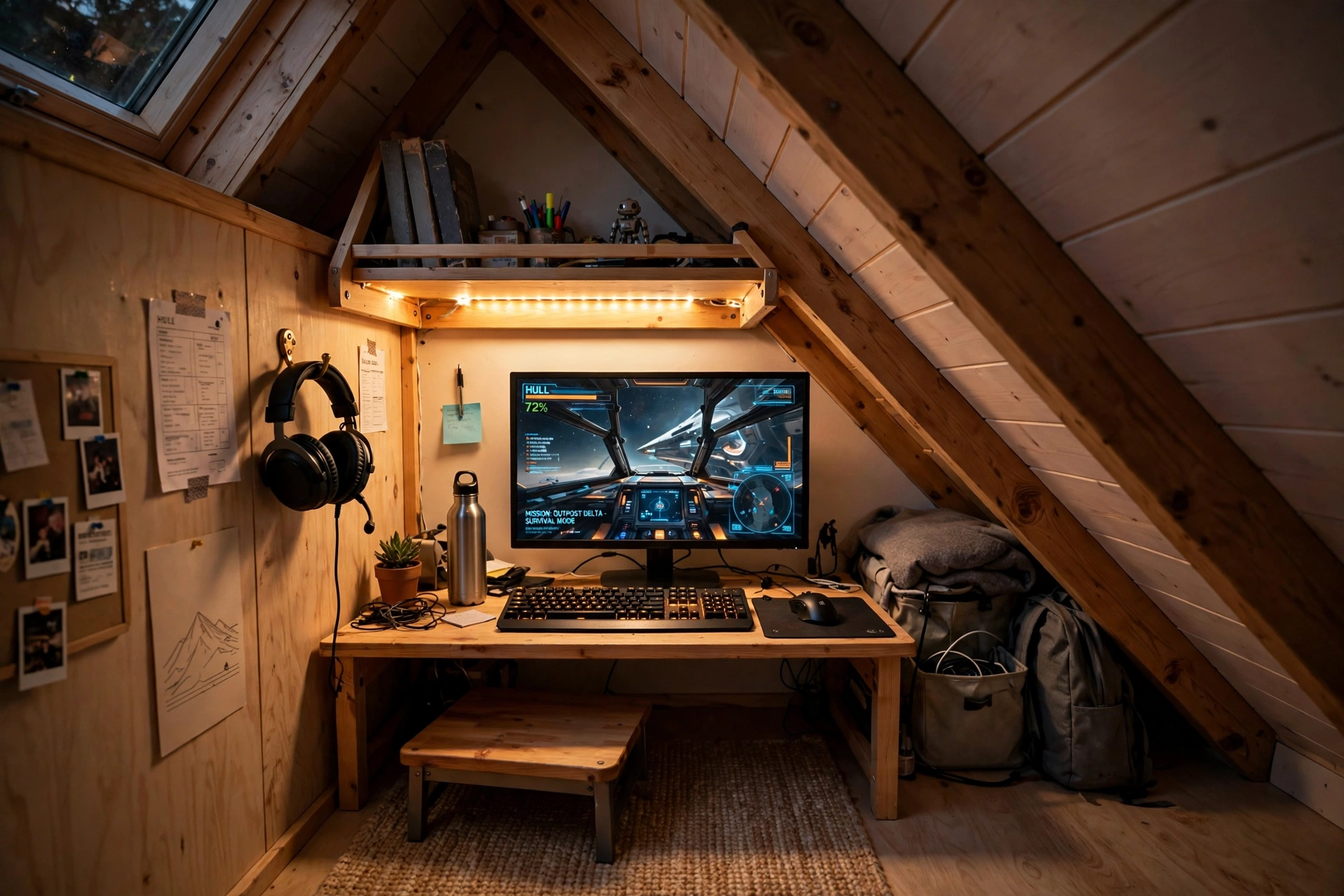
The tiniest attic corner can still hold a real setup if every piece earns its place. A small desk tucks under the lowest part of the slope, a folding wall shelf above it holds games and a headset, and a stool that slides fully under the desk keeps the floor clear when the game is off. It is the setup for renters, students, and anyone whose attic is more nook than room.
Small corner rule: in a tiny attic nook, one good screen beats two cramped ones, and one shelf beats a whole bookcase. Pick the pieces you use every day, skip the rest, and leave a little empty space on the desk. Empty space in a small room feels like breathing room, not wasted room.
A short strip under the shelf gives the nook its glow, a hook on the side wall holds the headset, and a single power strip behind the desk leg runs the monitor and the strip from one switch. The whole setup packs into a corner smaller than a closet, and it still feels like a proper gaming room.
KKL 40 Inch Small Computer Desk with Adjustable Monitor Stand
Why this one: the adjustable monitor stand lifts the screen to eye level under a low slope, and the small footprint fits corners that a normal desk cannot use.
Worth knowing: a 40 inch desk is snug, so keep the setup to one monitor and a compact keyboard to avoid crowding the surface.
Samsung Essential S3 S36GD 27 Inch Curved Monitor
Why this one: the curved screen wraps the game around you in a tiny corner, and the 27 inch size is big enough to feel immersive without overwhelming a small desk.
Worth knowing: curved screens can distort straight lines slightly, so they are less ideal if you do precise photo or design work on the same desk.
Frequently Asked Questions
Can I put a gaming setup in an attic with a sloped ceiling? Yes, and the slope is an advantage. Put the desk under the low part of the slope and sit in the taller part of the room, so the screen fits neatly while you have room to stand. Measure sitting height first, since a desk that looks fine empty can feel cramped once you sit down.
How do I keep an attic gaming room cool? Attics get hot in summer, so plan for air before you plan for gear. A small fan near the desk, a vent or window that opens, and keeping the PC or console out of a closed cupboard all help. Avoid stacking heat sources under the lowest part of the roof, where hot air collects.
What is the best desk size for an attic? A desk between 40 and 47 inches wide suits most attics, because it fits under a slope without blocking the walkway. Measure the floor space at the desk height, not at the ceiling, since the slope takes away room above the desk that the floor still has.
Do I need special lighting in an attic? A skylight or dormer window covers the day, and a light bar or strip covers the night. Avoid tall floor lamps, which fight the low ceiling, and use a monitor light bar or a strip along the roofline instead, so the light bounces off the slope.
How much does an attic gaming setup cost? It depends on the gear you already own. A basic setup with a desk, a monitor, and a light can start in a modest range, while a dual monitor or ultrawide setup with a good chair costs more. Start with the desk and screen, then add light and storage one piece at a time.
Can I use a TV instead of a monitor in an attic? Yes, a TV works well for console play in an attic corner. Mount it low on the slanted wall or set it on a low media unit, with the center of the screen at seated eye level, and sit a little farther back than you would with a monitor.
Conclusion
An attic is not a compromise, it is a hideaway. The sloped ceiling that rules out a wardrobe gives you a natural desk nook, a skylight gives you free daylight, and the low eaves give you storage that a flat room never could. Start with the setup that matches your attic: a skylight desk if you have the light, a loft bed den if the room is small, a console corner if you play on a sofa. Pick one, measure the slope, and build it piece by piece. Your attic does not need to be big to feel like a real gaming room, it just needs the right setup in the right corner.
Related reading:
If you liked these attic ideas, try 15 Cozy Gaming Setup Ideas on a Budget for more ways to make a small room feel warm without spending much, and 15 LED Gaming Room Ideas That Set the Perfect Mood for more lighting ideas that work beautifully under a sloped ceiling.
