As an Amazon Associate I earn from qualifying purchases. Read our full affiliate disclosure for more detail.
Renting does not mean your gaming room has to look plain. No drilling, no holes, no angry landlord, and still a setup that feels like yours. The secret is furniture and light that stand on their own: clamp on arms instead of wall mounts, adhesive strips instead of screws, freestanding shelves instead of built ins, and a chair you can take with you when you move.
In this guide you will find 5 complete renter friendly gaming setups you can copy whole, from a compact desk corner to a cozy console TV glow. Each one covers the desk, seat, screen, light, storage, and power, and every piece comes off cleanly when moving day arrives. If your room is also short on space, the ideas in 15 Gaming Desk Setup Ideas for Small Rooms pair well with every setup below.
In this article
At a glance
1. Compact Desk Corner, No Holes
2. Clamp On Dual Screen Corner
3. Console TV Glow on the Sofa
4. Light Bar Minimal Desk
5. Comfy Chair and Panel Corner
FAQ
Conclusion
At a Glance: Pick Your Renter Friendly Setup
| Setup | Best for | Hero product |
|---|---|---|
| Compact Desk Corner, No Holes | Tiny bedrooms | Sweetcrispy Small Computer Desk |
| Clamp On Dual Screen Corner | Two screens, zero drilling | HUANUO Dual Monitor Arm |
| Console TV Glow on the Sofa | Console players in shared flats | Govee RGBIC LED Strip Lights, 16.4ft |
| Light Bar Minimal Desk | Clean, calm desks | Quntis Monitor Light Bar RGB PRO |
| Comfy Chair and Panel Corner | Long relaxed sessions | GTPLAYER Gaming Chair |
1. Compact Desk Corner, No Holes
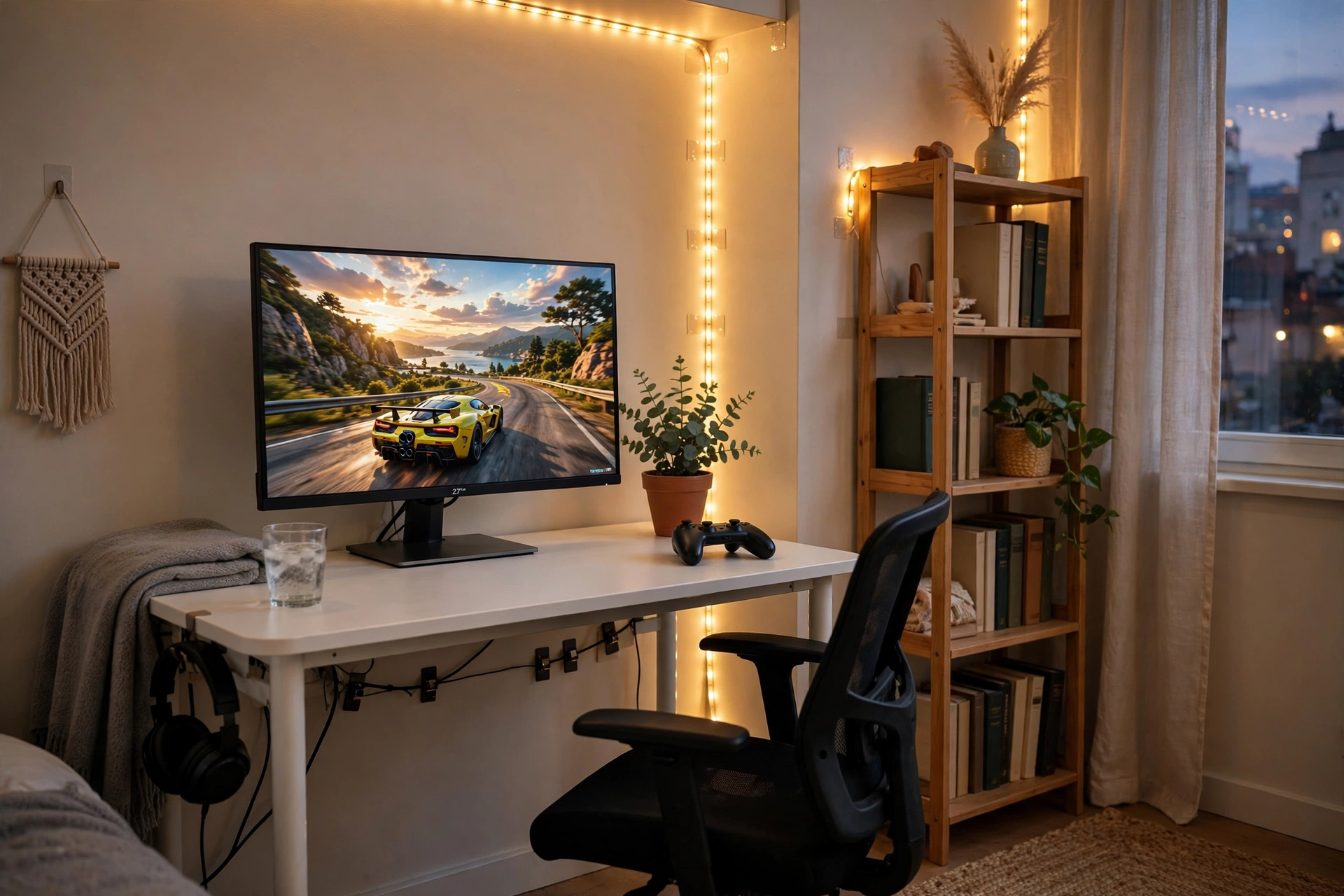
A small desk in the corner is the classic renter setup, and it works because nothing here touches the wall in a permanent way. The desk sits close to the wall, the monitor does the visual work, and a warm strip along the wall edge gives the whole corner a glow that makes the room feel planned instead of temporary.
- Desk: a compact desk that fits the corner and leaves room for a chair to tuck in.
- Seat: a simple chair with a mesh back, easy to move and easy to take with you.
- Screen: one sharp 27 inch monitor, centered so the game fills your view.
- Light: an adhesive LED strip along the wall edge, plus a small plant for warmth.
- Storage: a freestanding shelf beside the desk for books, games, and a headset.
- Power: one strip behind the desk leg, with cables clipped under the desktop.
Sweetcrispy Small Computer Desk, 40X24 Inch Office Writing Work Study Gaming PC Table
Why this one: the compact footprint fits a rented bedroom corner without crowding the room, and the simple frame is light enough to move on your own.
Worth knowing: a 40 inch desk is snug for a monitor plus a second screen, so measure your screens before adding another display.
Acer Nitro KG271U 27 Inch QHD Gaming Monitor, 180Hz
Why this one: QHD detail and a very fast refresh rate make games look crisp on a small desk, and the size fills the space without overwhelming it.
Worth knowing: the stand takes up a fair amount of desk depth, so a monitor arm can help if your desk is shallow.
2. Clamp On Dual Screen Corner
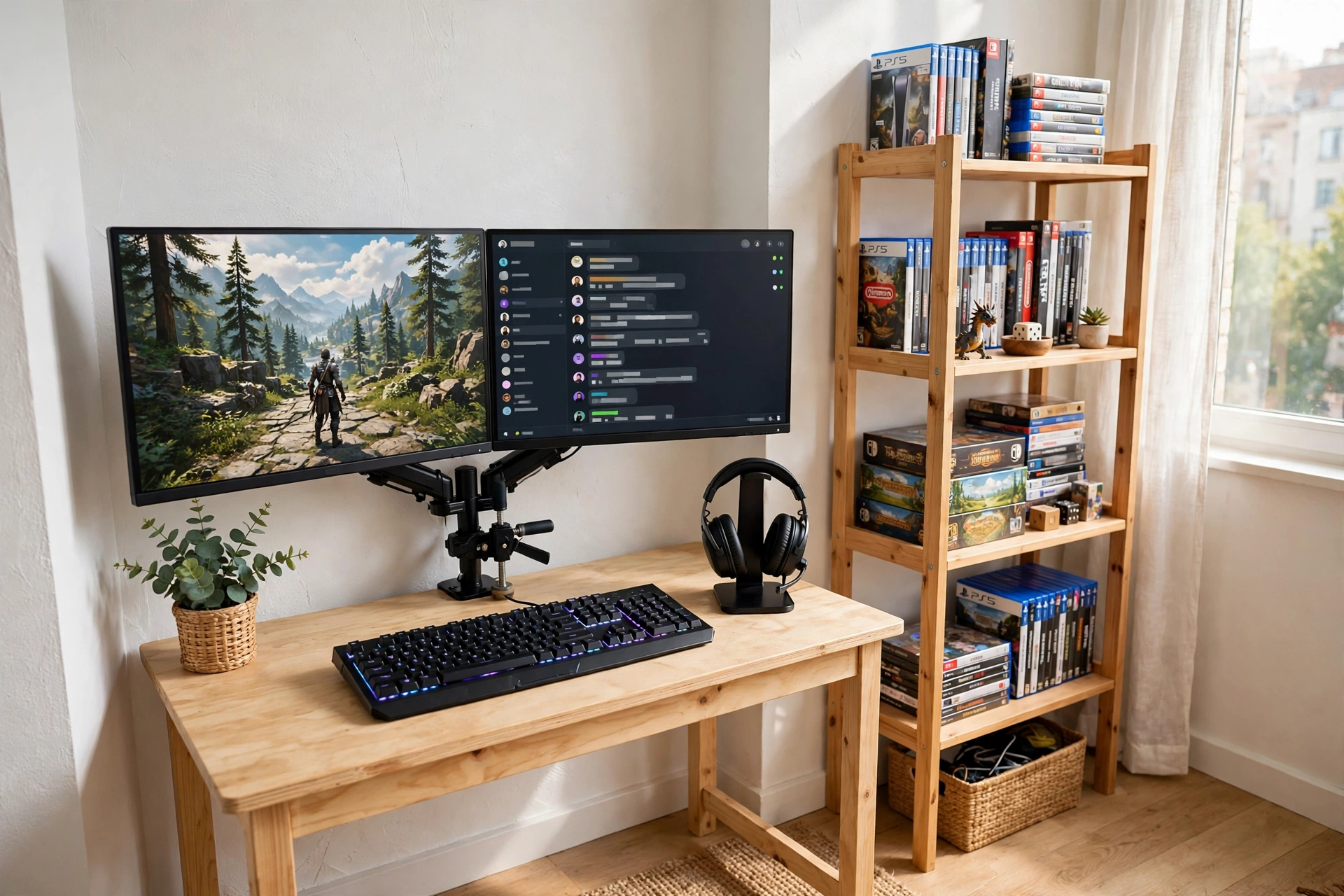
Two screens usually mean wall mounts and holes, but a clamp on arm gives you the same result with zero damage. The arm grips the back edge of the desk, lifts both monitors off the surface, and frees the whole desktop for a keyboard, a headset stand, and a drink.
How to set it up:
- Clamp the arm to the back edge of the desk and tighten it by hand, no tools in the wall.
- Mount both monitors on the arm and level them so the tops sit at eye height.
- Place the keyboard and mouse on the freed desk space, with a headset stand at one end.
- Set a freestanding shelf beside the desk for games and spare controllers.
- Run one power strip behind the desk leg, with the arm cables tucked along the pole.
Renter tip: check the desk edge thickness before you buy a clamp arm. Most desks work fine, but a very thick or very thin edge can need a different clamp, and it is easier to check once than to return the arm later.
HUANUO Dual Monitor Arm, Gas Spring
Why this one: the gas spring arm holds two screens steady and lets you adjust height and angle in seconds, all from a desk clamp with no drilling.
Worth knowing: check the weight limit against your monitors, since two heavy screens can sag a light arm over time.
KTC 27 Inch Gaming Monitor, 180Hz, 1080p
Why this one: a fast 27 inch screen at a friendly tier for a first setup, with a size that pairs neatly with a second screen on the same arm.
Worth knowing: 1080p on a 27 inch screen looks softer up close than QHD, so sit a little farther back if text looks fuzzy to you.
3. Console TV Glow on the Sofa
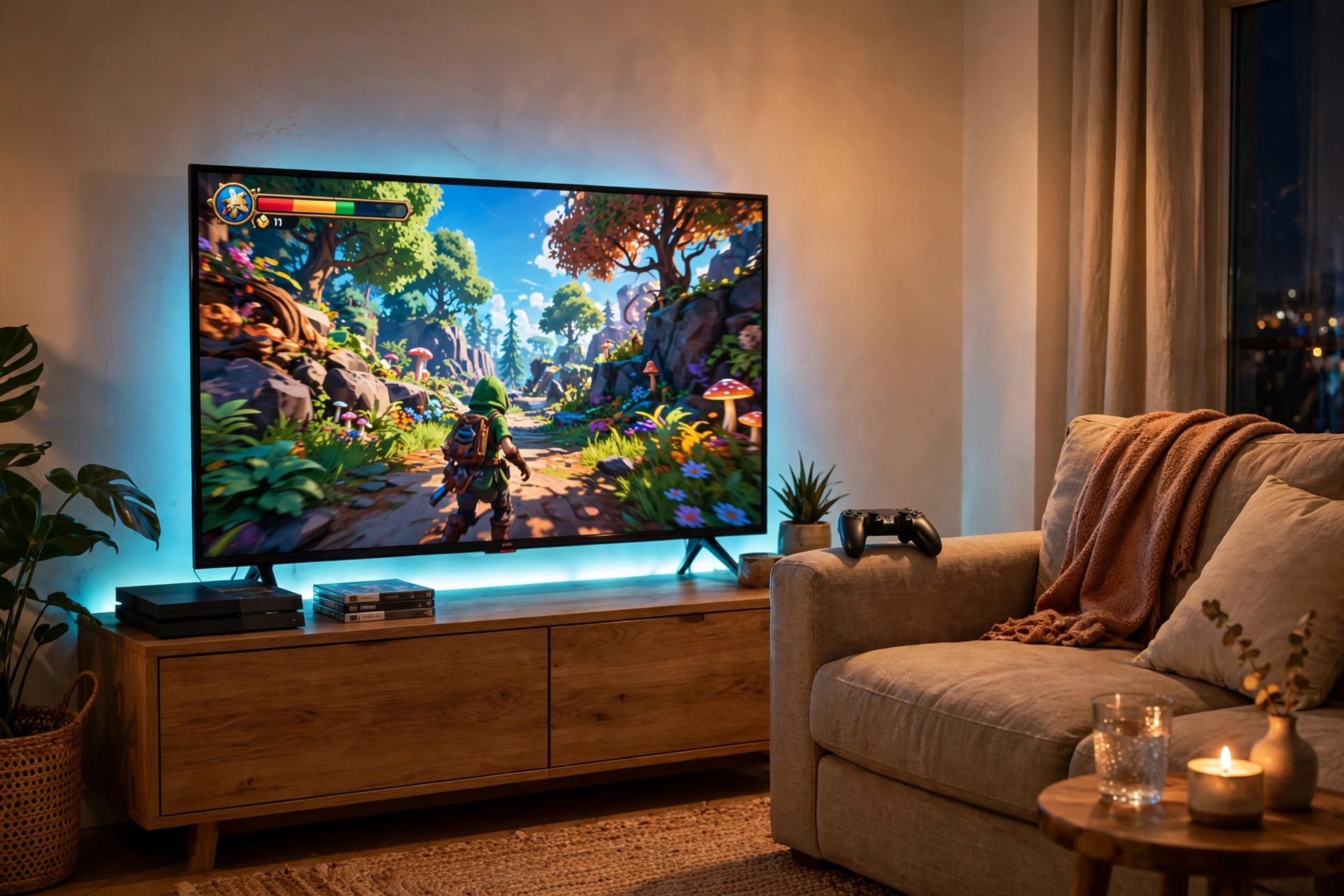
Console players have the easiest renter setup of all, because the TV and the sofa do most of the work. A strip stuck to the back of the TV throws a soft halo on the wall, the media console holds the console and games, and the whole living room glows without a single hole in the wall.
Why it works for renters: the TV, the console, and the sofa are all furniture you already own, and the strip peels off the TV when you move. You get a real gaming room feel in a shared flat, and the living room still works for movie nights the rest of the week.
Keep the console in a ventilated spot on the media unit, with a basket beside the sofa for controllers and headsets. A small side table holds drinks, and a short strip under the media console adds a soft floor glow that ties the room together. Run the strip power from the same outlet as the TV, so one switch turns the whole glow off at night.
Govee RGBIC LED Strip Lights, 16.4ft
Why this one: the shorter length is just right for one TV, and the app control makes it easy to dim the glow for late night play or match it to the game.
Worth knowing: the strip cannot be cut to any length you like without care, so check the cut marks before trimming it to fit your TV.
Govee Glide Wall Light, 6 Pcs + 1 Corner
Why this one: the bar shape fits neatly beside the TV or under the media console, and the pieces join into lines or corners to match your room layout.
Worth knowing: plan the layout first with painter tape, because moving the bars after they are stuck on can weaken the adhesive.
4. Light Bar Minimal Desk
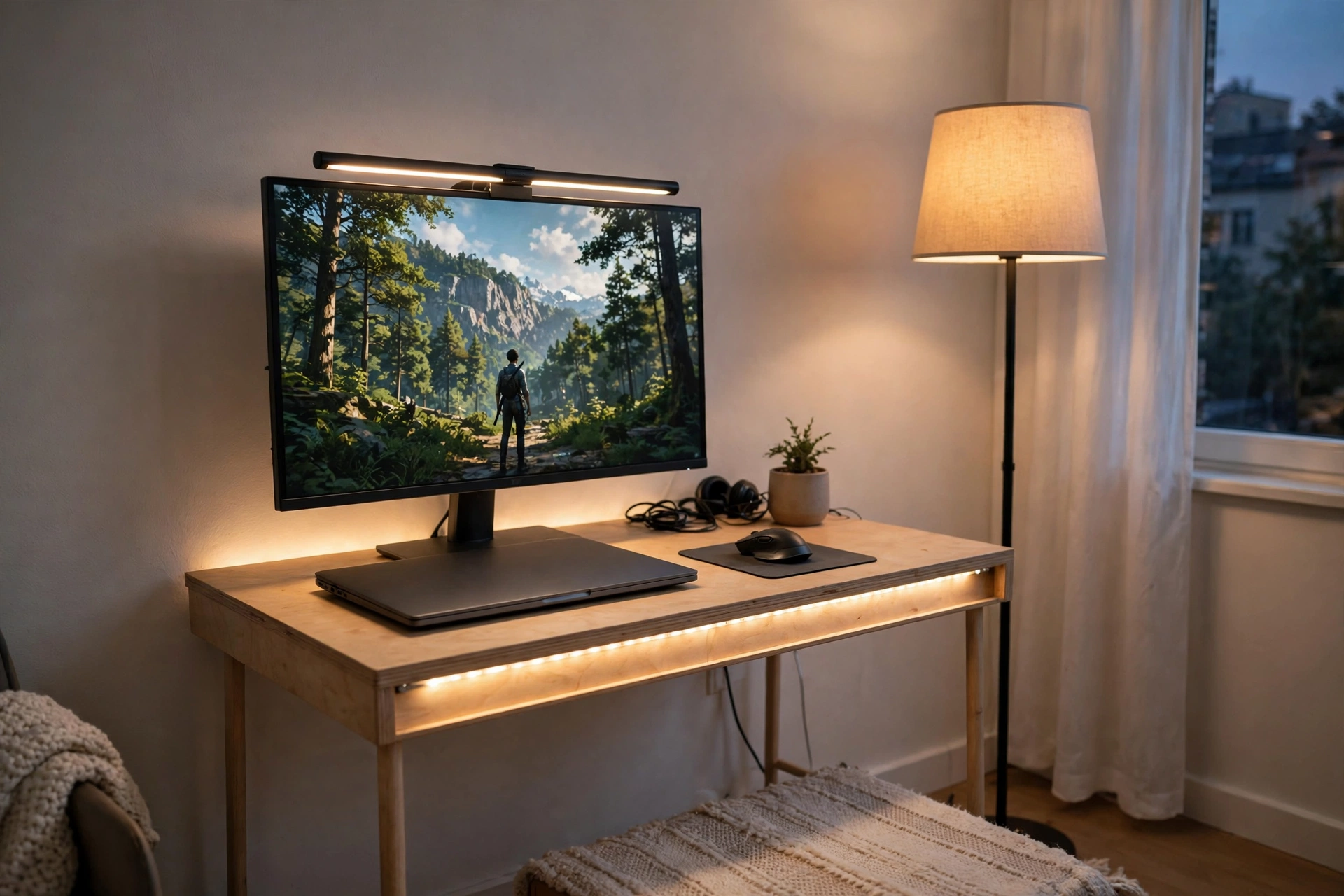
Some renters want the glow without the color chaos, and a light bar is the answer. It sits on top of the monitor, lights the desk instead of the wall, and needs no adhesive at all. Pair it with one calm strip along the desk edge, and the desk feels bright and focused while the walls stay plain.
Light bar or strip, which is better? A light bar is best if you work at the same desk and want clear light on the keyboard without glare on the screen. A strip is best if you want the room itself to glow and the wall to carry the color. This setup uses both, with the bar doing the work and the strip kept to one soft color, so the desk stays calm and the room still feels like a gaming room.
Keep the desk tidy so the light has a clean surface to land on. A laptop closed beside the monitor, a small rug under the chair, and a freestanding floor lamp in the corner finish the setup. One power strip behind the desk runs the monitor, the light bar, and the strip, so you can shut the whole desk down with one switch. If your room is also tight on space, the ideas in 15 Small Gaming Room Ideas for Tight Spaces show how to fit a full setup into the smallest corners.
Quntis Monitor Light Bar RGB PRO
Why this one: the light bar clips onto the monitor with no screws or adhesive, lights the desk evenly, and the RGB backlight adds a soft glow to the wall behind the screen.
Worth knowing: check the clip against your monitor thickness, since very thick or curved bezels can make the bar sit unevenly.
Govee 65.6ft RGBIC LED Strip Lights
Why this one: the long length covers a desk, a wall, and a shelf in one run, and the RGBIC segments let different parts of the strip show different colors at once.
Worth knowing: measure your wall and desk first, because a strip that is too long will leave a loose tail that is hard to hide neatly.
5. Comfy Chair and Panel Corner
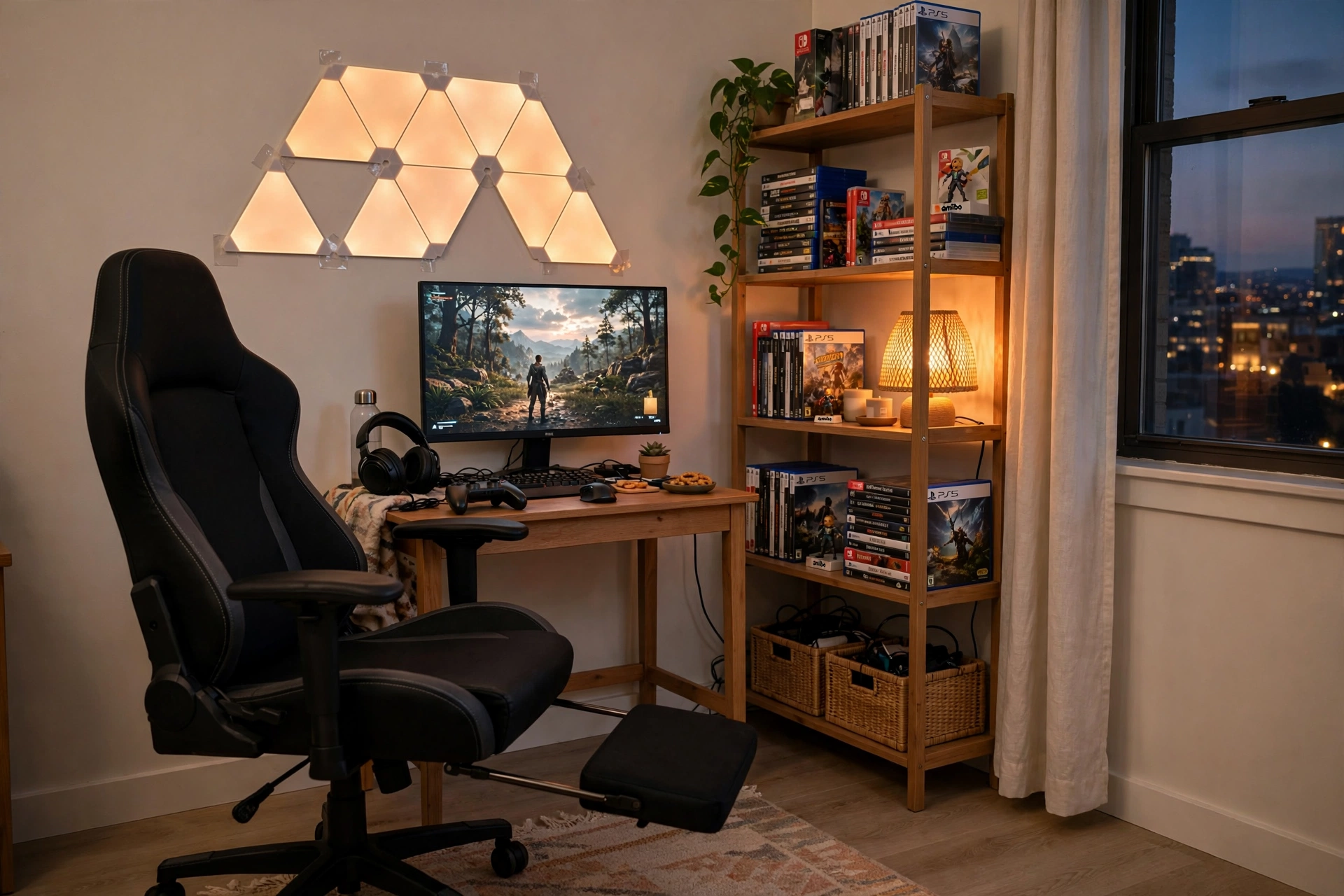
When the sessions run long, the chair matters more than the desk. This corner starts with a chair you can lean back in, adds a small desk and one bright monitor, then lets glowing wall panels do the decorating. The panels stick on with adhesive strips and peel off cleanly, so the wall looks like art and the landlord never knows.
Comfy corner checklist:
✓ Chair with a footrest, so long sessions stay comfortable
✓ Monitor at eye height, with the panels above it as the feature wall
✓ One freestanding shelf for games, kept clear of the panels
✓ A small rug under the chair to soften the floor
✓ Cables run behind the desk, not across the rug
Start with fewer panels than you think you need. A small, neat shape looks intentional, while a wall covered edge to edge can look crowded. You can always add more panels later, and they join onto the same setup. Keep one drawer for spare cables and controllers, and the corner stays tidy even when the panels are doing their brightest work.
GTPLAYER Gaming Chair, Computer Chair with Footrest and Lumbar Support
Why this one: the footrest and lumbar support make long sessions comfortable, and the chair is easy to move to a new flat when your lease ends.
Worth knowing: the chair is wide, so check it fits your corner before ordering, especially beside a desk and a shelf.
Nanoleaf Shapes Triangles Smarter Kit
Why this one: the triangle panels snap into any shape you design, and they respond to touch and music, which makes the wall feel alive during a game.
Worth knowing: the panels need a flat, clean wall to stick well, so textured walls may need extra mounting care.
Frequently Asked Questions
Can I build a gaming room in a rented flat? Yes. Stick to furniture that stands on its own, clamp on arms, adhesive strips, and freestanding shelves. Nothing in this guide needs a drill, and every piece can move with you.
Will LED strips damage the walls when I move out? Most strips peel off cleanly from smooth painted walls, but textured walls and fresh paint can be trickier. Test a small piece first, warm the adhesive gently when you remove it, and keep spare adhesive strips for the next flat.
What is the best gaming setup for a small rented bedroom? A compact desk, one monitor, and a chair that tucks under the desk. Add one strip for glow and a freestanding shelf for storage, and the room feels finished without feeling crowded.
How do I hide cables without drilling? Run cables behind the desk leg with adhesive clips, use a cable tray that clamps to the desk edge, and keep one power strip behind the desk. A rug under the desk hides anything that has to cross the floor.
Do I need permission from my landlord for a gaming setup? A normal desk setup needs no permission, since nothing is fixed to the walls. If you plan anything that leaves marks, like wall mounts or large panels on textured walls, check your lease or ask first.
What should I buy first if I am on a tight budget? Start with the desk and the monitor, then add light. A single strip or a light bar changes the whole room for far less than new furniture, and you can add panels and a better chair later.
Conclusion
Renting is not a reason to wait for a gaming room you love. A compact desk, a clamp on arm, a strip that peels off cleanly, and a chair worth sitting in are enough to turn any rented corner into a setup that feels like yours. Start with the setup that matches your room, the one that fits your space and the way you play, and add the rest piece by piece. When moving day comes, everything packs up and moves with you, and the next flat gets a gaming room from day one.
Related reading:
If you liked these renter friendly ideas, try 15 Budget Gaming Setup Ideas That Look Expensive for more ways to make a simple room look polished without spending much, and 15 LED Gaming Room Ideas That Set the Perfect Mood for more glow ideas that also work in rented rooms.
