As an Amazon Associate I earn from qualifying purchases. That means if you buy through a link on this page, I may earn a small commission at no extra cost to you. Read the full policy on our affiliate disclosure page.
A garage is one of the best rooms in the house for gaming, and most people do not realise it until they try. It is big, it is separate from the bedrooms, and it does not mind a bit of noise at midnight. The trick is treating the concrete and the bare walls as a starting point, not a problem. With a rug, some warm light, and a desk that fits the space, a cold storage room turns into a proper gaming den.
These 9 garage gaming setup ideas cover the full range. There is a budget starter build, a big-screen console wall, a racing rig tucked into a corner, and a foldaway setup for garages that still need to park a car. If you play on console, start with the ideas in our 15 PS5 gaming setup ideas for console players too, then come back here for the room itself. Every setup below is complete: desk, seat, screen, light, and storage, so you can copy one whole and be playing by the weekend.
In this article
At a glance: which garage setup fits you?
| Setup | Best for | Hero product |
|---|---|---|
| L-Shaped Corner Command Center | PC gamers who want two zones | PRAISUN 66 inch L shaped desk |
| Big-Screen Console Wall | Console players and movie nights | Samsung 27 inch Odyssey G5 monitor |
| Dual-Monitor Workbench Battlestation | Streamers and multitaskers | HUANUO dual monitor arm |
| Budget Starter Garage Setup | First setups on a tight budget | DUMOS 45 inch gaming desk |
| LED Mood Cave | Evening players who love atmosphere | Govee 65.6ft RGBIC LED strip lights |
| Racing Rig Corner | Racing game fans | GTPLAYER gaming chair |
| Compact Foldaway Setup | Garages that still park a car | KKL 40 inch small computer desk |
| Full RGB Battlestation | RGB lovers who want the full glow | Corsair K70 CORE RGB keyboard |
| Storage and Workbench Combo | Collectors with lots of gear | Nanoleaf Shapes Triangles kit |
1. The L-Shaped Corner Command Center
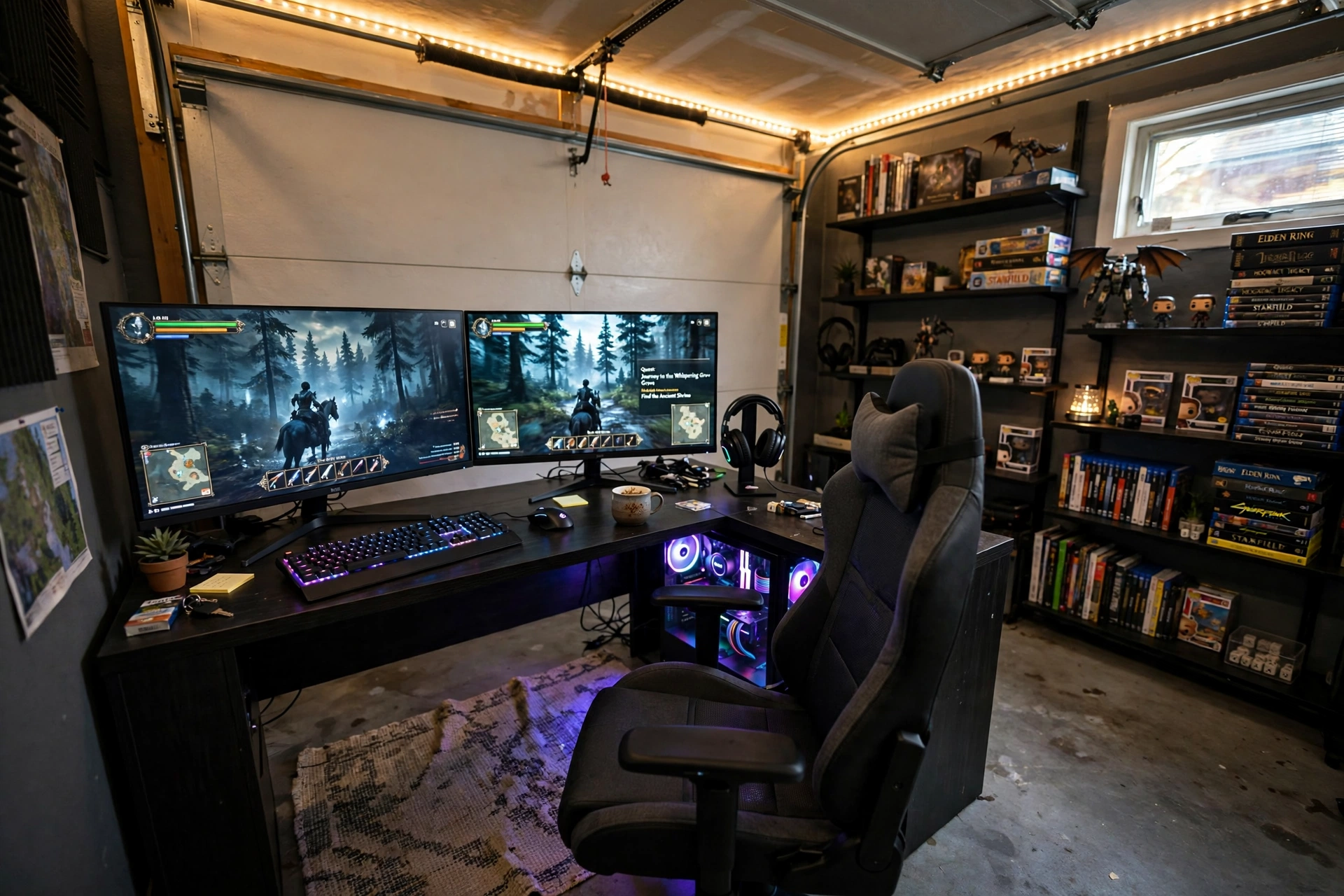
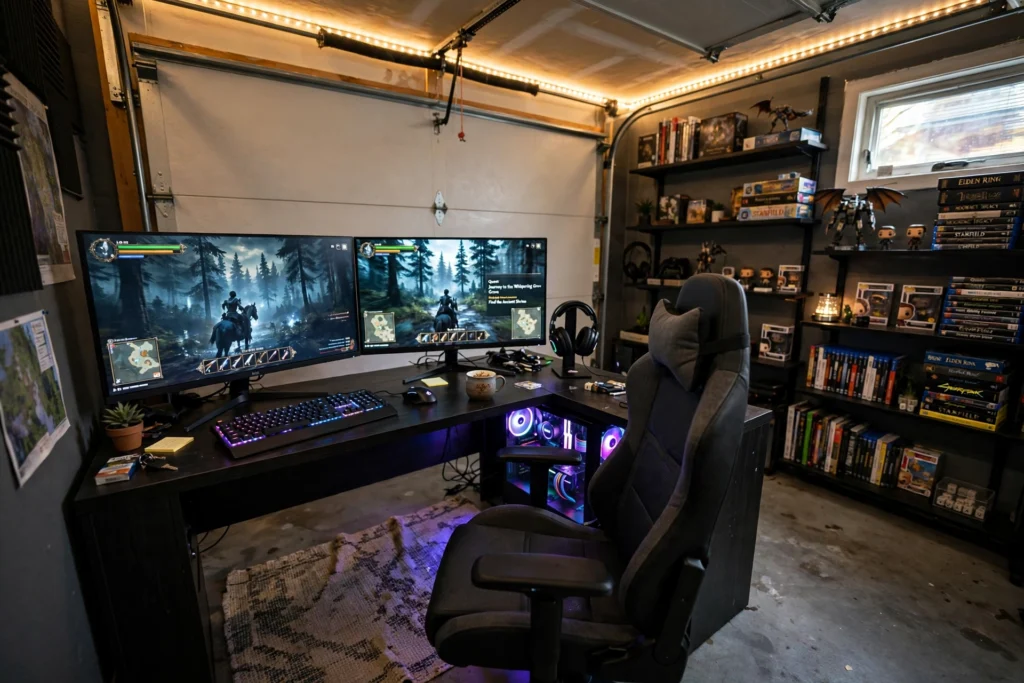
A garage corner is wasted space until you put an L-shaped desk in it. One arm holds your monitors and PC, the other holds your stream deck, notebooks, or a second console. You get two work zones without taking over the middle of the room, and the walls behind the desk hide cables beautifully.
- Claim the corner: push the desk tight into the corner so the garage door side stays open for storage or a second chair.
- Warm the floor: a rug under the chair kills the cold concrete feel and cuts down echo.
- Light the ceiling line: an LED strip along the top of the wall makes the whole corner glow without a harsh overhead bulb.
Add a shelf or two above the desk for games and figures, and the corner stops looking like a garage at all. It becomes the room everyone wants to sit in.
Product: PRAISUN 66 Inch L Shaped Gaming Desk with LED Lights and Power Outlets
Why this one: the L shape fits a garage corner neatly, and the built-in outlets mean fewer extension cords snaking across concrete.
Worth knowing: the desk is heavy once assembled, so build it in the corner where it will live rather than carrying it across the garage.
Product: LG 34 Inch Curved UltraWide QHD Monitor, 160Hz
Why this one: one wide curved screen replaces two monitors on the long arm of the desk, so the setup stays clean and the view wraps around you.
Worth knowing: the wide curve needs a deep desk to sit at a comfortable distance, so measure the desk depth before ordering.
2. The Big-Screen Console Wall
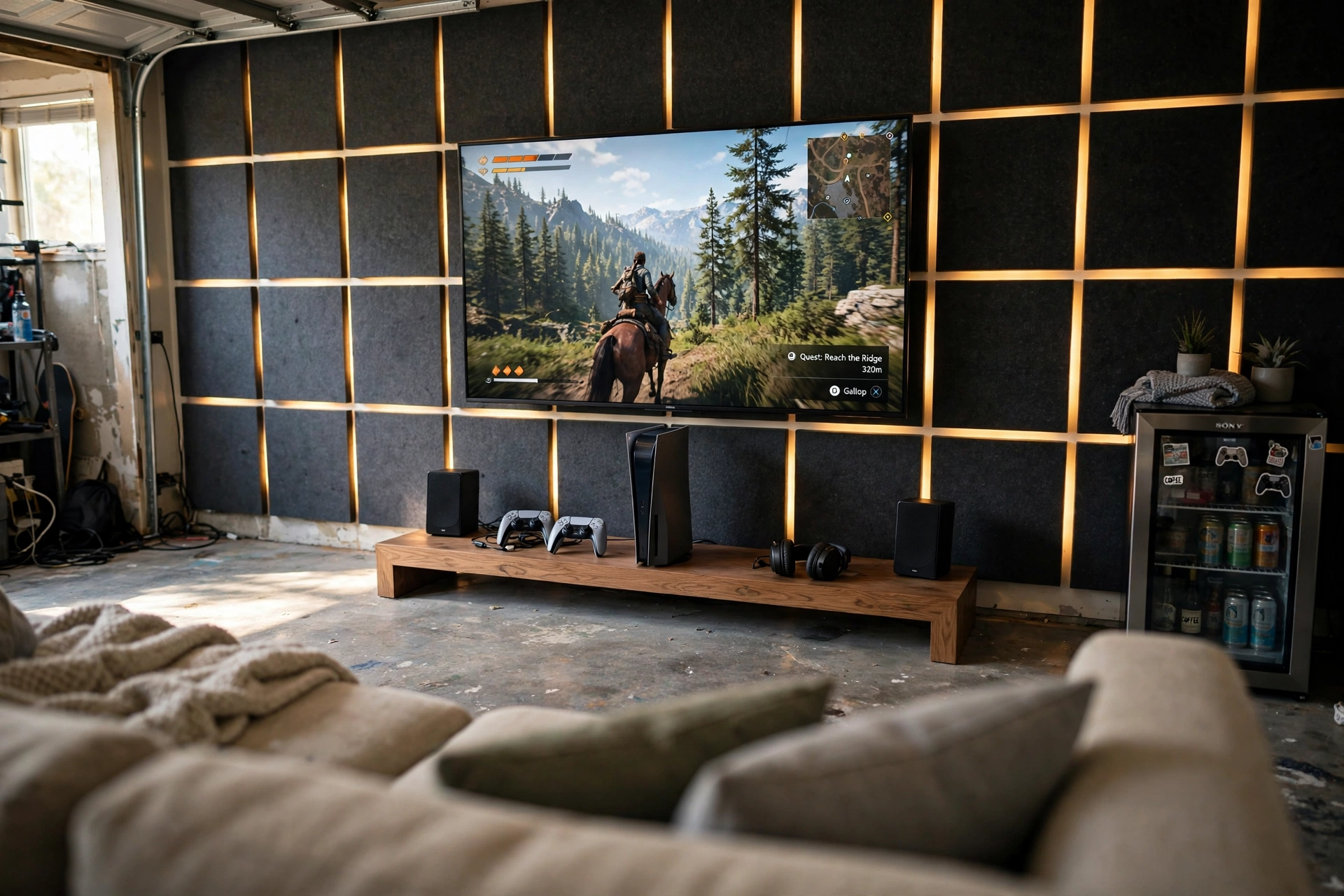
Some garages are made for a sofa and a big screen, not a desk. Mount the TV on the flattest wall, put the console on a low bench underneath, and pull a comfortable sofa back far enough that the screen fills your view. It feels like a private cinema that also plays games.
Here is how to get the wall right:
- Cover the wall behind the TV with acoustic panels or a heavy curtain to soften echo off bare garage walls.
- Run cables down behind the bench, not across the floor where they become a trip hazard.
- Keep a small side table for controllers, drinks, and the remote, so nothing ends up on the floor.
A mini fridge in the corner finishes the room. Nobody has to run back into the house mid-game, and friends will happily stay for one more round.
Keep a low shelf or basket under the bench for controllers, game cases, and spare cables, so the wall stays clean and everything has a home after play.
Product: Samsung 27 Inch Odyssey G5 QHD Gaming Monitor
Why this one: the curved QHD screen gives console-style immersion at a desk distance, and it works nicely as a second display beside a big TV wall.
Worth knowing: it has no built-in speakers, so plan for a soundbar or headset if you want audio without extra gear.
Product: Govee Glide RGBIC Wall Lights, 7 Panels Set (2 Sections/Panel)
Why this one: the angled bars frame the TV wall with soft color and double as gentle bias lighting, so late-night sessions are easier on the eyes.
Worth knowing: the adhesive strips hold best on smooth painted walls, so wipe the surface clean and let it dry before sticking them up.
3. The Dual-Monitor Workbench Battlestation
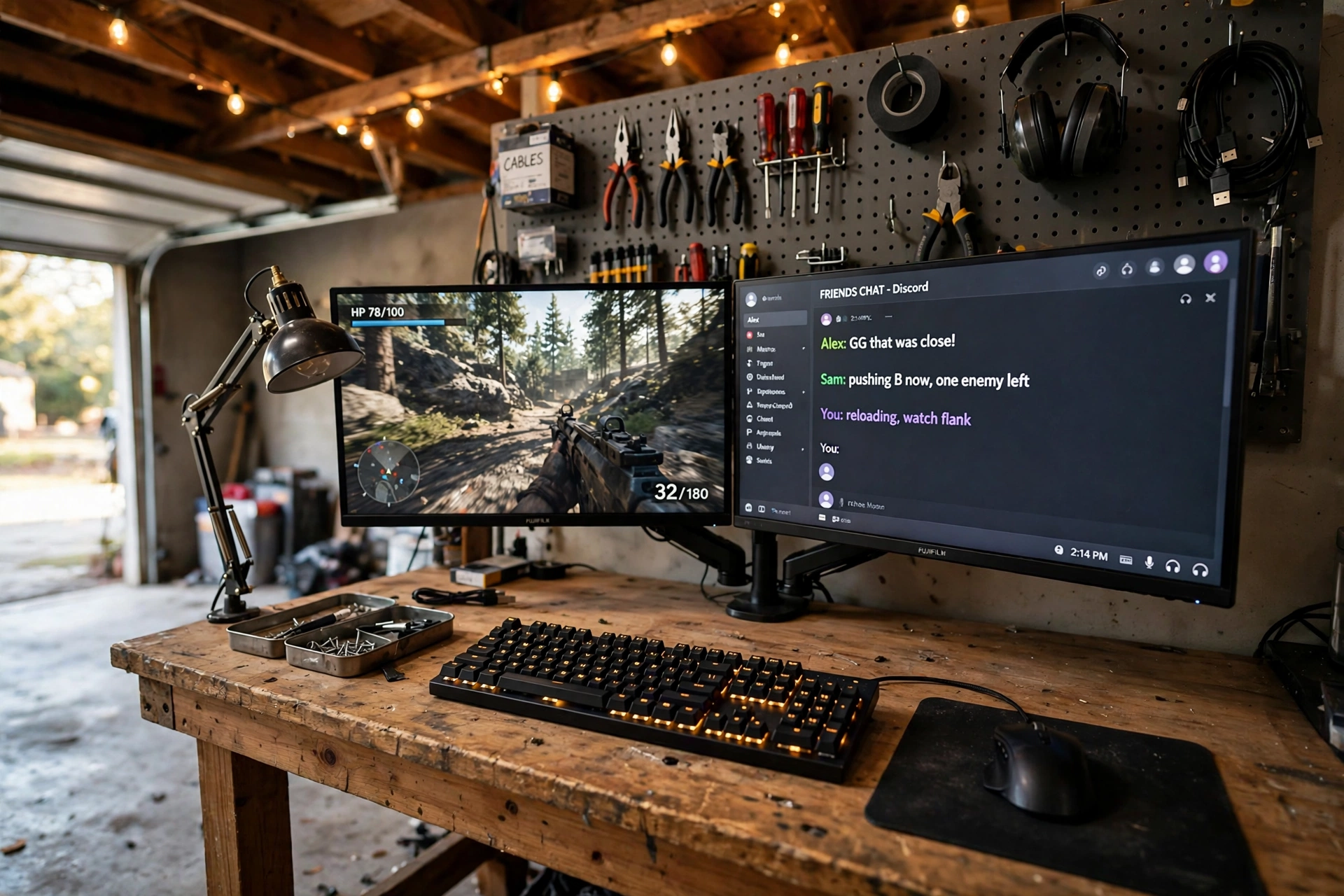
If your garage already has a workbench, do not buy a new desk. Turn the bench into the battlestation. A dual monitor arm lifts both screens off the wood, a pegboard above holds tools and cables, and the bench itself is sturdier than most gaming desks ever will be.
Garage tip: screw a power strip to the underside of the bench and a cable tray to the back edge. It keeps plugs off the concrete and makes the whole setup look finished in ten minutes.
One screen runs the game, the other runs chat, a stream, or a walkthrough. The pegboard keeps your headset and controllers in reach, and the bench still works as a bench when you need to fix something. It is the most honest garage setup there is: the room keeps its character, and you get a serious place to play.
Pull up a comfortable chair with good back support, and add a small desk lamp for soft light beside the monitors, so late sessions at the bench stay easy on your eyes and your back.
Product: HUANUO Dual Monitor Arm, Gas Spring
Why this one: the gas spring arms hold two screens at eye level and free up the whole bench surface, which is exactly what a workbench conversion needs.
Worth knowing: check your monitors have VESA mounting holes before ordering, since a few budget screens do not.
Product: KTC 27 Inch Gaming Monitor, 180Hz, 1080p
Why this one: the high refresh rate makes fast games feel smooth, and the price is kind enough to buy two for a matched pair.
Worth knowing: at 1080p on 27 inches, text can look a little soft up close, so sit a normal arm’s length away.
4. The Budget Starter Garage Setup
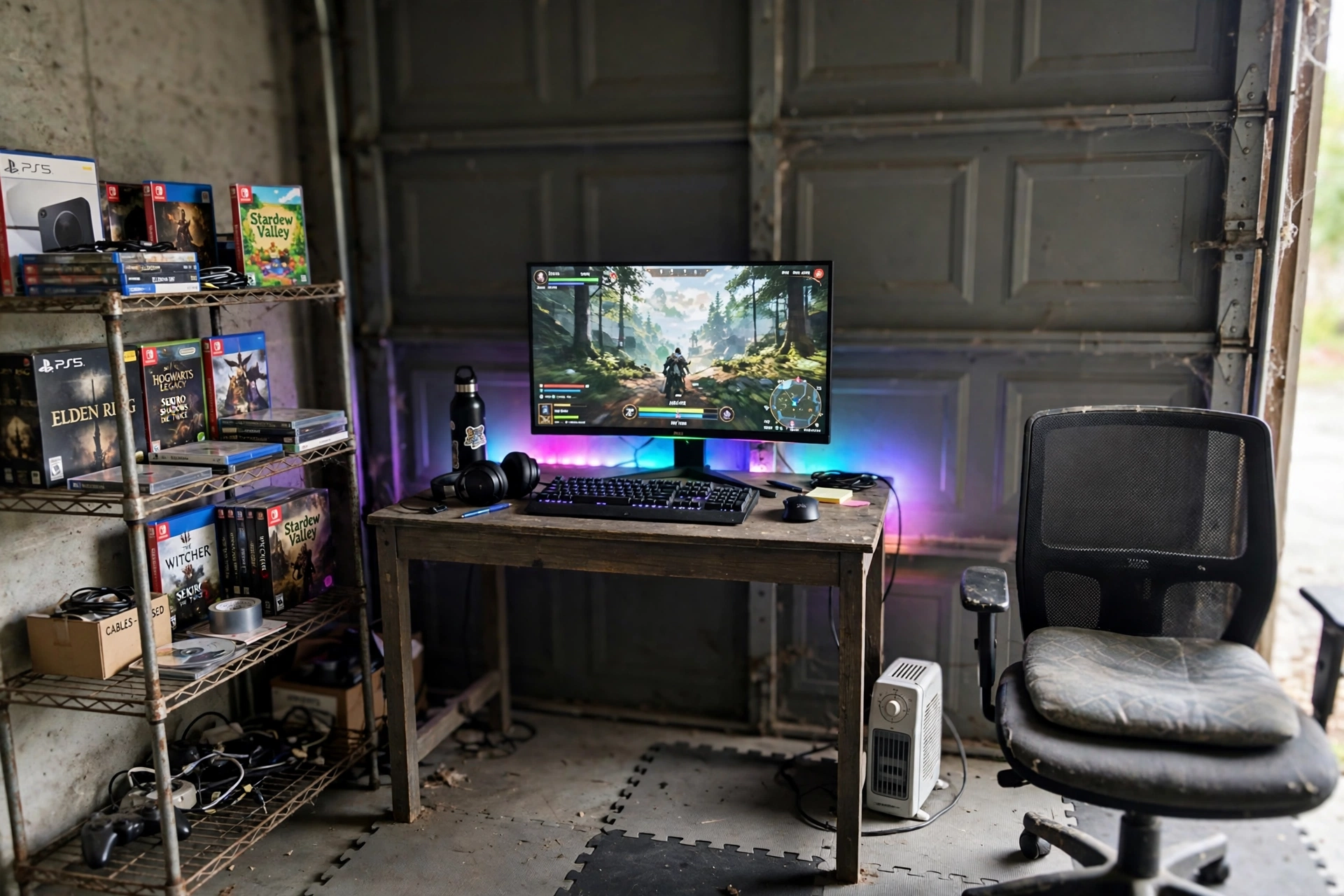
You do not need a big budget to claim the garage. A compact desk, a curved monitor, and one strip of LED light are enough to turn a bare corner into a place you actually want to spend time in. The money goes where it matters: the screen you look at and the chair you sit on.
Two choices make or break a cheap garage build. First, foam floor mats over the concrete: they are cheap, they warm the room under your feet, and they protect the floor from chair wheels. Second, a small heater you can switch on an hour before you play, because a cold garage kills the mood faster than any slow PC. If you want more money-saving ideas, our 15 budget gaming setup ideas that look expensive has plenty that work in a garage too.
Start simple, play for a month, then upgrade the piece that bothers you most. That is how good setups grow, one sensible swap at a time.
Keep a small shelf or rolling cart beside the desk for games, controllers, and spare cables, so the budget corner stays tidy and nothing piles up on the desktop.
Product: DUMOS 45 Inch Gaming Desk with LED Lights and Power Outlets
Why this one: it packs LED lighting and power outlets into a small footprint, so a tight garage corner still gets the full gaming look.
Worth knowing: the 45 inch top fits one monitor and a keyboard comfortably, but a second screen will feel cramped.
Product: CRUA 27 Inch Curved Gaming Monitor, 180Hz
Why this one: the curve wraps the picture around you at a desk distance, and the fast refresh rate keeps competitive games feeling responsive.
Worth knowing: the stand only tilts, so if you want height adjustment you will need a monitor arm later.
5. The LED Mood Cave
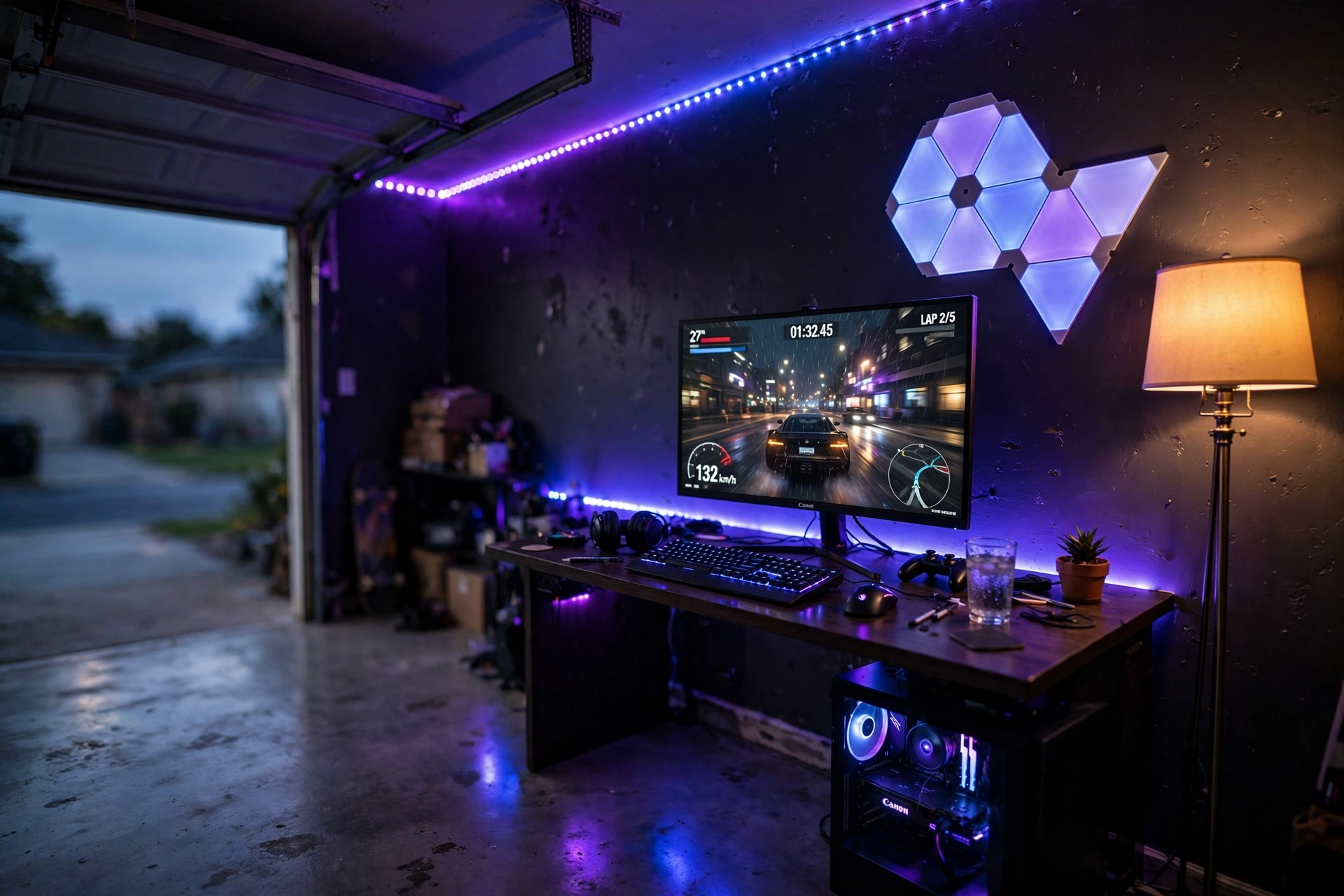
Garages have almost no natural light after sunset, and that is a gift if you lean into it. Kill the overhead bulb, run LED strips along the ceiling edge and behind the desk, and the room turns into a glowing cave where the screen is the brightest thing in sight.
What works here:
- Layer the light: strips for the ceiling, a floor lamp for the corner, and wall panels for color. One source alone looks flat.
- Keep it dimmable: bright enough to see your keyboard, soft enough that the screen never glares.
- Match the palette: pick two colors and stick to them, so the room feels designed instead of random.
Dark walls help the glow pop, but even white walls look great once the LEDs are on. This is the setup that makes friends say your garage does not feel like a garage at all.
Pull up a comfortable chair with good back support, keep a small shelf beside the desk for controllers and headsets, and plug the desk lights and the screen into a power strip under the desk, so the cables stay off the concrete and the cave stays calm.
Product: Govee 65.6ft RGBIC LED Strip Lights
Why this one: the extra length covers a whole garage ceiling edge in one run, and the app lets you set scenes that match your game.
Worth knowing: plan the route before you peel the backing, because repositioning the strip weakens the adhesive.
Product: Govee RGBIC Floor Lamp, LED Corner Lamp
Why this one: it fills a bare garage corner with soft vertical color and needs no wall mounting, so it works even on rough concrete walls.
Worth knowing: the lamp is light and tall, so keep it out of the path where someone might knock it over in the dark.
6. The Racing Rig Corner
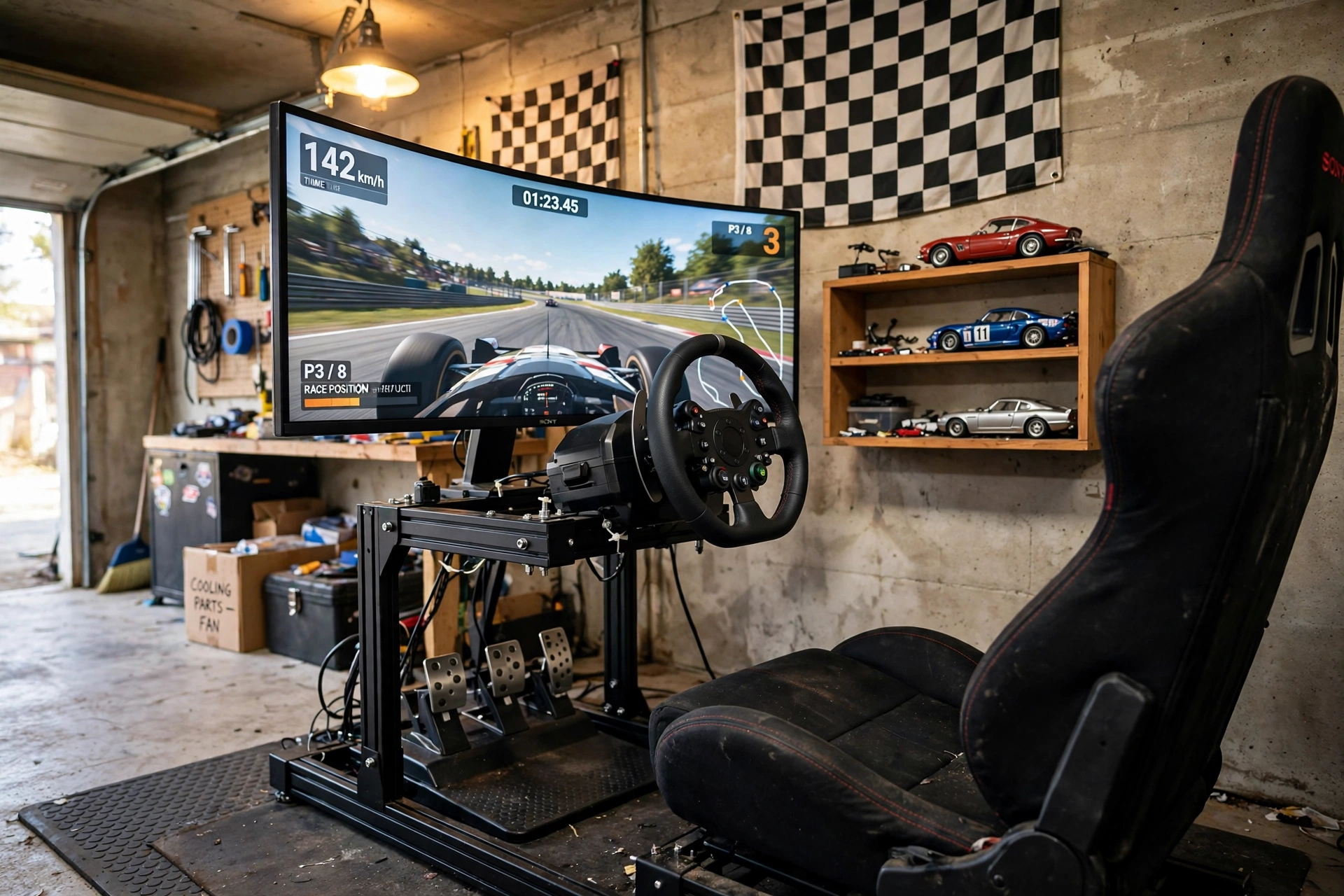
A garage is the natural home of a racing rig. The concrete floor does not mind pedals being stomped, the noise does not bother anyone upstairs, and a corner is exactly the right size for a wheel, a seat, and one wide screen. Add a checkered flag and a shelf of model cars, and the theme writes itself.
A good racing seat matters more than a fancy wheel at first. You need to sit low, braced, and comfortable for long stints, with lumbar support that does not quit halfway through a race. Put a rubber mat under the rig so the pedals stay planted on smooth concrete, and angle the monitor so the road fills your view without neck strain.
Quick checklist: rubber mat under pedals, monitor at eye level, headset hook on the wall, and a small fan aimed at the seat. Racing gets warm, even in a garage.
Set a small desk beside the rig for the keyboard and a drink, and add a strip of LED light above it, so night races stay bright enough to see the wheel and the screen clearly.
Product: GTPLAYER Gaming Chair, Computer Chair with Footrest and Lumbar Support
Why this one: the footrest and lumbar support keep you comfortable through long races, and the bucket shape suits the racing theme perfectly.
Worth knowing: the chair is wide, so leave enough room to slide it back from the wheel without hitting the wall.
Product: LG UltraGear 27GP850-B 27 Inch QHD Gaming Monitor
Why this one: the QHD panel and fast response keep fast corners looking crisp, and the color accuracy makes every track look rich.
Worth knowing: it ships with a DisplayPort cable but only a short HDMI one, so check your cable lengths before setup day.
7. The Compact Foldaway Setup
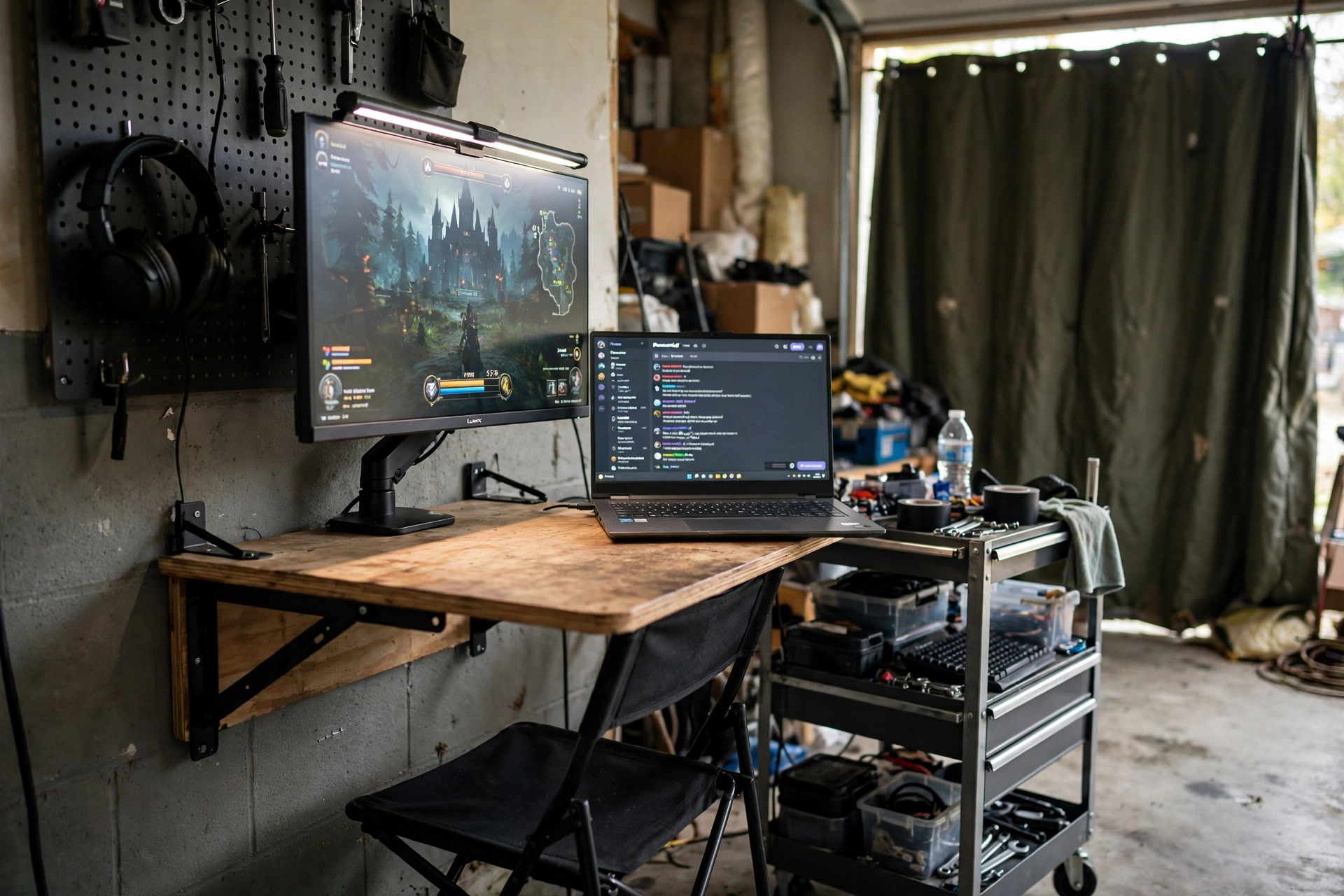
Not every garage can give up a wall forever. If the car still parks inside, the setup has to fold away. A small wall-mounted desk, a monitor on an adjustable stand, and a folding chair give you a real gaming station that packs down in minutes.
The secret is a rolling cart. It holds the console, the headset, the controllers, and the cables, and it wheels into a corner when the car comes home. A heavy curtain over the garage door cuts drafts and adds insulation, so the foldaway corner stays warm enough to play in through winter. If space is your main worry, our 15 small gaming room ideas for tight spaces has more tricks for squeezing a setup into a small footprint.
Product: KKL 40 Inch Small Computer Desk with Adjustable Monitor Stand
Why this one: the adjustable monitor stand lifts the screen to eye level on a small top, and the whole desk tucks against the wall when the car needs the space.
Worth knowing: the compact top leaves little room for extras, so keep peripherals minimal or add a small side shelf.
Product: Quntis Monitor Light Bar RGB PRO
Why this one: it lights the desk without taking any surface space, and the RGB backlight adds color to a setup that has no room for a lamp.
Worth knowing: it clips to the top of the monitor, so it will not fit screens with a very thick or curved top bezel.
8. The Full RGB Battlestation
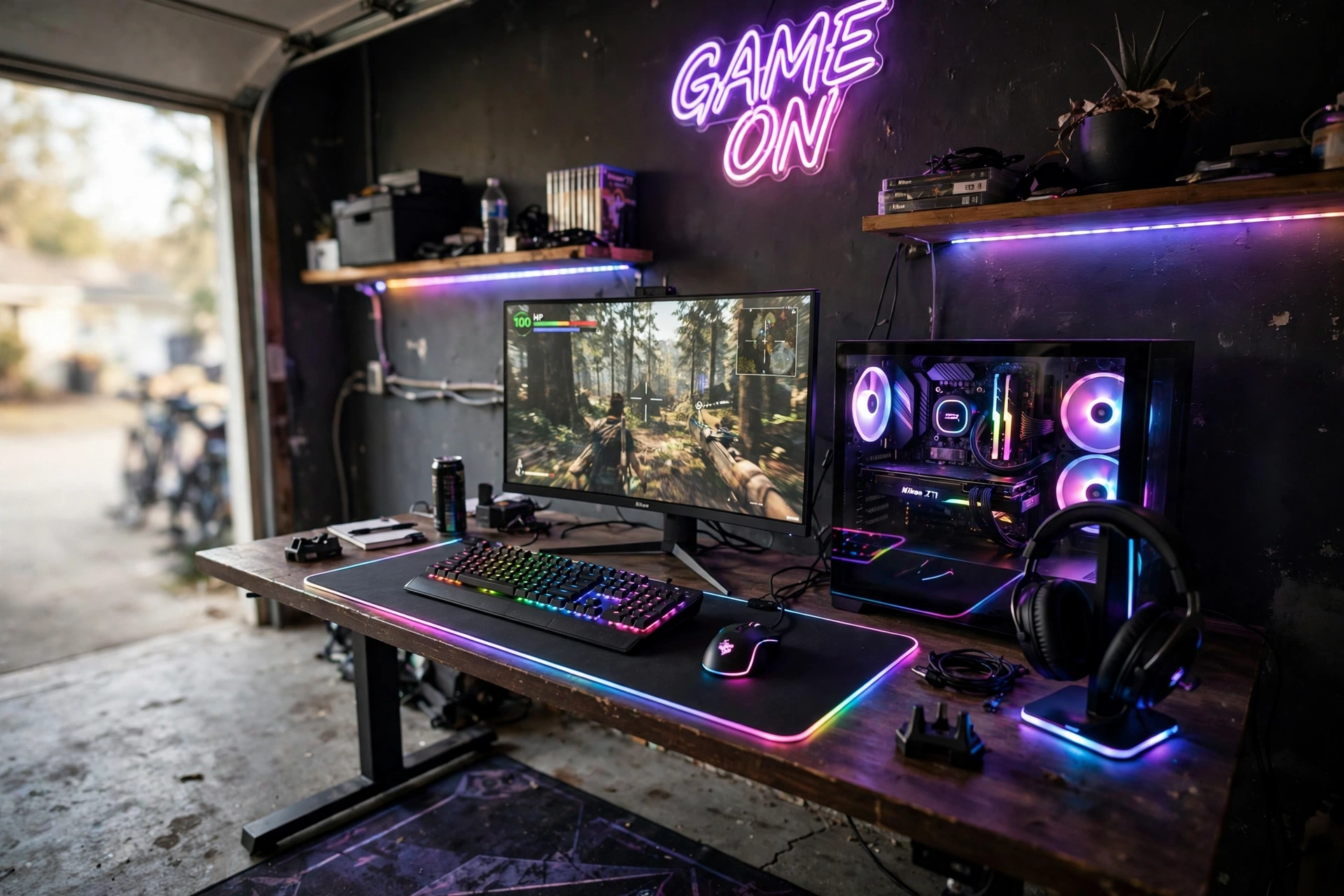
Go all in. A garage with dark walls and no windows to worry about is the perfect canvas for a full RGB battlestation. Keyboard, mouse, mouse pad, headset stand, PC fans, and shelf lighting all glow in one color, and the whole room hums with it.
Two choices, two very different rooms. A single color scheme, like all blue or all purple, looks calm and expensive. A rainbow cycle looks fun and loud, and it photographs brilliantly. Pick one and commit, because a half-mixed setup looks like an accident. Keep the desk tidy, since every cable shows up under RGB light, and let the glass PC case do the talking.
This is the setup to build when the garage is yours alone and you want the door to open onto something that makes people stop and stare.
Pull up a comfortable gaming chair with good back support in front of the desk, and set a wide monitor at eye level as the main screen, so the full RGB glow frames a setup you can actually play on for hours.
Product: Corsair K70 CORE RGB Mechanical Gaming Keyboard
Why this one: the per-key RGB and solid build make it the visual anchor of the desk, and the typing feel suits long sessions.
Worth knowing: it is a full-size board, so it needs a wide desk or a compact mouse pad to share the space.
Product: Logitech G502 HERO Wired Gaming Mouse
Why this one: the adjustable weights and extra buttons make it a favourite for both shooters and strategy games, and it has earned its reputation over years.
Worth knowing: it is wired, so route the cable with a bungee or a clip to keep it off the desk edge.
9. The Storage and Workbench Combo
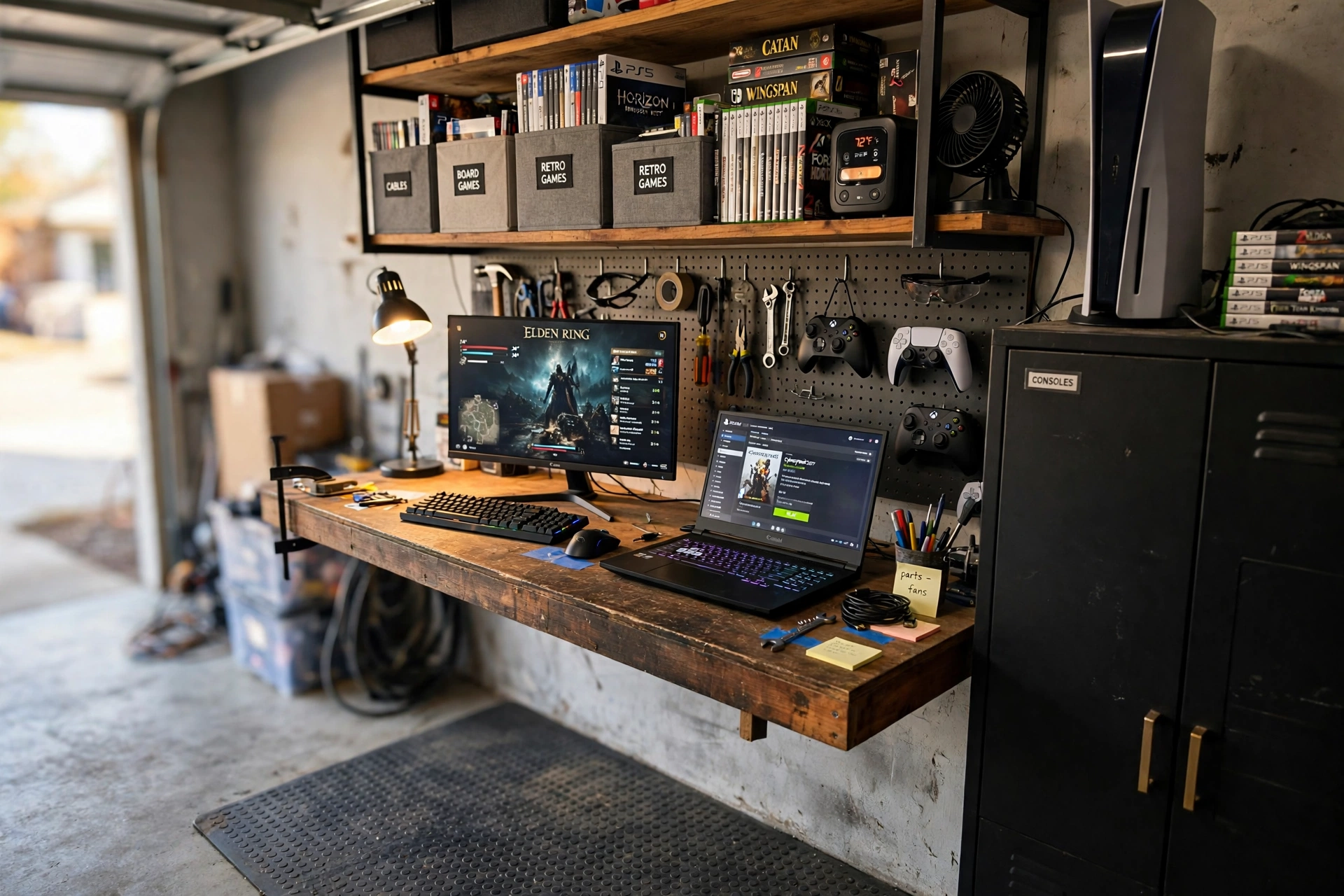
Collectors need storage as much as they need a screen. This setup pairs a sturdy workbench with open shelving, labeled bins, and a pegboard wall, so every controller, game, and cable has a home. The monitor and a laptop share the bench, which means you can play on one screen and keep a guide or a stream open on the other.
- Label everything: bins marked by console or game type save you digging through boxes mid-session.
- Hang the gear: pegboard hooks hold headsets, controllers, and cables where you can see them.
- Light the bench: warm task lighting over the work surface beats a single ceiling bulb every time.
A tall cabinet at the end of the bench hides the consoles and the clutter, and the whole wall becomes a display as well as storage. It is part gaming room, part workshop, and all garage.
Pull up a comfortable chair with good back support at the bench, so long sessions sorting games and playing them stay easy on your back.
Product: Nanoleaf Shapes Triangles Smarter Kit
Why this one: the triangle panels turn a plain storage wall into a piece of art, and they double as soft light over the bench.
Worth knowing: the panels need a flat, clean wall to stick well, so avoid rough or dusty garage surfaces.
Product: Huuger 47 Inch Computer Desk with Power Outlets and LED Lights
Why this one: the built-in outlets power the monitor, laptop, and lights from one spot, and the LED edge gives the bench a finished look.
Worth knowing: the desk surface scratches if you drag heavy gear across it, so use a mat under the laptop and monitor stands.
Frequently asked questions
How much does a garage gaming setup cost?
A simple starter build with a compact desk, one monitor, and a chair can come together for a few hundred dollars if you reuse gear you already own. A full build with an L-shaped desk, wide monitor, lighting, and storage usually runs into the low thousands. Start with the screen and the chair, then add lighting and storage over time.
How do I keep a garage gaming room warm in winter?
Insulate the garage door first, even a simple kit helps a lot. Add a heavy curtain over the door, seal obvious drafts around windows, and use a small space heater you switch on before you play. A rug and foam mats under your feet make a bigger difference than most people expect.
Will my gaming gear be safe from damp and dust in a garage?
Mostly yes, with a few habits. Keep gear off the concrete floor, cover the desk when you are away for a while, and run a dehumidifier if the garage feels damp. Dust covers on the PC and a quick wipe of the desk once a week keep everything healthy.
Do I need special power or internet for a garage setup?
Most garages have at least one circuit, which is enough for a PC, a monitor, and lights. If you run a heater and a PC at once, check the circuit does not trip. For internet, a wired cable is best, but a good mesh Wi-Fi node in the garage works well for most games.
Can I still park my car in the garage with a gaming setup?
Yes, if you pick the foldaway idea above. A small wall desk, a rolling cart for gear, and a folding chair pack away in minutes. Measure the car space first and keep the setup on one wall so the parking lane stays clear.
Conclusion
A garage is not a compromise room. It is the one room in the house where you can be loud, spread out, and build exactly the setup you want without worrying about matching the living room. Pick the idea that fits your space, start with the desk and the screen, and let the lighting and storage grow from there. The best garage gaming room is the one you actually use every evening, so build for comfort first and let the glow follow.
