Affiliate disclosure: As an Amazon Associate I earn from qualifying purchases. That means if you buy through a link on this page, I may earn a small commission at no extra cost to you. Read the full policy on our affiliate disclosure page.
Industrial style is one of the easiest gaming room looks to get right, because the room does half the work for you. Exposed brick, black steel, warm Edison light and a concrete floor already look like a factory loft, so the setup just has to play along. I have put together nine complete industrial gaming rooms here, from a raw workshop loft to a polished, almost minimal take, and every one of them is a full setup you can copy, not just a single product on a desk.
The trick with industrial rooms is balance. Too much bare metal and the room feels cold, too much wood and it stops being industrial at all. The sweet spot is a steel frame, one warm material like reclaimed wood or leather, and a single warm light source, usually an Edison bulb. If you love dark, moody rooms in general, my 15 dark gaming setup ideas for a moody battlestation pair well with everything below.
In this article
At a glance: all 9 industrial gaming rooms
| Setup | Best for | Hero product |
|---|---|---|
| 1. Raw Brick Workshop Loft | Dual monitor players who love loft character | Acer Nitro 27 inch QHD monitor |
| 2. Black Steel Pipe Desk | Ultrawide fans who want one wide screen | LG 34 inch curved ultrawide monitor |
| 3. Polished Industrial Chic | Clean, grown up rooms with a factory edge | Samsung Odyssey G5 QHD monitor |
| 4. Factory Window Battlestation | Bright daytime gamers near big windows | ASUS TUF Gaming 27 inch QHD monitor |
| 5. Dark Steel and Leather Den | Late night sessions in a moody den | Dell 27 inch curved gaming monitor |
| 6. Compact Brick Corner Nook | Small rooms and rented corners | KTC 27 inch gaming monitor |
| 7. Reclaimed Wood and Black Metal | Warm, rustic industrial with real wood | CRUA 27 inch curved gaming monitor |
| 8. Brick Wall Console Lounge | Console players and couch gaming nights | Govee RGBIC LED strip lights |
| 9. Minimal Industrial With Ductwork | Clean desks with raw ceilings and pipes | Acer Nitro VG272U V3 monitor |
1. The Raw Brick Workshop Loft
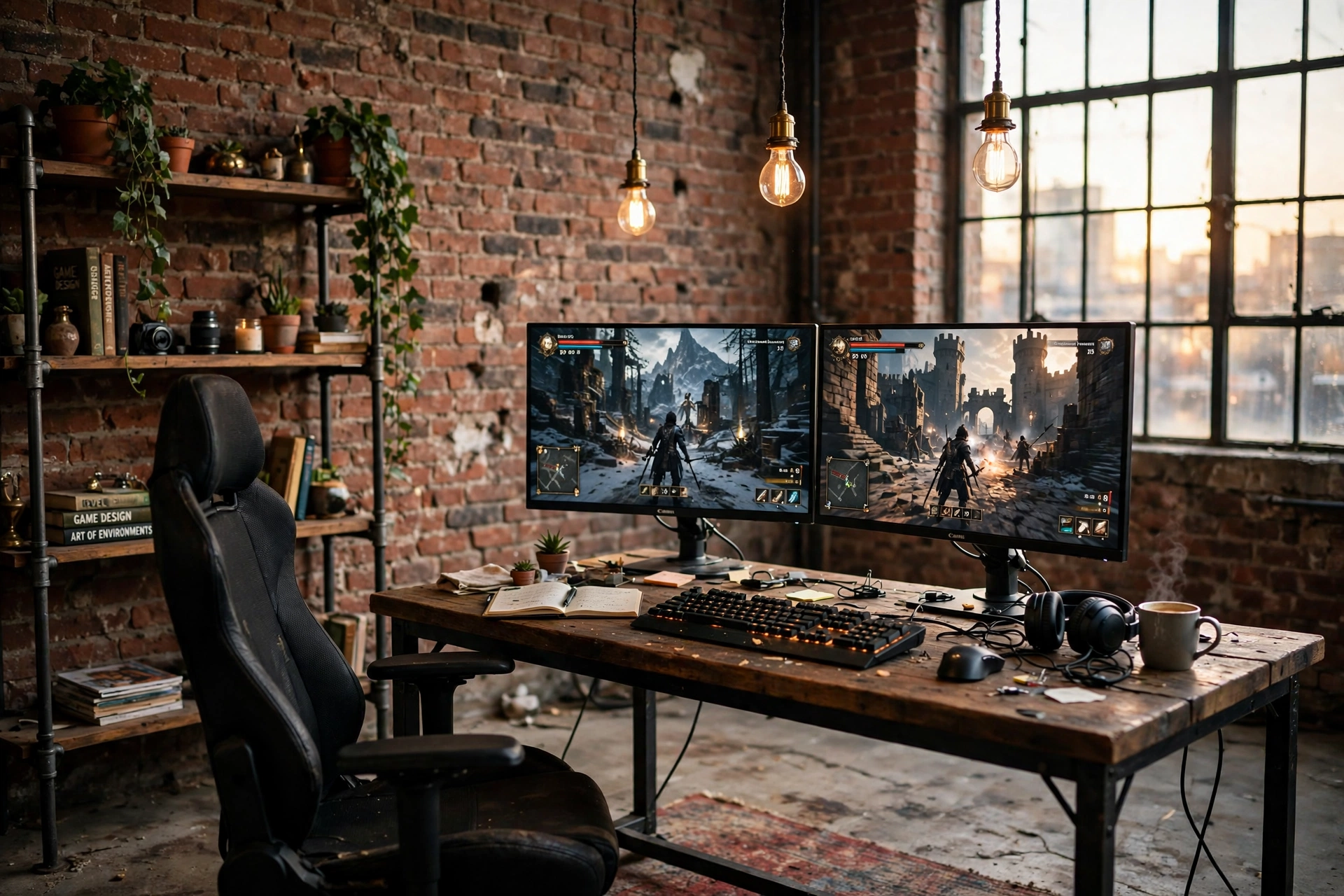
This is the classic industrial look, and it works because nothing in the room is pretending to be something else. The brick is bare, the desk is a thick wood slab on a black steel frame, and the pipe shelving on the wall holds books, plants and a few game boxes instead of hiding behind cabinet doors. Two monitors sit side by side with a game running, and three Edison bulbs hang at different heights so the light pools warm over the desk instead of washing the whole room flat.
- Copy the bones first: brick wall, steel frame desk, concrete floor with a worn rug. The tech comes second.
- Hang the bulbs low: pendants at head height make the desk feel like its own little room inside the loft.
- Let the shelves breathe: leave gaps between objects so the pipe frame stays visible, that is the whole point.
Quick tip: if your brick is painted white, keep the desk and shelves black. The contrast does the same job as raw red brick, and it suits smaller rooms better.
Acer Nitro KG271U 27 Inch QHD Gaming Monitor, 180Hz
Two of these side by side fill a wide steel desk without crowding it, and the QHD panel keeps text sharp when one screen is a game and the other is Discord or a guide.
Why this one: fast 180Hz refresh and a crisp QHD picture at a sensible size for a dual setup.
Worth knowing: the included stand is basic, so a monitor arm is worth adding later if you want the desk surface clear.
DUMOS 45 Inch Gaming Desk with LED Lights and Power Outlets
The black steel frame and wide top fit the workshop look, and the built in outlets mean the monitors, lamp and charger all plug in at the desk instead of trailing across the concrete floor.
Why this one: sturdy steel legs, a good width for two monitors, and power built in where you actually sit.
Worth knowing: skip the LED strip if you want the pure workshop look, the desk looks just as good with the lights off.
Pull up a comfortable chair with good back support, so long sessions in the loft stay easy on your back.
2. The Black Steel Pipe Desk
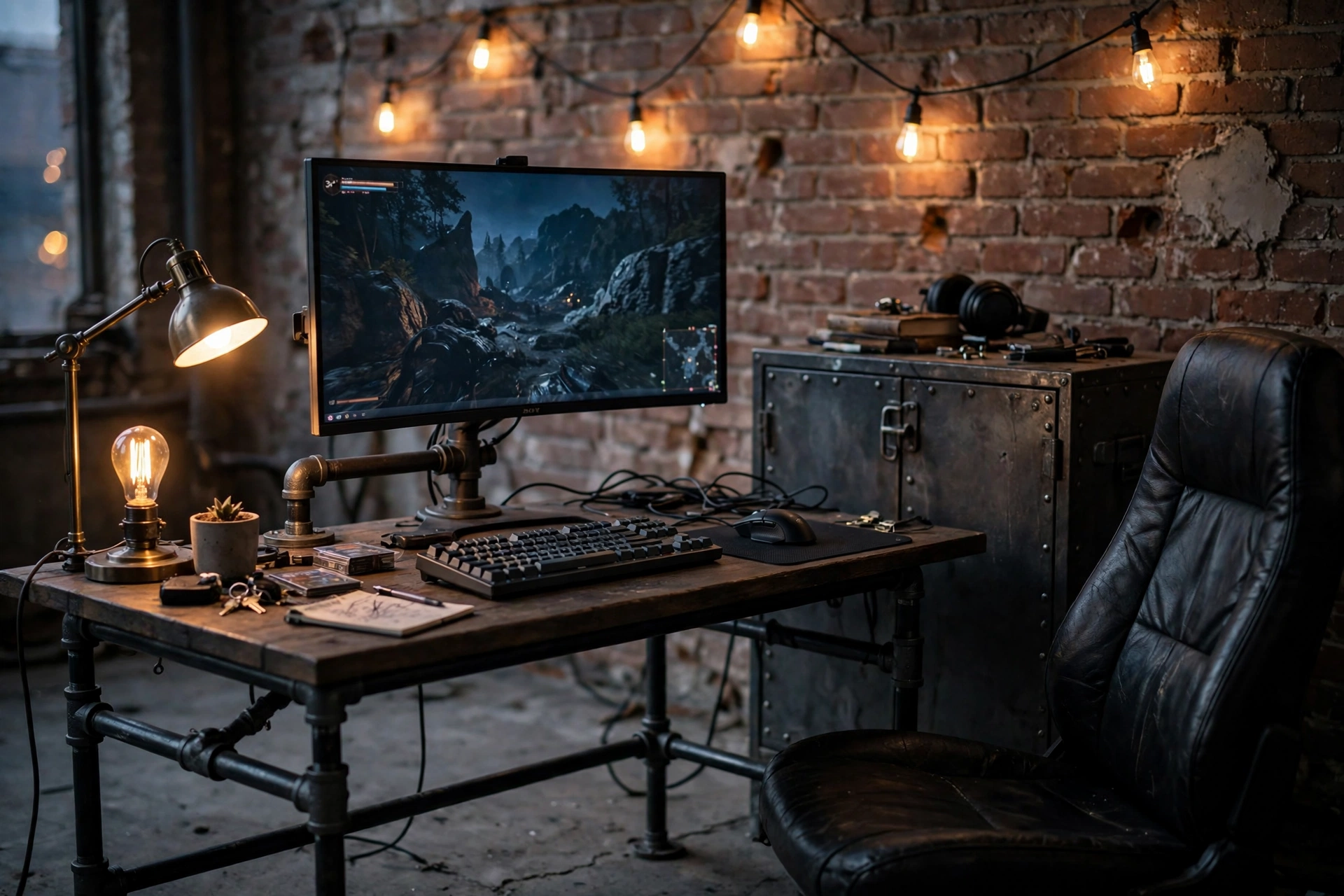
Some industrial rooms go wide instead of tall, and this one is built around a single ultrawide monitor instead of two screens. The desk is a simple black pipe frame with a dark wood top, the wall behind it is bare brick, and a string of Edison bulbs runs along the top of the wall like a warm border. A leather chair softens all the hard edges, and a riveted metal cabinet at the side holds controllers and cables out of sight.
The trick here is restraint. One wide screen, one warm light source, one soft material. Add a second light and the room starts to look like a cafe, add a third screen and the pipe desk starts to look cluttered. Keep the surface mostly clear and the industrial bones will carry the room.
| Choice | Go ultrawide | Go dual monitors |
|---|---|---|
| Best when | You play one game at a time and want no bezel in the middle | You stream, watch guides, or chat while you play |
| Desk space | Frees up the sides for a lamp and a notebook | Fills a wide desk edge to edge |
LG 34 Inch Curved UltraWide QHD Monitor, 160Hz
The gentle curve wraps the game around you, and the extra width means a racing game or an open world fills your whole view without a second screen to manage.
Why this one: big curved QHD panel with a smooth 160Hz refresh, ideal as the single centrepiece of a pipe desk.
Worth knowing: some older games do not fill the full ultrawide width, so check your favourites support it before you commit.
HUANUO Dual Monitor Arm, Gas Spring
Even with one ultrawide, an arm lifts the screen off the desk and leaves the whole wood top free for a keyboard, a mug and a notebook, which is the clean look this room needs.
Why this one: gas spring adjustment makes height and tilt easy, and the black steel finish matches the pipe desk perfectly.
Worth knowing: check your monitor weight against the arm rating, ultrawides are heavier than they look.
Plug the monitor and the Edison bulbs into a power strip under the desk, so the cables stay hidden and the steel frame stays clean.
3. Polished Industrial Chic With a Concrete Floor
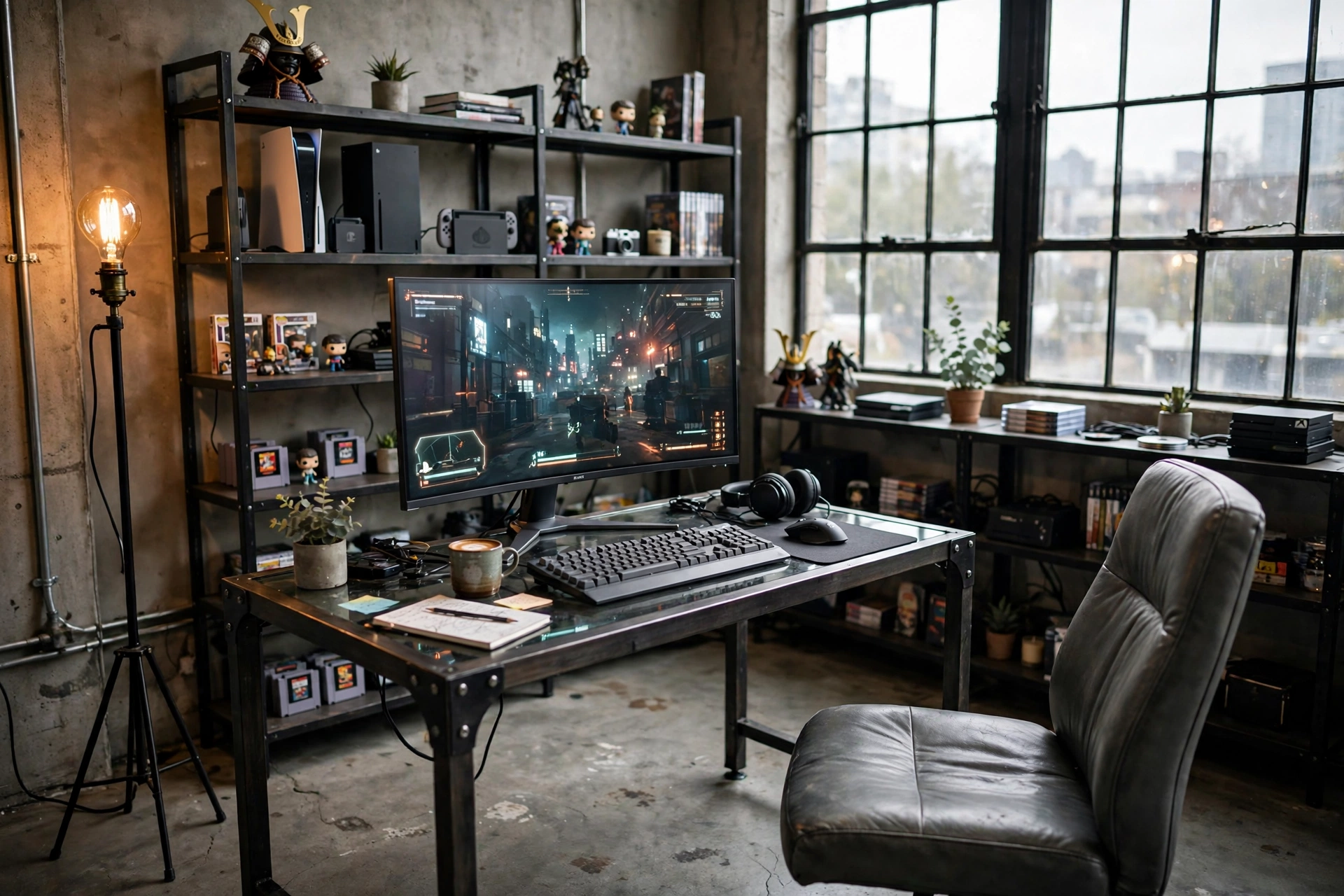
Not every industrial room has to look like a workshop. This one keeps the factory materials, concrete floor, black steel, big framed windows, but everything is tidy and deliberate. The desk is dark steel and glass, the curved monitor is the only bright object on it, and the shelves hold consoles and a few collectibles in neat rows instead of a jumble of tools.
If you like industrial style but you also like a clean desk, this is your version. The rules are simple:
- Pick three materials only, here it is concrete, black steel and grey leather, and repeat them everywhere.
- Hide the cables. A polished look dies the moment a power strip shows.
- Use one warm light, an Edison floor lamp in the corner, to stop the grey from feeling cold.
- Keep one shelf for display and one shelf for storage, and never mix the two.
Samsung 27 Inch Odyssey G5 QHD Gaming Monitor
A single curved QHD screen suits this tidy room better than a dual setup, and the slim bezels keep the focus on the game instead of the hardware.
Why this one: curved QHD panel with a clean, understated design that fits a polished desk.
Worth knowing: the curve is gentle, so if you want a dramatic wrap-around effect, look at a wider ultrawide instead.
Govee RGBIC Floor Lamp, LED Corner Lamp
Tucked in the corner behind the desk, this slim lamp washes the concrete wall with warm light and gives the whole room a soft evening glow without a single visible bulb.
Why this one: tall and slim, so it fits corners and adds atmosphere without taking desk space.
Worth knowing: set it to a warm amber for this room, the rainbow modes fight the industrial palette.
Pull up a comfortable chair with good back support, so the polished concrete room still feels easy to sit in for hours.
4. The Factory Window Battlestation
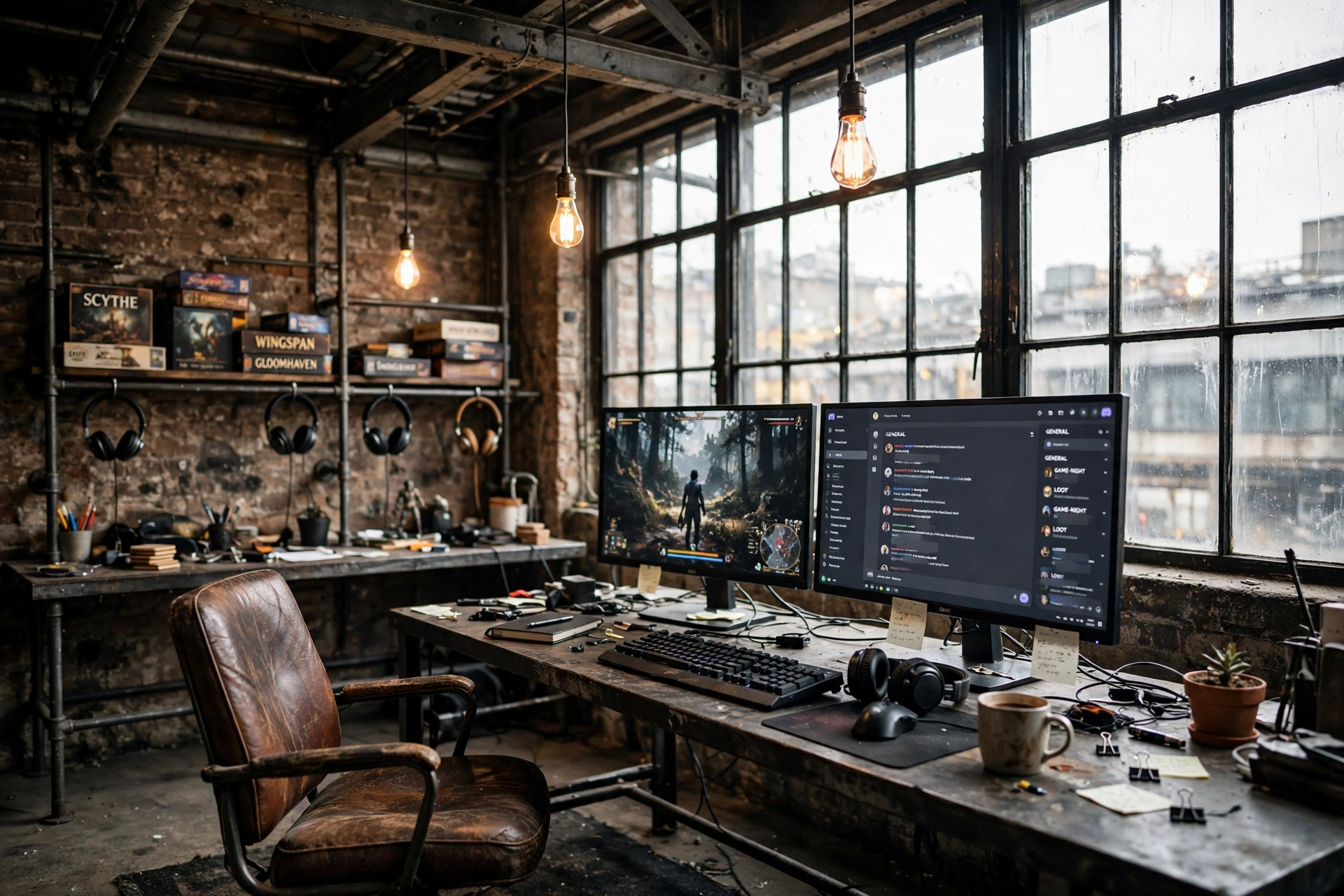
A wall of factory windows is the best free decoration an industrial room can have. This setup puts a long metal workbench desk right beside the glass, so daylight does the work during the day and the Edison pendants take over at night. The dual monitors face into the room, not into the window, which matters more than it sounds, because a screen pointed at glass turns into a mirror by mid afternoon.
What works here
- Desk against the side wall: you get the window light without the glare.
- Open pipe shelving: games and headphones stay in reach and on display.
- Leather chair: the one soft seat in a room full of steel and glass.
- Dark rug: warms the concrete floor and marks out the gaming zone.
One honest warning: big windows mean temperature swings. A blackout blind or a heavy curtain on one side is worth having, not for looks but so a summer afternoon does not cook you at the desk.
ASUS TUF Gaming VG27AQ 27 Inch QHD Monitor, 165Hz
A bright, sharp QHD panel that holds up well in a sunlit room, with a fast 165Hz refresh for competitive games and a stand that adjusts to dodge window glare.
Why this one: strong brightness and colour for a room full of daylight, plus smooth high refresh gaming.
Worth knowing: the built in speakers are weak, so keep a headset or speakers on the desk.
Corsair K70 CORE RGB Mechanical Gaming Keyboard
A solid, well built mechanical keyboard with a satisfying key feel, and the subtle backlighting looks right under the warm Edison glow instead of fighting it.
Why this one: reliable mechanical switches, a sturdy frame, and lighting you can tone down to a warm amber.
Worth knowing: it is a full size board, so it needs a desk wide enough to leave room for the mouse.
A wall shelf beside the desk gives you storage for books and game cases, and a power strip under the desk keeps the monitors and pendants on one tidy power source.
5. The Dark Steel and Leather Den
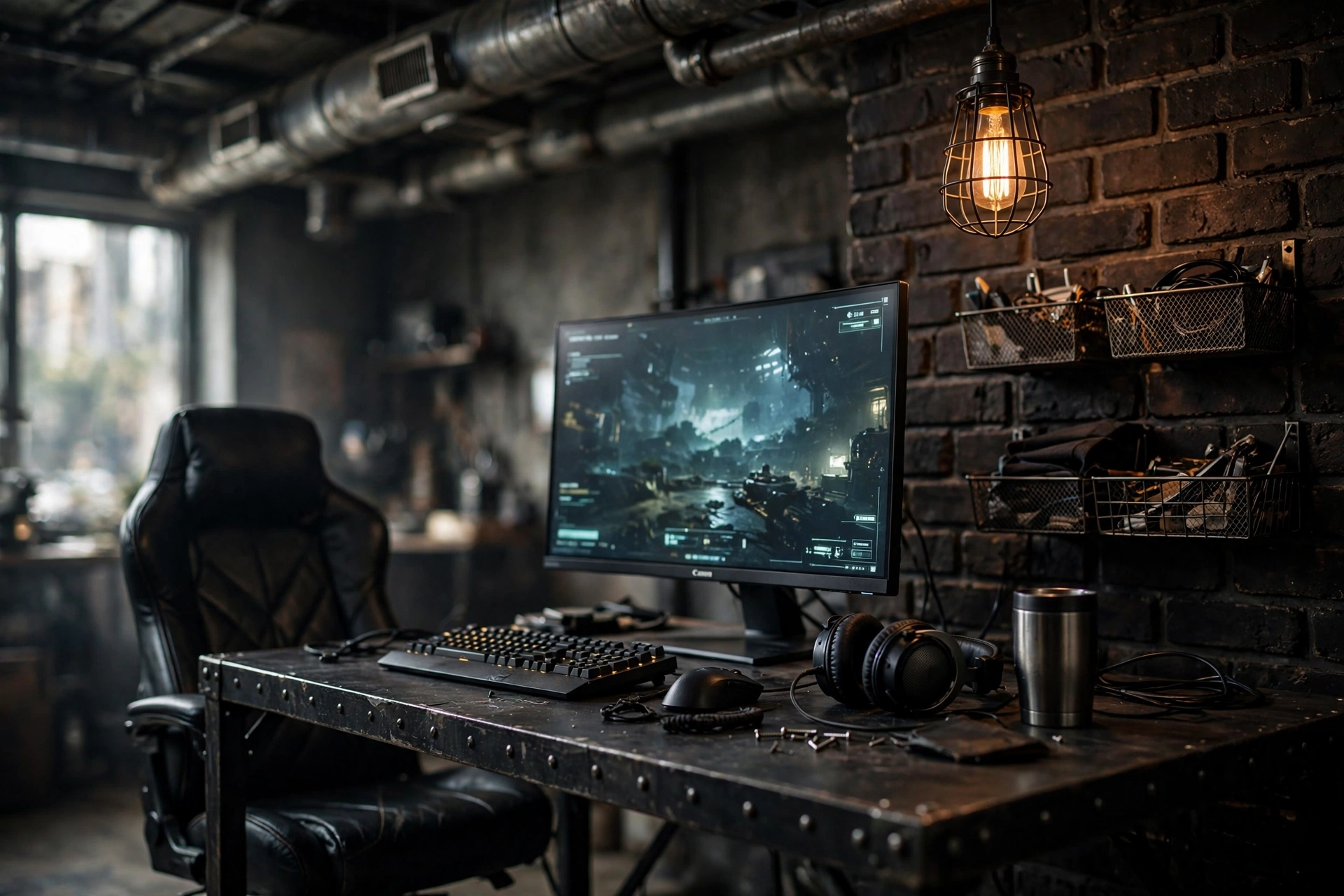
This is the room for night owls. The ceiling shows its ductwork, the wall is dark brick, and the only real light is a caged Edison bulb hanging over the desk plus the glow of one big monitor. A black leather chair, a steel tumbler, and wire mesh baskets on the wall finish the workshop feel. It is small, dark, and completely focused, which is exactly what some gamers want.
Dark rooms have one rule: give your eyes a rest. A single bright screen in a black room causes eye strain fast, so the caged bulb is not decoration, it is the second light source that keeps the room from being one harsh rectangle of light in the dark. Set it to a low warm glow and your eyes will thank you after a long session.
Night session checklist: caged bulb on low, monitor brightness turned down from full, water or coffee within reach, cables tucked behind the desk so nothing snags in the dark.
Dell S2721HGF 27 Inch Curved Gaming Monitor, 144Hz
The curved VA panel gives deep blacks that suit a dark room, and the 144Hz refresh keeps fast games smooth without needing a top end graphics card.
Why this one: strong contrast in dark scenes and a curve that pulls you into the game.
Worth knowing: viewing angles are narrower than an IPS panel, so sit centred for the best picture.
Logitech G502 HERO Wired Gaming Mouse
A long time favourite for a reason: accurate sensor, adjustable weights, and extra buttons you can map to the games you actually play, all in a shape that fits most hands.
Why this one: proven sensor and comfortable shape, with weights you can tune to your grip.
Worth knowing: it is wired, so route the cable neatly or it will drag across the steel desk.
Plug the monitor and the caged bulb into a power strip under the desk, so the cables stay out of sight in the dark den.
6. The Compact Brick Corner Nook
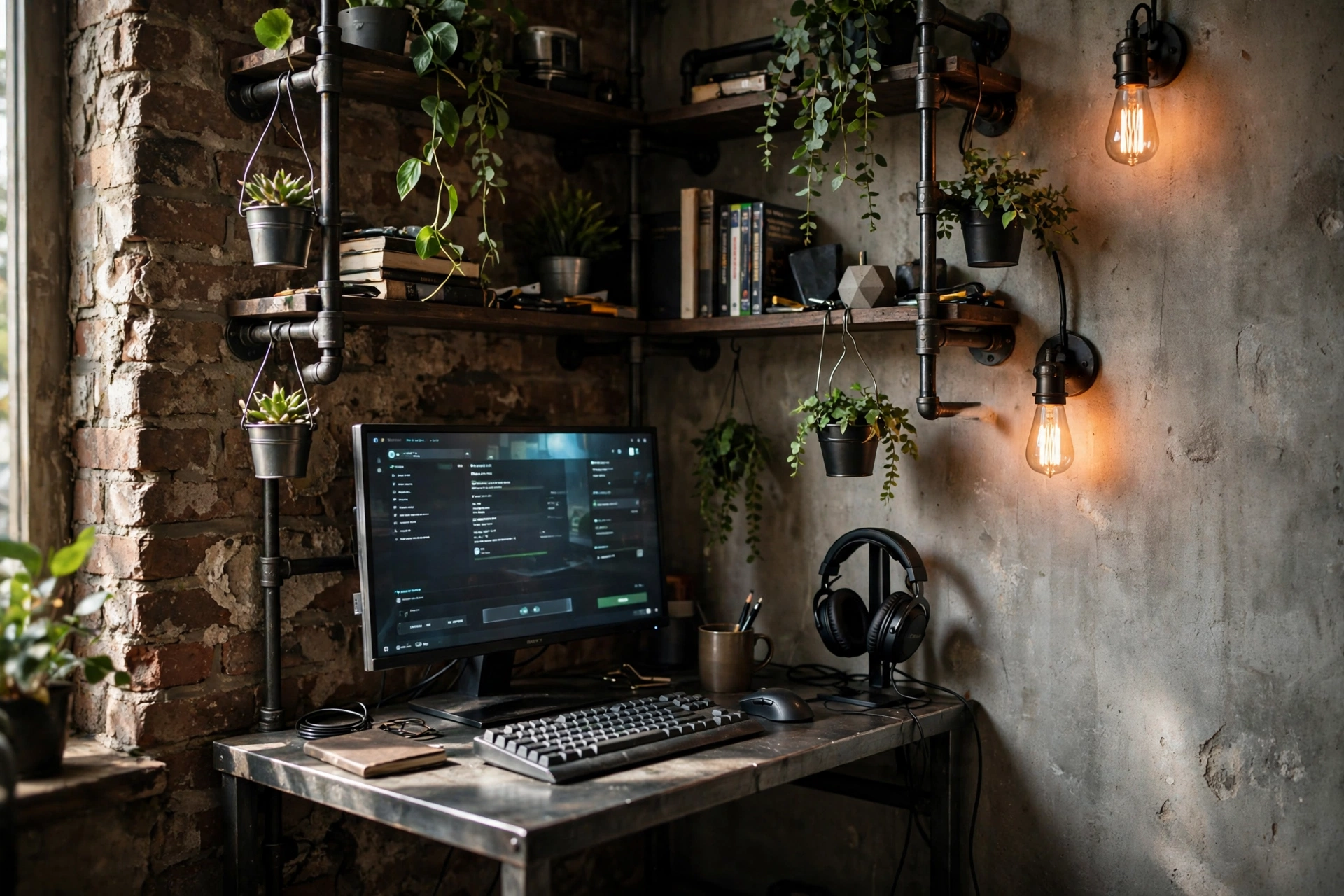
You do not need a loft to do industrial. This nook squeezes the whole look into one brick corner: a compact steel desk, black iron pipe shelves climbing the wall, two small Edison sconces, and a single monitor. Hanging plants in metal pots soften the corner without taking up a centimetre of desk, and the headset hangs on a stand instead of lying on the surface.
Small industrial rooms live or die on vertical storage. Here is how to make it work:
- Mount the shelves above the desk, not beside it, so the footprint stays tiny.
- Use sconces instead of a desk lamp, the desk surface is too small to share.
- Keep one open shelf for daily gear and one closed box for cables and clutter.
- Choose a 27 inch monitor, it fills the corner without overhanging the desk.
KTC 27 Inch Gaming Monitor, 180Hz, 1080p
A straightforward 27 inch screen with a fast 180Hz refresh, sized right for a compact desk, and light enough to sit happily on a small stand or a basic arm.
Why this one: big screen feel in a small footprint, with high refresh for smooth play.
Worth knowing: it is 1080p, so text is a little softer than QHD at this size, fine for games, less crisp for lots of reading.
Quntis Monitor Light Bar RGB PRO
This bar sits on top of the monitor and lights the desk without a lamp base, which is exactly what a tiny corner desk needs, and it keeps glare off the screen.
Why this one: zero desk footprint and even light across the keyboard and the wall behind.
Worth knowing: set the colour temperature warm to match the Edison sconces, cool white will clash with them.
Pull up a comfortable chair with good back support for the corner nook, and plug the monitor into a power strip under the desk, so the cables stay off the floor.
7. Reclaimed Wood Meets Black Metal
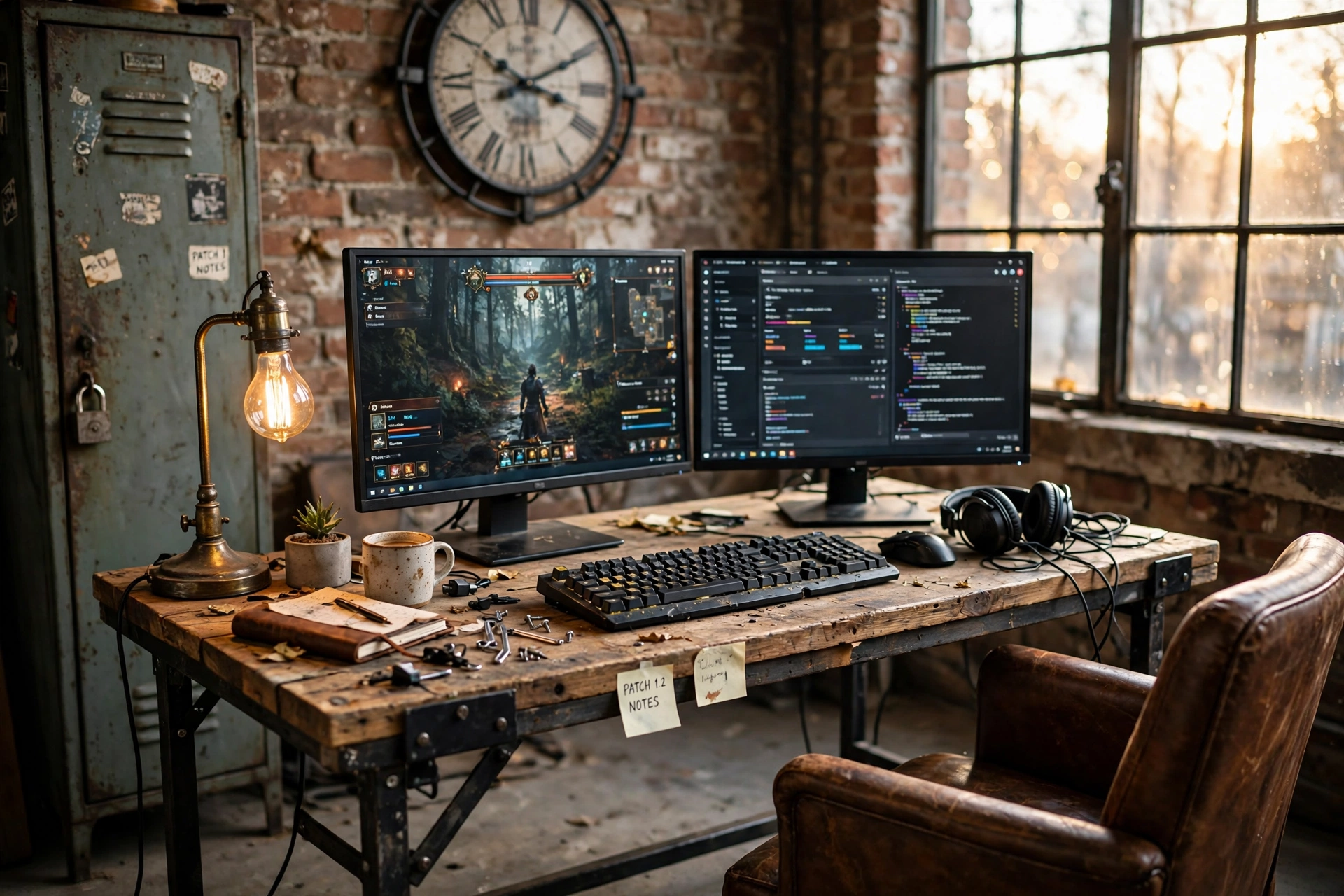
If raw steel feels too cold for you, this is the warm side of industrial. The desk is reclaimed wood with visible grain and knots on a black metal frame, the wall is brick with a big metal clock, and a vintage locker does the storage instead of a modern cabinet. A brown leather chair and an Edison desk lamp add the warmth, while the dual monitors and the curved screen keep it clearly a gaming room, not a farmhouse office.
Make it yours: the wood does not have to match perfectly. A slightly different stain on the shelf and the desk actually looks more honest, like pieces collected over time, which is the whole spirit of this style.
One practical note: reclaimed wood is rarely flat. A monitor arm or a small riser fixes the wobble, and a desk mat smooths out the surface for the mouse. Do both before you blame the desk.
CRUA 27 Inch Curved Gaming Monitor, 180Hz
The curve suits the cosy, wrapped in feel of this room, and the 180Hz panel keeps games fluid, while the slim frame does not fight the wood for attention.
Why this one: curved immersion at a friendly size, with a fast refresh that suits most games.
Worth knowing: the stand is wide, so measure your desk depth before you set it down.
GTPLAYER Gaming Chair, Computer Chair with Footrest and Lumbar Support
A comfortable chair with a footrest for long sessions, lumbar support for your back, and a shape that looks right next to reclaimed wood without turning the room into an office.
Why this one: footrest and lumbar support included, so long evenings stay comfortable.
Worth knowing: assembly takes a while, so set aside a good half hour and a clear floor.
Plug the monitor and the desk lamp into a power strip under the desk, so the cables stay hidden behind the reclaimed wood.
8. The Brick Wall Console Lounge
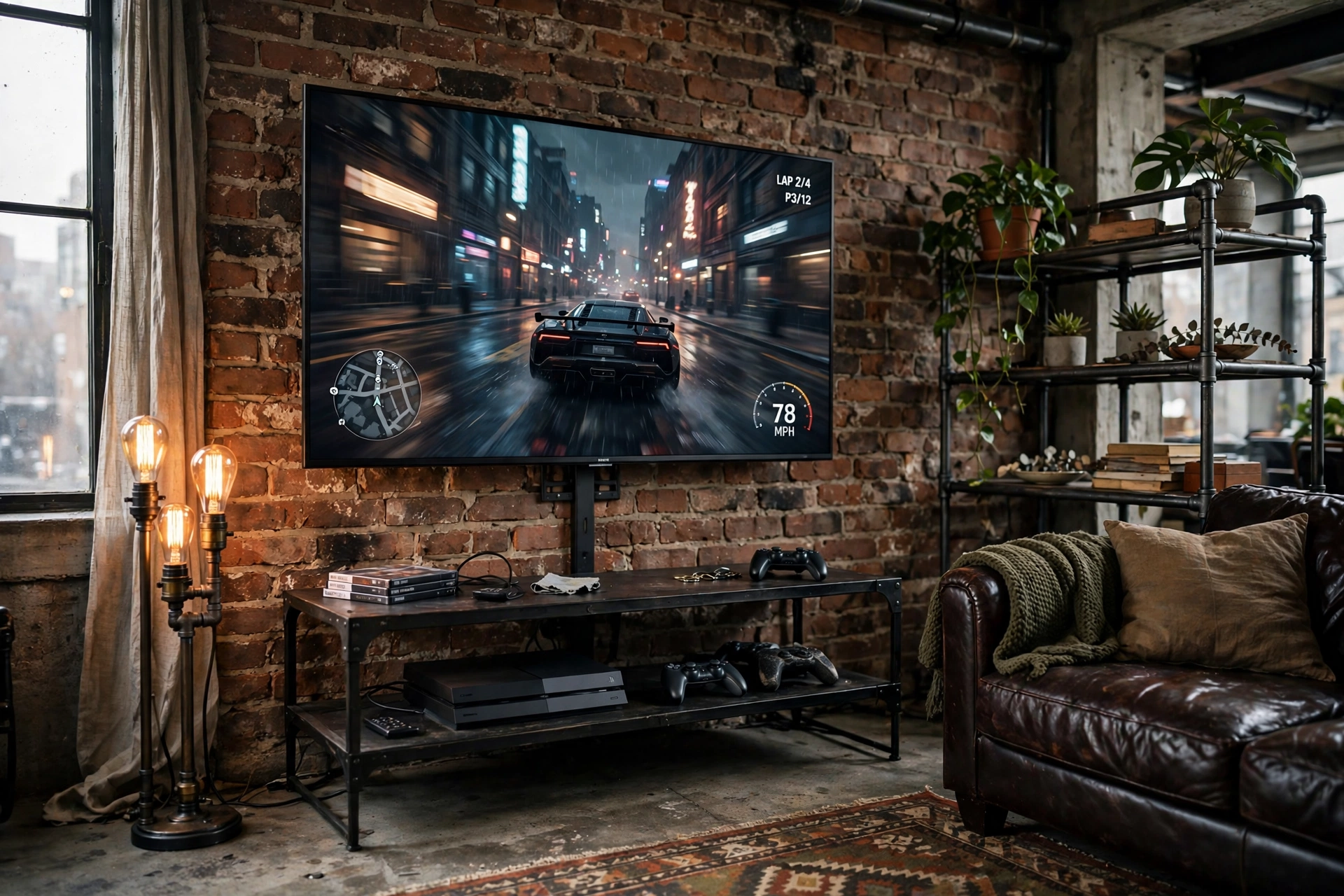
Not every gaming room has a desk. This one is a lounge: a big TV mounted on the brick wall, a black metal media console holding the console and controllers, a leather sofa with a knitted throw, and a pipe floor lamp with three Edison bulbs in the corner. It is the room you build when your friends come over, because four people fit on a sofa and only one fits at a desk.
If console gaming is your main setup, these 15 PS5 gaming setup ideas for console players have more couch friendly layouts to steal from. For this room, the checklist is short:
- Mount the TV at seated eye height, not above the fireplace height people always regret.
- Keep the console ventilated, a metal open frame console beats a closed cabinet every time.
- Put a small side table by the sofa arm for drinks, so nothing ever sits on the media console.
- Add warm bias light behind the TV, it makes the brick glow and eases eye strain in the dark.
Govee 65.6ft RGBIC LED Strip Lights
Run this strip behind the TV and along the pipe shelving for a warm glow that makes the brick look even better, and switch it to a game accent colour when friends come over.
Why this one: long enough to cover a TV and shelves in one run, with app control and warm tones included.
Worth knowing: measure the run before you stick it down, the adhesive does not forgive a second try.
Philips Hue Play Light Bar, 2 Pack
Two small bars behind the TV throw a soft wash of colour onto the brick, and they can sync with what is on screen for a proper cinema feel on movie nights.
Why this one: compact bars with rich colour that sit neatly behind a wall mounted TV.
Worth knowing: full sync features need a Hue Bridge, which is sold separately.
Plug the TV and the console into a power strip behind the media console, so the cables stay hidden and everything has one tidy power source.
9. Minimal Industrial With Exposed Ductwork
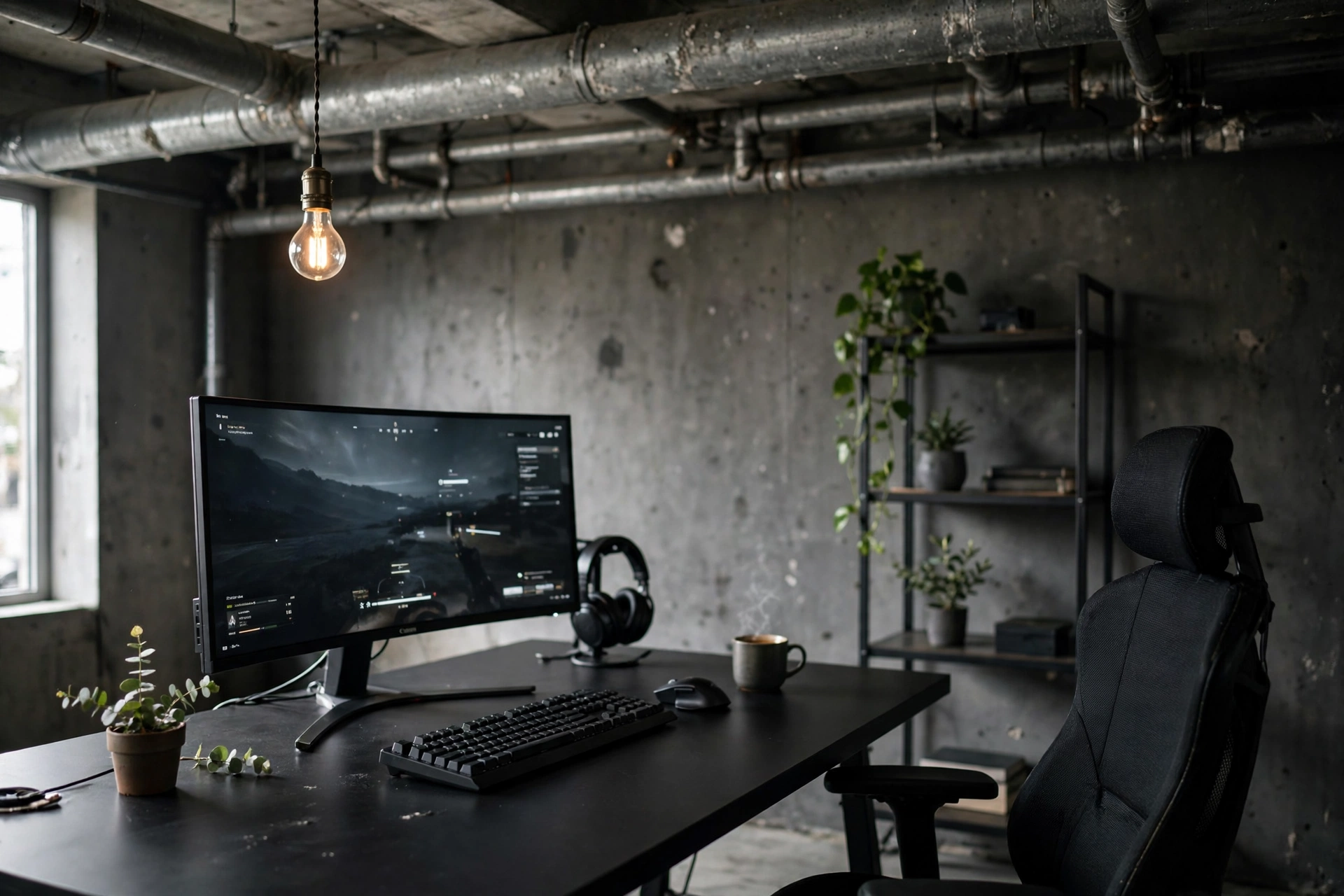
This is industrial with everything non essential removed. The ceiling shows its ducts and pipes, the walls are dark grey concrete, and the desk holds exactly four things: an ultrawide monitor, a keyboard, a mouse, and a mug. One Edison pendant hangs over the desk, one slim shelf holds a few plants, and that is the whole room.
| Keep | Remove |
|---|---|
| One ultrawide monitor | Second screen, unless you truly use it daily |
| One warm pendant light | Extra lamps and LED strips |
| Two or three plants | Shelf clutter and figurine collections |
| Hidden cable tray | Visible power strips on the floor |
Minimal rooms are the hardest to keep minimal, because every new gadget wants a home on the desk. My rule is one in, one out: if a new controller or speaker arrives, something else leaves the desk the same day.
Acer Nitro VG272U V3 27 Inch QHD Gaming Monitor, 180Hz
A clean, sharp QHD monitor with a fast 180Hz refresh and slim bezels, so it looks like part of the wall rather than a gadget sitting on the desk.
Why this one: crisp QHD picture, high refresh, and a tidy design that fits a minimal desk.
Worth knowing: the stand has limited height adjustment, so a monitor arm helps if you are tall.
Razer BlackWidow V3 Mechanical Gaming Keyboard, Quartz Pink
A responsive mechanical keyboard with a solid feel and clear, tactile keys. The quartz pink finish is the one small surprise in an otherwise all black room, and it works, because a single soft accent stops a minimal room from looking flat.
Why this one: dependable mechanical switches and a clean layout that suits a tidy desk.
Worth knowing: the clicky switches are loud, so they are not ideal if you share the room while someone sleeps.
Pull up a comfortable chair with good back support, so the minimal room still works for long sessions.
Frequently asked questions
What makes a gaming room industrial?
Exposed materials are the giveaway: brick, black steel, concrete and raw wood, plus warm Edison lighting. If you can see how the room is built, you are most of the way there.
Can I do an industrial gaming room in a rented flat?
Yes. Use a brick wallpaper or peel and stick panels on one wall, a black steel desk, and pipe style shelves that mount with a few screws. Everything here is renter friendly if you keep the changes to one feature wall.
How much does an industrial gaming setup cost?
It varies a lot with the monitor and chair you choose. A solid starter version with one good monitor, a steel frame desk and warm lighting can be put together for a modest budget, while a dual monitor loft with leather seating costs considerably more. Start with the desk and lighting, then upgrade the screen.
Are Edison bulbs bright enough to game by?
On their own, no. Treat them as atmosphere lighting and add a monitor light bar or a small desk lamp for the actual work surface. Your eyes need a lit desk, not just a pretty bulb.
Does industrial style work in a small room?
It works very well, because dark steel and brick add depth instead of bulk. The corner nook in idea 6 shows the whole look in a single corner, and a dark wall can actually make a small room feel bigger.
How do I keep an industrial room from feeling cold?
Add one warm material and one warm light. Reclaimed wood, leather or a woven rug against the steel, plus an Edison bulb at a warm temperature, is usually all it takes.
Related reading
If you are building on a budget, these 15 budget gaming setup ideas that look expensive show how to get a high end look without high end spending, and most of the tricks work just as well in an industrial room. You can also browse the full Gaming Room Ideas category for more styles.
Conclusion
Industrial gaming rooms are forgiving in a way most styles are not. The materials are honest, the lighting is warm, and the room looks better the more you actually use it. Start with the three things that matter most: a steel frame desk, one warm light source, and a wall with some character, whether that is real brick or a good imitation. Add your monitor and your chair, then let the room grow around you. A plant here, a shelf there, and before long the workshop loft in your head is the room you sit in every evening.
Pick the one idea above that matches your room today, build it properly, and enjoy it for a while before you add the next piece. The best industrial rooms are collected, not bought in one go.
