
How to Work from a Kitchen Table Without Back Pain
By Maya Bennett, Founder and Editor. A kitchen table is not built to be a desk, and after a few hours your back usually says so. The table is often too high or too low, the chair offers little support, and the laptop sits flat on the surface. This guide gives you seven practical steps to set up a kitchen table work spot that is kinder to your back, using adjustable gear and simple habits. For more ideas in this series, browse the Home Office Ideas category.
As an Amazon Associate I earn from qualifying purchases. Please see our affiliate disclosure for details. This article prints no prices, because prices change. Check the listing before you buy, and confirm you have the exact variant named.
In this guide
Step 1: Fix the Table and Chair Fit First
Step 2: Raise the Laptop Screen to Eye Level
Step 3: Add Lumbar Support to the Kitchen Chair
Step 4: Support Your Feet with a Footrest
Step 5: Move and Change Position Often
Step 6: Keep Essentials Within Easy Reach
Step 7: Pack Up Properly at the End of the Day
Frequently asked questions
Conclusion
At a glance
| Step | What it does |
|---|---|
| Step 1: Fix the Table and Chair Fit First | Set the chair so feet rest flat and elbows sit near table height |
| Step 2: Raise the Laptop Screen to Eye Level | A laptop stand lifts the screen and frees the table |
| Step 3: Add Lumbar Support to the Kitchen Chair | A lumbar pillow supports the lower back on a flat chair back |
| Step 4: Support Your Feet with a Footrest | A footrest keeps feet flat when the chair is high |
| Step 5: Move and Change Position Often | Stand, stretch, and shift every half hour |
| Step 6: Keep Essentials Within Easy Reach | Avoid twisting and reaching across the table |
| Step 7: Pack Up Properly at the End of the Day | A tidy pack up protects the next day and the table |
Step 1: Fix the Table and Chair Fit First

AI-generated image
Kitchen tables are built for meals, so the height rarely matches a desk. Start by sitting at the table and checking the basics: feet flat on the floor, knees near a right angle, and elbows close to table height when you type. If the chair is too low, add a firm cushion to raise your seat. If it is too high, a footrest brings the floor up to you.
- Test the fit before the workday, not halfway through it.
- Keep your wrists straight and your shoulders relaxed while you type.
- Re-check the fit whenever you change chairs or cushions.
Getting the fit right is the foundation every other step builds on.
Step 2: Raise the Laptop Screen to Eye Level
AI-generated image
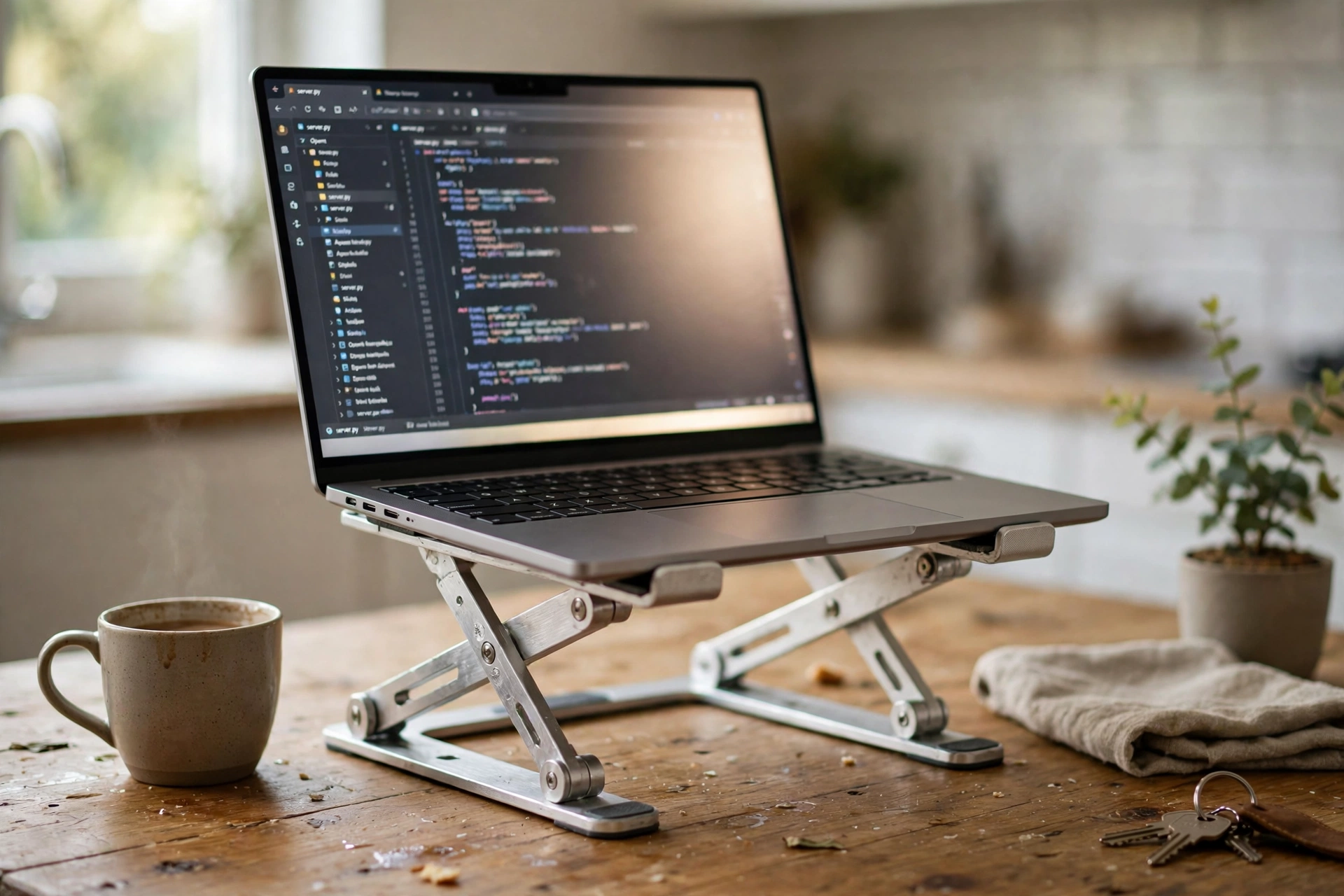
A laptop flat on a kitchen table forces you to look down all day, and that downward tilt is the most common source of stiffness at a table setup. An adjustable laptop stand lifts the screen toward eye level and leaves space underneath for a separate keyboard.
Set the stand so the top of the screen sits near eye level and the keyboard sits at a comfortable height on the table. A separate keyboard and mouse make the setup far more comfortable than typing on the raised laptop itself.
Why this one: the height adjusts from 5.7 to 8.6 inches, so the screen can sit near eye level, and the aluminum frame holds up to 20 pounds.
Worth knowing: you will want a separate keyboard and mouse, since typing on a raised laptop is awkward.
Step 3: Add Lumbar Support to the Kitchen Chair

AI-generated image
Kitchen chairs usually have a flat, hard back with no support for the lower back. A lumbar support pillow fills that gap: it sits against the chair back, supports the natural curve of the lower back, and straps on so it stays put when you move.
Place the pillow so it meets your lower back when you sit upright, and adjust the straps until it stays in place. If the chair back is very wide, check the strap length before you buy.
Why this one: the memory foam shape supports the lower back, and the dual adjustable straps keep it in place on most chairs.
Worth knowing: the pillow is sized for standard chairs, so it may not suit very short or very contoured chair backs.
Step 4: Support Your Feet with a Footrest
AI-generated image
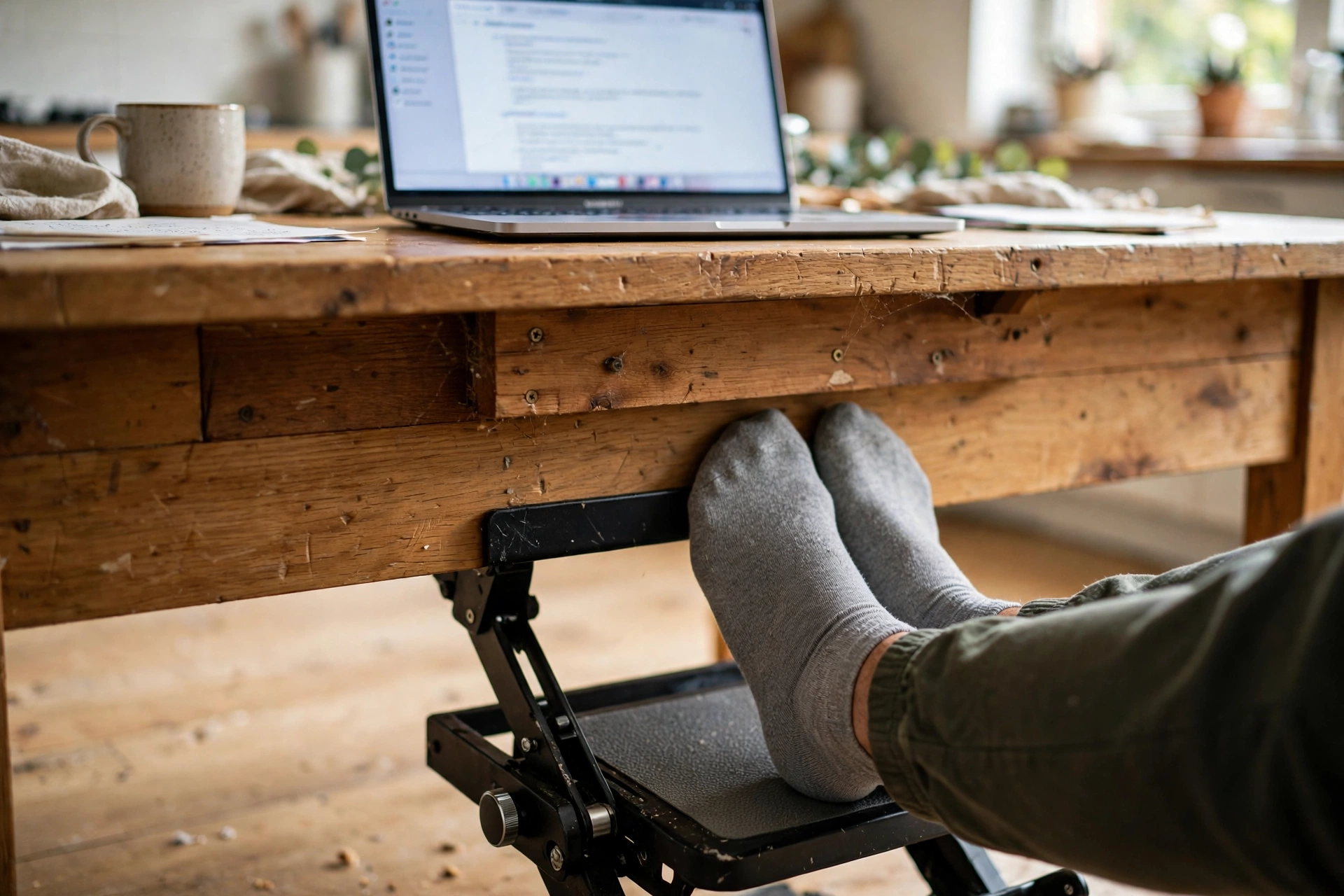
When the chair is high enough for the table, feet often dangle. Dangling feet pull on the legs and make it hard to sit upright. A footrest with adjustable height and tilt gives your feet a stable place to rest and lets you shift position through the day.
Try this: set the footrest so your knees sit near a right angle and your feet rest flat. Rock it gently now and then to change position.
A footrest is small, easy to store, and one of the cheapest comfort upgrades for a kitchen table setup.
Why this one: three height settings and a 30 degree tilt range make it easy to find a comfortable foot position.
Worth knowing: three fixed heights may leave some people between settings, so check the height range first.
Step 5: Move and Change Position Often

AI-generated image
No chair or cushion replaces movement. Set a quiet reminder to stand up, stretch, and walk around every thirty to sixty minutes. A short walk to the kitchen sink or a few shoulder rolls at the table are enough to break up a long stretch of sitting.
- Stand and stretch at least once an hour.
- Take phone calls standing or walking around the room.
- Change your sitting position a few times during the day.
Movement breaks also help you notice when the setup needs a tweak, like a cushion that has slipped or a footrest that needs a new height.
Step 6: Keep Essentials Within Easy Reach

AI-generated image
Twisting to reach a phone, a notebook, or a charger is a small movement that repeats dozens of times a day. Keep the things you use most within easy reach, in a small arc in front of you, and put the rest further away or in a bag by the chair.
Place your phone on the same side as your dominant hand, keep water within reach so you stay hydrated, and run the charger cable along the table edge so it never pulls across your work.
Step 7: Pack Up Properly at the End of the Day

AI-generated image
A kitchen table has a second job: dinner. Packing up properly at the end of the workday protects both jobs. Put the laptop, stand, footrest, and pillow into a bag or a basket, wipe the table, and leave it clear for the evening.
The pack up is also a daily reset for your setup. Each morning you rebuild the work spot the same way, with the screen at eye level and the supports in place, instead of drifting into a slouched position that creeps in over the week.
Frequently asked questions
Can I work from a kitchen table every day?
Yes, with the right setup. An adjustable laptop stand, lumbar support on the chair, and a footrest cover the main fit issues, and regular movement breaks help through a long day.
How high should my laptop screen be at a kitchen table?
The top of the screen should sit near eye level. A laptop stand gets you there, and a separate keyboard keeps your hands at a comfortable height.
What chair works best at a kitchen table?
A chair with a firm seat and a back you can add lumbar support to. Check that your feet can rest flat, with a footrest if the chair is high.
How often should I take breaks from the kitchen table?
Stand up and move at least once an hour. Short, regular breaks are easier to keep than one long break in the afternoon.
Do I need a separate keyboard at a kitchen table?
It helps a lot once the laptop is raised. Typing on a raised laptop strains the wrists, while a separate keyboard sits at table height where your hands rest naturally.
Conclusion
A kitchen table can work well as a home office when the fit is right. Set the chair height, raise the screen to eye level, add lumbar support and a footrest, move often, keep essentials close, and pack up at the end of the day. Those seven steps make the table a comfortable place to work. For your next step, browse the Home Office Ideas category for setups you can copy whole.
