Gaming Room Ideas
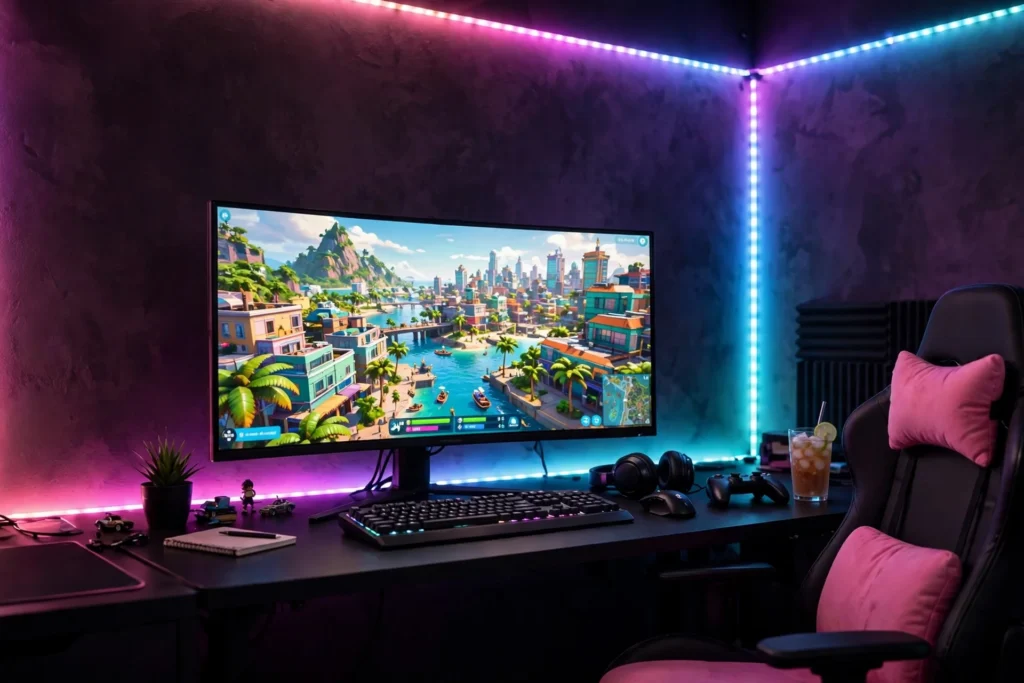
GTA 6 lighting is what turns a desk into Vice City. The pink sunset, the cyan ocean, the palm neon, and the glow behind the screen are what your eyes remember long after you stop playing, and the right lighting makes even a small room feel like Ocean Drive after dark. These ten ideas cover every kind of Vice City light, from one cheap strip to a full sync setup, so you can pick the glow that fits your room and your budget.
Every idea below is one complete setup you can copy whole, desk, seat, screen, light, storage, and power included. Pick the light that suits your room, start with the desk and the screen, and let the neon come last, because a little pink and cyan goes a long way. If you want the full neon room first, the 9 GTA 6 neon Vice City gaming setup ideas show the same glow at full size.
As an Amazon Associate I earn from qualifying purchases. Read our full affiliate disclosure for more detail.
In This Article
- 1. Sunset RGBIC Strip Wall
- 2. Neon Rope Desk Outline
- 3. TV and Monitor Bias Glow
- 4. Light Bar Wall Wash
- 5. Hexagon Panel Accent Wall
- 6. Palm Neon Sign Glow
- 7. Hue Sync Gaming Lights
- 8. Monitor Light Bar Focus
- 9. Shelf and Cabinet Glow
- 10. Budget One Strip Starter
- At a Glance Comparison
- Frequently Asked Questions
- Conclusion
At a Glance Comparison
| Setup | Best For | Key Piece | Light |
|---|---|---|---|
| 1. Sunset RGBIC Strip Wall | Whole room glow | RGBIC strip | Pink and cyan |
| 2. Neon Rope Desk Outline | Desk edges | Neon rope | Warm neon |
| 3. TV and Monitor Bias Glow | Screen glare | TV backlight | Soft halo |
| 4. Light Bar Wall Wash | Streaming | Light bars | Pink wash |
| 5. Hexagon Panel Accent Wall | Modern walls | Hex panels | RGBIC glow |
| 6. Palm Neon Sign Glow | Statement walls | Palm neon sign | Neon sign |
| 7. Hue Sync Gaming Lights | Immersive play | Hue Play bars | Sync glow |
| 8. Monitor Light Bar Focus | Keyboard light | Light bar | Warm focus |
| 9. Shelf and Cabinet Glow | Storage walls | Covered strip | Shelf light |
| 10. Budget One Strip Starter | First neon room | Single strip | Warm neon |
1. Sunset RGBIC Strip Wall
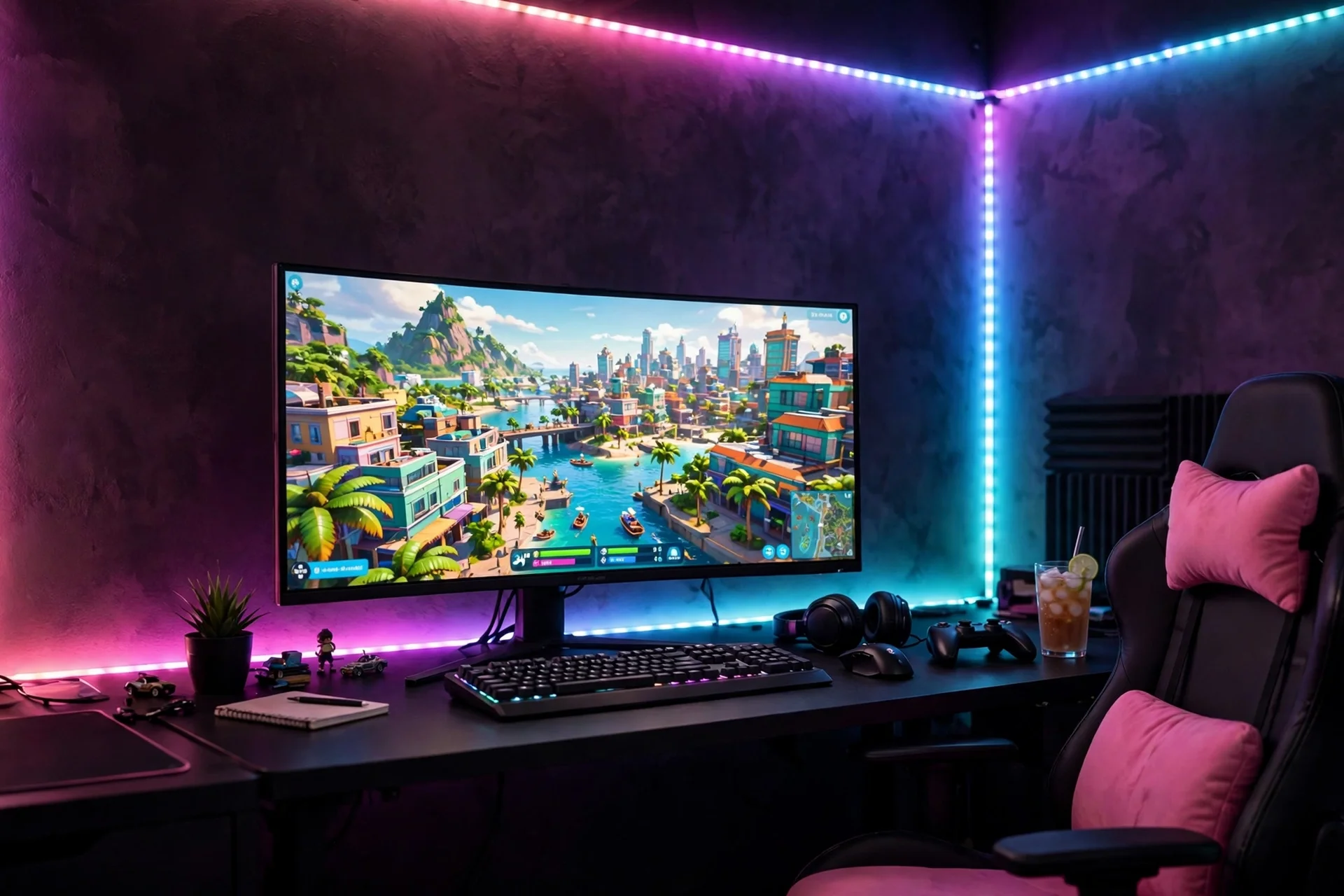
Start with the strip wall, because one RGBIC strip does the work of five lights. Paint the desk wall deep plum black, then run a long RGBIC strip along the top of the desk, up the wall corners, and under the shelf, so the whole wall fades from sunset pink to ocean cyan. Place a black desk against the wall, with a wide monitor centered on a slim riser, a backlit keyboard, and a black chair with pink cushions. The strip is the only colour the room needs, so keep the rest of the palette black and teal, and add a small warm lamp for the times the strips are off. Storage lives in a low black cabinet to the side, holding games, controllers, and chargers out of sight. Power runs through a single surge protected strip under the desktop, with the monitor, the strip, and the lamp all on one switch, so the whole sunset turns on together.
Why this one: The long 65.6ft run covers a full desk wall with one strip, and the RGBIC control lets you paint pink on one side and cyan on the other.
Worth knowing: Cutting and joining the long strip takes care, and the app is needed for the full colour control.
Govee 16.4ft RGBIC LED Strip Lights, Work with Alexa and Google Assistant
Why this one: The RGBIC segments let different parts of the strip show pink and cyan at once, which is exactly the Vice City sunset fade.
Worth knowing: It needs the app and a Wi-Fi connection for smart features, and the adhesive backing can peel on textured or dusty walls, so clean the surface first.
2. Neon Rope Desk Outline
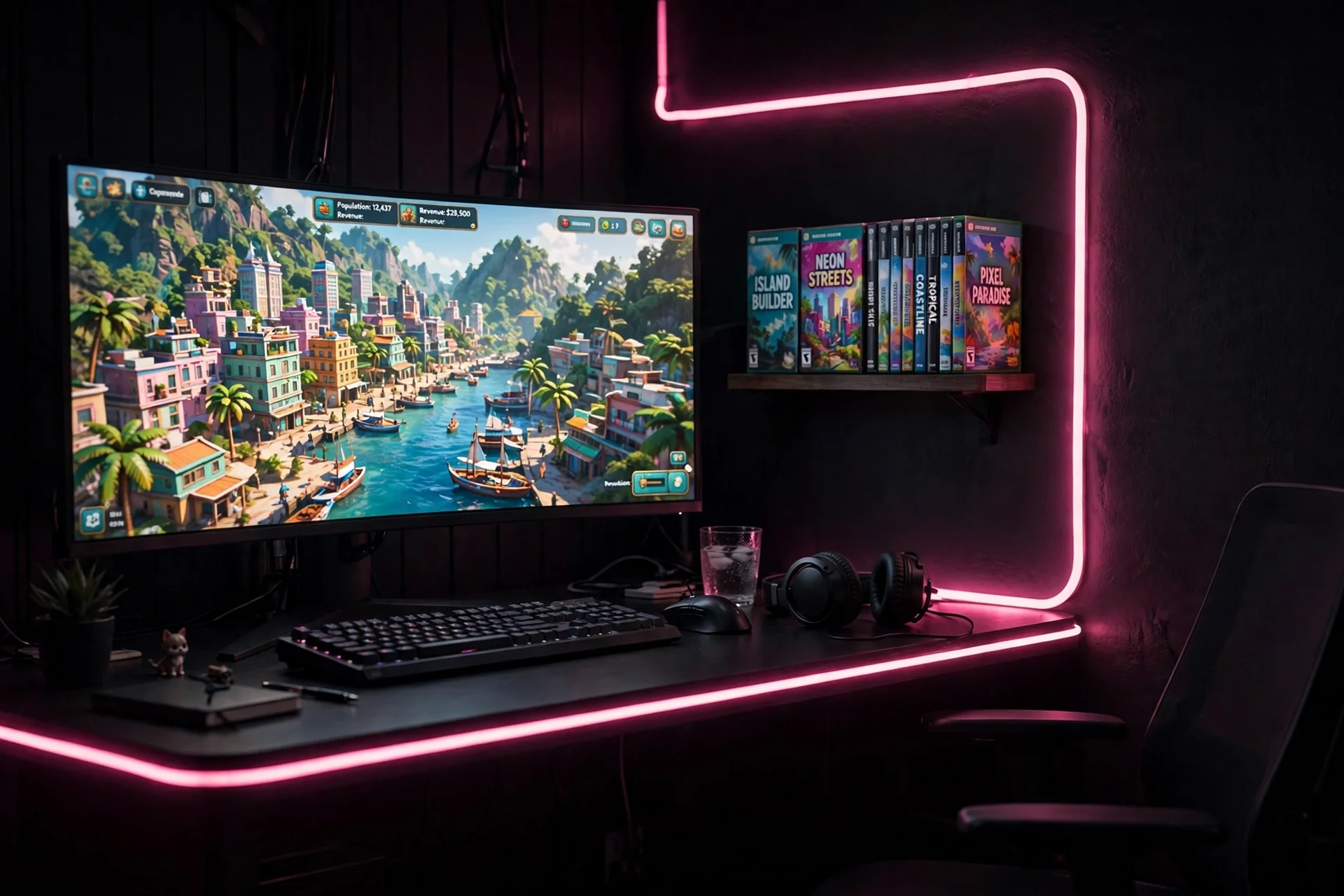
A neon rope outlines the desk like a sign, and it is the easiest glow to install. Tuck a black desk into the corner, with a wide monitor in the middle and a neon rope light tracing the edge of the desk and up the wall behind it. The rope bends around corners without hard tubes, so it follows the desk shape exactly, and the soft light washes the wall without glaring. Sit in a black chair with a low back, close enough to feel the glow and comfortable enough for long sessions. A small black shelf above the desk holds game cases and a couple of figures, lit by a short pink strip underneath. Storage lives in a black cabinet under the desk for controllers, cables, and spare parts. Power runs from one strip under the desktop, with the rope light, the strip, and the monitor all on it, so one switch lights the whole outline.
Govee RGBIC Gaming Lights, 10ft Neon Rope Lights Soft Lighting for Gaming Desks
Why this one: The soft neon rope bends around the desk edge and up the wall, giving the outline glow without hard tubes, and it is made for gaming desks.
Worth knowing: The rope is a fixed length, so measure the desk edge first, and it needs a USB port or adapter to power it.
Exclusive Gaming Controller Holder and Headset Stand Figure for GTA VI and Call of Duty and More
Why this one: The GTA VI themed controller holder and headset stand puts the game front and center on the desk, and it keeps the controller off the desk surface.
Worth knowing: It is a themed display piece first, so it holds one controller and one headset, not a full collection.
3. TV and Monitor Bias Glow
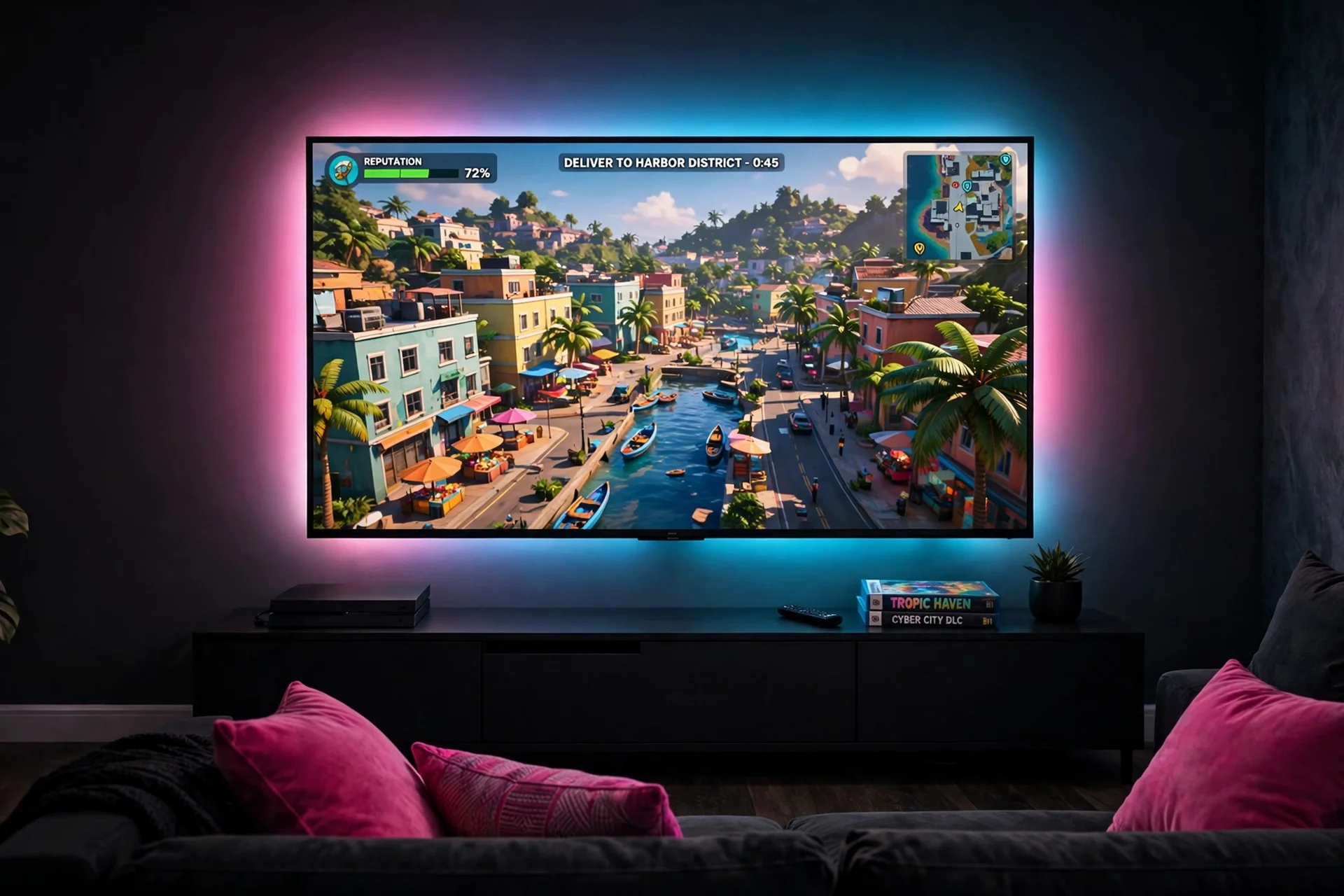
Bias lighting is the light you do not see, and it is the light your eyes will thank you for. Mount the TV at eye level from the sofa, then run a bias strip around the back of the TV, set to a soft pink and cyan glow, so the dark wall behind the screen halos gently instead of glaring. Below it, place a low black media console, long enough to hold the console, a soundbar, and two controllers on a small tray. Sit on a dark sofa with hot pink cushions, far enough back to take in the whole wall, with a throw folded over one arm. The bias glow cuts screen glare and makes long sessions easier on the eyes, and it makes the TV look bigger than it is. Storage hides inside the console, with games stacked upright and cables in a lidded box. Power runs through a surge protected strip inside the console, with a single cord dropping to a floor outlet behind the unit.
Why this one: The camera based TV backlight paints the wall behind the TV with the colours on screen, which makes a small corner feel like a cinema.
Worth knowing: It needs the camera and the app to match the TV colours, and setup takes a little patience to get the camera angle right.
Why this one: The TV backlight gives the big screen a soft pink and cyan halo against the dark wall, and app control makes it easy to dim for late night play.
Worth knowing: The adhesive can loosen over time on a warm TV back, so check it now and then and add clips if needed.
4. Light Bar Wall Wash
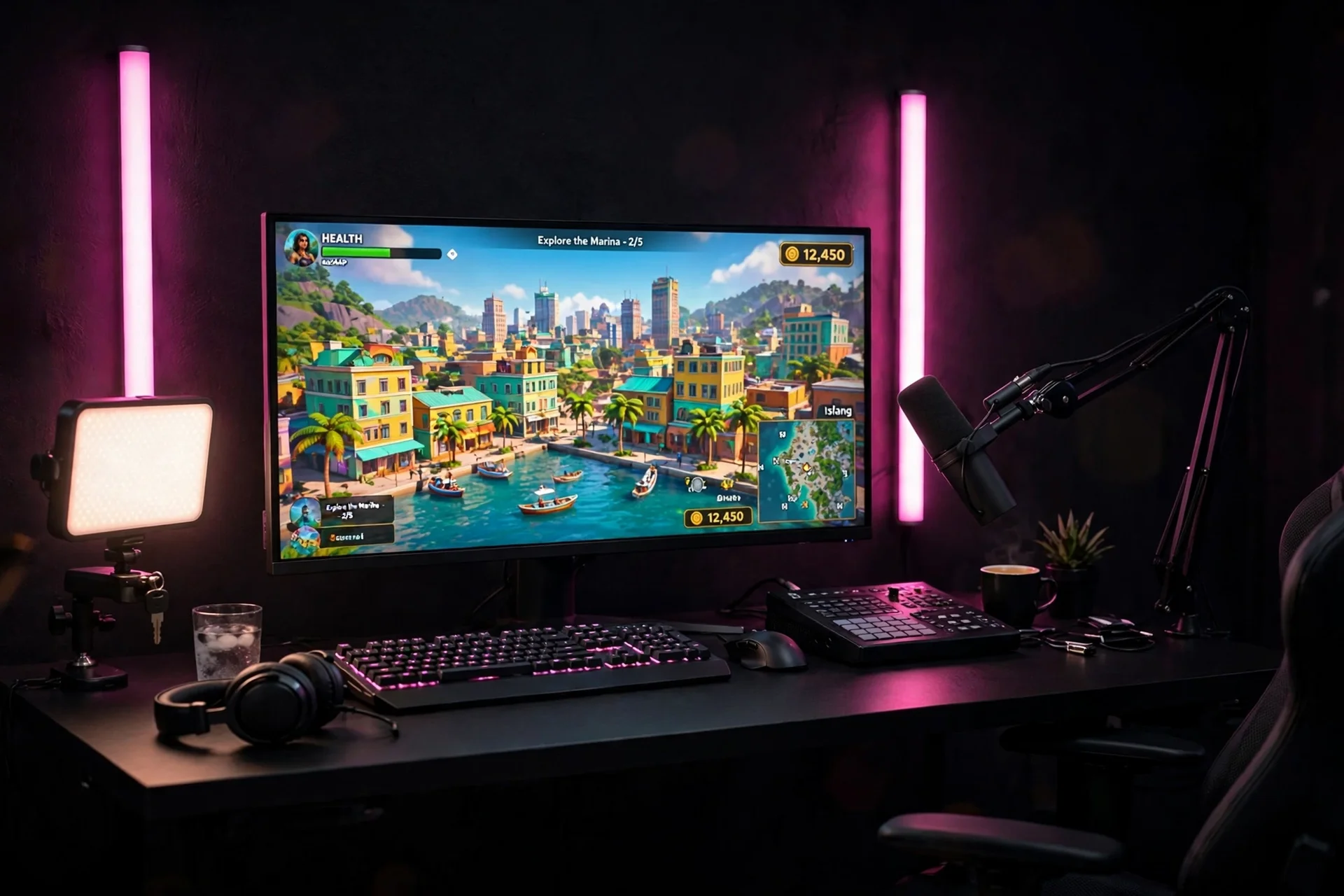
Light bars wash the wall with colour, and they are the best light for streaming, because the camera sees the glow and you still see the game. Place a black desk against a dark wall, with a wide monitor centered and a second small screen to one side for chat. Put two pink light bars behind the monitor, angled at the wall, so the background glows hot pink on camera without shining in your eyes. A key light on a desk clamp lights your face from the front, and a microphone on a boom arm keeps the desk clear. Sit in a black gaming chair with pink stitching, and keep a headset on a stand to the right, next to a small tray for the controller. Storage lives in a black drawer unit under the desk for cables, spare mics, and stream gear. Power runs through a surge protected strip under the desktop, with the light bars, the key light, and the monitors all on one switch.
Why this one: The triple sided RGBIC light bars throw pink, cyan, and purple at the wall at once, which is the Vice City sunset look, and Wi-Fi control lets you change scenes mid stream.
Worth knowing: The bars need Wi-Fi and the app for full control, and the brightest scenes can reflect on a glossy monitor if the bars sit too close.
Elgato Key Light, Professional 2800 Lumens Studio Light with Desk Clamp for Streaming
Why this one: The bright adjustable key light keeps your face lit for streams without washing out the neon behind you, and the desk clamp saves desk space.
Worth knowing: It is a single panel light with no colour temperature presets beyond its own controls, so it will not match every neon shade.
5. Hexagon Panel Accent Wall
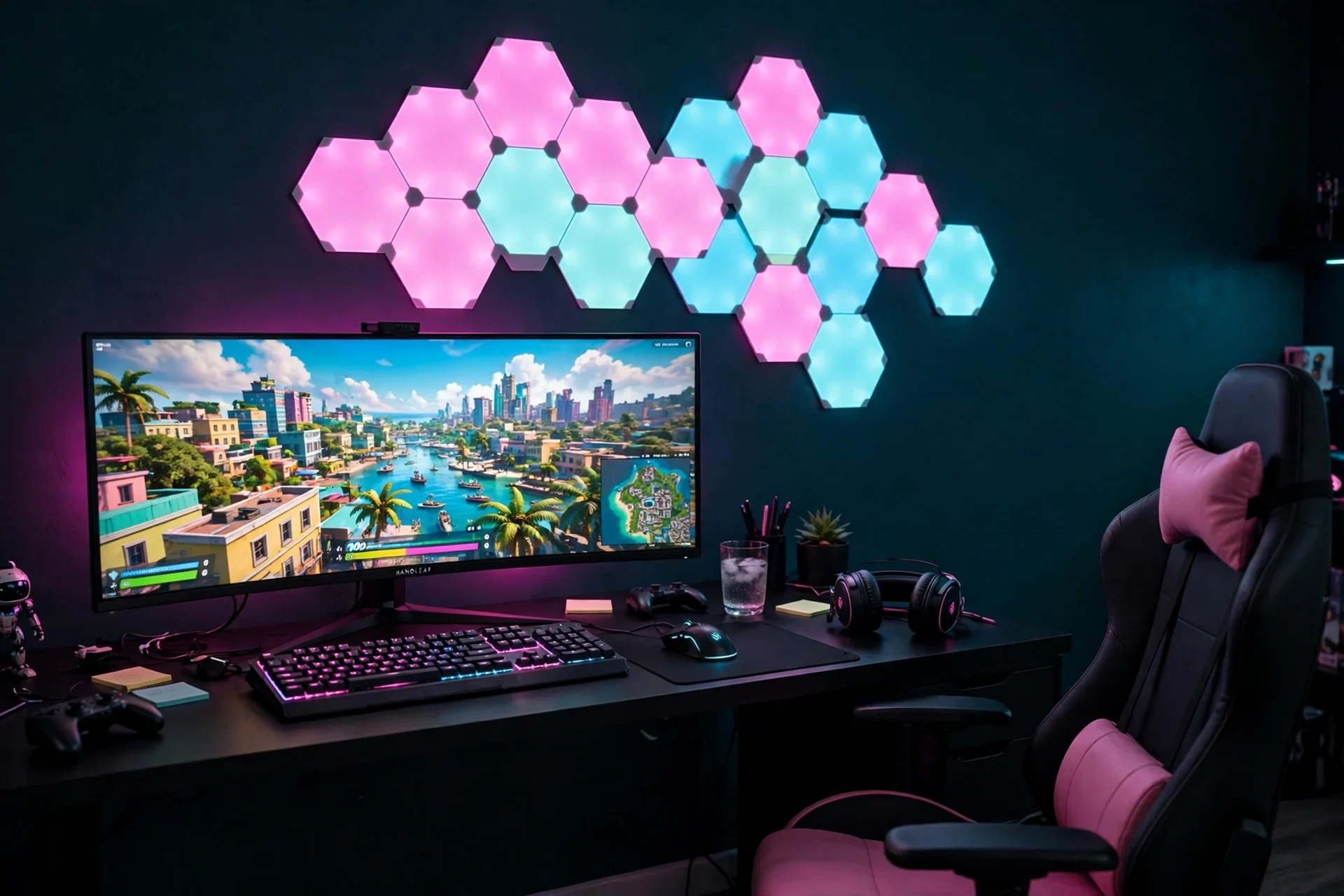
Hexagon panels turn a wall into art, and they glow in shapes a strip never can. Mount a cluster of hexagon RGBIC panels on the desk wall, arranged in a loose honeycomb above and beside the monitor, set to pink and cyan. A black desk sits below, with a wide monitor centered under the cluster, a backlit keyboard, and a small lamp for warm light when the panels are off. Choose a black chair with pink cushions, and keep the rest of the palette black and teal, so the panels carry the colour. The panels stick to the wall, so plan the layout on the floor first, then mount them once, because moving them later takes care. Storage lives in a low black cabinet to the side for games, controllers, and chargers. Power runs through a single surge protected strip under the desktop, with the panels, the monitor, and the lamp all on one switch.
Govee Glide Hexa Pro Light Panels, RGBIC 3D Hexagon Wall Lights
Why this one: The hexagon RGBIC panels give the wall a modern glow in pink and cyan, and the shapes suit a gaming room better than a plain strip.
Worth knowing: The panels need Wi-Fi and the app for full control, and they stick to the wall, so moving them later takes care.
Why this one: The smart RGBW lines bend into shapes on the wall and show 16 million colours, so the Vice City palette is always one tap away.
Worth knowing: The lines need Wi-Fi and the app for full control, and they are a bigger buy than a strip, so they suit a feature wall best.
6. Palm Neon Sign Glow
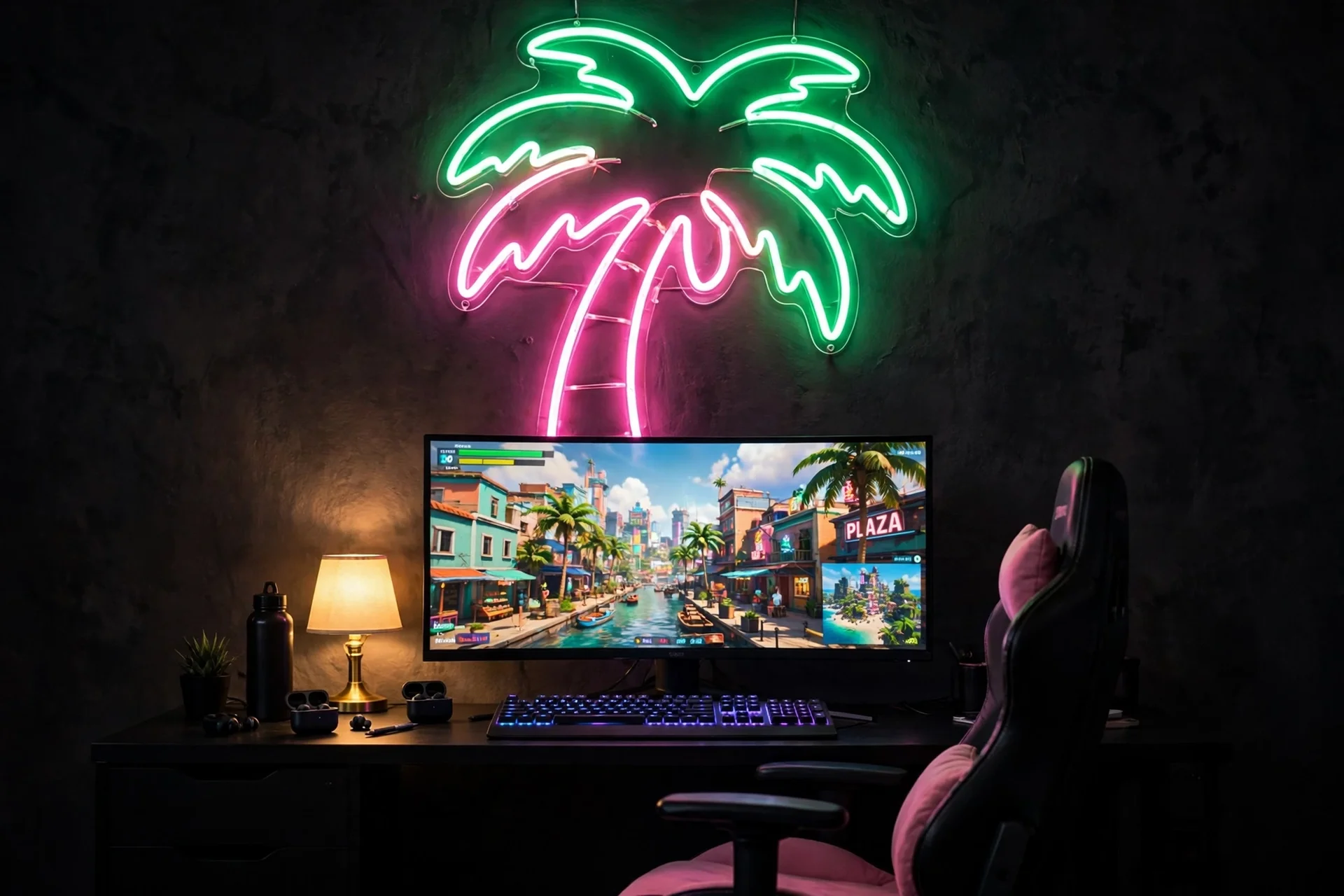
Give the neon sign one strong moment on the wall and let everything else stay quiet. Hang a large palm tree neon sign above the desk, centered on the dark wall, and let it glow green and pink every time you sit down. A black desk sits below, with a wide monitor centered under the sign, a backlit keyboard, and a small lamp on the left for warm light when the neon is off. Choose a black chair with pink cushions to pick up the sign, and keep the rest of the palette black and teal, so the neon stays the star and never fights the room. Storage lives in a low black cabinet to the right, holding games, controllers, and chargers out of sight. Run the monitor, the sign, and the lamp from a single power strip with a switch, so one flick turns the whole wall on or off, and the neon does the decorating for you.
Why this one: The flamingo and palm sunset sign is the Vice City wall in one piece, it dims from a USB connection, and it hangs with two pre-drilled holes.
Worth knowing: It is a smaller sign than a full neon wall piece, so it suits a desk wall rather than a whole living room wall.
Why this one: The pink flamingo and green palm neon pair adds a second neon to the wall, and the USB power means it runs straight from the desk setup.
Worth knowing: The signs are small tabletop pieces rather than large wall signs, so they work as accents, not as the main light in a big room.
7. Hue Sync Gaming Lights
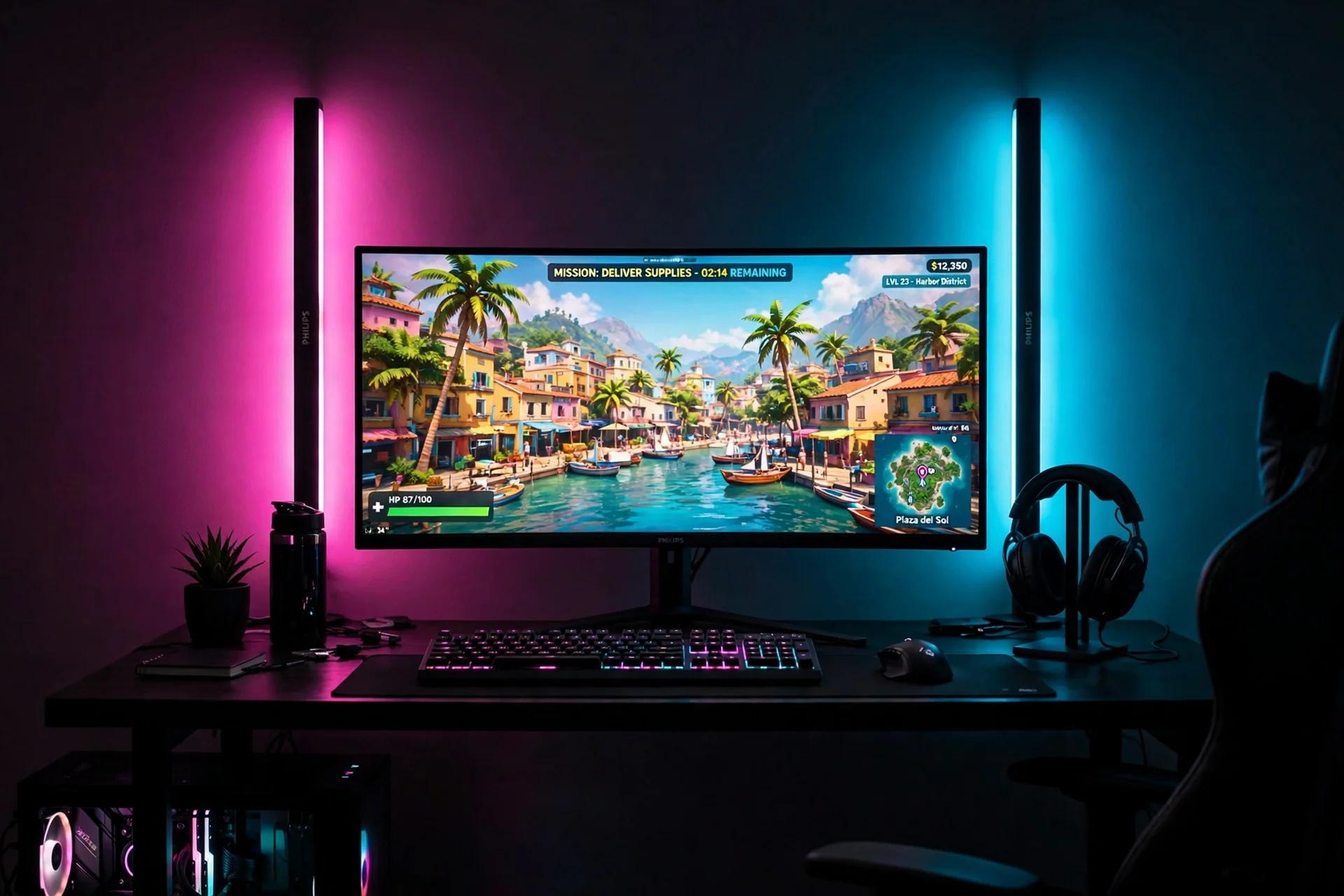
Sync lights change with the game, so the whole room plays along. Place a black desk against a dark wall, with a wide monitor centered and two Hue Play light bars behind it, angled at the wall, plus a gradient strip behind the monitor. A sync box reads the colours on screen and paints the wall with them, so a sunset drive turns the room pink and a night chase turns it cyan. Sit in a black gaming chair with a simple frame, and keep a headset on a stand to the right, next to a small tray for the controller. The sync setup costs more than a plain strip and needs a hub, so it suits players who want immersion, not players who just want a pink glow. Storage lives in a low black cabinet to the side, and power runs through a single surge protected strip under the desktop, with the sync box, the bars, and the monitor all on it.
Why this one: The Hue Play light bars sync with the screen through the Hue system, and the white and colour ambiance covers the whole Vice City palette.
Worth knowing: It needs a Hue Bridge and the app for full control, and it is a bigger buy than a plain strip, so it suits a feature wall best.
Why this one: The Hue sync box and gradient strip bundle paints the wall behind the screen with the colours on it, which is the most immersive light in this article.
Worth knowing: It needs a Hue Bridge and the app, and the gradient strip is sized for one TV, so measure before you buy.
8. Monitor Light Bar Focus
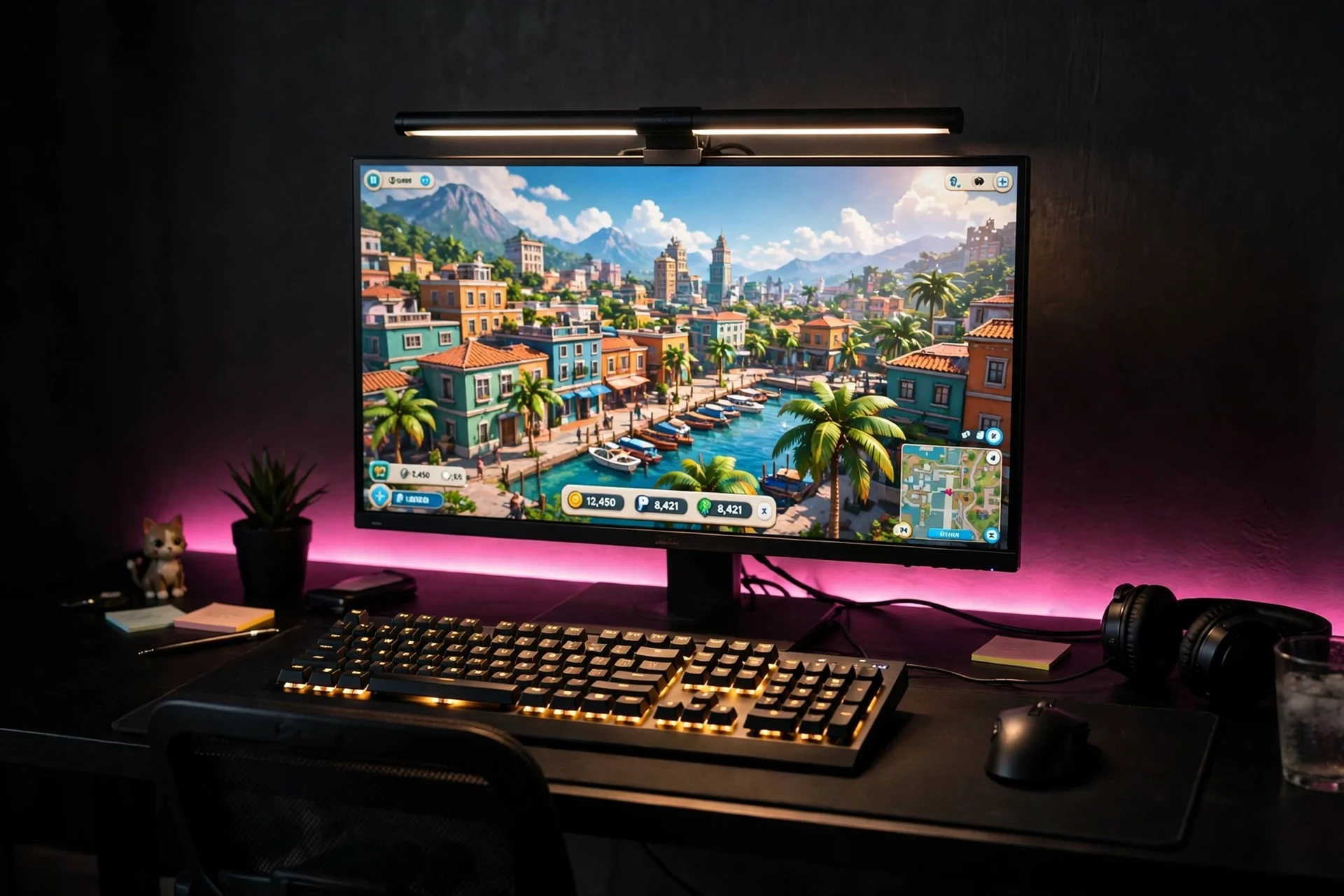
A monitor light bar is the smallest light in this article, and the most useful, because it lights the keyboard without adding screen glare. Place a black desk against a dark wall, with a wide monitor centered on a slim riser, a backlit keyboard, and a compact mouse in front. The light bar sits on top of the monitor, angled down at the desk, with a remote to dim it for late night play. Add a short pink strip behind the monitor for the Vice City glow, and keep the ceiling light off while you play, so the bar and the strip are the only light. Sit in a small black chair with adjustable height, and keep a headset on a hook under the desk. Storage lives in a single drawer unit under the desk for games, cables, and headsets. Power runs through a slim surge protected strip under the desktop, with the monitor, the bar, and the strip all on it.
Why this one: The monitor light bar lights the keyboard without adding screen glare, and the remote makes it easy to dim when the pink strip is the only light you want.
Worth knowing: It sits on top of the monitor, so very thin or curved screens may need the included clips adjusted to fit.
Why this one: The covered RGBIC strip looks neat behind the monitor and lets the wall show pink on one side and cyan on the other.
Worth knowing: The cover makes the strip slightly less flexible around tight corners, so plan the run before you stick it down.
9. Shelf and Cabinet Glow
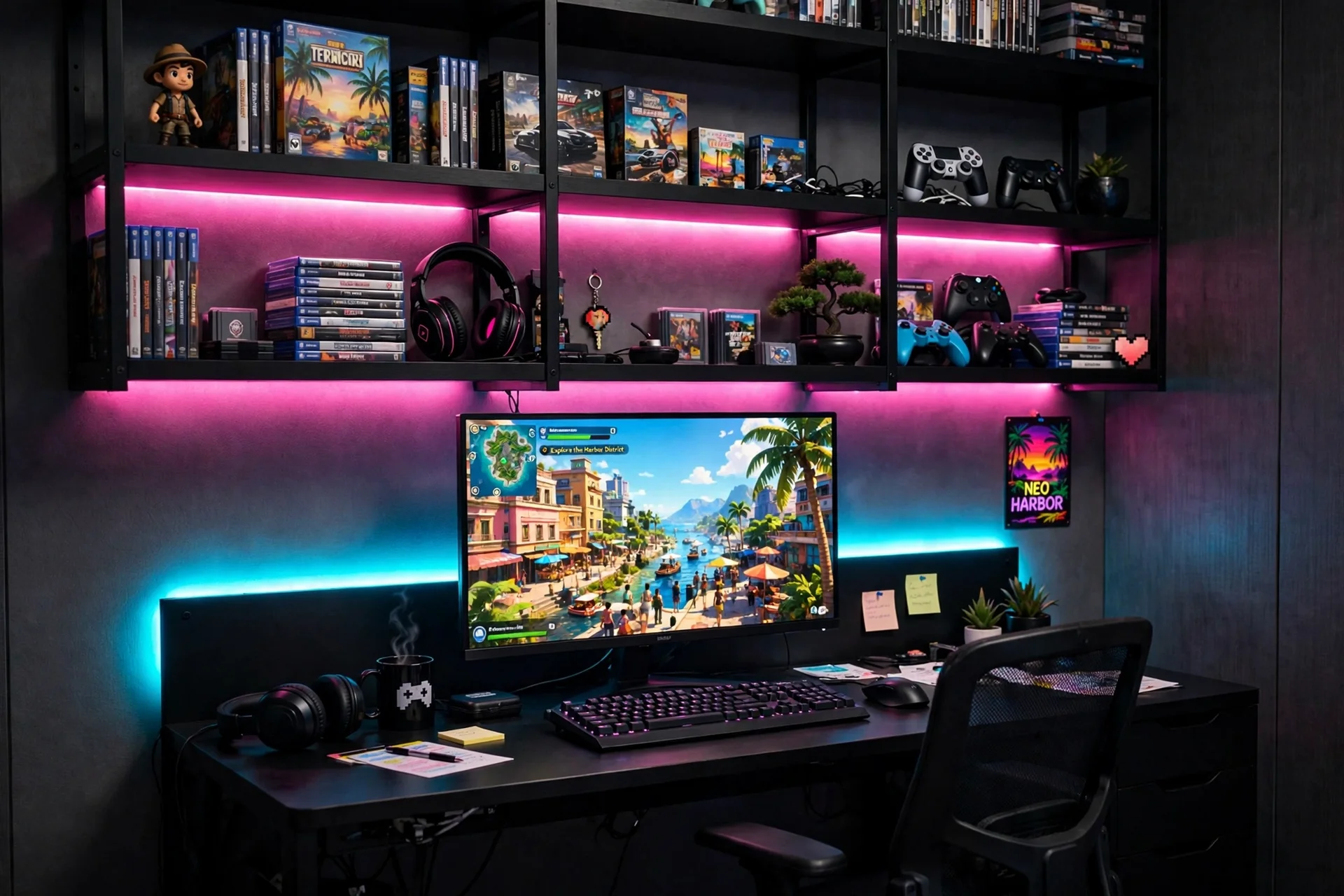
Shelves glow best when the light hides under them, so the games look lit from within. Paint the desk wall deep plum black, then mount tall black shelves above and beside the desk, with games stacked upright, controllers on a tray, and a few figures on the top shelf. Run a short covered LED strip under each shelf, so the whole wall glows in layers, and add a cyan strip behind the monitor for the sunset fade. Place a compact black desk against the wall, with a 24 inch monitor on a slim riser and a compact keyboard and mouse in front. Sit in a small black chair with adjustable height, and keep a headset on a hook on the side of the shelving. Storage is the shelving itself, with baskets on the lower shelves for cables and chargers. Power runs through a slim strip fixed under the desktop, with cables clipped up the shelf side to keep them off the desk and the floor.
Why this one: The covered RGBIC strip looks neat under shelves and lets each shelf show a different neon colour at once.
Worth knowing: The cover makes the strip slightly less flexible around tight corners, so plan the run before you stick it down.
Furinno Basic 3-Tier Bookcase Storage Shelves, French Oak Grey
Why this one: The three tier bookcase adds vertical storage beside a small desk without taking much floor space, and the open shelves keep games in reach.
Worth knowing: The open shelves show everything, so they need baskets or boxes to stay tidy, and the unit is light, so anchor it to the wall.
10. Budget One Strip Starter
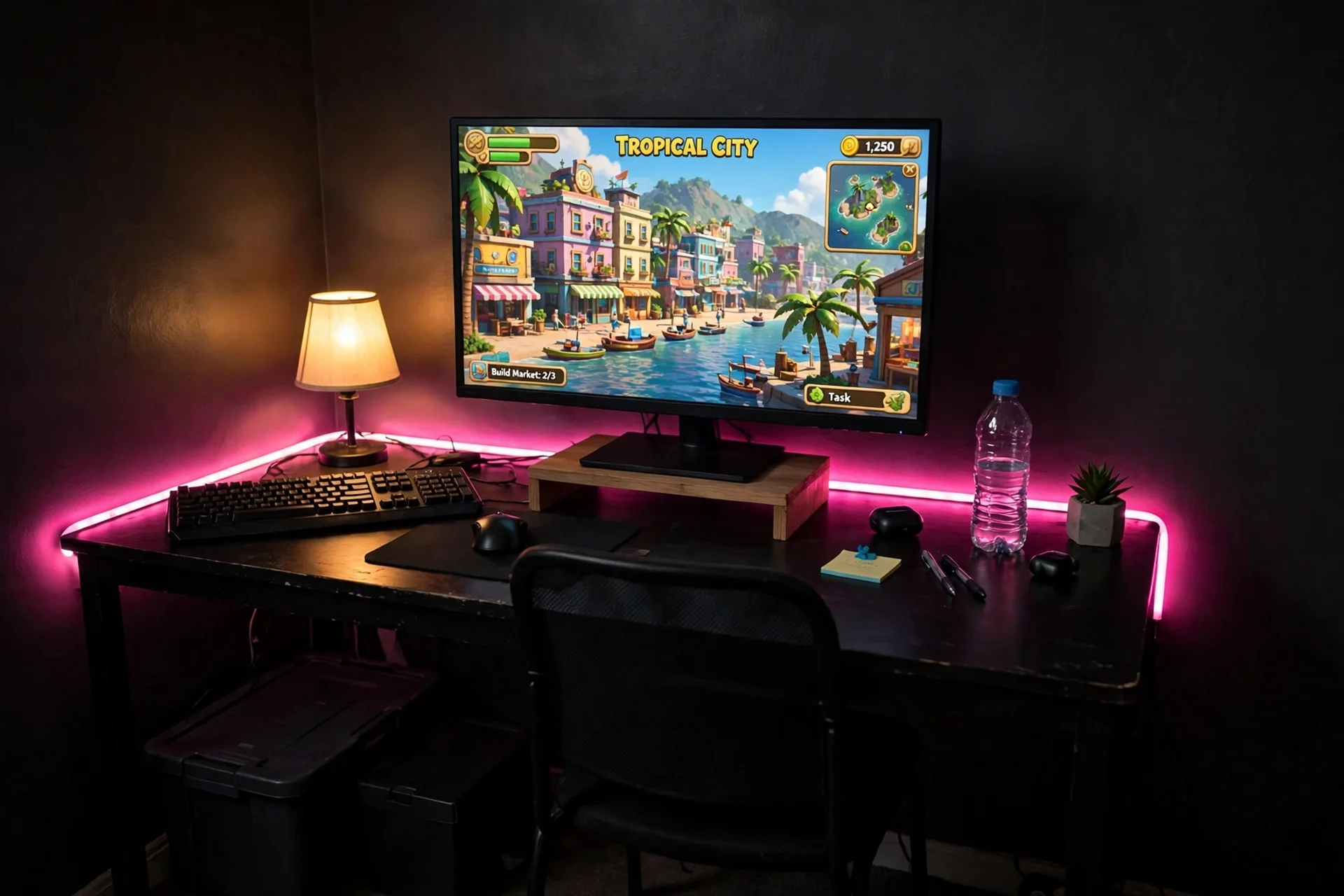
You do not need a big budget to get the Vice City glow, you need one strip and a tidy desk. Start with a small black desk you already own or a compact new one, and place a single monitor in the center on a low riser, with the keyboard and mouse in front. Run one pink LED strip along the back edge of the desk, so the wall behind the monitor glows sunset pink, and add a small warm lamp for the keyboard after dark. Sit in a simple black chair with adjustable height, and keep a headset on a hook under the desk. Storage is one black box under the desk for games and cables, and one small shelf for controllers. Power runs through a single surge protected strip under the desktop, with the monitor, the strip, and the lamp all on it, so one switch turns the whole starter glow on. Add a second strip later if you want cyan too, but one strip is enough to start.
Govee 16.4ft RGBIC LED Strip Lights, Work with Alexa and Google Assistant
Why this one: The RGBIC segments let different parts of the strip show pink and cyan at once, and one strip is the cheapest good glow in this article.
Worth knowing: It needs the app and a Wi-Fi connection for smart features, and the adhesive backing can peel on textured or dusty walls, so clean the surface first.
CubiCubi Computer Desk, 32 inch Small Home Office Desk for Small Spaces, Vintage
Why this one: The compact 32 inch desk fits a monitor, keyboard, and a small neon sign in a tight room, and the vintage finish suits the retro Vice City mood.
Worth knowing: The small top leaves little room for a second monitor or a large speaker set, so it suits one screen best.
Frequently Asked Questions
What colours make GTA 6 lighting look like Vice City?
Hot pink, cyan, and deep purple are the Vice City trio, with black as the base and chrome or gold as the metal. Keep two neon colours and one dark base, then let the screen and the strips provide the glow. For more colour ideas, see the 12 RGB lighting ideas for gaming rooms, which show how to mix pink and cyan without washing the room out.
How do I get the neon look without real glass neon?
LED strips and USB neon signs give the same glow with no heat and no fragile glass. Stick the strips behind the desk and the monitor, hang the sign on the wall, and dim them with the app so the room glows instead of glaring.
Is pink lighting good for gaming?
Yes, when it sits behind the screen or along the wall rather than shining in your eyes. A soft pink bias glow cuts screen glare and makes long sessions easier on the eyes, and the 7 bias lighting ideas for TV and monitor show how to place it well.
How many LED strips does a GTA 6 room need?
One LED strip behind the desk is enough to start, with a second short strip under a shelf if the room is big. Dim them to half brightness, use one neon colour per wall, and keep the ceiling light off while you play, so the room glows instead of glaring.
What does a Hue sync box do for gaming?
A sync box reads the colours on screen and paints the wall behind the TV with them, so the room changes with the game. It costs more than a plain strip and needs a hub, so it suits players who want immersion, not players who just want a pink glow.
Conclusion
Vice City lighting works because it is a system, not a shopping list. Choose your pink, choose your cyan, then build one complete setup around a desk, a seat, a screen, light, storage, and power. Start with the sunset strip wall if you want the safest first try, go light bars or hex panels if you want drama, and keep the one strip starter in mind if your room is tight. Add the neon last, in small touches, and your gaming room will feel like Ocean Drive every time you sit down, not just on the day you finish decorating it.
