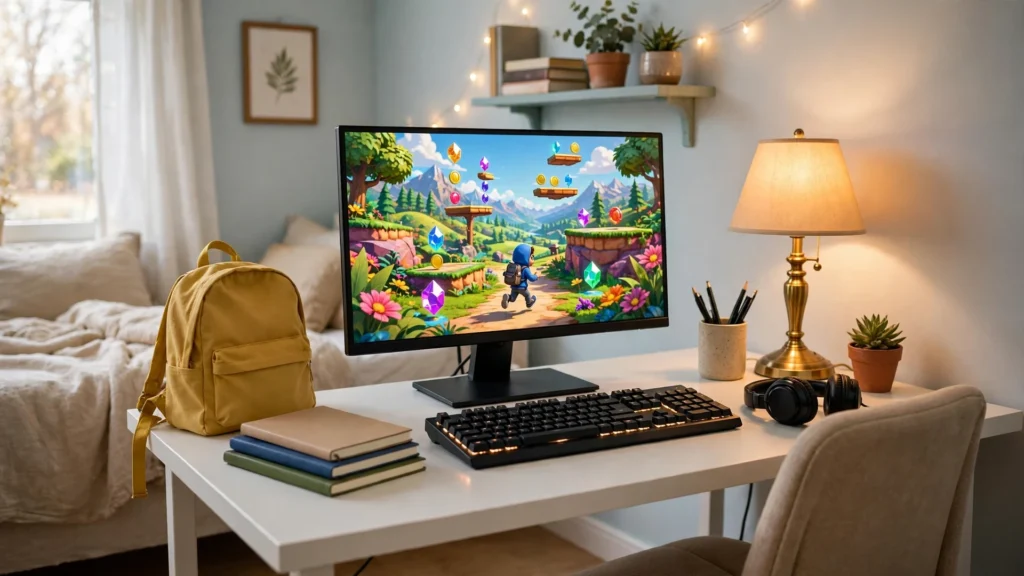
Gaming Room Ideas
Back to school season is the perfect excuse to rebuild your gaming corner so it works for homework and for play. A good student setup does both jobs without taking over the whole room, with a desk that fits a laptop and a monitor, a chair you can sit in for a long study session, and light that keeps your eyes happy after dark. These ten setups are built for dorms, bedrooms, and shared flats, and every one of them is a complete plan you can copy, desk, seat, screen, light, storage, and power included.
As an Amazon Associate I earn from qualifying purchases. Read our full affiliate disclosure for more detail.
Every idea below is one complete setup you can copy whole. Pick the one that fits your room size and your budget, then build it in an afternoon. If your room is small, the 13 gaming room ideas for small bedrooms will help you squeeze even more out of the space, and the 7 monitor stand ideas for gaming desks will help you lift your screen to a healthy height for long study nights.
In This Article
- 1. Dorm Desk Double Duty
- 2. Backpack Ready Corner Desk
- 3. Study First, Play Later
- 4. Roommate Friendly Quiet Setup
- 5. Budget Freshman Battlestation
- 6. Loft Bed Gaming Nook
- 7. Textbook Shelf Gaming Wall
- 8. Late Night Study Glow
- 9. Portable Semester Setup
- 10. Senior Year Stream Ready
- At a Glance Comparison
- Frequently Asked Questions
- Conclusion
At a Glance Comparison
| Setup | Desk and Seat | Screen and Light | Best For |
|---|---|---|---|
| 1. Dorm Double Duty | 32 inch white desk, task chair | Single monitor on an arm, desk lamp | Small dorm rooms |
| 2. Corner Backpack Desk | L shaped corner desk, black chair | Wide monitor, LED strip glow | Corner rooms with lots of gear |
| 3. Study First Setup | Desk with monitor riser, green chair | Monitor on a riser, bankers lamp | Students who study at the same desk |
| 4. Quiet Roommate Setup | Standard desk, dark task chair | Monitor, soft LED glow | Shared rooms and late nights |
| 5. Budget Freshman Desk | 60 inch gaming desk, red chair | Large monitor, desk glow | First year students on a budget |
| 6. Loft Bed Nook | Wall mounted folding desk, small chair | Compact monitor, LED strip | Loft beds and tiny rooms |
| 7. Shelf Gaming Wall | Small desk, task chair | Monitor, warm lamp glow | Students with lots of books |
| 8. Late Night Glow | Standard desk, dark chair | Monitor light bar, RGB strip | Night owls and late revision |
| 9. Portable Semester Desk | Folding wall desk, compact chair | Compact monitor, daylight lamp | Renters and movers |
| 10. Senior Stream Setup | Gaming desk, red gaming chair | Monitor, Elgato key light | Students who stream on the side |
1. Dorm Desk Double Duty
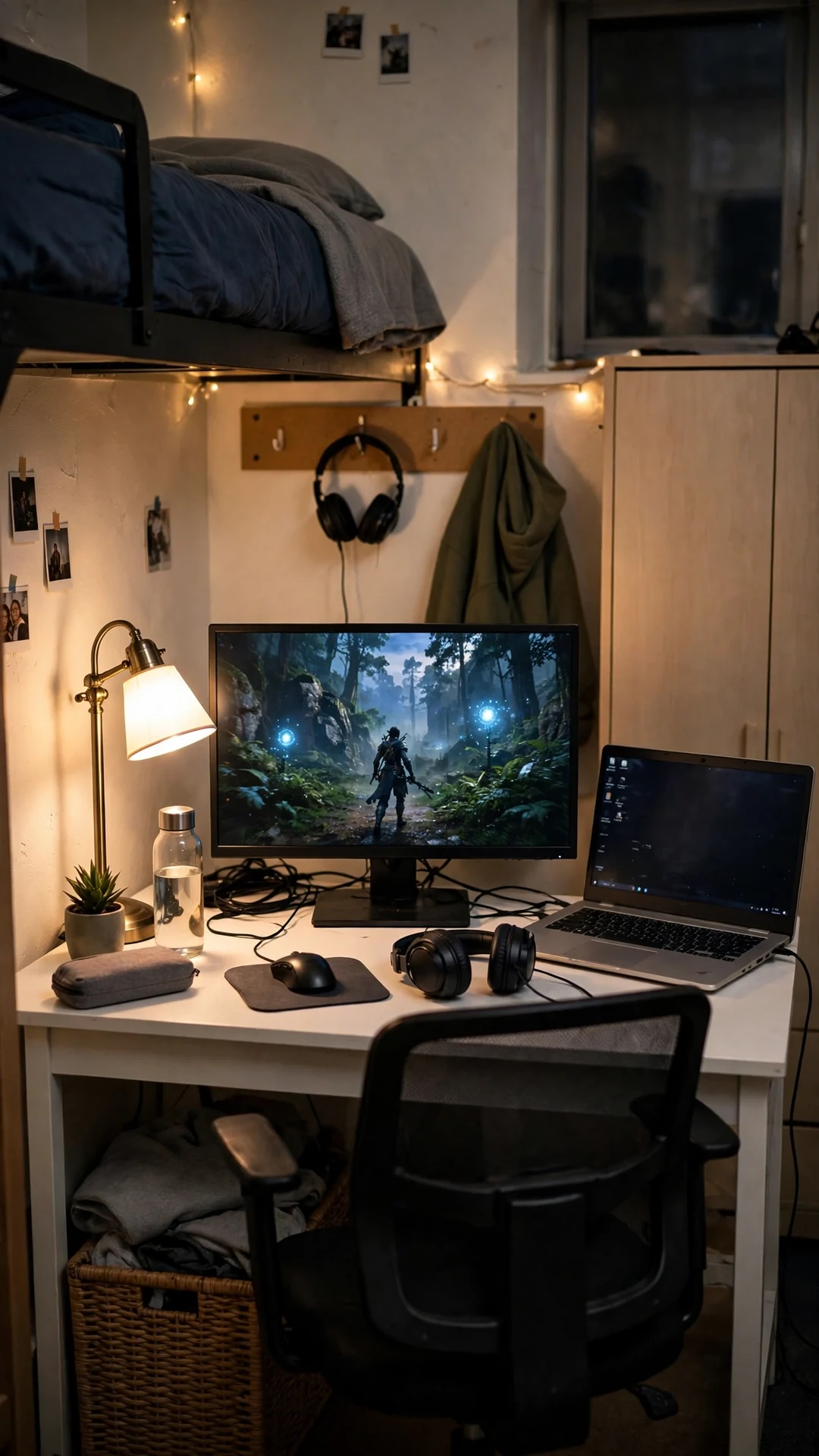
This is the classic student setup, one desk that handles lectures in the morning and games at night. A compact 32 inch white desk with two drawers fits against a dorm wall without eating the room, and a monitor arm lifts the screen up so your notebook and textbook still have space below it.
Swap the keyboard for your laptop when class starts, and the same screen becomes your second display for notes and research. A warm desk lamp keeps late study sessions easy on the eyes, and the drawers swallow chargers, controllers, and stationery so the desktop stays clear. Run one power strip along the back of the desk and clip the cables underneath, and the whole setup looks tidy enough for a room inspection.
Why this one: The two drawers swallow controllers and cables, and the 32 inch top fits a monitor and a laptop side by side.
Worth knowing: It is a compact desk, so a second monitor needs a riser or an arm to fit comfortably.
Why this one: The arm frees up desk space for books and lifts the monitor to eye level for long study sessions.
Worth knowing: It clamps to the desk edge, so very thick desktops may not fit the clamp.
2. Backpack Ready Corner Desk
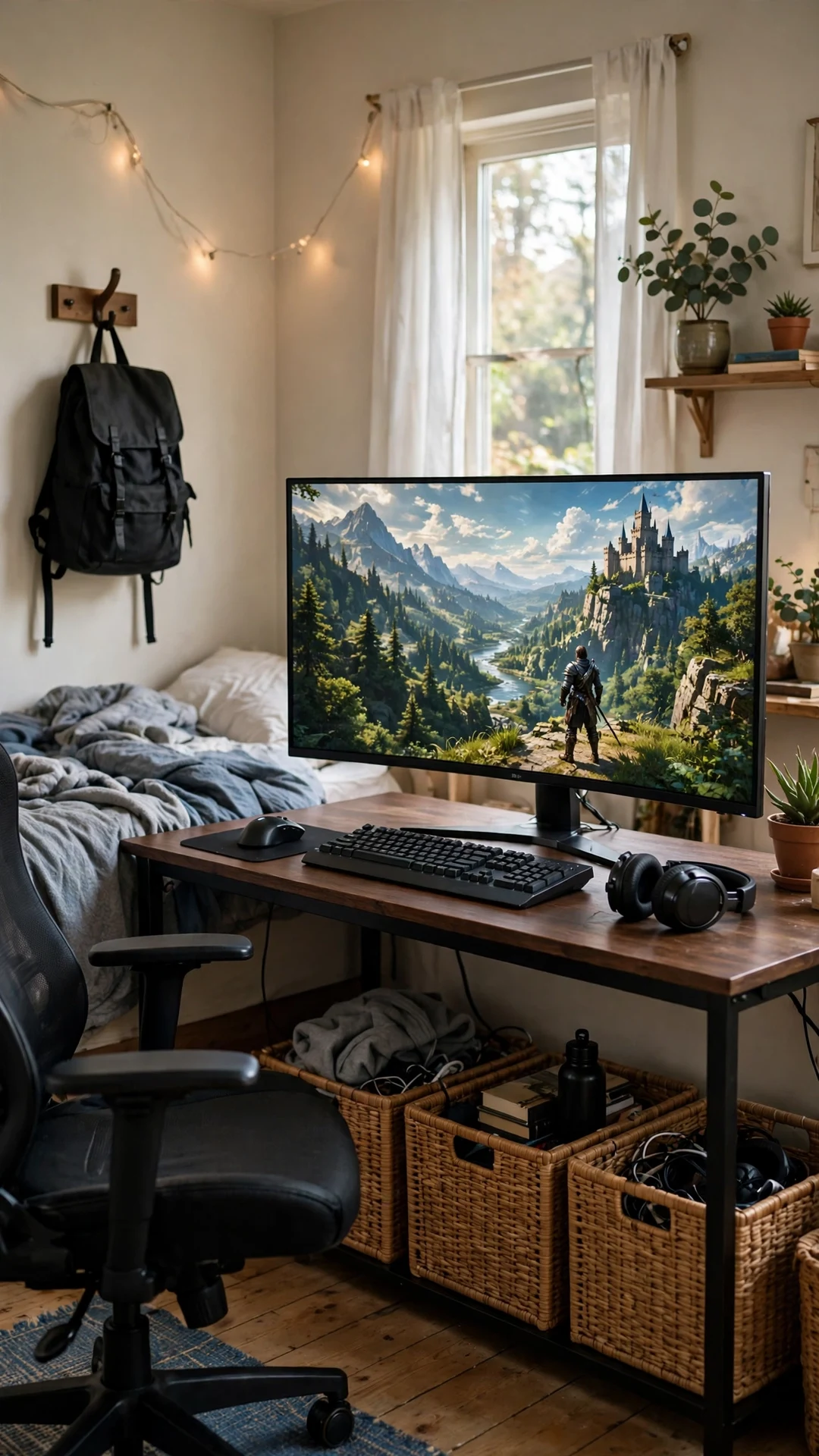
An L shaped desk turns a dead corner into the hardest working spot in the room. One side holds the monitor and keyboard for gaming, the other side holds textbooks and a laptop for study, and you just swivel your chair to switch jobs.
Storage baskets under the desk keep gym kit, cables, and spare controllers out of sight, and a hook on the wall holds your backpack so it never lands on the floor. A slim LED strip along the back edge of the desk adds a soft glow for evening games, and one power strip tucked behind the desk feeds everything from a single outlet. It is the setup for students who want their room to feel organised without feeling like a library.
Why this one: The reversible L shape fits left or right corners, and the side shelves hold books and consoles within reach.
Worth knowing: The marble top shows dust and fingerprints, so it needs a quick wipe now and then.
Why this one: The four woven baskets hide clutter under the desk and keep chargers, cables, and controllers sorted.
Worth knowing: They are open top baskets, so very small items can slip between the weave.
3. Study First, Play Later
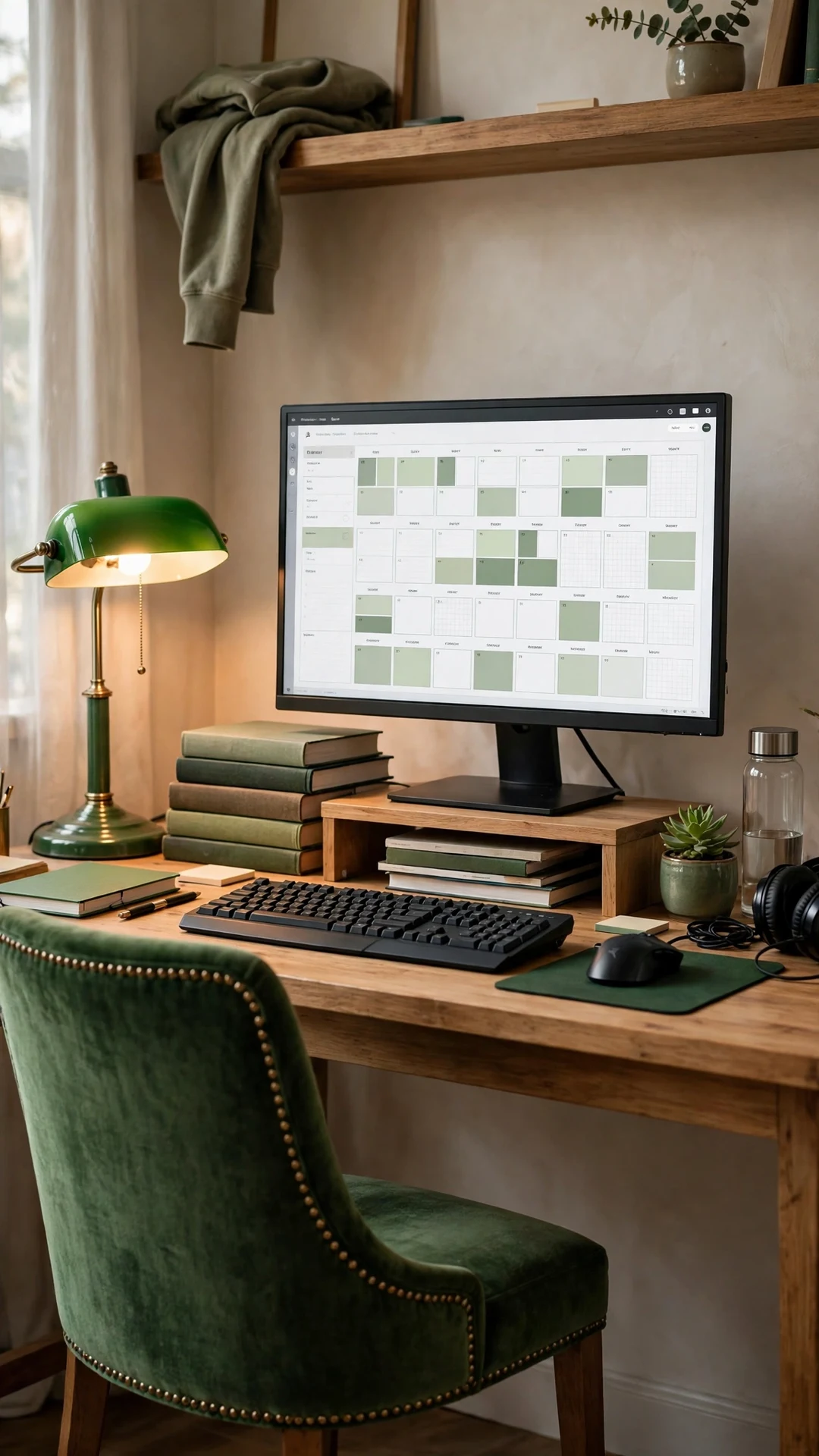
This setup puts study first on purpose, with the screen raised on a riser so your notes sit underneath it and your posture stays straight. A classic green bankers lamp gives the desk a library feel and a warm pool of light that is easy to read by, and the riser keeps the monitor at eye level for both essays and evening games.
Keep textbooks stacked on the riser shelf and your gaming headset on a small hook, so the switch from work to play takes ten seconds. A soft green chair adds comfort for long revision sessions, and a single power strip under the desk keeps every cable in one place. When the lamp is on and the screen is glowing, the desk feels like a proper study nook that just happens to play games brilliantly.
Why this one: The riser lifts the monitor to eye level and the shelf underneath holds a keyboard or notebooks.
Worth knowing: It is a fixed height riser, so very tall users may still want a monitor arm for fine tuning.
Why this one: The green glass shade gives a warm vintage glow that is easy on the eyes during long reading sessions.
Worth knowing: The pull chain switch sits on the side, so it is less handy if the lamp is pushed against a wall.
4. Roommate Friendly Quiet Setup
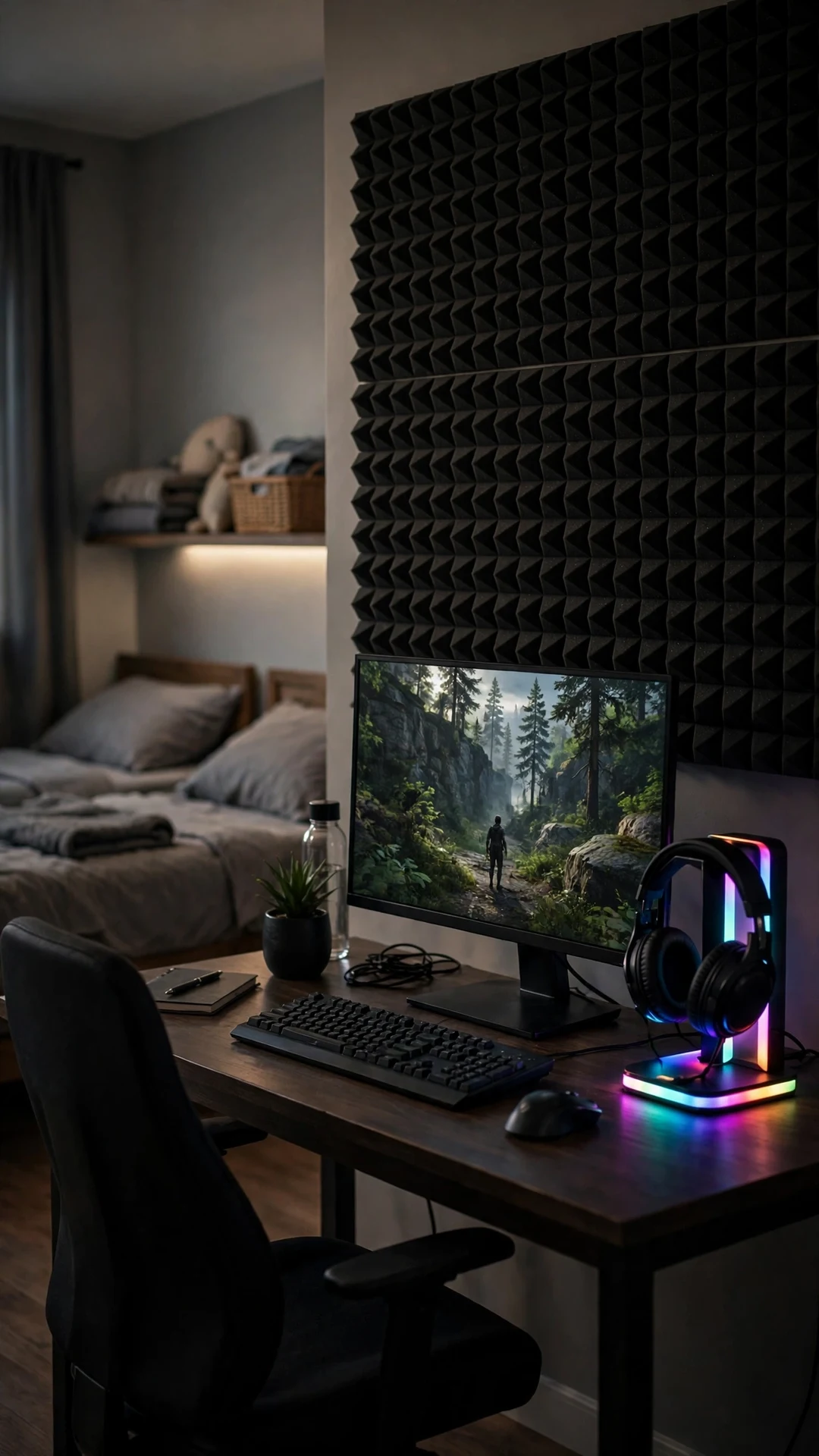
When you share a room, the best gaming setup is the one nobody else notices. Black acoustic foam panels behind the desk soak up keyboard clatter and game sound, so late night sessions stay between you and your headset instead of waking your roommate.
An RGB headset stand keeps your headset off the desk and gives the corner a soft glow that doubles as a night light. Keep the monitor brightness low after midnight, store your controllers in a drawer, and run the cables through one strip under the desk so nothing trails across the floor. Your roommate sleeps, you play, and nobody has to have the awkward talk in the morning.
Why this one: The twelve foam panels cut echo and keyboard noise, and they stick on without tools or drilling.
Worth knowing: The adhesive can mark painted walls if you peel panels off, so plan the layout before you stick them.
Why this one: The stand holds your headset and controller in one spot, and the RGB glow looks great on a dark desk.
Worth knowing: The light modes cycle through a fixed set, so you cannot pick an exact custom color.
5. Budget Freshman Battlestation
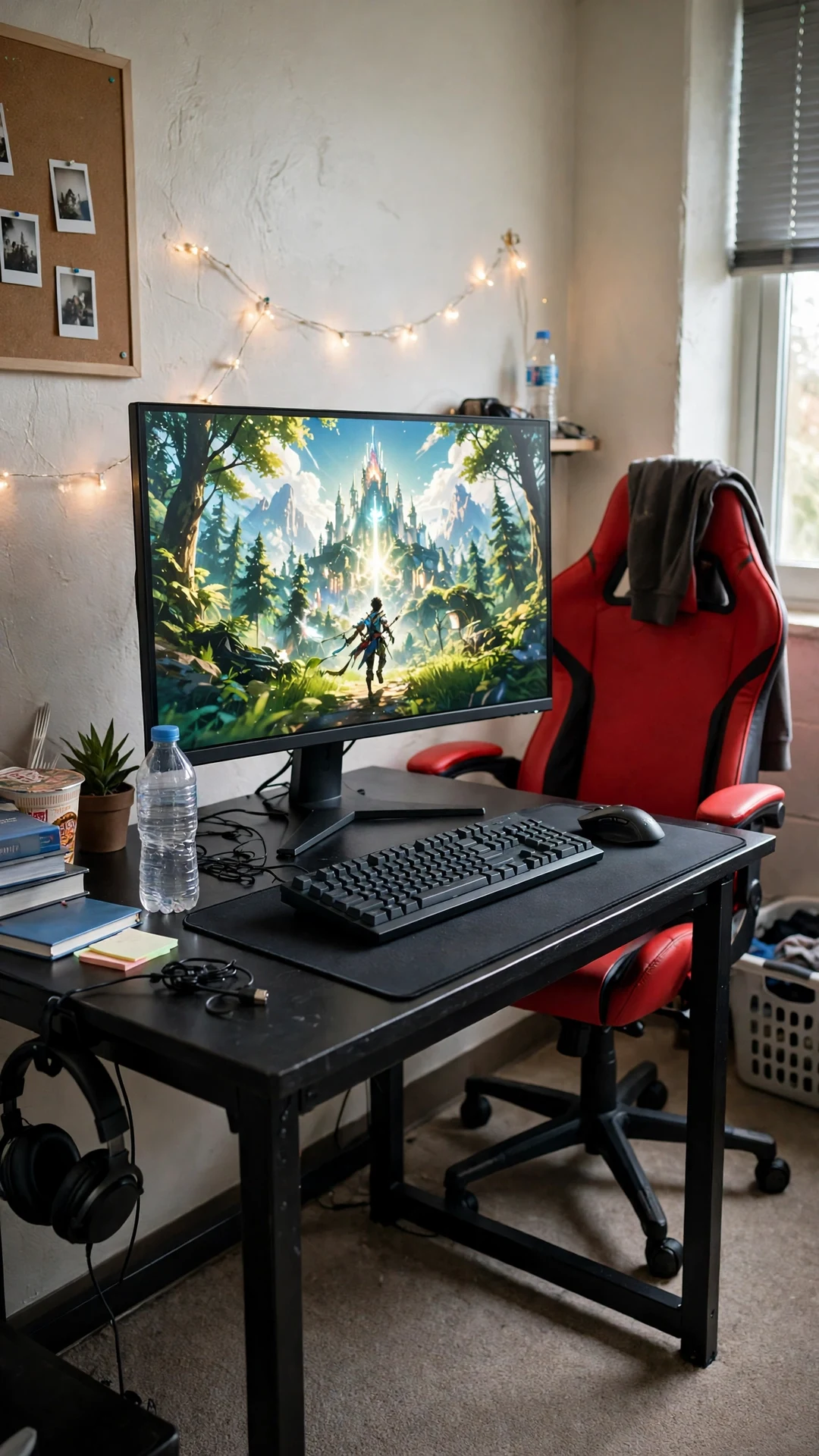
First year is the time to go big on desk space and smart on everything else. A 60 inch gaming desk gives you room for a large monitor, a full keyboard, and your textbooks at the same time, and the free large mousepad covers the whole surface so you never run out of mouse room mid game.
Pair it with a fast 165Hz monitor for smooth play and a red gaming chair with a footrest for those long sessions between lectures. The desk has room for a second screen later, when your budget allows, and the chair reclines enough for a quick nap between classes. It is the setup that makes a plain student room feel like a proper battlestation from day one.
DESIGNA Computer Gaming Desk 60 Inch, PC Laptop Table Workstation with Free Large Mousepad, Black
Why this one: The 60 inch top fits a large monitor plus books, and the included mousepad covers the whole desk.
Worth knowing: The desk is wide, so measure your wall first, as it needs a full five feet of space.
ASUS TUF Gaming 24 inch 1080P Monitor VG247Q1A, 165Hz, 1ms, FreeSync Premium
Why this one: The 165Hz refresh rate makes games feel smooth, and the 24 inch size is a great fit for a student desk.
Worth knowing: It has no built in speakers, so you will need a headset or separate speakers for sound.
6. Loft Bed Gaming Nook
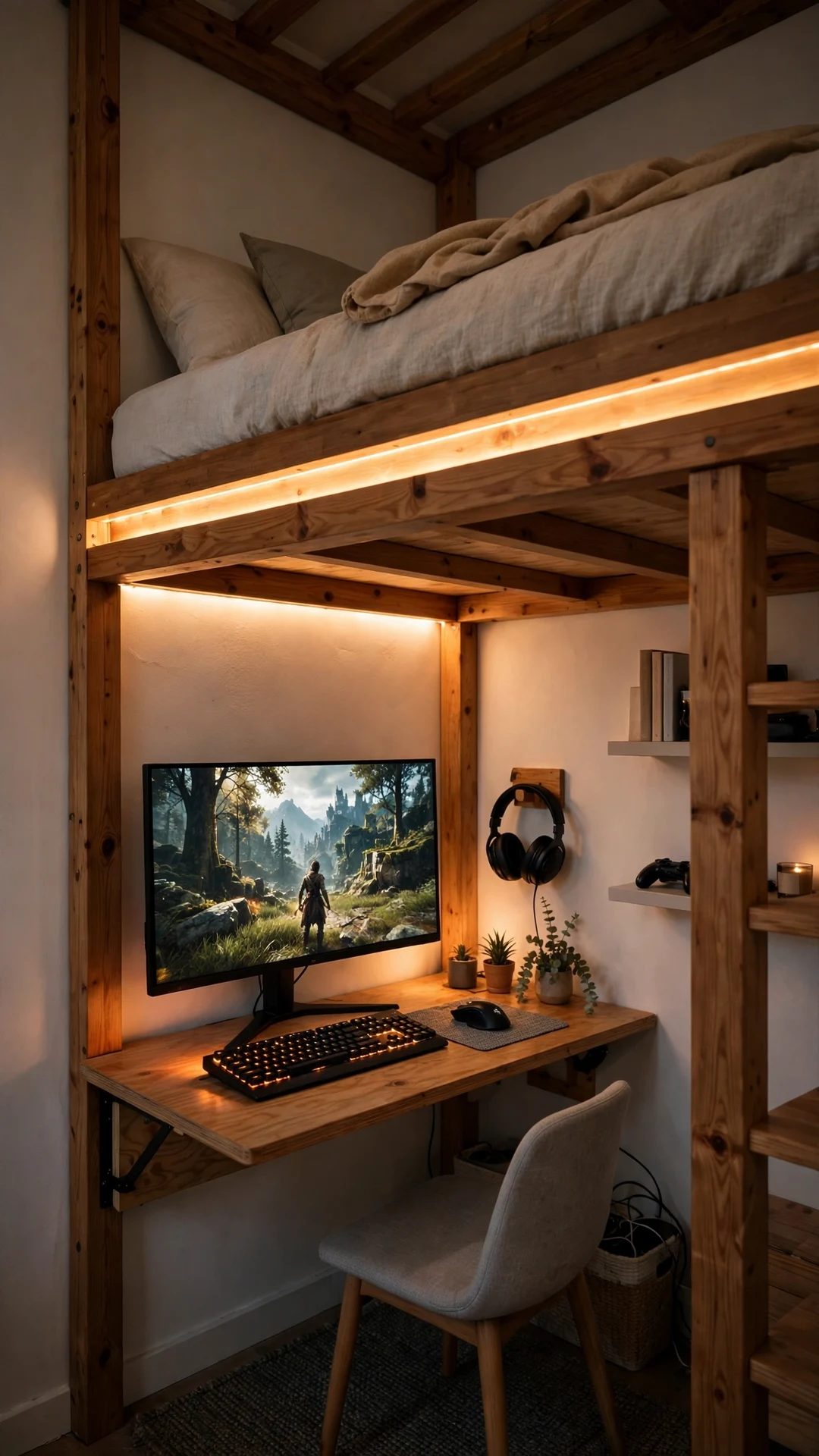
Under a loft bed is wasted space in most student rooms, and this setup claims it. A wall mounted folding desk drops down when you want to play and folds flat when you want the floor back, so the nook never gets in the way of the rest of the room.
A compact monitor sits on the desk with a laptop beside it, and an LED strip along the bed frame gives the nook a soft glow that feels like a private den. A small rolling chair tucks under the desk when you are done, and a slim power strip on the wall feeds the monitor and laptop without cables crossing the floor. It is the cleverest use of a small room, and it feels like your own little gaming cave.
Why this one: The folding desk mounts to the wall and folds away flat, so it is perfect for the tight space under a loft bed.
Worth knowing: It needs solid wall fixings, so check your wall type before you drill.
Why this one: The armless chair rolls under the folding desk easily and the lumbar support helps during long sessions.
Worth knowing: It has no armrests, so some players miss the extra support during long games.
7. Textbook Shelf Gaming Wall
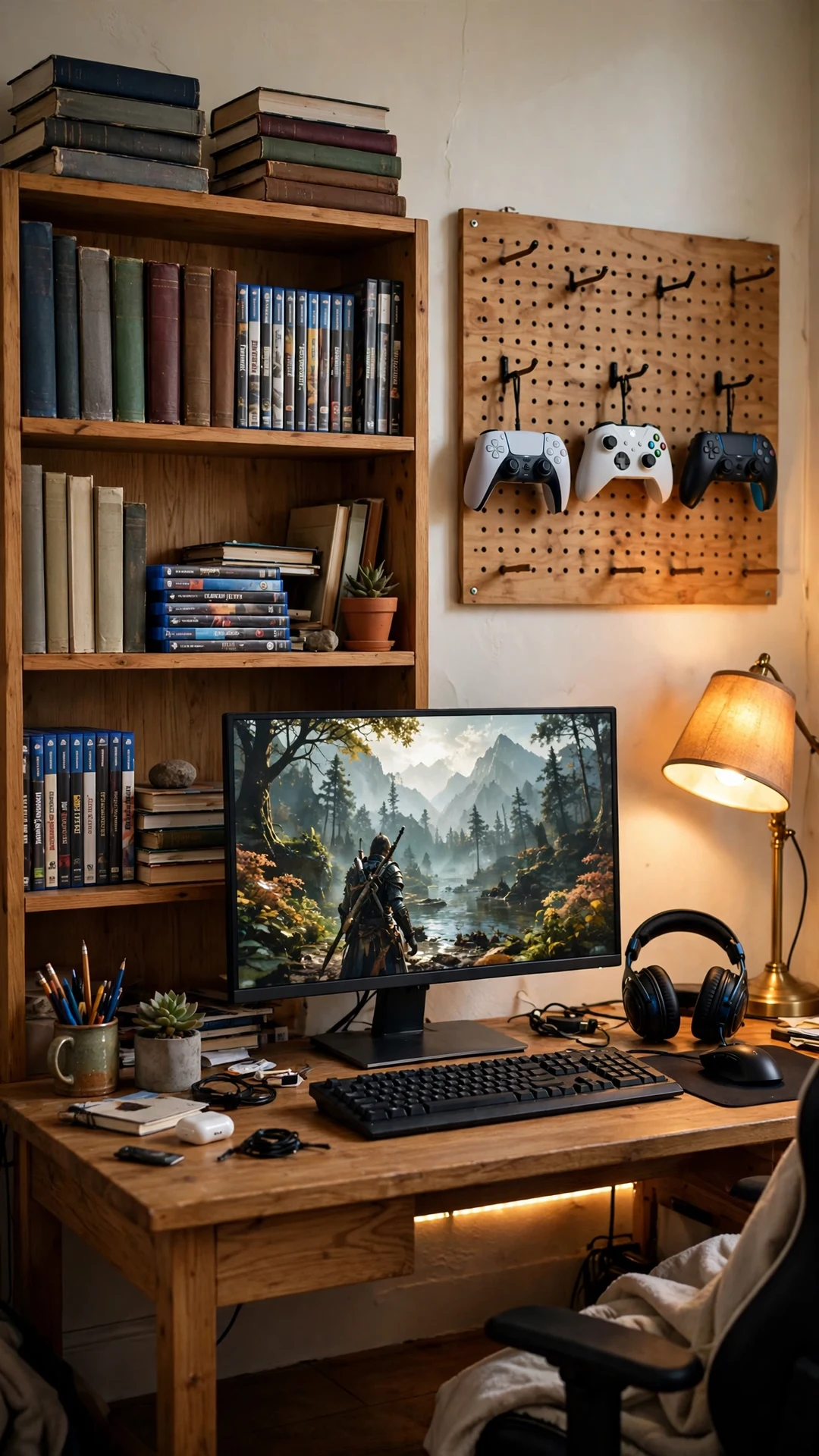
When your books and your games share one wall, storage becomes the whole game. A three tier bookcase holds textbooks on the bottom shelves and game cases on the top, while a metal pegboard on the wall keeps controllers, headphones, and cables hanging in plain sight and off the desk.
Keep the desk itself small and clear, with just a monitor, keyboard, and a lamp, so you always have room to spread out notes. The pegboard makes it easy to grab the right controller for game night, and the bookcase keeps everything tidy enough that your room looks like a study space that plays games, not the other way round. One power strip behind the bookcase feeds the whole wall.
Furinno Basic 3-Tier Bookcase Storage Shelves, French Oak Grey
Why this one: The three shelves hold textbooks, game cases, and a console, and the open design keeps everything easy to grab.
Worth knowing: It is a light bookcase, so very heavy textbook stacks should go on the bottom shelf.
Why this one: The pegboard hangs controllers and headphones on the wall, freeing the desk for books and the keyboard.
Worth knowing: The hooks hold light gear best, so heavy headsets are better on a stand.
8. Late Night Study Glow
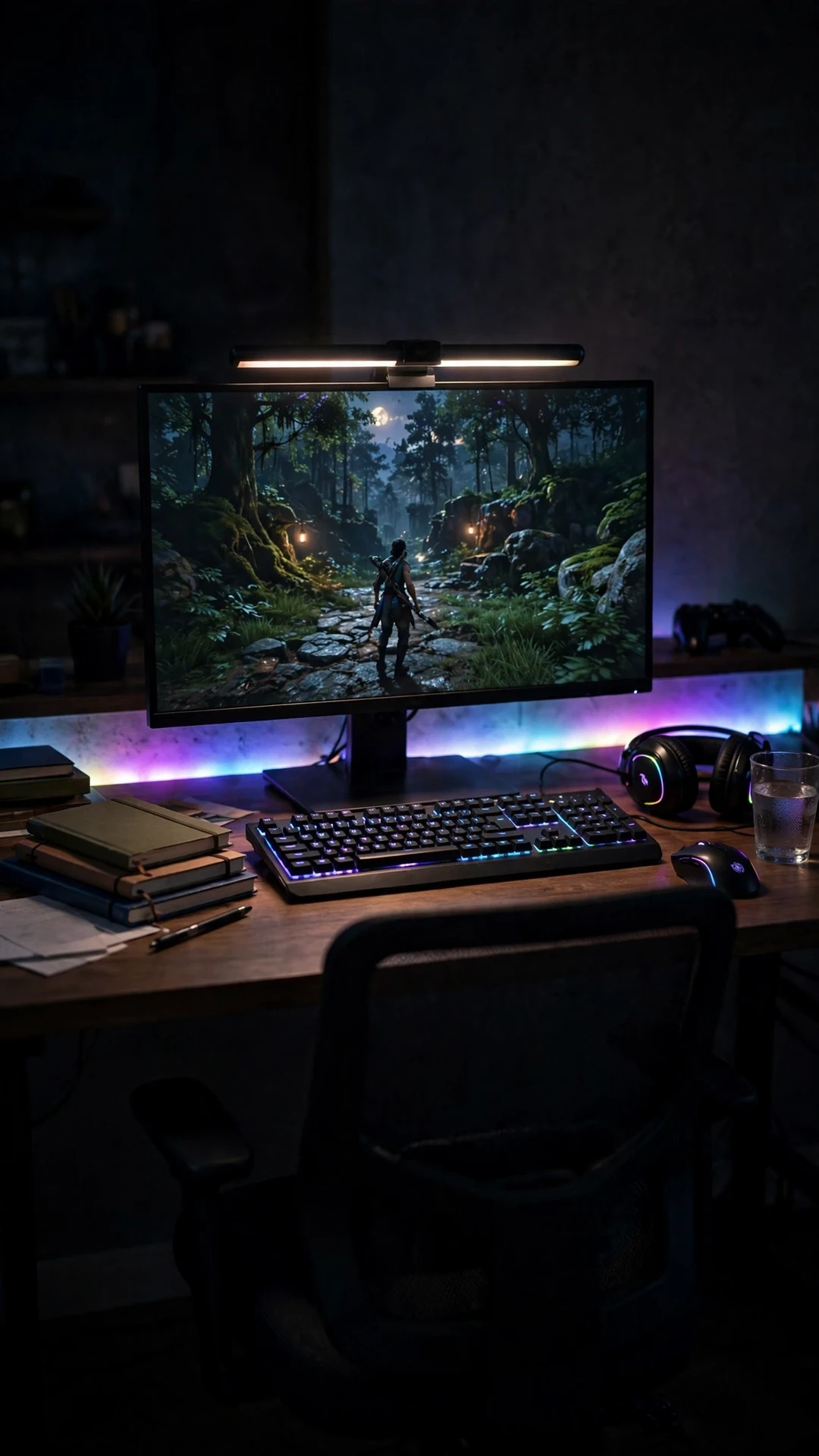
Some students do their best work after midnight, and this setup is built for them. A monitor light bar washes the desk in soft, glare free light so you can read notes without a bright lamp, and an RGB strip behind the desk adds a gentle glow that keeps the room from feeling like a cave.
The light bar dims with a remote, so you can drop it low for a film and raise it for revision, and the strip can be set to a calm blue for study or a bright color for game night. Keep your notebooks stacked to one side and your headset on a hook, and the desk stays ready for either job at any hour. It is the setup for students whose best ideas arrive at 1am.
Why this one: The light bar lights the desk without glare on the screen, and the remote makes it easy to dim at night.
Worth knowing: It sits on top of the monitor, so very thin bezels may need the included clips adjusted.
Govee 16.4ft RGBIC LED Strip Lights, Work with Alexa and Google Assistant
Why this one: The RGBIC strip gives the desk a soft backlight with lots of colors and scenes for study or play.
Worth knowing: The app control needs Bluetooth nearby, so it will not work from across the room.
9. Portable Semester Setup
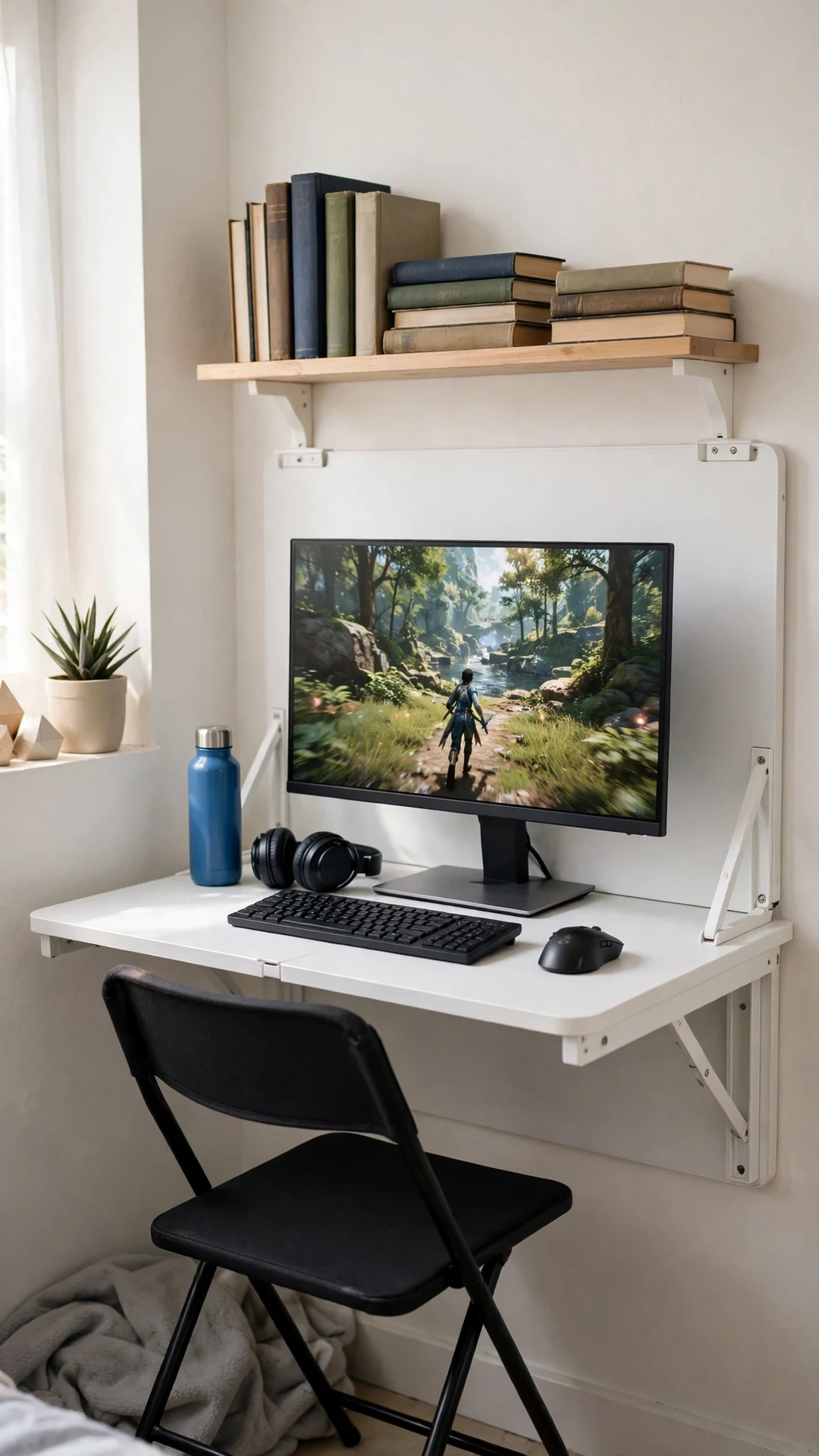
If you move flats every semester, your setup should move with you. A folding wall shelf desk gives you a proper gaming surface that drops down in seconds, and two matching shelves above it hold books, a console, and a headset without taking any floor space.
When moving day comes, the desk folds flat against the wall and the shelves come down with a few screws, so nothing is wasted. A slim power strip with a long cord reaches the nearest outlet wherever the desk lands, and a compact chair folds away too. It is the setup for students who refuse to let a small rented room stop them from gaming properly.
Why this one: The two folding shelves give you a desk and storage that fold flat when you need the floor back.
Worth knowing: Each shelf holds light loads only, so a heavy monitor needs a separate stand.
Why this one: Six outlets plus three USB ports charge everything from one strip, and the flat plug sits flush to the wall.
Worth knowing: The cord is five feet long, so far outlets may still need an extension.
10. Senior Year Stream Ready
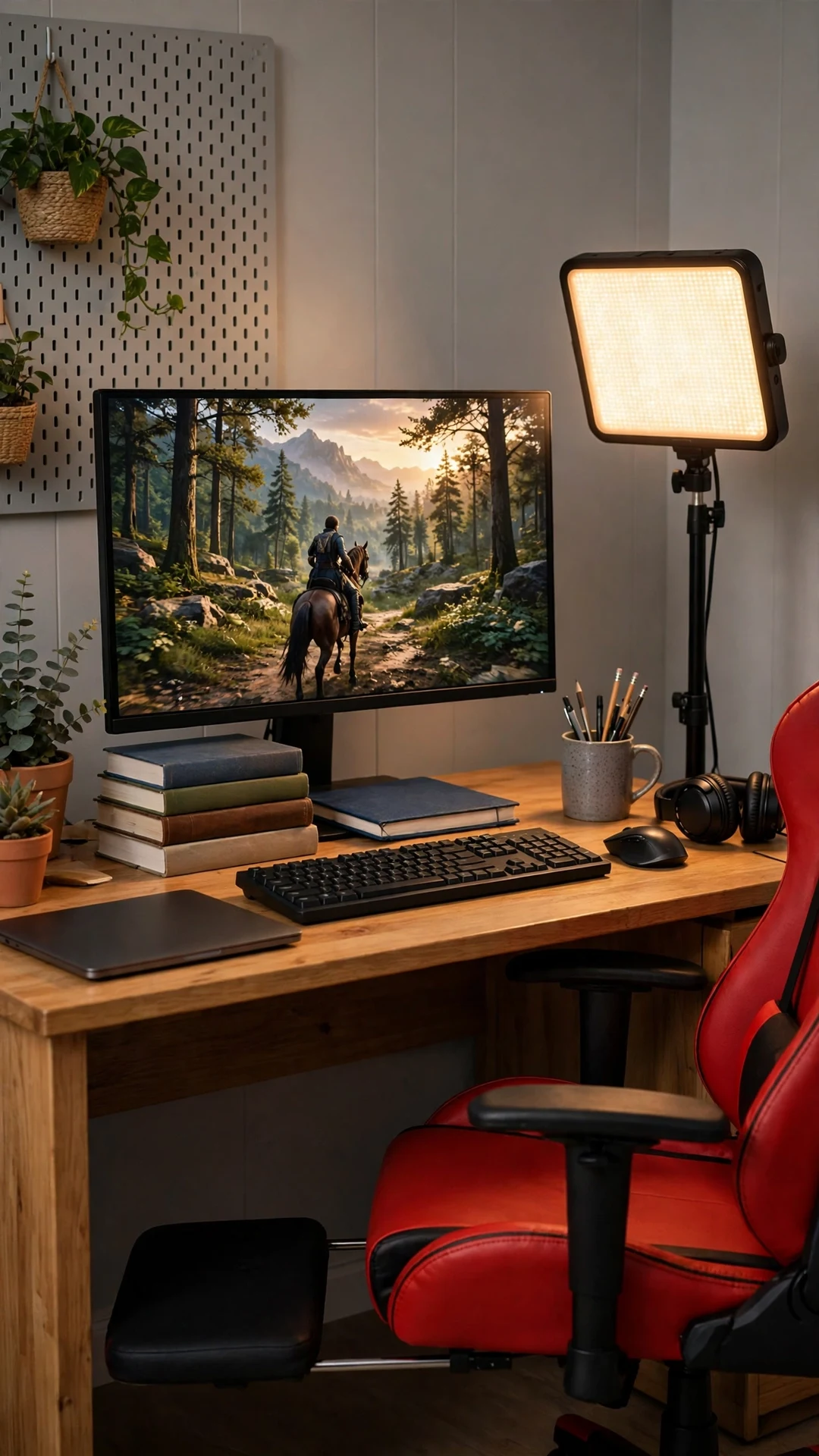
By senior year, plenty of students are streaming their games between classes, and this setup makes you look like a pro on camera. A proper key light beside the monitor lights your face evenly, so your stream looks clean even in a dim dorm room, and the monitor stays bright and sharp behind it.
A red gaming chair with a footrest and lumbar support keeps you comfortable through long streams and longer study sessions, and the chair reclines when you want to lean back and watch chat. Keep your books on a shelf behind you so your stream background looks like a student who has it together, and run all your gear through one power strip so setup takes seconds. It is the setup that turns a student room into a small studio.
Elgato Key Light, Professional 2800 Lumens Studio Light with Desk Clamp for Streaming
Why this one: The key light gives bright, even light for streaming and clamps to the desk without taking space.
Worth knowing: It is a premium light, so it costs more than a basic desk lamp.
Why this one: The chair has a footrest, massage lumbar support, and a recline, so long streams stay comfortable.
Worth knowing: It is a large chair, so very small rooms may feel cramped with it in place.
Frequently Asked Questions
What is the best desk size for a dorm room gaming setup?
A 32 to 40 inch desk is the sweet spot for most dorm rooms. It fits a monitor, keyboard, and a notebook, and it leaves room for a chair and a walkway. Go wider only if your wall has a full five feet free.
How do I keep a shared room quiet while gaming late?
Use a headset instead of speakers, add acoustic foam panels behind your desk, and keep your keyboard on a soft mat. A monitor light bar instead of a bright lamp also keeps the room darker for a sleeping roommate.
Can one desk really work for studying and gaming?
Yes, and most students do it. A monitor arm or riser frees desk space for books, a lamp that dims helps both jobs, and a drawer or basket keeps controllers out of sight during study time.
What should I buy first for a back to school setup?
Start with the desk and chair, then the monitor and light. Those four pieces decide how comfortable every session feels. Add storage, cable trays, and LED strips after, once you know how you use the space.
How do I power everything from one dorm outlet?
Use one surge protected power strip with USB ports and mount it under the desk or behind it. Keep the total load sensible, never daisy chain strips, and unplug chargers you are not using.
Conclusion
A back to school gaming setup does not need to be big or expensive, it just needs to be honest about how you actually live. Pick the setup that matches your room and your routine, build it in one afternoon, and let the desk earn its keep for both study and play. If you want more ideas for tight spaces, the 12 corner gaming setup ideas and the 9 cozy gaming room ideas for winter are good places to look next, and your future self will thank you every time the lamp comes on and the screen lights up.
