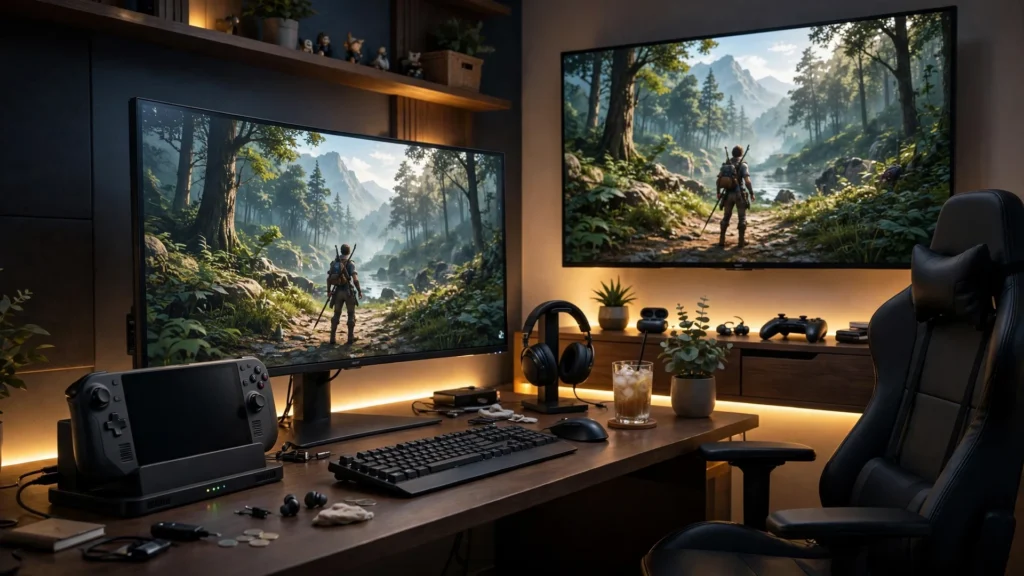
Gaming Room Ideas
The Steam Deck is a handheld PC that turns into a full desktop setup with one dock and one cable, which makes it the most flexible console to build a room around. These nine setups cover docked play on a monitor, big screen play on a television, handheld play in a chair, and travel ready desks, and each one is a complete setup you can copy whole.
As an Amazon Associate I earn from qualifying purchases. Read our full affiliate disclosure for more detail.
Every idea below is one complete setup you can copy whole, desk, seat, screen, light, storage, and power included. Pick how you play most, docked, handheld, or on the television, then choose the setup that fits that habit. If your room is small, the 13 gaming room ideas for small bedrooms will help you fit a Deck station into a tight corner, and the 7 monitor stand ideas for gaming desks will help you lift your monitor to the right height for docked play.
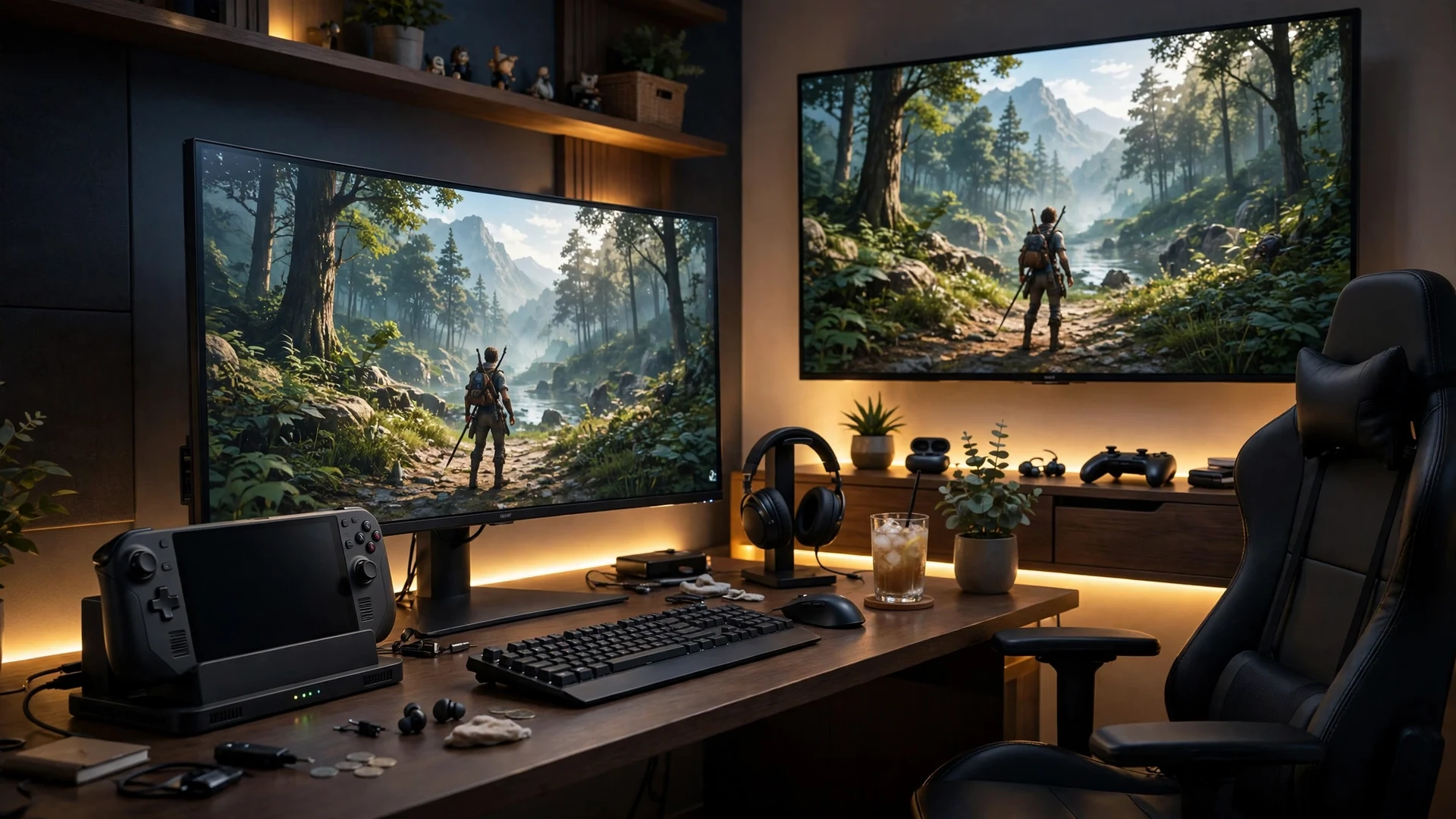
In This Article
- 1. Docked Steam Deck Desktop Battlestation
- 2. Steam Deck TV Big Screen Setup
- 3. Handheld Steam Deck Lounge Chair Setup
- 4. Steam Deck and Monitor Dual Screen Desk
- 5. Small Space Steam Deck Shelf Desk
- 6. Steam Deck Travel Ready Station
- 7. Steam Deck Streaming Desk
- 8. Budget Steam Deck Starter Desk
- 9. Steam Deck Family Game Room
- At a Glance Comparison
- Frequently Asked Questions
- Conclusion
At a Glance Comparison
| Setup | Desk and Seat | Screen and Light | Best For |
|---|---|---|---|
| 1. Docked Desktop Battlestation | 60 inch black gaming desk, red gaming chair | Wide monitor, color changing LED strip | Full desktop PC gaming |
| 2. Steam Deck TV Setup | Low media stand, two green velvet chairs | Large TV with backlight, warm table lamps | Couch play on the big screen |
| 3. Handheld Lounge Chair Setup | 32 inch white desk, green velvet accent chair | Small monitor, warm floor lamp | Handheld play in comfort |
| 4. Deck and Monitor Dual Desk | L shaped black desk, gray executive chair | Wide monitor plus Deck screen, monitor light bar | Two screens at once |
| 5. Small Space Deck Shelf Desk | Folding wall desk, beige task chair | Wide monitor on arm, LED strip behind desk | Tiny rooms and dorms |
| 6. Deck Travel Ready Station | 32 inch vintage wood desk, beige task chair | Wide monitor, swing arm desk lamp | Taking the Deck on the road |
| 7. Deck Streaming Desk | 60 inch gaming desk, gray executive chair | Wide monitor, professional key light | Streaming Deck gameplay |
| 8. Budget Deck Starter Desk | 32 inch white desk, beige task chair | Wide monitor, LED strip behind desk | First Deck setup on a budget |
| 9. Deck Family Game Room | Low media stand, cream velvet chairs | Large TV with backlight, warm table lamps | Family game nights |
1. Docked Steam Deck Desktop Battlestation
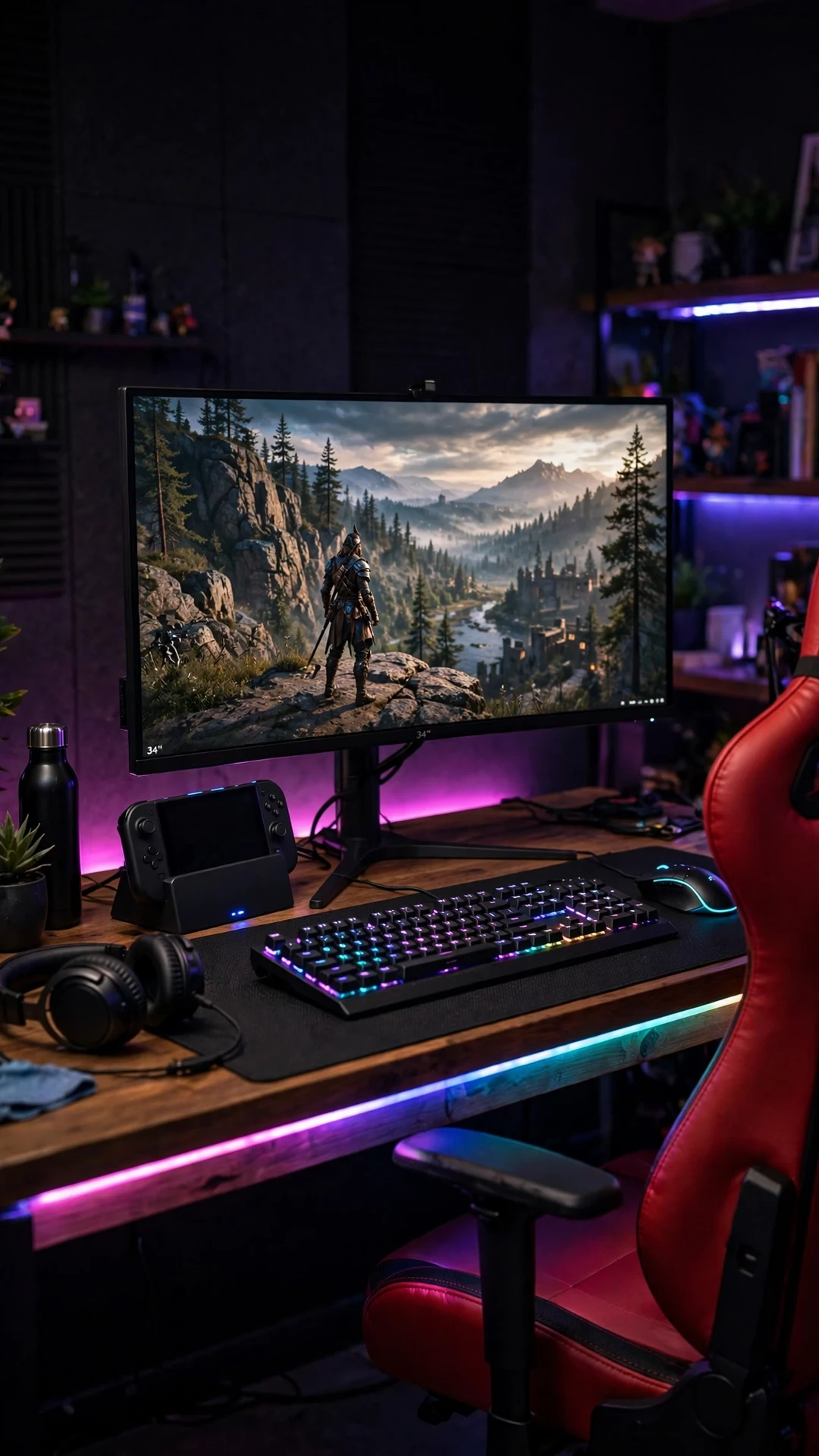
Dock the Deck and it becomes a desktop PC, so build the desk like a PC battlestation and let the Deck be the tower. A 60 inch black gaming desk holds a wide monitor on a riser, a keyboard and mouse, and the dock at the back, with the Deck screen facing you as a second display for chat or a game library.
A color changing LED strip behind the desk and a monitor light bar keep the desk glare free, while the red gaming chair rolls easily between the keyboard and the handheld position. Keep the desktop to the keyboard, the mouse, and the dock, so the Deck stays the focus.
Store spare controllers on a dual holder and game cards in the desk drawer, and run power through an under desk strip with ten outlets so the dock, the monitor, the PC accessories, and the chargers never compete for a plug.
DESIGNA Computer Gaming Desk 60 Inch, PC Laptop Table Workstation with Free Large Mousepad, Black
Why this one: The 60 inch top holds a wide monitor, a keyboard, and a Deck dock with room to spare, and the large mousepad keeps the surface tidy.
Worth knowing: The desk has no drawers, so controllers and cables need a separate shelf or basket.
Why this one: The ten outlets and three USB ports power a dock, a monitor, and chargers from one strip.
Worth knowing: It is a clamp on strip, so check your desk edge thickness before ordering.
2. Steam Deck TV Big Screen Setup
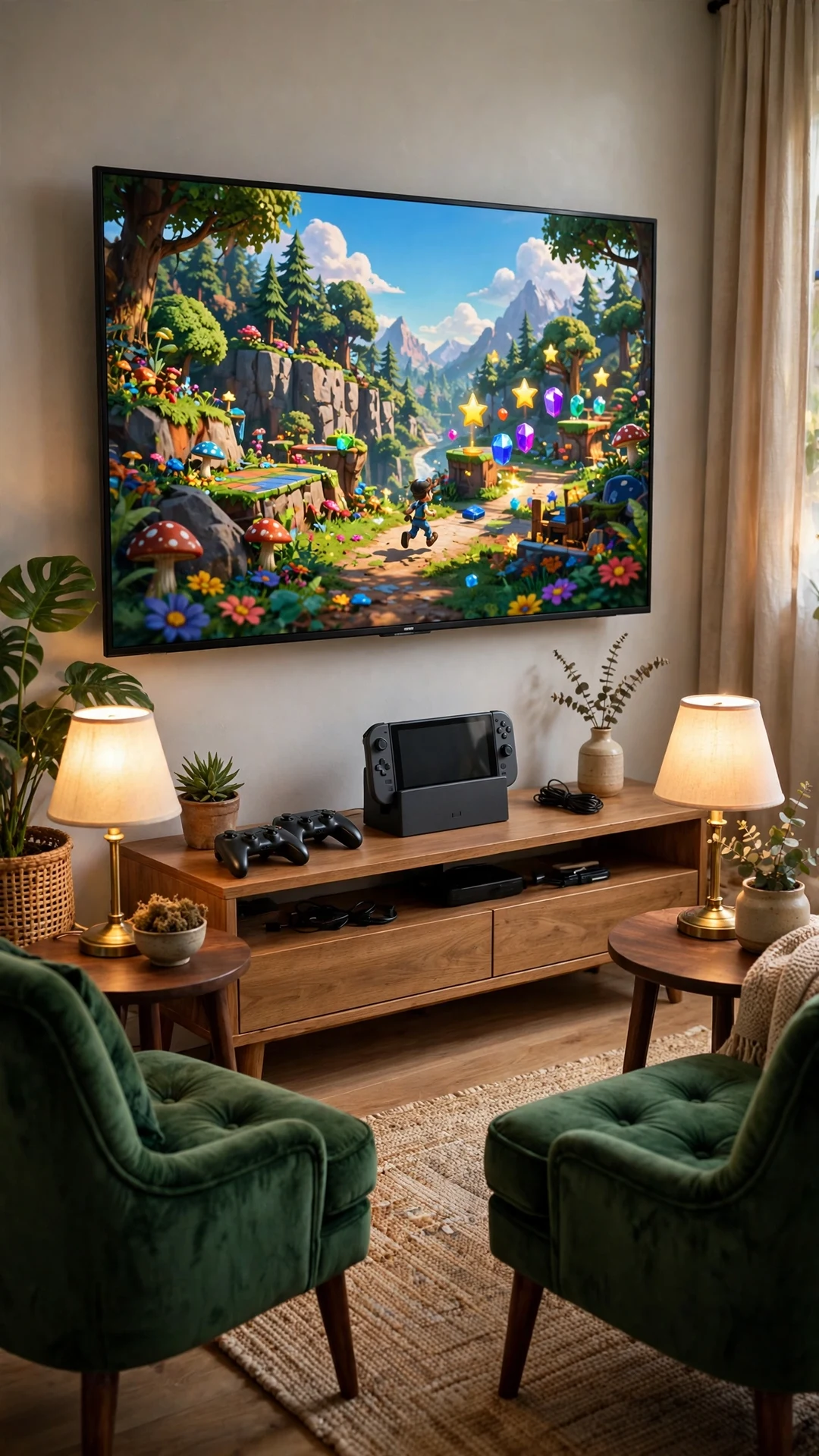
Dock the Deck under the television and the whole living room becomes a Steam library. A low media stand holds the dock, the television, and a small basket for controllers, while two green velvet accent chairs face the screen at a comfortable distance for long sessions.
Backlight the television with a color changing strip that matches the game, and put warm table lamps on the media stand for a cozy glow that never washes out the screen. A small desk at the side of the room holds a monitor for browsing the library and planning downloads.
Store controllers on a dual holder on the desk and spare cables in the media stand cabinet, and run power through one surge protected strip behind the stand for the TV and dock, with a second under the desk for the monitor.
Why this one: The side cabinet hides the dock and controllers, and the wide top fits a large TV with room for a small lamp.
Worth knowing: It is built for large TVs, so measure your room before ordering if the wall is short.
Why this one: The dual camera backlight matches the TV colors in real time, which makes big screen Deck nights feel cinematic.
Worth knowing: It needs a clear view of the screen from the camera, so keep the top of the TV free of clutter.
3. Handheld Steam Deck Lounge Chair Setup
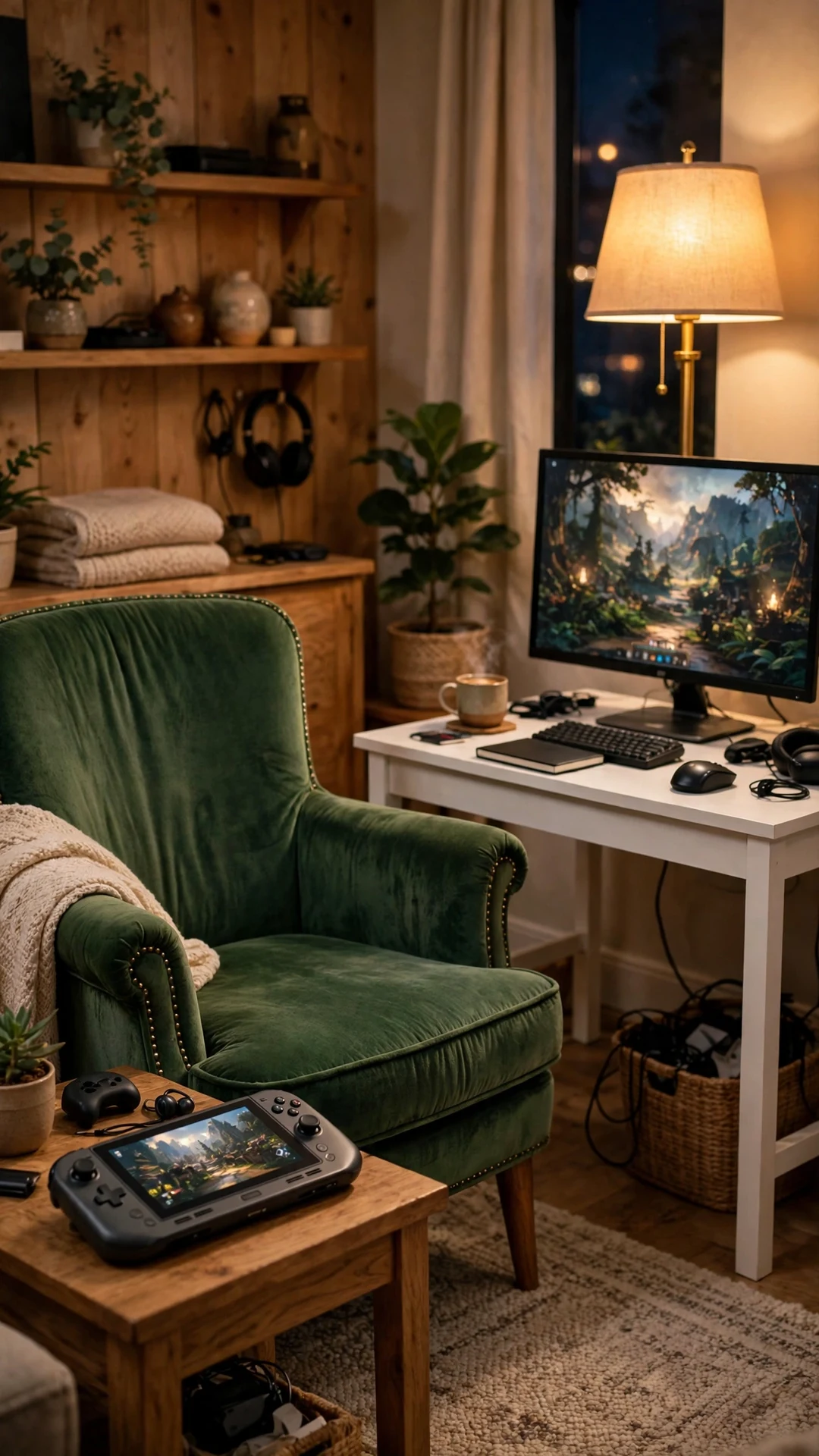
Handheld Deck play needs a great chair more than a great desk, so start with a deep velvet accent chair in the corner and build a small desk beside it. The chair holds you for long handheld sessions, while the 32 inch white desk holds a small monitor for the times you dock the Deck and want a bigger picture.
A tall floor lamp with a warm shade lights the corner without glare on the handheld screen, and a short LED strip behind the desk adds a soft glow in the evening. Keep a small side table within reach for a drink and the Deck case.
Store game accessories in a small woven basket on the desk and chargers in the desk drawer, and run one slim power strip under the desk for the monitor, the lamp, and the Deck charger.
Why this one: The green velvet and wing sides make a proper reading and gaming chair, and the padded seat stays comfortable for hours.
Worth knowing: It has no wheels or height adjustment, so it suits a fixed corner rather than a desk.
Why this one: The tall warm lamp fills the corner with soft light that flatters a handheld screen without washing it out.
Worth knowing: The shade is fabric, so keep it clear of the chair edge to avoid dust buildup.
4. Steam Deck and Monitor Dual Screen Desk
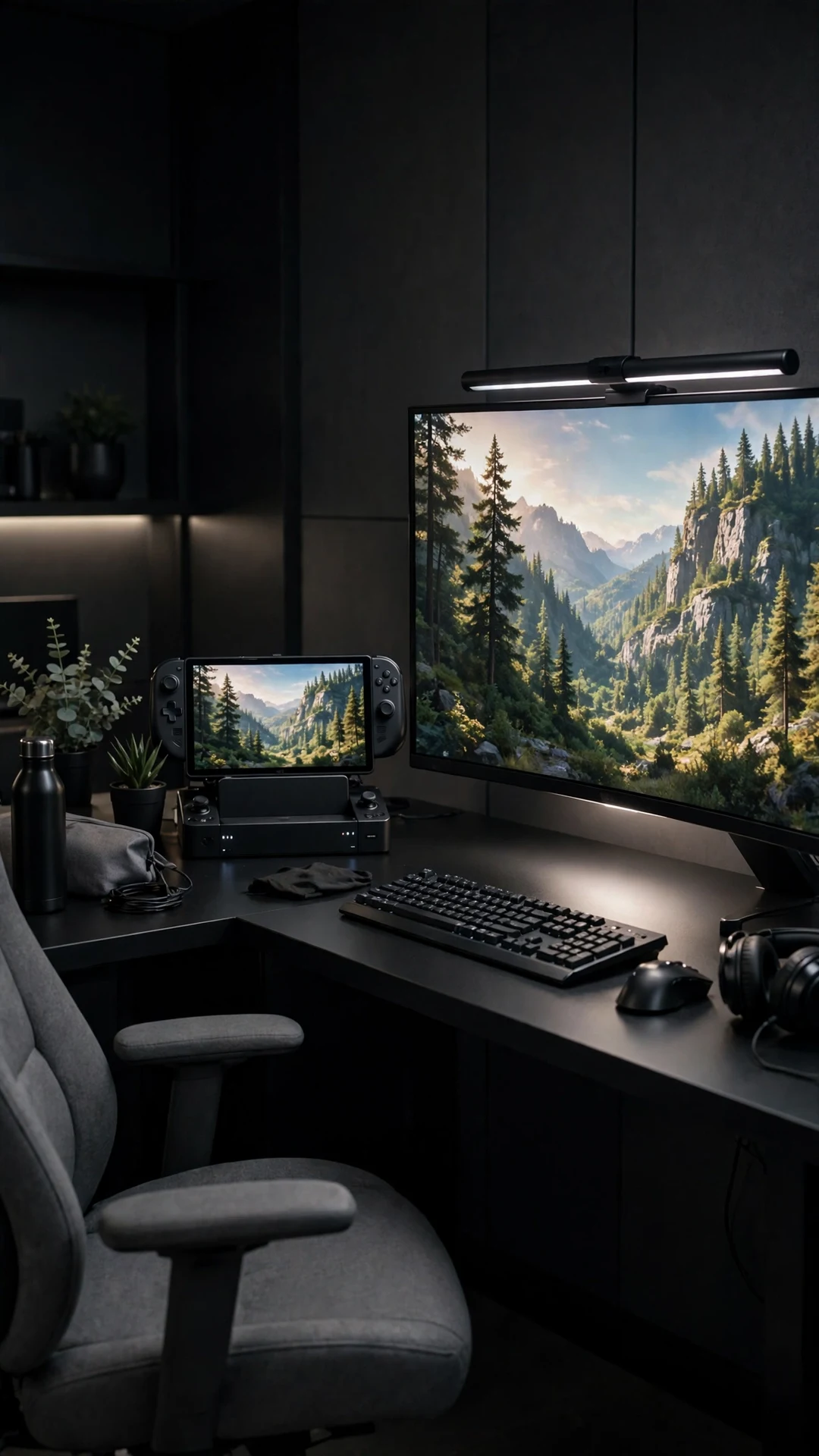
The Deck screen is a free second monitor, so build the desk to use both screens at once. An L shaped desk holds a wide monitor on a single arm on the long side and the dock on the short side, with the Deck screen angled toward you for chat, a map, or a game library while the main game runs on the monitor.
A monitor light bar washes the desk without glare on either screen, and a color changing LED strip behind the desk ties both sides together. The gray executive chair with flip up armrests slides between the keyboard side and the Deck side without catching the desk.
Store accessories in a pegboard above the long side and controllers on a headset stand on the short side, and run power through an under desk strip with ten outlets so both screens and their chargers never compete for a plug.
Why this one: The L shape fits neatly into a corner and the reversible shelves give controllers and game boxes a home.
Worth knowing: The marble top shows dust and fingerprints, so it needs a quick wipe before guests arrive.
Why this one: The single arm frees desk space and lets the monitor sit at exactly the right height beside the Deck.
Worth knowing: It fits screens up to 27 inches, so check your monitor size before ordering.
5. Small Space Steam Deck Shelf Desk
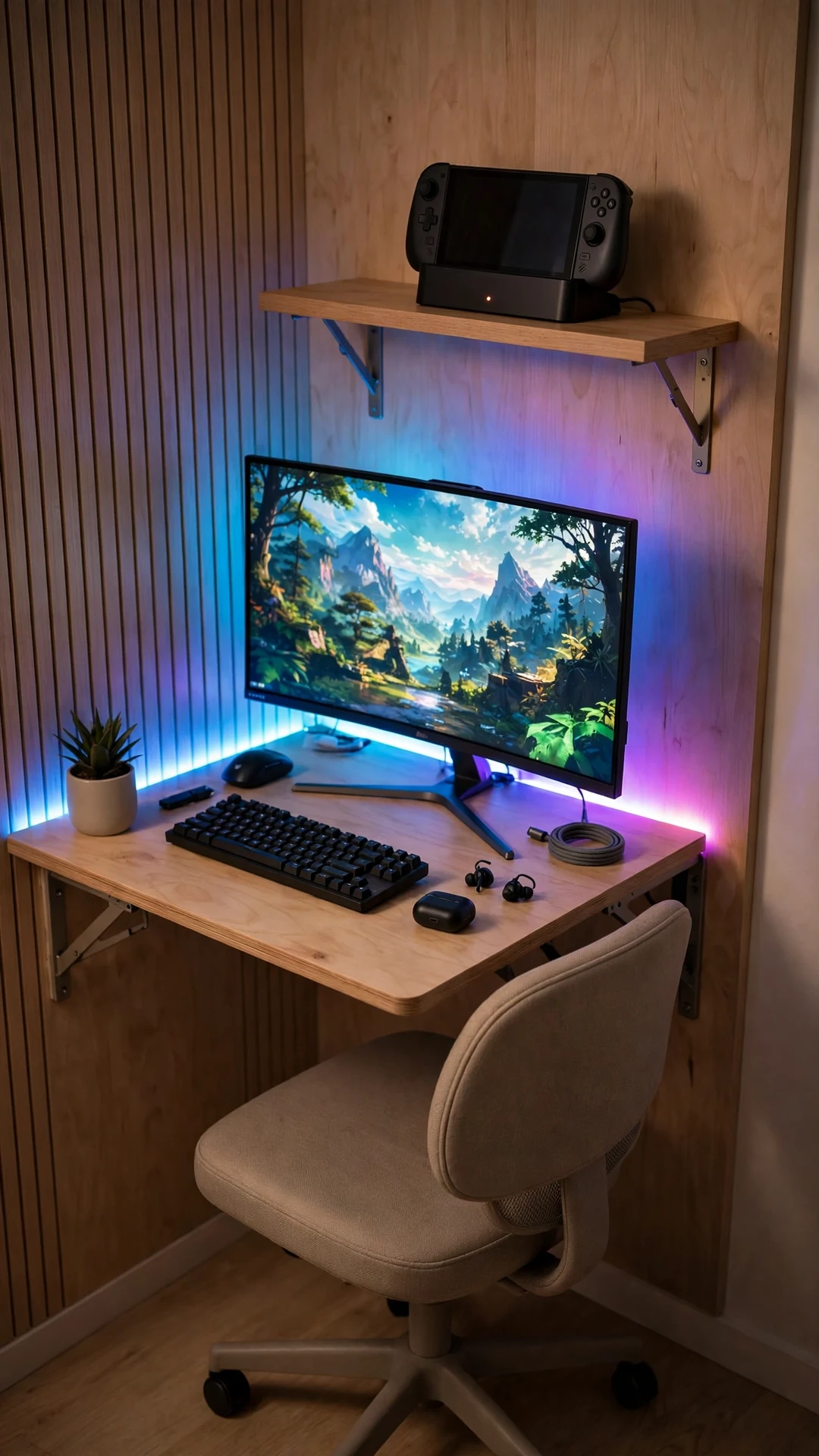
A Deck fits a tiny room when the desk folds away and the dock lives on the wall. Mount a folding wall desk opposite the bed and put the Deck dock on a small floating shelf above it, with the monitor on a single arm so it swings flat against the wall when you are done.
A color changing LED strip behind the desk gives the corner a glow without a floor lamp taking up space, and the beige task chair tucks under the folded desk. The dock on the shelf keeps the desktop clear for the monitor and one controller.
Store accessories in two small folding wall shelves above the desk, and run one flat plug power strip behind the shelf with a cord clip trail along the skirting board so nobody trips at night.
Why this one: The folding desk frees the floor when the Deck is away, and the 48 inch top fits a wide monitor easily.
Worth knowing: It needs solid wall studs to hold the weight, so check the wall before mounting.
Why this one: The two folding shelves give accessories and controllers a home without taking floor space, and they fold flat when not needed.
Worth knowing: They hold light items only, so keep heavier gear on the floor, not on the shelf.
6. Steam Deck Travel Ready Station
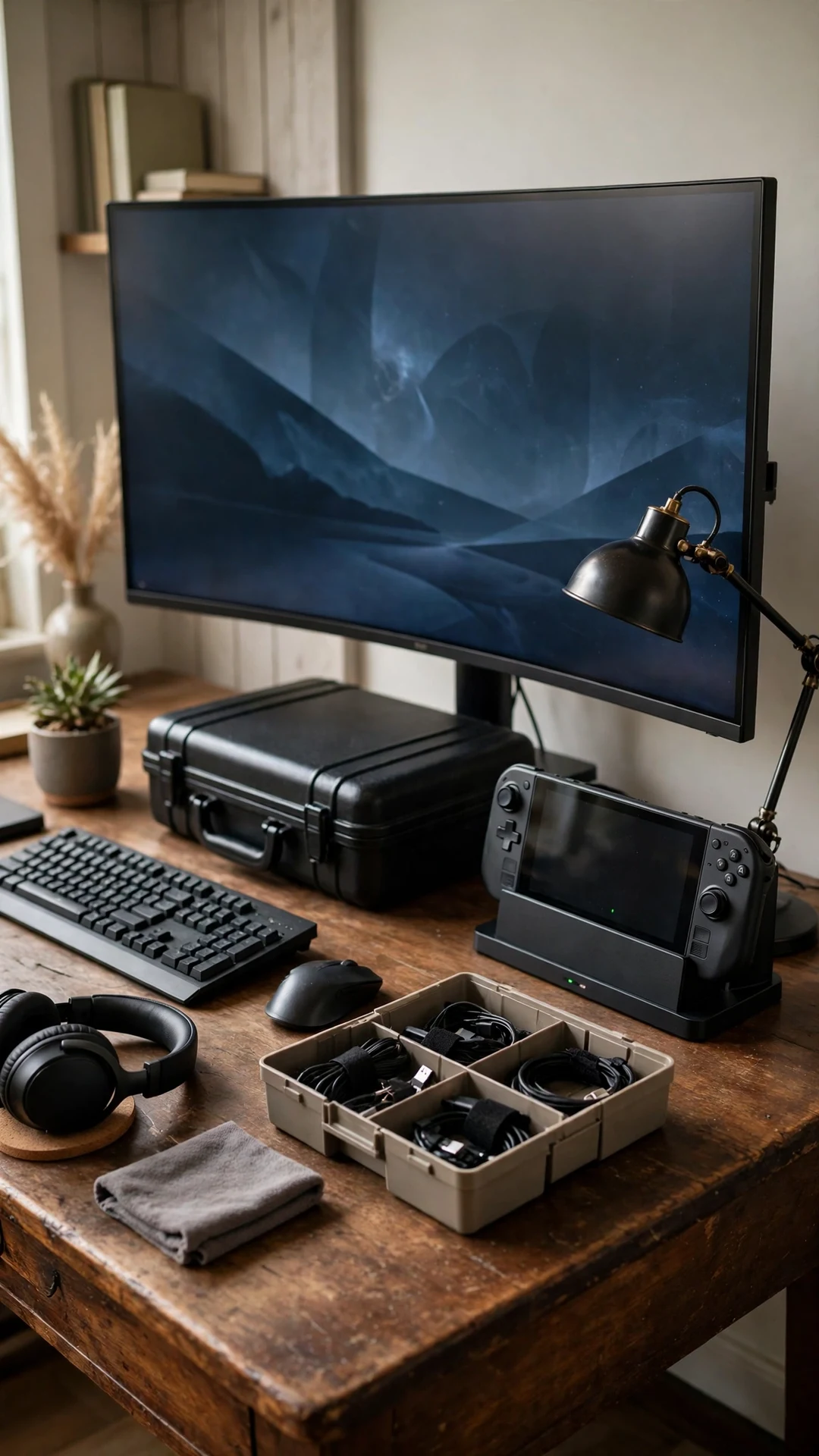
A travel ready station keeps the Deck ready to grab and go, with everything packed in one spot. A 32 inch vintage wood desk holds the dock, a wide monitor, and the travel case side by side, so packing takes thirty seconds and nothing gets left behind.
A swing arm desk lamp lights the desk for packing and play, and a small cable organizer box hides the charger, the HDMI cable, and the spare USB cable. The beige task chair rolls out of the way when the case comes out.
Store accessories in the desk drawer and the case on a wall shelf above the desk, and run one slim power strip under the desk with the charger plugged in permanently so the Deck is always charged when you grab it.
CubiCubi Computer Desk, 32 inch Small Home Office Desk for Small Spaces, Vintage
Why this one: The 32 inch vintage top fits a monitor, a dock, and a travel case without crowding, and the small footprint suits a hallway desk.
Worth knowing: It has no drawers, so add a small basket for accessories and cables.
Why this one: The swing arm lamp reaches over the desk for packing and play, and the clip base frees desktop space.
Worth knowing: It needs a bulb that fits an E26 base, which is not included in every pack.
7. Steam Deck Streaming Desk
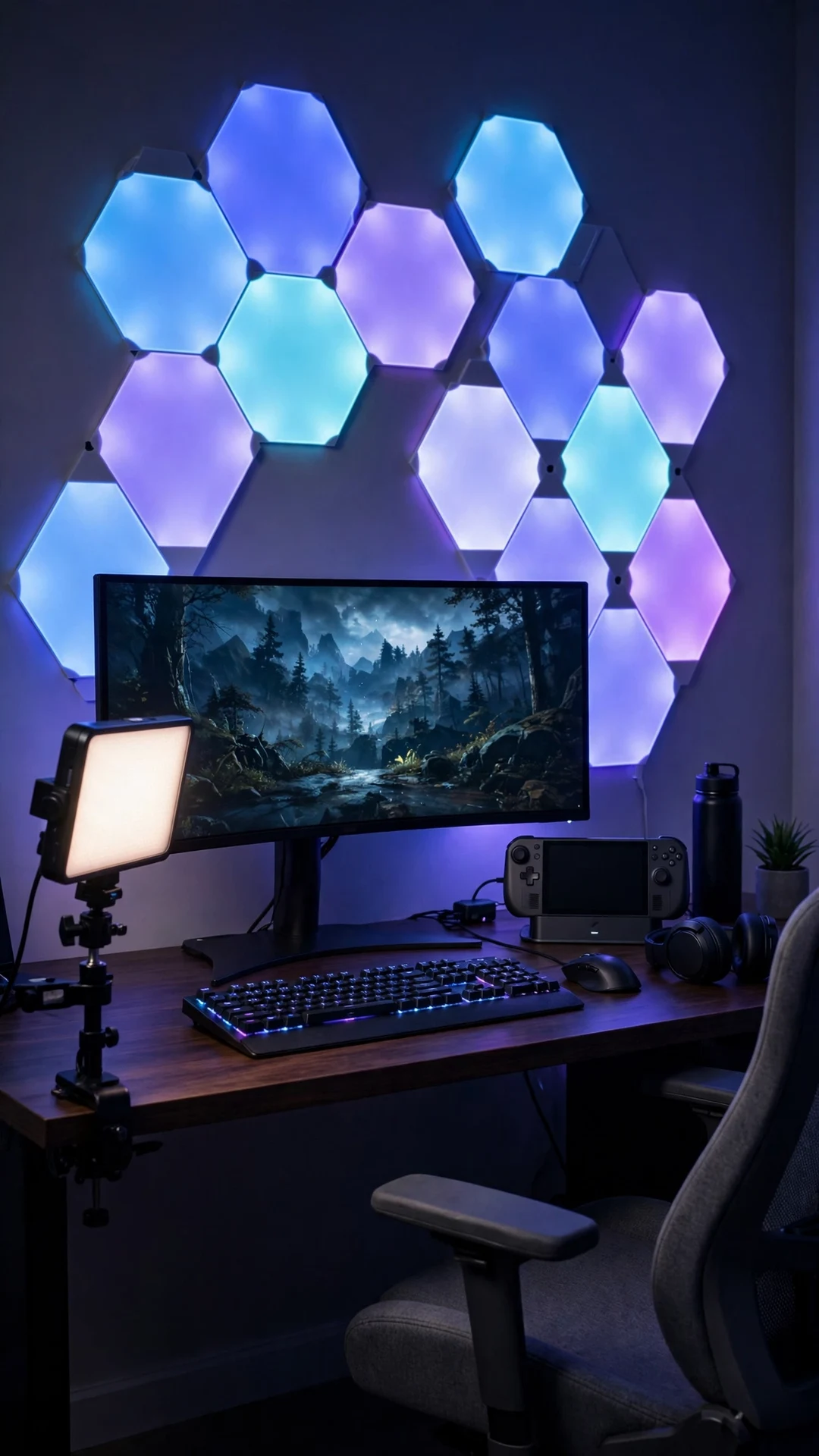
Streaming a Deck needs good light on you and a clean desk behind you, so put the key light first and the game second. A professional key light on a desk clamp lights your face evenly, while the 60 inch desk holds the monitor, the dock, and a small capture setup without crowding.
RGB wall panels behind the desk give the stream a backdrop that reads well on camera, and a monitor light bar keeps the desk glare free during long streams. The gray executive chair with flip up armrests looks tidy on camera and lets you slide in and out between matches.
Store spare controllers on a dual holder with a headset stand, and run power through an under desk strip with ten outlets so the light, the monitor, the dock, and the chargers never compete for a plug.
Elgato Key Light, Professional 2800 Lumens Studio Light with Desk Clamp for Streaming
Why this one: The 2800 lumen key light gives even studio light for streaming, and the desk clamp saves floor space.
Worth knowing: It is a professional light, so it needs a desk edge to clamp onto and a nearby outlet.
Govee Glide Hexa Pro Light Panels, RGBIC 3D Hexagon Wall Lights
Why this one: The hexagon panels turn the wall into a stream backdrop, and the app control makes it easy to set a channel color.
Worth knowing: They need a flat clean wall to stick properly, so prep the surface first.
8. Budget Steam Deck Starter Desk
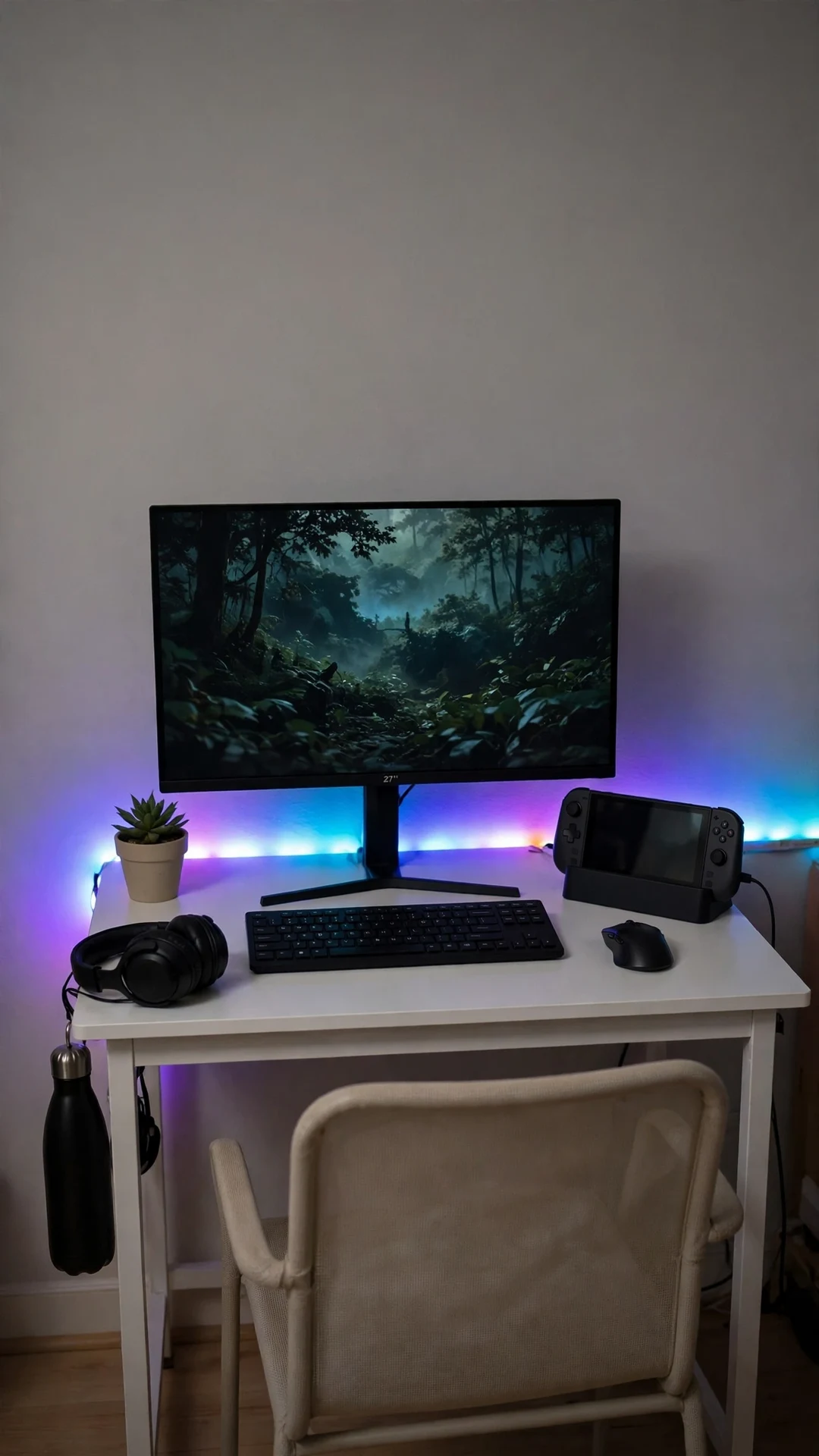
A starter Deck setup needs three things and nothing more: a desk that fits the dock, a monitor that fits the room, and power that reaches both. A 32 inch white desk with two drawers holds the dock and a wide monitor, with the drawers swallowing controllers and accessories.
A color changing LED strip behind the desk gives the whole corner a glow for very little money, and a beige task chair with lumbar support keeps long sessions comfortable. The monitor sits on a simple riser made from the desk’s own shelf, so nothing extra needs buying.
Store chargers in a small cable box on the desk and run one slim power strip under the desktop with cables clipped along the back edge, and the whole setup stays tidy from day one.
Why this one: The two drawers swallow controllers and cables, and the 32 inch top fits a dock beside a monitor without crowding.
Worth knowing: It is a compact desk, so a second monitor needs a riser or an arm to fit comfortably.
Govee 16.4ft RGBIC LED Strip Lights, Work with Alexa and Google Assistant
Why this one: The color changing strip lights the wall evenly and can be set to a soft blue to match the Deck.
Worth knowing: The strip needs a nearby outlet, and the adhesive can loosen on textured walls over time.
9. Steam Deck Family Game Room
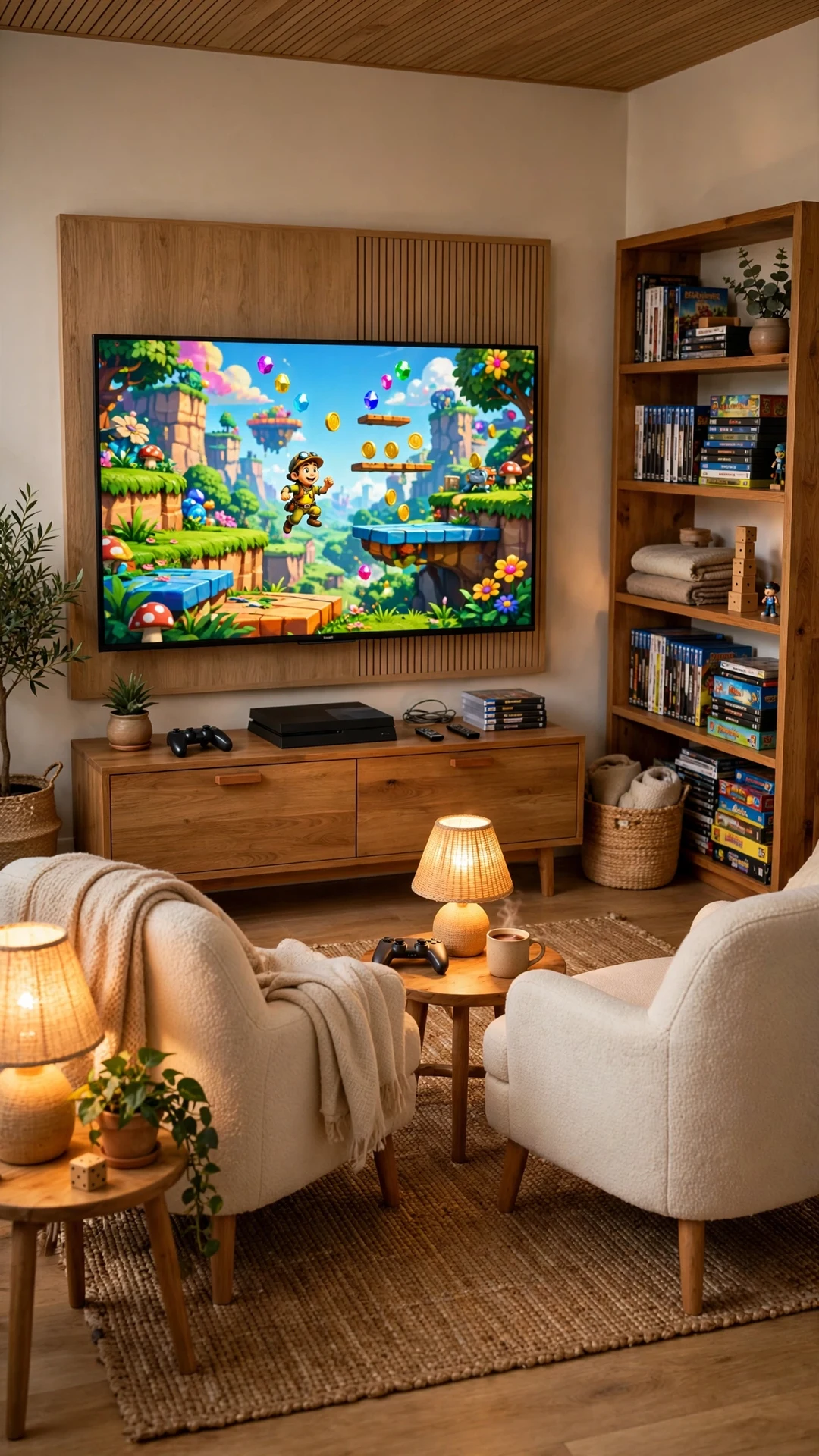
Family game night works when the television is big, the seating is low, and the controllers are always charged. Put the television on a low media stand with two cream velvet chairs facing it and a jute rug in front, so kids can sit on the floor and adults can sit in the chairs without blocking anyone.
Warm table lamps on the media stand keep the room cozy, while a color changing strip behind the television adds just enough glow for party games. A small desk at the side holds a monitor for the playlist and the snack list.
Store board games and Deck accessories in a three tier bookcase at the end of the room, with the heaviest games on the bottom shelf, and run power through a strip mounted on the wall behind the stand so little hands cannot reach the plugs.
Furinno Basic 3-Tier Bookcase Storage Shelves, French Oak Grey
Why this one: The three shelves hold games, controllers, and books at kid height, and the oak grey finish fits a family room.
Worth knowing: It is open shelving, so add baskets if you want the clutter hidden.
Why this one: The four woven baskets hide accessories, controllers, and cables in one tidy stack.
Worth knowing: The baskets are open topped, so small items can tip out if the stack is knocked.
Frequently Asked Questions
Do I need a dock for a Steam Deck setup?
A dock helps for desktop and television play, but the Deck works handheld without one. Setups 1, 2, and 4 use a dock for a monitor or television, while setup 3 is built for handheld play with a small monitor as a second screen.
Can the Steam Deck replace a gaming PC?
For many games, yes, when docked with a monitor, keyboard, and mouse. Setup 1 builds the desk like a full PC battlestation, and setup 4 uses the Deck screen as a second monitor for chat and maps.
Where should the Steam Deck dock live?
On the desk beside the monitor or on a media stand under the television, with airflow around it. Setups 1 and 4 keep the dock on the desk, setups 2 and 9 keep it on a media stand, and setup 5 puts it on a wall shelf to save space.
What monitor works best with a Steam Deck?
A 24 to 27 inch monitor with a fast refresh rate, on an arm or riser so it sits at eye level beside the Deck. Setup 4 pairs a wide monitor on an arm with the Deck screen, and setup 1 uses a riser to line the two screens up.
How do I keep Steam Deck cables tidy?
Run one slim strip under the desk and clip cables along the back edge, as in setups 5 and 8. A cable box on the desk hides the charger and HDMI cable, and the dock stays plugged in so the Deck is always charged.
Can I stream Steam Deck gameplay from a desk setup?
Yes, with a capture device between the dock and the monitor. Setup 7 adds a key light and RGB wall panels for a stream ready desk, and the desk has enough outlets for the light, the monitor, and the dock.
Conclusion
The Steam Deck earns its place in a gaming room because it is three devices in one, a handheld, a desktop PC, and a console for the television. Start with the docked battlestation if you play at a desk, the television setup if you play on the couch, or the budget starter desk if this is your first Deck. For more ways to shape the room around your handheld, see the 12 RGB lighting ideas for gaming rooms and the 10 dual monitor gaming setup ideas, then pick your favorite way to play and build the room around it.
